navigation MERCEDES-BENZ E-Class WAGON 2011 S212 Comand Manual
[x] Cancel search | Manufacturer: MERCEDES-BENZ, Model Year: 2011, Model line: E-Class WAGON, Model: MERCEDES-BENZ E-Class WAGON 2011 S212Pages: 234, PDF Size: 8.64 MB
Page 105 of 234
While
scrolling themap (Ypage 61),youwill
see thegeo-c oordinat esofthe cross hair
position .Height display :and number of
satellites used?are not displayed.
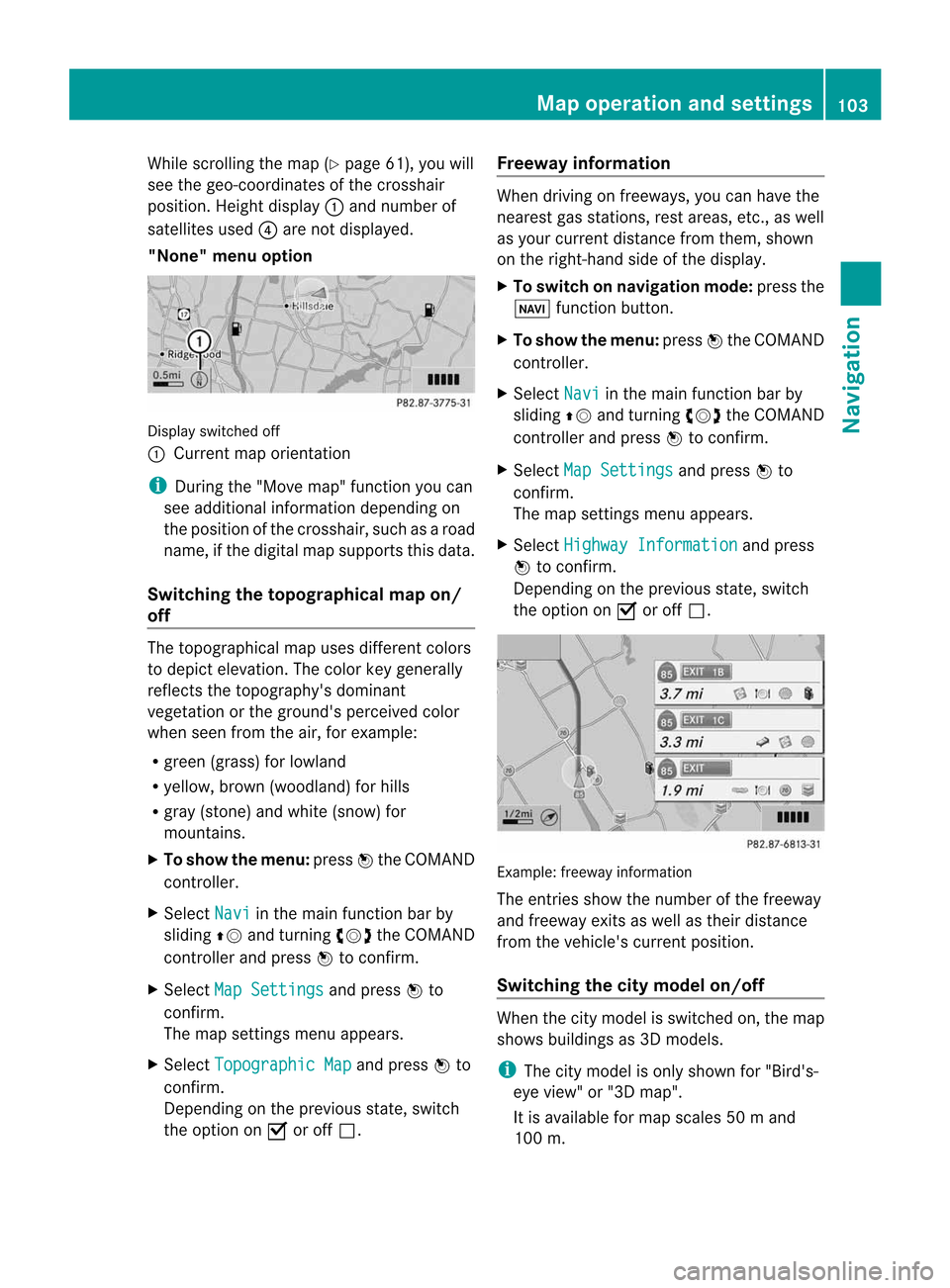
"None" menuoption Display
switchedoff
: Current maporient ation
i Durin gthe "Move map"function youcan
see additional information depending on
the position ofthe cross hair,such asaroad
name, ifthe digital mapsupports thisdata.
Switching thetopogr aphical map on/
off The
topogr aphical mapuses differen tcolors
to depict elevation. Thecolor keygenerally
reflect sthe topography's dominant
vegetation orthe ground's perceived color
when seenfromtheair,forexample:
R green (grass) forlowland
R yellow ,brown (woodland) forhills
R gray (stone) andwhite (snow) for
mountains.
X To show themenu: pressWthe COMAND
cont roller.
X Select Navi in
the main functionbar by
sliding ZVandturnin gcVd theCOMAND
cont roller andpress Wtoconf irm.
X Select MapSettings and
press Wto
conf irm.
The map settings menu appears.
X Select Topographic Map and
press Wto
conf irm.
Dependin gonthe previous state,switch
the option onO oroff ª. Freeway
information When
driving onfreeways, youcan have the
nearest gasstation s,rest areas, etc.,asw ell
as your current distance fromthem, shown
on the right- hand sideofthe display .
X To switch onnavigation mode:pressthe
Ø functionbutton .
X To show themenu: pressWthe COMAND
cont roller.
X Select Navi in
the main functionbar by
sliding ZVandturnin gcVd theCOMAND
cont roller andpress Wtoconf irm.
X Select MapSettings and
press Wto
conf irm.
The map settings menu appears.
X Select Highway Information and
press
W toconf irm.
Dependin gonthe previous state,switch
the option onO oroff ª. Example:
freewayinformation
The entriesshow thenumber ofthe freeway
and freeway exitsaswell astheir distance
from thevehicle's currentposition.
Switching thecity model on/off When
thecity model isswitched on,the map
shows buildingsas3D models.
i The citymodel isonly shown for"Bird's-
eye view" or"3D map".
It is availa bleformap scales 50ma nd
100 m. Map
operatio nand settin gs
103Navi gation Z
Page 106 of 234
The
data required fordisplay ingbuildings
is not availab lefor allcities.
X To show themenu: pressWthe COMAND
cont roller.
X Select Navi in
the main functionbar by
sliding ZVandturnin gcVd theCOMAND
cont roller andpress Wtoconf irm.
X Select MapSettings and
press Wto
conf irm.
The map settings menu appears.
X Select City (3D) and
press Wtoconf irm.
Dependin gonthe previous state,switch
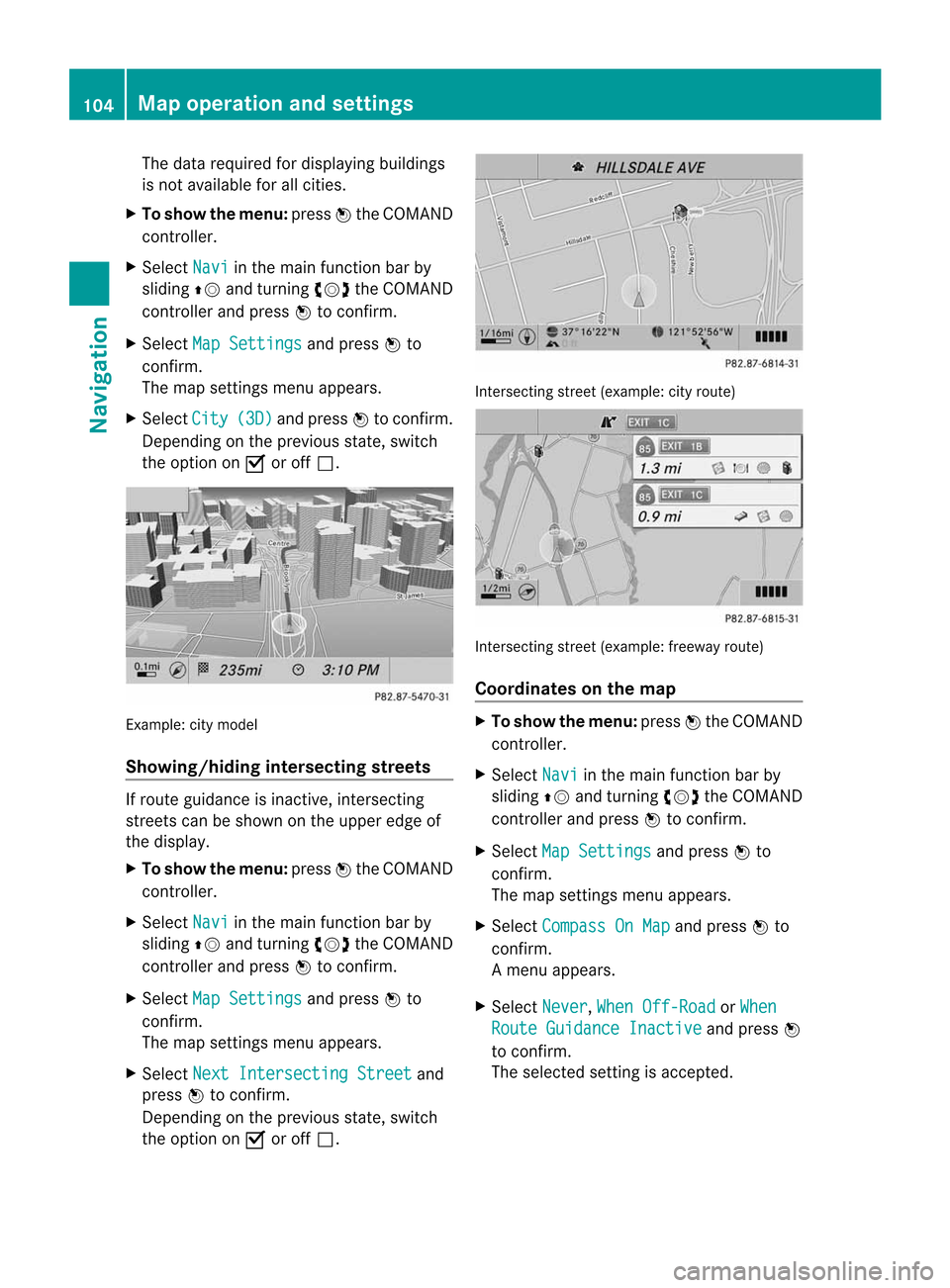
the option onO oroff ª. Example:
citymodel
Showing/hiding intersectingstreets If
route guidance isinact ive,inter secting
street scan be shown onthe upper edgeof
the display .
X To show themenu: pressWthe COMAND
cont roller.
X Select Navi in
the main functionbar by
sliding ZVandturnin gcVd theCOMAND
cont roller andpress Wtoconf irm.
X Select MapSettings and
press Wto
conf irm.
The map settings menu appears.
X Select NextIntersecti ngStreet and
press Wtoconf irm.
Dependin gonthe previous state,switch
the option onO oroff ª. Int
ersect ingstreet (example: cityroute) Int
ersect ingstreet (example: freewayroute)
Coordinates onthe map X
To show themenu: pressWthe COMAND
cont roller.
X Select Navi in
the main functionbar by
sliding ZVandturnin gcVd theCOMAND
cont roller andpress Wtoconf irm.
X Select MapSettings and
press Wto
conf irm.
The map settings menu appears.
X Select Compass OnMap and
press Wto
conf irm.
Am enu appears.
X Select Never ,
When Off-Roa d or
When Route
Guidanc eInactiv e and
press W
to con firm.
The select edsett ingisaccept ed. 104
Map
opera tionandsettingsNavigation
Page 108 of 234

Opt
ion 1:the menu appears X
Select Using Map ,
From Memory or
From Persona
lPOIs and
press Wtocon firm.
If you select Using Map ,t
he map withthe
cross hairappears.
Aft erchoosin gbetween FromMemory or
From Persona lPOIs ,e
ither the
destin ationmemory (Ypage 94)orthe list
of categor iesforpersonal pointsofint erest
appears (Ypage 75).
X Choose thedestin ationorpersonal pointof
int erest andpress Wtocon firm.
X Ifthe destin ationaddress isdisplayed,
select Continu e and
press Wtocon firm.
The map appears.
The cross hairmarks thecenterofthe area
that isto be avoided.
X To move themap :slide XVY, ZVÆor
aVb theCOMAND controller.
X To set the map scale: assoon asyou turn
cVd theCOMAND controller, thescale bar
appears. Turningclock wise zooms outfrom
the map; turningcount er-clockwise zooms
in.
X Turn cVd untilthedesired scaleisset.
X To app lyab lock: press Wthe COMAND
con troller.
Ar ed square appears onthe map. X
To adj ust the size ofthe squa re:turn
cVd theCOMAND controller.
The square isenlarged orreduced.
X To confirm thesettings: pressW.
The listappears. Thepreviously selected
area tobe avoided hasbeen added and
activ ated.
X Follow theinst ruct ions listed under "Option
2: the listappears".
Opt ion 2:the listappears "Avoid
area"list(example)
i Available listplaces arenamed Area
areshown ingray.
X Select Avoid NewArea by
turn ingcVd
the COMAND controller andpress Wto
con firm.
Am enu appears. 106
Addit
ional settingsNavigation
Page 110 of 234

X
Sel ect SIRIUS Service and
pressW to
confi rm.
The window onthe right halfof the displ ay
sho wsthe telephone numb erofthe
pro vider(SIR IUSXM) andtheserialn umb er
of your ser vice modulef or rece iving traf fic
mes sages .
Reg isteri ngfor the SIRIU SXMt raffic
repo rtse rvic e X
Ca llthe trafficrep ort provider'sp hone
numb ersho wnonthe scre en.
i Youc an also have the satel lite ser vice
acti vate donline .Tod oso,visit theSIRIUS
XM Radio website at
htt <0019000F00320032001E001E001E00460017002300160023002500170046001F
002700149 (USA)or
htt <0019000F00320032001E001E001E0046001700230016002300250017001F002A
0028002A001C002A9 .com
(Canada) .
Once theconn ection hasbeen established:
X Follow theinstr uctions ofthe operator.
The activation processmaytake uptoten
minutes.
If registrat ionisnot included when
purchasing thesystem, yourcredit card
details willberequired toactivate your
account . Compass
function
In the compass view,youcan seethecurrent
direction oftravel, thecurrent heightabove
sea level andthecoordinat esofthe vehicle
position, forexample.
X To switch onnavigation mode:pressthe
Ø functionbutton .
X To show themenu: pressWthe COMAND
cont roller.
X Select Pos. in
the navigation systemmenu
bar bysliding VÆandturnin gcVd the
COMAND controller andpress Wto
conf irm.
X Select Compass and
press Wtoconf irm. Compass
(example)
: Current direction oftravel
; Current heightaboveaverage sealevel,
rounded
= Current vehicleposition: longitude
coordinat es
? Number ofGPS satellites currentlybeing
used
A Current vehicleposition: latitude
coordinat es
B Currently setsteerin gangle ofthe front
wheels
i Todisplay current height;,thesystem
must beable toreceive atleast four
satellites. Steeringangle Bcan bea
maximum of35° inboth direction s.
X To exit thedisplay: confirmBack by
pressing Worpress the% button . Showing
themap dataversion
X To show themenu: pressWthe COMAND
cont roller.
X Select Navi in
the main functionbar by
sliding ZVandturnin gcVd theCOMAND
cont roller andpress Wtoconf irm.
X Select MapVersion and
press Wto
conf irm.
The map data version number isshown.
Infor mation aboutnewversions ofthe
digital mapcanbeobtained froman
authorized Mercedes-B enzCenter. 108
Additional
settingsNavigation
Page 111 of 234
Upd
ating the digit alma p
Intr oduct ion The
digital mapsgeneratedbythe map
soft ware becom eoutdate dint he same way
as con vent ional roadmaps. Optimalroute
guidance canonly beprovided by
the navigat ionsystem incon junction with the
most up-to-dat emapsoft ware.
Inf ormat ionabout newversion softhe digital
map canbeobtain edfrom anauthoriz ed
Merc edes-B enzCent er.You canhave the
digital mapupdated therewithaD VD,ory ou
can update ityourself.
i The update processcan takeal ong time
(over anhour), dependingonthe size ofthe
digit almap. During this time,you willonly
be able toswitc honradio mode andto
acc ept incomin gcalls. Theupdate willbe
com plete dmoreq uick lyifthe vehic leis
st ation ary.
If you carryoutthe update withtheengine
switc hedoffand thestart erbatt eryhas
insuf ficient power, COMANDmay
autom atically switc hoffdurin gthe proc ess
in order toprot ectthe batt ery. Ifthis
occ urs, restartthe update withtheengine
runn ing. G
WARN
ING
Neve rleave theengine runninginan enclos ed
space. Theexhaust gasescontain carbon
monox ide.Inhaling exhaustgasesconstitutes ah
ealth hazard andcould leadtoloss of
con sciousnes soreven death.
Upda tingprocess X
Inser tthe DVD intotheDVD changer
(Y page 154).
COMAND checkswhether thedigital map
on the DVD iscompat iblewith the
navigation systemandsystem software.
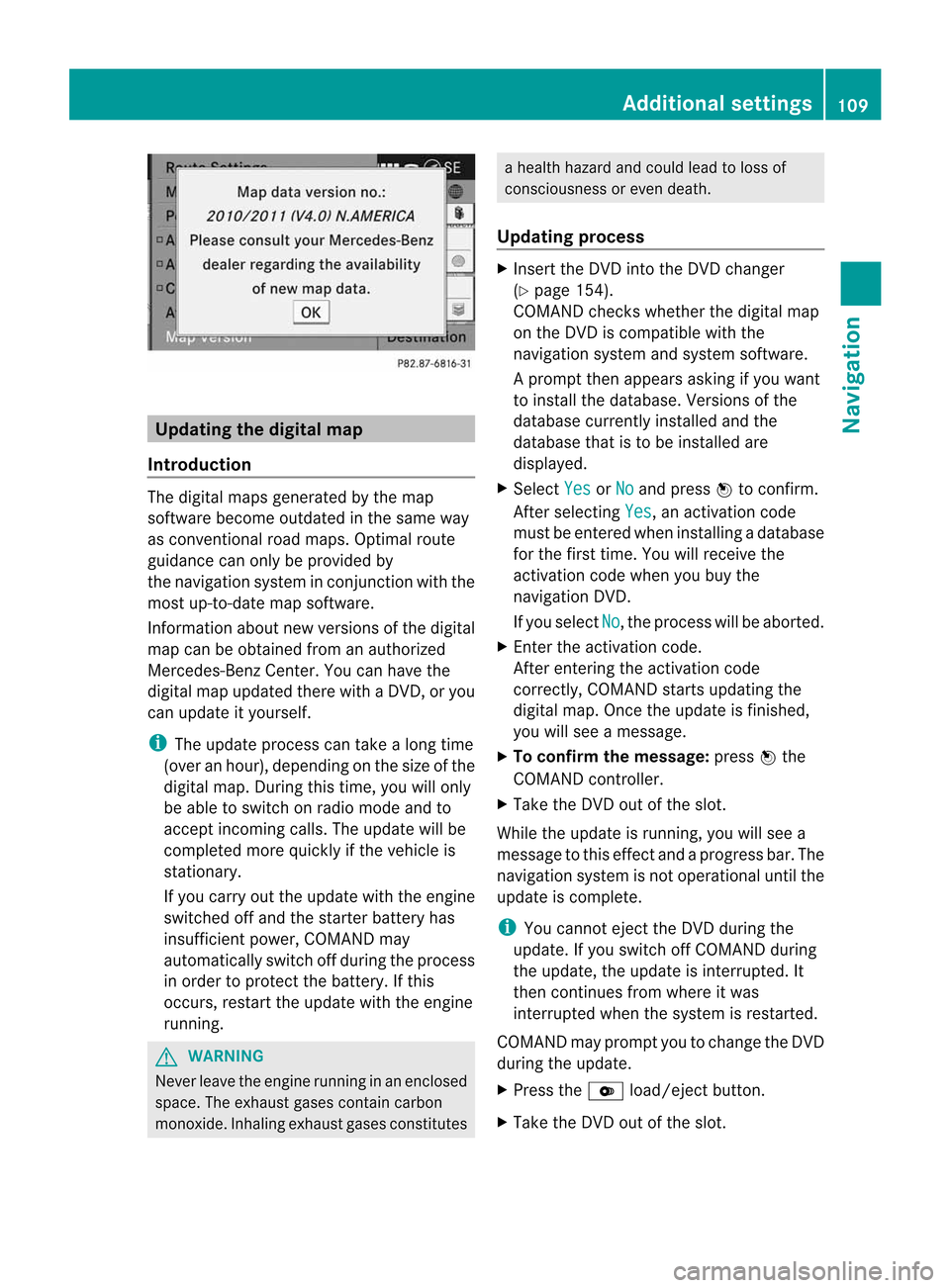
Ap rompt thenappears asking ifyou want
to install thedata base.Versio nsofthe
data basecurrently installedand the
data basethat isto be install edare
disp layed.
X Select Yes or
No and
press Wtoconfirm.
After selecting Yes ,a
na ctiva tioncode
must beentered wheninstall ingadata base
for the first time. Youwillreceive the
activati oncode when youbuy the
naviga tionDVD.
If you sele ctNo ,t
he process willbea borted.
X Enter theactiva tioncode.
After entering theactivati oncode
correctly, COMAND startsupdating the
digi talmap. Once theupdate isfinishe d,
you willsee am essa ge.
X To confirm themessage :press Wthe
COMAND controller.
X Take theDVD outofthe slot.
Whil ethe upd ate isrunning, youwillsee a
messa getothis effect andaprogre ssbar. The
naviga tionsystem isnot opera tional untilthe
upd ate iscomple te.
i You cannot ejecttheDVD duringthe
upd ate. Ifyou switch offCOMAND during
the update, theupdate isinterrup ted.It
then continues fromwhere itwa s
interrup tedwhen thesystem isrestarted.
COMAND mayprompt youtochange theDVD
duri ngthe update.
X Press theV load/eject button.
X Take theDVD outofthe slot. Additio
nalsetting s
109Navigatio n Z
Page 112 of 234

X
Insert thereque stedDVD.
Once theupdate has been successfu lly
completed, youwillsee am essag etot his
effect.
X To con firm themessage :press Wthe
COMAND controller.
X Take theDVD outofthe slot.
The update iscomplete.
If the upd ateisnot successfu llycompleted,
you willsee am essag ethat the map update
is not possi ble.
X To con firm themessage :press Wthe
COMAND controller.
X Take theDVD outofthe slot. 110
Addition
alsettingsNavigation
Page 113 of 234

Problems
withthenavigation system Problem Possible
causes/co nsequences andM Solutions
COMAND
isunable to
cont inue route
guida nceafter the
journey hasbeen
interr upted. Route
guidanceiscanceled ifyou interr uptthejourney formore
than twohours.
"Interr upting thejourney" referstostopping thevehicle.
"Continuing routeguidance"refers toswitching COMAND backon
and driving on.
X Continue routeguidance(Ypage 81). Problem Possible
causes/co nsequences andM Solutions
COMAND
isunable to
determine thevehicle's
position. COMAND
hastoredetermine theposition ofthe vehicle ifthe
vehicle hasbeen transport ed(e.g. byferry, bymotorail orafter
towing).
X Start thevehicle andpullaway .
COMAND determines thevehicle's position.Depending onthe
driving situation, thismay take some time.
Route guidancemay berestric tedduring thedeterminat ionof
the vehicle's position.
When positioning iscomplete, routeguidanceisresumed with
navigation announcementsandroute guidancedisplay s. Problem Possible
causes/co nsequences andM Solutions
The
Navigation Unavailable message
appears. COMAND
hasanintegrated harddrive onwhich thedigital mapis
stored.
To protect theintegrat edhard drive against damage, COMAND
deactivates itat very high andlowtemperatures. Thenavigation
system willthen betemporarily unavailable.
X Let the vehicle andCOMAND cooldown.
X To hide themessage: switchCOMAND offand then onagain. If
an area ofthe hard drive hasamalfunction ,COMAND canno
longer access themap data inthis area, forexample when
calculating aroute.
X To hide themessage: switchCOMAND offand then onagain.
The navigation systemwillbeoperational againuntilithas to
access thefaulty areaofthe hard drive oncemore. Themessage
will then reappear.
X Consult anauthorized Mercedes-B enzCenter. Problems
withthenavigation system
111Navigation Z
Page 114 of 234

Problem Possible
causes/co nsequences andM Solutions
You
seeamessage
informin gyou that the
DVD containing the
digital mapis
incompatible withthe
system software. The
DVD containing thedigital mapcannot beused forthe update.
X To confirm themessage: pressWthe COMAND controller.
X Ejec tthe DVD .
X Have thedatabase checkedatan authorized Mercedes-B enz
Center. Problem Possible
causes/co nsequences andM Solutions
The
map software
update hasfailed. The
DVD isdirty.
X Clea nthe DVD .
X Restart theupdate. The
DVD isscratc hed.
X Consult anauthorized Mercedes-B enzCenter. There
isoverheating duetoexcessive temperatures inthe vehicle
interior.
X Wait untilthevehicle interior hascooled down.
X Restart theupdate. COMAND's
integralharddrive isfaulty.
X Consult anauthorized Mercedes-B enzCenter. Problem Possible
causes/co nsequences andM Solutions
COMAND
asksforan
activation codeduring
the map update. The
digital mapissecured withanactivation code.
X Consult anauthorized Mercedes-B enzCenter. 112
Problems
withthenavigation systemNavigation
Page 137 of 234
i
You canusethe"New entry" or"Add no."
func tionstos ave this telep honenumber or
to add itto an exis tinge ntry.
Stor ingthes ender asan ew address
book entry This
function isnot possible ifthe sender’s
telep honenumbe risa lrea dystored inthe
address book.
X Press Wthe COMAND controller while the
text message isbeing displayed.
X Select SaveNumber and
press Wto
confirm.
X Select New entry and
press Wtoconfirm.
X Proceed asdescribed inthe "Storing asa
new entry inthe address book"section
(Y page 130).
Storing atext mes sage senderinan
exist ingaddress book entry X
Pres sW theC OMA NDcontroller while the
te xt mes sage isbein gdisplayed .
X Sele ctSav eN umber and
pres sW to
con firm.
X Sele ctAdd PhoneNo. and
pres sW to
con firm.
X Proc eedfrom thes tep" Sele ctan um ber
cat egor y"inthe" Add ingtelepho ne
num bers toan existing phon ebook entry"
sec tion(Ypage 128).
Deleting atext mes sage (SMS) X
Sele ctat extm essage inthet extm essage
inbo xbyturning cVd theC OMA ND
co ntro ller .
X Se lec tthe list symbol tothe right ofthe text
message bysliding VYtheCOMAND
cont roller andpress Wtoconfirm .
X Select Delete and
press Wtoconfirm .
Ad eletion prompt appears.
X Select Yes or
No and
press Wtocon firm.
If you select Yes ,t
he tex tm essage is
deleted. If
you select No ,t
he process willbeaborted.
i This delete function isnot supported by
all mobile phones. TheDeletio n Procedu
reFailed message
appears. Using
theaddress book Introd
uction G
WARN
ING
Please devote youratten tionfirst and
foremo stto the traff icsituation youarein.
Befor eyour journ ey,please familiarize
yourself withtheaddress bookfunctions.
Only usetheCOMAND whenroadandtraffic
con ditions permityoutodo so. Other wiseyou
could beinvolved inan acciden tinw hich you
or others couldbeinjured.
The address bookorganizes andstores
entr ieswhich areentered fromdifferent
sources (mobilephone,memory card,USB
device, COMAND telephone book,navigation
system).
You canusethese entriestomake telephone
calls andfornavigation.
i Num berofcontacts inthe addr ess
book: theaddress bookcanstore atotal of
4000 contacts. 1500 entriesare reserved
in the address bookformobile phone
cont acts and1500 forcont acts youcreate
in COMAND orimport fromother sources.
The remaining 1000entriesare assigned
by COMAND asnecessary.
i Display ofmobile phonecontacts:
cont acts downloaded fromthemobile
phone remain inthe address bookevenif
the mobile phoneisdisconnec tedfrom
COMAND. Thismeans thatcontacts which
have previously beenavaila blecan be
displa yedassoon asthe mobile phoneis
reconn ected.Thecont acts aredownloaded
again sothat anynew contacts thathave
been added tothe mobile phonecanbe
displa yed. Using
theaddress book
135Telephone Z
Page 144 of 234
Overwrite imports
theentries fromthe
memory cardorUSB device andoverwrites
all entries inthe address bookwiththe
¯ symbol. Theprevious entriesarethen
no longer available.
Aft erthe cont actdata hasbeen imported
successfully ,you will see amessage tothis
effec t.The address bookorthe respect ive
telephon ebasic menu isdisplayed.
i You canselect theOverwri te menu
item
if the address bookalready contains
corr espondin gentries. Amessage notifies
you when theaddress bookisfull.
Receiving vCardsviaBluet ooth® Received
vCardsareidentif iedbythe ®
symbol inthe address book.
i Ifyou switch toanoth ermain function,
e.g. navigation ,while receivin gvCards, the
recept ionofvCards willbeterm inated.
X Select Address Book in
the address book
or, ifthe telephon ebasic menu isshown,
select Phone by
sliding VÆandturning
cVd theCOMAND controller andpress
W tocon firm.
Am enu appears.
X Select Downloa dContact s and
press W
to con firm.
X Select Receive dBusines sCards in
the
menu byturn ingcVd theCOMAND
con troller andpress Wtocon firm.
This interrupts theBluetoot h®
con nection
between COMAND andyour active mobile
phone. COMAND is,however, readyto
receive vCardsfromanoth erBluetoot h®
device (PC,mobile phone).
X Start the data transfer onthe external
Bluetoot h®
device (seetheoperatin g
inst ruct ions forthe device).
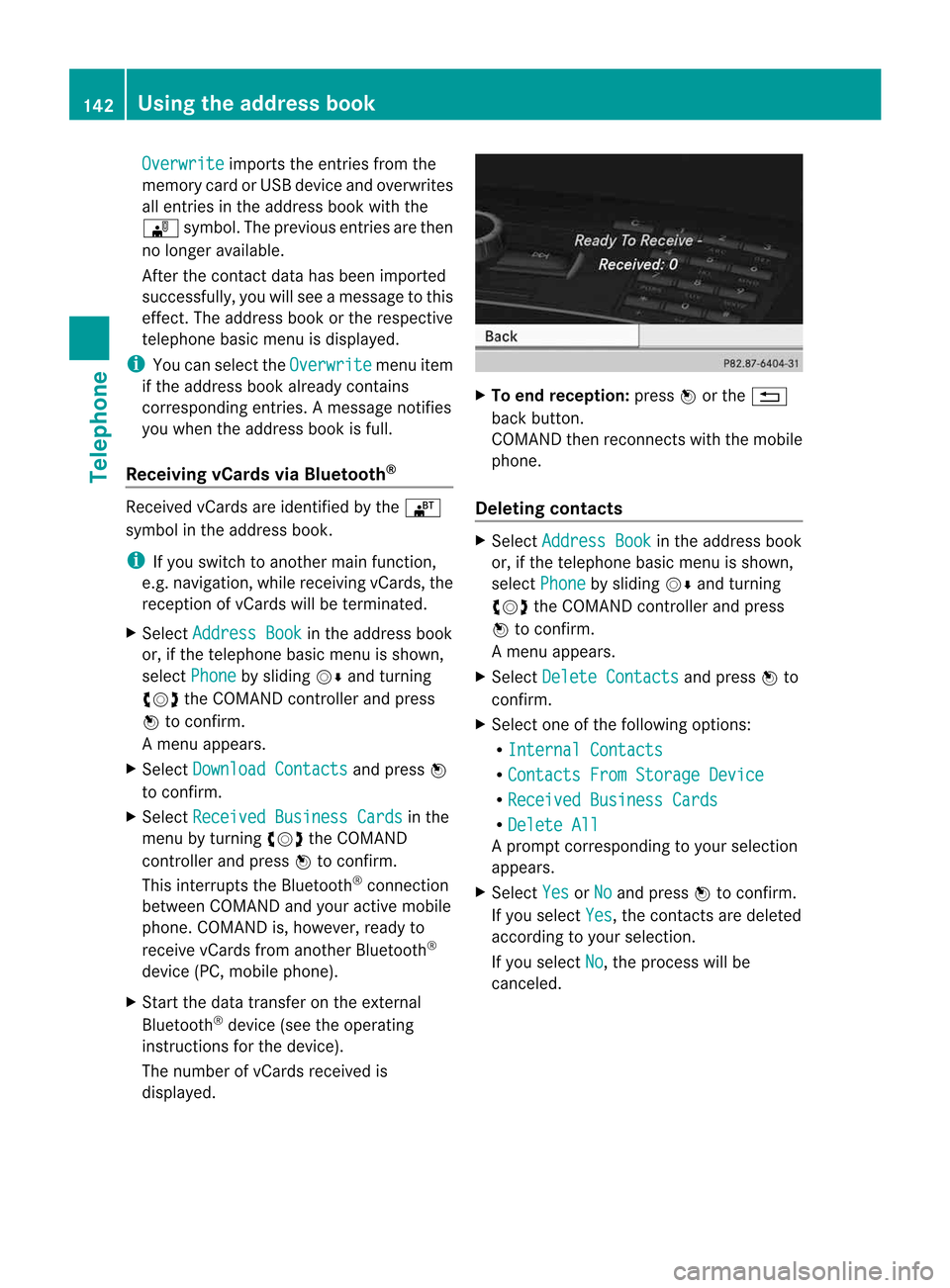
The number ofvCards received is
displayed. X
To end recept ion:press Worthe %
back button .
COMAND thenrecon nectswith themobile
phone.
Deleting contacts X
Select Address Book in
the address book
or, ifthe telephon ebasic menu isshown,
select Phone by
sliding VÆandturning
cVd theCOMAND controller andpress
W tocon firm.
Am enu appears.
X Select Delete Contact s and
press Wto
con firm.
X Select oneofthe following options:
R Interna lContact s R
Contact sFrom Storage Device R
Receive dBusines sCards R
Delete All Ap
rompt correspo ndingtoyou rselection
appears.
X Select Yes or
No and
press Wtocon firm.
If you select Yes ,t
he con tact saredeleted
accor dingtoyour select ion.
If you select No ,t
he process willbe
canc eled. 142
Using
thea ddress bookTelephone