trailer MERCEDES-BENZ E-CLASS WAGON 2018 Owner's Manual
[x] Cancel search | Manufacturer: MERCEDES-BENZ, Model Year: 2018, Model line: E-CLASS WAGON, Model: MERCEDES-BENZ E-CLASS WAGON 2018Pages: 506, PDF Size: 6.73 MB
Page 71 of 506
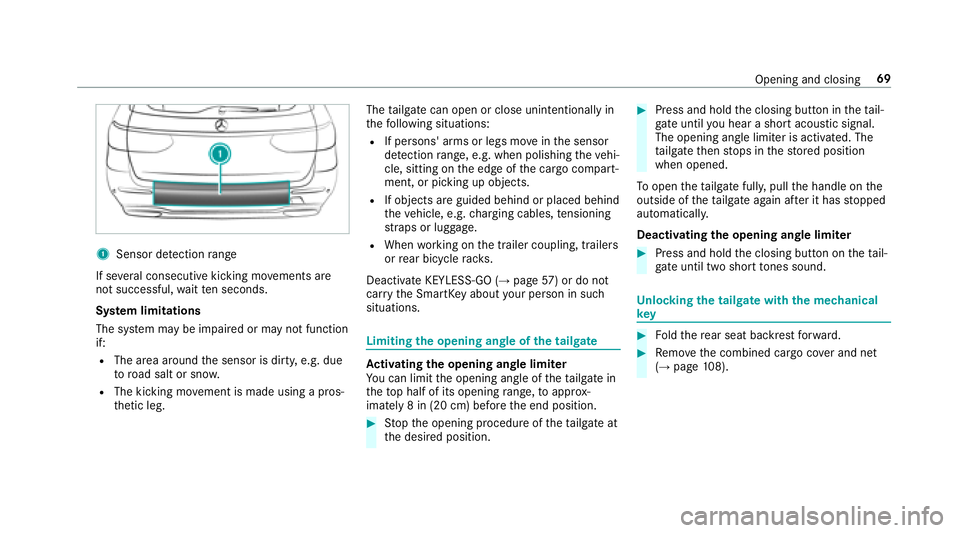
1Sensor detection range
If se veral consecutive kicking mo vements are
not successful, waitte n seconds.
Sy stem limitations
The sy stem may be impaired or may not function
if:
RThe area around the sensor is dirty, e.g. due
to road salt or snow .
RThe kicking movement is made using a pros‐
th etic leg. The
tailgate can open or close unin tentional lyin
th efo llowing situations:
RIf persons' arms or legs mo veinthe sensor
de tection range, e.g. when polishing theve hi‐
cle, sitting on the edge of the cargo compart‐
ment, or picking up objects.
RIf objects are guided behind or placed behind
th eve hicle, e.g. charging cables, tensioning
st ra ps or luggage.
RWhen working on the trailer coupling, trailers
or rear bicycle rack s.
Deactivate KEYLESS-GO (
→page 57) or do not
car rythe SmartK eyabout your person in such
situations.
Limiting the opening angle of the tailgate
Ac tivating the opening angle limiter
Yo u can limit the opening angle of theta ilgate in
th eto p half of its opening range, toappr ox‐
imately 8 in (20 cm) before the end position.
#St op the opening procedure of theta ilgate at
th e desired position.
#Press and hold the closing button in theta il‐
ga te until you hear a short acoustic signal.
The opening angle limiter is activated. The
ta ilgate then stops in thestored position
when opened.
To open theta ilgate full y,pull the handle on the
outside of theta ilgate again af ter it has stopped
automaticall y.
Deactivating th eopening angle limiter
#Press and hold the closing button on theta il‐
ga te unt iltwo short tones sound.
Un locking the tailgate with the mechanical
ke y
#Foldthere ar seat backrest forw ard.
#Re mo vethe combined cargo co ver and net
(→page 108).
Opening and closing 69
Page 186 of 506
RIfth e lane markings change quickl y,e.g.
lanes branch off, cross one ano ther or
mer ge.
RThe road is nar row and winding.
RIfth ere are highly variable shade conditions
on thero ad.
RIfth ere are obs tacles such as object mar kers
on the lane or projecting out into the lane.
The sy stem does not pr ovide assis tance in the
fo llowing conditions:
ROn very sharp bends.
RWhen towing a trailer.
RIfyo u act ively change lane without switch ing
on the turn signal indicator.
RIfyo uswit chon the turn signal indicator and
th e conditions for activating Active Lane
Change Assi stare not fulfilled.
Ac tivating Active Steering Assist
Requ irements:
RESP®must be activated, but not inter vening.
RAc tive Dis tance Assist DISTRONIC must be
activated.
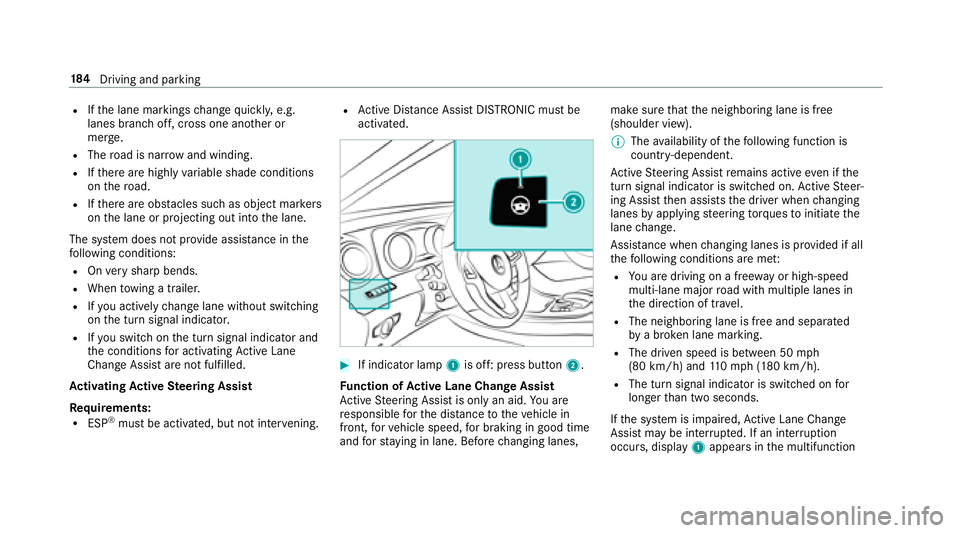
#If indicator lamp 1is off: press button 2.
Fu nction of Active Lane Change Assi st
Ac tive Steering Assist is only an aid. You are
re sponsible forth e dis tance totheve hicle in
front, forve hicle speed, for braking in good time
and forst ay ing in lane. Before changing lanes, make sure
that the neighboring lane is free
(shoulder view).
% The availability of thefo llowing function is
countr y-dependent.
Ac tive Steering Assist remains active even if the
turn signal indica tor is switched on. Active Steer‐
ing Assist then assists the driver when changing
lanes byapplying steering torques toinitiate the
lane change.
Assis tance when changing lanes is pr ovided if all
th efo llowing conditions are me t:
RYou are driving on a free wayor high-speed
multi-lan emajo rro ad with multiple lanes in
th e direction of tr avel.
RThe neighboring lane is free and separated
bya broken lane marking.
RThe driven speed is between 50 mph
(80 km/h) and 110mp h(1 80 km/h).
RThe turn signal indicator is switched on for
longer than two seconds.
If th e sy stem is impaired, Active Lane Change
Assi stmay be inter rupte d. If an inter ruption
occurs, display 1appears in the multifunction
18 4
Driving and pa rking
Page 196 of 506
Reversing camera
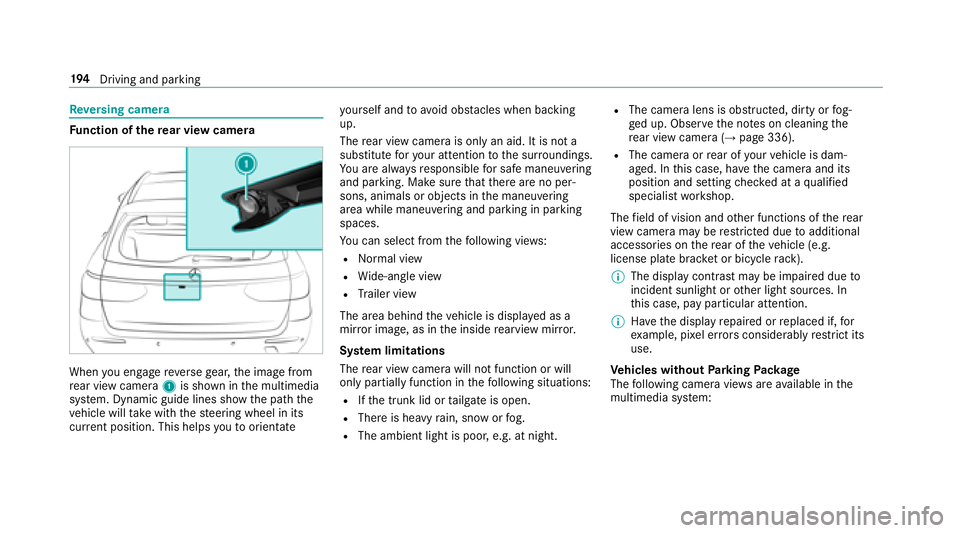
Fu nction of there ar view camera
When you enga gereve rsege ar, the image from
re ar view camera 1is shown in the multimedia
sy stem. Dynamic guide lines show the path the
ve hicle will take with thesteering wheel in its
cur rent position. This helps youto orientate yo
urself and toavo id obs tacles when back ing
up.
The rear view camera is only an aid. It is not a
substitute foryo ur attention tothe sur roundings.
Yo u are alw aysre sponsible for safe maneu vering
and pa rking. Make sure that there are no per‐
sons, animals or objects in the maneuvering
area while maneuvering and parking in parking
spaces.
Yo u can select from thefo llowing vie ws:
RNo rmal view
RWide-angle view
RTrailer view
The area behind theve hicle is displa yed as a
mir ror image, as in the inside rearview mir ror.
Sy stem limitations
The rear view camera will not function or will
only pa rtially function in thefo llowing situations:
RIf th e trunk lid or tailgate is open.
RThere is heavy rain, snow or fog.
RThe ambient light is poor, e.g. at night.
RThe camera lens is obstructed, dirty or fog‐
ge d up. Obser vethe no tes on cleaning the
re ar view camera (
→page 336).
RThe camera or rear of your vehicle is dam‐
aged. In this case, ha vethecamera and it s
position and setting checked at a qualified
specialist workshop.
The field of vision and other functions of there ar
view camera may be restricted due toadditional
accessori es onthere ar of theve hicle (e.g.
license plate brac ket or bicycle rack ).
% The display contrast may be impaired due to
incident sunlight or other light sources. In
th is case, pay particular attention.
% Have the display repaired or replaced if, for
ex ample, pixel er rors considerably restrict its
use.
Ve hicles without Parking Package
The following camera vie wsare available in the
multimedia sy stem:
19 4
Driving and pa rking
Page 199 of 506
area while maneuvering and parking in parking
spaces.
The system evaluates images from thefo llowing
cameras:
RRe ar view camera
RFront camera
RTw o side cameras in the outside mir rors
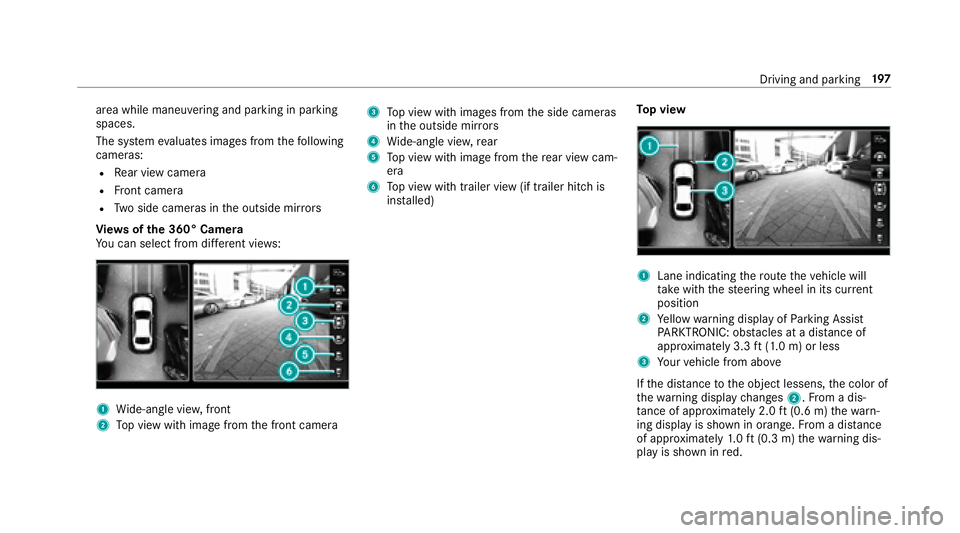
Vi ew s of the 360° Camera
Yo u can select from differe nt vie ws:
1Wide-angle vie w,front
2Top view with image from the front camera
3To p view with images from the side cameras
in the outside mir rors
4Wi de-angle vie w,rear
5To p view with image from there ar view cam‐
era
6To p view with trailer view (if trailer hitch is
ins talled) To
p view
1Lane indicating thero ute theve hicle will
ta ke with thesteering wheel in its cur rent
position
2Ye llow warning display of Parking Assist
PA RKTRONIC: obstacles at adis tance of
appr oximately 3.3 ft(1.0 m) or less
3Yo ur vehicle from abo ve
If th e dis tance tothe object lessens, the color of
th ewa rning display changes 2.From a dis‐
ta nce of appr oximately 2.0 ft(0.6 m) thewa rn‐
ing display is shown in orange. From a dis tance
of appr oximately 1.0 ft (0.3 m) thewa rning dis‐
play is shown in red.
Driving and parking 19
7
Page 202 of 506
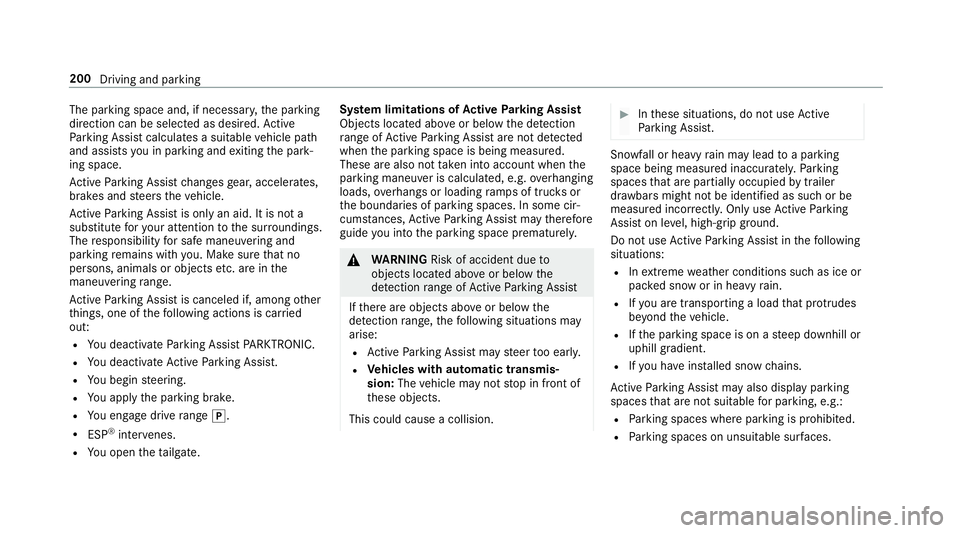
The parking space and, if necessary,the parking
direction can be selected as desired. Active
Pa rking Assist calculates a suitable vehicle path
and assists youin parking and exiting the park‐
ing space.
Ac tive Parking Assist changes gear, accelerates,
brakes and steers theve hicle.
Ac tive Parking Assist is only an aid. It is not a
substitute foryo ur attention tothe sur roundings.
The responsibility for safe maneu vering and
pa rking remains with you. Make sure that no
persons, animals or objects etc. are in the
maneu vering range.
Ac tive Parking Assist is canceled if, among other
th ings, one of thefo llowing actions is car ried
out:
RYo u deactivate Parking Assist PARKTRONIC.
RYou deactivate Active Parking Assist.
RYo u begin steering.
RYo uappl yth e parking brake.
RYo u enga gedrive range j.
RESP®inter venes.
RYo u open theta ilgate. Sy
stem limitations of Active Parking Assist
Objects located abo veor below the de tection
ra nge of Active Parking Assist are not de tected
when the parking space is being measured.
These are also not take n into account when the
parking maneuver is calculated, e.g. overhanging
loads, overhangs or loading ramp s of truc
ksor
th e boun
daries of parking spaces. In some cir‐
cums tances, Active Parking Assist may therefore
guide you into the parking space prematurel y.
&
WARNING Risk of accident due to
objects located abo veor below the
de tection range of Active Parking Assist
If th ere are objects abo veor below the
de tection range, thefo llowing situations may
arise:
RAc tive Parking Assist may steer too ear ly.
RVe hicles with automatic transmis‐
sion: Thevehicle may not stop in front of
th ese objects.
This could cause a collision.
#In these situations, do not use Active
Pa rking Assist.
Sn owfa ll or heavy rain may lead toa parking
space being measured inaccuratel y.Pa rking
spaces that are partial lyoccupied bytrailer
dr aw bars might not be identified as such or be
measured incor rectly. Only use Active Parking
Assist on le vel, high-grip ground.
Do no t useActive Parking Assist in thefo llowing
situations:
RIn extreme weather conditions such as ice or
pac ked snow or in heavy rain.
RIfyo u are transporting a load that pr otru des
be yond theve hicle.
RIfth e parking space is on a steep downhill or
uphill gradient.
RIf yo u ha veinstalled snow chains.
Ac tive Parking Assist may also display parking
spaces that are not suitable for parking, e.g.:
RPa rking spaces where parking is prohibited.
RPa rking spaces on unsuitable sur faces.
200
Driving and park ing
Page 212 of 506
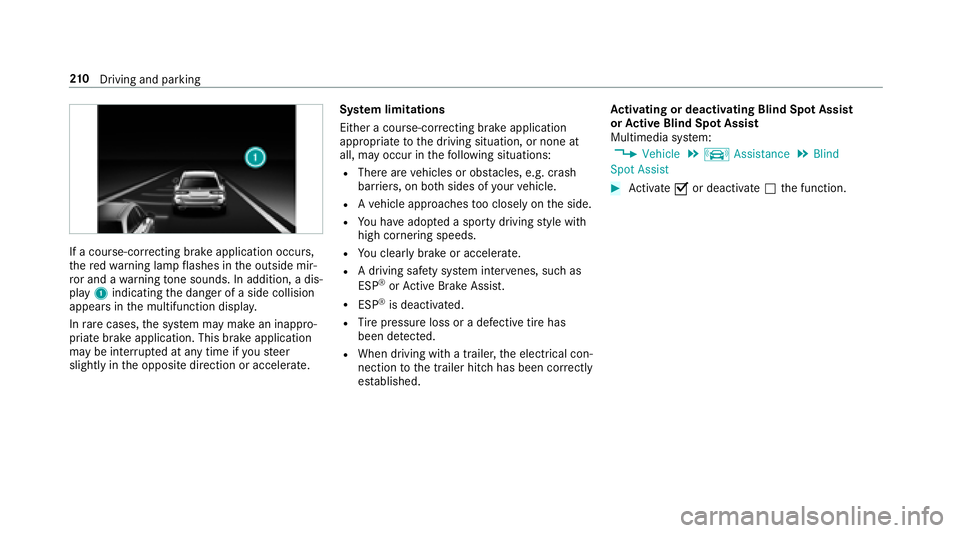
If a course-correcting brake application occurs ,
th ere dwa rning lamp flashes in the outside mir‐
ro r and a warning tone sounds. In addition, a dis‐
pl ay 1 indicating the danger of a side collision
appears in the multifunction displa y.
In rare cases, the sy stem may make an inappro‐
priate brake application. This brake application
may be inter rupte d at any time if yousteer
slightly in the opposite direction or accelera te. Sy
stem limitations
Either a course-cor recting brake application
appropria teto the driving situation, or none at
all, may occur in thefo llowing situations:
RThere are vehicles or obs tacles, e.g. crash
barr iers, on bo thsides of your vehicle.
RAve hicle approaches too closely on the side.
RYo u ha veadop ted a sporty driving style with
high cornering speeds.
RYo u clear lybrake or accelera te.
RA driving safe ty system inter venes, such as
ESP®or Active Brake Assi st.
RESP®is deacti vated.
RTire pressure loss or a defective tire has
been de tected.
RWhen driving wi tha trailer, the electrical con‐
nection tothe trailer hitch has been cor rectly
es tablished. Ac
tivating or deactivating Blind Spot Assi st
or Active Blind Spot Assi st
Multimedia sy stem:
,9HKLFOH.k $VVLVWDQFH.%OLQG
6SRW $VVLVW
#Ac tivate Oor deacti vate ª the function.
21 0
Driving and pa rking
Page 214 of 506
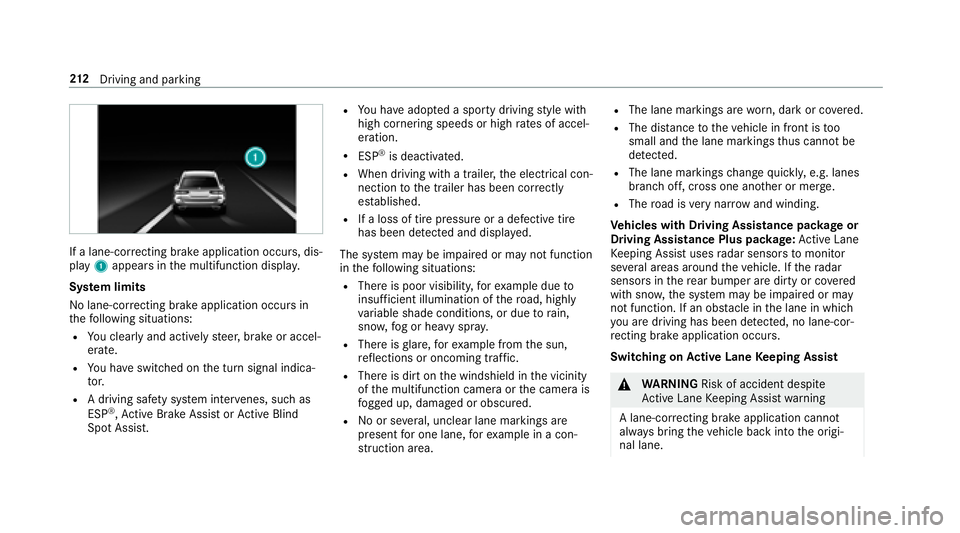
If a lane-correcting brake application occurs , dis‐
play 1appears in the multifunction displa y.
Sy stem limits
No lane-cor recting brake application occurs in
th efo llowing situations:
RYo u clear lyand actively steer, brake or accel‐
erate.
RYo u ha veswitched on the turn signal indica‐
to r.
RA driving safe ty system inter venes, such as
ESP®, Ac tive Brake Assi stor Active Blind
Spot Assi st.
RYo u ha veadop ted a sporty driving style with
high cornering speeds or high rates of accel‐
eration.
RESP®is deactivated.
RWhen driving with a trailer, the electrical con‐
nection tothe trailer has been cor rectly
es tablished.
RIf a loss of tire pressure or a defective tire
has been de tected and displ ayed.
The sy stem may be impaired or may not function
in thefo llowing situations:
RThere is poor visibility, forex ample due to
insuf ficient illumination of thero ad, highly
va riable shade conditions, or due torain,
sno w,fog or heavy spr ay.
RThere is glare, forex ample from the sun,
re flections or oncoming tra ffic.
RThere is dirt on the windshield in the vicinity
of the multifunction camera or the camera is
fo gged up, damaged or obscured.
RNo or se veral, unclear lane markings are
present for one lane, forex ample in a c on‐
st ru ction area.
RThe lane markings are worn, dark or co vered.
RThe dis tance totheve hicle in front is too
small and the lane markings thus cannot be
de tected.
RThe lane markings change quickl y,e.g. lanes
branch off, cross one ano ther or mer ge.
RThe road is very nar row and winding.
Ve hicles with Driving Assistance pac kage or
Driving Assistance Plus pa ckage: Active Lane
Ke eping Assist uses radar sensors tomonitor
se veral areas around theve hicle. If thera dar
sensors in there ar bumper are dirty or co vered
with snow ,th e sy stem may be impaired or may
not function. If an obs tacle in the lane in which
yo u are driving has been de tected, no lane-cor‐
re cting brake application occurs .
Switching on Active Lane Keeping Assist
&
WARNING Risk of accident despite
Ac tive Lane Keeping Assist warning
A lane-cor recting brake application cannot
al wa ys bring theve hicle back into the origi‐
nal lane.
21 2
Driving and pa rking
Page 355 of 506
%Vehicles with automatic transmission: if
th e automatic transmission cannot be shif‐
te dto position i, havetheve hicle trans‐
por tedaw ay (
→page 354). A towing vehicle
with lifting equipment is requiredforve hicle
transpor tation.
* NO
TEDama gedue to to wing away at
exc essively high speeds or over long dis‐
ta nces
The driv etra in could be damaged when tow‐
ing at excessively high speeds or over long
dis tances.
#A towing speed of 30 mph (50 km/h)
must not be exceeded.
#Atowing dis tance of 30 miles (50 km)
must not be exceeded.
&
WARNING Risk of accident when towing
a ve hicle which is too heavy
If th eve hicle being tow- star ted or towe d
aw ay is heavier than the permissible gross
mass of your vehicle, thefo llowing situations
can occur:
RThe towing eye may become de tach ed.
RThe vehicle/trailer combination may
swer veoreve nov erturn.
#If ano ther vehicle is tow- star ted or
to we daw ay, its weight must not exceed
th e permissible gross mass of your ow n
ve hicle.
If a vehicle must be tow star ted or towe daw ay,
its weight must not exceed the permissible gross
mass of theto wing vehicle.
#Information on the permissible gross mass of
th eve hicle can be found on theve hicle iden‐
tification plate .
#Ve hicles with automatic transmission: do
not open the driver's door or front passenger
door, otherwise the automatic transmission
automatically shifts toposition j.
#Installth eto wing eye (→page 356).
#Attach theto w bar.
* NO
TEDama gedue toincor rect connec‐
tion
#Only connect theto w rope or tow bar to
th eto wing eyes.
#Deactivate the automatic locking mechanism
(→page 63).
#Do not activate the HOLD function.
#Deactivate Active Brake Assi st(→page 174).
#Ve hicles with automatic transmission:
shift the automatic transmission toposition
i.
#Re lease the electric parking brake.
Breakdown assis tance 353
Page 356 of 506
&WARNING Risk of accident due tolimi‐
te d saf ety-re lated functions during the
to wing process
Saf ety-re lated functions are limited or no lon‐
ge rav ailable in thefo llowing situations:
Rth e ignition is switched off.
Rthe brake sy stem or po werst eering sys‐
te m is malfunctioning.
Rth e energy supply or the on-board electri‐
cal sy stem is malfunctioning.
When your vehicle is then towe daw ay, signif‐
icantly more ef fort may be requ ired tosteer
and brake than is no rmally requ ired.
#Use a tow bar.
#Make sure that thesteering wheel can
mo vefreely, before towing theve hicle
aw ay.
* NO
TEDama gedue toexcessive tracti ve
po we r
Ifyo u pull away sharpl y,the tractive po wer
may be too high and theve hicles could be
damaged.
#Pull away slowly and smoo thly.
Loading the vehicle for transport
#Obser vethe no tes on towing away
(→page 352).
#Connect theto w bar totheto wing eyeto
load theve hicle.
#Ve hicles with automatic transmission:
Shift the automatic transmission toposition
i.
% Ve
hicles with automatic transmission:
The au tomatic transmission may be loc ked
in position jintheeve nt of damage tothe
electrical sy stem. Toshift toi, pr ovide the
on-board electrical sy stem with po wer
(
→page 348).
#Load theve hicle onto the transpor ter.
#Ve hicles with automatic transmission:
Shift the automatic transmission toposition
j.
#Use the electric parking brake tosecure the
ve hicle and pr event it from rolling away.
#Only secure theve hicle bythe wheels.
Ve hicles with ADS PLUS (Adaptive Damping
Sy stem PLUS)
&
WARNING Risk of an accident when
transporting vehicles with Adaptive
Damping Sy stem PLUS
The reduced damping forc es on theve hicle
being transpor ted can cause theve hicle/
trailer combination tostart toswing.
As a result, when transporting vehicles with
th eAd aptive Damping Sy stem PLUS, the
ve hicle/trailer combination may start toskid.
Consequentl y,yo u could lose cont rol of your
ve hicle.
#When transporting, ensure that:
354
Breakdown assis tance
Page 380 of 506
Uniform Tire Quality Grading Standards: a
uniform standard tograde thequ ality of tires
with rega rd totread quality, tire traction and
te mp erature characteristics. The quality grading
assessment is made bythe manufacturer follow‐
ing specifications from theU. S. go vernment. The
qu ality grade of a tire is imprinted on the side
wa ll of the tire.
Re commended tire pressure :th ere commen‐
ded tire pressure is the tire pressure specified
fo rth e tires mounted totheve hicle at thefa c‐
to ry.
The tire and information table conta insthere c‐
ommended tire pressures for cold tires, the max‐
imum permissible load and the maximum per‐
missible vehicle speed.
The tire pressure table conta insthere commen‐
ded tire pressures for cold tires under various
operating conditions, i.e. loading and/or speed
of theve hicle.
Increased vehicle weight due tooptional
equipment: the combined weight of all standard
and optional equipment available forth eve hicle, re
ga rdless of whe ther it is actually ins talled on
th eve hicle or not.
Rim: the part of the wheel on which the tire is
ins talled.
GA WR (Gross Axle Weight Rating): the GAWR
is the maximum permissible axle load. The
actual load on an axle must ne verexc eed the
gros s axle weight rating. The gross axle
weight
ra ti
ng can be found on theve hicle identification
plate on the B‑pillar on the driver's side.
Speed rating: the speed rating is pa rtof the tire
identification. It specifies the speed range for
which a tire is appr oved.
GV W (Gross Vehicle Weight): the gross vehicle
we ight comprises thewe ight of theve hicle
including fuel, tools, the spare wheel, accesso‐
ri es ins talled, occupants, luggage and the trailer
dr aw bar nose weight, if applicable. The gross
ve hicle weight must not exceed the gross vehicle
we ight rating GVWR as specified on theve hicle
identification plate on the B‑pillar on the driver's
side.
GV WR (Gross Vehicle Weight Rating): the
GV WR is the maximum permitted gross weight of
the fully laden vehicle (weight of theve hicle
including all accessories, occupants, fuel, lug‐
ga ge and the trailer dr awbar nose weight if appli‐
cable). The grossve hicle weight rating is speci‐
fi ed on theve hicle identification plate on the
B‑pillar on the driver's side.
Maximum weight of the laden vehicle: the
maximum weight is the sum of the curb weight
of theve hicle, thewe ight of the accessories, the
maximum load and thewe ight of optional equip‐
ment ins talled at thefa ctor y.
Kilopascal (kPa): metricunit for tire pressure .
6.9 kPa cor responds to1 psi. Ano ther unit for
tire pressure is bar.10
0 ki
lopascal (kPa) equals
1 bar.
Load index: in additiontothe load-bearing
index, the load index may also be imprinted on
th e side wall of the tire. This specifies the load-
bearing capacity of the tire more precisel y.
Curb weight: thewe ight of a vehicle with stand‐
ard equipment including the maximum capacity
of fuel, oil and coolant. It also includes the air
conditioning sy stem and optional equipment if
37 8
Wheels and tires