instrument panel MERCEDES-BENZ E-SEDAN 2014 Owners Manual
[x] Cancel search | Manufacturer: MERCEDES-BENZ, Model Year: 2014, Model line: E-SEDAN, Model: MERCEDES-BENZ E-SEDAN 2014Pages: 430, PDF Size: 5.8 MB
Page 9 of 430
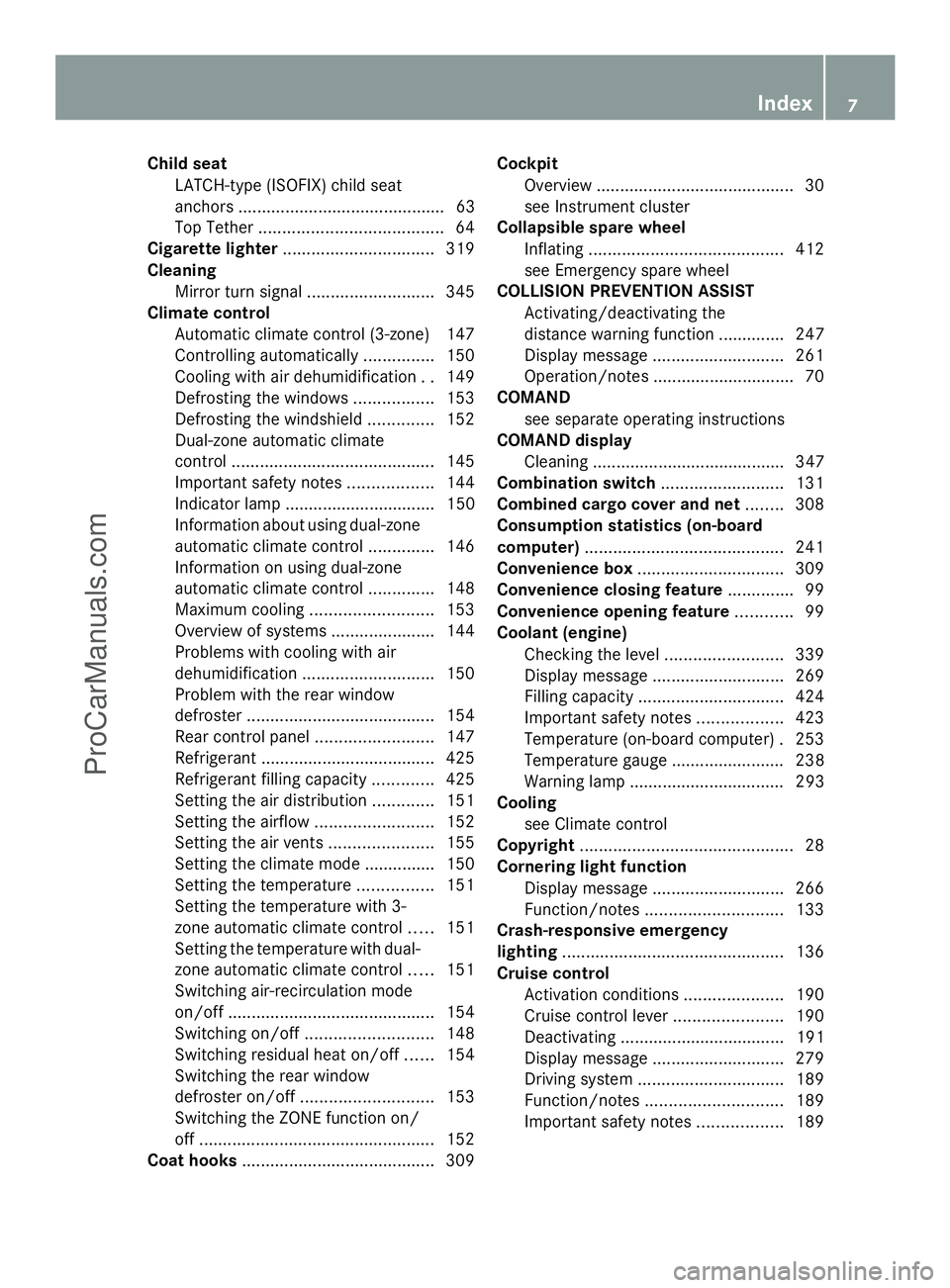
Child seat
LATCH-type (ISOFIX) child seat
anchors ............................................ 63
Top Tether ....................................... 64
Cigarette lighter ................................ 319
Cleaning Mirror turn signal ........................... 345
Climate control
Automatic climate control (3-zone) 147
Controlling automatically ...............150
Cooling with air dehumidification ..149
Defrosting the windows .................153
Defrosting the windshield ..............152
Dual-zone automatic climate
control ........................................... 145
Important safety notes ..................144
Indicator lamp ................................ 150
Information about using dual-zone
automatic climate control ..............146
Information on using dual-zone
automatic climate control ..............148
Maximum cooling .......................... 153
Overview of systems ......................144
Problems with cooling with air
dehumidification ............................ 150
Problem with the rear window
defroster ........................................ 154
Rear control panel .........................147
Refrigerant ..................................... 425
Refrigerant filling capacity .............425
Setting the air distribution .............151
Setting the airflow .........................152
Setting the air vents ......................155
Setting the climate mode .............. .150
Setting the temperature ................151
Setting the temperature with 3-
zone automatic climate control .....151
Setting the temperature with dual-
zone automatic climate control .....151
Switching air-recirculation mode
on/off ............................................ 154
Switching on/off ........................... 148
Switching residual heat on/off ......154
Switching the rear window
defroster on/off ............................ 153
Switching the ZONE function on/
off .................................................. 152
Coat hooks ......................................... 309Cockpit
Overview .......................................... 30
see Instrument cluster
Collapsible spare wheel
Inflating ......................................... 412
see Emergency spare wheel
COLLISION PREVENTION ASSIST
Activating/deactivating the
distance warning function .............. 247
Display message ............................ 261
Operation/notes .............................. 70
COMAND
see separate operating instructions
COMAND display
Cleaning ......................................... 347
Combination switch ..........................131
Combined cargo cover and net ........308
Consumption statistics (on-board
computer) .......................................... 241
Convenience box ............................... 309
Convenience closing feature ..............99
Convenience opening feature ............99
Coolant (engine) Checking the level .........................339
Display message ............................ 269
Filling capacity ............................... 424
Important safety notes ..................423
Temperature (on-board computer) .253
Temperature gauge ........................ 238
Warning lamp ................................. 293
Cooling
see Climate control
Copyright ............................................. 28
Cornering light function Display message ............................ 266
Function/notes ............................. 133
Crash-responsive emergency
lighting ............................................... 136
Cruise control Activation conditions .....................190
Cruise control lever .......................190
Deactivating ................................... 191
Display message ............................ 279
Driving system ............................... 189
Function/notes ............................. 189
Important safety notes ..................189 Index
7ProCarManuals.com
Page 10 of 430
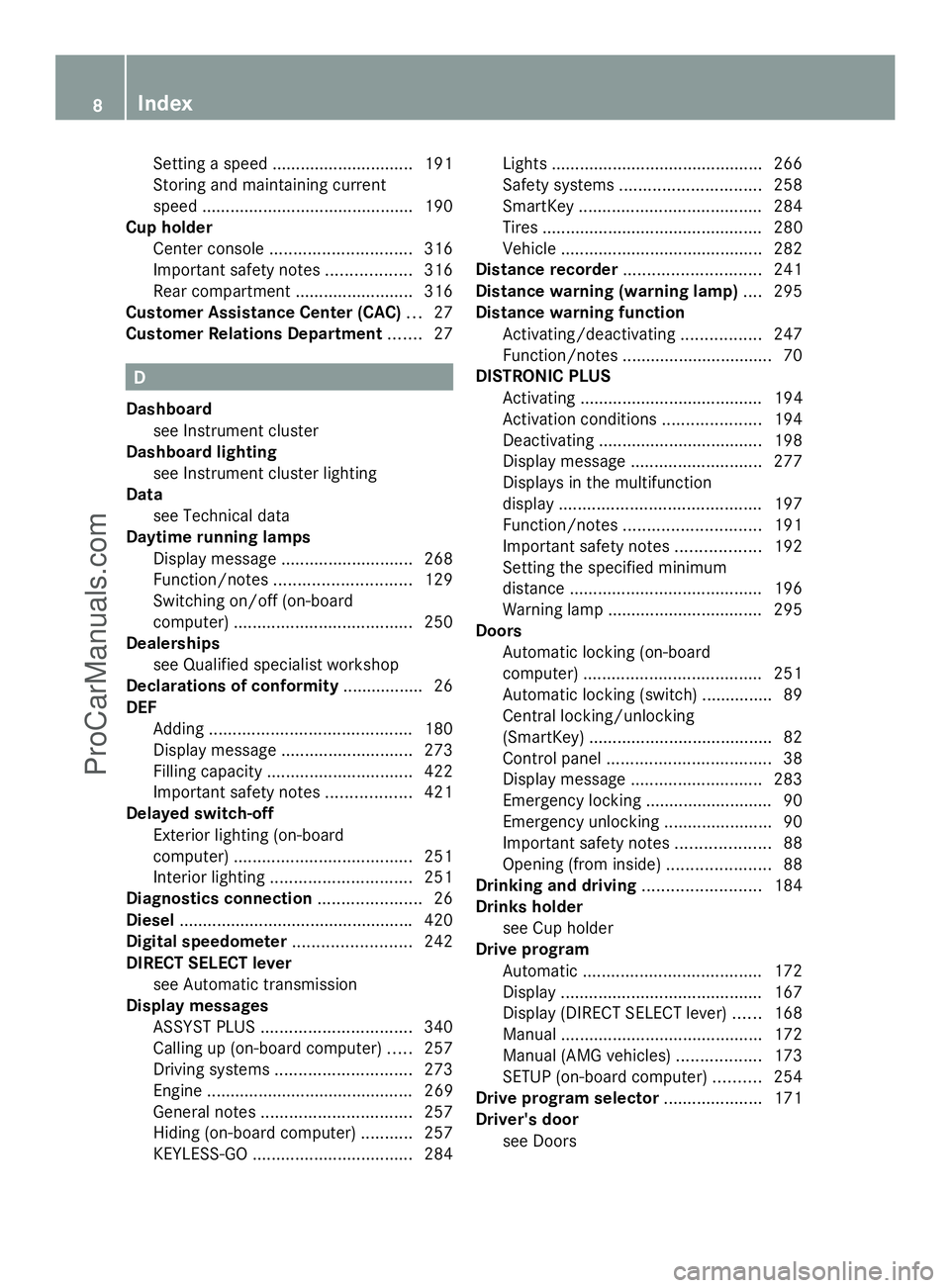
Setting a speed
.............................. 191
Storing and maintaining current
speed ............................................ .190
Cup holder
Center console .............................. 316
Important safety notes ..................316
Rear compartment .........................316
Customer Assistance Center (CAC) ...27
Customer Relations Department .......27 D
Dashboard see Instrument cluster
Dashboard lighting
see Instrument cluster lighting
Data
see Technical data
Daytime running lamps
Display message ............................ 268
Function/notes ............................. 129
Switching on/off (on-board
computer) ...................................... 250
Dealerships
see Qualified specialist workshop
Declarations of conformity ................. 26
DEF Adding ........................................... 180
Display message ............................ 273
Filling capacity ............................... 422
Important safety notes ..................421
Delayed switch-off
Exterior lighting (on-board
computer) ...................................... 251
Interior lighting .............................. 251
Diagnostics connection ......................26
Diesel ................................................. .420
Digital speedometer .........................242
DIRECT SELECT lever see Automatic transmission
Display messages
ASSYST PLUS ................................ 340
Calling up (on-board computer) .....257
Driving systems ............................. 273
Engine ............................................ 269
General notes ................................ 257
Hiding (on-board computer) ...........257
KEYLESS-GO .................................. 284Lights ............................................
.266
Safety systems .............................. 258
SmartKey ....................................... 284
Tires ............................................... 280
Vehicle .......................................... .282
Distance recorder ............................. 241
Distance warning (warning lamp) ....295
Distance warning function Activating/deactivating .................247
Function/notes ................................ 70
DISTRONIC PLUS
Activating ....................................... 194
Activation conditions .....................194
Deactivating ................................... 198
Display message ............................ 277
Displays in the multifunction
displa y........................................... 197
Function/notes ............................. 191
Important safety notes ..................192
Setting the specified minimum
distance ......................................... 196
Warning lamp ................................. 295
Doors
Automatic locking (on-board
computer) ...................................... 251
Automatic locking (switch) .............. .89
Central locking/unlocking
(SmartKey) ...................................... .82
Control panel ................................... 38
Display message ............................ 283
Emergency locking ........................... 90
Emergency unlocking .......................90
Important safety notes ....................88
Opening (from inside) ......................88
Drinking and driving .........................184
Drinks holder see Cup holder
Drive program
Automatic ...................................... 172
Display ........................................... 167
Display (DIRECT SELECT lever) ......168
Manual .......................................... .172
Manual (AMG vehicles) ..................173
SETUP (on-board computer) ..........254
Drive program selector .....................171
Driver's door see Doors 8
IndexProCarManuals.com
Page 16 of 430
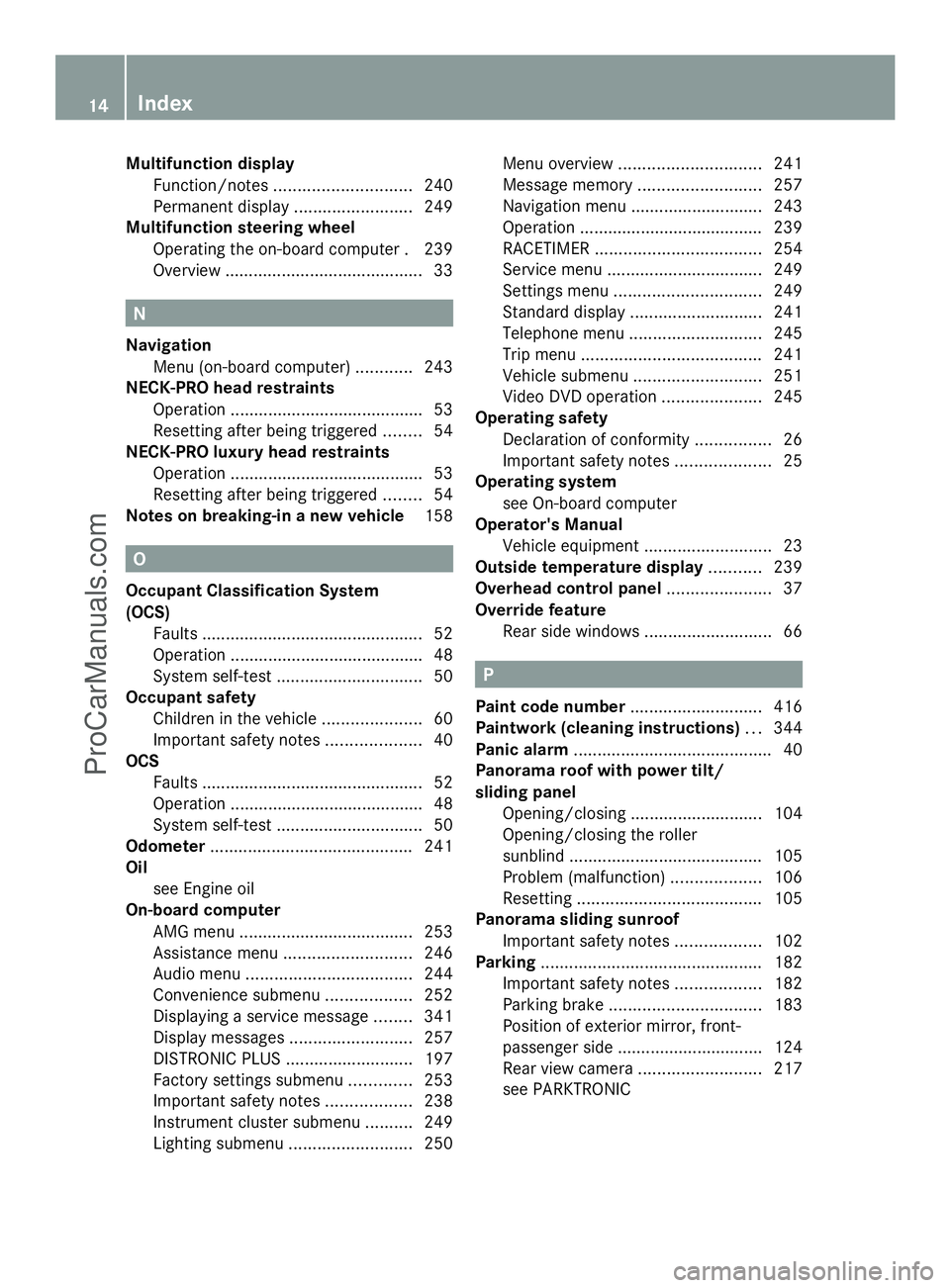
Multifunction display
Function/notes ............................. 240
Permanent displa y......................... 249
Multifunction steering wheel
Operating the on-board computer .239
Overview .......................................... 33N
Navigation Menu (on-board computer) ............243
NECK-PRO head restraints
Operation ........................................ .53
Resetting after being triggered ........54
NECK-PRO luxury head restraints
Operation ........................................ .53
Resetting after being triggered ........54
Notes on breaking-in a new vehicle 158O
Occupant Classification System
(OCS) Faults ............................................... 52
Operation ........................................ .48
System self-test ............................... 50
Occupant safety
Children in the vehicle .....................60
Important safety notes ....................40
OCS
Faults ............................................... 52
Operation ........................................ .48
System self-test ............................... 50
Odometer ........................................... 241
Oil see Engine oil
On-board computer
AMG menu ..................................... 253
Assistance menu ........................... 246
Audio menu ................................... 244
Convenience submenu ..................252
Displaying a service message ........341
Display messages ..........................257
DISTRONIC PLUS ........................... 197
Factory settings submenu .............253
Important safety notes ..................238
Instrument cluster submenu ..........249
Lighting submenu .......................... 250Menu overview
.............................. 241
Message memory .......................... 257
Navigation menu ............................ 243
Operation ....................................... 239
RACETIMER ................................... 254
Service menu ................................. 249
Settings menu ............................... 249
Standard displa y............................ 241
Telephone menu ............................ 245
Trip menu ...................................... 241
Vehicle submenu ........................... 251
Video DVD operation .....................245
Operating safety
Declaration of conformity ................26
Important safety notes ....................25
Operating system
see On-board computer
Operator's Manual
Vehicle equipment ...........................23
Outside temperature display ...........239
Overhead control panel ......................37
Override feature Rear side windows ...........................66 P
Paint code number ............................416
Paintwork (cleaning instructions) ...344
Panic alarm .......................................... 40
Panorama roof with power tilt/
sliding panel
Opening/closing ............................ 104
Opening/closing the roller
sunblind ......................................... 105
Problem (malfunction) ...................106
Resetting ....................................... 105
Panorama sliding sunroof
Important safety notes ..................102
Parking ............................................... 182
Important safety notes ..................182
Parking brake ................................ 183
Position of exterior mirror, front-
passenger side ............................... 124
Rear view camera .......................... 217
see PARKTRONIC 14
IndexProCarManuals.com
Page 19 of 430
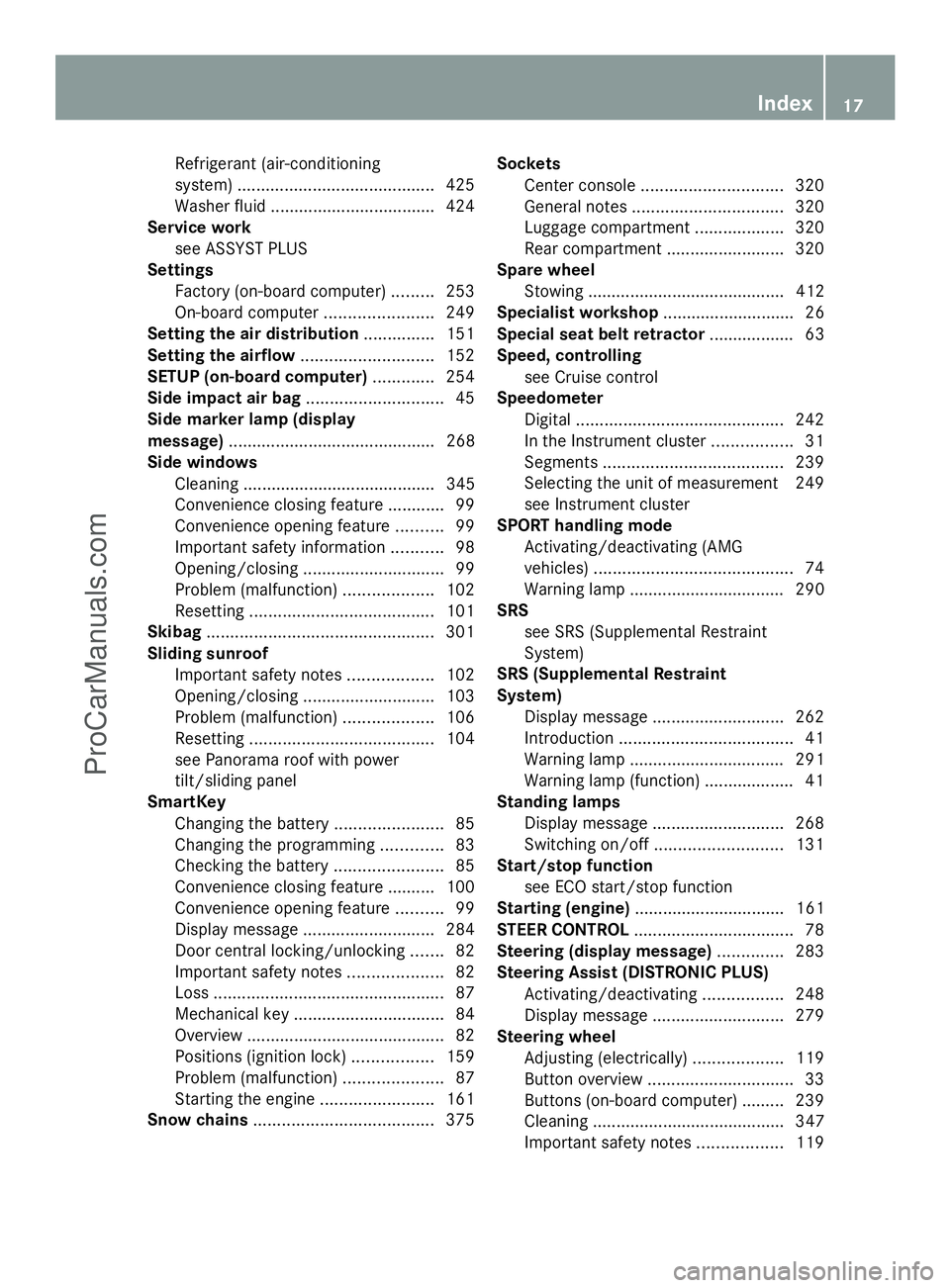
Refrigerant (air-conditioning
system)
.......................................... 425
Washer fluid .................................. .424
Service work
see ASSYST PLUS
Settings
Factory (on-board computer) .........253
On-board computer .......................249
Setting the air distribution ...............151
Setting the airflow ............................152
SETUP (on-board computer) .............254
Side impact air bag .............................45
Side marker lamp (display
message) ............................................ 268
Side windows Cleaning ......................................... 345
Convenience closing feature ............99
Convenience opening feature ..........99
Important safety information ...........98
Opening/closing .............................. 99
Problem (malfunction) ...................102
Resetting ....................................... 101
Skibag ................................................ 301
Sliding sunroof Important safety notes ..................102
Opening/closing ............................ 103
Problem (malfunction) ...................106
Resetting ....................................... 104
see Panorama roof with power
tilt/sliding panel
SmartKey
Changing the battery .......................85
Changing the programming .............83
Checking the battery .......................85
Convenience closing feature .......... 100
Convenience opening feature ..........99
Display message ............................ 284
Door central locking/unlocking .......82
Important safety notes ....................82
Loss ................................................. 87
Mechanical key ................................ 84
Overview .......................................... 82
Positions (ignition lock) .................159
Problem (malfunction) .....................87
Starting the engine ........................161
Snow chains ...................................... 375Sockets
Center console .............................. 320
General notes ................................ 320
Luggage compartment ...................320
Rear compartment .........................320
Spare wheel
Stowing .......................................... 412
Specialist workshop ............................ 26
Special seat belt retractor .................. 63
Speed, controlling see Cruise control
Speedometer
Digital ............................................ 242
In the Instrument cluster .................31
Segments ...................................... 239
Selecting the unit of measurement 249
see Instrument cluster
SPORT handling mode
Activating/deactivating (AMG
vehicles) .......................................... 74
Warning lamp ................................. 290
SRS
see SRS (Supplemental Restraint
System)
SRS (Supplemental Restraint
System)
Display message ............................ 262
Introduction ..................................... 41
Warning lamp ................................. 291
Warning lamp (function) ................... 41
Standing lamps
Display message ............................ 268
Switching on/off ........................... 131
Start/stop function
see ECO start/stop function
Starting (engine) ................................ 161
STEER CONTROL .................................. 78
Steering (display message) ..............283
Steering Assist (DISTRONIC PLUS) Activating/deactivating .................248
Display message ............................ 279
Steering wheel
Adjusting (electrically) ...................119
Button overview ............................... 33
Buttons (on-board computer) ......... 239
Cleaning ......................................... 347
Important safety notes ..................119 Index
17ProCarManuals.com
Page 31 of 430
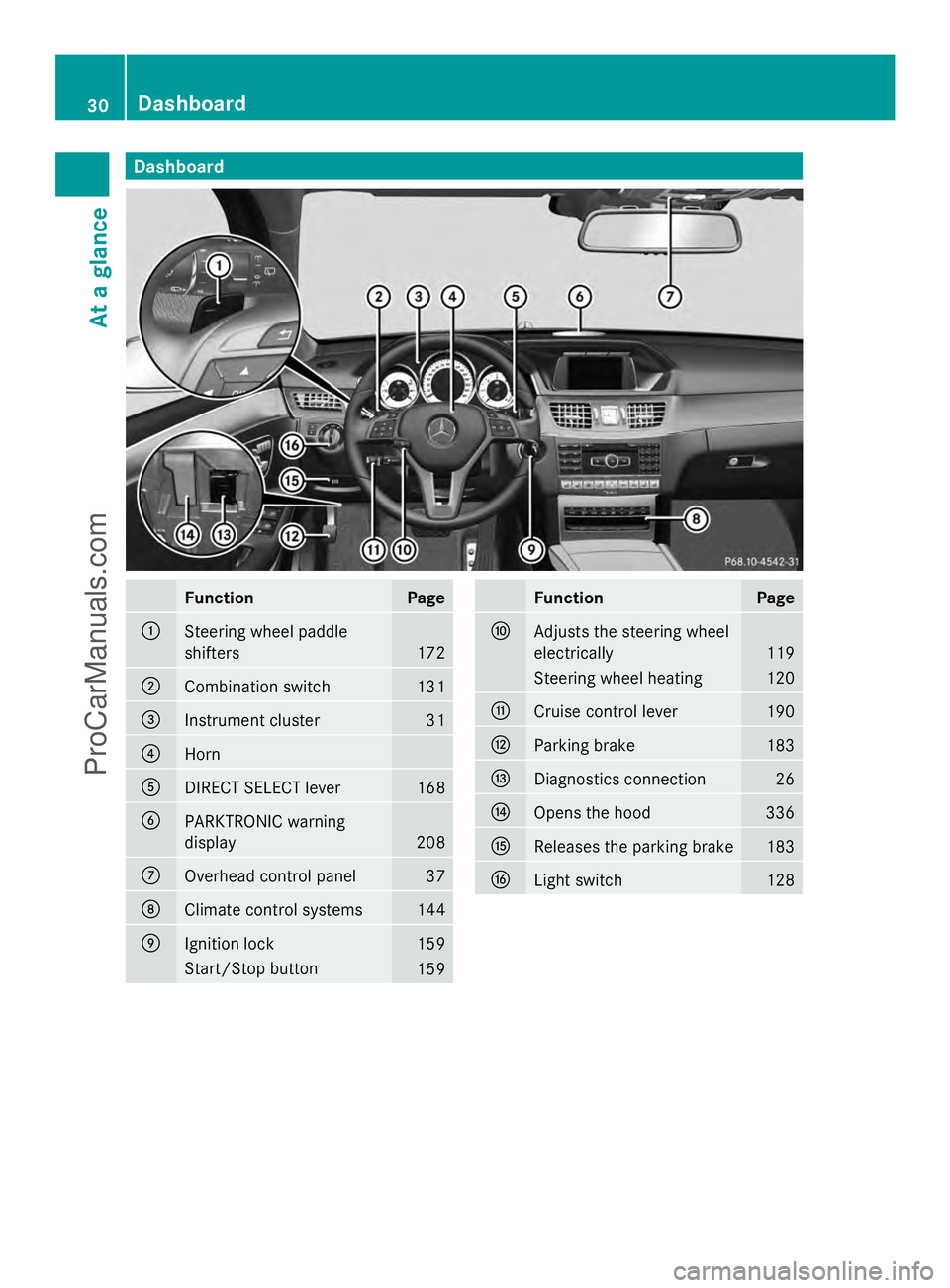
Dashboard
........................................... 30
Instrument cluster ..............................31
Multifunction steering wheel .............33
Center console .................................... 34
Overhead control panel ......................37
Door control panel .............................. 38 29At a glance
ProCarManuals.com
Page 32 of 430
Dashboard
Function Page
:
Steering wheel paddle
shifters
172
;
Combination switch 131
=
Instrument cluster 31
?
Horn
A
DIRECT SELECT lever 168
B
PARKTRONIC warning
display
208
C
Overhead control panel 37
D
Climate control systems 144
E
Ignition lock 159
Start/Stop button
159 Function Page
F
Adjusts the steering wheel
electrically
119
Steering wheel heating 120
G
Cruise control lever 190
H
Parking brake 183
I
Diagnostics connection 26
J
Opens the hood 336
K
Releases the parking brake 183
L
Light switch 12830
Dashboa
rdAt a glance
ProCarManuals.com
Page 44 of 430
R
Do not install additional trim material, seat
covers, badges, etc. to the:
-padded steering wheel boss
- knee bag covers
- front-passenger air bag cover
- outer side of front seat bolsters
- side trim next to the rear seat backrest
- roof lining trim
R Do not install additional electrical/
electronic equipment on or near SRS
components and wiring.
R Keep area between air bags and occupants
free of objects (e.g. packages, purses,
umbrellas, etc.).
R Do not hang items such as coat hangers
from the coat hooks or handles over the
door. These items may be thrown around in
the vehicle and cause head and other
injuries when the window curtain air bag is
deployed.
R Air bag system components will be hot after
an air bag has inflated. Do not touch them.
R Never place your feet on the instrument
panel, dashboard, or on the seat. Always
keep both feet on the floor in front of the
seat.
R Improper repair work on the SRS creates a
risk of rendering the SRS inoperative or
causing unintended air bag deployment.
Work on the SRS must therefore only be
performed by qualified technicians.
Contact an authorized Mercedes-Benz
Center.
R For your protection and the protection of
others, when scrapping the air bag unit or
ETD, our safety instructions must be
followed. These instructions are available
from any authorized Mercedes-Benz
Center.
R Given the considerable deployment speed,
required inflation volume, and the material
of the air bags, there is the possibility of
abrasions or other, potentially more serious
injuries resulting from air bag deployment. If you sell your vehicle, Mercedes-Benz
strongly recommends that you inform the
subsequent owner that the vehicle is
equipped with SRS. Also, refer them to the
applicable section in the Operator's Manual. Air bags
Important safety notes G
WARNING
If you modify the air bag covers or affix objects
such as stickers to them, the air bags may not
function correctly. There is an increased risk
of injury.
Never modify the air bag covers or affix
objects to them. G
WARNING
Using unsuitable seat covers could restrict or
even prevent deployment of the air bags
integrated into the seats. Consequently, the
air bags cannot protect vehicle occupants as
they are designed to do. In addition, the
function of the air bag deactivation system
could be restricted. This poses an increased
risk of injury or even fatal injury.
You should only use seat covers that have
been approved for the respective seat by
Mercedes-Benz. G
WARNING
The air bag parts are hot after the airbag has
been deployed. There is a risk of injury.
Do not touch the air bag parts. Have the
deployed air bags replaced at a qualified
specialist workshop as soon as possible. 42
Occupant safetySafety
ProCarManuals.com
Page 58 of 430
Correct use of the seat belts
G
WARNING
USE SEAT BELTS PROPERLY
R Seat belts can only work when used
properly. Never wear seat belts in any other
way than as described in this section, as
that could result in serious injuries in the
event of an accident.
R Each occupant should wear their seat belt
at all times, because seat belts help reduce
the likelihood of and potential severity of
injuries in accidents, including rollovers.
The integrated restraint system includes
SRS (driver front air bag, driver's side knee
bag, front-passenger front air bag, side
impact air bags, pelvis air bags, window
curtain air bags for the side windows),
Emergency Tensioning Devices, seat belt
force limiters, and front seat knee bolsters.
The system is designed to enhance the
protection offered to properly belted
occupants in certain frontal (front air bags,
driver's side knee bag and ETDs) and side
(side impact air bags, window curtain air
bags, and ETDs) impacts which exceed
preset deployment thresholds and in
certain rollovers (window curtain air bags
and ETDs).
R Never wear the shoulder belt under your
arm, across your neck or off your shoulder.
In a frontal crash, your body would move
too far forward. That would increase the
chance of head and neck injuries. The seat
belt would also apply too much force to the
ribs or abdomen, which could severely
injure internal organs such as your liver or
spleen.
Adjust the seat belt so that the shoulder
section is located as close as possible to
the middle of the shoulder. It should not
touch the neck. Never pass the shoulder
portion of the seat belt under your arm. For
this purpose, you can adjust the height of
the seat belt outlet. R
Position the lap belt as low as possible on
your hips and not across the abdomen. If
the lap belt is positioned across your
abdomen, it could cause serious injuries in
a crash.
R Never wear seat belts over rigid or
breakable objects in or on your clothing,
such as eyeglasses, pens, keys etc., as
these might cause injuries.
R Make sure the seat belt is always fitted
snugly. Take special care of this when
wearing loose clothing.
R Never use a seat belt for more than one
person at a time. Do not fasten a seat belt
around a person and another person or
other objects at the same time.
R Seat belts should not be worn twisted. In a
crash, you would not have the full width of
the seat belt to distribute impact forces.
The twisted seat belt against your body
could cause injuries.
R Pregnant women should also always use a
lap-shoulder belt. The lap belt portion
should be positioned as low as possible on
the hips to avoid any possible pressure on
the abdomen.
R Place the seat backrest in a position that is
as upright as possible.
R Check your seat belt during travel to make
sure it is properly positioned.
R Never place your feet on the instrument
panel, dashboard, or on the seat. Always
keep both feet on the floor in front of the
seat.
R When using a seat belt to secure infant
restraints, toddler restraints, or children in
booster seats, always follow the child seat
manufacturer's instructions.
Fastening seat belts G
WARNING
According to accident statistics, children are
safer when properly restrained on the rear
seats than on the front-passenger seat. Thus,
we strongly recommend that children be 56
Occupant safetySafety
ProCarManuals.com
Page 136 of 430
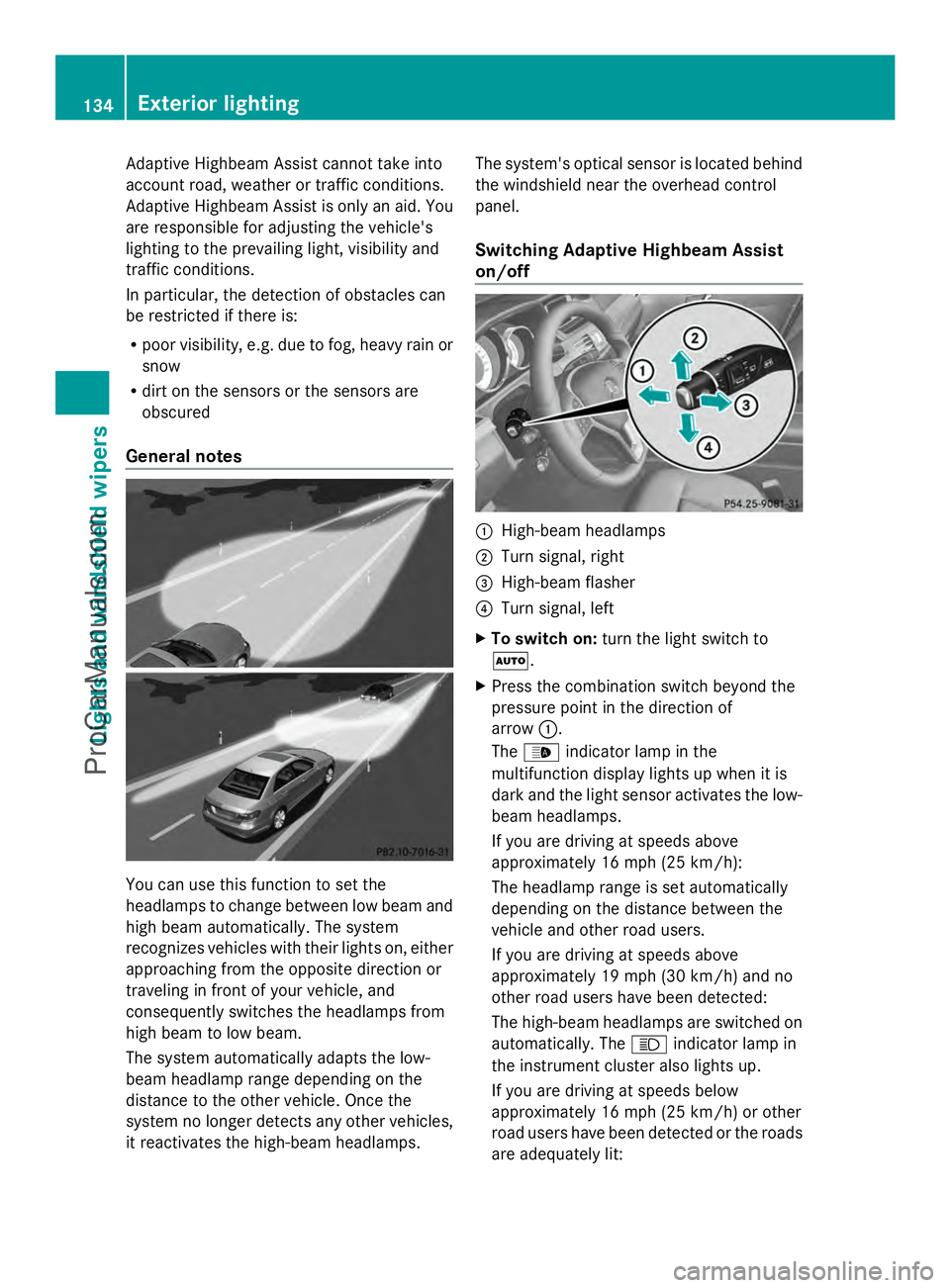
Adaptive Highbeam Assist cannot take into
account road, weather or traffic conditions.
Adaptive Highbeam Assist is only an aid. You
are responsible for adjusting the vehicle's
lighting to the prevailing light, visibility and
traffic conditions.
In particular, the detection of obstacles can
be restricted if there is:
R poor visibility, e.g. due to fog, heavy rain or
snow
R dirt on the sensors or the sensors are
obscured
General notes You can use this function to set the
headlamps to change between low beam and
high beam automatically. The system
recognizes vehicles with their lights on, either
approaching from the opposite direction or
traveling in front of your vehicle, and
consequently switches the headlamps from
high beam to low beam.
The system automatically adapts the low-
beam headlamp range depending on the
distance to the other vehicle. Once the
system no longer detects any other vehicles,
it reactivates the high-beam headlamps. The system's optical sensor is located behind
the windshield near the overhead control
panel.
Switching Adaptive Highbeam Assist
on/off
:
High-beam headlamps
; Turn signal, right
= High-beam flasher
? Turn signal, left
X To switch on: turn the light switch to
Ã.
X Press the combination switch beyond the
pressure point in the direction of
arrow :.
The _ indicator lamp in the
multifunction display lights up when it is
dark and the light sensor activates the low-
beam headlamps.
If you are driving at speeds above
approximately 16 mph (25 km/h):
The headlamp range is set automatically
depending on the distance between the
vehicle and other road users.
If you are driving at speeds above
approximately 19 mph (30 km/h) and no
other road users have been detected:
The high-beam headlamps are switched on
automatically. The Kindicator lamp in
the instrument cluster also lights up.
If you are driving at speeds below
approximately 16 mph (25 km/h) or other
road users have been detected or the roads
are adequately lit: 134
Exterior lightingLights and
windshield wipers
ProCarManuals.com
Page 137 of 430
The high-beam headlamps are switched off
automatically. The
Kindicator lamp in
the instrument cluster goes out. The _
indicator lamp in the multifunction display
remains lit.
X To switch off: move the combination
switch back to its normal position or move
the light switch to another position.
The _ indicator lamp in the instrument
cluster goes out. Headlamps fogged up on the inside
The headlamps may fog up on the inside if
there is high atmospheric humidity.
X Switch on the light and drive off.
The level of moisture diminishes,
depending on the length of the journey and
the weather conditions (humidity and
temperature).
If the level of moisture does not diminish:
X Have the headlamps checked at a qualified
specialist workshop. Interior lighting
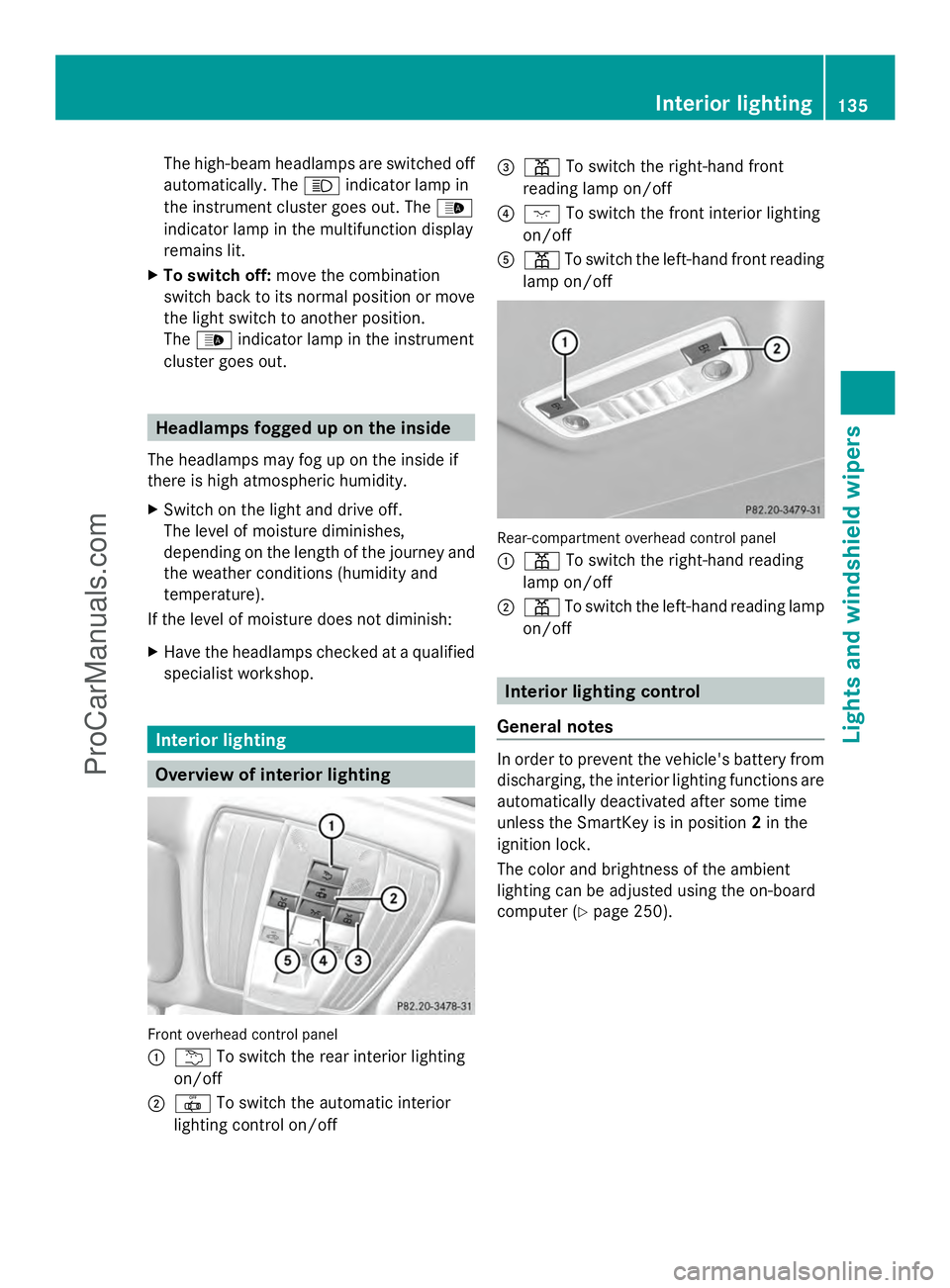
Overview of interior lighting
Front overhead control panel
:
u To switch the rear interior lighting
on/off
; | To switch the automatic interior
lighting control on/off =
p To switch the right-hand front
reading lamp on/off
? c To switch the front interior lighting
on/off
A p To switch the left-hand front reading
lamp on/off Rear-compartment overhead control panel
:
p To switch the right-hand reading
lamp on/off
; p To switch the left-hand reading lamp
on/off Interior lighting control
General notes In order to prevent the vehicle's battery from
discharging, the interior lighting functions are
automatically deactivated after some time
unless the SmartKey is in position
2in the
ignition lock.
The color and brightness of the ambient
lighting can be adjusted using the on-board
computer (Y page 250). Interior lighting
135Lights and windshield wipers Z
ProCarManuals.com