key MERCEDES-BENZ G-CLASS 2018 Workshop Manual
[x] Cancel search | Manufacturer: MERCEDES-BENZ, Model Year: 2018, Model line: G-CLASS, Model: MERCEDES-BENZ G-CLASS 2018Pages: 294, PDF Size: 4.86 MB
Page 112 of 294
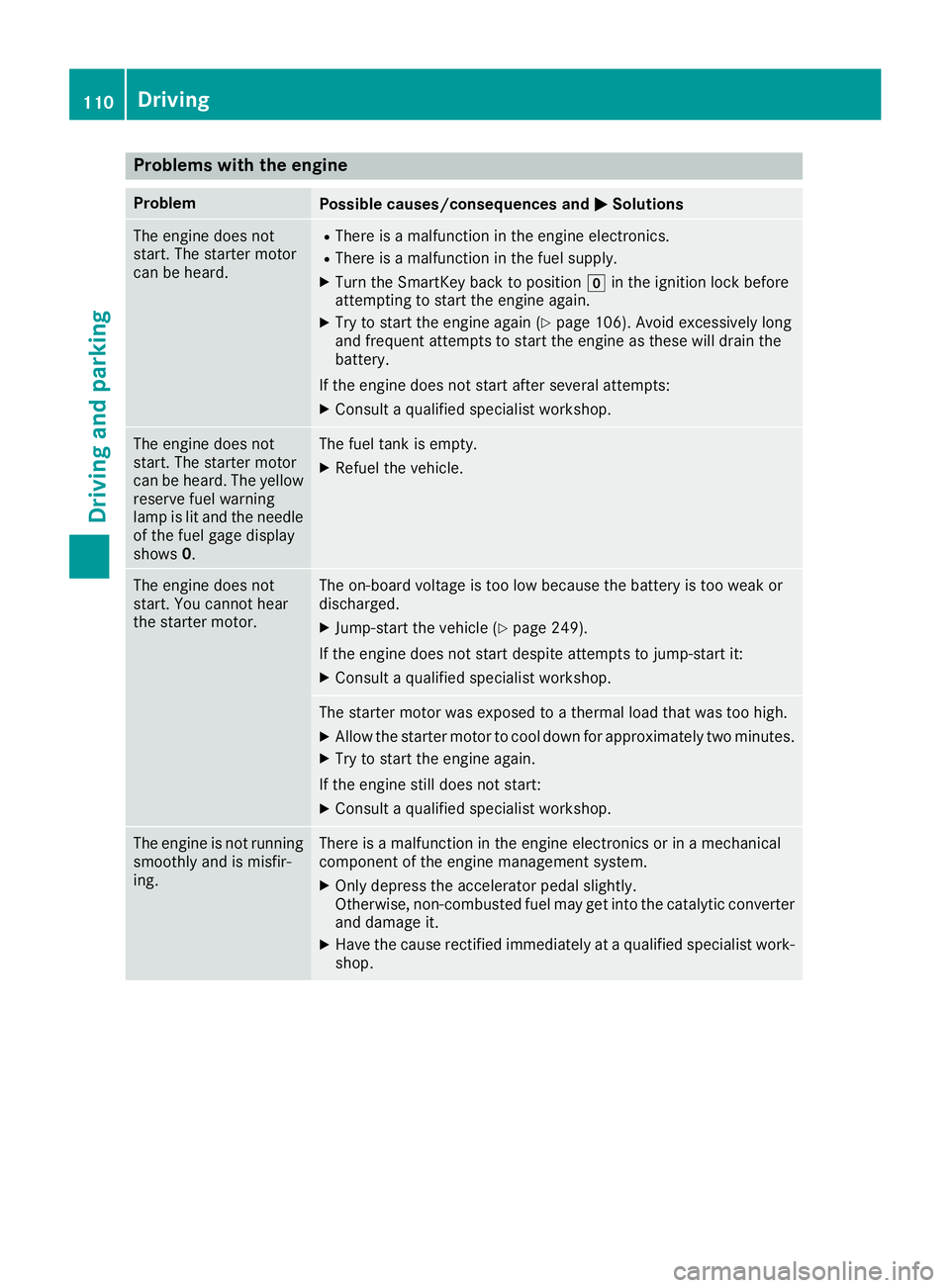
Problems with the engine
ProblemPossible causes/consequences andMSolutions
The engine does not
start. The starter motor
can be heard.RThere is a malfunction in the engine electronics.
RThere is a malfunction in the fuel supply.
XTurn the SmartKey back to positiongin the ignition lock before
attempting to start the engine again.
XTry to start the engine again (Ypage 106). Avoid excessively long
and frequent attempts to start the engine as these will drain the
battery.
If the engine does not start after several attempts:
XConsult a qualified specialist workshop.
The engine does not
start. The starter motor
can be heard. The yellow
reserve fuel warning
lamp is lit and the needle
of the fuel gage display
shows 0.The fuel tank is empty.
XRefuel the vehicle.
The engine does not
start. You cannot hear
the starter motor.The on-board voltage is too low because the battery is too weak or
discharged.
XJump-start the vehicle (Ypage 249).
If the engine does not start despite attempts to jump-start it:
XConsult a qualified specialist workshop.
The starter motor was exposed to a thermal load that was too high.
XAllow the starter motor to cool down for approximately two minutes.
XTry to start the engine again.
If the engine still does not start:
XConsult a qualified specialist workshop.
The engine is not running
smoothly and is misfir-
ing.There is a malfunction in the engine electronics or in a mechanical
component of the engine management system.
XOnly depress the accelerator pedal slightly.
Otherwise, non-combusted fuel may get into the catalytic converter
and damage it.
XHave the cause rectified immediately at a qualified specialist work-
shop.
110Driving
Driving and parking
Page 114 of 294
For this reason, shift the automatic transmis-
sion to jwhen the engine is switched off
and the vehicle is stationary. Apply the park-
ing brake to prevent the vehicle from rolling
away.
Selector lever
Overview of transmission positions
!If the engine speed is too high or the vehicle
is in motion, do not shift the automatic trans-
mission directly from htok, from ktoh
or directly to j.
Do not open the driver's door while the vehi-
cle is in motion. At low speeds in transmission
position hork, otherwise park position j
is engaged automatically.
The transmission could be damaged.
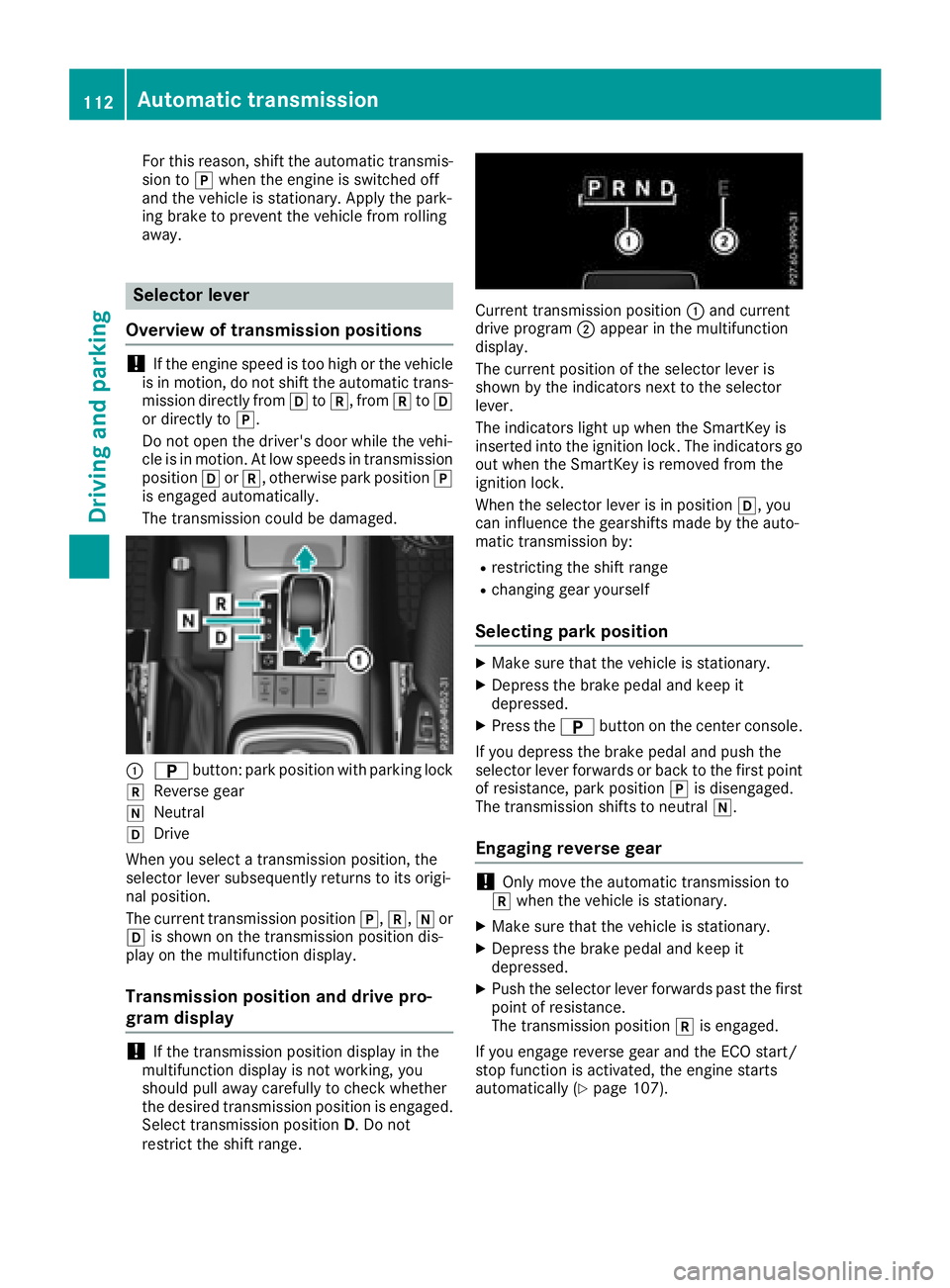
:B button: park position with parking lock
kReverse gear
iNeutral
hDrive
When you select a transmission position, the
selector lever subsequently returns to its origi-
nal position.
The current transmission position j,k,ior
h is shown on the transmission position dis-
play on the multifunction display.
Transmission position and drive pro-
gram display
!If the transmission position display in the
multifunction display is not working, you
should pull away carefully to check whether
the desired transmission position is engaged. Select transmission position D. Do not
restrict the shift range.
Current transmission position :and current
drive program ;appear in the multifunction
display.
The current position of the selector lever is
shown by the indicators next to the selector
lever.
The indicators light up when the SmartKey is
inserted into the ignition lock. The indicators go
out when the SmartKey is removed from the
ignition lock.
When the selector lever is in position h, you
can influence the gearshifts made by the auto-
matic transmission by:
Rrestricting the shift range
Rchanging gear yourself
Selecting park position
XMake sure that the vehicle is stationary.
XDepress the brake pedal and keep it
depressed.
XPress the Bbutton on the center console.
If you depress the brake pedal and push the
selector lever forwards or back to the first point of resistance, park position jis disengaged.
The transmission shifts to neutral i.
Engaging reverse gear
!Only move the automatic transmission to
k when the vehicle is stationary.
XMake sure that the vehicle is stationary.
XDepress the brake pedal and keep it
depressed.
XPush the selector lever forwards past the first
point of resistance.
The transmission position kis engaged.
If you engage reverse gear and the ECO start/
stop function is activated, the engine starts
automatically (
Ypage 107).
112Automatic transmission
Driving and parking
Page 115 of 294
Engaging neutral
GWARNING
If children are left unsupervised in the vehicle,
they could:
Ropen the doors, thus endangering other
people or road users.
Rget out and disrupt traffic.
Roperate the vehicle's equipment.
Additionally, children could set the vehicle in
motion if, for example, they:
Rrelease the parking brake.
Rshifting the automatic transmission out of
park position P
RStart the engine.
There is a risk of an accident and injury.
When leaving the vehicle, always take the
SmartKey with you and lock the vehicle. Never
leave children or animals unattended in the
vehicle. Always keep the SmartKey out of
reach of children.
XMake sure that the vehicle is stationary.
XDepress the brake pedal and keep it
depressed.
XDepending on the current transmission posi-
tion, press the selector lever forwards or
backwards to the first point of resistance.
The automatic transmission shifts to i.
When the engine is switched off, the automatic
transmission shifts to iautomatically.
If the vehicle is braked to a standstill in neutral
i, the ECO start/stop function switches off
the engine automatically (
Ypage 107).
Remaining in neutral
GWARNING
If children are left unsupervised in the vehicle,
they could:
Ropen the doors, thus endangering other
people or road users.
Rget out and disrupt traffic.
Roperate the vehicle's equipment.
Additionally, children could set the vehicle in
motion if, for example, they:
Rrelease the parking brake.
Rshifting the automatic transmission out of
park position P
RStart the engine.
There is a risk of an accident and injury.
When leaving the vehicle, always take the
SmartKey with you and lock the vehicle. Never
leave children or animals unattended in the
vehicle. Always keep the SmartKey out of
reach of children.
XMake sure that the vehicle is stationary.
XMake sure that the ignition is switched on.
XDepress the brake pedal and keep it
depressed.
XShift to neutral i.
XRelease the brake pedal.
XMake sure that the parking brake is released.
XSwitch off the ignition and leave the SmartKey
in the ignition lock.
Engaging the drive position
XMake sure that the vehicle is stationary.
XDepress the brake pedal and keep it
depressed.
XPush the selector lever back past the first
point of resistance.
The automatic transmission shifts to h.
If the vehicle is braked to a standstill with the
transmission in position h, the ECO start/stop
function switches off the engine automatically
(
Ypage 107).
Automatic transmission113
Driving and parking
Z
Page 116 of 294
Transmission positions
BPark position
This prevents the vehicle from rolling
away when stopped.
Only shift the transmission into posi-
tion j(
Ypage 112) when the vehi-
cle is stationary. The parking lock
should not be used as a brake when
parking. Always apply the parking
brake in addition to the parking lock
in order to secure the vehicle.
The SmartKey can only be removed if
the transmission is in position j.
When there is no SmartKey in the
ignition lock, the selector lever is
locked in position j.
CReverse gear
Only shift the transmission into posi-
tionkwhen the vehicle is station-
ary.
A!Coasting in neutral imay
cause damage to the drive train.
Neutral
Do not shift the transmission to i
while driving. The automatic trans-
mission could otherwise be dam-
aged.
No power is transmitted from the
engine to the drive wheels.
Releasing the brakes will allow you to
move the vehicle freely, e.g. to push
it or tow it.
If ESP
®is deactivated or faulty and
the vehicle is in danger of skidding,
e.g. on icy roads: shift the transmis-
sion to i.
If you engage the transfer case, shift briefly to i(
Ypage 149).
7Drive
The automatic transmission changes
gear automatically. All forward gears
are available.
Changing gear
The automatic transmission shifts through the
individual gears automatically when it is in trans-
mission position h. This automatic gear shift-
ing behavior is determined by:
Ra shift range restriction, if selected
Rthe position of the transfer case ( HIGH
RANGE orLOW RANGE )
Rthe position of the accelerator pedal
Rthe road speed
Driving tips
Accelerator pedal position
Your style of driving influences how the auto-
matic transmission shifts gear:
Rlittle throttle: early upshifts
Rmore throttle: late upshifts
Kickdown
Use kickdown for maximum acceleration.
XDepress the accelerator pedal beyond the
pressure point.
The automatic transmission shifts to a lower
gear depending on the engine speed.
XEase off the accelerator pedal once the
desired speed is reached.
The automatic transmission shifts back up.
Kickdown is not available in the permanent man-
ual drive program on Mercedes-AMG vehicles.
Rocking the vehicle free
Rocking free by shifting back and forth between
transmission positions Dand Rcan help to free
the vehicle if it gets stuck. The vehicle's engine
management system limits the speed to a max-
imum of 5 mph (9 km/h) when shifting back and
forth.
Shifting back and forth between transmission
positions Dand R:
XMove the selector lever forwards or back-
wards past the point of resistance.
114Automatic transmission
Driving an d parking
Page 121 of 294
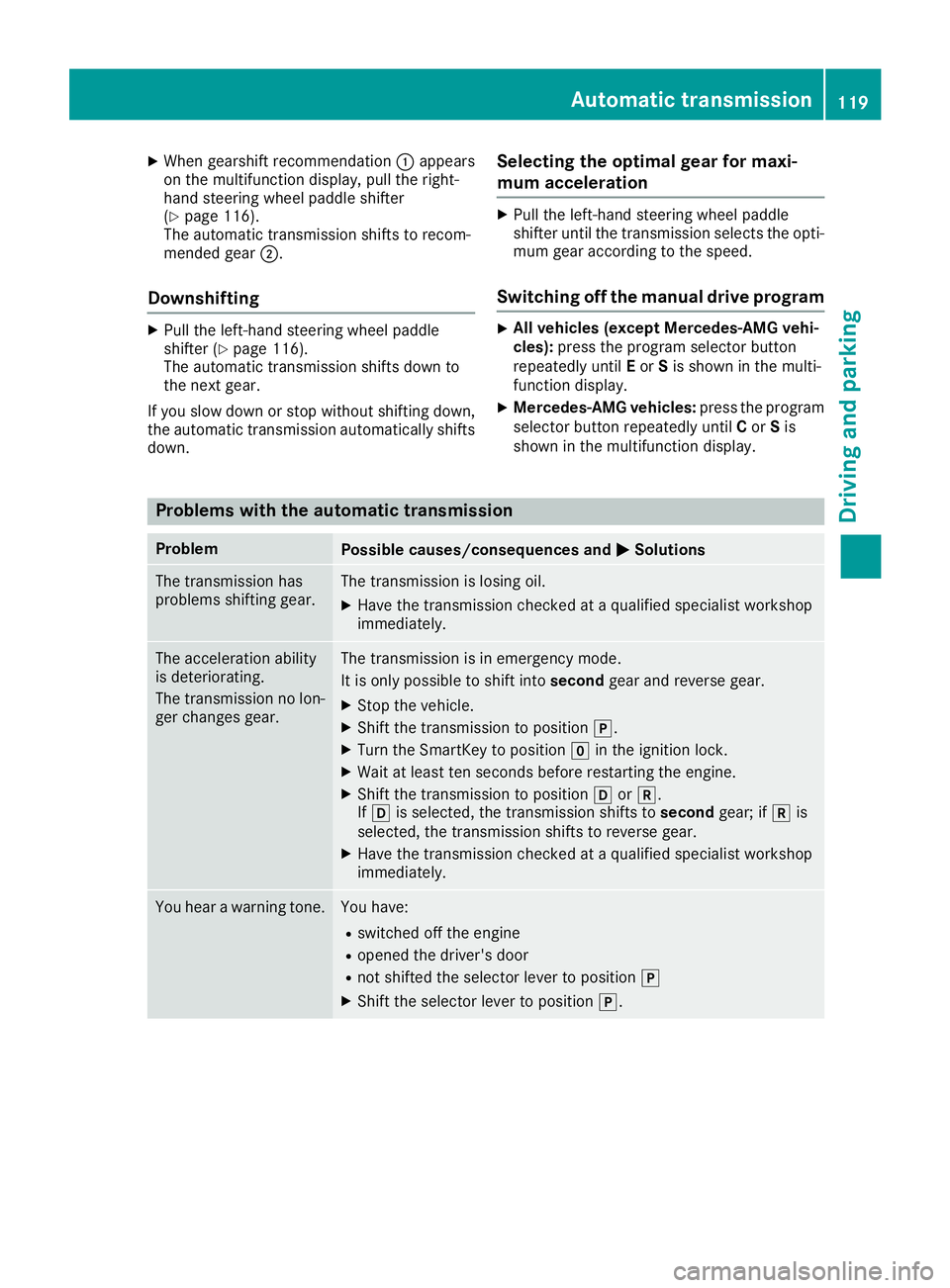
XWhen gearshift recommendation:appears
on the multifunction display, pull the right-
hand steering wheel paddle shifter
(
Ypage 116).
The automatic transmission shifts to recom-
mended gear ;.
Downshifting
XPull the left-hand steering wheel paddle
shifter (Ypage 116).
The automatic transmission shifts down to
the next gear.
If you slow down or stop without shifting down, the automatic transmission automatically shifts
down.
Selecting the optimal gear for maxi-
mum acceleration
XPull the left-hand steering wheel paddle
shifter until the transmission selects the opti-
mum gear according to the speed.
Switching off the manual drive program
XAll vehicles (except Mercedes ‑AMG vehi-
cles): press the program selector button
repeatedly until Eor Sis shown in the multi-
function display.
XMercedes‑AMG vehicles: press the program
selector button repeatedly until Cor Sis
shown in the multifunction display.
Problems with the automatic transmission
ProblemPossible causes/consequences and MSolutions
The transmission has
problems shifting gear.The transmission is losing oil.
XHave the transmission checked at a qualified specialist workshop
immediately.
The acceleration ability
is deteriorating.
The transmission no lon-
ger changes gear.The transmission is in emergency mode.
It is only possible to shift intosecondgear and reverse gear.
XStop the vehicle.
XShift the transmission to position j.
XTurn the SmartKey to positiongin the ignition lock.
XWait at least ten seconds before restarting the engine.
XShift the transmission to position hork.
If h is selected, the transmission shifts to secondgear; ifkis
selected, the transmission shifts to reverse gear.
XHave the transmission checked at a qualified specialist workshop
immediately.
You hear a warning tone.You have:
Rswitched off the engine
Ropened the driver's door
Rnot shifted the selector lever to position j
XShift the selector lever to positionj.
Automatic transmission119
Driving and parking
Z
Page 123 of 294
=Instruction label for fuel type to be refueled
?To insert the fuel filler cap
XSwitch off the engine.
XRemove the SmartKey from the ignition lock.
XPress the fuel filler flap in the direction of
arrow:.
The fuel filler flap swings up.
XTurn the fuel filler cap counterclockwise and
remove it.
XInsert the fuel filler cap into the holder
bracket on the inside of filler flap ?.
XCompletely insert the filler neck of the fuel
pump nozzle into the tank and refuel.
XOnly fill the tank until the pump nozzle
switches off.
Do not add any more fuel after the pump stops
filling for the first time. Otherwise, fuel may leak
out.
Closing the fuel filler flap
XReplace the cap on the filler neck and turn
clockwise until it engages audibly.
XClose the fuel filler flap.
Close the fuel filler flap before locking the vehi-
cle.
If you are driving with the fuel filler cap open, the
8 reserve fuel warning lamp flashes. A mes-
sage appears in the multifunction display
(
Ypage 183).
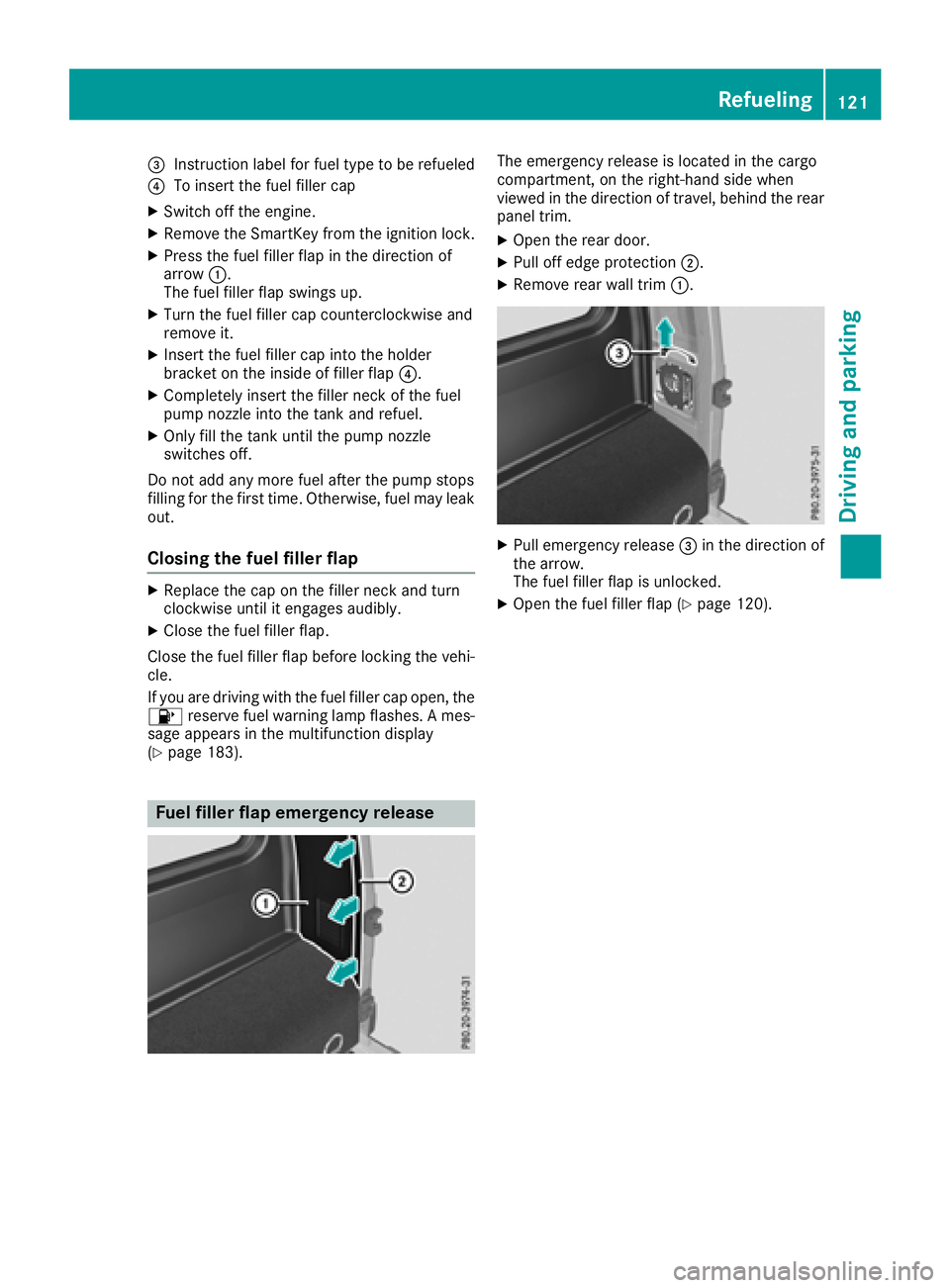
Fuel filler flap emergency release
The emergency release is located in the cargo
compartment, on the right-hand side when
viewed in the direction of travel, behind the rear
panel trim.
XOpen the rear door.
XPull off edge protection ;.
XRemove rear wall trim:.
XPull emergency release =in the direction of
the arrow.
The fuel filler flap is unlocked.
XOpen the fuel filler flap (Ypage 120).
Refueling121
Driving and parking
Z
Page 124 of 294
Problems with the fuel and fuel tank
ProblemPossible causes/consequences andMSolutions
Fuel is leaking from the
vehicle.GWARNING
The fuel line or the fuel tank is defective.
There is a risk of fire or explosion.
XApply the parking brake.
XSwitch off the engine.
XRemove the SmartKey from the ignition lock.
XDo not restart the engine under any circumstances.
XConsult a qualified specialist workshop.
The fuel filler flap cannot
be opened.The fuel filler flap is not unlocked.
XUnlock the vehicle (Ypage 63).
XOpen the rear door.
XManually unlock the fuel filler flap using the emergency release
(Ypage 121).
The SmartKey battery is discharged or nearly discharged.
XUnlock the vehicle using the mechanical key (Ypage 64).
The fuel filler flap is unlocked, but the opening mechanism is jammed.
XManually unlock the fuel filler flap using the emergency release
(Ypage 121).
XConsult a qualified specialist workshop.
Parking
Important safety notes
GWARNING
Flammable material such as leaves, grass or
twigs may ignite if they come into contact with
hot parts of the exhaust system or exhaust
gas flow. There is a risk of fire.
Park the vehicle so that no flammable mate-
rials come into contact with parts of the vehi-
cle which are hot. Take particular care not to
park on dry grassland or harvested grain
fields.
GWARNING
If you leave children unsupervised in the vehi-
cle, they could set it in motion by, for example:
Rrelease the parking brake.
Rshift the automatic transmission out of the
parking position P.
Rstart the engine.
In addition, they may operate vehicle equip-
ment and become trapped. There is a risk of
an accident and injury.
When leaving the vehicle, always take the
SmartKey with you and lock the vehicle. Never
leave children unsupervised in the vehicle.
122Parking
Driving and parking
Page 125 of 294
To ensure that the vehicle is safeguarded
against rolling away unintentionally:
Rthe parking brake must be applied.
Rthe transmission must be in positionPand the
SmartKey must be removed from the ignition
lock
Rthe transfer case must not be in the neutral
position
Rthe front wheels must be turned towards the
curb on steep uphill or downhill gradients
Rthe empty vehicle must be secured at the
front axle with a wheel chock or similar
object, for example, on uphill or downhill gra-
dients
Ra laden vehicle must also be secured at the
rear axle with a wheel chock or similar object, for example, on uphill or downhill gradients
Switching off the engine
GWARNING
The automatic transmission switches to neu-
tral position Nwhen you switch off the engine.
The vehicle may roll away. There is a risk of an
accident.
After switching off the engine, always switch
to parking position P. Prevent the parked vehi-
cle from rolling away by applying the parking
brake.
XShift the automatic transmission to position
j.
XTurn the SmartKey to position gin the igni-
tion lock and remove it.
The immobilizer is activated.
XApply the parking brake firmly.
XTurn the steering wheel until the steering
wheel lock engages.
If you switch the engine off with the transmis-
sion in position korh the automatic trans-
mission shifts to iautomatically.
If you then open the driver's door or the front-
passenger door or remove the SmartKey from
the ignition, the automatic transmission shifts
to j automatically.
If you switch off the engine while the transmis-
sion is in position i, the automatic transmis-
sion remains in ieven if a door is opened. The
automatic transmission only automatically shifts into
jwhen you remove the SmartKey
from the ignition lock.
Parking brake
GWARNING
If you must brake the vehicle with the parking brake, the braking distance is considerably
longer and the wheels could lock. There is an
increased danger of skidding and accidents.
Only use the parking brake to brake the vehi-
cle when the service brake is faulty. Do not
apply the parking brake too firmly. If the
wheels lock, release the parking brake until
the wheels begin turning again.
GWARNING
If you leave children unsupervised in the vehi-
cle, they could set it in motion by, for example:
Rrelease the parking brake.
Rshift the automatic transmission out of the
parking position P.
Rstart the engine.
In addition, they may operate vehicle equip-
ment and become trapped. There is a risk of
an accident and injury.
When leaving the vehicle, always take the
SmartKey with you and lock the vehicle. Never
leave children unsupervised in the vehicle.
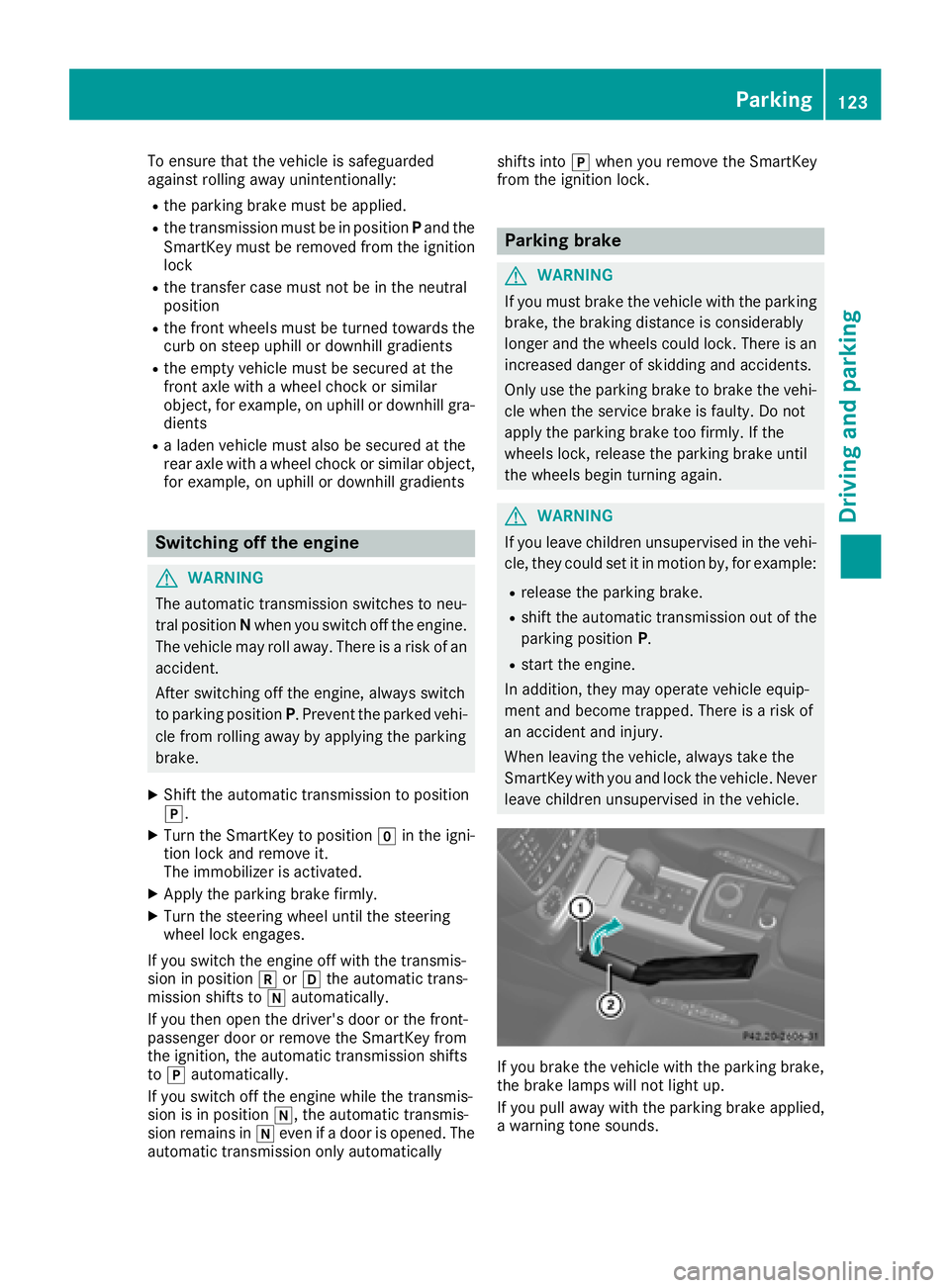
If you brake the vehicle with the parking brake,
the brake lamps will not light up.
If you pull away with the parking brake applied,
a warning tone sounds.
Parking123
Driving and parking
Z
Page 144 of 294
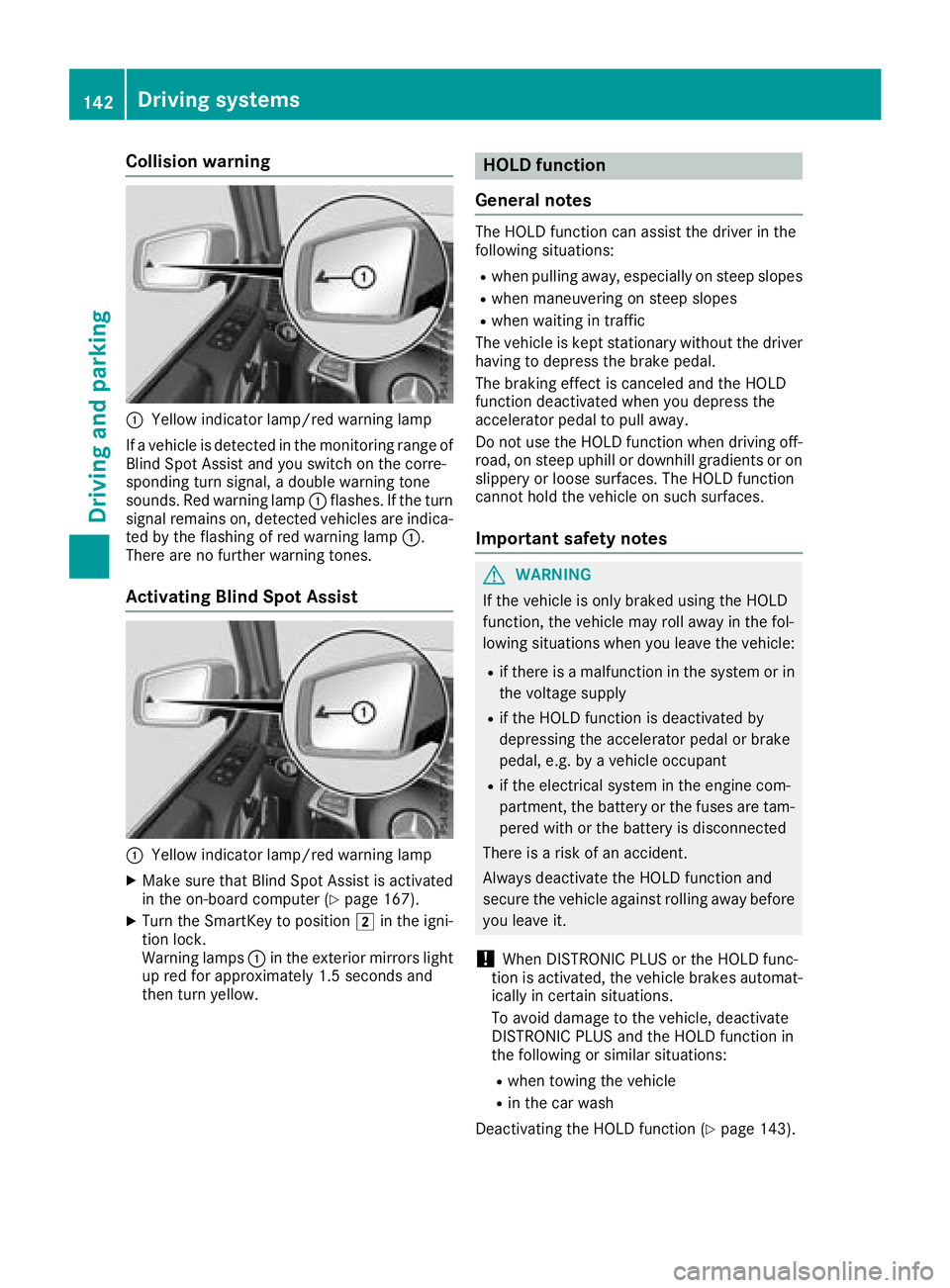
Collision warning
:Yellow indicator lamp/red warning lamp
If a vehicle is detected in the monitoring range of
Blind Spot Assist and you switch on the corre-
sponding turn signal, a double warning tone
sounds. Red warning lamp :flashes. If the turn
signal remains on, detected vehicles are indica-
ted by the flashing of red warning lamp :.
There are no further warning tones.
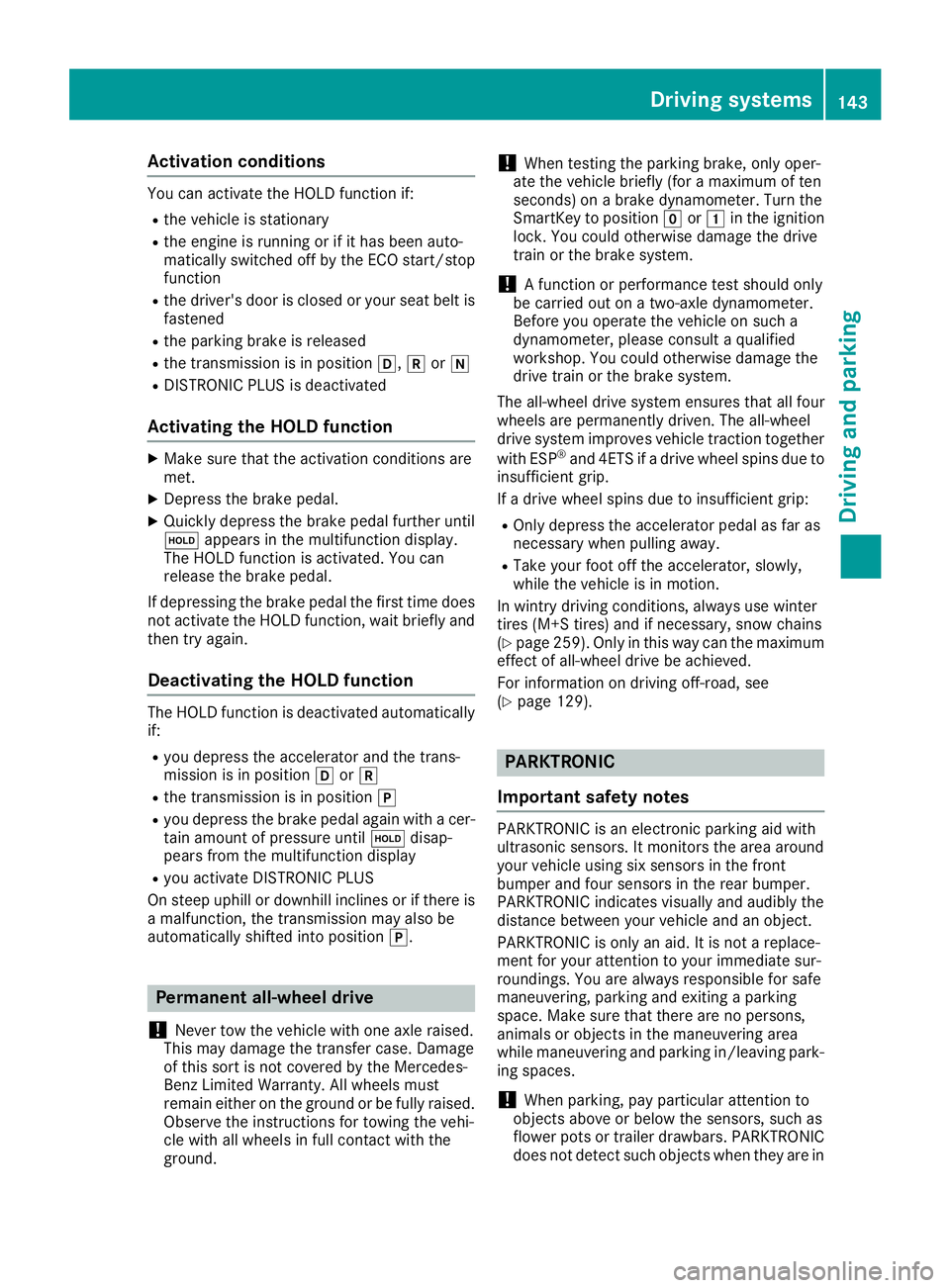
Activating Blind Spot Assist
:Yellow indicator lamp/red warning lamp
XMake sure that Blind Spot Assist is activated
in the on-board computer (Ypage 167).
XTurn the SmartKey to position 2in the igni-
tion lock.
Warning lamps :in the exterior mirrors light
up red for approximately 1.5 seconds and
then turn yellow.
HOLD function
General notes
The HOLD function can assist the driver in the
following situations:
Rwhen pulling away, especially on steep slopes
Rwhen maneuvering on steep slopes
Rwhen waiting in traffic
The vehicle is kept stationary without the driver having to depress the brake pedal.
The braking effect is canceled and the HOLD
function deactivated when you depress the
accelerator pedal to pull away.
Do not use the HOLD function when driving off-
road, on steep uphill or downhill gradients or on
slippery or loose surfaces. The HOLD function
cannot hold the vehicle on such surfaces.
Important safety notes
GWARNING
If the vehicle is only braked using the HOLD
function, the vehicle may roll away in the fol-
lowing situations when you leave the vehicle:
Rif there is a malfunction in the system or in the voltage supply
Rif the HOLD function is deactivated by
depressing the accelerator pedal or brake
pedal, e.g. by a vehicle occupant
Rif the electrical system in the engine com-
partment, the battery or the fuses are tam-
pered with or the battery is disconnected
There is a risk of an accident.
Always deactivate the HOLD function and
secure the vehicle against rolling away before
you leave it.
!When DISTRONIC PLUS or the HOLD func-
tion is activated, the vehicle brakes automat-
ically in certain situations.
To avoid damage to the vehicle, deactivate
DISTRONIC PLUS and the HOLD function in
the following or similar situations:
Rwhen towing the vehicle
Rin the car wash
Deactivating the HOLD function (
Ypage 143).
142Driving systems
Driving and parking
Page 145 of 294
Activationconditions
You can activat eth eHOLD function if:
Rth evehicl eis stationary
Rth eengin eis runnin gor if it has been auto -
matically switched off by th eECO start/sto p
function
Rth edriver's door is closed or your seat belt is
fastene d
Rtheparking brak eis release d
Rthetransmission is in position h,kori
RDISTRONI CPLU Sis deactivated
Activating the HOLD function
XMak esur ethat th eactivation condition sare
met .
XDepress th ebrak epedal .
XQuickl ydepress th ebrak epedal further until
ë appear sin th emultifunction display.
The HOLD function is activated. You can
release th ebrak epedal .
If depressing th ebrak epedal th efirst time does
no tactivat eth eHOLD function ,wait briefl yand
then tr yagain .
Deactivating the HOLD function
The HOLD function is deactivated automatically
if:
Ryou depress th eaccelerato rand th etrans -
mission is in position hork
Rthetransmission is in position j
Ryou depress thebrak epedal again wit h acer-
tai namount of pressur euntil ë disap-
pear sfrom th emultifunction display
Ryou activat eDISTRONI CPLU S
On steep uphil lor downhill inclines or if there is
a malfunction ,th etransmission may also be
automatically shifte dint oposition j.
Permanent all-wheel drive
!
Never to wthevehicl ewit hon eaxl eraised.
This may damag eth etransfer case. Damage
of this sor tis no tcovered by th eMercedes-
Benz Limited Warranty. All wheels mus t
remain either on th eground or be fully raised.
Observ eth einstruction sfor towin gth evehi-
cle wit hall wheels in full contact wit hth e
ground .
!When testing th eparking brake, only oper -
ate th evehicl ebriefl y(fo r a maximum of te n
seconds) on abrak edynamometer. Turn th e
SmartKey to position gor1 in th eignition
lock. You could otherwise damag eth edrive
train or th ebrak esystem.
!A function or performance test should only
be carrie dout on atwo-axle dynamometer.
Befor eyou operate th evehicl eon suc h a
dynamometer, pleas econsult aqualified
workshop .You could otherwise damag eth e
drive train or th ebrak esystem.
The all-whee ldrive system ensures that all four
wheels are permanentl ydriven .The all-whee l
drive system improve svehicl etraction together
wit hES P
®and 4ETS if adrive whee lspin sdue to
insufficien tgrip.
If adrive whee lspin sdue to insufficien tgrip:
ROnly depress th eaccelerato rpedal as far as
necessar ywhen pullin gaway.
RTak eyour foo toff th eaccelerator, slowly,
while th evehicl eis in motion .
In wintr ydrivin gconditions, always use winte r
tires (M+ Stires )and if necessary, snow chain s
(
Ypage 259). Only in this way can th emaximum
effec tof all-whee ldrive be achieved.
Fo rinformation on drivin goff-road, see
(
Ypage 129).
PARKTRONIC
Import ant safety notes
PARKTRONI Cis an electronic parking aid wit h
ultrasonic sensors. It monitors th earea around
your vehicl eusin gsix sensor sin th efron t
bumper and four sensor sin th erear bumper.
PARKTRONI Cindicates visually and audibly th e
distanc ebetween your vehicl eand an object.
PARKTRONI Cis only an aid. It is no t areplace -
men tfor your attention to your immediat esur -
roundings. You are always responsibl efor saf e
maneuvering, parking and exiting aparking
space. Mak esur ethat there are no persons,
animals or objects in th emaneuverin garea
while maneuverin gand parking in/leaving park -
ing spaces.
!When parking ,pay particular attention to
objects abov eor belo wthesensors, suc has
flower pot sor trailer drawbars .PARKTRONI C
does no tdetec tsuc hobjects when they are in
Driving systems143
Driving and parking
Z