ECO mode MERCEDES-BENZ G-CLASS 2019 User Guide
[x] Cancel search | Manufacturer: MERCEDES-BENZ, Model Year: 2019, Model line: G-CLASS, Model: MERCEDES-BENZ G-CLASS 2019Pages: 514, PDF Size: 45.22 MB
Page 146 of 514
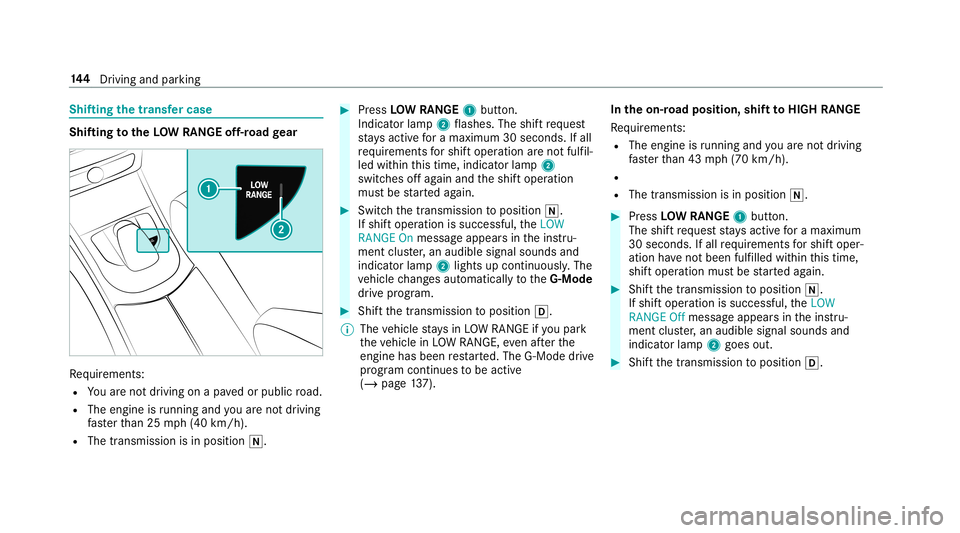
Shif
ting thetransf ercase Shif
ting totheLOW RANGEoff-r oad gear Re
quiremen ts:
R Youar eno tdr ivin gon apa vedor public road.
R The engineisrunning andyouar eno tdr ivin g
fa ster than 25 mph(40 km/h).
R The transmission isin position 005C. #
Press LOWRAN GE1 butt on.
Indicat orlam p2 flashes .The shiftre qu est
st ay sactiv efo ra maximu m30 seconds. Ifall
re qu iremen tsforshif toper ation areno tfulf il‐
led within this tim e,indic ator lam p2
switc hesoffag ain and theshif toper ation
mus tbe star tedag ain. #
Switc hth etra nsmiss iontoposition 005C.
If shif toper ation issucces sful,theLOW
RANGE Onmessag eappear sin theins tru‐
ment cluster,an audible signalsoun dsand
ind icat orlam p2 light sup con tinuousl y.The
ve hicle chang esaut omat icallyto theG-Mod e
dr ive pr og ram. #
Shif tth etra nsmiss iontoposition 005B.
% The vehicle stay sin LO WRANGE ifyo upar k
th eve hicle inLO WRANGE, even afte rth e
engine hasbeen restar ted. The G-Mode drive
pr ogr am continues tobe activ e
(/ page13 7). In
theon-r oad posit ion,shiftto HIGH RANGE
Re quiremen ts:
R The engin eis running andyouar eno tdr ivin g
fa ster than 43 mph(70 km/h).
R
R The transmission isin position 005C. #
Press LOWRAN GE1 butt on.
The shiftre qu estst ay sactiv efo ra maximu m
30 seconds. Ifall requ iremen tsforshif toper‐
ation have notbe en fulfilled within this tim e,
shif topera tionmustbe star tedag ain. #
Shif tth etra nsmiss iontoposition 005C.
If shif toper ation issucces sful,theLOW
RANGE Offmessag eappear sin theins tru‐
ment cluster,an audible signalsoun dsand
ind icat orlam p2 goes out. #
Shift th etra nsmiss iontoposition 005B. 14
4
Driving and parking
Page 256 of 514
Ent
ering thedes tina tion asa3 wo rdaddr ess
Re quirement s:
R Sear ching fora des tination using 3wo rd
addr esse sis poss ibleintheonline search
( / pag e24 8).
R Thereis an Inte rn et connecti on.
% Searching fora des tination using 3wo rd
addr esse sis no tposs ibleinall coun tries.
Mult imed iasystem:
4 Navigation 5
ª Enter Dest ination #
Select Online Search. #
Enterth edes tinat ionaddr essasa3 wo rd
addr ess. Separateeac hof thewo rdswit ha
full stop.
The sear chresults aredispla yed. #
Select thedes tinat ioninthelis t.
The destinat ionaddr essissho wn. The route
can becalc ulated.
% 3wo rdaddr esse sfrom what 3words arean
alt ernat ive addr essingsystem formulti lin‐
gua lge orefer encin gof global locations with
a re solution ofthre eme ters.Usi ngthis grid, locat
ionsontheEar th's sur face areincl uded
whi chdo notha ve abuildin gaddr esssuch
as stre et and house number,fo rex am ple.
The EmpireSt ateBuild inginNe wYo rk has
th efo llo wing languag edepen dent3wo rd
addr ess, forex am ple:
R English: parade.he lp.bleat
R Frenc h:commu n.verbe.bisq uer
R Spanish: suertes.dig a.pesca
3 wo rdaddr esse sar euniq ue,easy to
re member andsuffice formos tro utin eappli‐
cat ions.
The bidir ectionalco nve rsion of3wo rd
addr esse scan becar ried out here:
R atthewe bsit ehtt p:// what3w ords.c om
R inthewhat3w ords apps
Selecting ades tinat iononthema p
Multi media system:
4 Navigation 5
Z Option s #
Select MapMenu.
or #
Ifth emap isdispla yedin full screen mode,
pr ess thecent ralcon trol elemen t.
The map menuappear s. #
Selec t"mo vemap" inmap menu 2
(/ page266) . #
Swipe inanydir ection ontheTo uc hCon trol
or touc hpad.
or #
Slid eth econ troller inanydir ect ion.
The map movesin thecor responding direc‐
tion under thecr osshair .The moreyo umo ve
yo ur fing er aw ay from thest ar tin gposit ion
on theto uc hpad, thefa ster themap moves. #
Press theTo uc hCon trol, thecon troller orthe
to uc hpad.
If se veraldes tination sar elocat edaround the
cr oss hair,a list sho wstheav ailable POIsand
ro ads.
If ades tinatio nis loc ated exact lyon the
cr oss hair,th edes tinat ionaddr essisdis‐
pla yed. #
Select thedes tinat ioninthelis t.
The destinat ionaddr essissho wn. 25
4
Multimedia system
Page 261 of 514
The
road and traf fic ru les and regulations always
ha ve prior ity ove rmulti media system driving
ins truction s.
The follo wing drivin gins truct ions canbeused:
R Navig ation announcements
R Routeguidan cedispl ays
R Lane recomme ndations
If yo udo notfo llo wthedr iving instruction sor if
yo ulea vethecalculat edroute, ane wrouteis
calc ulatedaut omat ically.
Dr iving instructi ons maydi ffer from theactual
ro ad and traf fic condi tions if:
R The routeis div erted
R The direction ofaone-w aystre et has been
ch ang ed
Fo rth is reason ,yo umus talw aysobser veroad
and traffic ru les and regulations during your
jo ur ne yas wellas thepr eva iling traffic condi ‐
tions .
The routema ydif ferfr om theideal routedue to
th efo llo wing:
R Roadw orks R
Incom pletedigit almap data
No teson GPS recep tion
The correct functi onofthena vig ation system
depends amongstot her things onGPS recep‐
tion. Incer tain situat ionsGPS recep tion canbe
im pa ired, defectiv eor eve nno tpo ssi ble, e.g .in
tunne lsor inpa rking garage s.
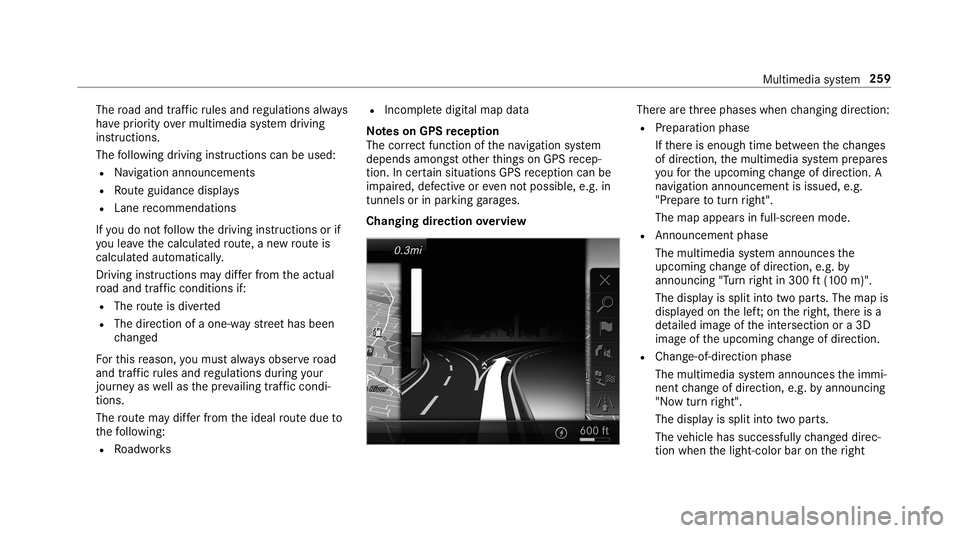
Changing direction overview Ther
ear eth re ephases whenchang ingdirect ion:
R Preparation phase
If th er eis enough timebetween thech ang es
of dir ect ion,th emultimedia system prepar es
yo ufo rth eupcoming chang eof dir ect ion.A
na vig atio nann oun cem entisissue d,e.g .
"Pr epar eto tur nright".
The map appear sin full-scr eenmode.
R Ann ouncemen tphase
The multimedia system announ cesthe
upco mingch ang eof dir ect ion,e.g .by
ann oun cing"T ur nright in300 ft(100 m)".
The displa yis split intotw opar ts.The map is
displa yedon thelef t;on theright, ther eis a
de tailed imag eof theint ersect ionora3D
imag eof theupcoming chang eof dir ect ion.
R Chan ge-of-d irecti onpha se
The multimed iasystem announ cestheimmi‐
nen tch ang eof dir ect ion,e.g .by ann oun cing
"No wtur nright".
The displa yis split intotw opar ts.
The vehicle hassuccessfull ych ang eddirec‐
tio nwhen thelight- color barontheright Multimedia
system 259
Page 262 of 514
dr
ops down to0feet (0 m) and thecur rent
ve hicle position symbolhasreac hed the
highlight edchang e-of-dir ect ion poin t.
When thech ang eof dir ect ion iscom plete,
th emap appear sin full-scr eenmode.
% Chang esofdir ect ion arealso showninthe
Ins trument Display.
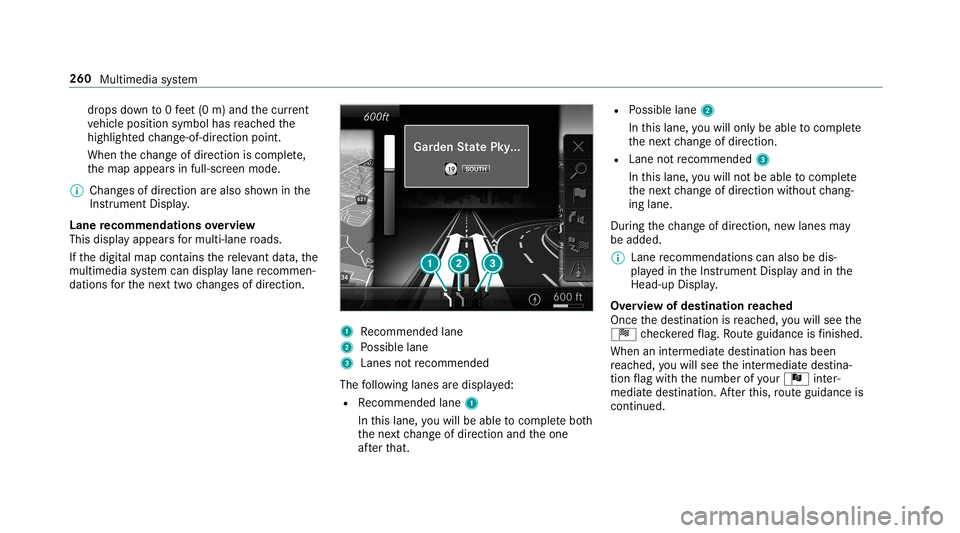
Lane recomm endationsov ervie w
This displa yappear sfo rmulti -lane roads.
If th edigit almap contains there leva nt data,th e
multime diasystem can displa ylane recomme n‐
da tions forth ene xt twoch ang esofdir ect ion. 1
Recomme ndedlane
2 Possible lane
3 Lanes notre comme nded
The follo wing lanes aredispla yed:
R Recomme ndedlane 1
In this lane, youwill beable tocom plet ebo th
th ene xt chang eof dir ect ion and theone
af te rth at. R
Possible lane2
In this lane, youwill onlybe able tocom plet e
th ene xt chang eof dir ect ion.
R Lan eno tre comme nded3
In this lane, youwill notbe able tocom plet e
th ene xt chang eof dir ect ion without chang ‐
ing lane .
Dur ing thech ang eof dir ect ion,ne wlane sma y
be added.
% Lanere comme ndations canalso be dis‐
pl ay ed intheIns trument Displayand inthe
Hea d-up Display.
Ov ervie wof des tinat ionreac hed
Once thedes tinat ionisreac hed, youwill see the
Í checkeredflag. Routeguidan ceisfinis hed .
Whe nan intermed iate des tination hasbeen
re ac hed, youwill see theint ermediat edes tina‐
tion flag withth enumber ofyour Î inter‐
med iatedes tinatio n.Afterth is, routeguidan ceis
co ntinue d. 260
Multimed iasystem
Page 265 of 514
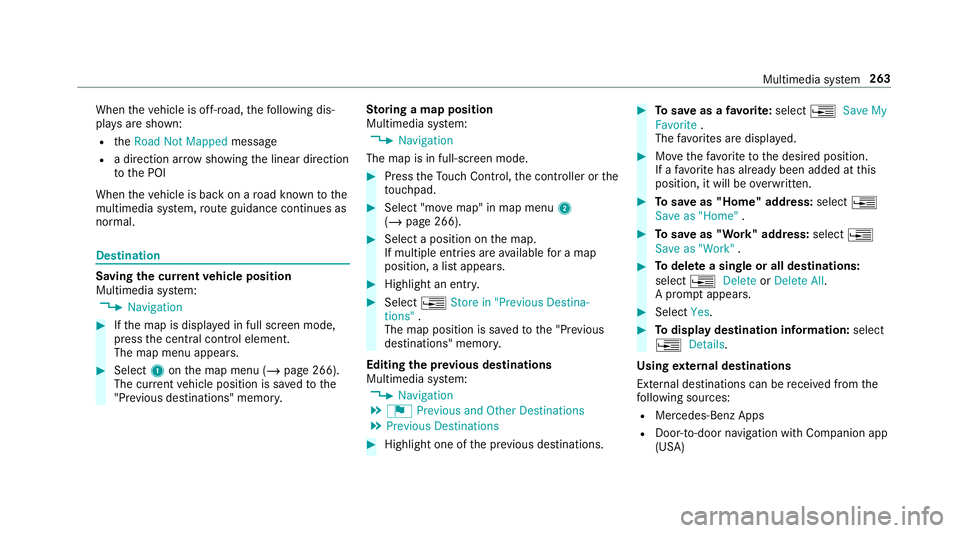
When
theve hicle isoff-r oad, thefo llo wing dis‐
pla ysaresho wn:
R theRoad NotMapped message
R adir ect ion arrow showing thelinear direct ion
to thePOI
When theve hicle isbac kon aro ad know nto the
multime diasystem, routeguidan cecontinue sas
no rm al. Des
tination Sa
ving thecur rent vehicl eposi tion
Mul timedi asy stem:
4 Navigation #
Ifth emap isdispla yedin full screen mode,
pr ess thecent ralcon trol elemen t.
The map menuappear s. #
Selec t1 onthemap menu (/page266).
The current vehicle position issave dto the
"Pr evious destination s"memo ry. St
oring ama pposit ion
Mult imedia system:
4 Navigation
The map isin full-scr eenmode. #
Press theTo uc hCon trol, thecon troller orthe
to uc hpad. #
Select "mo vemap" inmap menu 2
(/ page266) . #
Select aposi tion onthemap.
If multiple entries areav ailable fora map
posi tion, alis tapp ears. #
Highl ightanentr y. #
Select 0080 Store in"Previ ousDesti na-
tions ".
The map position issave dto the"Pr evious
des tination s"memo ry.
Edit ingthepr ev ious destina tions
Multime diasystem:
4 Navigation
5 ¬ Previous andOther Destination s
5 Previous Destination s #
Highlight oneofthepr ev ious destination s. #
Tosave asafa vo rite :sel ect 0080 SaveMy
Fav orite.
The favo rite sar edispla yed. #
Movethefa vo rite to thedesir edposition .
If afa vo rite has already been added atthis
posit ion,itwill beove rwritt en. #
Tosave as"Home" address:sele ct0080
Save as"Home ". #
Tosave as"W ork" addr ess:sele ct0080
Save as"Wo rk". #
Todel eteasing leor all des tina tions :
selec t0080 Deleteor Dele teAll.
A pr om ptappear s. #
Select Yes. #
Todispl aydes tina tioninf ormatio n:sel ect
0080 Details.
Usi ngextern al des tinatio ns
Ext ernal destinatio nscan berecei vedfrom the
fo llo wing sources:
R Mer cedes -Benz Apps
R Doo r-to -doo rna vig ation with Com panionapp
(US A) Mult
imed iasystem 263
Page 267 of 514
#
Todispl aymanu ally:select LiveTraffic Sub-
scription Info.
Depending onthest atus ,on eof thefo llo wing
mess ages appear s:
R theper iod ofvalidity forth esubscr iption
is displa yed.
R thesubscr iption hasexpir ed.
% The subscr iption canbeextende d:
R atan author ized Mercedes-B enzCent er
R viaanMB Infocall totheMer cedes- Benz
Cus tomer Assis tance Center
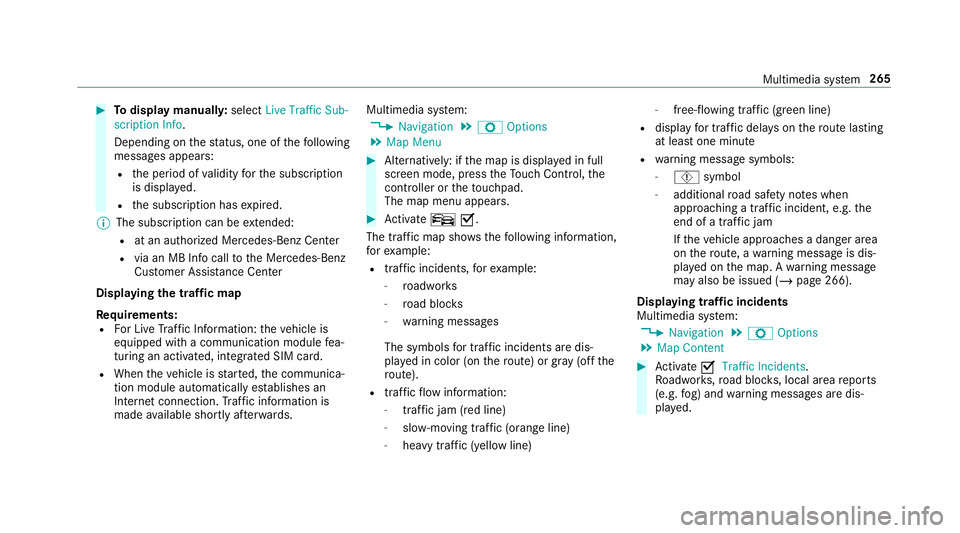
Di spl aying thetraf fic ma p
Re quirement s:
R ForLiv eTr af fic Inf ormati on:theve hicle is
eq uipped withacommunication modulefea‐
tur ing anact ivat ed, integrat edSIM car d.
R When theve hicle isstar ted, thecomm unica‐
tion module automaticall yes tab lishes an
Int erne tcon nection .Tr af fic inf ormati onis
mad eav ailable shortly af te rw ards. Mult
imed iasystem:
4 Navigation 5
Z Option s
5 Map Menu #
Alternativ ely:ifth emap isdispla yedin full
scr een mode, press theTo uc hCon trol, the
contr oller or theto uc hpad.
The map menuappear s. #
Activateº 0073.
Th etraf fic map showsthefo llo wing informatio n,
fo rex am ple:
R traf fic inci dents ,fo rex am ple:
- roadw orks
- road bloc ks
- warning mess ages
The symbols fortr af fic inci dents aredis‐
pl ay ed incolor (onthero ute) or gray (offth e
ro ute).
R traf fic flow informatio n:
- traf fic jam (red line)
- slow-mo ving traf fic (or ang eline)
- hea vytraf fic (yel lo w line) -
free-f lowi ng traf fic (gr een line)
R displ ayfortr af fic del ayson thero utelas ting
at leas ton emin ute
R warning mess agesymbols :
- Ô symbol
- addition alroad safetyno teswhen
appr oaching atraf fic inci dent, e.g.the
end ofatra ffic jam
If th eve hicle approaches adang erarea
on thero ute, awa rning mess ageis dis‐
pla yedon themap. Awa rning mess age
ma yalso beissued (/page266 ).
Displa yingtraf fic incid ents
Mult imed iasystem:
4 Navigation 5
Z Option s
5 Map Conten t #
Activate0073 TrafficInci dents .
Ro adw orks ,ro ad bloc ks,local area repor ts
(e.g. fog) and warning mess ages aredis‐
pla yed. Multimedia
system 265
Page 269 of 514
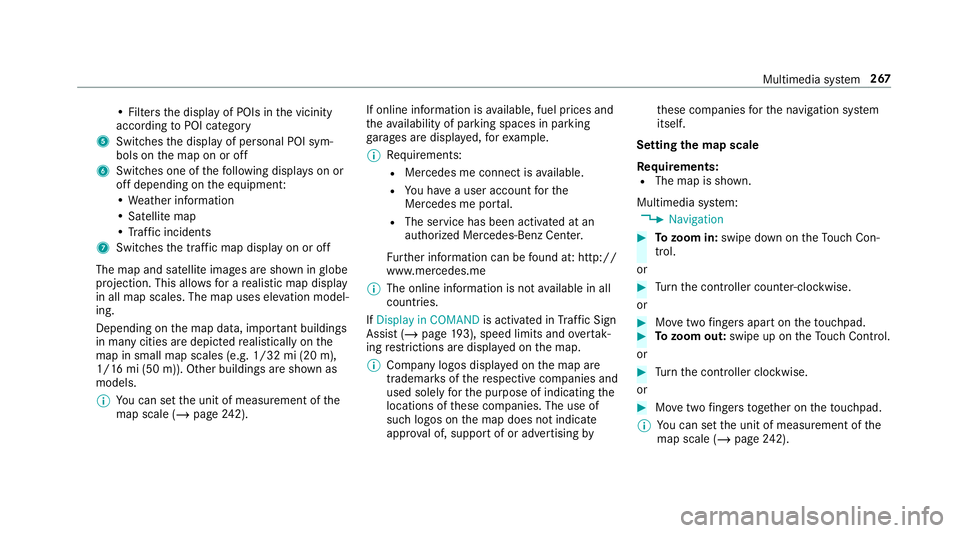
•
Fil ters thedispla yof POIs inthevicinit y
accor dingtoPOI categor y
5 Switc hesthedispla yof per sonal POIsym‐
bols onthemap onoroff
6 Switc hesone ofthefo llo wing displa yson or
of fdepending ontheeq uipment :
• We ather informat ion
• Sat ellit emap
• Traf fic inci dents
7 Switches thetra ffic map displa yon oroff
The map andsatellit eimag esaresho wninglobe
pr oject ion.This allowsfora re alis ticmap displa y
in all map scales. Themap uses elevatio nmod el‐
ing .
Dep endingonthemap data,im por tant buildi ngs
in ma nyciti esaredep icted realis ticallyon the
map insmal lmap scale s(e.g. 1/32 mi(20 m),
1/1 6mi (50 m)). Other buildings aresho wnas
model s.
% Youcan setth eunit ofmeasur ementofthe
map scale (/page24 2). If
online informatio nis available, fuelprice sand
th eav ailabilit yof par kingspac esinpar king
ga rage sar edispla yed, forex am ple.
% Requiremen ts:
R Mer cedes meconnectis available.
R Youha ve auser accoun tfo rth e
Mer cedes meportal.
R The service hasbeen activat ed atan
aut hor ized Mercedes -Benz Cent er.
Fu rther information canbefound at:ht tp :/ /
www .merced es.me
% The onlineinf ormat ionisno tav ailable inall
coun tries.
If Dis play inCOMA NDisact ivat ed inTraf fic Sign
Assi st(/ pag e19 3),sp ee dlim its an dove rtak‐
ing restrictions aredispl ayed on themap.
% Com panylogos displayedon themap are
tra demar ksofthere spectiv ecom panies and
used solely forth epur pose ofindicat ingthe
locat ionsofthese com panies. Theuseof
suc hlogos onthemap does notindicat e
appr oval of, suppo rtof or adv ertising by th
ese com panies forth ena vig ation system
itself.
Se tting thema pscale
Re quirement s:
R The map issho wn.
Multime diasystem:
4 Navigation #
Tozoo min: swi pedown ontheTo uc hCon ‐
tr ol.
or #
Turn thecon troller count er-cloc kwise.
or #
Movetwofing ersap arton theto uc hpad. #
Tozoo mout: swipeup on theTo uc hCon trol.
or #
Turn thecon troller clockwise.
or #
Movetwofing ersto ge ther on theto uc hpad.
% Youcan setth eunit ofmeasur ementofthe
map scale (/page24 2). Mul
timedi asy stem 26
7
Page 270 of 514
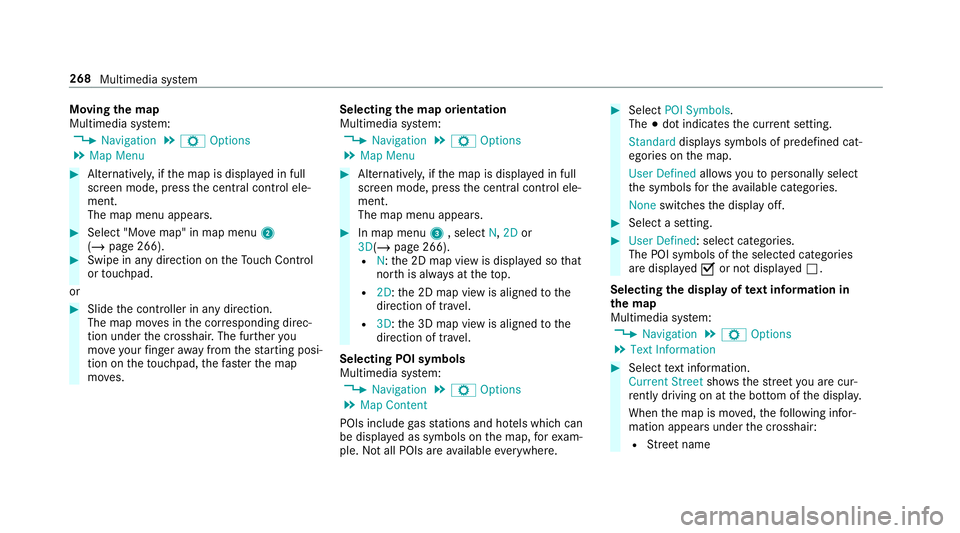
Mo
ving thema p
Multi media system:
4 Navigation 5
Z Option s
5 Map Menu #
Alternativ ely,if th emap isdispla yedin full
scr een mode, press thecent ralcon trol ele‐
men t.
The map menuappear s. #
Selec t"Mo vemap" inmap menu 2
(/ page266) . #
Swipe inanydir ection ontheTo uc hCon trol
or touc hpad.
or #
Slid eth econ troller inanydir ect ion.
The map movesin thecor responding direc‐
tion under thecr osshair .The further you
mo veyour fing er aw ay from thest ar tin gposi‐
tio non theto uc hpad, thefa ster themap
mo ves. Selec
tingthema por ientat ion
Multi media system:
4 Navigation 5
Z Option s
5 Map Menu #
Alternativ ely,if th emap isdispla yedin full
scr een mode, press thecent ralcon trol ele‐
men t.
The map menuappear s. #
Inmap menu3 ,selec tN, 2D or
3D( /pag e266 ).
R N:the2D map viewisdispla yedso that
no rth is alw aysat theto p.
R 2D: the2D map viewisaligned tothe
dir ect ion oftrav el.
R 3D: the3D map viewisaligned tothe
dir ect ion oftrav el.
Selecting POIsymbols
Multimedia system:
4 Navigation 5
Z Option s
5 Map Conten t
POIs include gasst atio nsand hotels whic hcan
be displa yedas symbols onthemap, forex am‐
ple. Notall POI sar eav ailable everywher e. #
Sele ctPOI Symb ols.
The 003Bdo tindic ates thecur rent setting .
Stand arddispl ayssymbols ofpredef ined cat‐
egor iesonthemap.
User Definedallo wsyouto per sonall yselect
th esymbols forth eav ailable categor ies.
Non eswit ches thedispla yof f. #
Select ase tting. #
User Defined:select categor ies.
The POIsymbols oftheselect edcategor ies
ar edispla yed0073 ornotdispla yed0053.
Selecting thedisp layof text inf ormat ionin
th ema p
Multi media system:
4 Navigation 5
Z Option s
5 Text Information #
Select text informati on.
Cu rrent Streetsho wsthest re et youar ecur ‐
re ntly drivi ng on atthebo ttom ofthedispla y.
When themap ismo ved, thefo llo wing infor‐
matio nappear sunder thecr osshair :
R Street nam e 26
8
Mu ltimed iasystem
Page 273 of 514
Fo
rau tomatic mapupdates Automatic
Online Updatemus tbe activ ated inthesy s‐
te m settings (/page24 6).
R themanual mapupdat eupdat esmap data
fo rse veralor all regions.
Fu rther information ontheonline mapupdat eis
av ailable atan aut hor izedMer cedes-Ben zCent er
or athttp :/ /www .merced es.me.
Fu rther information onupdat es:http: //
manuals.daimle r.com/b aix/car s/conne ctme/
en_G B/inde x.html.
Ov ervie wof map data
Yo ur vehicle issuppli edwithmap dataat thefa c‐
to ry.Depe nding on thecount ry,map datafo r
yo ur region iseit her pre-ins talled orthemap
dat ais supplied onadat ast or ag emedium.
If th emap dataon your vehicle hasbeen instal‐
led atthefa ct or yand youwish toreins tallit, you
do notneed toent ertheactiv ation code.
Fo rmap datath at youha ve pur chased inthe
fo rm ofadat ast or ag emedium, youmus ten ter
th eaccom panying activ ation code. %
Ifyo usa ve themap dataon adat ast or ag e
medium withth eonline mapupdat eser vice,
no ent ryisrequ ired. The activation codeis
st or ed on thedat ast or ag emedium during
th edo wnloading process.
Obser vethefo llo wing when entering theactiv a‐
tion code:
R The activ ation codecanbeused forone vehi‐
cle
R The activ ation codeisno ttr ansf erable
R The activ ation codehassixdigits
In theeve ntofthefo llo wing problems ,please
con tact an author ized Mercedes-B enzCent er:
R The multimedia system does notaccep tth e
act ivatio ncod e
R Youha ve lostth eactiv ation code Displa
yingthecom pass
Multi media system:
4 Navigation 5
À Route andPosition #
Select Compass.
The com pass displa ysho wsthefo llo wing
inf ormatio n:
R thecur rent dire ction oftrave lwit hbear‐
ing (360 °fo rm at) and compass direct ion
R longitude andlatitude coordinat esin
degr ees, minutes and seco nds
R height (rounded )
R numb erofGPS satellit esfrom whic ha
sign alcan berecei ved
Se tting thema pscale automa tically
Multi media system:
4 Navigation 5
Z Option s
The map scale issetaut omatic allydepending on
yo ur drivin gspee d.
Fo rjour neys incit ies withde tailed citymodels ,a
map viewfrom thedr iver's perspect ive is used. #
Switc hAuto Zoom on0073 oroff0053. Multimedia
system 27
1
Page 277 of 514
Symb
ols1 to4 areno tsho wnuntilaf te ra
mobil ephone hasbeen connect edtothemulti‐
media system. Thesymbols dependonyour
mob ilephon eand your mob ilephon ene twork
pr ov ider .
Blu etoo th®
pr ofile ove rview Blue
tooth®
pr ofile
of the mobi lephon eFu
nction
PB AP (Phone Book
Access Profile) Cont
actsar eaut o‐
matic allydispla yedin
th emultimedia sys‐
te m
MAP (Messag e
Access Profile) Messag
efunc tions
can beused Te
lephon yoper ating mod esove rview
Depen dingonyour equipme nt,th efo llo wing tel‐
ephon yoper atingmodes areav ailable:
R Amobi lephon eis con nectedto themultime‐
dia system viaBlue tooth®
(/ pag e27 5). R
Twomobile phones areconn ectedwithth e
multime diasystem viaBlue tooth®
(tw o
phone mode) (/page27 6).
Inf ormatio non telephon y
The follo wing situat ionscanlead tothecall
being discon nectedwhile theve hicle isin
mo tion:
R Ther eis insuf ficie ntnetworkco verage inthe
ar ea
R Youmo vefrom one GSM orUMT Stransmit‐
te r/r eceiv erarea (cell )int oano ther and no
comm unication chann elsarefree
R The SIM car dused isno tcom patible withth e
ne tworkav ailable
R Amobi lephon ewit h"T winc ard" islogg ed
int oth ene tworkwit hth esecon dSIM cardat
th esame time
The multimedia system suppor tscalls inHD
Vo ice ®
forim prove dspeec hqu alit y.Arequ ire‐
men tfo rth is isthat themobile phoneandthe
mobil ephone networkpr ov ider oftheper son
yo uar ecalli ngsuppo rtHD Voice ®
. Depe
ndingon thequ alit yof thecon nect ion,the
vo ice qualit yma yfluct uate.
Connect ingamob ilephone (Bluetooth®
te l‐
ephon y)
Re quirement s:
R Blue tooth®
is act ivat ed on themobile phone
(see themanuf acturer'soper ating instruc‐
tion s).
R Blue tooth®
is act ivat ed on themultimedia
sy stem (/ page238).
Multimedia system:
4 Phone 5
00A5 Devic es
Sear ching fora mob ile pho ne #
Select Connect NewDevice. #
Select Star tSea rch onSys tem .
The available mobilephon esaredispla yed. If
a ne wmobile phoneisfound ,it is ind icat ed
by the# symbol. Multimedia
system 27
5