traction control MERCEDES-BENZ G-CLASS SUV 2014 Owners Manual
[x] Cancel search | Manufacturer: MERCEDES-BENZ, Model Year: 2014, Model line: G-CLASS SUV, Model: MERCEDES-BENZ G-CLASS SUV 2014Pages: 272, PDF Size: 39.13 MB
Page 6 of 272
1, 2, 3 ...
115 V socket ...................................... 189
12 V socket see Sockets
4ETS (Electronic Traction System)
Function/notes ................................ 61
4MATIC (permanent four-wheel
drive) .................................................. 124A
ABS (Anti-lock Braking System) Display message .................... 144, 146
Function/notes ................................ 60
Important safety notes ....................60
Warning lamp ................................. 160
Active Blind Spot Assist
Activating/deactivating (on-
board computer) ............................ 144
Display message ............................ 144
ADAPTIVE BRAKE ................................. 63
Adaptive brake lamps .........................61
Adaptive Highbeam Assist Display message ............................ 144
Additives (engine oil) ........................261
Address book see also Digital Operator's Manual 170
Air bags
Display message .................... 144, 151
Front air bag (driver, front
passenger) ....................................... 42
Important safety notes ....................41
PASSENGER AIR BAG
OFF- indicator lamp ..........................44
Window curtain air bag ....................44
Air-conditioning system
see Climate control
see Heating and air-conditioning system
Air filter (display message) ..............144
Air vents Rear ................................................. 94
Setting the center air vents .............94
Setting the side air vents .................94
Alarm system
see ATA (Anti-Theft Alarm system)
All-wheel drive
Transfer case ................................. 129Ambient lighting
Setting the brightness (on-board
computer) ...................................... 144
Setting the color (on-board
computer) ...................................... 144
AMG menu (on-board computer) .....144
Anti-lock braking system see ABS (Anti-lock Braking System)
Anti-theft alarm system
see ATA (Anti-Theft Alarm system)
Approach/departure angle ..............106
Ashtray ............................................... 189
ASSYST service interval display Service messages ..........................204
ATA (Anti-Theft Alarm system)
Activating/deactivating ...................64
Function .......................................... .64
Switching off the alarm ....................64
Authorized Mercedes-Benz Center
see Qualified specialist workshop
AUTO lights
Display message ............................ 144
see Lights
Automatic car wash ..........................206
Automatic engine start (ECO start/
stop function) ...................................... 99
Automatic engine switch-off (ECO
start/stop function) ............................99
Automatic transmission Automatic drive program ...............101
Display message ............................ 144
Drive position (ECO start/stop
function) ........................................ 100
Driving tips .................................... 101
Engaging drive position .................. 100
Engaging neutral ............................ 100
Engaging reverse gear ...................100
Engaging the park position ............100
Important safety notes ....................99
Manual drive program ....................101
Neutral (ECO start/stop function) .100
Overview .......................................... 99
Program selector button ................101
Pulling away ..................................... 98
Selector lever ................................ 100
Shift ranges ................................... 1014
Index
Page 10 of 272
Central locking/unlocking
(SmartKey) ......................................
.66
Display message ............................ 144
Emergency locking ........................... 69
Emergency unlocking .......................69
Important safety notes ....................69
Opening (from inside) ......................69
Overview .......................................... 69
Drinking and driving .........................106
Drive program Automatic ...................................... 101
Display ................................... 100, 101
Manual .......................................... .101
SETUP (on-board computer) ..........144
Driver's door
see Doors
Driving abroad
Symmetrical low bea m.................... 82
Driving in mountainous terrain
Approach/departure angl e............ 106
Driving off-road
see Off-road driving
Driving on flooded roads ..................107
Driving safety systems 4ETS (Electronic Traction System) ...61
ABS (Anti-lock Braking System) .......60
ADAPTIVE BRAKE ............................. 63
Adaptive brake lamps ......................61
BAS (Brake Assist System) ..............60
Electronic brake force distribution ...63
ESP ®
(Electronic Stability Program) .61
Important safety information ...........59
Overview .......................................... 59
Driving system
Variable SPEEDTRONIC .................112
Driving systems
Blind Spot Assist ............................ 121
Cruise control ................................ 109
Display message .................... 144, 153
DISTRONIC PLUS ........................... 114
HOLD function ............................... 123
PARKTRONIC ................................. 125
Rear view camera .......................... 128
SPEEDTRONIC ............................... 112
Driving tips
Automatic transmission .................101
Brakes ........................................... 106DISTRONIC PLUS
........................... 119
Downhill gradient ........................... 106
Drinking and driving .......................106
Driving abroad ................................. 82
Driving in winter ............................ .106
Driving on flooded roads ................107
Driving on sand .............................. 106
Driving on wet roads ......................106
Driving over obstacles ...................106
Exhaust check ............................... 106
Fuel ................................................ 106
General .......................................... 106
Hydroplaning ................................. 106
Icy road surfaces ........................... 106
Limited braking efficiency on
salted road s................................... 106
New brake pads/linings ................106
Off-road driving .............................. 106
Off-road fording .....................106, 107
Snow chains .................................. 230
Symmetrical low bea m.................... 82
Tire ruts ......................................... 106
Towing a trailer .............................. 134
Wet road surface ........................... 106
DSR (Downhill Speed Regulation)
Display message ............................ 144
DVD audio
Operating (on-board computer) .....144
see also Digital Operator's Manual 170
DVD video
Operating (on-board computer) .....144
see also Digital Operator's Manual 170 E
EASY-ENTRY feature ............................ 78
Activating/deactivating .................144
Function/notes ................................ 79
EASY-EXIT feature
Function/notes ................................ 79
Switching on/off ........................... 144
EBD (electronic brake force
distribution)
Display message .................... 144, 148
Function/notes ................................ 63
ECO start/stop function
Deactivating/activating ...................99
General information .........................998
Index
Page 63 of 272
Adaptive brake lights
If you brake sharply from a speed of more
than 30 mph (50 km/h) or if braking is
assisted by BAS, the brake lamps flash
rapidly. In this way, traffic traveling behind
you is warned in an even more noticeable
manner.
If you brake sharply from a speed of more
than 45 mph (70 km/h) to a standstill, the
hazard warning lamps are activated
automatically. If the brakes are applied again,
the brake lamps light up continuously. If you
drive faster than 6 mph (10 km/h), the hazard
warning lamps are deactivated automatically.
You can also switch off the hazard warning
lamps using the hazard warning button
(Y page 82). ESP
®
(Electronic Stability Program)
Important safety notes i
Observe the "Important safety notes"
section (Y page 59). G
WARNING
If ESP ®
is malfunctioning, ESP ®
is unable to
stabilize the vehicle. Additionally, further
driving safety systems are deactivated. This
increases the risk of skidding and an accident.
Drive on carefully. Have ESP ®
checked at a
qualified specialist workshop.
! Only operate the vehicle for a maximum
of ten seconds on a brake test
dynamometer. Switch off the ignition.
Application of the brakes by ESP ®
may
otherwise destroy the brake system.
! A function or performance test should
only be carried out on a two-axle
dynamometer. Before you operate the
vehicle on such a dynamometer, please
consult a qualified workshop. You could
otherwise damage the drive train or the
brake system. ESP
®
monitors driving stability and traction.
Traction is the power transmission between
the tires and the road surface.
ESP ®
is deactivated if the åwarning lamp
in the instrument cluster lights up
continuously when the engine is running.
If the ÷ warning lamp and the å
warning lamp are lit continuously, ESP ®
is not
available due to a malfunction.
Observe the information on warning lamps
(Y page 162) and any display messages that
appear in the instrument cluster
(Y page 144).
If ESP ®
detects that the vehicle is deviating
from the direction desired by the driver, one
or more wheels are braked to stabilize the
vehicle. If necessary, the engine output is also
modified to keep the vehicle on the desired
course within physical limits. ESP ®
assists
the driver when pulling away on wet or
slippery roads. ESP ®
can also stabilize the
vehicle during braking.
If ESP ®
intervenes, the ÷warning lamp
flashes in the instrument cluster.
If ESP ®
intervenes:
X Do not deactivate ESP ®
under any
circumstances.
X Only depress the accelerator pedal as far
as necessary when pulling away.
X Adapt your driving style to suit the
prevailing road and weather conditions.
i Only use wheels with the recommended
tire sizes. Only then will ESP ®
function
properly.
i If differential locks are switched on, ABS,
BAS and ESP ®
switch themselves off
automatically.
4ETS (Electronic Traction System) i
Observe the "Important safety notes"
section (Y page 59).
Traction control remains active if you
deactivate ESP ®
. Driving safety systems
61Safety Z
Page 64 of 272
X
If appropriate for the driving conditions,
engage the LOW RANGE off-road gear
(Y page 130).
Traction control is part of ESP ®
.
Traction control brakes the drive wheels
individually if they spin. This enables you to
pull away and accelerate on slippery surfaces,
for example if the road surface is slippery on
one side. In addition, more drive torque is
transferred to the wheel or wheels with
traction.
Traction control remains active if you
deactivate ESP ®
.
At speeds above approximately 37 mph
(60 km/h), traction control is no longer
active.
Traction control brakes the drive wheels
individually if they spin. This enables you to
pull away and accelerate on slippery surfaces,
for example if the road surface is slippery on
one side. In addition, more drive torque is
transferred to the wheel or wheels with
traction.
Deactivating/activating ESP ®i
Observe the "Important safety notes"
section (Y page 59). G
WARNING
If you deactivate ESP ®
, ESP ®
no longer
stabilizes the vehicle. There is an increased
risk of skidding and an accident.
Only deactivate ESP ®
in the situations
described in the following.
! Avoid spinning the driven wheels for an
extended period with ESP ®
deactivated.
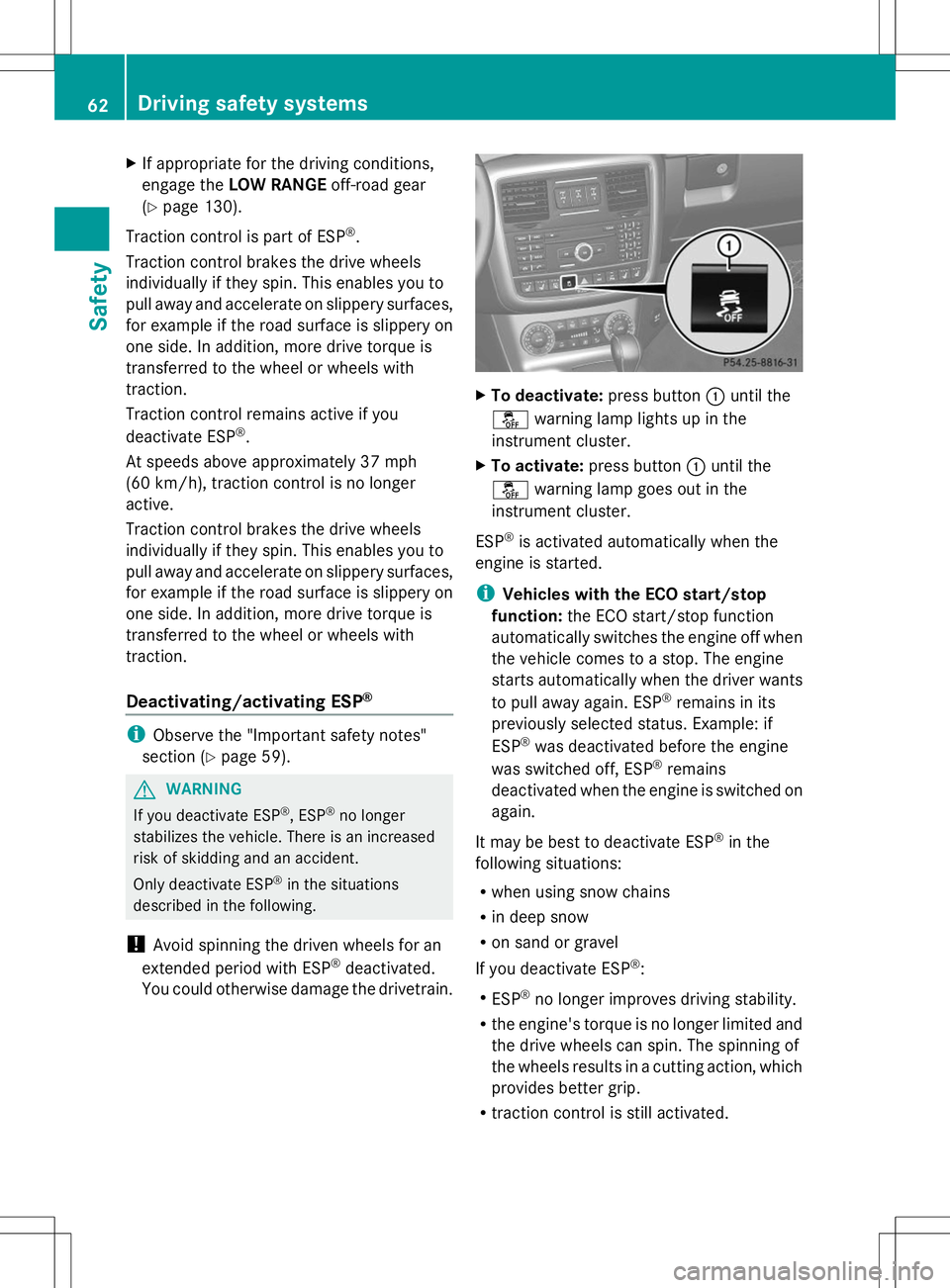
You could otherwise damage the drivetrain. X
To deactivate: press button:until the
å warning lamp lights up in the
instrument cluster.
X To activate: press button :until the
å warning lamp goes out in the
instrument cluster.
ESP ®
is activated automatically when the
engine is started.
i Vehicles with the ECO start/stop
function: the ECO start/stop function
automatically switches the engine off when
the vehicle comes to a stop. The engine
starts automatically when the driver wants
to pull away again. ESP ®
remains in its
previously selected status. Example: if
ESP ®
was deactivated before the engine
was switched off, ESP ®
remains
deactivated when the engine is switched on
again.
It may be best to deactivate ESP ®
in the
following situations:
R when using snow chains
R in deep snow
R on sand or gravel
If you deactivate ESP ®
:
R ESP ®
no longer improves driving stability.
R the engine's torque is no longer limited and
the drive wheels can spin. The spinning of
the wheels results in a cutting action, which
provides better grip.
R traction control is still activated. 62
Driving safety systemsSafety
Page 111 of 272
X
Clean the wheels, tires, wheel housings and
the vehicle underside with a water jet;
check for any foreign objects and damage.
X Check whether twigs or other parts of
plants have become trapped. These
increase the risk of fire and can damage
fuel pipes, brake hoses or the rubber
bellows of the axle joints and propeller
shafts.
X After the trip, examine without fail the
entire undercarriage, wheels, tires, brakes,
bodywork structure, steering, chassis and
exhaust system for damage.
X After driving for extended periods across
sand, mud, gravel, water or in similarly dirty
conditions, have the brake discs, wheels,
brake pads/linings and axle joints checked
and cleaned.
X If you notice strong vibrations after off-road
driving, check for foreign objects in the
wheels and drive train and, if necessary,
remove them.
Foreign objects can disturb the balance
and cause vibrations.
X Test the brakes. Driving systems
Cruise control
Important safety notes G
WARNING
The brake pedal moves when cruise control
brakes the vehicle. A foot in the area under
the brake pedal could become trapped. The
movement of the pedal, and therefore the
vehicle's ability to brake, may be restricted by
objects in the area under the brake. There is
a risk of an accident and injury.
Do not place your foot under the brake pedal.
Keep the area under the brake pedal free from
obstructions.
If you fail to adapt your driving style, cruise
control can neither reduce the risk of accident nor override the laws of physics.
Cruise control cannot take account of road,
weather and traffic conditions. Cruise control
is only an aid. You are responsible for the
distance to the vehicle in front, for vehicle
speed and for braking in good time. Adjust
your driving style to the traffic conditions.
Only engage cruise control when the current
road, weather and traffic conditions permit it
to be done safely. Drive carefully and
maintain a suitable distance to the vehicle in
front.
Do not use cruise control:
R
in traffic conditions that do not allow you
to drive at a constant speed, e.g. heavy
traffic, on winding roads or off-road
R on slippery road surfaces. Braking or
accelerating could cause the drive wheels
to lose traction and the vehicle could then
skid
R when there is poor visibility, e.g. due to fog,
heavy rain or snow
General notes Cruise control maintains a constant road
speed for you. On long and steep downhill
gradients, especially if the vehicle is laden,
you must select shift range
1,2or 3in good
time. By doing so, you will make use of the
braking effect of the engine, which relieves
the load on the brake system and prevents
the brakes from overheating and wearing too
quickly.
Use cruise control only if road and traffic
conditions make it appropriate to maintain a
steady speed for a prolonged period. You can
store any road speed above 20 mph
(30 km/h).
i Cruise control should not be activated
during off-road driving. Driving systems
109Driving and parking Z
Page 134 of 272
Your vehicle is equipped with a differential
lock each for:
R the transfer case: this controls the balance
between the front and rear axles.
R the rear axle: this controls the balance
between the wheels on the rear axle.
R the front axle: this controls the balance
between the wheels on the front axle.
Information on differential and
differential locks When the vehicle drives around a curve, the
wheels on the outside of the curve must cover
a greater distance. Therefore, the wheels turn
more rapidly than on the inside. The
differential, a transmission in the drive train,
compensates for these different rotational
speeds, making cornering possible.
The disadvantage of a differential is that more
power is transferred to the wheels that have
the least grip. An example: a wheel of a driven
axle is on a snow-covered surface and
therefore does not have any traction. The
differential causes this wheel to be subjected
to the strongest driving force, as the flow of
force takes the path of least resistance. The
opposite wheel on this axle, however, which
stands on firm ground and could therefore
allow propulsion, receives no driving power.
4ETS compensates for this disadvantage.
4ETS provides good steerability by
automatically braking the spinning wheel.
4ETS provides the wheel on the firm surface
with more drive force, which in turn provides
propulsion.
ESP® and 4ETS are traction systems that are
ideal for road driving and suitable for light off-
road driving. The LOW RANGEoff-road gear
also improves off-road capability.
Moreover, the more difficult conditions in off-
road driving require further measures such as
locking one or several differentials. Your
vehicle is equipped with three differential
locks: R
a central differential lock for the transfer
case,
R a differential lock for the front axle and
R a differential lock for the rear axle.
Each differential lock can be engaged with the
respective switch on the center console. If
the transfer case differential is disabled, the
front and rear wheels turn at the same speed.
If the differential for the rear axle is locked,
both rear wheels turn at the same speed,
regardless of their individual torques. Please
note that activating the differential locks
severely restricts the vehicle's steerability.
Please note that the functions of the
differential are absolutely necessary for
driving on paved roads. The differential locks
must never be engaged when driving on
paved roads. Otherwise, the vehicle may not
be steerable and you could lose control of the
vehicle. The differential locks must therefore
only be engaged when driving off-road. You
may only engage the differential locks if the
functions of the 4ETS and ESP ®
driving
systems and the LOW RANGEoff-road gear
are insufficient.
i The differential locks are only available in
the LOW RANGE off-road gear.
Engaging the differential locks Important safety notes
G
WARNING
When differential locks are engaged on a firm,
high-grip surface, the vehicle's steerability is
greatly impaired. In particular, engaging the
differential locks when cornering could lead
to you losing control of the vehicle. There is a
risk of an accident.
Disengage the differential locks immediately
on firm surfaces with good grip. G
WARNING
When the differential locks are engaged, ABS,
4ETS, ESP ®
and BAS are deactivated. As a
result, the wheels could lock when braking 132
Off-road driving systemsDriving and parking
Page 157 of 272
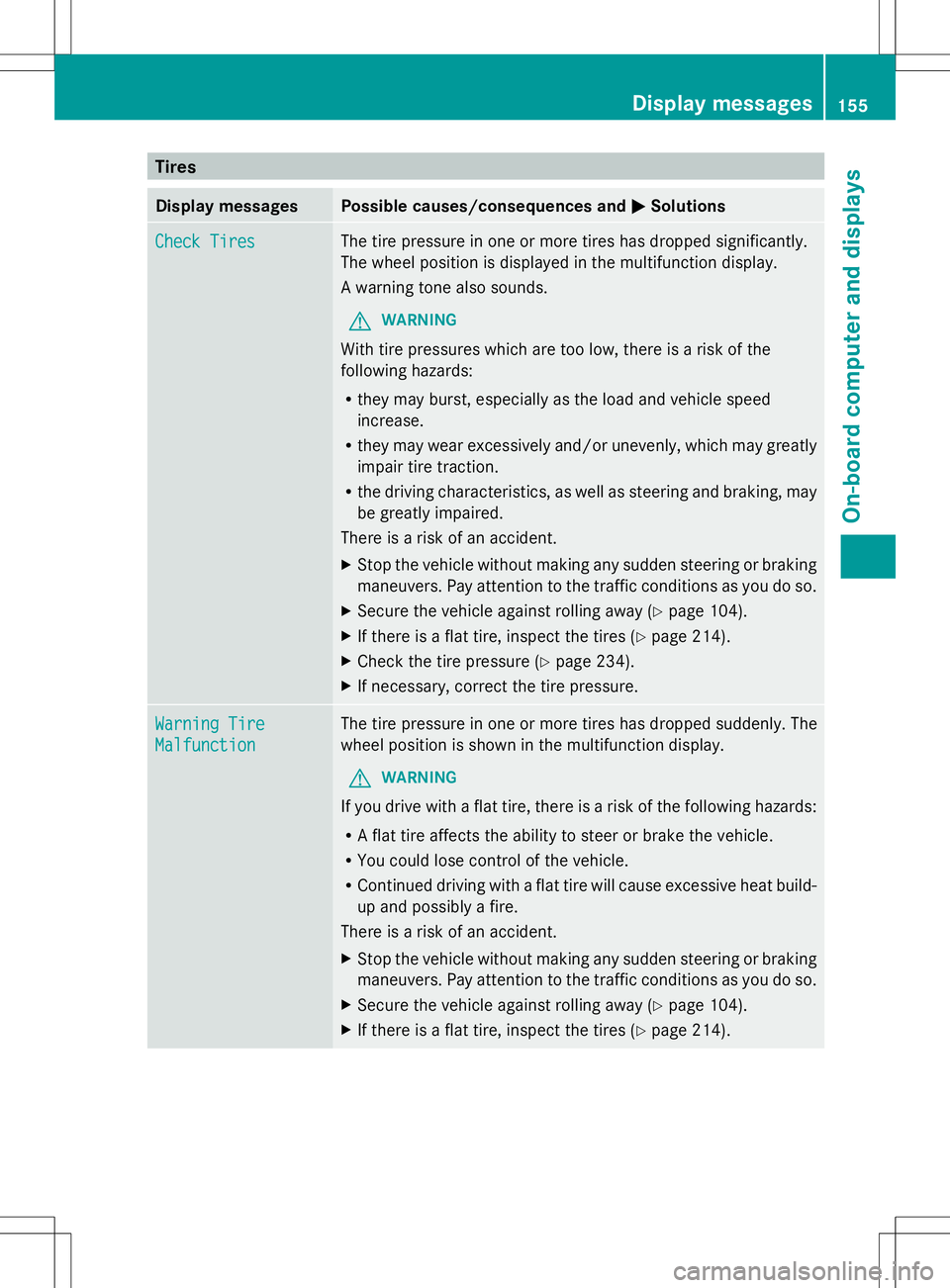
Tires
Display messages Possible causes/consequences and
M
MSolutions Check Tires
Check Tires The tire pressure in one or more tires has dropped significantly.
The wheel position is displayed in the multifunction display.
A warning tone also sounds.
G WARNING
With tire pressures which are too low, there is a risk of the
following hazards:
R they may burst, especially as the load and vehicle speed
increase.
R they may wear excessively and/or unevenly, which may greatly
impair tire traction.
R the driving characteristics, as well as steering and braking, may
be greatly impaired.
There is a risk of an accident.
X Stop the vehicle without making any sudden steering or braking
maneuvers. Pay attention to the traffic conditions as you do so.
X Secure the vehicle against rolling away (Y page 104).
X If there is a flat tire, inspect the tires ( Ypage 214).
X Check the tire pressure (Y page 234).
X If necessary, correct the tire pressure. Warning Tire Warning Tire
Malfunction Malfunction The tire pressure in one or more tires has dropped suddenly. The
wheel position is shown in the multifunction display.
G WARNING
If you drive with a flat tire, there is a risk of the following hazards:
R A flat tire affects the ability to steer or brake the vehicle.
R You could lose control of the vehicle.
R Continued driving with a flat tire will cause excessive heat build-
up and possibly a fire.
There is a risk of an accident.
X Stop the vehicle without making any sudden steering or braking
maneuvers. Pay attention to the traffic conditions as you do so.
X Secure the vehicle against rolling away (Y page 104).
X If there is a flat tire, inspect the tires ( Ypage 214). Display
messages
155On-board computer and displays Z
Page 158 of 272
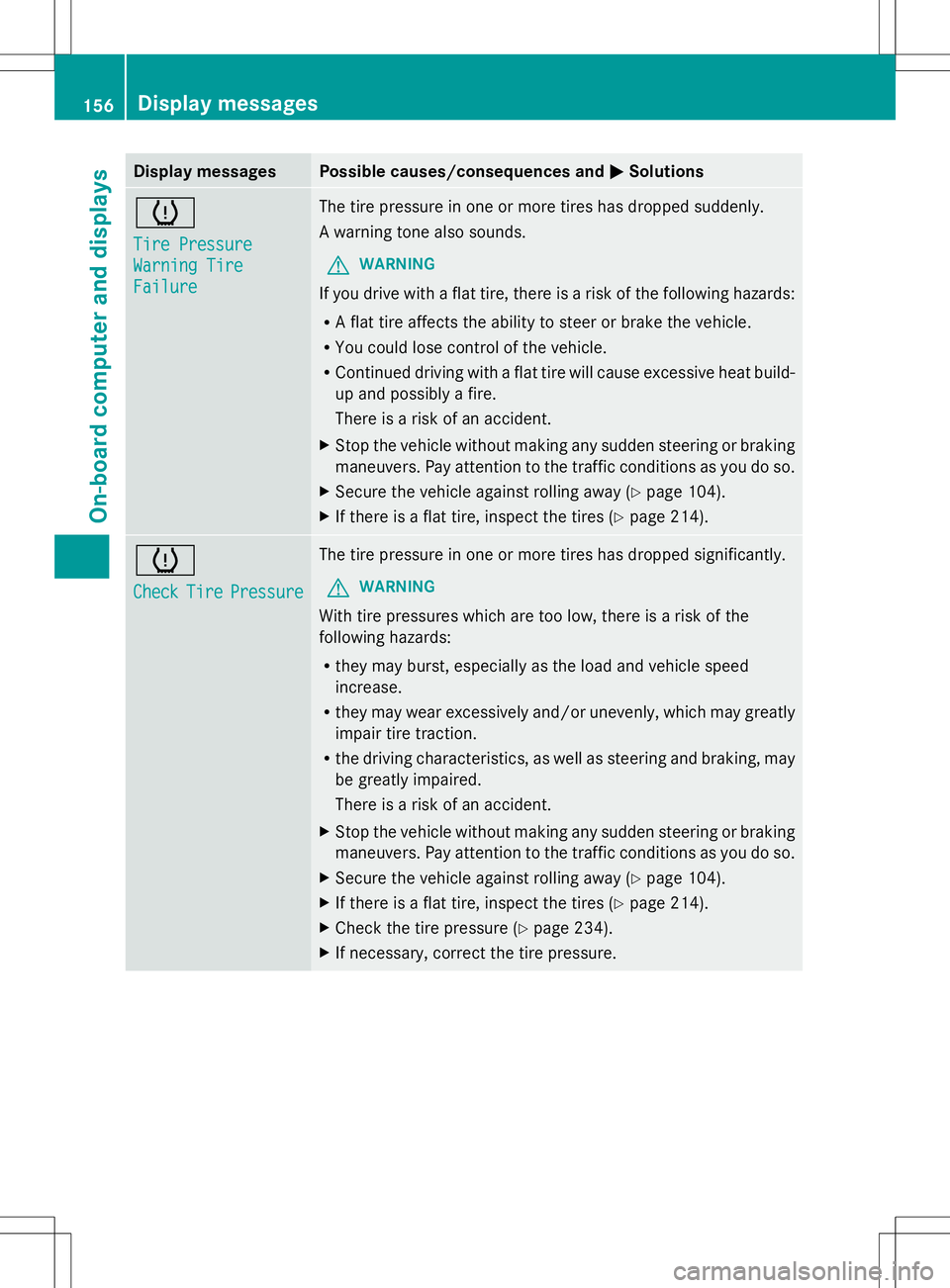
Display messages Possible causes/consequences and
M
MSolutions h
Tire Pressure Tire Pressure
Warning Tire Warning Tire
Failure Failure The tire pressure in one or more tires has dropped suddenly.
A warning tone also sounds.
G WARNING
If you drive with a flat tire, there is a risk of the following hazards:
R A flat tire affects the ability to steer or brake the vehicle.
R You could lose control of the vehicle.
R Continued driving with a flat tire will cause excessive heat build-
up and possibly a fire.
There is a risk of an accident.
X Stop the vehicle without making any sudden steering or braking
maneuvers. Pay attention to the traffic conditions as you do so.
X Secure the vehicle against rolling away ( Ypage 104).
X If there is a flat tire, inspect the tires (Y page 214).h
Check Check
Tire
TirePressure
Pressure The tire pressure in one or more tires has dropped significantly.
G WARNING
With tire pressures which are too low, there is a risk of the
following hazards:
R they may burst, especially as the load and vehicle speed
increase.
R they may wear excessively and/or unevenly, which may greatly
impair tire traction.
R the driving characteristics, as well as steering and braking, may
be greatly impaired.
There is a risk of an accident.
X Stop the vehicle without making any sudden steering or braking
maneuvers. Pay attention to the traffic conditions as you do so.
X Secure the vehicle against rolling away ( Ypage 104).
X If there is a flat tire, inspect the tires (Y page 214).
X Check the tire pressure (Y page 234).
X If necessary, correct the tire pressure. 156
Display
messagesOn-board computer and displays
Page 165 of 272
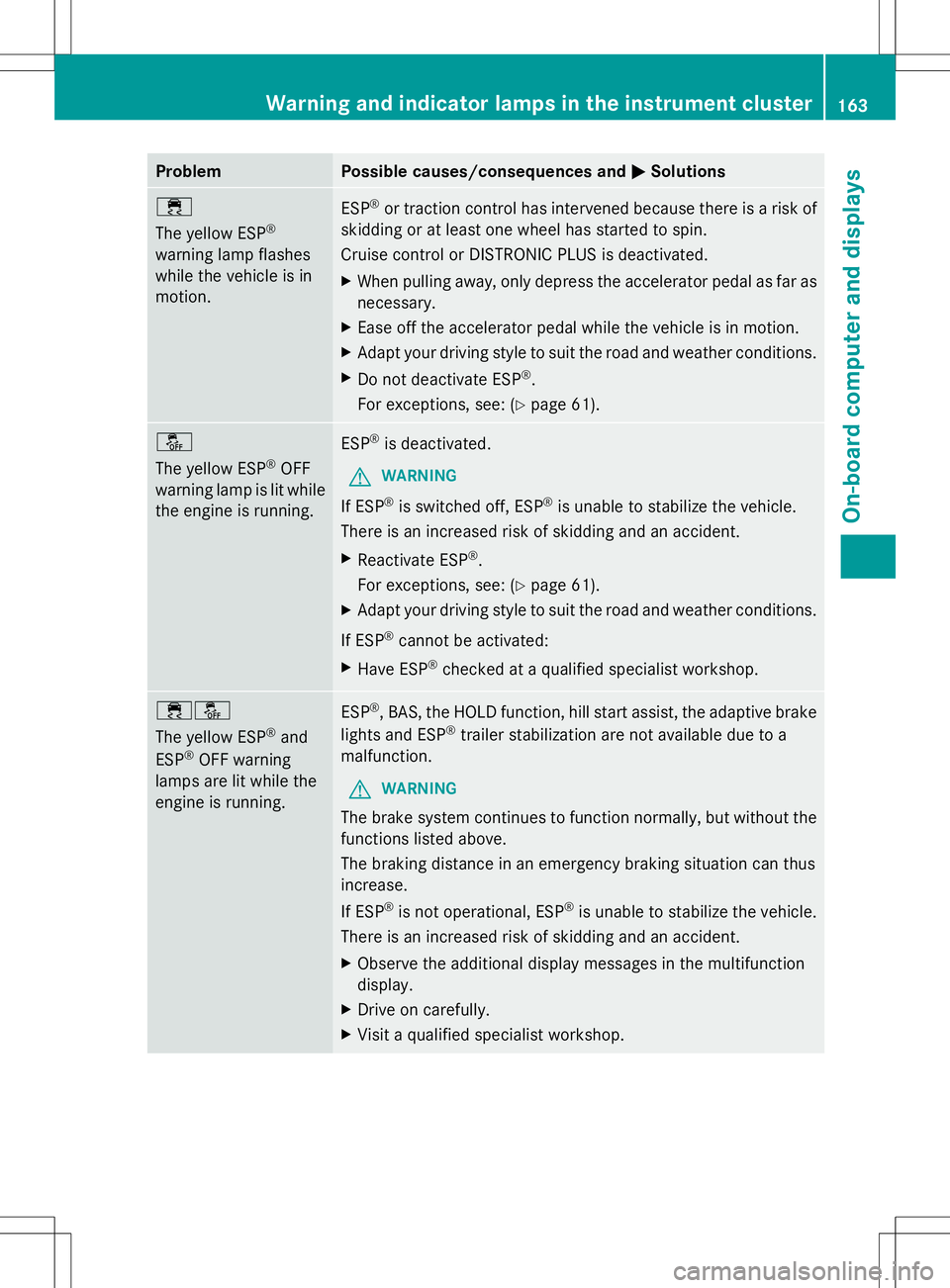
Problem Possible causes/consequences and
M
MSolutions ÷
The yellow ESP
®
warning lamp flashes
while the vehicle is in
motion. ESP
®
or traction control has intervened because there is a risk of
skidding or at least one wheel has started to spin.
Cruise control or DISTRONIC PLUS is deactivated.
X When pulling away, only depress the accelerator pedal as far as
necessary.
X Ease off the accelerator pedal while the vehicle is in motion.
X Adapt your driving style to suit the road and weather conditions.
X Do not deactivate ESP ®
.
For exceptions, see: (Y page 61).å
The yellow ESP
®
OFF
warning lamp is lit while
the engine is running. ESP
®
is deactivated.
G WARNING
If ESP ®
is switched off, ESP ®
is unable to stabilize the vehicle.
There is an increased risk of skidding and an accident.
X Reactivate ESP ®
.
For exceptions, see: (Y page 61).
X Adapt your driving style to suit the road and weather conditions.
If ESP ®
cannot be activated:
X Have ESP ®
checked at a qualified specialist workshop. ֌
The yellow ESP
®
and
ESP ®
OFF warning
lamps are lit while the
engine is running. ESP
®
, BAS, the HOLD function, hill start assist, the adaptive brake
lights and ESP ®
trailer stabilization are not available due to a
malfunction.
G WARNING
The brake system continues to function normally, but without the
functions listed above.
The braking distance in an emergency braking situation can thus
increase.
If ESP ®
is not operational, ESP ®
is unable to stabilize the vehicle.
There is an increased risk of skidding and an accident.
X Observe the additional display messages in the multifunction
display.
X Drive on carefully.
X Visit a qualified specialist workshop. Warning and indicator lamps in the instrument cluster
163On-board computer and displays Z
Page 172 of 272
Useful information
i These operating instructions describe all
the standard and optional equipment of
your COMAND system, as available at the
time of going to print. Country-specific
differences are possible. Please note that
your COMAND system may not be
equipped with all the features described.
This also applies to safety-related systems
and functions.
i Read the information on qualified
specialist workshops: (Y page 27).General notes
The COMAND section in these operating
instructions describes the basic principles for
operating your COMAND and the online and
Internet functions. More information can be
found in the Digital Operator's Manual.
The COMAND section in these operating
instructions describes the basic principles for
operating your COMAND. More information
can be found in the Digital Operator's Manual. Important safety notes
G
WARNING
Making alterations to electronic components
can cause malfunctions.
Radio, satellite radio, amplifier, DVD changer,
navigation module, phone and voice control
are networked. If one component is not
functional or if it has been incorrectly
removed/replaced, this could impair the
operation of other components.
This could seriously jeopardize the
operational safety of your vehicle.
We recommend that you always have
maintenance work on electronic components
carried out at an authorized Mercedes-Benz
Center. G
WARNING
In order to avoid distraction which could lead
to an accident, the driver should only enter
system settings with the vehicle at a standstill
and operate the system only when road,
weather and traffic conditions permit.
Bear in mind that at a speed of only 30 mph
(approximately 50 km/h), the vehicle covers
a distance of 44 feet (approximately 14 m) per
second.
COMAND delivers information to simplify
your choice of route and guide you
comfortably and safely to your destination.
For safety reasons, we recommend that you
bring your vehicle to a standstill, paying
attention to road and traffic conditions,
before making or accepting a telephone call
or viewing navigation maps, instructions or
downloaded information on the COMAND
screen. G
WARNING
While the navigation system provides
directional assistance, the driver must remain
focused on safe driving behavior, especially
attention to traffic and street signs, and
should utilize the system's audio cues while
driving.
The navigation system does not supply any
information on stop signs, yield signs, traffic
regulations or traffic safety rules. Their
observance always remains in the driver's
personal responsibility. DVD maps do not
cover all areas nor all routes within an area. G
WARNING
This equipment complies with FCC radiation
exposure limits set forth for uncontrolled
equipment and meets the FCC radio
frequency (RF) Exposure Guidelines in
Supplement C to OET65.
This equipment has very low levels of RF
energy that is deemed to comply without
maximum permissive exposure evaluation
(MPE). But it is desirable that it should be
installed and operated with at least 8inches 170
Important safety notesCOMAND