navigation MERCEDES-BENZ G-CLASS SUV 2018 User Guide
[x] Cancel search | Manufacturer: MERCEDES-BENZ, Model Year: 2018, Model line: G-CLASS SUV, Model: MERCEDES-BENZ G-CLASS SUV 2018Pages: 549, PDF Size: 10.22 MB
Page 241 of 549
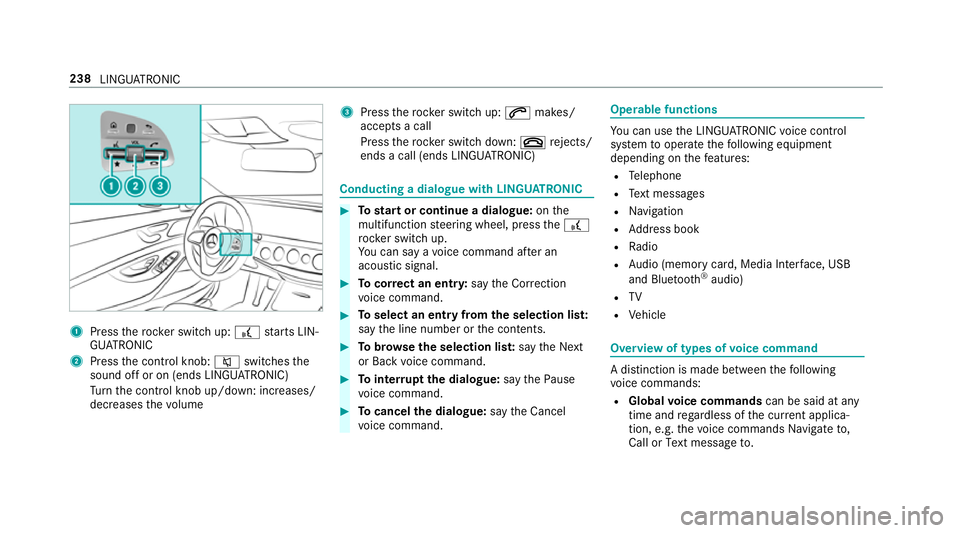
1
Press therock er switch up: £starts LIN‐
GU ATRO NIC
2 Press the control knob: 8switches the
sound off or on (ends LINGU ATRO NIC)
Tu rn the control knob up/down: increases/
decreases thevo lume 3
Press therock er switch up: 6makes/
accepts a call
Press therock er switch down: ~rejects/
ends a call (ends LINGU ATRO NIC) Conducting a dialogue with LINGU
ATRO NIC #
Tostart or continue a dialogue: onthe
multifunction steering wheel, press the£
rock er switch up.
Yo u can say a voice command af ter an
acou stic signal. #
Tocor rect an ent ry:say theCorrection
vo ice command. #
Toselect an entry from the selection lis t:
say the line number or the conte nts. #
Tobrows eth e selection lis t:say theNext
or Back voice command. #
Tointer rupt the dialogue: saythePause
vo ice command. #
Tocancel the dialogue: saytheCancel
vo ice command. Operable functions
Yo
u can use the LINGU ATRO NIC voice control
sy stem tooperate thefo llowing equipment
depending on thefe atures:
R Telephone
R Text messa ges
R Navigation
R Address book
R Radio
R Audio (memory card, Media Inter face, USB
and Blu etoo th®
audio)
R TV
R Vehicle Overview of types of
voice command A distinction is made between
thefo llowing
vo ice commands:
R Global voice commands can be said at any
time and rega rdless of the cur rent applica‐
tion, e.g. thevo ice commands Navigate to,
Call orText message to. 238
LINGU ATRO NIC
Page 243 of 549
Essential
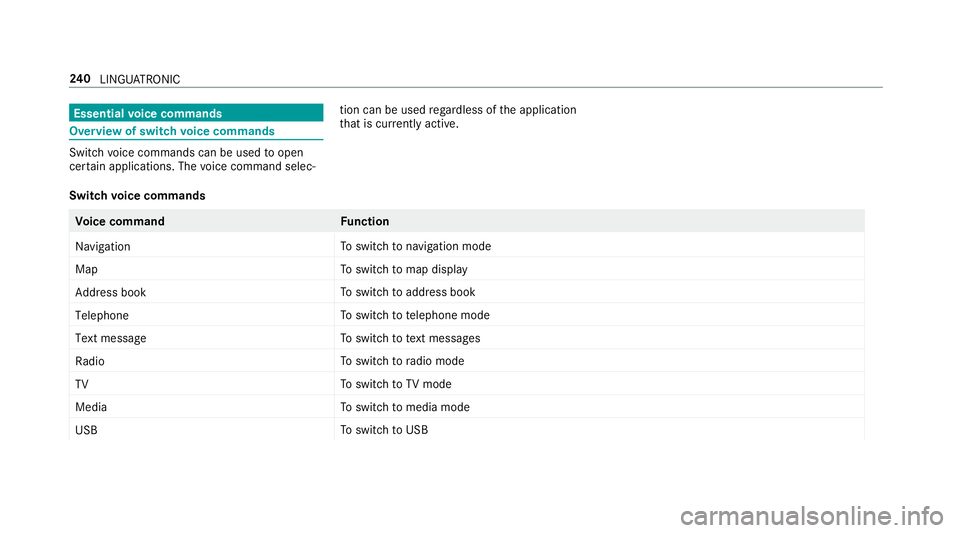
voice commands Overview of switch
voice commands Swit
chvoice commands can be used toopen
cer tain applications. The voice command selec‐ tion can be used
rega rdless of the application
th at is cur rently acti ve.
Switch voice commands Vo
ice command Function
Navigation To
switch tonavigation mode
Map To
switch tomap display
Address book To
switch toaddress book
Telephone To
switch totelephone mode
Text message To
switch totext messa ges
Radio To
switch toradio mode
TV To
switch toTV mode
Media To
switch tomedia mode
USB To
switch toUSB 240
LINGU ATRO NIC
Page 244 of 549
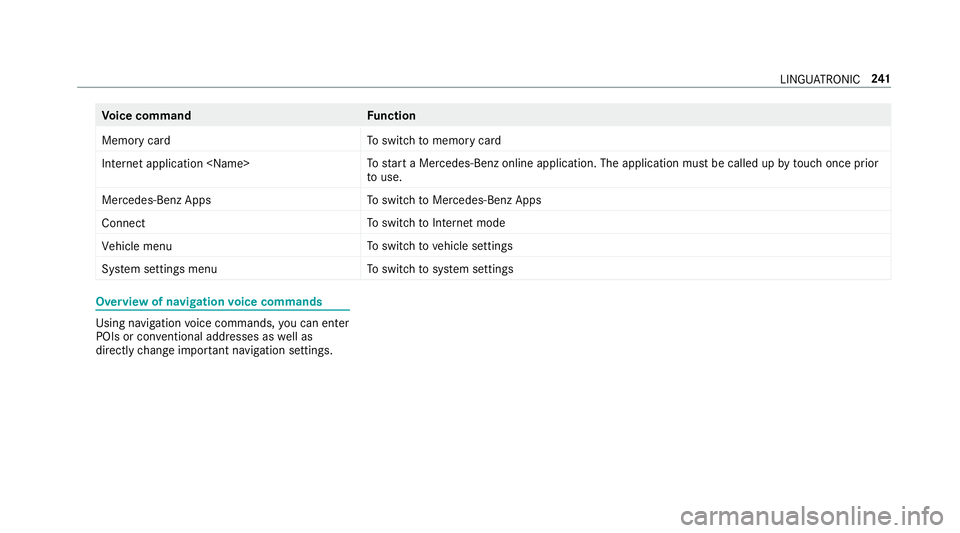
Vo
ice command Function
Memory card To
switch tomemory card
Internet application
start a Mercedes-Benz online application. The application must be called up bytouch once prior
to use.
Mercedes-Benz Apps To
switch toMercedes-Benz Apps
Connect To
switch toInternet mode
Vehicle menu To
switch tovehicle settings
System settings menu To
switch tosystem settings Overview of navigation
voice commands Using navigation
voice commands, you can en ter
POIs or con ventional addresses as well as
directly change impor tant navigation settings. LING
UATRONIC 241
Page 245 of 549
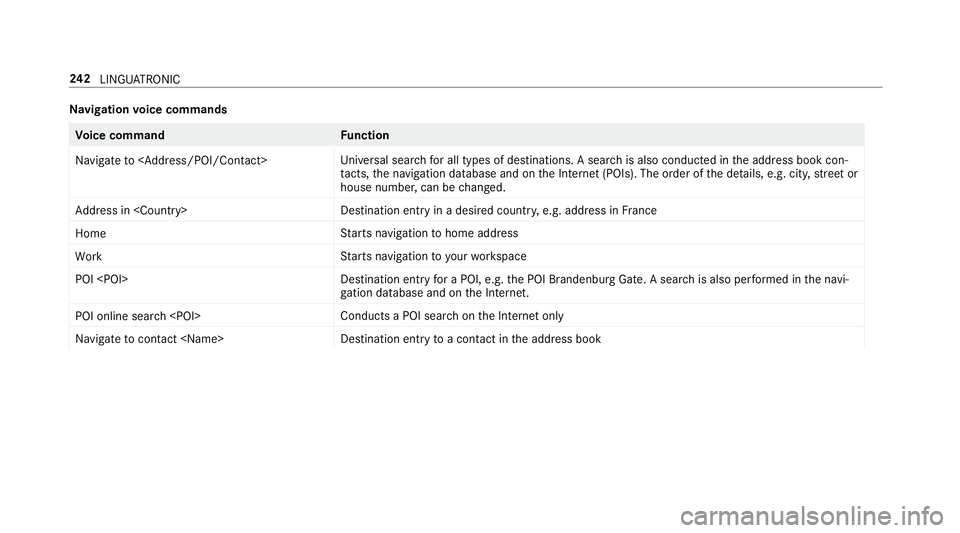
Na
vigation voice commands Vo
ice command Function
Navigate to
versal sear chfor all types of destinations. A search is also conducted in the address book con‐
ta cts, the navigation database and on the Internet (POIs). The order of the de tails, e.g. cit y,stre et or
house number, can be changed.
Address in
stination ent ryin a desired countr y,e.g. address in France
Home St
arts navigation tohome address
Work St
arts navigation to yourwo rkspace
POI
for a POI, e.g. the POI Brandenburg Gate. A sear chis also per form ed in the navi‐
ga tion da tabase and on the Internet.
POI online search
chon the Internet only
Navigate to contact
toa con tact in the address book 242
LINGU ATRO NIC
Page 259 of 549
#
Tohide the control menu: swipe down with
two fingers. The swipe mu st start in the
upper area of theto uchpad. Main functions
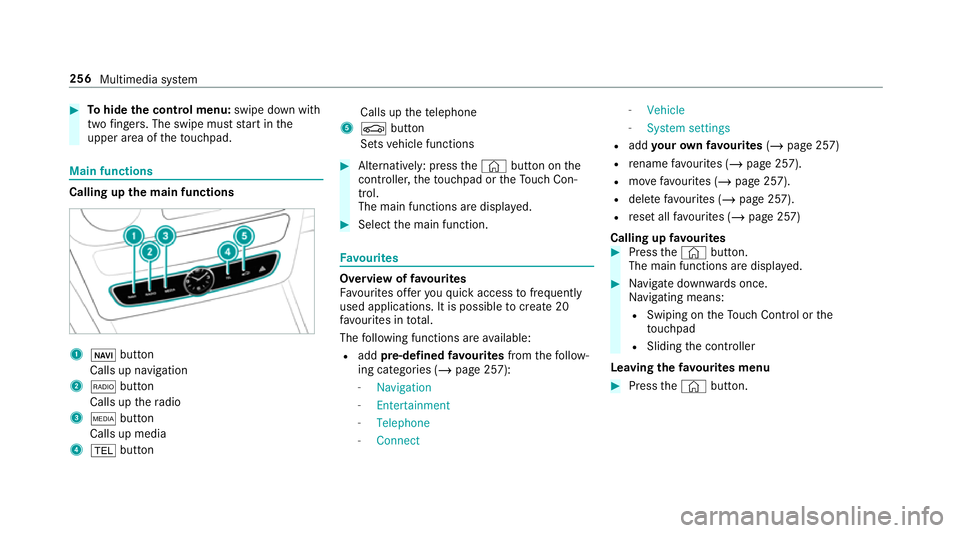
Calling up
the main functions 1
ß button
Calls up navigation
2 $ button
Calls up thera dio
3 Õ button
Calls up media
4 % button Calls up
thete lephone
5 Ø button
Sets vehicle functions #
Alternatively: press the© button on the
controller, theto uchpad or theTo uch Con‐
trol.
The main functions are displ ayed. #
Select the main function. Favo
urites Overview of
favo urites
Fa vourites of feryo uqu ick access tofrequently
used applications. It is possible tocrea te20
fa vo urites in tota l.
The following functions are available:
R add pre-defined favo urites fromthefo llow‐
ing categories (/ page 257):
- Navigation
- Entertainment
- Telephone
- Connect -
Vehicle
- System settings
R add your ow nfa vo urites (/page 257)
R rename favo urites (/ page 257).
R movefavo urites (/ page 257).
R dele tefavo urites (/ page 257).
R reset all favo urites (/ page 257)
Calling up favo urites #
Press the© button.
The main functions are displa yed. #
Navigate down wards once.
Na vigating means:
R Swiping on theTo uch Control or the
to uchpad
R Sliding the controller
Leaving thefa vo urites menu #
Press the© button. 256
Multimedia sy stem
Page 261 of 549
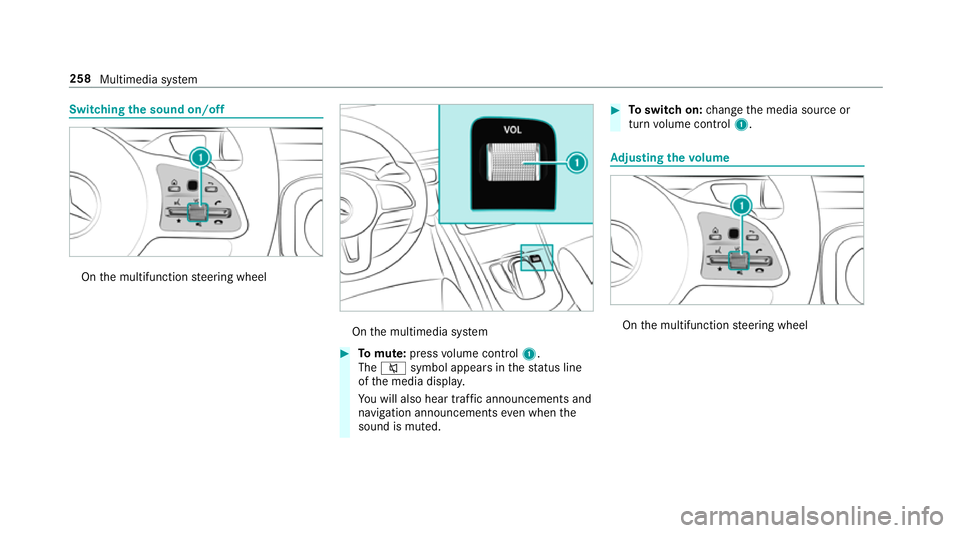
Switching
the sound on/off On
the multifunction steering wheel On
the multimedia sy stem #
Tomute: pressvolume control 1.
The 8 symbol appears in thest atus line
of the media displa y.
Yo u will also hear traf fic announcements and
navigation announcements even when the
sound is muted. #
Toswitch on: change the media source or
turn volume control 1. Ad
justing the volume On
the multifunction steering wheel 258
Multimedia sy stem
Page 262 of 549
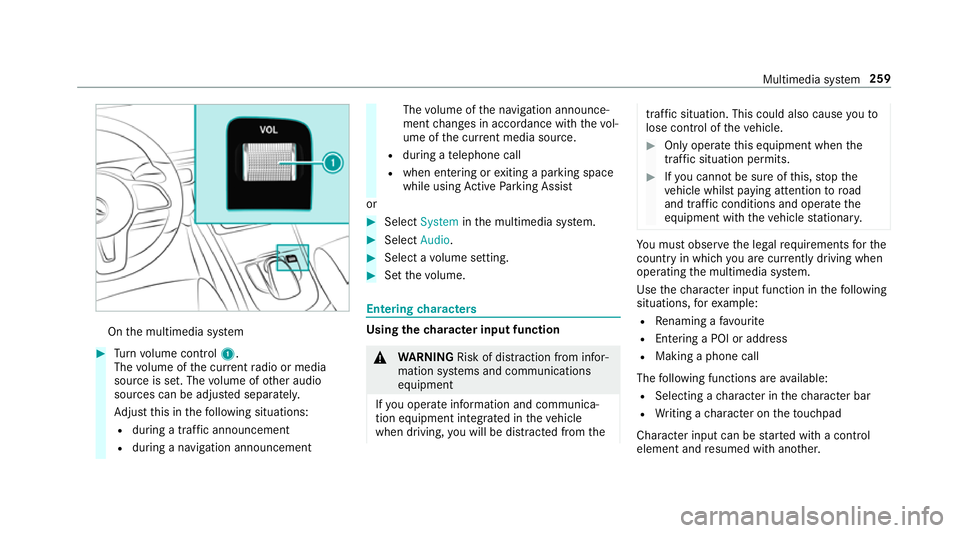
On
the multimedia sy stem #
Turn volume control 1.
The volume of the cur rent radio or media
source is set. The volume of other audio
sources can be adjus ted separatel y.
Ad just this in thefo llowing situations:
R during a traf fic announcement
R during a navigation announcement The
volume of the navigation announce‐
ment changes in accordance with thevo l‐
ume of the cur rent media sou rce.
R during a telephone call
R when entering or exiting a parking space
while using Active Parking Assist
or #
Select System inthe multimedia sy stem. #
Select Audio. #
Select a volume setting. #
Set thevo lume. Entering
characters Using
thech aracter input function &
WARNING Risk of di stra ction from infor‐
mation sy stems and communications
equipment
If yo u operate information and communica‐
tion equipment integ rated in theve hicle
when driving, you will be distracted from the traf
fic situation. This could also cause youto
lose control of theve hicle. #
Only operate this equipment when the
traf fic situation permits. #
Ifyo u cannot be sure of this, stop the
ve hicle whilst paying attention toroad
and traf fic conditions and ope rate the
equipment with theve hicle stationar y. Yo
u must obse rveth e legal requirements forthe
country in whi chyou are cur rently driving when
operating the multimedia sy stem.
Use thech aracter input function in thefo llowing
situations, forex ample:
R Renaming a favo urite
R Entering a POI or address
R Making a phone call
The following functions are available:
R Selecting a character in thech aracter bar
R Writing a character on theto uchpad
Character input can be star ted with a control
element and resumed with ano ther. Multimedia sy
stem 259
Page 263 of 549
#
On theTo uch Control and controller:
select thech aracters in thech aracter bar.
Depending on theta rget entry ,th efo llowing
ch aracters are available:
R The full set of characters is shown
R Onlythose characters which are useful
fo rth e cur rent input string are shown
Other characters are gr eyed out. #
On theto uchpad: selectthech aracters in
th ech aracter bar.
or #
Write thech aracters on theto uch-sensitive
sur face of theto uchpad.
Handwriting recognition suppo rts yo uby
means of character suggestions and a read-
aloud function.
Examples of character ent ry:
R Renaming a favo urite
R Entering a POI or an address using free or
st ep-b y-step sear ch
R Entering a web address Entering
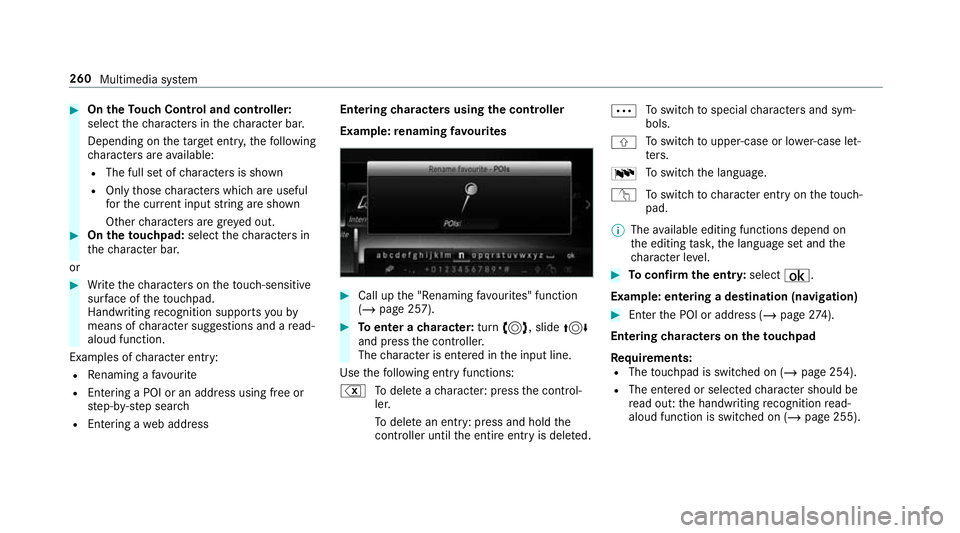
characters using the controller
Example: renaming favo urites #
Call up the "Renaming favo urites" function
(/ page 257). #
Toenter a character: turn3, slide 4
and press the controller.
The character is entered in the input line.
Use thefo llowing ent ryfunctions:
% Todele teach aracter: press the control‐
ler.
To dele tean ent ry: press and hold the
controller until the entire entry is deleted. Ä
To
switch tospecial characters and sym‐
bols.
X To
switch toupper-case or lo wer-case let‐
te rs.
B To
switch the language.
v Toswitch tocharacter ent ryon theto uch‐
pad.
% The available editing functions depend on
th e editing task, the language set and the
ch aracter le vel. #
Toconfirm the entr y:select ¡.
Example: entering a destination (navigation) #
Enter the POI or address (/ page274).
Entering characters on theto uchpad
Requ irements:
R The touchpad is swit ched on (/ page 254).
R The entered or selected character should be
re ad out: the handwriting recognition read-
aloud function is swit ched on (/ page 255). 260
Multimedia sy stem
Page 264 of 549
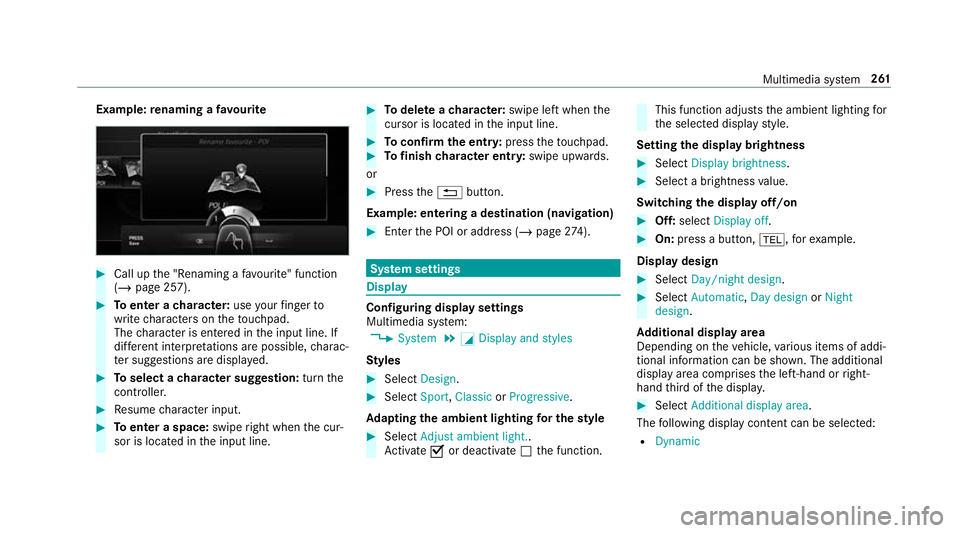
Example:
renaming a favo urite #
Call up the "Renaming a favo urite" function
(/ page 257). #
Toenter a character: useyour finger to
write characters on theto uchpad.
The character is entered in the input line. If
dif fere nt interpr etations are possible, charac‐
te r suggestions are displa yed. #
Toselect a character suggestion: turnthe
controller. #
Resume character input. #
Toenter a space: swiperight when the cur‐
sor is located in the input line. #
Todel ete a character: swipe left when the
cursor is loca ted in the input line. #
Toconfirm the entr y:press theto uchpad. #
Tofinish character entr y:swipe upwards.
or #
Press the% button.
Example: entering a destination (navigation) #
Ente rth e POI or address (/ page274). Sy
stem settings Display
Configuring display settings
Multimedia sy
stem:
4 System 5
G Display and styles
Styl es #
Select Design. #
Select Sport,Classic orProgressive .
Ad apting the ambient lighting for the style #
Select Adjust ambient light. .
Ac tivate Oor deacti vate ª the function. This function adjusts
the ambient lighting for
th e selected display style.
Setting the display brightness #
Select Display brightness . #
Select a brightness value.
Switching the display off/on #
Off: select Display off . #
On: press a button, %,forex ample.
Displ aydesign #
Select Day/night design. #
Select Automatic, Day design orNight
design.
Ad ditional displ ayarea
Depending on theve hicle, various items of addi‐
tional information can be shown. The additional
display area comprises the left-hand or right-
hand third of the displa y. #
Select Additional display area .
The following display con tent can be selected:
R Dynamic Multimedia sy
stem 261
Page 265 of 549
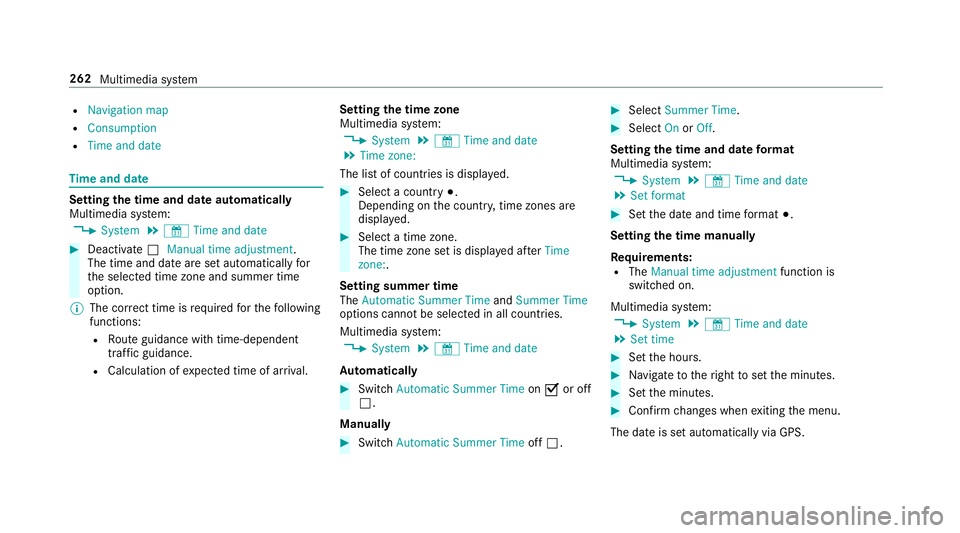
R
Navigation map
R Consumption
R Time and date Ti
me and date Setting the time and date automatically
Multimedia sy stem:
4 System 5
& Time and date #
Deactivate ªManual time adjustment.
The time and date are set automatically for
th e selected time zone and summer time
option.
% The cor rect time is requ ired forth efo llowing
functions:
R Route guidance with time-dependent
traf fic guidance.
R Calculation of expected time of ar riva l. Setting
the time zone
Multimedia sy stem:
4 System 5
& Time and date
5 Time zone:
The list of count ries is displa yed. #
Select a count ry#.
Depending on the count ry, time zones are
displa yed. #
Select a time zone.
The time zone set is displa yed af terTime
zone:.
Setting summer time
The Automatic Summer Time andSummer Time
options cannot be selected in all countries.
Multimedia sy stem:
4 System 5
& Time and date
Au tomatically #
Switch Automatic Summer Time onO or off
ª.
Manual ly #
Switch Automatic Summer Time offª. #
Select Summer Time. #
Select OnorOff.
Setting the time and date form at
Multimedia sy stem:
4 System 5
& Time and date
5 Set format #
Set the date and time form at#.
Setting the time manually
Re quirements:
R The Manual time adjustment function is
switched on.
Multimedia sy stem:
4 System 5
& Time and date
5 Set time #
Set the hours. #
Navigate totheright toset the minutes. #
Set the minutes. #
Confirm changes when exiting the menu.
The date is set automatically via GPS. 262
Multimedia sy stem