lock MERCEDES-BENZ GL 2014 Owners Manual
[x] Cancel search | Manufacturer: MERCEDES-BENZ, Model Year: 2014, Model line: GL, Model: MERCEDES-BENZ GL 2014Pages: 462, PDF Size: 8.98 MB
Page 264 of 462
Messages in the multifunction display
If a gear change process has not been successful, the following messages may be displayed
in the multifunction display:
Display messagesPossible causes/consequences andPPSolutions
LOW RANGE Max.LOW RANGE Max.
Speed 40 km/hSpeed 40 km/h
You have been driving faster than 40 km/h. Additionally, the
indicator lamp on the button in the center console blinks.
XDrive more slowly to carry out the gear change process.
LOWLOWRANGERANGEShiftShifttoto
Position N BrieflyPosition N Briefly
The transmission is in positionDand you are driving at below
40 km/h.
XShift the transmission toNto complete the gear change
process.
LOWLOWRANGERANGEShiftingShifting
Canceled PleaseCanceled Please
ReactivateReactivate
The gear change process was not carried out.
XEnsure that all gear change conditions are fulfilled and carry out
the gear change process again.
LOW RANGE StopLOW RANGE Stop
ApplyApplyParkingParkingBrakeBrake
A warning tone also sounds. The gear change process has not been
completed. LOW RANGE is in the neutral position. There is no
connection between the engine and the drive wheels.
!Do not drive any further. You could otherwise damage the
vehicle's drive train.
XStop the vehicle. Take into account the road and traffic
conditions when doing this.
XDepress the electric parking brake (Ypage 189).
XCarry out the gear change process again.
If the gear change process has been carried out, theLOWLOWRANGERANGE
Stop Apply Parking BrakeStop Apply Parking Brakemessage disappears.
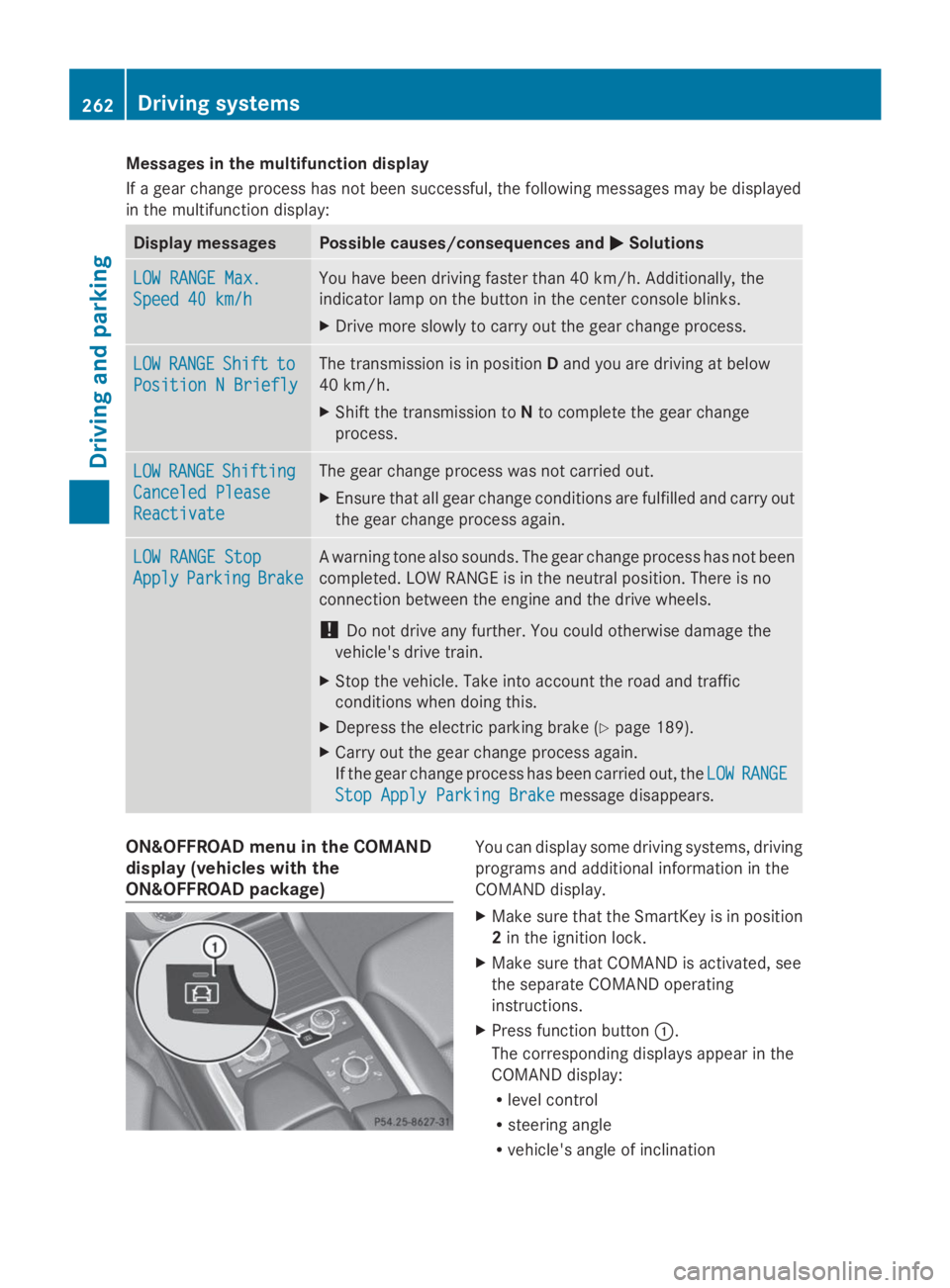
ON&OFFROAD menu in the COMAND
display (vehicles with the
ON&OFFROAD package)
You can display some driving systems, driving
programs and additional information in the
COMAND display.
XMake sure that the SmartKey is in position
2in the ignition lock.
XMake sure that COMAND is activated, see
the separate COMAND operating
instructions.
XPress function buttonC.
The corresponding displays appear in the
COMAND display:
Rlevel control
Rsteering angle
Rvehicle's angle of inclination
262Driving systems
Driving and parking
Page 265 of 462
Ruphill or downhill gradient in percentage
Ron-road/off-road program selected
Rcondition of the differential lock for the
transfer case
Rthe LOW RANGE off-road gear is selected
Rcondition of the LOW RANGE off-road
gear
Rthe on-road trailer program is selected
Towing a trailer
Important safety notes
GWARNING
Installing an unsuitable ball coupling may
result in overloading of the trailer tow hitch
and the rear axle. This applies especially if the
ball coupling in question is longer or angled
differently. This could seriously impair the
driving characteristics and the trailer can
come loose. There is a risk of an accident.
You should only ever install a ball coupling
that has the permissible dimensions and that
is designed to meet your trailer-towing
requirements. Do not modify the ball coupling
or the trailer tow hitch.
You will find the values approved by the
manufacturer on the vehicle identification
plates and those for the towing vehicle under
"Technical data" (Ypage 457).
GWARNING
If the ball coupling is not installed correctly or
not secured with the bolt provided and the
corresponding spring cotter, the trailer may
come loose. There is a risk of an accident.
Always install and secure the ball coupling as
described. Before every journey, ensure that
the ball coupling is secured with the bolt and
the corresponding spring cotter.
GWARNING
If you rest your foot on the brake pedal while
driving, the braking system can overheat. This
increases the stopping distance and can even
cause the braking system to fail. There is a
risk of an accident.
Never use the brake pedal as a footrest. Never
depress the brake pedal and the accelerator
pedal at the same time.
GWARNING
When the vehicle/trailer combination begins
to lurch, you could lose control of it. The
vehicle/trailer combination could even
rollover. There is a risk of an accident.
On no account should you attempt to
straighten up the vehicle/trailer combination
by increasing the speed. Reduce vehicle
speed and do not countersteer. Apply the
brake as necessary.
!Depressing the brake pedal constantly
results in excessive and premature wear to
the brake pads.
Please observe the manufacturer's operating
instructions for the trailer coupling if a
detachable trailer coupling is used.
Couple and uncouple the trailer carefully. If
you do not couple the trailer to the towing
vehicle correctly, the trailer could become
detached.
Make sure that the following values are not
exceeded:
Rthe permissible trailer drawbar noseweight
Rthe permissible trailer load
Rthe permissible rear axle load of the towing
vehicle
Rthe maximum permissible gross vehicle
weight of both the towing vehicle and the
trailer
The applicable permissible values, which
must not be exceeded, can be found:
Rin the vehicle documents
Ron the identification plates for the trailer
tow hitch and the trailer
Ron the vehicle identification plate
If the values differ, the lowest value applies.
Towing a trailer263
Driving and pa rking
Z
Page 269 of 462
of the towing vehicle, as the latter is
equipped with an anti-lock brake system.
Doing so will result in a loss of function of
the brake systems of both the vehicle and
the trailer.
XMake sure that the automatic transmission
is set to positionP.
XApply the vehicle's electric parking brake.
XStart the engine.
XVehicles with the AIRMATIC package:
select highway level.
XVehicles with ADS:set ADS toAUTOor
COMF.
XSwitch off the engine.
XClose all doors and the tailgate.
XCouple up the trailer.
XEstablish all electrical connections.
XCheck that the trailer lighting system is
working.
iVehicles with the AIRMATIC package:
with a trailer attached, the vehicle will
always remain at highway level. When
coupling up a trailer, please observe the
following:
RUnless highway level has been set
manually, the vehicle is automatically
lowered to highway level. This is the case
if a speed of 5 mph(8km/h) is reached.
RHigh-speed level is not available.
These restrictions apply to all accessories
powered through a connection to the trailer
power socket of your vehicle, e.g. a bicycle
carrier.
Observe the maximum permissible trailer
dimensions (width and length).
Most U.S. states and all Canadian provinces
require by law:
RSafety chains between the towing vehicle
and the trailer. The chains should be cross-
wound under the trailer drawbar. They must
be fastened to the vehicle's trailer
coupling, not to the bumper or the axle.
Leave enough play in the chains to make
tight cornering possible.
RA separate brake system for certain types
of trailer.
RA safety switch for braked trailers. Check
the specific legal requirements applicable
to your state.
If the trailer detaches from the towing
vehicle, the safety switch applies the
trailer's brakes.
Towing a trailer
There are numerous legal requirements
concerning the towing of a trailer, e.g. speed
restrictions. Make sure that your vehicle/
trailer combination complies with the local
requirements not only in your area of
residence but also at any location to which
you are traveling. The police and local
authorities can provide reliable information.
Please observe the following when towing a
trailer:
RIn order to accumulate driving experience
and accustom yourself to the new handling
characteristics, practice the following at a
location where there is no traffic:
-Cornering
-Stopping
-Backing up
RBefore driving, check:
-the trailer tow hitch
-the safety switch for braked trailers
-the safety chains
-electrical connections
-the lights
-the wheels
RAdjust the exterior mirrors to provide an
unobstructed view of the rear section of the
trailer.
RIf the trailer has electronically controlled
brakes, pull away carefully. Brake manually
using the brake controller and check
whether the brakes function correctly.
Towing a trailer267
Driving an d parking
Z
Page 274 of 462
Useful information
iThis Operator's Manual describes all
models and all standard and optional
equipment of your vehicle available at the
time of publication of the Operator's
Manual. Country-specific differences are
possible. Please note that your vehicle may
not be equipped with all features
described. This also applies to safety-
related systems and functions.
iRead the information on qualified
specialist workshops: (Ypage 28).
Important safety notes
GWARNING
If you operate information systems and
communication equipment integrated in the
vehicle while driving, you will be distracted
from traffic conditions. You could also lose
control of the vehicle. There is a risk of an
accident.
Only operate the equipment when the traffic
situation permits. If you are not sure that this
is possible, park the vehicle paying attention
to traffic conditions and operate the
equipment when the vehicle is stationary.
GWARNING
If the instrument cluster has failed or
malfunctioned, you may not recognize
function restrictions in systems relevant to
safety. The operating safety of your vehicle
may be impaired. There is a risk of an
accident.
Drive on carefully. Have the vehicle checked
at a qualified specialist workshop
immediately.
You must observe the legal requirements for
the country in which you are currently driving
when operating the on-board computer.
The on-board computer only shows messages
or warnings from certain systems in the
multifunction display. You should therefore
make sure your vehicle is operating safely at
all times. Otherwise, a vehicle that is not
operating safely may cause an accident.
For an overview, see the instrument panel
illustration (Ypage 33).
Displays and operation
Instrument cluster lighting
The lighting in the instrument cluster, in the
displays and the controls in the vehicle
interior can be adjusted using the brightness
control knob.
The brightness control knob is located on the
bottom left of the instrument cluster
(Ypage 33).
XTurn the brightness control knob clockwise
or counter-clockwise.
If the light switch is set toX,`or
X, the brightness is dependent upon
the brightness of the ambient light.
iThe light sensor in the instrument cluster
automatically controls the brightness of
the multifunction display.
In daylight, the displays in the instrument
cluster are not illuminated.
Coolant temperature display
GWARNING
Opening the hood when the engine is
overheated or when there is a fire in the
engine compartment could expose you to hot
gases or other service products. There is a
risk of injury.
Let an overheated engine cool down before
opening the hood. If there is a fire in the
engine compartment, keep the hood closed
and contact the fire department.
!A display message is shown if the coolant
temperature is too high.
272Displays and operation
On-board computer and displays
Page 286 of 462
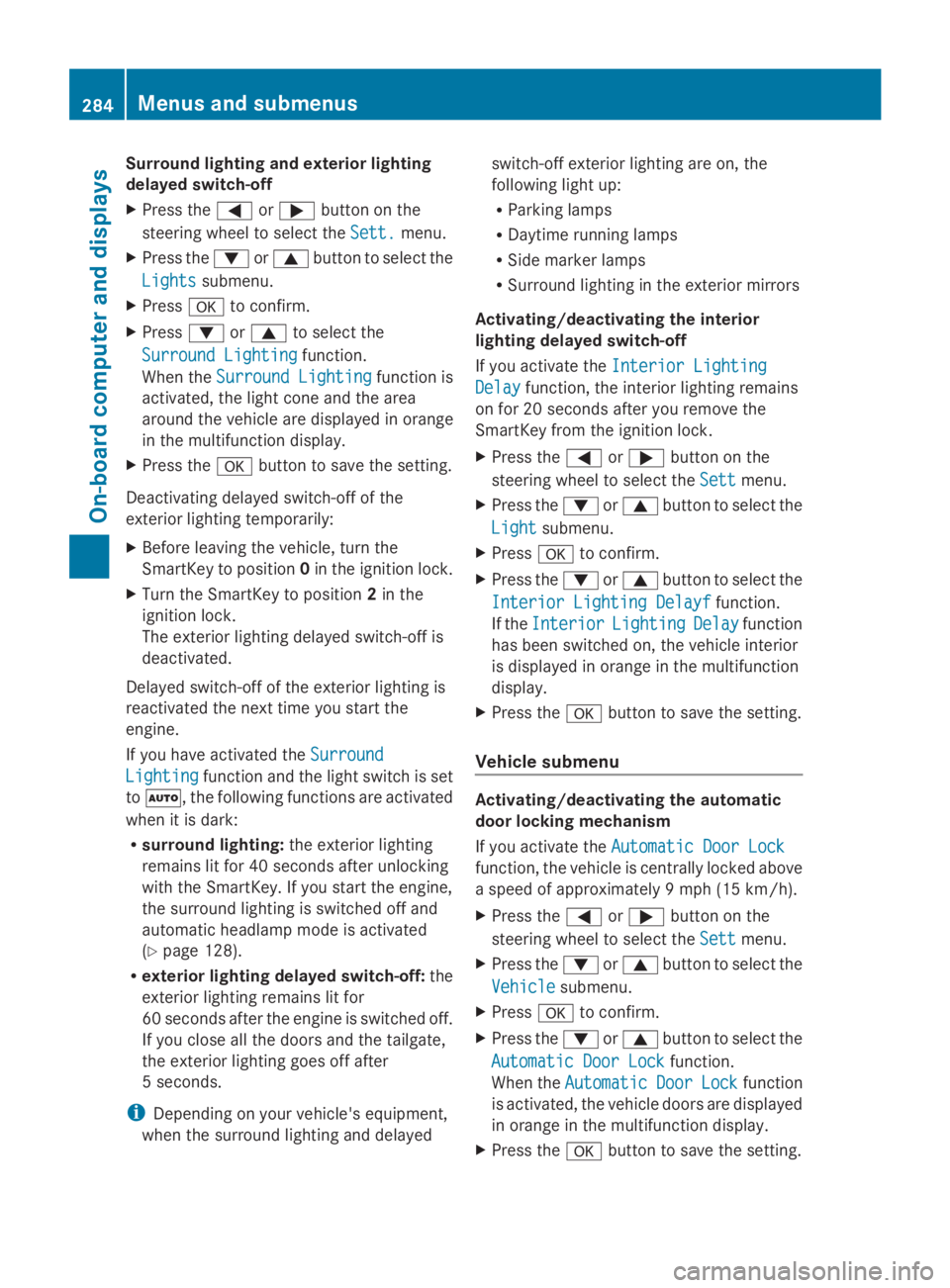
Surround lighting and exterior lighting
delayed switch-off
XPress theYorebutton on the
steering wheel to select theSett.Sett.menu.
XPress thedorcbutton to select the
LightsLightssubmenu.
XPressvto confirm.
XPressdorcto select the
Surround LightingSurround Lightingfunction.
When theSurround LightingSurround Lightingfunction is
activated, the light cone and the area
around the vehicle are displayed in orange
in the multifunction display.
XPress thevbutton to save the setting.
Deactivating delayed switch-off of the
exterior lighting temporarily:
XBefore leaving the vehicle, turn the
SmartKey to position0in the ignition lock.
XTurn the SmartKey to position2in the
ignition lock.
The exterior lighting delayed switch-off is
deactivated.
Delayed switch-off of the exterior lighting is
reactivated the next time you start the
engine.
If you have activated theSurroundSurround
LightingLightingfunction and the light switch is set
toX, the following functions are activated
when it is dark:
Rsurround lighting:the exterior lighting
remains lit for 40 seconds after unlocking
with the SmartKey. If you start the engine,
the surround lighting is switched off and
automatic headlamp mode is activated
(Ypage 128).
Rexterior lighting delayed switch-off:the
exterior lighting remains lit for
60 seconds after the engine is switched off.
If you close all the doors and the tailgate,
the exterior lighting goes off after
5 seconds.
iDepending on your vehicle's equipment,
when the surround lighting and delayed
switch-off exterior lighting are on, the
following light up:
RParking lamps
RDaytime running lamps
RSide marker lamps
RSurround lighting in the exterior mirrors
Activating/deactivating the interior
lighting delayed switch-off
If you activate theInterior LightingInterior Lighting
DelayDelayfunction, the interior lighting remains
on for 20 seconds after you remove the
SmartKey from the ignition lock.
XPress theYorebutton on the
steering wheel to select theSettSettmenu.
XPress thedorcbutton to select the
LightLightsubmenu.
XPressvto confirm.
XPress thedorcbutton to select the
Interior Lighting DelayfInterior Lighting Delayffunction.
If theInteriorInteriorLightingLightingDelayDelayfunction
has been switched on, the vehicle interior
is displayed in orange in the multifunction
display.
XPress thevbutton to save the setting.
Vehicle submenu
Activating/deactivating the automatic
door locking mechanism
If you activate theAutomatic Door LockAutomatic Door Lock
function, the vehicle is centrally locked above
a speed of approximately 9 mph (15 km/h).
XPress theYorebutton on the
steering wheel to select theSettSettmenu.
XPress thedorcbutton to select the
VehicleVehiclesubmenu.
XPressvto confirm.
XPress thedorcbutton to select the
Automatic Door LockAutomatic Door Lockfunction.
When theAutomaticAutomaticDoorDoorLockLockfunction
is activated, the vehicle doors are displayed
in orange in the multifunction display.
XPress thevbutton to save the setting.
284Menus and submenus
On-board computer and displays
Page 287 of 462
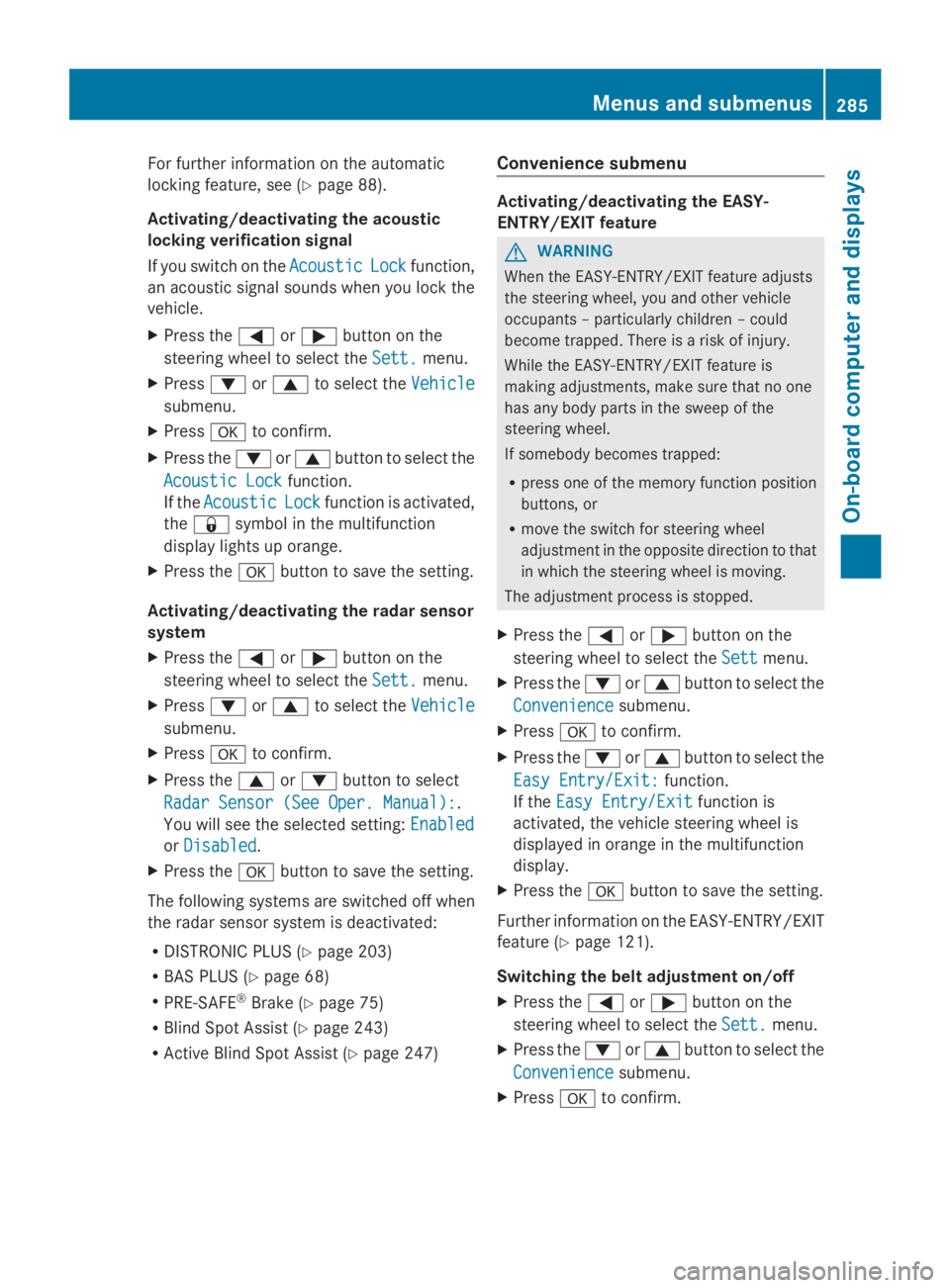
For further information on the automatic
locking feature, see (Ypage 88).
Activating/deactivating the acoustic
locking verification signal
If you switch on theAcousticAcousticLockLockfunction,
an acoustic signal sounds when you lock the
vehicle.
XPress theYorebutton on the
steering wheel to select theSett.Sett.menu.
XPressdorcto select theVehicleVehicle
submenu.
XPressvto confirm.
XPress thedorcbutton to select the
Acoustic LockAcoustic Lockfunction.
If theAcousticAcousticLockLockfunction is activated,
the7symbol in the multifunction
display lights up orange.
XPress thevbutton to save the setting.
Activating/deactivating the radar sensor
system
XPress theYorebutton on the
steering wheel to select theSett.Sett.menu.
XPressdorcto select theVehicleVehicle
submenu.
XPressvto confirm.
XPress thecordbutton to select
Radar Sensor (See Oper. Manual):Radar Sensor (See Oper. Manual):.
You will see the selected setting:EnabledEnabled
orDisabledDisabled.
XPress thevbutton to save the setting.
The following systems are switched off when
the radar sensor system is deactivated:
RDISTRONIC PLUS (Ypage 203)
RBAS PLUS (Ypage 68)
RPRE-SAFE®Brake (Ypage 75)
RBlind Spot Assist (Ypage 243)
RActive Blind Spot Assist (Ypage 247)
Convenience submenu
Activating/deactivating the EASY-
ENTRY/EXIT feature
GWARNING
When the EASY-ENTRY/EXIT feature adjusts
the steering wheel, you and other vehicle
occupants – particularly children – could
become trapped. There is a risk of injury.
While the EASY-ENTRY/EXIT feature is
making adjustments, make sure that no one
has any body parts in the sweep of the
steering wheel.
If somebody becomes trapped:
Rpress one of the memory function position
buttons, or
Rmove the switch for steering wheel
adjustment in the opposite direction to that
in which the steering wheel is moving.
The adjustment process is stopped.
XPress theYorebutton on the
steering wheel to select theSettSettmenu.
XPress thedorcbutton to select the
ConvenienceConveniencesubmenu.
XPressvto confirm.
XPress thedorcbutton to select the
Easy Entry/Exit:Easy Entry/Exit:function.
If theEasy Entry/ExitEasy Entry/Exitfunction is
activated, the vehicle steering wheel is
displayed in orange in the multifunction
display.
XPress thevbutton to save the setting.
Further information on the EASY-ENTRY/EXIT
feature (Ypage 121).
Switching the belt adjustment on/off
XPress theYorebutton on the
steering wheel to select theSett.Sett.menu.
XPress thedorcbutton to select the
ConvenienceConveniencesubmenu.
XPressvto confirm.
Menus and submenus285
On-board computer and displays
Z
Page 288 of 462
XPress thedorcbutton to select the
Belt AdjustmentBelt Adjustmentfunction.
If theBelt AdjustmentBelt Adjustmentfunction is
activated, the vehicle seat belt is shown in
orange in the multifunction display.
XPress thevbutton to save the setting.
For further information on belt adjustment,
see (Ypage 57).
Switching the fold-in mirrors with the
locking feature on/off
This function is only available on vehicles with
the memory function (Ypage 125).
When you activate theAuto. MirrorAuto. Mirror
FoldingFoldingfunction, the exterior mirrors are
folded in when the vehicle is locked. If you
unlock the vehicle and then open a door, the
exterior mirrors fold out again.
XPress theYorebutton on the
steering wheel to select theSett.Sett.menu.
XPress thedorcbutton to select the
ConvenienceConveniencesubmenu.
XPressvto confirm.
XPressdorcto select theAuto.Auto.
Mirror FoldingMirror Foldingfunction.
If theAuto. Mirror FoldingAuto. Mirror Foldingfunction is
activated, the vehicle's exterior mirror is
displayed in orange in the multifunction
display.
XPress thevbutton to save the setting.
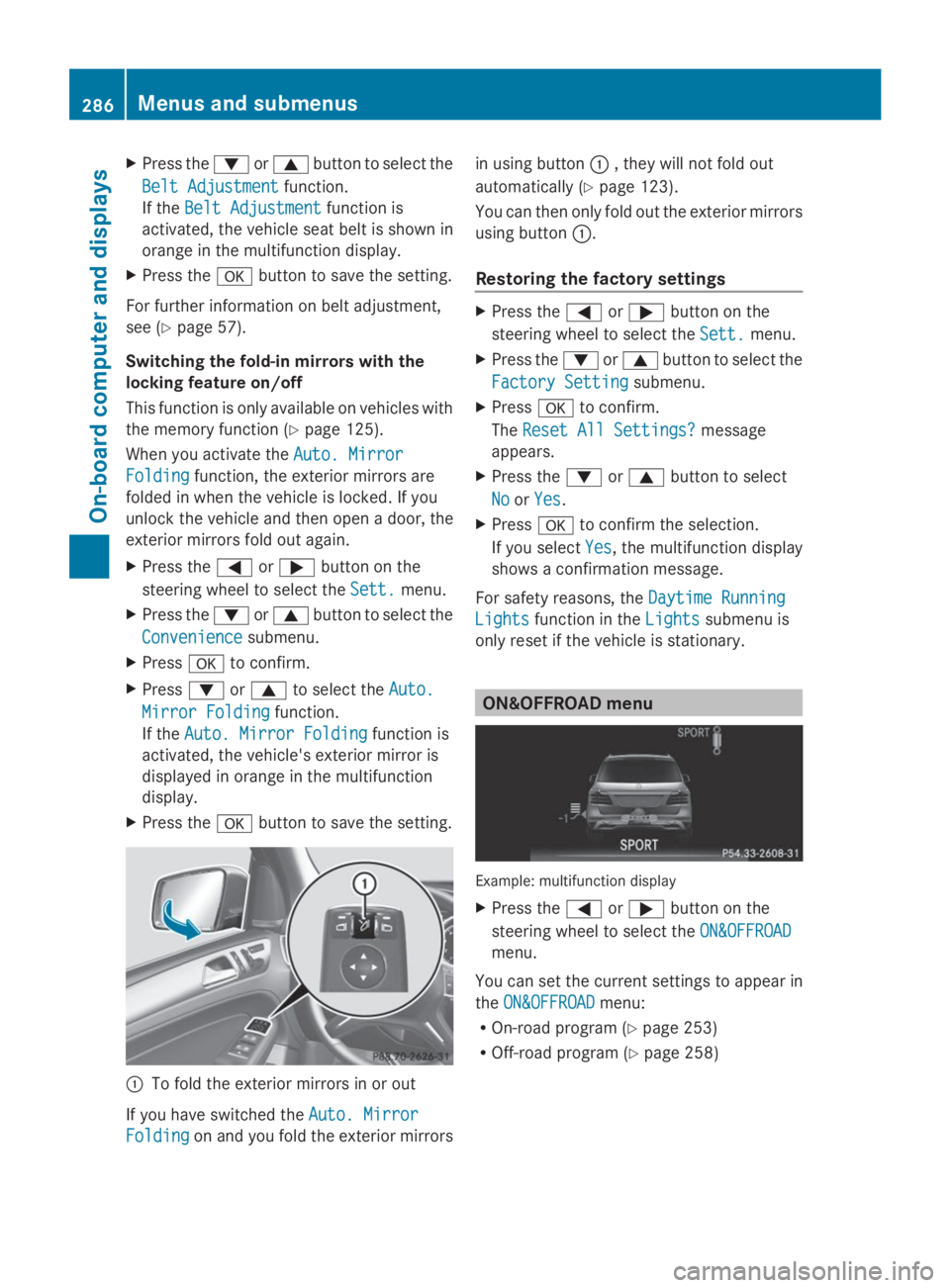
CTo fold the exterior mirrors in or out
If you have switched theAuto. MirrorAuto. Mirror
FoldingFoldingon and you fold the exterior mirrors
in using buttonC, they will not fold out
automatically (Ypage 123).
You can then only fold out the exterior mirrors
using buttonC.
Restoring the factory settings
XPress theYorebutton on the
steering wheel to select theSett.Sett.menu.
XPress thedorcbutton to select the
Factory SettingFactory Settingsubmenu.
XPressvto confirm.
TheReset All Settings?Reset All Settings?message
appears.
XPress thedorcbutton to select
NoNoorYesYes.
XPressvto confirm the selection.
If you selectYesYes, the multifunction display
shows a confirmation message.
For safety reasons, theDaytime RunningDaytime Running
LightsLightsfunction in theLightsLightssubmenu is
only reset if the vehicle is stationary.
ON&OFFROAD menu
Example: multifunction display
XPress theYorebutton on the
steering wheel to select theON&OFFROADON&OFFROAD
menu.
You can set the current settings to appear in
theON&OFFROADON&OFFROADmenu:
ROn-road program (Ypage 253)
ROff-road program (Ypage 258)
286Menus and submenus
On-board computer and displays
Page 294 of 462
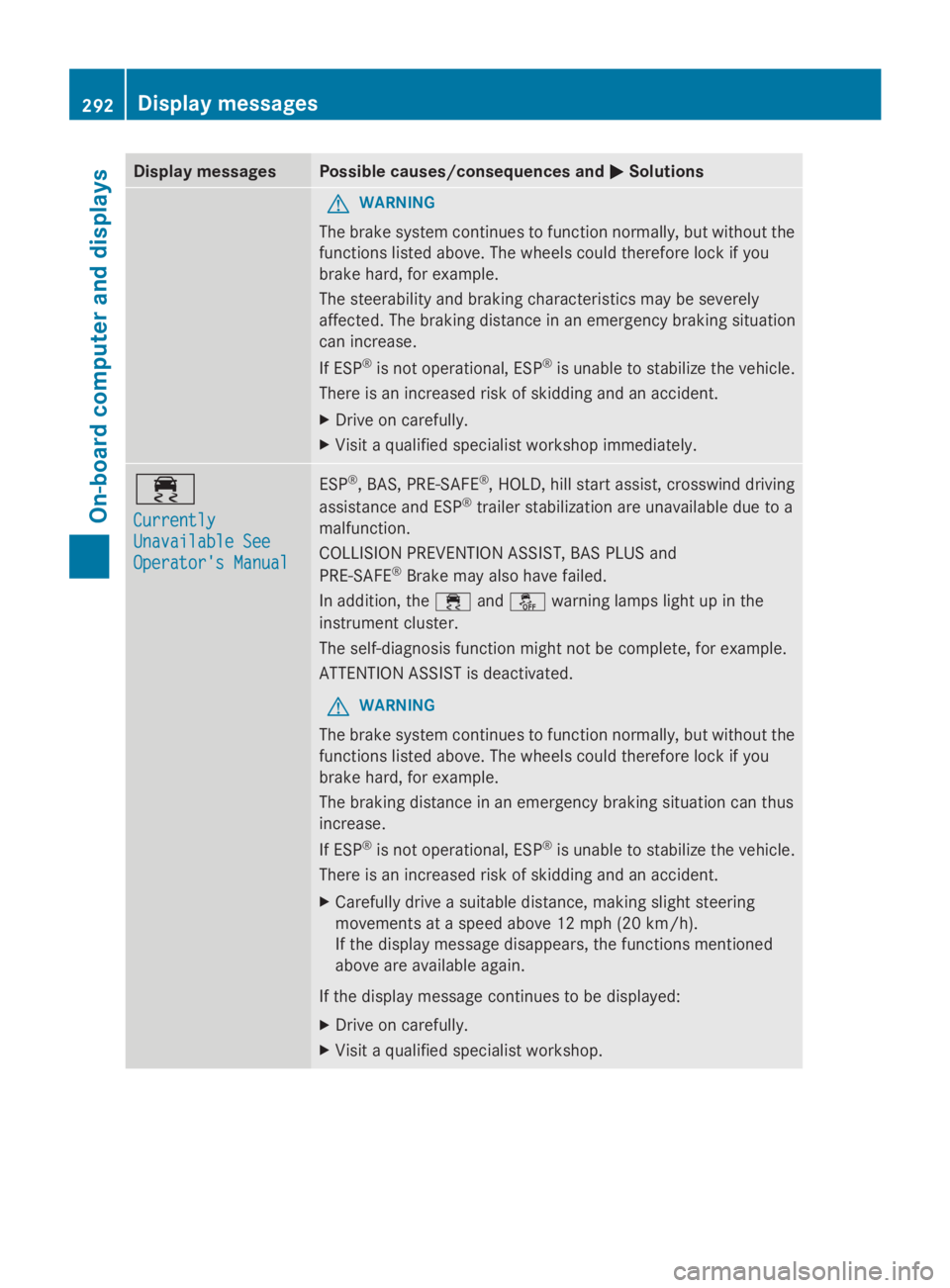
Display messagesPossible causes/consequences andPPSolutions
GWARNING
The brake system continues to function normally, but without the
functions listed above. The wheels could therefore lock if you
brake hard, for example.
The steerability and braking characteristics may be severely
affected. The braking distance in an emergency braking situation
can increase.
If ESP®is not operational, ESP®is unable to stabilize the vehicle.
There is an increased risk of skidding and an accident.
XDrive on carefully.
XVisit a qualified specialist workshop immediately.
Page 298 of 462
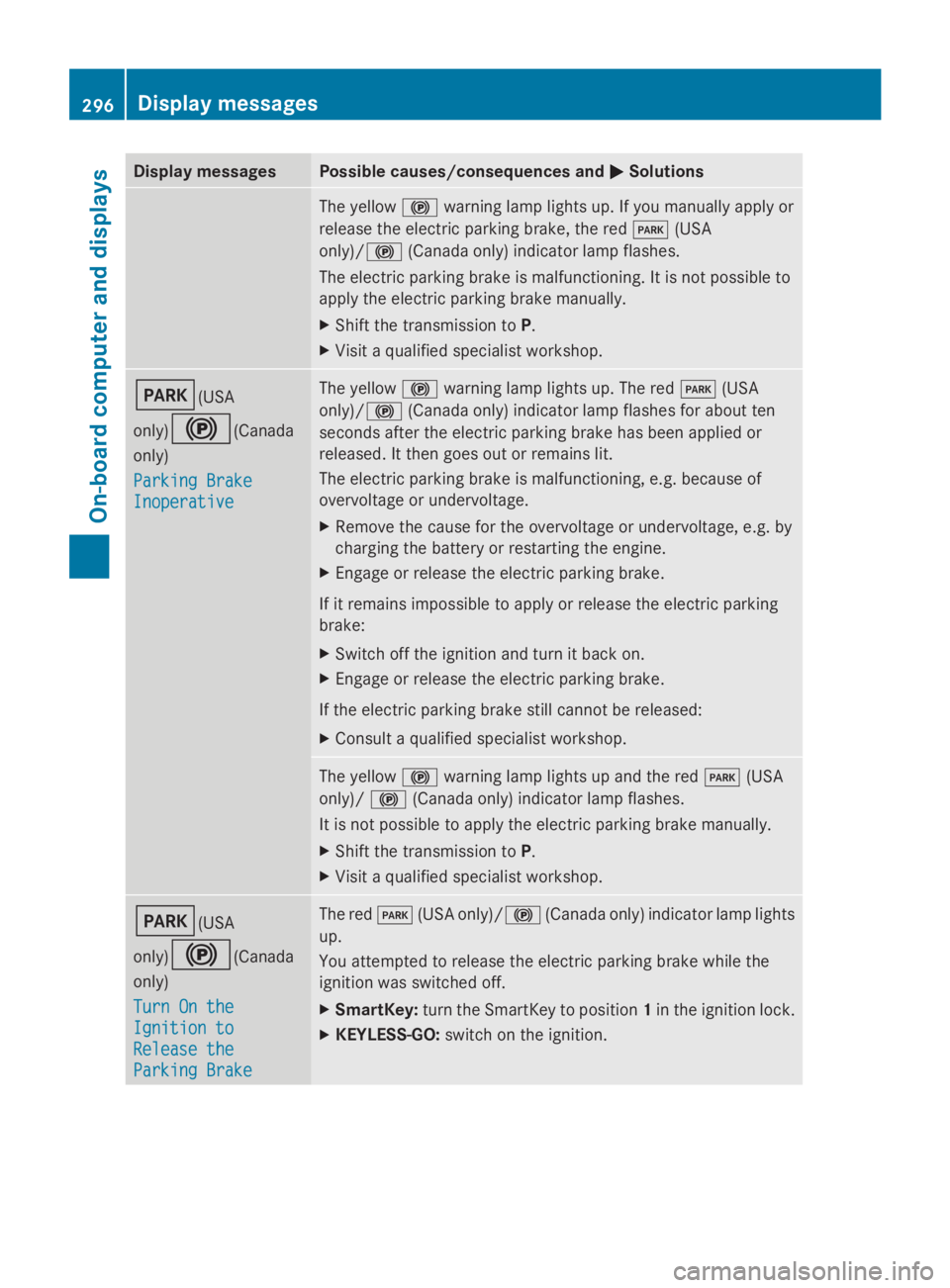
Display messagesPossible causes/consequences andPPSolutions
The yellow$warning lamp lights up. If you manually apply or
release the electric parking brake, the redI(USA
only)/$(Canada only) indicator lamp flashes.
The electric parking brake is malfunctioning. It is not possible to
apply the electric parking brake manually.
XShift the transmission toP.
XVisit a qualified specialist workshop.
I(USA
only)$(Canada
only)
Parking BrakeParking Brake
InoperativeInoperative
The yellow$warning lamp lights up. The redI(USA
only)/$(Canada only) indicator lamp flashes for about ten
seconds after the electric parking brake has been applied or
released. It then goes out or remains lit.
The electric parking brake is malfunctioning, e.g. because of
overvoltage or undervoltage.
XRemove the cause for the overvoltage or undervoltage, e.g. by
charging the battery or restarting the engine.
XEngage or release the electric parking brake.
If it remains impossible to apply or release the electric parking
brake:
XSwitch off the ignition and turn it back on.
XEngage or release the electric parking brake.
If the electric parking brake still cannot be released:
XConsult a qualified specialist workshop.
The yellow$warning lamp lights up and the redI(USA
only)/$(Canada only) indicator lamp flashes.
It is not possible to apply the electric parking brake manually.
XShift the transmission toP.
XVisit a qualified specialist workshop.
I(USA
only)$(Canada
only)
Turn On theTurn On the
Ignition toIgnition to
Release theRelease the
Parking BrakeParking Brake
The redI(USA only)/$(Canada only) indicator lamp lights
up.
You attempted to release the electric parking brake while the
ignition was switched off.
XSmartKey:turn the SmartKey to position1in the ignition lock.
XKEYLESS-GO:switch on the ignition.
296Displaymessages
On-b oard computer and displays
Page 323 of 462
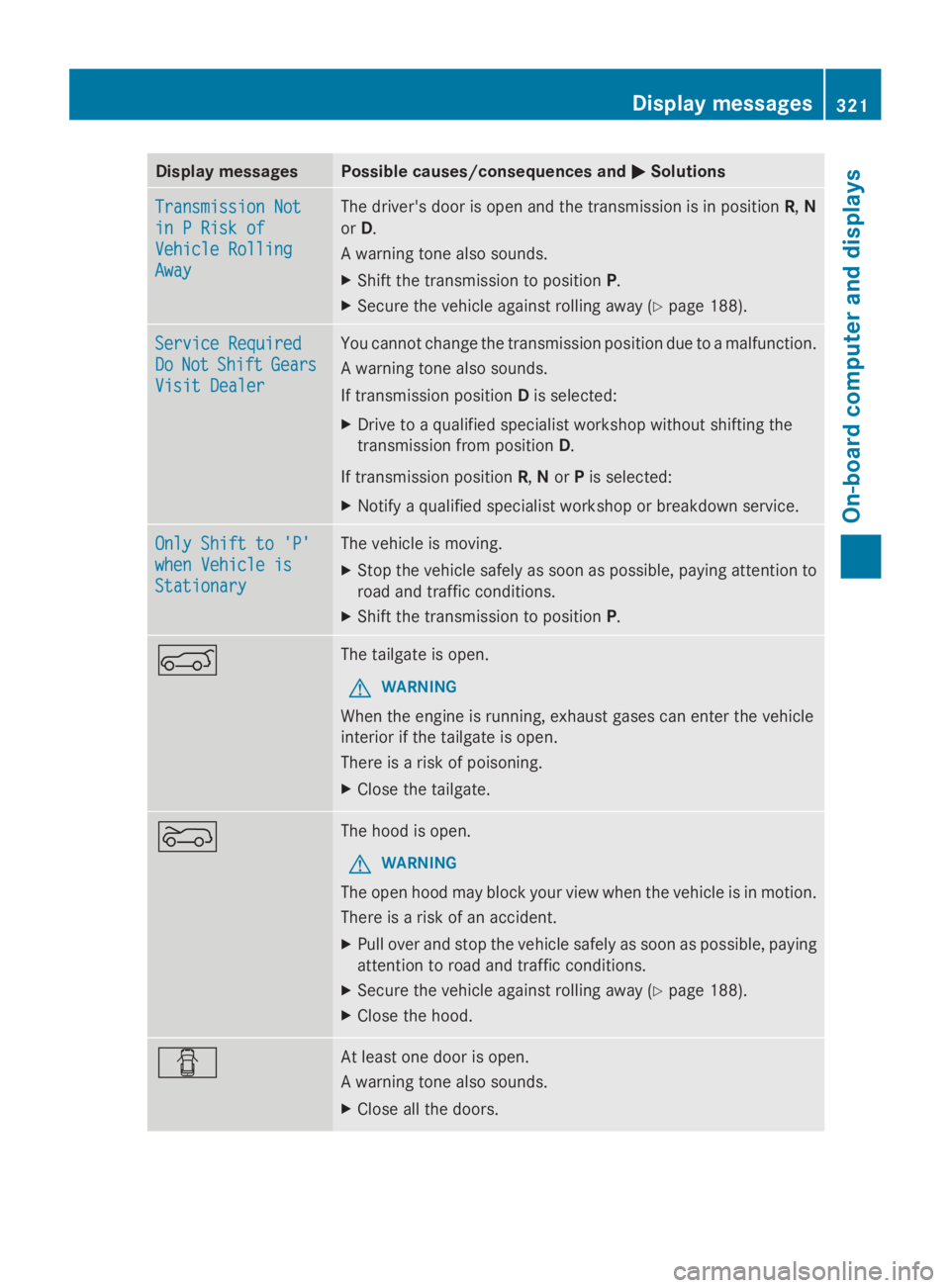
Display messagesPossible causes/consequences andPPSolutions
Transmission NotTransmission Not
in P Risk ofin P Risk of
Vehicle RollingVehicle Rolling
AwayAway
The driver's door is open and the transmission is in positionR,N
orD.
A warning tone also sounds.
XShift the transmission to positionP.
XSecure the vehicle against rolling away (Ypage 188).
Service RequiredService Required
DoDoNotNotShiftShiftGearsGears
Visit DealerVisit Dealer
You cannot change the transmission position due to a malfunction.
A warning tone also sounds.
If transmission positionDis selected:
XDrive to a qualified specialist workshop without shifting the
transmission from positionD.
If transmission positionR,NorPis selected:
XNotify a qualified specialist workshop or breakdown service.
Only Shift to 'P'Only Shift to 'P'
when Vehicle iswhen Vehicle is
StationaryStationary
The vehicle is moving.
XStop the vehicle safely as soon as possible, paying attention to
road and traffic conditions.
XShift the transmission to positionP.
eThe tailgate is open.
GWARNING
When the engine is running, exhaust gases can enter the vehicle
interior if the tailgate is open.
There is a risk of poisoning.
XClose the tailgate.
fThe hood is open.
GWARNING
The open hood may block your view when the vehicle is in motion.
There is a risk of an accident.
XPull over and stop the vehicle safely as soon as possible, paying
attention to road and traffic conditions.
XSecure the vehicle against rolling away (Ypage 188).
XClose the hood.
QAt least one door is open.
A warning tone also sounds.
XClose all the doors.
Displaymessages321
On-b oard computer and displays
Z