display MERCEDES-BENZ GL 2014 Manual PDF
[x] Cancel search | Manufacturer: MERCEDES-BENZ, Model Year: 2014, Model line: GL, Model: MERCEDES-BENZ GL 2014Pages: 462, PDF Size: 8.98 MB
Page 246 of 462
warranties, and is not permitted by the
FCC. Do not tamper with, alter, or use in
any non-approved way.
Any unauthorized modification to this
device could void the user’s authority to
operate the equipment.
Monitoring range of the sensors
In particular, the detection of obstacles can
be impaired if:
Rdirt on the sensors or anything else
covering the sensors
Rpoor visibility, e.g. due to fog, heavy rain,
snow or spray
Rnarrow vehicles, e.g. motorcycles or
bicycles
Rthe road has very wide lanes
Rthe road has narrow lanes
Ryou are not driving in the middle of the lane
Rthere are barriers or similar lane borders
Vehicles in the monitoring range are then not
indicated.
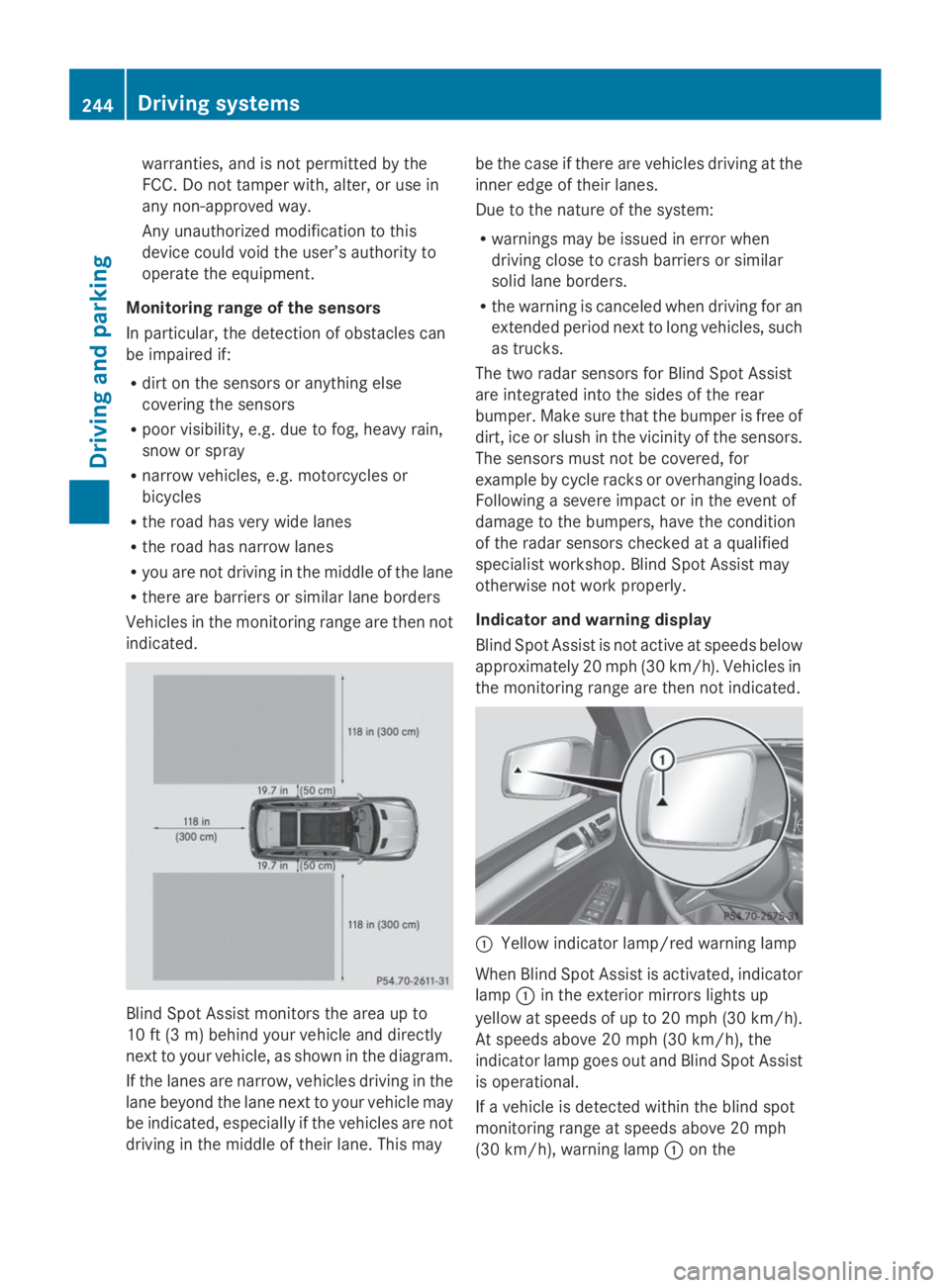
Blind Spot Assist monitors the area up to
10 ft (3 m) behind your vehicle and directly
next to your vehicle, as shown in the diagram.
If the lanes are narrow, vehicles driving in the
lane beyond the lane next to your vehicle may
be indicated, especially if the vehicles are not
driving in the middle of their lane. This may
be the case if there are vehicles driving at the
inner edge of their lanes.
Due to the nature of the system:
Rwarnings may be issued in error when
driving close to crash barriers or similar
solid lane borders.
Rthe warning is canceled when driving for an
extended period next to long vehicles, such
as trucks.
The two radar sensors for Blind Spot Assist
are integrated into the sides of the rear
bumper. Make sure that the bumper is free of
dirt, ice or slush in the vicinity of the sensors.
The sensors must not be covered, for
example by cycle racks or overhanging loads.
Following a severe impact or in the event of
damage to the bumpers, have the condition
of the radar sensors checked at a qualified
specialist workshop. Blind Spot Assist may
otherwise not work properly.
Indicator and warning display
Blind Spot Assist is not active at speeds below
approximately 20 mph (30 km/h). Vehicles in
the monitoring range are then not indicated.
CYellow indicator lamp/red warning lamp
When Blind Spot Assist is activated, indicator
lampCin the exterior mirrors lights up
yellow at speeds of up to 20 mph(30 km/h).
At speeds above 20 mph (30 km/h), the
indicator lamp goes out and Blind Spot Assist
is operational.
If a vehicle is detected within the blind spot
monitoring range at speeds above 20 mph
(30 km/h), warning lampCon the
244Driving systems
Driving and parking
Page 247 of 462
corresponding side lights up red. This warning
is always emitted when a vehicle enters the
blind spot monitoring range from behind or
from the side. When you overtake a vehicle,
the warning only occurs if the difference in
speed is less than 7 mph (12 km/h).
The yellow indicator lamp goes out if reverse
gear is engaged. In this event, Blind Spot
Assist is no longer active.
The brightness of the indicator/warning
lamps is adjusted automatically according to
the ambient light.
Collision warning
If a vehicle is detected in the monitoring range
of Blind Spot Assist and you switch on the
corresponding turn signal, a double warning
tone sounds. Red warning lampCflashes. If
the turn signal remains on, vehicles detected
are indicated by the flashing of red warning
lampC. There are no further warning tones.
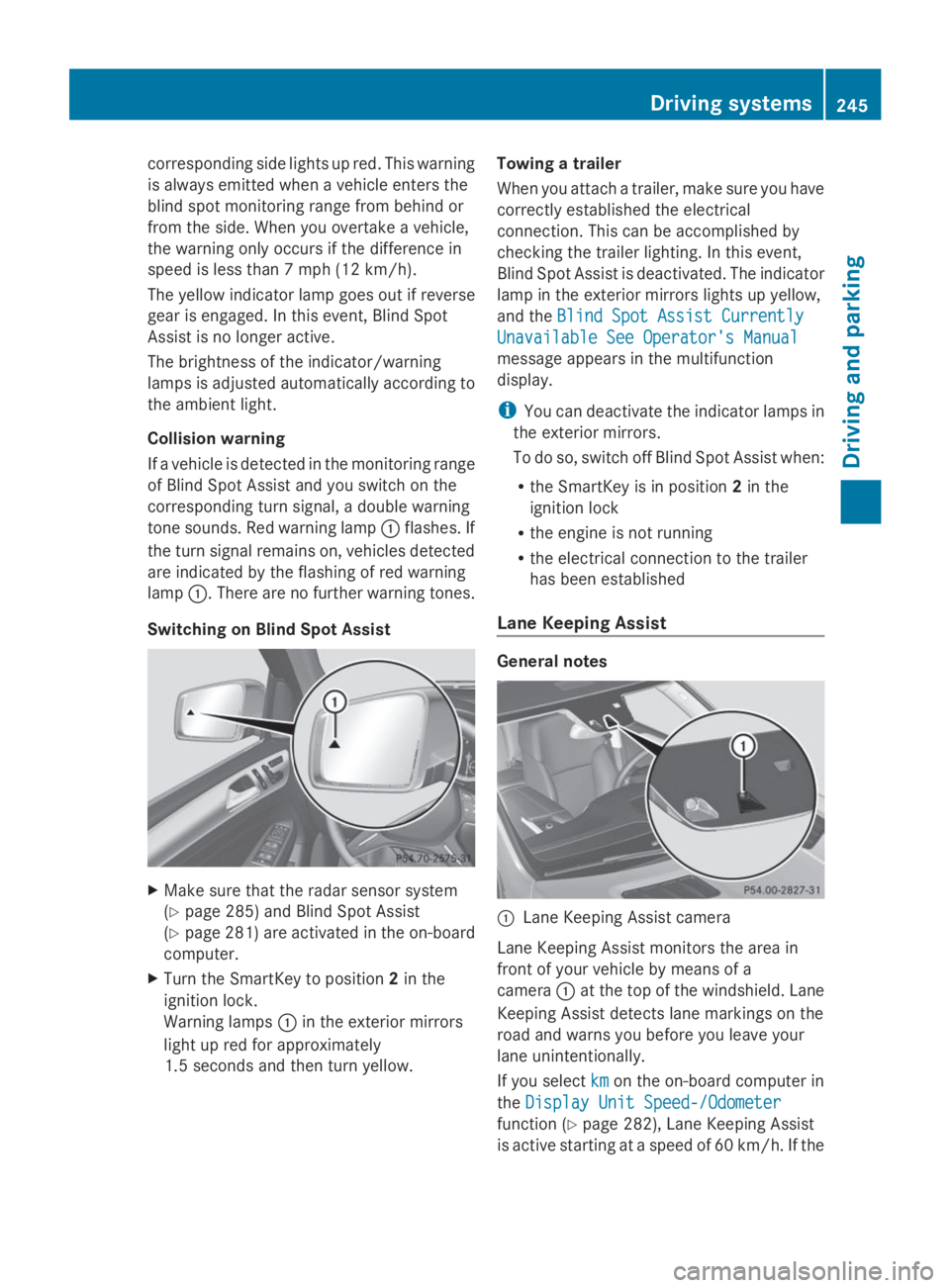
Switching on Blind Spot Assist
XMake sure that the radar sensor system
(Ypage 285) and Blind Spot Assist
(Ypage 281) are activated in the on-board
computer.
XTurn the SmartKey to position2in the
ignition lock.
Warning lampsCin the exterior mirrors
light up red for approximately
1.5 seconds and then turn yellow.
Towing a trailer
When you attach a trailer, make sure you have
correctly established the electrical
connection. This can be accomplished by
checking the trailer lighting. In this event,
Blind Spot Assist is deactivated. The indicator
lamp in the exterior mirrors lights up yellow,
and theBlind Spot Assist CurrentlyBlind Spot Assist Currently
Unavailable See Operator's ManualUnavailable See Operator's Manual
message appears in the multifunction
display.
iYou can deactivate the indicator lamps in
the exterior mirrors.
To do so, switch off Blind Spot Assist when:
Rthe SmartKey is in position2in the
ignition lock
Rthe engine is not running
Rthe electrical connection to the trailer
has been established
Lane Keeping Assist
General notes
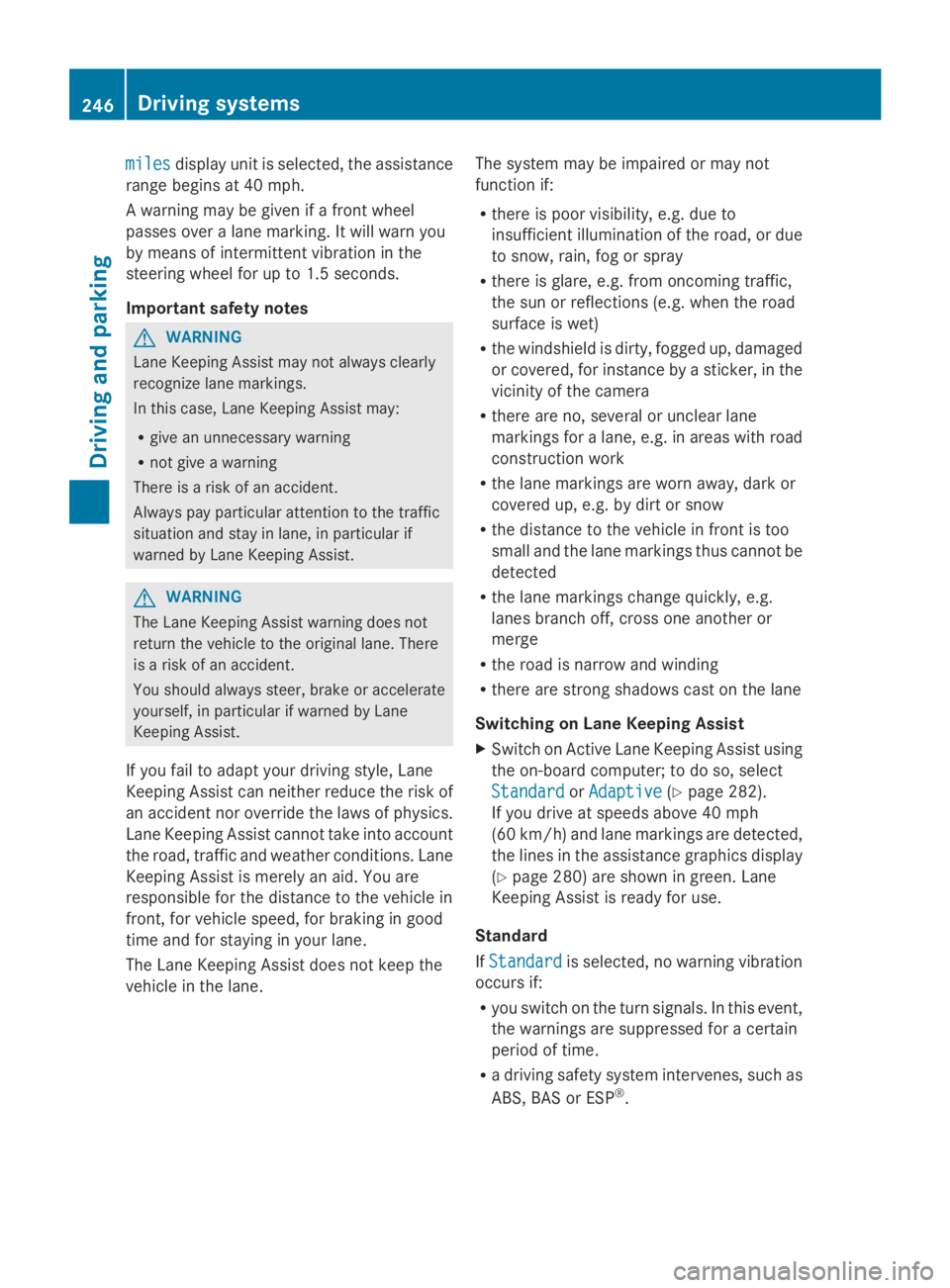
CLane Keeping Assist camera
Lane Keeping Assist monitors the area in
front of your vehicle by means of a
cameraCat the top of the windshield. Lane
Keeping Assist detects lane markings on the
road and warns you before you leave your
lane unintentionally.
If you selectkmkmon the on-board computer in
theDisplay Unit Speed-/OdometerDisplay Unit Speed-/Odometer
function (Ypage 282), Lane Keeping Assist
is active starting at a speed of 60 km/h. If the
Driving systems245
Driving and parking
Z
Page 248 of 462
milesmilesdisplay unit is selected, the assistance
range begins at 40 mph.
A warning may be given if a front wheel
passes over a lane marking. It will warn you
by means of intermittent vibration in the
steering wheel for up to 1.5 seconds.
Important safety notes
GWARNING
Lane Keeping Assist may not always clearly
recognize lane markings.
In this case, Lane Keeping Assist may:
Rgive an unnecessary warning
Rnot give a warning
There is a risk of an accident.
Always pay particular attention to the traffic
situation and stay in lane, in particular if
warned by Lane Keeping Assist.
GWARNING
The Lane Keeping Assist warning does not
return the vehicle to the original lane. There
is a risk of an accident.
You should always steer, brake or accelerate
yourself, in particular if warned by Lane
Keeping Assist.
If you fail to adapt your driving style, Lane
Keeping Assist can neither reduce the risk of
an accident nor override the laws of physics.
Lane Keeping Assist cannot take into account
the road, traffic and weather conditions. Lane
Keeping Assist is merely an aid. You are
responsible for the distance to the vehicle in
front, for vehicle speed, for braking in good
time and for staying in your lane.
The Lane Keeping Assist does not keep the
vehicle in the lane.
The system may be impaired or may not
function if:
Rthere is poor visibility, e.g. due to
insufficient illumination of the road, or due
to snow, rain, fog or spray
Rthere is glare, e.g. from oncoming traffic,
the sun or reflections (e.g. when the road
surface is wet)
Rthe windshield is dirty, fogged up, damaged
or covered, for instance by a sticker, in the
vicinity of the camera
Rthere are no, several or unclear lane
markings for a lane, e.g. in areas with road
construction work
Rthe lane markings are worn away, dark or
covered up, e.g. by dirt or snow
Rthe distance to the vehicle in front is too
small and the lane markings thus cannot be
detected
Rthe lane markings change quickly, e.g.
lanes branch off, cross one another or
merge
Rthe road is narrow and winding
Rthere are strong shadows cast on the lane
Switching on Lane Keeping Assist
XSwitch on Active Lane Keeping Assist using
the on-board computer; to do so, select
StandardStandardorAdaptiveAdaptive(Ypage 282).
If you drive at speeds above 40 mph
(60 km/h) and lane markings are detected,
the lines in the assistance graphics display
(Ypage 280) are shown in green. Lane
Keeping Assist is ready for use.
Standard
IfStandardStandardis selected, no warning vibration
occurs if:
Ryou switch on the turn signals. In this event,
the warnings are suppressed for a certain
period of time.
Ra driving safety system intervenes, such as
ABS, BAS or ESP®.
246Driving systems
Driving and parking
Page 249 of 462
Adaptive
WhenAdaptiveAdaptiveis selected, no warning
vibration occurs if:
Ryou switch on the turn signals. In this event,
the warnings are suppressed for a certain
period of time.
Ra driving safety system intervenes, e.g.
ABS, BAS or ESP®.
Ryou accelerate hard, e.g. kickdown.
Ryou brake hard.
Ryou steer actively, e.g. swerve to avoid an
obstacle or change lanes quickly.
Ryou cut the corner on a sharp bend.
In order that you are warned only when
necessary and in good time if you cross the
lane marking, the system recognizes certain
conditions and warns you accordingly.
The warning vibration occurs earlier if:
Ryou approach the outer lane marking on a
bend.
Rthe road has very wide lanes, e.g. a
highway.
Rthe system recognizes solid lane markings.
The warning vibration occurs later if:
Rthe road has narrow lanes.
Ryou cut the corner on a bend.
Active Driving Assistance package
General notes
The Active Driving Assistance package
consists of DISTRONIC PLUS (Ypage 203),
Active Blind Spot Assist (Ypage 247) and
Active Lane Keeping Assist (Ypage 251).
Active Blind Spot Assist
General notes
Active Blind Spot Assist uses a radar sensor
system to monitor the side areas of your
vehicle which are behind the driver. A warning
display in the exterior mirrors draws your
attention to vehicles detected in the
monitored area. If you then switch on the
corresponding turn signal to change lane, you
will also receive an optical and audible
warning. If a risk of lateral collision is
detected, corrective braking may help you
avoid a collision. Active Blind Spot Assist
evaluates the free space in the direction of
travel and to the side before making a course-
correcting brake application. For this, Active
Blind Spot Assist uses radar sensors which
are pointed in the direction of travel.
Active Blind Spot Assist supports you from a
speed of approximately 20 mph (30 km/h).
Important safety notes
Active Blind Spot Assist is only an aid. It may
fail to detect some vehicles and is no
substitute for attentive driving.
GWARNING
Active Blind Spot Assist does not react to:
Rvehicles overtaken too closely on the side,
placing them in the blind spot area
Rvehicles which approach with a large speed
differential and overtake your vehicle
As a result, Active Blind Spot Assist may
neither give warnings nor intervene in such
situations. There is a risk of an accident.
Always observe the traffic conditions
carefully, and maintain a safe lateral distance.
iUSA only: This device has been approved
by the FCC as a "Vehicular Radar System".
The radar sensor is intended for use in an
automotive radar system only. Removal,
tampering, or altering of the device will void
any warranties, and is not permitted by the
FCC. Do not tamper with, alter, or use in
any non-approved way.
Any unauthorized modification to this
device could void the user's authority to
operate the equipment.
iCanada only: This device complies with
RSS-210 of Industry Canada. Operation is
subject to the following two conditions:
Driving systems247
Driving and pa rking
Z
Page 251 of 462
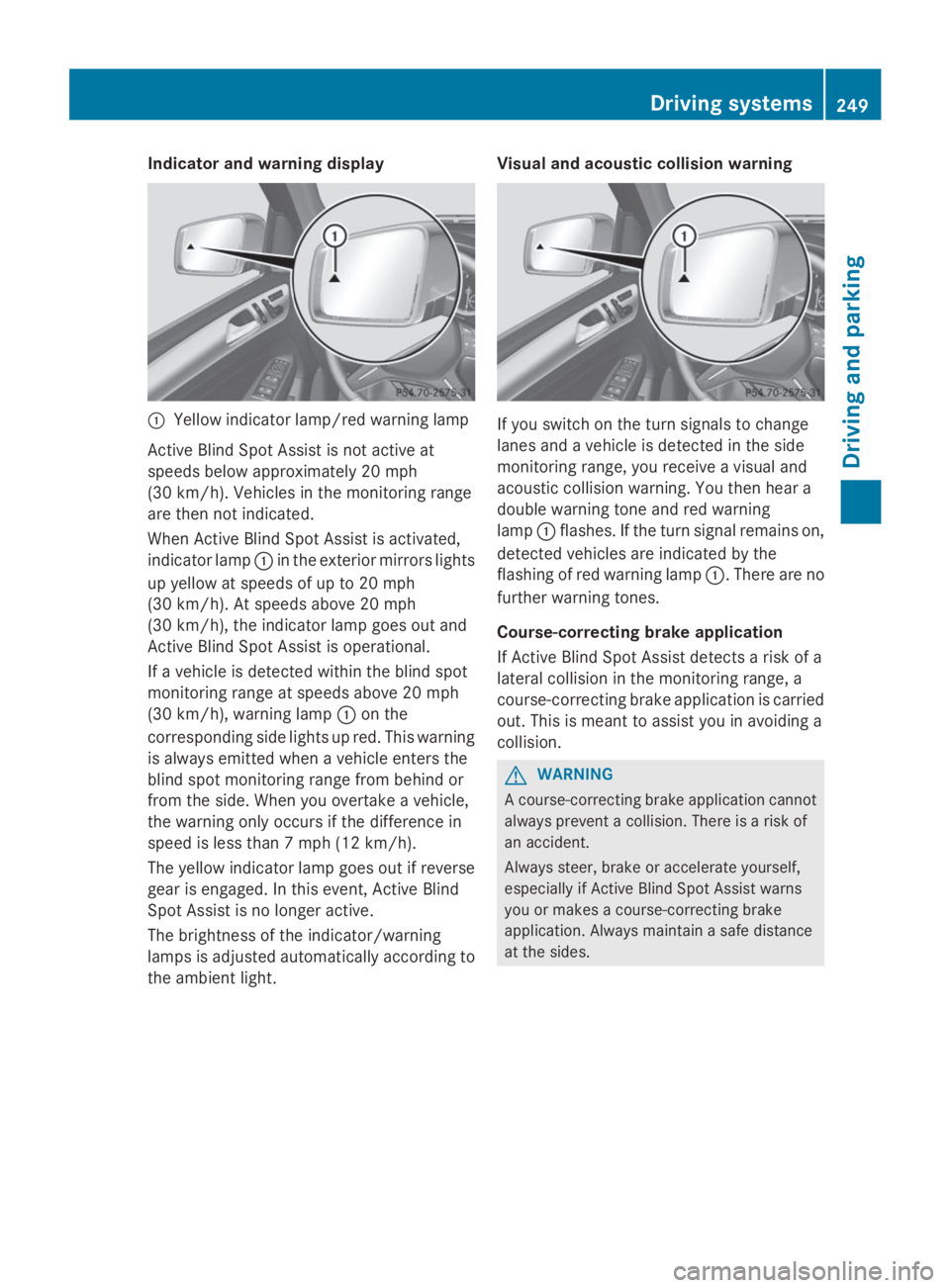
Indicator and warning display
CYellow indicator lamp/red warning lamp
Active Blind Spot Assist is not active at
speeds below approximately 20 mph
(30 km/h). Vehicles in the monitoring range
are then not indicated.
When Active Blind Spot Assist is activated,
indicator lampCin the exterior mirrors lights
up yellow at speeds of up to 20 mph
(30 km/h). At speeds above 20 mph
(30 km/h), the indicator lamp goes out and
Active Blind Spot Assist is operational.
If a vehicle is detected within the blind spot
monitoring range at speeds above 20 mph
(30 km/h), warning lampCon the
corresponding side lights up red. This warning
is always emitted when a vehicle enters the
blind spot monitoring range from behind or
from the side. When you overtake a vehicle,
the warning only occurs if the difference in
speed is less than 7 mph (12 km/h).
The yellow indicator lamp goes out if reverse
gear is engaged. In this event, Active Blind
Spot Assist is no longer active.
The brightness of the indicator/warning
lamps is adjusted automatically according to
the ambient light.
Visual and acoustic collision warning
If you switch on the turn signals to change
lanes and a vehicle is detected in the side
monitoring range, you receive a visual and
acoustic collision warning. You then hear a
double warning tone and red warning
lampCflashes. If the turn signal remains on,
detected vehicles are indicated by the
flashing of red warning lampC. There are no
further warning tones.
Course-correcting brake application
If Active Blind Spot Assist detects a risk of a
lateral collision in the monitoring range, a
course-correcting brake application is carried
out. This is meant to assist you in avoiding a
collision.
GWARNING
A course-correcting brake application cannot
always prevent a collision. There is a risk of
an accident.
Always steer, brake or accelerate yourself,
especially if Active Blind Spot Assist warns
you or makes a course-correcting brake
application. Always maintain a safe distance
at the sides.
Driving systems249
Driving and pa rking
Z
Page 252 of 462
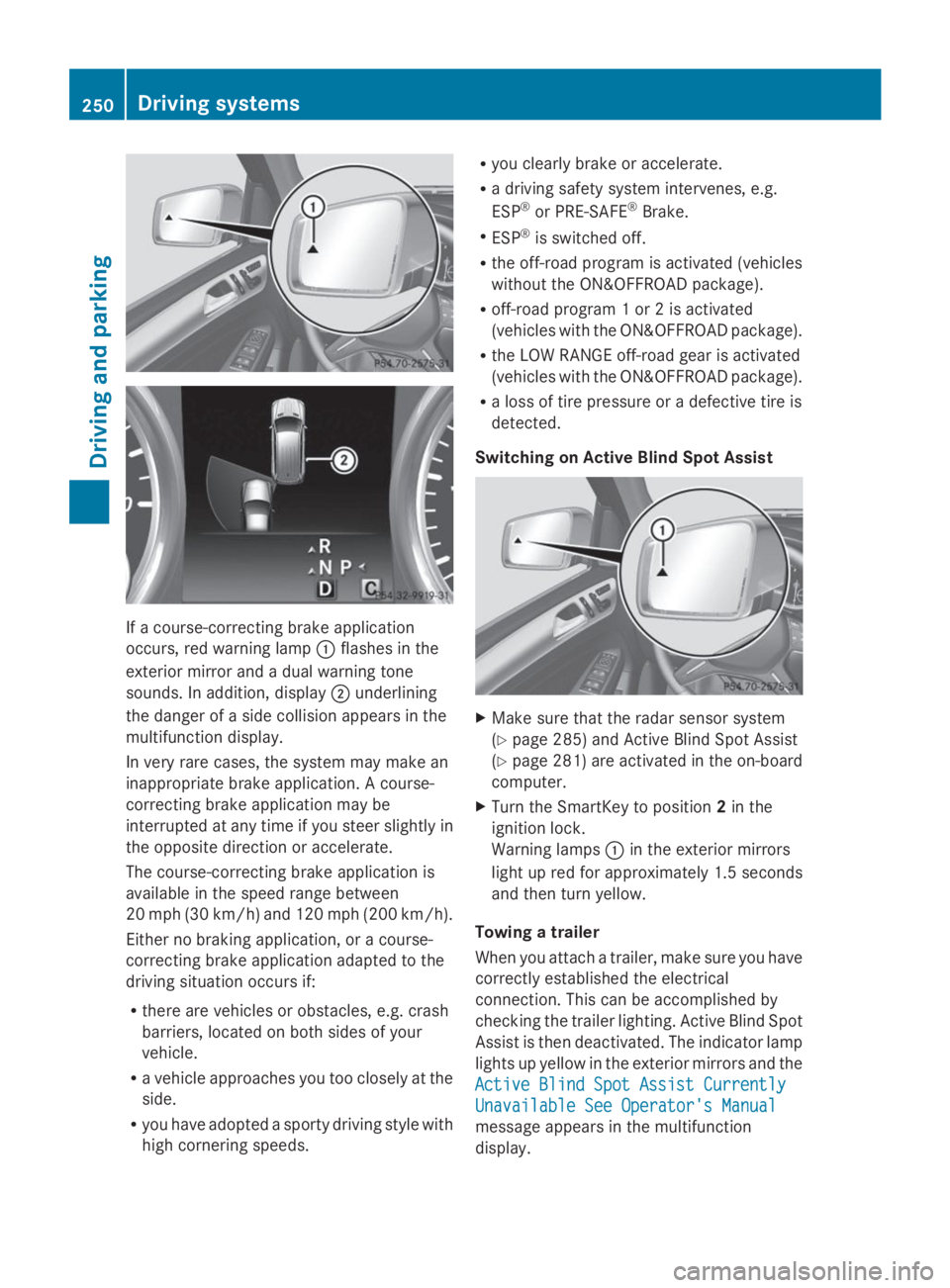
If a course-correcting brake application
occurs, red warning lampCflashes in the
exterior mirror and a dual warning tone
sounds. In addition, displayDunderlining
the danger of a side collision appears in the
multifunction display.
In very rare cases, the system may make an
inappropriate brake application. A course-
correcting brake application may be
interrupted at any time if you steer slightly in
the opposite direction or accelerate.
The course-correcting brake application is
available in the speed range between
20 mph (30 km/h) and 120 mph (200 km/h).
Either no braking application, or a course-
correcting brake application adapted to the
driving situation occurs if:
Rthere are vehicles or obstacles, e.g. crash
barriers, located on both sides of your
vehicle.
Ra vehicle approaches you too closely at the
side.
Ryou have adopted a sporty driving style with
high cornering speeds.
Ryou clearly brake or accelerate.
Ra driving safety system intervenes, e.g.
ESP®or PRE-SAFE®Brake.
RESP®is switched off.
Rthe off-road program is activated (vehicles
without the ON&OFFROAD package).
Roff-road program 1 or 2 is activated
(vehicles with the ON&OFFROAD package).
Rthe LOW RANGE off-road gear is activated
(vehicles with the ON&OFFROAD package).
Ra loss of tire pressure or a defective tire is
detected.
Switching on Active Blind Spot Assist
XMake sure that the radar sensor system
(Ypage 285) and Active Blind Spot Assist
(Ypage 281) are activated in the on-board
computer.
XTurn the SmartKey to position2in the
ignition lock.
Warning lampsCin the exterior mirrors
light up red for approximately 1.5 seconds
and then turn yellow.
Towing a trailer
When you attach a trailer, make sure you have
correctly established the electrical
connection. This can be accomplished by
checking the trailer lighting. Active Blind Spot
Assist is then deactivated. The indicator lamp
lights up yellow in the exterior mirrors and the
Active Blind Spot Assist CurrentlyActive Blind Spot Assist Currently
Unavailable See Operator's ManualUnavailable See Operator's Manual
message appears in the multifunction
display.
250Driving systems
Driving and parking
Page 253 of 462
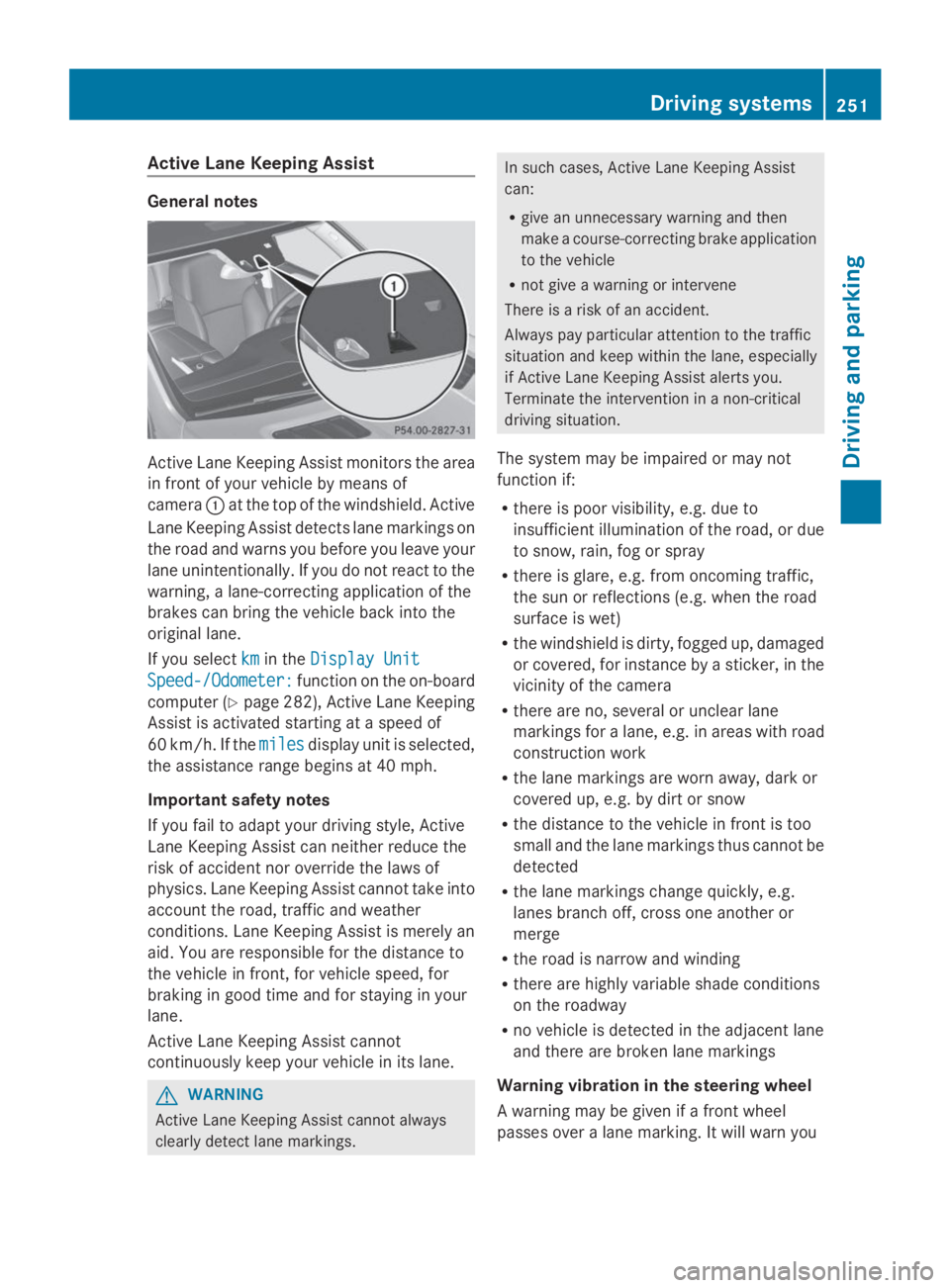
Active Lane Keeping Assist
General notes
Active Lane Keeping Assist monitors the area
in front of your vehicle by means of
cameraCat the top of the windshield. Active
Lane Keeping Assist detects lane markings on
the road and warns you before you leave your
lane unintentionally. If you do not react to the
warning, a lane-correcting application of the
brakes can bring the vehicle back into the
original lane.
If you selectkmkmin theDisplay UnitDisplay Unit
Speed-/Odometer:Speed-/Odometer:function on the on-board
computer (Ypage 282), Active Lane Keeping
Assist is activated starting at a speed of
60 km/h. If themilesmilesdisplay unit is selected,
the assistance range begins at 40 mph.
Important safety notes
If you fail to adapt your driving style, Active
Lane Keeping Assist can neither reduce the
risk of accident nor override the laws of
physics. Lane Keeping Assist cannot take into
account the road, traffic and weather
conditions. Lane Keeping Assist is merely an
aid. You are responsible for the distance to
the vehicle in front, for vehicle speed, for
braking in good time and for staying in your
lane.
Active Lane Keeping Assist cannot
continuously keep your vehicle in its lane.
GWARNING
Active Lane Keeping Assist cannot always
clearly detect lane markings.
In such cases, Active Lane Keeping Assist
can:
Rgive an unnecessary warning and then
make a course-correcting brake application
to the vehicle
Rnot give a warning or intervene
There is a risk of an accident.
Always pay particular attention to the traffic
situation and keep within the lane, especially
if Active Lane Keeping Assist alerts you.
Terminate the intervention in a non-critical
driving situation.
The system may be impaired or may not
function if:
Rthere is poor visibility, e.g. due to
insufficient illumination of the road, or due
to snow, rain, fog or spray
Rthere is glare, e.g. from oncoming traffic,
the sun or reflections (e.g. when the road
surface is wet)
Rthe windshield is dirty, fogged up, damaged
or covered, for instance by a sticker, in the
vicinity of the camera
Rthere are no, several or unclear lane
markings for a lane, e.g. in areas with road
construction work
Rthe lane markings are worn away, dark or
covered up, e.g. by dirt or snow
Rthe distance to the vehicle in front is too
small and the lane markings thus cannot be
detected
Rthe lane markings change quickly, e.g.
lanes branch off, cross one another or
merge
Rthe road is narrow and winding
Rthere are highly variable shade conditions
on the roadway
Rno vehicle is detected in the adjacent lane
and there are broken lane markings
Warning vibration in the steering wheel
A warning may be given if a front wheel
passes over a lane marking. It will warn you
Driving systems251
Driving and pa rking
Z
Page 254 of 462
by means of intermittent vibration in the
steering wheel for up to 1.5 seconds.
In order that you are warned only when
necessary and in good time if you cross the
lane marking, the system recognizes certain
conditions and warns you accordingly.
The warning vibration occurs earlier if:
Ryou approach the outer lane marking on a
bend.
Rthe road has very wide lanes, e.g. a
highway.
Rthe system recognizes solid lane markings.
The warning vibration occurs later if:
Rthe road has narrow lanes.
Ryou cut the corner on a bend.
Lane-correcting brake application
GWARNING
A lane-correcting brake application cannot
always bring the vehicle back into the original
lane. There is a risk of an accident.
Always steer, brake or accelerate yourself,
especially if Active Lane Keeping Assist warns
you or makes a lane-correcting brake
application.
GWARNING
Active Lane Keeping Assist does not detect
traffic conditions or road users. In very rare
cases, the system may make an inappropriate
brake application, e.g. after intentionally
driving over a solid lane marking. There is a
risk of an accident.
An inappropriate brake application may be
interrupted at any time if you steer slightly in
the opposite direction. Always make sure that
there is sufficient distance on the side for
other traffic or obstacles.
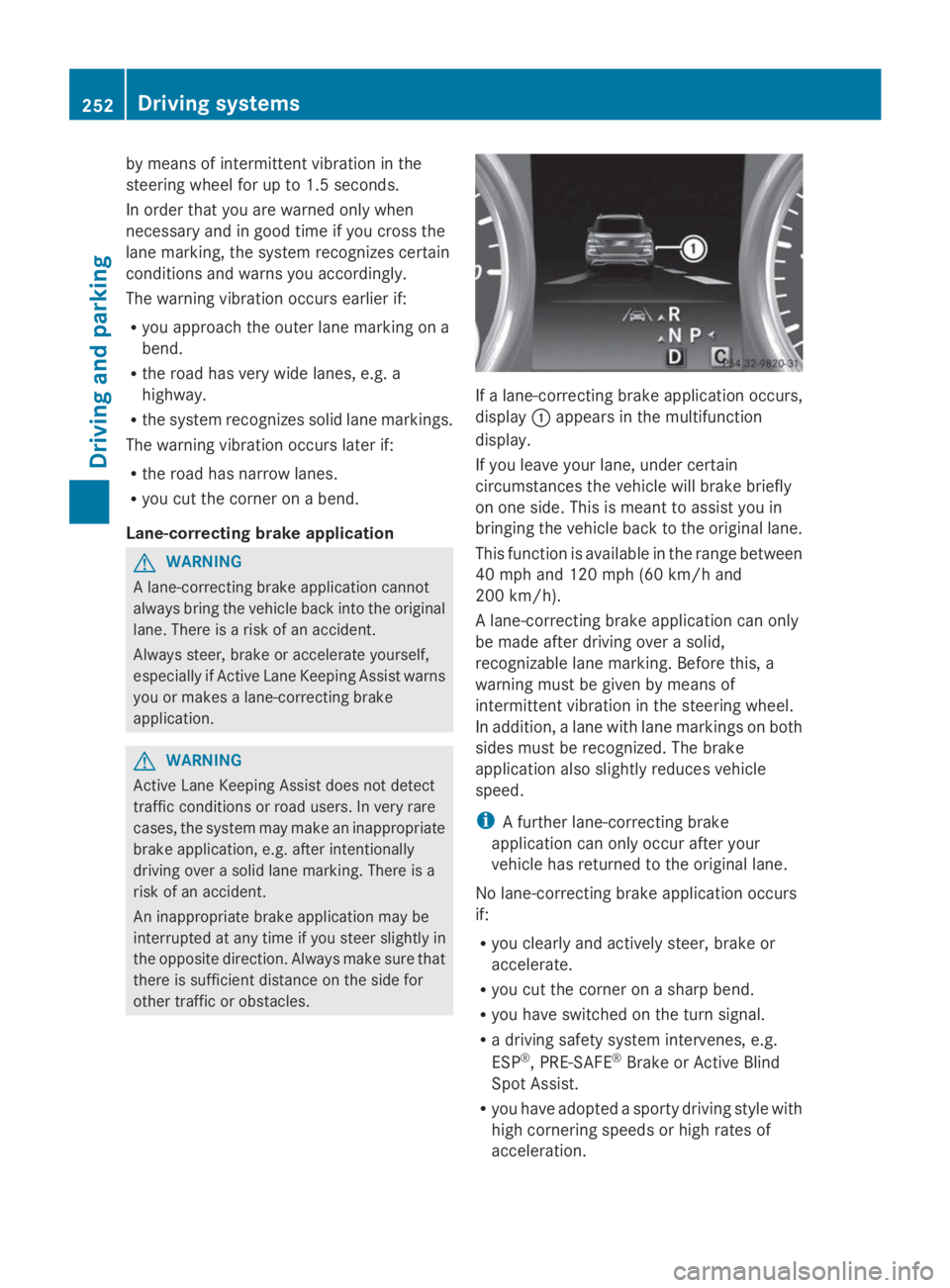
If a lane-correcting brake application occurs,
displayCappears in the multifunction
display.
If you leave your lane, under certain
circumstances the vehicle will brake briefly
on one side. This is meant to assist you in
bringing the vehicle back to the original lane.
This function is available in the range between
40 mph and 120 mph (60 km/h and
200 km/h).
A lane-correcting brake application can only
be made after driving over a solid,
recognizable lane marking. Before this, a
warning must be given by means of
intermittent vibration in the steering wheel.
In addition, a lane with lane markings on both
sides must be recognized. The brake
application also slightly reduces vehicle
speed.
iA further lane-correcting brake
application can only occur after your
vehicle has returned to the original lane.
No lane-correcting brake application occurs
if:
Ryou clearly and actively steer, brake or
accelerate.
Ryou cut the corner on a sharp bend.
Ryou have switched on the turn signal.
Ra driving safety system intervenes, e.g.
ESP®, PRE-SAFE®Brake or Active Blind
Spot Assist.
Ryou have adopted a sporty driving style with
high cornering speeds or high rates of
acceleration.
252Driving systems
Driving and parking
Page 255 of 462
RESP®is switched off.
Rthe transmission is not in positionD.
Ron vehicles with a trailer tow hitch, the
electrical connection to the trailer has been
correctly established.
Rthe off-road program is activated (vehicles
without the ON&OFFROAD package).
Roff-road program 1 or 2 is activated
(vehicles with the ON&OFFROAD package).
Rthe LOW RANGE off-road gear is activated
(vehicles with the ON&OFFROAD package).
Ra loss of tire pressure or a defective tire has
been detected and displayed.
Active Lane Keeping Assist does not detect
traffic situations or road users. An
inappropriate brake application may be
interrupted at any time if you:
Rsteer slightly in the opposite direction
Rswitch on the turn signal
Rclearly brake or accelerate
A lane-correcting brake application is
interrupted automatically if:
Ra driving safety system intervenes, e.g.
ESP®, PRE-SAFE®Brake or Active Blind
Spot Assist.
Rlane markings can no longer be recognized.
Switching on Active Lane Keeping Assist
XSwitch on Active Lane Keeping Assist using
the on-board computer; to do so, select
StandardStandardorAdaptiveAdaptive(Ypage 282).
If you drive at speeds above 40 mph
(60 km/h) and lane markings are detected,
the lines in the assistance graphics display
(Ypage 280) are shown in green. Lane
Keeping Assist is ready for use.
WhenStandardStandardis selected, no warning
vibration occurs if:
Ryou switch on the turn signals. In this
event, the warnings are suppressed for a
certain period of time.
Ra driving safety system intervenes, such
as ABS, BAS or ESP®.
WhenAdaptiveAdaptiveis selected, no warning
vibration occurs if:
Ryou switch on the turn signals. In this
event, the warnings are suppressed for a
certain period of time.
Ra driving safety system intervenes, e.g.
ABS, BAS or ESP®.
Ryou accelerate hard, e.g. kickdown.
Ryou brake hard.
Ryou steer actively, e.g. swerve to avoid
an obstacle or change lanes quickly.
Ryou cut the corner on a sharp bend.
Towing a trailer
When you attach a trailer, make sure you have
correctly established the electrical
connection. This can be accomplished by
checking the trailer lighting.
On-road programs (vehicles with the
ON&OFFROAD package)
General notes
The on-road programs assist you during on-
road driving and the off-road programs when
driving off-road (Ypage 258).
The following program messages remain in
the multifunction display until the
corresponding vehicle level has been set. Up
to off-road level 2, you can hide the program
messages using the8orvbutton on
the multifunction steering wheel.
Driving systems253
Driving an d parking
Z
Page 257 of 462
longer has to be pressed as far to
accelerate.
RThe sporty steering curve is selected,
e.g. greater force is required when
steering.
iYou cannot select the SPORT program if
LOW RANGE has been selected. The
Drive Program SPORT Not in LOWDrive Program SPORT Not in LOW
RANGERANGEmessage then appears in the
multifunction display.
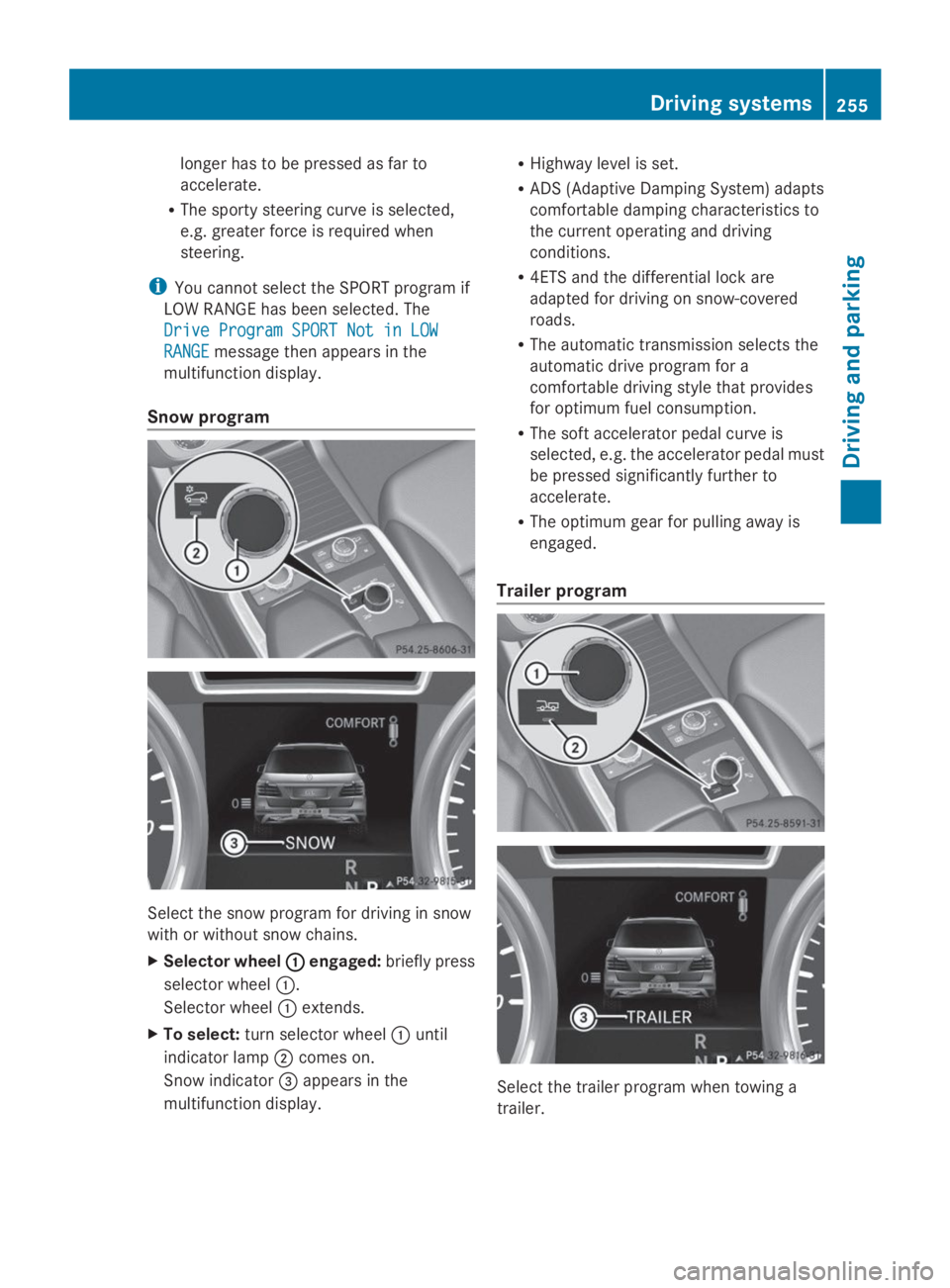
Snow program
Select the snow program for driving in snow
with or without snow chains.
XSelector wheelCCengaged:briefly press
selector wheelC.
Selector wheelCextends.
XTo select:turn selector wheelCuntil
indicator lampDcomes on.
Snow indicator