window MERCEDES-BENZ GL-Class 2016 X166 Service Manual
[x] Cancel search | Manufacturer: MERCEDES-BENZ, Model Year: 2016, Model line: GL-Class, Model: MERCEDES-BENZ GL-Class 2016 X166Pages: 462, PDF Size: 10.44 MB
Page 154 of 462
QSwitches the rear climate control on/off (Ypage 152)
RReduces the airflow (Ypage 156)
Optimum use of 3-zone automatic cli-
mate control
The following contains instructions and rec-
ommendations to enable you to get the most
out of your dual-zone automatic climate con-trol.
RYou can switch on climate control by using
the à and¿ orà andÁ but-
tons. The indicator lamps in the Ãand
¿ orà andÁ buttons light up.
RIn automatic mode, you can also use the
ñbutton to set a climate mode
(FOCUS/MEDIUM/DIFFUSE). The
MEDIUM level is recommended.
RSet the temperature to 72 ‡ (22 †).
ROnly use the "Windshield defrosting" func-
tion briefly until the windshield is clear
again.
ROnly use air-recirculation mode briefly, e.g.
if there are unpleasant outside odors or
when in a tunnel. The windows could oth-
erwise fog up, since no fresh air is drawn
into the vehicle in air-recirculation mode.
RUse the ZONE function to adopt the tem-
perature settings on the driver's side for
the front-passenger side and the rear com- partment as well. The indicator lamp above
the á button goes out.
RUse the residual heat function if you want to
heat or ventilate the vehicle interior when
the ignition is switched off. The residual
heat function can only be activated or deac-
tivated with the ignition switched off.
RVehicles with COMAND: if you change the
settings of the climate control sy
stem, the
climate status display appears for approx-
imately three seconds at the bottom of the
screen in the COMAND display (see sepa-
rate operating instructions). You will see
the current settings of the various climate
control functions. During automatic engine switch-off, the cli-
mate control system only operates at a
reduced capacity. If you require the full cli-
mate control output, you can switch off the
ECO start/stop function by pressing the ECO
button (
Ypage 170).
Operating the climate control sys-
tems
Activating/deactivating climate con-
trol
General notes
When the climate control is switched off, the
air supply and air circulation are also
switched off. The windows could fog up.
Therefore, switch off climate control only
briefly
iSwitch on climate control primarily using
the à button (
Ypage 154).
In the rear compartment, you can also switch
climate control on and off using the Ãand
^ buttons.
Activating or deactivating
XTurn the SmartKey to position 2in the igni-
tion lock (
Ypage 165).
XTo activate: press theÃbutton.
The indicator lamp in the Ãbutton lights
up. Airflow and air distribution are set to
automatic mode.
or
XPress the ^button.
The indicator lamp in the ^button goes
out. The previously selected settings are
restored.
XTo deactivate: press the^button.
The indicator lamp in the ^button lights
up.
152Operating the climate control systems
Climate control
Page 159 of 462
Switching the ZONE function on/off
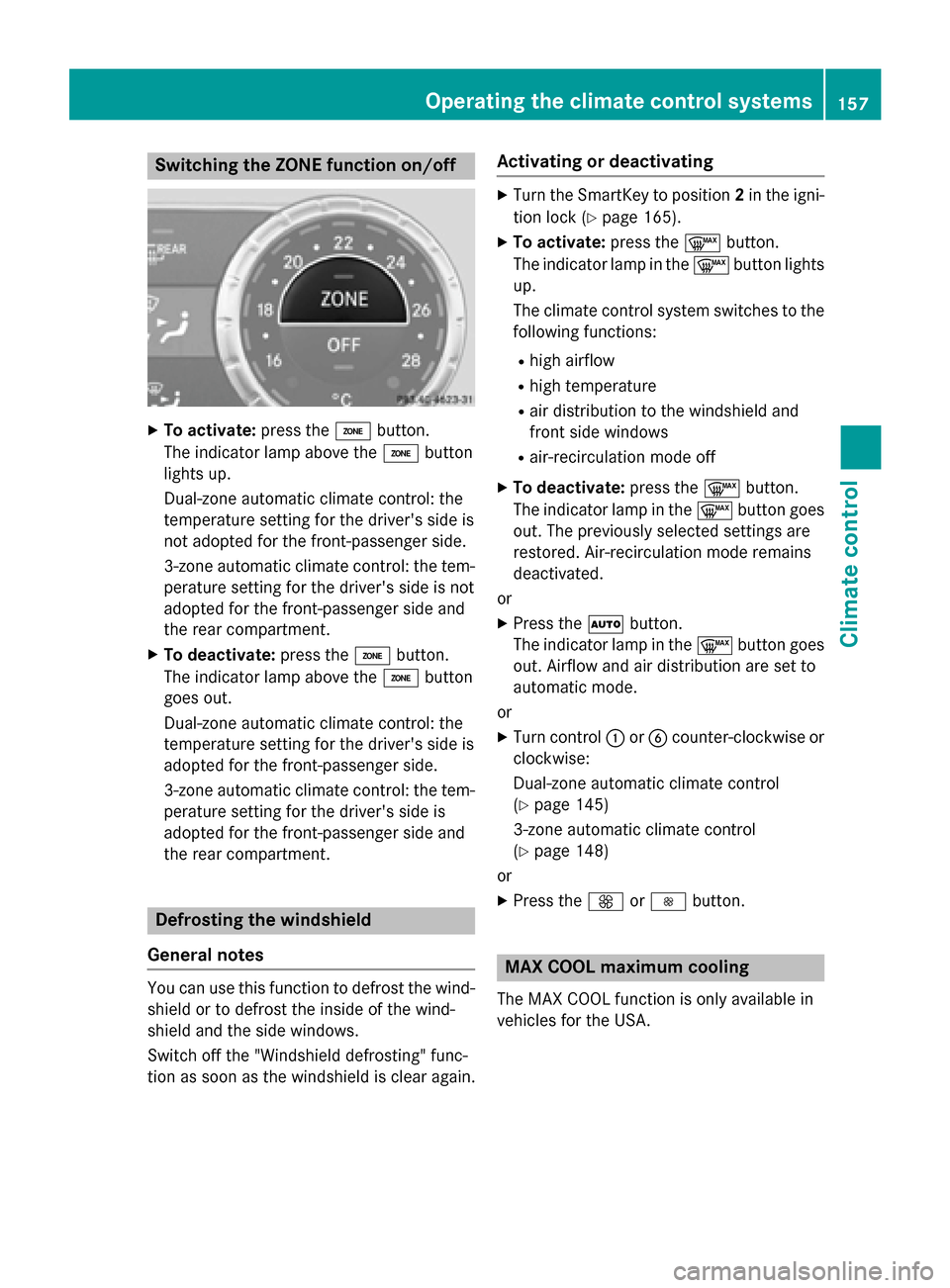
XTo activate:press theábutton.
The indicator lamp above the ábutton
lights up.
Dual-zone automatic climate control: the
temperature setting for the driver's side is
not adopted for the front-passenger side.
3-zone automatic climate control: the tem- perature setting for the driver's side is not
adopted for the front-passenger side and
the rear compartment.
XTo deactivate: press theábutton.
The indicator lamp above the ábutton
goes out.
Dual-zone automatic climate control: the
temperature setting for the driver's side is
adopted for the front-passenger side.
3-zone automatic climate control: the tem- perature setting for the driver's side is
adopted for the front-passenger side and
the rear compartment.
Defrosting the windshield
General notes
You can use this function to defrost the wind-
shield or to defrost the inside of the wind-
shield and the side windows.
Switch off the "Windshield defrosting" func-
tion as soon as the windshield is clear again.
Activating or deactivating
XTurn the SmartKey to position 2in the igni-
tion lock (
Ypage 165).
XTo activate: press the¬button.
The indicator lamp in the ¬button lights
up.
The climate control system switches to the
following functions:
Rhigh airflow
Rhigh temperature
Rair distribution to the windshield and
front side windows
Rair-recirculation mode off
XTo deactivate: press the¬button.
The indicator lamp in the ¬button goes
out. The previously selected settings are
restored. Air-recirculation mode remains
deactivated.
or
XPress the Ãbutton.
The indicator lamp in the ¬button goes
out. Airflow and air distribution are set to
automatic mode.
or
XTurn control :orB counter-clockwise or
clockwise:
Dual-zone automatic climate control
(
Ypage 145)
3-zone automatic climate control
(
Ypage 148)
or
XPress the KorI button.
MAX COOL maximum cooling
The MAX COOL function is only available in
vehicles for the USA.
Operating the climate control systems157
Climate control
Page 160 of 462
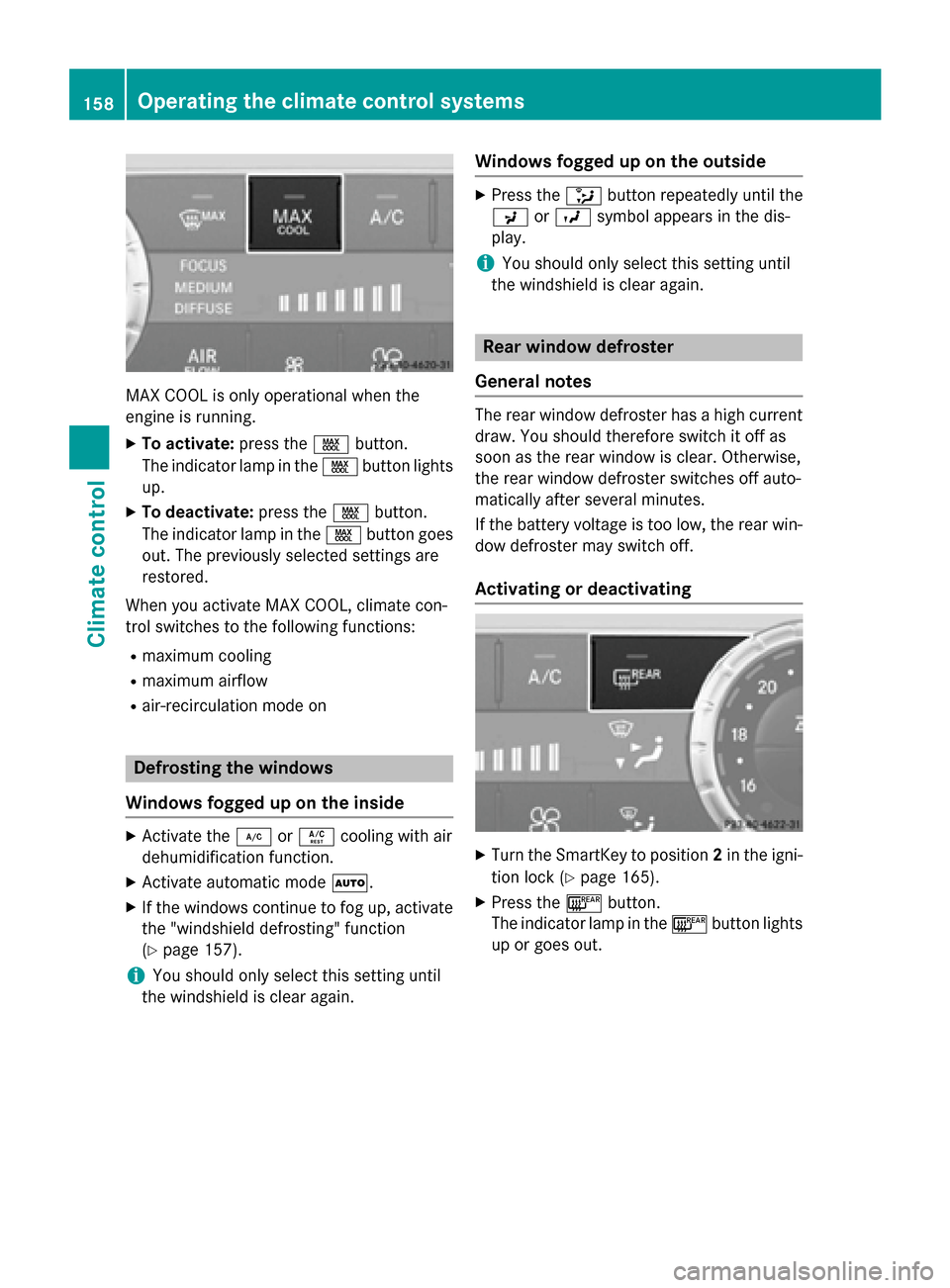
MAX COOL is only operational when the
engine is running.
XTo activate:press theÙbutton.
The indicator lamp in the Ùbutton lights
up.
XTo deactivate: press theÙbutton.
The indicator lamp in the Ùbutton goes
out. The previously selected settings are
restored.
When you activate MAX COOL, climate con-
trol switches to the following functions:
Rmaximum cooling
Rmaximum airflow
Rair-recirculation mode on
Defrosting the windows
Windows fogged up on the inside
XActivate the ¿orÁ cooling with air
dehumidification function.
XActivate automatic mode Ã.
XIf the windows continue to fog up, activate
the "windshield defrosting" function
(
Ypage 157).
iYou should only select this setting until
the windshield is clear again.
Windows fogged up on the outside
XPress the _button repeatedly until the
P orO symbol appears in the dis-
play.
iYou should only select this setting until
the windshield is clear again.
Rear window defroster
General notes
The rear window defroster has a high current
draw. You should therefore switch it off as
soon as the rear window is clear. Otherwise,
the rear window defroster switches off auto-
matically after several minutes.
If the battery voltage is too low, the rear win-
dow defroster may switch off.
Activating or deactivating
XTurn the SmartKey to position 2in the igni-
tion lock (
Ypage 165).
XPress the ¤button.
The indicator lamp in the ¤button lights
up or goes out.
158Operating the climate control systems
Climate control
Page 161 of 462
Problems with the rear window defroster
ProblemPossible causes/consequences andMSolutions
The rear window
defroster has deactiva-
ted prematurely or can-
not be activated.The battery has not been sufficiently charged.
XSwitch off any consumers that are not required, e.g. reading
lamps, interior lighting or the seat heating.
When the battery is sufficiently charged, the rear window
defroster can be activated again.
Switching air-recirculation mode
on/off
General notes
You can deactivate the flow of fresh air if
unpleasant odors are entering the vehicle
from outside. The air already inside the vehi-
cle will then be recirculated.
If you switch on air-recirculation mode, the
windows can fog up more quickly, in particu-
lar at low temperatures. Only use air-recircu-
lation mode briefly to prevent the windows
from fogging up.
Activating or deactivating
XTurn the SmartKey to position 2in the igni-
tion lock (
Ypage 165).
XTo activate: press thedbutton.
The indicator lamp in the dbutton lights
up.
iIn the event of high pollution levels (3-
zone automatic climate control only) or at
high outside temperatures, air-recircula-
tion mode is automatically activated. When air-recirculation mode is activated auto-
matically, the indicator lamp in the
d
button is not lit.
Outside air is added after about
30 minutes.
XTo deactivate: press thedbutton.
The indicator lamp in the dbutton goes
out.
iAir-recirculation mode deactivates auto-
matically:
Rafter approximately five minutes at out-
side temperatures below approximately
41 ‡ (5 †)
Rafter approximately five minutes if cool-
ing with air dehumidification is deactiva-
ted
Rafter approximately 30 minutes at out-
side temperatures above approximately
41 ‡ (5 †) if the "Cooling with air dehu-
midification" function is activated
Switching the residual heat on or off
General notes
The residual heat function is only available on
vehicles for Canada.
It is possible to make use of the residual heat
of the engine to continue heating the station-
ary vehicle for up to 30 minutes after the
engine has been switched off. The heating
time depends on the set interior temperature.
Operating the climate control systems159
Climate control
Page 163 of 462
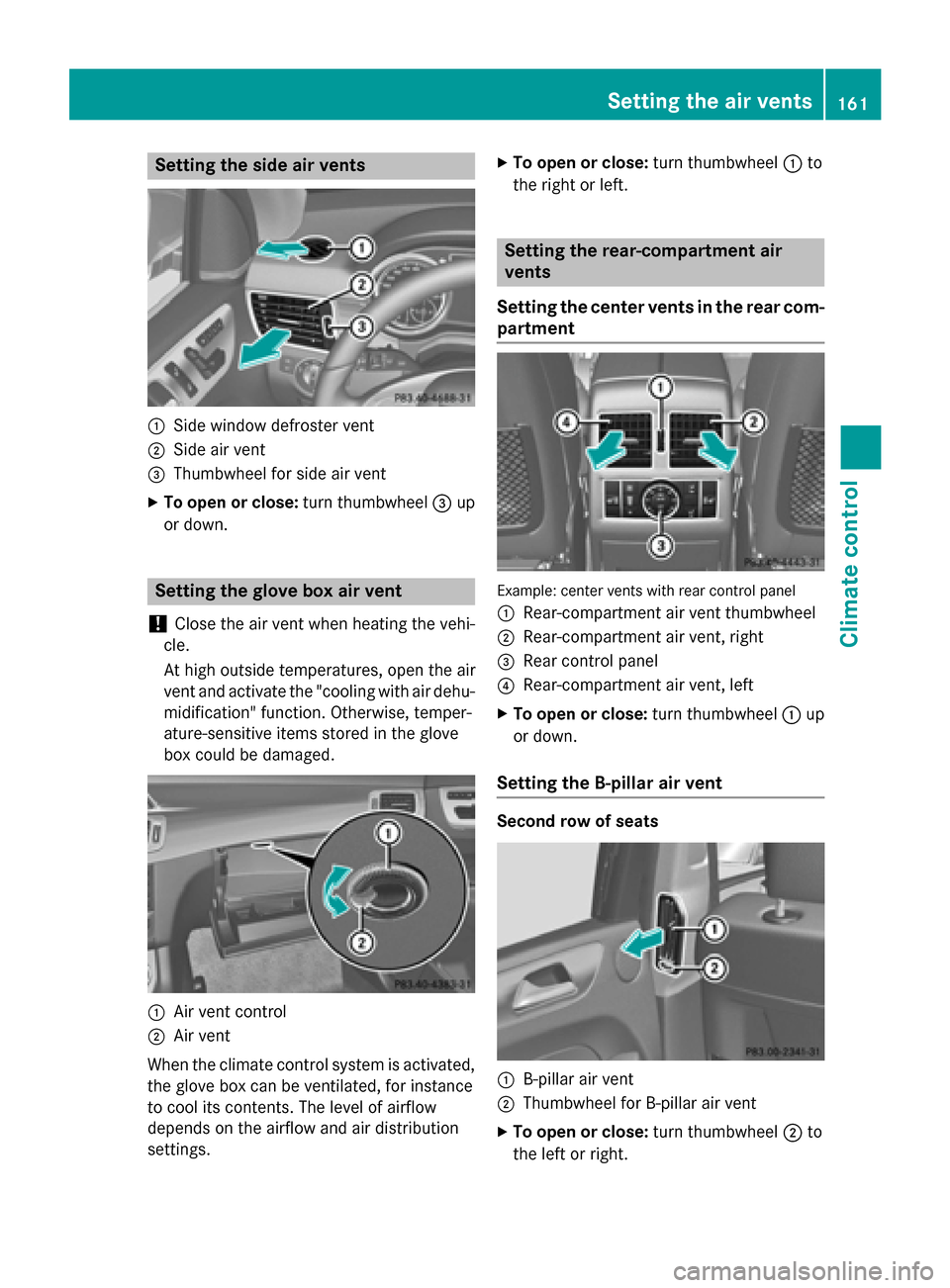
Setting the side air vents
:Side window defroster vent
;Side air vent
=Thumbwheel for side air vent
XTo open or close:turn thumbwheel=up
or down.
Setting the glove box air vent
!
Close the air vent when heating the vehi-
cle.
At high outside temperatures, open the air
vent and activate the "cooling with air dehu- midification" function. Otherwise, temper-
ature-sensitive items stored in the glove
box could be damaged.
:Air vent control
;Air vent
When the climate control system is activated,
the glove box can be ventilated, for instance
to cool its contents. The level of airflow
depends on the airflow and air distribution
settings.
XTo open or close: turn thumbwheel:to
the right or left.
Setting the rear-compartment air
vents
Setting the center vents in the rear com-
partment
Example: center vents with rear control panel
:
Rear-compartment air vent thumbwheel
;Rear-compartment air vent, right
=Rear control panel
?Rear-compartment air vent, left
XTo open or close: turn thumbwheel:up
or down.
Setting the B-pillar air vent
Second row of seats
:B-pillar air vent
;Thumbwheel for B-pillar air vent
XTo open or close: turn thumbwheel;to
the left or right.
Setting the air vents161
Climate control
Z
Page 199 of 462
engine's air suction nozzles and this can
cause engine damage.
iVehicles with the AIRMATIC package:
set the raised level before driving through
standing water.
Off-road fording
!Under no circumstances should you
accelerate before entering the water. The
bow wave could cause water to enter and
damage the engine and other assemblies.
!Do not open any of the vehicle's doors
while fording. Otherwise, water could get
into the vehicle interior and damage the
vehicle's electronics and interior equip-
ment.
REstablish how deep the water is and the
characteristics of the body of water before
fording.
RSelect the highest possible vehicle level.
RShift to a lower gear using the left-hand
steering wheel paddle shifter.
RAvoid high engine speeds.
REnter and exit the water at a flat place and
at a steady walking pace.
RDrive slowly and at an even speed through
the water.
REnsure that a bow wave does not form as
you drive.
RDo not stop and do not switch off the
engine. Water offers a high degree of resist-
ance, and the ground is slippery and in
some cases unstable. Therefore, it is diffi-
cult and dangerous to pull away in the
water.
RClean any mud from the tire tread after
fording.
RApply the brakes to dry them after fording.
Always observe the fording depth values
(
Ypage 455).
Winter driving
GWARNING
If you shift down on a slippery road surface in an attempt to increase the engine's braking
effect, the drive wheels could lose their grip.
There is an increased danger of skidding and
accidents.
Do not shift down for additional engine brak-
ing on a slippery road surface.
GDANGER
If the exhaust pipe is blocked or adequate
ventilation is not possible, poisonous gases
such as carbon monoxide (CO) may enter the vehicle. This is the case, e.g. if the vehicle
becomes trapped in snow. There is a risk of
fatal injury.
If you leave the engine or the auxiliary heating
running, make sure the exhaust pipe and area
around the vehicle are clear of snow. To
ensure an adequate supply of fresh air, open a
window on the side of the vehicle that is not
facing into the wind.
Have your vehicle winter-proofed at a quali-
fied specialist workshop at the onset of win-
ter.
Drive particularly carefully on slippery road
surfaces. Avoid sudden acceleration, steeringand braking maneuvers. Do not use the cruise
control or DISTRONIC PLUS.
If the vehicle threatens to skid or cannot be
stopped when moving at low speed:
XShift the transmission to position N.
Vehicles with the ON&OFFROAD package:
if driving in snow or with snow chains, select
the snow program (
Ypage 255) with the off-
road program selector wheel in the center
console.
iVehicles with a diesel engine: do not
cover the radiator, e.g. with a protective
cover. The measuring function of the on-
board diagnosis system may otherwise pro-
vide inaccurate values. Some of these val-
Driving tips197
Driving and parking
Z
Page 201 of 462
specialist workshop as soon as possible.
Adapt your driving style to the different brak-
ing characteristics.
Driving off-road increases the likelihood of
damage to the vehicle, which, in turn, can lead
to failure of the mechanical assembly or sys-
tems. Adapt your driving style to suit the ter-
rain conditions. Drive carefully. Have damage
to the vehicle rectified immediately at a quali-
fied specialist workshop.
Do not switch to transmission positionN
when driving off-road. If you try to brake the
vehicle using the service brake, you could
lose control of the vehicle. If the gradient is
too steep for your vehicle, drive back down in
reverse gear.
General notes
Read this section carefully before driving your
vehicle off-road. Practice by driving over more
gentle off-road terrain first.
Familiarize yourself with the characteristics
of your vehicle and the gear shift operation
before driving through difficult terrain.
The following driving systems are specially
adapted to off-road driving:
ROff-road program 1 and 2 (vehicles with the
ON&OFFROAD package) (
Ypage 258)
RLOW RANGE off-road gear (vehicles with
the ON&OFFROAD package)
(
Ypage 259)
RDifferential lock (vehicles with the
ON&OFFROAD package) (
Ypage 259)
ROff-road ABS (Ypage 69)
ROff-road 4ETS (Ypage 73)
RAIRMATIC package (vehicle level)
(
Ypage 218)
RDSR (Downhill Speed Regulation)
(
Ypage 257)
Observe the following notes:
RStop the vehicle before starting to drive
along an off-road route.
RSelect a vehicle level that is suitable for the
terrain. To avoid damaging the vehicle, make sure there is always sufficient ground
clearance.
RCheck that items of luggage and loads are
stowed safely and are well secured
(
Ypage 345).
RAlways keep the engine running and in gear
when driving on a downhill gradient. Acti-
vate DSR (
Ypage 257).
RAlways keep the engine running and in gear
when driving on a slope.
RAdapt your speed to the terrain. The
rougher, steeper or more ruts on the ter-
rain, the slower your speed should be.
RDo not jump with the vehicle as this will
interrupt the vehicle's propulsion.
RDrive with extreme care on unfamiliar off-
road routes where visibility is poor. For
safety reasons, get out of the vehicle first
and survey the off-road route.
RLook out for obstacles, such as rocks,
holes, tree stumps and furrows.
RAlways keep the doors, the tailgate, the
side windows and the sliding sunroof
closed while the vehicle is in motion.
RDo not shift the automatic transmission to
transmission position N.
RObserve the notes on off-road fording
(
Ypage 197).
iDo not use the HOLD function when driv-
ing off-road, on steep uphill or downhill gra-
dients or on slippery or loose surfaces. The
HOLD function cannot hold the vehicle on
such surfaces.
Checklist before driving off-road
!If the engine oil warning lamp lights up
while the vehicle is in motion, stop the vehi- cle in a safe place as soon as possible.
Check the engine oil level. The engine oil
warning lamp warning must not be ignored.
Continuing the journey while the symbol is
displayed could lead to engine damage.
XEngine oil level: check the engine oil level
and add oil if necessary.
Driving tips199
Driving and parking
Z
Page 270 of 462
using the brake controller and check
whether the brakes function correctly.
RSecure any objects on the trailer to prevent
the cargo from slipping when the vehicle is
in motion.
RWhen you couple up a trailer, check at reg-
ular intervals that the load isfirmly secured.
If the trailer isequipped with trailer lights
and brakes, check the trailer to ensure that
these are working.
RBear inmind that the handlin g will be less
stable when towing a trailer than when driv-
ing without one. Avoid sudden steering
movements.
RThe vehicle/trailer combination isheavier,
accelerates more slowly, has a decreased
gradient cli mbing capability and a longer
braking distance.
It is more susceptible to side winds and
requires more careful steering.
RIf possible, do not brake suddenly, but
instead depress the brake pedal moder-
ate lyat first so that the trailer can activate
it s brakes. Then increase the pressure on
the brake pedal.
RIf the automat ictransmission repeatedly
shifts between gears on uphill or downhill
gradients, shift to a lower gear using the
left-hand steering wheel paddleshifter.
A lower gear and lower speed reduce the
risk of engine failure.
RWhen drivingdown hill, shift to a lower gear
to uti lize the engine's braking effect.
Avoid co ntin
uous brake application as this
may overheat the vehicle brakes and, if
instal led,the trailer brakes.
RIfthe coolant temperature increases dra-
matical ly while the air-cond itioning system
is swit ched on, switch off the air-condition-
ing system.
Coolant heat can also bedissipated by
opening the windows and switching the ventilation
blower and the interior temper-
ature to the highest leve l.
RWhen overtaking, pay particular attention
to the extended length of your vehicle/
trailer combination.
Due to the length of the vehicle/trailer
combination, you require additional road
spaceinrelation to the vehicle you are
overtaking before you can change back to
the original lane.
Decoupling a trailer
GWARNIN G
If you uncouple atrailer wit hth eoverrun
brak eengaged ,you could trap your han d
between th evehicl eand th etrailer drawbar.
Ther eis aris kof injury.
Do no tuncouple atrailer if th eoverrun brak e
is engaged .
GWARNING
Vehicles wit hleve lcontrol :
The vehicl eis lowered as soo nas you discon -
nect th etrailer cable. This could result in your
limb sor those of other people that are
between th evehicl ebody and tires or under-
neath th evehicl ebein gtrapped .Ther eis a
ris kof injury.
Mak esure that nobody is in th eimmediat e
vicinity of th ewhee lhousing sor under th e
vehicl ewhen you disconnect th etrailer cable.
!Do not disconnect a trailer with an
engaged overrun brake. Otherwise, your
vehicle could bedamaged bythe rebound-
ing of the overrun brake.
XSh ift the transmission to position P.
XApply the vehicle's electr icparking brake.
XStart the engine.
XClose the doors and tailgate.
XApply the trailer's parking brake.
268Towing a trailer
Driving and parking
Page 283 of 462
XPress the6ora button to start dial-
ing.
or
XTo exit the redial memory: press the
~ or% button.
Assistance menu
Introduction
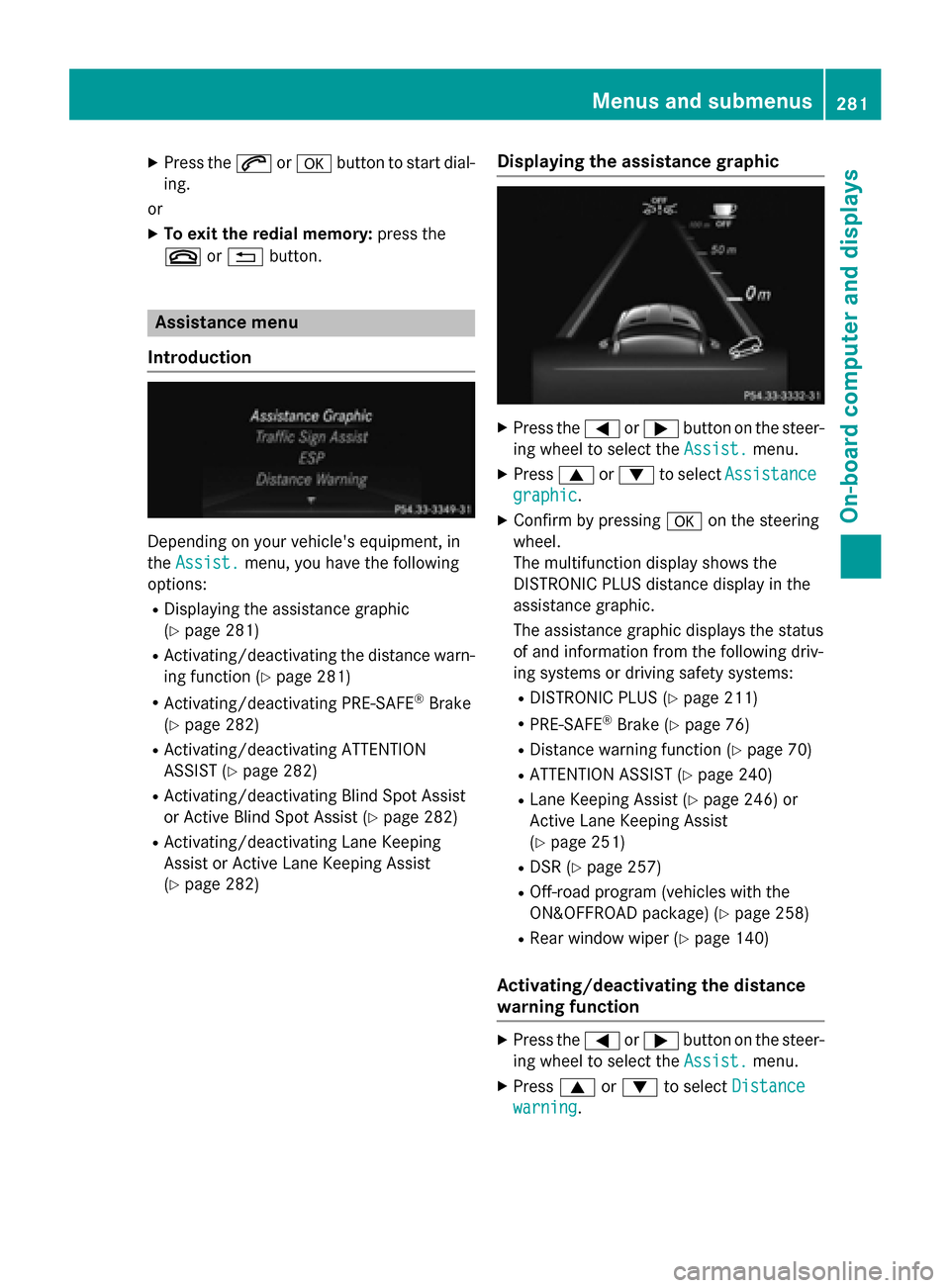
Depending on your vehicle's equipment, in
the Assist.
menu, you have the following
options:
RDisplaying the assistance graphic
(
Ypage 281)
RActivating/deactivating the distance warn- ing function (
Ypage 281)
RActivating/deactivating PRE-SAFE®Brake
(
Ypage 282)
RActivating/deactivating ATTENTION
ASSIST (
Ypage 282)
RActivating/deactivating Blind Spot Assist
or Active Blind Spot Assist (
Ypage 282)
RActivating/deactivating Lane Keeping
Assist or Active Lane Keeping Assist
(
Ypage 282)
Displaying the assistance graphic
XPress the =or; button on the steer-
ing wheel to select the Assist.
menu.
XPress9or: to select Assistance
graphic.
XConfirm by pressing aon the steering
wheel.
The multifunction display shows the
DISTRONIC PLUS distance display in the
assistance graphic.
The assistance graphic displays the status
of and information from the following driv-
ing systems or driving safety systems:
RDISTRONIC PLUS (Ypage 211)
RPRE-SAFE®Brake (Ypage 76)
RDistance warning function (Ypage 70)
RATTENTION ASSIST (Ypage 240)
RLane Keeping Assist (Ypage 246) or
Active Lane Keeping Assist
(
Ypage 251)
RDSR (Ypage 257)
ROff-road program (vehicles with the
ON&OFFROAD package) (
Ypage 258)
RRear window wiper (Ypage 140)
Activating/deactivating the distance
warning function
XPress the =or; button on the steer-
ing wheel to select the Assist.
menu.
XPress9or: to select Distance
warning.
Menus and submenus281
On-board computer and displays
Z
Page 302 of 462
Display messagesPossible causes/consequences andMSolutions
6
Frontleftmalfunc‐
tionConsul twork‐
sho porFront right
malfunction Con ‐
sultworkshop
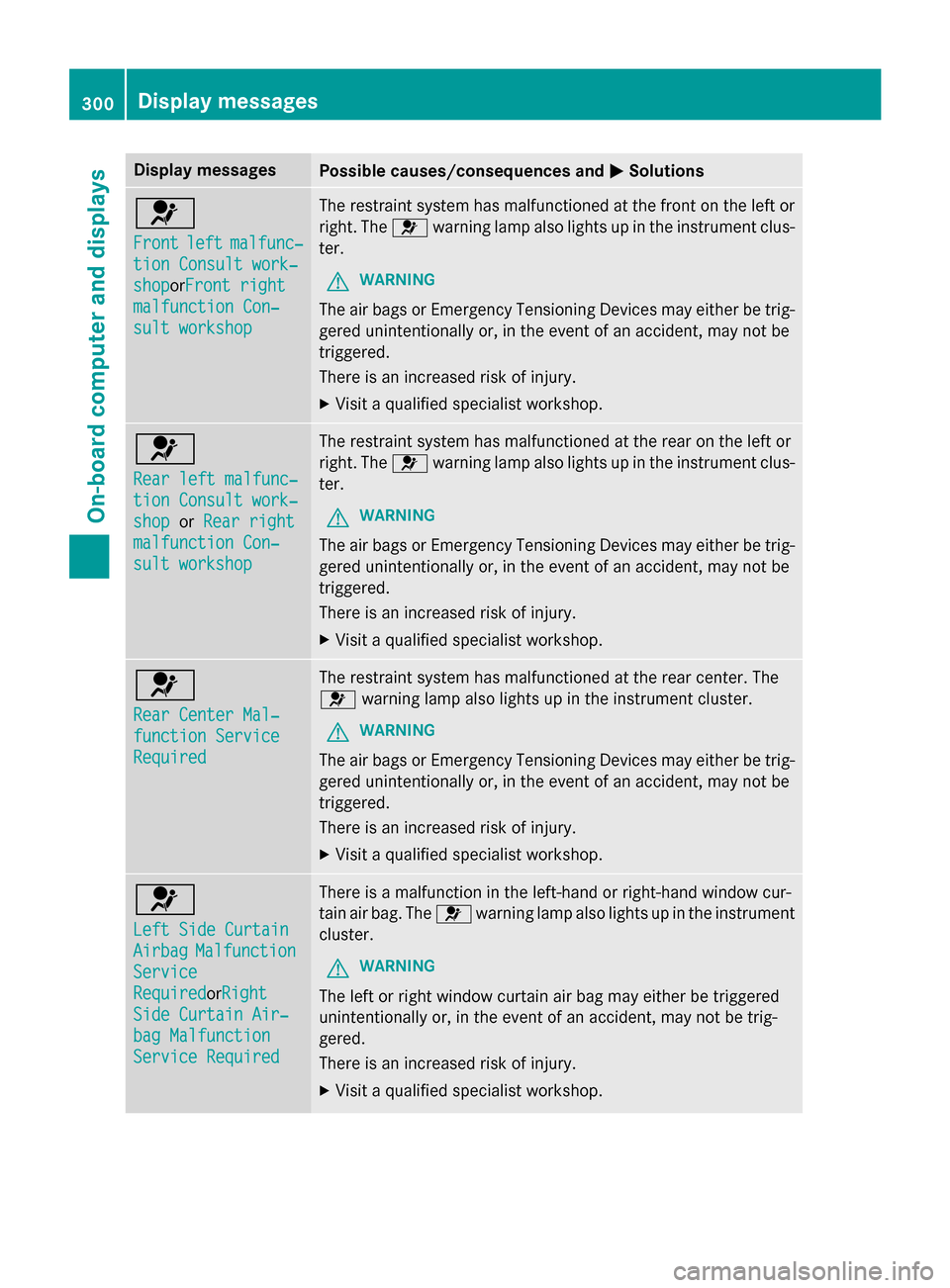
The restrain tsystem has malfunctioned at th efron ton th elef tor
right .The 6 warnin glamp also lights up in th einstrumen tclus-
ter.
GWARNIN G
The air bags or Emergency Tensioning Devices may either be trig-
gered unintentionally or, in th eevent of an accident, may no tbe
triggered .
There is an increase dris kof injury.
XVisit aqualified specialist workshop .
6
Rearlef tmalfunc‐
tio nConsul twork‐
sho porRea rright
malfunction Con ‐
sultworkshop
The restrain tsystem has malfunctioned at th erear on th elef tor
right .The 6 warnin glamp also lights up in th einstrumen tclus-
ter.
GWARNIN G
The air bags or Emergency Tensioning Devices may either be trig-
gered unintentionally or, in th eevent of an accident, may no tbe
triggered .
There is an increase dris kof injury.
XVisit aqualified specialist workshop .
6
RearCenter Mal ‐
function Servic e
Required
The restraintsystem has malfunctioned at th erear center. The
6 warnin glamp also lights up in th einstrumen tcluster.
GWARNIN G
The air bags or Emergency Tensioning Devices may either be trig-
gered unintentionally or, in th eevent of an accident, may no tbe
triggered .
There is an increase dris kof injury.
XVisit aqualified specialist workshop .
6
LeftSid eCurtai n
AirbagMalfunction
Service
RequiredorRigh t
SideCurtai nAir ‐
bag Malfunction
Servic eRequired
There is amalfunction in th eleft-han dor right-hand window cur -
tai nair bag. The 6warnin glamp also lights up in th einstrumen t
cluster.
GWARNIN G
The leftor right window curtai nair bag may either be triggered
unintentionally or, in th eevent of an accident, may no tbe trig-
gered.
There is an increase dris kof injury.
XVisit aqualified specialist workshop .
300Display messages
On-board computer and displays