key MERCEDES-BENZ GL SUV 2012 Workshop Manual
[x] Cancel search | Manufacturer: MERCEDES-BENZ, Model Year: 2012, Model line: GL SUV, Model: MERCEDES-BENZ GL SUV 2012Pages: 441, PDF Size: 10.66 MB
Page 125 of 441
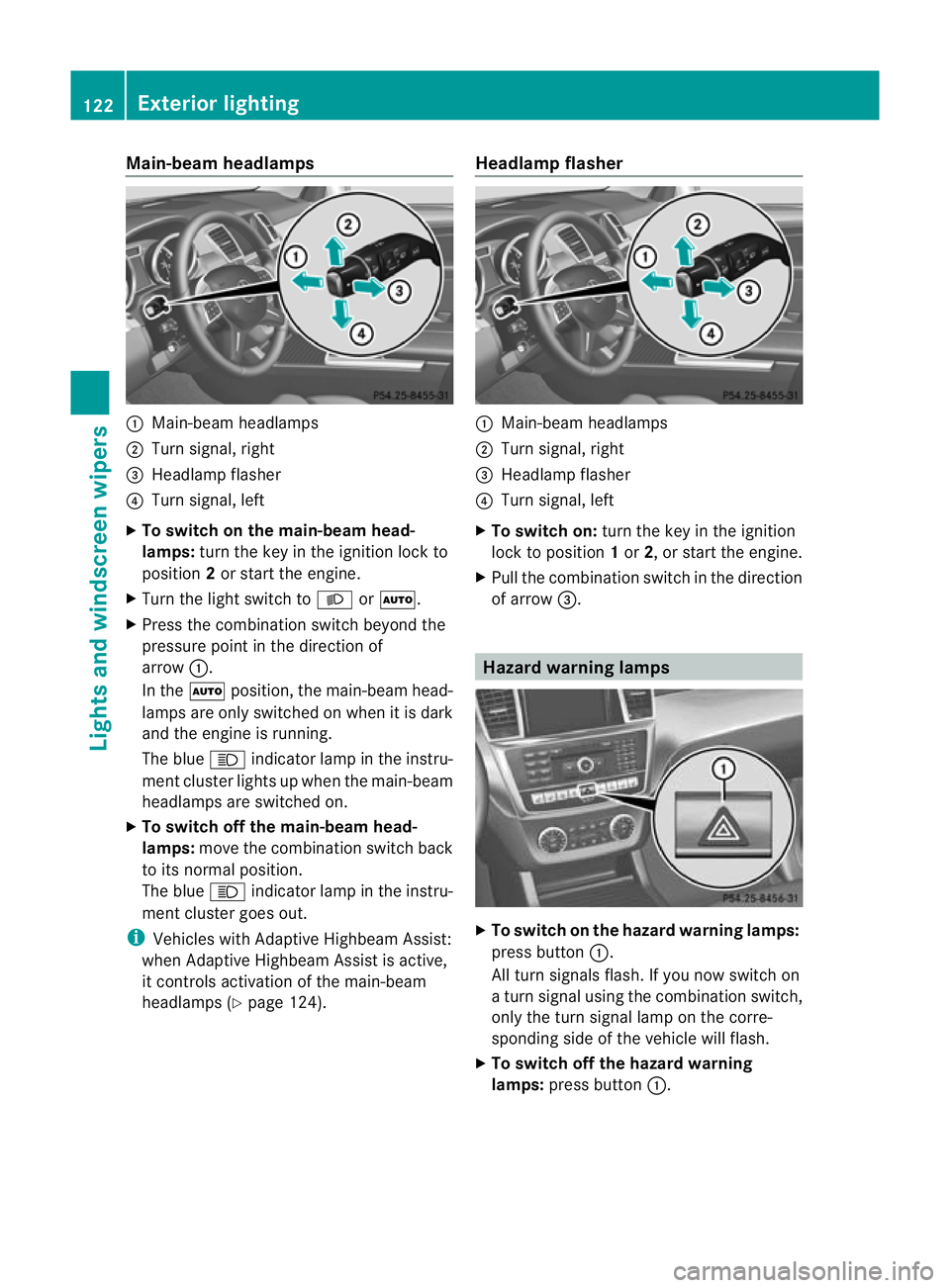
Main-beam headlamps
:
Main-beam headlamps
; Turn signal, right
= Headlam pflasher
? Turn signal, left
X To switch on the main-beam head-
lamps: turn the key in the ignitio nlock to
position 2or star tthe engine.
X Tur nthe light switch to LorÃ.
X Press the combination switch beyond the
pressure point in the direction of
arrow :.
In the Ãposition, the main-beam head-
lamps ar eonly switched on whe nitisdark
and the engine is running.
The blue Kindicator lamp in the instru-
ment cluster lights up when the main-beam
headlamps are switched on.
X To switch off the main-beam head-
lamps: move the combinatio nswitch back
to its normal position.
The blue Kindicator lamp in the instru-
ment cluster goes out.
i Vehicles with Adaptive Highbeam Assist:
when Adaptive Highbeam Assist is active,
it controls activation of the main-beam
headlamps (Y page124). Headlamp flasher :
Main-beam headlamps
; Turn signal, right
= Headlam pflasher
? Turn signal, left
X To switch on: turn the key in the ignition
lock to position 1or 2,ors tart the engine.
X Pul lthe combination switch in the direction
of arrow =. Hazard warning lamps
X
To switch on th ehazard warnin glamps:
press button :.
All turn signals flash .Ifyou now switch on
at urn signa lusing the combination switch,
only the tur nsigna llam pont he corre-
sponding side of the vehicle will flash.
X To switch of fthe hazard warn ing
lamps: press button :.122
Exterior lightingLights and windscreen wipers
Page 130 of 441
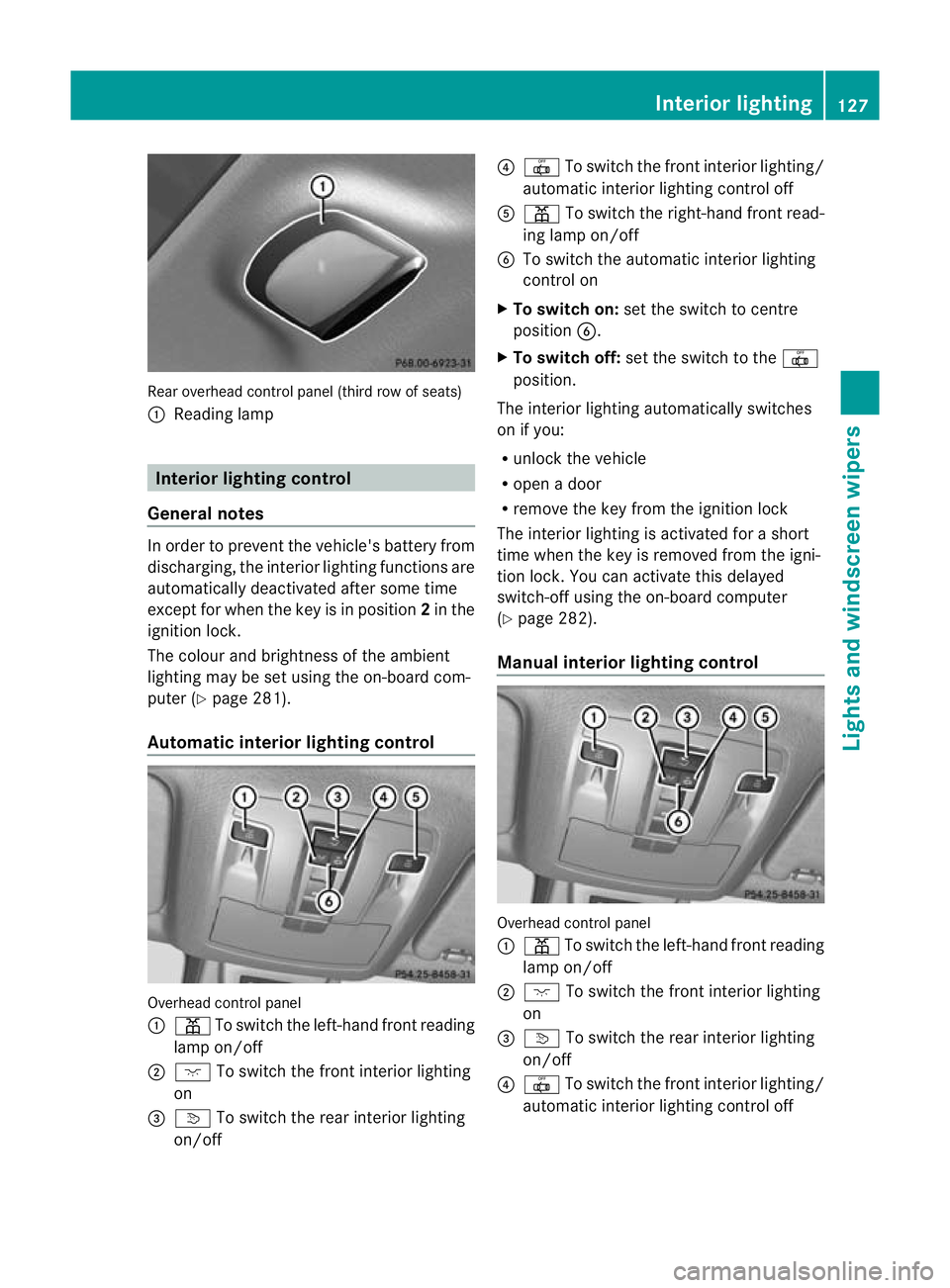
Rear overhead control panel (thir
drow of seats)
: Readin glamp Interior lightin
gcontrol
General notes In order to preven
tthe vehicle' sbattery from
discharging, the interior lighting functions are
automatically deactivated after some time
except for when the key is in position 2in the
ignition lock.
The colour and brightness of the ambient
lighting may be set using the on-board com-
puter (Y page 281).
Automatic interior lighting control Overhead control panel
:
p To switch the left-hand front reading
lamp on/off
; c To switch the front interior lighting
on
= v To switch the rear interior lighting
on/off ?
| To switch the front interior lighting/
automatic interior lighting control off
A p To switch the right-hand front read-
ing lamp on/off
B To switch the automatic interior lighting
control on
X To switch on: set the switch to centre
position B.
X To switch off: set the switch to the |
position.
The interior lighting automatically switches
on if you:
R unlock the vehicle
R open adoor
R remove the key from the ignition lock
The interior lightin gisactivate dfor as hort
tim ew hen the key is removed from the igni-
tion lock .You can activate this delayed
switch-of fusing the on-boar dcomputer
(Y page 282).
Manua linterior lighting control Overhead con
trolpanel
: p To switch the left-hand front reading
lamp on/off
; c To switch the front interior lighting
on
= v To switch the rear interior lighting
on/off
? | To switch the front interior lighting/
automatic interior lighting control off Interior lighting
127Lights and windscreen wipers Z
Page 131 of 441
A
p To switc hthe right-hand fron tread-
ing lam pon/off
B To switch the automati cinterior lighting
control on
X To switch on the front interior lighting:
set the switch to the cpositio n.
X To switch off the interior lighting: set the
switch to the |positio nor(if the door
is closed) to the centre position.
X To switch the rear interior lighting on/
off: press the ubutton.
X To switch the reading lamp son/off:
press the pbutton. Crash-responsive emergency lighting
The interior lightin gisa ctivated automatically
if the vehicle is involved in an accident.
X To switch off the crash-responsive
emergenc ylighting: press the hazard
warning lamp button.
or
X Lock and then unlock the vehicle using the
key. Replacing bulbs
Important safet
ynotes
Xenon bulbs G
DANGER
Xenon bulbs are under high voltage. If you
touch the electrical contact sofaxenon bulb,
you could suffer an electric shock and be seri-
ously or even fatally inju red. For this reason,
do not remove the cover of xenon bulbs.
Do not change the xenon bulbs yourself, but
have them replaced at aqualified workshop.
If your vehicle is equipped with xenon bulbs,
you can recognise this by the following :the
con eoflight from the xenon bulbs moves
from the top to the bottom and back again
when you start the engine. For this to be observed, the lights must be switched on
before starting the engine.
Bulbs and lamps are an important aspect of
vehicle safety. You must therefore make sure
that these function correctly at all times.
Hav
ethe headlamp setting checked regularly.
Other bulbs G
WARNING
Bulbs and lamps can be ver yhot. You should
therefore allow them to cool down befor eyou
change them .Otherwise, you could be burned
if you touch them.
Keep bulbs out of the reach of children .Oth-
erwise, the ycould damage the bulbs, for
example, and inj uret hemselves.
Never use abulbw hich ha sbeend ropped.
Suc hab ulbm ay break or even explode and
injure you.
Haloge nbulbs are pressurised and can
explode when you change them ,particularly
if they are ver yhot.Y ou should therefor ewear
eye protec tion and gloves when you are
changing them.
There are bulbs other than the xenon bulbs
that you can notreplace. Replace only the
bulbs listed (Y page 129). Hav ethe bulbs that
you can notreplace yourself changed at a
qualified specialist workshop.
If you require assistanc echanging bulbs, con-
sult aqualified specialist workshop.
Do not touch the glass tube of new bulbs with
your bare hands. Even minor contamination
can burn into the glass surface and reduce
the service life of the bulbs .Always use alint-
free cloth or only touch the base of the bulb
when fitting.
Only use bulbs of the correc ttype.
If the new bulb still does not light up, consult
aq ualified specialist workshop.
Bulbs and lamps are an importan taspect of
vehicle safety .You must therefor emake sure
that these function correctly at all times.
Have the headlamp setting checked regularly. 128
Replacing bulbsLights and windscree
nwipers
Page 135 of 441
5
¯ Continuous wipe, fast
B í Single wipe
C î To wipe with washer fluid
X Turn the key to position 1or 2in the ignition
lock (Y page 159).
X Turn the combination switc htothe corre-
sponding position.
In the ÄorÅ position, the appropriate
wipin gfrequency is se tautomatically accord-
ing to the intensity of the rain. In the Å
posi tion, the rain sensor is mor esensitive
than in the Äposition, causin gthe wind-
screen wiper stowipe mor efrequently. Switc
hing th erearw indow wiper on/
off Combi
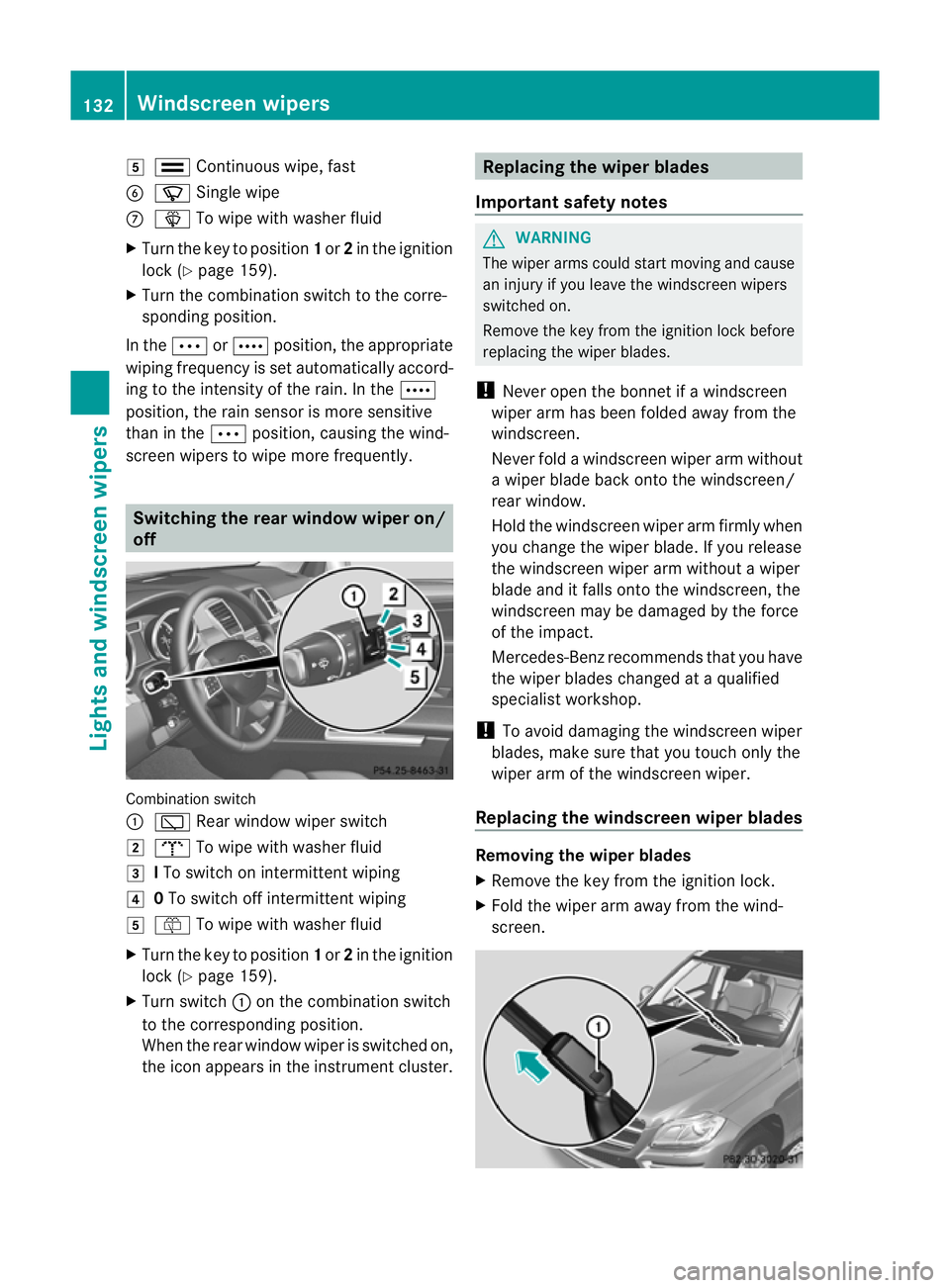
nation switch
: è Rear windo wwiper switch
2 b To wipe with washer fluid
3 ITo switc honintermitten twiping
4 0To switc hoff intermittent wiping
5 ô To wip ewith washer fluid
X Turn the key to position 1or 2in the ignition
lock (Y page 159).
X Turn switch :on the combination switch
to the correspondin gposition.
When the rea rwindow wiper is switched on,
the icon appears in the instrumen tcluster. Replacing th
ewiper blades
Important safety notes G
WAR
NING
The wipe rarms could start moving and cause
an injury if you leave the windscreen wipers
switche don.
Remove the key from the ignition lock before
replacing the wipe rblades.
! Never open the bonnet if awindscreen
wiper arm has been folded away from the
windscreen.
Never fold awindscreen wiper arm without
aw iper blade back ont othe windscreen/
rea rwindow.
Hold the windscreen wiper arm firmly when
you change the wiper blade. If you release
the windscreen wiper arm without awiper
blade and it falls ont othe windscreen, the
windscreen ma ybedamaged by the force
of the impact.
Mercedes-Benz recommends that you have
the wiper blades changed at aqualified
specialist workshop.
! To avoid damaging the windscreen wiper
blades, mak esure that you touc honly the
wipe rarm of th ewindsc reen wiper.
Replacing th ewindscreen wiper blades Removing th
ewiper blades
X Remov ethe key fr om theignition lock.
X Fold the wiper ar maway fro mthe wind-
screen. 132
Windscreen wipersLights and windscreen wipers
Page 136 of 441
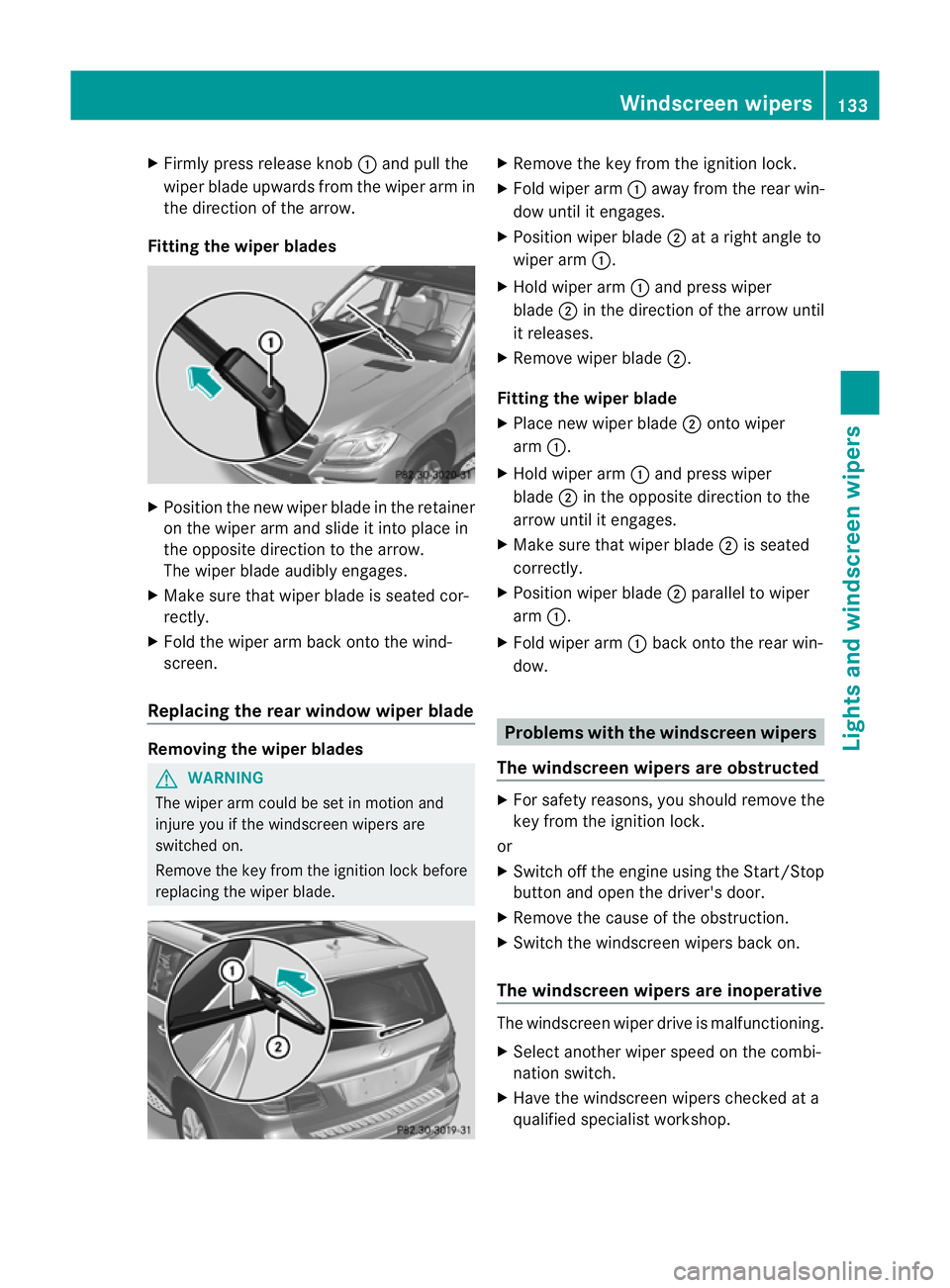
X
Firml ypress release knob :and pull the
wipe rblade upwards from the wiper arm in
the directio nofthe arrow.
Fitting th ewiper blades X
Position the new wiper blade in the retainer
on the wiper arm and slide it into place in
the opposite direction to the arrow.
The wiper blade audibly engages.
X Make sure that wiper blade is seated cor-
rectly.
X Fold the wiper arm back onto the wind-
screen.
Replacing the rear window wiper blade Removing the wiper blades
G
WARNING
The wiper arm could be set in motion and
injur eyou if the windscreen wiper sare
switched on.
Remove th ekey from the ignition lock before
replacing the wiper blade. X
Remov ethe key from the ignition lock.
X Fold wiper arm :away from the rea rwin-
dow until it engages.
X Position wiper blade ;atar ight angle to
wiper arm :.
X Hold wiper arm :and press wiper
blade ;in the direction of the arrow until
it releases.
X Remove wiper blade ;.
Fitting the wiper blade
X Place new wiper blade ;onto wiper
arm :.
X Hold wiper arm :and press wiper
blade ;in the opposite direction to the
arrow until it engages.
X Make sure that wiper blade ;is seated
correctly.
X Position wiper blade ;parallel to wiper
arm :.
X Fold wiper arm :back onto the rear win-
dow. Problems with the windscreen wipers
The windscreen wipers are obstructed X
For safety reasons, you should remov ethe
key from the ignition lock.
or
X Switc hoff th eengine using the Start/Stop
butto nand ope nthe driver's door.
X Remove the cause of the obstruction.
X Switc hthe windscreen wiper sback on.
The windscreen wipers are inoperative The windscreen wiper drive is malfunctioning.
X
Select another wiper spee donthe combi-
nation switch.
X Hav ethe windscreen wiper schecked at a
qualified specialist workshop. Windscreen wipers
133Lights and windscreen wipers Z
Page 144 of 441
Q
Switche srear-com partment climate contro lon/of f(Y page 141)
R Reduces the airflow (Y page 144)Informat
iona bout using
THERMOTRONIC automatic climate
control
The following contains instructions and rec-
omm endations to enabl eyou to get the most
ou tofy our THERMOTRONIC automatic cli-
mate con trol.
R Activate climate con trol using the Ãand
¿ buttons. The indicator lamps above
the à and¿ button slight up.
R In automatic mode, you can also use the
ñ button to set aclimate mode
(FOCUS/MEDIUM/DIFFUSE). The
MEDIU Mlevel is recommended.
R Set the temperature to 22 †.
R Only use the demisting function briefly until
the windscreen is clear again.
R Only use the air-recir culation mode briefly,
e.g. if there are unpleasant outside odours
or when in atunnel. The windows could
otherwis emist up as no fresh air is drawn
into the vehicle in air-recirculation mode.
R Use the ZONE func tion to adopt the tem-
peratur esettings on the driver' sside for
the front-passenger side and the rear com-
partmen taswell. The indicator lamp above
the á button goes out.
R Use the residual heat function if you want
to heat or ventilate the vehicl einterior
whe nthe ignition is switched off .The resid-
ual heat func tion can only be activated or
deactivated with the ignition switched off. Operating th
eclimat econtrol system Switching climate control on/off
Points to observe before use i
If climat econtrol is switched off ,the air
supply and air circulation ar ealso switched off. Only select this settin
gbriefly. Other-
wise ,the windows ma ymist up.
i Switch on climate control primarily using
the à button (Y page 142).
In the rear compartment, you can also switch
climate control on and off using the Ãand
^ buttons.
Switching on/off X
Turn the key to position 2in the ignition
lock.
X To switch on: press buttonÃ.
The indicator lamp in the Ãbutton lights
up. Airflow and air distribution are set to
automatic mode.
or
X Press the ^button.
The indicator lamp in the ^button goes
out. The previous settings are reactivated.
X To switch off: press the^button.
The indicator lamp in the ^button lights
up. Activating/deactivating the cooling
with air dehu
midification function
Points to observe before use G
WARNING
If the "cooling with air dehumidification" func-
tion is deactivated, the air inside the vehicle
will not be cooled (during warm weather) or
dehumidified. The windows could mist up
more quickly. This may prevent you from
observing the traffic conditions, thereby caus-
ing an accident.
The cooling with air dehumidification function
is only available when the engine is running.
The air inside the vehicle is cooled and dehu- Operating the climate control system
141Climatecontrol Z
Page 145 of 441
mid
ified according to the temperature selec-
ted.
Condensation may drip from the undersid eof
the vehicl ewhen cooling mode is active .This
is norma land not asign that there is amal-
function.
i The cooling with air dehumidification
function uses refrigerant R134a. This
refrigerant does not contain chlorofluoro-
carbons, and therefore does not damage
the ozone layer.
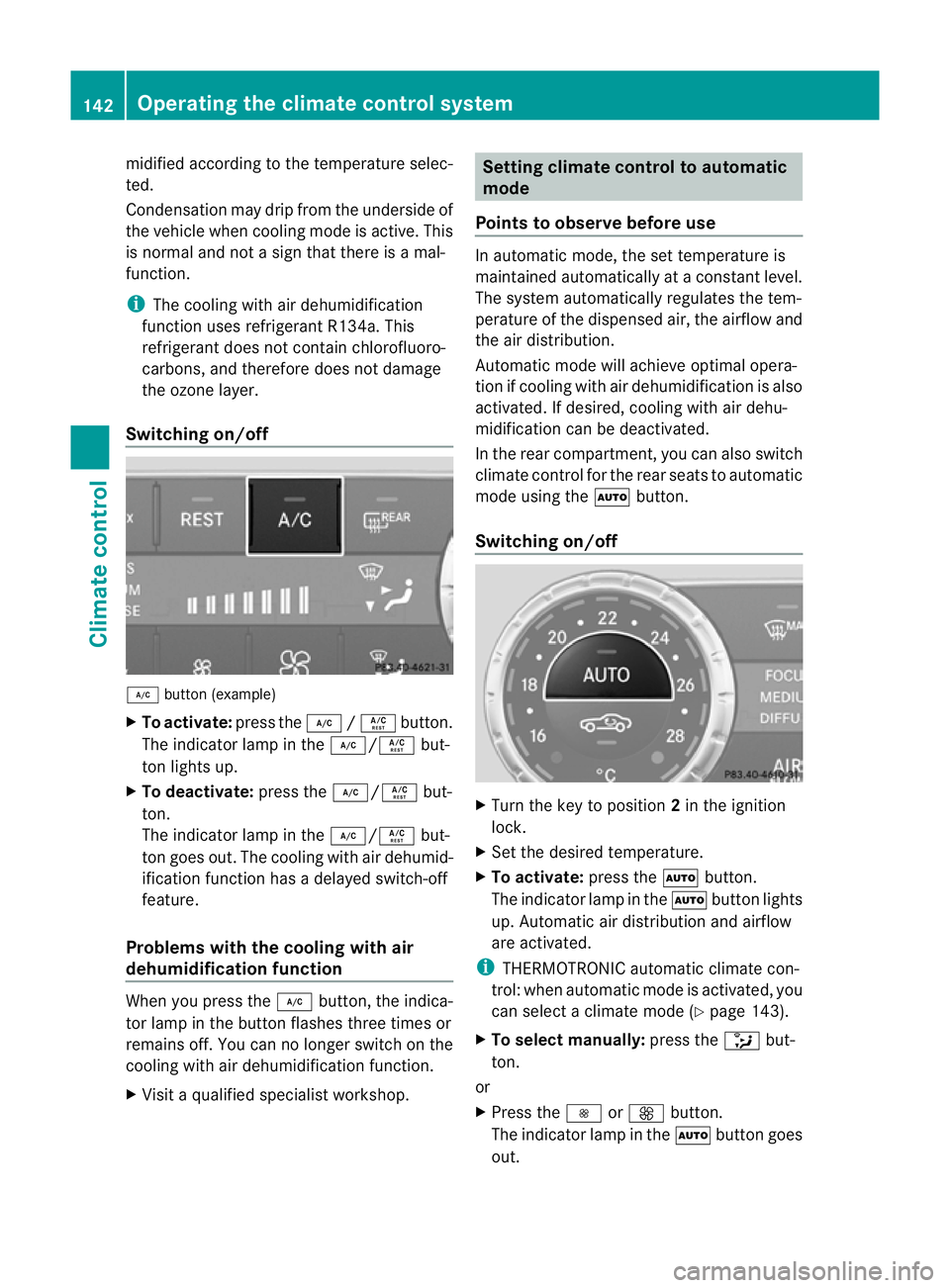
Switching on/off ¿
button (example)
X To activate: press the¿/Á button.
The indicator lamp in the ¿/Ábut-
ton lights up.
X To deactivate: press the¿/Á but-
ton.
The indicator lamp in the ¿/Ábut-
ton goes out. The cooling with air dehumid-
ificatio nfunction has adelayed switch-off
feature.
Problems with the cooling with air
dehumidification function When you press the
¿button ,the indica-
tor lam pint he button fla shes three times or
remains off .You can no longer switch on the
cooling with air dehumidification function.
X Visit aquali fieds pecialist workshop. Setting clima
tecontrol to automatic
mode
Points to observe before use In automatic mode, the set temperature is
maintained automatically at
aconstan tlevel.
The system automatically regulates the tem-
perature of the dispensed air ,the airflo wand
the air distribution.
Automatic mode will achieve optimal opera-
tion if cooling with air dehumidification is also
activated. If desired, cooling with air dehu-
midification can be deactivated.
In the rear compartment ,you can also switch
climate control for the rea rseats to automatic
mode using the Ãbutton.
Switching on/off X
Turn the key to position 2in the ignition
lock.
X Set the desired temperature.
X To activate: press theÃbutton.
The indicator lam pintheà button lights
up. Automati cair distribution and airflow
are activated.
i THERMOTRONIC automatic climat econ-
trol: when automatic mode is activated, you
can select aclimate mode (Y page 143).
X To select manually: press the_but-
ton.
or
X Press the IorK button.
The indicator lamp in the Ãbutton goes
out. 142
Operating th
eclimat econtrol systemClimat econtrol
Page 146 of 441
Setting th
eclimat emode
In automatic mode you can select the follow-
ing climat emodes:
FOCU Shigh airflow that is set slightly
cooler
MEDIU Mmedium airflow, standard setting
DIFFUS Elow airflow that is set slightly
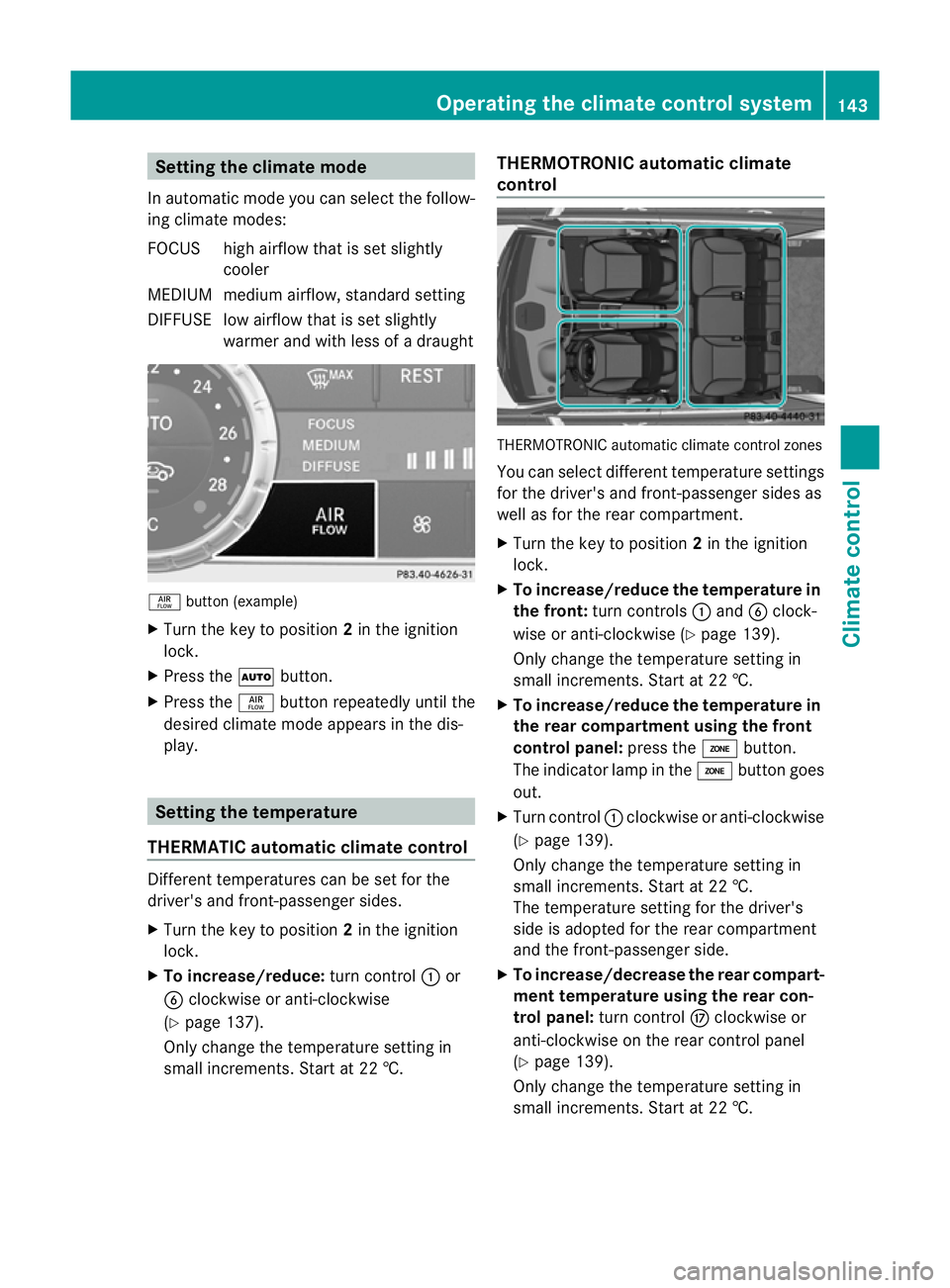
warmer and with less of adraught ñ
button (example)
X Turn th ekey to position 2in the igniti on
lock.
X Press the Ãbutton.
X Press the ñbutton repeatedly until the
desired climate mode appears in the dis-
play. Setting the temperature
THERMATIC automatic climate control Different temperatures can be set for the
driver's and front-passenge rsides.
X Turn the key to position 2in the ignition
lock.
X To increase/reduce: turnc ontrol :or
B clockwise or anti-clockwise
(Y page 13 7).
Only cha nget he temperatur esettin gin
small increm ents.Start at 22 †. THERMOTRONIC automatic climate
control
THERMOTRO
NICa utomatic climate control zones
You can sele ctdifferen ttemperatur esettings
for the driver' sand front-passenger sides as
well as for the rear compartment.
X Turn the key to position 2in the ignition
lock.
X To increase/reduce the temperature in
the front: turn controls :and Bclock-
wis eoranti-clockwise (Y page139).
Onl ychange the temperature setting in
small inc rements. Start at 22 †.
X To increase/reduce the tem perature in
the rear compartment using the front
control panel: press theábutton.
The indicator lamp in the ábutton goes
out.
X Turn control :clockwise or anti-clockwise
(Y page 139).
Only change the temperature setting in
small increments. Start at 22 †.
The temperature setting for the driver's
sid eisa dopted for the rear compartment
and the front-passenger side.
X To increase/decrease the rea rcompart-
ment temperature using the rear con-
trol panel: turn control Mclockwise or
anti-clockwise on the rear control panel
(Y page 139).
Only change the temperature setting in
small increments. Start at 22 †. Operating th
eclimat econtrol system
143Climatecontrol Z
Page 147 of 441
Setting th
eair distribution
Air distribution settings Front contro
lpanel
P Directs the airflow throug hthe cen tre
ve nts
O Directs the airflow throug hthe foot-
well air ven ts
S Directsthe airflo wthrough the cen tre
and footwell vents
¯ Directsthe airflo wthrough the demis-
ter ven ts
b Directsthe airflo wthrough the demis-
ter and cen tre vents.
a Directs the airflow throug hthe foot-
well and demister ven ts
_ Directsthe airflo wthrough the demis-
ter ,centre and footwell air ven ts.
Rear control panel
M Directsthe airflo wthrough the cen tre
and side air vent sinthe rear
O Directsthe airflo wthrough the foot-
well air ven ts
i Using the rear control panel, you can also
activate both air distribution positions
simultaneously .Inordertodot his, press
both air distribution buttons. Th eair is then
routed throug hall rear air vents.
i Regardless of th eair distribution setting,
airflow is always directed throug hthe side
air vents .The side air ven ts canonly be
closed whe nthe con trols on the side air
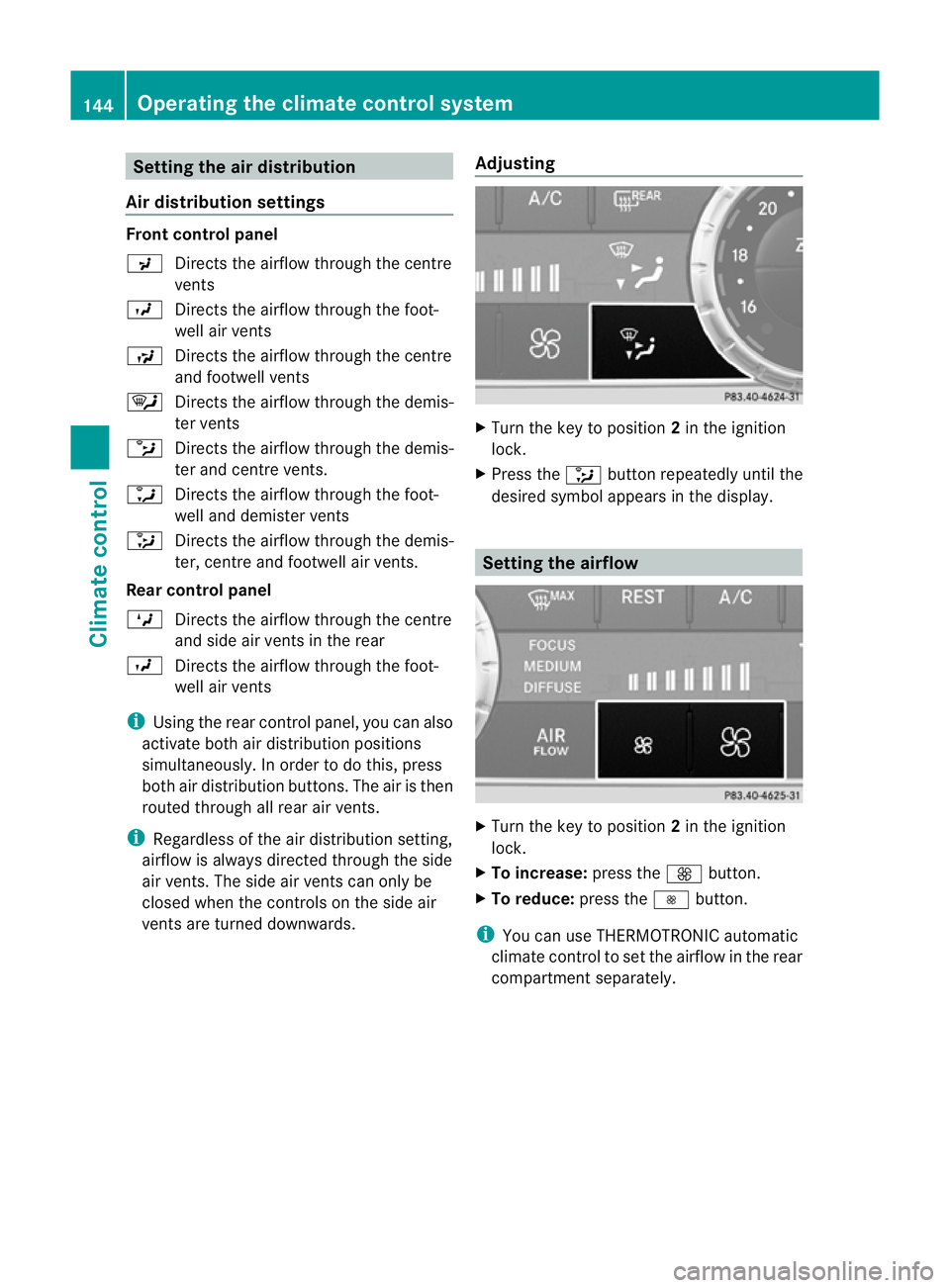
vent sare turne ddownwards. Adjusting X
Tur nthe key to position 2in the ignition
lock.
X Press the _button repeatedly until the
desired symbol appears in the display. Setting th
eairflow X
Turn the key to position 2in the ignition
lock.
X To increase: press theKbutton.
X To reduce: press theIbutton.
i You can use THERMOTRONIC automatic
climate control to set the airflow in the rear
compartmen tseparately. 144
Operating th
eclimat econtrol systemClimat econtrol
Page 148 of 441
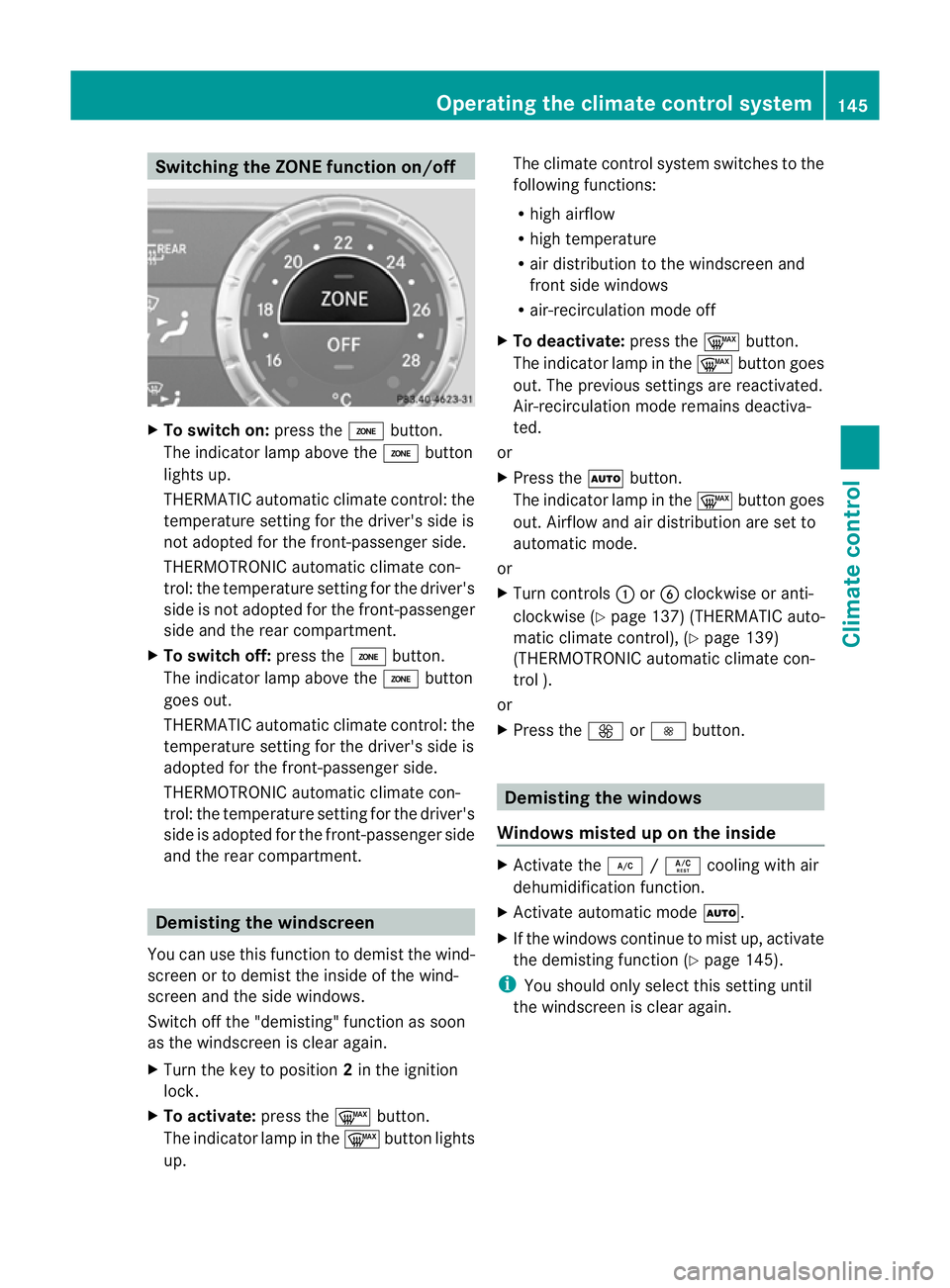
Switching th
eZONE functio non/off X
To switc hon:press the ábutton.
The indicator lam pabove the ábutton
lights up.
THERMATIC automatic climate control: the
temperatur esettin gfor the driver's side is
not adopted for the front-passenger side.
THERMOTRONIC automatic climate con-
trol: the temperatur esettin gfor the driver's
side is not adopted for the front-passenger
side and the rea rcompartment.
X To switch off: press theábutton.
The indicator lam pabove the ábutton
goes out.
THERMATIC automatic climate control: the
temperatur esettin gfor the driver's side is
adopted for the front-passenger side.
THERMOTRONIC automatic climate con-
trol: the temperatur esettin gfor the driver's
side is adopted for the front-passenger side
and the rea rcompartment. Demisting th
ewindscreen
You can use this function to demist the wind-
screen or to demist the inside of the wind-
screen and the side windows.
Switc hoff th e"demisting" function as soon
as the windscreen is clear again.
X Turn the key to position 2in the ignition
lock.
X To activate: press the¬button.
The indicator lamp in the ¬button lights
up. The climate control system switches to the
followin
gfunctions:
R high airflow
R high temperature
R air distributio ntothe windscreen and
front side windows
R air-recirculation mode off
X To deactivate: press the¬button.
The indicator lam pint he ¬ button goes
out. The previous setti ngsa re reactivated.
Air- recirculation mode remains deactiva-
ted.
or
X Pres sthe à button.
The indicator lam pint he ¬ button goes
out. Airflo wand air distributio nare se tto
automatic mode.
or
X Turn controls :orB clockwise or anti-
clockwise (Y page 137)(THERMATI Cauto-
matic climate control), (Y page 139)
(THERMOTRONIC automatic climate con-
trol ).
or
X Press the KorI button. Demisting the windows
Windows misted up on the inside X
Activate the ¿/Á cooling with air
dehumidification function.
X Activate automatic mode Ã.
X If the windows continue to mist up, activate
the demisting function (Y page 145).
i You should only select this setting until
the windscreen is clear again. Operating the climate contro
lsystem
145Clim atec ontrol Z