phone MERCEDES-BENZ GLA SUV 2018 Owner's Guide
[x] Cancel search | Manufacturer: MERCEDES-BENZ, Model Year: 2018, Model line: GLA SUV, Model: MERCEDES-BENZ GLA SUV 2018Pages: 338, PDF Size: 5.59 MB
Page 129 of 338
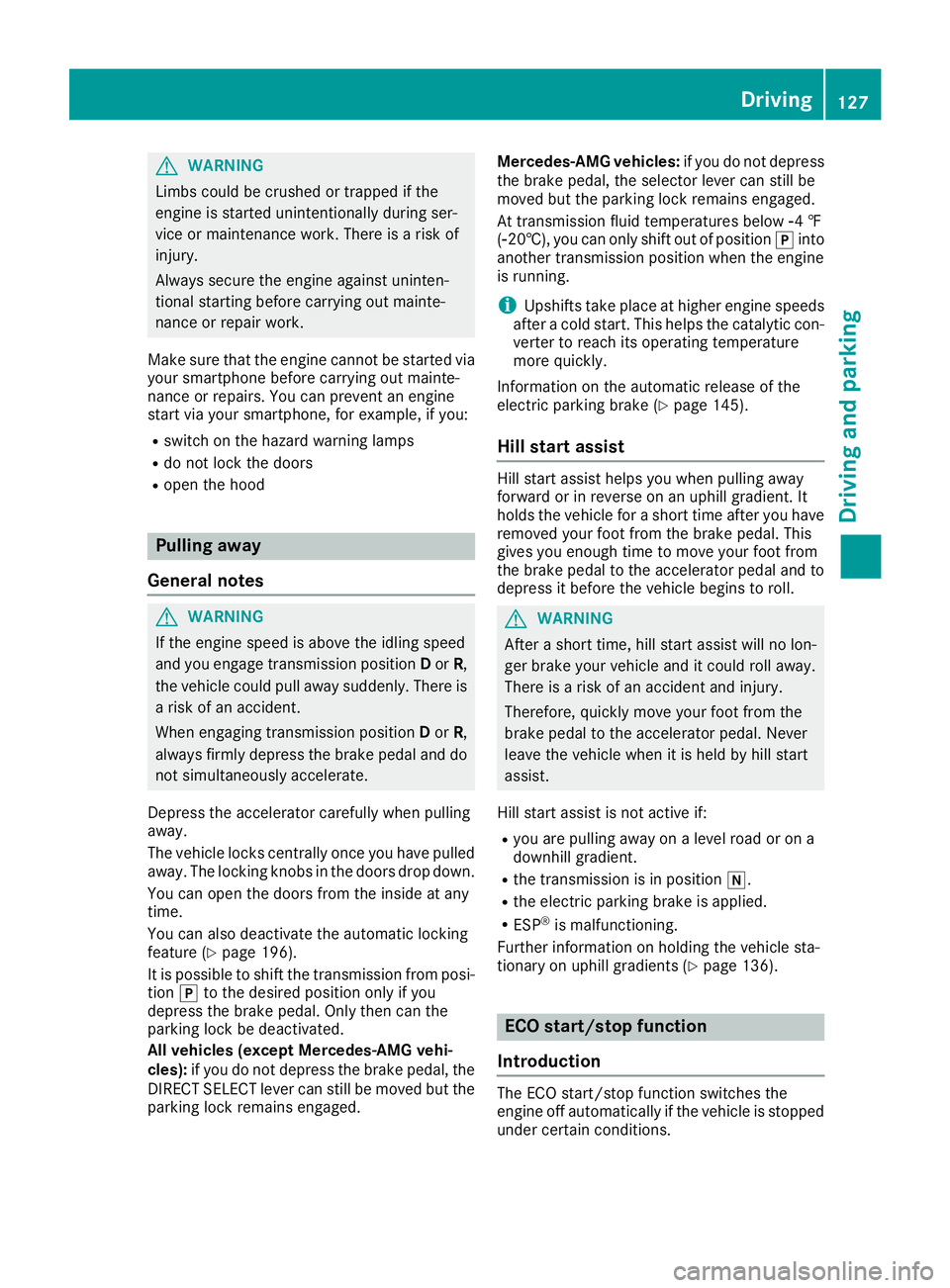
GWARNING
Limbs could be crushed or trapped if the
engine is started unintentionally during ser-
vice or maintenance work. There is a risk of
injury.
Always secure the engine against uninten-
tional starting before carrying out mainte-
nance or repair work.
Make sure that the engine cannot be started via
your smartphone before carrying out mainte-
nance or repairs. You can prevent an engine
start via your smartphone, for example, if you:
Rswitch on the hazard warning lamps
Rdo not lock the doors
Ropen the hood
Pulling away
General notes
GWARNING
If the engine speed is above the idling speed
and you engage transmission position Dor R,
the vehicle could pull away suddenly. There is
a risk of an accident.
When engaging transmission position Dor R,
always firmly depress the brake pedal and do not simultaneously accelerate.
Depress the accelerator carefully when pulling
away.
The vehicle locks centrally once you have pulled
away. The locking knobs in the doors drop down.
You can open the doors from the inside at any
time.
You can also deactivate the automatic locking
feature (
Ypage 196).
It is possible to shift the transmission from posi-
tion jto the desired position only if you
depress the brake pedal. Only then can the
parking lock be deactivated.
All vehicles (except Mercedes-AMG vehi-
cles): if you do not depress the brake pedal, the
DIRECT SELECT lever can still be moved but the parking lock remains engaged. Mercedes-AMG vehicles:
if you do not depress
the brake pedal, the selector lever can still be
moved but the parking lock remains engaged.
At transmission fluid temperatures below Ò4 ‡
(Ò20†), you can only shift out of position jinto
another transmission position when the engine
is running.
iUpshifts take place at higher engine speeds
after a cold start. This helps the catalytic con-
verter to reach its operating temperature
more quickly.
Information on the automatic release of the
electric parking brake (
Ypage 145).
Hill start assist
Hill start assist helps you when pulling away
forward or in reverse on an uphill gradient. It
holds the vehicle for a short time after you have
removed your foot from the brake pedal. This
gives you enough time to move your foot from
the brake pedal to the accelerator pedal and to
depress it before the vehicle begins to roll.
GWARNING
After a short time, hill start assist will no lon-
ger brake your vehicle and it could roll away.
There is a risk of an accident and injury.
Therefore, quickly move your foot from the
brake pedal to the accelerator pedal. Never
leave the vehicle when it is held by hill start
assist.
Hill start assist is not active if:
Ryou are pulling away on a level road or on a
downhill gradient.
Rthe transmission is in position i.
Rthe electric parking brake is applied.
RESP®is malfunctioning.
Further information on holding the vehicle sta-
tionary on uphill gradients (
Ypage 136).
ECO start/stop function
Introduction
The ECO start/stop function switches the
engine off automatically if the vehicle is stopped
under certain conditions.
Driving127
Driving and parking
Z
Page 135 of 338
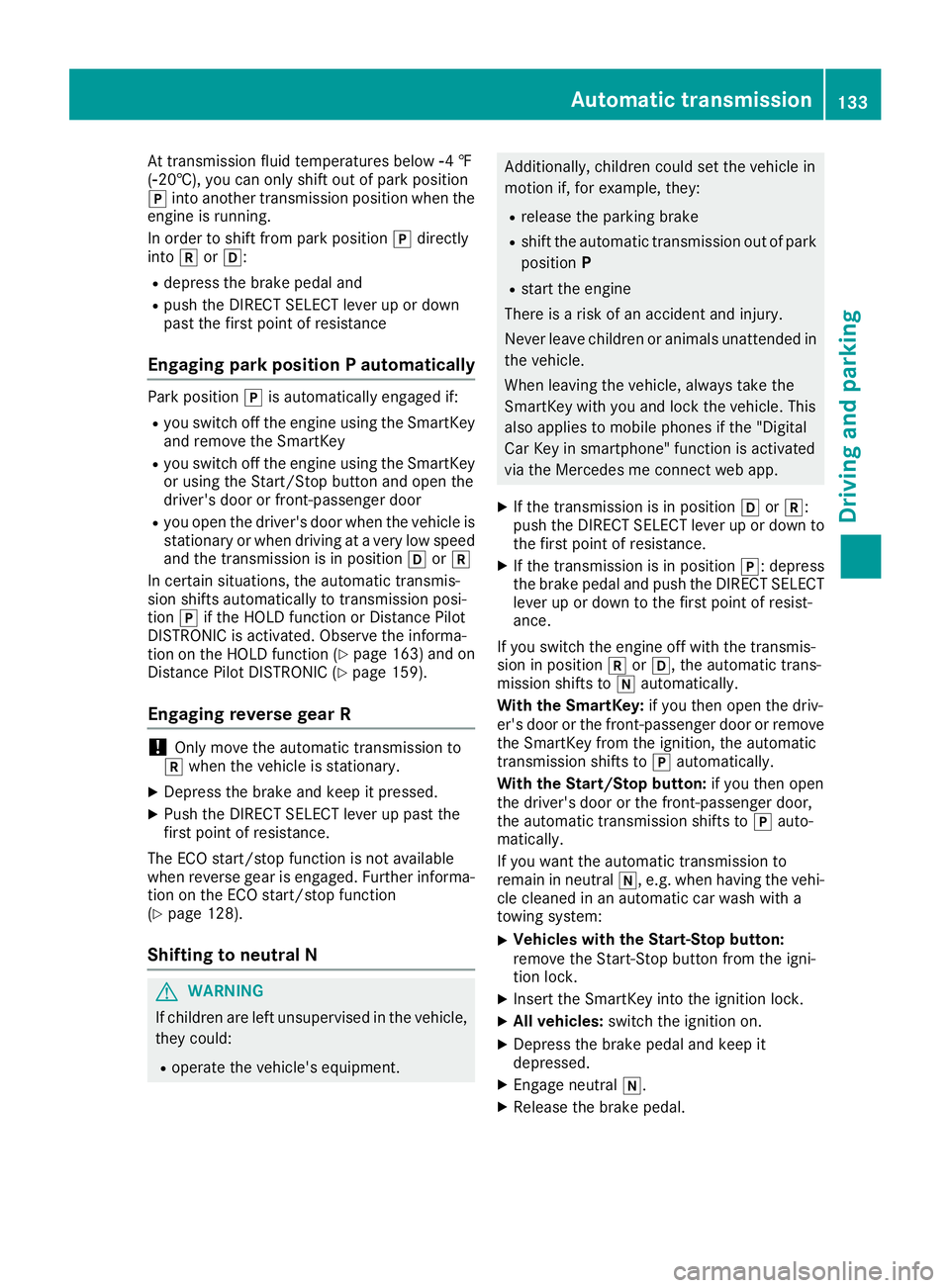
At transmission fluid temperatures belowÒ4 ‡
( Ò20†), you can only shift out of park position
j into another transmission position when the
engine is running.
In order to shift from park position jdirectly
into korh:
Rdepress the brake pedal and
Rpush the DIRECT SELECT lever up or down
past the first point of resistance
Engaging park position P automatically
Park position jis automatically engaged if:
Ryou switch off the engine using the SmartKey
and remove the SmartKey
Ryou switch off the engine using the SmartKey
or using the Start/Stop button and open the
driver's door or front-passenger door
Ryou open the driver's door when the vehicle is
stationary or when driving at a very low speed
and the transmission is in position hork
In certain situations, the automatic transmis-
sion shifts automatically to transmission posi-
tion jif the HOLD function or Distance Pilot
DISTRONIC is activated. Observe the informa-
tion on the HOLD function (
Ypage 163) and on
Distance Pilot DISTRONIC (Ypage 159).
Engaging reverse gear R
!Only move the automatic transmission to
k when the vehicle is stationary.
XDepress the brake and keep it pressed.
XPush the DIRECT SELECT lever up past the
first point of resistance.
The ECO start/stop function is not available
when reverse gear is engaged. Further informa-
tion on the ECO start/stop function
(
Ypage 128).
Shifting to neutral N
GWARNING
If children are left unsupervised in the vehicle,
they could:
Roperate the vehicle's equipment.
Additionally, children could set the vehicle in
motion if, for example, they:
Rrelease the parking brake
Rshift the automatic transmission out of park
position P
Rstart the engine
There is a risk of an accident and injury.
Never leave children or animals unattended in
the vehicle.
When leaving the vehicle, always take the
SmartKey with you and lock the vehicle. This
also applies to mobile phones if the "Digital
Car Key in smartphone" function is activated
via the Mercedes me connect web app.
XIf the transmission is in position hork:
push the DIRECT SELECT lever up or down to
the first point of resistance.
XIf the transmission is in position j: depress
the brake pedal and push the DIRECT SELECT
lever up or down to the first point of resist-
ance.
If you switch the engine off with the transmis-
sion in position korh, the automatic trans-
mission shifts to iautomatically.
With the SmartKey: if you then open the driv-
er's door or the front-passenger door or remove
the SmartKey from the ignition, the automatic
transmission shifts to jautomatically.
With the Start/Stop button: if you then open
the driver's door or the front-passenger door,
the automatic transmission shifts to jauto-
ma
tically.
If you want the automatic transmission to
remain in neutral i, e.g. when having the vehi-
cle cleaned in an automatic car wash with a
towing system:
XVehicles with the Start-Stop button:
remove the Start-Stop button from the igni-
tion lock.
XInsert the SmartKey into the ignition lock.
XAll vehicles: switch the ignition on.
XDepress the brake pedal and keep it
depressed.
XEngage neutral i.
XRelease the brake pedal.
Automatic transmission133
Driving and parking
Z
Page 148 of 338
Drivingtips
General notes
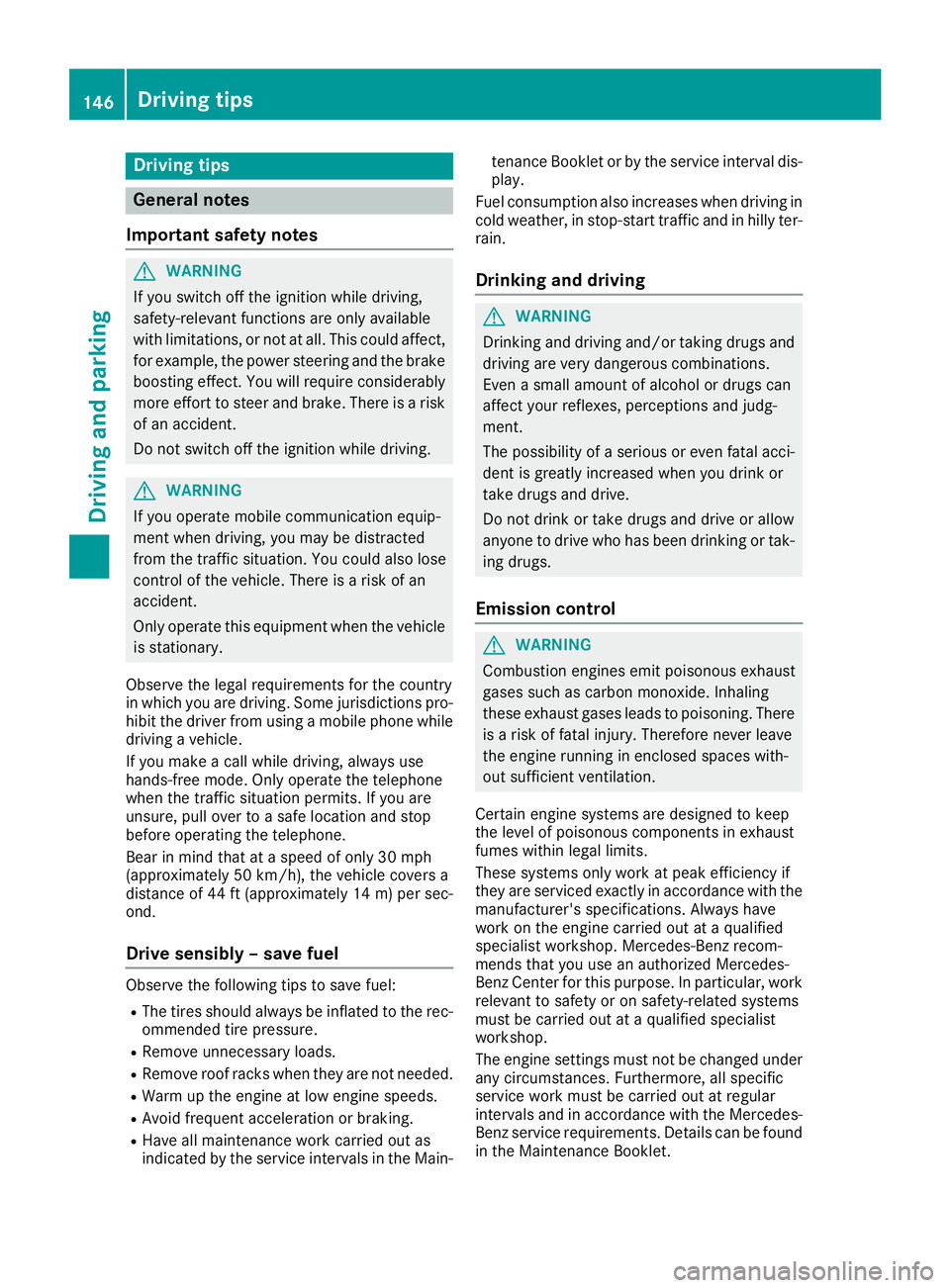
Important safet ynotes
GWARNING
If you switch of fth eignition whil edriving,
safety-relevant function sare only available
wit hlimitations, or no tat all. Thi scould affect,
fo rexample, th epowe rsteerin gand th ebrake
boostin geffect .You will require considerably
more effort to steer and brake .There is aris k
of an accident.
Do no tswitch of fth eignition whil edriving.
GWARNING
If you operat emobile communication equip -
men twhen driving, you may be distracted
from th etraffic situation .You could also los e
contro lof th evehicle. There is aris kof an
accident.
Only operat ethis equipmen twhen th evehicle
is stationary.
Observ eth elega lrequirements fo rth ecountry
in whic hyou are driving. Some jurisdiction spro -
hibi tth edriver from usin g amobile phone whil e
drivin g avehicle.
If you mak e acallwhil edriving, always use
hands-free mode. Only operat eth etelephon e
when th etraffic situation permits. If you are
unsure ,pull over to asaf elocation and stop
befor eoperatin gth etelephone.
Bear in min dthat at aspeed of only 30 mph
(approximately 50 km/h), th evehicle cover s a
distanc eof 44 ft (approximately 14 m)per sec-
ond.
Drive sensibly – save fuel
Observe the following tips to save fuel:
RThe tires should always be inflated to the rec-
ommended tire pressure.
RRemove unnecessary loads.
RRemove roof racks when they are not needed.
RWarm up the engine at low engine speeds.
RAvoid frequent acceleration or braking.
RHave all maintenance work carried out as
indicated by the service intervals in the Main- tenance Booklet or by the service interval dis-
play.
Fuel consumption also increases when driving in cold weather, in stop-start traffic and in hilly ter-
rain.
Drinking and driving
GWARNING
Drinking and driving and/or taking drugs and driving are very dangerous combinations.
Even a small amount of alcohol or drugs can
affect your reflexes, perceptions and judg-
ment.
The possibility of a serious or even fatal acci-
dent is greatly increased when you drink or
take drugs and drive.
Do not drink or take drugs and drive or allow
anyone to drive who has been drinking or tak-
ing drugs.
Emission control
GWARNING
Combustion engines emit poisonous exhaust
gases such as carbon monoxide. Inhaling
these exhaust gases leads to poisoning. There
is a risk of fatal injury. Therefore never leave
the engine running in enclosed spaces with-
out sufficient ventilation.
Certain engine systems are designed to keep
the level of poisonous components in exhaust
fumes within legal limits.
These systems only work at peak efficiency if
they are serviced exactly in accordance with the
manufacturer's specifications. Always have
work on the engine carried out at a qualified
specialist workshop. Mercedes-Benz recom-
mends that you use an authorized Mercedes-
Benz Center for this purpose. In particular, work
relevant to safety or on safety-related systems
must be carried out at a qualified specialist
workshop.
The engine settings must not be changed under any circumstances. Furthermore, all specific
service work must be carried out at regular
intervals and in accordance with the Mercedes-
Benz service requirements. Details can be found in the Maintenance Booklet.
146Driving tips
Driving and parking
Page 189 of 338
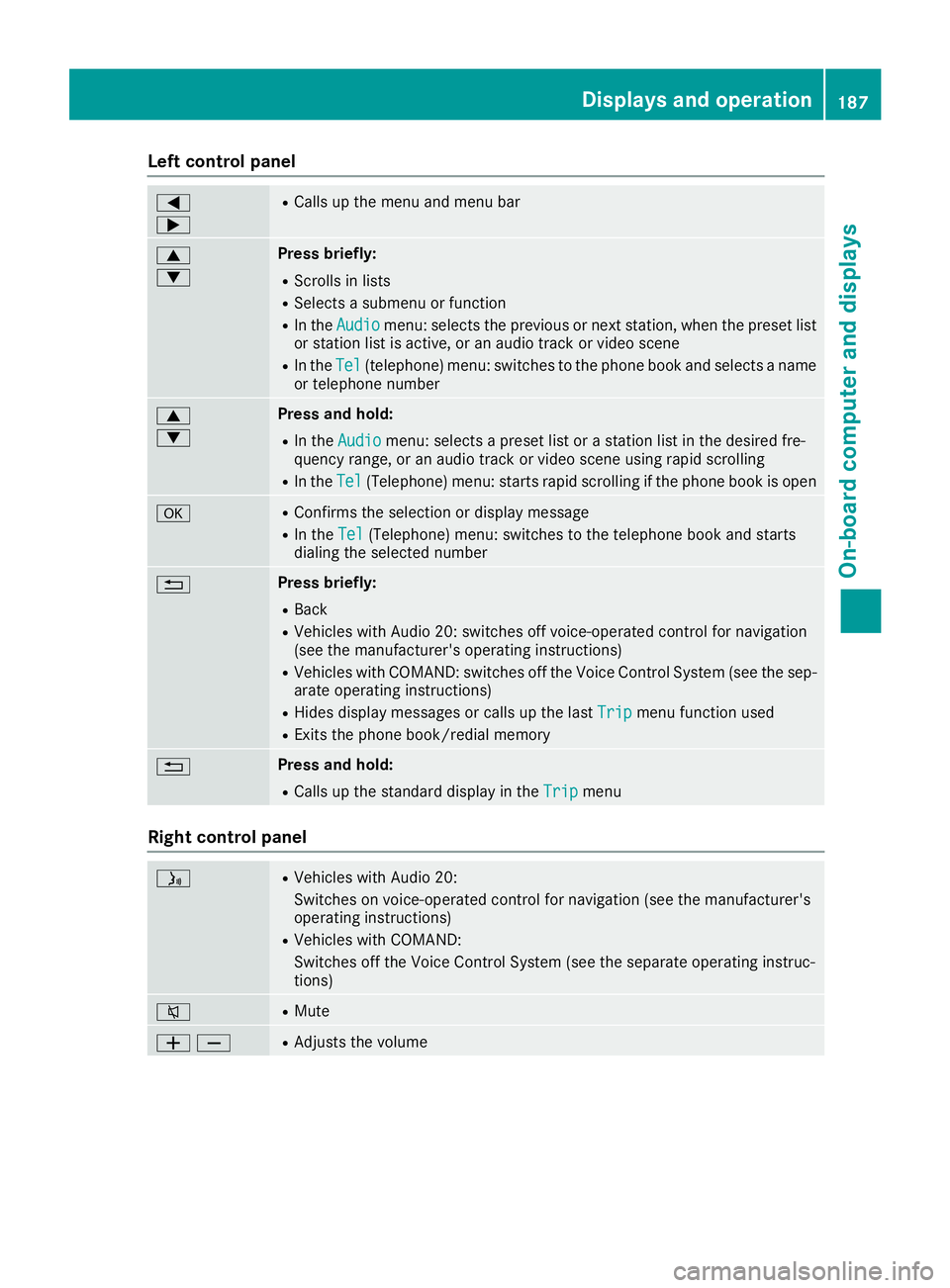
Left control panel
=
;RCalls up the menu and menu bar
9
:Press briefly:
RScrolls in lists
RSelects a submenu or function
RIn theAudiomenu: selects the previous or next station, when the preset list
or station list is active, or an audio track or video scene
RIn the Tel(telephone) menu: switches to the phone book and selects a name
or telephone number
9
:Press and hold:
RIn the Audiomenu: selects a preset list or a station list in the desired fre-
quency range, or an audio track or video scene using rapid scrolling
RIn the Tel(Telephone) menu: starts rapid scrolling if the phone book is open
aRConfirms the selection or display message
RIn the Tel(Telephone) menu: switches to the telephone book and starts
dialing the selected number
%Press briefly:
RBack
RVehicles with Audio 20: switches off voice-operated control for navigation
(see the manufacturer's operating instructions)
RVehicles with COMAND: switches off the Voice Control System (see the sep- arate operating instructions)
RHides display messages or calls up the last Tripmenu function used
RExits the phone book/redial memory
%Press and hold:
RCalls up the standard display in theTripmenu
Right control panel
óRVehicles with Audio 20:
Switches on voice-operated control for navigation (see the manufacturer's
operating instructions)
RVehicles with COMAND:
Switches off the Voice Control System (see the separate operating instruc-
tions)
8RMute
WXRAdjusts the volume
Displays and operation187
On-board computer and displays
Z
Page 190 of 338
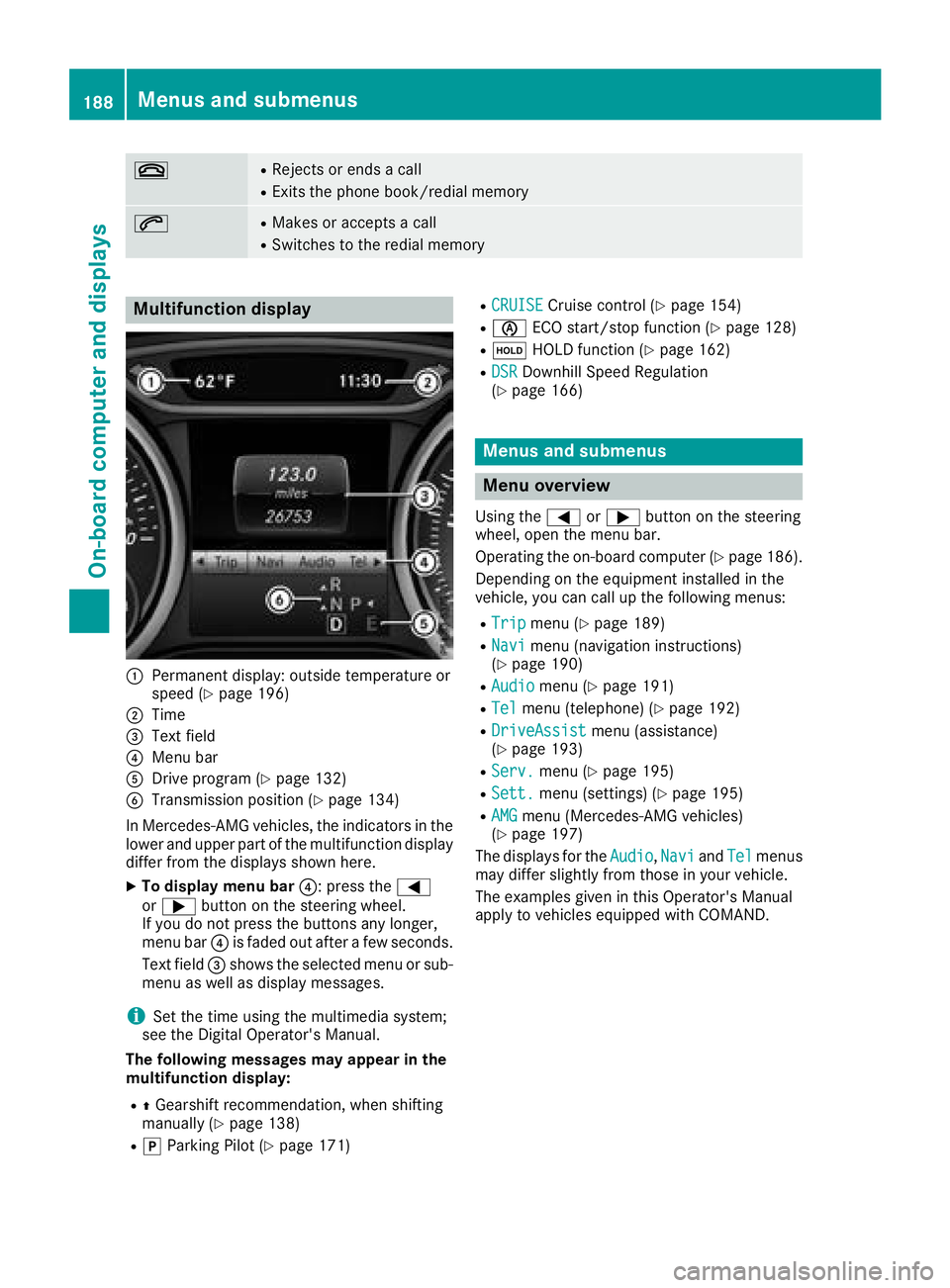
~RRejects or endsacall
RExit sth ephon ebook/redial memory
6RMakes or accept s acall
RSwitches to th eredial memory
Multifunction display
:Permanen tdisplay: outside temperature or
spee d (Ypage 196)
;Time
=Textfield
?Men ubar
ADrive program (Ypage 132)
BTransmissionposition (Ypage 134)
In Mercedes-AM Gvehicles, th eindicators in th e
lower and upper part of th emultifunction display
differ from th edisplays shown here.
XTo displa ymen ubar ?:press th e=
or ; buttonon th esteering wheel.
If you do no tpress th ebuttons any longer ,
men ubar ?is fade dout after afew seconds.
Tex tfield =shows th eselected men uor sub-
men uas well as display messages.
iSe tth etime usin gth emultimedia system;
see th eDigital Operator's Manual.
Th efollowing messages ma yappea rin th e
multifunction display:
RZ Gearshif trecommendation ,when shifting
manually (Ypage 138)
RjParking Pilot (Ypage 171)
RCRUISECruisecontrol (Ypage 154)
RèECO start/sto pfunction (Ypage 128)
RëHOLD function (Ypage 162)
RDSRDownhill Speed Regulation
(Ypage 166)
Menus and submenus
Menu overview
Using th e= or; buttonon th esteering
wheel, open th emen ubar.
Operating th eon-board computer (
Ypage 186).
Dependin gon th eequipmen tinstalled in th e
vehicle, you can call up th efollowin gmenus:
RTri pmen u (Ypage 189)
RNavimen u(navigation instructions)
(Ypage 190)
RAudiomen u (Ypage 191)
RTelmenu(telephone) (Ypage 192)
RDriveAssistmenu(assistance)
(Ypage 193)
RServ.men u (Ypage 195)
RSett.menu(settings) (Ypage 195)
RAMGmenu(Mercedes-AM Gvehicles)
(Ypage 197)
The displays for th eAudio
,Nav iand Telmenus
may differ slightly from those in your vehicle.
The examples given in this Operator's Manual
apply to vehicles equipped wit hCOMAND .
188Menus and submenus
On-board computer and displays
Page 194 of 338
the preset list or station list in the desired
frequency range is shown.
XTo select a station:briefly press9
or :.
iSIRIUS XM satellite radio functions like a
normal radio.
You can find further information on operation
in the "Satellite radio" section of the Digital
Operator's Manual for the multimedia sys-
tem.
Operating an audio player or audio
media
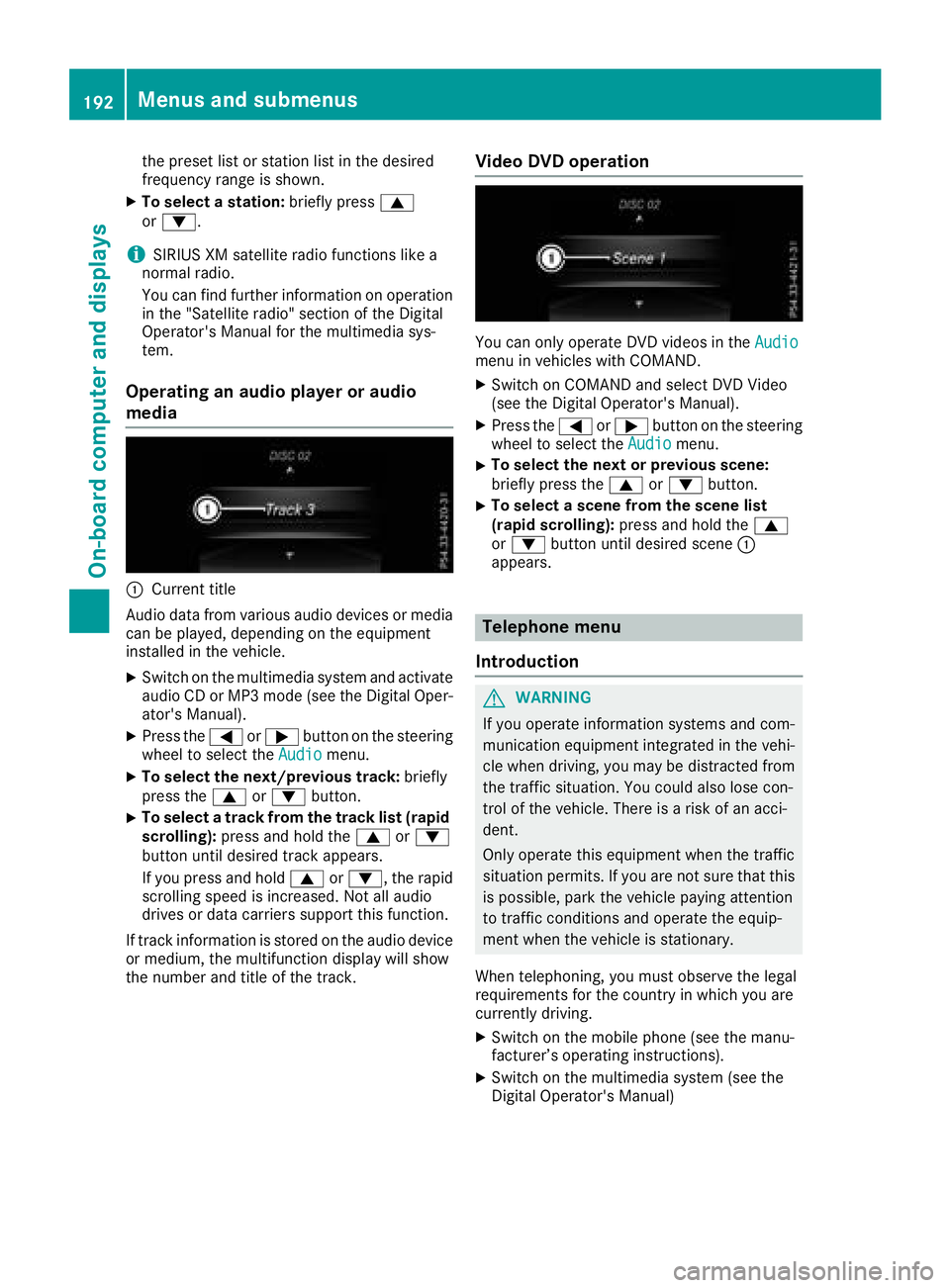
:Current title
Audio data from various audio devices or media
can be played, depending on the equipment
installed in the vehicle.
XSwitch on the multimedia system and activate
audio CD or MP3 mode (see the Digital Oper-
ator's Manual).
XPress the =or; button on the steering
wheel to select the Audiomenu.
XTo select the next/previous track: briefly
press the 9or: button.
XTo select a track from the track list (rapid
scrolling): press and hold the 9or:
button until desired track appears.
If you press and hold 9or:, the rapid
scrolling speed is increased. Not all audio
drives or data carriers support this function.
If track information is stored on the audio device
or medium, the multifunction display will show
the number and title of the track.
Video DVD operation
You can only operate DVD videos in the Audiomenu in vehicles with COMAND.
XSwitch on COMAND and select DVD Video
(see the Digital Operator's Manual).
XPress the=or; button on the steering
wheel to select the Audiomenu.
XTo select the next or previous scene:
briefly press the9or: button.
XTo select a scene from the scene list
(rapid scrolling): press and hold the 9
or : button until desired scene :
appears.
Telephone menu
Introduction
GWARNING
If you operate information systems and com-
munication equipment integrated in the vehi-
cle when driving, you may be distracted from
the traffic situation. You could also lose con-
trol of the vehicle. There is a risk of an acci-
dent.
Only operate this equipment when the traffic
situation permits. If you are not sure that this
is possible, park the vehicle paying attention
to traffic conditions and operate the equip-
ment when the vehicle is stationary.
When telephoning, you must observe the legal
requirements for the country in which you are
currently driving.
XSwitch on the mobile phone (see the manu-
facturer’s operating instructions).
XSwitch on the multimedia system (see the
Digital Operator's Manual)
192Menus and submenus
On-board computer and displays
Page 195 of 338
XEstablish a Bluetooth®connection to the mul-
timedia system (see the Digital Operator's
Manual).
XPress the =or; button on the steering
wheel to select the Telmenu.
You will see one of the following display mes-
sages in the multifunction display:
RPhone READYor the name of the network
provider: the mobile phone has found a net-
work and is ready to receive.
RPhone No Service: there is no network
available or the mobile phone is searching for
a network.
Accepting a call
If someone calls you when you are in the Telmenu, a display message appears in the multi-
function display.
You can accept a call at any time, even if you are
not in theTel
menu.
XPress the6button on the steering wheel
to accept an incoming call.
Rejecting or ending a call
You can end or reject a call anytime, even if you
are not in the Telmenu.
XPress the~button on the steering wheel
to reject or end a call.
Selecting an entry in the phone book
XPress the =or; button on the steering
wheel to select the Telmenu.
XPress the9,:ora button to
switch to the phone book.
XAuthorize access to the phone book on the
phone.
XPress the 9or: button to select the
desired name.
or
XTo begin rapid scrolling: press and hold the
9 or: button for longer than one sec-
ond.
Rapid scrolling stops when you release the
button or reach the end of the list.
XIf only one telephone number is stored for
a name: press the 6ora button to
start dialing.
or
XIf there is more than one number for a
particular name: press the6ora
button to display the numbers.
XPress the 9or: button to select the
number you want to dial.
XPress the 6ora button to start dialing.
or
XIf you do not want to make a call: press the
~ or% button.
Redialing
The on-board computer saves the last names or
numbers dialed in the redial memory.
XPress the =or; button on the steering
wheel to select the Telmenu.
XPress the6button to switch to the redial
memory.
XPress the 9or: button to select the
desired name or number.
XPress the 6ora button to start dialing.
or
XIf you do not want to make the call: press
the ~ or% button.
Assistance menu
Introduction
Depending on the equipment installed in the
vehicle, you have the following options in the
DriveAssist
menu:
RDisplaying the assistance graphic
(Ypage 194)
RDeactivating/activating ESP®(except
Mercedes‑ AMG vehicles) (Ypage 194)
RActivating/deactivating Active Brake Assist
(Ypage 194)
RActivating/deactivating ATTENTION ASSIST
(Ypage 195)
RActivating/deactivating Blind Spot Assist
(Ypage 195)
RActivating/deactivating Lane Keeping Assist
(Ypage 195)
Menus and submenus193
On-board computer and displays
Z
Page 227 of 338
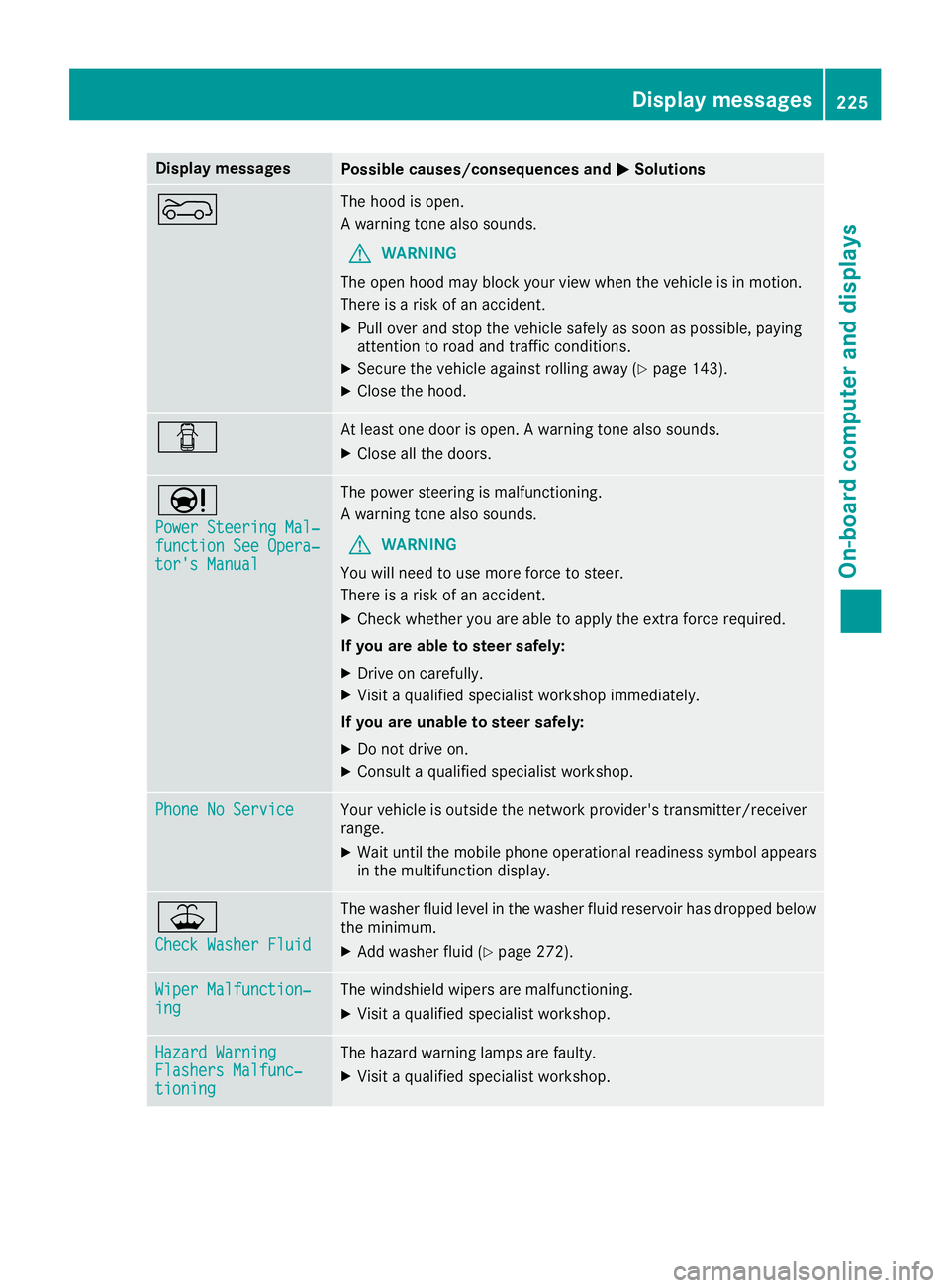
Display messagesPossible causes/consequences andMSolutions
?The hoodis open .
A warning tone also sounds.
GWARNIN G
The open hoo dmay bloc kyour vie wwhen th evehicl eis in motion .
There is aris kof an accident.
XPull ove rand stop th evehicl esafely as soo nas possible, payin g
attention to roa dand traffic conditions.
XSecur eth evehicl eagainst rollin gaway (Ypage 143).
XCloseth ehood.
CAt least on edoor is open . Awarning tone also sounds.
XClos eall th edoors.
Ð
Power Steering Mal ‐function See Opera‐tor's Manual
The powersteering is malfunctioning .
A warning tone also sounds.
GWARNIN G
You will need to use mor eforce to steer .
There is aris kof an accident.
XChec kwhether you are able to apply th eextr aforce required.
If you ar eabl eto steer safely:
XDrive on carefully.
XVisit aqualified specialist workshop immediately.
If you ar eunable to steer safely:
XDo no tdrive on .
XConsult aqualified specialist workshop .
Phone No ServiceYour vehicleis outside th enetwork provider' stransmitter/receiver
range.
XWait until th emobile phone operational readiness symbol appear s
in th emultifunction display.
¥
Check Washer Fluid
The washer flui dlevel in th ewasher flui dreservoir has dropped belo w
th eminimum .
XAddwasher flui d (Ypage 272).
Wiper Malfunction‐ingThe windshield wiper sare malfunctioning .
XVisitaqualified specialist workshop .
Hazard WarningFlashers Malfunc‐tioning
The hazard warning lamp sare faulty.
XVisit aqualified specialist workshop .
Display messages225
On-board computer and displays
Z
Page 244 of 338
Traffic reports on the route for the route guid-
ance are taken into account (not available in
all countries).
RDynamic TRF. Route After Request
You can decide whether or not current trafficreports should be included in the route cal-
culation (not available in all countries).
RCalculate Alternative Routes
Different routes are being calculated. In order
to do so, instead of Start, select the menu
item Continue.
XTo avoid/use route options: selectAvoid
Options.
XSelect a route option.
Notes for route options:
RUse Toll Roads
The route calculation includes roads which
require you to pay a usage fee (toll).
RNumber of Occupants in the Vehicle:(only available in the USA)
Prerequisite: your vehicle meets the access
conditions for carpool lanes.
Carpool lanes will be included if the carpool
lanes option is activated.
Entering an address
Multimedia system:
XSelect NaviQNavigation.
The map shows the vehicle's current position.
XSlide 6the controller.
XSelect DestinationQAddress Entry.
Enter an address, e.g. as follows:
Rcity or ZIP code, street, house number
Rstate/province, city or ZIP code
Rcity or ZIP code, center
Rstreet, city or ZIP code, intersection
XSelect City.
The city in which the vehicle is currently loca-
ted (current vehicle position) is at the top.
Below this, you will see locations for which
route guidance has already been carried out.
XEnter the city.
The Gsymbol: the location is contained on
the digital map multiple times.
XTo switch to the list: slide the5control-
ler.
XSelect the location.
If available, the ZIP code is shown. If there are
different ZIP codes available for the location,
the corresponding digits are displayed with an
X
.
XEnter the street and house number.
The address is in the menu.
Further options for destination entry:
Rsearch for a keyword
The keyword search finds destinations using
fragments of words.
Rselect the last destination
Rselect a contact
Rselect a POI
You can search for a POI by location, name or
telephone number.
Rselect destination on the map
Renter intermediate destination
You can map the route to the destination
yourself with up to four intermediate destina-
tions.
Rselect destinations from Mercedes-Benz
Apps
Rselect geo-coordinates
Calculating the route
Prerequisite: the address has been entered and
is in the menu.
XSelect StartorContinue.
The route is calculated with the selected route
type and the selected route options.
If route guidance has already been activated,
a prompt will appear asking whether you wish
to end the current route guidance.
XSelect Cancel Active Route Guidanceor
Set as Intermediate Destination.
Cancel Active Route Guidancecancels
the current route guidance and starts route
calculation to the new destination.
Set as Intermediate Destination
adds
the new destination in addition to the existing
destination and opens the intermediate des-
tinations list.
242Operating system
Multimedia system
Page 245 of 338
Connecting a mobile phone
(COMAND)
Requirements
For telephony via the Bluetooth®interface, you
require a Bluetooth®-capable mobile phone. The
mobile phone must support Hands-Free Profile
1.0 or above.
Multimedia system:
XSelect VehicleQSystem Set‐tingsQActivate Bluetooth.
XActivate Bluetooth®O.
Mobile phone:
XActivate Bluetooth®and, if necessary, Blue-
tooth®visibility for other devices (see the
manufacturer's operating instructions).
The Bluetooth
®device names for all of one man-
ufacturer's products might be identical. To
make it possible to clearly identify your mobile
phone, change the device name (see the man-
ufacturer's operating instructions).
If the mobile phone supports the PBAP (Phone
B ook Access Profile) and MAP (M essage
Access Profile) Bluetooth
®profiles, the follow-
ing information will be transmitted after you
connect:
RPhone book
RCall lists
RText messages and e-mail
iFurther information on suitable mobile
phones can be found at: http://
www.mercedes-benz.com/connect
iIn the USA, you can get in touch with the
Mercedes-Benz Customer Assistance Center
on 1-800-FOR-MERCedes (1-800-367-6372 ).
In Canada, you can get in touch with the Cus-
tomer Relations Center on 1-800-387-0100.
Searching for and authorizing (connect-
ing) a mobile phone
Before using your mobile phone with the multi-
media system for the first time, you will need to
search for the phone and then authorize (con-
nect) it. Depending on the mobile phone, author- ization either takes place by means of Secure
Simple Pairing or by entering a passkey. The
multimedia system automatically makes the procedure that is relevant for your mobile phone
available. The mobile phone is always connec-
ted automatically after authorization. Further
information on using a mobile phone with the
multimedia system (see the Digital Operator's
Manual).
If the multimedia system does not detect your
mobile phone, this may be due to particular
security settings on your mobile phone (see the
manufacturer's operating instructions).
Only one mobile phone can be connected to the
multimedia system at any one time.
Searching for a mobile phone
Multimedia system:
XSelect
Tel/®QConn.DeviceQSearch for PhonesQStartSearch.
The available mobile phones are displayed.
Symbols in the device list
Sym-
bolExplanation
ÏNew mobile phone found, not yet
authorized.
ÑMobile phone is authorized, but is
not connected.
Connecting a mobile phone
Authorization using Secure Simple Pairing:
XSelect mobile phone.
A code is displayed in the multimedia system
and on the mobile phone.
XIf codes match: selectYeson the multimedia
system.
XConfirm code on the mobile phone. Depend-
ing on the mobile phone used, confirm the
connection to the multimedia system and for
the PBAP and MAP Bluetooth
®profiles. The
prompt to confirm may take up to two
minutes to be displayed (see the manufactur-
er's operating instructions).
XIf the codes are different: selectNoon the
multimedia system.
The process is canceled.
Repeat authorization.
Operating system243
Multimedia system
Z