phone MERCEDES-BENZ GLB SUV 2019 Owners Manual
[x] Cancel search | Manufacturer: MERCEDES-BENZ, Model Year: 2019, Model line: GLB SUV, Model: MERCEDES-BENZ GLB SUV 2019Pages: 689, PDF Size: 11.39 MB
Page 5 of 689
Symbols
........................................................ 5At
agl ance .................................................... 6
Cockpit ........................................................... 6
Indica tor and warning lamps (s tandard) ........ 10
Indicator and warning lamps (widesc reen
cockpit) ......................................................... 12
Overhead contro l panel ................................ 14
Door control panel and seat adjustment ....... 16
Emergencies and breakdowns ...................... 18Digital Owner's Manual
.............................20
Calling up the Digital Owner's Manual ..........20 Genera
l notes............................................. 21
Pr otection of the environment ......................21
Ta ke -ba ckof end-of-life vehicles ...................21
Mercedes-Benz GenuineParts ....................... 22
Owner's Manual ...........................................23
Operating saf ety .......................................... .23
Declaration of Conformity ............................. 24
Diagno stics connection ................................ 29
Qualified specialist workshop ....................... 30 Ve
hicle registration ....................................... 30
Cor rect use of theve hicle ............................30
Information on the REA CHregulation ........... 31
Implied warranty .......................................... .31
QR code forre scue card ...............................31
Data storage .................................................31
Copyright ...................................................... 34 Occupant saf
ety......................................... 35
Re stra int sy stem ...........................................35
Seat belts ..................................................... 37
Airbags .......................................................... 41
PRE-SAFE ®
sy stem ....................................... 49
Safely transporting children in theve hi‐
cle ................................................................50
No tes on pets in theve hicle .........................80 Opening and closing
.................................. 82
Ke y .............................................................. .82
Doo rs............................................................ 86
Load compa rtment ....................................... 92
Side windo ws............................................... 98
Sliding sunroof ............................................ 102
Anti-theft pr otection ................................... 107 Seats and
stowing .................................... 11 0
No tes on the cor rect driver's seat posi‐
tion ............................................................. 11 0
No tes on the height limit on theth ird
row of seats .................................................1 11
Seats ........................................................... 111
St eering wheel ............................................ 12 2
Easy entry and exitfeature ........................ .123
Operating the memory function .................. 124
St ow age areas ............................................ 12 6
Cup holders ................................................ 14 2
Ashtr ayand cigar ette lighter ...................... .146
Soc kets ....................................................... 147
Wi reless charging of the mobile phone
and connection with theex terior aerial .......1 51
Fitting/removing thefloor mats ................. 15 3 Light and sight
......................................... 15 5
Exterior lighting .......................................... 15 5
Interior lighting ........................................... 16 3
Changing bulbs (on lyforve hicles with
halogen headlamp s) .................................... 16 5
Wi ndsc reen wipers and windscreen
wa sher sy stem ............................................ 1672
Contents
Page 6 of 689
Mir
rors ........................................................ 171
Operating the sun visors ............................. 174Climate control
......................................... 175
Overview of climate contro l systems ..........1 75
Operating the climate control sy stem ......... 176 Driving and pa
rking ................................. 18 5
Driving ........................................................ 185
DY NA MIC SELECT switch ............................1 98
Manual transmission .................................. 201
Au tomatic transmission .............................. 203
Fu nction of the 4MATIC .............................. 208
Re fuelling ................................................... 209
Pa rking ........................................................ 215
Driving and driving sa fety sy stems .............2 24
Tr ailer hit ch................................................ 288
Bicycle rack function .................................. 291
Ve hicle towing instructions ........................ .293 Instrument Display and on-board
comp uter.................................................. 294
Instrument display overview ...................... .294 Overview of
the buttons on thesteering
wheel ..........................................................2 95
Operating the on-board computer .............. 296
Ad justing the design of the instrument
display ........................................................ 297
Showing display conte nt onthe instru‐
ment clus ter ............................................... 298
Overview of displa yson the multifunc‐
tion display .................................................2 99
Ad justing the instrument lighting ............... 300
Menus and submenus ................................ 300
Head-up Display ......................................... 307 LINGU
ATRO NIC ........................................ 309
No tes on operating saf ety .......................... 309
Ope ration .................................................... 310
Using LINGU ATRO NIC ef fectively ................ 312
Essential voice commands .......................... 313 MBUX multimedia sy
stem ...................... 329
Overview and operation .............................. 329
Sy stem settings .......................................... 363
Fit & Healt hy............................................... 373
Na vigation ................................................... 378Te
lephone .................................................. .423
Online and Internet functions ..................... 459
Media ........................................................ .468
Ra dio .......................................................... 477
Sound ......................................................... 480 Main
tenance and care ............................. 484
ASS YST PLUS service inter val display ........ 484
Engine compartment .................................. 485
Cleaning and care ...................................... .491 Breakdown assistance
............................501
Emergency .................................................. 501
Flat tyre ...................................................... 503
Battery (vehicle) ......................................... 509
To w- starting or towing away ........................ 514
Electrical fuses ........................................... 520 Wheels and tyres
..................................... 524
No tes on noise or unusual handling char‐
acteristics .................................................. .524
No tes on regular lyinspecting wheels and
tyres .......................................................... .524 Con
tents 3
Page 10 of 689
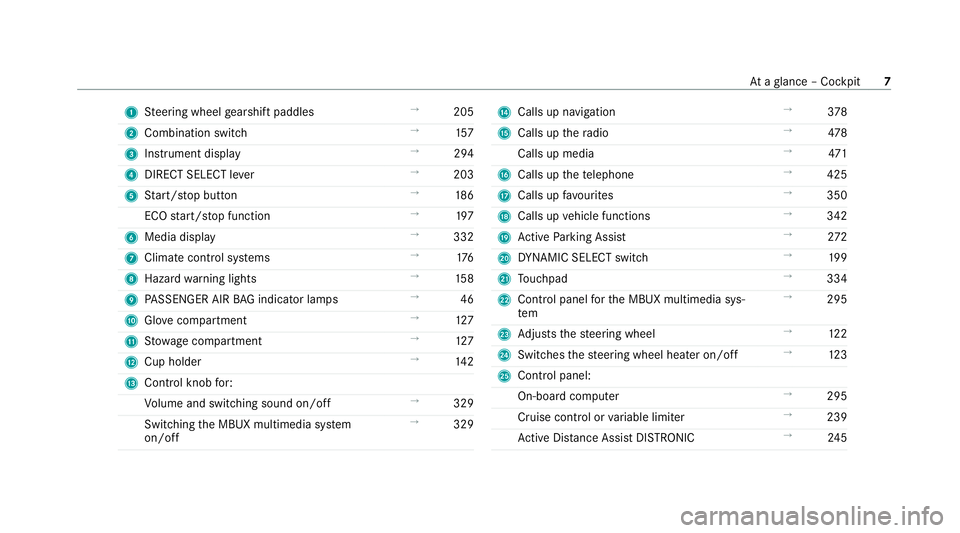
1
Steering wheel gearshift paddles →
205
2 Combination swit ch →
157
3 Instrument display →
294
4 DIRECT SELECT le ver →
203
5 Start/ stop button →
186
ECO start/ stop function →
197
6 Media display →
332
7 Climate contro l systems →
176
8 Haza rdwa rning lights →
15 8
9 PASSENGER AIR BAG indicator lamps →
46
A Glovecompa rtment →
127
B Stow age compartment →
127
C Cup holder →
14 2
D Control knob for:
Vo lume and switching sound on/off →
329
Swit ching the MBUX multimedia sy stem
on/off →
329 E
Calls up navigation →
378
F Calls up thera dio →
478
Calls up media →
471
G Calls up thete lephone →
425
H Calls up favo urites →
350
I Calls up vehicle functions →
342
J Active Parking Assist →
272
K DYNA MIC SELECT switch →
19 9
L Touchpad →
334
M Control panel forth e MBUX multimedia sys‐
tem →
295
N Adjusts thesteering wheel →
12 2
O Switches thesteering wheel heater on/off →
12 3
P Control panel:
On-board co mputer →
295
Cruise cont rol or variable limiter →
239
Ac tive Dis tance Assi stDISTRONIC →
24 5 At
aglance – Cockpit 7
Page 28 of 689

Brazil on
ly:
No teon the two-w ayradio sy stems in theve hi‐
cle:
These sy stems are not pr otected from harmful
inter fere nce and mu stnot cause inter fere nce in
duly appr oved sy stems.
Nigeria onl y:
The connection and use of two-w ayradios in this
ve hicle is not permitted bythe Nigerian Commu‐
nications Commission.
Thailand onl y:
The radio-based wireless components in this
ve hicle meet there qu irements of theNa tional
Broadca sting and Telecommunications Commis‐
sion (NBTC).
Ty re pressure moni toring sensors
Schrader Elect ronics Ltd, 11Tech nology Park,
Belfast Road, Antrim BT41 1QS, Northern Ireland
Re mo telocking sy stem
Marquardt GmbH, Schloßstraße 16,78 604 Rie‐
th eim, Germany
Huf Hülsbeck & Für stGmbH & Co. KG,St eeger
St raße 17, 425 51Velbert, Germany Hella
KGaA Hueck & Co., Rixbe cker Straße 75,
59552 Lipp stadt, Germany
Re mo telocking sy stem control unit
Marquardt GmbH, Schloßstraße 16,78 604 Rie‐
th eim, Germany
Leopold Kostal GmbH & Co. KG, Hauert 11 ,
44 227 Dortmund, Germany
Continental Automotive GmbH, Siemens‐
st ra ße 12, 93055 Regensbu rg, Germany
Antenna modules
Hirschmann Car Communication GmbH,
St utt garter Straße 45-51 ,72 654 Nec kartenzlin‐
ge n, Ge rmany
Ka thre in Au tomotive GmbH & Co. KG,Rö mer‐
ri ng 1,3113 7 Hildesheim, Germany
Door handles with near-field communication
function
Huf Hülsbeck & Für stGmbH & Co. KG,St eeger
St raße 17, 425 51Velbert, Germany
Garage door openers
GenteX Corporation, 600 North Centennial
St reet, Zeeland MI 49464, USA Sensor
for in terior moni toring
META Sy stems, Via Galimbe rti 9, 42 124Re ggio
Emilia, Italy
Ra dar senso rs
Au toliv Electronics ASP Inc., 26545 American
Drive, Southfield, MI 48034, USA
ADC Automotive Dis tance Control Sy stems
GmbH, Peter-Dornie r-Strasse 10, 88 131 Lindau,
Germany
Ro bert Bosch GmbH, Daimler stra sse 6,
71 229 Leonberg, Germany
Mobile communication and telematics
Harman Bec kerAu tomotive Sy stems GmbH,
Po stfach 2260,76303 Karlsbad, Germany
Pa nasonic Automotive & Industrial Sy stems
Europe GmbH, Robert-Bosch-Strasse 27-29,
63225 Langen, Ge rmany
Mitsubishi Elect ric Co rporation, 2-3-33 Miwa,
Sanda-City, 669-15 13Hyogo, Japan
Wire less headphones
Harman Bec kerAu tomotive Sy stems GmbH,
Po stfach 2260,76303 Karlsbad, Germany General no
tes25
Page 29 of 689

Re
mo tecont rol
Ru wido Austria GmbH, Köstendor ferSt rasse 8,
5202 Neumarkt, Austria
Va leo, 43 rue Ba yen, 75 017Pa ris, France Hea
ter boos ter function remo tecont rol
Digades GmbH, Äußere Weber stra sse 20,
02 763 Zittau, Germany Wire
less applications in theve hicle
Besides the typical frequencies for mobile com‐
munications, Mercedes-Benz vehicles use the
fo llowing wireless applications.
Wire less applications in theve hicle Te
ch nology Frequency rang eT ransmission output/magnetic field
st re ngth
Re mo telocking sy stem 20 kHz (9–90 kHz)≤ 72dBμA/m at 10 m
Re mo telocking sy stem 125 kHz (1 19–135 kHz)≤ 42 dBμA/m at10 m
Near-field communication 13.553–13.567 MHz ≤ 42 dBμA/m at10 m
Re mo telocking sy stem, garage door opener,
tyre pressure monitor 433 MHz (433.05–434.79 MHz
)≤10mW e.r.p.
Heater boos ter function remo tecontrol, garage
door opener 868 MHz (868.0–868.6 MHz
)≤25 mW e.r.p.
Heater boos ter function remo tecontrol, garage
door opener 869 MHz (868.7–869.2 MHz
)≤25 mW e.r.p.
Blue tooth ®
, Kleer, RLAN, remo tecontrols, wi re‐
less headphones 2.4 GHz ISM band (2400–2483.5 MHz
)≤100 mW e.i.r.p. 26
General no tes
Page 35 of 689
In
general, this information documents thest ate
of a component part, a module, a sy stem or the
sur roundings such as:
R operating status of sy stem components (e.g.
fi ll le vels, battery status, tyre pressure)
R status messages concerning theve hicle or
its individual components (e.g. number of
wheel revo lutions/speed, longitudinal accel‐
eration, lateral acceleration, display of fas‐
te ned seat belts)
R malfunctions or faults in impor tant sy stem
components (e.g. lights, brakes)
R information on events leading tovehicle
damage
R system reactions in special driving situations
(e.g. airbag deployment, inter vention of sta‐
bility control sy stems)
R ambient conditions (e.g. temp erature, rain
sensor)
In addition toprov iding the actual control unit
function, this data assists the manufacturer in
de tecting and rectifying faults and optimising
ve hicle functions. The majority of this data is te
mp orary and is only processed in theve hicle
itself. Only a small portion of the data is stored
in theeve nt or fault memor y.
When your vehicle is serviced, tech nical da ta
from theve hicle can be read out byservice net‐
wo rkemplo yees (e.g. workshops, manufactur‐
ers) or third parties (e.g. breakdown services).
Services include repair services, maintenance
processes, warranty claims and quality assur‐
ance measures, forex ample. The read out is per‐
fo rm ed via the legally prescribed port forthe
diagnostics connection in theve hicle. The
re spective service network locations or third
parties collect, process and use the data. They
document tech nical statuses of theve hicle,
assist in finding faults and impr oving quality and
are transmitted tothe manufacturer, if neces‐
sar y.Fu rthermore, the manufacturer is subject
to product liability. Forth is, the manufacturer
requ irestech nical da tafrom vehicles.
Fa ult memories in theve hicle can be reset by a
service outlet as part of repair or maintenance
wo rk. Depending on
the selected equipment, you can
import data into vehicle con venience and info‐
ta inment functions yourself.
This includes, forex ample:
R multimedia data such as music, films or pho‐
to sfo r playback in an integrated multimedia
sy stem
R address book data for use in connection with
an integrated hands-free sy stem or an inte‐
grated navigation sy stem
R entered navigation destinations
R data about the use of internet services
This data can be sa ved locally in theve hicle or it
is located on a device which you ha veconnected
to theve hicle (e.g. a smartphone, USB flash
drive or MP3 pla yer). If this data is stored in the
ve hicle, you can dele teit at any time. This data
is sent tothird parties only at your requ est, par‐
ticular lywhen you use online services in accord‐
ance with the settings that you ha veselected.
Yo u can store or change con venience settings/
individualisations in theve hicle at any time. 32
General no tes
Page 36 of 689
Depending on
the equipment, this includes, for
ex ample:
R settings forth e seat and steering wheel posi‐
tions
R suspension and climate control settings
R customisations such as interior lighting
If yo ur vehicle is accordingly equipped, you can
connect your smartphone or ano ther mobile end
device totheve hicle. You can cont rolth is by
means of the control elements integrated in the
ve hicle. Images and audio from the smartphone
can be output via the multimedia sy stem. Cer‐
tai n information is simultaneously trans ferred to
yo ur smartphone.
Depending on the type of integration, this can
include:
R general vehicle data
R position data
This allo wsyouto use selected apps on your
smartphone, such as navigation or music play‐
bac k.There is no fur ther interaction between the
smartphone and theve hicle; in particular, vehi‐
cle data is not directly accessible. Which type of fur
ther data processing occurs is de term ined by
th e pr ovider of the specific app used. Which set‐
tings you can make, if an y,depends on the spe‐
cific app and the operating sy stem of your
smartphone. Online services
Wire
less network connection
If yo ur vehicle has a wireless network connec‐
tion, it enables data tobe exc hanged between
yo ur vehicle and additional sy stems. The wire‐
less network connection is enabled via theve hi‐
cle's transmission and reception unit or via con‐
nected mobile end devices (e.g. sma rtphones).
Online functions can be used via the wireless
network connection. This includes online serv‐
ices and applications/apps pr ovided bythe man‐
ufacturer or other pr oviders.
Manu factu rer's se rvices
Re garding online services of the manufacturer,
th e individual functions are described bythe
manufacturer in a suita ble place (e.g. Owner's
Manual, website of the manufacturer) along with
th ere leva nt da taprotection information. Per‐ sonal data may be used
forth e pr ovision of
online services. Data is exchanged via a secure
connection, e.g. the manufacturer's designated
IT sy stems. Personal data is collected, pro‐
cessed and used via the pr ovision of services
exc lusively on the basis of legal permissions or
with prior consent.
The services and functions (sometimes subject
to afe e) can usually be activated or deactivated.
In some cases, this also applies tothe entire
ve hicle's data connection. This excludes, in par‐
ticular, legally prescribed functions and services.
Third pa rty services
If it is possible touse online services from other
pr ov iders, these services are there sponsibility
of the pr ovider in question and subject tothat
pr ov ider's data pr otection conditions and terms
of use. The manufacturer has no influence on
th e conte ntexc hanged.
Fo rth is reason, please ask the service pr ovider
fo r information about the type, extent and pur‐
pose of the collection and use of personal data
when services are pr ovided bythird parties. General no
tes33
Page 46 of 689

te
ctive function and deployment may even
cause fur ther injuries.
In order toavo idrisks, each vehicle occupant
must alw ays make sure of thefo llowing:
R Fasten seat belts cor rectly. Pregnant
wo men must take particular care to
ensure that the lap belt ne ver lies across
th e abdomen.
R Adopt the cor rect seat position and keep
as faraw ay as possible from the airbags.
R Obser vethefo llowing information. #
Alw ays make sure that there are no
objects between the airbag and vehicle
occupant. To
avo idtherisks resulting from the deployment
of an airbag, each vehicle occupant must
obser vethefo llowing information in particular:
R Before starting your journe y,adjust your seat
co rrectly; the driver's seat and front
passenger seat should be mo ved as far back
as possible. When doing so, alw
ays obser vethe informa‐
tion on the cor rect driver's seat position
(/ page 110).
R Only hold thesteering wheel bythesteering
wheel rim. This allow sth e airbag tobe fully
deplo yed.
R Alw ays lean against the seat backrest when
th eve hicle is in motion. Do not lean forw ards
or against the door or side windo w.You may
ot herwise be in the deployment area of the
airbags.
R Alw ayske ep your feet on thefloor. Do not
put your feet on the cockpit, forex ample.
Yo ur feet may otherwise be in the deploy‐
ment area of the airbag.
R Ifch ildren are tra velling in theve hicle,
obser vethe additional no tes (/ page51).
R Alw aysstow and secure objects cor rectl y. Objects in
theve hicle interior may pr event an
airbag from functioning cor rectly. Each vehicle
occupant must alw ays make sure of thefo llow‐
ing in particular:
R There are no people, animals or objects
between theve hicle occupants and an air‐
bag.
R There are no objects between the seat, door
and door pillar (B-pillar).
R There are no hard objects, e.g. coat hangers,
hanging on the grab handles or coat hooks.
R There are no accessory parts, such as mobile
navigation devices, mobile phones or cup
holders, attached totheve hicle within the
deployment area of an airbag, e.g. on the
cockpit, on the door, on the side window or
on the side wall trim.
In addition, no connecting cables, tensioning
st ra ps or retaining stra ps must be routed or
attached totheve hicle within the deploy‐
ment area of an airbag. Alw ays comply with
th e accessory manufacturer's ins tallation
instructions and, in particular, the no tes on
suitable places for ins tallation. Occupant saf
ety43
Page 91 of 689
The
vehicle is not unloc ked:
R Ifyo u ha veloc kedth eve hicle using thekey.
R Ifyo u ha veloc kedth eve hicle using KEY‐
LESS-GO. Locking/unlocking
theve hicle with a Digital
Ve hicle Key Re
quirements:
R one of thefo llowing versions of the Digital
Ve hicle Key is available:
- suitable mobile phone
- Digital Vehicle Keyst icker
R theve hicle is equipped with the "Digital Vehi‐
cle Key" function.
R the "Digital Vehicle Key" function is activated
via Mercedes me connec t:https://
www.mercedes.me.
R the mobile phone is suf ficiently charge d.
% You can check the suitability of your mobile
phone byentering the phone number at
https://www.mercedes.me. Information about suitable mobile phones
can be obtained from your Mercedes-Benz
Service Centre or at https://
www.mercedes-benz.com/connect.
% Mercedes-Benz recommends that you car ry
th e emer gency key in case of function
re strictions.
% The function is only available in combination
with Mercedes me connect and on lyin cer‐
ta in countries.
% Protective cases around the mobile phone
can impair the functionality.
If th eve hicle has been par kedfo r longer than
two weeks, the NFC aerial in the door handle is
deactivated. #
Pull the door handle.
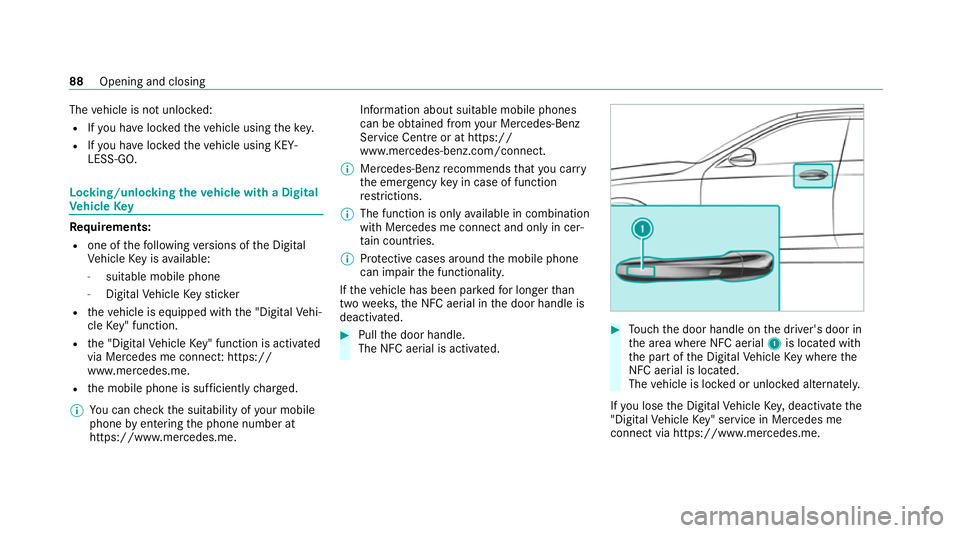
The NFC aerial is activated. #
Touch the door handle on the driver's door in
th e area where NFC aerial 1is located with
th e part of the Digital Vehicle Key where the
NFC aerial is located.
The vehicle is loc ked or unloc ked alternately.
If yo u lose the Digital Vehicle Key,deactivate the
"Digital Vehicle Key" service in Mercedes me
connect via https://www.mercedes.m e.88
Opening and closing
Page 129 of 689
#
Tocall up: press and brief lyhold memory
position switch 1,2 or 3.
Af terre leasing the button, the front seat,
head-up displa y,outside mir rors and seat
con tour are mo ved into thestored position
automaticall y. St
ow age areas Note
s on loading theve hicle &
DANG ER Risk of exhaust gas poisoning
Combustion engines emit poisonous exhaust
ga ses such as carbon monoxide. Exhaust
ga ses can enter theve hicle interior if theta il‐
gate is open when the engine is running,
especially if theve hicle is in motion. #
Alw ays switch off the engine before
opening theta ilgate. #
Never drive with theta ilgate open. &
WARNING Risk of inju ryfrom unsecu red
items in theve hicle
If objects, luggage or loads are not secured
or not secured suf ficientl y,they could slip,
tip ove r or be throw n around and thereby hit
ve hicle occupants.
There is a risk of injur y,particularly in the
ev ent of sudden braking or a sudden change
in direction. #
Alw aysstow objects in such a wayth at
th ey cannot be thro wn around. #
Before the journe y,secure objects, lug‐
ga ge or loads against slipping or tipping
ove r. &
WARNING Risk of inju ryfrom inade‐
qu ate stow age of objects
If yo u do not adequately stowobjects in the
ve hicle interior, they could slip or be tossed
around and thereby strike vehicle occupants.
In addition, cup holders, open stowage
spaces and mobile phone brac kets cann ot alw
aysre stra in the objects they contain in
th eev ent of an accident.
There is a risk of injur y,particularly in the
ev ent of sudden braking or a sudden change
in direction. #
Alw aysstow objects in such a wayth at
th ey cannot be tossed around in these
or similar situations. #
Alw ays make sure that objects do not
project from stowage spaces, luggage
nets or stowage nets. #
Close all sealable stowage spaces
before youstart your journe y. #
Stow and secure objects that are heavy,
hard, poin ted, sharp-edged, fragile or
to o lar geinthe load compartment. &
WARNING Risk of bu rns from theta il‐
pipe and tailpipe trims
The exhaust tailpipe and tailpipe trims can
become very hot. If you come into contact
with these parts of theve hicle, you could
burn yourself. 12 6
Seats and stowing