ESP MERCEDES-BENZ GLC 2017 Owner's Manual
[x] Cancel search | Manufacturer: MERCEDES-BENZ, Model Year: 2017, Model line: GLC, Model: MERCEDES-BENZ GLC 2017Pages: 374, PDF Size: 8.42 MB
Page 80 of 374
multimedia system; see the Digital Operator's
Manual.
You will receive visual and acoustic locking con-
firmation if all components were able to be
locked.
When the locator lighting is activated via the
multimedia system, it lights up when it is dark
after the vehicle is unlocked with the SmartKey;
see the Digital Operator's Manual. X
To open the tailgate automatically from
outside the vehicle: press and hold the T
button until the tailgate opens. X
To close the tailgate automatically from
outside the vehicle: if the SmartKey is loca-
ted in the immediate vicinity of the vehicle,
press the T button on the SmartKey.
When the tailgate closes you can then release
the button.
KEYLESS-GO
General notes Bear in mind that the engine can be started by
any of the vehicle occupants if there is a Smart-
Key in the vehicle ( Y
page 134).
Locking/unlocking centrally You can start, lock or unlock the vehicle using
KEYLESS-GO. To do this, you only need carry the
SmartKey with you. You can combine the func-
tions of KEYLESS-GO with those of a conven-
tional SmartKey. Unlock the vehicle by using
KEYLESS-GO, for instance, and lock it using the
7 button on the SmartKey.
The driver's door and the door at which the han-
dle is used, must both be closed. The SmartKey
must be outside the vehicle. When locking or
unlocking with KEYLESS-GO, the distance
between the SmartKey and the corresponding
door handle must not be greater than 3 ft (1 m).
A brief radio connection between the vehicle
and the SmartKey determines whether a valid
SmartKey is in, or in the direct vicinity of, the
vehicle. This occurs, for example: R
when starting the engine R
while driving R
when using HANDS-FREE ACCESS R
when the external door handles are touched R
during convenience closing X
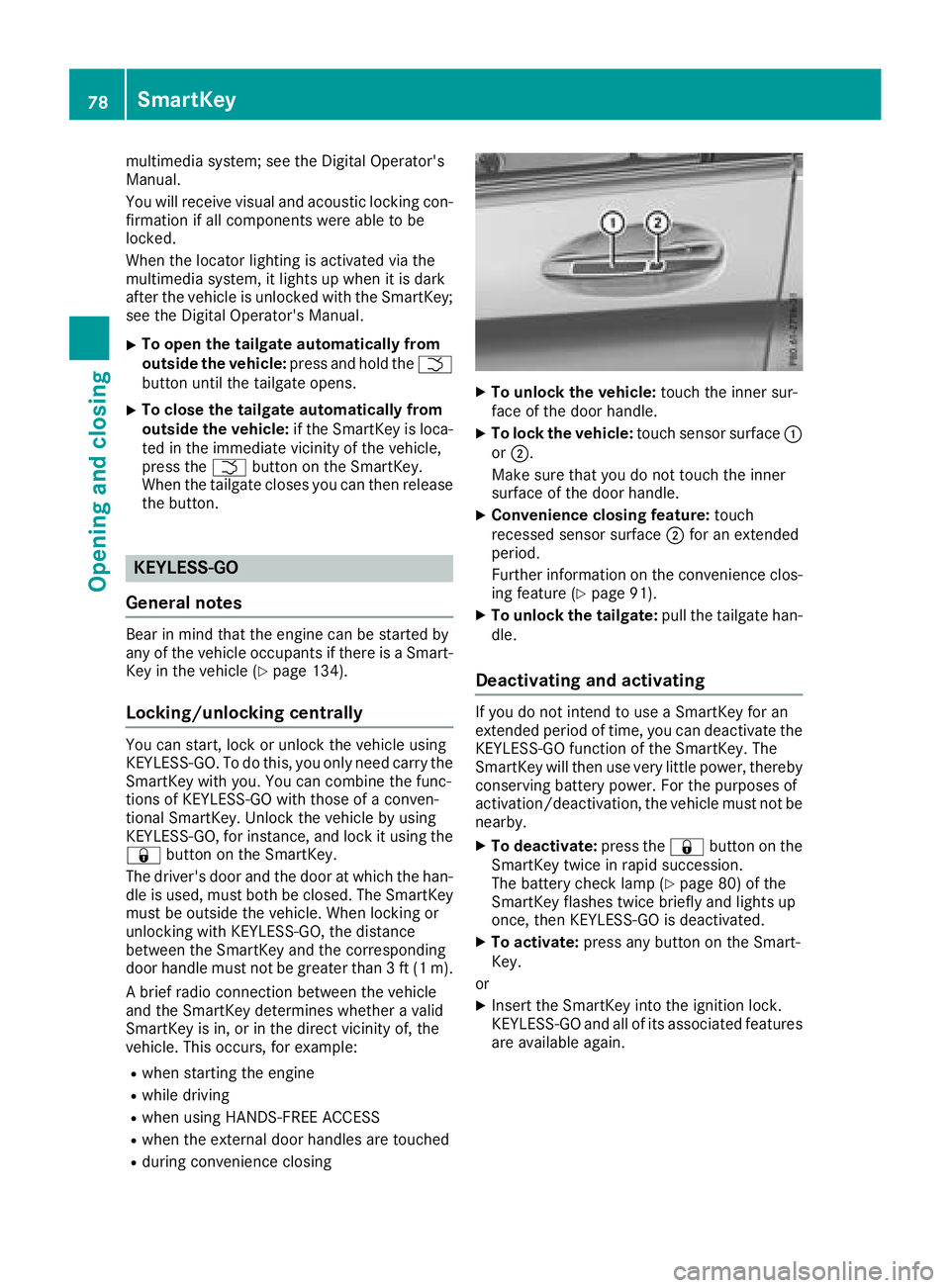
To unlock the vehicle: touch the inner sur-
face of the door handle. X
To lock the vehicle: touch sensor surface C
or D .
Make sure that you do not touch the inner
surface of the door handle. X
Convenience closing feature: touch
recessed sensor surface D for an extended
period.
Further information on the convenience clos-
ing feature ( Y
page 91). X
To unlock the tailgate: pull the tailgate han-
dle.
Deactivating and activating If you do not intend to use a SmartKey for an
extended period of time, you can deactivate the
KEYLESS-GO function of the SmartKey. The
SmartKey will then use very little power, thereby
conserving battery power. For the purposes of
activation/deactivation, the vehicle must not be
nearby. X
To deactivate: press the 7 button on the
SmartKey twice in rapid succession.
The battery check lamp ( Y
page 80) of the
SmartKey flashes twice briefly and lights up
once, then KEYLESS-GO is deactivated. X
To activate: press any button on the Smart-
Key.
or X
Insert the SmartKey into the ignition lock.
KEYLESS-GO and all of its associated features
are available again.78
SmartKey
Opening and closing
Page 87 of 374
could enter the passenger compartment.
There is a risk of poisoning.
Turn off the engine before opening the tail-
gate. Never drive with the tailgate open.
G WARNING
If objects, luggage or loads are not secured or
not secured sufficiently, they could slip, tip
over or be flung around and thereby hit vehicle
occupants. There is a risk of injury, particu-
larly in the event of sudden braking or a sud-
den change in direction.
Always store objects so that they cannot be
flung around. Secure objects, luggage or
loads against slipping or tipping before the
journey.
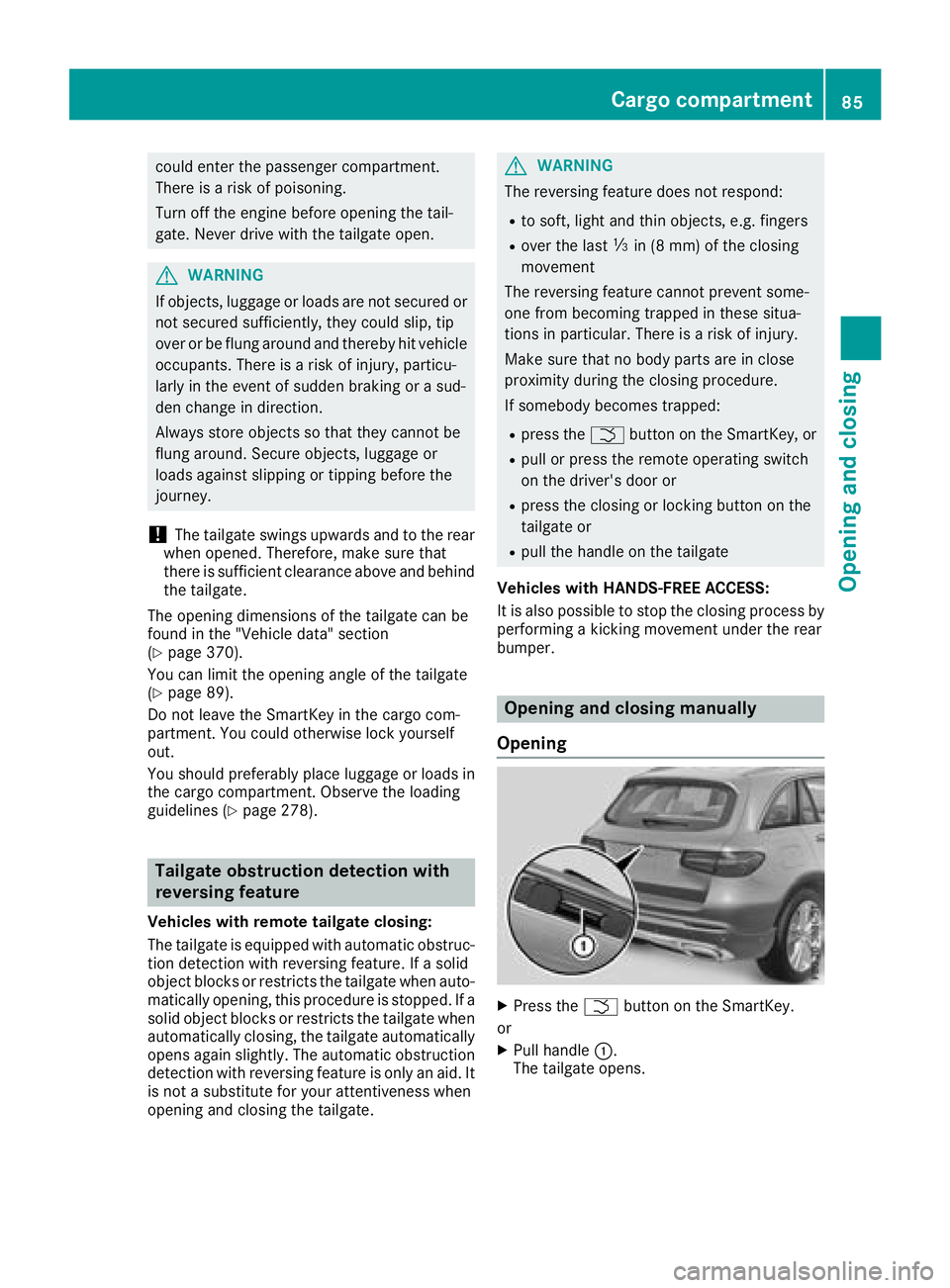
! The tailgate swings upwards and to the rear
when opened. Therefore, make sure that
there is sufficient clearance above and behind
the tailgate.
The opening dimensions of the tailgate can be
found in the "Vehicle data" section
( Y
page 370).
You can limit the opening angle of the tailgate
( Y
page 89).
Do not leave the SmartKey in the cargo com-
partment. You could otherwise lock yourself
out.
You should preferably place luggage or loads in
the cargo compartment. Observe the loading
guidelines ( Y
page 278).
Tailgate obstruction detection with
reversing feature Vehicles with remote tailgate closing:
The tailgate is equipped with automatic obstruc-
tion detection with reversing feature. If a solid
object blocks or restricts the tailgate when auto-
matically opening, this procedure is stopped. If a
solid object blocks or restricts the tailgate when
automatically closing, the tailgate automatically
opens again slightly. The automatic obstruction
detection with reversing feature is only an aid. It
is not a substitute for your attentiveness when
opening and closing the tailgate. G WARNING
The reversing feature does not respond: R
to soft, light and thin objects, e.g. fingers R
over the last
Page 92 of 374
! The tailgate swings upwards and to the rear
when opened. Therefore, make sure that
there is sufficient clearance above and behind
the tailgate.
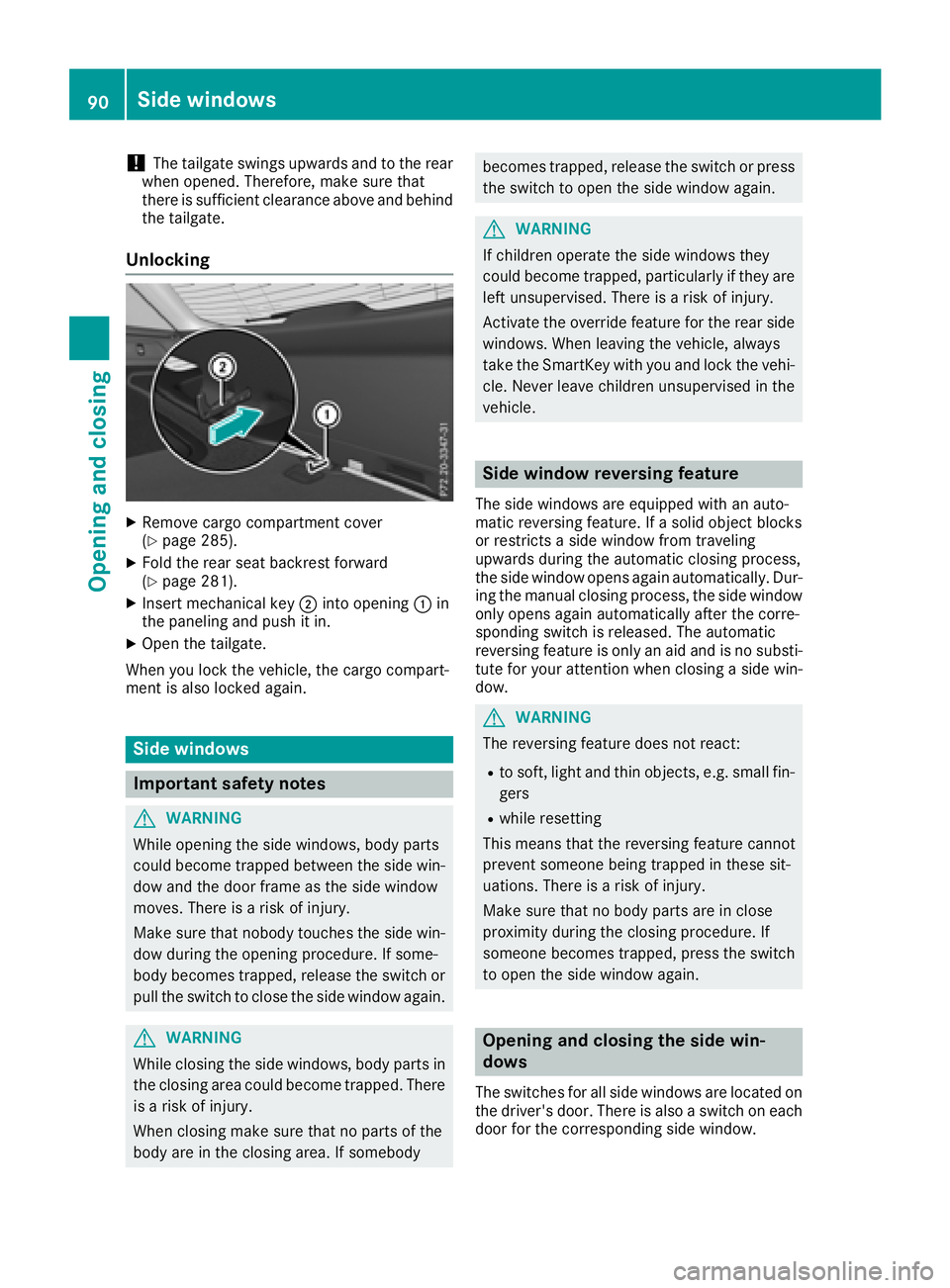
Unlocking X
Remove cargo compartment cover
( Y
page 285).X
Fold the rear seat backrest forward
( Y
page 281).X
Insert mechanical key D into opening C in
the paneling and push it in. X
Open the tailgate.
When you lock the vehicle, the cargo compart-
ment is also locked again.
Side windows
Important safety notes
G WARNING
While opening the side windows, body parts
could become trapped between the side win-
dow and the door frame as the side window
moves. There is a risk of injury.
Make sure that nobody touches the side win-
dow during the opening procedure. If some-
body becomes trapped, release the switch or
pull the switch to close the side window again.
G WARNING
While closing the side windows, body parts in
the closing area could become trapped. There
is a risk of injury.
When closing make sure that no parts of the
body are in the closing area. If somebody becomes trapped, release the switch or press
the switch to open the side window again.
G WARNING
If children operate the side windows they
could become trapped, particularly if they are
left unsupervised. There is a risk of injury.
Activate the override feature for the rear side
windows. When leaving the vehicle, always
take the SmartKey with you and lock the vehi-
cle. Never leave children unsupervised in the
vehicle.
Side window reversing feature The side windows are equipped with an auto-
matic reversing feature. If a solid object blocks
or restricts a side window from traveling
upwards during the automatic closing process,
the side window opens again automatically. Dur-
ing the manual closing process, the side window
only opens again automatically after the corre-
sponding switch is released. The automatic
reversing feature is only an aid and is no substi-
tute for your attention when closing a side win-
dow.
G WARNING
The reversing feature does not react: R
to soft, light and thin objects, e.g. small fin-
gers R
while resetting
This means that the reversing feature cannot
prevent someone being trapped in these sit-
uations. There is a risk of injury.
Make sure that no body parts are in close
proximity during the closing procedure. If
someone becomes trapped, press the switch
to open the side window again.
Opening and closing the side win-
dows
The switches for all side windows are located on
the driver's door. There is also a switch on each
door for the corresponding side window.90
Side windows
Opening and closing
Page 94 of 374
Vehicles with KEYLESS-GO or KEYLESS-GO
start function: if the SmartKey is in close prox-
imity to the vehicle, the convenience closing
function is available.
When you lock the vehicle, you can simultane-
ously: R
close the side windows R
close the panorama roof with power tilt/slid-
ing panel
On vehicles with a panorama roof with power
tilt/sliding panel, you can then close the roller
sunblinds.
Notes on the automatic reversing feature for: R
the side window ( Y
page 90)R
the panorama roof with power tilt/sliding
panel ( Y
page 94)
Using the SmartKey X
Press and hold the 7 button until the side
windows and the panorama roof with power
tilt/sliding panel are fully closed. X
Make sure that all the side windows and the
panorama roof with power tilt/sliding panel
are closed. X
Press and hold the 7 button again until the
roller sunblinds of the panorama roof with
power tilt/sliding panel are closed. X
To interrupt convenience closing: release
the 7 button.
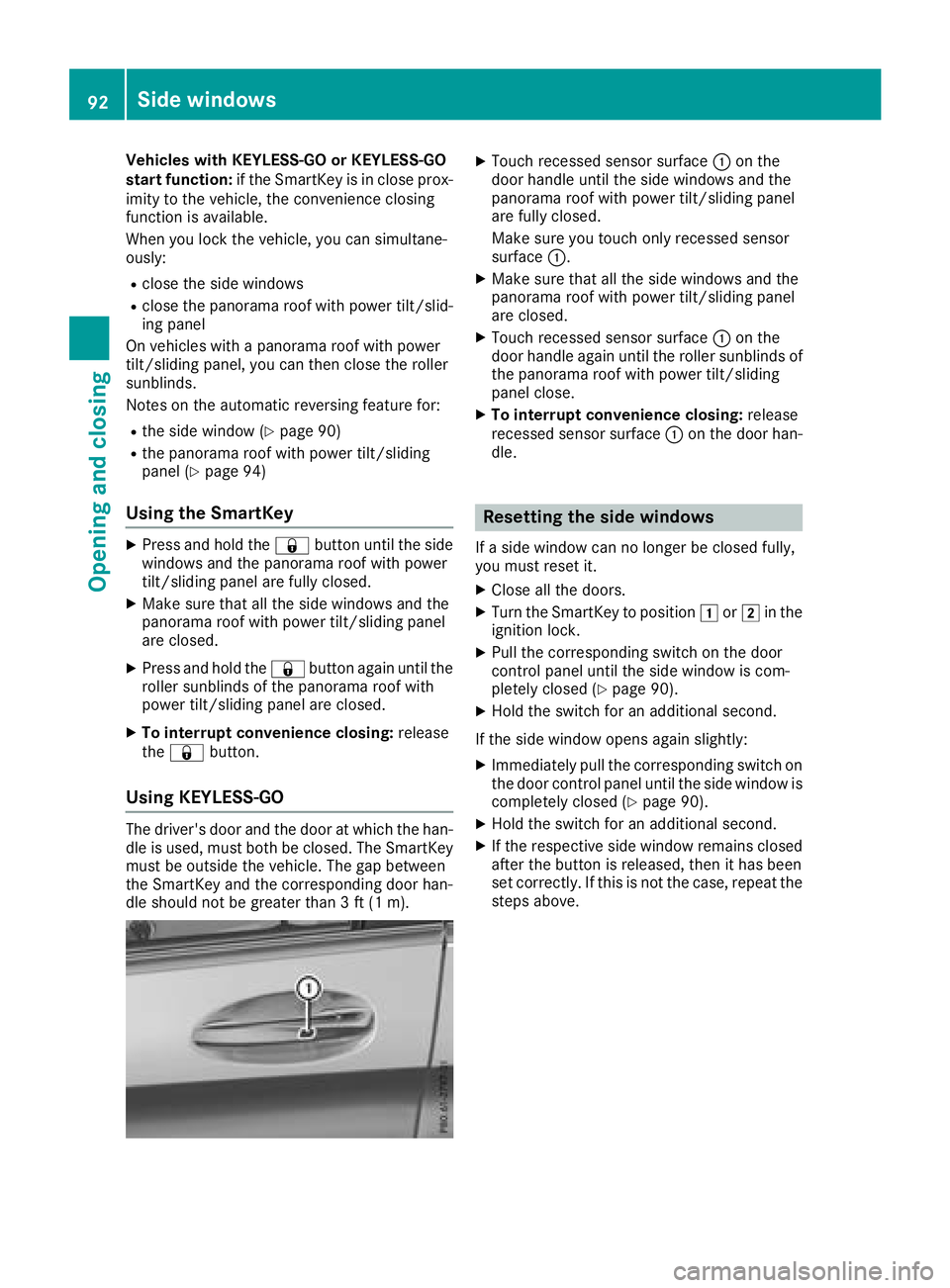
Using KEYLESS-GO The driver's door and the door at which the han-
dle is used, must both be closed. The SmartKey
must be outside the vehicle. The gap between
the SmartKey and the corresponding door han-
dle should not be greater than 3 ft (1 m). X
Touch recessed sensor surface C on the
door handle until the side windows and the
panorama roof with power tilt/sliding panel
are fully closed.
Make sure you touch only recessed sensor
surface C . X
Make sure that all the side windows and the
panorama roof with power tilt/sliding panel
are closed. X
Touch recessed sensor surface C on the
door handle again until the roller sunblinds of
the panorama roof with power tilt/sliding
panel close. X
To interrupt convenience closing: release
recessed sensor surface C on the door han-
dle.
Resetting the side windows If a side window can no longer be closed fully,
you must reset it. X
Close all the doors. X
Turn the SmartKey to position G or H in the
ignition lock. X
Pull the corresponding switch on the door
control panel until the side window is com-
pletely closed ( Y
page 90).X
Hold the switch for an additional second.
If the side window opens again slightly: X
Immediately pull the corresponding switch on
the door control panel until the side window is
completely closed ( Y
page 90).X
Hold the switch for an additional second. X
If the respective side window remains closed
after the button is released, then it has been
set correctly. If this is not the case, repeat the
steps above.92
Side windows
Opening and closing
Page 95 of 374
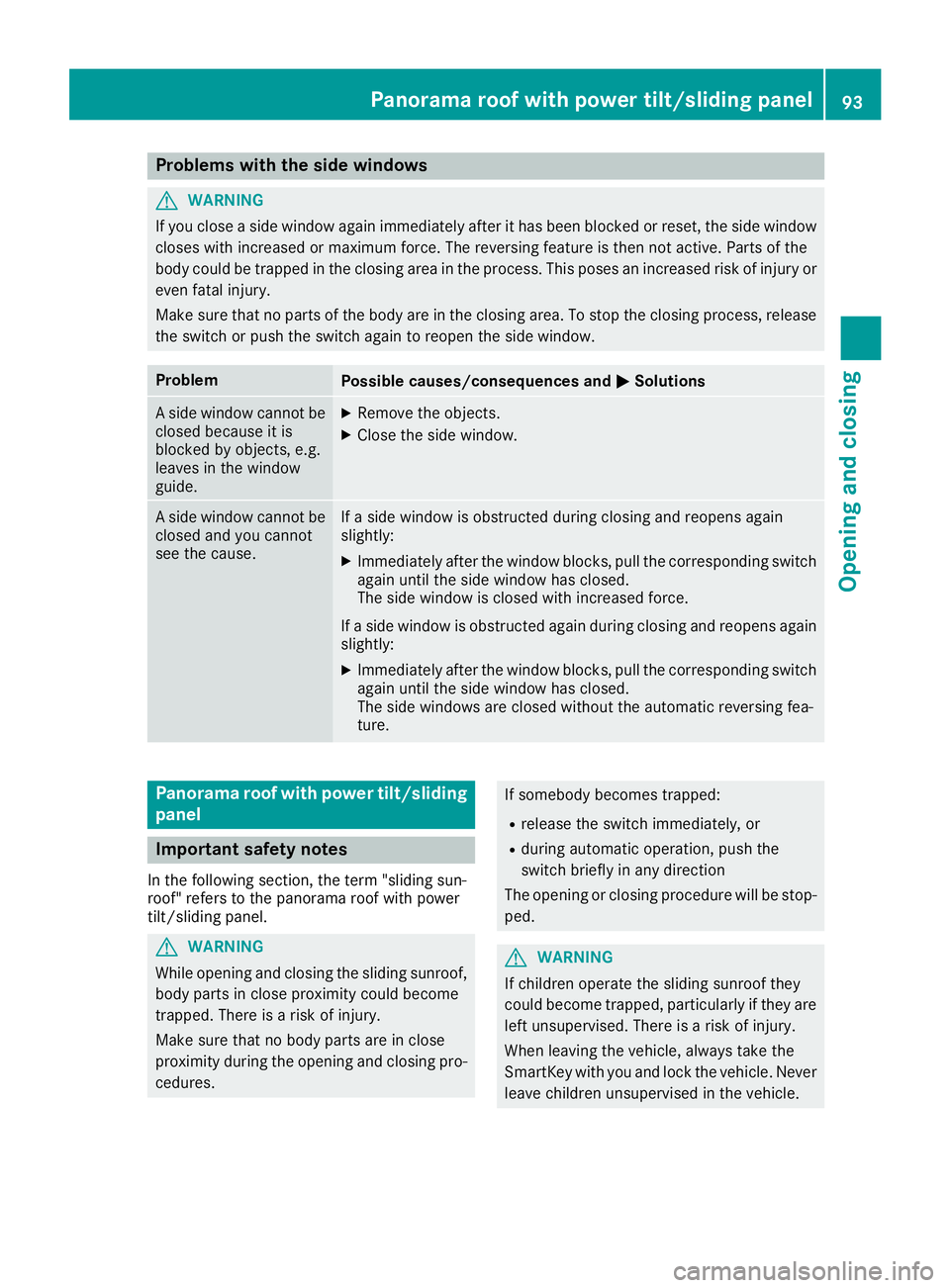
Problems with the side windows
G WARNING
If you close a side window again immediately after it has been blocked or reset, the side window
closes with increased or maximum force. The reversing feature is then not active. Parts of the
body could be trapped in the closing area in the process. This poses an increased risk of injury or
even fatal injury.
Make sure that no parts of the body are in the closing area. To stop the closing process, release
the switch or push the switch again to reopen the side window.
Problem
Possible causes/consequences and P Solutions
A side window cannot be
closed because it is
blocked by objects, e.g.
leaves in the window
guide. X
Remove the objects. X
Close the side window.
A side window cannot be
closed and you cannot
see the cause. If a side window is obstructed during closing and reopens again
slightly: X
Immediately after the window blocks, pull the corresponding switch
again until the side window has closed.
The side window is closed with increased force.
If a side window is obstructed again during closing and reopens again
slightly: X
Immediately after the window blocks, pull the corresponding switch
again until the side window has closed.
The side windows are closed without the automatic reversing fea-
ture.
Panorama roof with power tilt/sliding
panel
Important safety notes In the following section, the term "sliding sun-
roof" refers to the panorama roof with power
tilt/sliding panel.
G WARNING
While opening and closing the sliding sunroof,
body parts in close proximity could become
trapped. There is a risk of injury.
Make sure that no body parts are in close
proximity during the opening and closing pro-
cedures. If somebody becomes trapped: R
release the switch immediately, or R
during automatic operation, push the
switch briefly in any direction
The opening or closing procedure will be stop-
ped.
G WARNING
If children operate the sliding sunroof they
could become trapped, particularly if they are
left unsupervised. There is a risk of injury.
When leaving the vehicle, always take the
SmartKey with you and lock the vehicle. Never
leave children unsupervised in the vehicle.Panorama roof with power tilt/sliding panel 93
Opening and closing Z
Page 108 of 374
control of the vehicle. There is a risk of an
accident.
Always wait until the adjustment process is
complete before driving off.
The EASY-ENTRY/EXIT feature makes getting in
and out of your vehicle easier.
You can activate and deactivate the EASY-
ENTRY/EXIT feature using the multimedia sys-
tem (see the Digital Operator's Manual)
Position of the steering wheel when the
EASY-ENTRY/EXIT feature is active The steering wheel swings up when you: R
remove the SmartKey from the ignition lock R
with KEYLESS-GO or KEYLESS-GO start
function: open the driver's door; the voltage
supply must be switched on R
with the SmartKey: open the driver's door;
the SmartKey must be in position Z or G in
the ignition lock ( Y
page 132)R
open the driver's door when the ignition is
switched off
i The steering wheel only tilts up if the driving
position is stored after the steering column
adjustment has been adjusted ( Y
page 109).
The most recent driving position of the steering
wheel is stored if: R
the ignition is switched off R
the setting is stored using the memory func-
tion ( Y
page 109)
i The steering wheel only moves up if it has
not already reached the upper steering lim-
iter.
Position of the steering wheel for driv-
ing The steering wheel is moved to the last selected
position when: R
the driver's door is closed and you insert the
SmartKey into the ignition lock R
you close the driver's door when the ignition
is switched on R
you press the Start/Stop button once in vehi-
cles with KEYLESS-GO or the KEYLESS-GO
start function i The steering wheel only returns to the last
set position if the driving position is stored
after the seat or steering column has been
adjusted ( Y
page 109).
The most recent driving position of the steering
wheel is stored if: R
the ignition is switched off R
the setting is stored using the memory func-
tion ( Y
page 109)
Crash-responsive EASY-EXIT feature If the crash-responsive EASY-EXIT feature is trig-
gered in an accident, the steering column will
move up when the driver's door is opened or the
SmartKey is removed from the ignition lock. This
makes it easier to exit the vehicle and rescue the
occupants.
The crash-responsive EASY-EXIT feature is
operational only if the EASY-EXIT/ENTRY fea-
ture is activated in the multimedia system (see
Digital Operator's Manual).
Mirrors
Exterior mirrors
Important safety notes
G WARNING
You could lose control of your vehicle if you do
the following while driving: R
adjust the driver's seat, head restraint,
steering wheel or mirrors R
fasten the seat belt
There is a risk of an accident.
Adjust the driver's seat, head restraint, steer-
ing wheel and mirror and fasten your seat belt
before starting the engine.
G WARNING
The exterior mirror on the front-passenger
side reduces the size of the image. Visible
objects are actually closer than they appear.
This means that you could misjudge the dis-
tance from road users traveling behind, e.g.
when changing lane. There is a risk of an acci-
dent.106
Mirrors
Seats, steering wheel and mirrors
Page 114 of 374
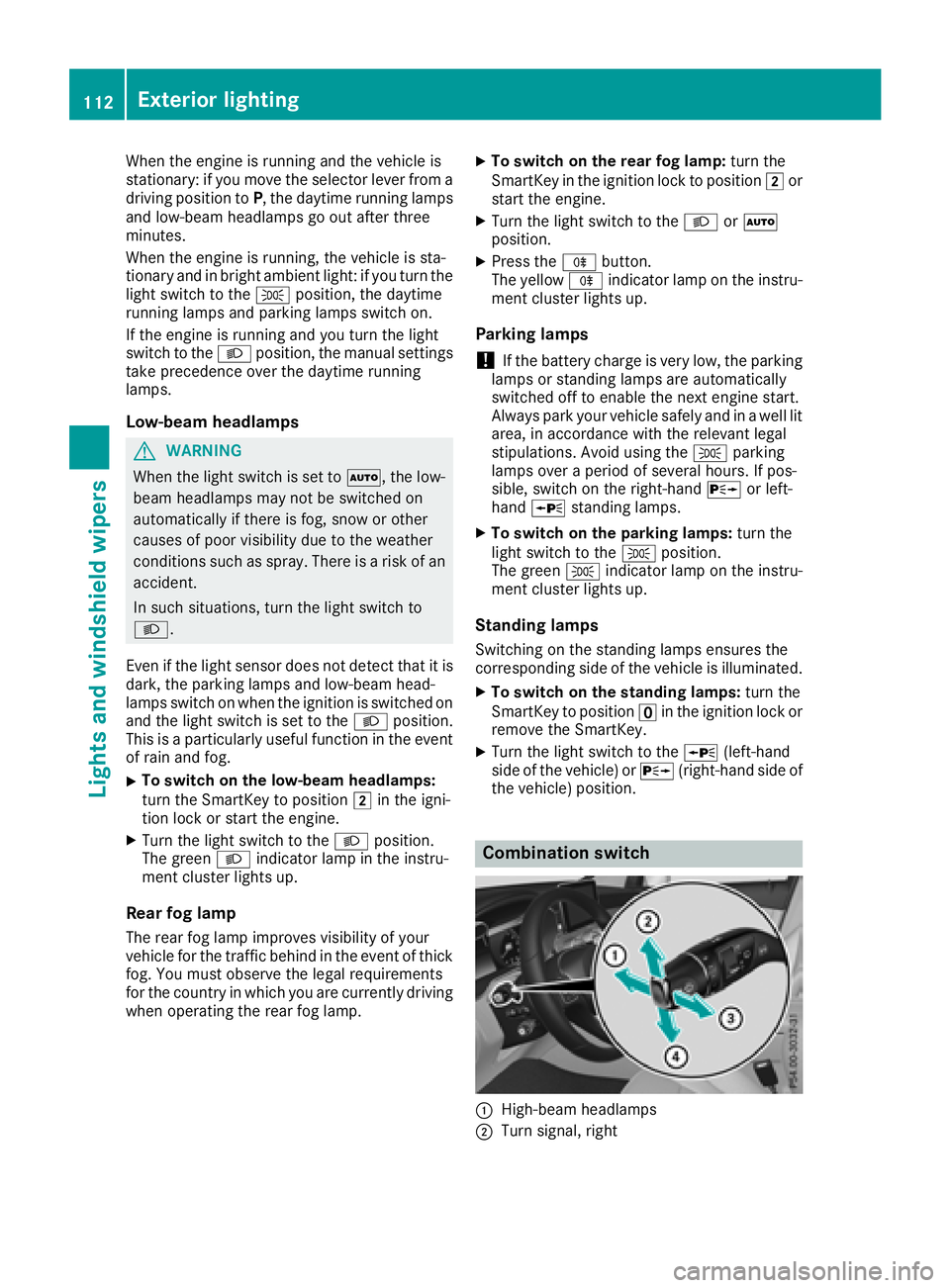
When the engine is running and the vehicle is
stationary: if you move the selector lever from a
driving position to P , the daytime running lamps
and low-beam headlamps go out after three
minutes.
When the engine is running, the vehicle is sta-
tionary and in bright ambient light: if you turn the
light switch to the ` position, the daytime
running lamps and parking lamps switch on.
If the engine is running and you turn the light
switch to the X position, the manual settings
take precedence over the daytime running
lamps.
Low-beam headlamps
G WARNING
When the light switch is set to X , the low-
beam headlamps may not be switched on
automatically if there is fog, snow or other
causes of poor visibility due to the weather
conditions such as spray. There is a risk of an
accident.
In such situations, turn the light switch to
X .
Even if the light sensor does not detect that it is
dark, the parking lamps and low-beam head-
lamps switch on when the ignition is switched on
and the light switch is set to the X position.
This is a particularly useful function in the event
of rain and fog. X
To switch on the low-beam headlamps:
turn the SmartKey to position H in the igni-
tion lock or start the engine. X
Turn the light switch to the X position.
The green X indicator lamp in the instru-
ment cluster lights up.
Rear fog lamp
The rear fog lamp improves visibility of your
vehicle for the traffic behind in the event of thick
fog. You must observe the legal requirements
for the country in which you are currently driving
when operating the rear fog lamp. X
To switch on the rear fog lamp: turn the
SmartKey in the ignition lock to position H or
start the engine. X
Turn the light switch to the X or X
position. X
Press the ^ button.
The yellow ^ indicator lamp on the instru-
ment cluster lights up.
Parking lamps
! If the battery charge is very low, the parking
lamps or standing lamps are automatically
switched off to enable the next engine start.
Always park your vehicle safely and in a well lit
area, in accordance with the relevant legal
stipulations. Avoid using the ` parking
lamps over a period of several hours. If pos-
sible, switch on the right-hand d or left-
hand c standing lamps. X
To switch on the parking lamps: turn the
light switch to the ` position.
The green ` indicator lamp on the instru-
ment cluster lights up.
Standing lamps Switching on the standing lamps ensures the
corresponding side of the vehicle is illuminated. X
To switch on the standing lamps: turn the
SmartKey t o position
Page 116 of 374
The system automatically adapts the low-beam
headlamp range depending on the distance to
the other vehicle. Once the system no longer
detects any other vehicles, it reactivates the
high-beam headlamps.
The system's optical sensor is located behind
the windshield near the overhead control panel.
Important safety notes
G WARNING
Adaptive Highbeam Assist does not recognize
road users: R
who have no lights, e.g. pedestrians R
who have poor lighting, e.g. cyclists R
whose lighting is blocked, e.g. by a barrier
On very rare occasions, Adaptive Highbeam
Assist may fail to recognize other road users
that have lights, or may recognize them too
late. In this, or in similar situations, the auto-
matic high-beam headlamps will not be deac-
tivated or will be activated regardless. There is
a risk of an accident.
Always carefully observe the traffic conditions
and switch off the high-beam headlamps in
good time.
Adaptive Highbeam Assist cannot take into
account road, weather or traffic conditions.
Adaptive Highbeam Assist is only an aid. You are
responsible for adjusting the vehicle's lighting
to the prevailing light, visibility and traffic con-
ditions.
In particular, the detection of obstacles can be
impaired if: R
there is poor visibility, e.g. due to fog, heavy
rain or snow R
there is dirt on the sensors or anything else
covering the sensors
Switching Adaptive Highbeam Assist
on/off X
To switch on: turn the light switch to the
X position.X
Press the combination switch forwards
beyond the pressure point ( Y
page 112).
The
Page 130 of 374
Activating/deactivating X
Turn th e SmartKey to position H in th e igni-
tion loc k ( Y
page 132).X
To activate: press rocke r switch r up or
down .
The indicator lamp abov e rocke r switch r
lights up.
Air-recirculation mod e switches on automati-
cally: R
at high outside temperatures R
in a tunne l (vehicles wit h a navigation system
only)
The indicator lamp abov e th e r rocke r
switch is no t lit when automatic air-recirculation
mod e is activated. Outside air is added after
about 30 minutes. X
To deactivate: press th e r rocke r switch
up or down .
The indicator lamp abov e th e r rocke r
switch goe s out .
Air-recirculation mod e deactivates automati-
cally: R
after approximately fiv e minute s at outside
temperatures belo w approximately 41 ‡
(5 †) R
after approximately fiv e minute s if coolin g
wit h air dehumidification is deactivatedR
after approximately 30 minute s at outside
temperatures abov e approximately 41 ‡
(5 †) if th e "Cooling wit h dehumidification "
function is activated
Perfu me atomizer
Operating the perfu me at omi zer
G WARNIN G
If children open th e vial, they could drink th e
perfum e or it could come int o contact wit h
their eyes. There is a ris k of injury. Therefore ,
do no t leav e children unsupervised in th e vehi-
cle .
If th e perfum e liquid has been drunk, consult
a doctor. If perfum e comes int o contact wit h
your eyes or skin, rinse th e eyes wit h clean
water. If you continu e to experience difficul-
ties, consult a doctor. H Environmenta l not e
Full vials mus t no t be dis-
posed of wit h household
waste. The y mus t be collec -
te d separately and recycle d
to protect th e environment.
Dispose of full vials in an
environmentally responsibl e
manne r and tak e them to a
harmful substance collec -
tion point.
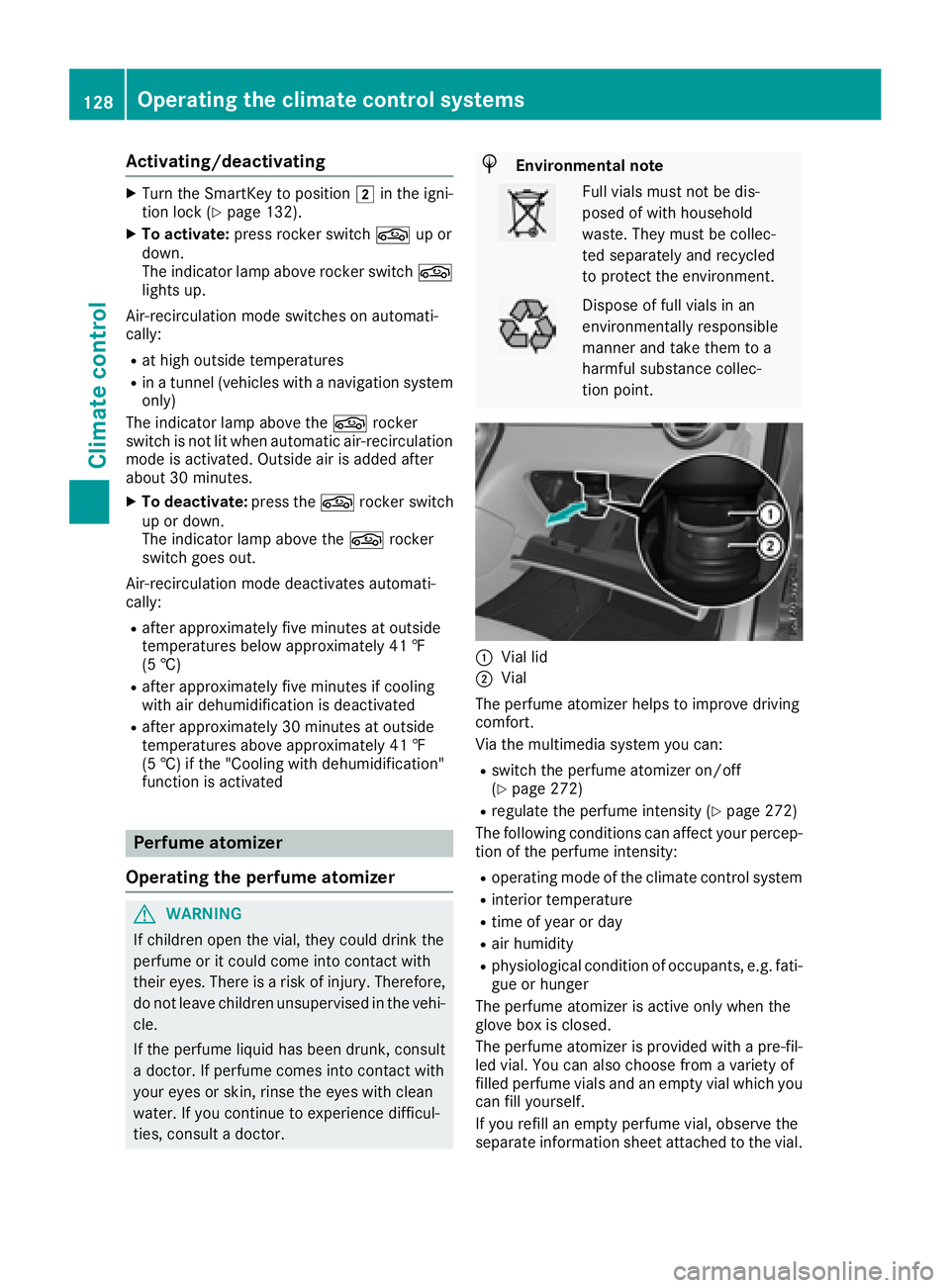
C
Vial lid D
Vial
The perfum e atomizer help s to improve drivin g
comfort .
Via th e multimedia system you can :R
switch th e perfum e atomizer on/off
( Y
page 272) R
regulat e th e perfum e intensit y ( Y
page 272)
The followin g condition s can affec t your percep-
tion of th e perfum e intensity:R
operating mod e of th e climat e control systemR
interior temperature R
time of year or day R
air humidit y R
physiological condition of occupants, e.g. fati-
gue or hunger
The perfum e atomizer is active only when th e
glov e box is closed.
The perfum e atomizer is provided wit h a pre-fil-
led vial. You can also choos e from a variet y of
filled perfum e vials and an empty vial whic h you
can fill yourself .
If you refill an empty perfum e vial, observ e th e
separat e information sheet attached to th e vial.128
Operating the climate control systems
Climate control
Page 134 of 374
! Do not warm up the engine with the vehicle
stationary. Drive off immediately. Avoid high
engine speeds and driving at full throttle until
the engine has reached its operating temper-
ature.
Only shift the automatic transmission to the
desired drive position when the vehicle is sta-
tionary.
Where possible, avoid spinning the drive
wheels when pulling away on slippery roads.
You could otherwise damage the drive train.
Key positions
SmartKey
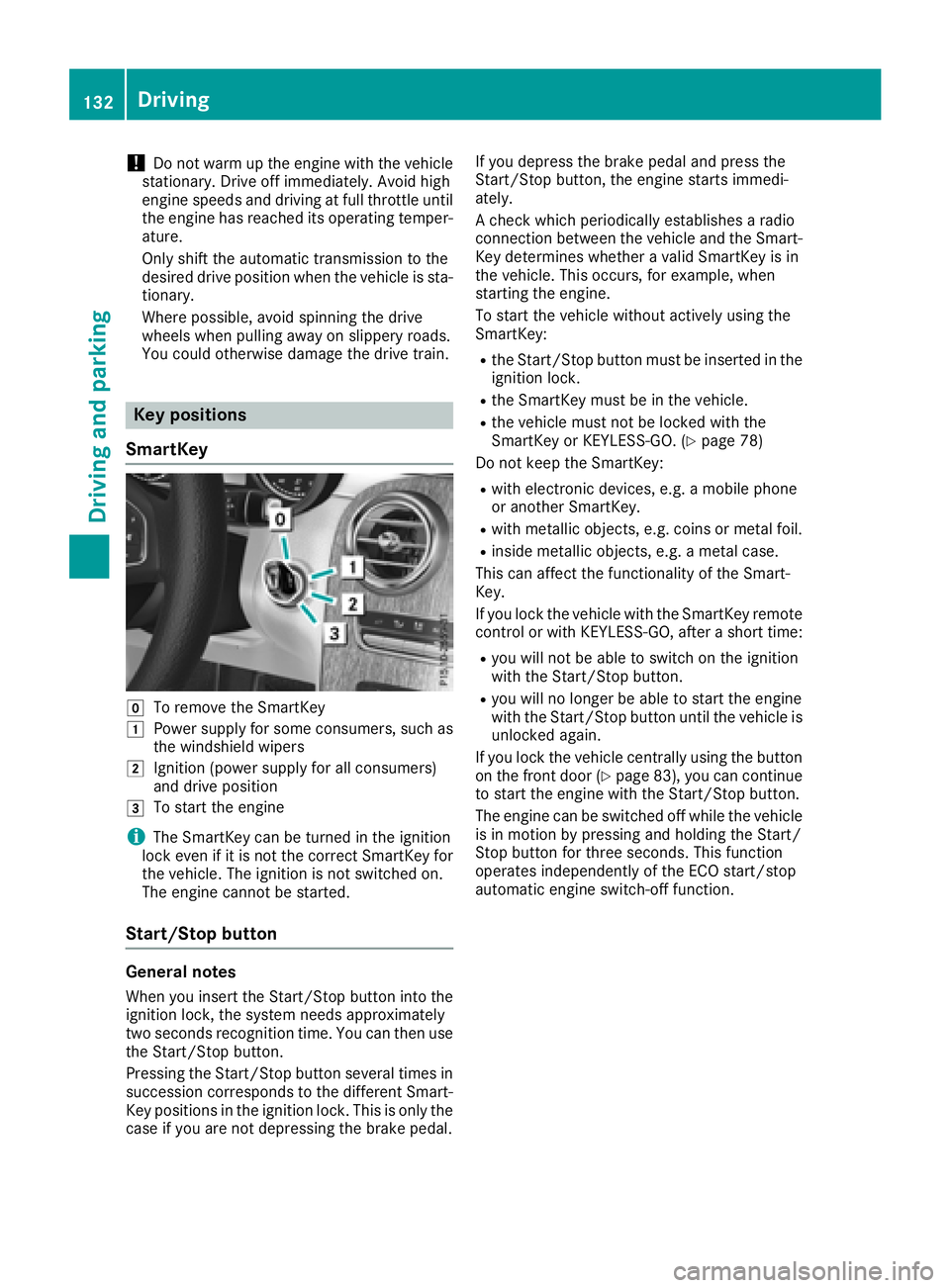
Z
To remove the SmartKeyG
Power supply for some consumers, such as
the windshield wipersH
Ignition (power supply for all consumers)
and drive positionI
To start the engine
i The SmartKey can be turned in the ignition
lock even if it is not the correct SmartKey for
the vehicle. The ignition is not switched on.
The engine cannot be started.
Start/Stop button
General notes
When you insert the Start/Stop button into the
ignition lock, the system needs approximately
two seconds recognition time. You can then use
the Start/Stop button.
Pressing the Start/Stop button several times in
succession corresponds to the different Smart-
Key positions in the ignition lock. This is only the
case if you are not depressing the brake pedal. If you depress the brake pedal and press the
Start/Stop button, the engine starts immedi-
ately.
A check which periodically establishes a radio
connection between the vehicle and the Smart-
Key determines whether a valid SmartKey is in
the vehicle. This occurs, for example, when
starting the engine.
To start the vehicle without actively using the
SmartKey: R
the Start/Stop button must be inserted in the
ignition lock. R
the SmartKey must be in the vehicle. R
the vehicle must not be locked with the
SmartKey or KEYLESS-GO. ( Y
page 78)
Do not keep the SmartKey: R
with electronic devices, e.g. a mobile phone
or another SmartKey. R
with metallic objects, e.g. coins or metal foil. R
inside metallic objects, e.g. a metal case.
This can affect the functionality of the Smart-
Key.
If you lock the vehicle with the SmartKey remote
control or with KEYLESS-GO, after a short time: R
you will not be able to switch on the ignition
with the Start/Stop button. R
you will no longer be able to start the engine
with the Start/Stop button until the vehicle is
unlocked again.
If you lock the vehicle centrally using the button
on the front door ( Y
page 83), you can continue
to start the engine with the Start/Stop button.
The engine can be switched off while the vehicle
is in motion by pressing and holding the Start/
Stop button for three seconds. This function
operates independently of the ECO start/stop
automatic engine switch-off function.132
Driving
Driving and parking