phone MERCEDES-BENZ GLC 2020 Owner's Manual
[x] Cancel search | Manufacturer: MERCEDES-BENZ, Model Year: 2020, Model line: GLC, Model: MERCEDES-BENZ GLC 2020Pages: 610, PDF Size: 21.19 MB
Page 356 of 610
#
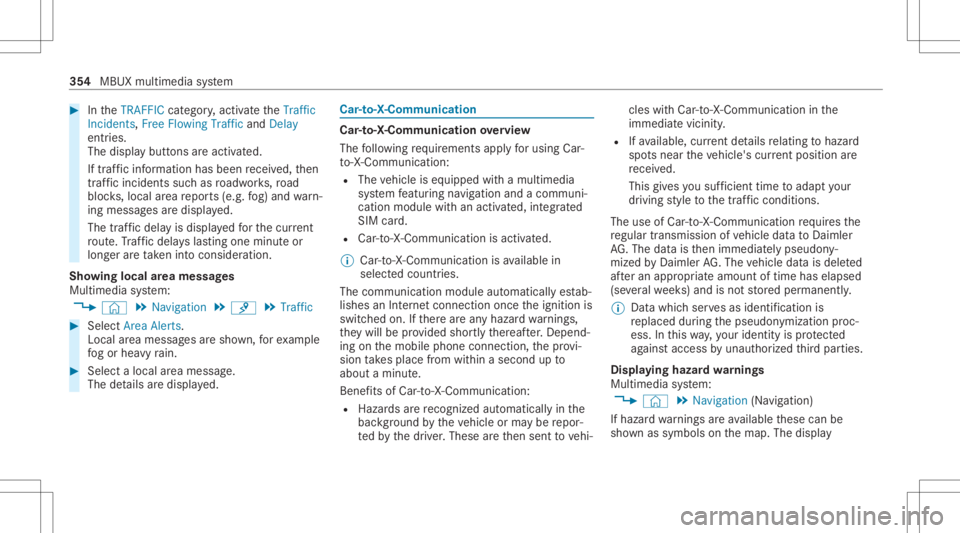
IntheTRAFF ICcat egor y,act ivat eth eTraffic
Inc idents, FreeFlowing TrafficandDelay
ent ries.
The displa ybutt ons areactiv ated.
If tra ffic inf ormatio nhas been recei ved, then
tra ffic inc ident ssuc has roadw orks ,ro ad
bloc ks,local area repor ts(e.g. fog) and warn‐
ing mess ages aredispla yed.
The traffic dela yis displa yedfo rth ecur rent
ro ute. Traf fic del ayslas ting oneminut eor
long erareta ke nint oconsi deratio n.
Sho wing loca lar ea mes sages
Mu ltimed iasystem:
4 © 5
Navigation 5
¡ 5
Traffic #
Select AreaAlerts.
Local area messag esaresho wn, forex am ple
fo gor hea vyrain. #
Selec ta local area mess age.
The details aredispla yed. Car
-to-X -Comm unication Car
-to-X -Comm unication overview
The follo wing requ iremen tsappl yfo rusi ng Car-
to -X-C ommu nication:
R The vehicle iseq uipped withamultimedia
sy stem featur ingnavig atio nand acom mun i‐
cat ion modul ewit han act ivat ed, integrated
SIM card.
R Car-to -X-C ommu nicationis acti vated.
% Car-to-X-Commun icationisavailable in
selec tedcount ries.
The comm unication moduleautomaticall yes tab‐
lishes anInterne tcon nection onceth eignition is
switc hedon.Ifth er ear ean yhazar dwa rnings ,
th ey will beprov ided shortly th er eaf ter.Dep end‐
ing onthemobile phoneconnect ion,thepr ov i‐
sion take splace from within asecond upto
about amin ute.
Ben efits ofCar -to- X- Comm unication:
R Haz ards arere cogni zedautomatical lyin the
bac kground bytheve hicle orma ybe repor‐
te dby thedr iver .These areth en sent tovehi‐ cles
withCar -to-X-Communicat ioninthe
immed iatevicin ity.
R Ifav ailable, current details relatin gto hazar d
spo tsnear theve hicle's current positio nar e
re cei ved.
This gives yousuf ficie nttime toadap tyo ur
dr ivin gst yle to thetraf fic condi tions.
The useof Ca r-to -X-C ommu nicationre qu ires the
re gular transmission ofvehicle datato Dai mle r
AG .The data isthen immediat elypseudon y‐
mized byDai mle rAG .The vehicle datais dele ted
af te ran app ropr iat eamount oftime haselapsed
(se veralwe eks) and isno tst or ed per manent ly.
% Datawhic hser vesas identif ication is
re placed during thepseudon ymization proc‐
ess. Inthis wa y,yo ur iden tityis protect ed
ag ains taccess byunaut horizedth ird par ties .
Displa yinghazardwa rnings
Multime diasystem:
4 © 5
Navigation (Navigation )
If hazar dwa rnings areav ailable these can be
sho wnassymbols onthemap. Thedispla y 35
4
MBUX multimedia system
Page 368 of 610
Conf
iguringdashca msettings
Re quirement s:
R AUSB device iscon nectedwit hth emultime‐
dia system (/ page405).
Multimedia system:
4 © 5
Mercedes me&Apps
5 Dashc am #
Select Z. #
Tosho wmessag esafte rpass inga
nati onalbo rder: swit chon National Bor-
ders Alert.
The displa ybutt onisactiv ated.
A messag eappear sin thefo llo wing situa‐
tion s:
R Avideo isbeing recor ded .
R The vehicle haspassed anational border.
% This funct ionisno tav ailable inall coun tries. #
Tostar taut omatic videore cor ding:selec t
Aut omat icVideo Recording. #
ActivateAuto matic Vide oRe cord ing.
The disp lay bu tton isacti vated. When the
ve hicle isstar ted, video recor ding star ts
aut omat ically.
% This funct ionisno tav ailable inall coun tries. Te
lephone Te
lephon y No
teson telephon y &
WARNIN GRisk ofdist ra ction from oper‐
ati ng integr ated commu nication equip‐
ment whiletheve hicle isin mo tion
If yo uoper ateco mm unic ationeq uipme nt
int egrat edintheve hicle when driving, you
will bedistract edfrom thetra ffic situat ion.
This could alsocause youto lose control of
th eve hicle. #
Onlyoper ateth is eq uipmen twhen the
tr af fic situ ation per mits. #
Ifyo ucan notbe sur eof this, stop the
ve hicle whilstpa ying attention toroad and
traffic condi tions andoperate the
eq uipment withth eve hicle statio nary. &
WARNIN GRisk ofan acci dent from
ope rating mob ile comm unicati onequip ‐
ment while th eve hicle isin mo tion
Mobile communication sde vices distract the
dr iver from thetraf fic situ ation. Thiscou ld
al so cau sethedr iver tolose control of the
ve hicle. #
Asthedr iver ,onl yoper atemobile com‐
municat ionsdevices when theve hicle is
st atio nary. #
Asave hicle occupant, onlyuse mobile
communication sde vices inthear eas
int ended forth is pur pose, e.g.inthe
re ar passe nger com partment . Yo
umus tobse rveth eleg alrequ iremen tsforth e
cou ntryin whi chyouar ecur rentl ydr ivi ng when
op erati ng mob ile comm unicati onequip ment in
th eve hicle. 366
MBUX multimedia system
Page 370 of 610
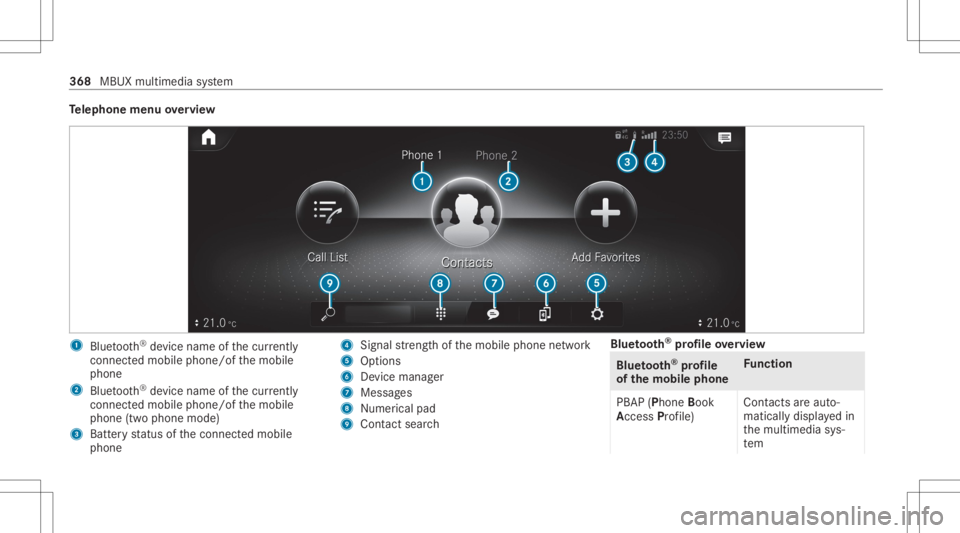
Te
lephone menuoverview 1
Blue tooth®
de vice name ofthecur rently
conne cted mob ile pho ne/o fth emobile
phone
2 Blue tooth®
de vice name ofthecur rently
conne cted mob ile pho ne/o fth emobile
phone (twophone mode)
3 Batt eryst atus ofthecon nect edmobile
phone 4
Signal stre ngt hof themobile phonenetwork
5 Option s
6 Device manag er
7 Messag es
8 Nume rical pad
9 Contact search Blue
tooth®
pr ofile ove rview Blue
tooth®
pr ofile
of the mobi lephon eFu
nction
PB AP (Phone Book
Access Profile) Cont
actsar eaut o‐
matic allydispla yedin
th emultimedia sys‐
te m 368
MBUX multimedia system
Page 371 of 610
Blue
tooth®
pr ofile
of the mobi lephon eFu
nction
MAP (Messag e
Access Profile) Messag
efunc tions
can beused Te
lephon yoper ating mod esove rview
Depen dingonyour equipme nt,th efo llo wing tel‐
ephon yoper atingmodes areav ailable:
R Amobi lephon eis con nectedto themultime‐
dia system viaBlue tooth®
(/ pag e369).
R Twomobile phones areconn ectedwithth e
multime diasystem viaBlue tooth®
(tw o
phone mode) (/page37 0).
- Youcan useallthefunc tionsof themulti‐
media system withth emobile phonein
th efo re grou nd .
- Youcan recei veinc omin gcalls andmes‐
sag eswit hth emobile phoneinthebac k‐
gr ound.
Yo ucan interch ang eth emobile phonein
th efo re grou nd and background anytim e
(/ page37 0). %
Irre spectiv eof this, Blue tooth®
audio func‐
tio nalit ycan byused withan ymob ilephon e
(/ page40 5).
Inf orma tionon telephon y
The follo wing situat ionscanlead tothecall
being discon nectedwhile theve hicle isin
mo tion:
R ther eis insuf ficie ntnetworkco verage inthe
ar ea
R youmo vefrom one transmis sion/reception
st atio nto ano ther and nocomm unication
ch ann elsarefree
R theSIM cardused isno tcom patible withth e
ne tworkav ailable
R amobi lephon ewit h"T winc ard" islogg edinto
th ene tworkwit hth esecon dSIM cardat the
same time
The multimedia system suppor tscalls inHD
Vo ice ®
forim prov ed speec hqu alit y.Arequ ire‐
men tfo rth is isthat themobile phoneandthe
mobil ephone networkpr ov ider oftheper son
yo uar ecalli ngsuppo rtHD Voice ®
. Depe
ndingon thequ alit yof thecon nect ion,the
vo ice qualit yma yfluct uate.
Connect ingamob ilephone
Re quirement s:
R Blue tooth®
is act ivat ed on themobile phone
(see themanuf acturer'soper ating instruc‐
tion s).
R Blue tooth®
is act ivat ed on themultimedia
sy stem (/ page31 9).
Mul timediasystem:
4 © 5
Phone
Sear ching fora mob ile pho ne #
Select í. #
Select Connect NewDevice.
Co nnectin gamob ile pho ne(au thor ization
usi ng Secure Sim plePairing) #
Selec ta mobile phone. #
Acode isdispla yedin themultimedia system
and onthemobile phone. #
Ifth ecodes match: con firm thecode on
th emobile phone. MBUX
multimedia system 369
Page 372 of 610
%
Forolde rmobil ephone models,ent eraone
to sixt een-digit numbercodeonthemobile
phone andonthemultimedia system for
aut hor izat ion.
% Upto15 mobil ephones canbeauthor ized
on themultimedia system.
Au thor ized mobile phones arere connect ed
au tomatical ly.
% The conn ectedmobile phonecanalso be
used asBlue tooth®
audio equipme nt
(/ page40 5).
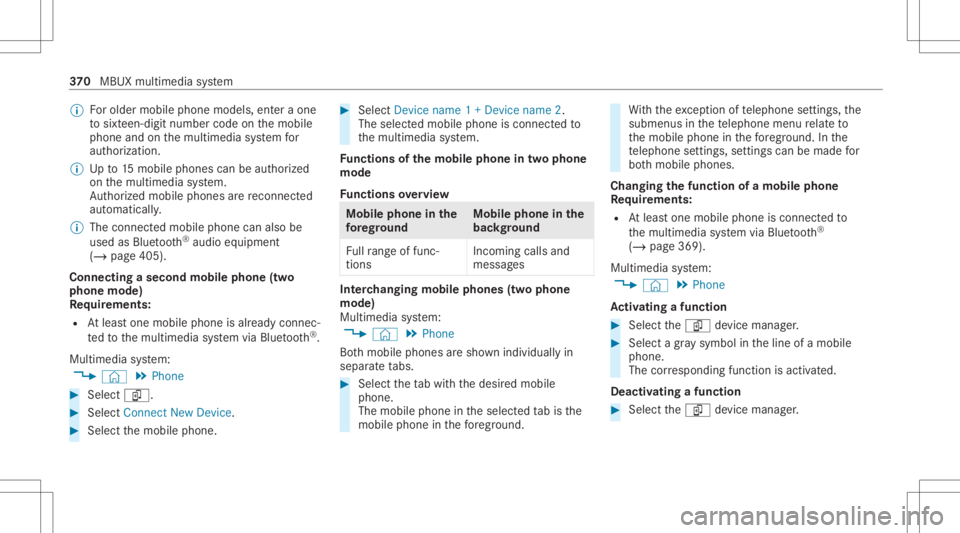
Connect ingasecond mobilephone (two
ph one mod e)
Re quirement s:
R Atleas tone mobile phoneis alr eady connec‐
te dto themultimedia system viaBlue tooth®
.
Multimedia system:
4 © 5
Phone #
Select í. #
Select Connec tNew Devic e. #
Select themobile phone. #
Select Devicename 1+Devic ename 2.
The select edmobile phoneiscon nect edto
th emultimedia system.
Fu nctions ofthemobil eph one intw oph one
mod e
Fu nctions overview Mobile
phoneinthe
fo re gr ound Mobile
phone inthe
bac kground
Fu llra ng eof func ‐
tio ns Incom
ingcallsand
mes sage s Int
erch angi ngmobi lephone s(tw ophone
mode)
Mul timedi asy stem:
4 © 5
Phone
Bo th mobil ephones aresho wnindivi duallyin
sepa rate tabs. #
Select theta bwit hth edesir edmobile
phone.
The mobile phoneintheselect edtabis the
mobil ephone inthefo re grou nd . Wi
th theexc eption oftelephon ese ttings ,th e
submenus inthete lephon emen ure lat eto
th emobile phoneinthefo re grou nd .In the
te lephon ese ttings ,se ttings canbemade for
bo th mobil ephones.
Changi ngthefun ction ofamobil eph one
Re quirement s:
R Atleas tone mobile phoneis con nectedto
th emultimedia system viaBlue tooth®
( / pag e369).
Multimedia system:
4 © 5
Phone
Ac tiv atin gafunc tion #
Select theí device manag er. #
Select agr ay symbol intheline ofamobile
phone.
The corresponding functionisactiv ated.
Deactiv atingafunction #
Select theí device manag er. 37
0
MBUX multimedia system
Page 373 of 610
#
One function isactiv e:select thecolor
symbol intheline ofamobile phone.
The mobile phoneisdiscon nectedfrom the
multime diasystem. #
Severalfunct ionsareactiv e:select acolor
symbol intheline ofamobile phone.
The corresponding functionisdeactiv ated.
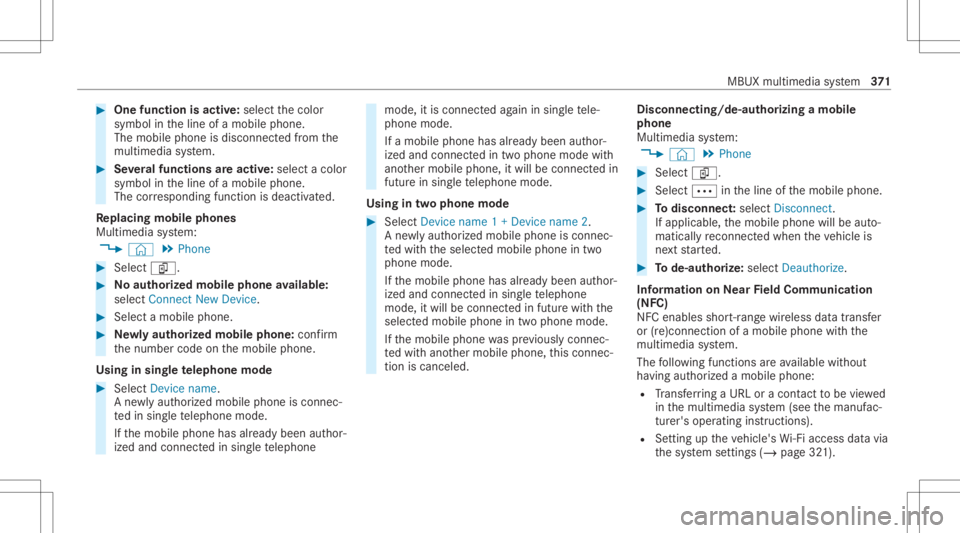
Re plac ingmobi lephon es
Mu ltimed iasystem:
4 © 5
Phone #
Select í. #
No author ized mobi lephone availab le:
sele ctConnect NewDevice . #
Select amobi lephone. #
Newly author ized mobi lephone :conf irm
th enumber codeonthemobile phone.
Using insing letelephone mode #
Selec tDev icename.
A ne wlyaut hor ized mobile phoneis con nec‐
te din sing letelephon emode.
If th emobile phonehasalready been author‐
ized andconnect edinsing letelephon e mode,
itis con nectedag ain insing letele‐
phon emode.
If amobile phonehas already been author‐
ized andconnectedin twophone modewith
ano ther mobile phone, itwill becon nect edin
futur ein sing letelephon emode.
Using intw oph one mod e #
Selec tDev icename 1+Dev icename 2.
A ne wlyaut hor ized mobile phoneis con nec‐
te dwit hth eselect edmobile phoneintwo
phone mode.
If th emobile phonehasalready been author‐
ized andconnect edinsing letelephon e
mode, itwill becon nectedin futur ewit hth e
select edmobile phoneintwophone mode.
If th emobile phonewaspr ev iousl ycon nec‐
te dwit hano ther mobile phone, this con nec‐
tion iscan celed. Disconnecting/d
e-authorizing amobil e
ph one
Mult imedia system:
4 © 5
Phone #
Select í. #
Select 0062intheline ofthemobile phone. #
Todisc onnect: select Disco nnect .
If ap plica ble, themobile phonewillbeaut o‐
maticall yre connect edwhe nth eve hicle is
ne xt star ted. #
Tode-author ize:sel ect Dea utho rize.
In fo rm ation onNearField Comm unication
(NFC)
NFC enabl esshor t-ra ng ewi reless datatransf er
or (re)con nection ofamobile phonewit hth e
multime diasystem.
The follo wing functionsar eav ailable without
ha vin gaut hor izedamobi lephon e:
R Trans ferring aURL oracon tact to be viewe d
in themultimedia system (see themanuf ac‐
tur er's oper ating instruction s).
R Setting uptheve hicle's Wi-Fi acce ssdata via
th esy stem settings (/page32 1). MBUX
multimedia system 37
1
Page 374 of 610
Fu
rther information canbeobt ained at:http: //
www .mercedes-benz .com/connect
Se tting there cep tion andtrans mis sion vol‐
um e
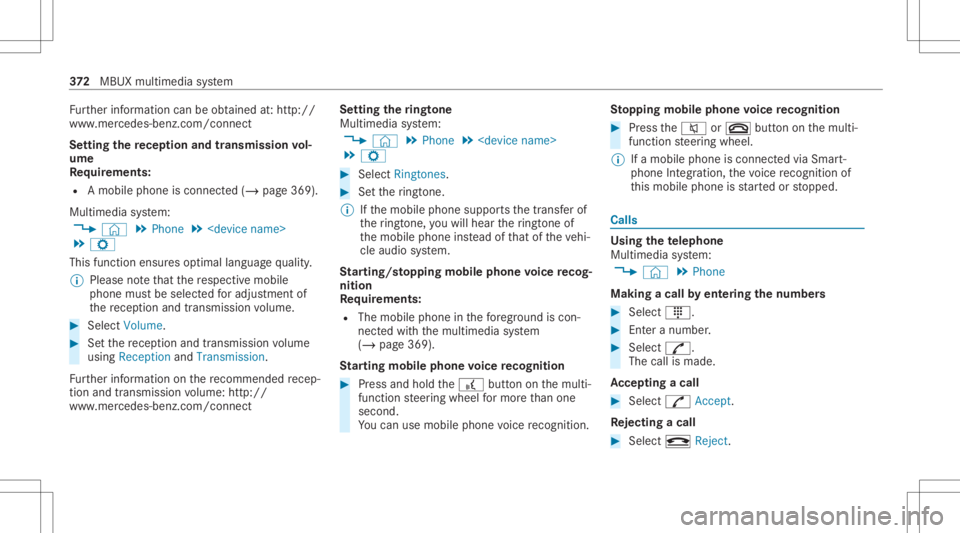
Re quirement s:
R Amobile phoneis con nected(/ page369).
Multimedia system:
4 © 5
Phone 5
5 Z
This function ensur esoptimal languag equ alit y.
% Please note that there spectiv emobile
phone mustbe select edforadju stment of
th ere cep tion andtransm ission volume. #
Selec tVolume. #
Setth ere cep tion andtransm ission volume
using Recept ionand Tran smiss ion.
Fu rther information onthere comme ndedrecep‐
tion andtransm ission volume: http:/ /
www .mercedes-ben z.com/ connect Se
tting theringt one
Multimedia system:
4 © 5
Phone 5
5 Z #
Select Rington es. #
Setth eringt one.
% Ifth emobile phonesuppor tsthetra nsf erof
th eringt one, youwill hear theringt one of
th emobile phoneinstead ofthat oftheve hi‐
cle audi osy stem.
St arting/ stopping mobilephon evo ice recog‐
nit ion
Re quirement s:
R The mobile phonein thefo re ground iscon‐
nect edwithth emultimedia system
(/ page369).
St arting mobi lephone voice recognit ion #
Press and hold the£ buttononthemulti‐
func tion steer ing wheel formor eth an one
sec ond.
Yo ucan usemob ilephon evo ice recogni tion. St
opp ingmobil eph one voice recognit ion #
Press the0063 or0076 buttononthemulti‐
func tion steer ing wheel.
% Ifamobile phoneiscon nect edvia Smar t‐
phone Integr ation, thevo ice recogni tionof
th is mobile phoneis star tedor stopped. Calls
Using
thete lephone
Multime diasystem:
4 © 5
Phone
Making acall byent ering thenum bers #
Sele ct_. #
Entera number . #
Select R.
The callismade .
Ac cep tingacall #
Select R Accep t.
Re jec tingaca ll #
Select k Reject . 37
2
MBUX multimedia system
Page 375 of 610
Endin
gacall #
Sele ctk.
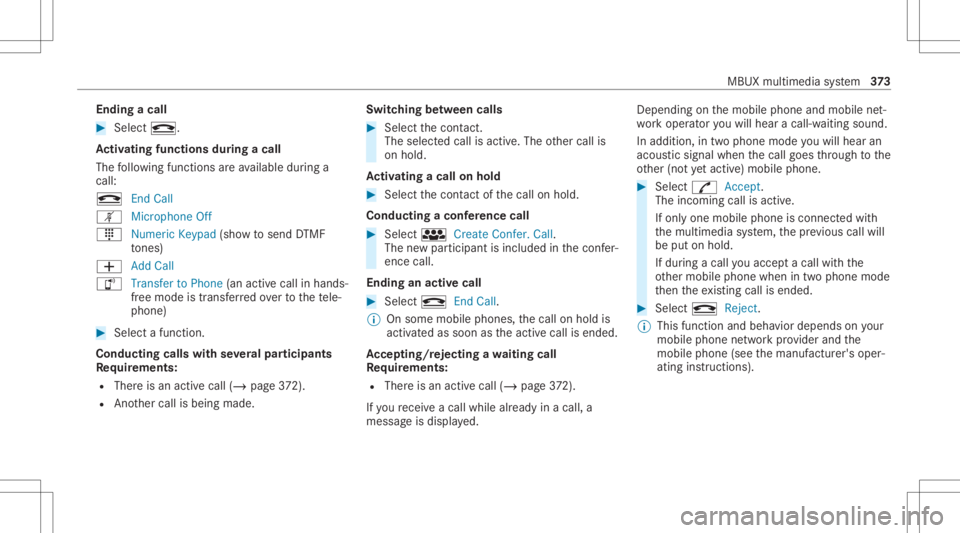
Ac tiv atin gfun ctionsdur ingacal l
The follo wing functionsar eav ailable during a
call:
k EndCall
m Microph oneOff
_ NumericKeypad (showto send DTMF
to nes)
0081 AddCall
h Transfe rto Pho ne(anacti vecal lin ha nds-
fr ee mod eis transf erredove rto thete le‐
phon e) #
Selec ta func tion.
Conduct ingcalls withse ve ralpar ticip ants
Re quirement s:
R Ther eis an act ive call (/ page37 2).
R Ano ther call isbeing made. Switc
hingbetw een calls #
Select thecon tact.
The select edcallis acti ve.The other call is
on hold.
Ac tiv atin gacal lon hol d #
Select thecon tact of thecall onhold.
Conducting aconf erence call #
Select iCreate Confer. Call.
The newpar ticipan tis included inthecon fer‐
ence call.
Endin gan activ ecall #
Select kEndCall.
% Onsome mobilephones, thecall onhold is
activ ated assoon astheactiv ecall isended.
Ac cep ting/r eject ingawa iting call
Re quirement s:
R Ther eis an act ive call (/ page37 2).
If yo ure cei veacall while already inacall, a
mes sageis displa yed. Depen
dingonthemobile phoneandmobile net‐
wo rkoper ator youwill hear acall- waitin gsound .
In addition ,in twophon emode youwill hear an
aco ustic sign alwhen thecall goes thro ugh tothe
ot her (notye tacti ve)mobile phone. #
Selec tR Accept.
The incomin gcall isactiv e.
If onl yone mobile phoneiscon nectedwit h
th emultimedia system, thepr ev ious callwill
be put onhold.
If dur ing acall youacc epta call withth e
ot her mobile phonewhenintwophone mode
th en theex istin gcall isended . #
Selec tk Reject.
% This function andbeha viordepen dson your
mob ilephon ene tworkpr ov ider andthe
mobil ephone (seethemanuf acturer'soper‐
ating instruction s). MBUX
multimedia system 37
3
Page 376 of 610
Contact
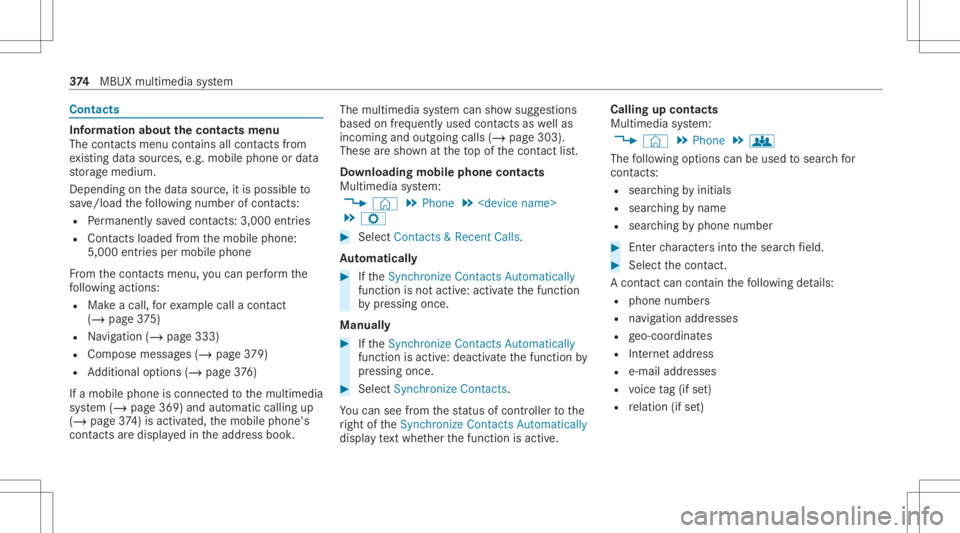
s Inf
orma tion abou tth econtact smenu
The contacts menu contains allcont acts from
ex istin gdat asour ces, e.g.mobile phoneor dat a
st or ag emedium.
Depending onthedat asour ce,itis possible to
sa ve /loa dth efo llo wing numb erofcon tacts:
R Perm anen tly sa ve dcon tacts: 3,000 entries
R Contacts loaded from themobile phone:
5,000 entries per mobile phone
Fr om thecon tacts menu ,yo ucan perform the
fo llo wing actions :
R Mak eacall, forex am ple call acon tact
(/ page 375)
R Navig ation (/page333)
R Com pose messa ges(/ page37 9)
R Addition alop tion s(/ page37 6)
If amobi lephone isconnect edtothemultimedia
sy stem (/ page369) andautomatic callingup
(/ page37 4) isactiv ated, themobile phone's
con tacts aredispl ayed intheaddr essbook . The
multimedia system can showsugg estion s
based onfreq uentl yused contacts aswellas
inc omin gand outgo ingcalls (/page303) .
These aresho wnattheto pof thecon tact list .
Do wnloa dingmob ilephone conta cts
Mult imediasystem:
4 © 5
Phone 5
5 Z #
Select Contac ts&Recent Calls.
Au tomatic ally #
Ifth eSync hroniz eContac tsAutom atically
func tion isno tactiv e:activ ateth efunc tion
by pressing once.
Manu ally #
Ifth eSync hroniz eContac tsAutom atically
func tion isactiv e:deactiv ateth efunc tion by
pr essing once. #
Select SynchronizeContac ts.
Yo ucan seefrom thest atus ofcon troller tothe
ri ght oftheSync hroniz eContac tsAutom atically
displa yte xt wh ether thefunc tion isactiv e. Calling
upcontacts
Multimedia system:
4 © 5
Phone 5
g
The follo wing option scan beused tosear chfor
cont acts:
R searching byinit ials
R sear ching bynam e
R searching byphone number #
Enterch aract ersint oth esear chfield. #
Select thecon tact.
A cont actcan cont ain th efo llo wing details:
R phon enumb ers
R navig ation addresses
R geo-coor dinates
R Interne taddr ess
R e-mail addresses
R voice tag(if set)
R relation (ifset) 37
4
MBUX multimedia system
Page 377 of 610
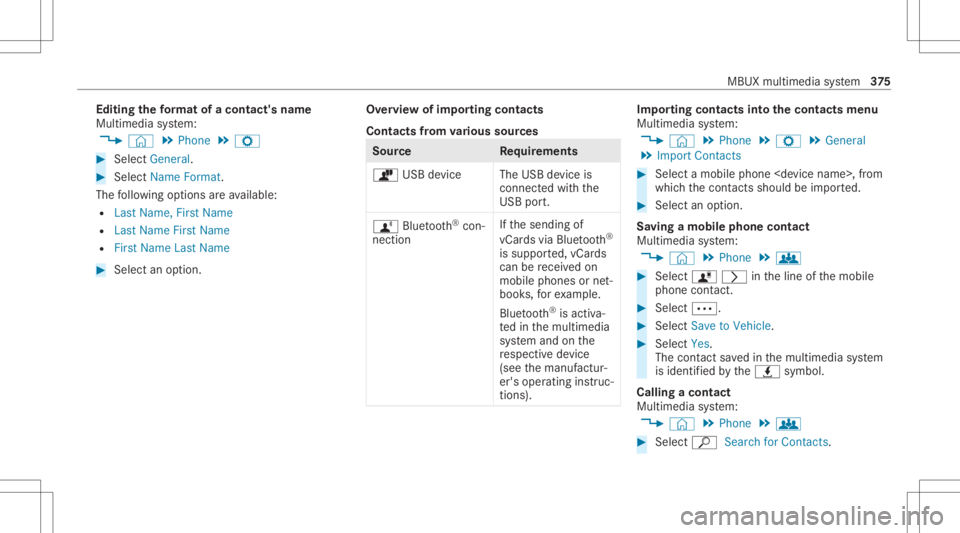
Edit
ingthefo rm atofaco ntact's name
Mul timedi asy stem:
4 © 5
Phone 5
Z #
Select General. #
Select NameFormat.
The follo wing option sar eav ailable:
R Last Name ,Fir stName
R Last Name FirstName
R FirstName LastName #
Select anoptio n. Ov
ervie wof impor tingcontact s
Contact sfrom various sour ces Sour
ce Requirement s
ò USBdevice TheUSB device is
con nectedwit hth e
USB port.
ñ Bluetooth®
con‐
nectio n If
th esendin gof
vCar dsvia Blue tooth®
is suppor ted, vCar ds
can berecei vedon
mobile phones ornet‐
book s,forex am ple.
Blue tooth®
is act iva‐
te din themultimedia
sy stem and onthe
re spectiv ede vice
(see themanuf actur‐
er's oper ating instruc‐
tion s). Im
por ting contacts intoth econtact smenu
Multi media system:
4 © 5
Phone 5
Z 5
General
5 Import Contacts #
Select amobile phone
whic hth econ tacts should be impor ted. #
Select anoption .
Sa ving amobile phonecontact
Multimedia system:
4 © 5
Phone 5
g #
Select ó0048 intheline ofthemobile
phone contact. #
Sele ct0062. #
Sele ctSave toVeh icle. #
Sele ctYes .
The cont actsave din themultimedia system
is identif iedbytheq symbol.
Calling acontact
Multimedia system:
4 © 5
Phone 5
g #
Select ªSearch forContac ts. MBUX
multimedia system 37
5