light MERCEDES-BENZ GLC 2020 Manual Online
[x] Cancel search | Manufacturer: MERCEDES-BENZ, Model Year: 2020, Model line: GLC, Model: MERCEDES-BENZ GLC 2020Pages: 610, PDF Size: 21.19 MB
Page 250 of 610
#
Under nocircums tances should yo utry
to inc rease thespeed tostra ight enthe
ve hicle/tr ailercombination. #
Reduce speed anddonotcount er-ste er. #
Ifneces sary,appl yth ebr ak es. *
NO
TEDama getotheengine asare sult
of ove rheating #
Ifyo ure trof itatrai le rhi tc h, mod ifica ‐
tio ns totheengine cooling system may
be neces sary,dependin gon theve hicle
model.
When retrof itti ng atrai le rhi tc h, ob serveth e
fa stening pointson thech assis . Re
trof itti ng atrai le rhi tc his pe rm issible onlyif a
trailer loadisspec ified inyour vehicle docu‐
ments. Ifth is isno tth ecase, theve hicle isno t
appr ovedfo rtr ail er oper ation.
Fu rther information canbeobt ained ataqu ali‐
fi ed specialis two rkshop. If
th etrailer coupling isremo vable, itis essent ial
to com plywith theoper ating instruction sof the
tr ai le rcou pling manuf actu rer.
Couple anduncouple thetrailer carefull y.Ifyo u
do notcon nectth etra iler totheto wing vehicle
cor rectl y,thetrailer maybecome detach ed.
Obser vethefo llo wing noteson theto ngu e
we ight :
R Donotuse ato ngu ewe ight that exceed sor
fa lls belo wtheper missible tongu ewe ight
R Use ato ngu ewe ight asclos eas possible to
th emaximum tongu ewe ight
Do notex ceed thefo llo wing values:
R Perm issible trailerload
R Perm issible rear axle load oftheto wing vehi‐
cle
R Perm issible gross weight oftheto wing vehi‐
cle
R Perm issible gros swe ight ofthetra iler
R Maximum permissible speedofthetrailer En
sur eth efo llo wing beforest ar tin gajo ur ne y:
R The tirepr essur eon there ar axle oftheto w‐
ing vehicle issetfo ra maximu mloa d
R The lighting ofthecon nect edtrailer isoper a‐
tion al
R Vehicl eswithout LEDheadlam psorMUL‐
TIBEA MLED headlam ps:theheadlam ps
ha ve been setcor rectl y
In theeve ntofincr eased rear axle load, theve hi‐
cle/tra ilercombination mayno texc eed amaxi‐
mum speed of62 mph(1 00 km/h) forre ason s
con cerningth eoper ating permit. This also
applies incount ries inwhic hth eper missible
maximum speedforve hicle/tr ailercombinations
is abo ve62 mph(1 00 km/h). 24
8
Driving and parking
Page 252 of 610
#
Youdo notini tiat eth eleve lcon trol sys‐
te m and donotoper ateth eDY NA MIC
SELE CTswitc h. #
Donotloc kor unloc kth eve hicle. Re
quirement s:
R The vehicle issecur edwithth eelectr icpar k‐
ing brak e.
R The transmission isin position 005D.
The trailer willbecor rectly detected bytheve hi‐
cle onlyif th efo llo wing condition sar eme t:
R The trailer isconn ectedcor rectl y.
R The trailer lighting system isin wo rking
or der .
The func tionsof thefo llo wing systems areaf fec‐
te dby acor rectly connect edtrai le r:
R ActiveLa ne Keeping Assist
R ESP®
trailer stabiliz ation
R Parking AssistPA RK TRONI C
R ActivePa rking Assist
R Blin dSpo tAss istor ActiveBli nd Spo tAssi st R
Drive Aw ayAssi st
R Cross Traf fic Aler t
R Rear vie wcam era
R 360° Camera
Ve hicl eswithout aleve lcontr olsystem: the
ball head height willchang edepen dingon the
ve hicle's load.Inthis case, useatrailer witha
height -adjustable draw bar .
Coupling upatrailer
* NO
TEDama getothebatt erydue tofull
disc harg e Cha
rging thetra iler batt eryusing thepo we r
supply ofthetra iler can damag eth eve hicle
batt ery. #
Donotus eth eve hicle's powe rsupp ly
to charge thetrailer battery. Inf
ormation abouta suit ablebal lnec kfo r
Mer cedes-Ben zve hicles canbeobt ained from a
qu alif ied spec ialistwo rkshop, e.g.anaut hor ized
Mer cedes-Benz Center. #
Remo vetheco verfr om theball neckmount
and stor eit in asaf eplace (/page24 9). #
Position thetra iler onaleve lsur face beh ind
th eve hicle andcouple itup totheve hicle. #
Establish theelectr icalconnect ionbetween
th eve hicle andthetra iler .
% Access oriescan beconnect edtotheper ma‐
nen tpo we rsupp lyup to180W and tothe
po we rsupp lythat isswit ched on via theigni‐
tion lock.
Decoup lingatrail er &
WARNIN GRisk ofbei ng crus hed and
beco ming trap ped whenunco upling a
tr ai le r
Whe nunco upling atrai le rwi th an eng aged
ine rtia-ac tivated brak e, your han dma y
bec ome trapped between theve hicle andthe
tr ai le rdr aw bar . #
Donotuncouple trailer swit han
eng aged ove rrunbr ak e. 25
0
Driving and parking
Page 257 of 610
#
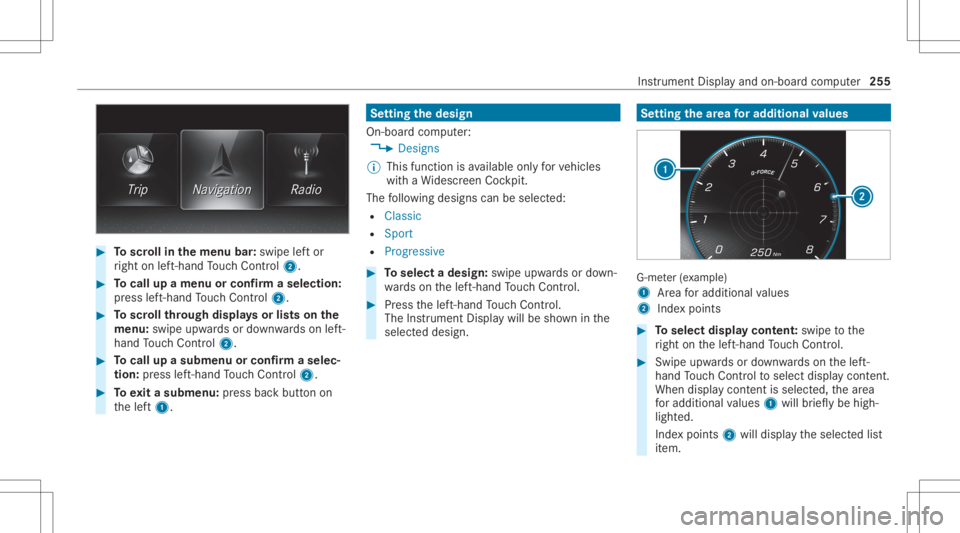
Toscr ollinthemenu bar:swipe leftor
ri ght onleft-h and Touc hCon trol 2. #
Tocall upamen uor conf irm aselect ion:
pr ess left-han dTo uc hCon trol 2. #
Toscr ollthrough displa ysorlists on the
menu :swipe upwards ordown wardson left-
hand Touc hCon trol 2. #
Tocall upasub men uor conf irm aselec‐
tion :pr ess left-han dTo uc hCon trol 2. #
Toexitasubm enu:press backbutt onon
th elef t1. Se
tting thedesig n
On -bo ardcom puter:
4 Designs
% This function isavailable onlyforve hicles
wit haWi descr eenCockpit.
The follo wing design scan beselec ted:
R Classic
R Sport
R Progres sive #
Toselect adesign: swipeupwards ordown‐
wa rdson thelef t-hand Touc hCon trol. #
Press thelef t-hand Touc hCon trol.
The Instru ment Displa ywil lbe sho wninthe
select eddesign. Se
tting thear ea foraddi tional values G-me
ter(e xa mp le)
1 Area foradd itional values
2 Indexpoint s #
Toselect displaycont ent:swipe tothe
ri ght onthelef t-hand Touc hCon trol. #
Swip eupw ards ordown wardson thelef t-
hand Touc hCon trol to select displaycont ent.
When displaycont entisselect ed,thear ea
fo radd itional values 1will brief lybe high‐
light ed.
Ind expoint s2 will displa yth eselect edlist
it em. Ins
trument Displayand on-boar dcom puter 255
Page 259 of 610
Ad
jus tingthe inst ru men tlighti ng #
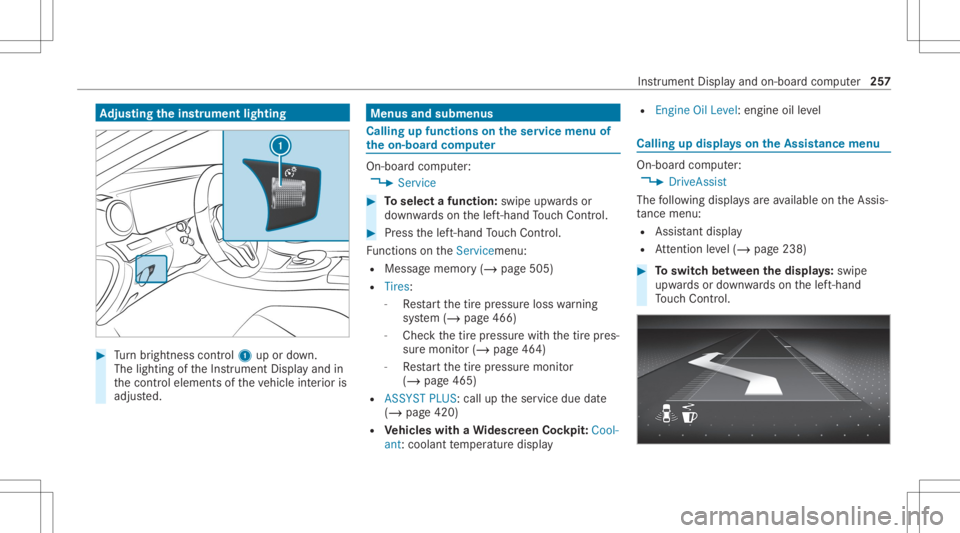
Turn brightn esscontrol 1 upordown.
The lightin gof theIns trument Displayand in
th econ trol element sof theve hicle interior is
adjus ted. Menus
andsubmenu s Calling
upfunctions ontheser vice menu of
th eon-boa rdcom puter On-boar
dcom puter:
4 Service #
Toselect afunction: swipeupwards or
do wn wardson thelef t-hand Touc hCon trol. #
Press thelef t-hand Touc hCon trol.
Fu nctio nson theServ icemen u:
R Messag ememor y(/ page505)
R Tires:
- Restar tth etir epr essur eloss warning
sy stem (/ page466)
- Chec kth etir epr essur ewit hth etir epr es‐
sur emonit or(/ page46 4)
- Restar tth etir epr essur emonit or
(/ page465)
R ASSYST PLUS: calluptheser vice duedate
(/ page420)
R Vehicl eswith aWi des cree nCo ckpit :Co ol-
ant: coolanttemp eratur edispla y R
Engine OilLevel :engine oilleve l Callin
gup displa yson theAssis tance menu On
-bo ardcom puter:
4 DriveA ssist
The follo wing displa ysareav ailable ontheAssis‐
ta nce menu :
R Assi stant displa y
R Attentio nleve l(/ page238) #
Toswitc hbe tw een thedisp lays :sw ipe
up wa rdsor down wardson thelef t-hand
To uc hCon trol. In
stru ment Displa yand on-boar dcom puter 25
7
Page 260 of 610
St
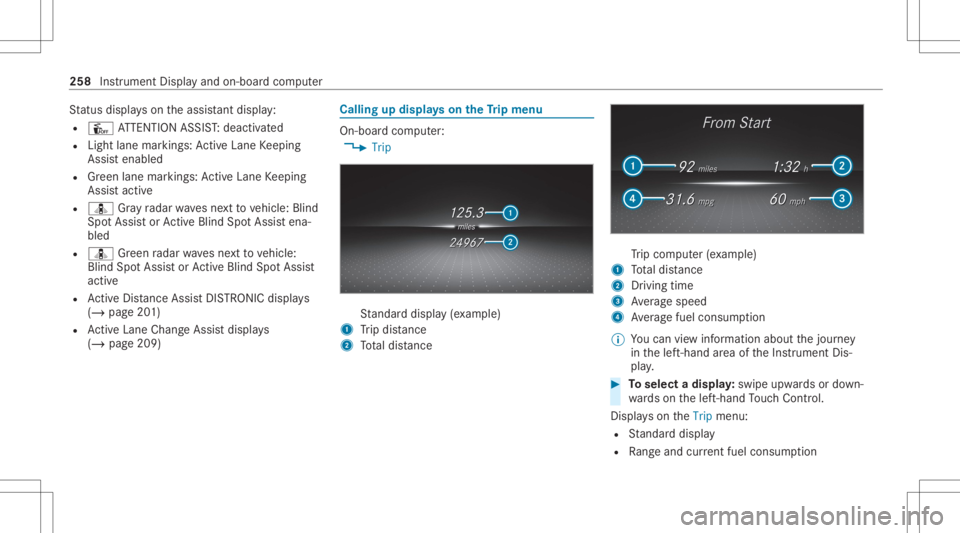
atus displa yson theassis tant displ ay:
R Û ATTENTION ASSIST: deactiv ated
R Light lanemarkings: ActiveLa ne Keeping
Assis tenabled
R Green lane marking s:Ac tiveLa ne Keeping
Assis tactiv e
R ¸ Gray radar wavesne xt to vehicle: Blind
Spo tAssis tor ActiveBli nd Spo tAssi stena‐
bled
R ¸ Green radar wavesne xt to vehicle:
Blind SpotAssis tor ActiveBli nd Spo tAssi st
act ive
R ActiveDis tance AssistDIS TRONI Cdisp lays
( / pag e20 1)
R ActiveLa ne Chang eAssi stdispla ys
( / pag e209) Calling
updispla yson theTr ip menu On-
boar dcom puter:
4 Trip St
andar ddispla y(e xa mp le)
1 Trip dis tance
2 Totaldis tance Tr
ip com puter(exa mp le)
1 Totaldis tance
2 Driving time
3 Averag espeed
4 Averag efuel consum ption
% Youcan viewinf ormat ionabout thejour ney
in thelef t-hand area oftheIns trument Dis‐
pla y. #
Toselect adispla y:swipe upwards ordown‐
wa rdson thelef t-hand Touc hCon trol.
Dis playson theTrip menu:
R Standar ddispla y
R Rangeand current fue lconsu mption 25
8
Instrum ent Display and on-bo ardcom puter
Page 266 of 610
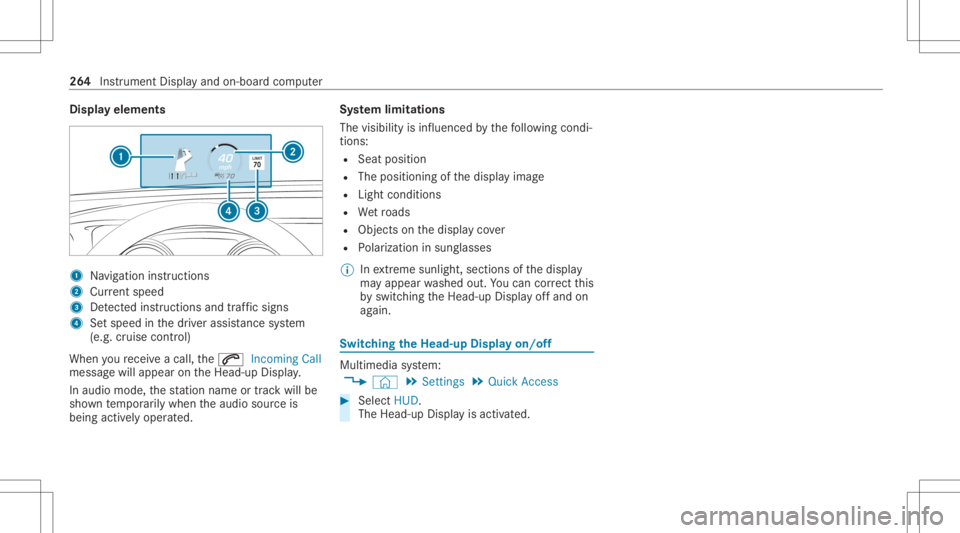
Disp
layelem ents 1
Navig ation instructions
2 Current speed
3 Detected instructi ons and traf fic sig ns
4 Setspe edinthedr iver assis tance system
(e.g. cruise control)
When youre cei veacall, the0061 Incoming Call
messag ewill appear ontheHead-up Display.
In aud iomode, thest atio nnam eor trac kwill be
sho wntemp orarily when theaudio sourceis
being activelyoper ated. Sy
stem limita tions
The visib ilityisinf luenc edbythefo llo wing condi‐
tion s:
R Seat position
R The posit ioningof thedispla yimag e
R Light conditions
R Wetro ads
R Objectson thedispla yco ver
R Polar izat ion insung lasses
% Inextreme sunli ght, sectio nsofthedispla y
ma yappear washed out.Youcan correct this
by switc hingtheHead-up Displayof fand on
ag ain. Switc
hingtheHead -upDispla yon/of f Multi
media system:
4 © 5
Set ting s5
Quick Access #
Select HUD.
The Head-up Displayis activ ated. 26
4
Instrument Displayand on-boar dcom puter
Page 283 of 610
Ov
ervie wof vehicl evo ice comm ands Yo
ucan usetheve hicle voice com mand sto
dir ect lycall upthecor responding menusforth e
ve hicle settin gsand oper ateve hicle functions. The
follo wing listof fers jus ta sma llsel ecti onof
th epossible vehicle voice com mand s.Yo uwill
re cei veaddit ionalsugg estio ns ifyo usa yHel p
for veh icle settings orHel pfor veh icle function s.
% Ifno seat orside ismen tionedfo rcom‐
mands that relat eto aseat orside ofvehicle th
en allaction sar ecar ried out automatic ally
fo rth edr iver's seat.
Ve hicl evo ice comm ands Vo
ice comm and Colloquialexam ple Function
Temperature colder Iwould liketoreduce thetemper a-
ture Lo
we rsthete mp eratur eof theair con ditionin gsy stem.
Air recirc ulation on Iwould liketoactivat ethe aircirc u-
lation Switc
hesonair recir cul ation mod efo rth eair con ditionin gsy stem.
Autom aticclimate control driver onIwould liketoswitch onthe auto-
matic climate control forthe driv-
er's seat Switc
hesonaut omatic climatecon trol forth edr iver's orfront passeng er
side.
Ambien tlight blue Iwould liketoset the inter iorlight-
ing toblue Switc
hestheambiance light,e.g.toblue.
Wave massage driveron Iwould liketoswitch onthe wave
massage forthe driver' sseat Switc
hesonthewav emassag efo rth edr iver's orfront passeng erseat. Vo
ice Cont rolSy stem 28
1
Page 285 of 610
Vo
ice comm and Colloquialexam ple Function
Climate controlmenu Iwould liketosee theclimate con-
trol menu Displa
ystheclimat econ trol settings.
Light menu Iwould liketochange thelight set-
ting s Displa
ysthelight settings.
Seats menu Iwould liketoswitch toseat menu Displa
ystheseat adjus tmentse ttings.
Massage menu Iwould liketoswitch tothe mas-
sage seatmenu Displa
ysthemassag ese ttings.
Next servic eT ellme mynextservic eappoint-
ment Calls
upthene xt ser vice duedate. Vo
ice Cont rolSy stem 283
Page 287 of 610
%
Ifth eve hicle iseq uipped withge stur emod e,
sele cted fun ction sof themultimedia system
can beoper ated con tact-fr eeaswellas turn‐
ing there adin glight onoroff(/ page29 1).
Nu mer ous application, online services, services
and appsar eav ailable foryo u. Thes ecan be
calle dup via thehome screen orusing buttons
3.
Yo ucan convenient lycall upand add favo rite s
on thesteer ing wheel usingtheß rock er
switc hor using theß buttononcon trol panel
3. Quic k-acc ess inthehome screen and inthe
applic ationsser vetoselect functions more
qu ickl y.
If yo uuse thelear nfunc tion ofthemultimedia
sy stem, youwill recei vesugg estions during oper‐
ation ofthemos tpr obable navig ation destina‐
tion s,media sources, radio statio nsand con‐
ta cts. Theconf iguratio nof thesugg estion sta ke s
place inyour profile. Youcan comp ileyour pro‐
fi le from various vehicle settin gsand settin gsof
th emultimedia system. Youcan creat eth emes
fo rva rious driving situations inthehome screen
as wellas using theß rock er switc hor the
ß button. The
Notificati ons Center coll ects incom ingnotifi‐
cati ons, e.g.abou tan available softwareupdat e.
De pen dingon thetype ofnotification itof fers
va rious actions. Youcan calluptheNo tification s
Cent eron thehome screen and intheapplica‐
tion menus.
Wi th theglobal searchintheve hicle youcan
sear chon-boar dacr oss man ycat egor iesaswell
as onlin ein theInt erne t.Yo ucan usetheglobal
sear chinthehome screen and intheno tifica‐
tion s.
Pr otection agains tth eft
This devic eis eq uipped withte ch nica lpr ov ision s
to protect itag ains tth eft. Fu rther information on
pr otect ion agains tth eftcan beobt ained from an
aut hor ized Mercedes- BenzCenter. No
teson themed iadisp lay Obser
vetheno teson car ing forth eint erior
(/ page435).
Au tomatic temp eratur e-cont rolled switc h-
of ffe atur e:ifth ete mp eratur eis toohigh, the
br ightn essisinitiall yre duced automatic ally.The media
displayma yth en switc hof fcom pletely for
a while.
% Ifyo uar ewe aring polar izedsun glasses ,it
ma ybe difficul tto read themultimedia sys‐
te m disp lay. MBUX
multimedia system 285
Page 293 of 610
th
ebeginnin gor end ofthelis tis reac hed
yo uwill hear another clic king sound.
Selecting ast ation andtrac kusin gth e
to uc hpad #
Swip eto thelef tor right over the~ but‐
to n.
Ra dio: thepr ev ious ornext statio nis set.
Media source:thepr ev ious ornext trac kis
selec ted.
or #
Tosho wthecontr olmenu :pr ess the~
butt onontheto uc hpad.
or #
Swip eupw ards usin gtw ofing erson the
to uc hpad.
The contro lmen uappear sfo rth eaudio
sour cethat wa slas tselect ed. #
Swipe leftor right using onefing er.
Ra dio: thepr ev ious ornext statio nis set.
Media source:thepr ev ious ornext trac kis
selec ted. #
Tohide thecontr olmenu :swipe down on
th eto uc hpad usingtw ofing ers. MBUX
Inte rior Assis tant No
teson laser sand laser classif ication &
WARNIN GRisk ofinju ryfrom laserradi‐
ation from thecamer a
This product usesalaser system. Ifth ehous‐
ing isopened ordamag ed,invisible laser
beams canescape inan uncon trolled man‐
ner .
Laser radiation candamag eyo ur retina . #
Donotop en thehousing. #
Alw aysha ve maint enance workand
re pair scar ried out byaqu alif ied spe‐
cialis two rkshop. This
product complies withth ere qu iremen tsof
th eFD A21 CFR 1040. 10 and 1040. 11with
exc eption oftheva riatio nsacc ordin gto theFD A
Laser Notice No.50from 24.Ju ne 200 7. &
WARNIN GRisk ofdist ra ction from infor‐
mati onsystems andcomm unication s
eq uipment
If yo uoper ateinf ormat ionand comm unic a‐
tio neq uipme ntintegratedin theve hicle
when driving, youwill bedistract ed from the
tr af fic situ ation. Thiscou ldalso cau seyouto
lose control of theve hicle. #
Onlyoper ateth is eq uipmen twhen the
tr af fic situ ation per mits. #
Ifyo ucan notbe sur eof this, stop the
ve hicle whilstpa ying attention toroad
and traffic condi tions andoperate the
eq uipment withth eve hicle statio nary. Yo
umus tobse rveth eleg alrequ iremen tsforth e
cou ntryin whi chyouar ecur rentl ydr ivi ng when
op erati ng themultimedia system.
Ov ervie wof theMB UX Interior Assis tant
If th eve hicle iseq uipped withth eMBUX Interior
Assis tant, select edfunc tions ofthemultimedia
sy stem can beoper ated con tact-fr ee.Inaddi‐
tion, there adin glight orsear chlight canbe
switc hedonoroffcon tact-fr ee. MBUX
multime diasy stem 29
1