manual transmission MERCEDES-BENZ GLC-Class 2016 X253 Owner's Manual
[x] Cancel search | Manufacturer: MERCEDES-BENZ, Model Year: 2016, Model line: GLC-Class, Model: MERCEDES-BENZ GLC-Class 2016 X253Pages: 418, PDF Size: 9.23 MB
Page 7 of 418
Driving abroad ............................... 343
Hiding a service message .............. 342
Resetting the service interval dis-
play ................................................ 343
Service message ............................ 342
Special service requirements ......... 343
ATA (Anti-Theft Alarm system)
Activating/deactivating ................... 78
Function ........................................... 78
Switching off the alarm .................... 78
ATTENTION ASSIST
Activating/deactivating ................. 253
Display message ............................ 279
Function/notes ............................. 214
Authorized Mercedes-Benz Center
see Qualified specialist workshop
AUTO lights
Display message ............................ 275
see Lights
Automatic car wash (care) ............... 344
Automatic engine start (ECO start/
stop function) .................................... 159
Automatic engine switch-off (ECO
start/stop function) .......................... 158
Automatic headlamp mode .............. 124
Automatic transmission
Accelerator pedal position ............. 165
Changing gear ............................... 165
DIRECT SELECT lever ..................... 162
Display message ............................ 287
Double-clutch function .................. 165
Drive program ................................ 166
Drive program display .................... 163
Driving tips .................................... 165
DYNAMIC SELECT switch .............. 161
Emergency running mode .............. 169
Engaging drive position .................. 163
Engaging neutral ............................ 163
Engaging park position automati-
cally ............................................... 162
Engaging reverse gear ................... 162
Engaging the park position ............ 162
Kickdown ....................................... 165
Manual shifting .............................. 167
Overview ........................................ 161
Problem (malfunction) ................... 169
Pulling away ................................... 157
Rocking the vehicle free ................ 165 Starting the engine
........................ 155
Ste
ering wheel paddle shifters ...... 167
Trailer towing ................................. 165
Transmission position display
(DIRECT SELECT lever) ................... 163
Transmission positions .................. 164
Automatic transmission emer-
gency mode ....................................... 169
Axle load, permissible (trailer tow-
ing) ...................................................... 416
B
Backup lamp
Changing bulbs .............................. 132
Bag hook ............................................ 313
Ball coupling
Installing ........................................ 230
Removing ....................................... 234
BAS (Brake Assist System) ................. 68
BAS PLUS with Cross-Traffic Assist
(Brake Assist PLUS with Cross-
Traffic Assist)
Function/notes ................................ 68
Important safety notes .................... 68
Battery (SmartKey)
Checking .......................................... 86
Important safety notes .................... 85
Replacing ......................................... 86
Battery (vehicle)
Charging ........................................ 363
Display message ............................ 277
Important safety notes .................. 361
Jump starting ................................. 365
Blind Spot Assist
Activating/deactivating (on-
board computer) ............................ 253
Display message ............................ 281
Notes/function .............................. 217
see Active Blind Spot Assist
Brake fluid
Display message ............................ 264
Notes ............................................. 412
Brake force distribution
see EBD (electronic brake force
distribution)
Brake lamps
Display message ............................ 273
Index5
Page 17 of 418
Driving system ............................... 198
Function/notes ............................. 198
Important safety notes .................. 198
Problem (malfunction) ................... 201
Range of the sensors ..................... 198
Warning display ............................. 199
PASSENGER AIR BAG
Display message ............................ 271
Indicator lamps ................................ 43
Problems (malfunction) .................. 271
Perfume atomizer
Operating ....................................... 147
Perfume vial ................................... 147
Problem (malfunction) ................... 149
Pets in the vehicle ............................... 66
Plastic trim (cleaning instruc-
tions) .................................................. 350
Power washers .................................. 345
Power windows
see Side windows
PRE-SAFE
®(anticipatory occupant
protection)
Display message ............................ 265
Operation ......................................... 59
PRE-SAFE
®Brake
Activating/deactivating ................. 253
Display message ............................ 266
Function/notes ................................ 75
Important safety notes .................... 76
Warning lamp ................................. 301
PRE-SAFE
®PLUS (anticipatory
occupant protection PLUS)
Operation ......................................... 59
Protection against theft
ATA (Anti-Theft Alarm system) ......... 78
Immobilizer ...................................... 78
Protection of the environment
General notes .................................. 22
Pulling away
Automatic transmission ................. 157
General notes ................................ 157
Hill start assist ............................... 157
Trailer ............................................ 157
Q
QR codeMercedes-Benz Guide App ................. 1 Rescue card ..................................... 28
Qualified specialist workshop ........... 27
R
Radiator cover................................... 339
Radio
Selecting a station ......................... 248
Radio-wave reception/transmis-
sion in the vehicle
Declaration of conformity ................ 26
Reading lamp ..................................... 129
Rear compartment
Setting the air vents ...................... 150
Rear fog lamp
Display message ............................ 274
Switching on/off ........................... 125
Rear lamps
see Lights
Rear seat
Adjusting the angle of the backr-
ests ................................................ 312
Rear seats
Display message ............................ 289
Rear view camera
Cleaning instructions ..................... 348
Displays in the Audio display ......... 207
Displays in the COMAND display ... 207
Function/notes ............................. 206
Switching on/off ........................... 207
Rear window defroster
Problem (malfunction) ................... 147
Switching on/off ........................... 146
Rear window wiper
Replacing the wiper blade .............. 137
Switching on/off ........................... 135
Rear-view mirror
Anti-glare (manual) ........................ 118
Dipping (automatic) ....................... 120
Reflective safety jacket .................... 354
Refrigerant (air-conditioning sys-
tem)
Important safety notes .................. 414
Refueling
Fuel gauge ....................................... 33
Important safety notes .................. 169
Refueling process .......................... 170
see Fuel
Index15
Page 84 of 418
Useful information
i
This Operator's Manual describes all
models and all standard and optional equip-
ment of your vehicle available at the time of
publication of the Operator's Manual.
Country-specific differences are possible.
Please note that your vehicle may not be
equipped with all features described. This
also applies to safety-related systems and
functions.
iRead the information on qualified special-
ist workshops (
Ypage 27).
SmartKey
Important safety notes
GWARNING
If children are left unsupervised in the vehicle,
they could:
Ropen the doors, thus endangering other
people or road users.
Rget out and disrupt traffic.
Roperate the vehicle's equipment.
Additionally, children could set the vehicle in
motion if, for example, they:
Rrelease the parking brake.
Rshifting the automatic transmission out of
park position P
RStart the engine.
There is a risk of an accident and injury.
When leaving the vehicle, always take the
SmartKey with you and lock the vehicle. Never
leave children or animals unattended in the
vehicle. Always keep the SmartKey out of
reach of children.
GWARNING
If you attach heavy or large objects to the
SmartKey, the SmartKey could be uninten-
tionally turned in the ignition lock. This could
cause the engine to be switched off. There is a risk of an accident.
Do not attach any heavy or large objects to theSmartKey. Remove any bulky key rings before
inserting the SmartKey into the ignition lock.
!Keep the SmartKey away from strong
magnetic fields. Otherwise, the remote
control function could be affected.
Strong magnetic fields can occur in the
vicinity of powerful electrical installations.
Do not keep the SmartKey:
Rwith electronic devices, e.g. a mobile
phone or another SmartKey.
Rwith metallic objects, e.g. coins or metal
foil.
Rinside metallic objects, e.g. a metal case.
This can affect the functionality of the
SmartKey.
Vehicles with KEYLESS-GO start function:
do not keep the SmartKey in the cargo com-
partment. Otherwise, the SmartKey may not
be detected, e.g. when starting the engine
using the Start/Stop button.
A check which periodically establishes a radio
connection between the vehicle and the
SmartKey determines whether a valid Smart-
Key is in the vehicle. This occurs, for example:
Rwhen starting the engine
Rwhilst driving
Rwhen the external door handles are
touched
Rduring convenience closing
82SmartKey
Opening and closing
Page 159 of 418
Make sure that the engine cannot be started
via your smartphone before carrying out
maintenance or repairs. You can prevent an
engine start via your smartphone, for exam-
ple, if you:
Rswitch on the hazard warning lamps
Rdo not lock the doors
Ropen the hood
Pulling away
General notes
GWARNING
If the engine speed is above the idling speed
and you engage transmission position Dor R,
the vehicle could pull away suddenly. There is
a risk of an accident.
When engaging transmission position Dor R,
always firmly depress the brake pedal and do not simultaneously accelerate.
Depress the accelerator carefully when pull-
ing away.
The vehicle locks centrally once you have
pulled away. The locking knobs in the doors
drop down.
You can open the doors from the inside at any
time.
You can also deactivate the automatic locking
feature, see the Digital Operator's Manual.
It is only possible to shift the transmission
from position Pto the desired position if you
depress the brake pedal. Only then is the
parking lock released. If you do not depress
the brake pedal, the DIRECT SELECT lever can
still be moved but the parking lock remains
engaged.
iUpshifts take place at higher engine
speeds after a cold start. This helps the
catalytic converter to reach its operating
temperature more quickly.
Information on the automatic release of the
electric parking brake (
Ypage 174).
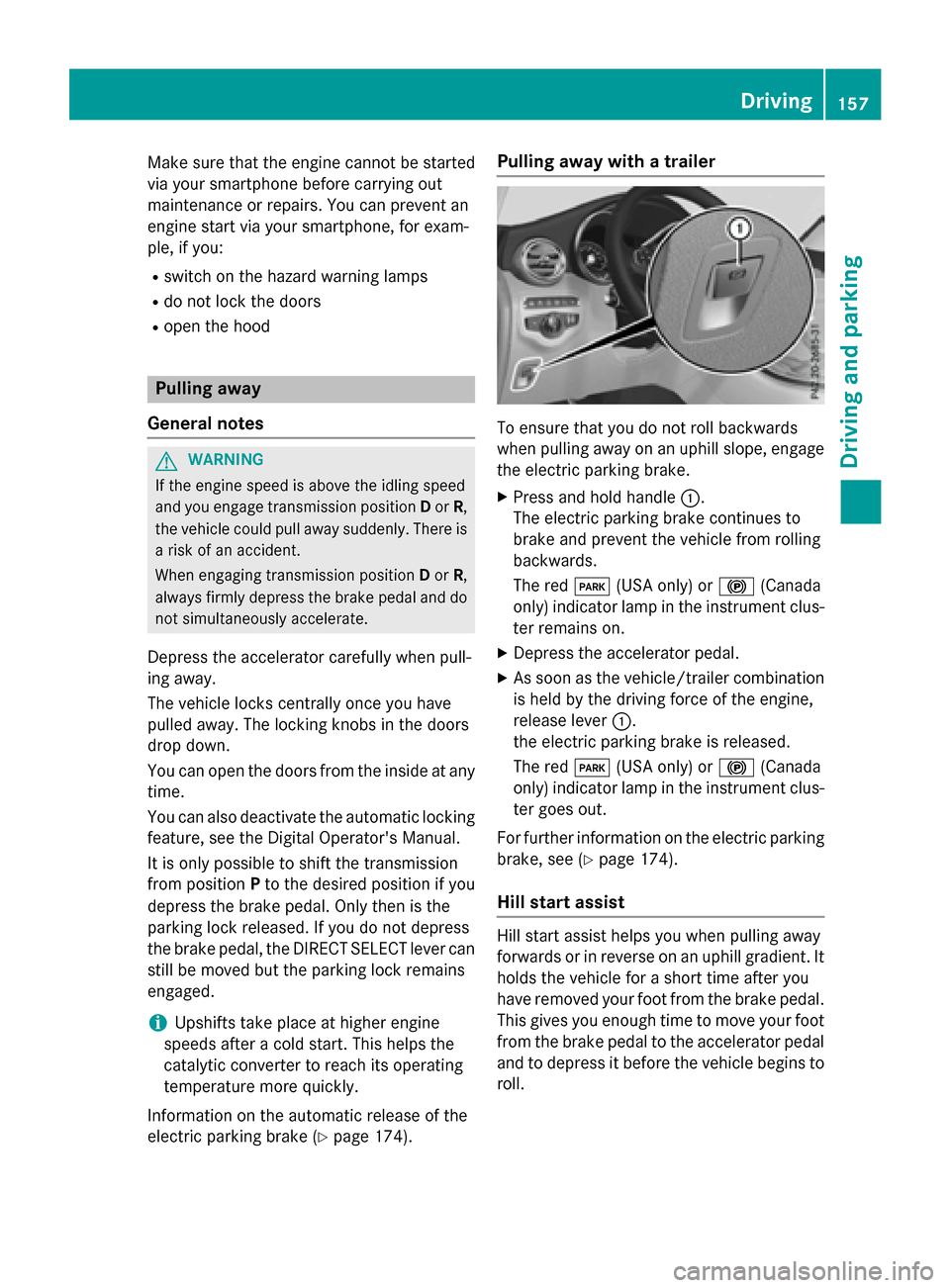
Pulling away with a trailer
To ensure that you do not roll backwards
when pulling away on an uphill slope, engage
the electric parking brake.
XPress and hold handle :.
The electric parking brake continues to
brake and prevent the vehicle from rolling
backwards.
The red F(USA only) or !(Canada
only) indicator lamp in the instrument clus-
ter remains on.
XDepress the accelerator pedal.
XAs soon as the vehicle/trailer combination
is held by the driving force of the engine,
release lever :.
the electric parking brake is released.
The red F(USA only) or !(Canada
only) indicator lamp in the instrument clus-
ter goes out.
For further information on the electric parking
brake, see (
Ypage 174).
Hill start assist
Hill start assist helps you when pulling away
forwards or in reverse on an uphill gradient. It
holds the vehicle for a short time after you
have removed your foot from the brake pedal.
This gives you enough time to move your foot
from the brake pedal to the accelerator pedal
and to depress it before the vehicle begins to
roll.
Driving157
Driving and parking
Z
Page 161 of 418
When you depress the accelerator pedal, the
engine starts automatically and the braking
effect of the HOLD function is deactivated.
Automatic engine switch-off can take place a
maximum of four times in a row (initial stop,
then three subsequent stops).
Automatic engine start
The engine starts automatically if:
Ryou switch off the ECO start/stop function
by pressing the ECO button
Ryou switch to drive programS+
Rin transmission positionDor Nthe brake
pedal is released and the HOLD function is
not active
Ryou depress the accelerator pedal
Ryou engage reverse gear R
Ryou move the transmission out of position
P
Ryou unfasten your seat belt or open the
driver's door
Rthe vehicle starts to roll
Rthe brake system requires this
Rthe temperature in the vehicle interior devi-
ates from the set range
Rthe system detects moisture on the wind-
shield when the air-conditioning system is
switched on
Rthe battery's condition of charge is too low
Shifting the transmission to position Pdoes
not start the engine.
Deactivating or activating the ECO
start/stop function
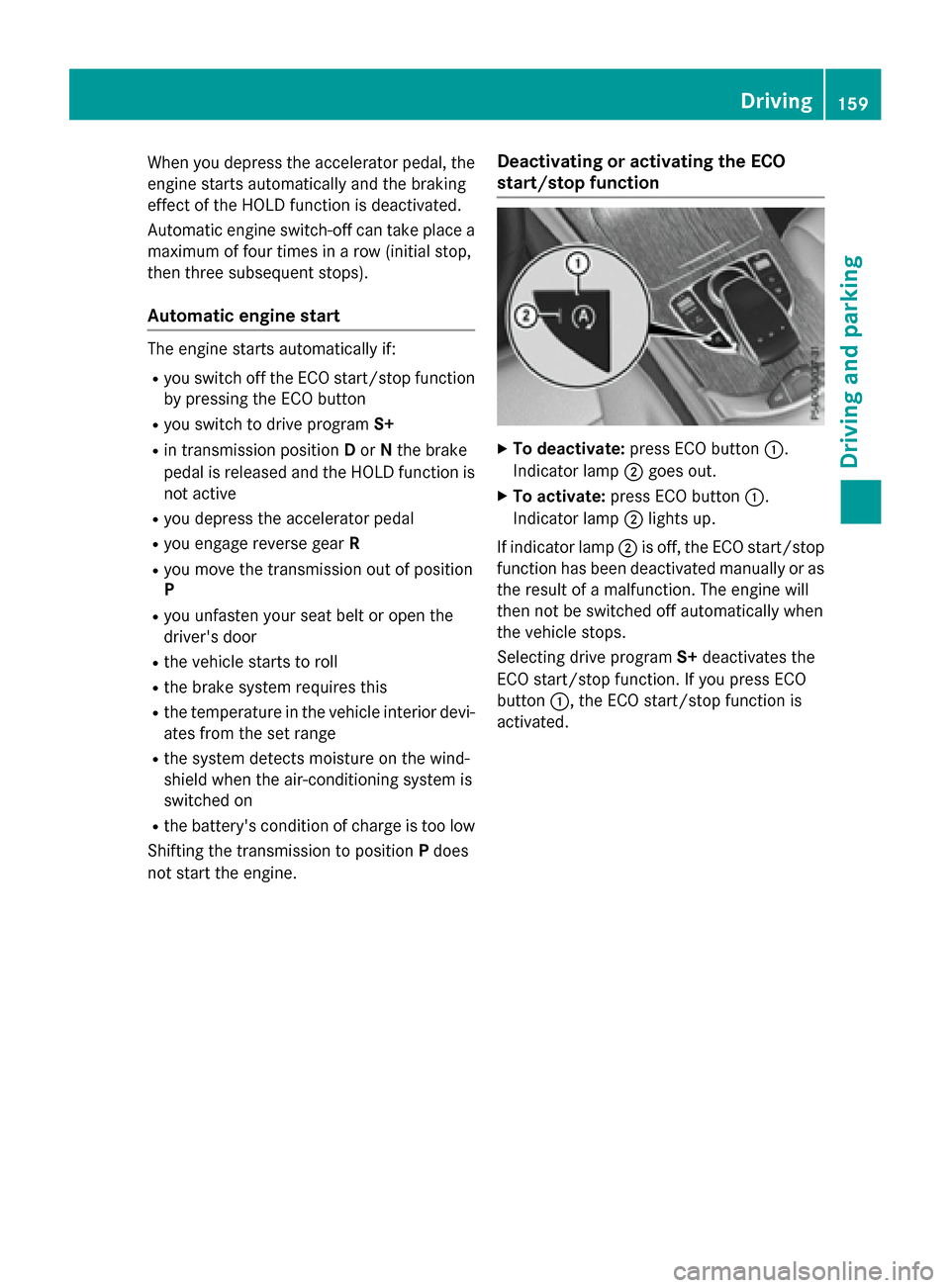
XTo deactivate: press ECO button :.
Indicator lamp ;goes out.
XTo activate: press ECO button :.
Indicator lamp ;lights up.
If indicator lamp ;is off, the ECO start/stop
function has been deactivated manually or as
the result of a malfunction. The engine will
then not be switched off automatically when
the vehicle stops.
Selecting drive program S+deactivates the
ECO start/stop function. If you press ECO
button :, the ECO start/stop function is
activated.
Driving159
Driving and parking
Z
Page 163 of 418
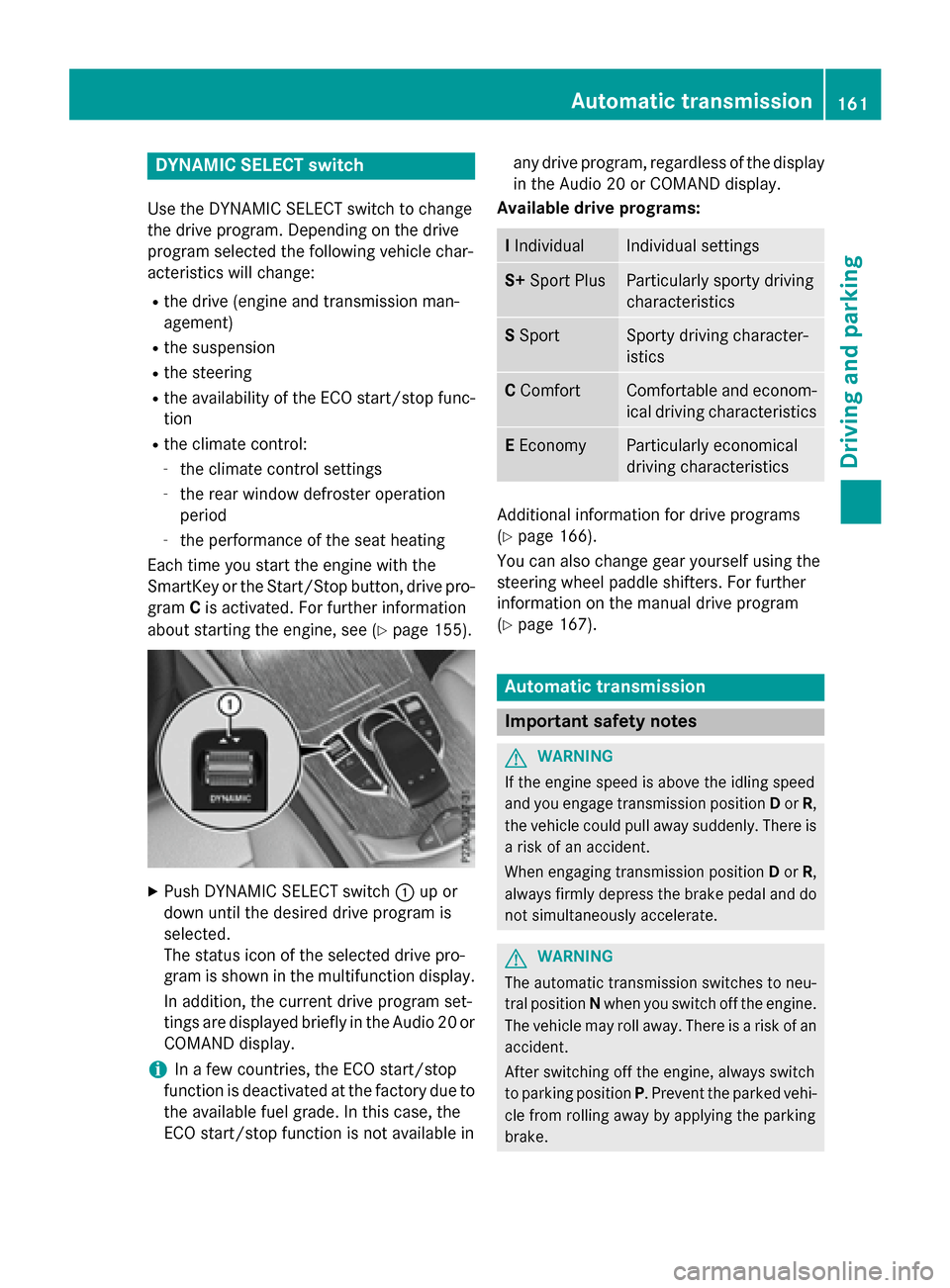
DYNAMIC SELECT switch
Use theDYNAMI CSELECT switch to chang e
th edrive program. Dependin gon th edrive
program selecte dth efollowing vehicle char-
acteristic swill change:
Rth edrive (engin eand transmissio nman -
agement)
Rth esuspensio n
Rthesteerin g
Rtheavailabilit yof th eEC Ostart/sto pfunc-
tion
Rth eclimat econtrol:
-th eclimat econtro lsetting s
-therea rwindow defroster operation
period
-th eperformanc eof th eseat heatin g
Each time you start th eengin ewit hth e
SmartKey or th eStart/Sto pbutton, drive pro -
gram Cis activated. Fo rfurther information
about startin gth eengine, see (
Ypage 155).
XPush DYNAMI CSELECT switch :up or
down until th edesire ddrive program is
selected.
The status icon of th eselecte ddrive pro -
gram is shown in th emultifunction display.
In addition ,th ecurren tdrive program set -
ting sare displayed briefly in th eAudio 20 or
COMAN Ddisplay.
iIn afe w countries, th eEC Ostart/sto p
function is deactivated at th efactory due to
th eavailable fue lgrade. In this case, th e
EC Ostart/sto pfunction is no tavailable in any drive program, regardles
sof th edisplay
in th eAudio 20 or COMAN Ddisplay.
Available drive programs:
I IndividualIndividual setting s
S+Spor tPlusParticularly sport ydrivin g
characteristics
S Spor tSporty drivin gcharacter-
istic s
CComfortComfortable and econom -
ical drivin gcharacteristics
E Econom yParticularly economical
drivingcharacteristics
Additional information fo rdrive programs
(
Ypage 166).
You can also chang egear yoursel fusin gth e
steerin gwhee lpaddle shifters .Fo rfurther
information on th emanual drive program
(
Ypage 167).
Automatic transmission
Important safet ynotes
GWARNING
If th eengin espeed is abov eth eidlin gspeed
and you engage transmissio nposition Dor R,
th evehicle could pull away suddenly. There is
a ris kof an accident.
Whe nengaging transmissio nposition Dor R,
always firmly depress th ebrake peda land do
no tsimultaneousl yaccelerate.
GWARNING
The automatic transmissio nswitches to neu-
tral position Nwhen you switch of fth eengine.
The vehicle may roll away. There is aris kof an
accident.
Afte rswitchin gof fth eengine, always switch
to parking position P.Prevent th eparke dvehi-
cl e from rollin gaway by applyin gth eparking
brake .
Automatic transmission161
Driving and parking
Z
Page 167 of 418
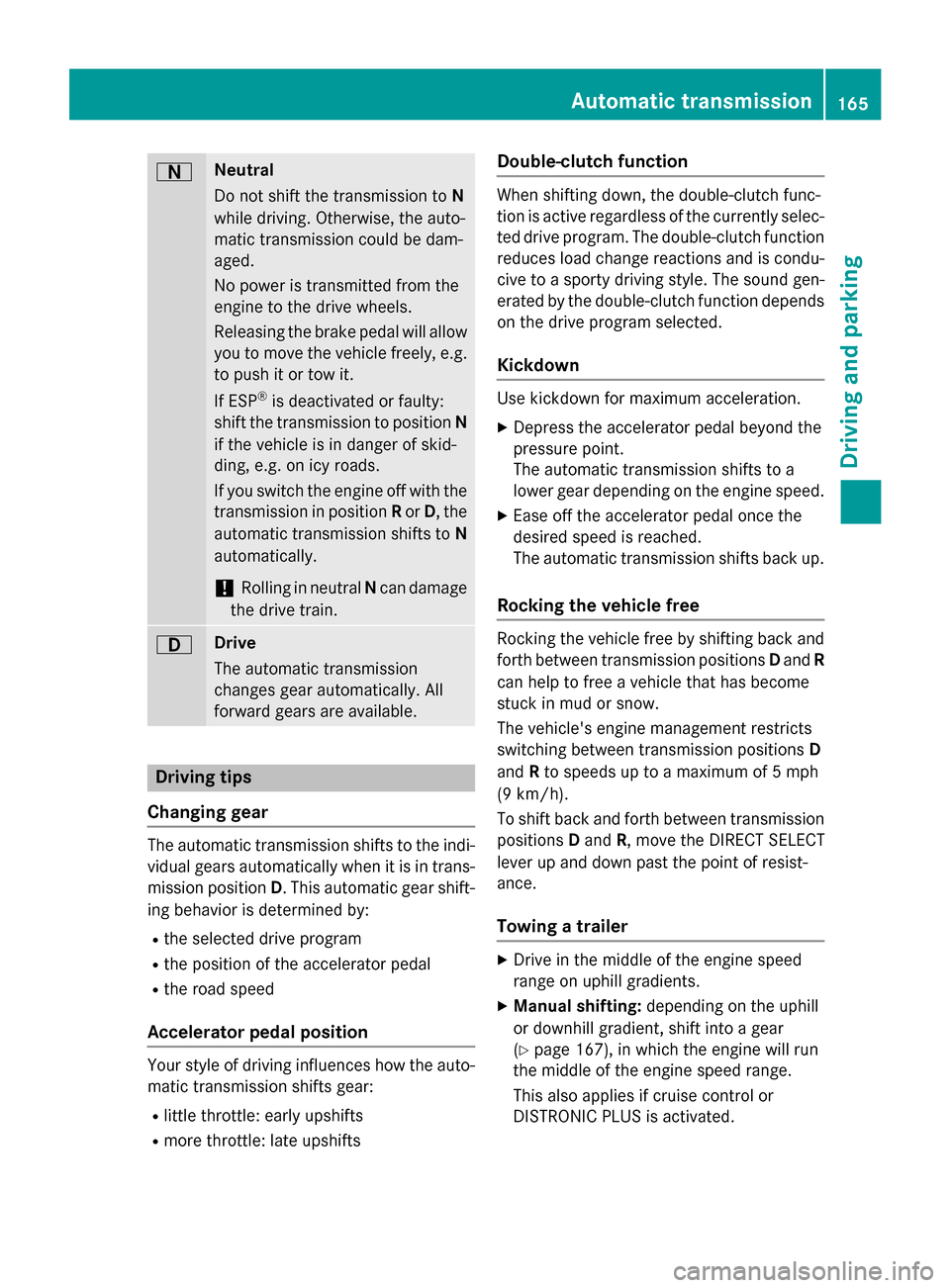
ANeutral
Do not shift the transmission toN
while driving. Otherwise, the auto-
matic transmission could be dam-
aged.
No power is transmitted from the
engine to the drive wheels.
Releasing the brake pedal will allow
you to move the vehicle freely, e.g. to push it or tow it.
If ESP
®is deactivated or faulty:
shift the transmission to position N
if the vehicle is in danger of skid-
ding, e.g. on icy roads.
If you switch the engine off with the
transmission in position Ror D, the
automatic transmission shifts to N
automatically.
!Rolling in neutral Ncan damage
the drive train.
7Drive
The automatic transmission
changes gear automatically. All
forward gears are available.
Driving tips
Changing gear
The automatic transmission shifts to the indi-
vidual gears automatically when it is in trans-
mission position D. This automatic gear shift-
ing behavior is determined by:
Rthe selected drive program
Rthe position of the accelerator pedal
Rthe road speed
Accelerator pedal position
Your style of driving influences how the auto- matic transmission shifts gear:
Rlittle throttle: early upshifts
Rmore throttle: late upshifts
Double-clutch function
When shifting down, the double-clutch func-
tion is active regardless of the currently selec-
ted drive program. The double-clutch function
reduces load change reactions and is condu-
cive to a sporty driving style. The sound gen-
erated by the double-clutch function depends
on the drive program selected.
Kickdown
Use kickdown for maximum acceleration.
XDepress the accelerator pedal beyond the
pressure point.
The automatic transmission shifts to a
lower gear depending on the engine speed.
XEase off the accelerator pedal once the
desired speed is reached.
The automatic transmission shifts back up.
Rocking the vehicle free
Rocking the vehicle free by shifting back and
forth between transmission positions Dand R
can help to free a vehicle that has become
stuck in mud or snow.
The vehicle's engine management restricts
switching between transmission positions D
and Rto speeds up to a maximum of 5 mph
(9 km/h).
To shift back and forth between transmission
positions Dand R, move the DIRECT SELECT
lever up and down past the point of resist-
ance.
Towing a trailer
XDrive in the middle of the engine speed
range on uphill gradients.
XManual shifting: depending on the uphill
or downhill gradient, shift into a gear
(
Ypage 167), in which the engine will run
the middle of the engine speed range.
This also applies if cruise control or
DISTRONIC PLUS is activated.
Automatic transmission165
Driving an d parking
Z
Page 168 of 418
Drive programs
Drive program I(Individual)
In drive program Ith efollowing properties of
th edrive program can be selected:
Rth edrive (engin eand transmissio nman -
agement)
Rth esuspensio n
Rthesteerin g
Rtheavailabilit yof th eEC Ostart/sto pfunc-
tion
Rth eclimat econtrol:
iTo permanentl yselec tth egear sin drive
program Iusin gth esteerin gwhee lpaddle
shifters ,selec tth eM (manual) setting fo r
th edrive.
Drive program S+ (Spor tPlus)
Drive program S+is characterized by th efol-
lowing:
Rth evehicle exhibits particularly sport ydriv-
in g characteristics .
Rthevehicle pulling away in first gear .
Rtheautomatic transmissio nshiftin gup
later.
Rth efue lconsumption possibly bein ghigher
as aresult of th elater automatic transmis -
sio nshift points .
Rthesuspensio nexhibits particularly stiff
springin gand dampin gsetting s(vehicles
wit hAI R BODY CONTROL).
Rth eEC Ostart/sto pfunction is no tavaila-
ble.
Drive program S(Sport)
Drive program Sis characterized by th efol-
lowing:
Rth evehicle exhibits sport ydrivin gcharac -
teristics .
Rthevehicle pulling away in first gear .
Rtheautomatic transmissio nshiftin gup
later.
Rth efue lconsumption possibly bein ghigher
as aresult of th elater automatic transmis -
sio nshift points .
Rthesuspensio nexhibits stiff springin gand
dampin gsetting s(vehicles wit h
AI R BODY CONTROL).
Drive program C(Comfort)
Drive program Cis characterized by th efol-
lowing:
Rth evehicle deliver scomfortable, economi-
cal handlin gcharacteristics .
Rthevehicle pulling away more gentl yin
forwar dand revers egears, unless th e
accelerator peda lis depressed fully.
Rth evehicle havin gimproved drivin gstabil-
ity, fo rexample on slipper yroad surfaces.
Roptimal fue lconsumption resultin gfrom
th eautomatic transmissio nshiftin gup
sooner. The vehicle is driven in th elow
engin espeed range and th ewheels are les s
likely to spin.
Drive program E(Economy)
Drive program Eis characterized by th efol-
lowing:
Rth evehicle exhibits comfortable, economi-
cal handlin gcharacteristics .
Rthevehicle pulling away more gentl yin
forwar dand revers egears, unless th e
accelerator peda lis depressed fully.
Rth evehicle havin gimproved drivin gstabil-
ity, fo rexample on slipper yroad surfaces.
Roptimal fue lconsumption resultin gfrom
th eautomatic transmissio nshiftin gup
sooner. The vehicle is driven in th elow
engin espeed range and th ewheels are les s
likely to spin.
Rdurin gdeceleration ,th eengin eis discon-
nected from th edrive train .The vehicle
uses kineti cenerg yand consume sles sfue l
(overrun mode).
Rth eperformanc eof air-conditionin gsystem
and heatin gare reduced.
166Automatic transmission
Driving and parking
Page 169 of 418
Manual gear shifting
General notes
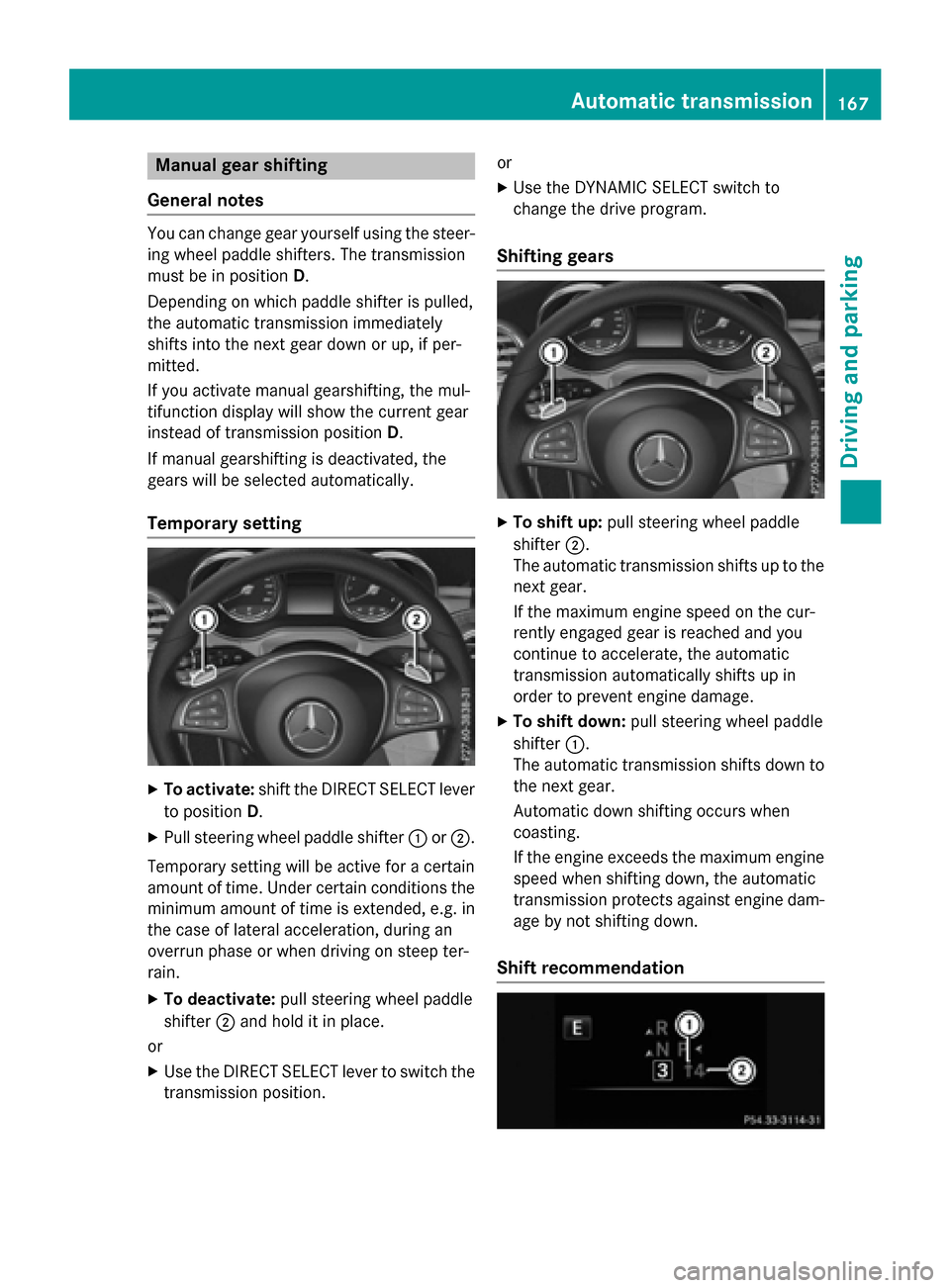
You can change gear yourself using the steer-
ing wheel paddle shifters. The transmission
must be in position D.
Depending on which paddle shifter is pulled,
the automatic transmission immediately
shifts into the next gear down or up, if per-
mitted.
If you activate manual gearshifting, the mul-
tifunction display will show the current gear
instead of transmission position D.
If manual gearshifting is deactivated, the
gears will be selected automatically.
Temporary setting
XTo activate: shift the DIRECT SELECT lever
to position D.
XPull steering wheel paddle shifter :or;.
Temporary setting will be active for a certain
amount of time. Under certain conditions the
minimum amount of time is extended, e.g. in
the case of lateral acceleration, during an
overrun phase or when driving on steep ter-
rain.
XTo deactivate: pull steering wheel paddle
shifter ;and hold it in place.
or
XUse the DIRECT SELECT lever to switch the
transmission position. or
XUse the DYNAMIC SELECT switch to
change the drive program.
Shifting gears
XTo shift up:
pull steering wheel paddle
shifter ;.
The automatic transmission shifts up to the next gear.
If the maximum engine speed on the cur-
rently engaged gear is reached and you
continue to accelerate, the automatic
transmission automatically shifts up in
order to prevent engine damage.
XTo shift down: pull steering wheel paddle
shifter :.
The automatic transmission shifts down to the next gear.
Automatic down shifting occurs when
coasting.
If the engine exceeds the maximum engine
speed when shifting down, the automatic
transmission protects against engine dam-
age by not shifting down.
Shift recommendation
Automatic transmission167
Driving and parking
Z
Page 176 of 418
With the Start/Stop button:
XSwitch on the ignition.
XDepress the brake pedal and keep it
depressed.
XRemove the Start/Stop button from the
ignition lock.
XInsert the SmartKey into the ignition lock.
XShift to neutralN.
XRelease the brake pedal.
XRelease the electric parking brake.
XSwitch off the ignition and leave the Smart-
Key in the ignition lock.
The engine can be switched off in an emer-
gency while the vehicle is in motion by press- ing and holding the Start/Stop button for
three seconds. This function operates inde-
pendently of the ECO start/stop automatic
engine switch-off function.
Electric parking brake
General notes
GWARNING
If you leave children unsupervised in the vehi-
cle, they could set it in motion by, for example:
Rrelease the parking brake.
Rshift the automatic transmission out of the
parking position P.
Rstart the engine.
In addition, they may operate vehicle equip-
ment and become trapped. There is a risk of
an accident and injury.
When leaving the vehicle, always take the
SmartKey with you and lock the vehicle. Never
leave children unsupervised in the vehicle.
The function of the electric parking brake is
dependent on the on-board voltage. If the on-
board voltage is low or there is a malfunction
in the system, it may not be possible to apply
the released parking brake.
XIf this is the case, only park the vehicle on
level ground and secure it to prevent it roll-
ing away.
XShift the automatic transmission to posi-
tion P.
It may not be possible to release an applied
parking brake if the on-board voltage is low or
there is a malfunction in the system. Contact a qualified specialist workshop.
The electric parking brake performs a func-
tion test at regular intervals while the engine
is switched off. The sounds that can be heard
while this is occurring are normal.
Applying or releasing manually
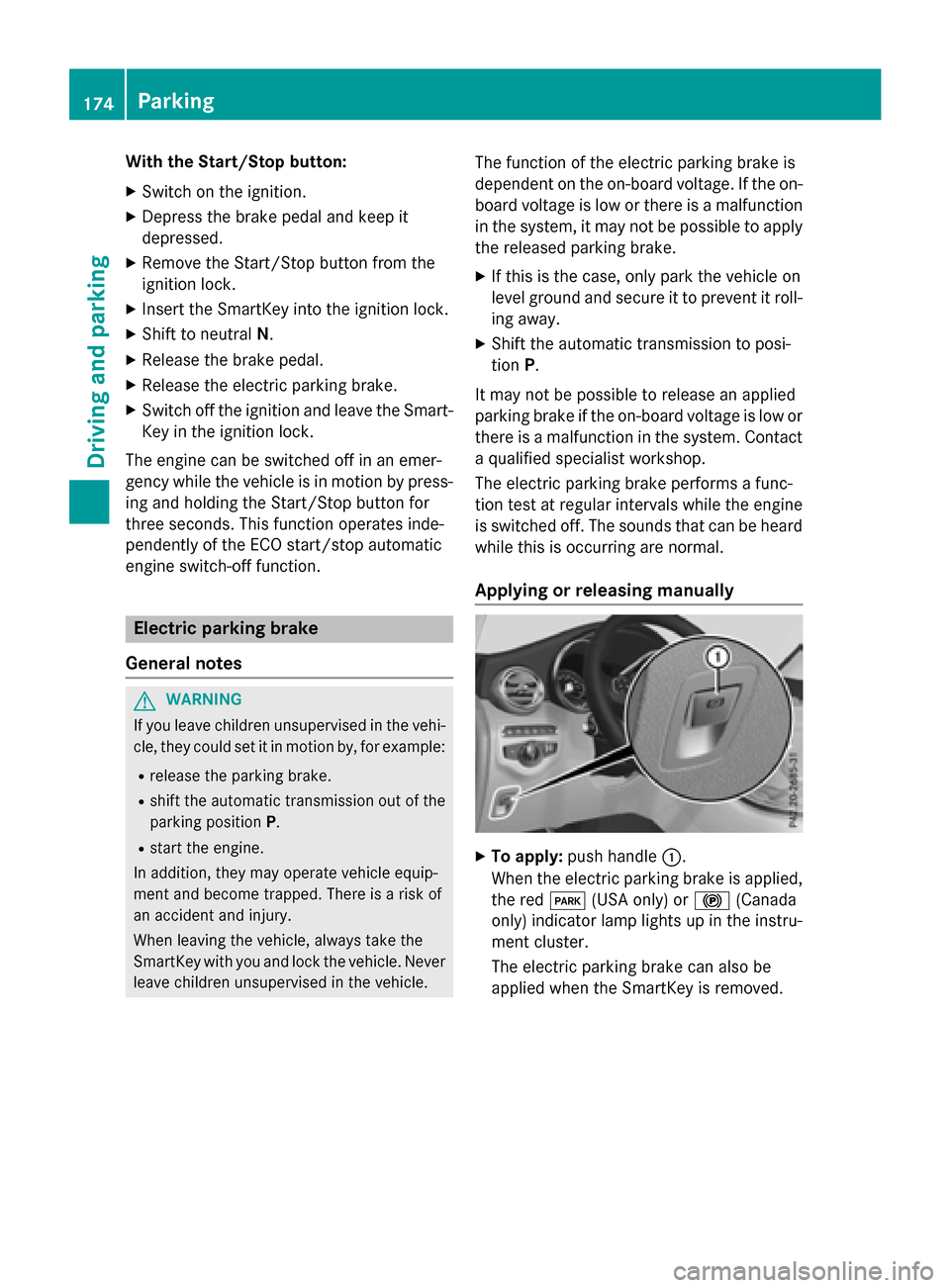
XTo apply: push handle :.
When the electric parking brake is applied, the red F(USA only) or !(Canada
only) indicator lamp lights up in the instru-
ment cluster.
The electric parking brake can also be
applied when the SmartKey is removed.
174Parking
Driving and parking