display MERCEDES-BENZ GLC COUPE 2021 Owner's Guide
[x] Cancel search | Manufacturer: MERCEDES-BENZ, Model Year: 2021, Model line: GLC COUPE, Model: MERCEDES-BENZ GLC COUPE 2021Pages: 481, PDF Size: 9 MB
Page 167 of 481
DY
NA MIC SELECT switch Fu
nction of theDY NA MIC SELECT switch *
NO
TEMercedes-AMG vehicles #
Obser vethe no tes in the Supplement.
Yo u could otherwise failto recognise
dangers. *
NO
TEPlug-in hybrid #
Obser vethe no tes in the Supplement.
Yo u could otherwise failto recognise
dangers. %
Depending on the engine and equipment,
th eve hicle has dif fere nt drive programs.
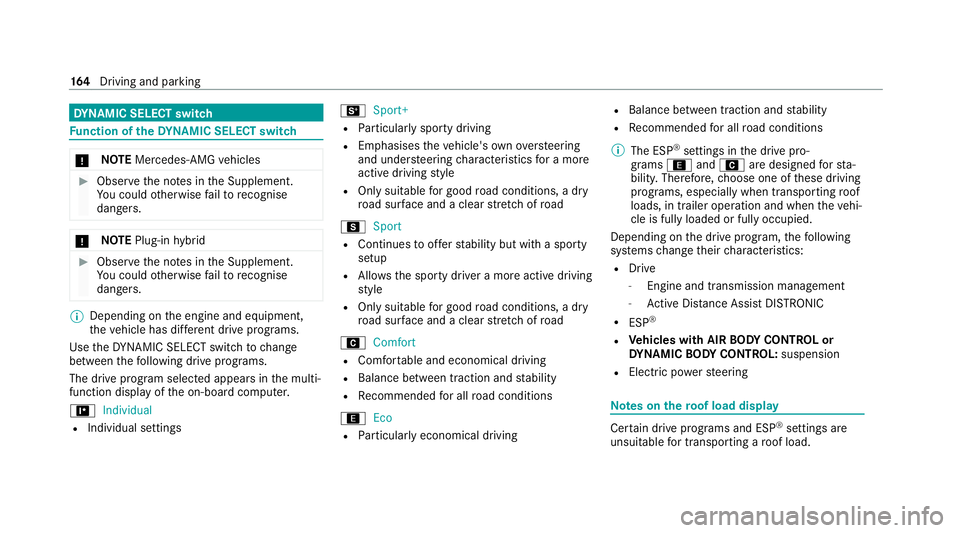
Use theDY NA MIC SELECT switch tochange
between thefo llowing drive programs.
The drive prog ram selected appears in the multi‐
function display of the on-board computer.
= Individual
R Individual settings B
Sport+
R Particular lysporty driving
R Emphasises theve hicle's ownove rste ering
and under steering characteristics for a more
active driving style
R Only suitable for good road conditions, a dry
ro ad sur face and a clear stre tch of road
C Sport
R Continues toofferst ability but with a sporty
setup
R Allo wsthe sporty driver a more active driving
st yle
R Only suitable for good road conditions, a dry
ro ad sur face and a clear stre tch of road
A Comfort
R Comfor table and economical driving
R Balance between traction and stability
R Recommended for all road conditions
; Eco
R Particularly economical driving R
Balance between traction and stability
R Recommended for all road conditions
% The ESP ®
settings in the drive pro‐
grams ;andA are designed forst a‐
bilit y.Therefore, choose one of these driving
programs, especially when transporting roof
loads, in trailer operation and when theve hi‐
cle is fully loaded or fully occupied.
Depending on the drive program, thefo llowing
sy stems change their characteristics:
R Drive
- Engine and transmission management
- Active Dis tance Assi stDISTRONIC
R ESP ®
R Vehicles with AIR BODY CONT ROL or
DY NA MIC BODY CONT ROL:suspension
R Electric po werst eering Note
s onthero of load display Cer
tain drive programs and ESP ®
settings are
unsuitable for transporting a roof load. 16 4
Driving and pa rking
Page 168 of 481
If one of
these drive prog rams is set or selected,
th eW symbol is shown as a warning. When
th is symbol is shown, the selected drive program
is not suitable for transporting a load on the
ro of.
The following drive prog rams are af fected:
R Sport drive program
R Sport + drive program
R Individual drive program with th e ESP®
set‐
ting Sport or Sport+
% The symbol is also shown in thefo llowing sit‐
uations:
R Within theth emes if a cor responding
drive program is sa ved
Fo r more information on themes see .
R Within there set display if the pr eviously
active drive progra m is unsuitableforthe
transpo rtof a roof load
Fo r fur ther information on there set dis‐
pla y,see (/ page165). Selec
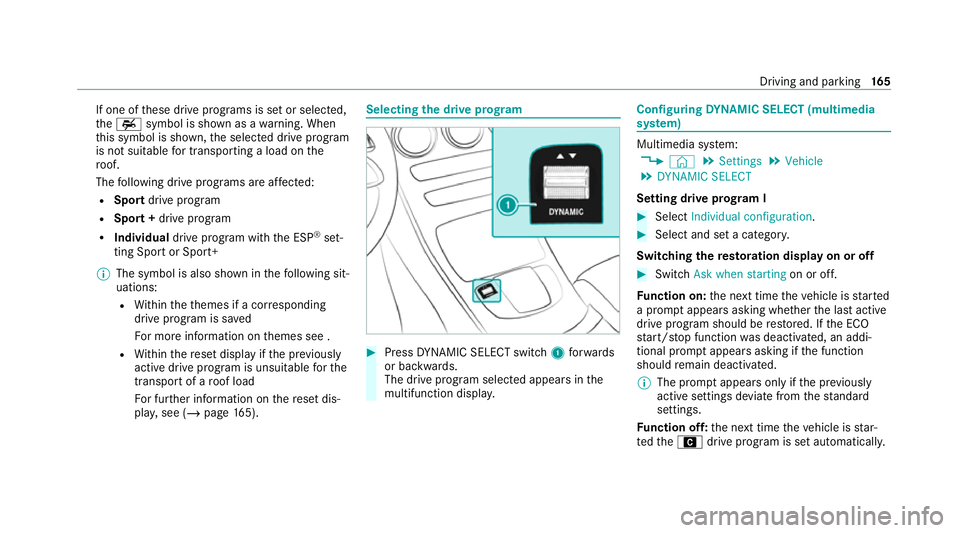
ting the drive prog ram #
Press DYNA MIC SELECT switch 1forw ards
or backwards.
The drive prog ram selected appears in the
multifunction displa y. Configuring
DYNA MIC SELECT (multimedia
sy stem) Multimedia sy
stem:
4 © 5
Settings 5
Vehicle
5 DYNAMIC SELECT
Setting drive prog ram I #
Select Individual configuration. #
Select and set a categor y.
Switching there storation display on or off #
Swit chAsk when starting on or off.
Fu nction on: the next time theve hicle is star ted
a prom ptappears asking whe ther the last active
drive prog ram should be restored. If the ECO
st art/ stop function was deactivated, an addi‐
tional prom ptappears asking if the function
should remain deactivated.
% The prom ptappears on ly ifthe pr eviously
active settings deviate from thest andard
settings.
Fu nction off: the next time theve hicle is star‐
te dth eA drive program is set automatically. Driving and parking
16 5
Page 169 of 481
The ECO
start/ stop function is activated auto‐
matically.
% This function must be activated for each user
profile sepa rately. Only when this function is
activated will the drive prog ram and Eco
st art/ stop setting forth e pr evious journey
be sa vedfo rth ere spective user profile. Displaying
vehicle data Multimedia sy
stem:
4 © 5
Info #
Select Vehicle.
The vehicle data is displa yed. Displaying engine data
Multimedia sy
stem:
4 © 5
Info #
Select Engine.
The engine data is displa yed.
% The actual (maximum) values that can be
achie vedfo r engine output and engine tor‐
qu e may deviate from the certified values within
the count ry-specific guidelines for
permissible tolerances (basis: UN-ECE No.
85 or country -specific guidelines).
Fa ctors that can influence this are, forex am‐
ple:
R Sea le vel
R Fuel grade
R Outside temp erature
R Operating temp erature of the engine
% The values displa yed ser veonly as orienta‐
tion. The values for engine output and
engine torque sh own in the media display
may deviate from the actual values. Calling up
the fuel consum ption indicator Multimedia sy
stem:
4 © 5
Info #
Select Consumption.
The cur rent and average fuel consum ption is
displa yed. Au
tomatic transmission DIRECT SELECT le
ver Fu
nction of the DIRECT SELECT le ver &
WARNING Risk of accident due toincor‐
re ct gearshifting
If th e engine speed is higher than the idle
speed and you en gage the transmission posi‐
tion hork, theve hicle may accelerate
sharply. #
Ifyo u en gage the transmission position
h ork when theve hicle is at a
st andstill, alw ays depress the brake
pedal firm lyand do not accelerate at
th e same time. 16 6
Driving and pa rking
Page 171 of 481
#
Release the brake pedal. #
Switch the ignition off.
% Ifyo uth en exitth eve hicle leaving theke y in
th eve hicle, the automatic transmission
re mains in neutral i.
Engaging park position P #
Obser vethe no tes on parking theve hicle
(/ page 177). #
Depress the brake pedal until theve hicle
comes toast andstill. #
When theve hicle is at a standstill, press but‐
to nj.
When the transmission position display
sho wsj,th e park position is engaged. If no
transmission position display jappears,
secure theve hicle topreve nt it from rolling
aw ay.
% Depending on the situation, it may take a
short time until jis engaged. Therefore,
alw ays pay attention tothe transmission
position displa y. Pa
rk position jis engaged automatically if one
of thefo llowing conditions is me t:
R You swit choff the ignition when theve hicle
is stationary and the transmission position is
h ork.
R You open the driver's door when theve hicle
is at a standstill or when driving at a very low
speed and the transmission position is hor
k.
% Tomanoeuvre with an open driver's door,
open the driver's door while at a standstill
and engage transmission position hork
again.
Engaging drive position D #
Depress the brake pedal and push the
DIRECT SELECT le ver down past thefirst
point of resis tance.
When the automatic transmission is in transmis‐
sion position h, it shiftsthege ars automati‐
call y.This depends, among other things, on the
fo llowing factors:
R The selected drive program
R The position of the accelera tor pedal R
The driving speed Manual
gearshifting Pe
rm anent setting
* NO
TEMercedes-AMG vehicles #
Obser vethe no tes in the Supplement.
Yo u could otherwise failto recognise
dangers. 16 8
Driving and pa rking
Page 178 of 481
Obser
vethe no tes on operating fluids
(/ page 357).
Ad Blue ®
is available here:
R AdBlue ®
can be topped up byfast service at
a qu alified specialist workshop, e.g. a
Mercedes-Benz Service Centre.
R AdBlue ®
is available at many filling stations
from AdBlue ®
filling pumps.
R Alternativel y,Ad Blue ®
is available at qualified
specialist workshops, e.g. Mercedes-Benz
Service Centres, and at many filling stations
in Ad Blue ®
re fill canis ters or AdBlue ®
re fill
bottles.
% Ensure the connection between there fill
con tainer and vehicle filler neck does not
drip. To
pping up AdBlue ®
* NOTEEngine damage duetoAd Blue ®
being in the fuel #
AdBlue ®
must not be used tofill the
fuel tank. #
Only use AdBlue ®
to fill th eAd Blue ®
ta nk. #
Do not overfill theAd Blue ®
tank. *
NO
TEContamination of theve hicle inte‐
ri or due toAd Blue ®
lea kage #
Afterto pping up, carefully close the
Ad Blue ®
re fill conta iner. #
Avoid car rying AdBlue ®
re fill conta iners
permanently in theve hicle. Re
quirements:
R The vehicle is unloc ked. The
following messages appear in order in the
multifunction display when theAd Blue ®
tank
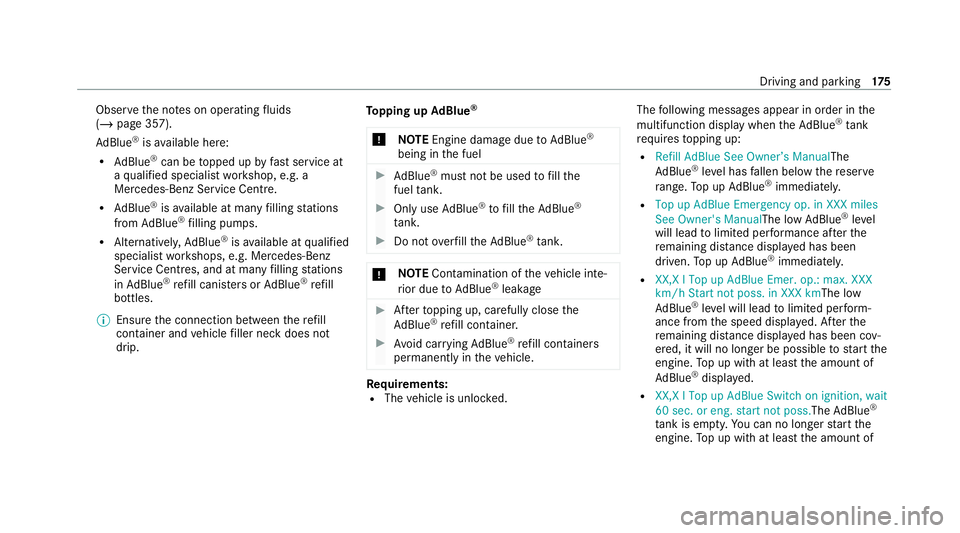
requ irestopping up:
R Refill AdBlue See Owner’s Manual The
Ad Blue ®
leve l has fallen below there ser ve
ra nge. Top up AdBlue ®
immediately.
R Top up AdBlue Emergency op. in XXX miles
See Owner's ManualThe low AdBlue ®
level
will lead tolimited per form ance af terthe
re maining dis tance displ ayed has been
driven. Top up AdBlue ®
immediately.
R XX,X l Top up AdBlue Emer. op.: max. XXX
km/h Start not poss. in XXX kmThe low
AdBlue ®
leve l will lead tolimited per form‐
ance from the speed displa yed. Af terthe
re maining dis tance displ ayed has been cov‐
ered, it will no longer be possible tostart the
engine. Top up with at least the amount of
Ad Blue ®
displ ayed.
R XX,X l Top up AdBlue Switch on ignition, wait
60 sec. or eng. start not poss. TheAdBlue ®
ta nk is em pty. Yo u can no lon gerst art the
engine. Top up with at least the amount of Driving and parking
175
Page 190 of 481
ESP
®
can moni tor and impr ovedriving stability
and traction in thefo llowing situations, within
ph ysical limits:
R When pulling away on wet or slippe rycar ria‐
ge wa ys.
R When braking.
If th eve hicle deviates from the direction desired
by the driver, ESP ®
can stabilise theve hicle by
inter vening in thefo llowing ways:
R One or more wheels are braked.
R The engine output is adap ted according to
th e situation.
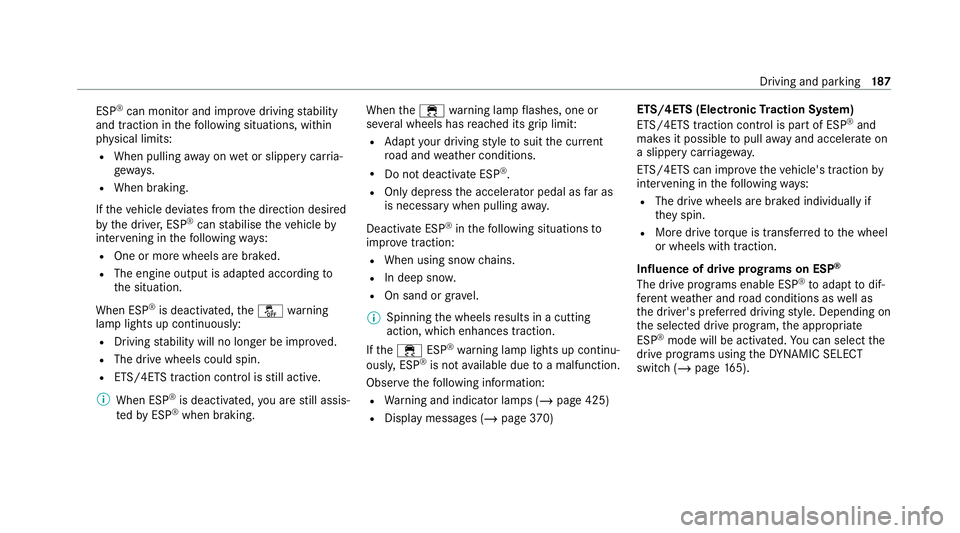
When ESP ®
is deactivated, theå warning
lamp lights up continuously:
R Driving stability will no lon ger be impr oved.
R The drive wheels could spin.
R ETS/4ETS traction control is still active.
% When ESP ®
is deactivated, you are still assis‐
te dby ESP ®
when braking. When
the÷ warning lamp flashes, one or
se veral wheels has reached its grip limit:
R Adapt your driving style to suit the cur rent
ro ad and weather conditions.
R Do not deactivate ESP ®
.
R Only depress the accelerator pedal as far as
is necessary when pulling away.
Deactivate ESP ®
in thefo llowing situations to
impr ovetraction:
R When using snow chains.
R In deep snow.
R On sand or gr avel.
% Spinning the wheels results in a cutting
action, which enhances traction.
If th e÷ ESP®
wa rning lamp lights up continu‐
ousl y,ESP ®
is not available due toa malfunction.
Obse rveth efo llowing information:
R Warning and indicator lamps (/ page 425)
R Display messages (/ page370) ETS/4ETS (Electronic
Traction Sy stem)
ETS/4ETS traction control is pa rtof ESP ®
and
makes it possible topull away and accelerate on
a slippe rycar riag ew ay.
ETS/4ETS can impr ovetheve hicle's traction by
inter vening in thefo llowing ways:
R The drive wheels are braked individually if
they spin.
R More drive torque is transferred tothe wheel
or wheels with traction.
Influence of drive prog rams on ESP ®
The drive prog rams enable ESP ®
to adapt todif‐
fe re nt we ather and road conditions as well as
th e driver's prefer red driving style. Depending on
th e selected drive program, the appropriate
ESP ®
mode will be activated. You can select the
drive programs using theDY NA MIC SELECT
switch (/ page165). Driving and pa
rking 187
Page 192 of 481
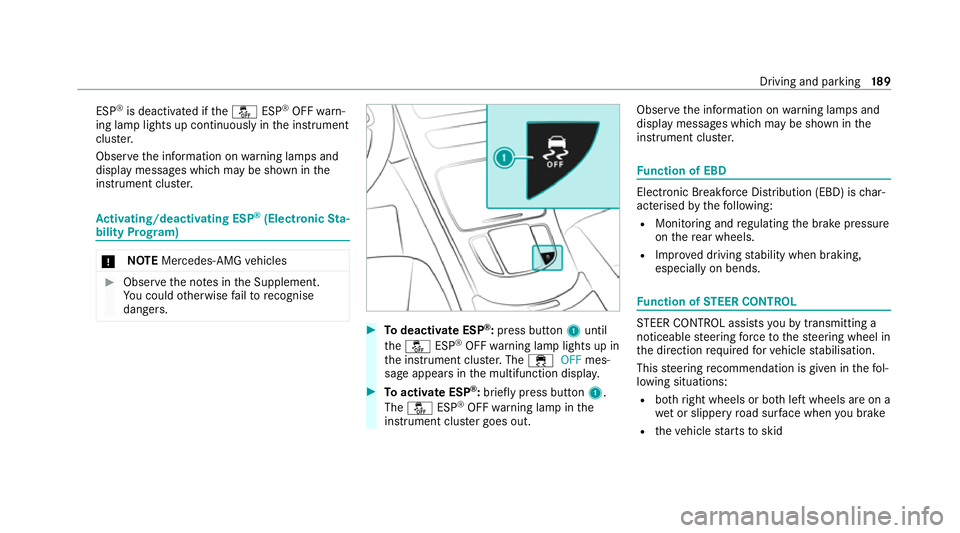
ESP
®
is deacti vated if theå ESP®
OFF warn‐
ing lamp lights up continuously in the instrument
clus ter.
Obser vethe information on warning lamps and
display messages which may be shown in the
instrument clus ter. Ac
tivating/deactivating ESP ®
(Electronic Sta‐
bility Prog ram) *
NO
TEMercedes-AMG vehicles #
Obser vethe no tes in the Supplement.
Yo u could otherwise failto recognise
dangers. #
Todeactivate ESP ®
:press button 1until
th eå ESP®
OFF warning lamp lights up in
th e instrument clus ter.The ÷ OFFmes‐
sage appears in the multifunction displa y. #
Toactivate ESP ®
:briefly press button 1.
The å ESP®
OFF warning lamp in the
instrument clus ter goes out. Obser
vethe information on warning lamps and
display messages which may be shown in the
instrument clus ter. Fu
nction of EBD Elect
ronic Breakforce Distribution (EBD) is char‐
acterised bythefo llowing:
R Monitoring and regulating the brake pressure
on there ar wheels.
R Impr oved driving stability when braking,
especially on bends. Fu
nction of STEER CONT ROL ST
EER CONTROL assi stsyo uby transmitting a
noticeable steering forc eto thesteering wheel in
th e direction requ ired forve hicle stabilisation.
This steering recommendation is given in thefo l‐
lowing situations:
R both right wheels or bo thleft wheels are on a
we t or slippe ryroad sur face when you brake
R theve hicle starts toskid Driving and parking
18 9
Page 193 of 481
Sy
stem limits
ST EER CONTROL may be impaire d or may not
function in thefo llowing situations:
R ESP ®
is deactivated.
R ESP ®
is malfunctioning.
R The steering is malfunctioning.
If ESP ®
is malfunctioning, you will be assis ted
fur ther by the electric po werst eering. HOLD function
HOLD function
The HOLD function holds
theve hicle at a stand‐
st ill without requ iring youto depress the brake
pedal, e.g. while waiting in traf fic.
The HOLD function is only an aid. The responsi‐
bility forth eve hicle safely standing still remains
with the driver.
Sy stem limits
The HOLD function is only intended toprov ide
assis tance when driving and is not a su fficient
means of safeguarding theve hicle against rolling
aw ay when stationar y. R
The incline must not be greater than 30%.
Ac tivating/deactivating the HOLD function &
WARNING Risk of an accident due tothe
HOLD function being active when you
lea vetheve hicle
If th eve hicle is only braked with the HOLD
function it could, in thefo llowing situations,
ro llaw ay:
R Ifth ere is a malfunction in the sy stem or
in the po wer supp ly.
R Ifth e HOLD function is deactivated by
depressing the accelera tor pedal or brake
pedal, e.g. byave hicle occupant. #
Alw ays secure theve hicle against roll‐
ing away before you lea veit. Re
quirements:
R The vehicle is stationar y.
R The driver's door is closed or the seat belt on
th e driver's side is fastened. R
The engine is running or has been au tomati‐
cally switched off bythe ECO start/ stop
function.
R The electric parking brake is released.
R Active Dis tance Assi stDISTRONIC is deacti‐
va ted.
R The transmission is in position h,kori.
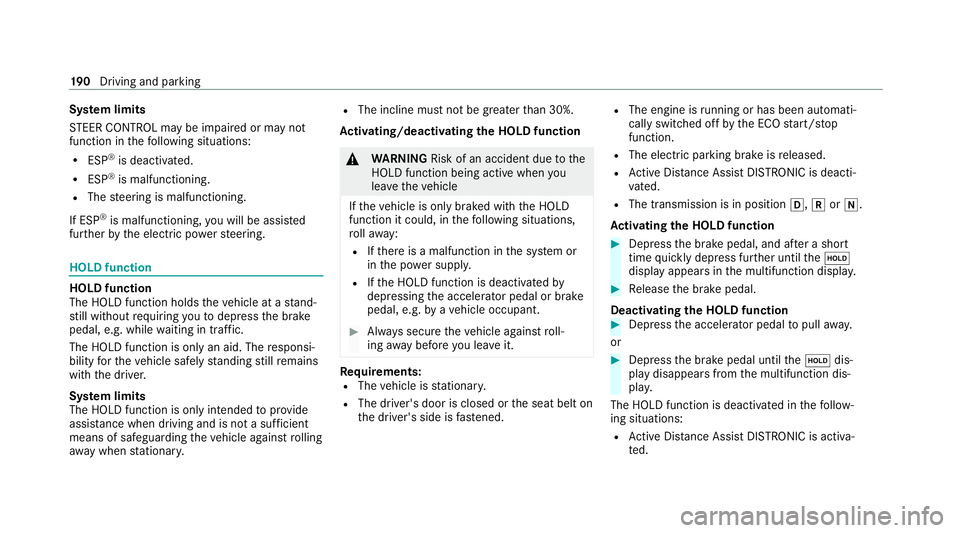
Ac tivating the HOLD function #
Dep ress the brake pedal, and af ter a short
time quickly depress fur ther until theë
display appears in the multifunction displa y. #
Release the brake pedal.
Deactivating the HOLD function #
Depress the accelerator pedal topull away.
or #
Depress the brake pedal until theë dis‐
play disappears from the multifunction dis‐
pla y.
The HOLD function is deactivated in thefo llow‐
ing situations:
R Active Dis tance Assi stDISTRONIC is acti va‐
te d. 19 0
Driving and pa rking
Page 195 of 481
R
Sensitive: higher system sensitivity. The
driver is warned earlier and the attention
le ve l de tected byATTENTION ASSIST is adap‐
te d according ly.
If dr owsiness or increasing lapses in concentra‐
tion are de tected, theATTENTION ASSIST: Take
a break! warning appears in the Instrument Dis‐
pla y.Yo u can ackn owledge the message and
ta ke a break where necessar y.Ifyo u do not take
a break and ATTENTION ASSIST continues to
de tect increasing lapses in concentration, you
will be warned again af ter a minimum of
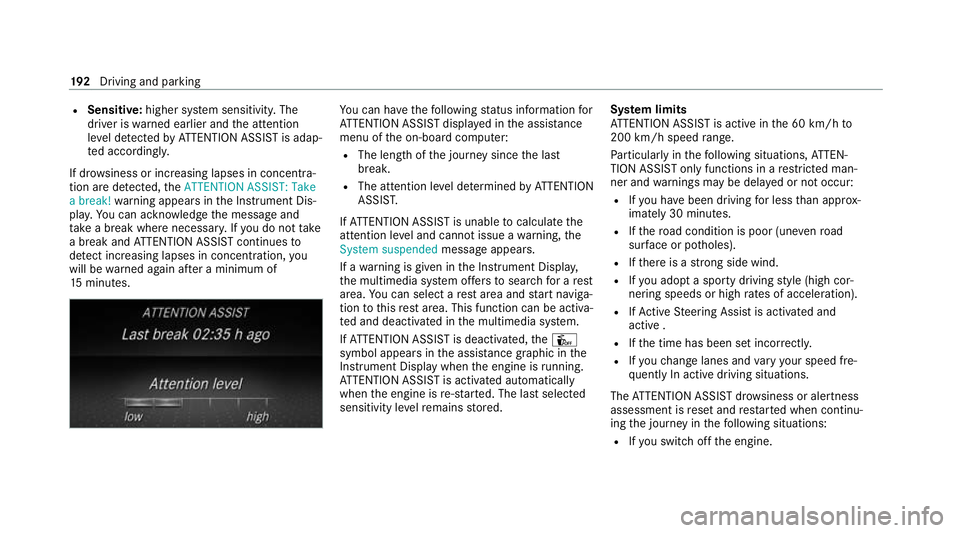
15 minutes. Yo
u can ha vethefo llowing status information for
AT TENTION ASSIST displa yed in the assis tance
menu of the on-board computer:
R The length of the journey since the last
break.
R The attention le vel de term ined byATTENTION
ASSIS T.
If AT TENTION ASSIST is unable tocalculate the
attention le vel and cannot issue a warning, the
System suspended messageappears.
If a warning is given in the Instrument Displa y,
th e multimedia sy stem of fers to sear chfor a rest
area. You can select a rest area and start naviga‐
tion tothis rest area. This function can be activa‐
te d and deactivated in the multimedia sy stem.
If AT TENTION ASSIST is deactivated, theÛ
symbol appears in the assis tance graphic in the
Instrument Display when the engine is running.
AT TENTION ASSIST is activated automatically
when the engine is re-sta rted. The last selected
sensitivity le velre mains stored. Sy
stem limits
AT TENTION ASSIST is active in the 60 km/h to
200 km/h speed range.
Pa rticularly in thefo llowing situations, ATTEN‐
TION ASSIST only functions in a restricted man‐
ner and warnings may be dela yed or not occur:
R Ifyo u ha vebeen driving for less than appr ox‐
imately 30 minutes.
R Ifth ero ad condition is poor (une venro ad
sur face or po tholes).
R Ifth ere is a strong side wind.
R Ifyo u adopt a sporty driving style (high cor‐
nering speeds or high rates of acceleration).
R IfAc tive Steering Assist is activated and
active .
R Ifth e time has been set incor rectly.
R Ifyo uch ange lanes and vary your speed fre‐
qu ently In active driving situations.
The ATTENTION ASSIST dr owsiness or alertness
assessment is reset and restar ted when continu‐
ing the journey in thefo llowing situations:
R Ifyo u swit choff the engine. 19 2
Driving and pa rking
Page 196 of 481
R
Ifyo u unfas tenyo ur seat belt and open the
driver's door (e.g. tochange drivers or take a
break).
Setting ATTENTION ASSI ST
Multimedia sy stem:
4 © 5
Settings 5
Assistance
5 Attention Assist
Setting options #
Select Standard, SensitiveorOff.
Suggesting a rest area #
Select Suggest rest area . #
Activate or deacti vate the function.
If AT TENTION ASSIST de tects fatigue or
increasing la ckof attention, it suggests a
re st area in the vicinit y. #
Select the sugges tedre st area.
Yo u are guided tothe selected rest area. Cruise cont
rol and limiter Fu
nction of cruise control
Cruise contro lre gulates the speed totheva lue
selec tedby the driver.
If yo u accelerate toove rtake, forex ample, the
st ored speed is not dele ted. If youre mo veyour
fo ot from the accelerator pedal af terove rtaking,
cruise control will resume speed regulation back
to thestored speed.
Yo u can store any speed abo ve20 km/h up to
th e maximum design speed or up tothe set win‐
te r tyre limit.
Obser vethe no tes on driving sy stems and your
re sponsibility; you may otherwise failto recog‐
nise dangers (/ page 184).
Me rcedes‑AMG vehicles: cruise control is avail‐
able up toa maximum speed of 250 km/h.
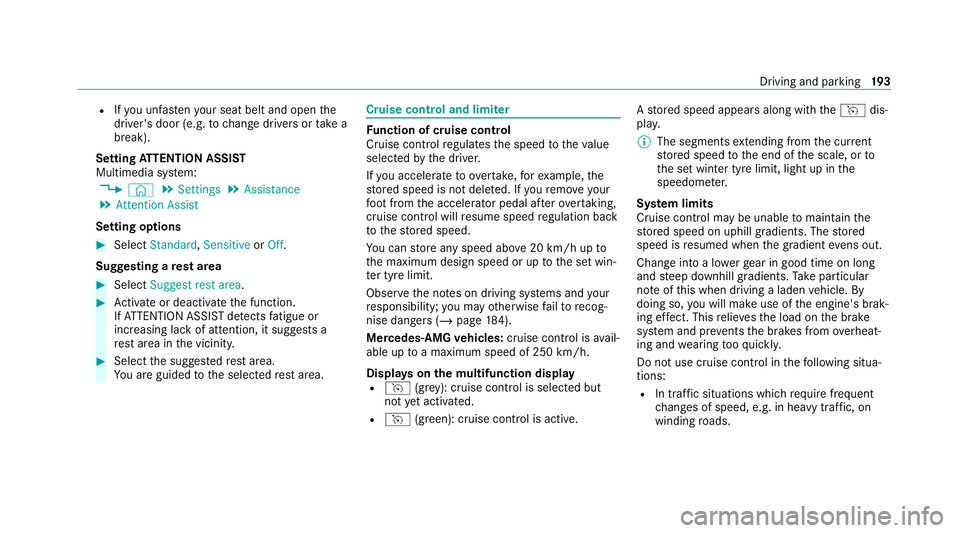
Displ ays on the multifunction display
R h (gre y): cruise contro l is selected but
not yet acti vated.
R h (green): cruise control is active. A
stored speed appears along with theh dis‐
pla y.
% The segments extending from the cur rent
st ored speed tothe end of the scale, or to
th e set winter tyre limit, light up in the
speedome ter.
Sy stem limits
Cruise control may be unable tomaintain the
st ored speed on uphill gradients. The stored
speed is resumed when the gradient evens out.
Change into a lo werge ar in good time on long
and steep downhill gradients. Take particular
no te ofthis when driving a laden vehicle. By
doing so, you will make use of the engine's brak‐
ing ef fect. This relie vesth e load on the brake
sy stem and pr events the brakes from overheat‐
ing and wearing tooqu ickl y.
Do not use cruise control in thefo llowing situa‐
tions:
R In traf fic situations whi chrequ ire frequent
ch anges of speed, e.g. in heavy traf fic, on
winding roads. Driving and parking
19 3