light MERCEDES-BENZ GLC SUV 2015 Owners Manual
[x] Cancel search | Manufacturer: MERCEDES-BENZ, Model Year: 2015, Model line: GLC SUV, Model: MERCEDES-BENZ GLC SUV 2015Pages: 497, PDF Size: 15.27 MB
Page 286 of 497
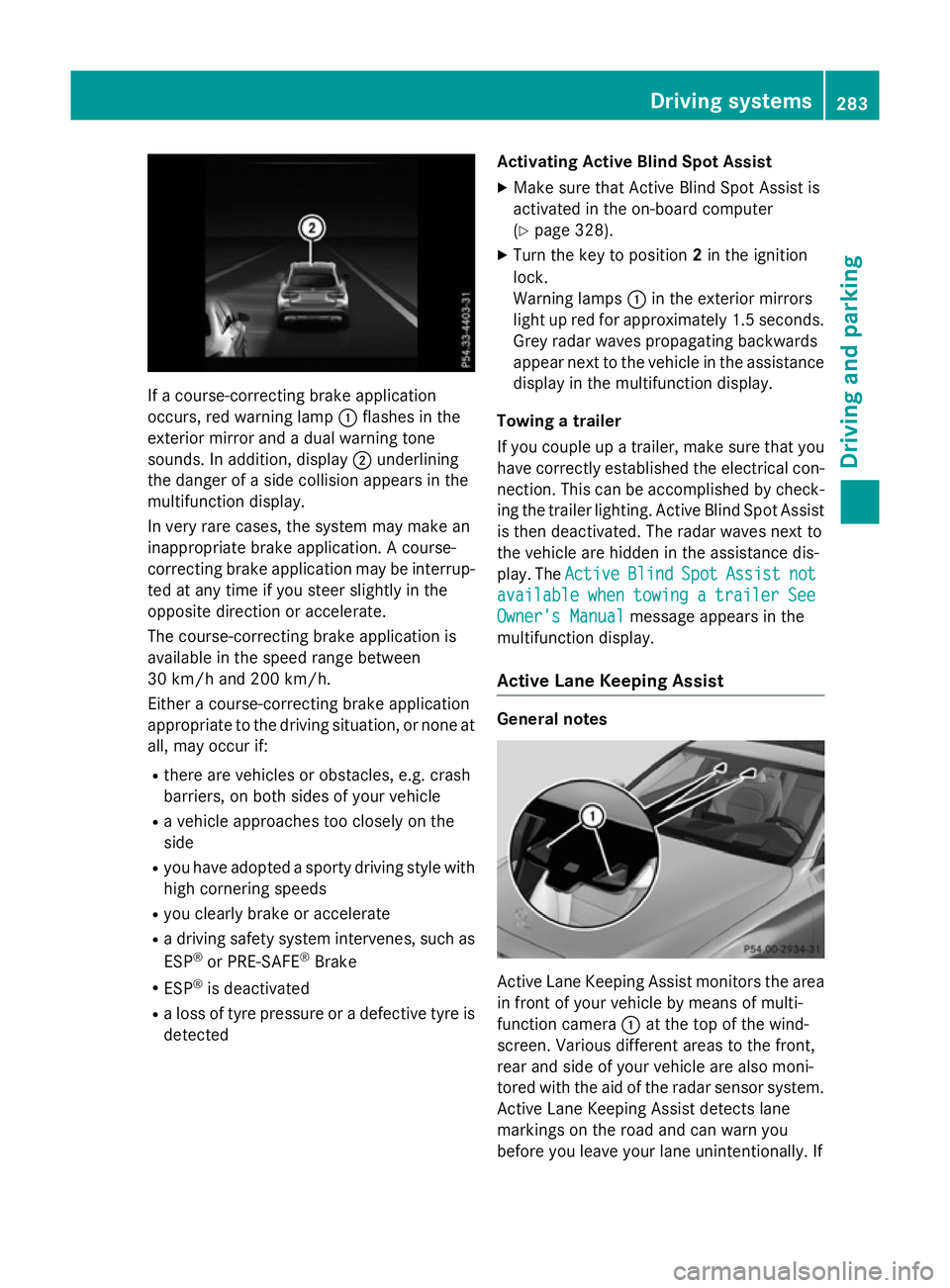
If a course-correcting brake application
occurs, red warning lamp :flashes in the
exterior mirror and a dual warning tone
sounds. In addition, display ;underlining
the danger of a side collision appears in the
multifunction display.
In very rare cases, the system may make an
inappropriate brake application. A course-
correcting brake application may be interrup-
ted at any time if you steer slightly in the
opposite direction or accelerate.
The course-correcting brake application is
available in the speed range between
30 km/h and 200 km/h.
Either a course-correcting brake application
appropriate to the driving situation, or none at all, may occur if:
R there are vehicles or obstacles, e.g. crash
barriers, on both sides of your vehicle
R a vehicle approaches too closely on the
side
R you have adopted a sporty driving style with
high cornering speeds
R you clearly brake or accelerate
R a driving safety system intervenes, such as
ESP ®
or PRE-SAFE ®
Brake
R ESP ®
is deactivated
R a loss of tyre pressure or a defective tyre is
detected Activating Active Blind Spot Assist
X Make sure that Active Blind Spot Assist is
activated in the on-board computer
(Y page 328).
X Turn the key to position 2in the ignition
lock.
Warning lamps :in the exterior mirrors
light up red for approximately 1.5 seconds. Grey radar waves propagating backwards
appear next to the vehicle in the assistance
display in the multifunction display.
Towing a trailer
If you couple up a trailer, make sure that you have correctly established the electrical con-
nection. This can be accomplished by check- ing the trailer lighting. Active Blind Spot Assist
is then deactivated. The radar waves next to
the vehicle are hidden in the assistance dis-
play. The Active
Active Blind BlindSpot
SpotAssist
Assist not
not
available
available when
whentowing
towing a
atrailer
trailer See
See
Owner's Manual
Owner's Manual message appears in the
multifunction display.
Active Lane Keeping Assist General notes
Active Lane Keeping Assist monitors the area
in front of your vehicle by means of multi-
function camera :at the top of the wind-
screen. Various different areas to the front,
rear and side of your vehicle are also moni-
tored with the aid of the radar sensor system. Active Lane Keeping Assist detects lane
markings on the road and can warn you
before you leave your lane unintentionally. If Driving systems
283Driving and parking Z
Page 288 of 497
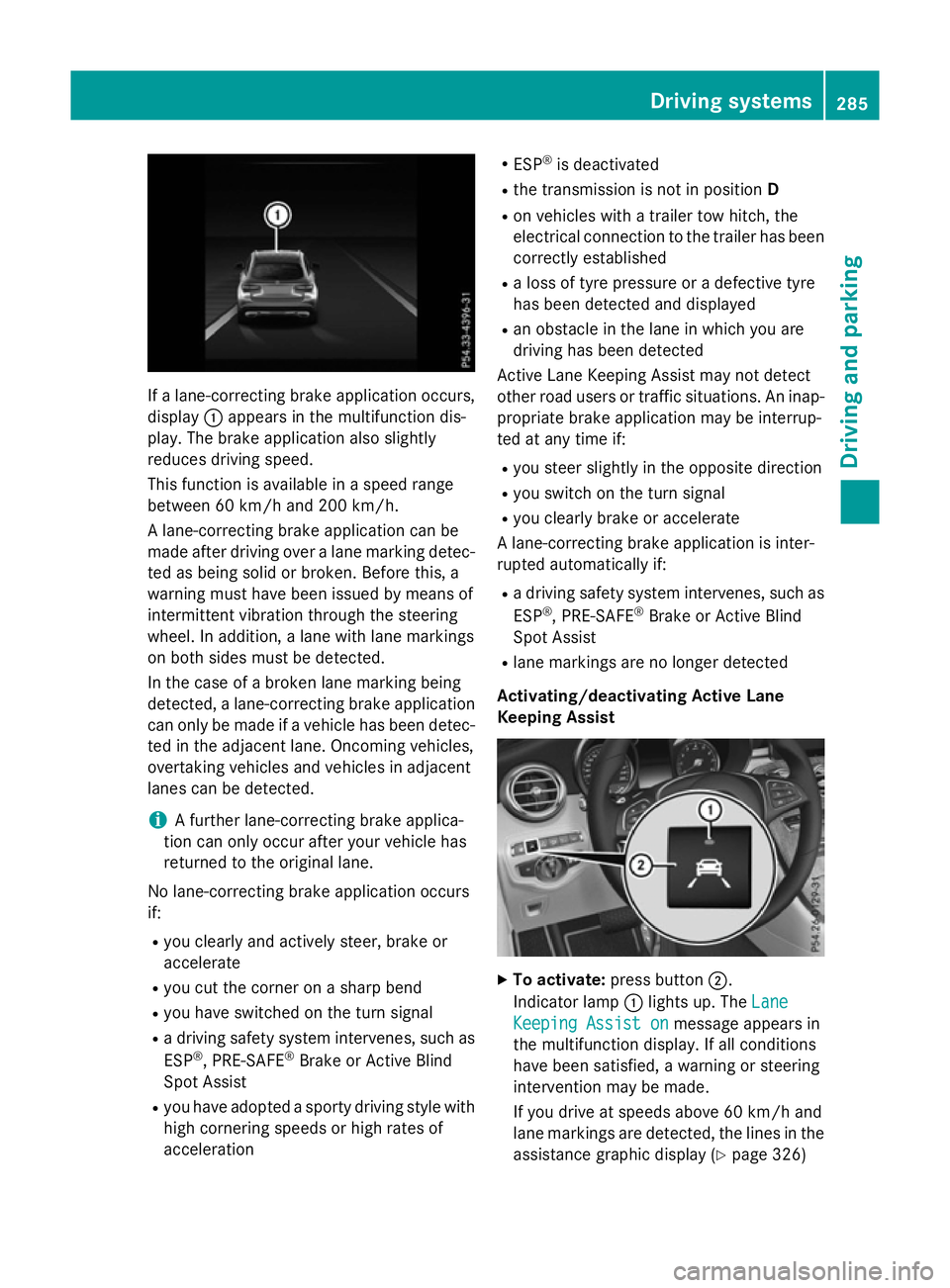
If a lane-correcting brake application occurs,
display :appears in the multifunction dis-
play. The brake application also slightly
reduces driving speed.
This function is available in a speed range
between 60 km/h and 200 km/h.
A lane-correcting brake application can be
made after driving over a lane marking detec- ted as being solid or broken. Before this, a
warning must have been issued by means of
intermittent vibration through the steering
wheel. In addition, a lane with lane markings
on both sides must be detected.
In the case of a broken lane marking being
detected, a lane-correcting brake application
can only be made if a vehicle has been detec-
ted in the adjacent lane. Oncoming vehicles,
overtaking vehicles and vehicles in adjacent
lanes can be detected.
i A further lane-correcting brake applica-
tion can only occur after your vehicle has
returned to the original lane.
No lane-correcting brake application occurs
if: R you clearly and actively steer, brake or
accelerate
R you cut the corner on a sharp bend
R you have switched on the turn signal
R a driving safety system intervenes, such as
ESP ®
, PRE-SAFE ®
Brake or Active Blind
Spot Assist
R you have adopted a sporty driving style with
high cornering speeds or high rates of
acceleration R
ESP ®
is deactivated
R the transmission is not in position D
R on vehicles with a trailer tow hitch, the
electrical connection to the trailer has been
correctly established
R a loss of tyre pressure or a defective tyre
has been detected and displayed
R an obstacle in the lane in which you are
driving has been detected
Active Lane Keeping Assist may not detect
other road users or traffic situations. An inap- propriate brake application may be interrup-
ted at any time if:
R you steer slightly in the opposite direction
R you switch on the turn signal
R you clearly brake or accelerate
A lane-correcting brake application is inter-
rupted automatically if:
R a driving safety system intervenes, such as
ESP ®
, PRE-SAFE ®
Brake or Active Blind
Spot Assist
R lane markings are no longer detected
Activating/deactivating Active Lane
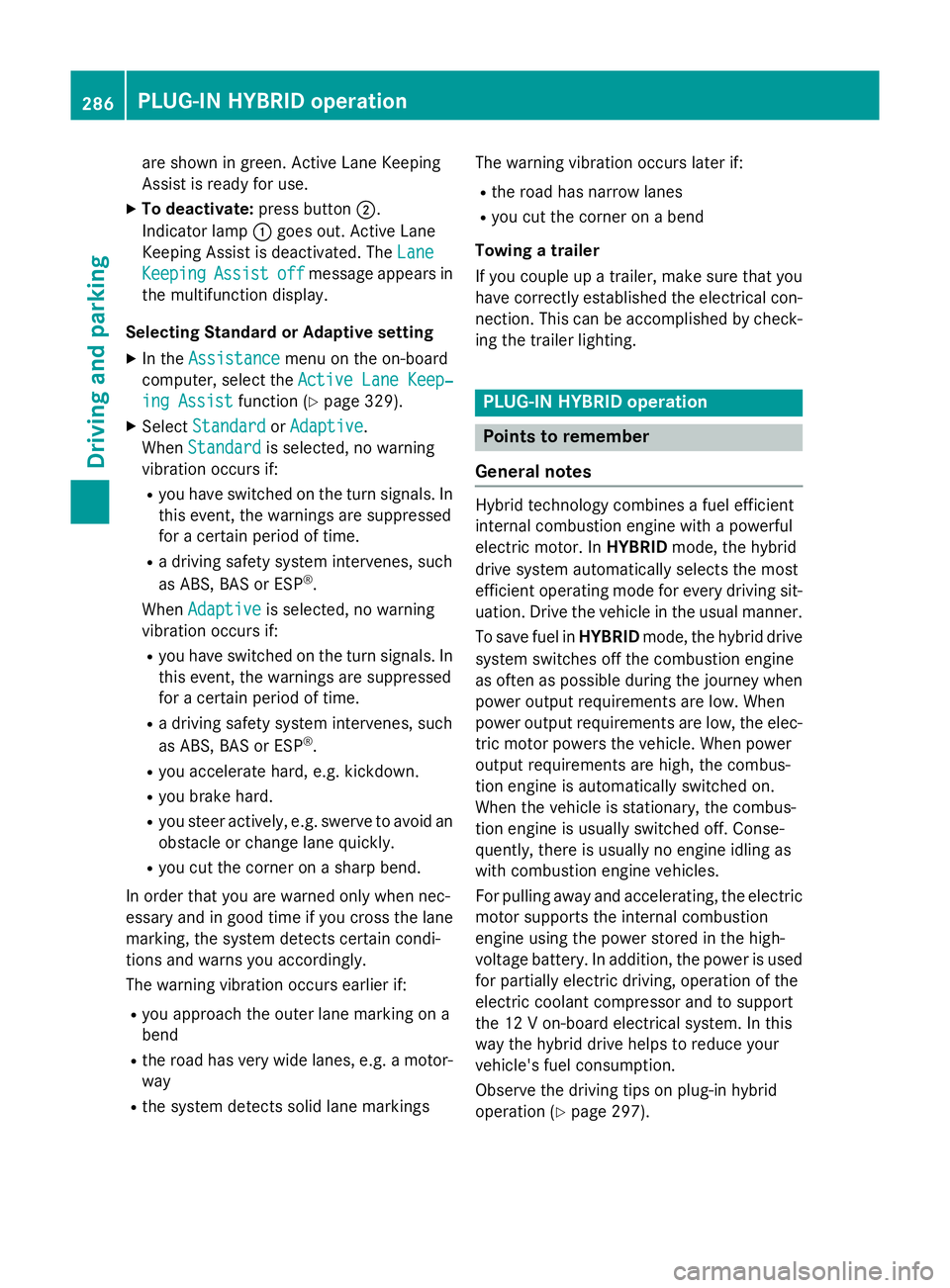
Keeping Assist X
To activate: press button ;.
Indicator lamp :lights up. The Lane Lane
Keeping Assist on
Keeping Assist on message appears in
the multifunction display. If all conditions
have been satisfied, a warning or steering
intervention may be made.
If you drive at speeds above 60 km/h and
lane markings are detected, the lines in the assistance graphic display (Y page 326) Driving systems
285Driving and parking Z
Page 289 of 497
are shown in green. Active Lane Keeping
Assist is ready for use.
X To deactivate: press button;.
Indicator lamp :goes out. Active Lane
Keeping Assist is deactivated. The Lane
Lane
Keeping
Keeping Assist
Assistoff
offmessage appears in
the multifunction display.
Selecting Standard or Adaptive setting
X In the Assistance
Assistance menu on the on-board
computer, select the Active Lane Keep‐
Active Lane Keep‐
ing Assist
ing Assist function (Ypage 329).
X Select Standard
Standard orAdaptive
Adaptive.
When Standard
Standard is selected, no warning
vibration occurs if:
R you have switched on the turn signals. In
this event, the warnings are suppressed
for a certain period of time.
R a driving safety system intervenes, such
as ABS, BAS or ESP ®
.
When Adaptive
Adaptive is selected, no warning
vibration occurs if:
R you have switched on the turn signals. In
this event, the warnings are suppressed
for a certain period of time.
R a driving safety system intervenes, such
as ABS, BAS or ESP ®
.
R you accelerate hard, e.g. kickdown.
R you brake hard.
R you steer actively, e.g. swerve to avoid an
obstacle or change lane quickly.
R you cut the corner on a sharp bend.
In order that you are warned only when nec-
essary and in good time if you cross the lane marking, the system detects certain condi-
tions and warns you accordingly.
The warning vibration occurs earlier if:
R you approach the outer lane marking on a
bend
R the road has very wide lanes, e.g. a motor-
way
R the system detects solid lane markings The warning vibration occurs later if:
R the road has narrow lanes
R you cut the corner on a bend
Towing a trailer
If you couple up a trailer, make sure that you have correctly established the electrical con- nection. This can be accomplished by check-
ing the trailer lighting. PLUG
‑IN HYBRID operation Points to remember
General notes Hybrid technology combines a fuel efficient
internal combustion engine with a powerful
electric motor. In HYBRIDmode, the hybrid
drive system automatically selects the most
efficient operating mode for every driving sit-
uation. Drive the vehicle in the usual manner.
To save fuel in HYBRIDmode, the hybrid drive
system switches off the combustion engine
as often as possible during the journey when power output requirements are low. When
power output requirements are low, the elec-
tric motor powers the vehicle. When power
output requirements are high, the combus-
tion engine is automatically switched on.
When the vehicle is stationary, the combus-
tion engine is usually switched off. Conse-
quently, there is usually no engine idling as
with combustion engine vehicles.
For pulling away and accelerating, the electric
motor supports the internal combustion
engine using the power stored in the high-
voltage battery. In addition, the power is used
for partially electric driving, operation of the
electric coolant compressor and to support
the 12 V on-board electrical system. In this
way the hybrid drive helps to reduce your
vehicle's fuel consumption.
Observe the driving tips on plug-in hybrid
operation (Y page 297).286
PLUG‑
IN HYBRID operationDriving and parking
Page 295 of 497
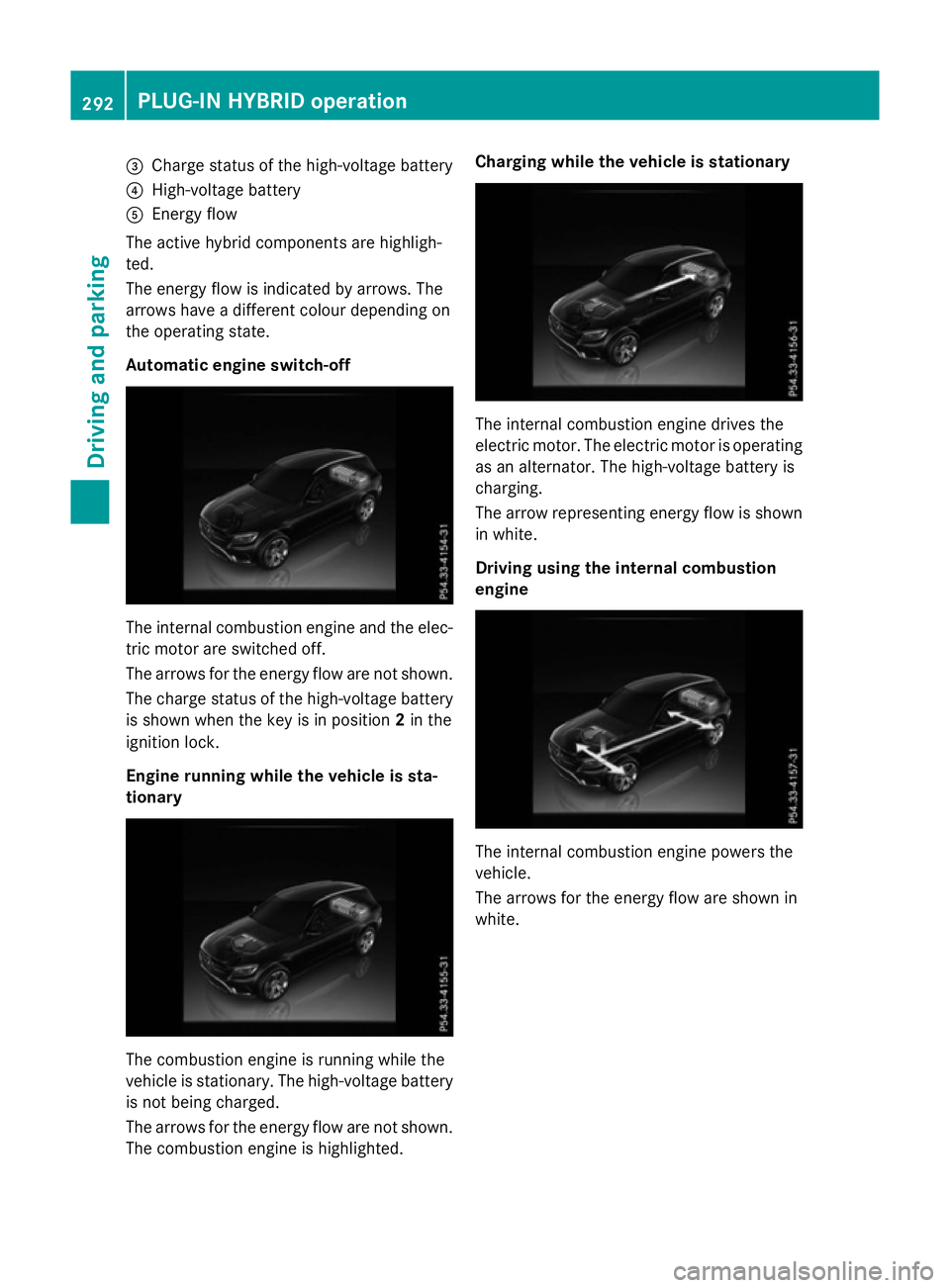
=
Charge status of the high-voltage battery
? High-voltage battery
A Energy flow
The active hybrid components are highligh-
ted.
The energy flow is indicated by arrows. The
arrows have a different colour depending on
the operating state.
Automatic engine switch-off The internal combustion engine and the elec-
tric motor are switched off.
The arrows for the energy flow are not shown.
The charge status of the high-voltage battery
is shown when the key is in position 2in the
ignition lock.
Engine running while the vehicle is sta-
tionary The combustion engine is running while the
vehicle is stationary. The high-voltage battery
is not being charged.
The arrows for the energy flow are not shown. The combustion engine is highlighted. Charging while the vehicle is stationary
The internal combustion engine drives the
electric motor. The electric motor is operating
as an alternator. The high-voltage battery is
charging.
The arrow representing energy flow is shown in white.
Driving using the internal combustion
engine The internal combustion engine powers the
vehicle.
The arrows for the energy flow are shown in
white. 292
PLUG
‑IN HYBRID operationDriving and pa rking
Page 298 of 497
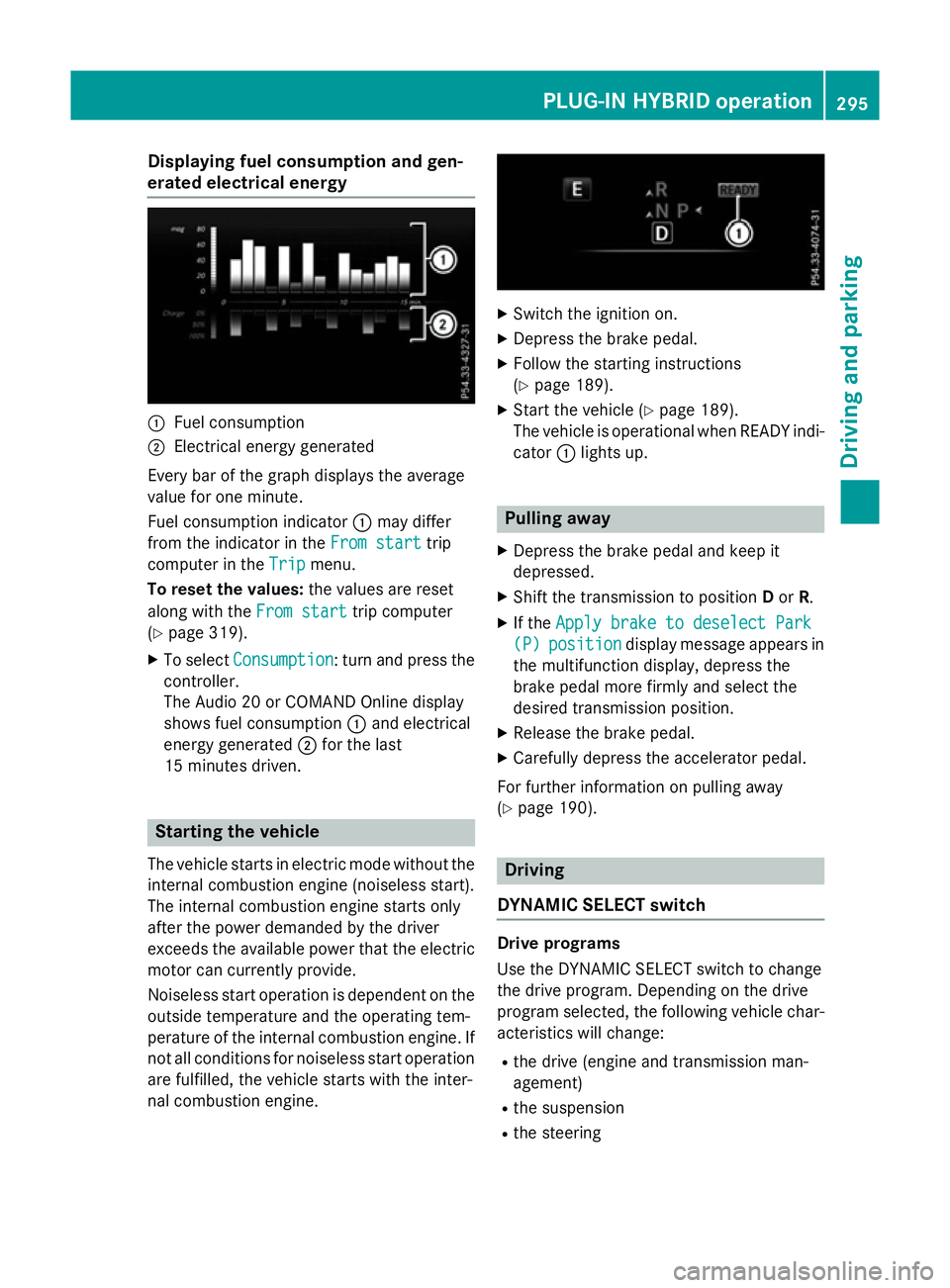
Displaying fuel consumption and gen-
erated electrical energy :
Fuel consumption
; Electrical energy generated
Every bar of the graph displays the average
value for one minute.
Fuel consumption indicator :may differ
from the indicator in the From start From starttrip
computer in the Trip
Trip menu.
To reset the values: the values are reset
along with the From start
From starttrip computer
(Y page 319).
X To select Consumption
Consumption: turn and press the
controller.
The Audio 20 or COMAND Online display
shows fuel consumption :and electrical
energy generated ;for the last
15 minutes driven. Starting the vehicle
The vehicle starts in electric mode without the
internal combustion engine (noiseless start).
The internal combustion engine starts only
after the power demanded by the driver
exceeds the available power that the electric
motor can currently provide.
Noiseless start operation is dependent on the
outside temperature and the operating tem-
perature of the internal combustion engine. If
not all conditions for noiseless start operation are fulfilled, the vehicle starts with the inter-
nal combustion engine. X
Switch the ignition on.
X Depress the brake pedal.
X Follow the starting instructions
(Y page 189).
X Start the vehicle (Y page 189).
The vehicle is operational when READY indi-
cator :lights up. Pulling away
X Depress the brake pedal and keep it
depressed.
X Shift the transmission to position Dor R.
X If the Apply brake to deselect Park
Apply brake to deselect Park
(P) (P) position
position display message appears in
the multifunction display, depress the
brake pedal more firmly and select the
desired transmission position.
X Release the brake pedal.
X Carefully depress the accelerator pedal.
For further information on pulling away
(Y page 190). Driving
DYNAMIC SELECT switch Drive programs
Use the DYNAMIC SELECT switch to change
the drive program. Depending on the drive
program selected, the following vehicle char-
acteristics will change:
R the drive (engine and transmission man-
agement)
R the suspension
R the steering PLUG
‑IN HYBRID ope ration
295Driving an d parking Z
Page 301 of 497
engine by providing additional torque when
the accelerator is depressed rapidly.
Overrun mode or braking
There are three possible operating modes
when the hybrid vehicle is decelerating:
R When coasting and decelerating, energy
recuperation is already taking place
(Y page 287). The electric motor functions
as an alternator and stores the recuperated energy in the high-voltage battery.
R When braking gently, the electric motor
increases the deceleration of the vehicle.
Energy recuperation is increased
(Y page 287). The electric motor functions
as an alternator and stores the recuperated energy in the high-voltage battery.
R During heavy braking, the service brake is
also used to slow down the vehicle. Both
systems work together.
Driving in the city
Energy is recuperated during frequent decel-
eration and stopping in city traffic.
The vehicle can be driven by the electric
motor alone up to a speed of approximately
140 km/h.
The vehicle is driven by the electric motor
alone only when all conditions for the auto-
matic engine switch-off are fulfilled.
Further information on the automatic engine
switch-off (Y page 298).
Driving on inter-urban roads
The following phases are possible when driv-
ing on inter-urban roads:
R rapid acceleration (boost mode)
R constant energy consumption
R energy recuperation
R electric operation mode
Depending on the characteristics of the
route, there may be a lot of recuperated
energy available. This reduces consumption
and emissions. Driving on the motorway
When driving on a motorway, the decrease in
wasted power has a particularly positive
effect on fuel consumption and emissions.
If the driver removes his foot from the accel-
erator pedal in drive program Eand a speed of
160 km/h is not exceeded, the combustion
engine is automatically switched off.
Further information on the automatic engine
switch-off (Y page 298).
ECO start/stop function General notes
The ECO start/stop function switches the
internal combustion engine off automatically
when the vehicle stops moving and at high
speeds (Y page 299).
All vehicle systems remain active, e.g. the
automatic climate control.
The ECO start/stop function is only available in drive programs Cand E. Electric-only oper-
ation is only possible in drive programs Cand
E. Additional information for drive programs
(Y page 295).
Automatic engine switch-off
The internal combustion engine is switched
off automatically if:
R the driver removes his foot from the accel-
erator in drive program Eand a speed of
160 km/h is not exceeded (Y page 299)
R the internal combustion engine has
reached its operating temperature
R the driver's seat belt is fastened and the
driver's door is closed
R the driver only slightly depresses the accel-
erator pedal in order to, for example, main- tain the current speed for a limited distance
R the bonnet is closed and engaged properly
R the high-voltage battery is charged suffi-
ciently
R no malfunctions are present in the hybrid
drive system 298
PLUG‑IN HYBRID operationDriving and parking
Page 303 of 497
Parking
X Apply the electric parking brake.
The red !indicator lamp in the instru-
ment cluster lights up.
X Use the DIRECT SELECT lever to shift the
automatic transmission to P.
X Switch the ignition off.
The READY indicator in the instrument clus-
ter goes out.
Further information on parking and switching off the internal combustion engine
(Y page 220). 300
PLUG‑IN HYBRID operationDriving and parking
Page 304 of 497
Problems with PLUG-IN HYBRID operation
Internal combustion engine Problem
Possible causes/consequences and
M
MSolutions You cannot start the
internal combustion
engine. The multifunc-
tion display shows no
display messages. The
READY indicator in the
multifunction display is
off. For example, self-diagnosis is not yet complete or the hybrid drive
system is malfunctioning.
X Switch off the ignition and turn it back on.
X Try to start the internal combustion engine again.
If the internal combustion engine still does not start: X Consult a qualified specialist workshop. You wish to pull away,
but the ECO start/stop
function does not start
the internal combus-
tion engine. The READY
indicator in the multi-
function display is off. The ECO start/stop function has failed. The warning and indicator
lamps in the instrument cluster light up.
X Shift the transmission to P.
X Switch off the ignition and turn it back on.
X Start the engine. The hybrid drive system is malfunctioning.
X Consult a qualified specialist workshop. Recuperative Brake System
Problem
Possible causes/consequences and
M MSolutions Braking resistance is
reduced and brake
pedal travel is longer
than usual.
G
Risk of accident
The Recuperative Brake System is malfunctioning.
X Observe the additional display messages in the multifunction
display (Y page 335).
X Observe the information regarding indicator and warning lamps
in the instrument cluster (Y page 377) . PLUG‑IN HYBRID operation
301Driving and parking Z
Page 308 of 497
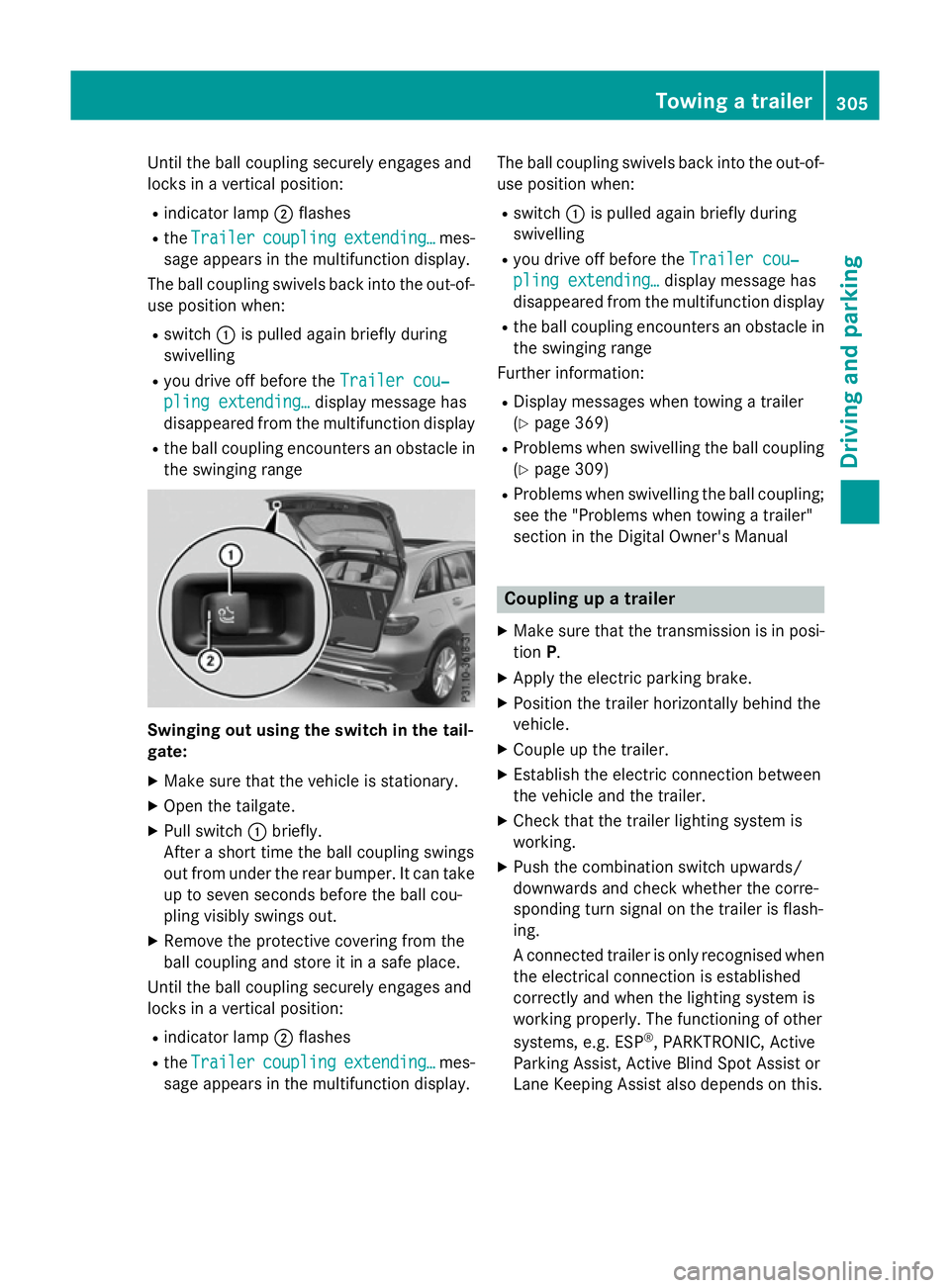
Until the ball coupling securely engages and
locks in a vertical position:
R indicator lamp ;flashes
R the Trailer
Trailer coupling
coupling extending…
extending… mes-
sage appears in the multifunction display.
The ball coupling swivels back into the out-of- use position when:
R switch :is pulled again briefly during
swivelling
R you drive off before the Trailer cou‐
Trailer cou‐
pling extending…
pling extending… display message has
disappeared from the multifunction display
R the ball coupling encounters an obstacle in
the swinging range Swinging out using the switch in the tail-
gate:
X Make sure that the vehicle is stationary.
X Open the tailgate.
X Pull switch :briefly.
After a short time the ball coupling swings
out from under the rear bumper. It can take
up to seven seconds before the ball cou-
pling visibly swings out.
X Remove the protective covering from the
ball coupling and store it in a safe place.
Until the ball coupling securely engages and
locks in a vertical position:
R indicator lamp ;flashes
R the Trailer
Trailer coupling coupling extending…
extending… mes-
sage appears in the multifunction display. The ball coupling swivels back into the out-of-
use position when:
R switch :is pulled again briefly during
swivelling
R you drive off before the Trailer cou‐
Trailer cou‐
pling extending…
pling extending… display message has
disappeared from the multifunction display
R the ball coupling encounters an obstacle in
the swinging range
Further information:
R Display messages when towing a trailer
(Y page 369)
R Problems when swivelling the ball coupling
(Y page 309)
R Problems when swivelling the ball coupling;
see the "Problems when towing a trailer"
section in the Digital Owner's Manual Coupling up a trailer
X Make sure that the transmission is in posi-
tion P.
X Apply the electric parking brake.
X Position the trailer horizontally behind the
vehicle.
X Couple up the trailer.
X Establish the electric connection between
the vehicle and the trailer.
X Check that the trailer lighting system is
working.
X Push the combination switch upwards/
downwards and check whether the corre-
sponding turn signal on the trailer is flash-
ing.
A connected trailer is only recognised when
the electrical connection is established
correctly and when the lighting system is
working properly. The functioning of other
systems, e.g. ESP ®
, PARKTRONIC, Active
Parking Assist, Active Blind Spot Assist or
Lane Keeping Assist also depends on this. Towing a trailer
305Driving and parking Z
Page 311 of 497
To ensure reliable operation of the failure
indicator, each LED chain in the trailer lighting
must be guaranteed a minimum current of
50 mA. Trailer with 7-pin connector
General notes Trailer with 7-pin connector:
you can con-
nect to the 13-pin socket on the ball coupling
using an adapter or, if necessary, an adapter
cable. Both can be obtained at a qualified
specialist workshop.
Fitting the adapter !
Make sure that there is sufficient cable
play so that the cable cannot become
detached when cornering.
! Remove the installed adapter cable
before folding in the ball coupling. Other-
wise, damage may occur to the rear
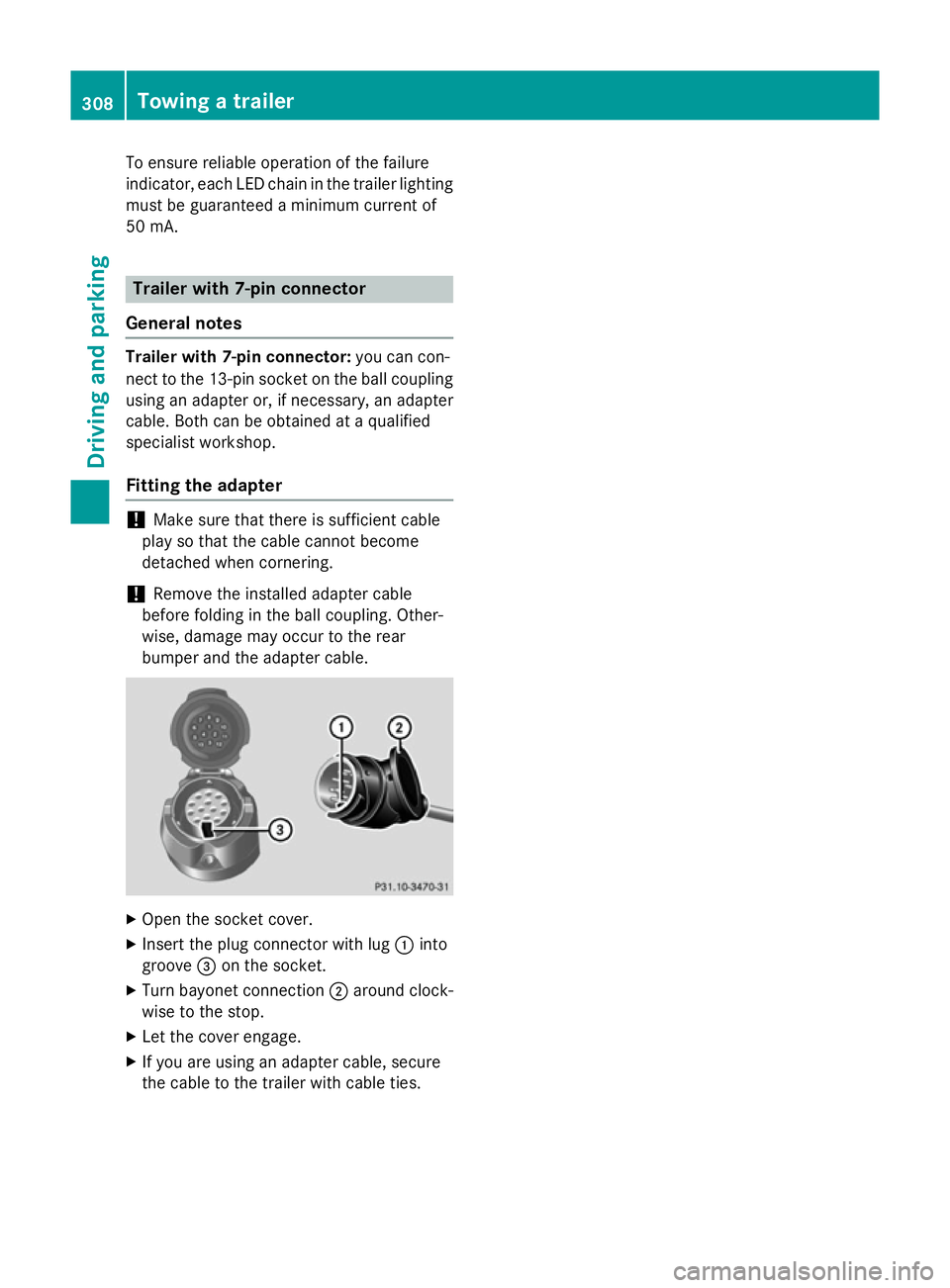
bumper and the adapter cable. X
Open the socket cover.
X Insert the plug connector with lug :into
groove =on the socket.
X Turn bayonet connection ;around clock-
wise to the stop.
X Let the cover engage.
X If you are using an adapter cable, secure
the cable to the trailer with cable ties. 308
Towing a trailerDriving and parking