update MERCEDES-BENZ GLC SUV 2018 COMAND Manual
[x] Cancel search | Manufacturer: MERCEDES-BENZ, Model Year: 2018, Model line: GLC SUV, Model: MERCEDES-BENZ GLC SUV 2018Pages: 170, PDF Size: 4.1 MB
Page 13 of 170
Setting the route type (short
route, fast route, dynamic route or
economic route) ............................... 54
Starting calculation .......................... 58
Route guidance
Canceling/continuing ...................... 73
Continue .......................................... 73
Freeway information ........................ 72
General notes .................................. 70
Lane recommendations ................... 71
Off-road ........................................... 75
Traffic reports .................................. 76
S
Safety notesAudio CD/DVD and MP3 mode ..... 138
Using the telephone ......................... 90
Satellite radio
Displaying information ................... 136
Overview ........................................ 133
Presets menu view ......................... 134
Registering .................................... 133
Switching to ................................... 133
SatRadio
Channel list updates ...................... 136
Memory functions .......................... 134
Music and sports alerts ................. 135
Notes ............................................. 132
Selecting a category ...................... 133
Selecting a channel ....................... 134
Tagging music tracks ..................... 135
SD card
Inserting ........................................ 140
Inserting/removing ........................ 140
Removing ....................................... 140
Searching for a gas station
When the fuel level is low ................ 65
Seat-belt adjustment function
Activating/deactivating
(COMAND) ....................................... 44
Selecting stations
Radio ............................................. 130
Sending DTMF tones ........................... 98
Setting access data
Online and Internet ........................ 120
Setting the language
COMAND ......................................... 40 Setting the night design
..................... 34
Setting the text reader speed ............ 36
Setting the volume
Telephone calls ................................ 27
Short message
see Text messages (SMS)
SIRIUS weather display
5-day forecast ................................ 161
Daily forecast ................................. 161
Detail information .......................... 162
Information chart ........................... 161
Selecting a location for the
weather forecast ............................ 162
Switching on/off ........................... 161
Weather map ................................. 164
SMS
Unread messages .......................... 113
Sound
Switching on/off .............................. 27
Sound settings
Audio ............................................. 159
Balance/fader ............................... 159
Calling up the sound menu ............ 159
Equalizer ........................................ 159
Sound system
see Burmester
®surround sound system
Speed dial
Deleting ......................................... 111
Setting up ...................................... 111
State/province
Selecting .......................................... 57
Stati
on presets (radio)
Deleting marked stations ............... 131
Stop function
Video DVD ..................................... 157
Storing stations
Radio ............................................. 131
Street name announcements
Switching on/off (COMAND) ........... 55
Switching between summer time
and standard time ............................... 35
Switching on media mode
Using the Media button ................. 137
Via the device list .......................... 138
Via the main function bar ............... 137
System settings
Automatic volume adjustment ......... 39
Index11
Page 52 of 170
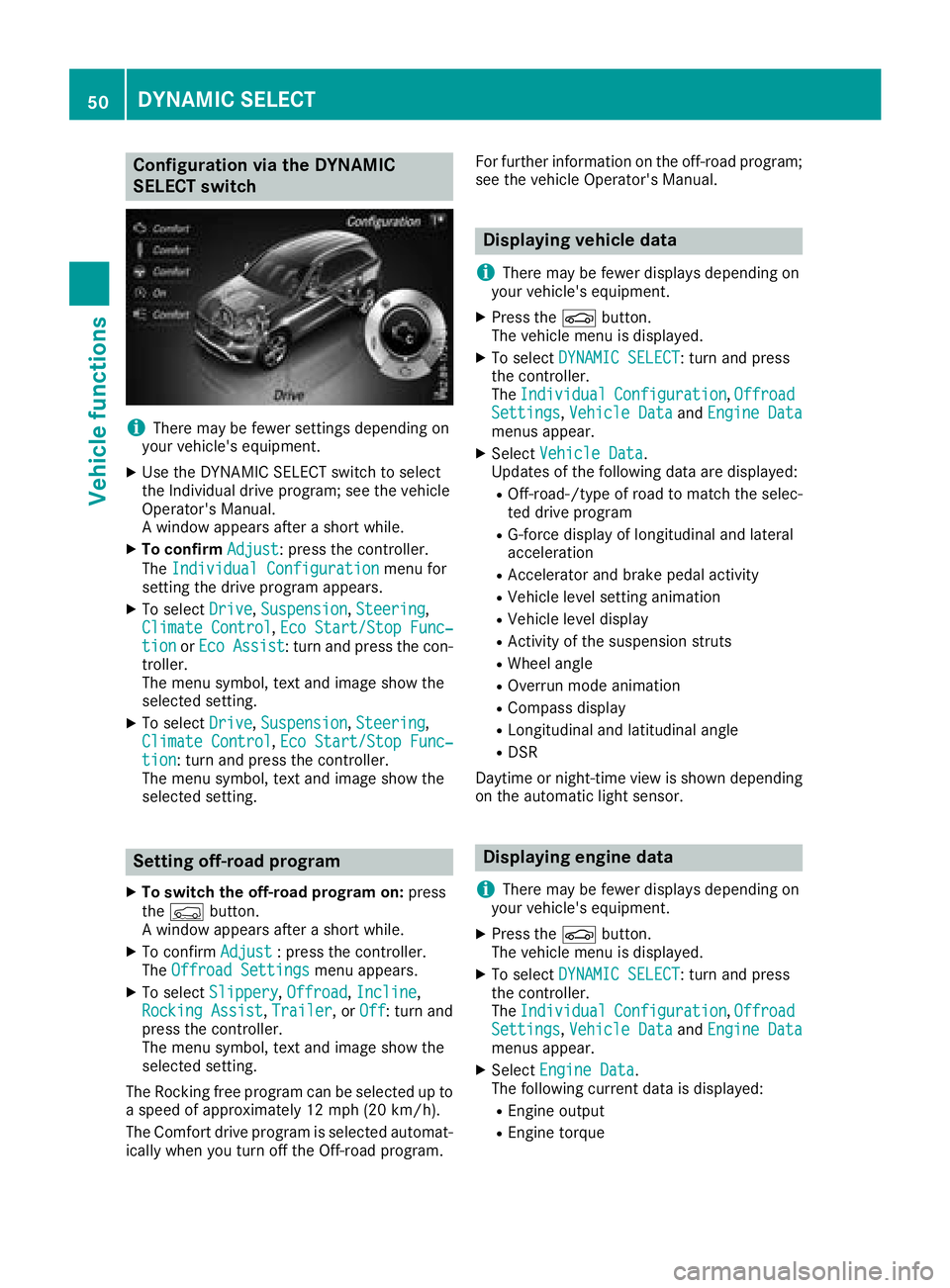
Configuration via the DYNAMIC
SELECT switch
iThere may be fewer settings depending on
your vehicle's equipment.
XUse the DYNAMIC SELECT switch to select
the Individual drive program; see the vehicle
Operator's Manual.
A window appears after a short while.
XTo confirm Adjust: press the controller.
The Individual Configuration
menu for
setting the drive program appears.
XTo select Drive,Suspension, Steering,
Climate Control, Eco Start/Stop Func‐tionor Eco Assist: turn and press the con-
troller.
The menu symbol, text and image show the
selected setting.
XTo select Drive,Suspension, Steering,
Climate Control, Eco Start/Stop Func‐tion: turn and press the controller.
The menu symbol, text and image show the
selected setting.
Setting off-road program
XTo switch the off-road program on: press
the Ç button.
A window appears after a short while.
XTo confirm Adjust: press the controller.
The Offroad Settingsmenu appears.
XTo select Slippery,Offroad, Incline,
Rocking Assist, Trailer, or Off: turn and
press the controller.
The menu symbol, text and image show the
selected setting.
The Rocking free program can be selected up to
a speed of approximately 12 mph (20 km/h).
The Comfort drive program is selected automat-
ically when you turn off the Off-road program. For further information on the off-road program;
see the vehicle Operator's Manual.
Displaying vehicle data
i
There may be fewer displays depending on
your vehicle's equipment.
XPress the Øbutton.
The vehicle menu is displayed.
XTo select DYNAMIC SELECT: turn and press
the controller.
The Individual
Configuration,OffroadSettings, Vehicle Dataand Engine Datamenus appear.
XSelect Vehicle Data.
Updates of the following data are displayed:
ROff-road-/type of road to match the selec-
ted drive program
RG-force display of longitudinal and lateral
acceleration
RAccelerator and brake pedal activity
RVehicle level setting animation
RVehicle level display
RActivity of the suspension struts
RWheel angle
ROverrun mode animation
RCompass display
RLongitudinal and latitudinal angle
RDSR
Daytime or night-time view is shown depending
on the automatic light sensor.
Displaying engine data
i
There may be fewer displays depending on
your vehicle's equipment.
XPress the Øbutton.
The vehicle menu is displayed.
XTo select DYNAMIC SELECT: turn and press
the controller.
The Individual
Configuration,OffroadSettings, Vehicle Dataand Engine Datamenus appear.
XSelect Engine Data.
The following current data is displayed:
REngine output
REngine torque
50DYNAMIC SELECT
Vehicle functions
Page 81 of 170
XSelectReadOutAllMessagesonRoute.
The multimedia system reads out the reports in sequential order.
If there are no reports for the route, the Read
Out All Messages on Routemenu item is
gray and cannot be selected.
XTo cancel the read-aloud function: select
Cancel Read-Aloud Function
.
The multimedia system reads the current
report aloud and then exits the read-aloud
function.
Automatic text reader function
XTo switch to navigation mode: press the
Ø button.
XTo show the menu: slide6the controller.
XTo select Traffic: turn and press the con-
troller.
XSelect Read Traffic AnnouncementsAutomatically.
Depending on the previous state, switch the
option on Oor off ª.
Recalculating the route dynamically
TheDynamicTrafficRouteroute type takes
into account all of the traffic reports it receives
for the current route when calculating the route
(
Ypage 54).
If you have selected Dynamic Traffic Route
as the route type, the multimedia system guides
you to your destination along the updated route.
Storing destinations
General notes
If a route to a destination has been calculated,
the multimedia system saves the destination to
the last destinations memory. If the memory is
full, the multimedia system overwrites the old-
est destination. When you save the current vehi-
cle position or a crosshair position, this position
is stored in the "Last destinations" memory.
You can save destinations permanently in the
address book and on an SD card. For example,
you can save a destination as your home
address immediately after entering the address
(
Ypage 57). Requirements: the SD card has the FAT data
system format (e.g. FAT32).
Storing the destination in the address
book
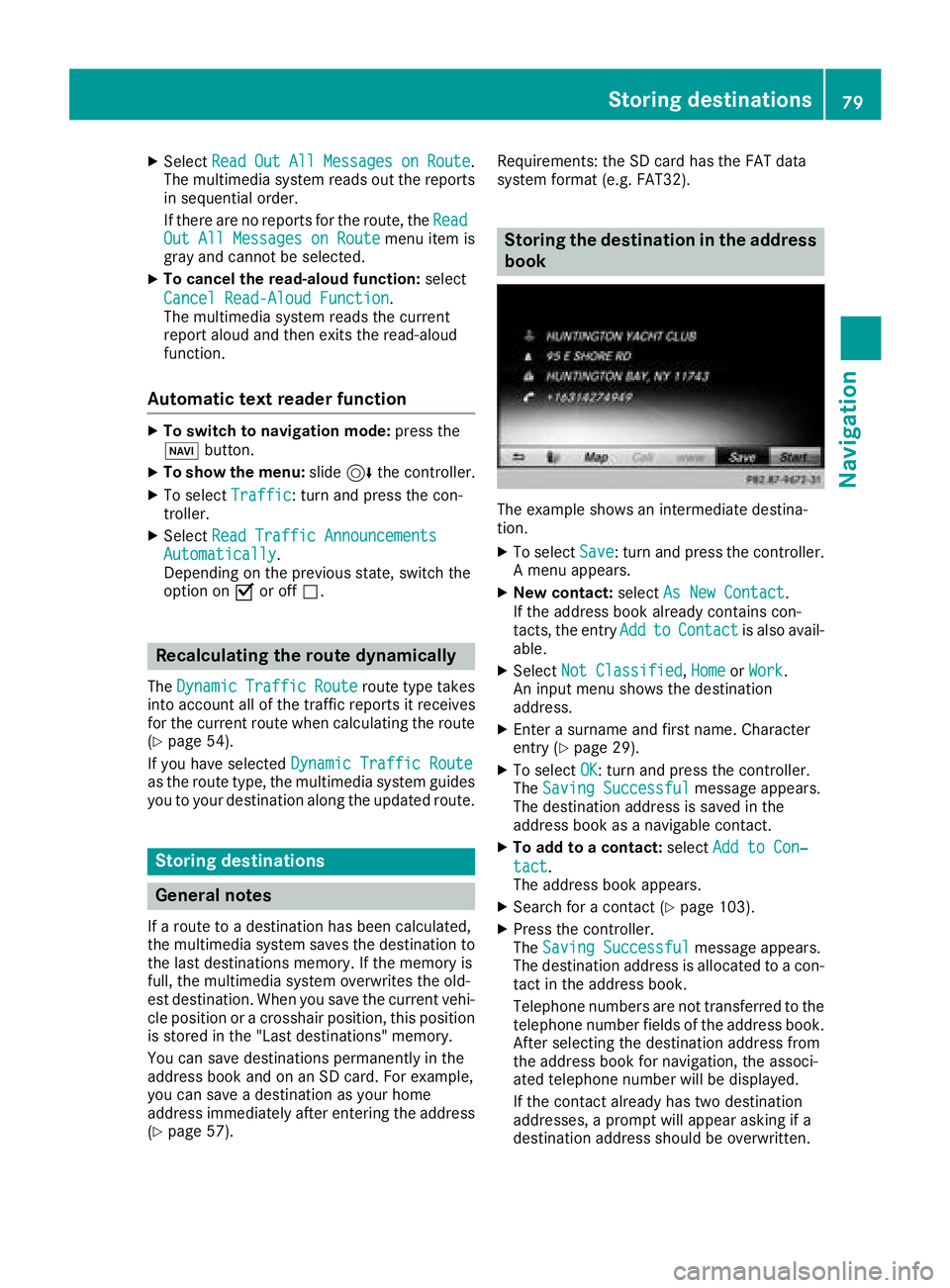
The example shows an intermediate destina-
tion.
XTo select Save: turn and press the controller.
A menu appears.
XNew contact: selectAs New Contact.
If the address book already contains con-
tacts, the entry Add
toContactis also avail-
able.
XSelect Not Classified,Homeor Work.
An input menu shows the destination
address.
XEnter a surname and first name. Character
entry (Ypage 29).
XTo select OK: turn and press the controller.
The Saving Successfulmessage appears.
The destination address is saved in the
address book as a navigable contact.
XTo add to a contact: selectAdd to Con‐
tact.
The address book appears.
XSearch for a contact (Ypage 103).
XPress the controller.
The Saving Successfulmessage appears.
The destination address is allocated to a con-
tact in the address book.
Telephone numbers are not transferred to the
telephone number fields of the address book.
After selecting the destination address from
the address book for navigation, the associ-
ated telephone number will be displayed.
If the contact already has two destination
addresses, a prompt will appear asking if a
destination address should be overwritten.
Storing destinations79
Navigation
Z
Page 87 of 170
XTo switch an area to avoid on/off:select an
area by turning and pressing the controller.
The area will be avoided Oor not ª.
XTo display/change an area: mark an area by
turning the controller.
XSlide 9the controller.
XTo select Display/Change: press the con-
troller.
The map with the crosshair appears.
The area currently blocked is displayed as a
red square.
XTo move the area to a new location: slide
1, 4,2the controller.
XTo change the size of the area: press the con-
troller.
XTurn the controller.
XTo accept changes: press the controller.
A message appears stating that the area has
been set.
Deleting one/all areas
XTo switch to navigation mode: press the
Ø button.
XTo show the menu: slide6the controller.
XTo select Options:turn and press the con-
troller.
XSelect Route Settings.
XSelectAvoid Options.
XSelectAvoid Area.
A list appears.
XTo delete an area: mark an area by turning
the controller.
XSlide 9the controller.
XSelect DeleteorDelete All.
A prompt appears asking whether you wish to
delete the area.
XSelect YesorNo.
After selecting Yes, the area is deleted.
XTo delete all areas: when the list appears,
slide 9 the controller.
XSelect Delete All.
A prompt appears asking whether you wish to
delete all areas.
XSelect YesorNo.
After selecting Yes, all areas are deleted.
SIRIUS XM service
Displaying SIRIUS XM service informa-
tion
You can display the SIRIUS XM service informa-
tion.
XTo switch to navigation mode: press the
Ø button.
XTo show the menu: slide6the controller.
XTo select Traffic: turn and press the con-
troller.
XSelect SIRIUS Service.
The provider's phone number (SIRIUS XM)
and the serial number of your service module
are displayed.
iAlternatively you can call up this function
using the touchpad (Ypage 23).
Registering for the SIRIUS XM traffic
report service
XCall the provider telephone number shown on
the multimedia system display.
iYou can also have the satellite service acti-
vated online. To do so, visit the SIRIUS XM
Radio website at http://www.sirius.com
(USA).
XThe connection is established: follow the
service employee's instructions.
The activation process may take up to ten
minutes.
iIf registration is not included when purchas-
ing the system, your credit card details will be
required to activate your account.
Updating the digital map
Introduction
The digital maps generated by the map software
become outdated in the same way as conven-
tional road maps. Optimal route guidance can
only be provided by the navigation system in
conjunction with the most up-to-date map soft-
ware.
Information about new versions of the digital
map can be obtained from an authorized
Mercedes-Benz Center. You can have the digital
map updated there using a data medium, or you
can update it yourself.
Map functions85
Navigation
Z
Page 88 of 170
Carrying out a manual update
You can carry out the update yourself.
The update process may take some time (up to
45 minutes), depending on the size of the digital
map. The update will be completed more quickly if the vehicle is stationary. If you begin the
update while the vehicle is stationary and the
starter battery has insufficient power, the mul-
timedia system may switch off automatically.
This protects the battery. In order to prevent
this, a suitable power supply to the vehicle must
be maintained.
Functions in the Navigation menu
Calling up the navigation system
menu
XTo switch to navigation mode: press the
ß button.
XTo show the menu: slide5the controller.
Navi
is highlighted in the main function bar.
XPress the controller.
The navigation menu appears.
XTurn the controller.
The functions are displayed one after another.
XTo switch to the map, turn the controller until
Navigationappears and press the control-
ler.
Calling up the online map display
Requirement for online map display (USA):
mbrace must be activated for Internet access
(
Ypage 119).
Requirement for the online map display (Can-
ada): a mobile phone is connected to the multi-
media system via Bluetooth
®(Ypage 91) or
USB (Ypage 152).
XCall up the navigation menu (Ypage 86).
XTurn the controller until Online Map Dis‐playis brought to the front.
XPress the controller.
The online connection is established. Once
the connection is established, the Google
Maps™ map shows the vicinity of the current
vehicle position.
iAlternatively you can call up this function
using the touchpad (Ypage 23).
XTo exit the online map display: press the %
button.
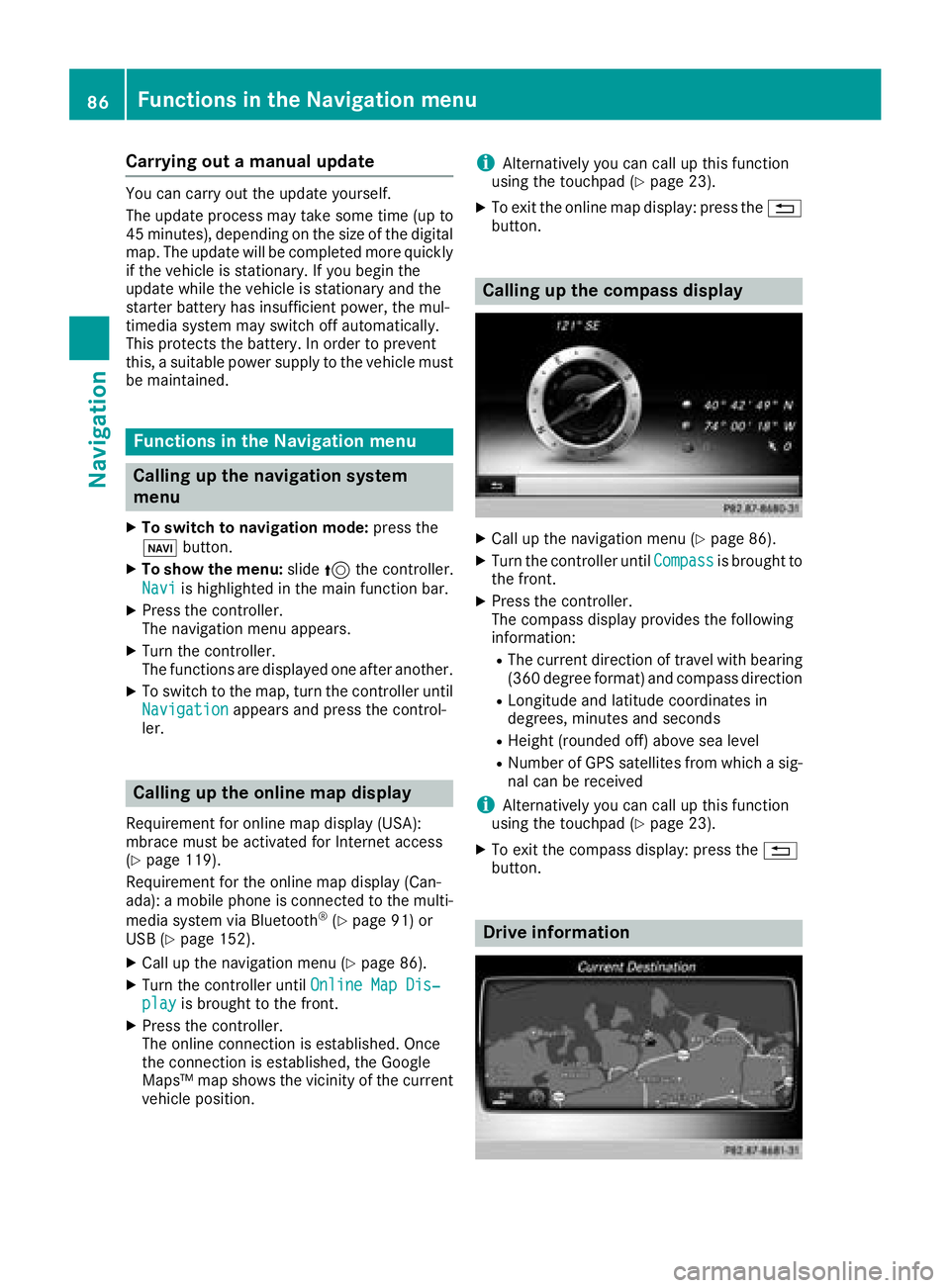
Calling up the compass display
XCall up the navigation menu (Ypage 86).
XTurn the controller until Compassis brought to
the front.
XPress the controller.
The compass display provides the following
information:
RThe current direction of travel with bearing
(360 degree format) and compass direction
RLongitude and latitude coordinates in
degrees, minutes and seconds
RHeight (rounded off) above sea level
RNumber of GPS satellites from which a sig- nal can be received
iAlternatively you can call up this function
using the touchpad (Ypage 23).
XTo exit the compass display: press the %
button.
Drive information
86Functions in the Navigation menu
Navigation
Page 90 of 170
ProblemPossible causes/consequences andMSolutions
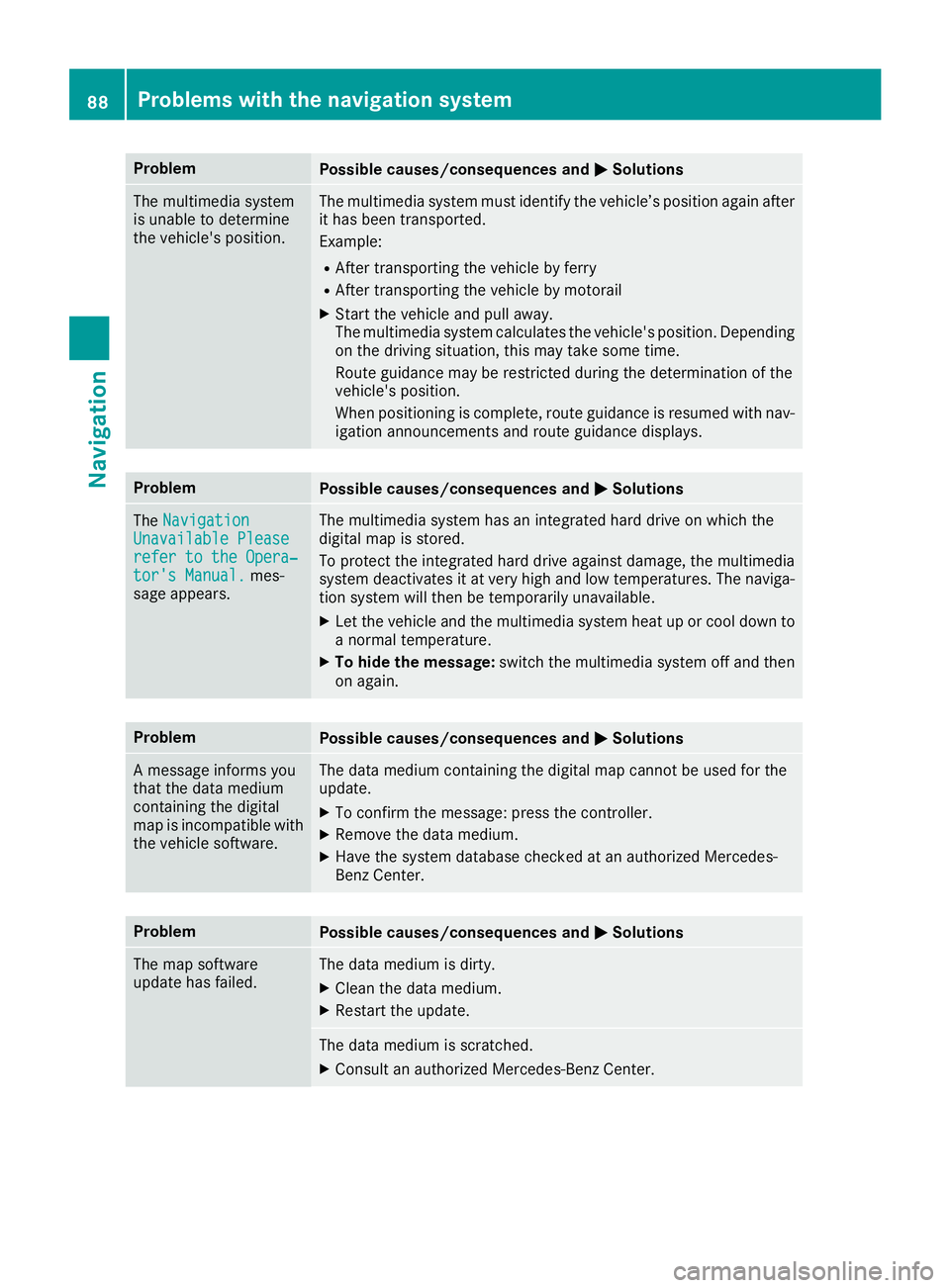
The multimedia system
is unable to determine
the vehicle's position.The multimedia system must identify the vehicle’s position again after
it has been transported.
Example:
RAfter transporting the vehicle by ferry
RAfter transporting the vehicle by motorail
XStart the vehicle and pull away.
The multimedia system calculates the vehicle's position. Depending
on the driving situation, this may take some time.
Route guidance may be restricted during the determination of the
vehicle's position.
When positioning is complete, route guidance is resumed with nav-
igation announcements and route guidance displays.
ProblemPossible causes/consequences andMSolutions
TheNavigationUnavailable Pleaserefer to the Opera‐tor's Manual.mes-
sage appears.
The multimedia system has an integrated hard drive on which the
digital map is stored.
To protect the integrated hard drive against damage, the multimedia
system deactivates it at very high and low temperatures. The naviga-
tion system will then be temporarily unavailable.
XLet the vehicle and the multimedia system heat up or cool down to a normal temperature.
XTo hide the message: switch the multimedia system off and then
on again.
ProblemPossible causes/consequences and MSolutions
A message informs you
that the data medium
containing the digital
map is incompatible with
the vehicle software.The data medium containing the digital map cannot be used for the
update.
XTo confirm the message: press the controller.
XRemove the data medium.
XHave the system database checked at an authorized Mercedes-
Benz Center.
ProblemPossible causes/consequences andMSolutions
The map software
update has failed.The data medium is dirty.
XClean the data medium.
XRestart the update.
The data medium is scratched.
XConsult an authorized Mercedes-Benz Center.
88Problems with the navigation system
Navigation
Page 91 of 170
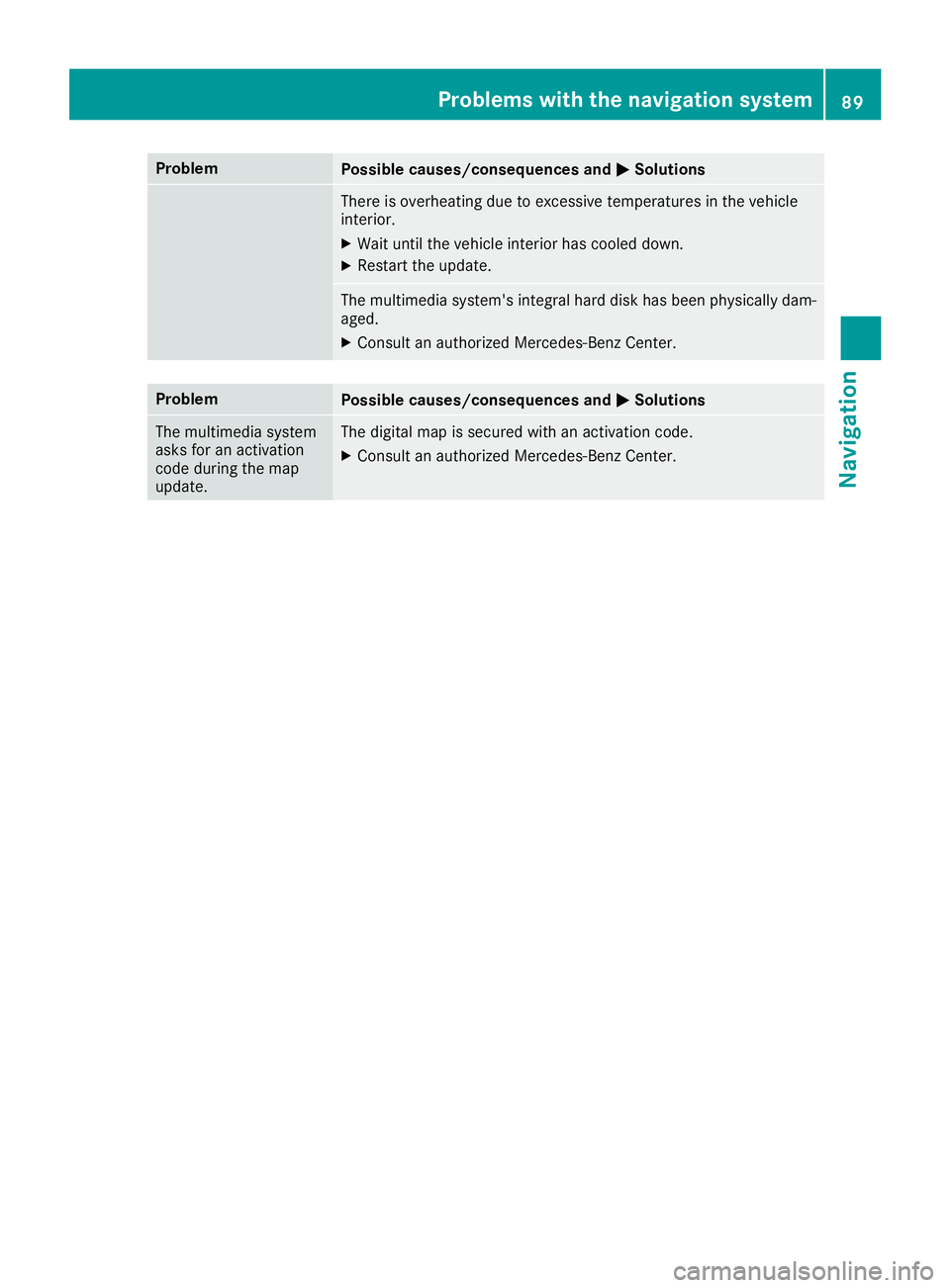
ProblemPossible causes/consequences andMSolutions
There is overheating due to excessive temperatures in the vehicle
interior.
XWait until the vehicle interior has cooled down.
XRestart the update.
The multimedia system's integral hard disk has been physically dam-
aged.
XConsult an authorized Mercedes-Benz Center.
ProblemPossible causes/consequences andMSolutions
The multimedia system
asks for an activation
code during the map
update.The digital map is secured with an activation code.
XConsult an authorized Mercedes-Benz Center.
Problems with the navigation system89
Navigation
Z
Page 95 of 170
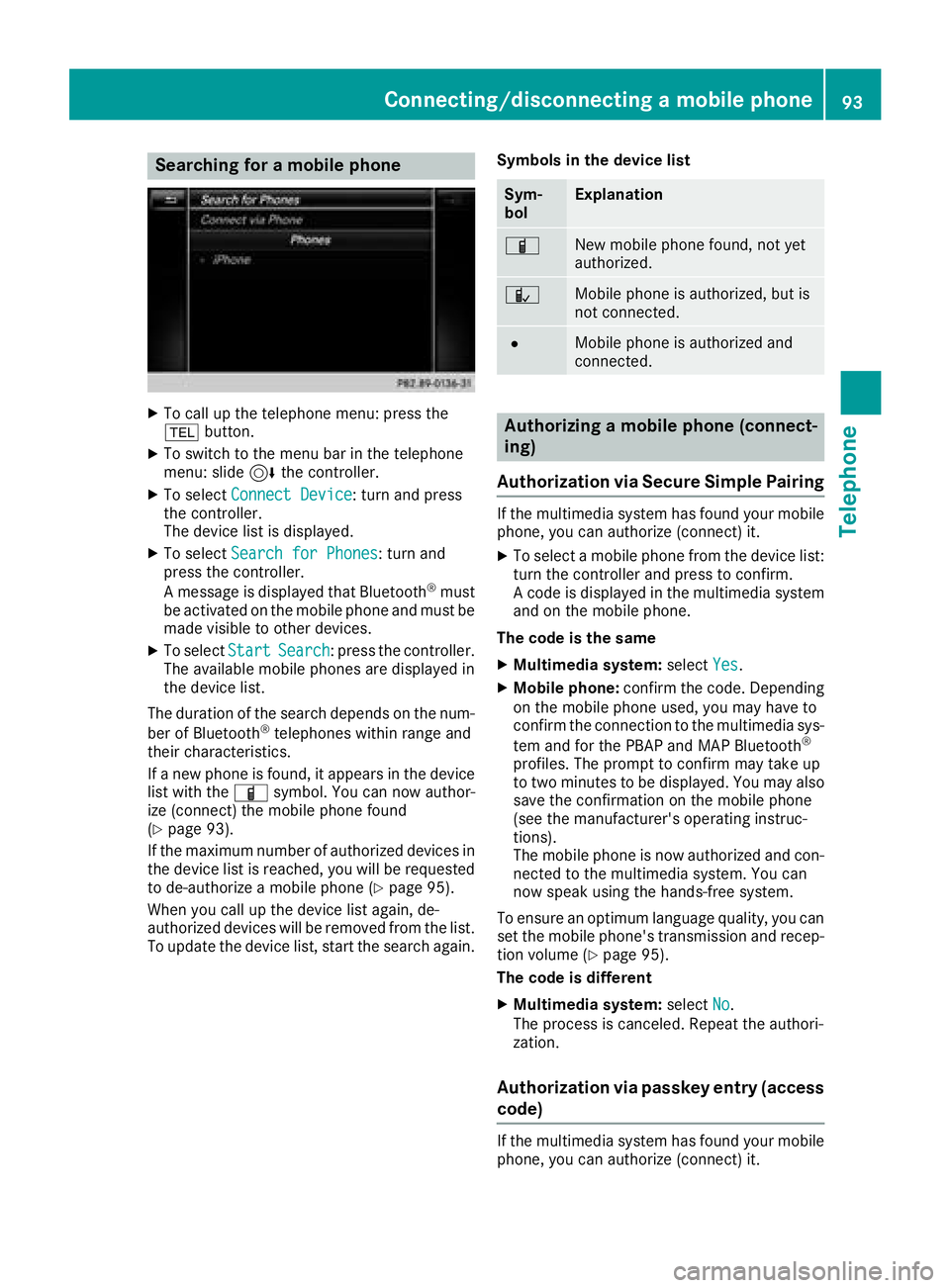
Searching for a mobile phone
XTo call up the telephone menu: press the
%button.
XTo switch to the menu bar in the telephone
menu: slide 6the controller.
XTo select Connect Device: turn and press
the controller.
The device list is displayed.
XTo select Search for Phones: turn and
press the controller.
A message is displayed that Bluetooth
®must
be activated on the mobile phone and must be
made visible to other devices.
XTo select StartSearch: press the controller.
The available mobile phones are displayed in
the device list.
The duration of the search depends on the num-
ber of Bluetooth
®telephones within range and
their characteristics.
If a new phone is found, it appears in the device list with the Ïsymbol. You can now author-
ize (connect) the mobile phone found
(
Ypage 93).
If the maximum number of authorized devices in
the device list is reached, you will be requested
to de-authorize a mobile phone (
Ypage 95).
When you call up the device list again, de-
authorized devices will be removed from the list.
To update the device list, start the search again. Symbols in the device list
Sym-
bolExplanation
ÏNew mobile phone found, not yet
authorized.
ÑMobile phone is authorized, but is
not connected.
#Mobile phone is authorized and
connected.
Authorizing a mobile phone (connect-
ing)
Authorization via Secure Simple Pairing
If the multimedia system has found your mobile
phone, you can authorize (connect) it.
XTo select a mobile phone from the device list: turn the controller and press to confirm.
A code is displayed in the multimedia system
and on the mobile phone.
The code is the same
XMultimedia system: selectYes.
XMobile phone: confirm the code. Depending
on the mobile phone used, you may have to
confirm the connection to the multimedia sys-
tem and for the PBAP and MAP Bluetooth
®
profiles. The prompt to confirm may take up
to two minutes to be displayed. You may also
save the confirmation on the mobile phone
(see the manufacturer's operating instruc-
tions).
The mobile phone is now authorized and con-
nected to the multimedia system. You can
now speak using the hands-free system.
To ensure an optimum language quality, you can
set the mobile phone's transmission and recep-
tion volume (
Ypage 95).
The code is different
XMultimedia system: selectNo.
The process is canceled. Repeat the authori-
zation.
Authorization via passkey entry (access
code)
If the multimedia system has found your mobile
phone, you can authorize (connect) it.
Connecting/disconnecting a mobile phone93
Telephone
Z
Page 113 of 170
Overwriting an entry
XTo selectYes: turn and press the controller.
A list of the existing five numbers is displayed.
XTo select the number to be overwritten from
the list: turn the controller and press to con-
firm.
The entry is overwritten with the new tele-
phone number.
Canceling the overwriting of an entry
XTo select No: turn and press the controller.
The process is canceled.
Deleting call lists
Call lists which are generated and managed by
the multimedia system can be deleted in the
multimedia system.
You cannot delete call lists from the multimedia
system which are displayed on a mobile phone
that supports the PBAP Bluetooth
®.
XTo call up the telephone menu: press the
% button.
XTo switch to the menu bar: slide 6the con-
troller.
XTo select Call Lists: turn and press the
controller.
XSelect Delete Call Lists.
A prompt appears asking whether you wish to
delete all call lists.
XTo select Yes: turn and press the controller.
The call lists are deleted.
iIf you delete call lists from the mobile phone
(see the manufacturer's operating instruc-
tions), the multimedia system updates the
call list display the next time it connects.
Speed dial lists
Setting up
XTo call up the telephone menu: press the
% button.
XTo call up the menu bar: slide 6the con-
troller.
XTo select Call Lists: turn and press the
controller.
XSelect Speed Dial Preset List.
The speed dial list is displayed.
XTo highlight a memory position for the speed
dial: turn the controller.
If you highlight an entry that already exists in the speed dial list, this is overwritten with the
new entry.
XTo select G: slide 9the controller.
XSelect Assign Speed Dial Preset.
The phone book is displayed.
XSearch for a contact (Ypage 100).
XTo select a contact: turn and press the con-
troller.
The phone number has been saved as a speed
dial.
Deleting
Deleting a speed dial preset
XTo call up the telephone menu: press the
% button.
XTo call up the menu bar: slide 6the con-
troller.
XTo select Call Lists: turn and press the
controller.
XSelect Speed Dial Preset List.
The speed dial list is displayed.
XTo highlight the memory position you want to
delete: turn the controller.
XTo select G: slide 9the controller.
XTo select DeleteSpeedDialPreset: turn
and press the controller.
XTo select Yes: turn and press the controller.
The speed dial preset has been deleted.
Deleting all speed dial presets
XTo call up the telephone menu: press the
% button.
XTo call up the menu bar: slide 6the con-
troller.
XTo select Call Lists: turn and press the
controller.
XSelect Speed Dial Preset List.
The speed dial list is displayed.
XTo select G: slide 9the controller.
XTo select Delete All Speed Dial Pre‐sets: turn and press the controller.
XTo selectYes: turn and press the controller.
All speed dials are deleted.
Speed dial lists111
Telephone
Z
Page 115 of 170
Configuring the e-mails displayed
XCall up the settings menu for messages
(Ypage 112).
XTo highlight an e-mail account: turn the con-
troller.
XTo selectG: slide 9the controller.
A menu with the following options is shown:
RAll Messages
RNew Messages
ROff
The messages are not displayed automati-
cally. You can also display the 100 newest
e-mails using the Download
option in the
message menu.
XTo select the required option: turn and press
the controller.
Configuring an e-mail account
XCall up the settings menu for messages
(Ypage 112).
XTo select an e-mail account: turn and press
the controller.
The e-mail account is now configured. E-mails
can now be received and sent in the multi-
media system.
Deactivating the e-mail function
XCall up the settings menu for messages
(Ypage 112).
XTo select E-Mail Off: turn and press the
controller.
E-mail reception is deactivated.
Changing the displayed name of the e-
mail account
Some mobile phones:
Rdo not support the changing of the displayed
name
Rsupport only the e-mail address of the e-mail
account
XCall up the settings menu for messages
(Ypage 112).
XTo highlight an e-mail account: turn the con-
troller.
XTo select G: slide 9the controller.
XTo select Own E-Mail Address: turn and
press the controller.
The input menu for entering your own e-mail
address is displayed.
Downloading messages manually
XTo call up the telephone menu: press the
% button.
XTo switch to the menu bar: slide 6the con-
troller.
XTo select 1: turn and press the controller.
The message menu is displayed.
XTo switch to the menu bar: slide 6the con-
troller.
XTo select Download: turn and press the con-
troller.
Downloading text messages and e-mails
from the phone
XSelect From the Phone.
The messages are downloaded.
If you have selected Automatic
Downloadin
the e-mail settings, manual downloading is
not possible.
Updating from the e-mail server by the
mobile phone
XSelect From the E-Mail Server.
The e-mails in the mobile phone are updated.
This function is not supported by all mobile
phones.
Reading messages
In the message menu
The message menu contains all the unread text
messages and e-mails. If the corresponding
Messages113
Telephone
Z