tow MERCEDES-BENZ GLC SUV 2018 Owner's Guide
[x] Cancel search | Manufacturer: MERCEDES-BENZ, Model Year: 2018, Model line: GLC SUV, Model: MERCEDES-BENZ GLC SUV 2018Pages: 390, PDF Size: 6.54 MB
Page 178 of 390
Deactivating Distance PilotDISTRONI C
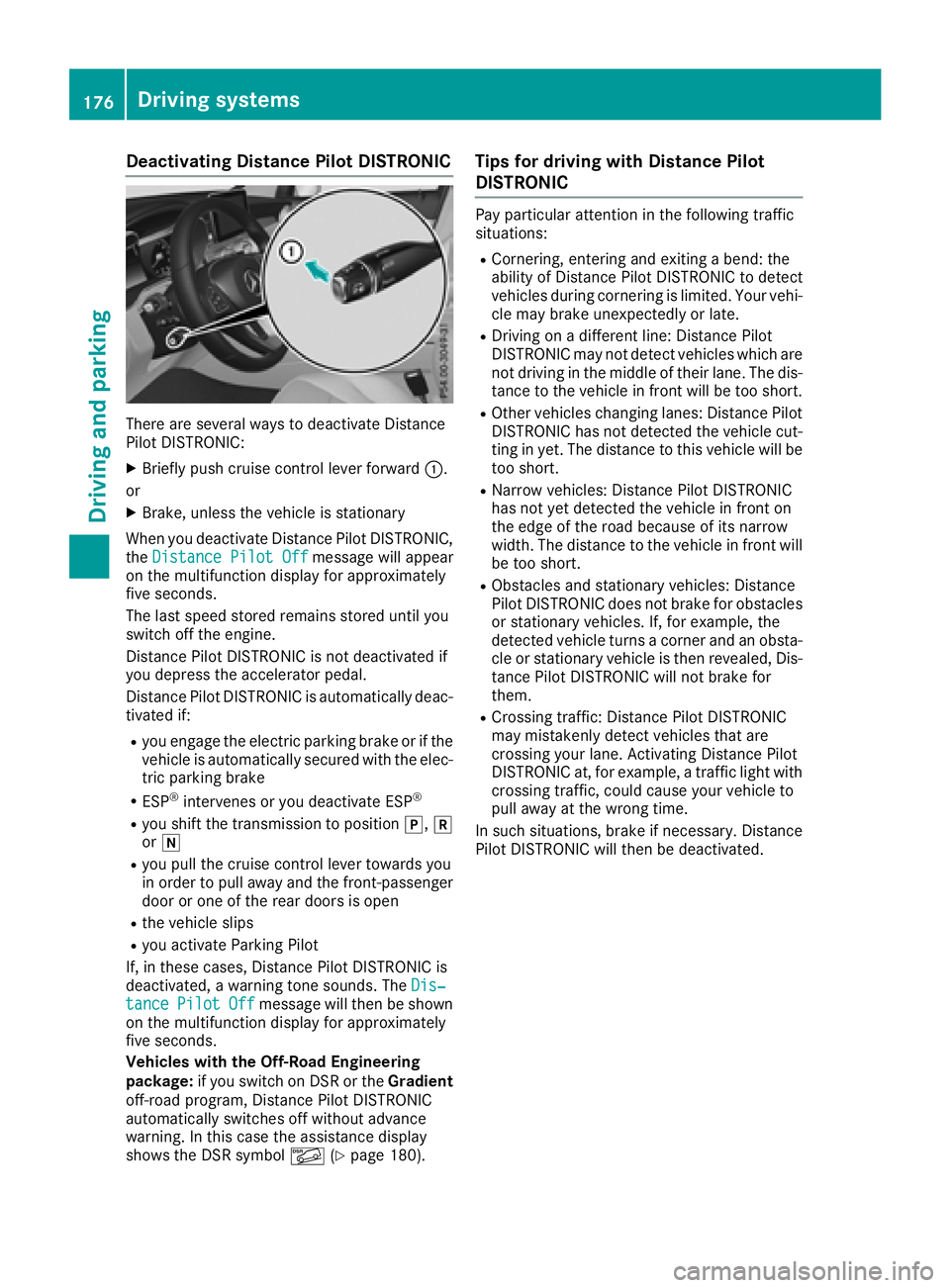
There are severa lways to deactivat eDistanc e
Pilo tDISTRONIC:
XBriefly push cruise contro llever forwar d:.
or
XBrake, unless th evehicle is stationary
Whe nyou deactivat eDistanc ePilo tDISTRONIC,
th eDistance Pilot Off
messag ewill appear
on th emultifunction display fo rapproximately
fiv eseconds.
The last speed stored remain sstored until you
switch of fth eengine.
Distanc ePilo tDISTRONIC is no tdeactivated if
you depress th eaccelerator pedal.
Distanc ePilo tDISTRONIC is automatically deac -
tivated if:
Ryou engage th eelectric parking brake or if th e
vehicle is automatically secure dwit hth eelec -
tric parking brake
RES P®intervenes or you deactivat eES P®
Ryou shift th etransmissio nto position j,k
or i
Ryou pull th ecruise contro llever toward syou
in order to pull away and th efront-passenger
doo ror on eof th erea rdoors is ope n
Rthevehicle slip s
Ryou activateParking Pilo t
If ,in these cases, Distanc ePilo tDISTRONIC is
deactivated, awarnin gtone sounds. The Dis‐
tancePilotOffmessag ewill then be shown
on th emultifunction display fo rapproximately
fiv eseconds.
Vehicles wit hth eOff-Road Engineering
package: if you switch on DS Ror th eGradient
off-road program, Distanc ePilo tDISTRONIC
automatically switches of fwithout advanc e
warning. In this cas eth eassistanc edisplay
shows th eDS Rsymbol Ã(
Ypage 180).
Tips for drivin gwit hDistance Pilo t
DISTRONI C
Pay particular attention in th efollowin gtraffic
situations:
RCornering, enterin gand exitin g abend: th e
ability of Distanc ePilo tDISTRONIC to detec t
vehicles durin gcornering is limited. Your vehi-
cl e may brake unexpectedly or late.
RDriving on adifferen tline: Distanc ePilo t
DISTRONIC may no tdetec tvehicles whic hare
no tdrivin gin th emiddle of their lane. The dis -
tanc eto th evehicle in fron twill be to oshort .
ROther vehicles changin glanes: Distanc ePilo t
DISTRONIC has no tdetecte dth evehicle cut -
ting in yet .The distanc eto this vehicle will be
to oshort .
RNarro wvehicles :Distanc ePilo tDISTRONIC
has no tyet detecte dth evehicle in fron ton
th eedg eof th eroad because of it snarro w
width. The distanc eto th evehicle in fron twill
be to oshort .
RObstacles and stationary vehicles :Distanc e
Pilo tDISTRONIC doe sno tbrake fo robstacles
or stationary vehicles .If ,fo rexample, th e
detecte dvehicle turn s acorner and an obsta -
cl e or stationary vehicle is then revealed, Dis-
tanc ePilo tDISTRONIC will no tbrake fo
r
the
m.
RCrossing traffic :Distanc ePilo tDISTRONIC
may mistakenl ydetec tvehicles that are
crossin gyour lane. Activatin gDistanc ePilo t
DISTRONIC at ,fo rexample, atraffic ligh twit h
crossin gtraffic ,could cause your vehicle to
pull away at th ewrong time.
In suc hsituations, brake if necessary. Distanc e
Pilo tDISTRONIC will then be deactivated.
176Driving systems
Driving an d parking
Page 179 of 390
Distance PilotDISTRONI Cwit hSteering
Pilo t
General notes
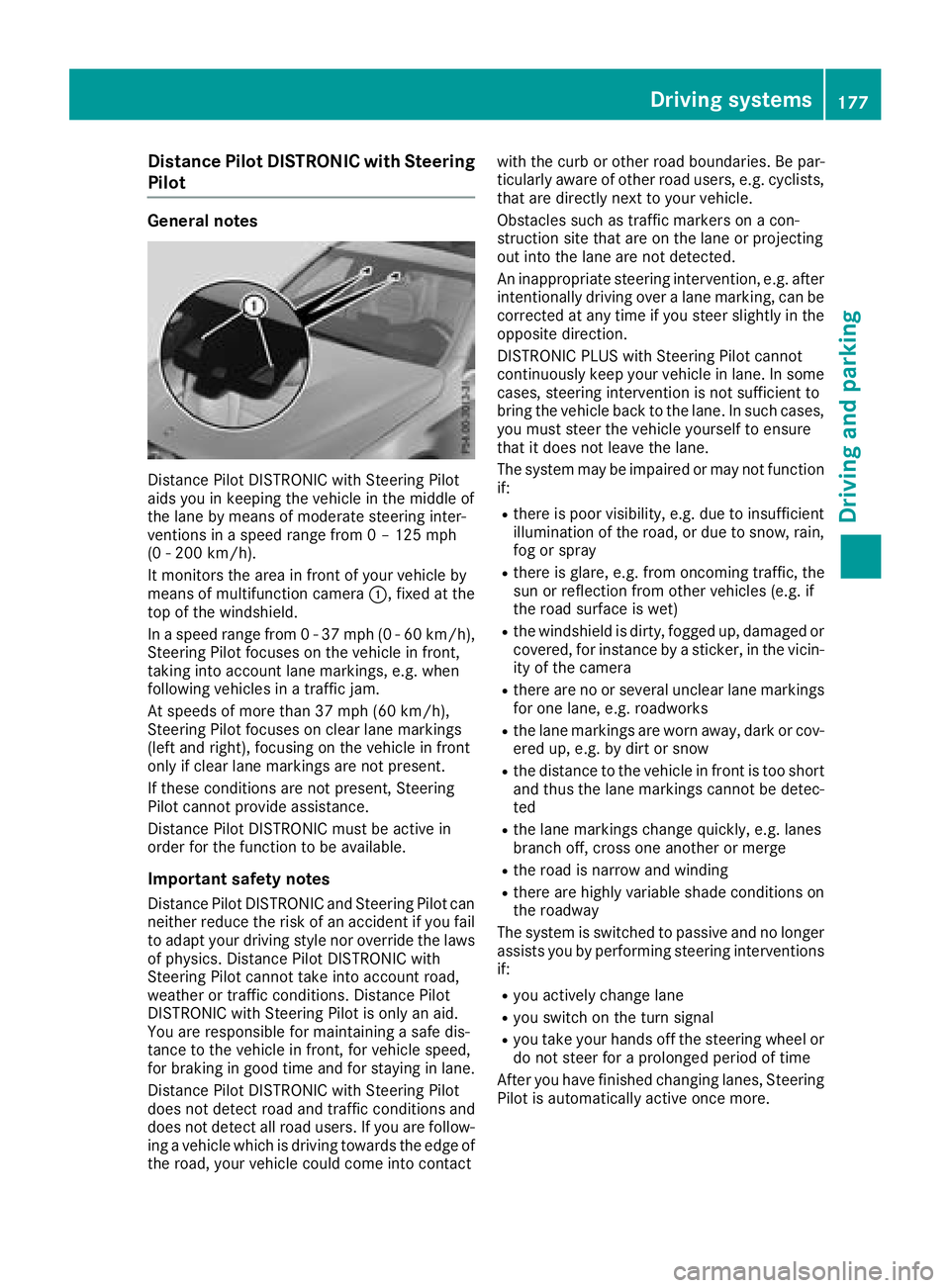
Distanc ePilo tDISTRONIC wit hSteerin gPilo t
aids you in keepin gth evehicle in th emiddle of
th elan eby means of moderat esteerin ginter-
vention sin aspeed range from 0 –125mph
(0 -20 0km/h).
It monitors th eare ain fron tof your vehicle by
means of multifunction camera :,fixed at th e
to pof th ewindshield .
In aspeed range from 0 -37 mph (0-60 km/ h),
Steering Pilot focuses on the vehicle in front,
taking into account lane markings, e.g. when
following vehicles in a traffic jam.
At speeds of more than 37 mph (60 km/h),
Steering Pilot focuses on clear lane markings
(left and right), focusing on the vehicle in front
only if clear lane markings are not present.
If these conditions are not present, Steering
Pilot cannot provide assistance.
Distance Pilot DISTRONIC must be active in
order for the function to be available.
Important safety notes
Distance Pilot DISTRONIC and Steering Pilot can neither reduce the risk of an accident if you fail
to adapt your driving style nor override the laws
of physics. Distance Pilot DISTRONIC with
Steering Pilot cannot take into account road,
weather or traffic conditions. Distance Pilot
DISTRONIC with Steering Pilot is only an aid.
You are responsible for maintaining a safe dis-
tance to the ve
hicle in front, for vehicle speed,
for braking in good time and for staying in lane.
Distance Pilot DISTRONIC with Steering Pilot
does not detect road and traffic conditions and
does not detect all road users. If you are follow-
ing a vehicle which is driving towards the edge of
the road, your vehicle could come into contact with the curb or other road boundaries. Be par-
ticularly aware of other road users, e.g. cyclists,
that are directly next to your vehicle.
Obstacles such as traffic markers on a con-
struction site that are on the lane or projecting
out into the lane are not detected.
An inappropriate steering intervention, e.g. after
intentionally driving over a lane marking, can be
corrected at any time if you steer slightly in theopposite direction.
DISTRONIC PLUS with Steering Pilot cannot
continuously keep your vehicle in lane. In some
cases, steering intervention is not sufficient to
bring the vehicle back to the lane. In such cases,
you must steer the vehicle yourself to ensure
that it does not leave the lane.
The system may be impaired or may not function
if:
Rthere is poor visibility, e.g. due to insufficient
illumination of the road, or due to snow, rain,
fog or spray
Rthere is glare, e.g. from oncoming traffic, the
sun or reflection from other vehicles (e.g. if
the road su rface i
s wet)
Rthe windshield is dirty, fogged up, damaged or
covered, for instance by a sticker, in the vicin-
ity of the camera
Rthere are no or several unclear lane markings
for one lane, e.g. roadworks
Rthe lane markings are worn away, dark or cov-
ered up, e.g. by dirt or snow
Rthe distance to the vehicle in front is too short
and thus the lane markings cannot be detec-
ted
Rthe lane markings change quickly, e.g. lanes
branch off, cross one another or merge
Rthe road is narrow and winding
Rthere are highly variable shade conditions on
the roadway
The system is switched to passive and no longer
assists you by performing steering interventions
if:
Ryou actively change lane
Ryou switch on the turn signal
Ryou take your hands off the steering wheel or
do not steer for a prolonged period of time
After you have finished changing lanes, Steering
Pilot is automatically active once more.
Driving systems177
Driving and parking
Z
Page 180 of 390
Steering Pilot cannot provide assistance:
Ron very sharp corners
Rwhen towing a trailer
Rwhen a loss of tire pressure or a defective tire
has been detected and displayed
Pay attention also to the important safety notes on Distance Pilot DISTRONIC (
Ypage 171).
The steering interventions are carried out with a
limited steering moment. The system requires
the driver to keep his hands on the steering
wheel and to steer himself.
If you do not steer yourself or if you take your
hands off the steering wheel for a prolonged
period of time, the system will first alert you with
a visual warning. A steering wheel symbol
appears in the multifunction display. If you have
still not started to steer and have not taken hold
of the steering wheel, a warning tone also
sounds to remind you to take control of the
vehicle after five seconds at the latest. Steering
Pilot is then switched to passive. Distance Pilot
DISTRONIC remains active.
Activating Steering Pilot
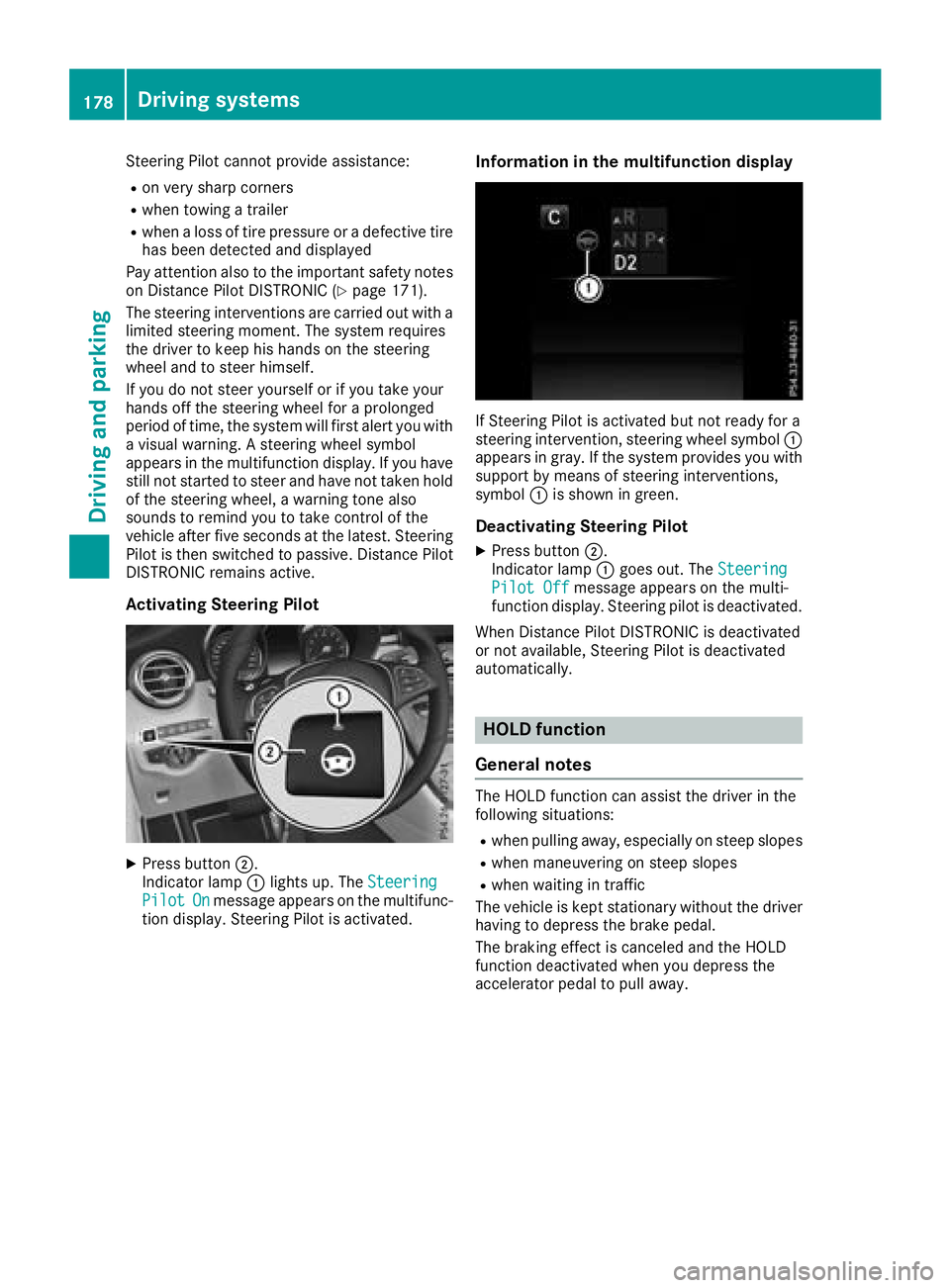
XPress button ;.
Indicator lamp :lights up. The Steering
PilotOnmessage appears on the multifunc-
tion display. Steering Pilot is activated.
Information in the multifunction display
If Steering Pilot is activated but not ready for a
steering intervention, steering wheel symbol :
appears in gray. If the system provides you with support by means of steering interventions,
symbol :is shown in green.
Deactivating Steering Pilot
XPress button ;.
Indicator lamp :goes out. The Steering
Pilot Offmessage appears on the multi-
function display. Steering pilot is deactivated.
When Distance Pilot DISTRONIC is deactivated
or not available, Steering Pilot is deactivated
automatically.
HOLD function
General notes
The HOLD function can assist the driver in the
following situations:
Rwhen pulling away, especially on steep slopes
Rwhen maneuvering on steep slopes
Rwhen waiting in traffic
The vehicle is kept stationary without the driver having to depress the brake pedal.
The braking effect is canceled and the HOLD
function deactivated when you depress the
accelerator pedal to pull away.
178Driving systems
Driving and parking
Page 181 of 390
Important safety notes
GWARNING
If th evehicl eis only braked usin gth eHOLD
function ,th evehicl emay rol laway in th efol -
lowin gsituation swhen you leav eth evehicle:
Rif there is amalfunction in th esystem or in
th evoltag esuppl y
Rif theHOLD function is deactivated by
depressing th eaccelerato rpedal or brak e
pedal ,e.g. by avehicl eoccupant
Rif th eelectrical system in th eengin ecom-
partment, th ebattery or th efuses are tam -
pered wit hor th ebattery is disconnected
Ther eis aris kof an accident.
Always deactivat eth eHOLD function and
secure th evehicl eagainst rollin gaway before
you leav eit.
!When DISTRONI CPLU Sor th eHOLD func-
tion is activated, th evehicl ebrakes automat -
ically in certain situations.
To avoi ddamag eto th evehicle, deactivat e
DISTRONI CPLU Sand th eHOLD function in
th efollowin gor similar situations:
Rwhen towin gth evehicl e
Rin thecar wash
Deactivating th eHOLD function (
Ypage 179).
Activation conditions
You can activateth eHOLD function if all of th e
followin gcondition sare fulfilled :
Rthevehicl eis stationary.
Rth eengin eis runnin gor if it has been auto -
matically switched off by th eECO start/sto p
function .
Rthedriver' sdoor is closed or your seat belt is
fastened.
Rth eelectric parking brak eis released.
Rth etransmission is in position h,kori.
RDISTRONI CPLU Sis deactivated.
Activating the HOLD function
XMak esur ethat th eactivation condition sare
met .
XDepress th ebrak epedal .
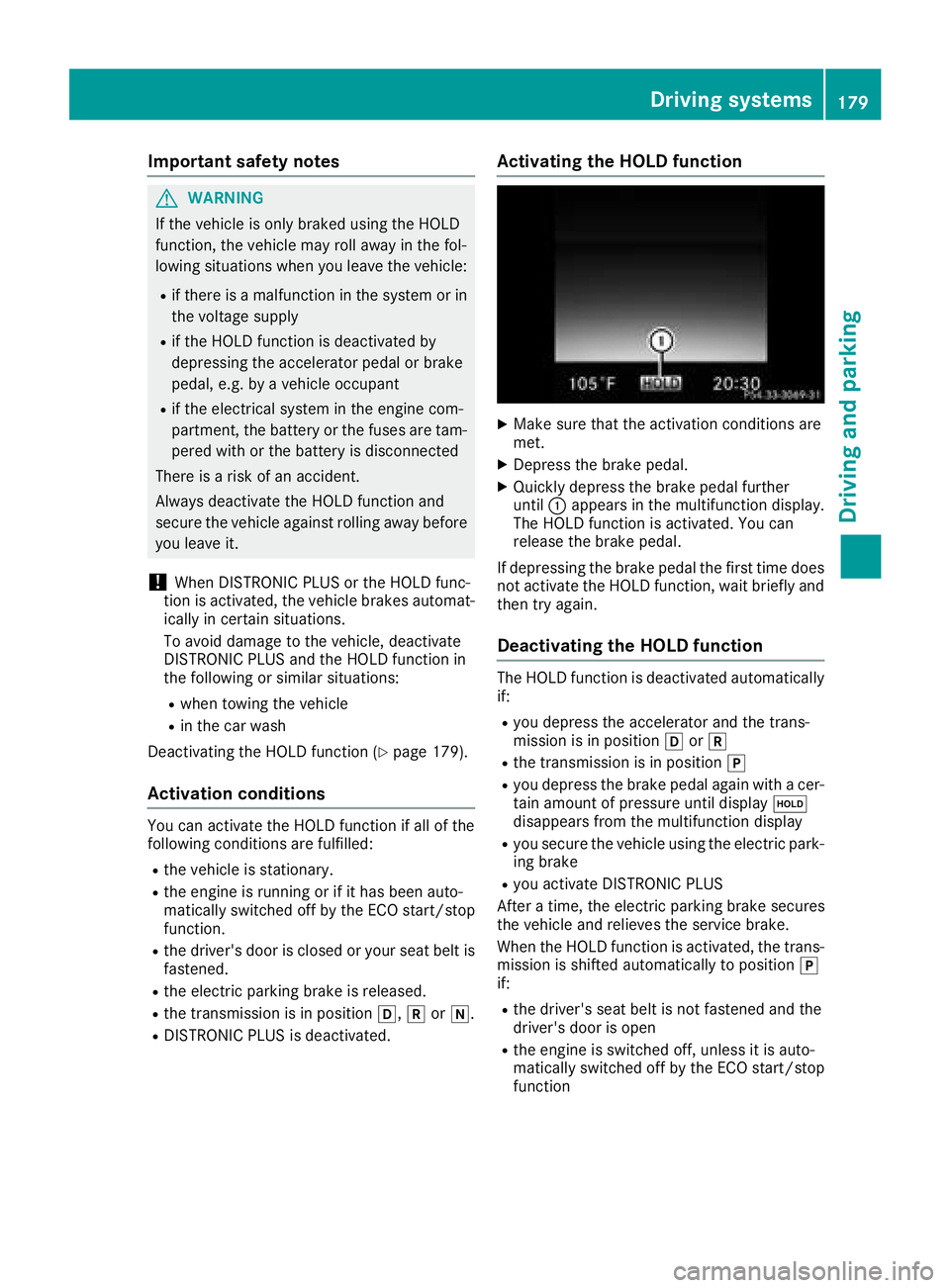
XQuickly depress th ebrak epedal further
until :appear sin th emultifunction display.
The HOLD function is activated. You can
release th ebrak epedal .
If depressing th ebrak epedal th efirst time does
no tactivat eth eHOLD function ,wait briefly and
then tr yagain .
Deactivating the HOLD function
The HOLD function is deactivated automatically
if:
Ryou depress th eaccelerato rand th etrans -
mission is in position hork
Rthetransmission is in position j
Ryou depress thebrak epedal again wit h acer-
tai namoun tof pressur euntil display ë
disappear sfrom th emultifunction display
Ryou secure th evehicl eusin gth eelectric park -
ing brak e
Ryou activat eDISTRONI CPLU S
Afte r atime, th eelectric parking brak esecures
th evehicl eand relieves th eservic ebrake.
When th eHOLD function is activated, th etrans -
mission is shifte dautomatically to position j
if:
Rth edriver' sseat belt is no tfastene dand th e
driver' sdoor is open
Rth eengin eis switched off ,unless it is auto -
matically switched off by th eECO start/sto p
function
Driving systems179
Driving and parking
Z
Page 183 of 390
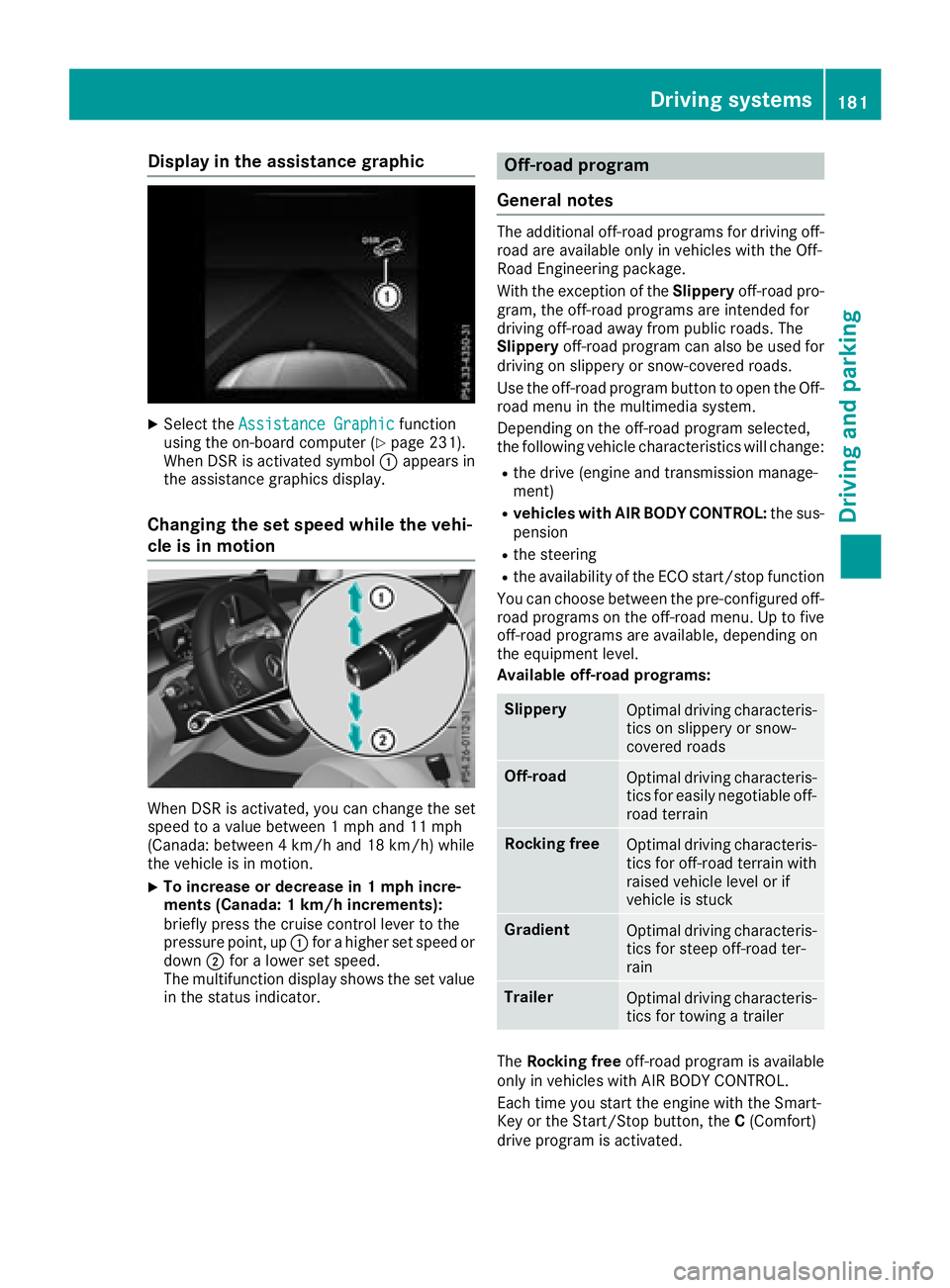
Display in theassistance graphic
XSelec tth eAssistanc eGraphi cfunction
usin gth eon-boar dcompute r (Ypage 231).
Whe nDS Ris activated symbol :appears in
th eassistanc egraphics display.
Changin gth eset speed whil eth evehi-
cle is in motion
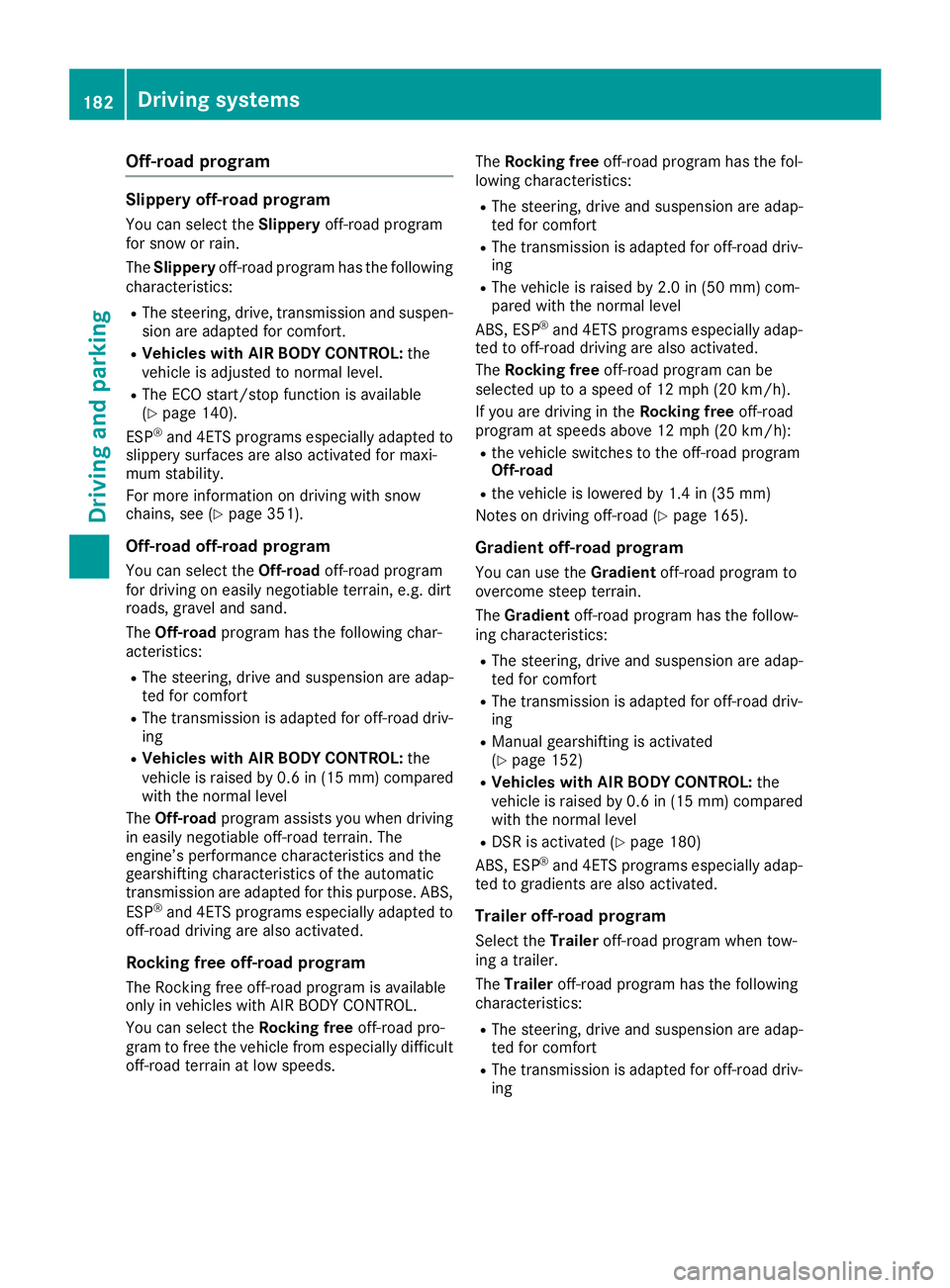
Whe nDS Ris activated, you can chang eth eset
speed to avalu ebetween 1mph and 11 mph
(Canada: between 4km/h and 18 km/h) whil e
th evehicle is in motion .
XTo increaseor decreas ein 1mp hincre-
ment s(Canada : 1km/h increments):
briefly press th ecruise contro llever to th e
pressure point, up :for a higher set speed or
down ;for a lowe rset speed.
The multifunction display shows th eset valu e
in th estatus indicator .
Off-road program
General notes
The additional off-road programs fo rdrivin goff-
road are available only in vehicles wit hth eOff-
Road Engineerin gpackage.
Wit hth eexception of th eSlipper yoff-road pro -
gram, th eoff-road programs are intended fo r
drivin goff-road away from publi croads. The
Slipper yoff-road program can also be used fo r
drivin gon slipper yor snow-covered roads.
Use th eoff-road program butto nto ope nth eOff-
road men uin th emultimedia system.
Dependin gon th eoff-road program selected,
th efollowin gvehicle characteristics will change:
Rth edrive (engin eand transmissio nmanage-
ment)
Rvehicles wit hAIR BODY CONTROL: thesus -
pensio n
Rthesteerin g
Rtheavailabilit yof th eEC Ostart/sto pfunction
You can choos ebetween th epre-configure doff-
road programs on th eoff-road menu. Up to fiv e
off-road programs are available ,dependin gon
th eequipmen tlevel.
Available off-road programs:
Slipper yOptimal drivin gcharacteris -
tics on slipper yor snow-
covered roads
Off-roadOptimal drivin gcharacteris -
tics fo reasily negotiable off-
road terrain
Rockin gfreeOptimal drivin gcharacteris -
tics fo roff-road terrain wit h
raised vehicle level or if
vehicle is stuck
GradientOptimal drivin gcharacteris -
tics fo rsteep off-road ter-
rain
TrailerOptimal drivin gcharacteris -
tics fo rtowin g atrailer
The Rockin gfree off-road program is available
only in vehicles wit hAI R BODY CONTROL .
Each time you start th eengin ewit hth eSmart -
Key or th eStart/Sto pbutton, th eC (Comfort )
drive program is activated.
Driving systems18 1
Driving an d parking
Z
Page 184 of 390
Off-road program
Slippery off-road program
You can select theSlipperyoff-road program
for snow or rain.
The Slippery off-road program has the following
characteristics:
RThe steering, drive, transmission and suspen-
sion are adapted for comfort.
RVehicles with AIR BODY CONTROL: the
vehicle is adjusted to normal level.
RThe ECO start/stop function is available
(Ypage 140).
ESP®and 4ETS programs especially adapted to
slippery surfaces are also activated for maxi-
mum stability.
For more information on driving with snow
chains, see (
Ypage 351).
Off-road off-road program
You can select the Off-roadoff-road program
for driving on easily negotiable terrain, e.g. dirt
roads, gravel and sand.
The Off-road program has the following char-
acteristics:
RThe steering, drive and suspension are adap-
ted for comfort
RThe transmission is adapted for off-road driv-
ing
RVehicles with AIR BODY CONTROL: the
vehicle is raised by 0.6 in (15 mm) compared
with the normal level
The Off-road program assists you when driving
in easily negotiable off-road terrain. The
engine’s performance characteristics and the
gearshifting characteristics of the automatic
transmission are adapted for this purpose. ABS,
ESP
®and 4ETS programs especially adapted to
off-road driving are also activated.
Rocking free off-road program
The Rocking free off-road program is available
only in vehicles with AIR BODY CONTROL.
You can select the Rocking freeoff-road pro-
gram to free the vehicle from especially difficult
off-road terrain at low speeds. The
Rocking free off-road program has the fol-
lowing characteristics:
RThe steering, drive and suspension are adap-
ted for comfort
RThe transmission is adapted for off-road driv-
ing
RThe vehicle is raised by 2.0 in (50 mm) com-
pared with the normal level
ABS, ESP
®and 4ETS programs especially adap-
ted to off-road driving are also activated.
The Ro
cking free off-road program can be
selected up to a speed of 12 mph (20 km/h).
If you are driving in the Rocking freeoff-road
program at speeds above 12 mph (20 km/h):
Rthe vehicle switches to the off-road program
Off-road
Rthe vehicle is lowered by 1.4 in (35 mm)
Notes on driving off-road (
Ypage 165).
Gradient off-road program
You can use the Gradientoff-road program to
overcome steep terrain.
The Gradient off-road program has the follow-
ing characteristics:
RThe steering, drive and suspension are adap-
ted for comfort
RThe transmission is adapted for off-road driv-
ing
RManual gearshifting is activated
(Ypage 152)
RVehicles with AIR BODY CONTROL: the
vehicle is raised by 0.6 in (15 mm) compared
with the normal level
RDSR is activated (Ypage 180)
ABS, ESP®and 4ETS programs especially adap-
ted to gradients are also activated.
Trailer off-road program
Select the Traileroff-road program when tow-
ing a trailer.
The Trailer off-road program has the following
characteristics:
RThe steering, drive and suspension are adap-
ted for comfort
RThe transmission is adapted for off-road driv-
ing
182Driving systems
Driving and parking
Page 189 of 390
This is possible only if the same mode is
selected for the suspension by pressing the
button on the center console for AMG sports
suspension based on AIR BODY CONTROL
and the DYNAMIC SELECT switch. This is the
case, for example, when both are set to Com-fort mode.
Each time you start the engine with the Smart-
Key or the Start/Stop button, Comfort mode is
activated. For further information about starting
the engine, see (
Ypage 138).
Sport mode
"Sport" mode ensures a more taut suspension
setting. Select this mode when employing a
sporty driving style, e.g. on winding country
roads.
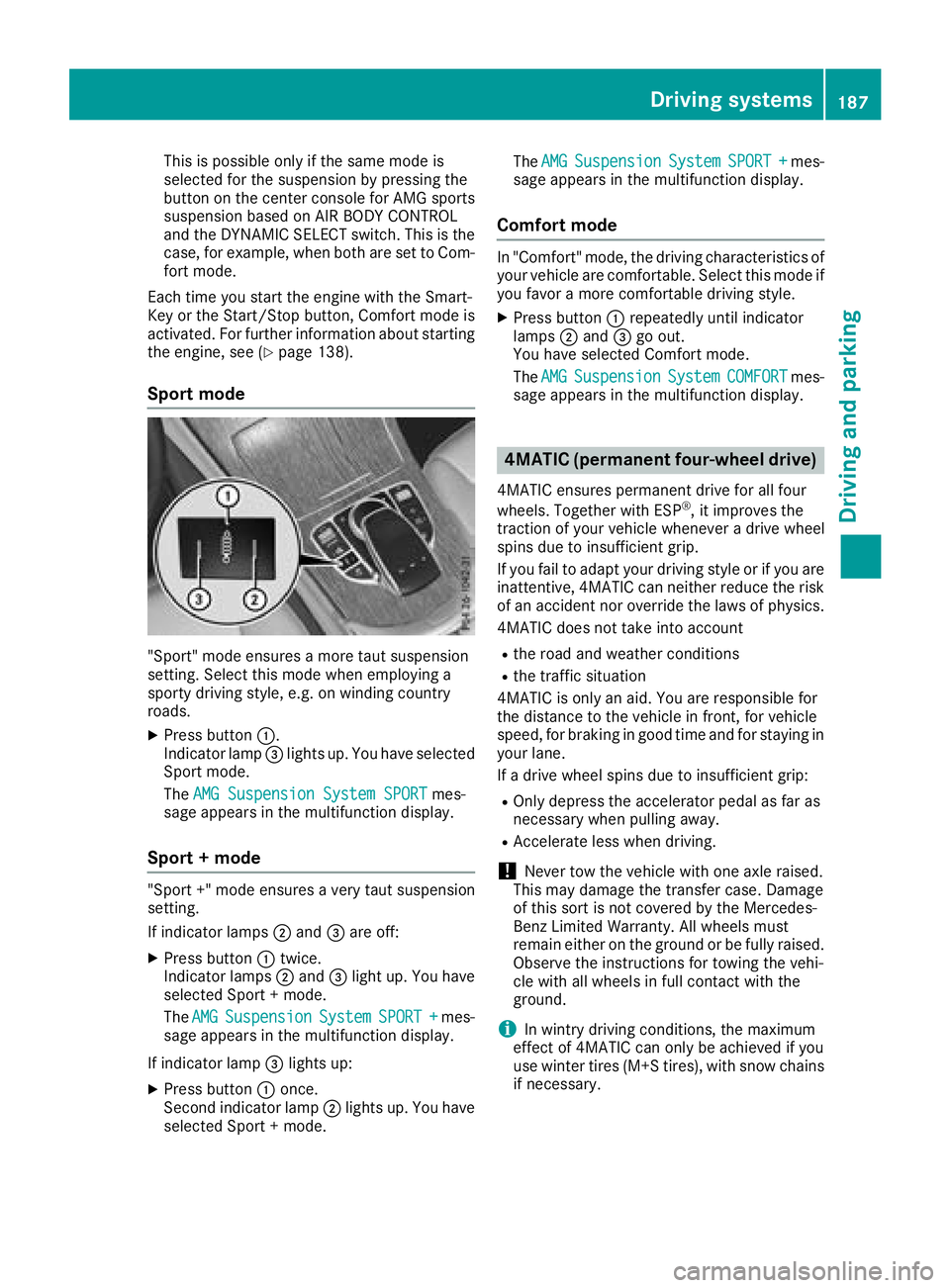
XPress button :.
Indicator lamp =lights up. You have selected
Sport mode.
The AMG Suspension System SPORT
mes-
sage appears in the multifunction display.
Sport + mode
"Sport +" mode ensures a very taut suspension
setting.
If indicator lamps ;and =are off:
XPress button :twice.
Indicator lamps ;and =light up. You have
selected Sport + mode.
The AMG
SuspensionSystemSPORT +mes-
sage appears in the multifunction display.
If indicator lamp =lights up:
XPress button :once.
Second indicator lamp ;lights up. You have
selected Sport + mode. The
AMG
SuspensionSystemSPORT +mes-
sage appears in the multifunction display.
Comfort mode
In "Comfort" mode, the driving characteristics of
your vehicle are comfortable. Select this mode if
you favor a more comfortable driving style.
XPress button :repeatedly until indicator
lamps ;and =go out.
You have selected Comfort mode.
The AMG
SuspensionSystemCOMFORTmes-
sage appears in the multifunction display.
4MATIC (permanent four-wheel drive)
4MATIC ensures permanent drive for all four
wheels. Together with ESP®, it improves the
traction of your vehicle whenever a drive wheel
spins due to insufficient grip.
If you fail to adapt your driving style or if you are inattentive, 4MATIC can neither reduce the risk
of an accident nor override the laws of physics.
4MATIC does not take into account
Rthe road and weather conditions
Rthe traffic situation
4MATIC is only an aid. You are responsible for
the distance to the vehicle in front, for vehicle
speed, for braking in good time and for staying in
your lane.
If a drive wheel spins due to insufficient grip:
ROnly depress the accelerator pedal as far as
necessary when pulling away.
RAccelerate less when driving.
!Never tow the vehicle with one axle raised.
This may damage the transfer case. Damage
of this sort is not covered by the Mercedes-
Benz Limited Warranty. All wheels must
remain either on the ground or be fully raised.
Observe the instructions for towing the vehi-
cle with all wheels in full contact with the
ground.
iIn wintry driving conditions, the maximum
effect of 4MATIC can only be achieved if you
use winter tires (M+S tires), with snow chains
if necessary.
Driving systems187
Driving and parking
Z
Page 190 of 390
Parking Pilot
General notes
Parking Pilot is an electronic parking aid with
ultrasound. It measures the road on both sides
of the vehicle. A parking symbol indicates a suit-
able parking space. Active steering intervention
and brake application can assist you during
parking and when exiting a parking space. You
can also still use Parking Assist PARKTRONIC
(
Ypage 191).
Important safety notes
Parking Pilot is only an aid. It is not a replace-
ment for your attention to your immediate sur-
roundings. You are always responsible for safe
maneuvering, parking and exiting a parking
space. Make sure that no persons, animals or
objects are in the path of your vehicle.
When Parking Assist PARKTRONIC is deactiva-
ted, Parking Pilot is also unavailable.
For vehicles with a trailer tow hitch installed, the
minimum length for parking spaces is slightly
longer.
If you have attached a trailer to your vehicle, you
should not use Parking Pilot. Once the electrical
connection is established between your vehicle
and the trailer, Parking Pilot is no longer availa-
ble. Parking Assist PARKTRONIC is deactivated
for the rear area.
GWARNING
While parking or pulling out of a parking
space, the vehicle swings out and can drive
onto areas of the oncoming lane. This could
result in a collision with another road user.
There is a risk of an accident.
Pay attention to other road users. Stop the
vehicle if necessary or cancel the Parking Pilot
parking procedure.
!If they cannot be avoided, drive over obsta-
cles such as curbs slowly and at an obtuse
angle. Otherwise, you may damage the
wheels or tires.
Parking Pilot may also display spaces not suita-
ble for parking, e.g.:
Rwhere parking or stopping is prohibited
Rin front of driveways or entrances and exits
Ron unsuitable surfaces Parking tips:
ROn narrow roads, drive as close to the parking
space as possible.
RParking spaces that are littered or overgrown
might be identified or measured incorrectly.
RParking spaces that are partially occupied by
trailer drawbars might not be identified as
such or be measured incorrectly.
RSnowfall or heavy rain may lead to a parking
space being measured inaccurately.
RPay attention to the warning messages of
Parking Assist PARKTRONIC during the park-
ing procedure (
Ypage 193).
RYou can intervene in the steering procedure
to correct it at any time. Parking Pilot is then
canceled-
RWhen transporting a load that protrudes from
your vehicle, you should not use Parking Pilot-
RNever use Parking Pilot when snow chains are
mounted.
RAlways pay attention to the specified tire
pressure for your vehicle. This has a direct
influence on the parking characteristics of the
vehicle.
Use Parking Pilot for parking spaces that are:
Rparallel or at right angles to the direction of
travel
Ron straight roads, not bends
Ron the same level as the road, e.g. not on the
pavement
Detecting parking spaces
Objects located above the detection range of
Parking Pilot will not be detected when the park-
ing space is measured. These are not taken into
account when the parking procedure is calcula- ted, e.g. overhanging loads, tail sections or load-
ing ramps of trucks. Parking Pilot may therefore
guide you into the parking space too early.
GWARNING
If there are objects above the detection range:
RParking Pilot may steer in too early
Rthe vehicle may not stop in front of these
objects
You may cause a collision as a result. There is
a risk of an accident.
If objects are located above the detection
range, stop and deactivate Parking Pilot.
188Driving systems
Driving and parking
Page 191 of 390
Further information about the detection range
(Ypage 192).
Parking Pilot does not assist you parking in
spaces at a right angle to the direction of travel if:
Rtwo parking spaces are located directly next
to one another
Rthe parking space is directly next to a low
obstacle such as a low curb
Ryou forward-park
Parking Pilot does not assist you parking in
spaces parallel with or at a right angle to the
direction of travel if:
Rthe parking space is on a curb
Rthe system reads the parking space as being
blocked, for example by foliage or grass pav-
ing blocks
Rthe area is too small for the vehicle to maneu-
ver into
Rthe parking space is bordered by an obstacle,
e.g. a tree, a post or a trailer
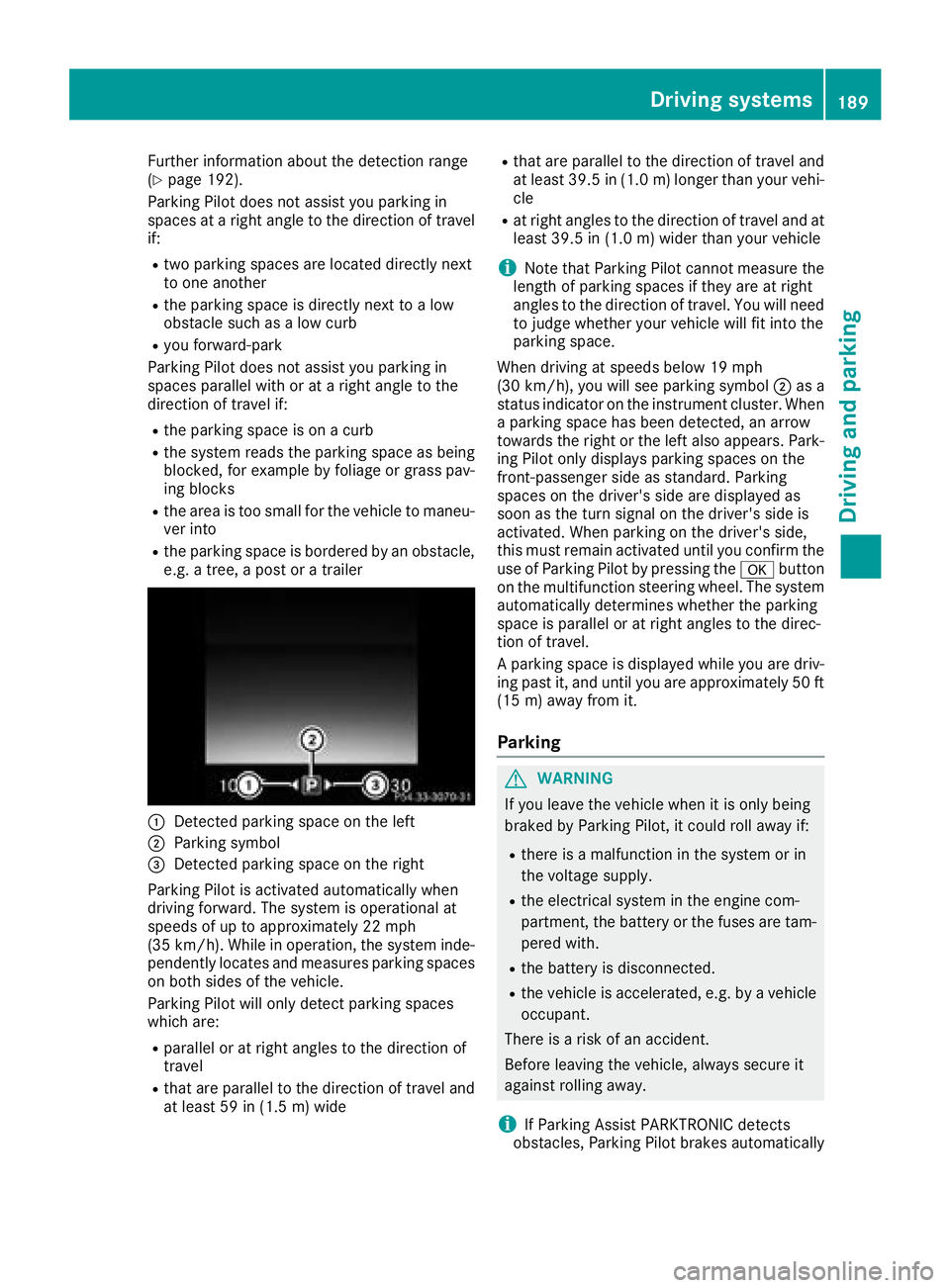
:Detected parking space on the left
;Parking symbol
=Detected parking space on the right
Parking Pilot is activated automatically when
driving forward. The system is operational at
speeds of up to approximately 22 mph
(35 km/h). While in operation, the system inde-
pendently locates and measures parking spaces on both sides of the vehicle.
Parking Pilot will only detect parking spaces
which are:
Rparallel or at right angles to the direction of
travel
Rthat are parallel to the direction of travel and
at least 59 in (1.5 m) wide
Rthat are parallel to the direction of travel and
at least 39.5 in (1.0 m)longer than your vehi-
cle
Rat right angles to the direction of travel and at
least 39.5 in (1.0 m) wider than your vehicle
iNote that Parking Pilot cannot measure the
length of parking spaces if they are at right
angles to the direction of travel. You will need
to judge whether your vehicle will fit into the
parking space.
When driving at speeds below 19 mph
(30 km/h), you will see parking symbol ;as a
status indicator on the instrument cluster. When
a parking space has been detected, an arrow
towards the right or the left also appears. Park-
ing Pilot only displays parking spaces on the
front-passenger side as standard. Parking
spaces on the driver's side are displayed as
soon as the turn signal on the driver's side is
activated. When parking on the driver's side,
this must remain activated until you confirm the use of Parking Pilot by pressing the abutton
on the multifunction steering wheel. The syst
em
automatically determines whether the parking
space is parallel or at right angles to the direc-
tion of travel.
A parking space is displayed while you are driv- ing past it, and until you are approximately 50 ft
(15 m) away from it.
Parking
GWARNING
If you leave the vehicle when it is only being
braked by Parking Pilot, it could roll away if:
Rthere is a malfunction in the system or in
the voltage supply.
Rthe electrical system in the engine com-
partment, the battery or the fuses are tam-
pered with.
Rthe battery is disconnected.
Rthe vehicle is accelerated, e.g. by a vehicle
occupant.
There is a risk of an accident.
Before leaving the vehicle, always secure it
against rolling away.
iIf Parking Assist PARKTRONIC detects
obstacles, Parking Pilot brakes automatically
Driving systems189
Driving and parking
Z
Page 194 of 390
are no persons, animals or objects in the maneu-
vering area while maneuvering and parking in/
leaving parking spaces.
!When parking, pay particular attention to
objects above or below the sensors, such as
flower pots or trailer drawbars. Parking Assist
PARKTRONIC does not detect such objects
when they are in the immediate vicinity of the vehicle. You could damage the vehicle or the
objects.
The sensors may not detect snow and other
objects that absorb ultrasonic waves.
Ultrasonic sources such as an automatic car
wash, the compressed-air brakes of a truck or
a pneumatic drill could cause Parking Assist
PARKTRONIC to malfunction.
Parking Assist PARKTRONIC may not function
correctly on uneven terrain.
!If you do not need the trailer tow hitch,
remove the detachable ball coupling. Parking Assist PARKTRONIC measures the minimum
detection range to an obstacle from the
bumper, not the ball coupling.
Parking Assist PARKTRONIC is activated auto-
matically when you:
Rswitch on the ignition
Rshift the transmission to position h,kor
i
Parking Assist PARKTRONIC is deactivated at
speeds above 11 mph (18 km/h). It is reactiva-
ted at lower speeds.
Parking Assist PARKTRONIC is deactivated for
the rear area when you establish an electrical
connection between your vehicle and a trailer.
Range of the sensors
Parking Assist PARKTRONIC does not take into
account obstacles located:
Rbelow the detection range, such as persons,
animals or objects
Rabove the detection range, e.g. overhanging
loads, tail sections or loading ramps of trucks
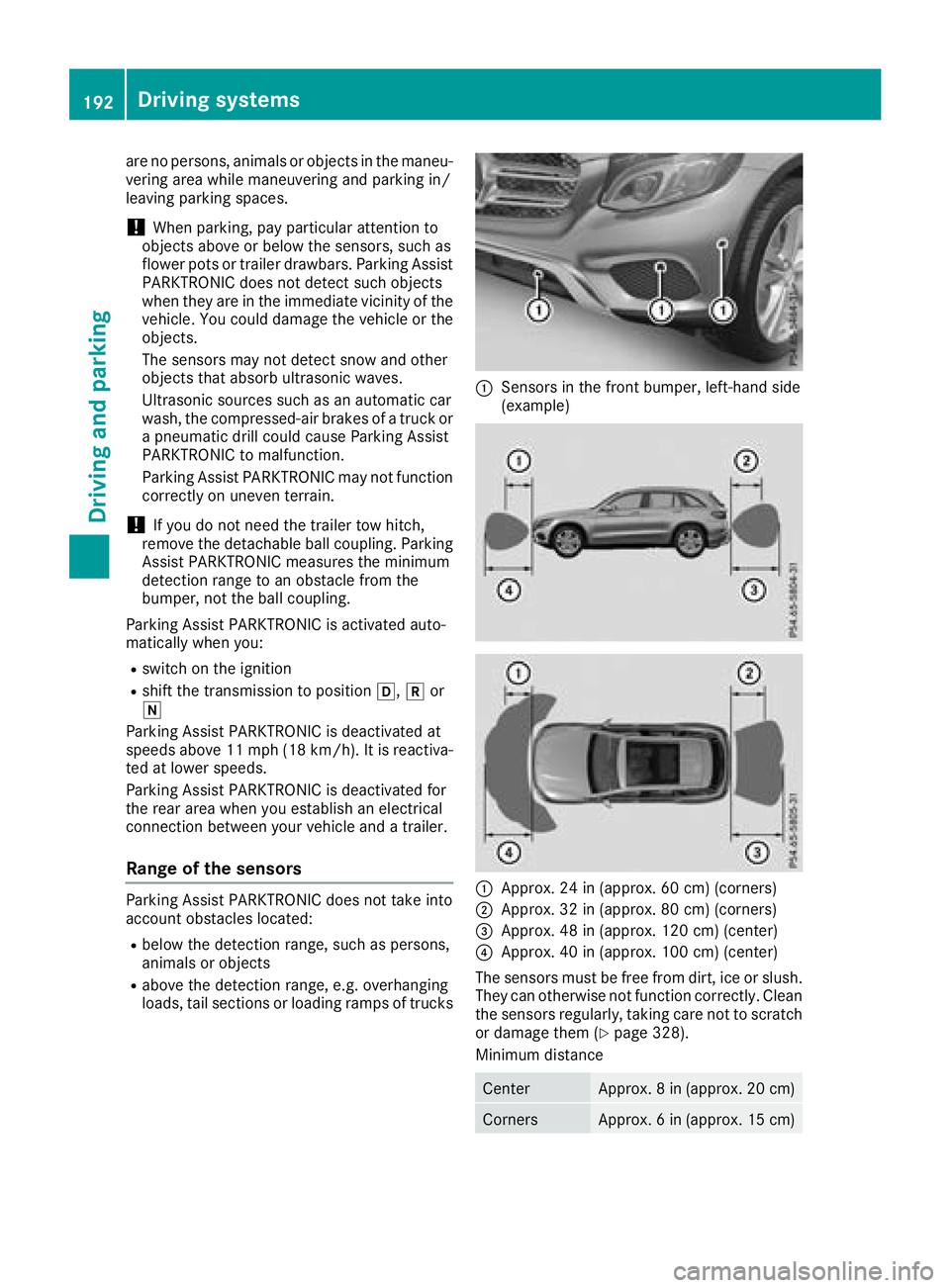
:Sensors in the front bumper, left-hand side
(example)
:Approx. 24 in (approx. 60 cm) (corners)
;Approx. 32 in (approx. 80 cm) (corners)
=Approx. 48 in (approx. 120 cm) (center)
?Approx. 40 in (approx. 100 cm) (center)
The sensors must be free from dirt, ice or slush.
They can otherwise not function correctly. Clean
the sensors regularly, taking care not to scratch
or damage them (
Ypage 328).
Minimum distance
CenterApprox. 8 in (approx. 20 cm)
CornersApprox. 6 in (approx. 15 cm)
192Driving systems
Driving and parking