heating MERCEDES-BENZ GLE COUPE 2020 Owner's Guide
[x] Cancel search | Manufacturer: MERCEDES-BENZ, Model Year: 2020, Model line: GLE COUPE, Model: MERCEDES-BENZ GLE COUPE 2020Pages: 757, PDF Size: 11.84 MB
Page 646 of 757
Ve
hicle Display messages
Possible causes/consequences and 0050
0050Solutions
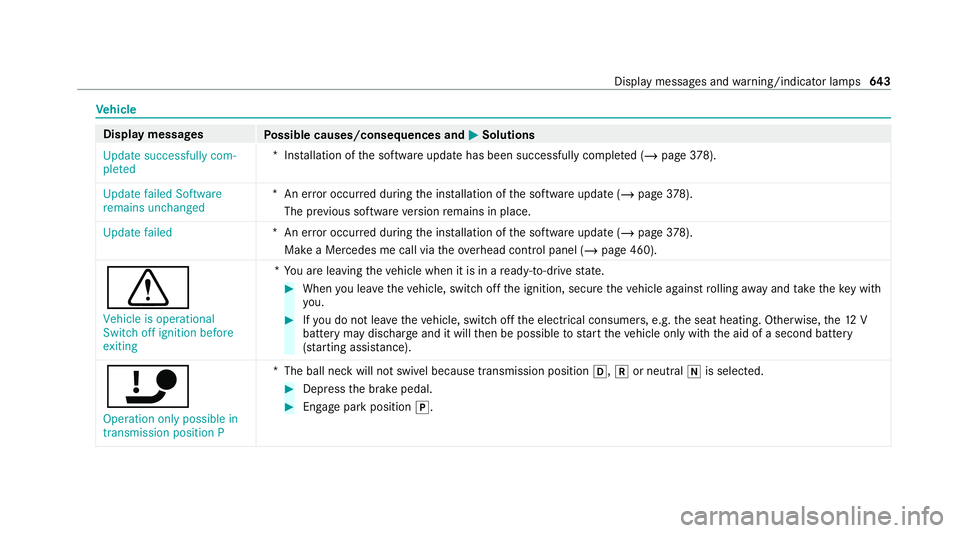
Update successfully com-
pleted *I
nstallation of the software update has been successfully comple ted (/ page378).
Update failed Software
remains unchanged *A
n er ror occur red during the ins tallation of the software update (/ page378).
The pr evious software version remains in place.
Update failed *A
n er ror occur red during the ins tallation of the software update (/ page378).
Ma kea Mercedes me call via theove rhead control panel (/ page 460).
0072 Vehicle is operational
Switch off ignition before
exiting *Y
ou are leaving theve hicle when it is in a ready-to-drive state. #
When you lea vetheve hicle, switch off the ignition, secure theve hicle against rolling away and take theke y with
yo u. #
Ifyo u do not lea vetheve hicle, switch off the electrical consumers, e.g. the seat heating. Otherwise, the12 V
battery may dischar geand it will then be possible tostart theve hicle only with the aid of a second battery
(s ta rting assis tance).
ï Operation only possible in
transmission position P *
The ball neck will not swivel because transmission position 005B,005Eor neutral 005Cis selected. #
Dep ress the brake pedal. #
Enga gepark position 005D. Display messages and
warning/indicator lamps 643
Page 656 of 757
Display messages
Possible causes/consequences and 0050
0050Solutions
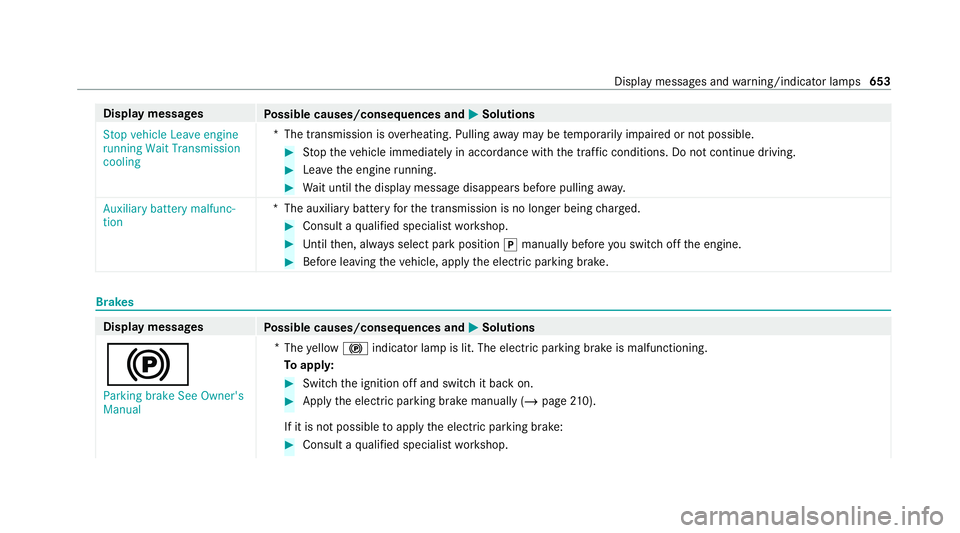
Stop vehicle Leave engine
running Wait Transmission
cooling *T
he transmission is overheating. Pulling away may be temp orarily impaired or not possible. #
Stop theve hicle immediately in accordance with the traf fic conditions. Do not continue driving. #
Lea vethe engine running. #
Wait until the display message disappears before pulling away.
Auxiliary battery malfunc-
tion *T
he auxiliary batteryforth e transmission is no longer being charge d. #
Consult a qualified specialist workshop. #
Untilthen, alw ays select park position 005Dmanually before you swit choff the engine. #
Before leaving theve hicle, apply the electric parking brake. Brakes
Display messages
Possible causes/consequences and 0050 0050Solutions
0024 Parking brake See Owner's
Manual *
The yellow 0024 indicator lamp is lit. The elect ric pa rking brake is malfunctioning.
To appl y: #
Switch the ignition off and switch it back on. #
Apply the electric parking brake manually (/ page210).
If it is not possible toapply the electric parking brake: #
Consult a qualified specialist workshop. Display messages and
warning/indicator lamps 653
Page 686 of 757
Display messages
Possible causes/consequences and 0050
0050Solutions
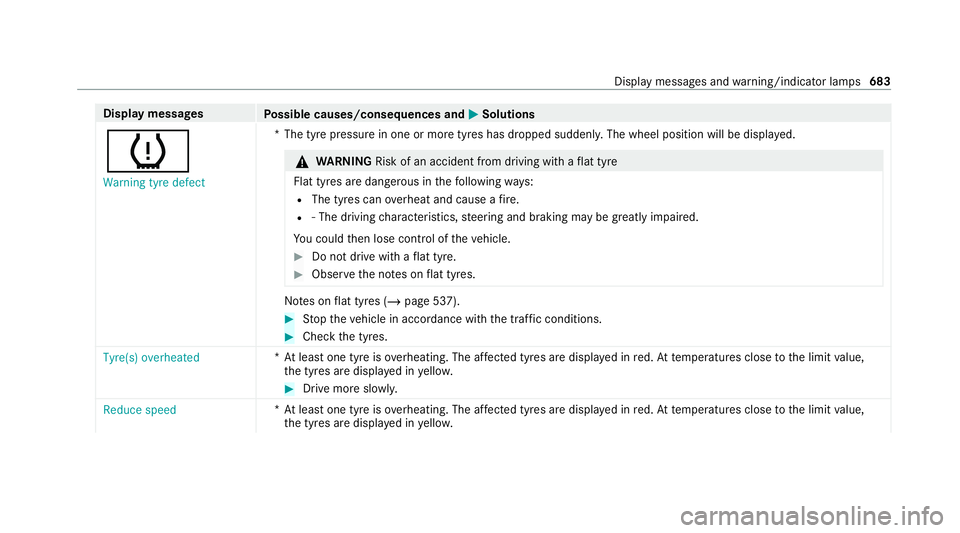
0077 Warning tyre defect *T
he tyre pressure in one or more tyres has dropped suddenly. The wheel position will be displa yed. &
WARNING Risk of an accident from driving wi thaflat tyre
Flat tyres are dangerous in thefo llowing ways:
R The tyres can overheat and cause a fire.
R ‑ The driving characteristics, steering and braking may be greatly impaired.
Yo u could then lose control of theve hicle. #
Do not drive with a flat tyre. #
Obse rveth e no tes on flat tyres. No
tes on flat tyres (/ page 537). #
Stop theve hicle in accordance with the tra ffic conditions. #
Check the tyres.
Tyre(s) overheated *A
t least one tyre is overheating. The af fected tyres are displ ayed in red. At temp eratures close tothe limit value,
th e tyres are displa yed in yello w. #
Drive more sl owly.
Reduce speed *A
t least one tyre is overheating. The af fected tyres are displ ayed in red. At temp eratures close tothe limit value,
th e tyres are displa yed in yello w. Displ
aymessa ges and warning/indicator lamps 683
Page 716 of 757
Setting
there ar passenger compart‐
ment (Rear Seat En tertainment Sys‐
te m) ..................................................... 512
Setting thete mp erature ......................1 59
St ationary heater/ ventilation .............. 16 5
Switching on/off .................................. 161
Switching there ar wind owheater
on/off .................................................1 59
THERMATIC control panel .................... 15 9
THERMOTRONIC contro l panel ............15 9
Ve ntilating theve hicle (con venience
opening) ................................................ 94
Wi ndsc reen heating ............................. 16 5
Coat hook ................................................ .126
Using ................................................... 127
Cockpit ........................................................ .6
Overview .................................................6
Cof fee cup symbol
see ATTENTION ASSIST
Collapsible luggage compartment
co ver
No tes ................................................... 12 2
Re moving/fitting ................................. 12 3
Un folding/ folding up .......................... .123 Collapsible spare wheel
..........................577
Inflating ............................................... 578
No tes ................................................... 577
Re moving ............................................. 578
Collision de tection (pa rked vehicle) ......210
Combination switch ................................14 2
Compass .................................................. 425
Compu ter
see On-board computer
Connection status
Displ aying ............................................ 478
Overview ..............................................4 78
Connectivity Swit ching transmission of theve hicle
position on/off .................................... 372
Consum ption indicator
Calling up ............................................ .191
Contacts .................................................. .444
Calling up ............................................ 444
Del eting .............................................. .446
Deleting favo urites .............................. 447
Downloading (from mobile phone) ...... 444
Importing ............................................ 445Importing (o
verview) .......................... .445
Information ......................................... 444
Making a call ....................................... 445
Na me form at ...................................... .445
Options ............................................... 446
Saving as a favo urite .......................... .446
Selecting options for suggestions ....... 446
St oring ................................................ 445
Con venience closing ................................. 95
Con venience opening ................................ 94
Coolant (engine) Check le vel .......................................... 522
No tes ................................................... 624
Cooling see Climate control
Co pyright ...................................................35
Cornering light ........................................ .144
Cross Traf fic Alert .................................. .279
Crosswind Assist Function/no tes .................................... 218
Cruise control .......................................... 225
Ac tivating ............................................ 227
Buttons ................................................ 227 Index
713
Page 717 of 757
Calling up a speed ..............................
.227
Deactivating ........................................ 227
Fu nction .............................................. 225
Re quirements ...................................... 227
Selecting ............................................ .227
Setting a speed ................................... 227
St oring a speed ................................... 227
Sy stem limitations ...............................2 25
Cup holder ................................................ 131
Re ar .................................................... .132
Switching the cooling/heating func‐
tion on/off .......................................... 13 2
Use (cockpit) ....................................... 131D
Dashboa rd
see Cockpit
Dashboard lighting see Instrument lighting
Dashcam Configuring the settings ......................4 31
Del eting a video recording ................... 431
No tes .................................................. 430
Selecting a USB device ....................... 430 St
arting/s topping video recording ...... 430
Data acquisition Vehicle .................................................. 33
Data import/export ................................377
Fu nction/no tes ................................... 377
Importing/exporting ............................ 377
Data storage
Electronic control units ......................... 33
Online services ...................................... 35
Ve hicle .................................................. 33
Date Setting the time and date automati‐
cally ..................................................... 371
Deactivating the ala rm(ATA ).................... 99
Dealership see Qualified specialist workshop
Declaration of conformity Electromagnetic compatibility ............... 26
Jack .......................................................29
TIREFIT kit ............................................. 30
Wi reless vehicle components ................26
Decorative foil (cleaning instructions)
.................................................................. .529 DeNO
x agent
see AdBlue ®
De stination .............................................. .411
Editing intermedia tedestinations ........ 401
Editing the pr evious destinations ........ .412
External ................................................ 412
Qui ck-access todestination informa‐
tion ...................................................... 409
Saving (cur rent vehicle position) ..........4 11
Saving as global favo urite .................... 412
Destination ent ry.................................... 389
Entering a 3 wordaddress .................. .394
Entering a POI or address .................... 389
Entering an intermedia tedestination ...4 01
Entering geo-coordinates ..................... 394
No tes .................................................. 389
Selecting a contact .............................. 394
Selecting a POI .................................... 392
Selecting a recei ved destination .........3 96
Selecting from favo urites .................... 396
Selecting from the map ....................... 395
Selecting pr evious destinations .......... .392
De tecting inat tentiveness
see ATTENTION ASSIST 714
Index
Page 727 of 757
Fu
el consum ption
On-board computer ............................ .307
Fu nction seat
see Door cont rol panel
Fu nction seat (rear)
see Seat (rear)
Fu ses ........................................................ 553
Before replacing a fuse ........................ 553
Fu se assignment diagram ...................5 53
Fu se box in the engine compartment .. 554
Fu se box in the front passenger foot‐
we ll ...................................................... 555
Fu se box in the load compartment ...... 555
Fu se box on the dashboard ................. 555
No tes .................................................. 553 G
Garage door opener Cleari ngthe memory ........................... 207
Opening or closing the door ................2 06
Programming buttons .......................... 205
Ra dio equipment appr oval numbers .... 207
Re solving problems ............................. 206
Synchronising thero lling code ............ 206 Gearshift
recommendation ....................19 6
Genera l operating permit number
(EU) .......................................................... .615
Genuine parts ............................................ 23
Glide mode ............................................... 19 6
Global sear ch
Fu nction ............................................... 361
Overview ............................................. 360
Glo vebox
Air vent ................................................ 171
Glo vecompa rtment
Locking/unlo cking .............................. .119 H
Handbrake see Electric parking brake
Handling characteristics (unusual) ....... 556
HANDS-FREE ACCESS ................................ 90
Haza rdwa rning lights ............................ .143
HD prog rammes
see CI+ module Head
restra int
Fr ont (adjusting mechanically) .............1 05
Fr ont (luxury head restra int) ................ 106
Re ar (adjusting) .................................. .107
Re ar (fitting/removing) ........................ 107
Head-up display ....................................... 312
Ad justing display elements (on-board
compu ter) ............................................ 312
Ad justing the brightness (on-board
computer) ............................................ 312
Fu nction ............................................... 313
Menu (on-board computer) .................. 312
Operating the memory function ........... 11 6
Setting the position (on-board com‐
puter) ................................................... 312
Switching on/off ................................. 314
Headlamp flasher ................................... .142
Headphones (Rear Seat Entertain‐
ment Sy stem)
Overview .............................................. 51 0
Heating see Climate control
High beam Adaptive Highbeam Assist .................. .145 724
Index
Page 737 of 757
Online services
see In-Car Of fice
Open-source so ftwa re .............................. 35
Opening the tail gate using your foot
HANDS-FREE ACCESS .......................... .90
Operating fluids
Ad Blue ®
............................................... 621
Ad ditives (fuel) .................................... 620
Brake fluid .......................................... .624
Coolant (engine) .................................. 624
Engine oil ............................................ 623
Fu el (diesel) ......................................... 620
Fu el (petrol) .......................................... 61 9
No tes ................................................... 617
Wi ndsc reen washer fluid .................... .625
Operating saf ety
48 V on-boa rdelectrical sy stem ............ 24
Declaration of conformity (electro‐
magnetic compatibility) ........................ .26
Declaration of conformity (ja ck) ............ 29
Declaration of con form ity (TIREFIT kit) .. 30
Declaration of con form ity (wireless
ve hicle components) ............................. 26
EQ Boost ............................................... 24Information ............................................
24
Operating sy stem
see On-board computer
Optimised acceleration ...........................178
Ac tivating ............................................ .178
Outside mir rors ............................... 154, 15 5
Anti-dazzle mode (automatic) .............. 15 5
Au tomatic mir rorfo lding function ........ 15 6
Fo lding in/out .................................... .154
Operating the memory function ........... 11 6
Pa rking position .................................. .155
Setting ................................................. 154
Overhead control panel Overview ................................................ 12
Owner's Manual Vehicle equipment ................................. 24
Owner's Manual (digital) .......................... 20 P
Pa int code ................................................ .615
Pa intwork (cleaning instructions) .........528
Pa nel heating
Setting .................................................1 12Pa
noramic sliding sunroof
see Sliding sunroof
Pa rk position
Inserting .............................................. 19 3
Selecting au tomatical ly....................... 19 3
Pa rked Vehicle Locator
Switching transmission on/off ............ 372
Pa rking
see Electric parking brake
Pa rking aid
see Parking Assist PARKTRONIC
Pa rking Assist PARKTRONIC .................. 260
Ac tivating ............................................ 264
Ad justing warning tones ...................... 265
Deactivating ........................................ 264
Fu nction .............................................. 260
Problems ............................................. 262
Side impact pr otection ........................ 263
Sy stem limitations ...............................2 60
Pa rking assistance sy stems
see Active Parking Assist
Pa rking brake
see Electric parking brake 734
Index
Page 741 of 757
Cooling or heating
theve hicle inte‐
ri or .......................................................1 76
St arting theve hicle .............................. 17 7
Re scue card ............................................... 33
Re ser ve
Fu el ..................................................... 621
Re set function (multimedia sy stem) .....3 80
Re sidual heat ...........................................1 63
Re ar operating unit .............................. 16 3
Re storing (factory settings)
see Reset function (multimedia sy stem)
Re stra int sy stem ...................................... .36
Basic instructions forch ildren .............. .52
Fu nction in an accident ......................... 37
Fu nctionality .......................................... 37
Malfunction ...........................................37
Pr otection ..............................................36
Re duced pr otection ...............................36
Self-test ................................................. 37
Wa rning lamp ........................................ 37
Re versege ar
Inserting .............................................. 19 3Re
versing camera .................................... 267
Care .................................................... .531
Fu nction .............................................. 267
Opening the camera co ver (360°
Camera) ............................................... 274
Switching au tomatic operation
on/off (360° Camera) ......................... 274
Rims (Care) .............................................. 531
RO AD SUR FACE SCAN
Multifunction camera .......................... 256
RO AD SUR FACE SCAN
see Camera
Ro llaw ay protection
see HOLD function
Ro ller sunblind
Pa noramic sliding sunroof ..................... 95
Ro of lining (care) .................................... .533
Ro of load .................................................. 627
Ro of load display
In fo rm ation .......................................... 19 0
Ro ofrack
At tach ing ............................................ .130
Loading ................................................ 13 0Ro
ute ................................................ 397, 402
Ac cepting a de tour recommendation
af te r a prom pt..................................... 399
Ac tivating a commuter route .............. .403
Alternative route (quic k-access) .......... 409
Calculating .......................................... 397
Displaying destination information ...... 401
Displaying thero ute list ...................... .402
Editing a stored route .......................... 405
Ex tern al ................................................ 412
Planning ............................................... 401
Re cording a route ................................ 404
Saving a recorded route ...................... 405
Selecting a type .................................. 398
Selecting an alternative route ............ .402
Selecting notifications ......................... 400
Selecting options ................................ 399
Showing a stored route on the map ....4 04
St arting a sa vedro ute ........................ .404
St arting the automatic service sta‐
tion sear ch.......................................... 404
Switching the automatic filling sta‐
tion sear chon/off ...............................4 03
Wi th intermediate destinations .......... .402 738
Index
Page 742 of 757
Ro
ute guidance ....................................... 405
Cancelling ............................................ 41 0
Changing direction .............................. 406
De stination reached ............................ 409
Fr om an off-road location ..................... 411
Lane recommendations ....................... 407
Mo torw ay information ........................ .408
No tes .................................................. 405
Off-road ................................................ 411
To an off- road destination .................... 411
Ro ute guidance with augmented real‐
ity .............................................................. 41 8
Ac tivating ............................................ .418
Displ aying stre et names and house
numbe rs............................................... 419
Overview ..............................................4 18
Switching on displ ayof traf fic lights .... 419
Ro ute-based speed adaptation
Displ ays in the instrument display .......2 43
Fu nction .............................................. 237
Setting ................................................. 238
Ru n-flat characteristics
MOExtended tyres ............................... 538
Ru nning boards (Care) ............................531Ru
nning-in no tes ...................................... 17 7 S
Saf ety sy stems
see Driving saf ety sy stem
Saf etyve st ............................................... 535
Satelli temap ........................................... 426
Sear chlight
Swit ching on/off using hand mo ve‐
ments .................................................. 347
Seat .................................................. .102, 11 9
4-w aylumbar support .......................... 105
Ad justing (electrically) ......................... 102
Au tomatic seat adju stment ................. 108
Con figuring the settings ......................1 07
Cor rect driver's seat position .............. 102
ENERGIZING seat kinetics ................... 381
Fo lding the backrest (rear) back ..........1 22
Fo lding the backrest (rear) forw ards .... 11 9
Massage programme overview ............ 11 0
Operating the memory function ........... 11 6
Pa nel heating ....................................... 11 2
Re setting the settings .......................... 111Selecting a massa
geprogramme
(Rear Seat Ente rtainment Sy stem) .......5 11
Setting options ...................................... 14
Setting rear seats (Rear Seat En ter‐
ta inment Sy stem) ................................. 511
Wo rkout programme overview ............ .110
Seat see Front passenger seat
Seat (rear) .................................................. 16
Setting options ...................................... 16
Seat belt ............................................... 38, 41
Ac tivating/deactivating seat belt
adjustment ............................................ 41
Ad justing the height ...............................41
Care .................................................... 533
Fa stening ............................................... 41
Pr otection ..............................................38
Re ar seat belt status display ................ .42
Re duced pr otection ...............................39
Re leasing .............................................. .41
Seat belt adjustment (function) ............. 41
Wa rning lamp ........................................ .41
Seat belt adjustment Activating/deactivating ......................... 41 Index
739
Page 752 of 757
Ve
hicle height ...................................... 626
Ve hicle length ...................................... 626
Ve hicle width ....................................... 626
Wheelbase ...........................................6 26
Ve hicle dimensions ................................. 626
Ve hicle identification number
see VIN
Ve hicle identification plate .....................61 5
EU general operating pe rmit number .. .615
Pa int code ............................................ 61 5
Pe rm issible axle load .......................... .615
Pe rm issible gross mass ...................... .615
VIN ....................................................... 61 5
Ve hicle interior
Cooling or heating (Remo teOnline) ..... 176
Ve hicle key
see Key
Ve hicle le vel
Setting individual wheel control .......... 259
Ve hicle maintenance
see ASS YST PLUS
Ve hicle tool kit ........................................ 538
TIREFIT kit .......................................... .538 To
wing eye .......................................... 552
Ve ntilating
Con venience opening ............................ 94
Ve ntilation
see Climate cont rol
Ve nts
see Air vents
VIN ............................................................ 61 5
Identification plate ............................... 61 5
Seat ..................................................... 61 5
Wi ndsc reen .......................................... 61 5
Vi sion
Demisting windo ws............................. 16 3
Wi ndsc reen heating ............................. 16 5
Vo ice amplification tothere ar
Ac tivating/deactivating ...................... .372
Vo ice control sy stem
see LINGU ATRO NIC W
Wa rning lamps
see Warning/indicator lamps Wa
rning sy stem
see ATA (anti-theft alarm sy stem)
Wa rning triangle
Re moving ............................................ 535
Setting up ............................................ 536
Wa rning/indicator lamp
0025 ABSwarning lamp ...................... 700
004D Brake sy stem warning lamp
(red) .................................................... .697
004D Brake sy stem warning lamp
(yellow) ................................................ 697
ÿ Coolant warning lamp ................ 693
003D Electrical fault warning lamp ...... 695
00B9 Engine diagnosis warning lamp .. 695
00BB ESP®
OFF warning lamp ............ .702
00E5 ESP®
wa rning lamp flashes ........ 701
00E5 ESP®
wa rning lamp lights up ...... 701
00B6 Fuelreser vewarning lamp
lights up .............................................. 696
0075 Restra int sy stem warning lamp .. 691
0076 Seat belt warning lamp flashes .. .691 Index
74 9