light MERCEDES-BENZ GLK-Class 2012 X204 Comand Manual
[x] Cancel search | Manufacturer: MERCEDES-BENZ, Model Year: 2012, Model line: GLK-Class, Model: MERCEDES-BENZ GLK-Class 2012 X204Pages: 182, PDF Size: 4.89 MB
Page 162 of 182
Remo
tecontrol
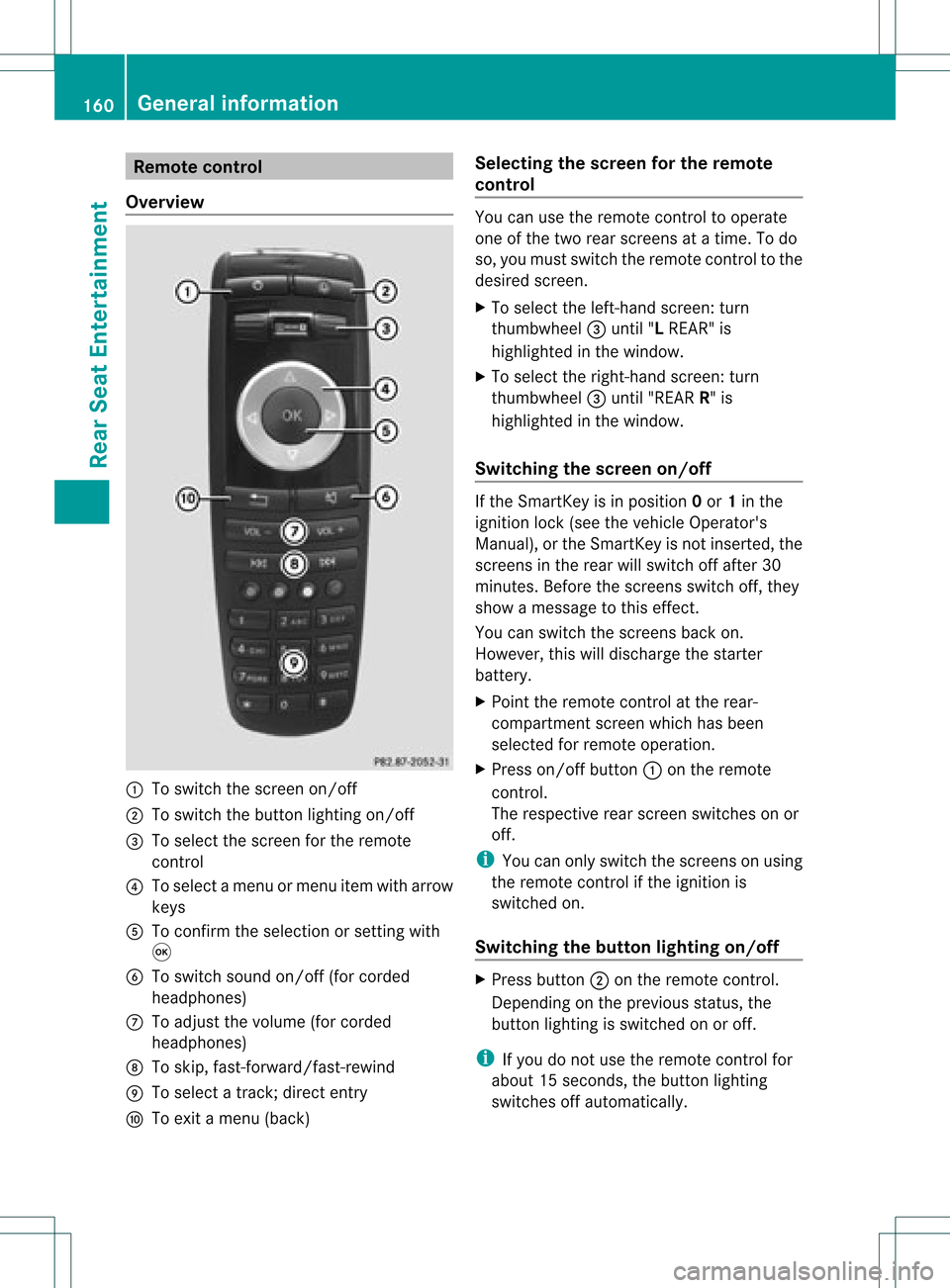
Ove rview :
Toswitch thescre enon/off
; Toswitch thebutton lighti ngon/off
= Toselect the scre enfor the remo te
control
? Toselect amenu ormenu itemwith arr ow
key s
A Toconfi rmthe selectio nor setti ngwith
9
B Toswitch soundon/off (forcorded
headphones)
C Toadjust thevolume (forcorded
headphones)
D Toskip, fast-forward/fast -rewind
E Toselect atrack ;direct entry
F Toexit amenu (back) Selecting
thescreen forthe remot e
control You
canusetheremote controltooperate
one ofthe two rear screen sat atime. Todo
so, you must switch theremote controltothe
desired screen.
X To select theleft- hand screen :turn
thumbwheel =until "LREAR" is
highlighted inthe window.
X To select theright- hand screen :turn
th umbwh eel=until"REA RR" is
high light edinthewin dow.
Swit chingth escr een on/of f If
th eSm artKey isin posi tion 0or 1in the
ign ition lock(see thevehicle Operator's
Manual ),or the SmartKey isnot inserted, the
screens inthe rear willswitch offafter 30
minutes. Beforethescreens switchoff,they
show amessage tothis effect.
You canswitch thescreens backon.
However, thiswilldischarge thestarter
battery.
X Point theremote controlatthe rear-
compartment screenwhichhasbeen
selected forremote operation.
X Press on/off button:onthe remote
cont rol.
The respective rearscreen switches onor
off.
i You canonly switch thescreens onusing
the remote controlifthe ignition is
switched on.
Switching thebutton lighting on/off X
Press button ;onthe remote control.
Depending onthe previous status,the
button lighting isswitched onoroff.
i Ifyou donot use theremote controlfor
abou t15s econ ds,the button lighting
switch esoff automatic ally. 160
General
informationRear SeatEntert ainment
Page 166 of 182
?
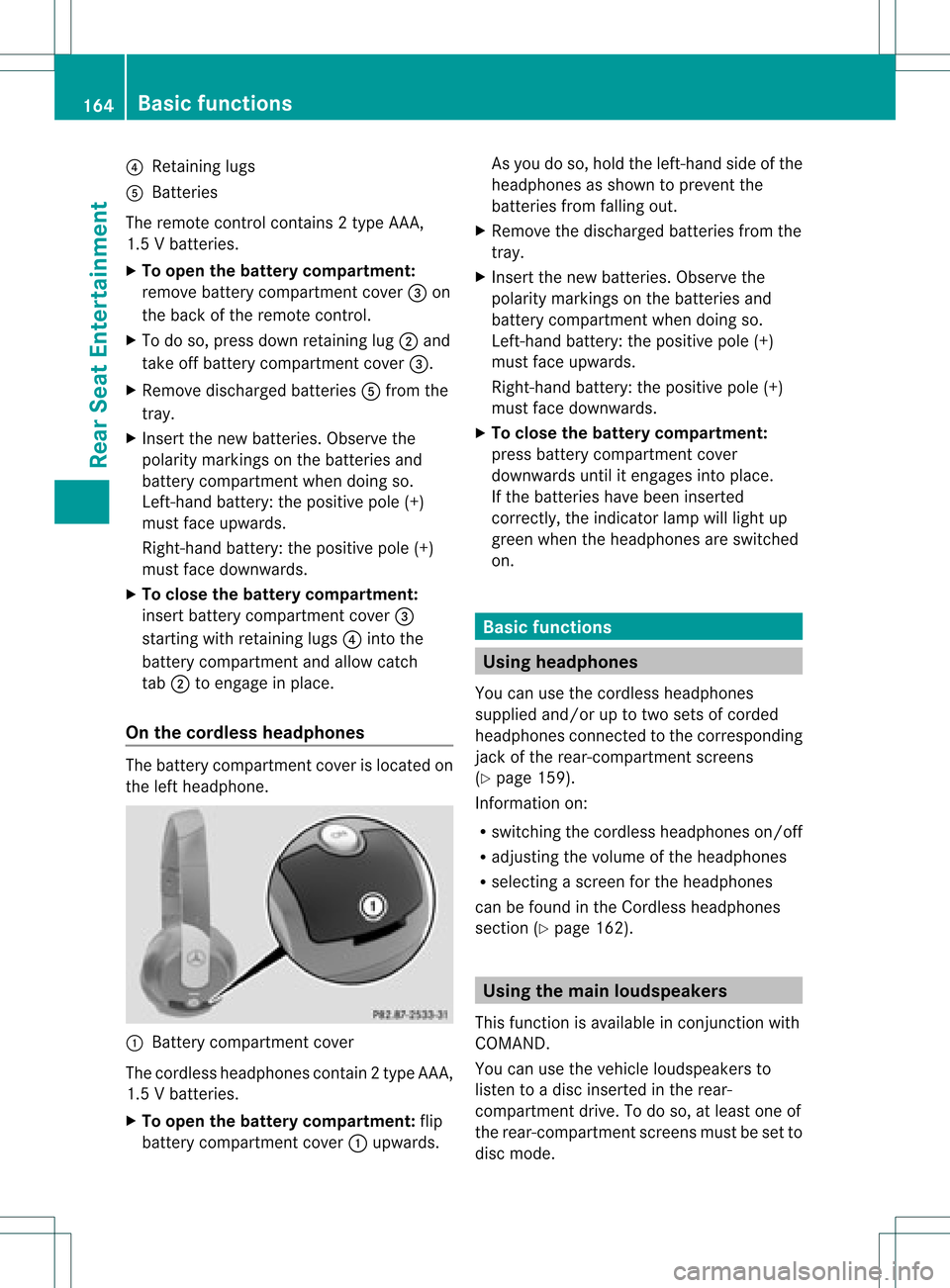
Retaining lugs
A Batterie s
The remoteco ntrol contain s2 typ eAA A,
1. 5V bat terie s.
X To ope nth ebat terycom partme nt:
rem ove battery compar tmentco ver =on
th ebac kof therem oteco ntrol .
X To do so, pressdown retain ing lug ;and
tak eoff battery compar tmentco ver =.
X Remo vedisc harged batterie sA from the
tr ay.
X Inser tthe new batteries. Observethe
polarity markings onthe batteries and
battery compartmen twhen doing so.
Left- hand battery: thepositive pole(+)
must faceupwa rds.
Right-hand battery:thepositive pole(+)
must facedownwards.
X To close thebatt erycompart ment:
insert battery compartmen tcover =
startin gwith retaining lugs?into the
battery compartmen tand allow catch
tab ;toengage inplace.
On the cordless headphones The
battery compartmen tcover islocated on
the left headphone. :
Batt erycompart mentcover
The cordless headphones contain2type AAA,
1. 5V bat terie s.
X To ope nth ebat tery com partme nt:fli p
bat tery compar tmentco ver :upwar ds. As
you doso, holdth elef t-han dside ofthe
head phonesas sho wntopre ven tthe
batteries fromfalling out.
X Remove thedischarged batteriesfromthe
tray.
X Insert thenew batteries. Observethe
polarity markings onthe batteries and
battery compartmen twhen doing so.
Left- hand battery: thepositive pole(+)
must faceupwa rds.
Right-hand battery:thepositive pole(+)
must facedownwards.
X To close thebatt erycompart ment:
press battery compartmen tcover
downwards untilitengages intoplace.
If the batteries havebeen inserted
correct ly,the indicator lampwilllight up
green whentheheadphones areswitched
on. Basic
functions Using
headph ones
You canusethecordless headphones
suppli edand/or uptotwo sets ofcorded
headphones connected tothe corresponding
jack ofthe rear-compart mentscreens
(Y page 159).
Inform ationon:
R switching thecordless headphones on/off
R adjusting thevolume ofthe headphones
R selecting ascreen forthe headphones
can befound inthe Cordless headphones
section (Ypage 162). Using
themain loudspeakers
This funct ionisavaila bleinconj unction with
COMAND.
You canusethevehicle loudspea kersto
listen toadisc inserted inthe rear-
compartmen tdrive. Todo so, atlea stone of
the rear-compa rtmentscreens mustbeset to
disc mode. 164
Basic
functio nsRearSeatEntertainment
Page 169 of 182
Setting
thebrightness
X Select Settings using
the: button
and press the9button toconf irm.
X Select Brightness using
the9:
buttons andpress the9button toconf irm.
As caleap pea rs.
X Adju stthe brightne ssusing the 9:
bu ttons andpressthe 9button toconfi rm.
The brightne ssbarm oves upordown. The
picture becomes lighterordarker in
accordanc ewith thescale. Showing/hiding
thepictur e
X To hide thepictur e:select Display Off in
the system menuusingthe:;
button son the remote controland press
the 9button toconf irm.
The picture ishidden.
X To display thepictur e:press the9
button . Audio
CD/DVDand MP3 mode Safety
note G
WARNIN
G
The RSE CD/D VDplayer isaClass 1laser
prod uct.There isadanger ofinvisible laser
radiation whenyouopen ordamage thecover.
Do not remove thecover. TheRSE CD/DVD
play erdoes notcont ainany parts which can
be serviced bythe user. Forsafety reasons,
have anynecessary serviceworkperformed
by qual ified personnel. General
informat ion
You willfind information onthe following
topics inthe Audio section:
R notes onCDs/DV Ds(Ypage 136)
R notes onMP3 mode (Ypage 135)
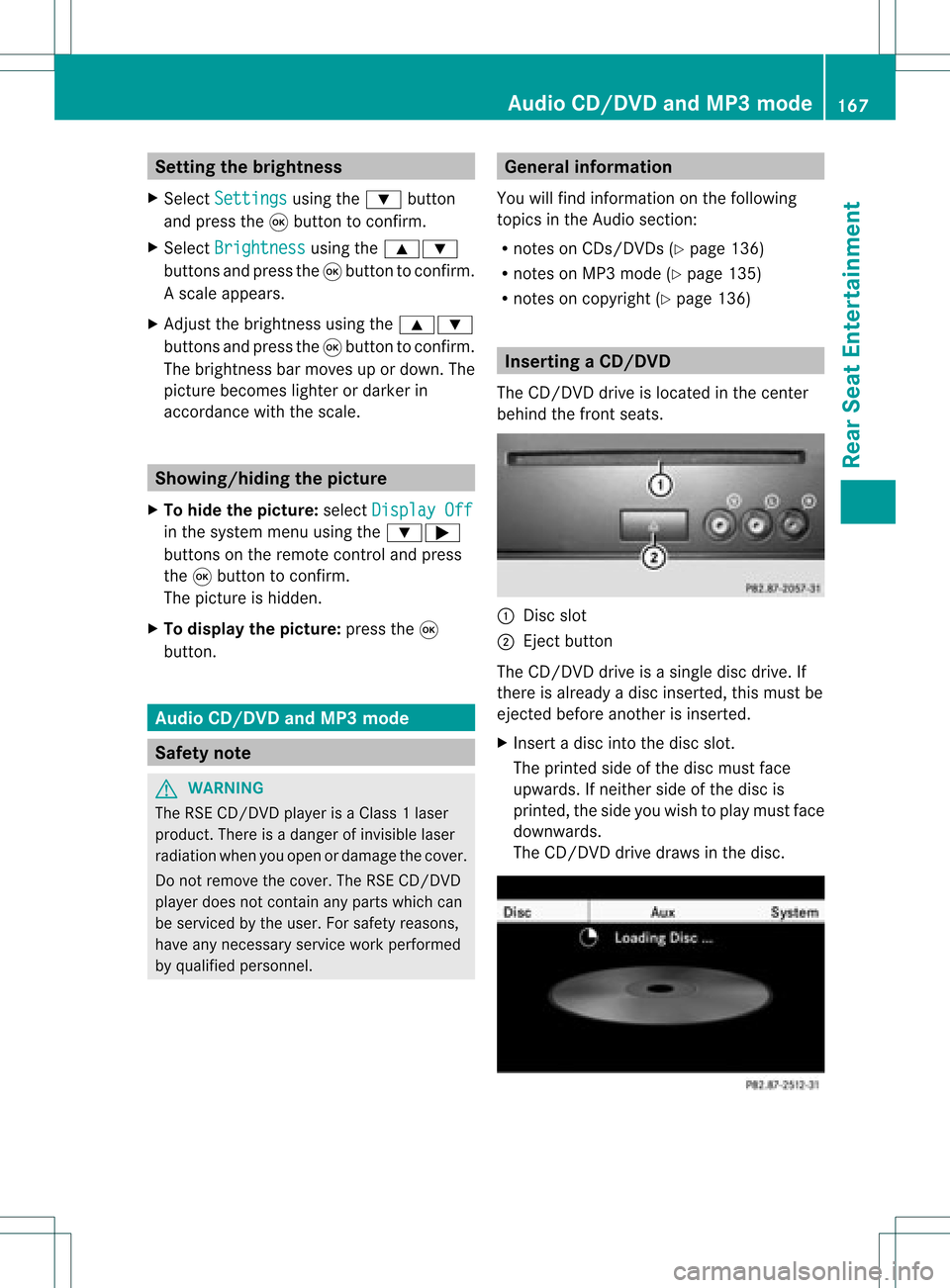
R notes oncopyright (Ypage 136) Inserting
aCD/DVD
The CD/DVD drive isloc ated inthece nter
beh ind th efron tseats. :
Disc slot
; Eject button
The CD/D VDdrive isasingle discdrive. If
ther eis already adisc insert ed,this must be
ejec tedbefore anotherisinsert ed.
X Inser tadisc intothe disc slot.
The print edside ofthe disc must face
upwards. Ifneit her side ofthe disc is
print ed,the side youwish toplay must face
downwards.
The CD/D VDdrive draws inthe disc. Audio
CD/DVDand MP3 mode
167Rear SeatEntert ainment Z
Page 173 of 182
X
To paus eplay back:sel ect Ë using
the :=; buttons onthe rem ote
contro land pressthe 9button toconfi rm.
The Ë displ aycha nge sto Ì.
X To conti nue playback:sel ect Ì and
pre ssthe 9button toconfi rm.
The Ì displ aycha nge sto Ë. Sto
pfuncti on
This function isonly available inaudio DVD
mode.
X To inte rrupt playbac k:sele ctÉ using
the :=; buttonsonthe remote
control andpress the9button toconfirm.
The Ë displa ychange sto Ì.
X To continue playbac k:sele ctÌ and
press the9button toconfirm.
Pla yback continues fromthepointwhe reit
wa sinterrup ted.
X To stop playbac k:whi lepla yback is
interrup ted,selectÉ againand press
the 9button toconfirm.
Pla yback stops andreturns tothe
begi nning ofthe DVD. Ì ishigh lighted.
X To restart playbac k:sele ctÌ and
press the9button toconfirm.
Pla yback starts fromthebegi nning ofthe
DVD. Settin
gthe audio format
Further informationonaudio formats is
ava ilable inthe "Aud io"section
(Y pag e134).
X Select DVD-A usi
ng the :=;
buttons onthe remote controlandpress
the 9button toconfirm.
X Select Group usi
ng the 9: buttons
and press the9button toconfirm.
The listo favail ableau dio formats appears.
The #dot indica testhe format currently
sele cted. X
Select anaudio format using the
9: buttonsandpress the9button
to confirm.
X To exitthe menu: pressthe=
or ; button. Playbac
koptio ns
Fur ther informa tion onplay ba ck opti ons is
ava ilab lein the "Audio" secti on
(Y page 134) .
X Sel ect CD ,
DVD -A or
MP3 us
ing
the :=; buttons onthe remo te
control andpressthe 9button toconfi rm.
The options list appe ars .The # dot
indicates theoption current lyselected.
X Select Normal track sequence ,
Random tracks or
Random folder using
the
9: buttonsandpress the9button
to confirm .
The option isswitched on.For alloptions
except Normal tracksequence ,
you will
see acorresponding displayin the displa y/
selection window.
i Ifyou change thedisc, theNormal track
sequence option
isactivated
automatically .Ifa no ption isselect ed,it
remains selectedafter theRear Seat
En tert ainmen tSyst emisswitc hedonor
off. Switching
track inform ationon/off
(MP3 mode only)
If the func tionisswitc hedon,folder andtrack
names aredisplayed.
If the func tion isswitc hedoff,disc andfile
names aredisplayed.
X Select MP3 using
the:=;
butt ons onthe remot econ troland press
the 9butt ontocon firm. Audio
CD/DVDand MP3 mode
171Rear SeatEntert ainment Z
Page 175 of 182
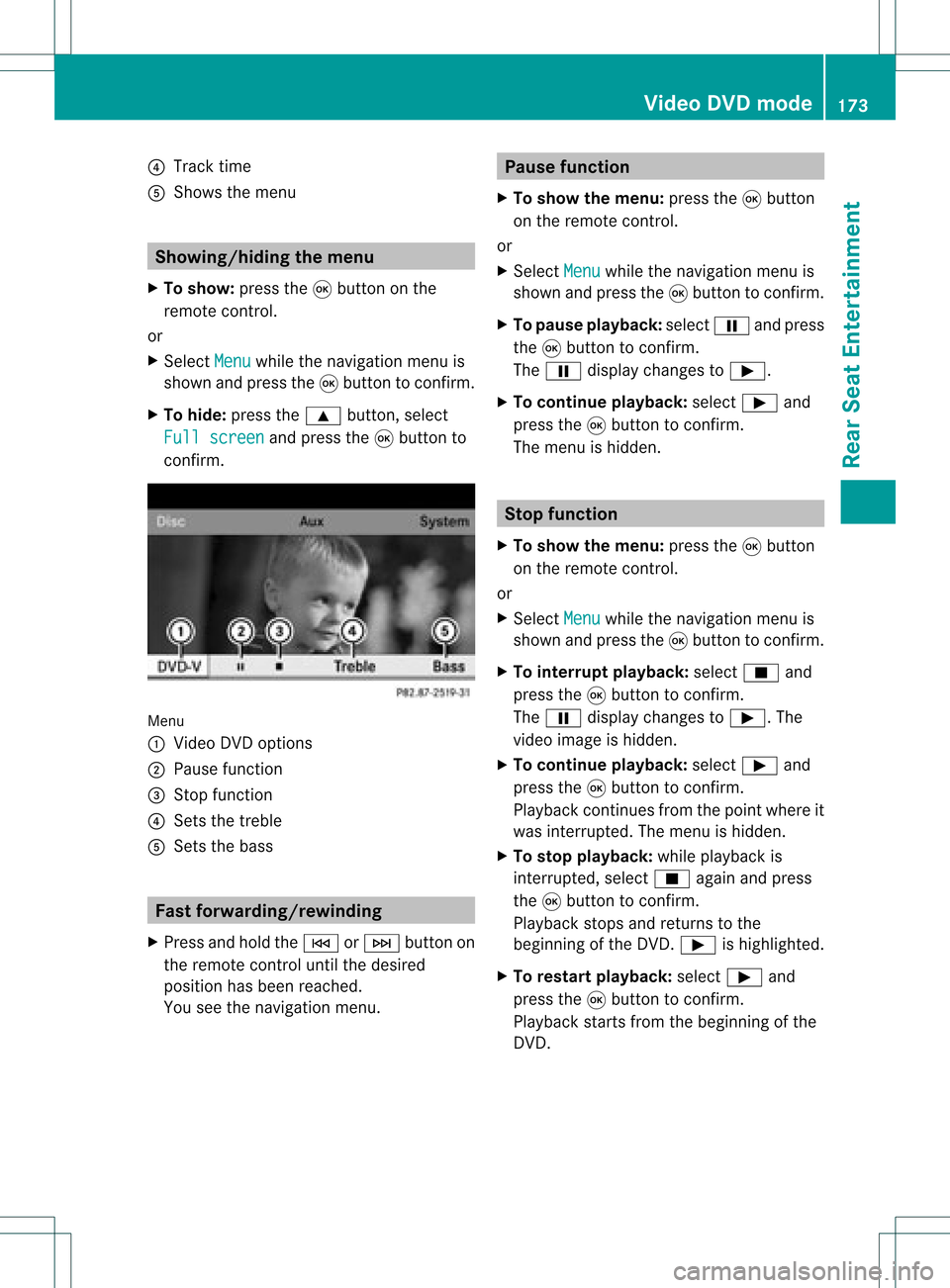
?
Track time
A Shows themenu Showing/hiding
themenu
X To show: pressthe9button onthe
remote control.
or
X Select Menu while
thenavigation menuis
shown andpress the9button toconf irm.
X To hide: press the9 button ,select
Full screen and
press the9button to
conf irm. Menu
: Video DVDoptions
; Pause function
= Stop funct ion
? Sets thetreble
A Sets thebass Fast
forwar ding/rewinding
X Press andhold theE orF button on
the remote controluntil thedesired
position hasbeen reached.
You seethenavigation menu. Pause
function
X To show themenu: pressthe9button
on the remote control.
or
X Select Menu while
thenavigation menuis
shown andpress the9button toconf irm.
X To pause playback: selectËandpress
the 9button toconf irm.
The Ë display changes toÌ.
X To continue playback: selectÌand
press the9button toconf irm.
The menu ishidden. Stop
function
X To show themenu: pressthe9button
on the remote control.
or
X Select Menu while
thenavigation menuis
shown andpress the9button toconf irm.
X To interr uptplayback: selectÉand
press the9button toconf irm.
The Ë display changes toÌ.T he
video image ishidden.
X To continue playback: selectÌand
press the9button toconfirm .
Play back continues fromthepoint where it
was interrupted. Themenu ishidden.
X To stop playback: whileplayback is
interrupted, selectÉagain andpress
the 9button toconfirm .
Play back stops andreturns tothe
beginning ofthe DVD .Ì ishighlighted.
X To restar tplayback: selectÌand
press the9button toconfirm .
Play back starts fromthebeginning ofthe
DVD . Video
DVDmode
173RearSeatEnterta inment Z
Page 178 of 182
possible
thatthesettings may alsobe
access edfrom theDVD menu.
X Press the9butt onon the remot econ trol
and show themenu.
X Select DVD-V and
press the9butt onon
the remot econ trolto con firm.
X Select DVDfuncti ons and
press the9
butt ontocon firm.
X Select Audio language and
press the9
butt ontocon firm.
Am enu appears afterashort while. The
# dot infron tof an ent ryindicat esthe
curren tlyselect edlanguage.
X Select alanguage usingthe9:
button sand press the9button tocon firm.
X To exit themenu: pressthe=
or ; button . Subtit
lesand camer aangle
These functionsare not available onallDVD s.
The number ofsubtitle languages andcamera
angles available dependsonthe contentof
the DVD. Itis po ssi ble tha tthe settin gsmay
also beaccessed fromtheDVD menu.
X Press the9button onthe remote control
and show themenu.
X Select DVD-V and
press the9button on
the remote controltoconfirm .
X Select DVDfunctions and
press the9
button toconfirm .
X Select Subtitles or
Camera angle and
press the9button toconfirm .
In both cases, amenu appearsafter afew
seconds. The#dot infront ofan entr y
indicates thecurrent setting.
X Select asettin gusing the9:
buttons andpress the9button toconfirm .
X To exit themenu: pressthe=
or ; button. Interactive
content
DVD scan also containinteract ivecont ent
(e.g. avideo game). Inavideo game, youmay
be able toinfluence eventsbyselecting and
triggering actions.Thetype andnumber of
actions depend onthe DVD .
X Select anaction usingthe
9;:= buttonsonthe
remote controland press the9button to
execute it.
A menu appearsand thefirst entry,
Select ,
is highlighted.
X Press the9button. AUX
mode Introduction
You canconn ectone extern alvideo source to
each ofthe displa ysofthe Rear Seat
Ent ertainment System(AUXdispla y)and also
one extern alvideo source tothe rear-
compartmen tCD/DV Ddrive (AUX drive) with
a sound andvideo signal.
Please seethecorresponding operating
instruct ionsforinformation onhow to
operate theextern alvideo source. Conne
ctingAUXequipment
AUX drive The
AUX drive jacks arelocated onthe CD/
DVD drive nexttothe CD/DV Deject button
(Y page 161).
Displaying AUX The
AUX displa yjacks areonthe side ofthe
screen (Ypage 159).
Audio andvideo conne ction X
Insert theaudi oplugs forthe left and right
signals intothecorresponding Land R
jacks. 176
AUX
modeRear SeatEnterta inment