ignition MERCEDES-BENZ GLK SUV 2008 Owner's Guide
[x] Cancel search | Manufacturer: MERCEDES-BENZ, Model Year: 2008, Model line: GLK SUV, Model: MERCEDES-BENZ GLK SUV 2008Pages: 261, PDF Size: 8.67 MB
Page 97 of 261
:
Multi-function display
;
6~Accepts or rejects/ends
a call
WX
increases/reduces the
volume
8 Mute =
?
Activates voice control*, see
separate operating instructions. ?
%
Press briefly:
back, deactivates voice control* and
fades out display messages
%Press and hold:
selects the standard display. A
=;
Calls up the menu bar and
selects menus 9:Press briefly:
selects a submenu or scrolls through
lists.
In the Audio menu, selects a stored
station, an audio track or a video
scene*.
In the Tel(telephone) menu,
switches to the telephone book and
selects a name or telephone number 9:
Press and hold:
in the Audio menu, selects the pre-
vious/next station or selects an
audio track or video scene* using the
fast scrolling feature.
In the Tel(telephone) menu, starts
rapid scrolling through the telephone
book a
Confirms selections and hides
display messages.
In the Tel(telephone) menu:
switches to the telephone book and
starts dialling. Multi-function display
To activate the multi-function display:
R switch on the ignition
R switch on the lights
R open the driver's door
Values, settings and display messages are
shown in the description field in the multi-
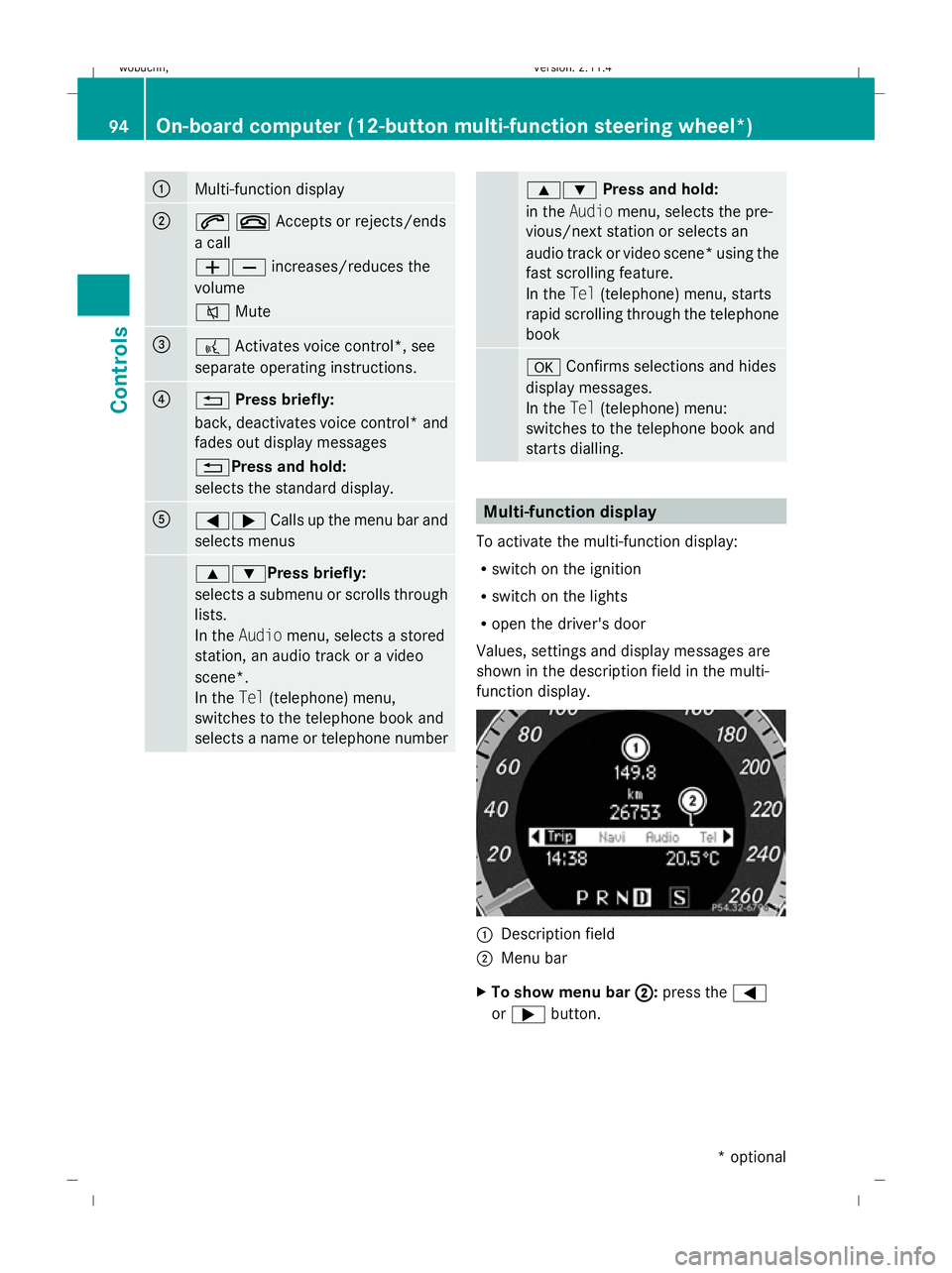
function display. :
Description field
; Menu bar
X To show menu bar ;
;: press the =
or ; button. 94
On-board computer (12-button multi-function steering wheel*)Controls
* optional
X204_AKB; 1; 5, en-GB
wobuchh
,V ersion: 2.11.4
2008-10-15T13:20:56+02:00 - Seite 94 Dateiname: 6515_0671_02_buchblock.pdf; preflight
Page 99 of 261
Trip computer "After start" or "After
reset" The values in the
After startsubmenu are
calculated from the start of a journey whilst
the values in the After resetsubmenu are
calculated from the last time the submenu
was reset.
X Press the =or; button to select the
Trip menu.
X Press 9or: to select After
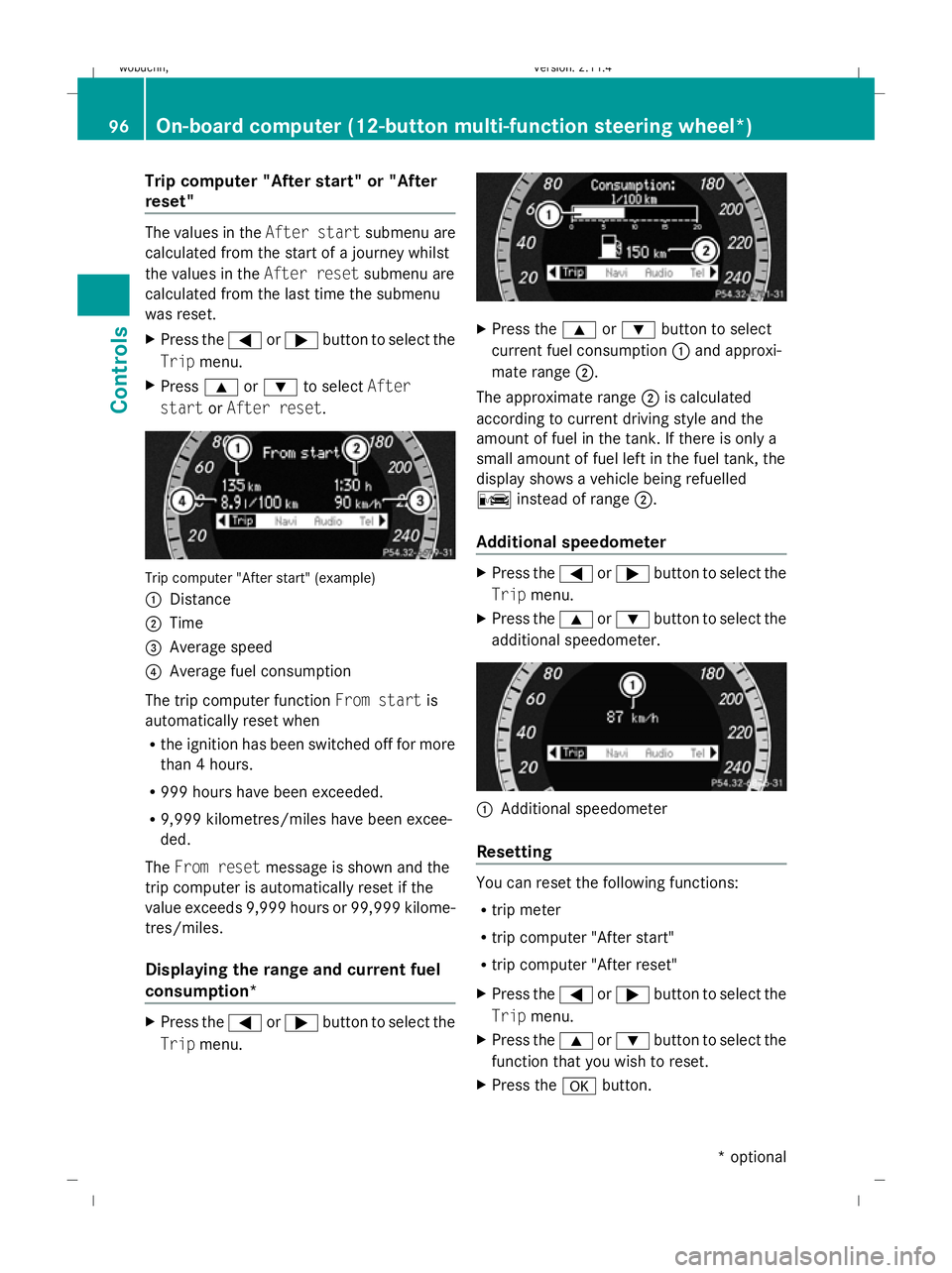
start orAfter reset. Trip computer "After start" (example)
:
Distance
; Time
= Average speed
? Average fuel consumption
The trip computer function From startis
automatically reset when
R the ignition has been switched off for more
than 4 hours.
R 999 hours have been exceeded.
R 9,999 kilometres/miles have been excee-
ded.
The From reset message is shown and the
trip computer is automatically reset if the
value exceeds 9,999 hours or 99,999 kilome-
tres/miles.
Displaying the range and current fuel
consumption* X
Press the =or; button to select the
Trip menu. X
Press the 9or: button to select
current fuel consumption :and approxi-
mate range ;.
The approximate range ;is calculated
according to current driving style and the
amount of fuel in the tank. If there is only a
small amount of fuel left in the fuel tank, the
display shows a vehicle being refuelled
C instead of range ;.
Additional speedometer X
Press the =or; button to select the
Trip menu.
X Press the 9or: button to select the
additional speedometer. :
Additional speedometer
Resetting You can reset the following functions:
R
trip meter
R trip computer "After start"
R trip computer "After reset"
X Press the =or; button to select the
Trip menu.
X Press the 9or: button to select the
function that you wish to reset.
X Press the abutton. 96
On-board computer (12-button multi-function steering
wheel*)Controls
* optional
X204_AKB; 1; 5, en-GB
wobuchh,
Version: 2.11.4 2008-10-15T13:20:56+02:00 - Seite 96Dateiname: 6515_0671_02_buchblock.pdf; preflight
Page 106 of 261
X
Press the :or9 button to select the
Daytime driving lights: function.
You will see the selected setting: Onor
Off.
X Press the abutton to save the setting.
Activating/deactivating the Intelligent
Light System*
When you activate the Intell. Light Sys-
tem: function, you activate the following:
R motorway mode
R active light function
R cornering light function
R extended range foglamps
X Press the =or; button to select the
Settings menu.
X Press the :or9 button to select the
Light submenu.
X Press the abutton to confirm.
X Press the :or9 button to select the
Intell. Light System: function.
You will see the selected setting: Onor
Off.
X Press the abutton to save the setting.
Activating or deactivating the surround
lighting and exterior lighting delayed
switch-off
The Surround lighting: function allows
you to set whether the exterior lighting should
come on when it is dark:
R for 40 seconds after unlocking the vehicle
with the key.
The exterior lighting switches off when you
open the driver’s door.
R for 15 seconds after switching off the
engine and closing the doors.
If the engine is switched off and then none
of the doors are opened, or if an open door
is not closed, the exterior lighting goes out
after 60 seconds.
If you activate the Surround lighting:
function, the following light up: R
the side lamps
R the front foglamps
R the licence plate lighting
X Press the =or; button to select the
Settings menu.
X Press the :or9 button to select the
Light submenu.
X Press the abutton to confirm.
X Press the :or9 button to select the
Surround lighting: function.
You will see the selected setting: Onor
Off.
X Press the abutton to save the setting.
Deactivating the delayed switch-off tempora-
rily:
X Before leaving the vehicle, turn the key to
position 0in the ignition lock.
X Turn the key to position 2in the ignition
lock and back to position 0.
Delayed switch-off is deactivated.
Delayed switch-off is deactivated the next
time you start the engine.
Activating/deactivating the interior light-
ing delayed switch-off
When you activate the Interior lighting
delay sw. off: function and remove the
key from the ignition lock, the interior lighting
remains on for around 10 seconds if it is dark.
X Press the =or; button to select the
Settings menu.
X Press the :or9 button to select the
Light submenu.
X Press the abutton to confirm.
X Press the :or9 button to select the
Interior lighting delay sw. off:
function.
You will see the selected setting: Onor
Off.
X Press the abutton to save the setting. On-board computer (12-button multi-function steering wheel*)
103Controls
* optional
X204_AKB; 1; 5, en-GB
wobuchh,
Version: 2.11.4 2008-10-15T13:20:56+02:00 - Seite 103 ZDateiname: 6515_0671_02_buchblock.pdf; preflight
Page 108 of 261
submenu is only reset if the vehicle is sta-
tionary.
X Press the =or; button to select the
Settings menu.
X Press the :or9 button to select the
Factory setting submenu.
X Press the abutton to confirm.
The Reset all settings? message is
shown.
X Press the :or9 button to select
Yes orNo.
X Press the abutton to confirm the selec-
tion.
If you have selected Yes, the multi-function
display shows a confirmation message. Off-road driving
Overview of off-road driving systems
The systems which are relevant for off-road
driving are explained on the following pages:
R 4MATIC (permanent four-wheel drive), for
optimum traction
R DSR (Downhill Speed Regulation)* (vehi-
cles with Off-Road Pro engineering pack-
age*), which assists you when driving
downhill
R Off-road driving program* (vehicles with
Off-road Pro engineering package*), which
assists you when driving off-road
You will find further information about driving
off-road in the "Operation" section
(Y page 158). 4MATIC* (permanent four-wheel
drive)
4MATIC ensures that all four wheels are per-
manently driven. Together with ESP ®
and
ETS, it improves the traction of your vehicle
whenever a drive wheel spins due to insuffi-
cient grip. G
Risk of accident
4MATIC cannot reduce the risk of an accident
if you drive too fast.
If a drive wheel spins due to insufficient grip:
R only depress the accelerator pedal as far as
necessary when pulling away.
R accelerate less when driving.
R adapt your driving style to suit road and
traffic conditions.
i In wintry driving conditions, the maximum
effect of 4MATIC can only be achieved if
you use winter tyres (M+S tyres), with snow
chains if necessary.
! When testing the parking brake, operate
the vehicle only briefly (for a maximum of
ten seconds) on a brake test dynamometer.
When doing this, turn the key to position
0 or 1in the ignition. Failure to do this can
cause damage to the drive train or the
brake system.
! A function or performance test should
only be carried out on a twin-axle dyna-
mometer. If you wish to operate the vehicle
on such a dynamometer, please consult a
Mercedes-Benz Service Centre in advance.
You could otherwise damage the drive train
or the brake system. DSR (Downhill Speed Regulation)*
(vehicles with the off-road engineer-
ing package*)
You will find information about driving off-
road in the "Operation" section
(Y page 158).
DSR is an aid to assist you when driving down-
hill. It keeps the speed of travel at the speed
selected on the on-board computer. The
steeper the downhill gradient, the greater the
DSR braking effect on the vehicle. When driv-
ing on flat stretches of road or on an uphill Off-road driving
105Controls
* optional
X204_AKB; 1; 5, en-GB
wobuchh,
Version: 2.11.4 2008-10-15T13:20:56+02:00 - Seite 105 ZDateiname: 6515_0671_02_buchblock.pdf; preflight
Page 116 of 261
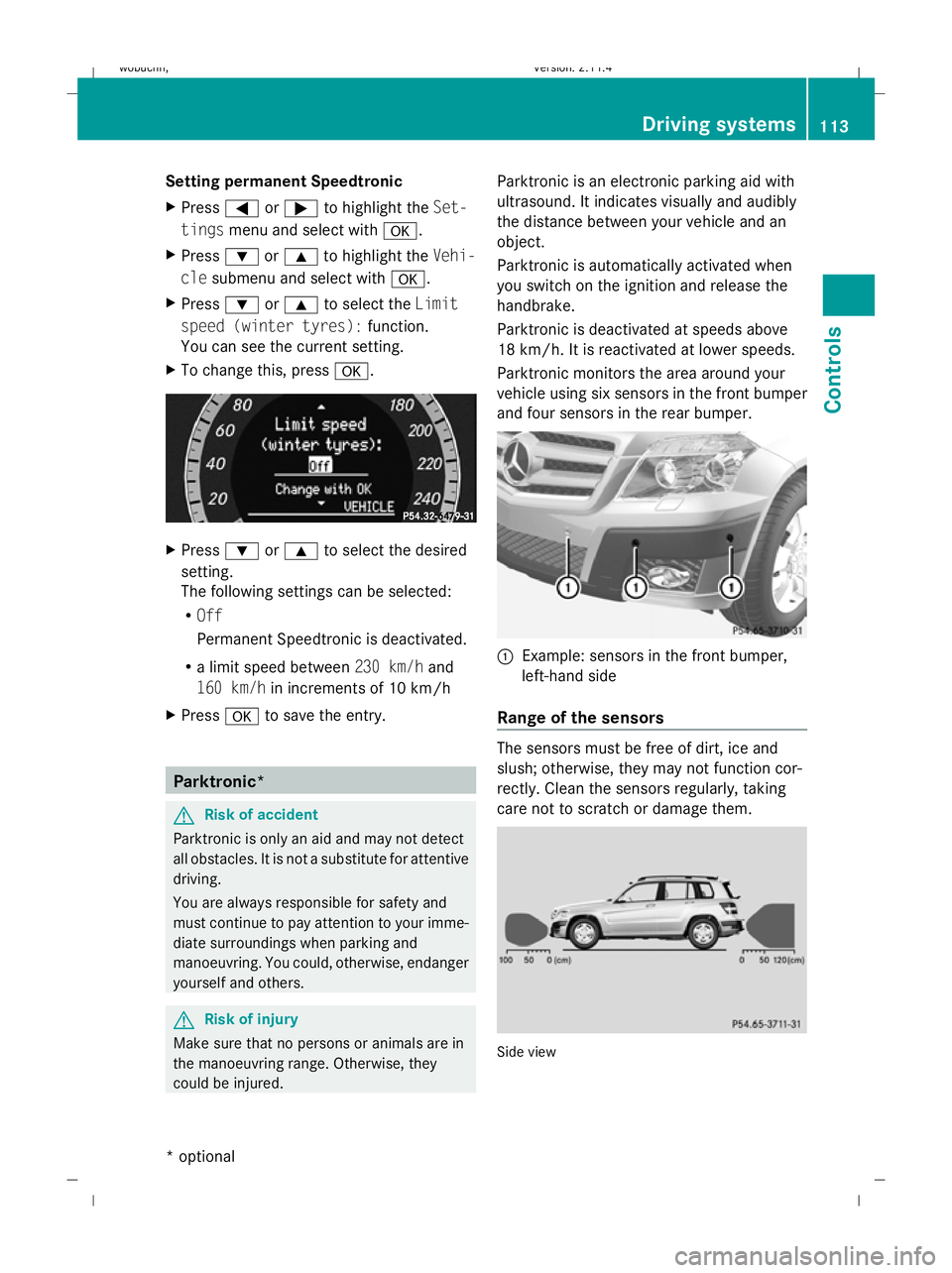
Setting permanent Speedtronic
X
Press =or; to highlight the Set-
tings menu and select with a.
X Press :or9 to highlight the Vehi-
cle submenu and select with a.
X Press :or9 to select the Limit
speed (winter tyres): function.
You can see the current setting.
X To change this, press a. X
Press :or9 to select the desired
setting.
The following settings can be selected:
R Off
Permanent Speedtronic is deactivated.
R a limit speed between 230 km/hand
160 km/h in increments of 10 km/h
X Press ato save the entry. Parktronic*
G
Risk of accident
Parktronic is only an aid and may not detect
all obstacles. It is not a substitute for attentive
driving.
You are always responsible for safety and
must continue to pay attention to your imme-
diate surroundings when parking and
manoeuvring. You could, otherwise, endanger
yourself and others. G
Risk of injury
Make sure that no persons or animals are in
the manoeuvring range. Otherwise, they
could be injured. Parktronic is an electronic parking aid with
ultrasound. It indicates visually and audibly
the distance between your vehicle and an
object.
Parktronic is automatically activated when
you switch on the ignition and release the
handbrake.
Parktronic is deactivated at speeds above
18 km/h. It is reactivated at lower speeds.
Parktronic monitors the area around your
vehicle using six sensors in the front bumper
and four sensors in the rear bumper.
:
Example: sensors in the front bumper,
left-hand side
Range of the sensors The sensors must be free of dirt, ice and
slush; otherwise, they may not function cor-
rectly. Clean the sensors regularly, taking
care not to scratch or damage them.
Side view Driving systems
113Controls
* optional
X204_AKB; 1; 5, en-GB
wobuchh,
Version: 2.11.4
2008-10-15T13:20:56+02:00 - Seite 113 ZDateiname: 6515_0671_02_buchblock.pdf; preflight
Page 118 of 261
onds. You have reached the minimum dis-
tance.
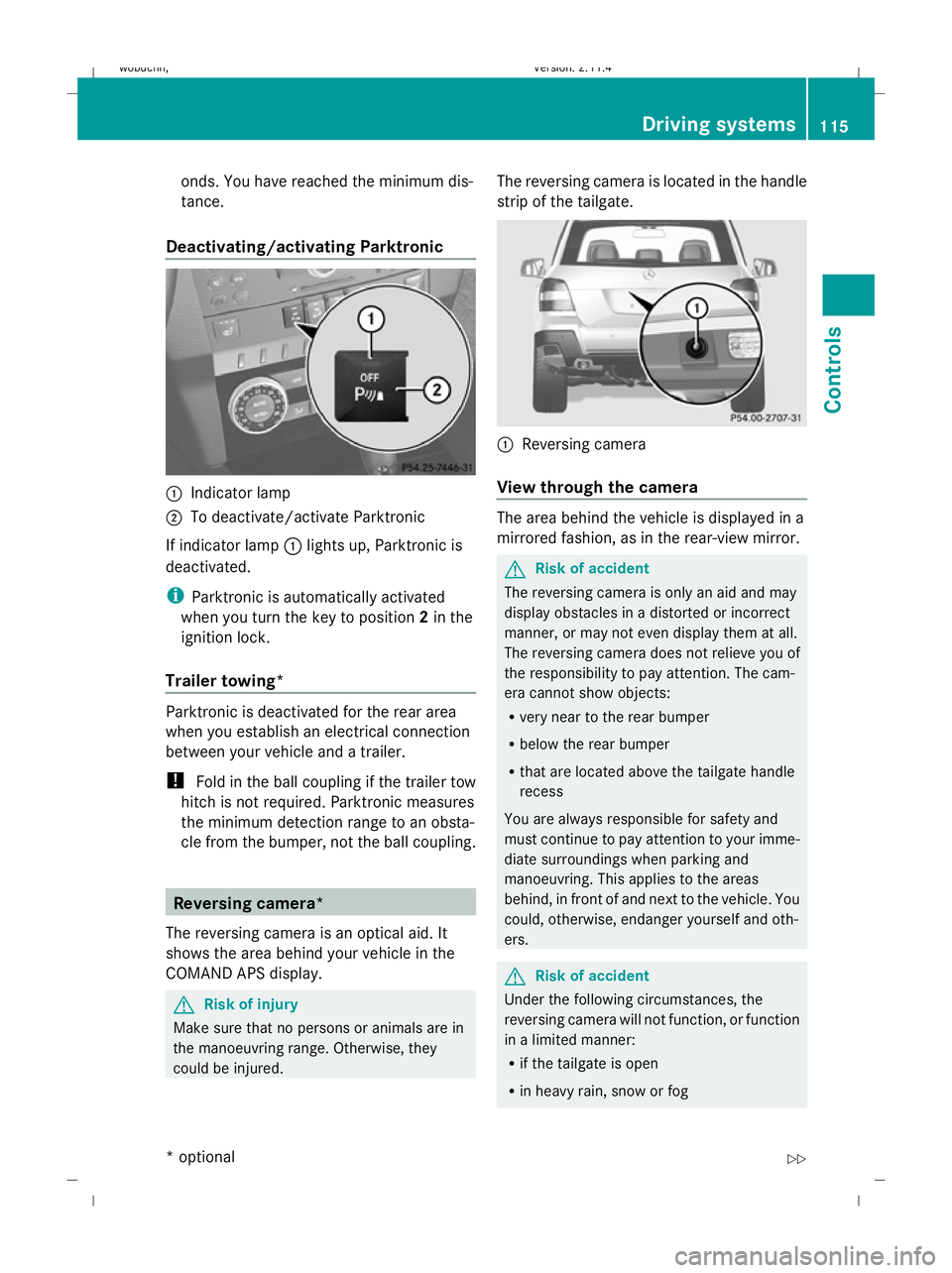
Deactivating/activating Parktronic :
Indicator lamp
; To deactivate/activate Parktronic
If indicator lamp :lights up, Parktronic is
deactivated.
i Parktronic is automatically activated
when you turn the key to position 2in the
ignition lock.
Trailer towing* Parktronic is deactivated for the rear area
when you establish an electrical connection
between your vehicle and a trailer.
! Fold in the ball coupling if the trailer tow
hitch is not required. Parktronic measures
the minimum detection range to an obsta-
cle from the bumper, not the ball coupling. Reversing camera*
The reversing camera is an optical aid. It
shows the area behind your vehicle in the
COMAND APS display. G
Risk of injury
Make sure that no persons or animals are in
the manoeuvring range. Otherwise, they
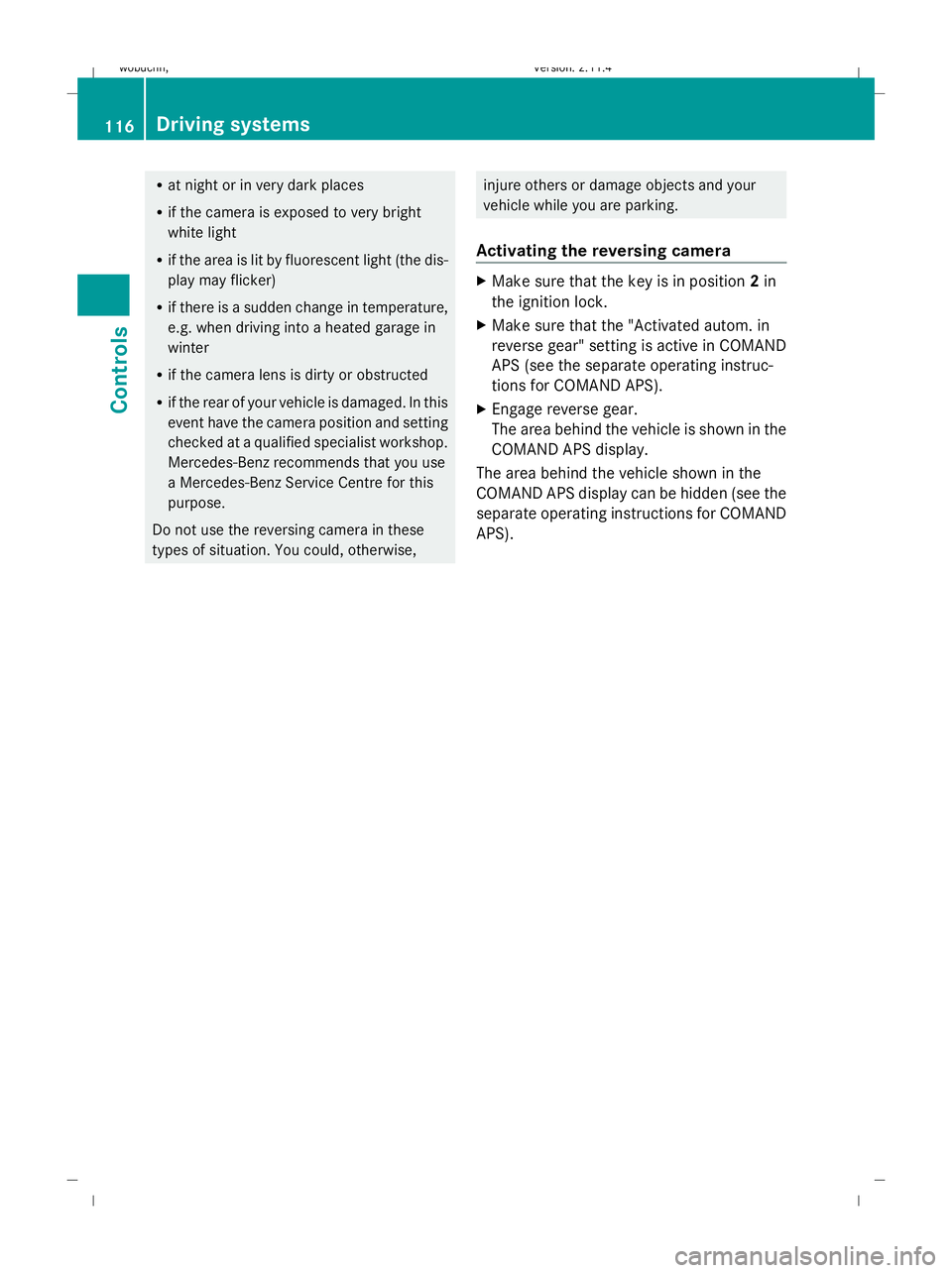
could be injured. The reversing camera is located in the handle
strip of the tailgate. :
Reversing camera
View through the camera The area behind the vehicle is displayed in a
mirrored fashion, as in the rear-view mirror.
G
Risk of accident
The reversing camera is only an aid and may
display obstacles in a distorted or incorrect
manner, or may not even display them at all.
The reversing camera does not relieve you of
the responsibility to pay attention. The cam-
era cannot show objects:
R very near to the rear bumper
R below the rear bumper
R that are located above the tailgate handle
recess
You are always responsible for safety and
must continue to pay attention to your imme-
diate surroundings when parking and
manoeuvring. This applies to the areas
behind, in front of and next to the vehicle. You
could, otherwise, endanger yourself and oth-
ers. G
Risk of accident
Under the following circumstances, the
reversing camera will not function, or function
in a limited manner:
R if the tailgate is open
R in heavy rain, snow or fog Driving systems
115Controls
* optional
X204_AKB; 1; 5, en-GB
wobuchh,
Version: 2.11.4 2008-10-15T13:20:56+02:00 - Seite 115 ZDateiname: 6515_0671_02_buchblock.pdf; preflight
Page 119 of 261
R
at night or in very dark places
R if the camera is exposed to very bright
white light
R if the area is lit by fluorescent light (the dis-
play may flicker)
R if there is a sudden change in temperature,
e.g. when driving into a heated garage in
winter
R if the camera lens is dirty or obstructed
R if the rear of your vehicle is damaged. In this
event have the camera position and setting
checked at a qualified specialist workshop.
Mercedes-Benz recommends that you use
a Mercedes-Benz Service Centre for this
purpose.
Do not use the reversing camera in these
types of situation. You could, otherwise, injure others or damage objects and your
vehicle while you are parking.
Activating the reversing camera X
Make sure that the key is in position 2in
the ignition lock.
X Make sure that the "Activated autom. in
reverse gear" setting is active in COMAND
APS (see the separate operating instruc-
tions for COMAND APS).
X Engage reverse gear.
The area behind the vehicle is shown in the
COMAND APS display.
The area behind the vehicle shown in the
COMAND APS display can be hidden (see the
separate operating instructions for COMAND
APS). 116 Driving systemsControls
X204_AKB; 1; 5, en-GB
wobuchh,
Version: 2.11.4 2008-10-15T13:20:56+02:00 - Seite 116Dateiname: 6515_0671_02_buchblock.pdf; preflight
Page 120 of 261
Air conditioning
Overview of air-conditioning systems
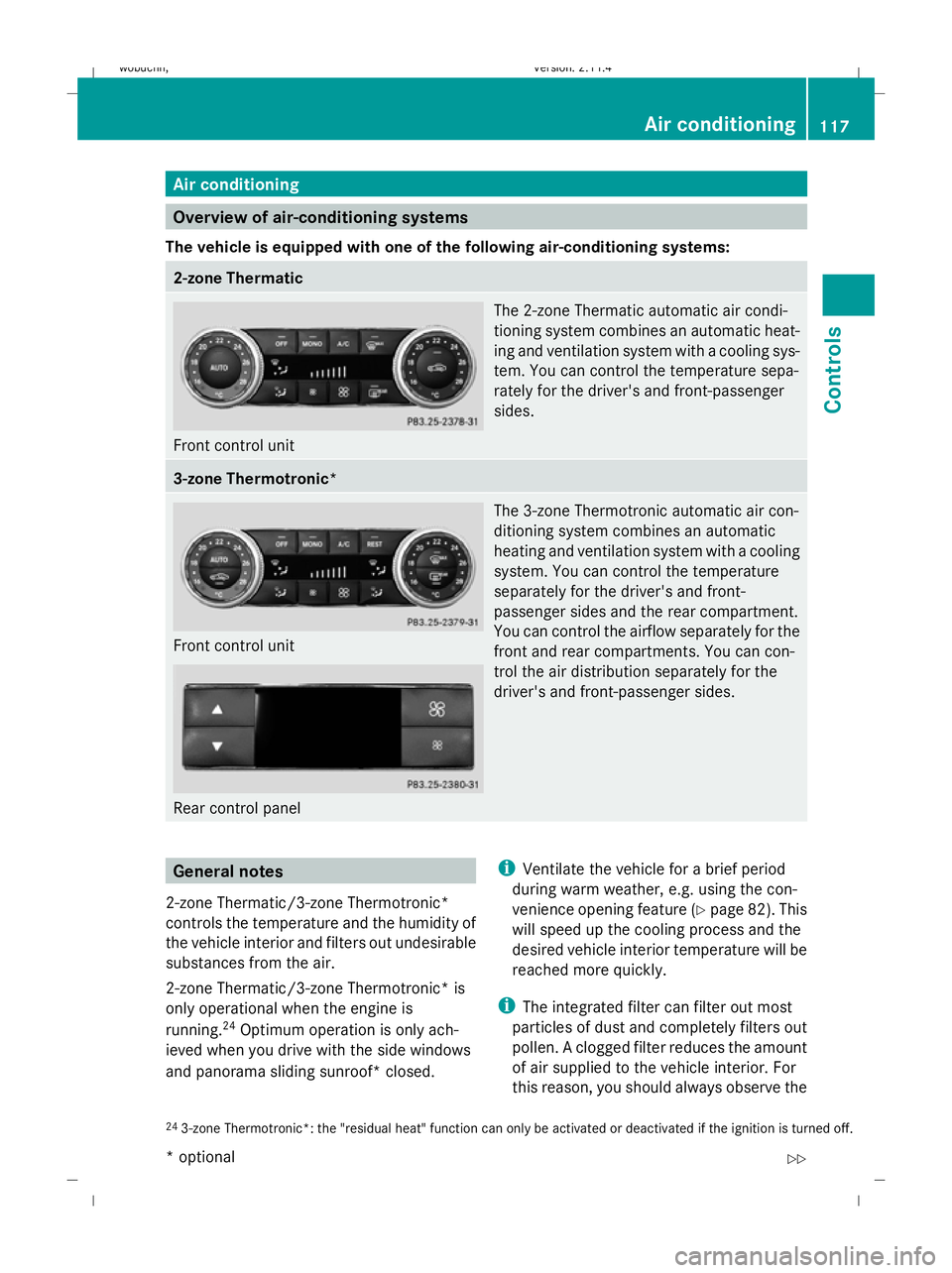
The vehicle is equipped with one of the following air-conditioning systems: 2-zone Thermatic
Front control unit The 2-zone Thermatic automatic air condi-
tioning system combines an automatic heat-
ing and ventilation system with a cooling sys-
tem. You can control the temperature sepa-
rately for the driver's and front-passenger
sides. 3-zone Thermotronic*
Front control unit
Rear control panel The 3-zone Thermotronic automatic air con-
ditioning system combines an automatic
heating and ventilation system with a cooling
system. You can control the temperature
separately for the driver's and front-
passenger sides and the rear compartment.
You can control the airflow separately for the
front and rear compartments. You can con-
trol the air distribution separately for the
driver's and front-passenger sides. General notes
2-zone Thermatic/3-zone Thermotronic*
controls the temperature and the humidity of
the vehicle interior and filters out undesirable
substances from the air.
2-zone Thermatic/3-zone Thermotronic* is
only operational when the engine is
running. 24
Optimum operation is only ach-
ieved when you drive with the side windows
and panorama sliding sunroof* closed. i
Ventilate the vehicle for a brief period
during warm weather, e.g. using the con-
venience opening feature (Y page 82). This
will speed up the cooling process and the
desired vehicle interior temperature will be
reached more quickly.
i The integrated filter can filter out most
particles of dust and completely filters out
pollen. A clogged filter reduces the amount
of air supplied to the vehicle interior. For
this reason, you should always observe the
24 3-zone Thermotronic*: the "residual heat" function can only be activated or deactivated if the ignition is turned off. Air conditioning
117Controls
* optional
X204_AKB; 1; 5, en-GB
wobuchh,
Version: 2.11.4
2008-10-15T13:20:56+02:00 - Seite 117 ZDateiname: 6515_0671_02_buchblock.pdf; preflight
Page 124 of 261
tor lamps in the
Ãand¿ buttons
come on.
R set the temperature to 22 †.
R only use the "demisting" function briefly,
until the windscreen is clear again.
R only use the "air-recirculation" mode
briefly, e.g. if there are unpleasant out-
side odours or when in a tunnel. Other-
wise, the windows could mist up due to
a lack of fresh air.
R use the "MONO" function if you want to
adopt the temperature and air distribu-
tion settings from the driver's side for all
air-conditioning zones. The indicator
lamp in the ºbutton comes on.
R use the "residual heat" function if you
want to heat or ventilate the vehicle inte-
rior when the ignition is switched off. The
"residual heat" function can only be acti-
vated or deactivated with the ignition
switched off. Switching the air conditioning on/off
i When the air conditioning is switched off,
the air supply and air circulation are also
switched off. Only select this setting briefly,
otherwise the windows may mist up.
i Activate the air conditioning primarily
using the Ãbutton ( Ypage 122). X
Turn the key to position 2in the ignition
lock.
X To activate: press theÃbutton.
The indicator lamp in the Ãbutton lights
up. Airflow and air distribution are set to
automatic mode.
or
X Press the ^button.
The indicator lamp in the ^button goes
out. The previously selected settings come
into effect again.
X To switch off: press the^button.
The indicator lamp in the ^button lights
up. Switching cooling with air dehumidi-
fication on/off
The "cooling with air dehumidification" func-
tion is only available when the engine is run-
ning. The air inside the vehicle is cooled and
dehumidified according to the temperature
selected. This prevents the windows from
misting up. G
Risk of accident
If the "cooling with air dehumidification" func-
tion is deactivated, the air inside the vehicle
will not be cooled (during warm weather) or
dehumidified. The windows could mist up
more quickly. This may prevent you from
observing the traffic conditions, thereby caus-
ing an accident.
Condensation may drip from the underside of
the vehicle when Thermatic is in cooling
mode.
X To activate: press the¿button.
The indicator lamp in the ¿button
comes on.
X To switch off: press the¿button.
The indicator lamp in the ¿button goes
out. The cooling with air dehumidification
function has a delayed switch-off feature. Air conditioning
121Controls
X204_AKB; 1; 5, en-GB
wobuchh,V ersion: 2.11.4
2008-10-15T13:20:56+02:00 - Seite 121 ZDateiname: 6515_0671_02_buchblock.pdf; preflight
Page 125 of 261
Controlling the air conditioning auto-
matically
In automatic mode, the set temperature is
maintained automatically at a constant level.
The system automatically regulates the tem-
perature of the dispensed air, the airflow and
the air distribution.
The automatic air conditioning will achieve
optimal operation if "cooling with air dehu-
midification" is also activated. If necessary,
cooling with air dehumidification can be deac-
tivated.
X Turn the key to position 2in the ignition
lock.
X Set the desired temperature.
X To activate: press theÃbutton.
The indicator lamp in the Ãbutton lights
up. Automatic air distribution and airflow
are activated.
X To switch off: press theÃbutton.
The indicator lamp in the Ãbutton goes
out. Automatic air distribution and airflow
are deactivated. Setting the temperature
2-zone Thermatic Different temperatures can be set for the
driver's and front-passenger sides.
X Turn the key to position 2in the ignition
lock.
X To increase/reduce: turn thumb-
wheels :and Dclockwise or anti-clock-
wise ( Ypage 118). Only change the tem-
perature setting in small increments. Start
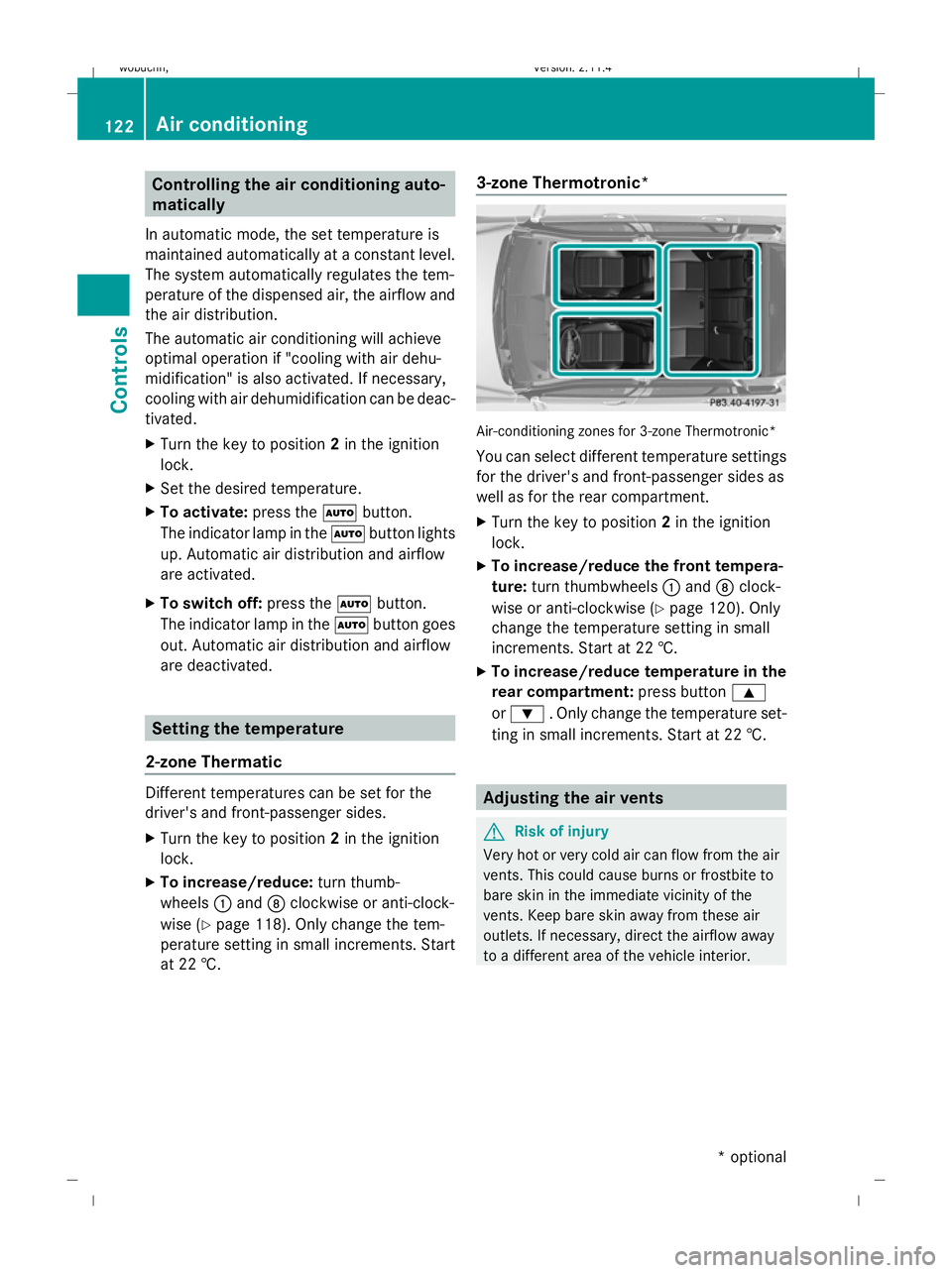
at 22 †. 3-zone Thermotronic* Air-conditioning zones for 3-zone Thermotronic*
You can select different temperature settings
for the driver's and front-passenger sides as
well as for the rear compartment.
X
Turn the key to position 2in the ignition
lock.
X To increase/reduce the front tempera-
ture: turn thumbwheels :and Dclock-
wise or anti-clockwise (Y page 120). Only
change the temperature setting in small
increments. Start at 22 †.
X To increase/reduce temperature in the
rear compartment: press button9
or : . Only change the temperature set-
ting in small increments. Start at 22 †. Adjusting the air vents
G
Risk of injury
Very hot or very cold air can flow from the air
vents. This could cause burns or frostbite to
bare skin in the immediate vicinity of the
vents. Keep bare skin away from these air
outlets. If necessary, direct the airflow away
to a different area of the vehicle interior. 122 Air conditioningControls
* optional
X204_AKB; 1; 5, en-GB
wobuchh,
Version: 2.11.4 2008-10-15T13:20:56+02:00 - Seite 122Dateiname: 6515_0671_02_buchblock.pdf; preflight