seat memory MERCEDES-BENZ GLS 2018 User Guide
[x] Cancel search | Manufacturer: MERCEDES-BENZ, Model Year: 2018, Model line: GLS, Model: MERCEDES-BENZ GLS 2018Pages: 398, PDF Size: 5.73 MB
Page 106 of 398
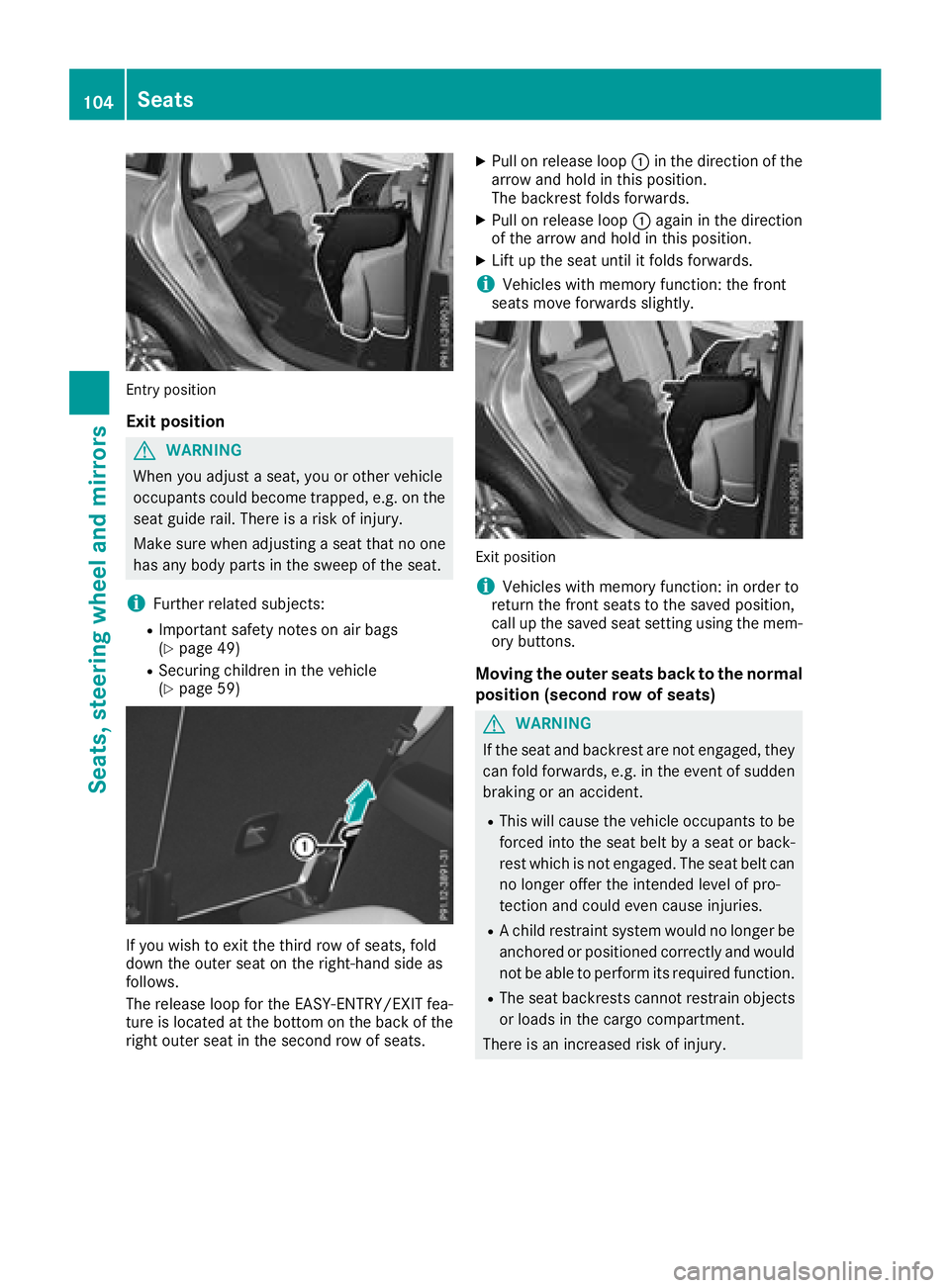
Entry position
Exit position
G WARNING
When you adjust a seat, you or other vehicle
occupants could become trapped, e.g. on the
seat guide rail. There is a risk of injury.
Make sure when adjusting a seat that no one
has any body parts in the sweep of the seat.
i Further related subjects: R
Important safety notes on air bags
( Y
page 49) R
Securing children in the vehicle
( Y
page 59)
If you wish to exit the third row of seats, fold
down the outer seat on the right-hand side as
follows.
The release loop for the EASY-ENTRY/EXIT fea-
ture is located at the bottom on the back of the
right outer seat in the second row of seats. X
Pull on release loop C in the direction of the
arrow and hold in this position.
The backrest folds forwards. X
Pull on release loop C again in the direction
of the arrow and hold in this position. X
Lift up the seat until it folds forwards.
i Vehicles with memory function: the front
seats move forwards slightly.
Exit position
i Vehicles with memory function: in order to
return the front seats to the saved position,
call up the saved seat setting using the mem-
ory buttons.
Moving the outer seats back to the normal
position (second row of seats)
G WARNING
If the seat and backrest are not engaged, they
can fold forwards, e.g. in the event of sudden
braking or an accident. R
This will cause the vehicle occupants to be
forced into the seat belt by a seat or back-
rest which is not engaged. The seat belt can
no longer offer the intended level of pro-
tection and could even cause injuries. R
A child restraint system would no longer be
anchored or positioned correctly and would
not be able to perform its required function. R
The seat backrests cannot restrain objects
or loads in the cargo compartment.
There is an increased risk of injury.104
Seats
Seats, steering wheel an d mirrors
Page 116 of 398
X
Adjust the seat ( Y
page 98).X
On the driver's side, adjust the steering wheel
( Y
page 109) and the exterior mirrors
( Y
page 110).X
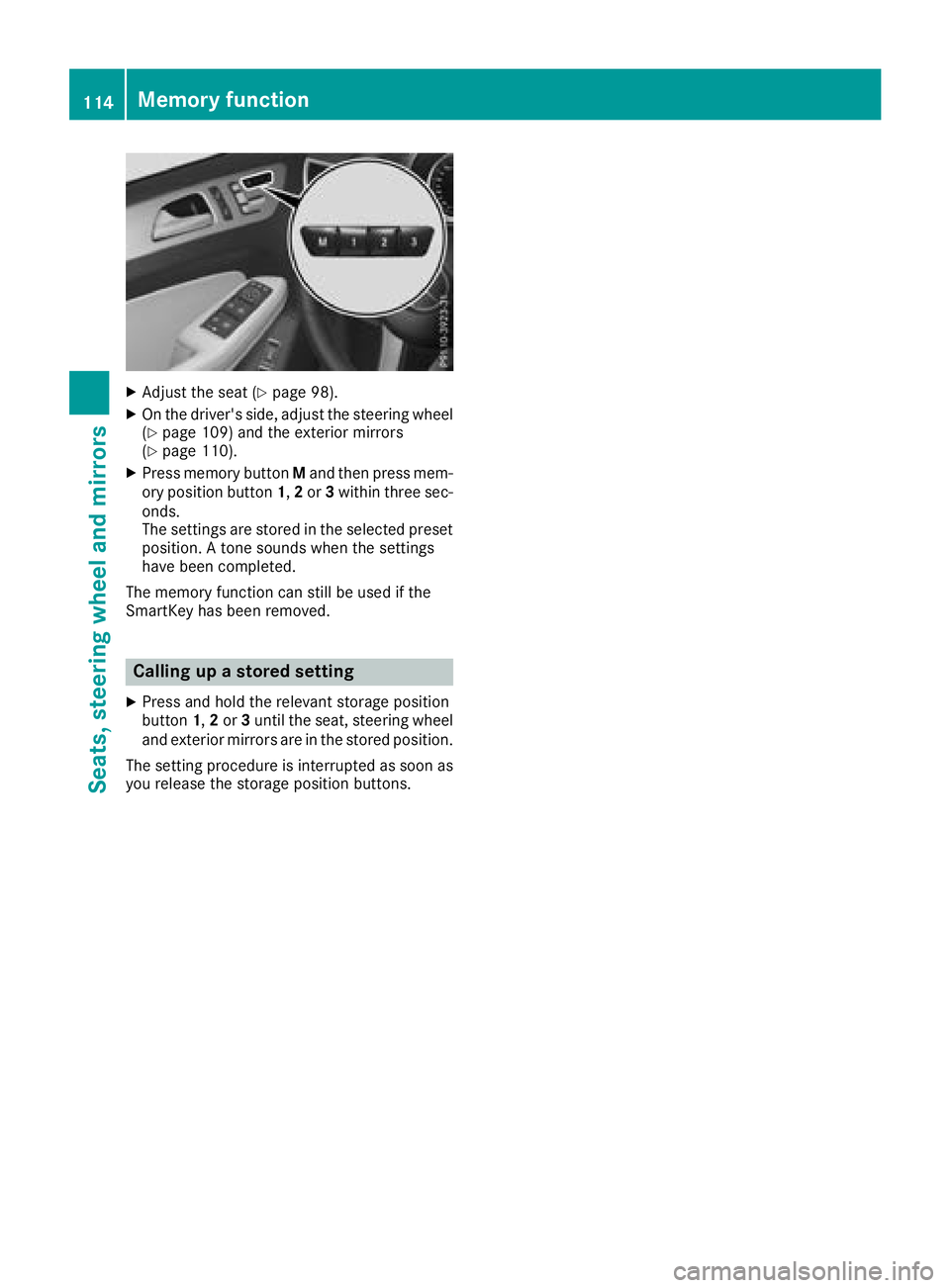
Press memory button M and then press mem-
ory position button 1 , 2 or 3 within three sec-
onds.
The settings are stored in the selected preset
position. A tone sounds when the settings
have been completed.
The memory function can still be used if the
SmartKey has been removed.
Calling up a stored setting X
Press and hold the relevant storage position
button 1 , 2 or 3 until the seat, steering wheel
and exterior mirrors are in the stored position.
The setting procedure is interrupted as soon as
you release the storage position buttons.114
Memory function
Seats, steering wheel an d mirrors
Page 246 of 398
R
Highway mode R
Active light function R
Cornering light function R
Extended range fog lamps R
Off-road lights
Further information on the Intelligent Light Sys-
tem ( Y
page 117).
Vehicle submenu Activating/deactivating the automatic
door locking mechanism If you activate the Automatic Door Lock func-
tion, the vehicle is centrally locked above a
speed of approximately 9 mph (15 km/h). X
Press the Y or e button on the steering
wheel to select the Sett. menu.X
Press the d or c button to select the
Vehicle submenu.X
Press v to confirm.X
Press the d or c button to select the
Automatic Door Lock function.
When the Automatic Door Lock function is
activated, the vehicle doors are displayed in
orange in the multifunction display. X
Press the v button to save the setting.
For further information on the automatic locking
feature, see ( Y
page 84).
Activating/deactivating the acoustic
locking verification signal If you switch on the Acoustic Lock function, an
acoustic signal sounds when you lock the vehi-
cle. X
Press the Y or e button on the steering
wheel to select the Settings menu.X
Press the d or c button to select the
Vehicle submenu.X
Press v to confirm.X
Press the d or c button to select the
Acoustic Lock function.
If the Acoustic Lock function is activated,
the 7 symbol in the multifunction display
lights up orange. X
Press the v button to save the setting. Convenience submenu Activating/deactivating the EASY-
ENTRY/EXIT feature
G WARNING
When the EASY-ENTRY/EXIT feature adjusts
the steering wheel, you and other vehicle
occupants – particularly children – could
become trapped. There is a risk of injury.
While the EASY-ENTRY/EXIT feature is mak-
ing adjustments, make sure that no one has
any body parts in the sweep of the steering
wheel.
If somebody becomes trapped: R
press one of the memory function position
buttons, or R
move the switch for steering wheel adjust-
ment in the opposite direction to that in
which the steering wheel is moving.
The adjustment process is stopped. X
Press the Y or e button on the steering
wheel to select the Sett. menu.X
Press the d or c button to select the
Convenience submenu. X
Press v to confirm. X
Using d or c , select the Easy Entry/
Exit function.
If the Easy Entry/Exit function is activated,
the vehicle steering wheel is displayed in
orange in the multifunction display. X
Press the v button to save the setting.
Further information on the EASY-ENTRY/EXIT
feature ( Y
page 109).
Switching the seat belt adjustment on/off X
Press the Y or e button on the steering
wheel to select the Settings menu.X
Press the d or c button to select the
Convenience submenu. X
Press v to confirm. X
Press the d or c button to select the
Belt Adjustment function.
If the Belt Adjustment function is activated,
the vehicle seat belt is shown in orange in the
multifunction display. X
Press the v button to save the setting.244
Menus and submenus
On-board computer and displays