park assist MERCEDES-BENZ GLS SUV 2020 Owner's Manual
[x] Cancel search | Manufacturer: MERCEDES-BENZ, Model Year: 2020, Model line: GLS SUV, Model: MERCEDES-BENZ GLS SUV 2020Pages: 549, PDF Size: 9.9 MB
Page 254 of 549
Au
tonomous braking function (vehicles with
Driving Assistance Package)
If th eve hicle is tr avelling at speeds abo ve
appr oximately 7 km/h, the autonomous braking
function may inter vene in thefo llowing situa‐
tions:
R at speeds up toappr oximately 250 km/h
when approaching vehicles ahead
R at speeds up toappr oximately 100 km/h
when app roaching stationary vehicles
R at speeds up toappr oximately 80 km/h
when approaching cyclists ahead
R at speeds up toappr oximately 70 km/h
when approaching stationary and moving
pedestrians, crossing vehicles and stationary
and crossing cyclists Situation-dependent braking assistance
(vehicles without Driving Assistance Pack‐
age)
The situation-dependent braking assi stance can
inter vene from a speed of appr oximately 7 km/h
in thefo llowing situations:
R at speeds up toappr oximately 250 km/h
when approaching vehicles ahead
R at speeds up toappr oximately 80 km/h
when approaching stationary vehicles and
ve hicles ahead
R at speeds up toappr oximately 60 km/h
when approaching moving pedestrians and
crossing cyclists
Situation-dependent braking assistance
(vehicles with Driving Assistance Package)
The situation-dependent braking assi stance can
inter vene from a speed of appr oximately 7 km/h
in thefo llowing situations:
R at speeds up toappr oximately 250 km/h
when approaching vehicles ahead
R at speeds up toappr oximately 100 km/h
when app roaching stationary vehicles R
at speeds up toappr oximately 80 km/h
when approaching cyclists ahead
R at speeds up toappr oximately 60 km/h
when approaching stationary and moving
pedestrians, crossing vehicles and stationary
and crossing cyclists
Cancelling a brake application of Active
Brake Assi st
Yo u can cancel a brake application of Active
Brake Assi stat any time by:
R sharply depressing the accelera tor pedal or
with kickdown
R releasing the brake pedal
Ac tive Brake Assi stmay cancel the brake appli‐
cation when one of thefo llowing conditions is
fulfilled:
R You manoeuv retoavo idthe obs tacle.
R The reis no longer a risk of collision.
R An obs tacle is no longer de tected in front of
yo ur vehicle. Driving and parking
251
Page 255 of 549
Evasive
Steering Assist (only vehicles with
Driving Assistance Package)
Evasi veSteering Assist has thefo llowing charac‐
te rist ics:
R The ability todetect stationary or moving
pedestrians.
R Assis tance thro ugh po wer-assis tedsteering if
it de tects a swerving manoeuvre.
R Activation byan abrupt steering mo vement
during a swerving manoeuvre.
R Assis tance du ring swerving and stra ightening
of theve hicle.
R Reaction from a speed of appr oximately
20 km/h up toa speed of appr oximately
70 km/h.
Yo u can pr eventthe assis tance at any time by
actively steering.
Cornering function (only vehicles with Driv‐
ing Assistance Package)
If a danger of collision from an oncoming vehicle
is de tected when turning across an oncoming
lane, au tonomous braking can be initia ted at speeds below
15km/h be fore you ha veleft the
lane in which you are driving. &
WARNING Risk of accident despi teEva‐
si ve Steering Assist
Evasive Steering Assist cann otalw aysre cog‐
nise objects or compl extraf fic situations
clear ly.
Moreo ver,th esteering support pr ovided by
Evasive Steering Assist is not suf ficient to
avo id a collision. #
Alw ays pay careful attention tothe traf‐
fi c situation; do not rely on Ev asive
St eering Assist alone. #
Be prepared tobrake or swer veif nec‐
essar y. #
End the support byactively steering in
non-critical situations. #
Drive at an appropriate speed if there
are pedestrians close tothe path of
yo ur vehicle. Sy
stem limits
Fu ll sy stem per form ance is not available for a
fe w seconds af ter switching on the ignition or
af te r driving off.
If Ac tive Brake Assi stis impaired or inope rative
due toa malfunction, theÄ warning lamp
appears in the multifunction displa y.
The sy stem may be impaired or may not func‐
tion, particular lyin thefo llowing situations:
R In sno w,rain, fog, heavy spr ay, if there is
gl are, in direct sunlight or in greatlyvarying
light conditions.
R Ifth e sensors are dirty, mis ted up, damaged
or co vered.
R Ifth e sensors are impaired due tointer fer‐
ence from other radar sources, e.g. strong
ra dar reflections in multi-s torey car par ks.
R If a loss of tyre pressure or a defective tyre
has been de tected and displ ayed.
R If DSR is active.
R In complex tra ffic situations where objects
cannot alw ays be clearly identified. 252
Driving and parking
Page 256 of 549
R
If pedestrians or vehicles mo vequickly into
th e sensor de tection range.
R If pede strians are hidden by other objects.
R Ifth e typical outline of a pedestrian cann ot
be distinguished from the bac kground.
R If a pedestrian is not de tected as su ch, e.g.
due tospecial clo thing or other objects.
R Ifth e driver's seat belt is not fastened.
R On bends with a tight radius.
% The Active Brake Assi stsensors adjust auto‐
matically while a cer tain dis tance is being
driven af terth eve hicle has been delivered.
Ac tive Brake Assi stis una vailable or only
partially available during thete ach-in proc‐
ess.
Ac tivating/deactivating Active Brake Assi st
Re quirements:
R The ignition is switched on. Multimedia sy
stem:
4 © 5
Settings 5
Assistance
5 Active Brake Assist #
Select the desired setting.
The setting is retained when the drive sy stem
is next star ted.
Deactivating Active Brake Assi st
% It is recommended that you alw ays lea ve
Ac tive Brake Assi stactivated. #
Select Off.
The dis tance warning function, the autono‐
mous braking function and the Evasive Steer‐
ing Assist are deactivated.
When theve hicle is next star ted, the middle
setting is automatically selected.
% IfAc tive Brake Assi stis deactivated, the
æ symbol appears inthest atus bar of the
multifunction displa y. Speed Limit Assist
Fu
nction of Speed Limit Assist
Speed Limit Assist de tects speed limits wi th
multifunction camera and displa ys them in the
instrument clus ter and optionally in the head-up
displa y.The camera also de tects speed limits
wi th are striction indicated byan additional sign
(e.g. when wet). The sy stem de tects stop signs,
th ereby pr eventing the engine from being
switched off bythe ECO start/ stop function.
Obser vethe no tes on driving sy stems and your
re sponsibility; you may otherwise failto recog‐
nise dangers (/ page 224).
Wa rning when the maximum permissible
speed is exceeded
The sy stem can warnyou if you unin tentionally
exc eed the maximum permissible speed. Todo
th is, you can specify in the multimedia sy stem
by how much the maximum permissible speed
can be exceeded before a warning is issued. Yo u
can specify whe ther thewa rning is tobe just a
visual warning or an acoustic one as well. Driving and parking
253
Page 257 of 549
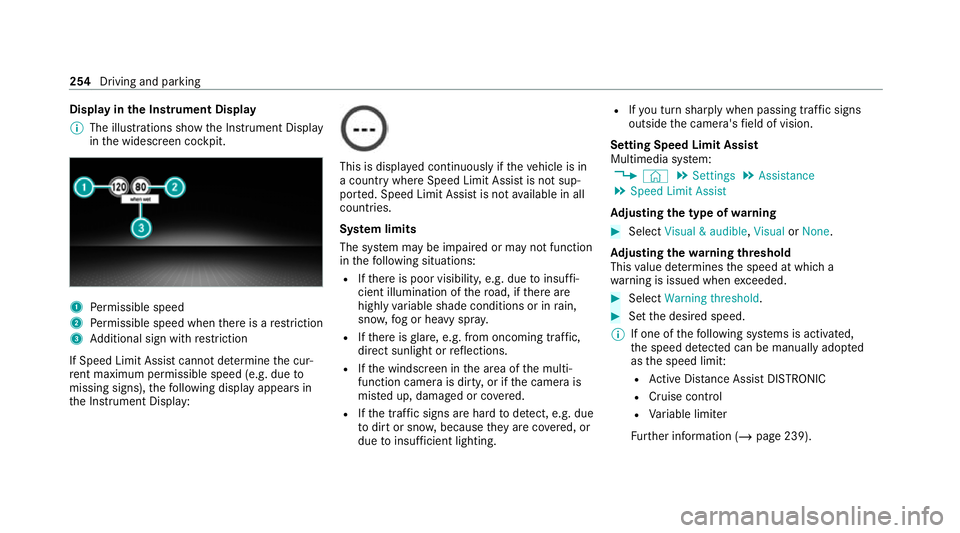
Display in
the Instrument Display
% The illustrations show the Instrument Display
in the widescreen cockpit. 1
Perm issible speed
2 Perm issible speed when there is a restriction
3 Additional sign with restriction
If Speed Limit Assi stcannot de term ine the cur‐
re nt maximum pe rmissible speed (e.g. due to
missing signs), thefo llowing display appears in
th e Instrument Display: This is displa
yed continuously if theve hicle is in
a country where Speed Limit Assist is not sup‐
por ted. Speed Limit Assist is not available in all
countries.
Sy stem limits
The sy stem may be impaired or may not function
in thefo llowing situations:
R Ifth ere is poor visibility, e.g. due toinsuf fi‐
cient illumination of thero ad, if there are
highly variable shade conditions or in rain,
sno w,fog or heavy spr ay.
R Ifth ere is glare, e.g. from oncoming traf fic,
di re ct sunlight or reflections.
R Ifth e windscreen in the area of the multi‐
function camera is dirty, or if the camera is
mis ted up, damaged or co vered.
R Ifth e tra ffic signs are hard todetect, e.g. due
to dirt or sno w,because they are co vered, or
due toinsuf ficient lighting. R
Ifyo u turn sharply when passing traf fic signs
outside the camera's field of vision.
Setting Speed Limit Assist
Multimedia sy stem:
4 © 5
Settings 5
Assistance
5 Speed Limit Assist
Ad justing the type of warning #
Select Visual & audible ,Visual orNone.
Ad justing the warning threshold
This value de term ines the speed at which a
wa rning is issued when exceeded. #
Select Warning threshold. #
Set the desired speed.
% If one of thefo llowing sy stems is activated,
th e speed de tected can be manually adop ted
as the speed limit:
R Active Dis tance Assi stDISTRONIC
R Cruise control
R Variable limiter
Fu rther information (/ page 239).254
Driving and parking
Page 260 of 549
R
Cruise cont rol
R Variable limiter
Fu rther information about Active Dis tance
Assi stDISTRONIC: (/ page 239).
Displaying de tected traf fic signs in the
media display #
Select Display in head unit .#
Swit chthe function on or off.
Setting the type of warning #
Select Visual & audible ,Visual orOff .
Setting thewa rning threshold
This value de term ines the speed at which a
wa rning is issued when exceeded. #
Select Warning threshold. #
Set the desired speed. Blind Spot Assist and
Active Blind Spot
Assi stwith exitwa rning Fu
nction of Blind Spot Assist and Active
Blind Spot Assi stwith exitwa rning
Blind Spot Assist and Active Blind Spot Assi st
use two lateral, rear-facing radar sensors to
monitor the area up to40 m behind and 3 m
next toyour vehicle.
If a vehicle is de tected at speeds ab ove appr ox‐
imately 12km/h and this vehicle subsequently
enters the monitoring range di rectly next to your
ve hicle, thewa rning lamp in the outside mir ror
lights up red.
Pe rm anent status display in the instrument clus‐
te r:
R ¸ (gre y): sy stem is activated but inopera‐
tive
R ¸ (green): sy stem is activated and opera‐
tional
If a vehicle is de tected close toyour vehicle and
yo u swit chon the turn signal indicator in the cor‐
re sponding direction, a double warning tone
sounds and there dwa rning lamp in the outside mir
rorflashes. If the turn signal indicator
re mains switched on, all other de tected vehicles
are indicated only bytheflashing of thered
wa rning lamp.
If yo uove rtake a vehicle quickl y,no warning is
given. &
WARNING Risk of accident despi teBlind
Spot Assi st
Blind Spot Assi stdoes not react tovehicles
approaching and overtaking you at a greatly
di fferent speed.
Blind Spot Assist cann otwa rndrivers in this
situation. #
Alw ays pay careful attention tothe traf‐
fi c situation and maintain a safe dis‐
ta nce at the side of theve hicle. Obser
vethe no tes on driving sy stems and your
re sponsibility; you may otherwise failto recog‐
nise dangers (/ page 224).
Exit warning
The exitwa rning is an additional function of
Blind Spot Assist and can warnvehicle occu‐ Driving and parking
257
Page 261 of 549
pants about approaching
vehicles when leaving
th eve hicle when stationar y. &
WARNING Risk of accident despi teexit
wa rning
The exitwa rning neither reacts tostationary
objects nor tovehicles approaching you at a
great lydif fering speed.
The exitwa rning cannot warndrivers in these
situations. #
Alw ays pay particular attention tothe
traf fic situation when opening the doors
and make sure there is suf ficient clear‐
ance. If
th ere is a vehicle in the monitoring range, this
is indicated in the outside mir ror.If a vehicle
occupant opens the door on the side with the
wa rning, a warning tone sounds and thewa rning
lamp in the outside mir rorst arts toflash.
This additional function is on lyavailable when
Blind Spot Assist is active. When theex itwa rn‐
ing is activated, it can warnvehicle occupants
fo r up tothre e minutes af ter switching the igni‐ tion off. The
exitwa rning is no longer available
once thewa rning lamp in the outside mir ror
fl ashes thre e times.
The exitwa rning is only an aid and not a substi‐
tute forth e attention of vehicle occupants. The
re sponsibility for opening and closing the doors
and for leaving theve hicle remains with theve hi‐
cle occupants.
Sy stem limits
Blind Spot Assist and Active Blind Spot Assi st
may be limi ted in thefo llowing situations, in par‐
ticular:
R ifth ere is dirt on the sensors or the sensors
are obscured
R in poor visibility, e.g. due tofog, heavy rain or
snow
R ifth ere are nar row vehicles, e.g. bicycles or
mo torbikes
R ifth ero ad has very wide or nar rowlanes
R ifve hicles are not driving in the middle of
th eir lane Wa
rnings may be issued in er ror when driving
close tocrash ba rriers or similar continuous lane
borders. Alw ays make sure that there is suf fi‐
cient di stance tothe side forot her traf fic or
obs tacles.
Wa rnings may be inter rupte d when driving along‐
side long vehicles, forex ample lor ries, for a pro‐
longed time.
Blind Spot Assist is not operational when reve rse
ge ar is engaged.
Blind Spot Assist and theex itwa rning are not
operational when a trailer is coupled totheve hi‐
cle and the electrical connection has been cor‐
re ctly es tablished.
The exitwa rning may be limited in thefo llowing
situations:
R when the sensors are co veredby adjacent
ve hicles in nar row parking spaces
R when people approach theve hicle
R intheeve nt of stationary or slowly moving
objects 258
Driving and parking
Page 263 of 549
or
#
Activate or deacti vate Act. Blind Spot Assist .Ac
tive Lane Keeping Assist Fu
nction of Active Lane Keeping Assist
Ac tive Lane Keeping Assist monitors the area in
front of your vehicle bymeans of the multifunc‐
tion camera (/ page 224). It servesto protect
yo u against unin tentionally le aving your lane.
Yo u will be warned byvibration pulses in the
st eering wheel and guided bya course-cor rect‐
ing brake application ba ckinto your lane.
Ac tive Lane Keeping Assist is available in the
speed range between 60 km/h and 200 km/h.
Ac tive Lane Keeping Assist can neither reduce
th erisk of an accident if youfa ilto adapt your
driving style nor override the la wsof ph ysics. It
cannot take into account road, weather or traf fic
conditions. Active Lane Keeping Assist is only an
aid. You are responsible for maintaining a safe
dis tance totheve hicle in front, forve hicle
speed, for braking in good time and forst ay ing
in lane. The
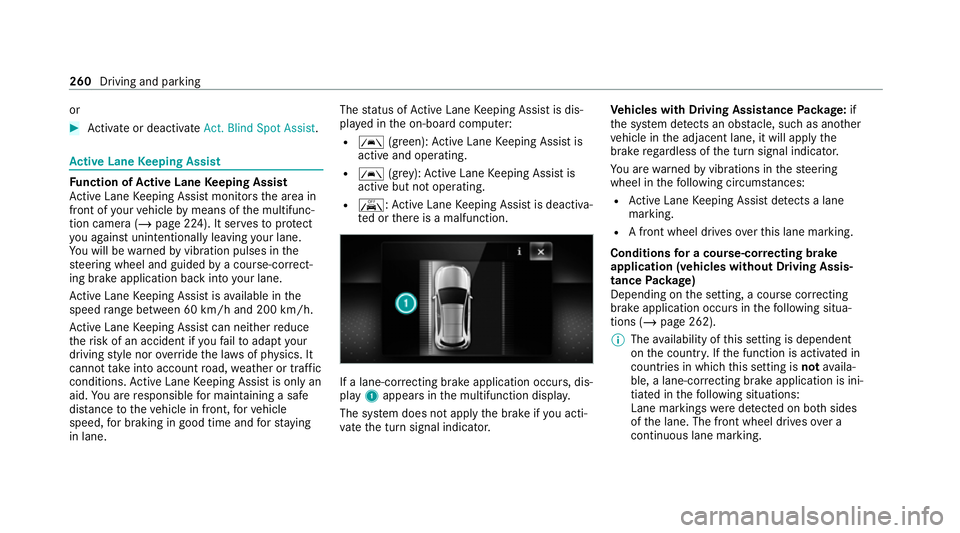
status of Active Lane Keeping Assist is dis‐
pla yed in the on-board computer:
R Ã (green): Active Lane Keeping Assist is
active and operating.
R Ã (grey):Ac tive Lane Keeping Assist is
active but not operating.
R ·: Active Lane Keeping Assist is deactiva‐
te d or there is a malfunction. If a lane-cor
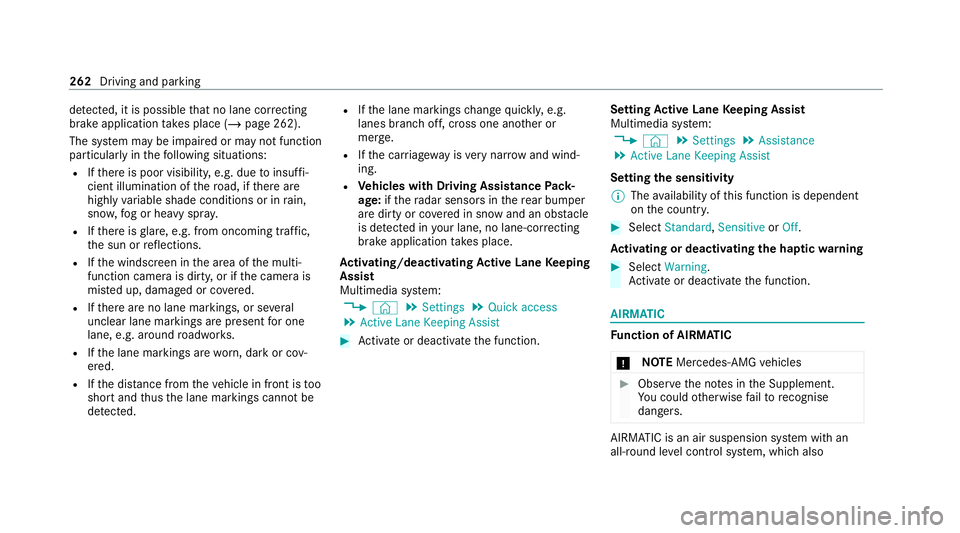
recting brake application occu rs, dis‐
play 1appears in the multifunction displa y.
The sy stem does not apply the brake if you acti‐
va te the turn signal indicator. Ve
hicles with Driving Assistance Package: if
th e sy stem de tects an obs tacle, su chas ano ther
ve hicle in the adjacent lane, it will apply the
brake rega rdless of the turn signal indicator.
Yo u are warned byvibrations in thesteering
wheel in thefo llowing circums tances:
R Active Lane Keeping Assist de tects a lane
marking.
R A front wheel drives over this lane marking.
Conditions for a course-cor recting brake
application (vehicles without Driving Assis‐
tance Package)
Depending on the setting, a course cor recting
brake application occu rsinthefo llowing situa‐
tions (/ page 262).
% The availability of this setting is dependent
on the count ry. If the function is activated in
count ries in which this setting is notavaila‐
ble, a lane-cor recting brake application is ini‐
tia ted in thefo llowing situations:
Lane markings weredetected on bo thsides
of the lane. The front wheel drives over a
continuous lane marking. 260
Driving and parking
Page 264 of 549
Standard
Setting
R Lane markings weredetected on bo thsides
of the lane. The front wheel drives over a
continuous lane marking.
R A lane marking and the edge of a firm road
sur face weredetected. The front wheel
drives over a lane marking on the edge of the
fi rm road sur face.
R A lane marking and an oncoming vehicle
we redetected. The front wheel drives over
th e lane marking.
Sensitive Setting
R All situations described under theStandard
setting.
R A continuous lane marking was de tected and
driven over with the front wheel.
% A brake application may be inter rupte d at
any time if yousteer slightly in the opposite
direction. Conditions
for a course-cor recting brake
application (vehicles with Driving Assistance
Pa ckage)
Depending on the setting, a course cor recting
brake application occu rsinthefo llowing situa‐
tions (/ page 262).
% The availability of this setting is dependent
on the count ry. If the function is activated in
count ries in which this setting is notavaila‐
ble, a lane-cor recting brake application is ini‐
tia ted in all situations described under Sen-
sitive.
Standard Setting
R A lane marking and an approaching vehicle,
an ove rtaking vehicle or vehicles driving par‐
allel to yo urvehicle weredetected in the
adjacent lane. The front wheel drives over
th e lane marking.
Sensitive Setting
R The situations described under theStandard
setting.
R A continuous lane marking was de tected and
driven over with the front wheel. %
A brake application may be inter rupte d at
any time if yousteer slightly in the opposite
direction.
Sy stem limits
No lane-cor recting brake application occu rsin
th efo llowing situations:
R You clear lyand actively steer, brake or accel‐
erate.
R If a driving saf ety sy stem inter venes, su chas
ESP ®
,Ac tive Brake Assi stor Active Blind
Spot Assi st.
R You ha veadop ted a sporty driving style with
high cornering speeds or high rates of accel‐
eration.
R When ESP ®
is deactivated.
R When driving with a trailer, the electrical con‐
nection tothe trailer has been cor rectly
es tablished.
R If a loss of tyre pressure or a defective tyre
has been de tected and displ ayed.
If yo u deactivate theAc tive Lane Keeping Assist
wa rning and the lane markings cann otbe clearly Driving and parking
261
Page 265 of 549
de
tected, it is possible that no lane cor recting
brake application take s place (/ page 262).
The sy stem may be impaired or may not function
particular lyin thefo llowing situations:
R Ifth ere is poor visibility, e.g. due toinsuf fi‐
cient illumination of thero ad, if there are
highly variable shade conditions or in rain,
sno w,fog or heavy spr ay.
R Ifth ere is glare, e.g. from oncoming traf fic,
th e sun or reflections.
R Ifth e windscreen in the area of the multi‐
function camera is dirty, or if the camera is
mis ted up, damaged or co vered.
R Ifth ere are no lane markings, or se veral
unclear lane markings are present for one
lane, e.g. around roadwor ks.
R Ifth e lane markings are worn, dark or cov‐
ered.
R Ifth e dis tance from theve hicle in front is too
short and thus the lane markings cann otbe
de tected. R
Ifth e lane markings change quickl y,e.g.
lanes branch off, cross one ano ther or
mer ge.
R Ifth e car riag ewa y is very nar row and wind‐
ing.
R Vehicles with Driving Assistance Pack‐
age: ifth era dar sensors in there ar bumper
are dirty or co vered in snow and an obs tacle
is de tected in your lane, no lane-cor recting
brake application take s place.
Ac tivating/deactivating Active Lane Keeping
Assist
Multimedia sy stem:
4 © 5
Settings 5
Quick access
5 Active Lane Keeping Assist #
Activate or deacti vate the function. Setting
Active Lane Keeping Assist
Multimedia sy stem:
4 © 5
Settings 5
Assistance
5 Active Lane Keeping Assist
Setting the sensitivity
% The availability of this function is dependent
on the count ry. #
Select Standard ,Sensitive orOff.
Ac tivating or deactivating the haptic warning #
Select Warning.
Ac tivate or deacti vate the function. AIRMATIC
Fu
nction of AIRMATIC
* NO
TEMercedes-AMG vehicles #
Obser vethe no tes in the Supplement.
Yo u could otherwise failto recognise
dangers. AIRM
ATIC is an air suspension sy stem with an
all-round le vel control sy stem, which also 262
Driving and parking
Page 272 of 549
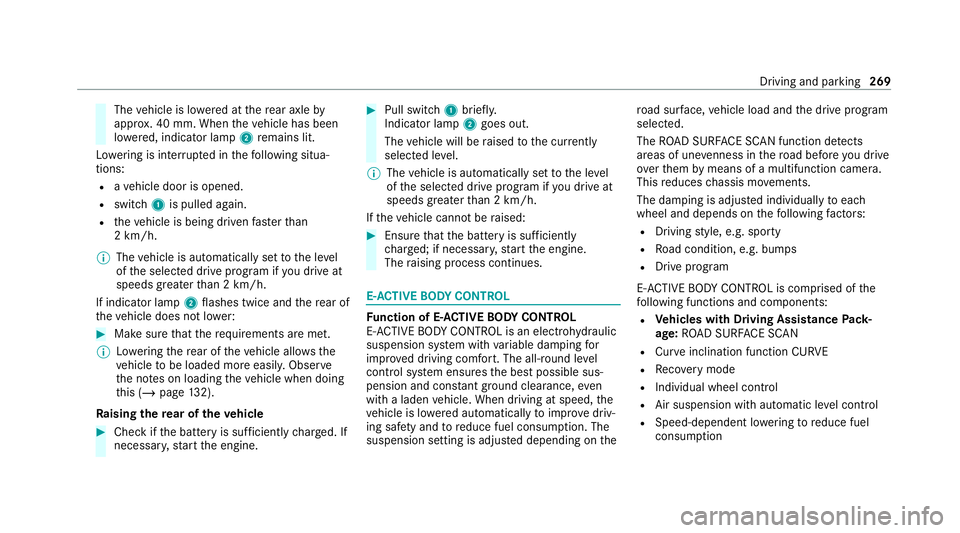
The
vehicle is lo wered at there ar axle by
appr ox. 40 mm. When theve hicle has been
lo we red, indicator lamp 2remains lit.
Lo we ring is inter rupte d in thefo llowing situa‐
tions:
R ave hicle door is opened.
R switch 1is pulled again.
R theve hicle is being driven fasterthan
2 km/h.
% The vehicle is automatically set tothe le vel
of the selected drive prog ram if you drive at
speeds greater than 2 km/h.
If indicator lamp 2flashes twice and there ar of
th eve hicle does not lo wer: #
Make sure that there qu irements are met.
% Lowe ring there ar of theve hicle allo wsthe
ve hicle tobe loaded more easil y.Obser ve
th e no tes on loading theve hicle when doing
th is (/ page132).
Ra ising there ar of theve hicle #
Che ckifth e battery is suf ficiently charge d. If
necessar y,start the engine. #
Pull switch 1briefly.
Indicator lamp 2goes out.
The vehicle will be raised tothe cur rently
selected le vel.
% The vehicle is automatically set tothe le vel
of the selected drive prog ram if you drive at
speeds greater than 2 km/h.
If th eve hicle cannot be raised: #
Ensure that the battery is suf ficiently
ch arge d; if necessar y,start the engine.
The raising process continues. E-
AC TIVE BODY CONT ROL Fu
nction of E- ACTIVE BODY CONT ROL
E- AC TIVE BODY CONTROL is an electrohydraulic
suspension sy stem with variable damping for
impr oved driving comfort. The all-round le vel
control sy stem ensures the best possible sus‐
pension and const ant ground clearance, even
with a laden vehicle. When driving at speed, the
ve hicle is lo wered automatically toimpr ovedriv‐
ing saf ety and toreduce fuel consum ption. The
suspension setting is adjus ted depending on thero
ad sur face, vehicle load and the drive program
selected.
The ROAD SUR FACE SCAN function de tects
areas of une venness in thero ad before you drive
ove rth em bymeans of a multifunction camera.
This reduces chassis mo vements.
The damping is adju sted individually toeach
wheel and depends on thefo llowing factors:
R Driving style, e.g. sporty
R Road condition, e.g. bumps
R Drive program
E- AC TIVE BODY CONTROL is comprised of the
fo llowing functions and components:
R Vehicles with Driving Assistance Pack‐
age: ROAD SUR FACE SCAN
R Cur veinclination function CURVE
R Recovery mode
R Individual wheel control
R Air suspension with auto matic level control
R Speed-dependent lo wering toreduce fuel
consum ption Driving and parking
269