ECU MERCEDES-BENZ GLS SUV 2020 Service Manual
[x] Cancel search | Manufacturer: MERCEDES-BENZ, Model Year: 2020, Model line: GLS SUV, Model: MERCEDES-BENZ GLS SUV 2020Pages: 549, PDF Size: 9.9 MB
Page 220 of 549
#
Unscr ew and close disposable hose 3and
Ad Blue ®
re fill canis ter4 inreve rse order. #
Replace AdBlue ®
filler cap 2and turn it
clockwise until it audibly engages. #
Close fuel filler flap 1. #
Swit chon the ignition for at least 60 sec‐
onds.
% Ifth e engine could not be star ted due tothe
Ad Blue ®
tan k being empty, it can take up to
60 seconds forth eto p up tobe de tected. #
Start theve hicle.
% Avoid storing AdBlue ®
re fill con tainers per‐
manently in theve hicle. Pa
rking Pa
rking theve hicle &
WARNING Risk of accident and inju ry
caused byan insuf ficiently secu redve hi‐
cle rolling away
If th eve hicle is not securely par ked suf fi‐
ciently, it can rollaw ay in an uncont rolled
wa yev en at a slight downhill gradient. #
On uphill or downhill gradients, turn the
front wheels so that theve hicle rolls
to wa rdsth eke rb if it starts moving. #
apply the parking brake. #
Switch the transmission toposition j. &
WARNING Risk offire caused byhot
ex haust sy stem parts
Flammable materials such as lea ves, grass or
twigs may ignite. #
Park theve hicle so that no flammable
material can come into con tact wi thhot
ve hicle components. #
In particular, do not park on dry grass‐
land or har vested grain fields. &
WARNING Risk of accident and inju ry
due tochildren left unat tended in the
ve hicle
If ch ildren are left unsupervised in theve hi‐
cle, they could, in pa rticular:
R open doors, thereby endangering other
persons or road users.
R get out and be stru ck byoncoming traf‐
fi c.
R ope rate ve hicle equipment and become
trapped, forex ample.
In addition, thech ildren could also set the
ve hicle in motion, forex ample by:
R releasing the parking brake.
R changing the transmission position.
R starting theve hicle. #
Never lea vechildren unat tended in the
ve hicle. Driving and parking
217
Page 221 of 549
#
When leaving theve hicle, alw aysta ke
th eke y with you and lock theve hicle. #
Keep theve hicle key out of reach of
ch ildren. *
NO
TEDama getotheve hicle due toit
ro lling away #
Alw ays secure theve hicle against roll‐
ing away. *
NO
TEDama gedue totheve hicle lo wer‐
ing Ve
hicles with AIRMATIC or E- ACTIVE
BO DY CONT ROL:The vehicle can lo wer
because of temp erature dif fere nces or longer
non-operational times. This can cause dam‐
age toparts of the body. #
When stopping theve hicle and when
driving off, make sure that there are no
obs tacles su chas curbs under or in the
immediate vicinity of the body. #
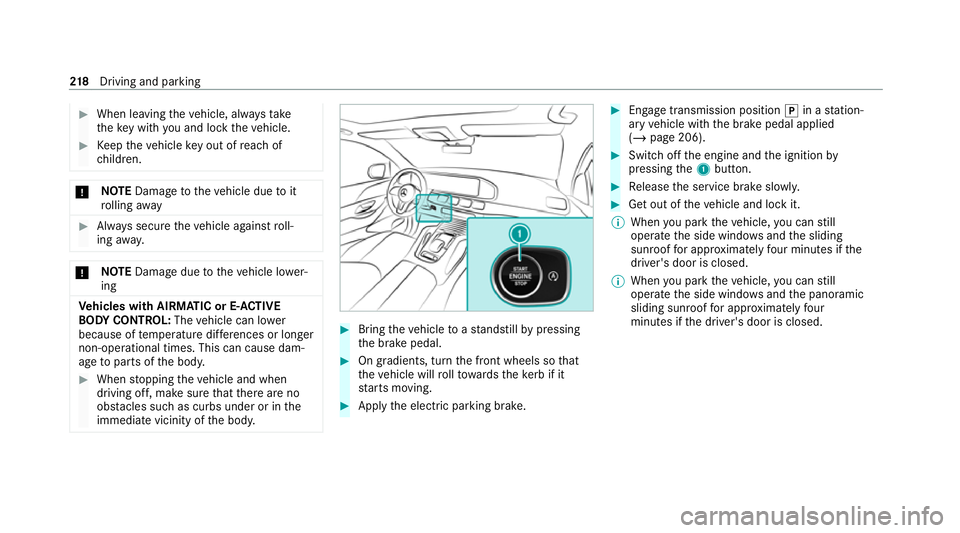
Bring theve hicle toast andstill bypressing
th e brake pedal. #
On gradients, turn the front wheels so that
th eve hicle will rollto wa rdsth eke rb if it
st arts moving. #
App lythe electric parking brake. #
Enga getransmission position jin a station‐
ary vehicle with the brake pedal applied
(/ page 206). #
Switch off the engine and the ignition by
pressing the1 button. #
Release the service brake slowl y. #
Get out of theve hicle and lock it.
% When you park theve hicle, you can still
opera tethe side windo wsand the sliding
sunroof for appro ximately four minutes if the
driver's door is closed.
% When you park theve hicle, you can still
opera tethe side windo wsand the panoramic
sliding sunroof for appro ximately four
minutes if the driver's door is closed. 218
Driving and pa rking
Page 226 of 549
%
The electric parking brake is only securely
applied if the indicator lamp is lit continu‐
ously.
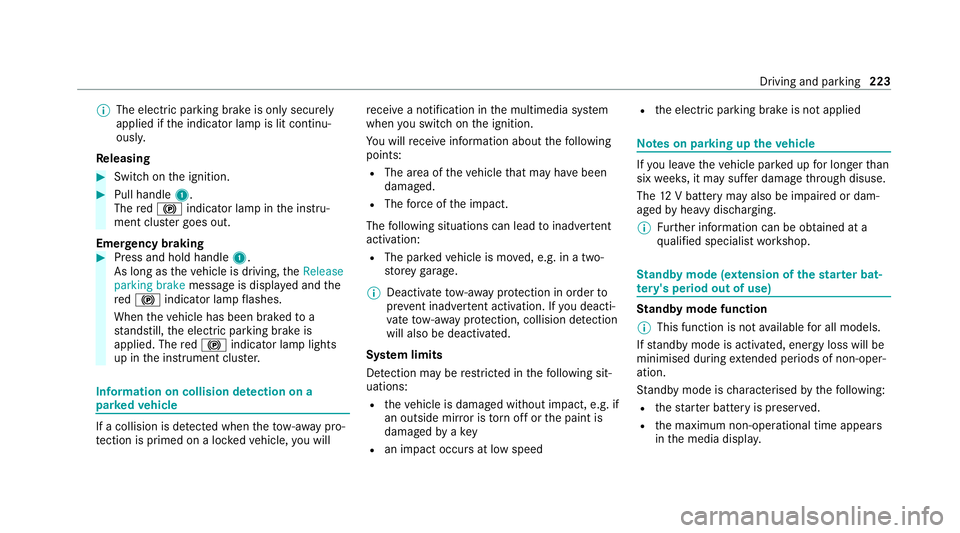
Re leasing #
Swit chon the ignition. #
Pull handle 1.
The red! indicator lamp in the instru‐
ment clus ter goes out.
Emer gency braking #
Press and hold handle 1.
As long as theve hicle is driving, theRelease
parking brake message is displa yed and the
re d! indicator lamp flashes.
When theve hicle has been braked to a
st andstill, the electric parking brake is
applied. The red! indicator lamp lights
up in the instrument clus ter. Information on collision de
tection on a
pa rked vehicle If a collision is de
tected when theto w- aw ay pro‐
te ction is primed on a loc kedve hicle, you will re
cei vea notification in the multimedia sy stem
when you swit chon the ignition.
Yo u will recei veinformation about thefo llowing
points:
R The area of theve hicle that may ha vebeen
damaged.
R The forc e of the impact.
The following situations can lead toinadver tent
acti vation:
R The pa rked vehicle is mo ved, e.g. in a two-
st or ey garage.
% Deactivate tow- aw ay protection in order to
pr eve nt inadver tent acti vation. If you deacti‐
va te tow- aw ay protection, collision de tection
will also be deactivated.
Sy stem limits
De tection may be restricted in thefo llowing sit‐
uations:
R theve hicle is damaged without impact, e.g. if
an outside mir ror is torn off or the paint is
damaged byakey
R an impact occurs at low speed R
the electric parking brake is not applied Note
s on parking up theve hicle If
yo u lea vetheve hicle par ked up for longer than
six weeks, it may suf fer dama gethro ugh disuse.
The 12V battery may also be impaired or dam‐
aged byheavy discharging.
% Further information can be obtained at a
qu alified specialist workshop. St
andby mode (extension of the star ter bat‐
te ry 's period out of use) St
andby mode function
% This function is not available for all models.
If standby mode is activated, ene rgy loss will be
minimised during extended pe riods of non-oper‐
ation.
St andby mode is characterised bythefo llowing:
R thest ar ter battery is preser ved.
R the maximum non-operational time appears
in the media displa y. Driving and pa
rking 223
Page 233 of 549
Fu
nction of EBD Elect
ronic Breakforce Distribution (EBD) is char‐
acterised bythefo llowing:
R Monitoring and regulating the brake pressure
on there ar wheels.
R Impr oved driving stability when braking,
especially on bends. Fu
nction of STEER CONT ROL ST
EER CONTROL helps youby transmitting a
noticeable steering forc eto thesteering wheel in
th e direction requ ired forve hicle stabilisation.
This steering recommendation is given in thefo l‐
lowing situations:
R both right wheels or bo thleft wheels are on a
we t or slippe ryroad sur face when you brake
R theve hicle starts toskid
Sy stem limits
ST EER CONTROL may be impaire d or may not
function in thefo llowing situations:
R ESP ®
is deactivated. R
ESP ®
is malfunctioning.
R The steering is malfunctioning.
If ESP ®
is malfunctioning, you will be assis ted
fur ther by the electric po werst eering. HOLD function
HOLD function
The HOLD function holds
theve hicle at a stand‐
st ill without requ iring youto depress the brake
pedal, e.g. while waiting in traf fic.
The HOLD function is only an aid. The responsi‐
bility forth eve hicle safely standing still remains
with the driver.
Sy stem limits
The HOLD function is only intended toprov ide
assis tance when driving and is not a su fficient
means of safeguarding theve hicle against rolling
aw ay when stationar y.
R The incline must not be greater than 30%. Ac
tivating/deactivating the HOLD function &
WARNING Risk of an accident due tothe
HOLD function being active when you
lea vetheve hicle
If th eve hicle is only braked with the HOLD
function it could, in thefo llowing situations,
ro llaw ay:
R Ifth ere is a malfunction in the sy stem or
in the po wer supp ly.
R Ifth e HOLD function is deactivated by
depressing the accelerator pedal or brake
pedal, e.g. byave hicle occupant. #
Alw ays secure theve hicle against roll‐
ing away before you lea veit. Re
quirements:
R The vehicle is stationar y.
R The driver's door is closed or the seat belt on
th e driver's side is fastened.
R The engine is running or has been au tomati‐
cally switched off bythe ECO start/ stop
function. 230
Driving and parking
Page 234 of 549
R
The electric parking brake is released.
R Active Dis tance Assi stDISTRONIC is deacti‐
va ted.
R The transmission is in position h,kori.
Ac tivating the HOLD function #
Dep ress the brake pedal, and af ter a short
time quickly depress fur ther until theë
display appears in the multifunction displa y.#
Release the brake pedal.
Deactivating the HOLD function #
Depress the accelerator pedal topull away.
or #
Depress the brake pedal until theë dis‐
play disappears from the multifunction dis‐
pla y.
The HOLD function is deactivated in thefo llow‐
ing situations:
R Active Dis tance Assi stDISTRONIC is acti va‐
te d.
R The transmission is shif tedto position j. R
The vehicle is secured with the electric park‐
ing brake.
In thefo llowing situations, theve hicle is held by
transmission position jand/or bythe electric
parking brake:
R The seat belt is unfas tened and the driver's
door is opened.
R The vehicle is switched off.
R There is a malfunction in the sy stem or the
po we r supp lyis insuf ficient. Fu
nction of Hill Start Assist Hill
Start Assist holds theve hicle for a short
time when pulling away on a hill under thefo l‐
lowing conditions:
R The transmission is in position hork.
R The elect ric pa rking brake is released.
This gives you enough time tomo veyour foot
from the brake pedal tothe accelera tor pedal
and depress it before theve hicle begins toroll
aw ay. &
WARNING Risk of accident and inju ry
due totheve hicle rolling away
Af ter a short time, Hill Start Assist no lon ger
holds theve hicle. #
Swiftly mo veyour foot from the brake
pedal tothe accelera tor pedal. Do not
lea vetheve hicle when it is being held
by Hill Start Assist. Fu
nction of Adaptive Brake Lights Ad
aptive Brake Lights warnfollowing traf fic in an
emergency braking situation wi th thefo llowing
actions:
R Byflashing the brake lamps
R By activating the hazard warning lights
If th eve hicle is braked sharply from speeds
abo ve50 km/h, the brake lamps flash rapidl y.
This pr ovides traf fic tr avelling behind you with an
ev en more noticeable warning.
If th eve hicle is tr avelling at speeds of more than
70 km/h at the beginning of the brake applica‐
tion, the hazard warning lights switch on once Driving and parking
231
Page 235 of 549
th
eve hicle is stationar y.When you pull away
again, the hazard warning lights will switch off
automatically at appr oximately 10km/h. Yo u
can also switch off the hazard warning lights
using the hazard warning button. AT
TENTION ASSI STFu
nction of ATTENTION ASSI ST
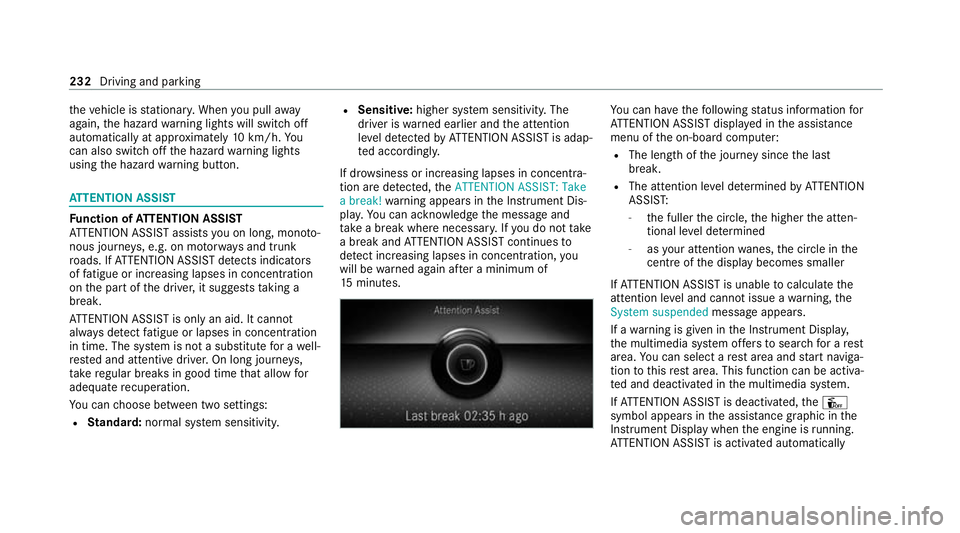
AT TENTION ASSIST assists you on long, mon oto‐
nous journe ys, e.g. on mo torw ays and trunk
ro ads. If ATTENTION ASSIST de tects indicators
of fatigue or increasing lapses in concentration
on the part of the driver, it suggests taking a
brea k.
AT TENTION ASSIST is only an aid. It cannot
alw ays de tect fatigue or lapses in concentration
in time. The sy stem is not a substitute for a well-
re sted and attentive driver. On long journe ys,
ta ke regular breaks in good time that allow for
adequate recuperation.
Yo u can choose between two settings:
R Standard: normal sy stem sensitivity. R
Sensitive: higher system sensitivity. The
driver is warned earlier and the attention
le ve l de tected byATTENTION ASSIST is adap‐
te d according ly.
If dr owsiness or increasing lapses in concentra‐
tion are de tected, theATTENTION ASSIST: Take
a break! warning appears in the Instrument Dis‐
pla y.Yo u can ackn owledge the message and
tak e a break where necessar y.Ifyo u do not take
a break and ATTENTION ASSIST continues to
de tect increasing lapses in concentration, you
will be warned again af ter a minimum of
15 minutes. Yo
u can ha vethefo llowing status information for
AT TENTION ASSIST displa yed in the assis tance
menu of the on-board computer:
R The length of the journey since the last
break.
R The attention le vel de term ined byATTENTION
ASSIS T:
- the fuller the circle, the higher the atten‐
tional le vel de term ined
- asyour attention wanes, the circle in the
centre of the display becomes smaller
If AT TENTION ASSIST is unable tocalculate the
attention le vel and cannot issue a warning, the
System suspended messageappears.
If a warning is given in the Instrument Displa y,
th e multimedia sy stem of fers to sear chfor a rest
area. You can select a rest area and start naviga‐
tion tothis rest area. This function can be activa‐
te d and deactivated in the multimedia sy stem.
If AT TENTION ASSIST is deactivated, theÛ
symbol appears in the assis tance graphic in the
Instrument Display when the engine is running.
AT TENTION ASSIST is activated automatically 232
Driving and parking
Page 243 of 549
#
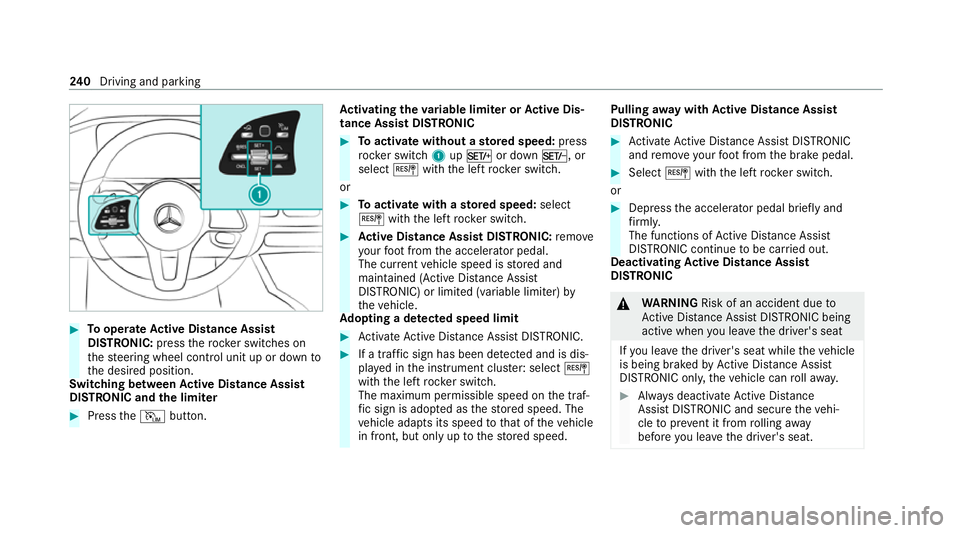
Tooperate Active Di stance Assist
DISTRO NIC:press thero ck er switches on
th esteering wheel control unit up or down to
th e desired position.
Switching between Active Di stance Assist
DISTRO NIC and the limiter #
Press theI button. Ac
tivating the variable limi ter or Active Dis‐
tance Assi stDISTRONIC #
Toactivate with out astored speed: press
rock er switch 1upM or down N, or
select Jwiththe left rocker switch.
or #
Toactivate with ast ored speed: select
J withthe left rocker switch. #
Active Di stance Assist DISTRO NIC:remo ve
yo ur foot from the accelerator pedal.
The cur rent vehicle speed is stored and
maintained (Active Dis tance Assi st
DISTRONIC) or limited (variable limiter) by
th eve hicle.
Ad opting a de tected speed limit #
Activate Active Dis tance Assi stDISTRONIC. #
If a traf fic sign has been de tected and is dis‐
pl ay ed in the instrument clus ter: select J
with the left rocker switch.
The maximum permissible speed on the traf‐
fi c sign is adop ted as thestored speed. The
ve hicle adapts its speed tothat of theve hicle
in front, but only up tothestored speed. Pulling
away with Active Di stance Assist
DISTRO NIC #
Activate Active Dis tance Assi stDISTRONIC
and remo veyour foot from the brake pedal. #
Select Jwiththe left rock er switch.
or #
Depress the accelerator pedal briefly and
fi rm ly.
The functions of Active Dis tance Assi st
DISTRONIC continue tobe car ried out.
Deactivating Active Di stance Assist
DISTRO NIC &
WARNING Risk of an accident due to
Ac tive Dis tance Assi stDISTRONIC being
acti vewhen you lea vethe driver's seat
If yo u lea vethe driver's seat while theve hicle
is being braked byActive Dis tance Assi st
DISTRONIC only, theve hicle can rollaw ay. #
Alw ays deactivate Active Dis tance
Assi stDISTRONIC and secure theve hi‐
cle topreve nt it from rolling away
before you lea vethe driver's seat. 240
Driving and pa rking
Page 251 of 549
Ac
tivating/deactivating Active Steering
Assist
Re quirements:
R ESP ®
is activated, but is not inter vening.
R Active Dis tance Assi stDISTRONIC is acti va‐
te d.
Multimedia sy stem:
4 © 5
Settings 5
Quick access #
Select aAct. Steer. Asst .Fu
nction of Active Eme rgency Stop Assist If
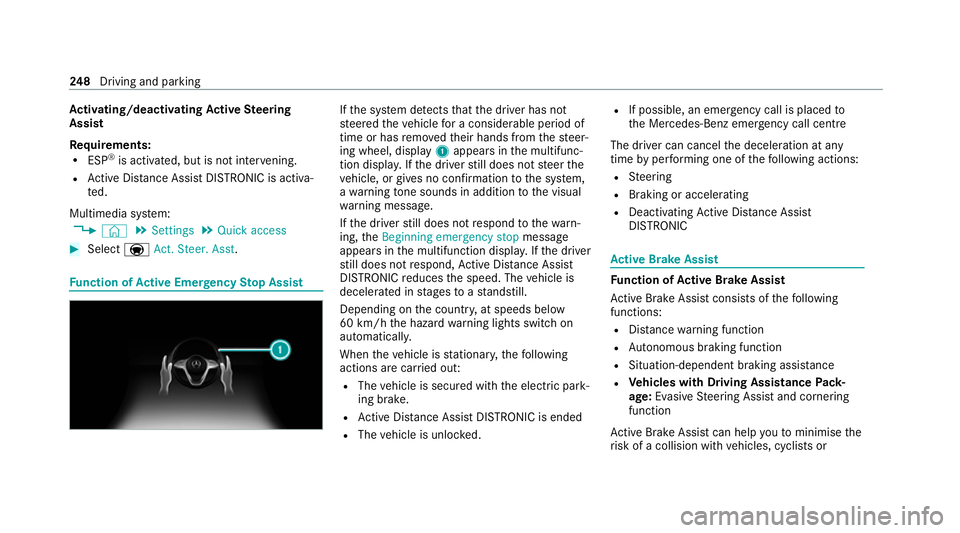
th e sy stem de tects that the driver has not
st eered theve hicle for a considerable period of
time or has remo vedth eir hands from thesteer‐
ing wheel, display 1appears in the multifunc‐
tion displa y.Ifth e driver still does not steer the
ve hicle, or gives no confirmation tothe sy stem,
a wa rning tone sounds in addition tothe visual
wa rning message.
If th e driver still does not respond tothewa rn‐
ing, theBeginning emergency stop message
appears in the multifunction displa y.Ifth e driver
st ill does not respond, Active Dis tance Assi st
DISTRONIC reduces the speed. The vehicle is
decelerated in stages toast andstill.
Depending on the count ry, at speeds below
60 km/h the hazard warning lights switch on
automaticall y.
When theve hicle is stationar y,thefo llowing
actions are car ried out:
R The vehicle is secured with the electric park‐
ing brake.
R Active Dis tance Assi stDISTRONIC is ended
R The vehicle is unloc ked. R
If possible, an emer gency call is placed to
th e Mercedes-Benz emer gency call centre
The driver can cancel the deceleration at any
time byper form ing one of thefo llowing actions:
R Steering
R Braking or accelerating
R Deactivating Active Dis tance Assi st
DISTRONIC Ac
tive Brake Assi st Fu
nction of Active Brake Assi st
Ac tive Brake Assi stconsi sts of thefo llowing
functions:
R Distance warning function
R Autonomous braking function
R Situation-dependent braking assi stance
R Vehicles with Driving Assistance Pack‐
age: Evasi veSteering Assist and cornering
function
Ac tive Brake Assi stcan help youto minimise the
ri sk of a collision with vehicles, cyclists or 248
Driving and pa rking
Page 299 of 549
Ensu
rethefo llowing before starting a journey:
R The tyre pressure on there ar axle of theto w‐
ing vehicle is set for a maximum load
R The lighting of the connected trailer is opera‐
tional
In theeve nt of increased rear axle load, the car/
trailer combination must not exceed a maximum
speed of 100 km/h forre asons concerning the
operating permit. This also applies in countri es
in which the permissible maximum speed for
car/trailer combinations is ab ove100 km/h.
Ve hicles with AIRMATIC or E- ACTIVE BODY
CONT ROL:ifth e soc ket of the trailer hitch is
occupied, e.g. bya trailer or rear bicycle rack,
th eve hicle is set tothe normal le velre ga rdless
of the drive program at speeds greater than
30 km/h.
% When you are reve rsing with a trailer,
re member touse theTr ailer Manoeuvering
Assist function (/ page 293). Extending and
retracting the ball ne ckfully
electrically &
WARNING Risk of accident due tothe
ball neck not being engaged
If th e ball neck is not engaged, the trailer
may come loose. #
Make sure that the ball neck securely
engages and loc ksinto place. *
NO
TEDama getothe all-electric trailer
hitch due toadditional pressure The all-electric trailer hit
chcould be mechan‐
ically damaged byapplying additional pres‐
sure when the ball neck is being extended or
re tracted. #
Do not ma kethe ball neck extend/
re tract faster by applying additional
pressure. Re
quirements:
R The vehicle is secured against rolling away.
R The swivel range is clear. R
The trailer cables or adap ter plugs ha vebeen
re mo ved.
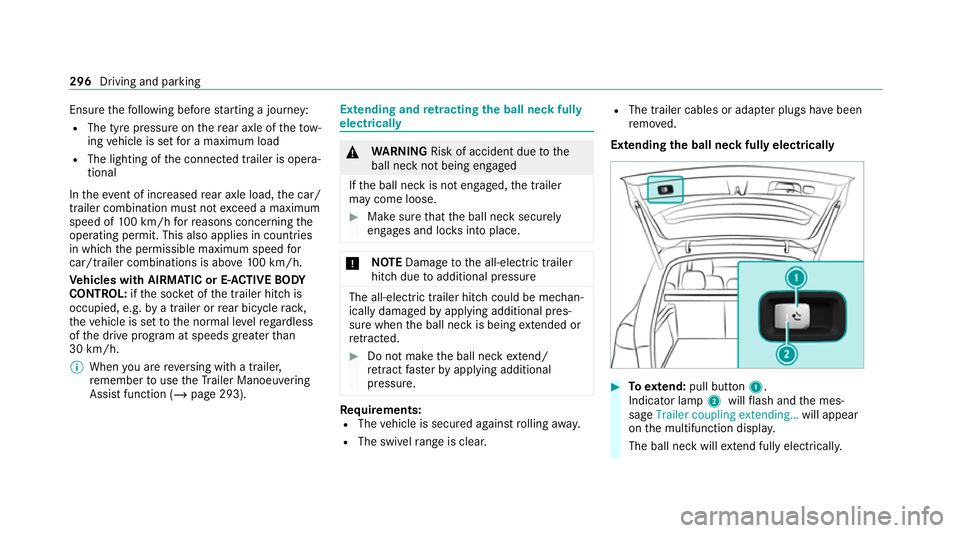
Extending the ball neck fully electrically #
Toextend: pull button 1.
Indicator lamp 2willflash and the mes‐
sage Trailer coupling extending… will appear
on the multifunction displa y.
The ball neck will extend fully electrically. 296
Driving and pa rking
Page 300 of 549
#
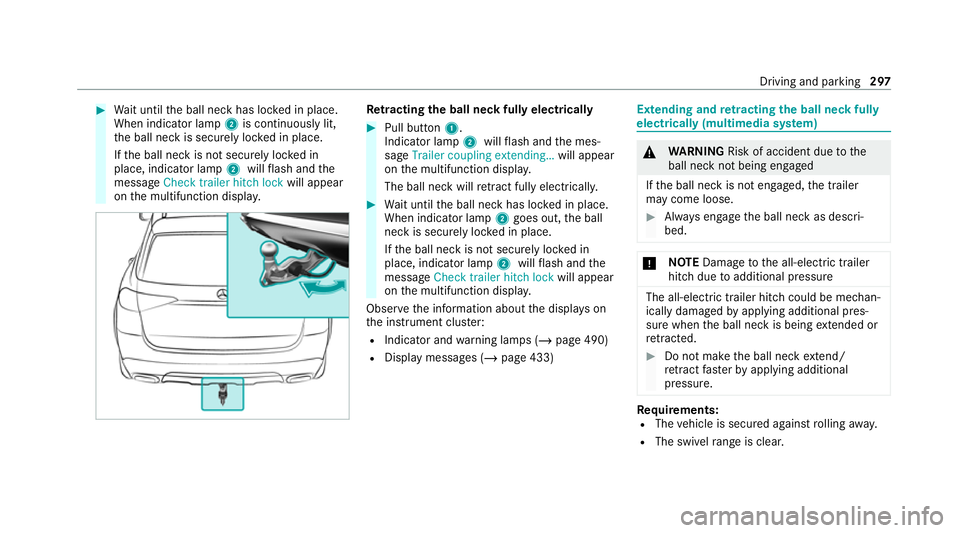
Wait until the ball neck has loc ked in place.
When indicator lamp 2is continuously lit,
th e ball neck is securely loc ked in place.
If th e ball neck is not securely loc ked in
place, indicator lamp 2willflash and the
messa geCheck trailer hitch lock will appear
on the multifunction displa y. Re
tracting the ball ne ckfully electrical ly #
Pull button 1.
Indicator lamp 2willflash and the mes‐
sage Trailer coupling extending… will appear
on the multifunction displa y.
The ball neck will retract fully electrically. #
Wait until the ball neck has loc ked in place.
When indicator lamp 2goes out, the ball
neck is securely loc ked in place.
If th e ball neck is not securely loc ked in
place, indicator lamp 2willflash and the
messa geCheck trailer hitch lock will appear
on the multifunction displa y.
Obser vethe information about the displa yson
th e instrument clus ter:
R Indicator and warning lamps (/ page 490)
R Display messages (/ page 433) Extending and
retracting the ball ne ckfully
electrically (multimedia sy stem) &
WARNING Risk of accident due tothe
ball neck not being engaged
If th e ball neck is not engaged, the trailer
may come loose. #
Alw ays engage the ball neck as descri‐
bed. *
NO
TEDama getothe all-electric trailer
hitch due toadditional pressure The all-electric trailer hit
chcould be mechan‐
ically damaged byapplying additional pres‐
sure when the ball neck is being extended or
re tracted. #
Do not ma kethe ball neck extend/
re tract faster by applying additional
pressure. Re
quirements:
R The vehicle is secured against rolling away.
R The swivel range is clear. Driving and pa
rking 297