light MERCEDES-BENZ M-Class 2001 W163 Comand Manual
[x] Cancel search | Manufacturer: MERCEDES-BENZ, Model Year: 2001, Model line: M-Class, Model: MERCEDES-BENZ M-Class 2001 W163Pages: 164, PDF Size: 2.2 MB
Page 153 of 164
151
Introduction Audio Telephone Navigation Index
S y s te m s e ttin g s
Operating and display elements -
System settings............................................................. 152
Adjust sound settings...................................................... 153
Switching between
the light mode and the dark mode ............................ 155
Adjusting the brightness
in the dark mode .......................................................... 155
Adjusting the brightness
for navigation systems................................................. 156
Setting the display
dimming characteristics ............................................. 157
Contents - System settings
Page 154 of 164
152
Introduction Audio Telephone Navigation Index
S y s te m s e ttin g s
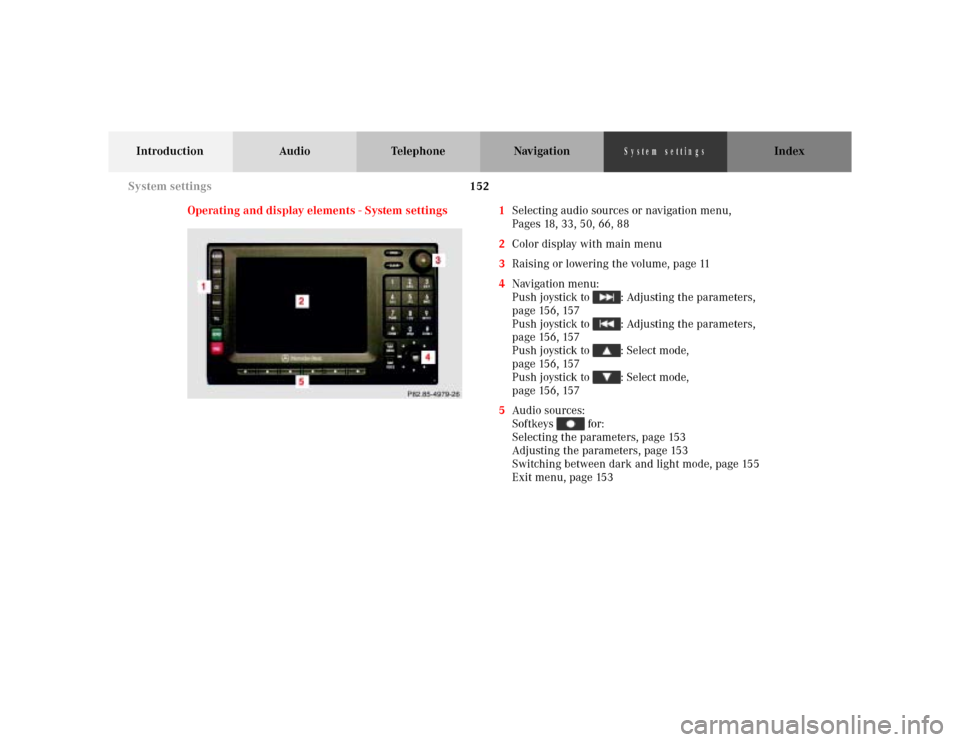
Operating and display elements - System settings 1Selecting audio sources or navigation menu,
Pages 18, 33, 50, 66, 88
2Color display with main menu
3Raising or lowering the volume, page 11
4Navigation menu:
Push joystick to : Adjusting the parameters,
page 156, 157
Push joystick to : Adjusting the parameters,
page 156, 157
Push joystick to : Select mode,
p a g e 15 6 , 15 7
Push joystick to : Select mode,
p a g e 15 6 , 15 7
5Audio sources:
Softkeys for:
Selecting the parameters, page 153
Adjusting the parameters, page 153
Switching between dark and light mode, page 155
Exit menu, page 153
System settings
Page 155 of 164
153
Introduction Audio Telephone Navigation Index
S y s te m s e ttin g s
Adjust sound settings
You can adjust the sound settings for the audio sources.
The audio sources include:
•Radio (FM, AM, WB)
•Tape deck
•CD
•CD-Changer
Each audio source has its own adjustments for bass and
treble levels.
The adjustment for balance and fader are the same for
all audio sources.
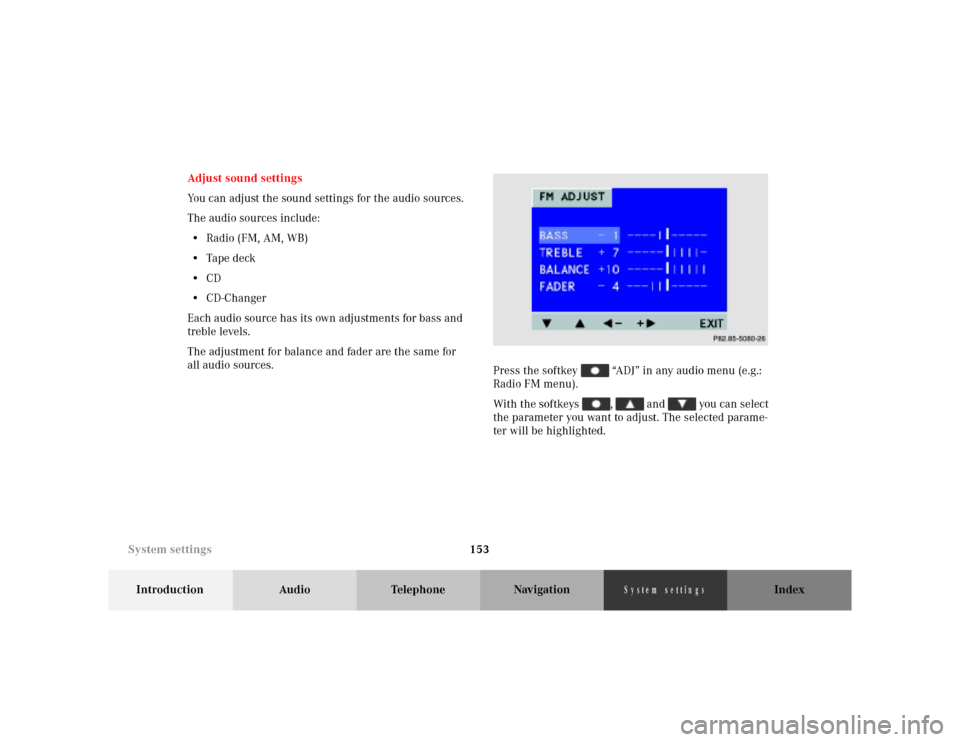
Press the softkey “ADJ” in any audio menu (e.g.:
Radio FM menu).
With the softkeys , and you can select
the parameter you want to adjust. The selected parame-
ter will be highlighted.
P68.20-2110-27
System settings
Page 157 of 164
155
Introduction Audio Telephone Navigation Index
S y s te m s e ttin g s
Switching between
the light mode and the dark mode
When the parking lights are turned on, the display
switches to the dark mode. The display is illuminated in
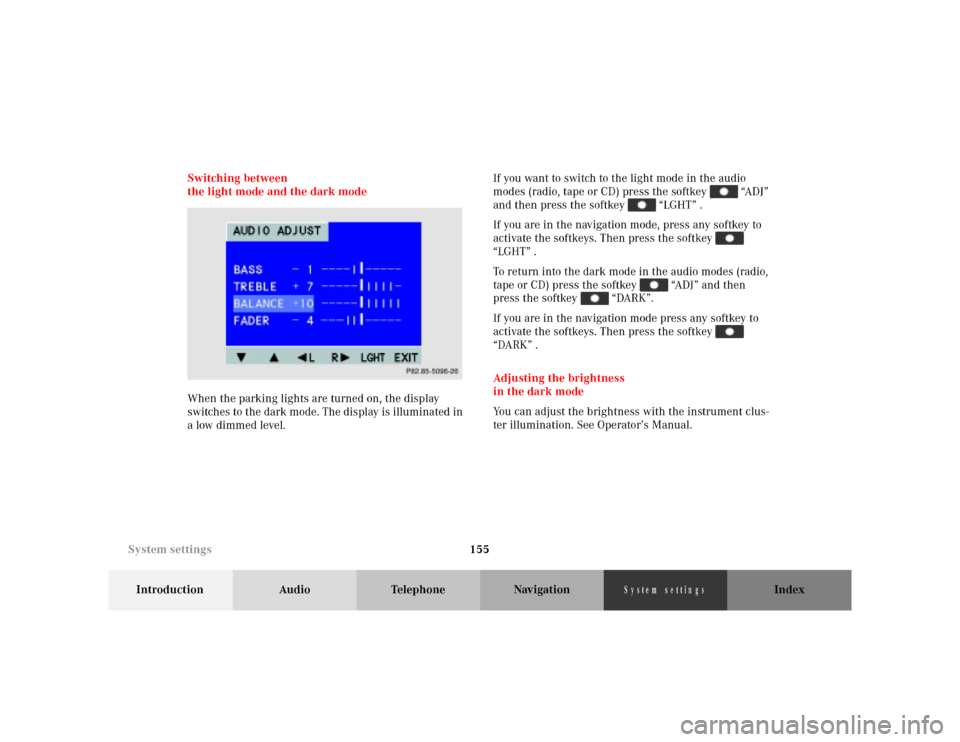
a low dimmed level.If you want to switch to the light mode in the audio
modes (radio, tape or CD) press the softkey “ADJ”
and then press the softkey “LGHT” .
If you are in the navigation mode, press any softkey to
activate the softkeys. Then press the softkey
“LGHT” .
To return into the dark mode in the audio modes (radio,
tape or CD) press the softkey “ADJ” and then
press the softkey “DARK”.
If you are in the navigation mode press any softkey to
activate the softkeys. Then press the softkey
“DARK” .
Adjusting the brightness
in the dark mode
You can adjust the brightness with the instrument clus-
ter illumination. See Operator’s Manual.
P82.85-5096-26
System settings
Page 159 of 164
157
Introduction Audio Telephone Navigation Index
S y s te m s e ttin g s
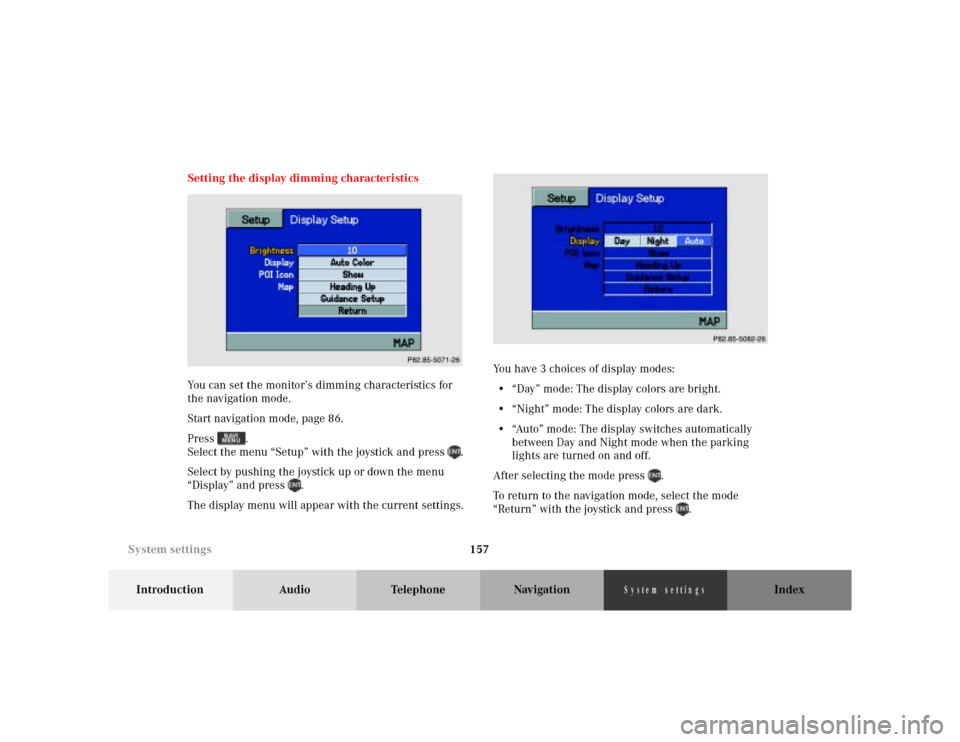
Setting the display dimming characteristics
You can set the monitor’s dimming characteristics for
the navigation mode.
Start navigation mode, page 86.
Press .
Select the menu “Setup” with the joystick and press .
Select by pushing the joystick up or down the menu
“Display” and press .
The display menu will appear with the current settings.You have 3 choices of display modes:
• “Day” mode: The display colors are bright.
• “Night” mode: The display colors are dark.
• “Auto” mode: The display switches automatically
between Day and Night mode when the parking
lights are turned on and off.
After selecting the mode press .
To return to the navigation mode, select the mode
“Return” with the joystick and press .
P82.85-5072-26
P86-0081-B13 (2-fbg)
System settings
Page 162 of 164
160
Introduction Audio Telephone NavigationIndex
S y s te m s e ttin g s
R
Recent Route editing ....................................................... 120
Redial ....................................................................................74
Requesting and displaying Info Services ....................... 79
Road obstructed.................................................................131
Route guidance................................................................. 124
S
Saving the current vehicle position .............................. 109
Scanning (tape) .................................................................. 37
Scanning (CD) .................................................................... 56
Selecting a station
(FM or AM mode) ............................................................19
Selecting CDs (MCS with CD changer) .......................... 53
Selecting the language.................................................... 147
Selecting the off-route recalculation mode.................. 146
Selecting the route calculation mode ........................... 144
Select time display............................................................. 59
Setting map screen orientation ..................................... 139
Setting points of interest icon options ..........................141
Setting the display dimming characteristics............... 157
Setting type of guidance display ................................... 137
Setting voice prompt type/frequency........................... 135
Skip blanks ......................................................................... 38
Speed-dialing ...................................................................... 75Switching between
the light mode and the dark mode ............................ 155
Switching CD operation on and off ................................. 50
Switching navigation operation on and off .................... 88
Switching radio operation on and off ............................. 18
Switching tape operation on and off ............................... 33
Switching telephone operation on and off ..................... 66
T
The principle of route guidance..................................... 122
Today’s Plan .......................................................................115
Track select ......................................................................... 54
V
Viewing GPS Information ............................................... 149
Viewing the Maneuver List during guidance .............. 130
Viewing Software Information ....................................... 150
W
Weather band...................................................................... 22