radio MERCEDES-BENZ M-CLASS SUV 2011 User Guide
[x] Cancel search | Manufacturer: MERCEDES-BENZ, Model Year: 2011, Model line: M-CLASS SUV, Model: MERCEDES-BENZ M-CLASS SUV 2011Pages: 389, PDF Size: 9.22 MB
Page 80 of 389
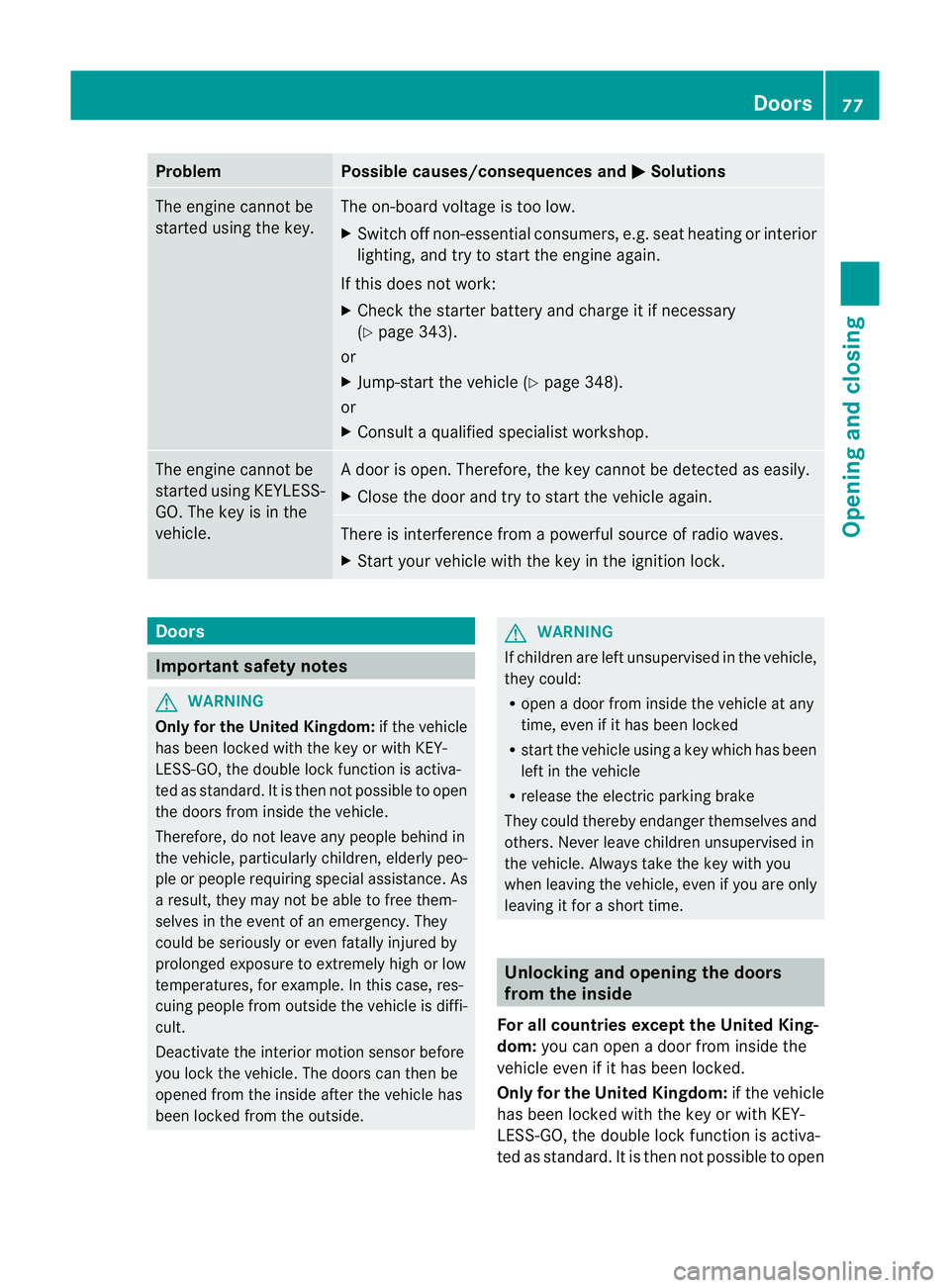
Problem Possible causes/consequences and
M Solutions
The engin
ecannot be
started using the key. The on-board voltage is too low.
X Switch off non-essential consumers, e.g. seat heating or interior
lighting ,and try to start the engine again.
If this doe snot work:
X Check the starter battery and charge it if necessary
(Y page 343).
or
X Jump-start the vehicle (Y page 348).
or
X Consult aqualified specialist workshop. The engine cannot be
started using KEYLESS-
GO. The key is in the
vehicle. Ad
oor is open. Therefore, the key can notb ed etected as easily.
X Close the door and tr ytostart the vehicle again. There is interferenc
efrom apowerfu lsource of radio waves.
X Start your vehicle with the key in the ignition lock. Doors
Important safety notes
G
WARNING
Only fo rthe Unite dKingdom: if the vehicle
has been locked with the key or with KEY-
LESS-GO, the double lock func tion is activa-
ted as standard. It is then not possible to open
the doors from inside the vehicle.
Therefore, do not leav eany people behind in
the vehicle, particularly children, elderly peo-
ple or people requiring special assistance .As
ar esult, they may not be able to free them-
selves in the event of an emergency. They
could be seriously or even fatally injured by
prolonged exposur etoextremely hig horlow
tempera tures, for example. In this case ,res-
cuin gpeople from outside the vehicle is diffi-
cult.
Deac tivate the interior motion sensor before
you lock the vehicle .The doors can then be
opened from the insid eafter the vehicl ehas
been locked from the outside. G
WARNING
If children are left unsupervised in the vehicle,
they could:
R open adoor from inside the vehicle at any
time, even if it has been locked
R star tthe vehicle usin gakey which has been
left in the vehicle
R release the electric parking brake
They could thereby endanger themselves and
others. Never leave children unsupervised in
the vehicle. Alway stake the key with you
when leaving the vehicle, even if you are only
leaving it for ashort time. Unlocking and opening th
edoors
from the inside
For all countries except the United King-
dom: you can open adoor from inside the
vehicle even if it has been locked.
Only for th eUnited Kingdom: if the vehicle
has been locked with the key or with KEY-
LE SS-G O, the doubl elock function is activa-
ted as standard. It is then not possible to open Doors
77Opening and closing Z
Page 134 of 389
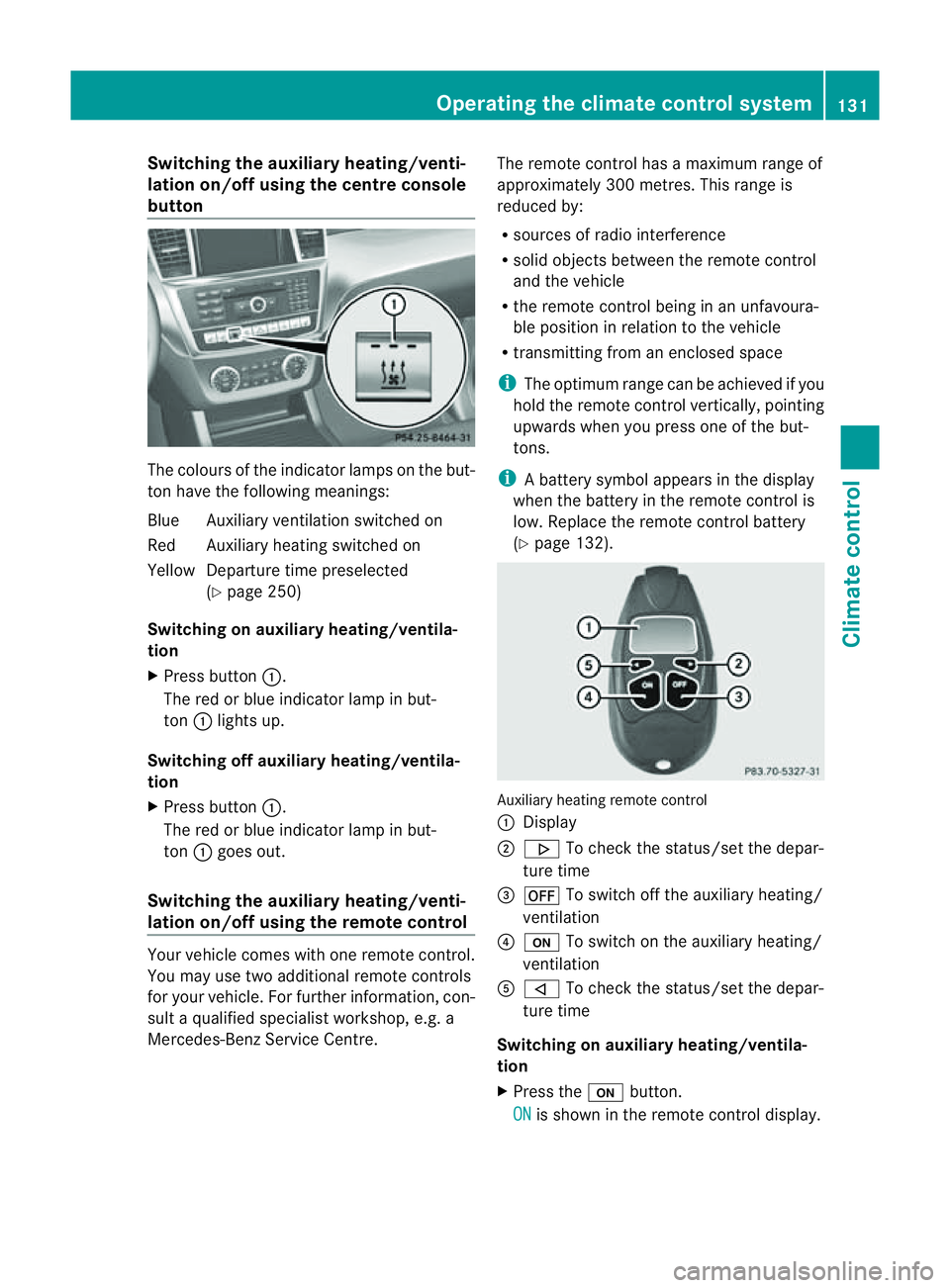
Switching th
eauxiliary heating/venti-
lation on/off using the centre console
button Th
ec olour softhe indicator lamps on the but-
ton hav ethe followin gmeanings:
Blue Auxiliar yventilation switched on
Red Auxiliar yheatin gswitched on
Yellow Departur etime preselected
(Y page 250)
Switching on auxiliary heating/ventila-
tion
X Press button :.
The red or blue indicator lamp in but-
ton :lights up.
Switching off auxiliary heating/ventila-
tion
X Press button :.
The red or blue indicator lamp in but-
ton :goes out.
Switching the auxiliar yheating/venti-
lation on/off using the remote control Your vehicle comes with one remote control.
You may use two additional remote controls
for your vehicle. For further information, con-
sult aqualified specialist workshop, e.g. a
Mercedes-Benz Service Centre. The remote control has
amaximum range of
approximately 300 metres. This range is
reduced by:
R sources of radio interference
R solid objects between the remote control
and the vehicle
R the remote control being in an unfavoura-
ble position in relation to the vehicle
R transmittin gfrom an enclose dspace
i The optimu mrange can be achieved if you
hold the remote control vertically, pointing
upwards when you press one of the but-
tons.
i Abattery symbol appears in th edisplay
when th ebatter yint he remote control is
low. Re placethe remote control battery
(Y page 132). Auxiliar
yheating remot econtrol
: Display
; . To check th estatus/set the depa r-
tur etime
= ^ To switch off th eauxiliar yheating/
ventilation
? u To switch on th eauxiliar yheating/
ventilation
A , To check th estatus/set the depa r-
tur etime
Switching on auxiliary heating/ventila-
tion
X Press the ubutton.
ON is shown in th
eremot econtrol di splay. Operatin
gthe clima tecontrol system
131Climatecontr ol Z
Page 178 of 389
G
WARNING
DISTRONIC PLUS canno ttake account of road
and traffic conditions. If DISTRONI Cdoes not
recognise or no longer recognises the vehicle
in front, do not activate DISTRONIC or, if it is
alr eady active, deactivate it. This is especially
the case:
R befor ecorners
R on filter lanes
R when changing to alane with faster moving
traffic
R in comple xdriving situations or where lanes
are diverte d,e.g. at roadworks on amotor-
way
DISTRONIC PLU Sotherwise maintains the
current spe ed setbyyou or accelerates up to
the set speed.
DISTRONIC PLU Scannot take account of
weather conditions. Deactivate, or do not
activate, DISTRONI CPLUS:
R if th eroads are slippery, snow-covered or
icy .The wheels coul dlose their grip when
brakin goraccelerating .The vehicle could
star ttos kid.
R if the sensors are dirty or there is poo rvis-
ibility, e.g. due to snow, rain or fog. Dis-
tance control may be impaired.
Always pay attention to traffic conditions
even when DISTRONIC PLU Sisactivate d.
Otherwise, you ma yfail to recognise dangers
in time, caus eanaccident and injure yourself
and others. G
WARNING
DISTRONIC PLUS brake syourvehicle up to a
maximu mof4m /s2
depending on its speed.
This corresponds to approximately 40% of
your vehicle's maximum braking power. You
must als oapply the brakes yourself if this
braking power is not sufficient.
If DISTRONI CPLUS detects arisk of collision
with avehicle in front, an intermit tent warning
tone sounds. In addition, the ·distance
warning lamp in the instrument cluste rlights
up. Brak etoavoidac ollision. G
WAR
NING
The vehicle can be braked when DISTRONIC
PLUS is activated. For this reason, deactivate
DISTRONIC PLUS if the vehicle is to be set in
motion by othe rmeans (e.g. in acar wash or
by towing).
The radar senso rsystem is automatically
deactivated near radio teles cope facilities
(Y page 38 0).
If you want DISTRONIC PLUS to assist you,
the radar sensor syste mmust be activated
(Y page 249 )and operational.
General notes DISTRONIC PLUS regulates the speed and
automati cally helps you maintain the dis-
tanc etot he vehicle detected in front. It
brakes automatically in orde rtoavoid
exceedi ngthe set speed.
On long and stee pdownhil lgradients, espe-
ciall yifthe vehicle is laden or towing atrailer,
yo um ust select shift range 1,2or 3in good
time. By doing so, you will make use of the
braking effec tofthe engine. This relieves the
load on the brake system and prevents the
brakes from overheating and wearing too
quickly.
If DI STRONIC PLUS detects aslower-moving
vehicle in front ,your vehicle is braked in order
to maintain the preset distance to the vehicle
in front.
If ther eisnov ehicle in front ,DISTRONIC
PLUS operate sinthe sam eway as cruise
control in the spee drange between
30 km/h and 200 km/h. If avehicle is driving
in fron tofyou, DI STRONIC operates in the
speed range betwee n0km/h and
200 km/h.
Do not us eDISTRONIC PLUS on roa dswith
steep gradients. Driving systems
175Drivingand parking Z
Page 184 of 389
or
X
Briefl ypres sthe cruise con trol leve rinthe
direction of arrow =.
Variable SPE EDTRONIC is selected. LIM
indicator lamp ;in the cruise control lever
lights up.
When you deactivate DI STRONIC PLUS, the
DISTRONIC PLU Soff message is show
nin
the multifunction display for approximately
five seconds.
i The last speed stored remains stored until
you switch off the engine.
i DISTRONIC PLUS is not deactivated if you
depress the accelerator pedal. If you accel-
erate to overtake, DISTRONIC PLUS
adjusts the vehicle's speed to the last
speed stored after you have finished over-
taking.
DISTRONIC PLUS is automatically deactiva-
ted if:
R you engag ethe electric parkin gbrake or if
th ev ehicle is automatically secured with
the electric parking brake.
R you are driving slower than 25 km /hand
there is no vehicle in front ,orifthe vehicle
in front is no longer detec ted.
R ESP ®
intervenes or if you deactivat eESP®
.
R the transmission is in the P,Ror Nposition.
R the vehicle is near aradio telescop efacility
(Y page 380).
R you switch off the radar senso rsystem
(Y page 249).
R you pull the cruise control lever towards
you in order to pull away and the front-
passenger doo rorone of the rear doors is
open.
R you activate DSR.
R you activate off-road program 2onvehicles
with the ON&OFFROA Dpackage.
R the vehicle has skidded.
If DISTRONIC PLUS is deactivated, you will
hear awarning tone. The DISTRONICP LUS off message is show
ninthe multifunction
displa yfor approximately fiv eseconds.
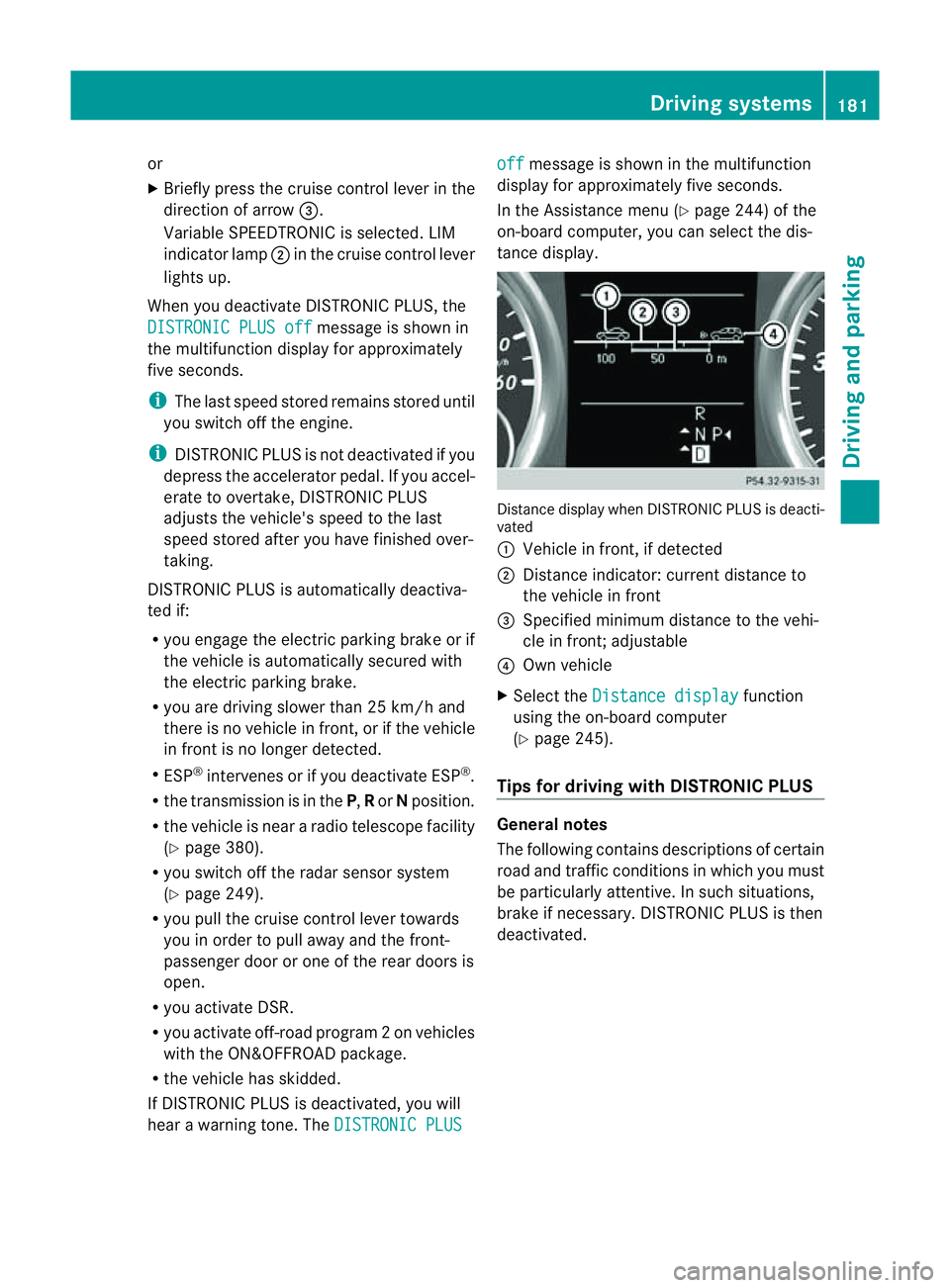
In the Assistanc emenu (Y page 24 4)of the
on-boar dcompu ter,you can select the dis-
tanc edisplay. Distance display when DISTRONI
CPLUS is deacti-
vated
: Vehicl einfront, if detected
; Distance indicator: curre ntdistanc eto
the vehicle in front
= Specified minimum distanc etothe vehi-
cle in front; adjustable
? Own vehicle
X Select the Distancedisplay function
usin gthe on-boar dcompu ter
( Y page 24 5).
Tips for driving with DISTRO NICP LUS Genera
lnotes
The following contains descriptions of certain
road and traf ficc ondition sinwhich you must
be particularly attentive. In such situations,
brake if necessary. DI STRONIC PLUS is then
deactivated. Driving systems
181Drivingand park ing Z
Page 197 of 389
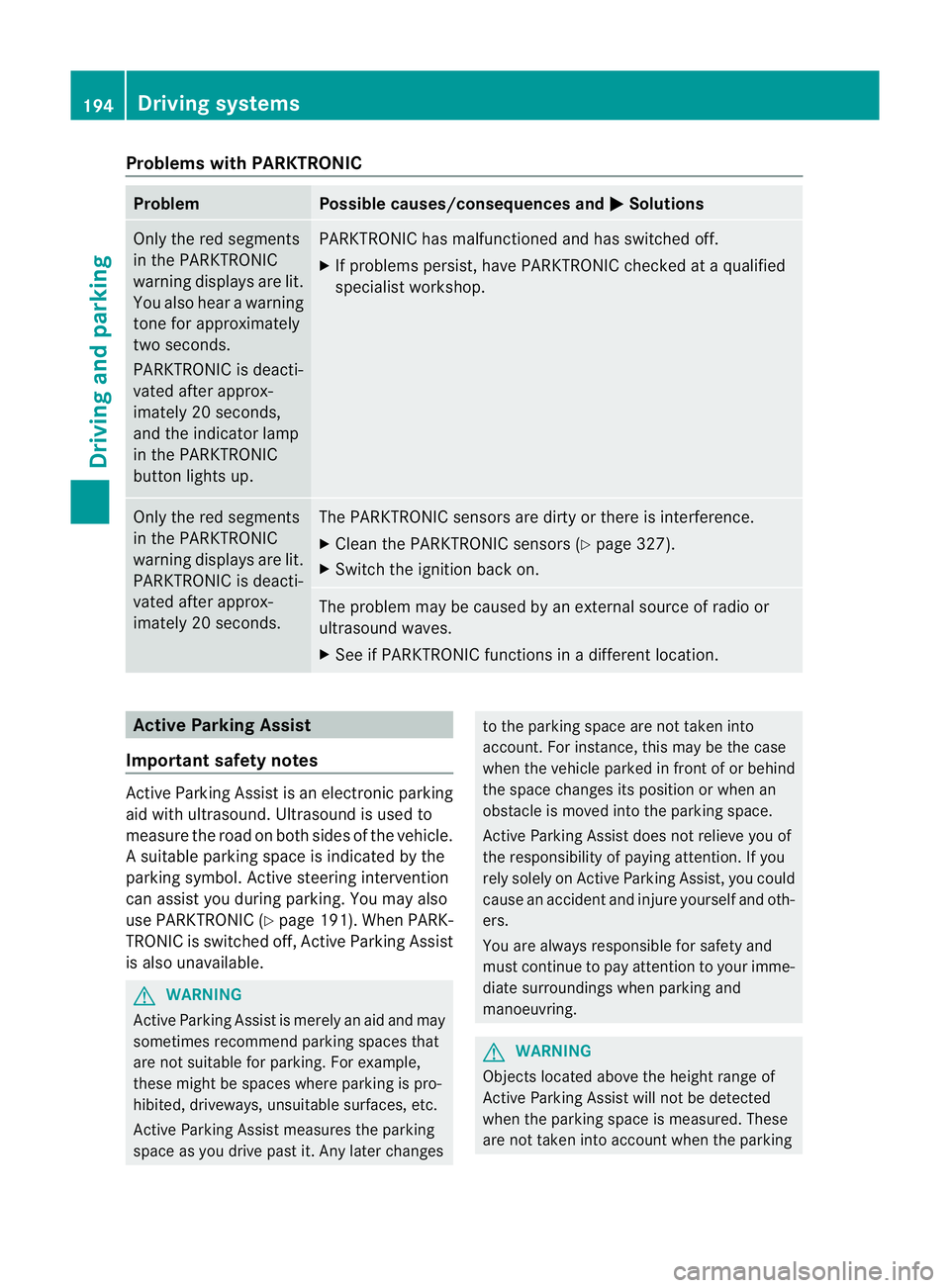
Problems wit
hPARKTRONIC Problem Possible causes/consequences and
M Solutions
Only the red segments
in the PARKTRONIC
warning display sare lit.
Yo ua lso hear awarning
tone for approximately
two seconds.
PARKTRONIC is deacti-
vated after approx-
imately 20 seconds,
and the indicator lamp
in the PARKTRONIC
button lights up. PARKTRONIC has malfunctioned and has switched off.
X If problems persist, have PARKTRONIC checked at aqualified
specialist workshop. Only the red segments
in the PARKTRONIC
warning display sare lit.
PARKTRONIC is deacti-
vate dafter approx-
imatel y20seconds. The PARKTRONI
Csensors are dirt yorthere is interference.
X Clean the PARKTRONI Csensors (Y page 327).
X Switch the ignition back on. The problem may be caused by an exter
nalsource of radio or
ultrasoun dwaves.
X See if PARKTRONIC functions in adifferent location. Active Parking Assist
Important safet ynotes Active Parking Assist is an electronic parking
aid with ultrasound. Ultrasound is used to
measure the road on both sides of the vehicle.
As uitable parking space is indicated by the
parking symbol. Activ esteering intervention
can assis tyou during parking. You ma yalso
use PARKTRONIC (Y page 191). When PARK-
TRONIC is switched off, Active Parking Assist
is also unavailable. G
WARNING
Active Parkin gAssist is merely an aid and may
sometimes recommen dparking spaces that
are not suitable for parking. For example,
these might be spaces where parking is pro-
hibited ,driveways, unsuitabl esurfaces, etc.
Active Parking Assis tmeasures the parking
space as you driv epast it. Any later changes to the parking space are not taken into
account .For insta nce,this ma ybethe case
when the vehicle parked in front of or behind
the space changes its position or when an
obstacle is moved int othe parkin gspace.
Active Parking Assist does not reliev eyou of
the responsibilit yofpaying attention. If you
rely solel yonA ctive Parkin gAssist ,you could
cause an accident and injure yourself and oth-
ers.
You are always responsible for safet yand
must continue to pay attention to your imme-
diate surroundings whe nparking and
manoeuvring. G
WARNING
Objects located above the heigh trange of
Active Parking Assis twill not be detected
when the parking space is measured. These
are not taken into account when the parking 194
Drivin
gsystemsDrivin gand parking
Page 211 of 389
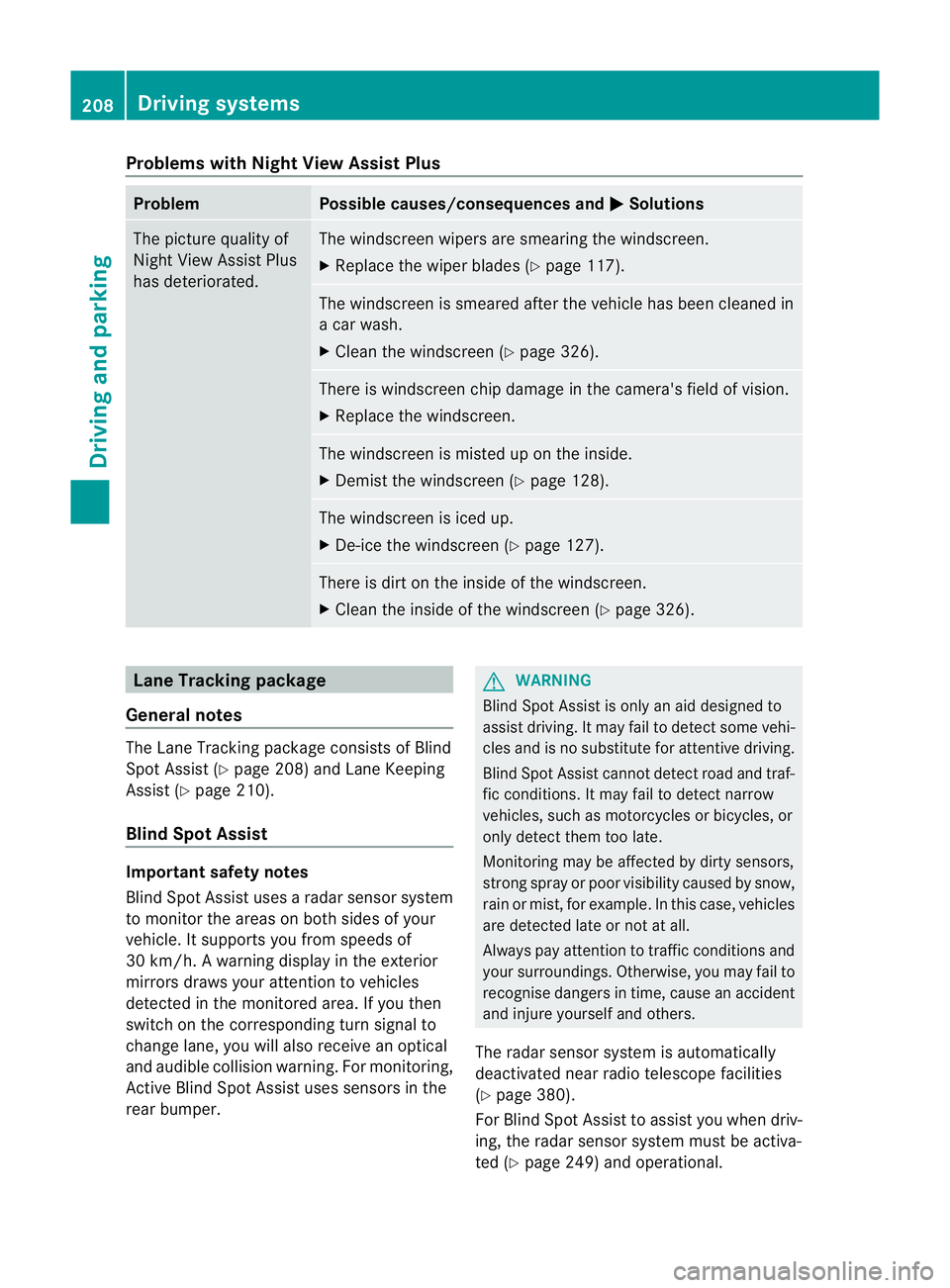
Problems wit
hNight View Assist Plus Problem Possible causes/consequences and
M Solutions
The pictur
equality of
Night View Assis tPlus
has deteriorated. The windscreen wipers are smearin
gthe windscreen.
X Replace the wiper blades (Y page 117). The windscreen is smeared after the vehicle has been cleaned in
ac ar wash.
X Clea nthe windscreen (Y page 326). There is windscreen chip damage in the camera's field of vision.
X Replace the windscreen. The windscreen is misted up on the inside.
X Demist the windscreen (Y page 128). The windscreen is iced up.
X De-ice the windscreen (Y page 127). There is dir
tonthe insid eofthe windscreen.
X Clean the insid eofthe windscreen (Y page 326). Lan
eTracking package
General notes The Lane Tracking package consis
tsof Blind
Spot Assist (Y page 208) and Lane Keeping
Assist (Y page 210).
Blind Spot Assist Important safety notes
Blin dSpot Assist uses aradar senso rsystem
to monitor the areas on both side sofyour
vehicle. It supports you from speeds of
30 km/h. Awarning displ ay inthee xterior
mirrors draws your attention to vehicles
detected in the monitored area. If you then
switch on the corresponding turn signal to
chang elane, you will also receive an optical
and audible collisio nwarning. For monitoring,
Active Blind Spot Assis tuses sensor sinthe
rea rbumper. G
WARNING
Blind Spot Assis tiso nly an aid designe dto
assis tdriving. It may fail to detec tsome vehi-
cles and is no substitute for attentive driving.
Blin dSpot Assist cannot detect road and traf-
fic conditions. It may fail to detect narrow
vehicles, such as motor cycles or bicycles ,or
only detec tthem too late.
Monitorin gmay be affected by dirty sensors,
stron gspray or poor visibility caused by snow,
rain or mist, for example. In this case, vehicles
are detected late or not at all.
Alway spay attention to traffic conditions and
your surroundings. Otherwise ,you may fai lto
recognise dangers in time ,cause an accident
and injure yourself and others.
The radar senso rsystem is automatically
deactivated near radio telescope facilities
(Y page 380).
For Blind Spot Assist to assist you when driv-
ing, the radar sensor syste mmust be activa-
ted (Y page 249 )and operational. 208
Drivin
gsystemsDrivin gand parking
Page 215 of 389
The warnin
gvibration occur searlier if:
R you approach the outer lane markin gona
bend.
R the road has ver ywide lanes, e.g. amotor-
way.
R the system recognises solid lane markings.
The warnin gvibration occur slater if:
R the road has narrow lanes.
R you cut the corner on abend. Active Driving Assistance package
General notes The Active Drivin
gAssistanc epackage con-
sists of DISTRONIC PLUS (Y page 174), Active
Blind Spot Assis t(Ypage 212) and Active
Lan eKeeping Assist (Y page 215).
Active Blind Spot Assist Important safety notes
Active Blin dSpot Assist uses aradar sensor
system to monitor the side areas of your vehi-
cle which are in back of the driver. Awarning
display in the exter iormirror sdraws your
attention to vehicles detected in the moni-
tored area. If you then switch on the corre-
sponding turn signal to change lane, you will
also receive an optical and audible collision
warning. If arisk of lateral collision is detec-
ted, corrective brakin gmay help you avoid a
collision. To support the course-correcting
brake application, Active Blind Spot Assist
also uses the forward-facin gradar senso rsys-
tem. Active Blind Spot Assist supports you
from aspeed of approximately 30 km/h. G
WARNING
Active Blin dSpot Assist is only an aid and may
detect vehicles/obstacles incor rectly or not
at all. Th
es ystem may be impaired or may not func-
tion if:
R there is poo rvisibility, e.g. due to snow,
rain, fog or spray.
R the rear and/or fron tsensors are dirty.
Active Blin dSpot Assist may not detect nar-
row vehicles, such as motor cycles or bicycles,
or only detect the mtoo late. It can notd etect
vehicles which are overtaken at asmall dis-
tance and then enter th eblind spot area.
Active Blind Spot Assist cannot detect road
and traffic conditions. It is not asubstitute for
attentive driving. You are responsible for the
vehicle's speed, braking in good time, and
steering correctly. Always adapt your driving
style to suit the prevailing road and weather
conditions. Always pay attention to traffic
conditions and your surroundings. Otherwise,
you may fail to recognise dangers in time,
cause an accident and injure yourself and oth-
ers.
The radar sensor syste misautomatically
deactivated near radio telescope facilities
(Y page 380).
For Active Blind Spot Assis ttoassist you
when driving, the radar sensor syste mmust
be activated (Y page 249)and operational.
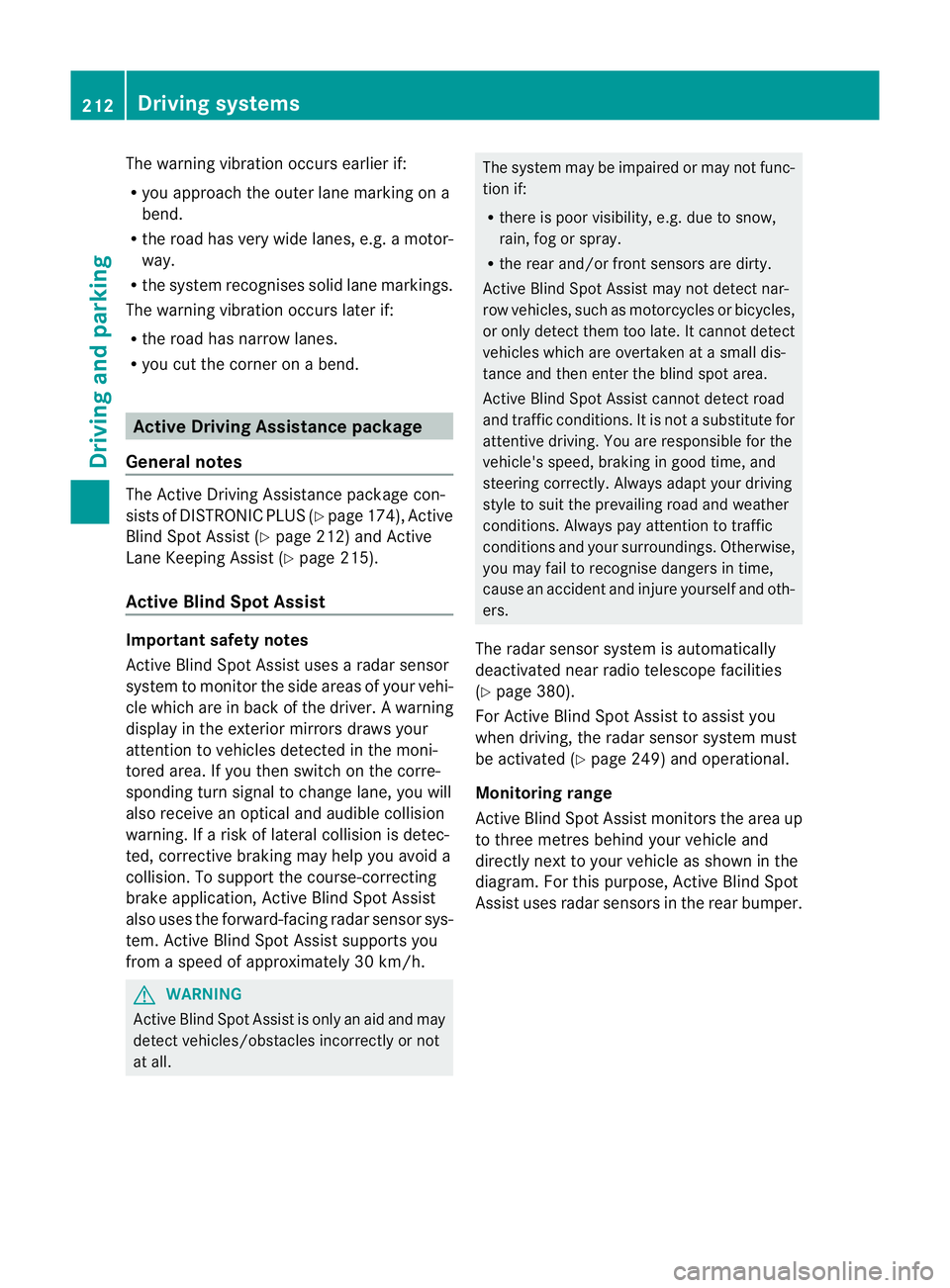
Monitoring range
Active Blind Spot Assist monitors the area up
to three metres behind your vehicl eand
directl ynext to your vehicle as shown in the
diagram. For this purpose, Active Blin dSpot
Assist uses rada rsensors in the rear bumper. 212
Driving systemsDriving and parking
Page 244 of 389
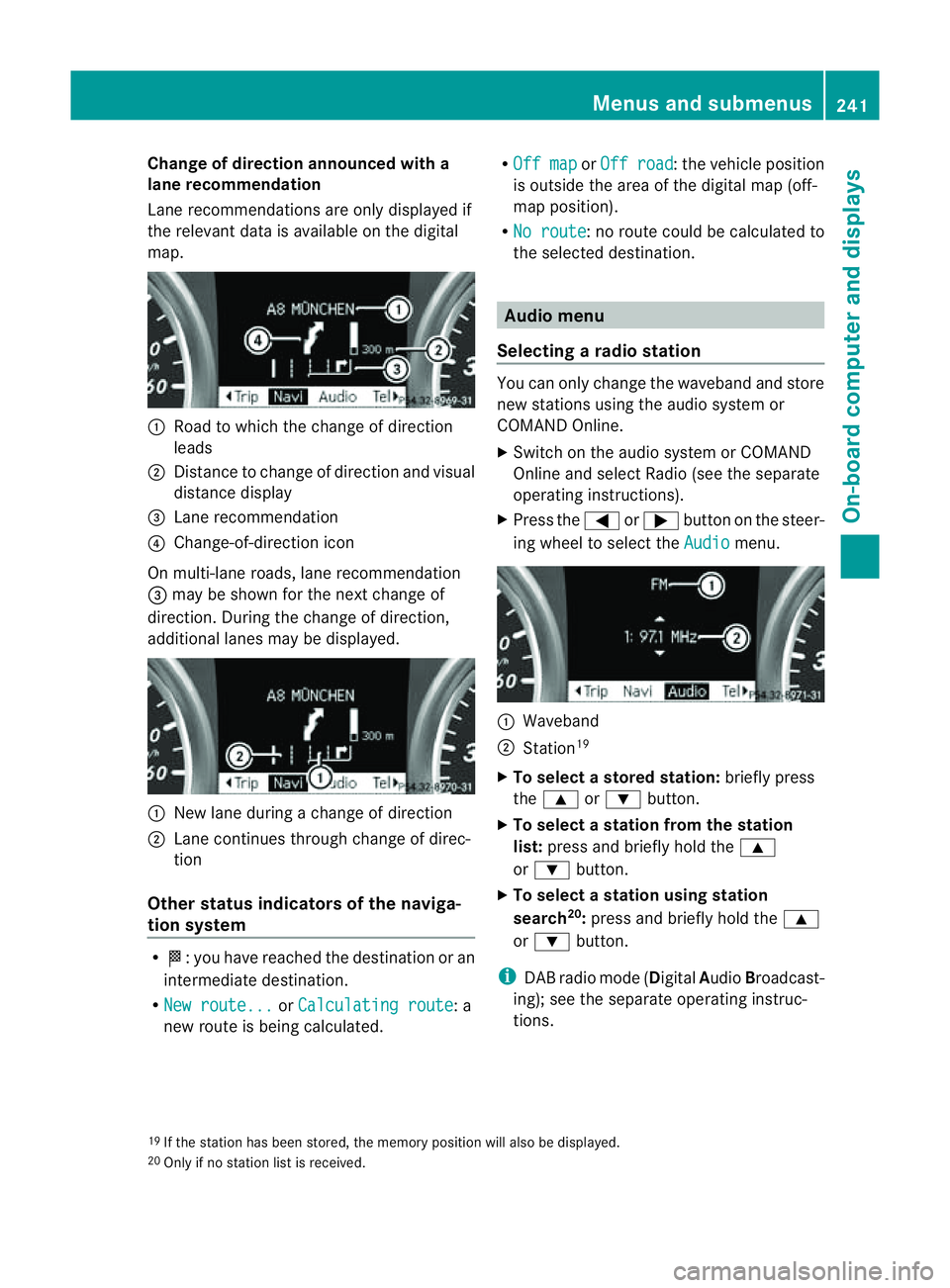
Change of direction announced with a
lane recommend
ation
Lan erecommendations are only displaye dif
the relevan tdata is available on thed igital
map. :
Road to which the change of direction
leads
; Distanc etochange of direction and visual
distanc edisplay
= Lane recommendation
? Change-of-direction icon
On multi-lane roads, lane recommendation
= may be shown for the next change of
direction. Durin gthe change of direction,
additiona llanes may be displ ayed. :
New lane durin gachange of direction
; Lane con tinues throug hchange of direc-
tion
Other sta tusindicators of the naviga-
tion system R
O:y ou have reached the destination or an
intermediate destination.
R Ne wr oute... or
Calculating route :a
new route is being calculated. R
Off map or
Off road :t
he vehicle position
is outside the area of the digital ma p(off-
ma pp osition).
R No route :nor
oute coul dbecalculated to
the selected destination. Audio menu
Selectin garadio station Yo
uc an only change the waveband and store
new stations using the audio system or
COMAND Online.
X Switch on the audio system or COMAND
Online and select Radio (se ethe separate
operating instructions).
X Press the =or; button on the steer-
ing wheel to select the Audio menu.
:
Wav eband
; Station 19
X To selec tastoredstation: brieflypress
the 9 or: button.
X To select astation from the station
list: press and briefl yholdt he 9
or : button.
X To select astatio nusing station
search 20
:press and briefl yholdt he 9
or : button.
i DAB radio mode ( DigitalAudioBroadc ast-
ing); see the separate operating instruc-
tions.
19 If the statio nhas been stored ,the memory po sition will also be displayed.
20 Onl yifnos tation list is received. Menus and submenus
241On-boardcomputer and displays Z
Page 252 of 389
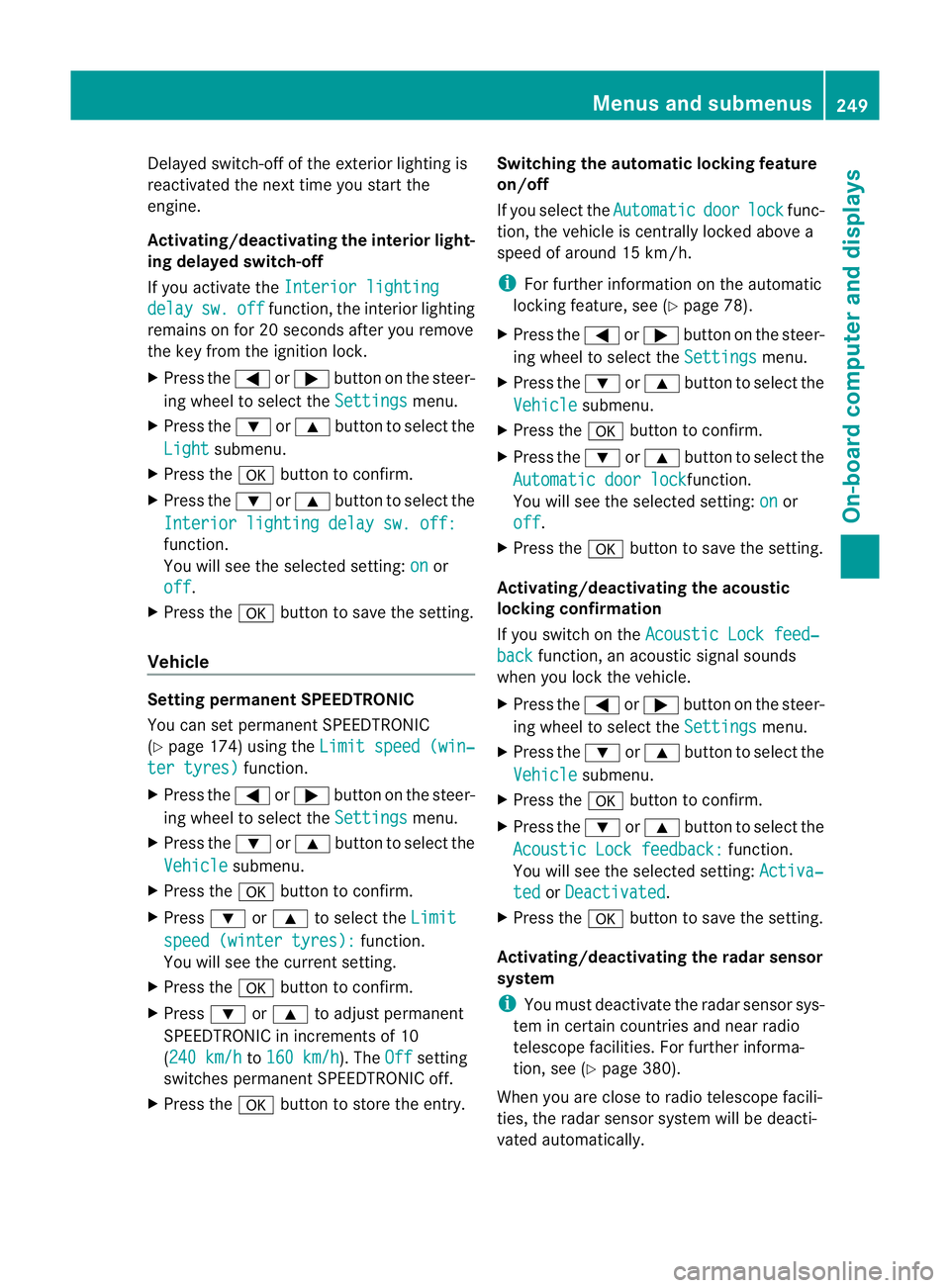
Delayed switch-off of the exterio
rlight ing is
reactivate dthe nex ttime yo ustart the
engine.
Activating/deactivating the interior light-
in gd elay ed switch -off
If yo uactivat ethe Interior lighting delay sw. off function, the
interiorlighting
remain sonfor 20 seconds after you rem ove
th ek ey fr om th eignition lock.
X Press the =or; button on the steer-
ing wheel to selec tthe Settings menu.
X Press the :or9 button to selec tthe
Light submenu.
X Press the abutton to confir m.
X Press the :or9 button to select the
Interior lighting dela ysw. off: function.
Yo
uw ill see the selected setting: on or
off .
X Press the abutton to save the setting.
Vehicle Setting permanent SPEEDTRONIC
You can set permanent SPEEDTRONIC
(Y page 174 )using the Limitspeed (win‐ ter tyres) function.
X Press the =or; buttononthe steer-
ing wheel to selec tthe Settings menu.
X Press the :or9 button to selec tthe
Vehicle submenu.
X Press the abutton to confir m.
X Press :or9 to select the Limit spee
d(winter tyres): function.
Yo uw ill see the current setting.
X Press the abutton to confir m.
X Press :or9 to adjust permanent
SPEEDTRONIC in increments of 10
(24 0k m/h to
160 km/h ). The
Off setting
switches permanen tSPEEDTRONIC off.
X Press the abutton to store the entry. Switching th
eautomatic lockin gfeatu re
on/off
If you select the Automatic door lock func-
tion, the vehicle is centrally locked above a
speed of around 15 km/h.
i For further information on the automatic
locking feature, see (Y page 78).
X Press the =or; button on the steer-
ing wheel to select the Settings menu.
X Press the :or9 button to select the
Vehicle submenu.
X Press the abutton to confir m.
X Press the :or9 button to select the
Automati cdoor lock function.
Yo uw ill see the selected setting: on or
off .
X Press the abutton to save the setting.
Activating/deactivating the acoustic
locking confirmation
If you switch on the Acoustic Lock feed‐ back func
tion, an acoustic signal sounds
when you lock the vehicle.
X Press the =or; button on the steer-
ing wheel to select the Settings menu.
X Press the :or9 button to select the
Vehicle submenu.
X Press the abutton to confir m.
X Press the :or9 button to select the
Acoustic Lock feedback: function.
You will see the selected setting: Activa‐ ted or
Deactivated .
X Press the abutton to save the setting.
Activating/deactivating th eradar sensor
system
i Youm ust deactivate the radar senso rsys-
tem in certain countries and near radio
telescope facilities .For further informa-
tion ,see (Y page 380).
When you are close to radi otelescope facili-
ties, the rada rsensor system will be deacti-
vated automatically. Menu
sand submenus
249On-boardcomput er anddisplay s Z
Page 263 of 389
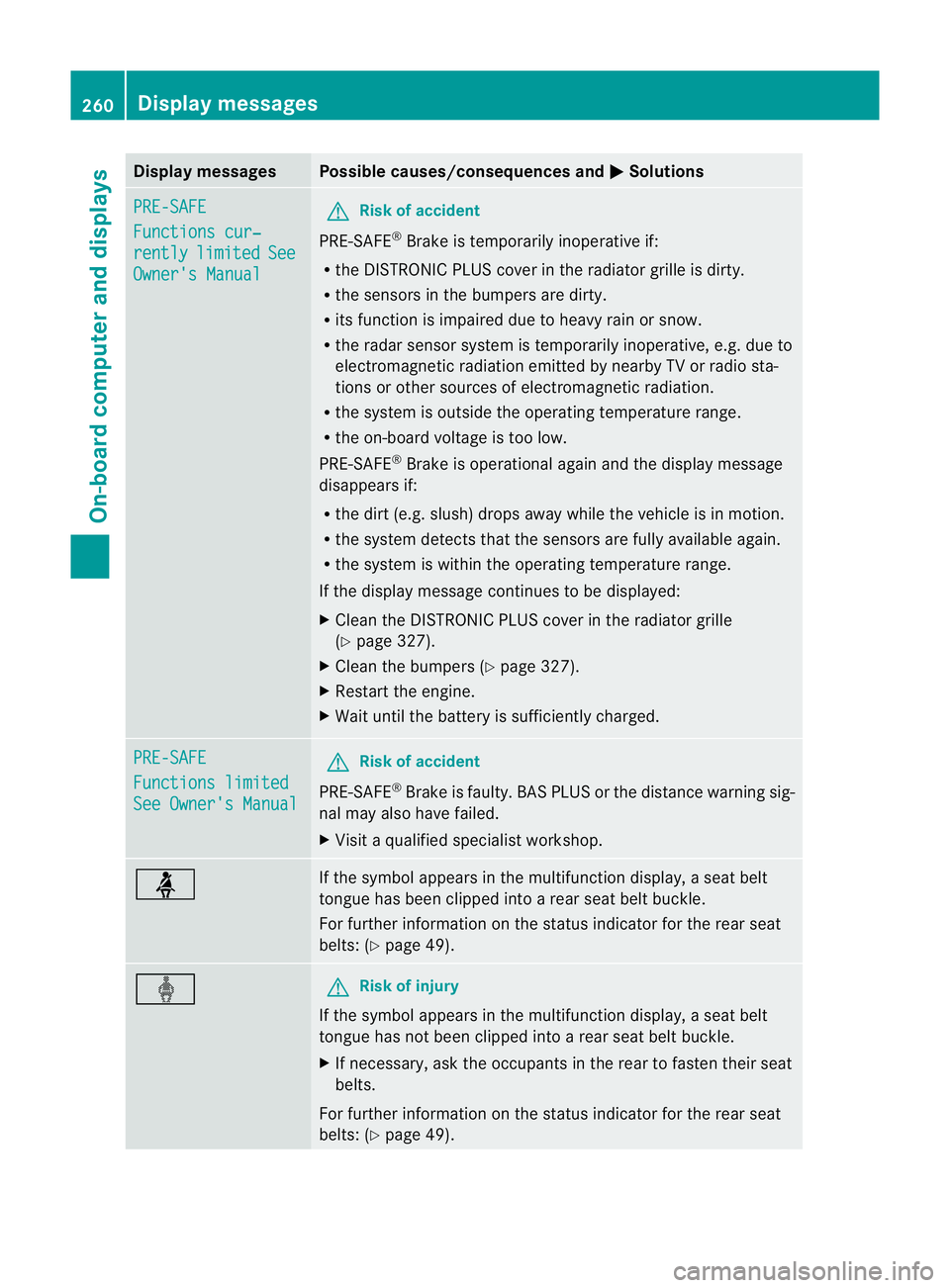
Displa
ymessages Possible causes/consequences and
M Solutions
PR
E-SAFE Functions cur‐
rently limited See
Owner'
sManual G
Risk of accident
PRE-SAFE ®
Brake is tempora rily inoperative if:
R theD ISTR ONIC PLU Scove rint he ra diatorgrille is di rty.
R the sensor sinthebumpers are dirty.
R itsf unction is impaire ddue to heav yrain or snow.
R ther adar sensor system is temporarily inoperative, e.g. due to
elect romagnetic radiatio nemitted by nearby TV or radio sta-
tions or other source sofelectromagnetic radiation.
R the system is outside the operatin gtemperatur erange.
R the on-board voltage is too low.
PRE-SAFE ®
Brak eiso perational again and the display message
disappears if:
R the dirt (e.g. slush) drops away while the vehicle is in motion.
R the system detects that the sensor sare full yavailable again.
R thes ystem is within the operatin gtemperatur erange.
If the display message continues to be displayed:
X Clean the DISTRONIC PLUS cover in the radiator grille
(Y page 327).
X Clean the bumpers (Y page 327).
X Restart the engine.
X Wait until the batter yissufficiently charged. PRE-SA
FE Functions limited
See Owner's Manual G
Ris
kofa ccident
PRE-SAFE ®
Brak eisf aulty. BA SPLUS or th edistance warnin gsig-
nal may also have failed.
X Visit aqualified specialist workshop. ü If the symbo
lappears in the multifunction display, aseat belt
tongue has been clipped int oarear seat belt buckle.
For further information on the status indicator for the rear seat
belts: (Y page 49). ý G
Risk of inju
ry
If th esymbol appears in the multifunction display, aseat belt
tongue has not been clipped int oarear seat belt buckle.
X If necessary, ask the occupants in the rear to fasten their seat
belts.
For further information on the status indicator for the rear seat
belts: (Y page 49). 260
Display messagesOn-boar
dcomputer and displays