start stop button MERCEDES-BENZ METRIS 2016 MY16 Operator’s Manual
[x] Cancel search | Manufacturer: MERCEDES-BENZ, Model Year: 2016, Model line: METRIS, Model: MERCEDES-BENZ METRIS 2016Pages: 310, PDF Size: 7.28 MB
Page 78 of 310
You can only openasliding door from the inside
if the child-proof lock shave not been activated.
If the sliding door is locked, the sliding door
must firstbeu nlocked.
The sliding door is equipped with an active
retainer, which engage sthe door at the end stop
when opened.
XTo open: briefly press the respective Åor
Æ sliding door button in the center con-
sole.
or
XBriefly press sliding door button in the door
frame A.
or
XBriefly pull back rocker switch =.
If the sliding door is unlocked, automatic
operation is started and the sliding door
opens.
If you use the ÅorÆ sliding door but-
ton in the center console you will hear two
warnin gsignals during the openin gproce-
dure.
The indicator lamp in the ÅorÆ sliding
door button in the center console flashes for
the duratio nofautomatic operation.
The indicator lamp in the ÅorÆ sliding
door button in the center console is lit when-
ever the respectiv esliding door is open.
Depending on the vehicle equipment, the dis-
play can also show the Sliding door open
message.
XTo close:briefly press the respective Åor
Æ sliding door button in the center con-
sole.
or
XBriefly press sliding door button in the door
frame A.
or
XBriefly press rocker switch =forwards.
The sliding door is released from its lock and
automatic operation is started. The sliding
door closes.
If you use the ÅorÆ sliding door but-
ton in the center console you will hear two
warnin gsignals during the openin gproce-
dure.
The indicator lamp in the respective Åor
Æ sliding door button in the center console
goes out whenever the sliding door is closed.
XTo interrupt automatic operation: press
the respective ÅorÆ sliding door but-
ton in the center console again.
or
XPress sliding door button in the door frame
A.
or
XBriefly pull back rocker switch =.
iIn unfavorable operating conditions, e.g.
frost, ice or heavy soiling ,you can press and
hold the relevants liding door button. The
electric sliding door movesw ith increased
force. Observe that ,insuch circumstances,
the obstacle detection is less sensitive. To
sto pthe movement, release the sliding door
button.
Programming th ekey button for the
sliding door
If the vehicle is fitted with two electric sliding
doors,t he5 sliding door button on the key
can only be programmed for one of the two slid-
ing doors.Y ou can thenopen or close the selec-
ted sliding door with the 5button on the key.
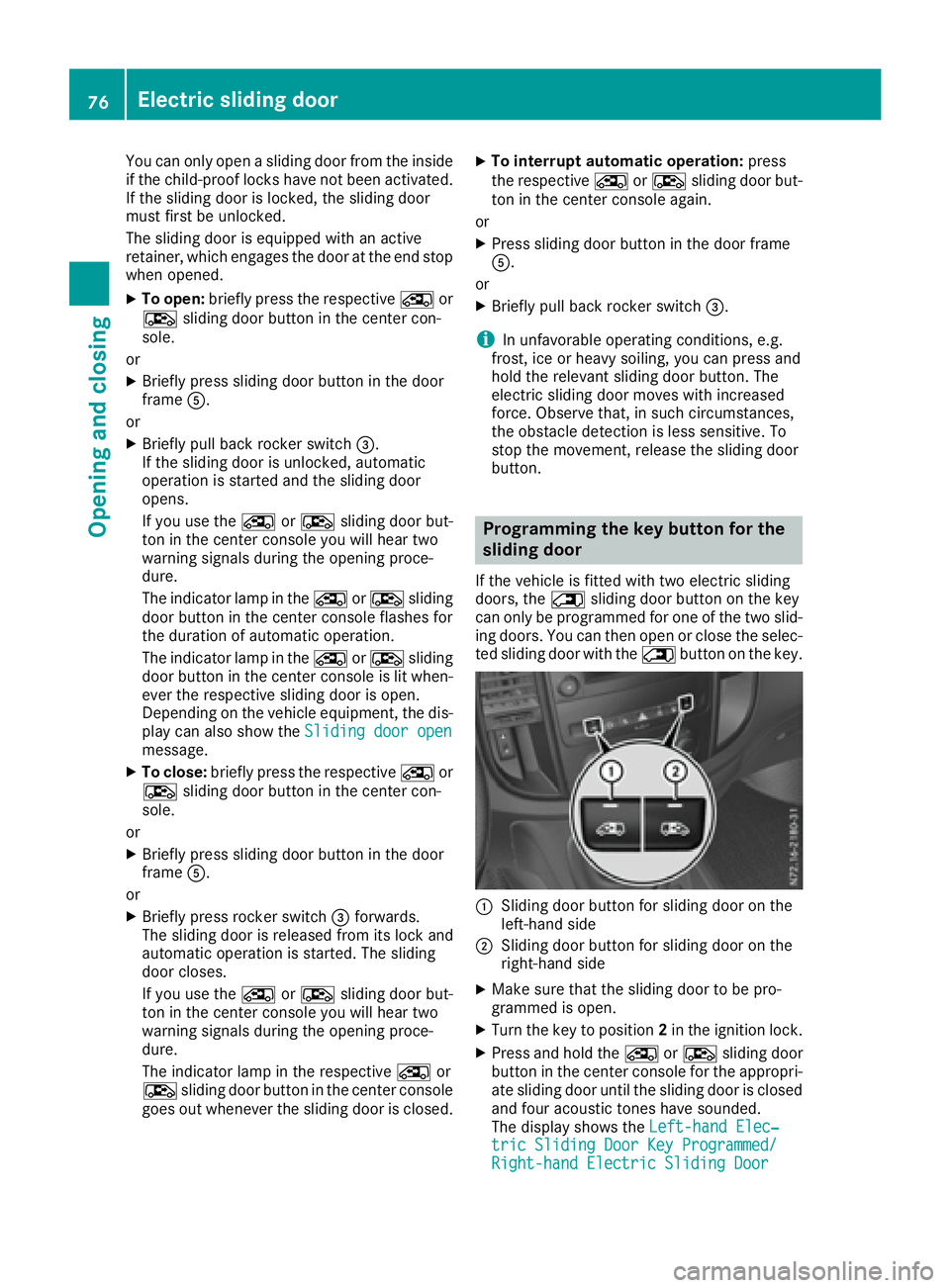
:Slidingdoor button for sliding door on the
left-han dside
;Slidin gdoor button for sliding door on the
right-han dside
XMake sure that the sliding door to be pro-
grammed is open.
XTurn the key to position 2in the ignition lock.
XPress and hold the ÅorÆ sliding door
button in the center console for the appropri-
ate sliding door until the sliding door is closed
and four acoustic tones have sounded.
The display shows the Left-handElec‐
tric Sliding Door Key Programmed/Right-hand Electric Sliding Door
76Electric sliding door
Opening and closing
Page 112 of 310
RIf you wish to use the driver's side settings on
the front-passenger side and, for vehicles
with rear-compartment air conditioning, for
the rear compartment as well,use the "Syn-
chronization" function. The indicator lamp in
the 0 button comes on when the function
is switched on.
RAfter long journeys, you can use the residual
heat of the engine to heat the stationary vehi-
cle. The residual heat function can only be
switched on or off whilet he ignition is
switched off. The indicator lamp in the Ì
button comes on when the function is
switched on.
Approximatel y60minutes after parking the
vehicle,a utomatic climate control can switch on
automatically ,depending on the outsid etem-
perature. The vehicle is then ventilated for about
30 minutes at low fan setting and the automatic
climate control system is dried out.
During automatic engine switch-off, the climate control system only operates at areduced capa-
city. Further information on the automatic
engine switch-off can be found under "ECO
start/stop function" (
Ypage 122).
Information on rear-compartment air
conditioning
Vehicles with TEMPMATIC air-conditioning
system
Switch the rear-compartment air-conditioning
system on and off using the TEMPMATIC air-
conditioning system control panel. When you
switch on the rear-compartment heating, the
settings for temperature ,airflow and air distri-
bution are automatically adopted on the control
panel for the rear-compartment heating.
The indicator lamp in the /button comes on
when the rear-compartment air-conditioning is
switched on (
Ypage 108).
Vehicles with automatic climate control
To operate the rear-compartment air condition-
ing, use the control panel of the automatic cli-
mate control system. When you switch on the
rear-compartment air conditioning, you can set
the temperature and airflow separately on the
control panel .The airflow setting is automati-
cally adopted for the rear-compartment air con-
ditioning. When automatic climate control is in
à automatic mode, the air distribution of the
rear-compartment air conditioning is also auto-
matically adjusted. When you set the temperature and airflow of the
rear-compartment air conditioning, the indica-
tor lamp of the
/button (
Ypage 109)
flashes. When the rear-compartment air condi-
tioning is switched on, the indicator lamp on
the / button lights up.
For optimum climate control, set the tempera-
ture to 72 ‡(22 †) and switch on Ãauto-
matic mode. Only change the temperature in
small increments.
Operating the climate control system
Switching the climate control on/off
Important safety notes
When the climate control is switched off, air
intake and air circulation also stop. Only use this
setting for abrief period.O therwise,the win-
dows could fog up.
Air-conditioning system
XTurn the key to position 2in the ignition lock.
XTo switch on: turn airflow control Aclock-
wise to at least level 1–(Ypage 108).
XTo switch off: turn airflow control Acoun-
ter-clockwise to position 0.
Automatic climate control
XTurn the key to position2in the ignition lock.
XTo switch on: press theÃbutton.
The indicator lamp in the Ãbutton and the
display are switched on. The climate control is
automatically adjusted depending on the set
temperature (
Ypage 112).
or
XPress the Kbutton and set blower setting
1ora bove.
The blower settings are shown in the display
as ab ar graph.
XTo switch off: press theIbutton and,
after reaching the lowest blower speed,p ress
it again.
The control panel display goes off.
Preferably switch on climate control using the
à button.
110Operating the climatec ontrol system
Climate control
Page 124 of 310
Hill start assist
Hill start assist helpsyou when pulling awa yfor-
wards or in reverse on an uphill gradient. Hill
start assist automatically maintains the brake
pressure for about another second, after you
have taken you rfoot off the brake pedal. This
gives you enoug htime to move you rfoot from
the brake pedaltot he accelerator pedala nd
depress it before the vehicleb egins to roll.
GWARNING
After ashort time, hil lstart assist wil lnolon-
ger brake you rvehicl eand it coul droll away.
There is arisk of an accident and injury.
Therefore, quickly move you rfoot from the
brake pedaltot he accelerator pedal. Never
leave the vehiclew hen it is held by hillstart
assist.
Hill start assist is not active if:
Ryou are pulling awa yonalevelroad or a
downhill gradient
Rthe transmission is in position N
Rthe parking brake is applied
RESP®is malfunctioning
Reverse warningdevice
GWARNING
Other road users may ignore or fail to heart he
warning tone of the reverse warning feature.
There is arisk of injury if you fail to ensure that
the area in which you are maneuvering is
clear.
Make sure that there are no persons or
objects in the area in which you are maneu-
vering. It may be necessary to enlis tthe help
of as econd personw hen maneuvering.
The reverse warning feature is asystem
designed to assist you in ensuring the safety of
other road users.
Aw arning signals oundstoa lert other road
users when reverse gearise ngaged. The volume
of the warning tone can be reduced for night-
time driving.
XTo reduce the volume of the warnin gtone:
engag ereverse geart wice in quick succes-
sion.
The warning tone is now quieter.
iThe warning tone sound satanormal vol-
ume by default. The volume of the warning
tone has to be reduced each time you engage
reverse gearifn ecessary.
ECOstart/stop function
General notes
When the ECO start/stop function is opera-
tional ,itswitches the engine off automatically if
the vehicleiss lowed toastop under certain
conditions.
When pulling awa yagain, it starts the engine
automatically .The ECO start/stop function
thereby help syou to reduce the fuel consump-
tion and emissions of you rvehicle.
The stop/start function is automatically activa-
ted each time you start the engine with the igni-
tion key.
In transmission program Mthe ECO start/stop
function is automatically deactivated. You can
manually activate the ECO start/stop function if
required.
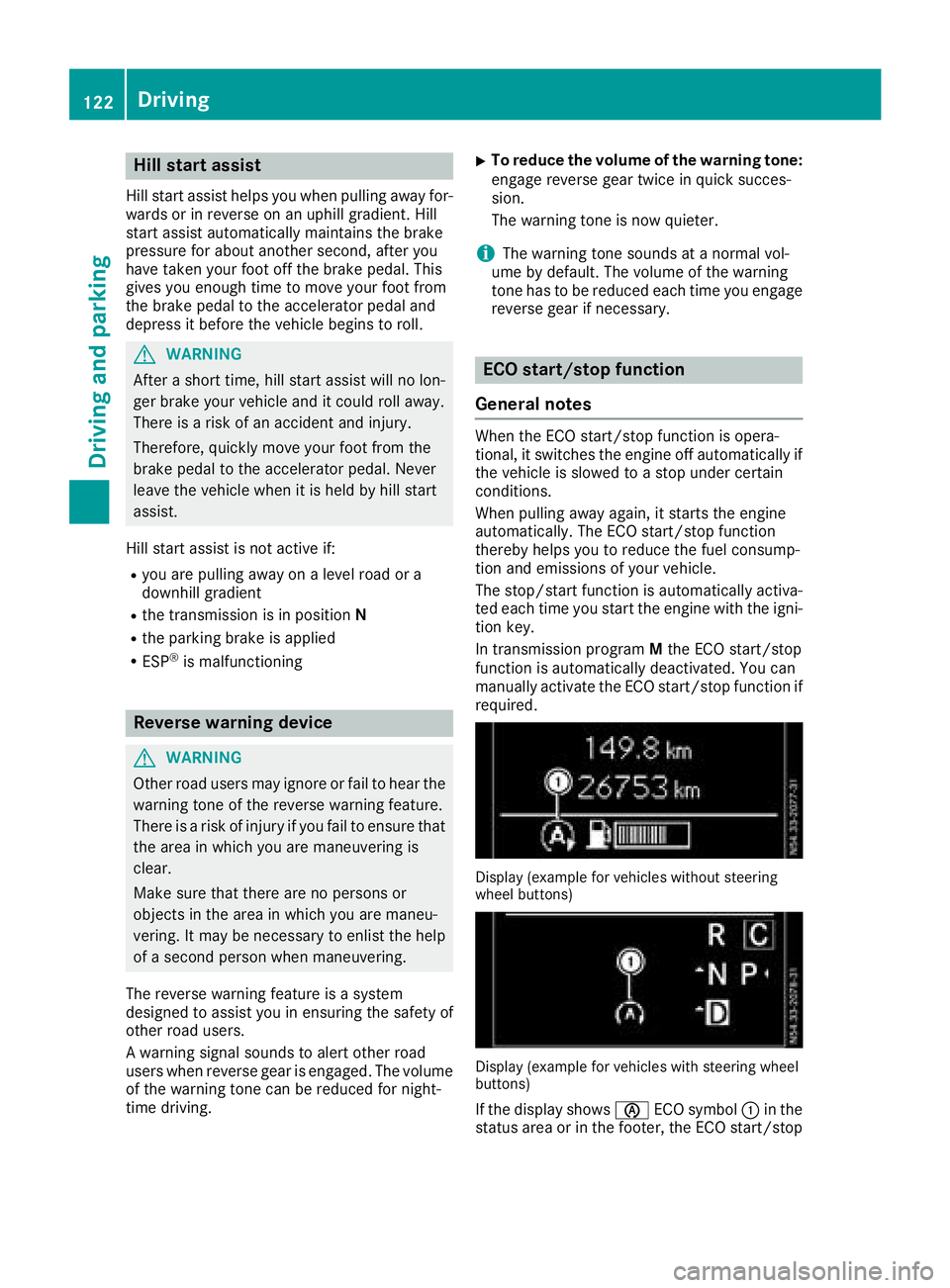
Display (example for vehicles without steering
whee lbuttons)
Display (example for vehicles with steering wheel
buttons)
If the display shows èECO symbol :in the
status area or in the footer, the ECO start/stop
122Driving
Driving and parking
Page 125 of 310
function willswitch the engine off automatically
when the vehicl ecomes to astop.
Important safety notes
GWARNING
If the engine is switched off automatically and
you exit the vehicle, the engine is restarted
automatically .The vehicl emay beginm oving.
There is arisk of accident and injury.
If you wis htoexit the vehicle, alway sturn off
the ignition and secure the vehicl eagainst
rolling away.
Automatic engine switch-off
General notes
The ECO start/stop function is operational
when the èECO symbol is shownint he sta-
tus bar of the display.
For this to happen, various conditions, including the following, must be met:
Rthe ECO start/stop function is switched on.
The indicator lam pintheè ECO button is
lit (
Ypag e124).
Rthe outside temperature is above 32 ‡(0†).
Rthe engine has reached its operating temper-
ature.
Rthe set temperature for the vehicle interior
has beenr eached.
Rthe conditio nofcharge of the starter battery
is sufficient.
Rthe system detects that the windshield is not
foggedupw hent he air-conditioning system
or automatic climate control is switched on.
Rthe hood is closed.
Rthe driver's seatb eltisfastened.
Rthe driver's door is closed.
Rthere is no dange rofimmediately rolling
backwards ,e.g. whe nstoppedonas teep gra-
dient.
If at railer is attache dand/or arear carrier
system is installed and connected electri-
cally, this dange risdetected on less steep
gradients.
Only if al lthe conditions for automatic engine
switch-off are fulfilled, does the displays how
the è ECO symbol. All of the vehicle's systems remai
nactive when
the engine is switched off automatically.
The engine can be switched off automatically a
maximu moffour times (initial stop, then three
subsequent stops) in succession. After that, the
displayh ides theèECO symbol. Automatic
engine switch-off is not possibl eagain until the
è ECO symbol is showna gain.
If you open the hood after an automatic engine
switch-off, automatic engine start is deactiva-
ted. Once the hood is closed, you have to start
the engine manually.
If the vehicle is stoppedi
nD or N,t he
ECO start/
stop function switches off the engine automat-
ically once the vehicle is stationary.
Automatic engine start
General notes
The engine is started automatically if:
Ryou switch off the ECO start/stop function by pressing the èECO button The indicator
lamp in the èECO button then goes out.
(
Ypag e124)
Ryou depress the accelerator pedal.
Ryou engag ereverse gear R.
Ryou unfasten you rseatb elt
Ryou open the driver's door.
Rthe vehicle begins to roll away
Rthe brake system requires this.
Rthe temperature in the vehicle interior
increasingl ydeviates from the set value.
Rthe system detects moisture on the wind-
shield whe nthe air-conditioning system is
switched on.
Rthe battery's conditio nofcharge is too low.
The engine is started automatically if you:
Rswitch to transmission program M
(Ypag e129)
Rrelease the brake pedal whe nintransmission
position Dor N
Rswitch to transmission position P
After shifting from transmission position Rto D,
the ECO start/stop function is not available until
the è ECO symbol is shownint he display.
Driving123
Driving and parking
Z
Page 126 of 310
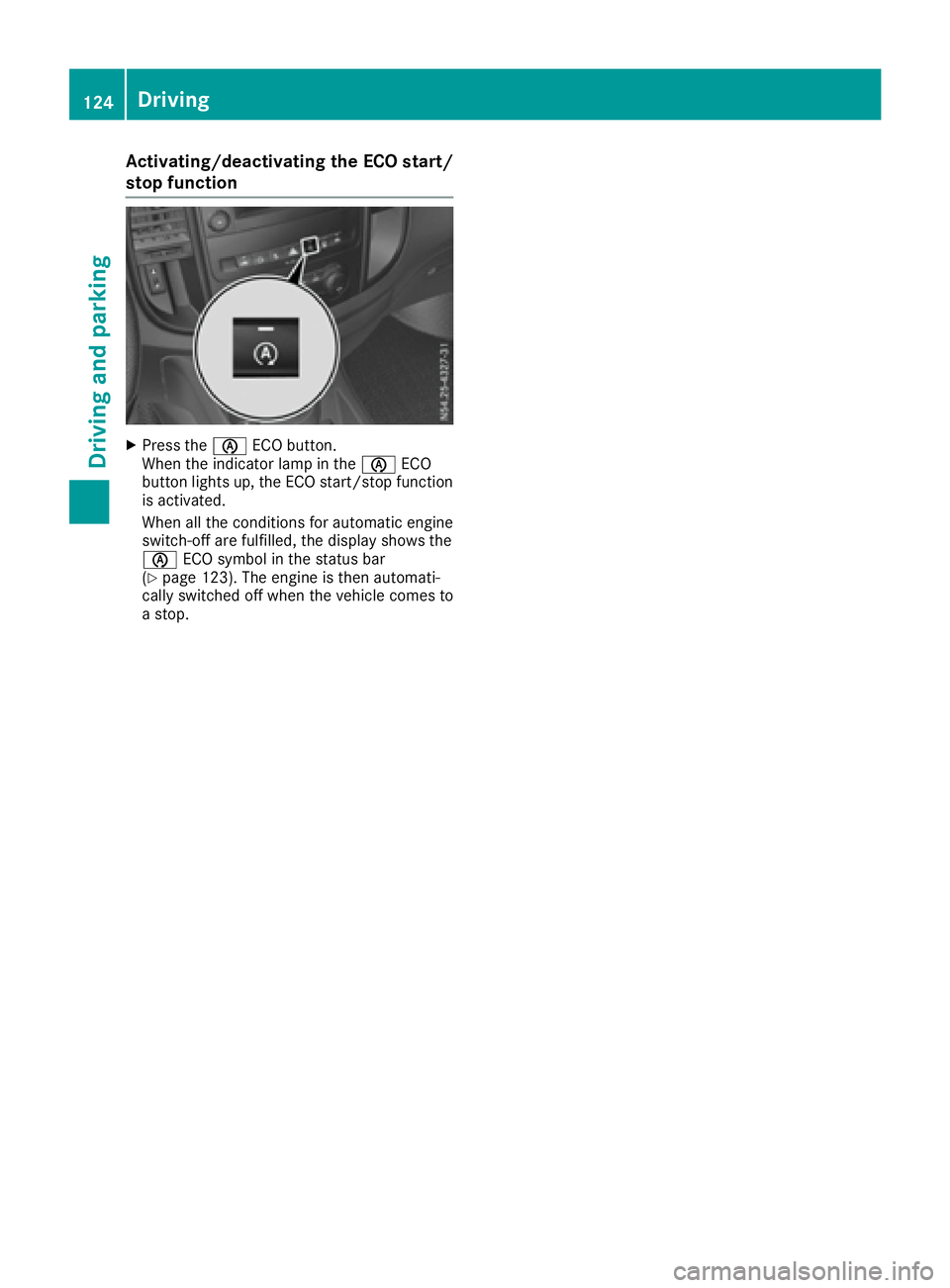
Activating/deactivating theECO start/
stop function
XPress th eè ECO button.
When th eindicator lamp in th eè ECO
butto nlights up, th eECO start/sto pfunction
is activated.
When all th econditi onsfor automatic engin e
switch-off are fulfilled ,the display shows th e
è ECO symbol in th estatus bar
(
Ypage 123). The engin eisthena utomati-
call yswitched off when th evehicl ecom es to
as top.
124Driving
Driving and parking
Page 128 of 310
Beforeswitching off the engine, always switch
to parking position P.Prevent the parked vehi-
cle from rolling away by applying the parking
brake.
!If the engine is switched off, rolling in neutral
N can damag ethe power transmission and
result in transmission damage.
Alway sobserve the instructions and safety
notes under "Tow starting and towing away"
(
Ypage 264).
Bearinm ind that power transmission between
the engine and the transmission is interrupted
whe nthe engine is switched off. For this reason,
shift the automatic transmission to Pbefore the
engine is switched off and with the vehicle is
stationary. Appl ythe parking brake to prevent
the vehicle from rolling away.
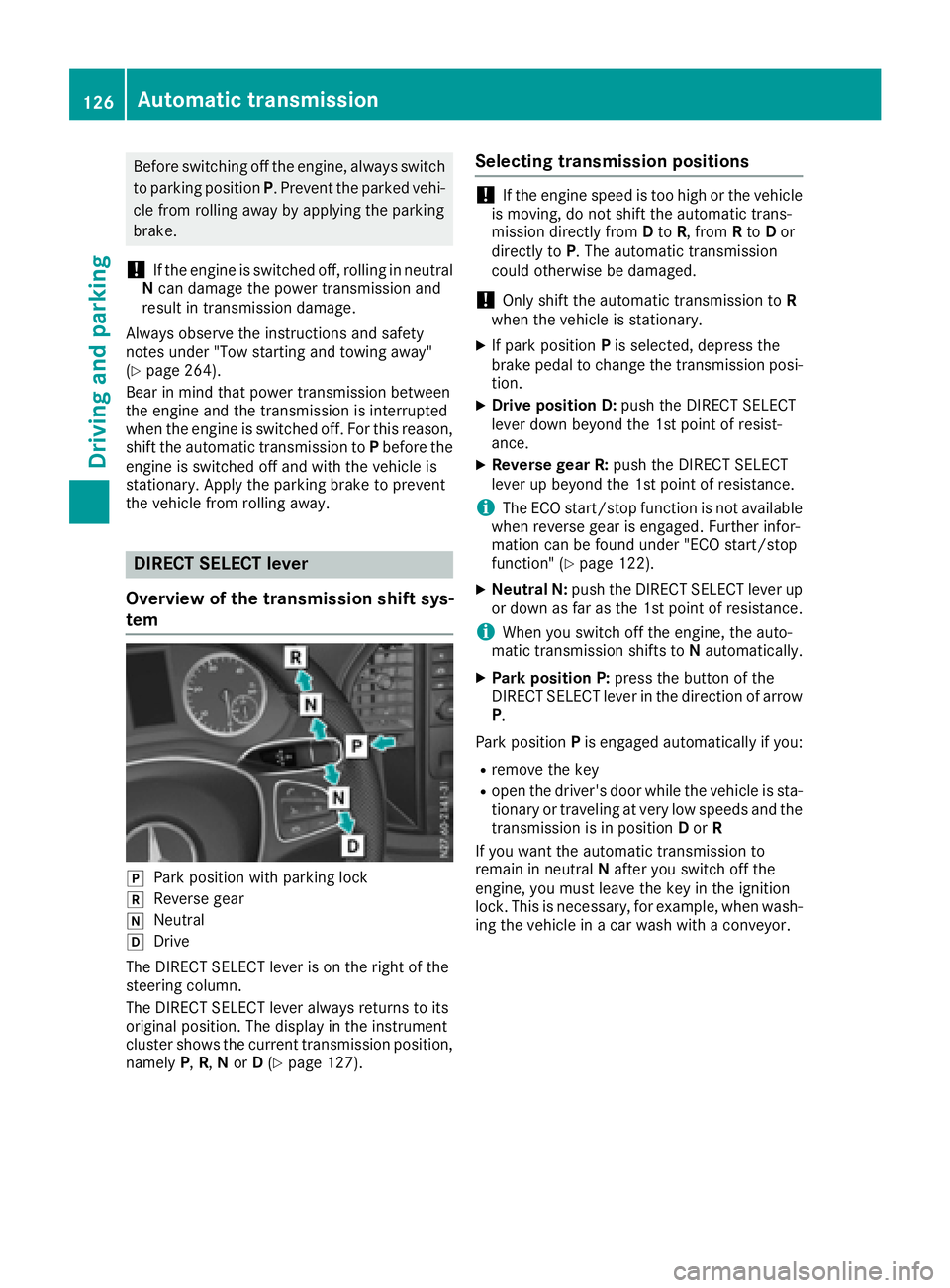
DIREC TSELECT lever
Overvie wofthe transmissio nshift sys-
tem
jPark positio nwithp arking lock
kReverseg ear
iNeutral
hDrive
The DIREC TSELECT lever is on the right of the
steering column.
The DIREC TSELECT lever always returns to its
origina lposition. The display in the instrument
cluster showst he current transmission position,
namely P,R, Nor D(
Ypage 127).
Selecting transmissio npositions
!If the engine speed is too hig horthe vehicle
is moving, do not shift the automatic trans-
missio ndirectly from Dto R,f rom Rto Dor
directly to P.The automatic transmission
could otherwise be damaged.
!Only shift the automatic transmission to R
whe nthe vehicle is stationary.
XIf park position Pis selected ,depress the
brake pedal to chang ethe transmission posi-
tion.
XDrive positionD :push the DIREC TSELECT
lever dow nbeyond the 1st point of resist-
ance.
XReverse gear R: push the DIRECTSELECT
lever up beyond the 1st point of resistance.
iThe ECO start/stop function is not available
whe nreverse gea risengaged .Further infor-
mation can be found under "EC Ostart/stop
function" (
Ypage 122).
XNeutral N: push the DIREC TSELECT lever up
or dow nasfar as the 1st point of resistance.
iWhe nyou switch off the engine, the auto-
mati ctransmission shifts to Nautomatically.
XPark positionP :press the button of the
DIREC TSELECT lever in the directio nofarrow
P.
Park position Pis engaged automaticall yifyou:
Rremove the key
Rope nthe driver'sd oorwhile the vehicle is sta-
tionary or traveling at very low speeds and the
transmission is in position Dor R
If yo uwantthe automatic transmission to
remain in neutral Nafte ryou switch off the
engine, yo umustleave the key in the ignition
lock. Thisisn ecessa
ry, for example, whe nwash-
i
ng the vehicle in acar wash with aconveyor.
126Automatic transmission
Drivin gand parking
Page 131 of 310
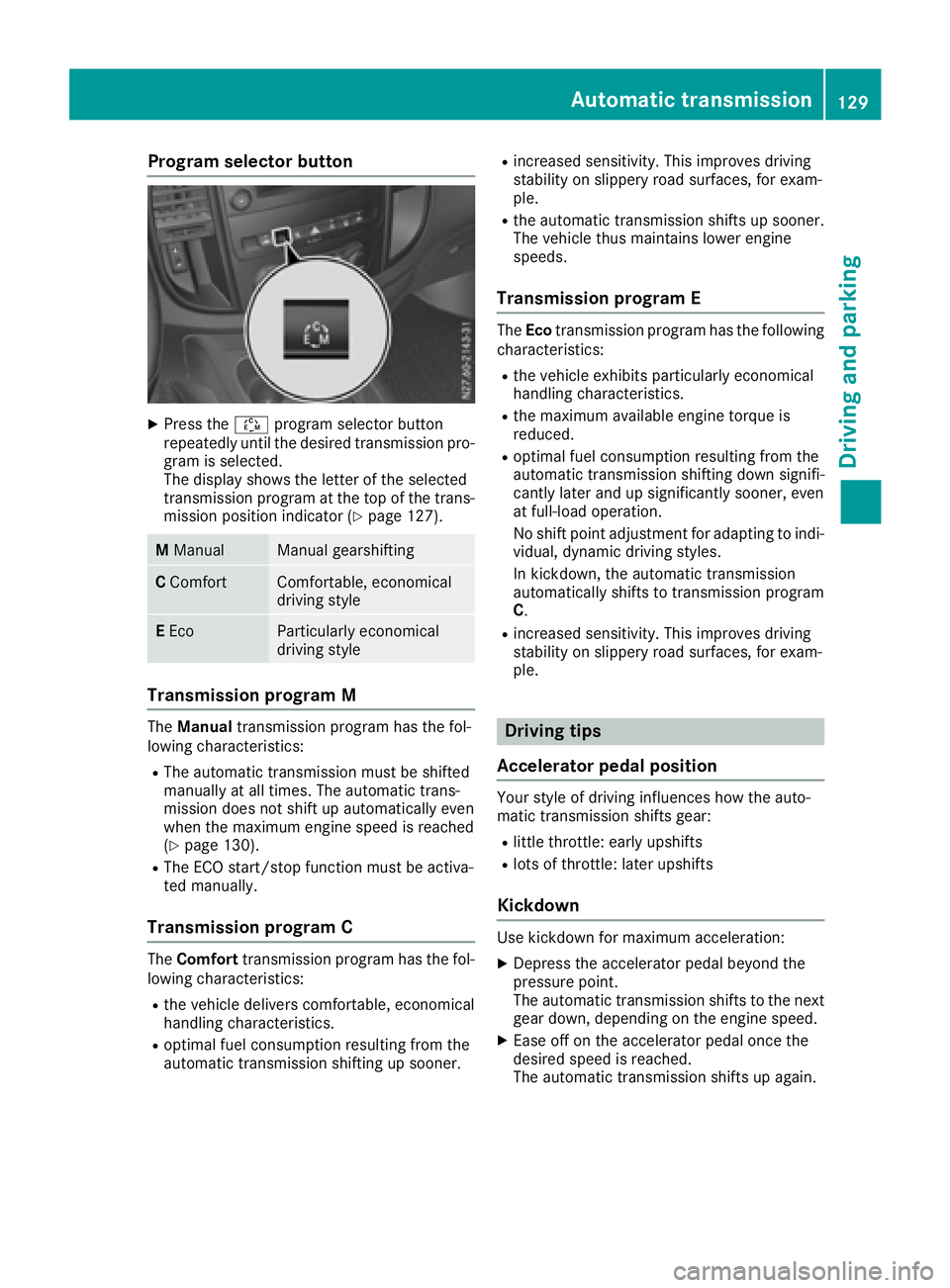
Program selector button
XPress theÉprogram selector button
repeatedly until the desired transmission pro-
gram is selected.
The display shows the letter of the selected
transmission program at the top of the trans-
mission position indicator (
Ypage 127).
M ManualManual gearshifting
CComfortComfortable, economical
driving style
EEcoParticularly economical
driving style
Transmission programM
The Manual transmission program has the fol-
lowing characteristics:
RThe automatic transmission must be shifted
manually at all times. The automatic trans-
mission does not shift up automatically even
when the maximum engine speed is reached
(
Ypage 130).
RThe ECO start/stop function must be activa-
ted manually.
Transmission programC
The Comfort transmission program has the fol-
lowing characteristics:
Rthe vehicle delivers comfortable, economical
handling characteristics.
Roptimal fuel consumption resulting from the
automatic transmission shifting up sooner.
Rincreased sensitivity. This improves driving
stability on slippery road surfaces, for exam-
ple.
Rthe automatic transmission shifts up sooner.
The vehicle thus maintains lower engine
speeds.
Transmission programE
The Eco transmission program has the following
characteristics:
Rthe vehicle exhibits particularly economical
handling characteristics.
Rthe maximum available engine torque is
reduced.
Roptimal fuel consumption resulting from the
automatic transmission shifting down signifi-
cantly later and up significantly sooner, even
at full-load operation.
No shift point adjustment for adapting to indi-
vidual, dynamic driving styles.
In kickdown, the automatic transmission
automatically shifts to transmission program
C.
Rincreased sensitivity. This improves driving
stability on slippery road surfaces, for exam-
ple.
Driving tips
Accelerator pedal position
Your style of driving influences how the auto-
matic transmission shifts gear:
Rlittle throttle: early upshifts
Rlots of throttle: later upshifts
Kickdown
Use kickdown for maximum acceleration:
XDepress the accelerator pedal beyond the
pressure point.
The automatic transmission shifts to the next
gear down, depending on the engine speed.
XEase off on the accelerator pedal once the
desired speed is reached.
The automatic transmission shifts up again.
Automatic transmission129
Driving and parking
Z
Page 158 of 310
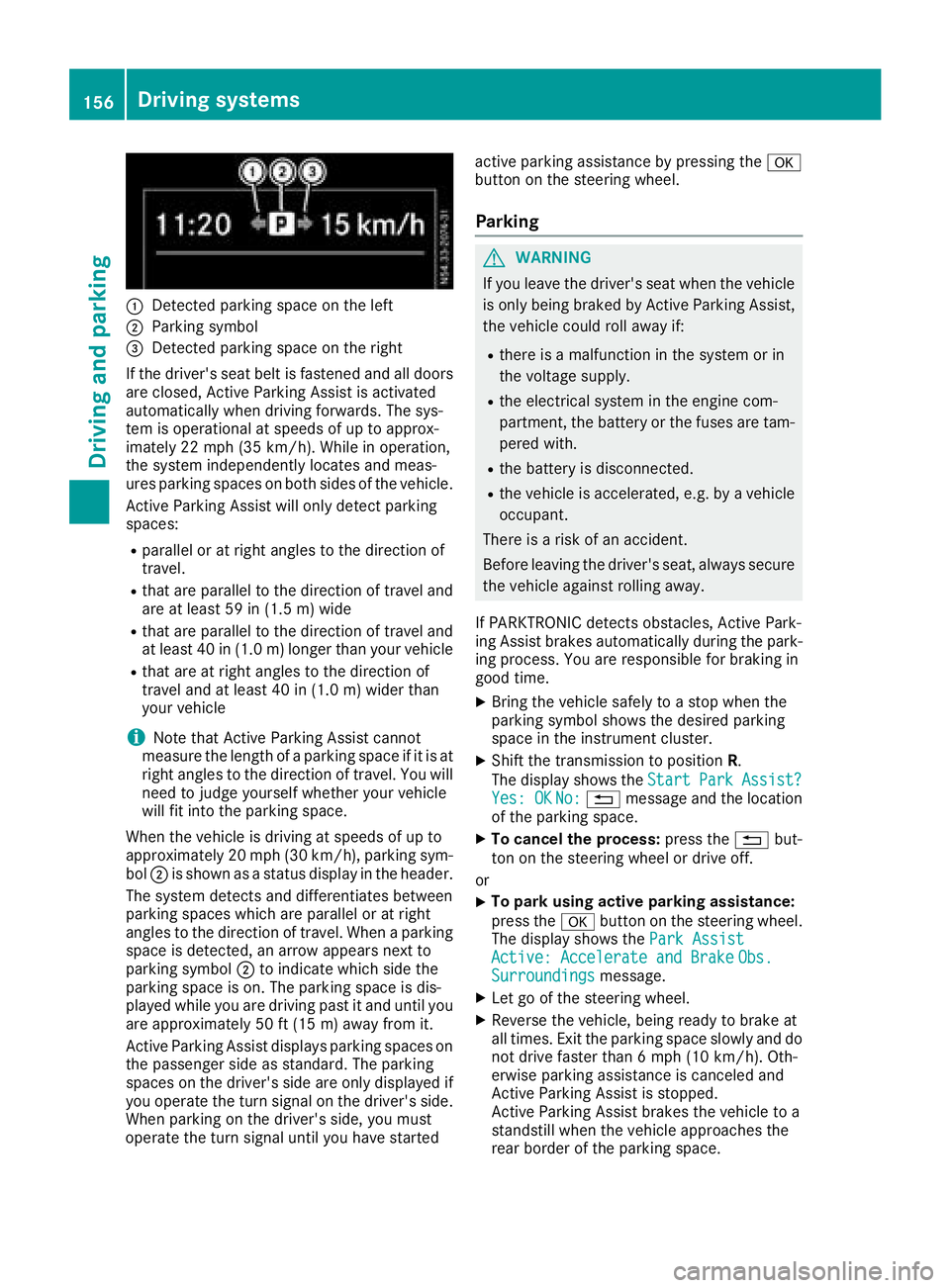
:Detected parkingspace on the left
;Parkin gsym bol
=Detected parkin gspace on the right
If the driver's sea tbeltisf astened and al ldoo rs
ar ec losed ,Activ eParkin gA ssist is activated
automaticall ywhend rivin gforwards .The sys-
tem is operational at speeds of up to approx-
imatel y22m ph (35 km/h). Whil einoperation,
the system independentl yloc ate sand meas-
ures parkin gspacesonb oths ides of the vehicle.
Activ eParkin gA ssist will onl ydetect parking
spaces:
Rparallel or at right angle stothe direction of
travel.
Rthata reparallel to the direction of travel and
ar eatl east59 in (1.5 m) wide
Rthatareparallel to the direction of travel and
at leas t40in( 1.0m) lo nger thany ourvehicle
Rthata re at right angle stothe direction of
travel and at leas t40in( 1.0 m) wider than
your vehicle
iNote thatA ctiveParking Assist cannot
measure the length of aparking space if it is at
right angle stothe direction of travel .You will
nee dtoj udge yourself whether your vehicle
will fit into the parking space.
When the vehicl eisdrivingats peeds of up to
approximately 20 mph (30 km/h), parking sym-
bol ;is shown as astatus dis
pla y
int he header.
The systemd etects and differentiate sbetween
parking space swhich ar eparalle loratr ight
angle stothe direction of travel .Whenap arking
space is detected, an arrow appear snext to
parking symbol ;to indicate which side the
parking space is on. The parking space is dis-
played whil eyou ared rivin gpastita nd unti lyou
ar ea pproximately 50 ft (15 m) awayfromi t.
Active Parkin gAssist display sparking spaces on
the passengers ideass tandard. The parking
spaces on the driver's side ar eonlyd isplayed if
yo uo perate the turn signalont he driver's side.
Whe nparking on the driver's side ,you must
operate the turn signalu ntilyou have started active parking assistance by pressing the
a
button on the steering wheel.
Parking
GWARNING
If yo uleave the driver's sea twhent he vehicle
is onlyb eing braked by Active Parking Assist,
the vehicl ecould rol lawa yif:
Rther eisam alfunctio ninthe system or in
the voltag esupply.
Rthe electrical system in the engine com-
partment, the battery or the fuses ar etam-
pered with.
Rthe battery is disconnected.
Rthe vehicl eisaccelerated,e .g.b yav ehicle
occupant.
There is ariskofana ccident.
Before leaving the driver's seat, always secure the vehicl eagain st rolling away.
If PARKTRONICd etects obstacles, Active Park-
ing Assist brakes automaticall yduring the park-
ing process. Yo uareresponsibl efor braking in
goo dtime.
XBring the vehicl esafelytoas top when the
parking symbo lshows the desired parking
space in the instrument cluster.
XShift the transmission to position R.
The display shows the Start
ParkAssist?Yes:OKNo:% message and the location
of the parking space.
XTo cance lthe process: press the%but-
ton on the steering whee lordrive off.
or
XTo park using active parking assistance:
press the abutton on the steering wheel.
The display shows the ParkAssist
Active :Accelerat eand BrakeObs.Surroundingsmessage.
XLet go of the steering wheel.
XReverse the vehicle, being ready to brake at
allt imes. Exit the parking space slowly and do
not drive faster than6m ph (10 km/h). Oth-
erwis eparking assistance is cancele dand
Active Parking Assist is stopped.
Active Parking Assist brakes the vehicl etoa
standstill when the vehicl eapproaches the
rea rborde roft he parking space.
156Driving systems
Driving an dparking
Page 159 of 310
Maneuvering may be required in tight parking
spaces. The display shows thePark Assist
Active: Select DObs. Surroundingsmes-
sage.
XWhile the vehicle is stationary, shift the trans-
mission to position D.
Active Parking Assist immediately steers in
the other direction. The display shows the
Park Assist Active: Accelerate and
BrakeObs. Surroundingsmessage.
iYou will achieve the best results by waiting
for the steering procedure to complete before
pulling away.
XDrive forwards and be ready to brake at all
times.
Active Parking Assist brakes the vehicle to a
standstill.
The display shows the Park
AssistActive:Select RObs. Surroundingsmessage.
As soon as the parking procedure is complete,
the Park Assist Finished
message appears
in the display and atone sounds. The parking
assistance function of Active Parking Assist is
stopped. The vehicle is parked and kept station-
ary without the driver having to depress the
brake pedal. The braking effect is canceled
when you depress the accelerator pedal.
Active Parking Assist no longer supports you
with steering interventions and brake applica-
tions. Once active parking assistance has been
stopped, you must steer and brake again your-
self. PARKTRONIC is still available.
Parking tips:
RThe way your vehicle is positioned in the park- ing space after parking is dependent on vari-
ous factors. These include the position and
shape of the vehicles parked in front and
behind it and the conditionsoft he location. It
may be the case that Active Parking Assist
guides you too far into aparking space, or not
far enough into it. In some cases, it may also
lead you across or onto the curb. In this case,
cancel the active parking assistance.
RYou can also preselect transmission position
D.T he vehicle redirects and does not drive as
far into the parking space. If you change direc-
tion too early, parking assistance is canceled
and Active Parking Assist is stopped. It is then
not possible to achieve asensible parking
position from the current position.
Exiting aparking space
In order that Active Parking Assist can support
you when you exit the parking space:
Rthe border of the parking space must be high
enough at the front and the rear. Acurb is too
small, for example.
Rthe border of the parking space must not be
too wide. Your vehicle can be maneuvered
into aposition at amaximum of 45° to the
startin gposition in the parking space.
Ram aneuvering distance of at least 3.3 ft
(1.0 m) must be available.
Active Parking Assist can only assist you with
exiting aparking space if you have parked the
vehicle parallel to the direction of travel using
Active Parking Assist.
If PARKTRONIC detects obstacles, Active Park-
ing Assist brakes automatically when exiting
from the parking space. You are responsible for
braking in good time.
XStart the engine.
XSwitch on the turn signal in the direction in
which you are pulling away.
XShift the transmission to position Dor R.
The display shows the Start
ParkAssist?Yes: OKNo:%message.
XTo cancel the process: press the%but-
ton on the steering wheel or drive off.
or
XTo exit the parking space using active
parking assistance: press theabutton
on the steering wheel.
The display shows the Park Assist
Active: Accelerate and BrakeObs.Surroundingsmessage.
XLet go of the steering wheel.
XPull away,being ready to brake at all times.
Exit the parking space slowly and do not drive
faster than 6mph (10 km/h). Otherwise park-
ing assistance is canceled and Active Parking
Assist is stopped.
Active Parking Assist brakes the vehicle to a
standstill when the vehicle approaches abor-
der of the parking space.
XWhile the vehicle is stationary, shift the trans-
mission to position Dor Ras required or
according to the message.
Active Parking Assist immediately steers in
the other direction. The display shows the
Park Assist Active: Accelerate and
BrakeObs. Surroundingsmessage.
Driving systems157
Driving and parking
Z
Page 173 of 310
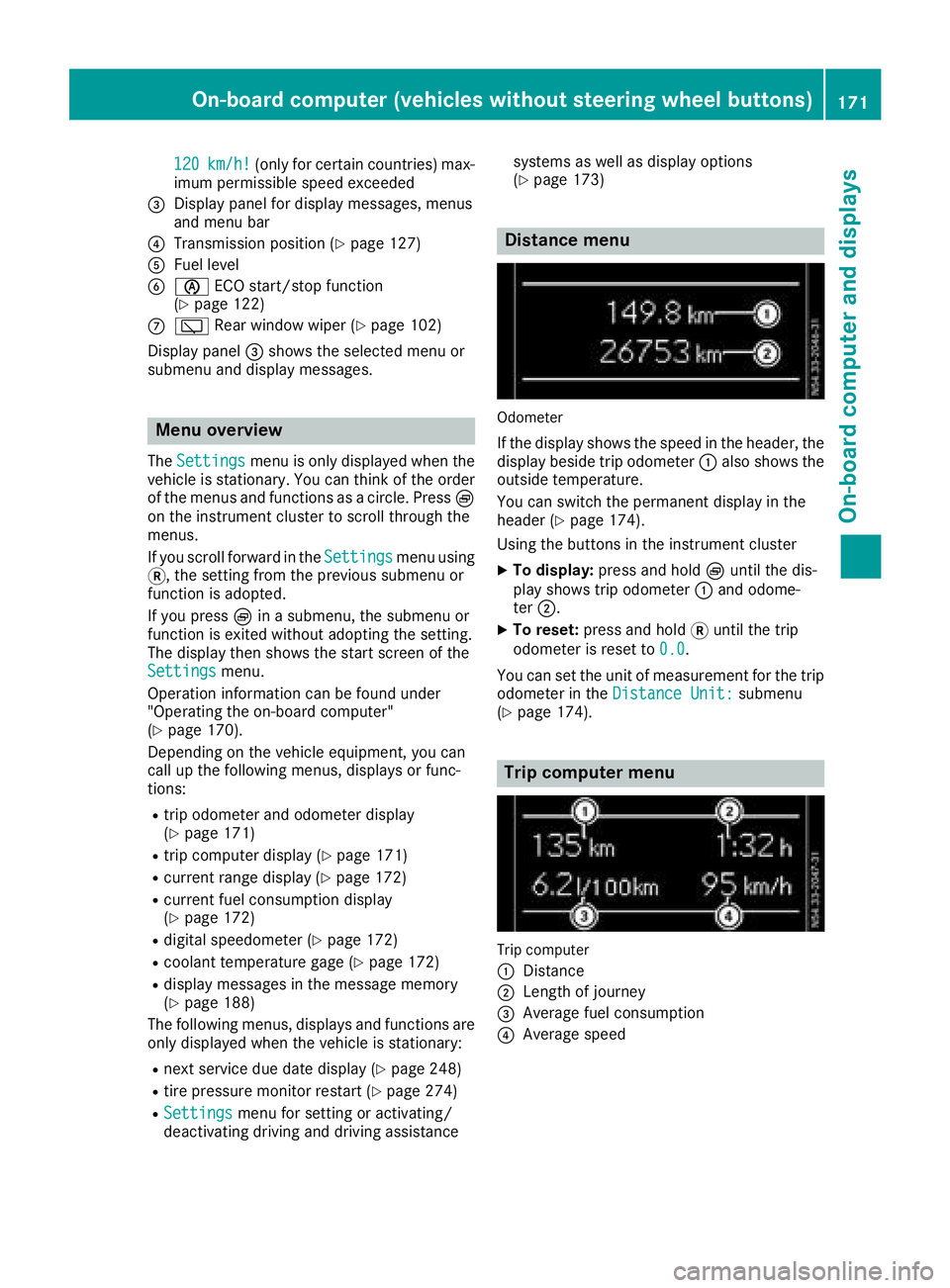
120km/h!(only for certain countries) max-
imum permissibles peed exceeded
=Display panel for displaym essages, menus
and menu bar
?Transmission position (Ypage 127)
AFuel level
Bè ECO start/stop function
(Ypage 122)
Cè Rear window wiper (Ypage 102)
Display panel =shows the selected menu or
submenu and displaym essages.
Menu overview
TheSettingsmenu is only displayed when the
vehicle is stationary. You can think of the order
of the menus and functions as acircle. Press È
on the instrument cluster to scroll through the
menus.
If you scroll forward in the Settings
menu using
3,t he setting from the previous submenu or
function is adopted.
If you press Èinas ubmenu, the submenu or
function is exited without adopting the setting.
The displayt hen shows the start screen of the
Settings
menu.
Operation information can be found under
"Operating the on-board computer"
(
Ypage 170).
Depending on the vehicle equipment, you can
call up the following menus, displays or func-
tions:
Rtrip odometer and odometer display
(Ypage 171)
Rtrip computer display(Ypage 171)
Rcurrent range display(Ypage 172)
Rcurrent fuel consumption display
(Ypage 172)
Rdigital speedometer (Ypage 172)
Rcoolant temperature gage (Ypage 172)
Rdisplaym essages in the message memory
(Ypage 188)
The following menus, displays and functions are only displayed when the vehicle is stationary:
Rnext service due date display(Ypage 248)
Rtire pressure monitor restart (Ypage 274)
RSettingsmenu for setting or activating/
deactivating driving and driving assistance systems as well as displayo
ptions
(
Ypage 173)
Distance menu
Odometer
If the displays hows the speed in the header, the
displayb eside trip odometer :also shows the
outside temperature.
You can switch the permanent displayint he
header (
Ypage 174).
Using the buttons in the instrument cluster
XTo display: press and hold Èuntil the dis-
play shows trip odometer :and odome-
ter ;.
XTo reset: press and hold 3until the trip
odometer is reset to 0.0
.
You can set the unit of measurement for the trip
odometer in the Distance Unit:
submenu
(Ypage 174).
Trip computer menu
Trip computer
:
Distance
;Length of journey
=Average fuel consumption
?Average speed
On-board computer (vehicles without steering wheelb uttons)171
On-board computer and displays
Z