wheel MERCEDES-BENZ METRIS 2019 MY19 Operator’s Manual
[x] Cancel search | Manufacturer: MERCEDES-BENZ, Model Year: 2019, Model line: METRIS, Model: MERCEDES-BENZ METRIS 2019Pages: 318, PDF Size: 5.07 MB
Page 24 of 318
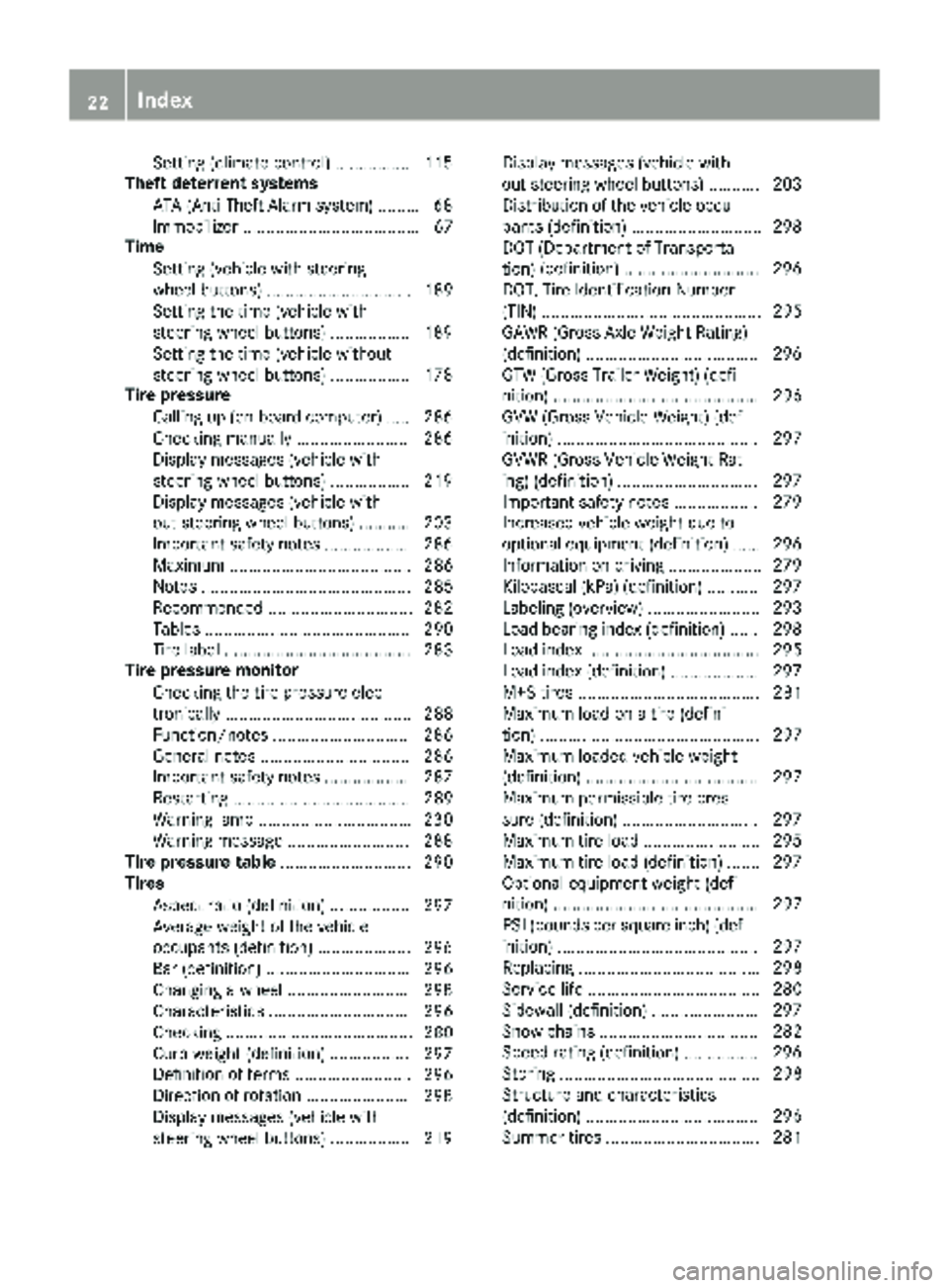
Setting (climate control) ................ 115
Theft deterrent systems
ATA (Anti-Theft Alarm system) ......... 68
Immobilizer ...................................... 67
Time
Setting (vehicle with steering
wheel buttons) ............................... 189
Setting the time (vehicle with
steering wheel buttons) ................. 189
Setting the time (vehicle without
steering wheel buttons) ................. 178
Tire pressure
Calling up (on-board computer) ..... 286
Checking manually ........................ 286
Display messages (vehicle with
steering wheel buttons) ................. 219
Display messages (vehicle with-
out steering wheel buttons) ........... 203
Important safety notes .................. 286
Maximum ....................................... 286
Notes ............................................. 285
Recommended ............................... 282
Tables ............................................ 290
Tire label ........................................ 283
Tire pressure monitor
Checking the tire pressure elec-
tronically ........................................ 288
Function/notes ............................. 286
General notes ................................ 286
Important safety notes .................. 287
Restarting ...................................... 289
Warning lamp ................................. 230
Warning message .......................... 288
Tire pressure table ............................ 290
Tires
Aspect ratio (definition) ................. 297
Average weight of the vehicle
occupants (definition) .................... 296
Bar (definition) ............................... 296
Changing a wheel .......................... 298
Characteristics .............................. 296
Checking ........................................ 280
Curb weight (definition) ................. 297
Definition of terms ......................... 296
Direction of rotation ...................... 298
Display messages (vehicle with
steering wheel buttons) ................. 219 Display messages (vehicle with-
out steering wheel buttons) ........... 203
Distribution of the vehicle occu-
pants (definition) ............................ 298
DOT (Department of Transporta-
tion)
(de
finition) ............................. 296
DOT, Tire Identification Number
(TIN) ............................................... 295
GAWR (Gross Axle Weight Rating)
(definition) ..................................... 296
GTW (Gross Trailer Weight) (defi-
nition) ............................................ 296
GVW (Gross Vehicle Weight) (def-
inition) ........................................... 297
GVWR (Gross Vehicle Weight Rat-
ing) (definition) .............................. 297
Important safety notes .................. 279
Increased vehicle weight due to
optional equipment (definition) ...... 296
Information on driving .................... 279
Kilopascal (kPa) (definition) ........... 297
Labeling (overview) ........................ 293
Load bearing index (definition) ...... 298
Load index ..................................... 295
Load index (definition) ................... 297
M+S tires ....................................... 281
Maximum load on a tire (defini-
tion) ............................................... 297
Maximum loaded vehicle weight
(definition) ..................................... 297
Maximum permissible tire pres-
sure (definition) ............................. 297
Maximum tire load ......................... 295
Maximum tire load (definition) ....... 297
Optional equipment weight (defi-
nition) ............................................ 297
PSI (pounds per square inch) (def-
inition) ........................................... 297
Replacing ....................................... 298
Service life ..................................... 280
Sidewall (definition) ....................... 297
Snow chains .................................. 282
Speed rating (definition) ................ 296
Storing ........................................... 298
Structure and characteristics
(definition) ..................................... 296
Summer tires ................................. 281
22Index
Page 25 of 318
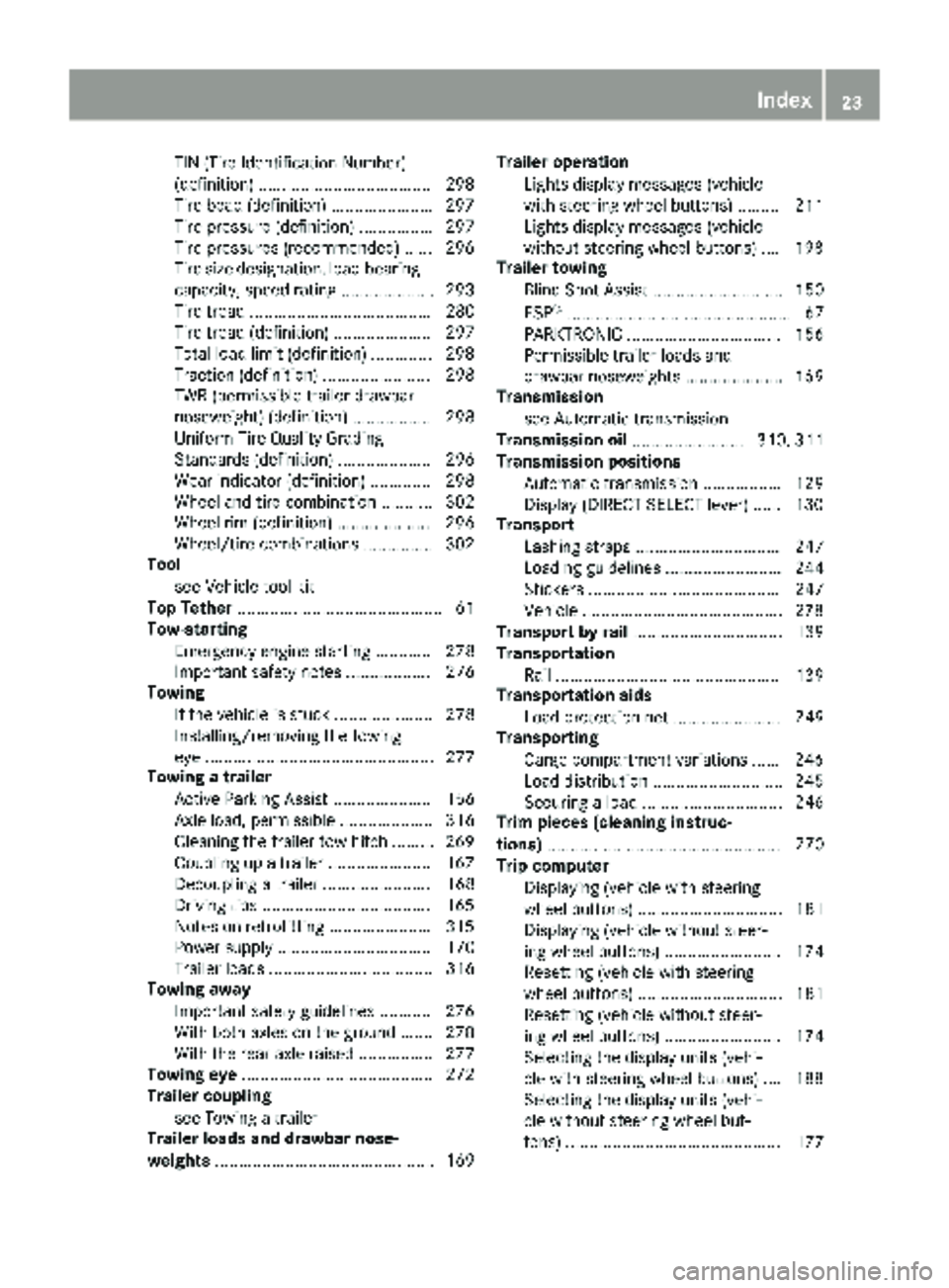
TIN (Tire Identification Number)
(definition) .....................................298
Tire bead (definition) ......................2 97
Tire pressure (definition) ................ 297
Tire pressures (recommended) ...... 296
Tire size designation, load-bearing
capacity, speed rating .................... 293
Tire tread ....................................... 280
Tire tread (definition) ..................... 297
Total load limit (definition) ............. 298
Traction (definition) ....................... 298
TWR (permissible trailer drawbar
noseweight) (definition) ................. 298
Uniform Tire Quality Grading
Standards (definition) .................... 296
Wear indicator (definition) ............. 298
Wheel and tire combination ........... 302
Wheel rim (definition) .................... 296
Wheel/tire combinations ...............3 02
Tool
see Vehicle tool kit
Top Tether ............................................ 61
Tow-starting
Emergency engine starting ............ 278
Important safety notes .................. 276
Towing
If the vehicle is stuck ..................... 278
Installing/removing the towing
eye ................................................. 277
Towing a trailer
Active Parking Assist ..................... 156
Axle load, permissible .................... 316
Cleaning the trailer tow hitch ......... 269
Coupling up a trailer ......................1 67
Decoupling a trailer ....................... 168
Driving tips ....................................1 65
Notes on retrofitting ......................3 15
Power supply ................................. 170
Trailer loads ................................... 316
Towing away
Important safety guidelines ........... 276
With both axles on the ground ....... 278
With the rear axle raised ................ 277
Towing eye ......................................... 272
Trailer coupling
see Towing a trailer
Trailer loads and drawbar nose-
weights ............................................... 169 Trailer operation
Lights display messages (vehicle
with steering wheel buttons) ......... 211
Lights display messages (vehicle
without steering wheel buttons) .... 198
Trailer towing
Blind Spot Assist ............................ 150
ESP
®................................................ 67
PARKTRONIC ................................. 156
Permissible trailer loads and
drawbar noseweights ..................... 169
Transmission
see Automatic transmission
Transmission oil ........................ 310, 311
Transmission positions
Automatic transmission ................. 129
Display (DIRECT SELECT lever) ...... 130
Transport
Lashing straps ............................... 247
Loading guidelines ......................... 244
Stickers ......................................... 247
Vehicle ...........................................2 78
Transport by rail ................................ 139
Transportation
Rail ................................................ 139
Transportation aids
Load protection net ....................... 249
Transporting
Cargo compartment variations ...... 246
Load distribution ............................ 245
Securing a load .............................. 246
Trim pieces (cleaning instruc-
tions) .................................................. 270
Trip computer
Displaying (vehicle with steering
wheel buttons) ............................... 181
Displaying (vehicle without steer-
ing wheel buttons) ......................... 174
Resetting (vehicle with steering
wheel buttons) ............................... 181
Resetting (vehicle without steer-
ing wheel buttons) ......................... 174
Selecting the display units (vehi-
cle with steering wheel buttons) .... 188
Selecting the display units (vehi-
cle without steering wheel but-
tons) .............................................. 177
Index23
Page 26 of 318
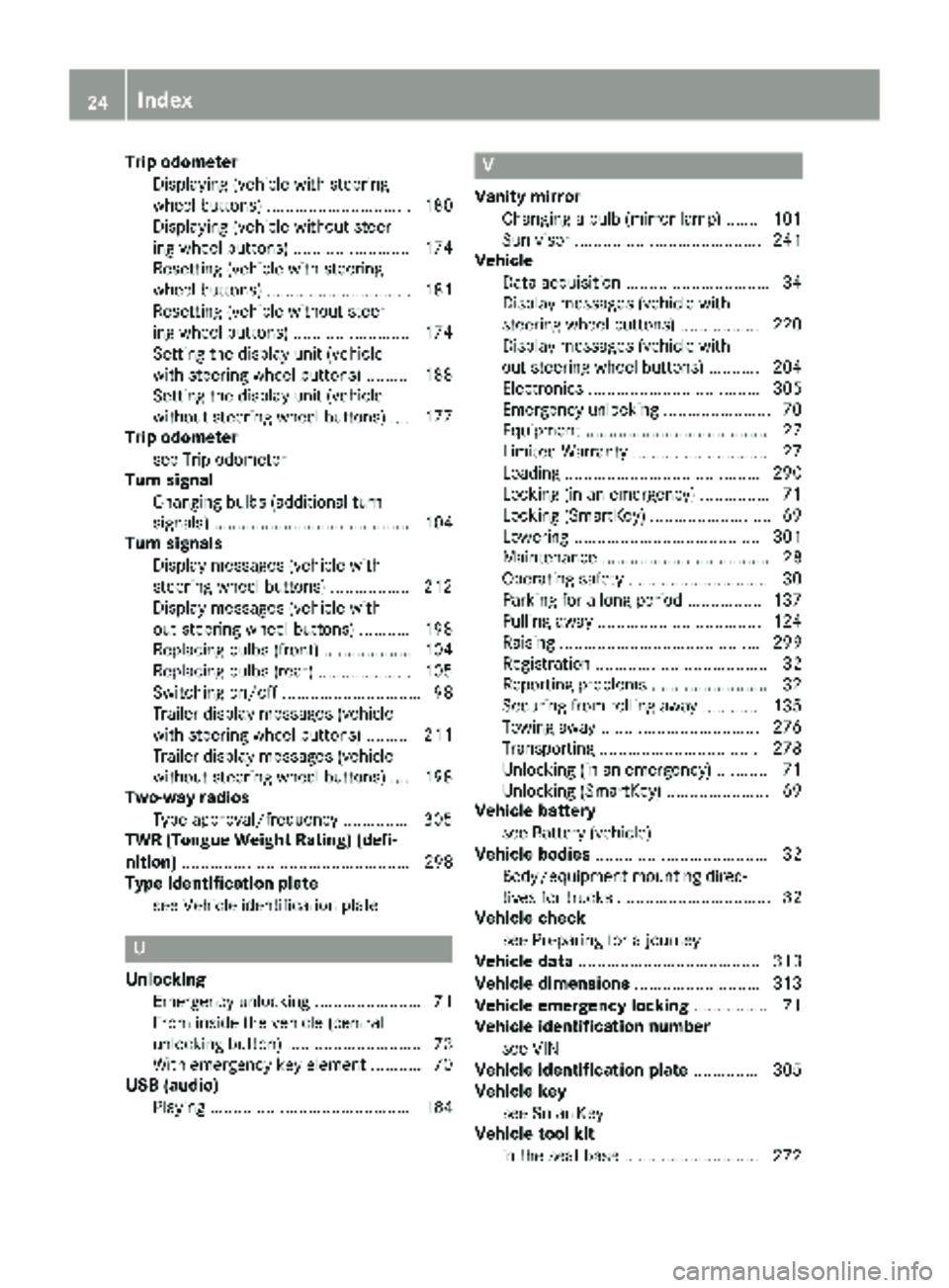
Trip odometerDisplaying (vehicle with steering
wheel buttons) ............................... 180
Displaying (vehicle without steer-
ing wheel buttons) ......................... 174
Resetting (vehicle with steering
wheel buttons) ............................... 181
Resetting (vehicle without steer-
ing wheel buttons) ......................... 174
Setting the display unit (vehicle
with steering wheel buttons) ......... 188
Setting the display unit (vehicle
without steering wheel buttons) .... 177
Trip odometer
see Trip odometer
Turn signal
Changing bulbs (additional turn
signals) .......................................... 104
Turn signals
Display messages (vehicle with
steering wheel buttons) ................. 212
Display messages (vehicle with-
out steering wheel buttons) ........... 198
Replacing bulbs (front) ................... 104
Replacing bulbs (rear) .................... 105
Switching on/off .............................. 98
Trailer display messages (vehicle
with steering wheel buttons) ......... 211
Trailer display messages (vehicle
without steering wheel buttons) .... 198
Two-way radios
Type approval/frequency .............. 305
TWR (Tongue Weight Rating) (defi-
nition) ................................................. 298
Type identification plate
see Vehicle identification plate
U
UnlockingEmergency unlocking ....................... 71
From inside the vehicle (central
unlocking button) ............................. 73
With emergency key element ........... 70
USB (audio)
Playing ........................................... 184
V
Vanity mirrorChanging a bulb (mirror lamp) ....... 101
Sun visor ........................................ 241
Vehicle
Data acquisition ............................... 34
Display messages (vehicle with
steering wheel buttons) ................. 220
Display messages (vehicle with-
out steering wheel buttons) ........... 204
Electronics ..................................... 305
Emergency unlocking ....................... 70
Equipment ....................................... 27
Limited Warranty ............................. 27
Loading .......................................... 290
Locking (in an emergency) ............... 71
Locking (SmartKey) .......................... 69
Lowering ........................................ 301
Maintenance .................................... 28
Operating safety .............................. 30
Parking for a long period ................ 137
Pulling away ................................... 124
Raising ........................................... 299
Registration ..................................... 32
Reporting problems ......................... 32
Securing from rolling away ............ 135
Towing away .................................. 276
Transporting .................................. 278
Unlocking (in an emergency) ........... 71
Unlocking (SmartKey) ...................... 69
Vehicle battery
see Battery (vehicle)
Vehicle bodies ..................................... 32
Body/equipment mounting direc-
tives for trucks ................................. 32
Vehicle check
see Preparing for a journey
Vehicle data ....................................... 313
Vehicle dimensions ........................... 313
Vehicle emergency locking ................ 71
Vehicle identification number
see VIN
Vehicle identification plate .............. 305
Vehicle key
see SmartKey
Vehicle tool kit
in the seat base ............................. 272
24Index
Page 27 of 318
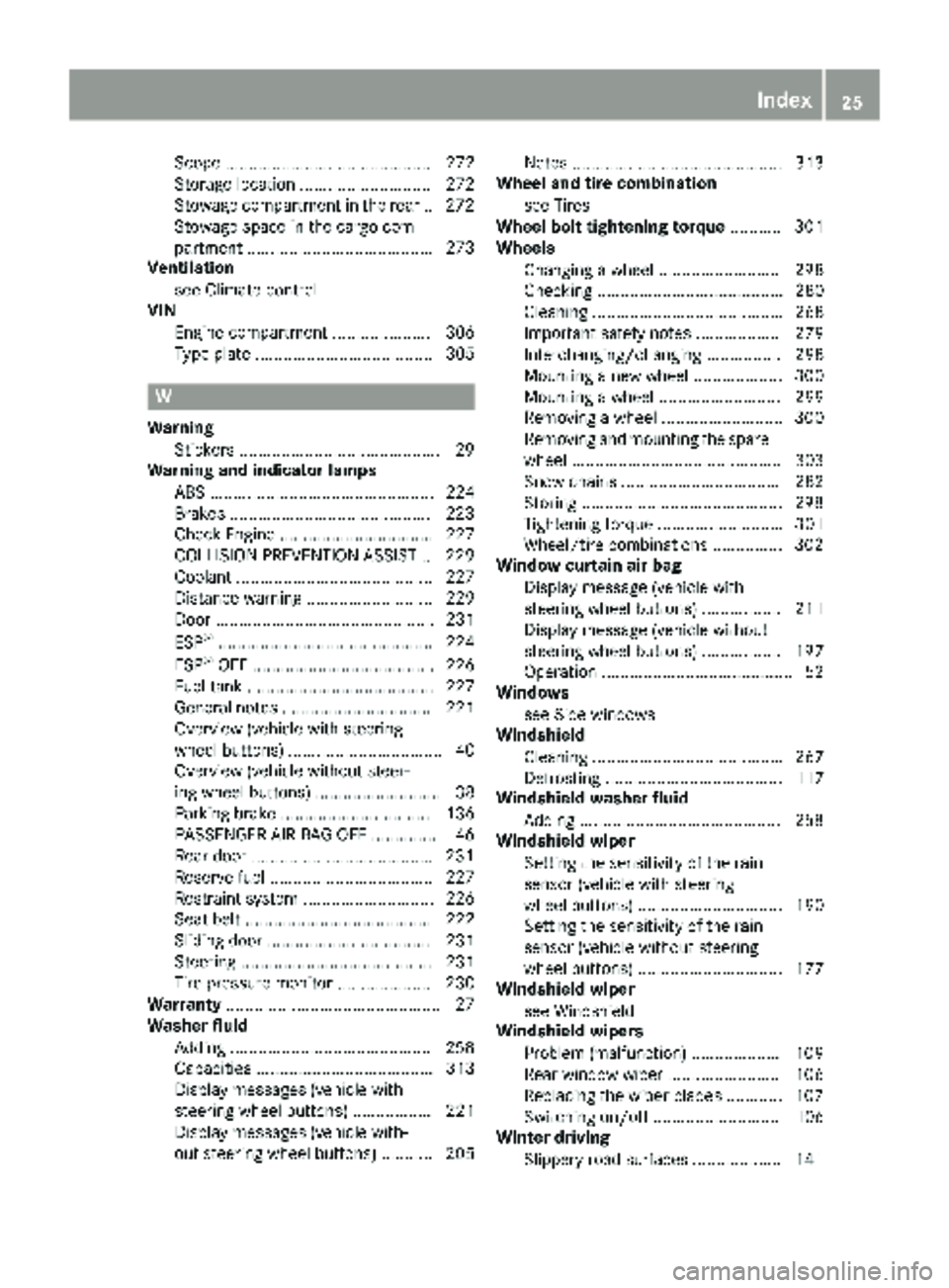
Scope ............................................ 272
Storage location ............................ 272
Stowage compartment in the rear..272
Stowage space in the cargo com-
partment ........................................ 273
Ventilation
see Climate control
VIN
Engine compartment ..................... 306
Type plate ...................................... 305
W
WarningStickers ...........................................2 9
Warning and indicator lamps
ABS ................................................ 224
Brakes ...........................................2 23
Check Engine ................................. 227
COLLISION PREVENTION ASSIST .. 229
Coolant .......................................... 227
Distance warning ........................... 229
Door ............................................... 231
ESP
®.............................................. 224
ESP®OFF ....................................... 226
Fuel tank ........................................ 227
General notes ................................ 221
Overview (vehicle with steering
wheel buttons) ................................. 40
Overview (vehicle without steer-
ing wheel buttons) ........................... 38
Parking brake ................................ 136
PASSENGER AIR BAG OFF ...............4 6
Rear doo r...................................... .231
Reserve fuel ................................... 227
Restraint system ............................ 226
Seat belt ........................................ 222
Sliding door ................................... 231
Steering ......................................... 231
Tire pressure monitor .................... 230
Warranty .............................................. 27
Washer fluid
Adding ...........................................2 58
Capacities ...................................... 313
Display messages (vehicle with
steering wheel buttons) ................. 221
Display messages (vehicle with-
out steering wheel buttons) ........... 205 Notes ............................................. 313
Wheel and tire combination
see Tires
Wheel bolt tightening torque ........... 301
Wheels
Changing a wheel .......................... 298
Checking ........................................ 280
Cleaning ......................................... 268
Important safety notes .................. 279
Interchanging/changing ................ 298
Mounting a new wheel ................... 300
Mounting a whe el .......................... 299
R
emoving a wheel .......................... 300
Removing and mounting the spare wheel ............................................. 303
Snow chains .................................. 282
Storing ...........................................2 98
Tightening torque ........................... 301
Wheel/tire combinations ...............3 02
Window curtain air bag
Display message (vehicle with
steering wheel buttons) ................. 211
Display message (vehicle without
steering wheel buttons) ................. 197
Operation ......................................... 52
Windows
see Side windows
Windshield
Cleaning ......................................... 267
Defrosting ...................................... 117
Windshield washer fluid
Adding ...........................................2 58
Windshield wiper
Setting the sensitivity of the rain
sensor (vehicle with steering
wheel buttons) ............................... 190
Setting the sensitivity of the rain
sensor (vehicle without steering
wheel buttons) ............................... 177
Windshield wiper
see Windshield
Windshield wipers
Problem (malfunction) ................... 109
Rear window wiper ........................ 106
Replacing the wiper blades ............ 107
Switching on/off ........................... 106
Winter driving
Slippery road surfaces ................... 141
Index25
Page 32 of 318
Operating conditions:
Ravoid short trips as these increase fuel con-
sumption.
Ralways make sure that the tire pressures
are correct.
Rdo not carry any unnecessary weight.
Rremove roof racks once you no longer need
them.
Ra regularly serviced vehicle will contribute
to environmental protection. You should
therefore adhere to the service intervals.
Ralways have service work carried out at a
qualified specialist workshop.
Personal driving style:
Rdo not depress the accelerator pedal when
starting the engine.
Rdo not warm up the engine when the vehicle
is stationary.
Rdrive carefully and maintain a safe distance
from the vehicle in front.
Ravoid frequent, sudden acceleration and
braking.
Rchange gear in good time and use each gear
only up to Ôof its maximum engine speed.
Rswitch off the engine in stationary traffic.
Rkeep an eye on the vehicle's fuel consump-
tion.
Environmental issues and recommen-
dations
When prompted by this Operator's Manual to
dispose of materials, please try to regenerate
and recycle these materials. Observe all rele-
vant environmental guidelines and regulations
when disposing of materials. This helps to pro-
tect the environment.
Operating safety and vehicle approval
Important safety notes
GWARNING
If you do not have the prescribed service/
maintenance work or any required repairs
carried out, this can result in malfunctions or system failures. There is a risk of an accident.
Always have the prescribed service/mainte-
nance work as well as any required repairs
carried out at a qualified specialist workshop.
Air bags and pyrotechnic Emergency Tensioning
Devices (ETDs) contain perchlorate material
which may require special handling and regard
for the environment. Check with your local gov- ernment’s disposal guidelines.
In California, you can find more information on
the Internet at www.dtsc.ca.gov.
Notes on operating the vehicle
There is a risk of damage to the vehicle if:
Rthe vehicle makes contact with the ground,
e.g. on a high curb or a loose road surface
Ryou drive too fast over an obstacle, e.g. a
curb, a speed bump or a pothole
Ra heavy object hits the underbody or chassis
component
In such situations, the body/frame, the under-
body, suspension parts, wheels or tires could be
damaged without the damage being visible.
Components that have been damaged in this
way can unexpectedly fail or no longer be able to assimilate the loads occurring in the event of an
accident. If the underbody paneling is damaged,
flammable material, such as leaves, grass or
twigs, could collect between the underbody and
underbody paneling. These materials could
ignite if they remain in contact with hot compo-
nents of the exhaust system for an extended
period.
GWARNING
Flammable material such as leaves, grass or
twigs may ignite if they come into contact with
hot parts of the exhaust system. There is a risk of fire.
30Introduction
Page 35 of 318
Please observe the information concerning
Mercedes-Benz Genuine Parts (Ypage 33).
You can obtain further information from any
Mercedes-Benz Commercial Van Center.
GWARNING
The function of systems or components can
be affected by conversions or modifications
to the vehicle. They might not function prop-
erly anymore and/or jeopardize the opera-
tional safety of the vehicle. There is an
increased risk of an accident and injury.
Conversions or modifications should always
be carried out at qualified specialist work-
shop.
If you intend to make modifications to your vehi-
cle, we strongly recommend that you contact
the distributor named on the inside of the front
cover. There you will receive all the necessary
information and a charge may be levied.
You alone accept the responsibility if body man-
ufacturers or dealers make modifications that
affect the final certification of the engine, the
vehicle or the equipment. This also applies to
the identification and documentation of modifi-
cations to the affected vehicle components.
You are responsible for certification and confir-
mation that:
Rall the applicable standards and regulations
that are affected by the vehicle modification
are met
Rthe modified vehicle fulfills the vehicle safety standards and emissions laws and regula-
tions
Rthe modifications or installation of accesso-
ries does not affect the safety of the vehicle
We are not responsible for the final certification,
product liability or warranty claims which result
from the modifications. This applies to:
Rthe modified components, assemblies or sys-
tems
Rany resulting noncompliance with any of the
emissions laws and regulations or the motor
vehicle safety standards
Rany consequences arising from the changes
that make the vehicle less safe or even render it defective
We do not assume responsibility as the final-
stage manufacturer or for the consequential
product liability.
Notes on the radiator
Even seemingly small changes to the vehicle,
such as attaching a radiator trim for winter driv-
ing, is not permitted. Do not cover up the radi-
ator. Do not use thermal mats, insect protection
covers or anything similar.
Otherwise, the values of the diagnostic system
may be affected. Some of these values are
legally prescribed and must always be correct.
Genuine Mercedes-Benz parts
!
Air bags and Emergency Tensioning Devi-
ces, as well as control units and sensors for
these restraint systems, may be installed in
the following areas of your vehicle:
Rdoors
Rdoor pillars
Rdoor sills
Rseats
Rcockpit
Rinstrument cluster
Rcenter console
Do not install accessories such as audio sys-
tems in these areas. Do not carry out repairs or welding. You could impair the operating
efficiency of the restraint systems.
Have aftermarket accessories installed at a
qualified specialist workshop.
HEnvironmental note
We supply reconditioned assemblies and
parts which are of the same quality as new
parts. The same New Vehicle Limited War-
ranty applies as for new parts.
The operating safety of the vehicle could be
jeopardized if you use parts, tires and wheels as
well as accessories relevant to safety which
have not been approved by Mercedes-Benz. This could lead to malfunctions in safety-relevant
systems, e.g. the brake system. Only use genu-
ine Mercedes-Benz parts or parts of equal qual-
ity. Only use tires, wheels and accessories that
have been specifically approved for your vehi-
cle.
Introduction33
Z
Page 36 of 318
Mercedes-Benz tests genuine Mercedes-Benz
parts, conversion parts and accessories that
have been specifically approved for the type of
vehicle for:
RReliability
RSafety
RSuitability
Despite ongoing market research, Mercedes-
Benz is unable to assess other parts. Even if an
independent or official approval has been pro-
vided in exceptional cases, Mercedes-Benz
accepts no responsibility for the use of such
parts in Mercedes-Benz vehicles.
In some countries, certain parts are only offi-
cially approved for installation or modification if
they comply with legal requirements. All genu-
ine Mercedes-Benz parts satisfy these require-
ments. Make sure that all parts are suitable for
your vehicle.
Always specify the vehicle identification number
(VIN) (
Ypage 305) and engine number when
ordering genuine Mercedes-Benz parts
(
Ypage 306).
QR code for rescue card
The QR Code stickers are affixed to the B-pillar
on the driver's and front-passenger side.
In the event of an accident the rescue services
use the QR Code to quickly find the rescue card for your vehicle. The current rescue card con-
tains the most important information on your
vehicle, e.g. the electric cable routes, in a com-
pact form.
Further information can be found at http://
www.mercedes-benz.de/qr-code.
Data stored in the vehicle
Information from electronic control
units
There are electronic control units installed in
your vehicle. Some of these are necessary for
your vehicle to operate safely, while some offer
support during driving (driver assistance sys-
tems). In addition, your vehicle offers comfort
and entertainment functions that are also made
possible by electronic control units.
Electronic control units contain data storage
systems that can temporarily or permanently save technical information concerning the vehi-
cle's condition, component stress and mainte-
nance requirements as well as technical events
and malfunctions.
This information generally documents the con-
dition of a component, a module, a system or the surroundings, for example:
Roperating states of system components (e.g.
fill levels, battery status, tire pressure)
Rstatus messages concerning the vehicle or its
individual components (e.g. number of wheel
revolutions/speed, deceleration in move-
ment, lateral acceleration, display of fastened
seat belts)
Rmalfunctions and defects in important system
components (e.g. lights, brakes)
Rinformation about events leading to vehicle
damage
Rsystem responses in special driving situations
(e.g. air bag deployment, intervention of sta-
bility control systems)
Rambient conditions (e.g. temperature, rain
sensor)
In addition to performing the actual control unit function, this data is used by manufacturers to
detect and rectify malfunctions and to optimize
vehicle functions. Most of this data is volatile
and processed only in the vehicle itself. Only a
small part of the data is stored in event or mal-
function memories.
When you use services, the technical data from
the vehicle can be read out by service network
employees or third parties. Services can include
repair services, maintenance processes, war-
ranty cases and quality assurance measures.
The data is read out via the connection for OBD
(European on-board diagnostics) in the vehicle,
which is required by law. The relevant offices in
the service network or third parties collect,
process and use the data. This data documents
the vehicle's technical states, is used to help in
finding malfunctions and improving quality and
is sent to the manufacturer where necessary. Inaddition, the manufacturer is subject to product
liability. The manufacturer needs technical data
from vehicles for this purpose.
Malfunction memories in the vehicle can be
reset by a service center during repair or service
work.
You can incorporate data into the vehicle's com-
fort and infotainment functions y
ourself as part
of the selected equipment.
34Introduction
Page 37 of 318
These include, for example:
Rmultimedia data such as music, films or pho-
tos for playback in an integrated multimedia
system
Raddress book data for use in conjunction withan integrated hands-free system or an inte-
grated navigation system
Rnavigation destinations that have been
entered
Rdata about using Internet services
This data can be saved locally in the vehicle or is
located on a device that you have connected to
the vehicle. If this data is saved in the vehicle,
you can delete it at any time. This data is sent to third parties only at your request, particularly
when you use online services in accordance with
the settings that you have selected.
You can save and change comfort settings/
customizations in the vehicle at any time.
Depending on the piece of equipment in ques-
tion, these can include, for example:
Rsettings for the seat and steering wheel posi- tions
Rsuspension and climate control settings
Rcustomizations such as interior lighting
If your vehicle is equipped appropriately, you
can connect your smartphone or another mobile
terminal to the vehicle. You can control this by
means of the control elements integrated in the vehicle. The smartphone's picture and sound
can be output via the multimedia system. Spe-
cific items of information are also sent to your
smartphone.
Depending on the type of integration, this can
include, for example:
Rgeneral vehicle status
Rposition data
This allows the use of selected smartphone
apps, such as navigation or music player apps.
There is no additional interaction between the
smartphone and the vehicle, particularly active
access to vehicle data. The type of additional
data processing is determined by the provider of
the app being used. Whether you can configure settings for it and, if so, which ones, depends on
the app and your smartphone's operating sys-
tem.
Service provider
Wireless network connection
If your vehicle has a wireless network connec-
tion, it enables data to be exchanged between
your vehicle and other systems. The wireless
network connection is made possible by the
vehicle's own transmitter and receiver or by
mobile end devices that you have brought into
the vehicle (e.g. smartphones). Online functions
can be used via this wireless network connec-
tion. These include online services and applica-
tions/apps provided by the manufacturer or
other providers.
Services provided by the manufacturer
In the case of the manufacturer's online serv-
ices, the manufacturer describes the functions
in a suitable place and the associated informa-
tion subject to data protection legislation. Per-
sonal data can be used in order to provide online
services. The data exchange for this takes place
via a secure connection, e.g. with the manufac- turer's IT systems intended for the purpose. Col-
lecting, processing and using personal data
beyond the provision of services is permitted
only on the basis of a statutory permit or decla-
ration of consent.
You can usually activate and deactivate the serv-
ices and functions (sometimes subject to a fee).
In many cases, this also applies to the vehicle's
entire data connection. This does not include
legally prescribed functions and services such
as the "E-Call" emergency call system.
Services from third parties
If it is possible to use online services from other
providers, these services are the responsibility
of the provider in question and subject to that
provider's data protection conditions and terms
of use. The manufacturer has no influence over
the content exchanged here.
For this reason, please ask the service providerfor information about the type, extent and pur-
pose of the collection and use of personal data
when services are provided by third parties.
Introduction35
Z
Page 38 of 318
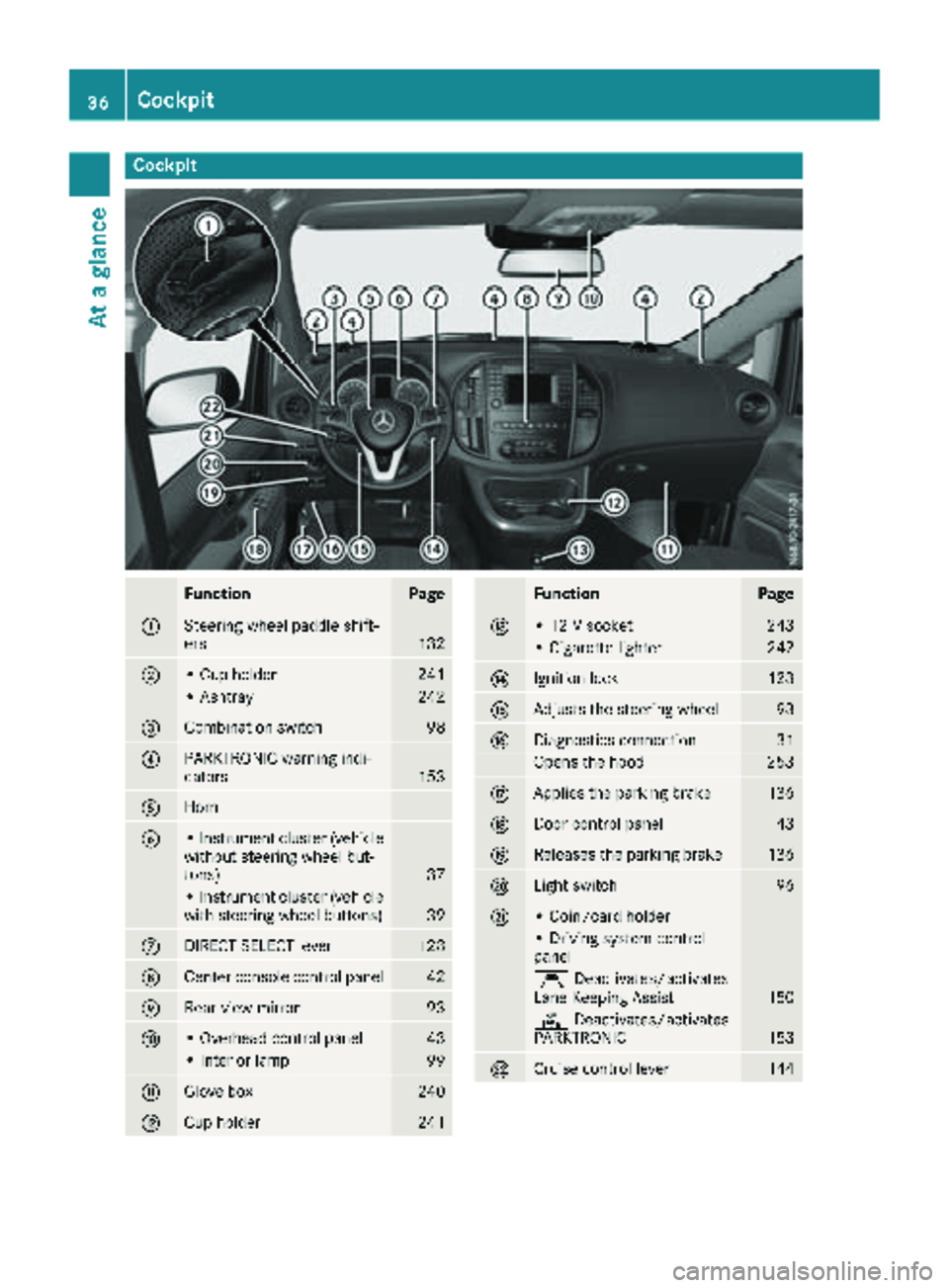
Cockpit
FunctionPage
:Steering wheel paddle shift-
ers132
;• Cup holder241
• Ashtray242
=Combination switch98
?PARKTRONIC warning indi-
cators153
AHorn
B• Instrument cluster (vehicle
without steering wheel but-
tons)
37
• Instrument cluster (vehicle
with steering wheel buttons)39
CDIRECT SELECT lever128
DCenter console control panel42
ERear-view mirror93
F• Overhead control panel43
• Interior lamp99
GGlove box240
HCup holder241
FunctionPage
I• 12 V socket243
• Cigarette lighter242
JIgnition lock123
KAdjusts the steering wheel93
LDiagnostics connection31
Opens the hood253
MApplies the parking brake136
NDoor control panel43
OReleases the parking brake136
PLight switch96
Q• Coin/card holder
• Driving system control
panel
ÇDeactivates/activates
Lane Keeping Assist150
c Deactivates/activates
PARKTRONIC153
RCruise control lever144
36Cockpit
At a glance
Page 39 of 318
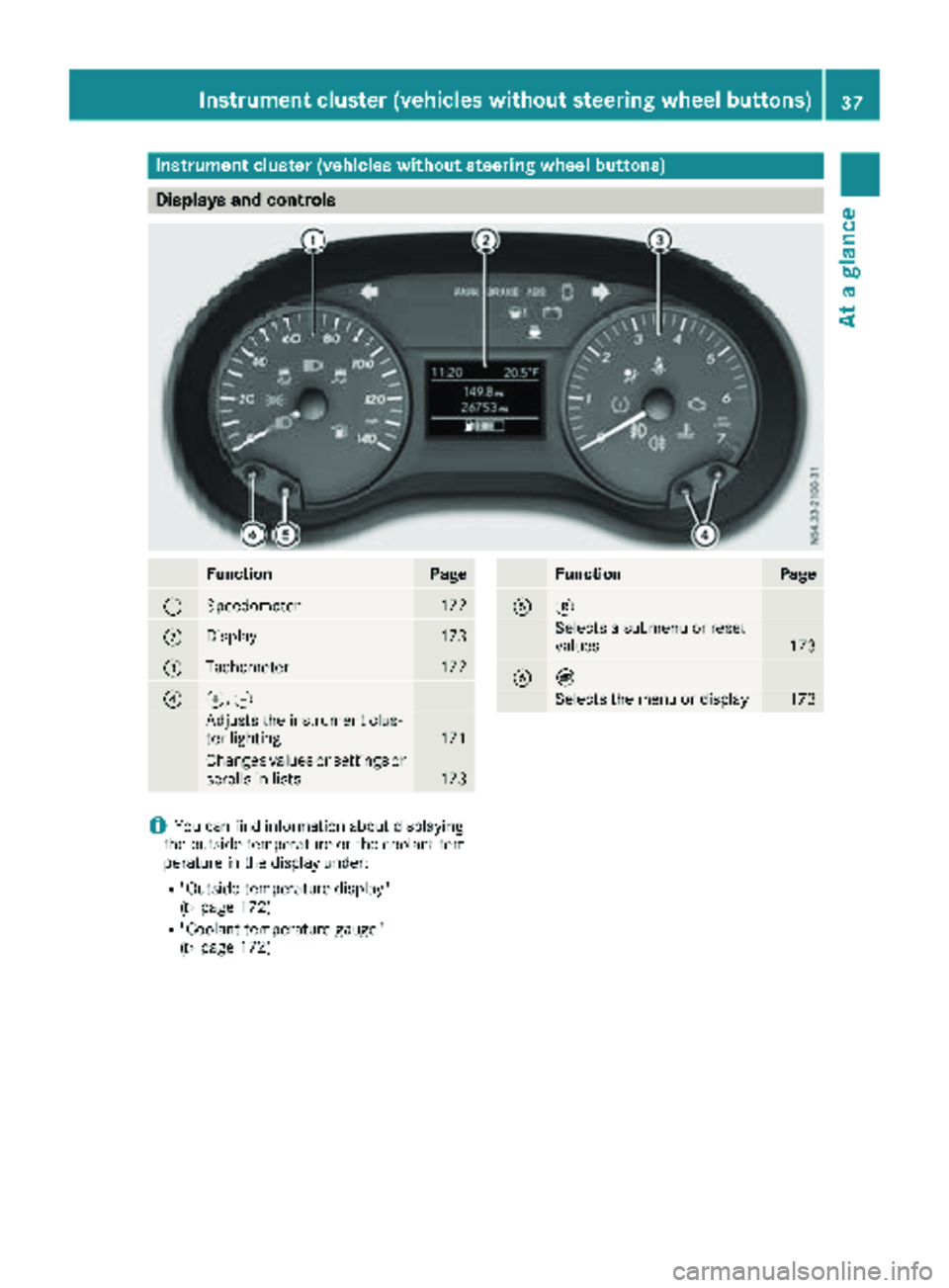
Instrument cluster (vehicles without steering wheel buttons)
Displays and controls
FunctionPage
:Speedometer172
;Display173
=Tachometer172
?f, g
Adjusts th einstrumen tclus -
te rlighting17 1
Changes value sor setting sor
scrolls in list s173
FunctionPag e
A3
Selects asubmen uor reset
value s173
BÈ
Selects th emen uor display17 3
iYou can fin dinformation about displayin g
th eoutside temperature or th ecoolan ttem-
peratur ein th edisplay under:
R"Outside temperature display"
(Ypage 172)
R"Coolan ttemperature gauge "
(Ypage 172)
Instrument cluster (vehicles without steering wheel buttons)37
At a glance