audio MERCEDES-BENZ S CLASS 2010 Workshop Manual
[x] Cancel search | Manufacturer: MERCEDES-BENZ, Model Year: 2010, Model line: S CLASS, Model: MERCEDES-BENZ S CLASS 2010Pages: 548, PDF Size: 11.45 MB
Page 258 of 548
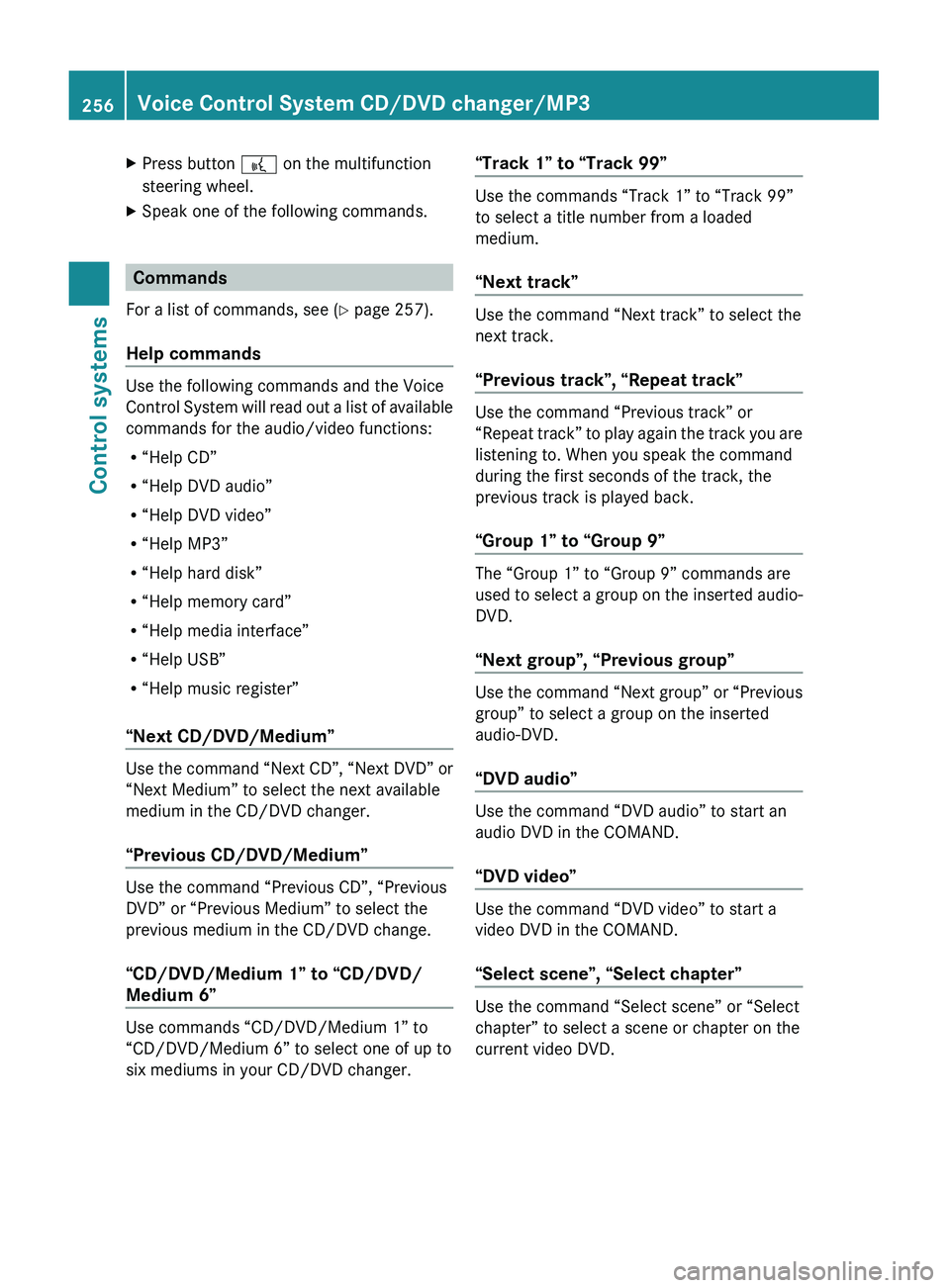
XPress button 0062 on the multifunction
steering wheel.XSpeak one of the following commands.
Commands
For a list of commands, see ( Y page 257).
Help commands
Use the following commands and the Voice
Control System will read out a list of available
commands for the audio/video functions:
R “Help CD”
R “Help DVD audio”
R “Help DVD video”
R “Help MP3”
R “Help hard disk”
R “Help memory card”
R “Help media interface”
R “Help USB”
R “Help music register”
“Next CD/DVD/Medium”
Use the command “Next CD”, “Next DVD” or
“Next Medium” to select the next available
medium in the CD/DVD changer.
“Previous CD/DVD/Medium”
Use the command “Previous CD”, “Previous
DVD” or “Previous Medium” to select the
previous medium in the CD/DVD change.
“CD/DVD/Medium 1” to “CD/DVD/
Medium 6”
Use commands “CD/DVD/Medium 1” to
“CD/DVD/Medium 6” to select one of up to
six mediums in your CD/DVD changer.
“Track 1” to “Track 99”
Use the commands “Track 1” to “Track 99”
to select a title number from a loaded
medium.
“Next track”
Use the command “Next track” to select the
next track.
“Previous track”, “Repeat track”
Use the command “Previous track” or
“Repeat track” to play again the track you are
listening to. When you speak the command
during the first seconds of the track, the
previous track is played back.
“Group 1” to “Group 9”
The “Group 1” to “Group 9” commands are
used to select a group on the inserted audio-
DVD.
“Next group”, “Previous group”
Use the command “Next group” or “Previous
group” to select a group on the inserted
audio-DVD.
“DVD audio”
Use the command “DVD audio” to start an
audio DVD in the COMAND.
“DVD video”
Use the command “DVD video” to start a
video DVD in the COMAND.
“Select scene”, “Select chapter”
Use the command “Select scene” or “Select
chapter” to select a scene or chapter on the
current video DVD.
256Voice Control System CD/DVD changer/MP3Control systems
221_AKB; 6; 20, en-USd2ugruen,Version: 2.11.8.12009-09-24T13:28:17+02:00 - Seite 256
Page 259 of 548
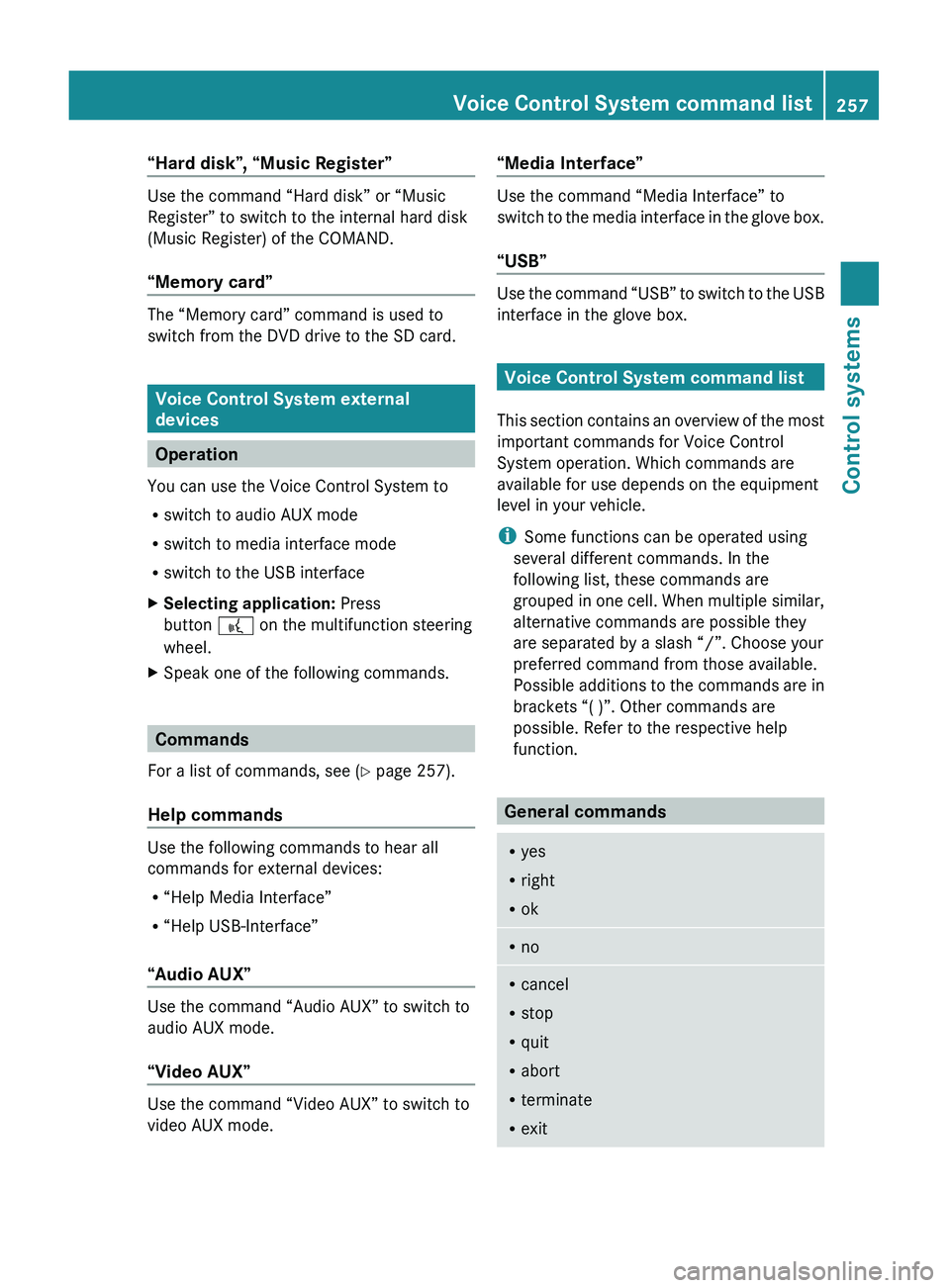
“Hard disk”, “Music Register”
Use the command “Hard disk” or “Music
Register” to switch to the internal hard disk
(Music Register) of the COMAND.
“Memory card”
The “Memory card” command is used to
switch from the DVD drive to the SD card.
Voice Control System external
devices
Operation
You can use the Voice Control System to
R switch to audio AUX mode
R switch to media interface mode
R switch to the USB interface
XSelecting application: Press
button 0062 on the multifunction steering
wheel.XSpeak one of the following commands.
Commands
For a list of commands, see ( Y page 257).
Help commands
Use the following commands to hear all
commands for external devices:
R “Help Media Interface”
R “Help USB-Interface”
“Audio AUX”
Use the command “Audio AUX” to switch to
audio AUX mode.
“Video AUX”
Use the command “Video AUX” to switch to
video AUX mode.
“Media Interface”
Use the command “Media Interface” to
switch to the media interface in the glove box.
“USB”
Use the command “USB” to switch to the USB
interface in the glove box.
Voice Control System command list
This section contains an overview of the most
important commands for Voice Control
System operation. Which commands are
available for use depends on the equipment
level in your vehicle.
i Some functions can be operated using
several different commands. In the
following list, these commands are
grouped in one cell. When multiple similar,
alternative commands are possible they
are separated by a slash “/”. Choose your
preferred command from those available.
Possible additions to the commands are in
brackets “( )”. Other commands are
possible. Refer to the respective help
function.
General commands
R yes
R right
R okRnoRcancel
R stop
R quit
R abort
R terminate
R exitVoice Control System command list257Control systems221_AKB; 6; 20, en-USd2ugruen,Version: 2.11.8.12009-09-24T13:28:17+02:00 - Seite 257Z
Page 260 of 548
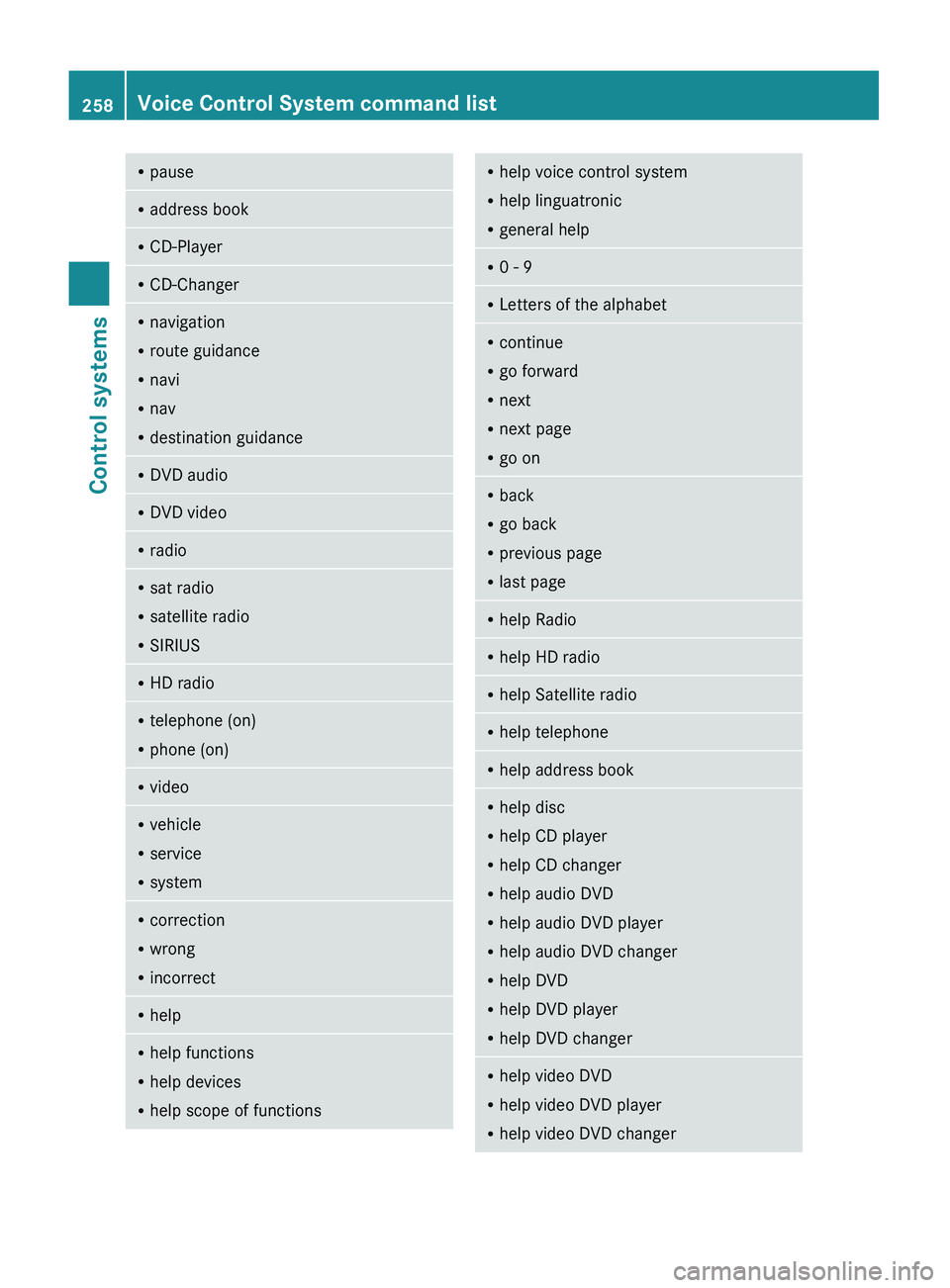
RpauseRaddress bookRCD-PlayerRCD-ChangerRnavigation
R route guidance
R navi
R nav
R destination guidanceR
DVD audioRDVD videoRradioRsat radio
R satellite radio
R SIRIUSRHD radioRtelephone (on)
R phone (on)RvideoRvehicle
R service
R systemRcorrection
R wrong
R incorrectRhelpRhelp functions
R help devices
R help scope of functionsRhelp voice control system
R help linguatronic
R general helpR0 - 9RLetters of the alphabetRcontinue
R go forward
R next
R next page
R go onR
back
R go back
R previous page
R last pageRhelp RadioRhelp HD radioRhelp Satellite radioRhelp telephoneRhelp address bookRhelp disc
R help CD player
R help CD changer
R help audio DVD
R help audio DVD player
R help audio DVD changer
R help DVD
R help DVD player
R help DVD changerRhelp video DVD
R help video DVD player
R help video DVD changer258Voice Control System command listControl systems
221_AKB; 6; 20, en-USd2ugruen,Version: 2.11.8.12009-09-24T13:28:17+02:00 - Seite 258
Page 266 of 548
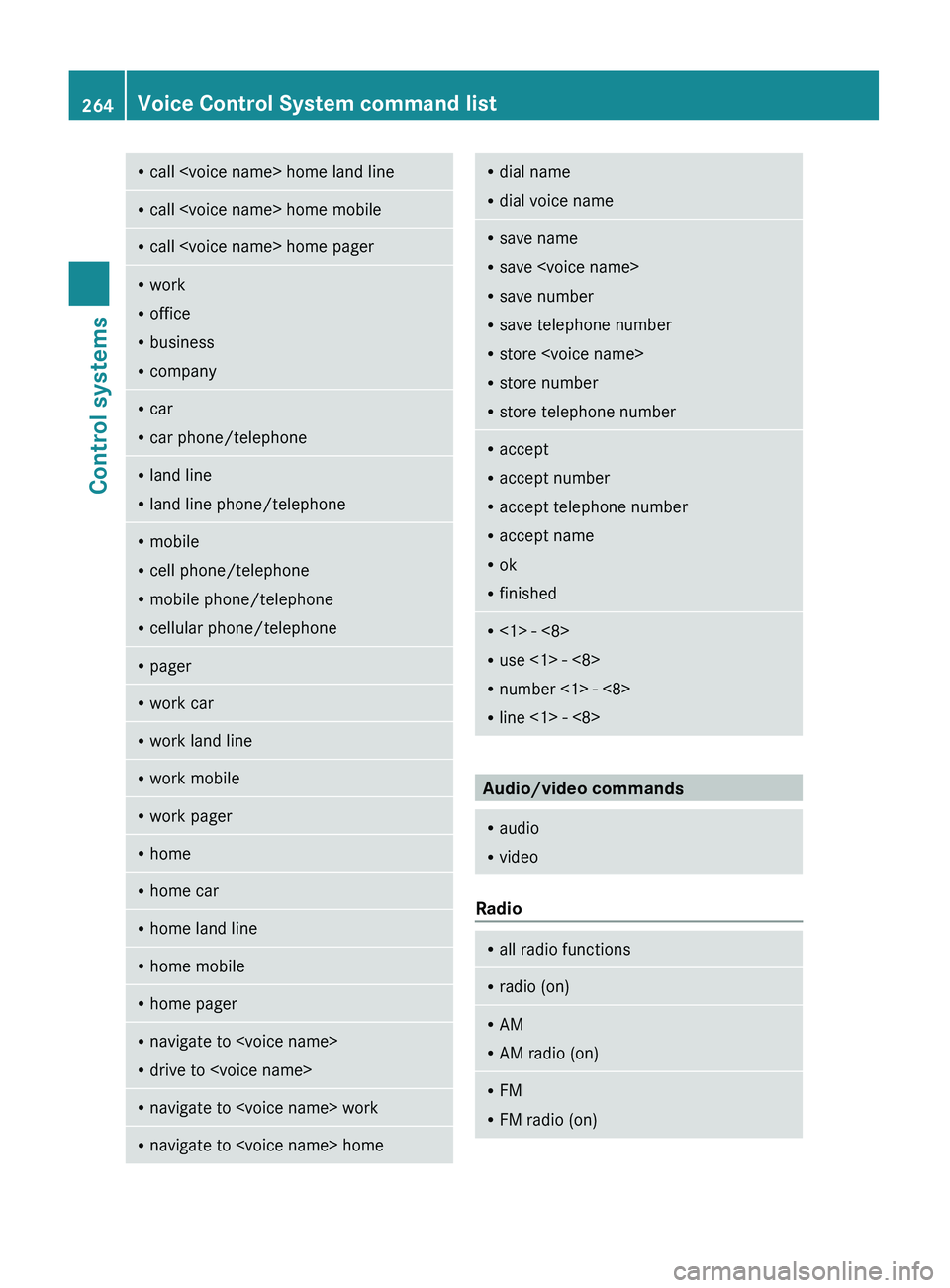
Rcall
R office
R business
R companyRcar
R car phone/telephoneRland line
R land line phone/telephoneRmobile
R cell phone/telephone
R mobile phone/telephone
R cellular phone/telephoneRpagerRwork carRwork land lineRwork mobileRwork pagerRhomeRhome carRhome land lineRhome mobileRhome pagerRnavigate to
R drive to
R dial voice nameRsave name
R save
R save number
R save telephone number
R store
R store number
R store telephone numberRaccept
R accept number
R accept telephone number
R accept name
R ok
R finishedR<1> - <8>
R use <1> - <8>
R number <1> - <8>
R line <1> - <8>
Audio/video commands
R
audio
R video
Radio
R
all radio functionsRradio (on)RAM
R AM radio (on)RFM
R FM radio (on)264Voice Control System command listControl systems
221_AKB; 6; 20, en-USd2ugruen,Version: 2.11.8.12009-09-24T13:28:17+02:00 - Seite 264
Page 268 of 548
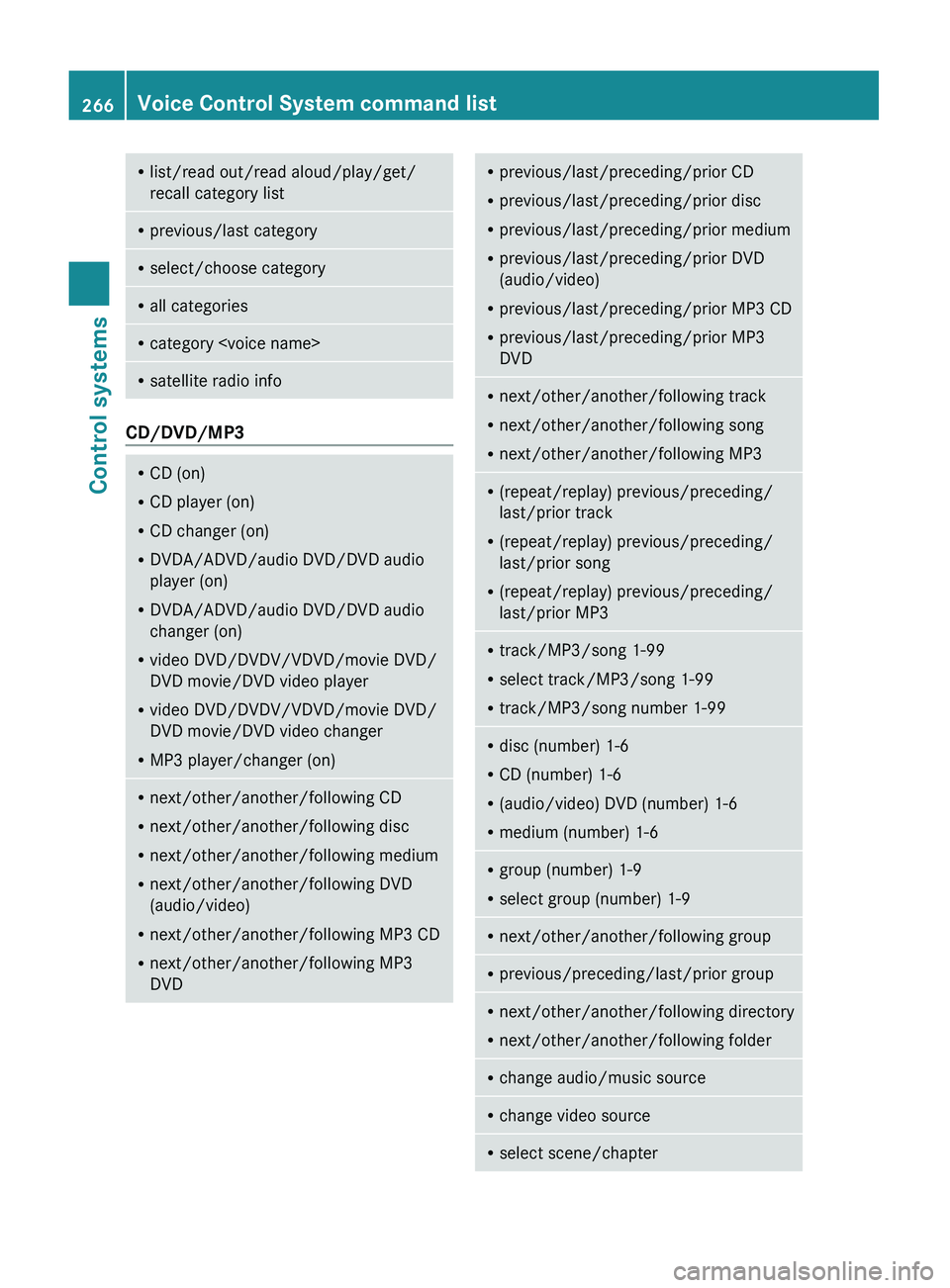
Rlist/read out/read aloud/play/get/
recall category listR previous/last categoryRselect/choose categoryRall categoriesRcategory
CD/DVD/MP3
RCD (on)
R CD player (on)
R CD changer (on)
R DVDA/ADVD/audio DVD/DVD audio
player (on)
R DVDA/ADVD/audio DVD/DVD audio
changer (on)
R video DVD/DVDV/VDVD/movie DVD/
DVD movie/DVD video player
R video DVD/DVDV/VDVD/movie DVD/
DVD movie/DVD video changer
R MP3 player/changer (on)Rnext/other/another/following CD
R next/other/another/following disc
R next/other/another/following medium
R next/other/another/following DVD
(audio/video)
R next/other/another/following MP3 CD
R next/other/another/following MP3
DVDR previous/last/preceding/prior CD
R previous/last/preceding/prior disc
R previous/last/preceding/prior medium
R previous/last/preceding/prior DVD
(audio/video)
R previous/last/preceding/prior MP3 CD
R previous/last/preceding/prior MP3
DVDR next/other/another/following track
R next/other/another/following song
R next/other/another/following MP3R(repeat/replay) previous/preceding/
last/prior track
R (repeat/replay) previous/preceding/
last/prior song
R (repeat/replay) previous/preceding/
last/prior MP3R track/MP3/song 1-99
R select track/MP3/song 1-99
R track/MP3/song number 1-99Rdisc (number) 1-6
R CD (number) 1-6
R (audio/video) DVD (number) 1-6
R medium (number) 1-6Rgroup (number) 1-9
R select group (number) 1-9Rnext/other/another/following groupRprevious/preceding/last/prior groupRnext/other/another/following directory
R next/other/another/following folderRchange audio/music sourceRchange video sourceRselect scene/chapter266Voice Control System command listControl systems
221_AKB; 6; 20, en-USd2ugruen,Version: 2.11.8.12009-09-24T13:28:17+02:00 - Seite 266
Page 269 of 548
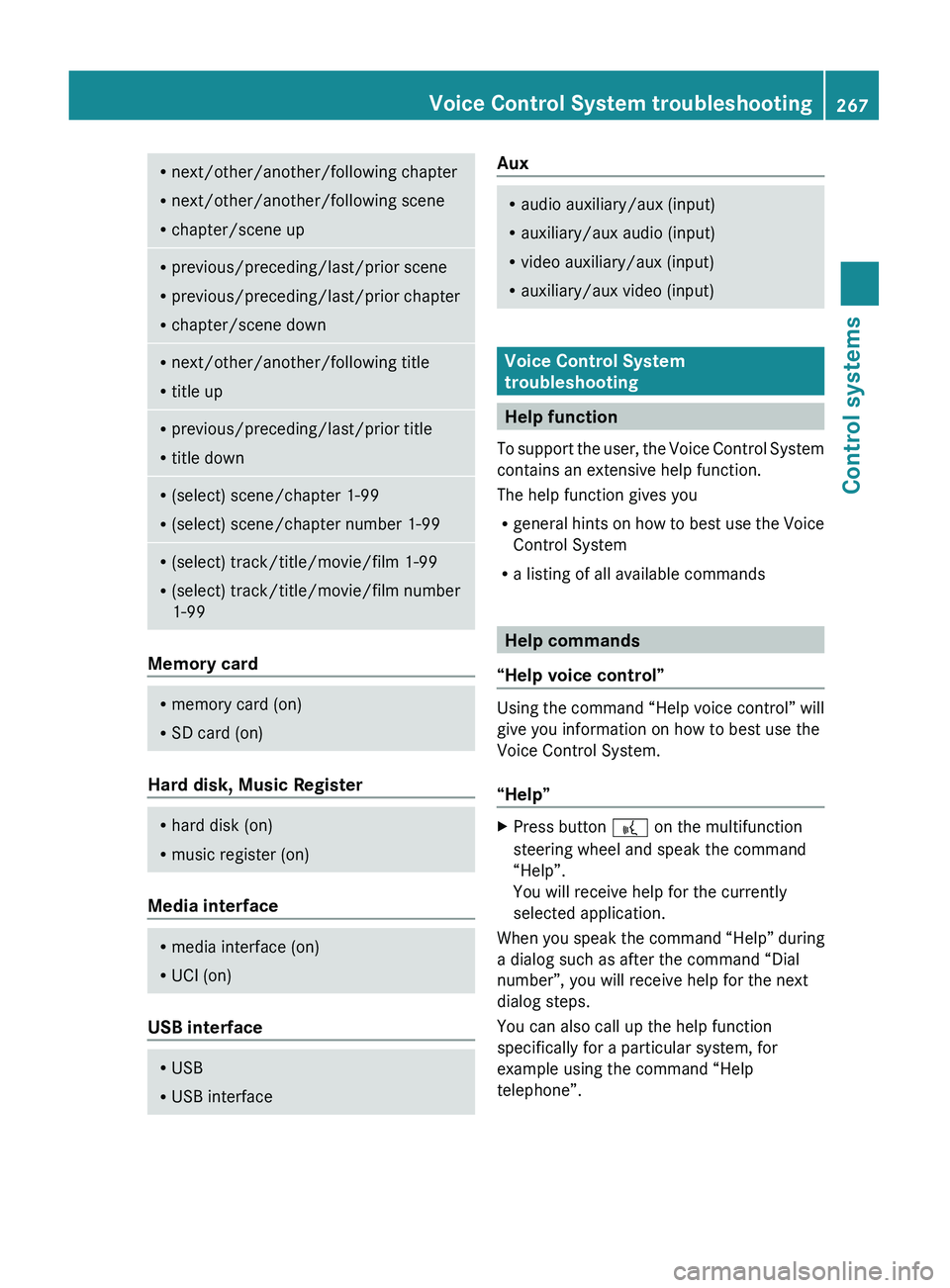
Rnext/other/another/following chapter
R next/other/another/following scene
R chapter/scene upRprevious/preceding/last/prior scene
R previous/preceding/last/prior chapter
R chapter/scene downRnext/other/another/following title
R title upRprevious/preceding/last/prior title
R title downR(select) scene/chapter 1-99
R (select) scene/chapter number 1-99R(select) track/title/movie/film 1-99
R (select) track/title/movie/film number
1-99
Memory card
R memory card (on)
R SD card (on)
Hard disk, Music Register
R
hard disk (on)
R music register (on)
Media interface
R
media interface (on)
R UCI (on)
USB interface
R
USB
R USB interfaceAuxRaudio auxiliary/aux (input)
R auxiliary/aux audio (input)
R video auxiliary/aux (input)
R auxiliary/aux video (input)
Voice Control System
troubleshooting
Help function
To support the user, the Voice Control System
contains an extensive help function.
The help function gives you
R general hints on how to best use the Voice
Control System
R a listing of all available commands
Help commands
“Help voice control”
Using the command “Help voice control” will
give you information on how to best use the
Voice Control System.
“Help”
XPress button 0062 on the multifunction
steering wheel and speak the command
“Help”.
You will receive help for the currently
selected application.
When you speak the command “Help” during
a dialog such as after the command “Dial
number”, you will receive help for the next
dialog steps.
You can also call up the help function
specifically for a particular system, for
example using the command “Help
telephone”.
Voice Control System troubleshooting267Control systems221_AKB; 6; 20, en-USd2ugruen,Version: 2.11.8.12009-09-24T13:28:17+02:00 - Seite 267Z
Page 392 of 548
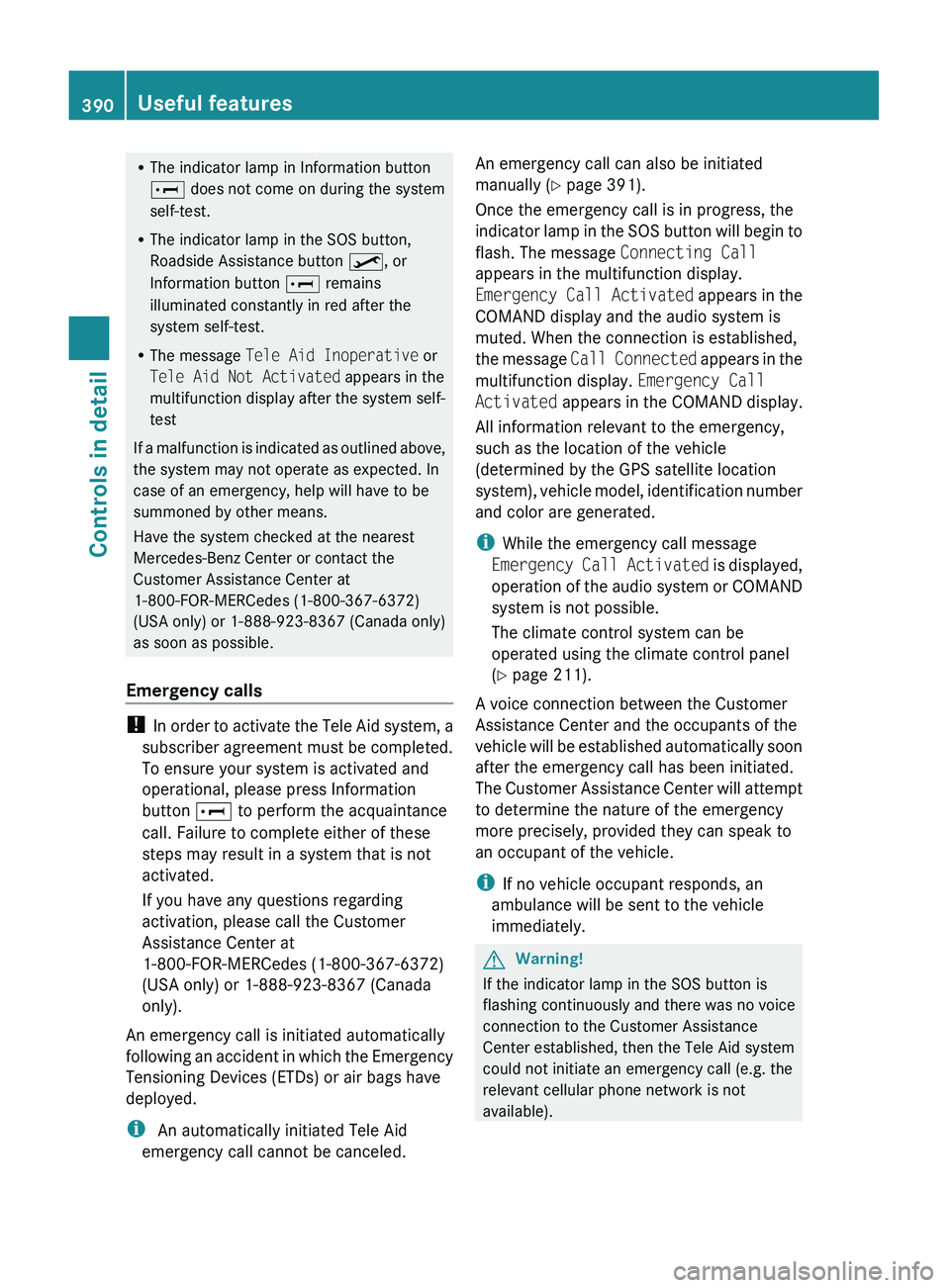
RThe indicator lamp in Information button
005D does not come on during the system
self-test.
R The indicator lamp in the SOS button,
Roadside Assistance button 00A1, or
Information button 005D remains
illuminated constantly in red after the
system self-test.
R The message Tele Aid Inoperative or
Tele Aid Not Activated appears in the
multifunction display after the system self-
test
If a malfunction is indicated as outlined above,
the system may not operate as expected. In
case of an emergency, help will have to be
summoned by other means.
Have the system checked at the nearest
Mercedes-Benz Center or contact the
Customer Assistance Center at
1-800-FOR-MERCedes (1-800-367-6372)
(USA only) or 1-888-923-8367 (Canada only)
as soon as possible.
Emergency calls
! In order to activate the Tele Aid system, a
subscriber agreement must be completed.
To ensure your system is activated and
operational, please press Information
button 005D to perform the acquaintance
call. Failure to complete either of these
steps may result in a system that is not
activated.
If you have any questions regarding
activation, please call the Customer
Assistance Center at
1-800-FOR-MERCedes (1-800-367-6372)
(USA only) or 1-888-923-8367 (Canada
only).
An emergency call is initiated automatically
following an accident in which the Emergency
Tensioning Devices (ETDs) or air bags have
deployed.
i An automatically initiated Tele Aid
emergency call cannot be canceled.
An emergency call can also be initiated
manually ( Y page 391).
Once the emergency call is in progress, the
indicator lamp in the SOS button will begin to
flash. The message Connecting Call
appears in the multifunction display.
Emergency Call Activated appears in the
COMAND display and the audio system is
muted. When the connection is established,
the message Call Connected appears in the
multifunction display. Emergency Call
Activated appears in the COMAND display.
All information relevant to the emergency,
such as the location of the vehicle
(determined by the GPS satellite location
system), vehicle model, identification number
and color are generated.
i While the emergency call message
Emergency Call Activated is displayed,
operation of the audio system or COMAND
system is not possible.
The climate control system can be
operated using the climate control panel
( Y page 211).
A voice connection between the Customer
Assistance Center and the occupants of the
vehicle will be established automatically soon
after the emergency call has been initiated.
The Customer Assistance Center will attempt
to determine the nature of the emergency
more precisely, provided they can speak to
an occupant of the vehicle.
i If no vehicle occupant responds, an
ambulance will be sent to the vehicle
immediately.GWarning!
If the indicator lamp in the SOS button is
flashing continuously and there was no voice
connection to the Customer Assistance
Center established, then the Tele Aid system
could not initiate an emergency call (e.g. the
relevant cellular phone network is not
available).
390Useful featuresControls in detail
221_AKB; 6; 20, en-USd2ugruen,Version: 2.11.8.12009-09-24T13:28:17+02:00 - Seite 390
Page 393 of 548
The message Call Failed appears in the
multifunction display for approximately
10 seconds.
Should this occur, assistance must be
summoned by other means.
iDuring the emergency call the telephone
is switched off automatically and must be
switched back on to make a call.
iThe “911” emergency call system is a
public service. Using it without due cause
is a criminal offense.
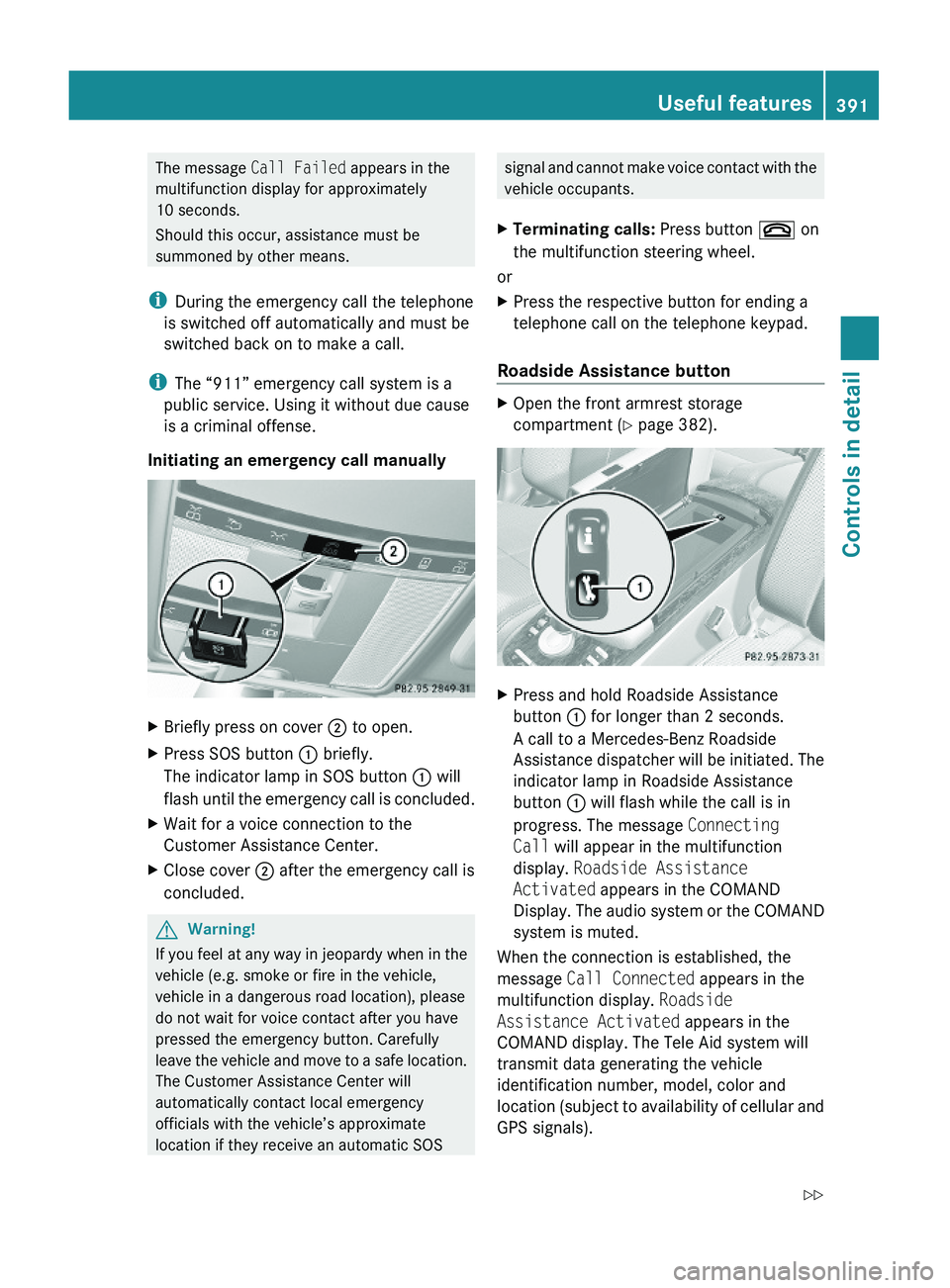
Initiating an emergency call manually
XBriefly press on cover \000G to open.XPress SOS button \000F briefly.
The indicator lamp in SOS button \000F will
flash until the emergency call is concluded.
XWait for a voice connection to the
Customer Assistance Center.
XClose cover \000G after the emergency call is
concluded.
GWarning!
If you feel at any way in jeopardy when in the
vehicle (e.g. smoke or fire in the vehicle,
vehicle in a dangerous road location), please
do not wait for voice contact after you have
pressed the emergency button. Carefully
leave the vehicle and move to a safe location.
The Customer Assistance Center will
automatically contact local emergency
officials with the vehicle’s approximate
location if they receive an automatic SOS
signal and cannot make voice contact with the
vehicle occupants.
XTerminating calls: Press button \000 on
the multifunction steering wheel.
or
XPress the respective button for ending a
telephone call on the telephone keypad.
Roadside Assistance button
XOpen the front armrest storage
compartment (Y page 382).
XPress and hold Roadside Assistance
button \000F for longer than 2 seconds.
A call to a Mercedes-Benz Roadside
Assistance dispatcher will be initiated. The
indicator lamp in Roadside Assistance
button \000F will flash while the call is in
progress. The message Connecting
Call will appear in the multifunction
display. Roadside Assistance
Activated appears in the COMAND
Display. The audio system or the COMAND
system is muted.
When the connection is established, the
message Call Connected appears in the
multifunction display. Roadside
Assistance Activated appears in the
COMAND display. The Tele Aid system will
transmit data generating the vehicle
identification number, model, color and
location (subject to availability of cellular and
GPS signals).
Useful features391Controls in detail221_AKB; 6; 20, en-USd2ugruen,Version: 2.11.8.12009-09-24T13:28:17+02:00 - Seite 391Z