radio MERCEDES-BENZ S-Class 2014 W222 Comand Manual
[x] Cancel search | Manufacturer: MERCEDES-BENZ, Model Year: 2014, Model line: S-Class, Model: MERCEDES-BENZ S-Class 2014 W222Pages: 278, PDF Size: 6.65 MB
Page 24 of 278
Buttons and controller
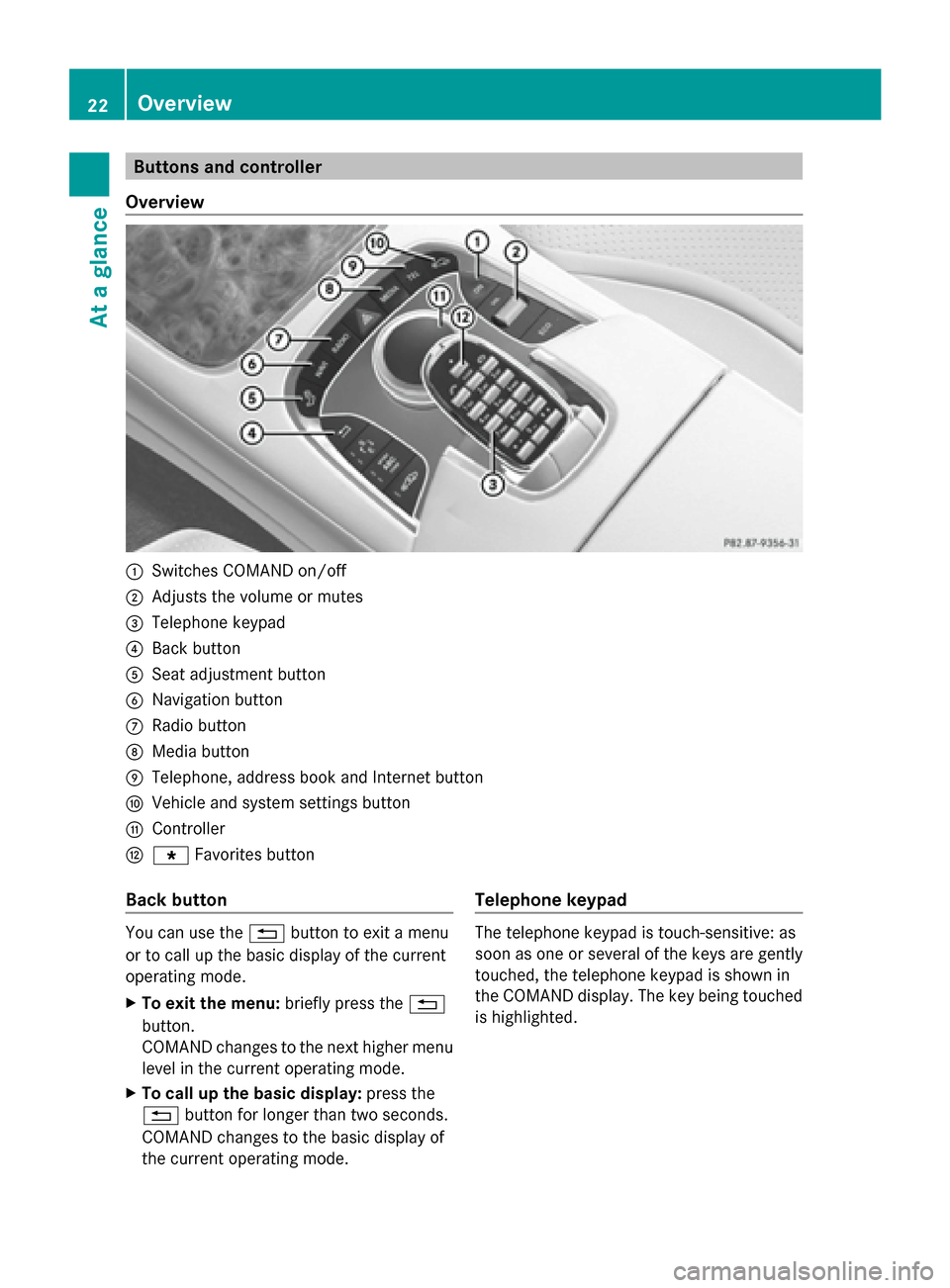
Overview 0043
Switches COMAND on/off
0044 Adjusts the volume or mutes
0087 Telephone keypad
0085 Back button
0083 Seat adjustment button
0084 Navigation button
006B Radio button
006C Media button
006D Telephone, address book and Internet button
006E Vehicle and system settings button
006F Controller
0070 007D Favorites button
Back button You can use the
0038button to exit a menu
or to call up the basic display of the current
operating mode.
X To exit the menu: briefly press the0038
button.
COMAND changes to the next higher menu
level in the current operating mode.
X To call up the basic display: press the
0038 button for longer than two seconds.
COMAND changes to the basic display of
the current operating mode. Telephone keypad The telephone keypad is touch-sensitive: as
soon as one or several of the keys are gently
touched, the telephone keypad is shown in
the COMAND display. The key being touched
is highlighted.22
OverviewAt a glance
Page 26 of 278
Switching navigation announcements
off and on again
X
To switch off navigation
announcements: press the thumbwheel
beside the controller during the
announcement.
The Spoken Spoken driving
driving recommendations
recommendations
have been deactivated
have been deactivated message
appears.
X To switch navigation announcements
back on: switch COMAND off and then on
again (Y page 23).
or
X Start a new route calculation
(Y page 78).
or
X Select 006A: while route guidance is active,
show the menu and press the controller
(Y page 94). Calling up functions and their menus
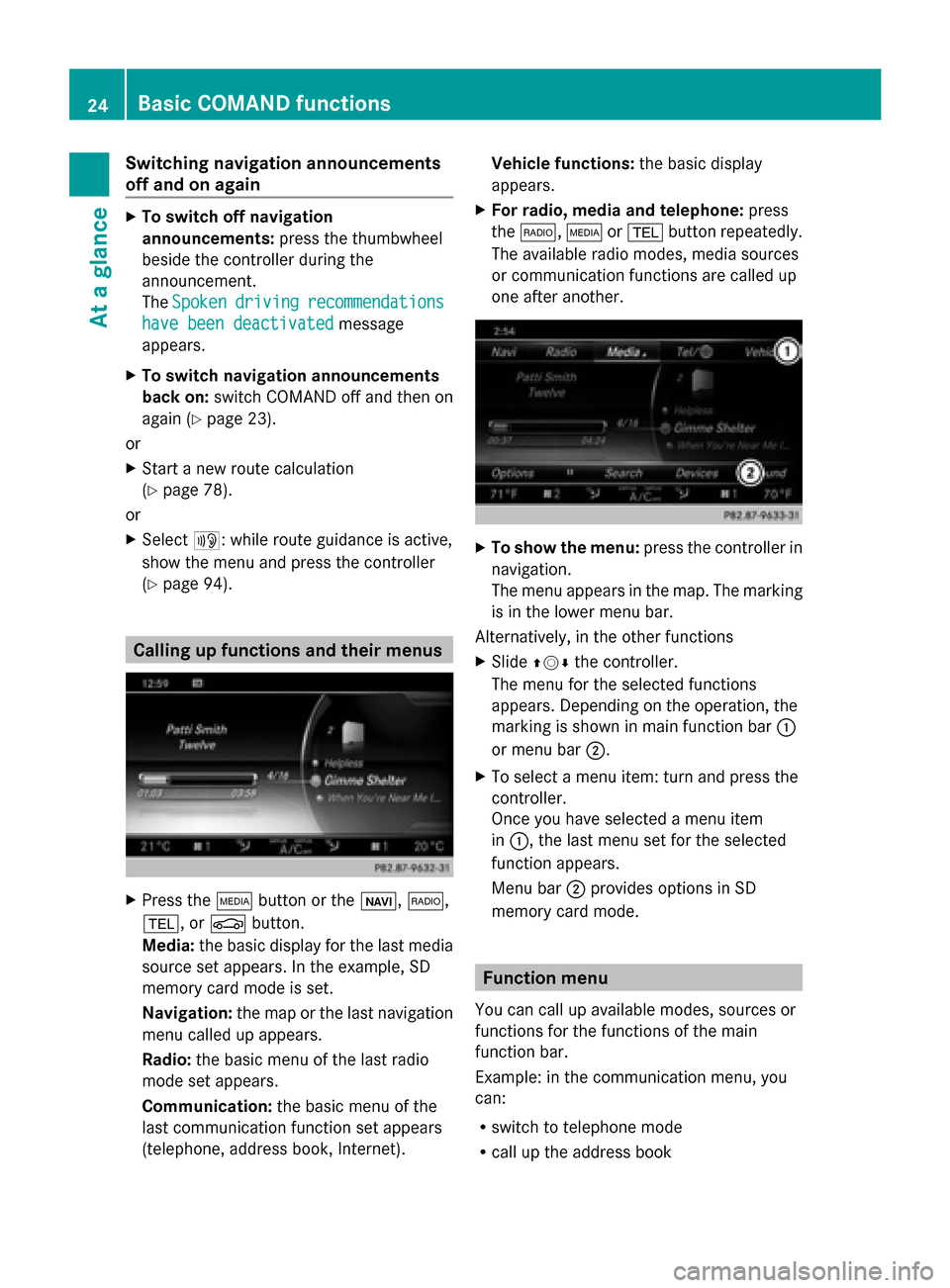
X
Press the 00FDbutton or the 00CB,002A,
002B, or 00D4button.
Media: the basic display for the last media
source set appears. In the example, SD
memory card mode is set.
Navigation: the map or the last navigation
menu called up appears.
Radio: the basic menu of the last radio
mode set appears.
Communication: the basic menu of the
last communication function set appears
(telephone, address book, Internet). Vehicle functions:
the basic display
appears.
X For radio, media and telephone: press
the 002A, 00FDor002B button repeatedly.
The available radio modes, media sources
or communication functions are called up
one after another. X
To show the menu: press the controller in
navigation.
The menu appears in the map. The marking
is in the lower menu bar.
Alternatively, in the other functions
X Slide 009700520064 the controller.
The menu for the selected functions
appears. Depending on the operation, the
marking is shown in main function bar 0043
or menu bar 0044.
X To select a menu item: turn and press the
controller.
Once you have selected a menu item
in 0043, the last menu set for the selected
function appears.
Menu bar 0044provides options in SD
memory card mode. Function menu
You can call up available modes, sources or
functions for the functions of the main
function bar.
Example: in the communication menu, you
can:
R switch to telephone mode
R call up the address book 24
Basic COMAND functionsAt a glance
Page 27 of 278
R
call up the Internet
R call up the digital operating instructions for
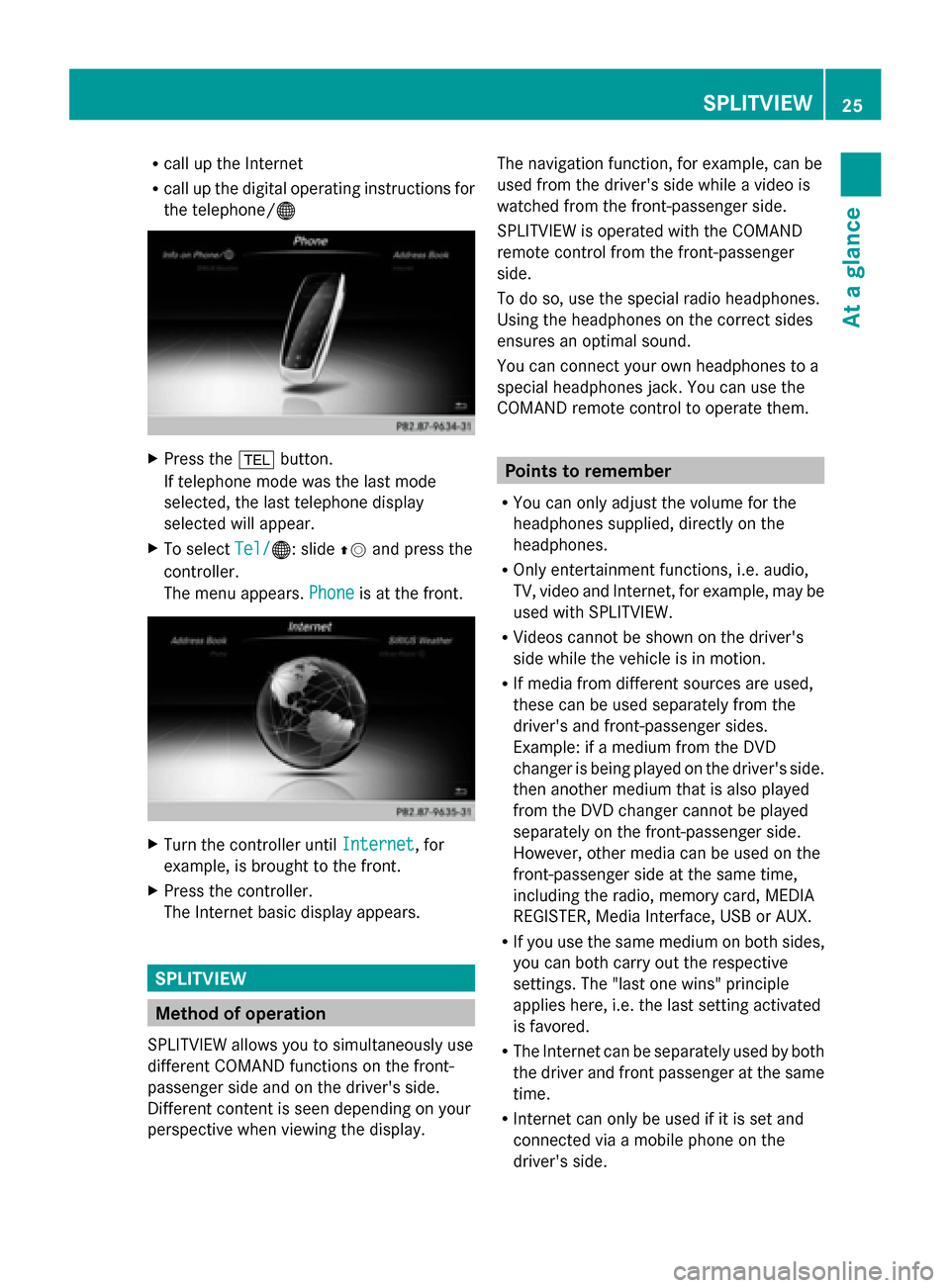
the telephone/00A7 X
Press the 002Bbutton.
If telephone mode was the last mode
selected, the last telephone display
selected will appear.
X To select Tel/
Tel/ 00A7: slide 00970052and press the
controller.
The menu appears. Phone Phoneis at the front. X
Turn the controller until Internet
Internet, for
example, is brought to the front.
X Press the controller.
The Internet basic display appears. SPLITVIEW
Method of operation
SPLITVIEW allows you to simultaneously use
different COMAND functions on the front-
passenger side and on the driver's side.
Different content is seen depending on your
perspective when viewing the display. The navigation function, for example, can be
used from the driver's side while a video is
watched from the front-passenger side.
SPLITVIEW is operated with the COMAND
remote control from the front-passenger
side.
To do so, use the special radio headphones.
Using the headphones on the correct sides
ensures an optimal sound.
You can connect your own headphones to a
special headphones jack. You can use the
COMAND remote control to operate them.
Points to remember
R You can only adjust the volume for the
headphones supplied, directly on the
headphones.
R Only entertainment functions, i.e. audio,
TV, video and Internet, for example, may be
used with SPLITVIEW.
R Videos cannot be shown on the driver's
side while the vehicle is in motion.
R If media from different sources are used,
these can be used separately from the
driver's and front-passenger sides.
Example: if a medium from the DVD
changer is being played on the driver's side.
then another medium that is also played
from the DVD changer cannot be played
separately on the front-passenger side.
However, other media can be used on the
front-passenger side at the same time,
including the radio, memory card, MEDIA
REGISTER, Media Interface, USB or AUX.
R If you use the same medium on both sides,
you can both carry out the respective
settings. The "last one wins" principle
applies here, i.e. the last setting activated
is favored.
R The Internet can be separately used by both
the driver and front passenger at the same
time.
R Internet can only be used if it is set and
connected via a mobile phone on the
driver's side. SPLITVIEW
25At a glance
Page 30 of 278
X
Enter the destination using the COMAND
remote control and press the 0070button.
The Google™ results list appears.
X Select the destination using the COMAND
remote control.
A menu appears.
X Select Set as Destination
Set as Destination.
X The prompt Accept the navigation Accept the navigation
data from Mercedes-Benz Apps?
data from Mercedes-Benz Apps?
appears on the driver's side.
X Select Yes
Yes orNo
No.
If you select Yes
Yes, the navigation data is
used for route guidance. Multi-Seat Entertainment System
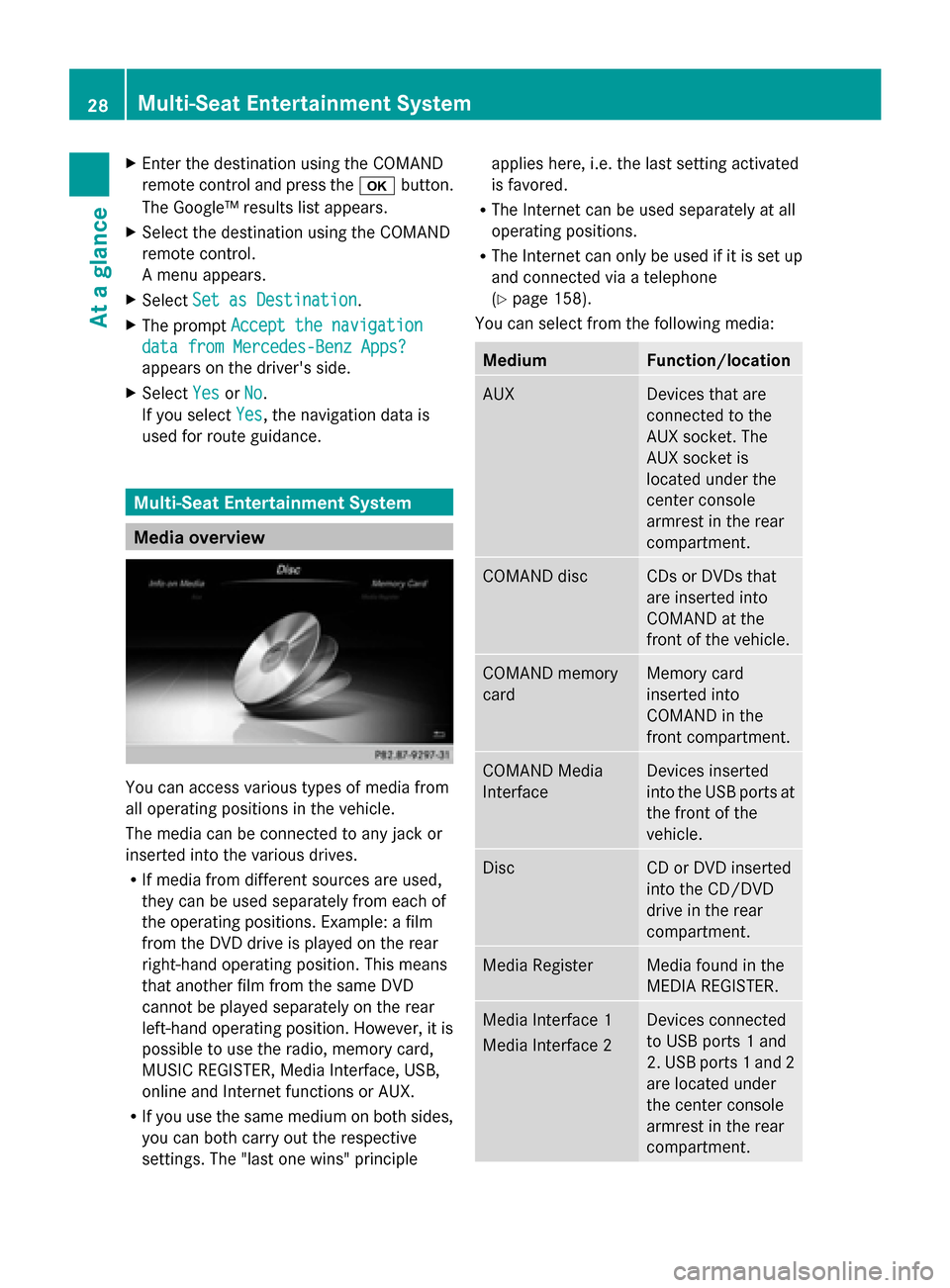
Media overview
You can access various types of media from
all operating positions in the vehicle.
The media can be connected to any jack or
inserted into the various drives.
R If media from different sources are used,
they can be used separately from each of
the operating positions. Example: a film
from the DVD drive is played on the rear
right-hand operating position. This means
that another film from the same DVD
cannot be played separately on the rear
left-hand operating position. However, it is
possible to use the radio, memory card,
MUSIC REGISTER, Media Interface, USB,
online and Internet functions or AUX.
R If you use the same medium on both sides,
you can both carry out the respective
settings. The "last one wins" principle applies here, i.e. the last setting activated
is favored.
R The Internet can be used separately at all
operating positions.
R The Internet can only be used if it is set up
and connected via a telephone
(Y page 158).
You can select from the following media: Medium Function/location
AUX Devices that are
connected to the
AUX socket. The
AUX socket is
located under the
center console
armrest in the rear
compartment. COMAND disc CDs or DVDs that
are inserted into
COMAND at the
front of the vehicle.
COMAND memory
card Memory card
inserted into
COMAND in the
front compartment.
COMAND Media
Interface Devices inserted
into the USB ports at
the front of the
vehicle.
Disc CD or DVD inserted
into the CD/DVD
drive in the rear
compartment.
Media Register Media found in the
MEDIA REGISTER.
Media Interface 1
Media Interface 2 Devices connected
to USB ports 1 and
2. USB ports 1 and 2
are located under
the center console
armrest in the rear
compartment. 28
Multi-Seat Entertainment SystemAt a glance
Page 48 of 278
Overview of all current favorites:
X
Press the 00D4button.
The system menu appears.
X To select System Settings System Settings : slide005200C5
and press the controller.
A menu appears.
X To select Favorite Functions
Favorite Functions: turn and
press the controller.
A menu appears.
X Select Overview of all current
Overview of all current
favorites favorites.
An overview of all the current favorites
appears.
To change the alias:
X Press the 00D4button.
The system menu appears.
X To select System Settings System Settings : slide005200C5
and press the controller.
A menu appears.
X To select Favorite Functions
Favorite Functions: turn and
press the controller.
A menu appears.
X Select Change Alias
Change Alias.
A menu with the prompt Please select Please select
a favorites button:
a favorites button: appears.
X Select the desired favorites, e.g. 0084.
X Enter the desired alias and select 0070.
The alias is changed.
i Up to six characters are available for the
alias. An entry with fewer characters is also
possible.
To call up a favorite:
X Press the 007Dbutton.
You call up the favorites functions menu.
The 007D symbol lights up.
X Press a favorites button, e.g. 0084.
This calls up the predefined function.
X To exit the favorites function menu:
press the 007Dbutton.
The favorite functions menu is closed.
i If you have pressed the 007Dbutton and
do not press any other buttons, the favorites functions menu is exited
automatically after 16 seconds.
To reset favorite(s):
X Press the 00D4button.
The system menu appears.
X To select System Settings
System Settings : slide005200C5
and press the controller.
A menu appears.
X To select Favorite Functions Favorite Functions: turn and
press the controller.
A menu appears.
X Select Reset Favorite(s) Reset Favorite(s).
A menu with the prompt Please select
Please select
a favorites button:
a favorites button: appears.
X Select the desired favorites, e.g. 0086or
Reset All
Reset All.
A prompt appears asking whether you wish
to reset.
X Select Yes YesorNo
No.
If you select Yes
Yes, the favorite is reset to its
pre-installed favorite function.
If you select No No, the process will be
canceled.
You can select the following predefined
functions in a menu, for example:
R Off - Spoken Driving
Off - Spoken Driving
Recommendations On/Off Recommendations On/Off: you can
switch the current driving
recommendations on/off.
R Sound - Sound Menu Sound - Sound Menu : you can call up the
sound settings.
R Apps - Mercedes-Benz Apps
Apps - Mercedes-Benz Apps: you can
call up the apps for online and Internet
functions.
i You can also assign the favorites button
directly from a relevant function, such as in
the address book (Y page 152) or from the
radio menu (Y page 181).46
Assigning a favorites buttonSystem settings
Page 50 of 278
X
To select System Settings
System Settings: slide 005200C5
and press the controller.
A menu appears.
X To select Data Import/Export
Data Import/Export: turn and
press the controller.
X Select Import Data
Import Data orExport Data Export Data.
i If you import data such as address data,
the existing data on COMAND is
overwritten. You will see a message to this
effect. COMAND is restarted after the data
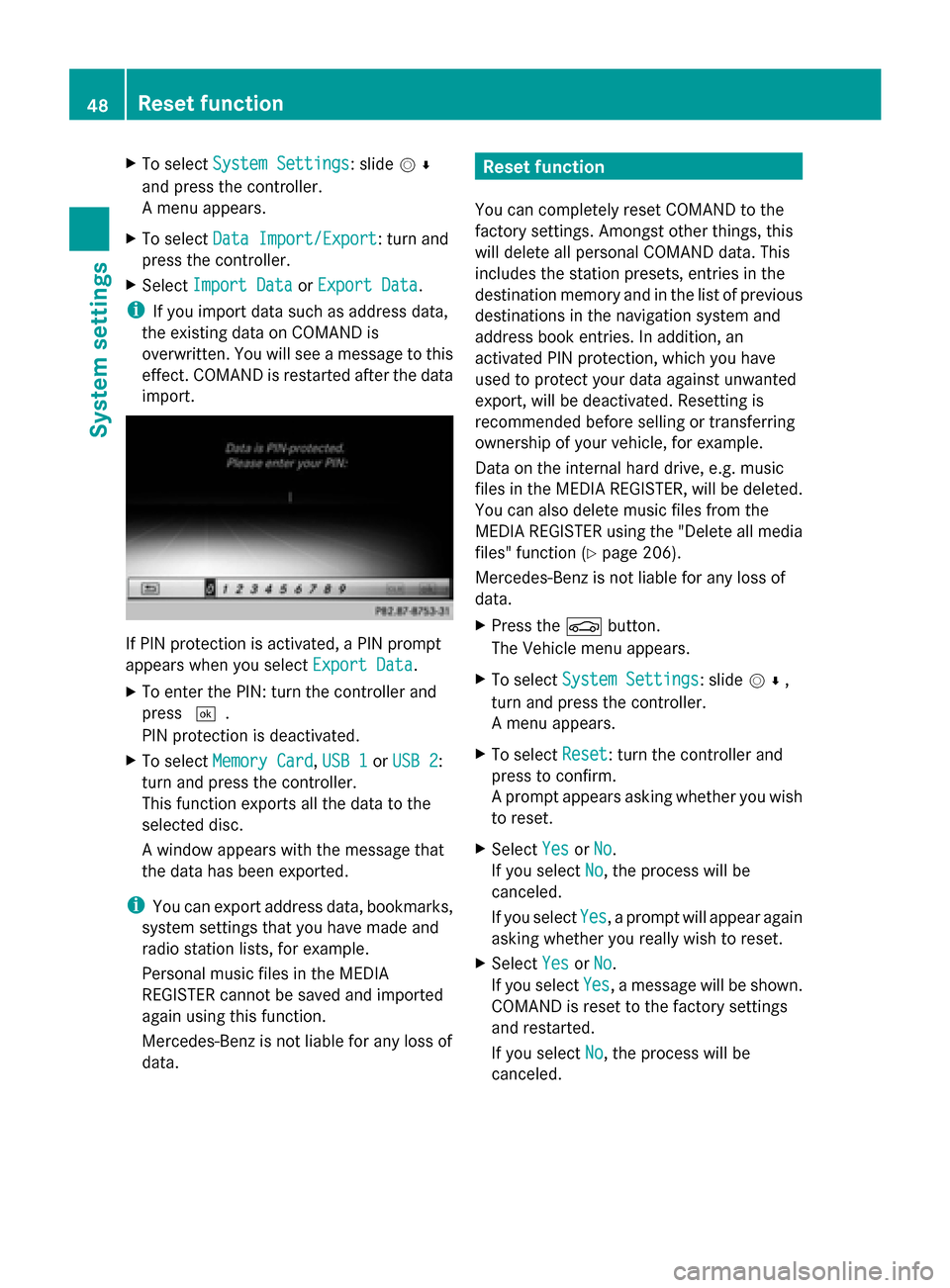
import. If PIN protection is activated, a PIN prompt
appears when you select Export Data Export Data.
X To enter the PIN: turn the controller and
press 0054.
PIN protection is deactivated.
X To select Memory Card
Memory Card, USB 1 USB 1orUSB 2
USB 2:
turn and press the controller.
This function exports all the data to the
selected disc.
A window appears with the message that
the data has been exported.
i You can export address data, bookmarks,
system settings that you have made and
radio station lists, for example.
Personal music files in the MEDIA
REGISTER cannot be saved and imported
again using this function.
Mercedes-Benz is not liable for any loss of
data. Reset function
You can completely reset COMAND to the
factory settings. Amongst other things, this
will delete all personal COMAND data. This
includes the station presets, entries in the
destination memory and in the list of previous
destinations in the navigation system and
address book entries. In addition, an
activated PIN protection, which you have
used to protect your data against unwanted
export, will be deactivated. Resetting is
recommended before selling or transferring
ownership of your vehicle, for example.
Data on the internal hard drive, e.g. music
files in the MEDIA REGISTER, will be deleted.
You can also delete music files from the
MEDIA REGISTER using the "Delete all media
files" function (Y page 206).
Mercedes-Benz is not liable for any loss of
data.
X Press the 00D4button.
The Vehicle menu appears.
X To select System Settings
System Settings: slide 005200C5,
turn and press the controller.
A menu appears.
X To select Reset Reset: turn the controller and
press to confirm.
A prompt appears asking whether you wish
to reset.
X Select Yes YesorNo
No.
If you select No No, the process will be
canceled.
If you select Yes Yes, a prompt will appear again
asking whether you really wish to reset.
X Select Yes
YesorNo
No.
If you select Yes
Yes, a message will be shown.
COMAND is reset to the factory settings
and restarted.
If you select No No, the process will be
canceled. 48
Reset functionSystem settings
Page 70 of 278
Your COMAND equipment
These operating instructions describe all
standard and optional equipment available
for your COMAND system at the time of
purchase. Country-specific differences are
possible. Please note that your
COMAND system may not be equipped with
all the features described. This also applies to
safety-relevant systems and functions.
Therefore, the equipment on your COMAND
system may differ from that in the
descriptions and illustrations. Should you
have any questions concerning equipment
and operation, please consult an authorized
Mercedes-Benz Center. Introduction
Important safety notes
G
WARNING
If you operate information systems and
communication equipment integrated in the
vehicle while driving, you will be distracted
from traffic conditions. You could also lose
control of the vehicle. There is a risk of an
accident.
Only operate the equipment when the traffic
situation permits. If you are not sure that this
is possible, park the vehicle paying attention
to traffic conditions and operate the
equipment when the vehicle is stationary.
You must observe the legal requirements for
the country in which you are currently driving
when operating COMAND.
COMAND calculates the route to the
destination without taking account of the
following, for example:
R traffic lights
R stop and give way signs
R merging lanes
R parking or stopping in a no parking/no
stopping zone R
other road and traffic rules and regulations
R narrow bridges
COMAND can give incorrect navigation
commands if the actual street/traffic
situation does not correspond with the digital
map's data. Digital maps do not cover all
areas nor all routes in an area. For example,
a route may have been diverted or the
direction of a one-way street may have
changed.
For this reason, you must always observe
road and traffic rules and regulations during
your journey. Road and traffic rules and
regulations always have priority over the
system's driving recommendations.
Navigation announcements are intended to
direct you while driving without diverting your
attention from the road and driving.
Please always use this feature instead of
consulting the map display for directions.
Looking at the icons or map display can
distract you from traffic conditions and
driving, and increase the risk of an accident. General notes
Operational readiness of the navigation
system The navigation system must determine the
position of the vehicle before first use or
whenever operational status is restored.
Therefore, you may have to drive for a while
before precise route guidance is possible.
GPS reception Among other things, correct functioning of
the navigation system depends on GPS
reception. In certain situations, GPS
reception may be impaired, there may be
interference or there may be no reception at
all, e.g. in tunnels or parking garages.
i Using roof carriers may impair the correct
functioning of a roof antenna (phone,
satellite radio, GPS). 68
Int
roductionNavigation
Page 72 of 278
Switching to navigation mode
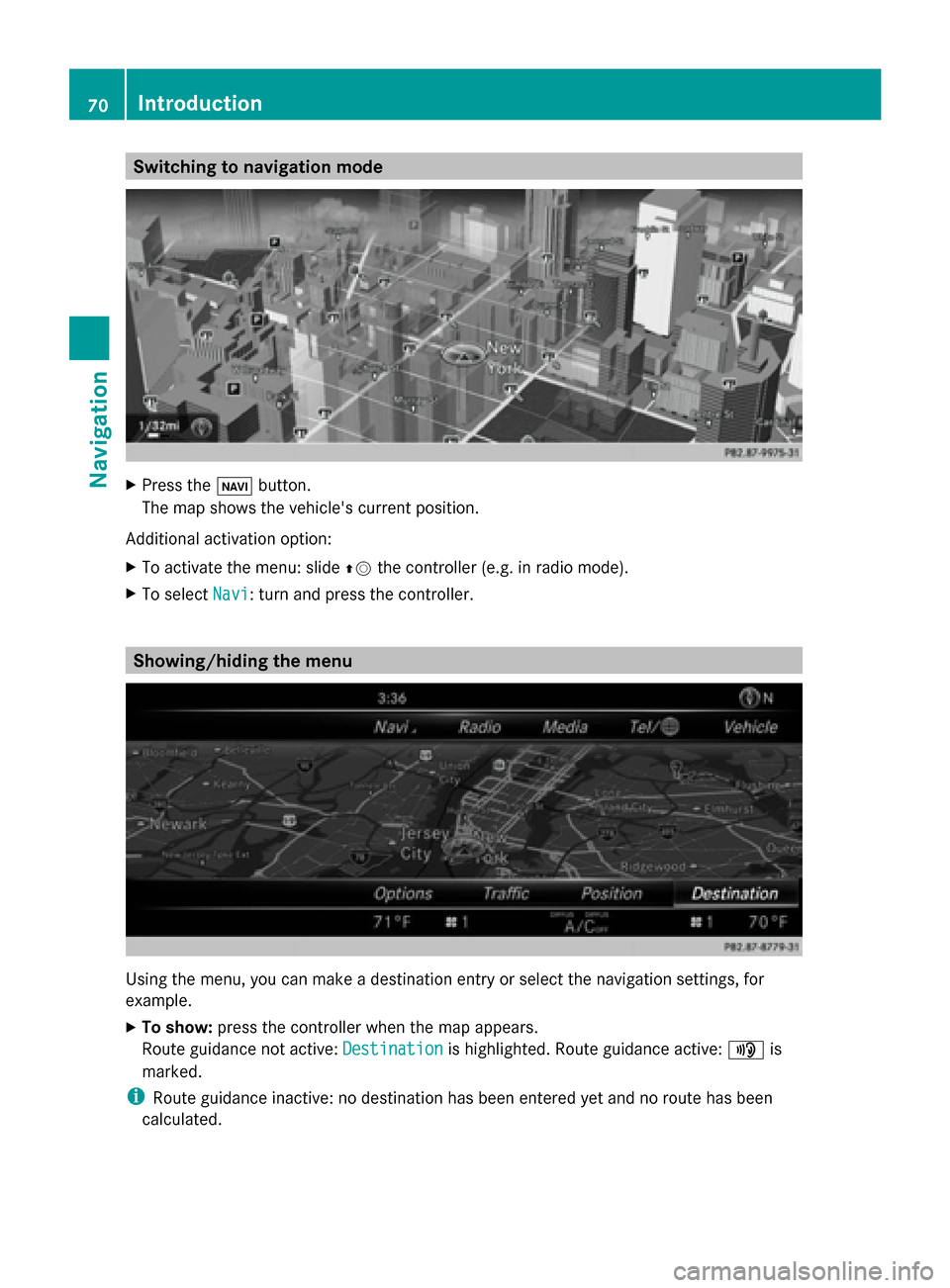
X
Press the 00CBbutton.
The map shows the vehicle's current position.
Additional activation option:
X To activate the menu: slide 00970052the controller (e.g. in radio mode).
X To select Navi
Navi: turn and press the controller. Showing/hiding the menu
Using the menu, you can make a destination entry or select the navigation settings, for
example.
X To show: press the controller when the map appears.
Route guidance not active: Destination
Destination is highlighted. Route guidance active: 008Fis
marked.
i Route guidance inactive: no destination has been entered yet and no route has been
calculated. 70
IntroductionNavigation
Page 103 of 278
Off-road during route guidance
Due to roadworks, for example, there may be
differences between the data on the digital
map and the actual course of the road.
In such cases, the system will temporarily be
unable to locate the vehicle position on the
digital map. The vehicle is therefore in an off-
road position.
In the display, you will see the Road Off Road Off
Map
Map message, an arrow and the distance to
the destination. The direction arrow shows
the compass heading to the destination.
As soon as the system can assign the vehicle
position to the map again, route guidance
continues in the usual way. Real-time traffic reports
Prerequisites
i This function is currently not available for
Canada.
In order to receive real-time traffic reports via
satellite radio, you need to subscribe to
SIRIUS XM Satellite Radio Traffic Message
Service.
Further information on satellite radio
(Y page 182).
COMAND can receive traffic reports via
satellite radio and take account of these for
route guidance in the navigation system.
Received traffic reports are displayed on the
map either as text or as symbols. Real-time traffic reports
101Navigation Z
Page 118 of 278
Deleting all areas:
X
Slide 00520096and press the controller while the list is shown.
X Select Delete All Delete All .
A prompt appears asking whether you wish to delete all areas.
X Select Yes
Yes orNo
No.
After selecting Yes
Yes , all areas are deleted. SIRIUS XM service
Displaying SIRIUS XM service
information You can display the SIRIUS XM service
information.
X To switch to navigation mode: press the
00BE button.
X To show the menu: press the controller.
X To select Traffic
Traffic: turn the controller and
press to confirm.
X Select SIRIUS Service SIRIUS Service.
The window on the right half of the display
shows the telephone number of the
provider (SIRIUS XM) and the serial number
of your service module.
Registering for the SIRIUS XM traffic
report service X
Call the provider telephone number shown
on the COMAND display.
i You can also have the satellite service
activated online. To do so, visit the SIRIUS
XM Radio website at
http://www.sirius.com (USA).
Once the connection has been established:
X Follow the service employee's instructions.
The activation process may take up to ten
minutes.
If registration is not included when
purchasing the system, your credit card
details will be required to activate your
account. Updating the digital map
Introduction The digital maps generated by the map
software become outdated in the same way
as conventional road maps. Optimal route
guidance can only be provided by
the navigation system in conjunction with the
most up-to-date map software.
Information about new versions of the digital
map can be obtained from an authorized
Mercedes-Benz Center. You can have the
digital map updated there using a data
medium, or you can update it yourself. Navigation functions
Calling up the navigation system
menu
X
To switch to navigation mode: press the
00CB button.
X To show the menu: press the controller.
X Slide 00970052the controller twice.
Navi Navi is highlighted in the main function bar.
X Press the controller.
The navigation menu appears. 116
Navigation fun
ctionsNavigation