two MERCEDES-BENZ S-Class 2015 W222 Comand Manual
[x] Cancel search | Manufacturer: MERCEDES-BENZ, Model Year: 2015, Model line: S-Class, Model: MERCEDES-BENZ S-Class 2015 W222Pages: 298, PDF Size: 6.39 MB
Page 176 of 298
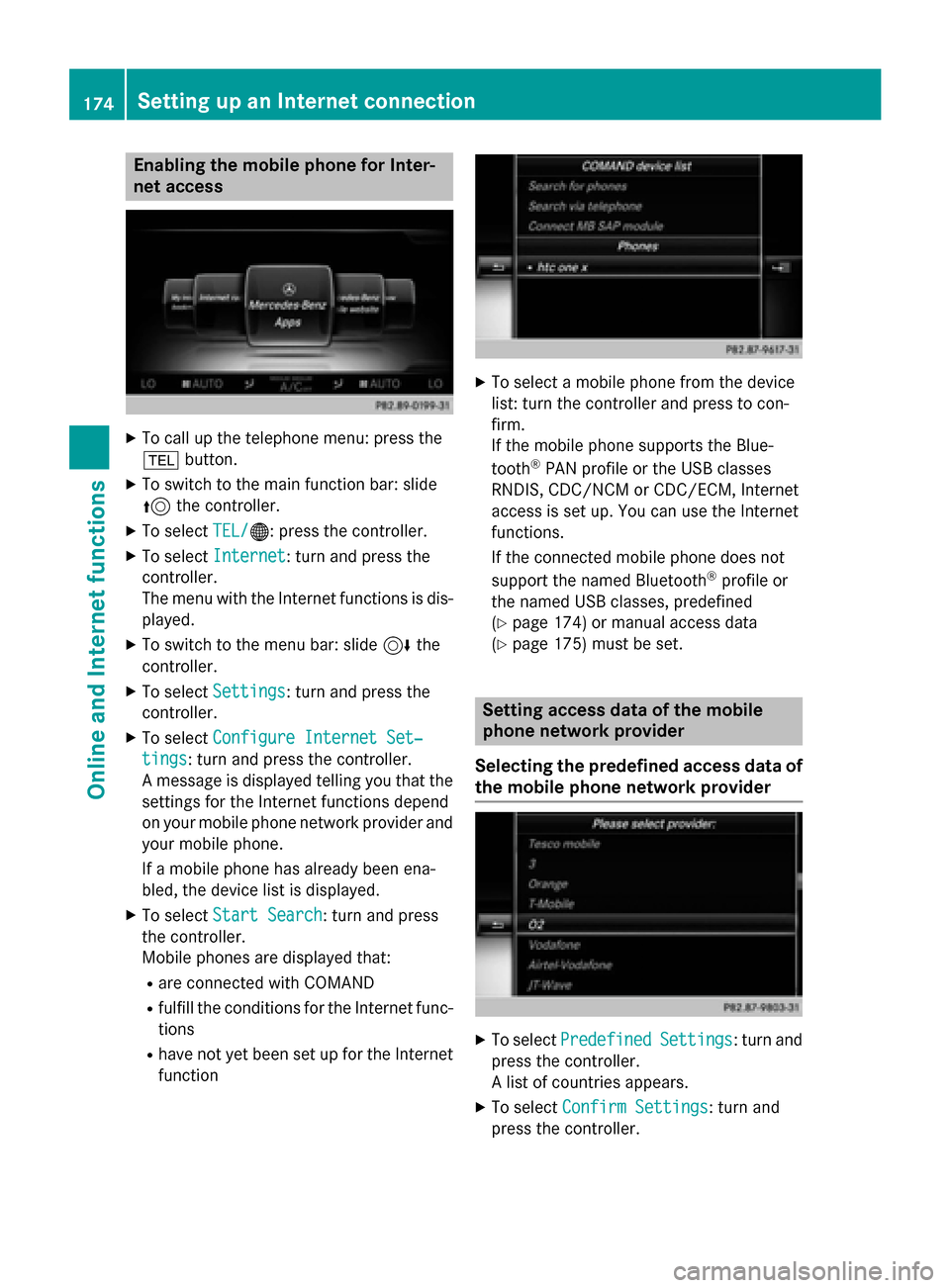
Enabling the mobile phone for Inter-
net access X
To call up the telephone menu: press the
002B button.
X To switch to the main function bar: slide
5 the controller.
X To select TEL/ TEL/00A7: press the controller.
X To select Internet
Internet: turn and press the
controller.
The menu with the Internet functions is dis-
played.
X To switch to the menu bar: slide 6the
controller.
X To select Settings
Settings: turn and press the
controller.
X To select Configure Internet Set‐
Configure Internet Set‐
tings tings: turn and press the controller.
A message is displayed telling you that the settings for the Internet functions depend
on your mobile phone network provider andyour mobile phone.
If a mobile phone has already been ena-
bled, the device list is displayed.
X To select Start Search Start Search : turn and press
the controller.
Mobile phones are displayed that:
R are connected with COMAND
R fulfill the conditions for the Internet func-
tions
R have not yet been set up for the Internet
function X
To select a mobile phone from the device
list: turn the controller and press to con-
firm.
If the mobile phone supports the Blue-
tooth ®
PAN profile or the USB classes
RNDIS, CDC/NCM or CDC/ECM, Internet
access is set up. You can use the Internet
functions.
If the connected mobile phone does not
support the named Bluetooth ®
profile or
the named USB classes, predefined
(Y page 174) or manual access data
(Y page 175) must be set. Setting access data of the mobile
phone network provider
Selecting the predefined access data of the mobile phone network provider X
To select Predefined Predefined Settings
Settings: turn and
press the controller.
A list of countries appears.
X To select Confirm Settings Confirm Settings: turn and
press the controller. 174
Setting up an Internet connectionOnline and Internet functions
Page 177 of 298
If the data is not correct, you can edit the
settings (Y
page 177).
If the mobile phone network provider pro-
vides multiple access data options, the rele-
vant access data still has to be selected. This
depends on the data package used, for exam- ple.
The access data for the mobile phone net-
work provider is selected once for the mobile
phone connected and is loaded again each
time the mobile phone is connected. Estab-
lishing a connection (Y page 178).
You must set the access data of the mobile
phone network provider who provides the
SIM card and the associated data package
(access settings) for the connected mobile
phone. The access data remains the same
when you are in a different country (roaming). The access data of another network is not
selected.
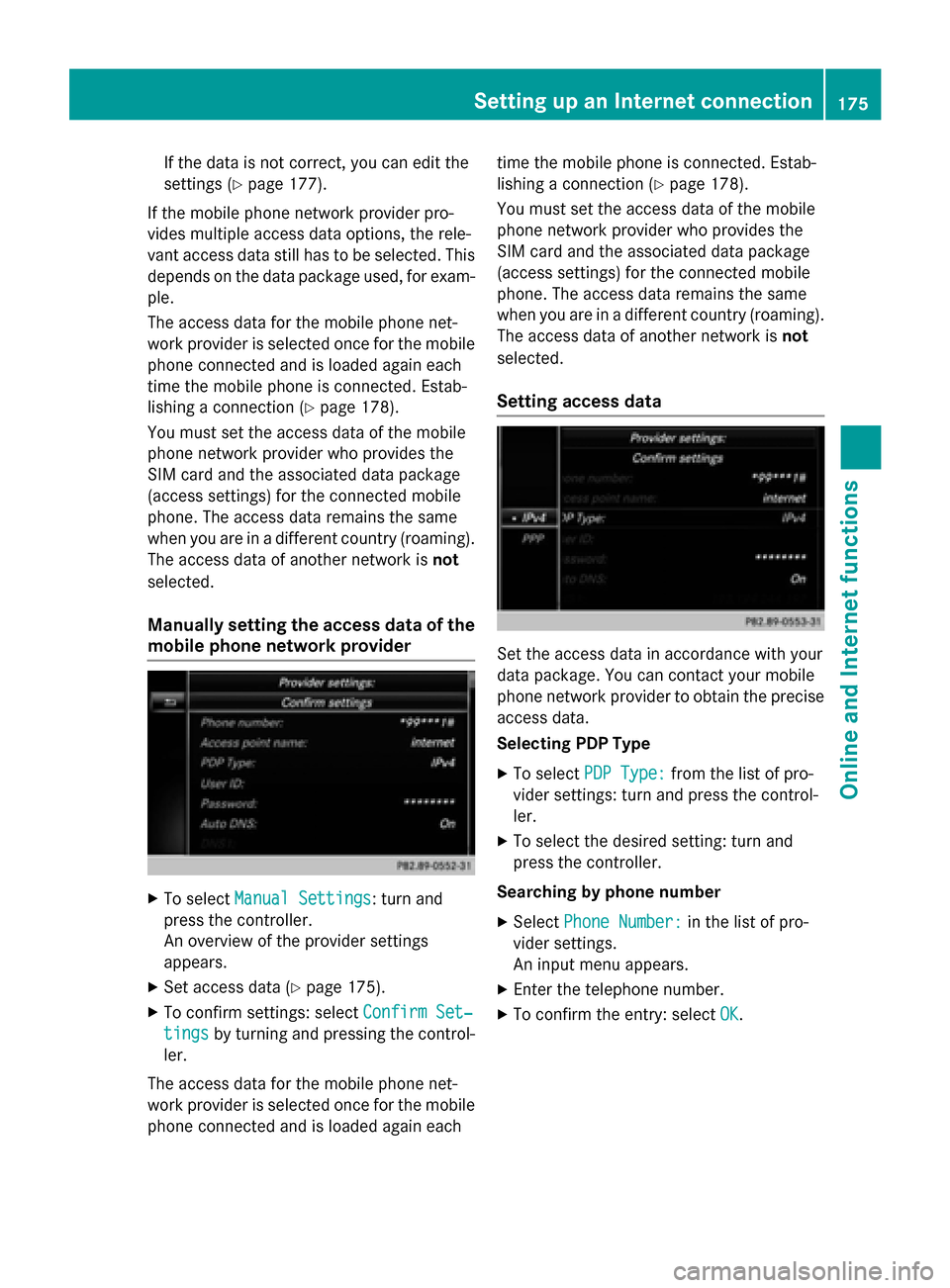
Manually setting the access data of the
mobile phone network provider X
To select Manual Settings Manual Settings: turn and
press the controller.
An overview of the provider settings
appears.
X Set access data (Y page 175).
X To confirm settings: select Confirm Set‐
Confirm Set‐
tings tings by turning and pressing the control-
ler.
The access data for the mobile phone net-
work provider is selected once for the mobile
phone connected and is loaded again each time the mobile phone is connected. Estab-
lishing a connection (Y
page 178).
You must set the access data of the mobile
phone network provider who provides the
SIM card and the associated data package
(access settings) for the connected mobile
phone. The access data remains the same
when you are in a different country (roaming). The access data of another network is not
selected.
Setting access data Set the access data in accordance with your
data package. You can contact your mobile
phone network provider to obtain the precise
access data.
Selecting PDP Type
X To select PDP Type: PDP Type: from the list of pro-
vider settings: turn and press the control-
ler.
X To select the desired setting: turn and
press the controller.
Searching by phone number
X Select Phone Number: Phone Number: in the list of pro-
vider settings.
An input menu appears.
X Enter the telephone number.
X To confirm the entry: select OK
OK. Setting up an Internet connection
175Online and Internet functions Z
Page 178 of 298
Entering the user ID
X Select User ID:
User ID: in the list of provider set-
tings.
An input menu appears.
X Enter the user ID.
X To confirm the entry: select OK OK.
Entering a password X Select Password:
Password: in the list of provider
settings.
An input menu appears.
X Enter the password.
X To confirm the entry: select OK OK.
Explanation of the access data Input field Meaning
Phone Num‐
Phone Num‐
ber: ber: Access number for estab-
lishing the connection
The access number
depends on the mobile
phone used. For GSM/
UMTS mobile phones,
*99***1# *99***1#
is used as a
standard. Access
Access
Point Name: Point Name: APN network access point
( Access PointName)
You can obtain this infor-
mation from your mobile
phone network provider.
Entry is not necessary for
all mobile phone network
providers and mobile
phones. PDP Type: PDP Type: Internet protocol used.
You can obtain this infor-
mation from your mobile
phone network provider. Input field Meaning
User ID: User ID: The user identification
can be obtained from your
mobile phone network
provider.
Entry is not necessary for
all mobile phone network
providers. Password: Password: The password can be
obtained from your
mobile phone network
provider.
Entry is not necessary for
all mobile phone network
providers.
Auto DNS: Auto DNS: Automatic allocation of
DNS servers is activated.
If the function is deacti-
vated, the DNS server
addresses must be
entered manually.
DNS (Domain
Name
Service) DNS1: DNS1:
DNS2: DNS2: Fields for entering the
DNS server addresses
manually. The address
can be obtained from your
mobile phone network
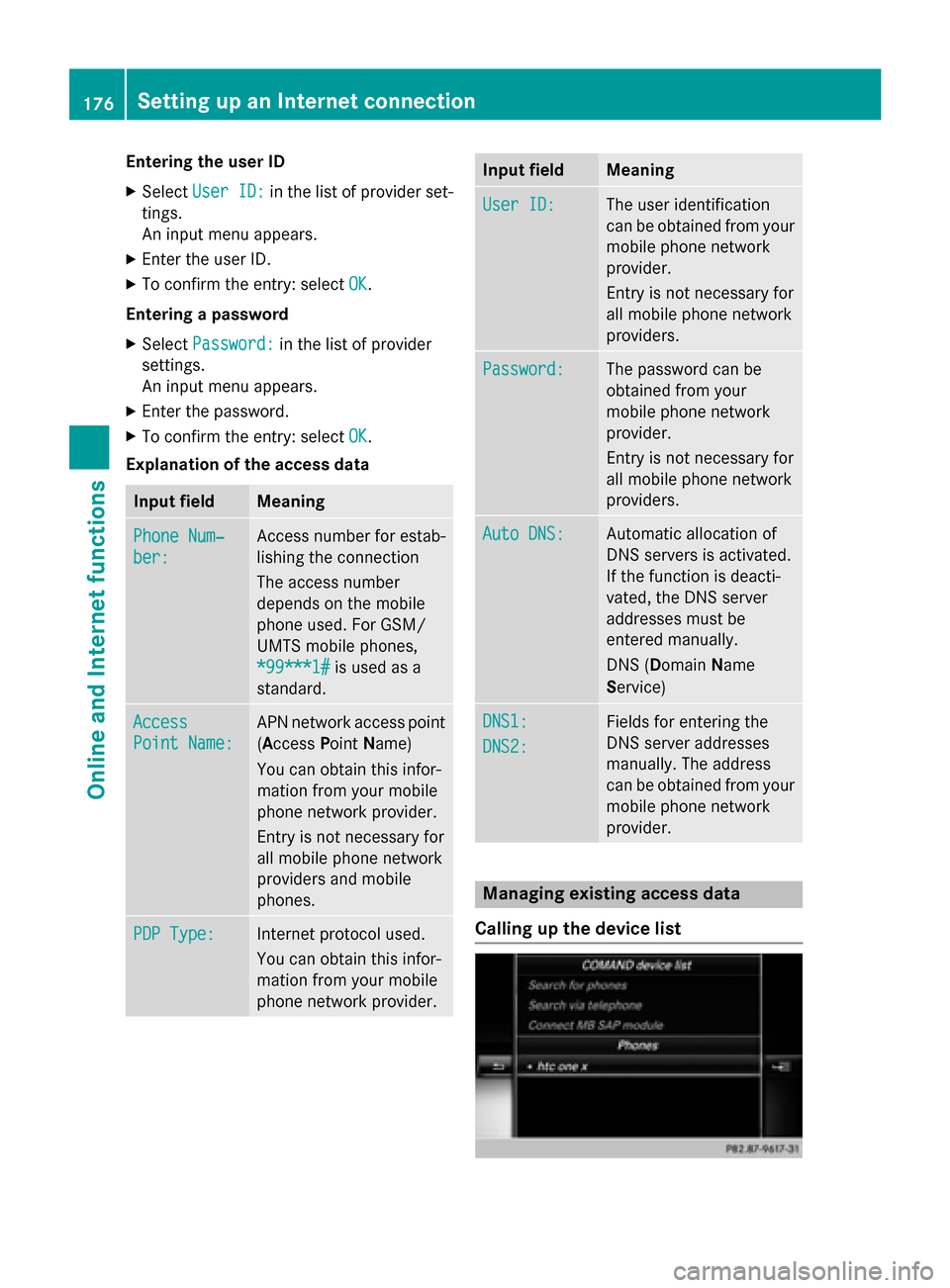
provider. Managing existing access data
Calling up the device list 176
Setting up an Internet connectionOnline and Internet functions
Page 179 of 298
X
To call up the telephone menu: press the
002B button.
X To switch to the main function bar: slide
5 the controller.
X To select TEL/
TEL/00A7: press the controller.
X To select Internet
Internet: turn and press the
controller.
The menu with the Internet functions is dis-
played.
X To switch to the menu bar: slide 6the
controller.
X To select Settings Settings: turn and press the
controller.
X To select Configure Internet Set‐
Configure Internet Set‐
tings
tings: turn and press the controller.
The device list is displayed.
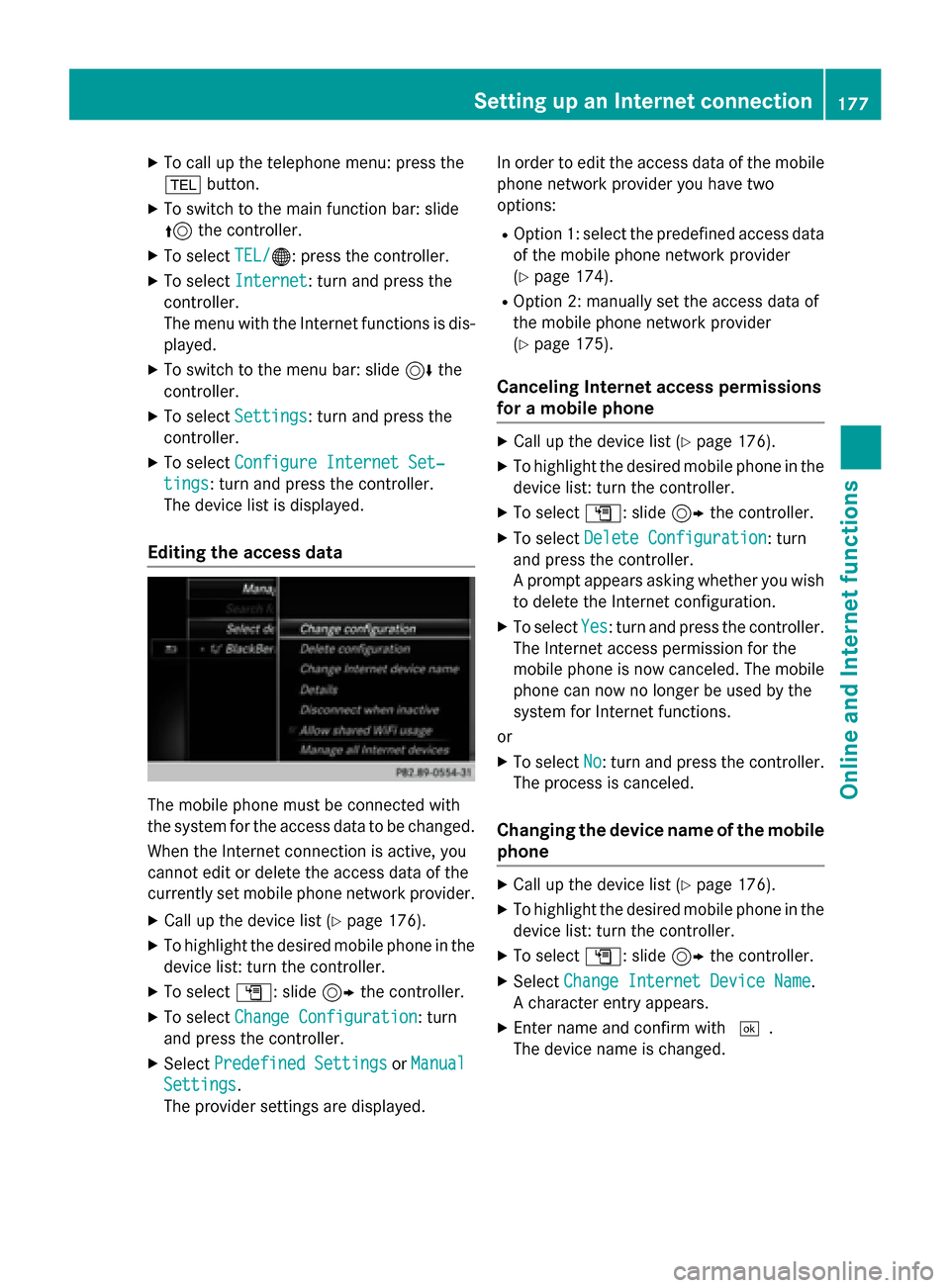
Editing the access data The mobile phone must be connected with
the system for the access data to be changed.
When the Internet connection is active, you
cannot edit or delete the access data of the
currently set mobile phone network provider.
X Call up the device list (Y page 176).
X To highlight the desired mobile phone in the
device list: turn the controller.
X To select G: slide 9the controller.
X To select Change Configuration
Change Configuration: turn
and press the controller.
X Select Predefined Settings Predefined Settings orManual
Manual
Settings
Settings.
The provider settings are displayed. In order to edit the access data of the mobile
phone network provider you have two
options:
R Option 1: select the predefined access data
of the mobile phone network provider
(Y page 174).
R Option 2: manually set the access data of
the mobile phone network provider
(Y page 175).
Canceling Internet access permissions
for a mobile phone X
Call up the device list (Y page 176).
X To highlight the desired mobile phone in the
device list: turn the controller.
X To select G: slide 9the controller.
X To select Delete Configuration Delete Configuration: turn
and press the controller.
A prompt appears asking whether you wish to delete the Internet configuration.
X To select Yes Yes: turn and press the controller.
The Internet access permission for the
mobile phone is now canceled. The mobile phone can now no longer be used by the
system for Internet functions.
or
X To select No No: turn and press the controller.
The process is canceled.
Changing the device name of the mobile phone X
Call up the device list (Y page 176).
X To highlight the desired mobile phone in the
device list: turn the controller.
X To select G: slide 9the controller.
X Select Change Internet Device Name
Change Internet Device Name.
A character entry appears.
X Enter name and confirm with 0054.
The device name is changed. Setting up an Internet connection
177Online and Internet functions Z
Page 180 of 298
Setting automatic disconnection of
the Internet connection
If a preset time has elapsed during which the Internet functions have not been used, the
Internet automatically disconnects.
X Call up the device list (Y page 176).
X To highlight the desired mobile phone in the
device list: turn the controller.
X To select G: slide 9the controller.
X To select Disconnect When Inactive
Disconnect When Inactive:
turn and press the controller.
X To select 5 Minutes 5 Minutes, 10 Minutes
10 Minutes, 20
20
Minutes
Minutes orNever
Never: turn and press the con-
troller. Establishing/ending the connection
Establishing the connection
Read the conditions for establishing a con-
nection (Y page 173).
A connection can be established by:
R entering a web address (Y page 190)
R calling up the Mercedes-Benz mobile web-
site. (Y page 187)
R calling up a Mercedes-Benz app.
(Y page 187)
R calling up a favorite.
R calling up the Internet radio (Y page 189)
R establishing an Internet connection via a
wireless networking device. The "Allow
shared WiFi usage" option must be acti-
vated on COMAND for this (Y page 49).
Ending the connection
X Press Cancel Cancel in the connections window. Connection status
0043
Display of existing connection and signal
strength of the mobile phone network
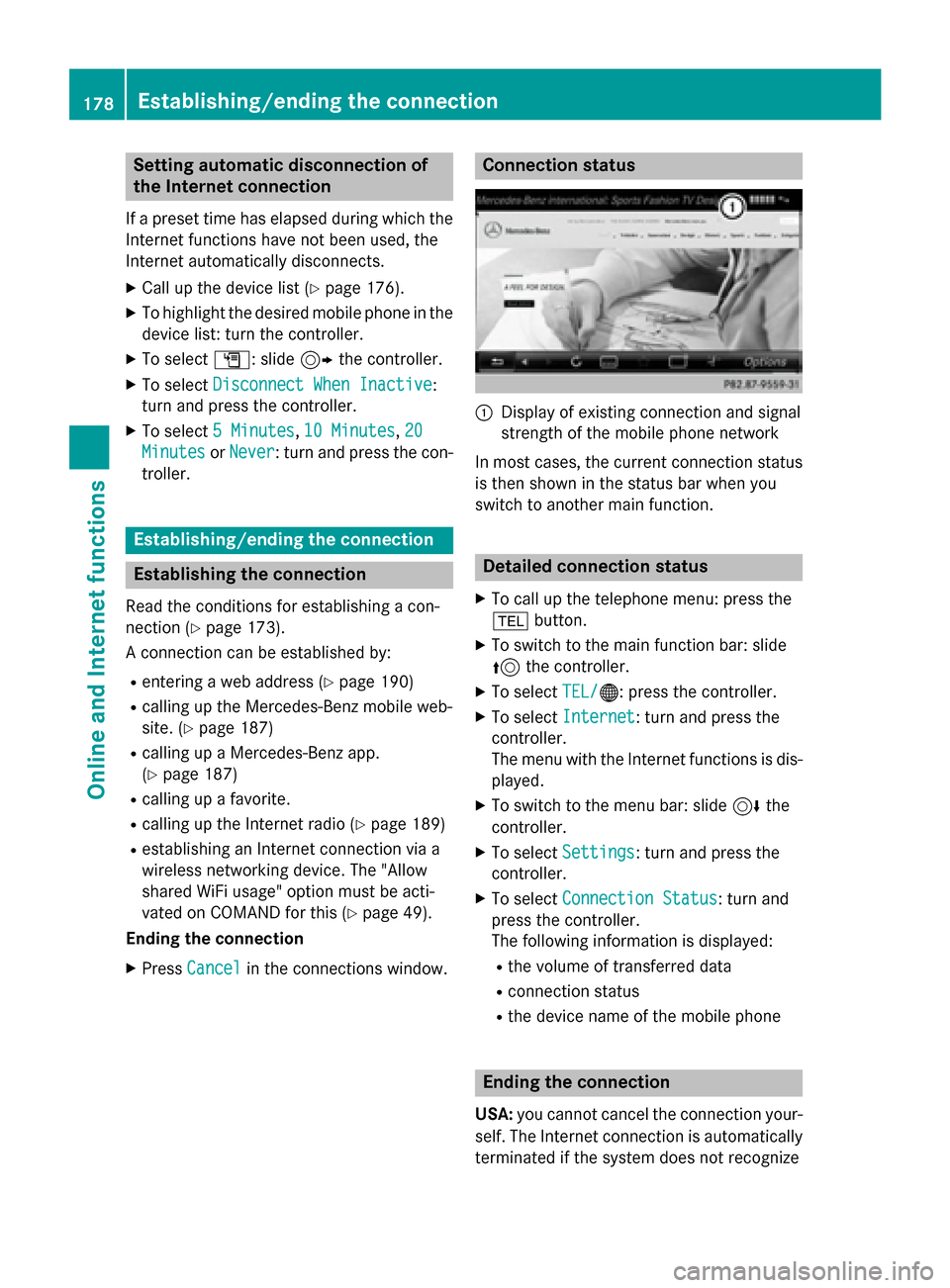
In most cases, the current connection status
is then shown in the status bar when you
switch to another main function. Detailed connection status
X To call up the telephone menu: press the
002B button.
X To switch to the main function bar: slide
5 the controller.
X To select TEL/
TEL/00A7: press the controller.
X To select Internet
Internet: turn and press the
controller.
The menu with the Internet functions is dis-
played.
X To switch to the menu bar: slide 6the
controller.
X To select Settings Settings: turn and press the
controller.
X To select Connection Status
Connection Status: turn and
press the controller.
The following information is displayed:
R the volume of transferred data
R connection status
R the device name of the mobile phone Ending the connection
USA: you cannot cancel the connection your-
self. The Internet connection is automatically
terminated if the system does not recognize 178
Establishing/ending the connectionOnline and Internet functions
Page 190 of 298
X
To select Mercedes-Benz Apps
Mercedes-Benz Apps: turn and
press the controller.
The available Mercedes-Benz Apps Mercedes-Benz Apps are
displayed.
X To select the desired App: turn and press
the controller.
Additional Mercedes-Benz Apps can be pur-
chased on the Mercedes-Benz website. You
can find further information under: http://
apps.mercedes-benz.com/apps/
The available features are country-depend-
ent. Closing Mercedes-Benz Apps
X Press the 0038button.
The Internet menu appears.
or
X Press the 0038button for longer than two
seconds.
The Mercedes-Benz Apps menu or the
Internet menu appears. Adjusting the settings of individual
Apps
X To call up the telephone menu: press the
002B button.
X To switch to the main function bar: slide
5 the controller.
X To select TEL/ TEL/00A7: press the controller.
X To select Internet
Internet: turn and press the
controller.
The menu with the Internet functions is dis-
played.
X To select Mercedes-Benz Apps
Mercedes-Benz Apps: turn and
press the controller.
X To highlight the desired app: turn the con-
troller.
X To select G: slide 9the controller.
The current app settings are displayed. Resetting adjustments
With the reset function, all Mercedes-Benz
Apps settings are reset to the factory set-
tings. X To call up the telephone menu: press the
002B button.
X To switch to the main function bar: slide
5 the controller.
X To select TEL/
TEL/00A7: press the controller.
X To select Internet
Internet: turn and press the
controller.
The menu with the Internet functions is dis-
played.
X To select Mercedes-Benz Apps Mercedes-Benz Apps: turn and
press the controller.
The available Mercedes-Benz Apps Mercedes-Benz Apps are
displayed.
X To select G: slide 9the controller.
X To select Reset
Reset: turn and press the con-
troller.
A prompt appears asking whether you
really wish to reset.
X SelectYes YesorNo
No.
If you select Yes Yesthe settings are reset.
If you select No
Nothe process is canceled. Internet radio
General notes
A good Internet connection is required for
error-free audio data transmission. Connect-
ing your mobile phone to the vehicle's exte-
rior antenna via the phone bracket ensures
the best possible reception.
i Bear in mind that a relatively large volume
of data can be transmitted when using
Internet radio. An average 128 kbit per sec-
ond data transfer rate can transfer 56 MB of data in one hour.
The data transfer rate of a station is dis-
played while receiving data. 188
Internet radioOnline and Internet functions
Page 197 of 298
X
To bring the desired favorites to the front.
X To select Edit
Edit: slide 6and press the
controller.
An input menu appears.
X Enter the web address (URL) and name
using the character bar.
Deleting favorites X
Press the 002Bbutton.
The last function called up appears.
X Select TEL/ TEL/00A7 in the main function bar by
sliding 5, turning and pressing the con-
troller.
A menu appears.
X To select Internet
Internet: turn and press the
controller.
The menu for the Internet functions
appears.
X To select the Internet InternetFavorites
Favorites menu:
turn and press the controller.
The Favorites menu appears.
X Select the desired favorites.
X Select Delete
Delete.
A prompt appears.
X Select Yes YesorNo
No.
If you select Yes
Yesthe favorite is deleted.
If you select No
Nothe process is canceled. Closing the Internet browser
X Select 0038in the browser menu
(Y page 191)
or
X Press the 0038button for longer than two
seconds.
A prompt appears, asking whether you
want to close the Internet browser.
X Select Yes YesorNo
No.
If you select Yes
Yesthe application is closed.
If you select No
Nothe process is canceled. Web browser
195Online and Internet functions Z
Page 217 of 298
Inserting and ejecting an SD memory
card
Important safety notes G
WARNING
SD memory cards are small parts. They can be swallowed and cause asphyxiation. This
poses an increased risk of injury or even fatal injury.
Keep SD memory cards out of the reach of
children. If an SD memory card is swallowed,
seek immediate medical attention.
! If you are no longer using the SD memory
card, you should remove it and take it out of
the vehicle. High temperatures can dam-
age the card.
COMAND supports SD memory cards
(Secure Digital), SDHC memory cards
(Secure DigitalHighCapacity), and SDXC
memory cards ( SecureDigital e Xtended
C apacity.
Inserting an SD memory card X
Insert the SD memory card into the SD card
slot in the stowage space under the arm-
rest until the SD memory card engages into place. The side with the contacts must face
downwards.
The music is played while the files are
loaded in the background. If there are no
supported audio/video files, you will see a message to this effect.
Ejecting an SD memory card X
Press the memory card.
The memory card is ejected.
X Remove the memory card. Connecting USB devices
There are two USB ports located in the stow-
age compartment in the center console. X
Connect the USB device to the USB port.
The data medium will only be played and
the files will only be loaded in the back-
ground if the corresponding media display
is visible. Otherwise, the system does not
automatically switch to USB. If there are no
supported audio/video files, you will see a message to this effect.
i MP3 players must support Media Transfer
Protocol (MTP). Activating media mode
Switching on automatically After an external media source has been con-
nected, COMAND will only activate the cor-
responding media mode automatically and
show the basic display in the case of CDs and SD cards. If the CD/DVD is started using
another application (e.g. navigation), the dis-
play will not change.
When using USB devices, depending on the
vehicle's equipment, the relevant Media
Interface 1, 2 or USB 1, 2 basic display must
already be activated.
X Insert the CDs/DVDs (Y page 212)
or X Insert an SD memory card: (Y page 215)
or
X Connect a USB device: (Y page 215)
COMAND loads the medium inserted and
playback starts automatically if the basic
display is set to the correct USB media
source.
Further options for switching on R
Using the number keypad: (Y page 211)
R Using the main function bar: (Y page 211)
R Using the device list: (Y page 211)
R Using the 00FDbutton: (Y page 210) Audio/video mode
215Media Z
Page 220 of 298
number in the current track list can be
entered.
X To enter the track number using the num-
ber keys: briefly press the desired numbers
on the number keypad.
The track plays after the last possible num- ber is entered.
i Pressing and holding a number key for
more than two seconds completes the
entry, and the corresponding track is
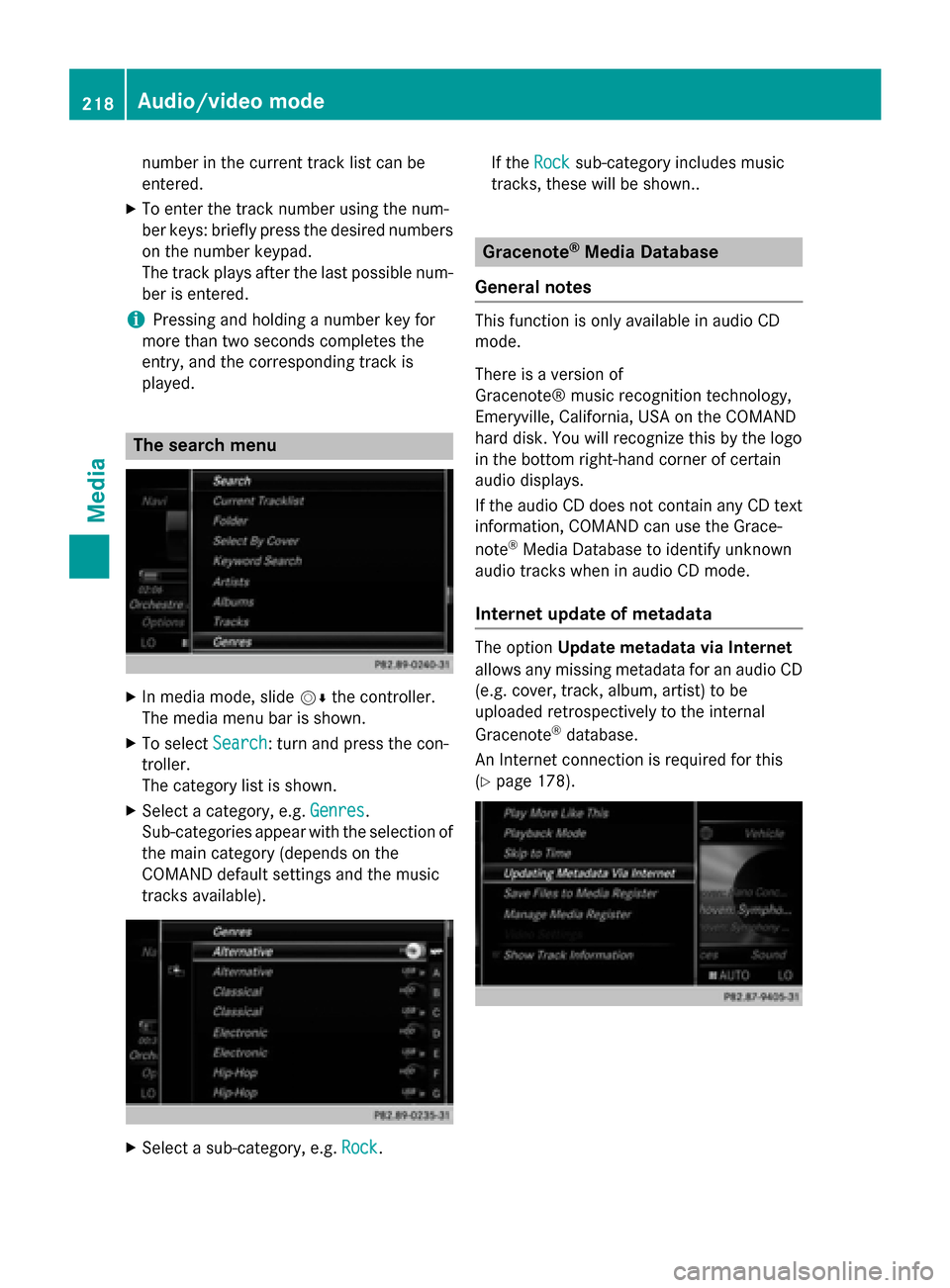
played. The search menu
X
In media mode, slide 00520064the controller.
The media menu bar is shown.
X To select Search
Search : turn and press the con-
troller.
The category list is shown.
X Select a category, e.g. Genres Genres.
Sub-categories appear with the selection of
the main category (depends on the
COMAND default settings and the music
tracks available). X
Select a sub-category, e.g. Rock Rock.If the
Rock
Rock sub-category includes music
tracks, these will be shown.. Gracenote
®
Media Database
General notes This function is only available in audio CD
mode.
There is a version of
Gracenote® music recognition technology,
Emeryville, California, USA on the COMAND
hard disk. You will recognize this by the logo
in the bottom right-hand corner of certain
audio displays.
If the audio CD does not contain any CD text
information, COMAND can use the Grace-
note ®
Media Database to identify unknown
audio tracks when in audio CD mode.
Internet update of metadata The option
Update metadata via Internet
allows any missing metadata for an audio CD (e.g. cover, track, album, artist) to be
uploaded retrospectively to the internal
Gracenote ®
database.
An Internet connection is required for this
(Y page 178). 218
Audio/video modeMedia
Page 231 of 298

i
If the mobile phone that is connected only
supports two Bluetooth ®
profiles at the
same time, COMAND functions may
behave as follows:
R when connecting to the Internet, play-
back is stopped on the Bluetooth ®
audio
device.
R when starting playback on the Blue-
tooth ®
audio device, the Internet con-
nection is ended. Searching for and authorizing a Blue-
tooth
®
audio device
Switching to Bluetooth ®
audio mode
X Press the 00FDbutton.
X To select Bluetooth Audio Bluetooth Audio in the menu:
turn and press the controller.
A menu appears.
If you see the No Bluetooth Audio No Bluetooth Audio
Device Connected
Device Connected message, you will
need to authorize the Bluetooth ®
audio
device first.
X To select Options
Options in the Bluetooth ®
audio
menu: slide 005200C5and press the controller.
X To select Bluetooth Audio Devices
Bluetooth Audio Devices:
press the controller.
A new menu appears. 0043
Bluetooth ®
audio player within range and
already authorized
0044 Newly detected mobile phone with Blue-
tooth ®
audio mode in range The Bluetooth
®
device list displays all author-
ized devices, whether they are within range or not. After a device search, devices which arewithin range but not authorized are also dis-
played.
Searching for Bluetooth ®
audio
X To select Search for Audio Devices Search for Audio Devices:
press the controller.
A display with text appears. X
Select Start Search Start Search.
COMAND searches for Bluetooth ®
audio
devices within range and adds them to the
Bluetooth ®
device list.
The duration of the search depends on the number of Bluetooth ®
audio devices within
range and their characteristics.
Authorizing Bluetooth ®
audio
X Select a Bluetooth ®
audio device that has
not yet been authorized from the list: turn
and press the controller.
Authorization starts.
Depending on the Bluetooth ®
audio device
used, you now have two options for con-
tinuing with authorization.
Option 1: entering the passkey
X You can find information on this in the
"Authorizing (registering) a mobile phone"
section (Y page 140).
After successful authorization, the Blue-
tooth ®
audio device is connected and
starts playing. Bluetooth
®
audio mode 229Media Z