display MERCEDES-BENZ S CLASS 2019 Owners Manual
[x] Cancel search | Manufacturer: MERCEDES-BENZ, Model Year: 2019, Model line: S CLASS, Model: MERCEDES-BENZ S CLASS 2019Pages: 578, PDF Size: 23.31 MB
Page 323 of 578
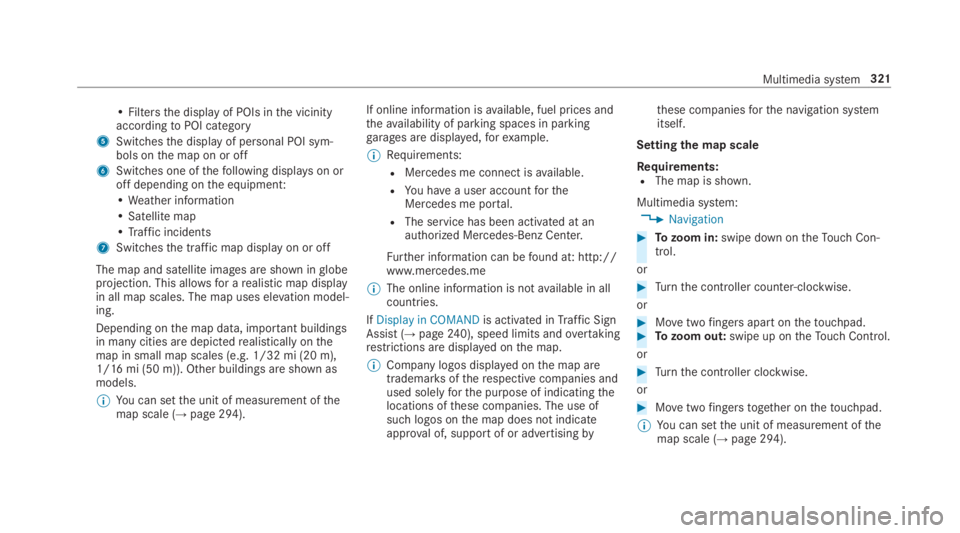
• Filtersthe display of POIs inthe vicinityaccordingtoPOI category
5Switchesthe display of personal POI sym‐bols onthe map on or off
6Switches one ofthefollowing displayson oroff depending onthe equipment:
•Weather information
• Satellite map
•Traffic incidents
7Switchesthe traffic map display on or off
The map and satellite images are shown inglobeprojection. This allowsfor arealistic map displayin all map scales. The map uses elevation model‐ing.
Depending onthe map data, important buildingsin manycities are depictedrealistically onthemap in small map scales (e.g. 1/32 mi (20 m),1/16 mi (50 m)). Other buildings are shown asmodels.
%You can setthe unit of measurement ofthemap scale (→page 294).
If online information isavailable, fuel prices andtheavailability of parking spaces in parkinggarages are displayed,forexample.
%Requirements:
RMercedes me connect isavailable.
RYou havea user accountfortheMercedes me portal.
RThe service has been activated at anauthorized Mercedes-Benz Center.
Further information can befound at: http://www.mercedes.me
%The online information is notavailable in allcountries.
IfDisplay in COMANDis activated inTraffic SignAssist (→page240), speed limits andovertakingrestrictions are displayed onthe map.
%Company logos displayed onthe map aretrademarksoftherespective companies andused solelyforthe purpose of indicatingthelocations ofthese companies. The use ofsuch logos onthe map does not indicateapproval of, supportof or advertisingby
these companiesforthe navigation systemitself.
Settingthe map scale
Requirements:RThe map is shown.
Multimedia system:
,Navigation
#Tozoom in:swipe down ontheTouch Con‐trol.
or
#Turnthe controller counter-clockwise.
or
#Movetwofingers apart onthetouchpad.#Tozoom out:swipe up ontheTouch Control.
or
#Turnthe controller clockwise.
or
#Movetwofingerstogether onthetouchpad.
%You can setthe unit of measurement ofthemap scale (→page 294).
Multimedia system321
Page 324 of 578
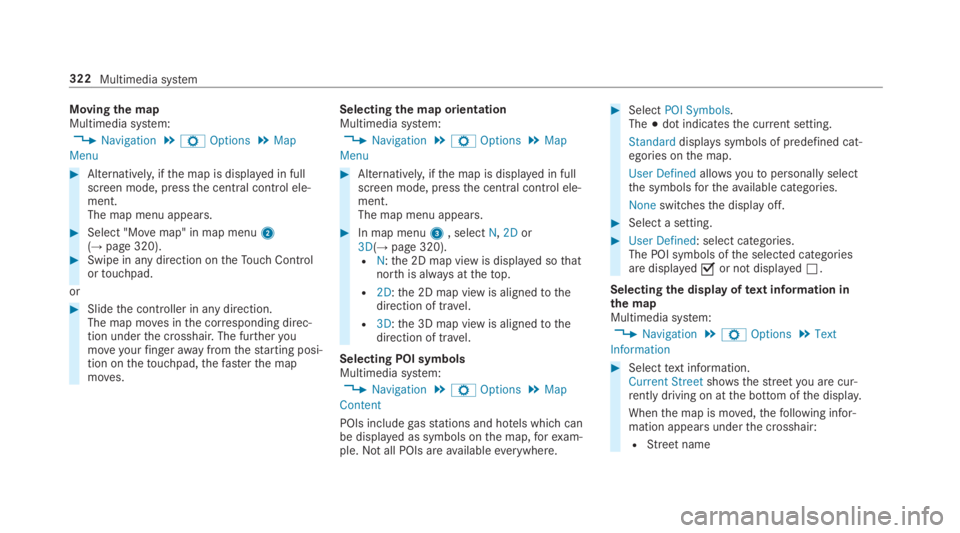
Movingthe mapMultimedia system:
,Navigation.ZOptions.Map
Menu
#Alternatively, ifthe map is displayed in fullscreen mode, pressthe central control ele‐ment.The map menu appears.
#Select "Movemap" in map menu2(→page 320).#Swipe in any direction ontheTouch Controlortouchpad.
or
#Slidethe controller in any direction.The map moves inthe corresponding direc‐tion underthe crosshair. The furtheryoumoveyourfingerawayfromthestarting posi‐tion onthetouchpad,thefasterthe mapmoves.
Selectingthe map orientationMultimedia system:
,Navigation.ZOptions.Map
Menu
#Alternatively, ifthe map is displayed in fullscreen mode, pressthe central control ele‐ment.The map menu appears.
#In map menu3, selectN,2Dor3D(→page 320).RN:the 2D map view is displayed sothatnorth is always atthetop.
R2D:the 2D map view is alignedtothedirection of travel.
R3D:the 3D map view is alignedtothedirection of travel.
Selecting POI symbolsMultimedia system:
,Navigation.ZOptions.Map
Content
POIs includegasstations and hotels which canbe displayed as symbols onthe map,forexam‐ple.Notall POIs areavailableeverywhere.
#SelectPOI Symbols.The;dot indicatesthe current setting.
Standarddisplays symbols of predefined cat‐egories onthe map.
User Definedallowsyoutopersonally selectthe symbolsfortheavailable categories.
Noneswitchesthe display off.
#Select a setting.
#User Defined: select categories.The POI symbols ofthe selected categoriesare displayedsor not displayedS.
Selectingthe display oftext information inthe mapMultimedia system:
,Navigation.ZOptions.Text
Information
#Selecttext information.Current Streetshowsthestreetyou are cur‐rently driving on atthe bottom ofthe display.
Whenthe map is moved,thefollowing infor‐mation appears underthe crosshair:
RStreetname
322Multimedia system
Page 325 of 578
RPOI name
RArea name
Geo-coordinatesdisplays thefollowing infor‐mation:
RLongitude and latitude
RElevation
The elevation shown may deviate fromthe actual elevation.
RNumber of satellites from whicha signalcan bereceived
Whenthe map is moved,this informationdoes not appear.
Climate Controldisplays the current climatecontrol settings.
Noneswitchesthe display off.
Displayingthe next intersectingstreet
Requirements:RRoute guidance is not active.
Multimedia system:
,Navigation.ZOptions
#ActivatesNext Intersecting Street.The name ofthe next intersectingstreetwillbe displayed atthe upper edge ofthe display.
Displayingthe mapversionMultimedia system:
,Navigation.ZOptions
#SelectMap Version.
#SelectDetails.
%Information about newversions ofthe digitalmap can be obtained from an authorizedMercedes-Benz Center.
Overview ofavoiding an areaYou can define areas along aroutethatyouwould liketoavoid.
Theroute can include an areathat istobeavoi‐ded inthefollowing situations:
Rthe destination is located in an areathat istobeavoided
Rif freewaysare located withinthe areathat istobeavoided
Freewaysare alwaystaken into accountfortheroute.
Rthere is no sensible alternativeroute
Avoiding a new areaMultimedia system:
,Navigation.ÀRoute and Posi-
tion.Avoid Options.Areas
#SelectAvoid New Area.
#Tosearchfor an area via the map:selectUsing Map.
#Movethe map
or
#Tosearchfor an area using an address:selectAddress Entry.
#Enterthe address.
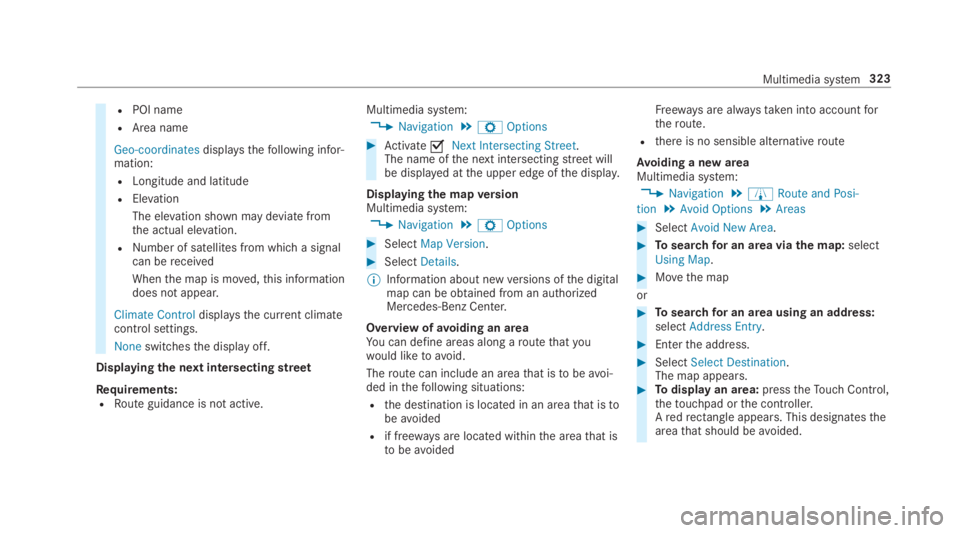
#SelectSelect Destination.The map appears.#Todisplayan area:presstheTouch Control,thetouchpad orthe controller.Aredrectangle appears. This designatestheareathat should beavoided.
Multimedia system323
Page 327 of 578
For automatic map updatesAutomaticOnline Updatemust be activated inthe sys‐tem settings (→page 297).
Rthe manual map update updates map datafor several or allregions.
Further information onthe online map update isavailable at an authorized Mercedes-Benz Centeror at http://www.mercedes.me.
Further information on updates: http://manuals.daimler.com/baix/cars/connectme/en_GB/index.html.
Overview of map dataYourvehicle is supplied with map data atthefac‐tory. Depending onthe country, map dataforyourregion is either pre-installed orthe mapdata is supplied on a datastorage medium.
Ifthe map data onyourvehicle has been instal‐led atthefactory andyou wishtoreinstall it,youdo not needtoenterthe activation code.
For map datathatyou havepurchased intheformof a datastorage medium,you must enterthe accompanying activation code.
%Ifyou savethe map data on a datastoragemedium withthe online map update service,no entryisrequired. The activation code isstored onthe datastorage medium duringthe downloading process.
Observethefollowing when enteringthe activa‐tion code:
RThe activation code can be usedfor onevehi‐cle
RThe activation code is not transferable
RThe activation code has six digits
Intheevent ofthefollowing problems, pleasecontact an authorized Mercedes-Benz Center:
RThe multimedia system does not accepttheactivation code
RYou havelostthe activation code
Displayingthe compassMultimedia system:
,Navigation.ÀRoute and Position
#SelectCompass.
The compass display showsthefollowinginformation:
Rthe current direction of travel with bear‐ing (360°format) and compass direction
Rlongitude and latitude coordinates indegrees, minutes and seconds
Rheight (rounded)
Rnumber of GPS satellites from which asignal can bereceived
Settingthe map scale automaticallyMultimedia system:
,Navigation.ZOptions
The map scale is set automatically depending onyour driving speed.
For journeysin cities with detailed city models, amap view fromthe driver's perspective is used.
#SwitchAuto Zoomonsor offS.
Multimedia system325
Page 328 of 578
%The automatically selected map scale can bechanged manuallyfor a short time. The set‐ting isreset automatically after afew sec‐onds.
Displayingthe satellite mapMultimedia system:
,Navigation.ZOptions.Map
Content
#SwitchSatellite Maponsor offS.
or
#If satellite map display6isavailable inthemap menu, switch it onsor offS(→page 320).Switched ons: satellite maps are displayedin map scales of 2 mi (2 km) or less.
Switched offS: satellite maps are not dis‐played in map scales from 2 mi (2 km)to10mi (10 km).
%Satellite mapsforthese map scales are notavailable in all countries.
Displayingweather information
Requirements:RMercedes me connect isavailable.
RYou havea user accountforthe Mercedesme portal.
RThe service isavailable.
RThe service has been activated at an author‐ized Mercedes-Benz Center.
Further information can befound at: http://www.mercedes.me
Multimedia system:
,Navigation.ZOptions.Map
Content
#ActivateWeather Informations.
or
#Ifweather information display6isavailableinthe map menu, activates(→page 320)it.Currentweather information is displayed onthe navigation map, e.g.temperature orcloud cover.
%Weather information is notavailable in allcountries.
Calling upthe Digital Operator's Manual(navigation)
Calling up information on navigationMultimedia system:
,Navigation.ZOptions.Naviga-
tion Info
#Selectthetopic.
Telephone
Telephony
Notes ontelephony
&WARNINGRisk of distraction from oper‐ating integrated communication equip‐ment whilethevehicle is in motion
Ifyou operate communication equipmentintegrated inthevehicle when driving,youwill be distracted fromthe traffic situation.
326Multimedia system
Page 331 of 578
Symbols1to4are not shown until after amobile phone has been connectedtothe multi‐media system. The symbols depend onyourmobile phone andyour mobile phone networkprovider.
Bluetooth®profileoverview
Bluetooth®profileof the mobile phone
Function
PBAP (PhoneBookAccessProfile)Contacts are auto‐matically displayed inthe multimedia sys‐tem
MAP (MessageAccessProfile)Message functionscan be used
Telephony operating modesoverview
Depending onyour equipment,thefollowingtel‐ephony operating modes areavailable:
RA mobile phone is connectedtothe multime‐
dia system via Bluetooth®(→page 329).
RTwo mobile phones are connected withthe
multimedia system via Bluetooth®(twophone mode) (→page 330).
Information ontelephony
Thefollowing situations can leadtothe callbeing disconnected whilethevehicle is inmotion:
RThere is insufficient network coverageinthearea
RYou movefrom one GSM or UMTS transmit‐ter/receiver area (cell) into another and nocommunicationchannels are free
RThe SIM card used is not compatible withthenetworkavailable
RA mobile phone with "Twincard" is loggedintothe network withthe second SIM card atthe same time
The multimedia system supports calls in HD
Voice®for improved speechquality.Arequire‐mentforthis isthatthe mobile phone andthemobile phone network provider ofthe person
you are calling supportHDVoice®.
Depending onthequality ofthe connection,thevoicequality mayfluctuate.
Connecting a mobile phone (Bluetooth®tel‐ephony)
Requirements:RBluetooth®is activated onthe mobile phone(seethe manufacturer's operating instruc‐tions).
RBluetooth®is activated onthe multimediasystem (→page 290).
Multimedia system:
,Phone.
Page 332 of 578
Connecting a mobile phone (authorizationusing Secure SimplePairing)
#Selectthe mobile phone.A code is displayed inthe multimedia systemand onthe mobile phone.
#Ifthe codes match:confirmthe code onthe mobile phone.
Connecting a mobile phone (authorizationbyentering a passkey)
#Selectthe mobile phone.
#Choose a onetosixteen-digit number combi‐nation as a passkey.
#Onthe multimedia system:enterthe pass‐key and selectv.
#Onthe mobile phone:enterthe passkeyagain and confirm.
%Upto15mobile phones can be authorizedonthe multimedia system.Authorized mobile phones arereconnectedautomatically.
Connecting a second mobile phone (twophone mode)
Requirements:RAtleast one mobile phone is already connec‐
tedtothe multimedia system via Bluetooth®.
Multimedia system:
,Phone.
Page 336 of 578
Conducting a conference call
#SelectCreate Conference Callinthetele‐phone menu.The new participant is included inthe confer‐ence call.
Ending an active call
#SelectZ.
%On some mobile phones,the call on hold isactivated as soon asthe active call is ended.
Accepting/rejecting awaiting call
Requirements:RThere is an active call (→page 333).
Ifyoureceivea call while already in a call, amessage is displayed. An acoustic signal alsosounds.
#SelectAccept.The incoming call is active.
If only one mobile phone is connected withthe multimedia system,the previous call willbe put on hold.
If during a callyou accept a call withtheother mobile phone when in two phone modethentheexisting call is ended.
#SelectReject.
%This function and behavior depends onyourmobile phone network provider andthemobile phone (seethe manufacturer's oper‐ating instructions).
Contacts
Information aboutthe contacts menuThe contacts menu contains all contacts fromexisting data sources, e.g. mobile phone ormemorycard.You canstore upto6,000 con‐tacts.
Depending onthe data source,you havethefol‐lowing number of contacts:
RPermanently saved contacts: 3,000 entries
RContacts loaded fromthe mobile phone:3,000 entries
Fromthe contacts menu,you can performthefollowing actions:
RUsingthetelephone:
-Calling a contact (→page336)
-Calling a new number (→page 333)
RNavigation (→page 307)
RCompose messages (→page 337)
If a mobile phone is connectedtothe multimediasystem (→page 329) and automatic calling up(→page 334) is activated,the mobile phone'scontacts are displayed inthe address book.
Downloading mobile phone contactsMultimedia system:
,Phone.ZOptions.Contacts
Automatically
#SwitchSynchronize Contacts Automaticallyons.
Manually
#DeactivateSSynchronize Contacts Auto-matically.
334Multimedia system
Page 339 of 578
Making a call fromthe call listMultimedia system:
,Phone.øRecent Calls
#Select a number.The call is made.
Text messages
Overview oftext message functionsIfthe connected mobile phone supportsthe
MAP Bluetooth®profile,thetext messagefunc‐tions can be used onthe multimedia system.
You can obtain further information about set‐
tings and supported functions of Bluetooth®-capable mobile phones from an authorizedMercedes-Benz Center or at: http://www.mercedes-benz.com/connect
Some mobile phonesrequire further settingsafter being connectedtothe multimedia system(see manufacturer's operating instructions).
New messages are identifiedbytheisym‐bol inthe media display and an audible signal.
Depending onthe mobile phone,the multimediasystem only displaysnew incomingtext mes‐sages orthe100 newesttext messages.
Configuringthetext messages displayedMultimedia system:
,Phone.ZOptions.Text Mes-
sage.Message Display
#Selectp.
A menu withthefollowing options is shown:
RAll Messages
RNew and Unread Messages
RNew Messages
ROff(Thetext messages are not displayedautomatically.)
#Select an option.
%The setting may not be activeuntilthemobile phone isreconnected.
Readingtext messagesMultimedia system:
,Phone.iText Message
Reading atext message
#Select atext message.The messagetext is displayed.
Usingtheread-aloud function
#Select atext message.
#SelectRead Aloud.Thetext messageisread aloud.
Composing and sending atext messageMultimedia system:
,Phone.iText Message
#SelectWrite New Text Message.
Adding arecipient
#SelectPress to Add Recipient.
#Selectthe contact.
Dictatingtext
#SelectPress to Dictate.
Multimedia system337
Page 340 of 578
#Tostartthe dictation function:press onthe central control element.The appforthe dictation function is loaded.
Iftherewas no prior Internet connection, aconnection is now established.
#Saythe message.The dictation ends automatically afteryouhavefinished speaking.
Afterthevoice message has been processed,it is shown astext.
#Toreplace a message:selectReplace mes-sage.Thetextthat has been dictated and shownonthe display isreset and can be dictatedagain.
Editingtext
#Selecttheword.
#Tocall upthe correction menu:press onthe central control element.
Thefollowing options areavailable:
RAdjustingthe capitalization ofwords (ifsupportedbythecharacter set)
RExpandingthechoice ofwords
RDeletingthe selection
RRecording a new dictation
#Toleavethe menu:selectDone.
Sendingtext messages
#SelectSend Text Message.
Replyingtoatext messageMultimedia system:
,Phone.iText Message
#Openthetext message.
#Selectp.
#SelectReply.
Calling atext message senderMultimedia system:
,Phone.iText Message
#Openthetext message.
#Selectp.
#SelectCall Sender.
Deletingtext messagesMultimedia system:
,Phone.iText Message
#Selectp.
#Todelete atext message:selectDelete.#Outbox
or
#SelectDrafts.
Mercedes-Benz link
Overview of Mercedes-Benz LinkUsing Mercedes-Benz Link,various functionsand selected mobile phone apps can be transfer‐redtothe media display.
The Mercedes-Benz Link control box supplemen‐taryequipment isrequiredforthis.You canobtainthis at an authorized Mercedes-Benz Cen‐ter.
%The Mercedes-Benz Link control box usesthe Android operating system.
338Multimedia system