ECU MERCEDES-BENZ S CLASS 2019 Workshop Manual
[x] Cancel search | Manufacturer: MERCEDES-BENZ, Model Year: 2019, Model line: S CLASS, Model: MERCEDES-BENZ S CLASS 2019Pages: 578, PDF Size: 23.31 MB
Page 299 of 578
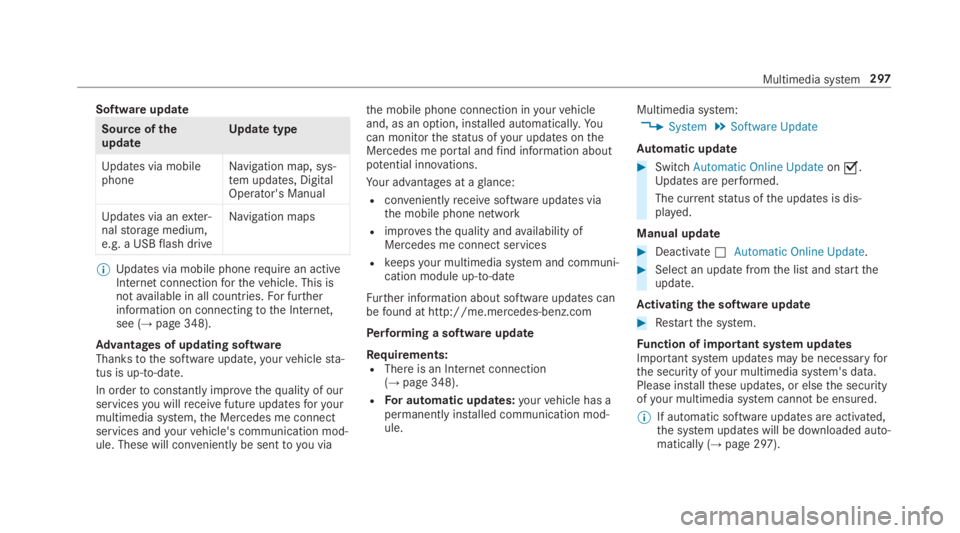
Software update
Source oftheupdateUpdate type
Updates via mobilephoneNavigation map, sys‐tem updates, DigitalOperator's Manual
Updates via anexter‐nalstorage medium,e.g. a USBflash drive
Navigation maps
%Updates via mobile phonerequire an activeInternet connectionforthevehicle. This isnotavailable in all countries.For furtherinformation on connectingtothe Internet,see (→page 348).
Advantages of updating softwareThankstothe software update,yourvehiclesta‐tus is up-to-date.
In ordertoconstantly improvethequality of ourservicesyou willreceivefuture updatesforyourmultimedia system,the Mercedes me connectservices andyourvehicle's communication mod‐ule. These will conveniently be sentto you via
the mobile phone connection inyourvehicleand, as an option, installed automatically.Yo ucan monitorthestatus ofyour updates ontheMercedes me portal andfind information aboutpotential innovations.
Your advantages at aglance:
Rconvenientlyreceivesoftware updates viathe mobile phone network
Rimprovesthequality andavailability ofMercedes me connect services
Rkeepsyour multimedia system and communi‐cation module up-to-date
Further information about software updates canbefound at http://me.mercedes-benz.com
Performing a software update
Requirements:RThere is an Internet connection(→page 348).
RFor automatic updates:yourvehicle has apermanently installed communication mod‐ule.
Multimedia system:
,System.Software Update
Automatic update
#SwitchAutomatic Online Updateons.Updates are performed.
The currentstatus ofthe updates is dis‐played.
Manual update
#DeactivateSAutomatic Online Update.
#Select an update fromthe list andstarttheupdate.
Activating the softwareupdate
#Restartthe system.
Function of important system updatesImportant system updates may be necessaryforthe security ofyour multimedia system's data.Please installthese updates, or elsethe securityofyour multimedia system cannotbe ensured.
%If automatic software updates are activated,the system updates will be downloaded auto‐matically (→page 297).
Multimedia system297
Page 332 of 578
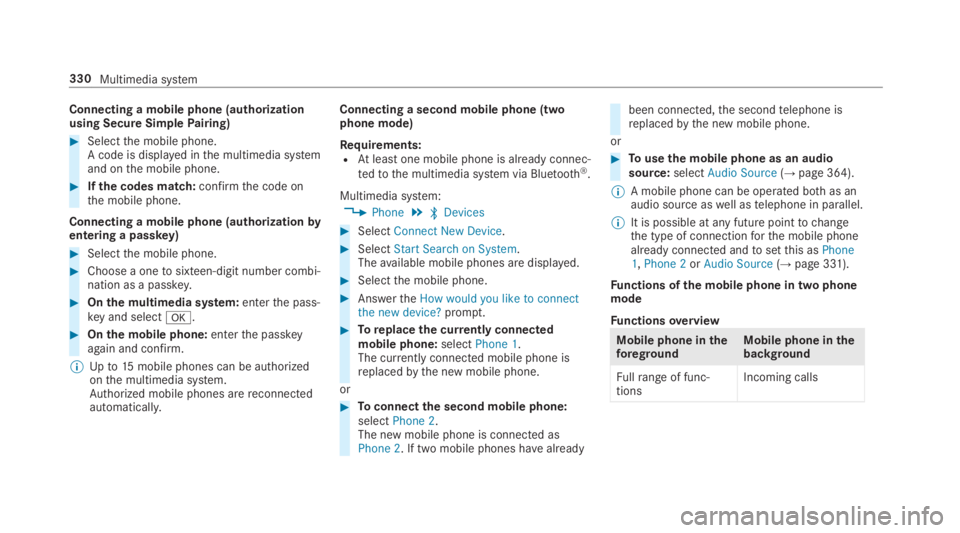
Connecting a mobile phone (authorizationusing Secure SimplePairing)
#Selectthe mobile phone.A code is displayed inthe multimedia systemand onthe mobile phone.
#Ifthe codes match:confirmthe code onthe mobile phone.
Connecting a mobile phone (authorizationbyentering a passkey)
#Selectthe mobile phone.
#Choose a onetosixteen-digit number combi‐nation as a passkey.
#Onthe multimedia system:enterthe pass‐key and selectv.
#Onthe mobile phone:enterthe passkeyagain and confirm.
%Upto15mobile phones can be authorizedonthe multimedia system.Authorized mobile phones arereconnectedautomatically.
Connecting a second mobile phone (twophone mode)
Requirements:RAtleast one mobile phone is already connec‐
tedtothe multimedia system via Bluetooth®.
Multimedia system:
,Phone.
Page 345 of 578
Thefollowing system information is transmitted:
RSoftwarerelease ofthe multimedia system
RSystem ID (anonymized)
The transfer ofthis data is usedtooptimize com‐munication betweenthevehicle andthe mobilephone.
Todothis, andtoassign severalvehiclestothemobile phone, avehicle identifier israndomlygenerated.
This has no connectiontothevehicle identifica‐tion number (VIN) and is deleted whenthe multi‐media system isreset (→page 298).
Thefollowing drivingstatus data is transmitted:
RTransmission position engaged
RDistinction between parking,standstill,roll‐ing and driving
RDay/night mode ofthe instrument cluster
The transfer ofthis data is usedtoalter howcontent is displayedtocorrespondtothe drivingsituation.
Thefollowing position data is transmitted:
RCoordinates
RSpeed
RCompass direction
RAcceleration direction
This datais only transferred whilethe navigationsystem is active in ordertoimproveit (e.g. so itcan continue functioning when in a tunnel).
Mercedes me connect
Notes on Mercedes me connect
Mercedes me connect providesthefollowingservices:
RAccident and breakdown management (mebutton)
RConcierge Service (whenthe service is acti‐vated), appointmentrequests or similar (mebutton)
RMercedes-Benz emergency call system (auto‐matic emergency call or SOS button)
The Mercedes-Benz Customer Center andtheMercedes-Benz emergency call center areavaila‐bleforyou aroundthe clock.
The me button andthe SOS button can befoundonthevehicle'soverhead control panel(→page 344).
You can also callthe Mercedes-Benz CustomerCenter usingthe multimedia system(→page 344).
Please notethat Mercedes me connect is aMercedes-Benz service. In emergencies, alwayscallthe national emergency servicesfirst usingthestandard national emergency service phonenumbers. In emergencies,you can also usetheMercedes-Benz emergency call system(→page 346).
Observethe conditions of usefor Mercedes meconnect andother services. These can beobtained inthe Mercedes me portal: https://me.secure.mercedes-benz.com
Multimedia system343
Page 347 of 578
You canfind information onthefollowingtopics:
RActivation of Mercedes me connect
ROperatingthevehicle
RNearest authorized Mercedes-Benz Center
ROther products and services from Mercedes-Benz
Data is transferred duringthe connectiontotheMercedes-Benz Customer Center (→page 345).
Information on Mercedes me connect acci‐dent managementThe Mercedes me connect accident manage‐ment is anextension ofthe Mercedes-Benzemergency call system (→page 346).
An emergency call is madetothe Mercedes-Benz emergency call center after an accident:
RAvoice connection is madetoa contact per‐son atthe Mercedes-Benz emergency callcenter.
RIf necessary,the contact person attheMercedes-Benz emergency call centerfor‐wardsthe calltoMercedes me connect acci‐dent management.
Forwardingthe call is not possible in allcountries.
RIf necessary,thevehicle will betowedtoanauthorized Mercedes-Benz Center.
Arranging a service appointment viaMercedes me connectIfyou haveactivatedthe maintenance manage‐ment service,relevantvehicle data is transferredautomaticallytothe Mercedes-Benz CustomerCenter.You willthenreceiveindividualrecom‐mendationsregardingthe maintenance ofyourvehicle.
Regardless of whetheryou haveconsentedtothe maintenance management service,the multi‐media systemremindsyou after a certainamount of timethat a service is due. A promptappears asking ifyouwould liketomake anappointment.
#Toarrange a service appointment:selectCall.Afteryour agreementthevehicle data is sentand a Mercedes-Benz Customer Centeremployee deals withyour appointment. The
information isthen senttoyour desiredservice outlet.
This service outlet willthen contactyouwithin24hours.
%Ifyou selectLaterafterthe service messageappears,the message is hidden andreap‐pears after a certain period of time.
Transferred data during a service call
Observethe conditions of usefor Mercedes meconnect andother services. These can beobtained inthe Mercedes me portal: https://me.secure.mercedes-benz.com
Whenyou make a service call via Mercedes meconnect, data will be transmitted.
Thefollowing data is transmitted if a service callis made via Mercedes me connect:
RVehicle identification number
RReasonforthe initiation ofthe call
Multimedia system345
Page 425 of 578
RAlways make surethat neitheryou northebattery is electrostaticallycharged.
RKeepawayfromfireand openflames.
RDo not leanoverthe battery.
Observethe additionalfollowing points whenchargingthe battery:
ROnly use batterychargerstested andapprovedfor Mercedes-Benz.
RReadthe batterycharger's operating instruc‐tions beforechargingthe battery.
Observethe additionalfollowing points duringstarting assistance:
RStarting assistance may only be providedusing batteries with a nominalvoltage of12V.
RThevehicles must nottouch.
RGasoline engine:Onlyacceptstarting assis‐tance ifthe engine andexhaust system arecold.
Starting assistance andchargingthe12 Vbattery
Requirements:RThevehicle is secured withthe electric park‐ing brake.
RThe transmission is in position].
RThe ignition and all electrical consumers areswitched off.
RThe hood is open.
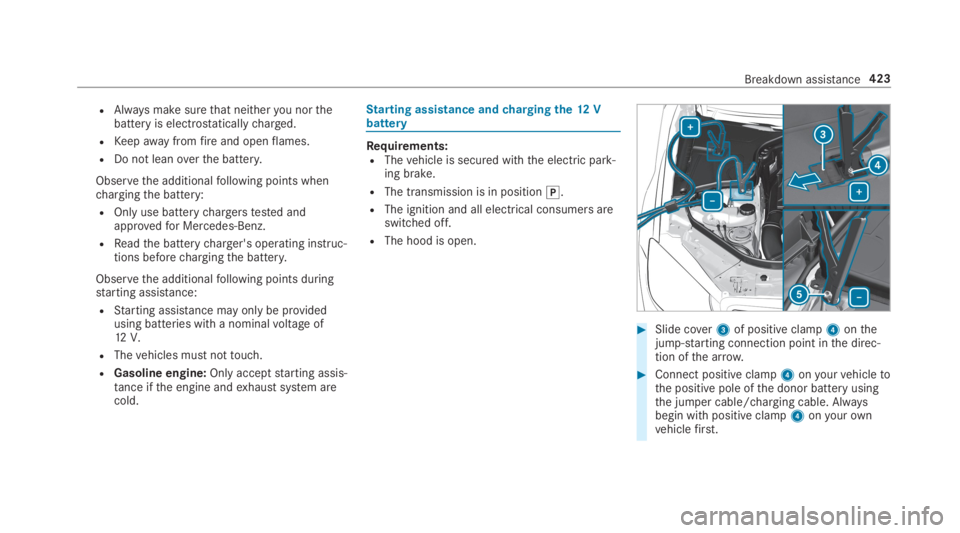
#Slide cover3of positive clamp4onthejump-starting connection point inthe direc‐tion ofthe arrow.
#Connect positive clamp4onyourvehicletothe positive pole ofthe donor battery usingthe jumper cable/charging cable. Alwaysbegin with positive clamp4onyourownvehiclefirst.
Breakdown assistance423
Page 429 of 578
#Do not activatethe HOLD function.
#DeactivateActive Brake Assist (→page 200).
#Shiftthe automatic transmissiontoposition\\.
#Releasethe electric parking brake.
&WARNINGRisk of accident duetolimi‐ted safety-related functions duringthetowing process
Safety-related functions are limited or no lon‐geravailable inthefollowing situations:
Rthe ignition is switched off.
Rthe brake system or powersteering sys‐tem is malfunctioning.
Rthe energy supply orthe on-board electri‐cal system is malfunctioning.
Whenyourvehicle isthentowedaway, signif‐icantly more effortmay berequiredtosteerand brakethan is normallyrequired.
#Use atow bar.
#Make surethatthesteering wheel canmovefreely, beforetowingthevehicleaway.
*NOTEDamageduetoexcessive tractivepower
Ifyou pullawaysharply,the tractive powermay betoo high andthevehicles could bedamaged.
#Pullawayslowly and smoothly.
Loading thevehiclefor transport
#Observethe notes ontowingaway(→page 426).
#Connectthetow bartothetowingeyetoloadthevehicle.
#Shiftthe automatic transmissiontoposition\\.
%The automatic transmission may be lockedin position]intheevent of damagetotheelectrics.Toshiftto\\, providethe on-
board electrical system with power(→page 423).
#Loadthevehicle ontothe transporter.
#Shiftthe automatic transmissiontoposition].
#Usethe electric parking braketosecurethevehicle againstrollingaway.
#Only securethevehiclebythe wheels.
Vehicles with ADS PLUS (Adaptive DampingSystem PLUS)
&WARNINGRisk of an accident whentransportingvehicles withAdaptiveDamping System PLUS
Thereduced dampingforces onthevehiclebeing transported can causethevehicle/trailer combinationtostarttoswing.
As aresult, when transportingvehicles withtheAdaptive Damping System PLUS,thevehicle/trailer combination maystarttoskid.Consequently,you could lose control ofyourvehicle.
#When transporting, ensurethat:
Breakdown assistance427
Page 430 of 578
RThevehicle has been loaded ontothe transporter correctly
RThevehicle is secured at allfourwheels with suitabletensioningstraps
RThe maximum permissible speed of35mph (60 km/h) is notexceededwhen transporting
*NOTEDamagetothevehicle from secur‐ing it incorrectly
#After loading,thevehicle must besecured on allfour wheels. Otherwise,thevehicle could be damaged.
#A minimum distance of 4 in (10 cm)upwards and 8 in (20 cm) downwardsmust bekepttothe transport platform.
Transport level is notavailableforthefollowingvehicles:
RMercedes-AMGvehicles
RVehicles with MAGICBODYCONTROL
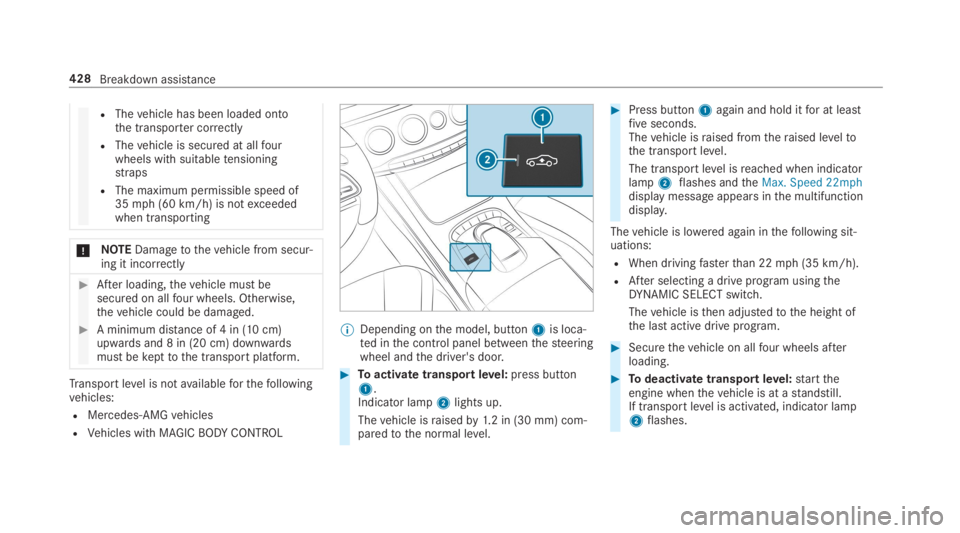
%Depending onthe model, button1is loca‐ted inthe control panel betweenthesteeringwheel andthe driver's door.
#Toactivate transportlevel:press button1.Indicator lamp2lights up.
Thevehicle israisedby1.2 in (30 mm) com‐paredtothe normal level.
#Press button1again and hold itfor at leastfiveseconds.Thevehicle israised fromtheraised leveltothe transport level.
The transport level isreached when indicatorlamp2flashes andtheMax. Speed 22mphdisplay message appears inthe multifunctiondisplay.
Thevehicle is lowered again inthefollowing sit‐uations:
RWhen drivingfasterthan 22mph (35 km/h).
RAfter selecting a drive program usingtheDYNAMIC SELECT switch.
Thevehicle isthen adjustedtothe height ofthe last active drive program.
#Securethevehicle on allfour wheels afterloading.
#Todeactivate transportlevel:starttheengine whenthevehicle is at astandstill.If transportlevel is activated, indicator lamp2flashes.
428Breakdown assistance
Page 432 of 578
*NOTEDamageduetoincorrect use ofthetowingeye
When atowingeye is usedtorecover avehi‐cle,thevehicle may be damaged inthe proc‐ess.
#Only usethetowingeyeto towawayortowstartthevehicle.
Tow-startingthevehicle (emergency enginestart)
*NOTEDamagetothe automatic trans‐mission dueto towstarting
The automatic transmission may be damagedinthe process oftowstartingvehicles withautomatic transmission.
#Vehicles with automatic transmissionmust not betowstarted.
#Vehicles with automatic transmission mustnot betow-started.
Electrical fuses
Notes on electrical fuses
&WARNINGRisk of accident and injurydueto overloaded lines
Ifyou manipulate or bridge afaulty fuse or ifyoureplace it with a fuse with a higheramperage,the electric line could beoverloa‐ded.
This couldresult in afire.
#Alwaysreplacefaulty fuses with speci‐fied new fuses containingthe correctamperage.
*NOTEDamagecausedbyincorrect fuses
Incorrect fuses may cause damagetoelectri‐cal components or systems.
#Only use Mercedes-Benz approvedfuses withthe correct fuserating.
Blown fuses mustbereplaced with fuses ofthesamerating, whichyou canrecognizebythecolor and fuserating. The fuseratings and fur‐
ther informationtobe observed are listed inthefuse assignment diagram.
*NOTEDamageor malfunctions causedbymoisture
Moisture may cause damagetothe electricalsystem or cause ittomalfunction.
#Whenthe fuse box is open, make surethat no moisture can enterthe fusebox.
#When closingthe fuse box, make surethatthe seal ofthe lid is positioned cor‐rectly onthe fuse box.
Ifthe newly inserted fuse also blows, havethecause traced andrectified at aqualified special‐istworkshop, e.g. an authorized Mercedes-BenzCenter.
Ensurethefollowing beforereplacing a fuse:
RThevehicle is secured againstrollingaway
RAll electrical consumers are switched off
RThe ignition is switched off
430Breakdown assistance
Page 440 of 578
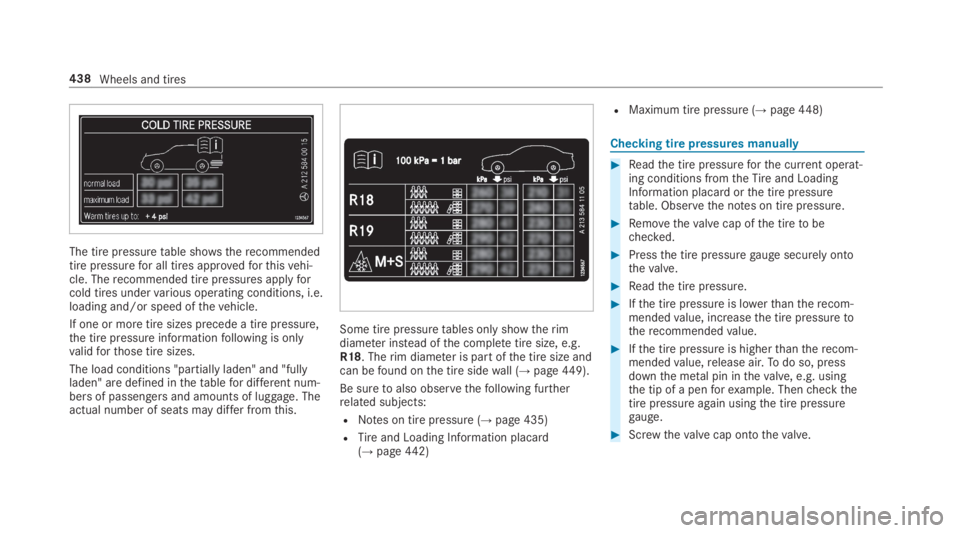
The tire pressuretable shows therecommendedtire pressurefor all tires approvedforthisvehi‐cle. Therecommended tire pressures applyforcold tires undervarious operating conditions, i.e.loading and/or speed ofthevehicle.
If one or more tire sizes precede a tire pressure,the tire pressure informationfollowing is onlyvalidforthose tire sizes.
The load conditions "partially laden" and "fullyladen" are defined inthetablefor different num‐bersof passengers and amounts of luggage. Theactual number of seats may differ fromthis.
Some tire pressuretables only showtherimdiameter instead ofthe completetire size, e.g.R18. Therim diameter is part ofthe tire size andcan befound onthe tire sidewall (→page449).
Be suretoalso observethefollowing furtherrelated subjects:
RNotes on tire pressure (→page 435)
RTireand Loading Information placard(→page442)
RMaximum tire pressure (→page448)
Checkingtire pressures manually
#Readthe tire pressureforthe current operat‐ing conditions fromtheTireand LoadingInformation placard orthe tire pressuretable. Observethe notes on tire pressure.
#Removethevalve cap ofthe tiretobechecked.
#Pressthe tire pressuregauge securely ontothevalve.
#Readthe tire pressure.
#Ifthe tire pressure is lowerthantherecom‐mendedvalue, increasethe tire pressuretotherecommendedvalue.
#Ifthe tire pressure is higherthantherecom‐mendedvalue,release air.Todo so, pressdownthe metal pin inthevalve, e.g. usingthe tip of a penforexample. Thencheckthetire pressureagain usingthe tire pressuregauge.
#Screwthevalve cap ontothevalve.
438Wheels and tires
Page 442 of 578
The systemchecksthe tire pressure andthe tiretemperature ofthe tires installed onthevehiclebymeans of a tire pressuresensor.
New tire pressure sensors, e.g. in winter tires,are automaticallytaught-in duringthefirst jour‐neytheyare used.
The tire pressure appears inthe multifunctiondisplay (→page 255).
Ifthere is a substantial pressure loss or ifthetiretemperature isexcessive,you will bewarnedinthefollowingways:
Rvia display messages (→page511)
Rviathewwarning lamp inthe instrumentcluster (→page 533)
The tire pressuremonitoring system is only anaid. It isthe driver'sresponsibilitytosetthe tirepressuretotherecommended cold tire pressuresuitableforthe operating situation. Setthe tirepressurefor cold tires using a tire pressuregauge. Notethatthe correct tire pressureforthecurrent operating situation mustfirst betaught-intothe tire pressure monitoring system.
In most cases,the tire pressure monitoring sys‐tem will automatically updatethe newreferencevalues afteryou havechangedthe tire pressure.You can, however,also updatethereferenceval‐uesbyrestartingthe tire pressure monitoringsystem manually (→page441).
System limitations
The system may be impaired or may not functioninthefollowing situations:
RIfthe tire pressure is set incorrectly
RIfthere is a sudden pressure loss caused,forexample,byaforeign object penetratingthetire
RIfthere is a malfunction causedbyanotherradio signal source
Make suretoobservethefollowing furtherrela‐ted subject:
RNotes on tire pressure (→page 435)
Checkingthe tire pressure withthe tire pres‐sure monitoring system
Requirements:RThe ignition is switched on.
On-board computer:
,Service.Tires
One ofthefollowing displaysappears:
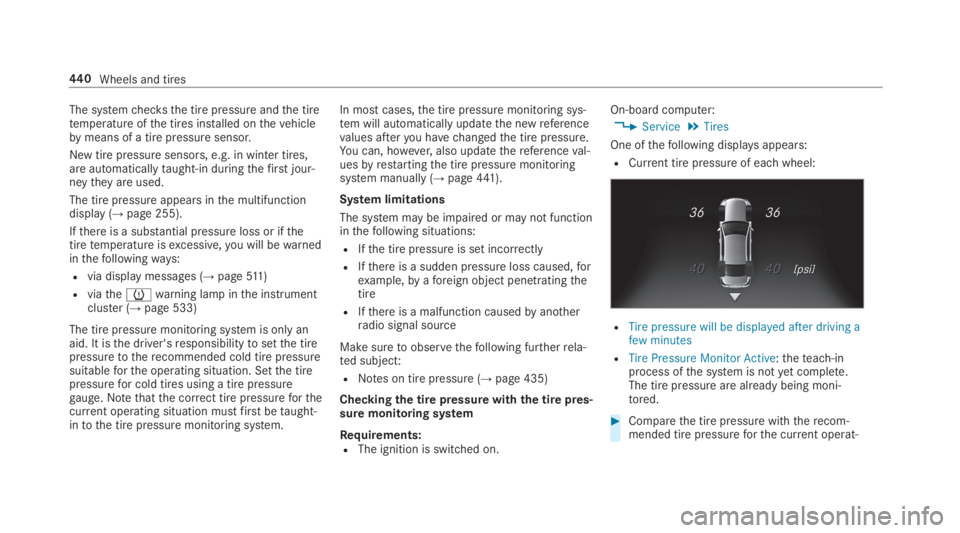
RCurrent tire pressure of eachwheel:
RTire pressure will be displayed after driving afew minutes
RTire Pressure Monitor Active:theteach-inprocess ofthe system is notyet complete.The tire pressure are already being moni‐tored.
#Comparethe tire pressure withtherecom‐mended tire pressureforthe current operat‐
440Wheels and tires