display MERCEDES-BENZ S-CLASS 2020 Workshop Manual
[x] Cancel search | Manufacturer: MERCEDES-BENZ, Model Year: 2020, Model line: S-CLASS, Model: MERCEDES-BENZ S-CLASS 2020Pages: 602, PDF Size: 54.61 MB
Page 290 of 602
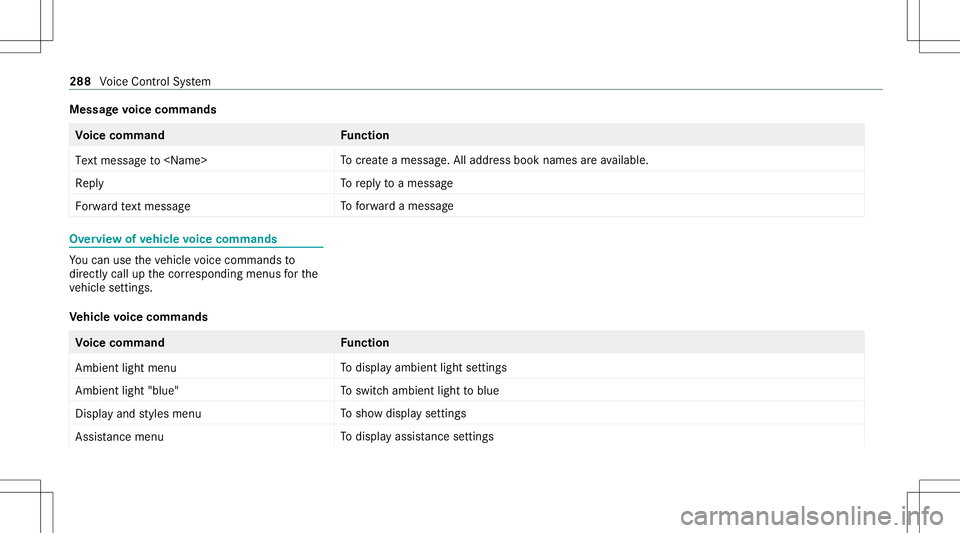
Messag
evoice comm ands Vo
ice comm and Function
Text message to
crea te am essag e.All addr essbook namesarea vailable.
Reply To
reply toam essag e
For ward text mes sage To
forw ardam essag e Ov
ervie wo fvehic levoice comm ands Yo
uc an use thev ehicle voice com mand sto
dir ect lycall upthec orresponding menusfort he
ve hicle settin gs.
Ve hicl evoice comm ands Vo
ice comm and Function
Ambien tlight menu To
displa yambient lightsettings
Ambien tlight "blue" To
switc hambient lighttoblue
Display andstyles menu To
sho wdispla ysettings
Assistance menu To
displa yassis tance settings 28
8
Voice Cont rolS ystem
Page 293 of 602
Ov
ervie wa ndoper ation Ov
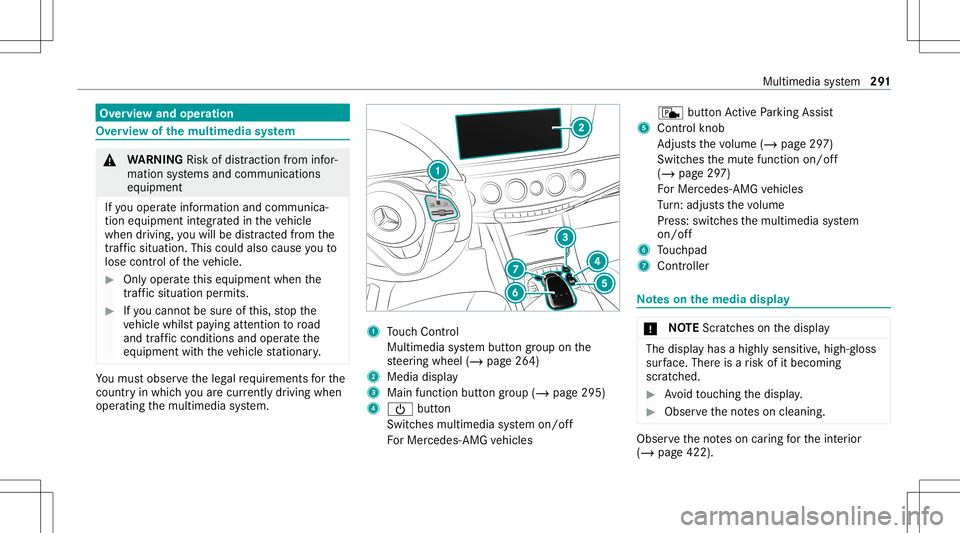
ervie wo fthe multi media system &
WARNIN GRisk ofdist ra ction from infor‐
mati onsystems andcomm unication s
eq uipment
If yo uo per atei nfor mat ionand comm unic a‐
tio ne quipme ntintegratedi nt he vehicle
when driving, youw illbe distract ed from the
tr af fics ituation. Thiscouldalso cau seyout o
lose control of thev ehicle. #
Onlyoper atet his equipme ntwhen the
tr af fics ituation per mits. #
Ifyo uc anno tb es ureo fthis, stop the
ve hicle whilstpaying attention toroad
and trafficc ondi tions andoperate the
eq uipment withthe vehicle statio nary. Yo
um usto bse rvet he legalrequ iremen tsfort he
countr yinw hich youa recur rentl yd rivi ng when
op erati ng them ultimedia system. 1
Touc hC ontrol
Mult imed iasystem butt ongroup onthe
st eer ing wheel (/page264)
2 Media display
3 Main function buttongroup (/page295)
4 00D0 button
Switc hesmultimedia system on/ off
Fo rM ercedes- AMGvehicles c
buttonActiveP arking Assist
5 Cont rolk no b
Ad jus tsthev olume (/page297)
Swit ches them utef unc tion on/off
(/ page297)
Fo rM ercedes- AMGvehicles
Tu rn:a djus ts thev olume
Pr ess: switc hesthem ultimedia system
on/ off
6 Touc hpad
7 Con troller No
teso nthe media display *
NO
TEScr atches onthed ispla y The
displa yhasah ighly sensit ive, high-g loss
sur face. Thereisar isk ofitbeco ming
scr atc hed. #
Avoid touc hin gthe displa y. #
Obser vethen otes on cleaning . Obser
vethen otes on car ing fort he interior
(/ page422). Multimedia
system 29
1
Page 302 of 602
Ex
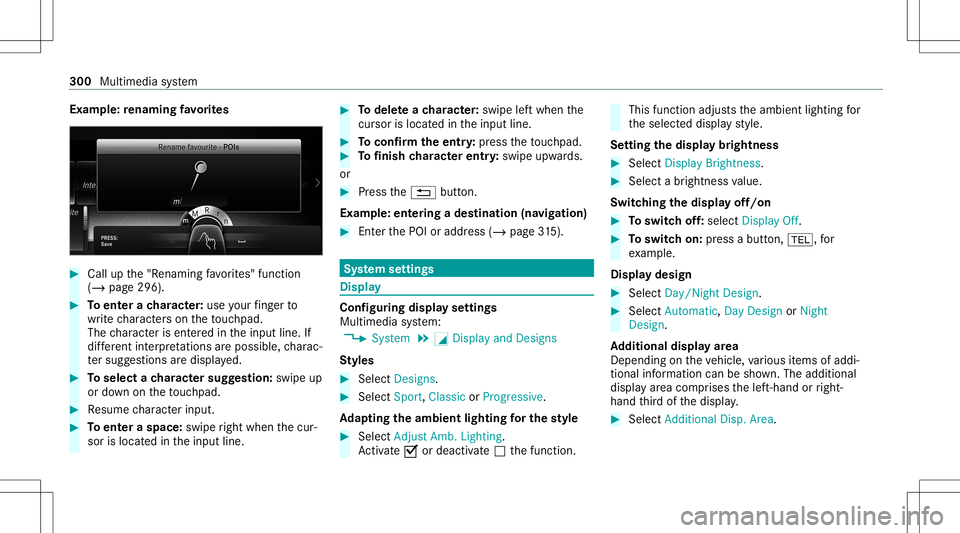
am ple: renaming favo rite s #
Call upthe" Renaming favo rite s" function
(/ page296). #
Toent erac har acter:use your fing er to
wr itec har acterso nthe touc hpad.
The charact erisent ered inthei np ut line. If
dif fere nt interpr etatio nsarep oss ible, charac‐
te rs ugg estions ared isplaye d. #
Toselect achar actersugg estion: swipeup
or down onthet ouc hpad . #
Resume charact erinput. #
Toent eras pace: swipe right when thec ur‐
sor islocat edinthei np ut line. #
Todel eteac haracter:swi peleftw hent he
cur sor isloc ated inthei np ut line. #
Toconf irmt heent ry:pr ess thet ouc hpad . #
Tofinish charact erentr y:swipe upwards.
or #
Press the0038 button.
Ex am ple: entering adestinat ion(navigation) #
Entert he POI oraddr ess(/ page315). Sy
stem settings Displa
y Conf
iguringdisp lays ettings
Multi media system:
4 System 5
0043 Display andDesign s
St yles #
Sele ctDes igns. #
Sele ctSpo rt,Classic orProg ressive.
Ad apting thea mb ient light ingfort he style #
Select Adju stAmb. Lighting .
Ac tivate0073 ordeacti vate 0053 thef unc tion . This
function adjus tsthea mbient lighting for
th es elect eddispla ystyle.
Se ttin gthe display bright ness #
Sele ctDis play Bright ness. #
Sele ctab right nes svalue.
Switc hingthed isplayo ff/on #
Toswitc hoff:select Display Off. #
Toswitc hon:press abutton, 002B,f or
ex am ple.
Displ aydes ign #
Select Day /Nig htDesi gn. #
Select Autom atic,Day DesignorNig ht
Desi gn.
Ad diti onaldispl ayarea
Dependi ngon thev ehicle, various items ofaddi‐
tional information canbesho wn. The additional
displa yareac om prises thel eft-hand orright-
hand thirdo fthe displa y. #
Select Addi tiona lDisp .Area . 300
Multimed iasystem
Page 307 of 602
#
EntertheP INsho wninthem edia displa yon
th ed evice tobe con necteda nd con firm .
Connect ingusin gaW PSPIN #
Sele ct¥ ConnectviaWPS PINInput. #
Sele ctEnter WPS PIN. #
Entert he PIN that issho wnonthee xter nal
de vice's disp layo nthe multimedia system. #
Select Continue.
Connecting usingabutton #
Select ¥Connec tviaWPS PBC. #
Press theW PSbutt onon thed evice tobe
con nectedo rselect Connec t. #
Select Continue inthem ultimedia system.
Connecting usingasecur itykey #
Select Connect DevicetoVeh icleH otsp ot.
As ecu rity keyisd isplaye d. #
Select thev ehicle from thed evice tobe con ‐
nec ted. The vehicle isdispla yedw itht he
SSI DMB Hotspot XXXXX. #
Enterthes ecur itykeyw hichiss hown inthe
media displayo nthe device tobe con nected. #
Conf irmt heentr y.
Connect ingusin gNFC #
Sele ctConn ection viaNFC. #
ActivateN FConthem obile device (see the
manuf acturer'soper ating instructions). #
Bring them obile device intot he NFC area of
th ev ehicle (/page344). #
Select Done.
The mobile device isno wc onn ectedtothe
multime diasystem hotspo tviaNFC.
Gener atinganew secur itykey: #
Select Set UpHotsp ot. #
Select Genera teSecu rityKey.
Ac onnecti onwillbe established withthe
ne wly creat edsecur itykey. #
Tosave asecurity key:select Save.
When anew secur itykeyiss ave d,all existin g
Wi -Fi conne ctionsaret hen disconnect ed.If
th eW i-Ficonne ctionsareb eing re-es tab‐
lished, then ew secur itykeym ustb ee nter ed . Ma
nag ingC OMAND Touc hd evices Re
quirement s:
R The COMAND Touc ha pp isins talled onthe
ex tern al de vic e(e.g. table torsmar tphon e).
R Wi-Fi isacti vated( /pag e303) and them ul‐
timedia system iscon figur edasaW i-Fihot‐
spo t(/ page 304).
Mul timedi asystem:
4 System 5
COMAND Touch
Connecting andauthor izing anew device #
Select AuthorizeaNew Devic e. #
Select Connec tNew Devic e. #
Entert he secur itykeyint he extern al de vic e.
The Please start COMA NDTouc honyour
devi ceand follow thei nstruct ions.mes sage
appear s. #
Select Con tinue. #
Accep tth ec onnect ionrequ estfromt henew
de vice. #
EntertheP INsho wnonthee xter nal device.
Th ed evicei sa uthor ized. Mult
imed iasystem 305
Page 310 of 602
Multimedia
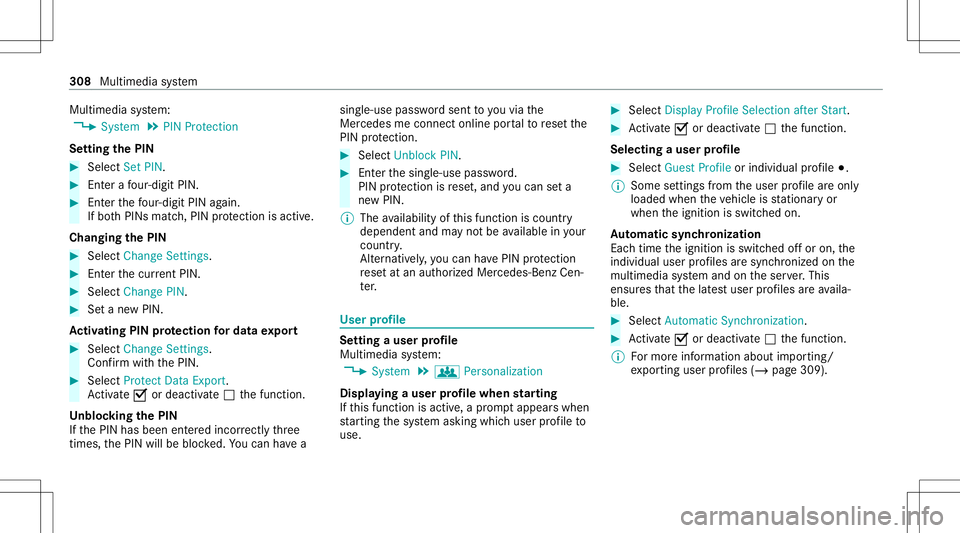
system:
4 System 5
PIN Protec tion
Se tting theP IN #
Sele ctSet PIN. #
Enteraf our-digit PIN. #
Enterthef our -digit PINagain.
If bo th PINs match,PIN protect ion isactiv e.
Changing theP IN #
Sele ctChang eSettin gs. #
Entert he cur rent PIN . #
Select Chang ePIN. #
Setan ewPIN .
Ac tiv atin gPINprotection ford atae xpor t #
Select Change Settings.
Conf irmw itht he PIN. #
Select Protect DataExport .
Ac tivate0073 ordeacti vate 0053 thef unc tion .
Un bloc king theP IN
If th eP INhas been entered incor rectl ythree
times, theP INwill bebloc ked. Youc an have a sing
le-use passwords ent toyouv iathe
Mer cedes meconn ectonline portaltor ese tthe
PIN protect ion. #
Select Unbloc kPIN. #
Entert he sing le-use password.
PIN protect ion isrese t,and youc an seta
ne wP IN.
% The availabilit yofthis function iscountr y
dependent andmaynotbe available inyour
co unt ry.
Alt ernati vely,y ou can have PIN protect ion
re se ta ta na uthor ized Mercedes-Benz Cen‐
te r. User
profile Se
tting auser profile
Multimedia system:
4 System 5
g Person alization
Displa yingauser profile when star ting
If th is func tion isact ive, ap romp tappear swhen
st ar tin gt he system asking whichuser profile to
use. #
Select Display Profile Select ion afterStart . #
Activate0073 ordeacti vate 0053 thef unc tion .
Selecting auser profile #
Select GuestProfile orindividual profile 003B.
% Some settings from theu ser profile areo nly
loaded whenthev ehicle isstatio naryor
when thei gnition isswitc hedon.
Au tomatic synchronizat ion
Eac htime thei gnition isswitc hedoffo ro n,the
indiv idual userprofiles ares ync hroniz edon the
multime diasystem and onthes erve r.This
ensur esthat thel ates tu ser profiles area vaila‐
ble. #
Select Automat icSyn chron izat ion. #
Activate0073 ordeacti vate 0053 thef unc tion .
% Form orei nfor mation aboutimpor ting/
ex por tingu ser profiles (/ page309). 308
Multimedia system
Page 316 of 602
St
arting traini ng #
Select Training. #
Select MuscleRelaxati on,Mus cleStimul a-
tion orBala nce.
The selected trai ning videostartsa nd isdis‐
pla yedi nt he media display. #
Select FullScree n:Vid eo.
The trai ning video isdispl ayed infull screen.
% Form orei nfor mation onpau sing orskippi ng
th ro ugh videos,see (/page371).
If ,d uringa na ctiv eprogram ,af unctio nrequir e‐
ment isno long erme t,ac orresponding message
appea rs.T he acti veprogr am iscanc eled. Na
vig ation Switc
hingnavig ation on Multimedia
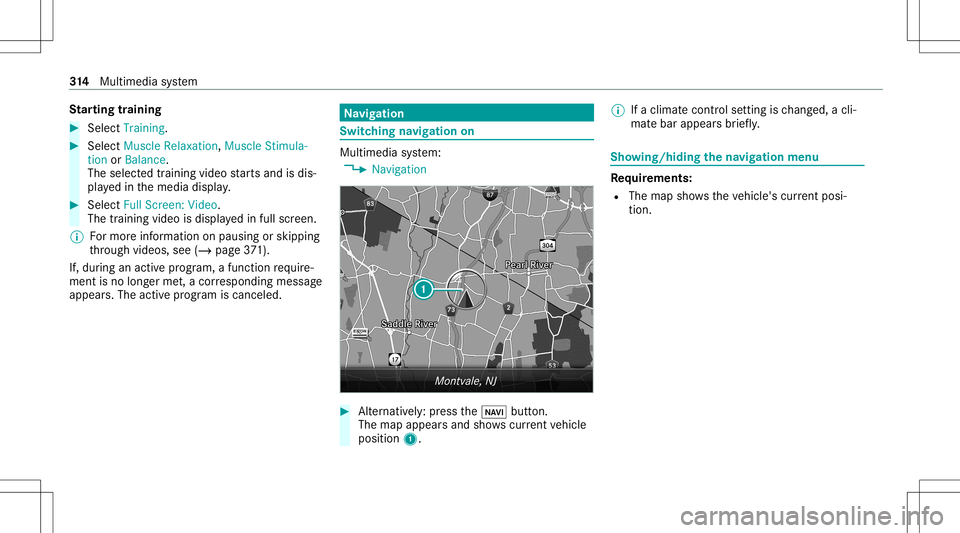
system:
4 Navigation #
Alternativ ely:press the00CB button.
The map appear sand sho wscurrent vehicle
position 1. %
Ifac limat econt rols etting isch ang ed, acli‐
mat ebarappear sbrief ly. Sho
wing/ hiding then avigat ion menu Re
quirement s:
R The map showsthev ehicle's current posi‐
tio n. 31
4
Multimedia system
Page 328 of 602
Cha
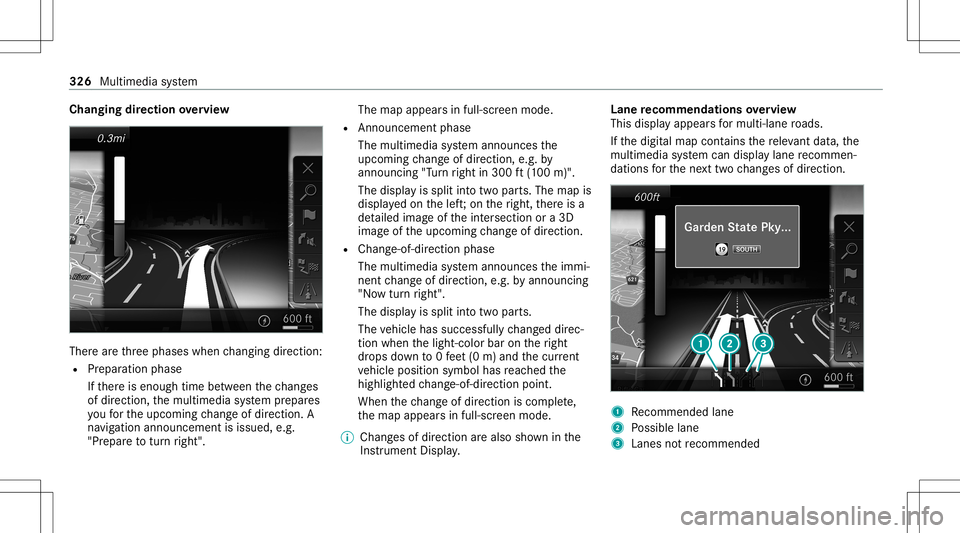
nging direction overvie w Ther
earethre ep hases whenchang ingdirect ion:
R Preparation phase
If th er ei se nough timebetween thec hang es
of dir ection, them ultimedia system prepar es
yo uf or theu pcoming chang eofdirect ion.A
na vig atio nannoun cem entisissue d,e.g .
"Pr epar etot urnr ight". The
map appear sinf ull-scr eenmode.
R Ann ouncemen tphase
The multimedia system announ cesthe
upco mingchang eofdirect ion,e.g.b y
ann oun cing"Turn right in300 ft(100 m)".
The displa yiss plit intot wo parts.The map is
displa yedo nthe left;on ther ight, ther ei sa
de tailed imag eofthe intersection ora3 D
imag eofthe upcoming chang eofdirect ion.
R Chan ge-of-d irecti onpha se
The multimed iasystem announ cesthei mmi‐
nen tchang eofdirect ion,e.g.b ya nnoun cing
"No wturnr ight".
The displa yiss plit intot wo parts.
The vehicle hassuccessfull ychang eddirec‐
tion when thel ight- color baronther ight
dr ops down to0f eet(0m )and thec urrent
ve hicle position symbolhasreac hed the
highlight edchang e-of-dir ect ion poin t.
When thec hang eofdirect ion iscom plete,
th em apappear sinf ull-scr eenmode.
% Chang esofdir ect ion area lso sho wninthe
Ins trument Display. Lane
recomm endationsoverview
This displa yappear sfor multi-lane roads.
If th ed igitalmap contains ther ele vant data,t he
multimedia system can displa ylane recomme n‐
da tions fort he next twoc hang esofdir ection. 1
Recomme ndedlane
2 Possible lane
3 Lanes notrecom mende d 326
Multime diasystem
Page 329 of 602
The
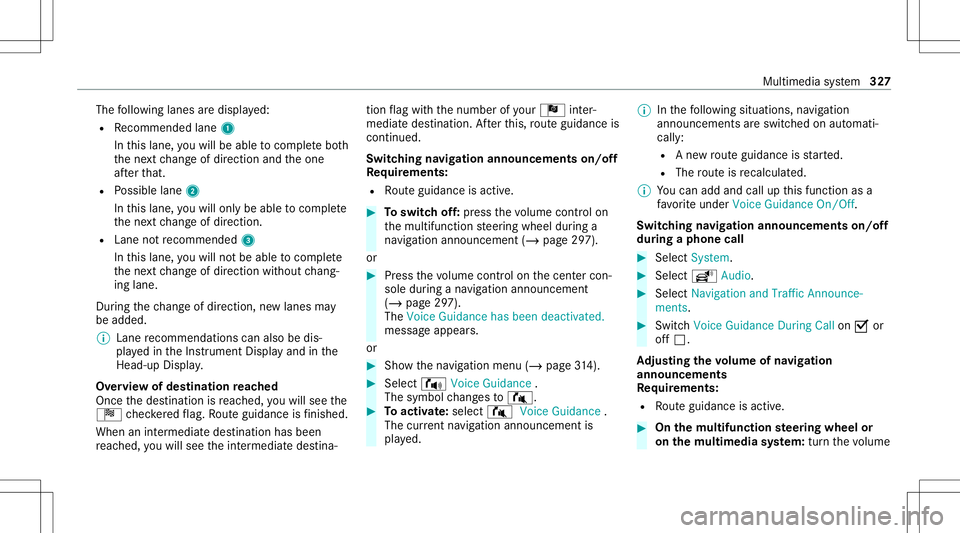
follo wing lanes ared ispla yed:
R Recomme ndedlane 1
In this lane, youw illbe able tocom plet eb oth
th en extc hang eofdirect ion and theo ne
af te rt hat.
R Possible lane2
In this lane, youw illon lybe able tocom plet e
th en extc hang eofdirect ion.
R Lan enotrecomme nded3
In this lane, youw illno tb ea ble tocom plet e
th en extc hang eofdirect ion without chang ‐
ing lane .
Dur ing thec hang eofdirect ion,new lane smay
be added.
% Lanerecom mendatio nscan also bedis‐
pla yedi nt he Instrument Displayand inthe
Hea d-up Display.
Ov ervie wo fdestinat ionreac hed
Once thed estinat ionisreac hed, youw illsee the
Í checkeredf lag. Routeg uidan ceisfinis hed .
Whe naninter med iate des tination hasbeen
re ac hed, youw illsee thei nter mediat edestina‐ tion
flag withthe number ofyour Î inter‐
med iated estin atio n.Aftert his, routeg uidan ceis
co ntinue d.
Swit ching navig ation announ cement son/of f
Re quirement s:
R Routeg uidan ceisact ive. #
Toswitc hoff:pr ess thev olume controlon
th em ultifunc tionsteer ing wheel during a
na vig ation announ cement(/ pag e297).
or #
Press thev olume controlon thec ent ercon ‐
sole during anavigation announ cement
(/ page297).
The Voice Guidance hasbeen deactivat ed.
messag eappear s.
or #
Sho wthe navig ation menu (/page314). #
Select ! VoiceGuidance .
The symbo lchang esto# . #
Toactiv ate: sele ct# VoiceGuida nce .
The current navig ation anno uncement is
pl ay ed. %
Inthef ollo wing situations, navig ation
announc ementsares witc hed onaut omat i‐
call y:
R Anew routeg uidan ceisstar ted.
R The routei sr ecalculat ed.
% Youc an add andcallupthis func tion asa
fa vo rite und erVoic eGuidan ceOn/O ff.
Swit ching navig ation announ cement son/of f
dur ing aphone call #
Selec tSyst em. #
Selec tõ Audio. #
Selec tNavigat ionand Traff icAn noun ce-
men ts. #
Swit chVoice Guidance During Callon 0073 or
of f0053.
Ad jus tingthe volum eofnavigat ion
announ cement s
Re quirement s:
R Routeg uidan ceisact ive. #
On them ultif unct ionsteer ing wheel or
on them ultim edia system: turnthe volume Multim
ediasystem 32
7
Page 330 of 602
contr
olon them ultifunc tionsteer ing wheel
dur ing anavigation announ cement.
or #
Turn thev olume controlon thec ent ercon ‐
sole during anavigation announ cement
(/ page297).
% Inthef ollo wing situations, thev olume is
ra ised tothem aximum volume orlowe redt o
th em inimum volume:
R Anew routeg uidan ceisstar ted.
R The routei sr ecalculat ed.
% The minimum volume canbeindiv iduall yset
at an aut hor ized Mercedes -Benz Cent er. #
Vias ystems ettings: selec tSyst em. #
Sele ctõ Audio. #
Sele ctNavig ation andTrafficAnnoun ce-
men ts. #
Sele ctVoic eGuidanc eVolume . #
Setthe volume. #
Toswitc haudiofadeo uton/o ffdur ing
na vig atio nanno unceme nts: select System . #
Select õAudio. #
Select Nav igation andTraffic Announce -
ments . #
Swi tchAud ioFad eou tDuring Voi ceGuidance
on 0073 oroff0053.
Re peati ngnavig atio nanno unceme nts
Re quirement s:
R Arout ehasalready been creat ed.
R Routeg uidan ceisact ive.
Mult imed iasystem:
4 Navigation #
Select !Voice Guidance . #
Select #Voice Guidance .
The current navig ation anno uncement is
re peat ed.
% Youc an add andcallupthis func tion asa
fa vo rite und erRepeat VoiceGuidan ce.
Cancel ingrout eg uidanc e
Re quirement s:
R Arout ehasalready been creat ed.
R Routeg uidan ceisact ive. Mult
imed iasystem:
4 Navigation #
Select %Cancel RouteGuidance .
Ov ervie wo frout eguidanc etoa no ff-road
des tinatio n
An off-r oad destinatio nisw ithin thed igitalmap.
The map contains noroads that lead tothed es‐
tinat ion.
Yo uc an enterg eo-coor dinatesorathree word
addr essforo ff-road destinations onthem ap.
Ro uteg uidan ceguides youf or as long aspossi‐
ble withn avigation announcements anddisplays
on roads that arek nown tothem ultimedia sys‐
te m.
Shor tlybef orey ou reac ht he lastknown pos ition
on them ap,youw illhear the" Please follo wt he
dir ection arrow "announ cem ent.The displ ay
sho wsadirect ion arrow and thel inear distance
to thed estinat ion. 328
Multimedia system
Page 332 of 602
#
Tosave asafavo rite :sel ect ¥ SaveM y
Fav orite.
The favo rite sa redispla yed. #
Movethef avo rite to thed esir edposition .
If af avo rite has already been added atthis
posit ion,itwill beove rwritt en. #
Tosave as"Home "addr ess :sele ct¥
Save as"Home ". #
Tosave as"W ork" addr ess:sele ct¥
Save as"Wo rk". #
Todel eteas ingleor all des tina tions :
selec t¥ Deleteor Dele teAll.
Ap romp tappear s. #
Select Yes. #
Todispl aydes tina tioninfor matio n:sel ect
¥ Details.
Usi ngextern al des tinatio ns
Ext ernal destinatio nscan berecei vedf romt he
fo llo wing sources:
R Mer cedes -Benz Apps
R Doo r-to -doo rnavigati on with Com panionapp
(US A) R
Rear Seat Entertainm entSystem
% Recei vedd estin ations ares ave dint he prev i‐
ous destination s.
Ap romp tappear sonthe media display. #
Adestin ation hasb een receiv edwit hou t
pict urei nfor ma tion :selec tYes . #
Ifro uteg uidan ceisno ta ctive, sele ctStart
Rout eGuidan ce.
The routet ot he des tination iscalculat ed.
The map showsther out e.Ro uteg uidan ce
th en begins.
or #
Ifro uteg uidan ceisact ive, sele ctStart New
Rout eGuidan ceorSet asNex tWayPoin t.
St art New RouteGuidan ce:the recei vedd es‐
tin ation addressisseta sa newd estin ation.
The prev ious destination sand intermediat e
des tination saredele ted. Ro uteg uidan ceto
th en ew des tinat ionbegins.
Set asNext WayPoint :the recei vedd estin a‐
tion addr essisseta sthe next int ermediat e
des tination. Routeg uidan cebegin s. #
Adestin ation hasb een receiv edwit hpic‐
tu re informa tion: select Start Route Guid-
ance .
Ro uteg uidan cestar ts. Ro
uteg uidanc ewithcurrent traf ficr epo rts Tr
af fici nfor ma tion overview
Tr af ficr epor tsarer eceiv edusing LiveT raffic
Inf ormat ionand areu sed forr out eguidan ce.
This serviceisu navailable insome countries.
Ther emaybe differe nces betwee nt he traf fic
re por tsrecei veda nd thea ctual road and traffic
condi tions.
Im por tant informa tiono nLiveT raffic Info rm a‐
tion:
R Current traffic repor tsarer eceiv edvia the
Int erne tc onnection.
R The traf fics ituation isup dateda tshor t,re gu‐
lar interva ls.
R The subsc ript ion informatio nshows thes ta‐
tus (/ page331). 330
Multimed iasystem