phone MERCEDES-BENZ S-CLASS COUPE 2017 Owner's Manual
[x] Cancel search | Manufacturer: MERCEDES-BENZ, Model Year: 2017, Model line: S-CLASS COUPE, Model: MERCEDES-BENZ S-CLASS COUPE 2017Pages: 533, PDF Size: 10.75 MB
Page 170 of 533
Brazil
Es
te equipament ooper aemc aráter secundário,
is to é, não temd ireit oàp roteção contr ainter fer‐
ência prejudicial ,mesmo de es tações do mesmo
tipo ,en ão pod ecausar inter ferê ncia asiste mas
operando em caráter primário.
Pa ra maio resi nformações acessar
www.anatel.go v.br
Fu rther information on thed eclaration of con‐
fo rm ity forw ireles svehicle components
(→ pag e22). Electric parking brake
Fu
nction of thee lectric pa rking brak e(app ly‐
ing automatically) &
WARNING Risk of accident and inju ry
due tochildren lef tunat tende dint he
ve hicle
If yo ul eave children unat tende dint hevehi‐
cle, they ma ybea bletos etthev ehicle in
motion, fore xamp leby:
R Releasing thep arking brake.
R Shifting thet ransmission out of park
position j.
R Startin gthe engine.
In addition, they ma yoperat evehicle equip‐
ment. #
Neverlea ve children and animals unat‐
te nde dint hevehicle. #
When leaving thev ehicle, alw ayst ake
th ek eywit hyou and loc kthe vehicle.
This also applies tomobil ephones if the
"Digital Car Keyint he smartphone" function is activated via
theM ercedes
me connect weba pp. The elect
ricp arkin gb rake is applied if thet rans‐
mission is in position jand one of thef ollow‐
ing condition sisfulfilled:
R The engin eisswitched off.
R The seat belt tongu eisn otinser tedint he
seat belt buckle of thed rive r's seat and the
driver's door is opened.
% Toprev ent application: pull theh andle of the
electric parking brake.
In thef ollowing situations, thee lectric parking
brak eisa lso engaged:
R The ActiveD ista nce Assi stant DI STRO NIC is
bringing thev ehicle toas tandstill.
R The HOL Dfunction is keeping thev ehicle sta‐
tionar y.
R ActiveP arking Assis tiskeeping thev ehicle
st ationar y. Driving and pa
rking 167
Page 172 of 533
%
The electric parking brak eisonlys ecurely
applied if thei ndicator lam pislit continu‐
ously.
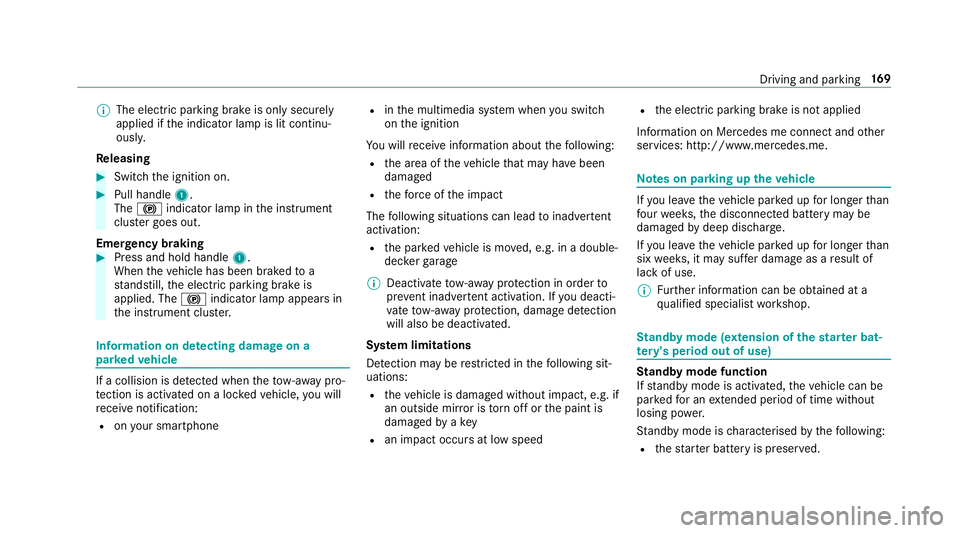
Re leasing #
Swit chthei gnition on. #
Pull handle 1.
The ! indicator lam pinthe instrument
clus terg oes out.
Emer gency braking #
Press and hold handle 1.
When thev ehicle has been braked to a
st andstill, thee lectric parking brak eis
applied. The !indicator lam pappear sin
th ei nstrument clus ter. Information on de
tectin gdamag eona
pa rked vehicle If
ac ollision is de tected whe nthe tow- aw ay pro‐
te ction is acti vatedonal ockedv ehicle, youw ill
re cei venotification:
R onyour smartphone R
inthem ultimedia sy stem when yous wit ch
on thei gnition
Yo uw illrecei veinformatio nabout thef ollowing:
R thea reaoft hevehicle that ma yhave been
damaged
R thef orce of thei mp act
The following situations can lead toinadver tent
acti vation:
R thep arke dv ehicle is mo ved, e.g. in adouble-
dec kerg arage
% Deactivat etow -awa yp rotection in order to
pr eve nt inadver tent acti vation. If youd eacti‐
va te tow- aw ay protection, damag edetection
will also be deacti vated.
Sy stem limitations
De tection ma yberestricted in thef ollowing sit‐
uations:
R thev ehicle is damaged without impact, e.g. if
an outside mir rorist orno ffor thep aint is
damaged byakey
R an impact occur satlowspeed R
thee lectric parking brak eisnotapplied
Information on Mercedes me connect and other
services: http://www.mercedes.me. Note
sonp arking up thev ehicle If
yo ul eave thev ehicle par kedupf or longer than
fo ur we eks, thed isconnected batter ymaybe
damaged bydeep dischar ge.
If yo ul eave thev ehicle par kedupf or longer than
six weeks, it ma ysufferd ama geasaresult of
lac kofu se.
% Further information can be obtained at a
qu alified specialis tworks hop. St
andb ymode (extension of the star terb at‐
te ry 's period out of use) St
andb ymode function
If standb ymode is activated, thev ehicle can be
par kedf or an extende dperio doft ime without
losing po wer.
St andb ymode is characterised bythef ollowing:
R thes tarter batter yispreser ved. Driving and parking
16 9
Page 241 of 533
%
This is ho wtochangethe channel on the
media sourc eTV.
Changing them edia source #
Press thel eft-hand Touc hC ontrol. #
Toselect amedia source: swipe upwards
or down wardsont he left-hand Touc hC on‐
trol. #
Press thel eft-hand Touc hC ontrol. Dialling
telephone number susing theo n-
boar dcompu ter Re
quirement:
R The mobile phon eisconnec tedtot he multi‐
media sy stem. On-boar
dcomputer:
, Telephone &
WARNING Risk of di stra ction from infor‐
mation sy stems and communications
equipment
If yo uo perat einformation and communica‐
tio ne quipment integrated in thev ehicle
when driving, youw ill be distracted from the
traf fics ituation. Thi scould also cause youto
lose control of thev ehicle. #
Onlyoperat ethis equipment when the
traf fics ituation permits. #
Ifyo uc anno tbes ureoft his,stop the
ve hicle whils tpaying attention toroad
and traf ficc onditions and ope rate the
equipment wit hthe vehicle stationar y. When
telephoning, youm usto bse rvet he legal
re qu irements fort he countr yinwhichyou are
cur rentl yd riving.
The mos trecen ttelephone connection s(dialled,
re cei veda nd missed calls) ar edispla yedint he
Telephone menu. #
Toselect thet elephone number: swipe
upwards or down wardsont he left-hand
To uc hC ontrol. #
Press thel eft-hand Touc hC ontrol.
If th ereiso nlyo ne telephone number
sa ve dtoane ntry:thet elephone number is
selected. #
Ifth erea remultiple telephone numbers
sa ve dtoane ntry:swipe upwards or down‐
wa rdsont he left-hand Touc hC ontrol to
select thed esired telephon enumber. #
Press thel eft-hand Touc hC ontrol.
The telephon enumber is dialled.
The following displa ysma yappear ins tead of the
te lephon enumber sdialled:
R Please wait... :the applicationiss tarting.
When aBluetooth ®
connection tothem obile
phone is no testablished, them enu for
authorisin gand connectin gamobile phon eis
displa yedint he multimedia sy stem
(→ pag e305).
R Importing contacts... :the contacts from the
mobil ephone or from astorage medium are
being impor ted. 238
Instrument Displa yand on-boar dcomputer
Page 245 of 533
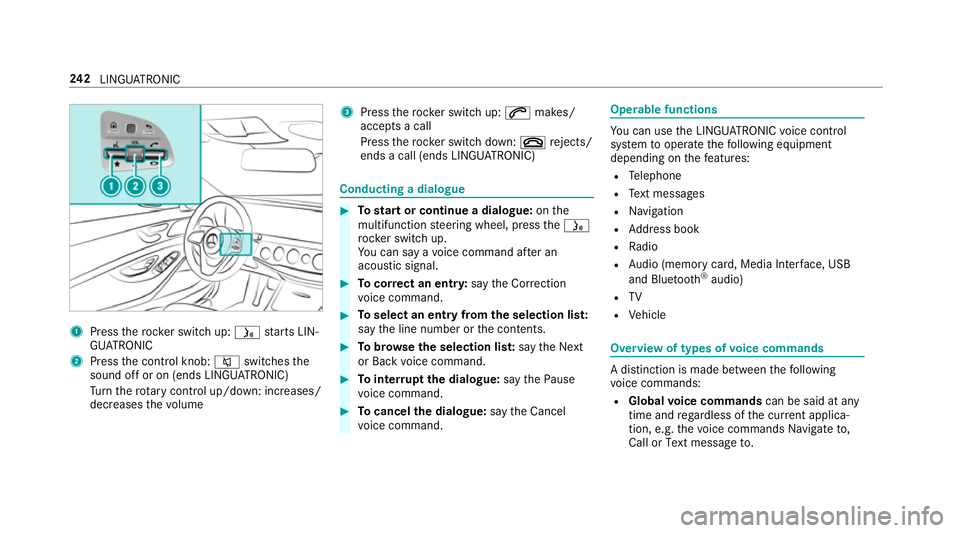
1
Press ther ockers witc hup:ó starts LIN‐
GU ATRO NIC
2 Press thec ontrol knob: 8switches the
sound of foron(ends LINGU ATRO NIC)
Tu rn ther otar yc ontrol up/down: increases/
decreases thev olume 3
Press ther ockers witc hup:6 makes/
accepts acall
Press ther ockers witc hdown:~ rejects/
end sac all( en ds LINGU ATRO NIC) Conducting
adialogue #
Tostar torc ontinue adialogue: onthe
multifunction steering wheel, press theó
rock er switc hup.
Yo uc an sa yavoice command af teran
acou stic signal. #
Tocor rect an ent ry:sayt he Correction
vo ice command. #
Toselect an entr yfromt he selection lis t:
sa yt he line number or thec ontents. #
Tobrows ethe selection lis t:sa yt he Next
or Back voice command. #
Tointer rupt thed ialogue: sayt he Pause
vo ice command. #
Tocancel thed ialogue: sayt he Cancel
vo ice command. Operable functions
Yo
uc an use theL INGU ATRO NIC voice control
sy stem tooperat ethe following equipment
depending on thef eatures:
R Telephone
R Text messa ges
R Navigation
R Address book
R Radio
R Audio (memor ycard, Media Inter face, USB
and Blu etoo th®
audio)
R TV
R Vehicle Overvie
woftypes of voice commands Ad
istinction is made between thef ollowing
vo ice commands:
R Global voice commands can be said at any
time and rega rdless of thec urrent applica‐
tion, e.g .the voice commands Navigateto,
Call orText message to. 242
LINGU ATRO NIC
Page 246 of 533
R
Application-specific voice commands are
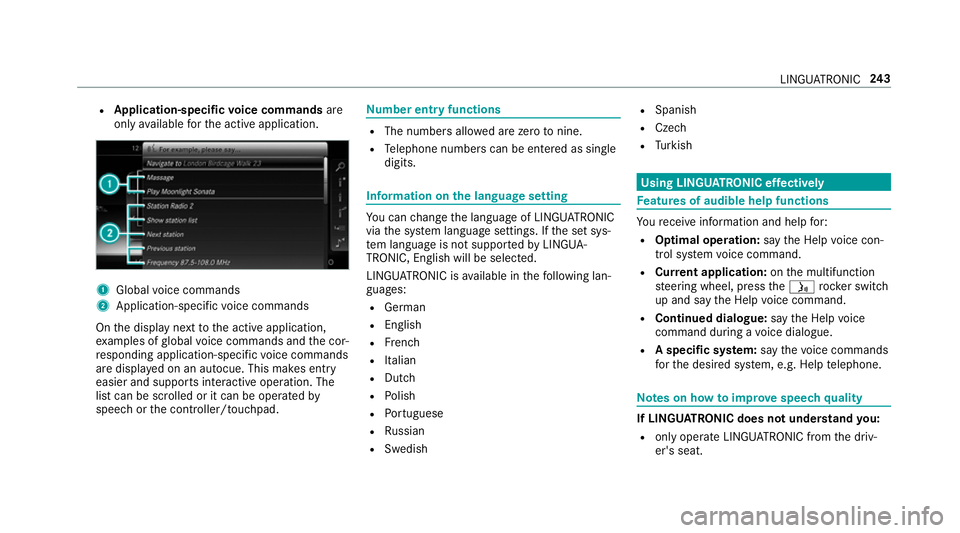
onl yavailable fort he activ eapplication. 1
Global voice commands
2 Application-specific voice commands
On thed ispla ynexttot he activ eapplication,
ex amples of global voice command sand thec or‐
re sponding application-specific voice commands
ar ed ispla yedonana utocue. This makes ent ry
easier and supports interactiv eoperation. The
lis tc an be scrolled or it can be operated by
speec horthe controller/touchpad. Nu
mbe rentry functions R
The numbe rsallo weda rezero tonine .
R Telephon enumber scan be entered as single
digits. Information on
thel anguag esetting Yo
uc an chang ethe languag eofLINGUATRO NIC
via thes ysteml anguag esettings. If thes etsys‐
te ml anguag eisnotsuppor tedbyL INGUA‐
TRONIC, English willbes elected.
LINGU ATRO NIC is available in thef ollowing lan‐
guages:
R German
R English
R French
R Italian
R Dutch
R Polish
R Portuguese
R Russian
R Swedish R
Spanish
R Czech
R Turkish Using LINGU
ATRO NIC ef fectively Fe
atures of audibl ehelp functions Yo
ur eceiv einformatio nand help for:
R Optima loperation: sayt he Help voice con-
trol system voice command.
R Cur rent application: onthem ultifunction
st eering wheel, press theó rocker switch
up and sa ythe Help voice command.
R Continued dialogue: sayt he Help voice
command during avoice dialogue.
R Aspecific sy stem: sayt he voice commands
fo rt he desired sy stem, e.g. Help telephone. Note
sonh owtoimpr ovespeec hquality If LING
UATRONI Cdoesn otunde rstan dyou:
R onlyoperat eLINGU ATRO NIC from thed riv‐
er's seat. LINGU
ATRO NIC 243
Page 247 of 533
R
sayt he voice command scohe rentl ya nd
clearly ,but do no texaggerat ethe words.
R avoid loud noises, e.g. theb lowe r,th at cause
inter fere nce whil emaking avoice command
entr y.
R sayt he voice tagw itht he same intonation
when creating voice tags.
If an addre ss book entr yvoice tag is no trec‐
ognised: R
onlycreates ensible address book entries in
th es ystem/mobile phone, e.g. enter sur‐
name and firs tn am eint he cor rect field.
R do no tuse an yabbr eviations, unnecessary
spaces or special characters.
If as tatio nliste ntr yisn otrecognised:
R sayt he Read out station list voice command. Essentia
lvoice commands Overvie
wofswitchvoice commands Swit
chvoice command scan be used toopen
cer tain applications .The voice command selec‐
tion can be used rega rdless of thea pplication
th at is cur rently acti ve. Vo
ice command Function
Navigation To
switc hton avigation mode
Map To
switc htom ap display
Address book To
switc htoa ddress book
Telephone To
switc htot elephone mode
Text message To
switc htot extm essa ges
Radio To
switc htor adio mode
TV To
switc htoTVm ode 244
LINGU ATRO NIC
Page 251 of 533
Vo
ice command Function
Guidance instruction son
Guidance instruction soff Switches
ther out eguidance voice output on/off
Sho wtraffic map
Hide traffic map Swit
ches thet raffic map on/off
Switch on POI symbols
Switch off POI symbols Swit
ches theP OI symbols displa yonthe map on/off Overvie
woftelephone voice commands Yo
uc an use thet elephone voice command sto
mak ephone call sorsearchthro ugh thea ddress
book. Vo
ice command Function
Call
aphone call. All address book names ar eavailable.
Search for contac t
ches fora nd displa ysac ontact. All address boo kname sareavailable.
Outgoin gcalls Displa
ys thelastc all
Redial Select
sthe las tphone number dialled 248
LINGU ATRO NIC
Page 261 of 533
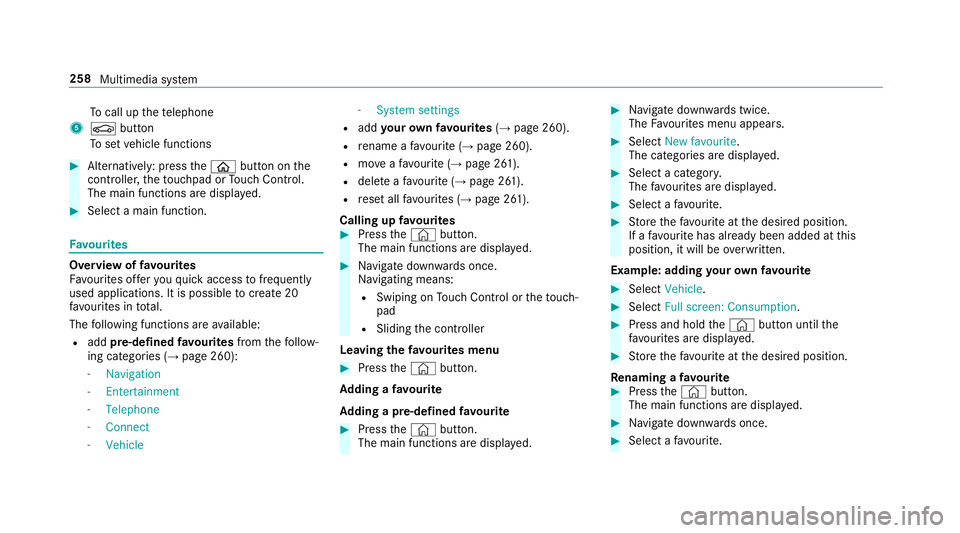
To
cal lupt hetelephone
5 Ø button
To setv ehicle functions #
Alternatively: press theò button on the
controller ,the touchpad or Touc hC ontrol.
The main function saredispl ayed. #
Select amain function. Favo
urites Overvie
woffavourites
Fa vourites of fery ou quicka ccess tofrequently
use dapplications. It is possible tocrea te20
fa vo urites in tota l.
The following function sareavailable:
R add pre-defined favo urites fromthef ollow‐
ing categories (→ page260):
- Navigation
- Entertainment
- Telephone
- Connect
- Vehicle -
System settings
R add your ow nfavourites (→pag e260).
R renam eafavourite(→pag e260).
R moveafavo urite(→pag e261).
R dele teafavo urite(→ pag e261).
R rese ta llfa vo urites (→ page261).
Calling up favo urites #
Press the© button.
The main function saredispla yed. #
Navigat edownwards once.
Na vigating means:
R Swiping on Touc hC ontrol or thet ouch‐
pad
R Sliding thec ontroller
Leaving thef avourites menu #
Press the© button.
Ad ding afavourite
Ad ding apre-de fined favo urite #
Press the© button.
The main function saredispla yed. #
Navigat edownwards twice.
The Favourites men uappears. #
Select New favourite.
The categories ar edispl ayed. #
Select acategor y.
The favo urites ar edispl ayed. #
Select afavo urite. #
Storet he favo urit eatt he desired position.
If af avo uritehas already been added at this
position, it will be overwritten.
Example :adding your ow nfavo urite #
Select Vehicle. #
Select Full screen: Consumption . #
Press and hold the© button until the
fa vo urites ar edispl ayed. #
Storet he favo urit eatt he desired position.
Re naming afavourite #
Press the© button.
The main function saredispla yed. #
Navigat edownwards once. #
Select afavo urite. 258
Multimedia sy stem
Page 264 of 533
The
volume of then avigation announce‐
ment changes in accordanc ewitht he vol‐
ume of thec urrent media sou rce.
R during atelephone call
R when entering or exitin gap arkin gspace
while using ActiveP arking Assist
or #
Select System. #
Select Audio. #
Selec tavolume setting. #
Setthe volume. Entering
characters Using
thec haracter input function
Use thec haracter input function in thef ollowing
situations, fore xamp le:
R Torenam eafavourite
R Toenter aPOI or address
R Tomak eap hone call The
following function sareavailable:
R Selecting acharacter in thec haracter bar
R Writin gac haracter on thet ouchpad
Character input can be star tedw ithac ontrol
element and resumed wit hanother. #
On theT ouc hControl and controller:
select acharacter in thec haracter bar.
Depending on thet arge te ntry ,the following
ch aracter sareavailable:
R The full se tofcharacter sisshown
R Onlythose character swhicha reuseful
fo rt he cur rent inpu tstring are shown
Other character saregrey ed out. #
On thet ouchpad: selectacharacter in the
ch aracter bar.
or #
Writet he character sonthetouch-sensitive
sur face of thet ouchpad.
Handwriting recognition suppo rtsy ou by
means of character suggestions and aread-
aloud function. Examples of
character ent ry:
R Renam eafavourite
R EnteraP OI or an addre ss using free or step-
by -ste ps ear ch
R Enter aweb address
Entering character susin gthe controller.
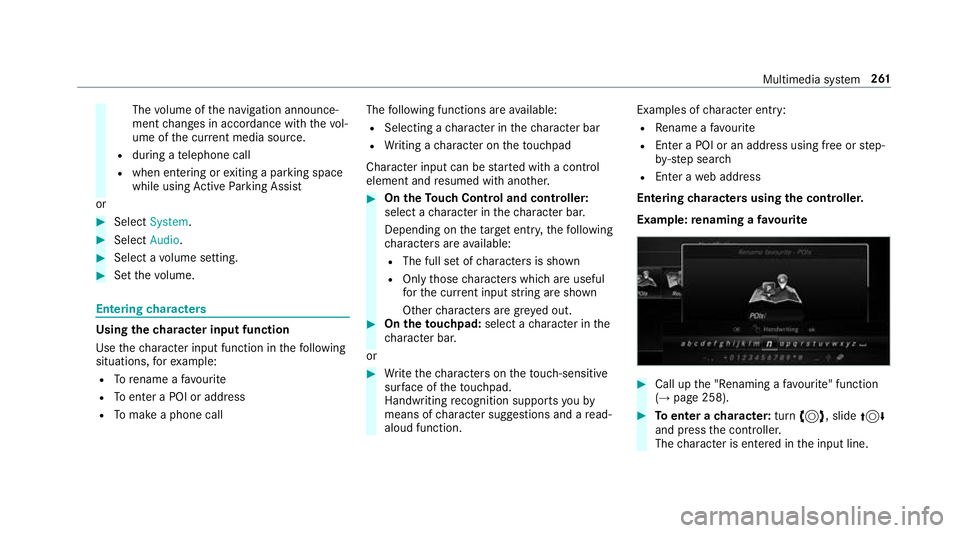
Example :renaming afavourite #
Call up the" Renaming afavo urite" function
(→ pag e258). #
Toenter acharacter: turn3,s lide4
and press thec ontroller.
The character is entered in thei np ut line. Multimedia sy
stem 261
Page 267 of 533
#
Select Summer Time. #
Select OnorOff.
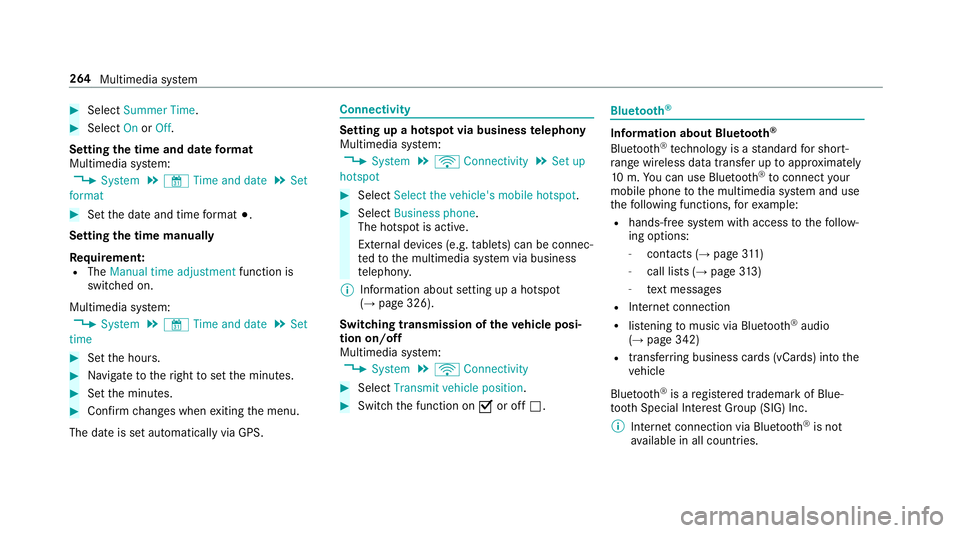
Setting the time and dat eformat
Multimedia sy stem:
, System .
& Time and date .
Set
format #
Setthe dat eand time form at#.
Setting thet imem anually
Re quirement:
R The Manual time adjustment function is
switched on.
Multimedia sy stem:
, System .
& Time and date .
Set
time #
Setthe hours. #
Navigat etot heright tosetthe minutes. #
Setthe minutes. #
Confir mchanges when exitin gthe menu.
The dat eissetautomaticall yvia GPS. Connectivity
Setting up
ahotspo tvia business telephony
Multimedia sy stem:
, System .
ö Connectivity .
Set up
hotspot #
Select Select the vehicle's mobile hotspot . #
Select Business phone.
The hotspo tisactive.
Exte rnal devices (e.g. tablets) can be connec‐
te dtot he multimedia sy stem via business
te lephon y.
% Information abouts etting up ahotspot
(→ pag e326).
Switching transmission of thev ehicle posi‐
tio no n/off
Multimedi asystem:
, System .
ö Connectivity #
Select Transmit vehicle position . #
Switc hthe function on Oor off ª. Blue
tooth ® Information abou
tBluet oo th®
Bl ue tooth ®
tech nology is astandar dfor short-
ra ng ew ireles sdatat ransfer up toappr oximately
10 m.Youc an use Blue tooth®
to connect your
mobile phon etothe multimedia sy stem and use
th ef ollowing functions, fore xamp le:
R hands-free sy stem wit haccess tothef ollow‐
ing options:
- contacts (→ page311 )
- call lists (→ page313 )
- text messa ges
R Interne tconnection
R listening tomusi cvia Blue tooth®
audio
(→ pag e342)
R trans ferring business cards (vCards) int othe
ve hicle
Blue tooth ®
is ar egis tere dt rademar kofBlue‐
toot hSpecial Interes tGroup (SIG) Inc.
% Interne tconnection via Blue tooth®
is not
av ailable in all countries. 264
Multimedia sy stem