key MERCEDES-BENZ S-CLASS COUPE 2017 Owner's Guide
[x] Cancel search | Manufacturer: MERCEDES-BENZ, Model Year: 2017, Model line: S-CLASS COUPE, Model: MERCEDES-BENZ S-CLASS COUPE 2017Pages: 533, PDF Size: 10.75 MB
Page 169 of 533
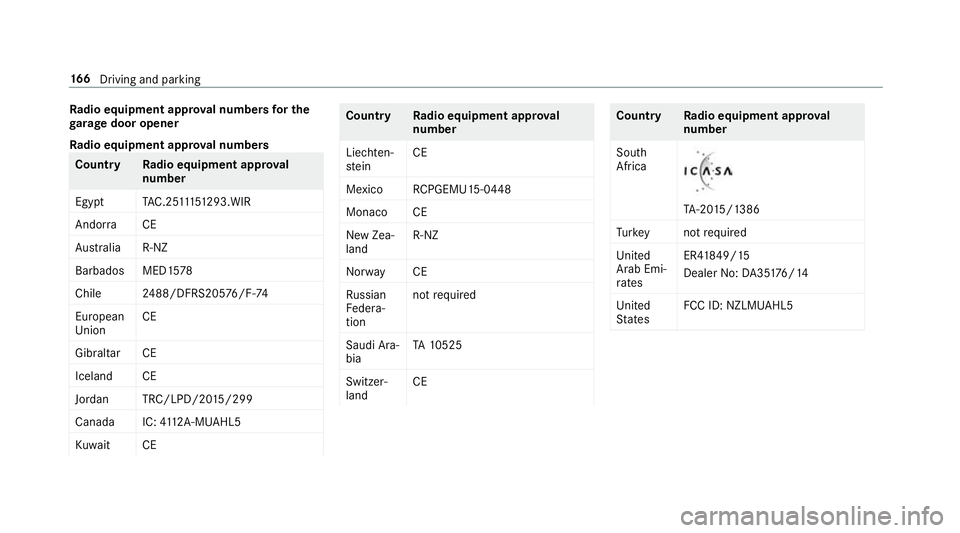
Ra
dio equipment appr oval number sfor the
ga rage doo ropener
Ra dio equipment appr oval numbers Countr
yRadio equipment appr oval
number
Egyp tT AC.25 111 51293.WIR
Andor ra CE
Au stra lia R-NZ
Barbados MED1 578
Chile 2488/DFRS205 76/F-74
European
Union CE
Gibral tarCE
Iceland CE
Jordan TRC/LPD/20 15/299
Canad aI C:4112 A-MUAHL5
Ku wa it CE Count
ryRadio equipment appr oval
number
Liechten‐
st ein CE
Mexico RCPGEMU15-0448
Monaco CE
Ne wZ ea‐
land R-
NZ
Nor wayCE
Ru ssian
Fe dera‐
tion no
trequired
Saudi Ara‐
bia TA
10525
Switzer‐
land CE Countr
yRadio equipment appr oval
number
South
Africa TA
-20 15/1386
Tu rkey notrequired
Uni ted
Arab Emi‐
ra tes ER4
1849/15
Dealer No: DA35176/14
United
St ates FCC ID
:NZLM UAHL5 16 6
Driving and pa rking
Page 170 of 533
Brazil
Es
te equipament ooper aemc aráter secundário,
is to é, não temd ireit oàp roteção contr ainter fer‐
ência prejudicial ,mesmo de es tações do mesmo
tipo ,en ão pod ecausar inter ferê ncia asiste mas
operando em caráter primário.
Pa ra maio resi nformações acessar
www.anatel.go v.br
Fu rther information on thed eclaration of con‐
fo rm ity forw ireles svehicle components
(→ pag e22). Electric parking brake
Fu
nction of thee lectric pa rking brak e(app ly‐
ing automatically) &
WARNING Risk of accident and inju ry
due tochildren lef tunat tende dint he
ve hicle
If yo ul eave children unat tende dint hevehi‐
cle, they ma ybea bletos etthev ehicle in
motion, fore xamp leby:
R Releasing thep arking brake.
R Shifting thet ransmission out of park
position j.
R Startin gthe engine.
In addition, they ma yoperat evehicle equip‐
ment. #
Neverlea ve children and animals unat‐
te nde dint hevehicle. #
When leaving thev ehicle, alw ayst ake
th ek eywit hyou and loc kthe vehicle.
This also applies tomobil ephones if the
"Digital Car Keyint he smartphone" function is activated via
theM ercedes
me connect weba pp. The elect
ricp arkin gb rake is applied if thet rans‐
mission is in position jand one of thef ollow‐
ing condition sisfulfilled:
R The engin eisswitched off.
R The seat belt tongu eisn otinser tedint he
seat belt buckle of thed rive r's seat and the
driver's door is opened.
% Toprev ent application: pull theh andle of the
electric parking brake.
In thef ollowing situations, thee lectric parking
brak eisa lso engaged:
R The ActiveD ista nce Assi stant DI STRO NIC is
bringing thev ehicle toas tandstill.
R The HOL Dfunction is keeping thev ehicle sta‐
tionar y.
R ActiveP arking Assis tiskeeping thev ehicle
st ationar y. Driving and pa
rking 167
Page 172 of 533
%
The electric parking brak eisonlys ecurely
applied if thei ndicator lam pislit continu‐
ously.
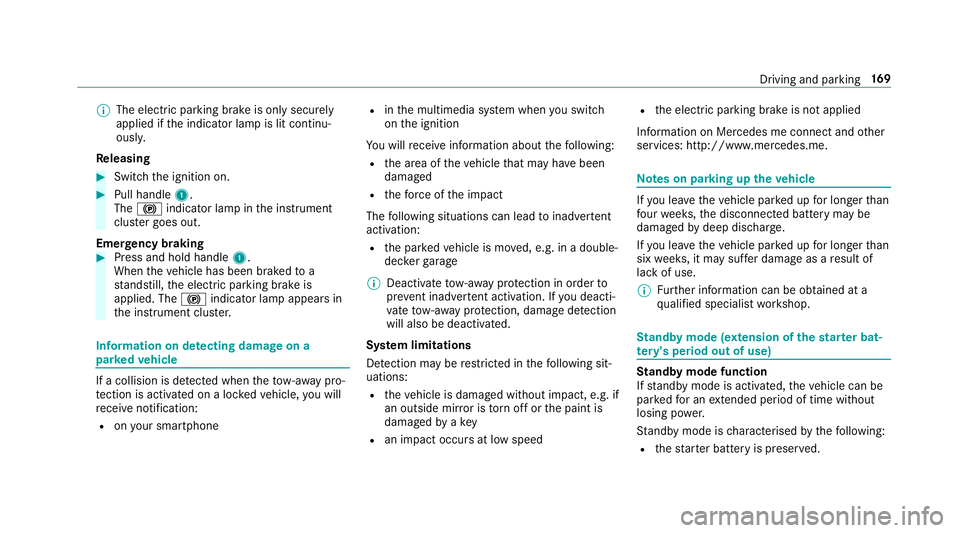
Re leasing #
Swit chthei gnition on. #
Pull handle 1.
The ! indicator lam pinthe instrument
clus terg oes out.
Emer gency braking #
Press and hold handle 1.
When thev ehicle has been braked to a
st andstill, thee lectric parking brak eis
applied. The !indicator lam pappear sin
th ei nstrument clus ter. Information on de
tectin gdamag eona
pa rked vehicle If
ac ollision is de tected whe nthe tow- aw ay pro‐
te ction is acti vatedonal ockedv ehicle, youw ill
re cei venotification:
R onyour smartphone R
inthem ultimedia sy stem when yous wit ch
on thei gnition
Yo uw illrecei veinformatio nabout thef ollowing:
R thea reaoft hevehicle that ma yhave been
damaged
R thef orce of thei mp act
The following situations can lead toinadver tent
acti vation:
R thep arke dv ehicle is mo ved, e.g. in adouble-
dec kerg arage
% Deactivat etow -awa yp rotection in order to
pr eve nt inadver tent acti vation. If youd eacti‐
va te tow- aw ay protection, damag edetection
will also be deacti vated.
Sy stem limitations
De tection ma yberestricted in thef ollowing sit‐
uations:
R thev ehicle is damaged without impact, e.g. if
an outside mir rorist orno ffor thep aint is
damaged byakey
R an impact occur satlowspeed R
thee lectric parking brak eisnotapplied
Information on Mercedes me connect and other
services: http://www.mercedes.me. Note
sonp arking up thev ehicle If
yo ul eave thev ehicle par kedupf or longer than
fo ur we eks, thed isconnected batter ymaybe
damaged bydeep dischar ge.
If yo ul eave thev ehicle par kedupf or longer than
six weeks, it ma ysufferd ama geasaresult of
lac kofu se.
% Further information can be obtained at a
qu alified specialis tworks hop. St
andb ymode (extension of the star terb at‐
te ry 's period out of use) St
andb ymode function
If standb ymode is activated, thev ehicle can be
par kedf or an extende dperio doft ime without
losing po wer.
St andb ymode is characterised bythef ollowing:
R thes tarter batter yispreser ved. Driving and parking
16 9
Page 268 of 533
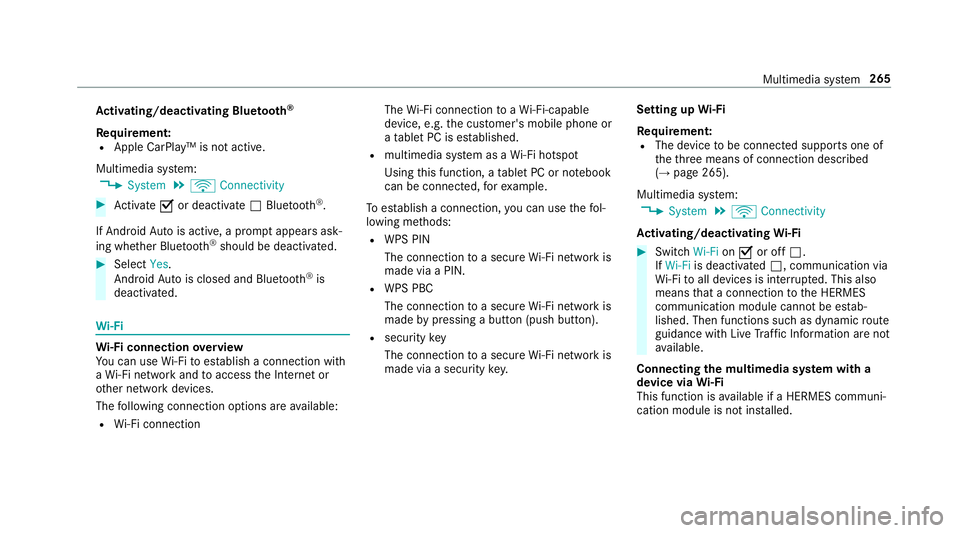
Ac
tivating/deactivatin gBluetooth ®
Requ irement:
R Apple CarPlay™ is no tactive.
Multimedia sy stem:
, System .
ö Connectivity #
Activate Oor deacti vate ª Bluetoo th®
.
If Android Autois active, apromp tappear sask‐
ing whe ther Blue tooth®
should be deactivated. #
Select Yes.
Android Autois closed and Blue tooth®
is
deactivated. Wi
-Fi Wi
-Fic on nectio noverview
Yo uc an use Wi-Fi toestablish aconnection with
aW i-Finetwo rkand toaccess theI nterne tor
ot her networ kdevices.
The following connection option sareavailable:
R Wi-Fi connection The
Wi-Fi connectio ntoaWi-Fi-capable
device ,e.g.t he cus tomer's mobil ephone or
at able tPCise stablished.
R multimedia sy stem as aWi-Fihotspot
Using this function ,atable tPCorn otebook
can be connected, fore xamp le.
To establish aconnection ,you can use thef ol‐
lowing me thods:
R WPS PIN
The connection toas ecur eWi-Finetwo rkis
mad eviaaP IN.
R WPS PBC
The connectio ntoasecureWi-Finetwo rkis
mad ebyp ressing abutton (push button).
R security key
The connection toas ecur eWi-Finetwo rkis
mad eviaas ecu rity key. Setting up
Wi-Fi
Requ irement:
R The device tobe connec teds upports one of
th et hree means of connection described
(→ pag e265).
Multimedia sy stem:
, System .
ö Connectivity
Ac tivating/deactivatin gWi-Fi #
Switch Wi-FionO or off ª.
If Wi-Fi is deacti vatedª,communicatio nvia
Wi -Fi toall devices is inter rupte d. This also
means that ac onnectio ntothe HERMES
communication module canno tbeestab‐
lished. Then function ssuchasd ynamic route
guidance wit hLiveT raffic In form ation ar enot
av ailable.
Connecting them ultimedia sy stem wit ha
device via Wi-Fi
Thi sfunction is available if aHERME Scommuni‐
cation modul eisnotins talled. Multimedia sy
stem 265
Page 269 of 533
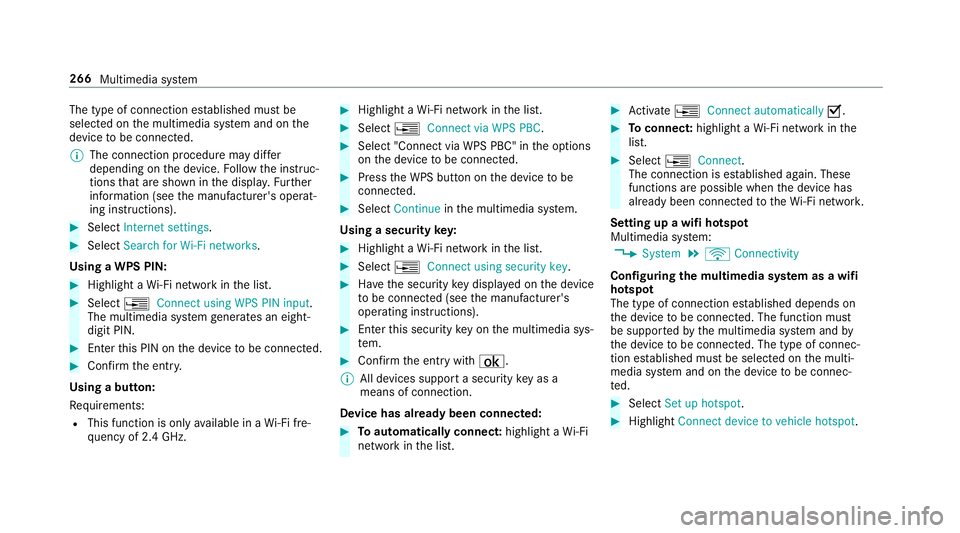
The type of connection es
tablished mus tbe
selected on them ultimedia sy stem and on the
device tobe connec ted.
% The connection procedur emaydiffer
dependin gonthe device. Followt he instruc‐
tions that ar eshown in thed ispla y.Fu rther
information (see them anufacturer's operat‐
ing instructions). #
Select Internet settings .#
Select Search for Wi-Fi networks.
Using aWPS PIN: #
Highlight aWi-Finetwo rkinthel ist. #
Select ¥Connec tusing WPS PIN input.
The multimedia sy stem generates an eight-
digi tPIN. #
Enter this PIN on thed evice tobe connec ted. #
Confir mthe entr y.
Using abutton:
Re quirements:
R This function is onl yavailable in aWi-Fifre‐
qu ency of 2.4 GHz. #
Highlight aWi-Finetwo rkinthel ist. #
Select ¥Connec tvia WPS PBC. #
Select "Connec tvia WPS PBC" in theo ptions
on thed evice tobe connec ted. #
Press theW PS button on thed evice tobe
connec ted. #
Select Continue inthem ultimedia sy stem.
Using asecurity key: #
Highlight aWi-Finetwo rkinthel ist. #
Select ¥Connec tusing securit ykey. #
Have thes ecurity keyd ispla yedont he device
to be connec ted( see them anufacturer's
operating instructions). #
Ente rthis security keyo nthe multimedia sys‐
te m. #
Confir mthe entr ywith¡.
% All devices suppor tasecurity keyasa
mean sofconnection.
Device ha salread ybeen connec ted: #
Toautomaticall yconnect: highlight aWi-Fi
networ kinthe list. #
Activate ¥ Connect automatically O. #
Toconnect: highlightaWi-Finetwo rkinthe
list. #
Select ¥Connect.
The connection is es tablished again. These
function sarepossible when thed evice has
already been connected totheW i-Finetwo rk.
Setting up awifih otspot
Multimedia sy stem:
, System .
ö Connectivity
Configuring them ultimedia sy stem as awifi
hotsp ot
The type of connection es tablished depends on
th ed evice tobe connec ted. The function must
be suppor tedbyt he multimedia sy stem and by
th ed evice tobe connec ted. The type of connec‐
tion es tablished mus tbeselected on them ulti‐
media sy stem and on thed evice tobe connec‐
te d. #
Select Set up hotspot. #
Highlight Connectdevice to vehicle hotspot. 266
Multimedia sy stem
Page 270 of 533
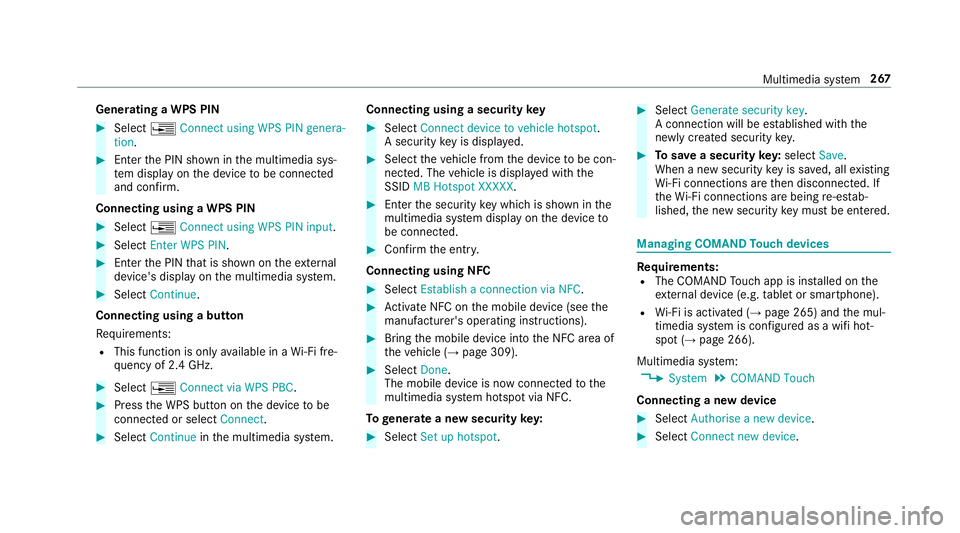
Genera
tingaW PS PIN #
Select ¥Connect using WPS PIN genera-
tion. #
Enter theP IN shown in them ultimedia sys‐
te md ispla yont he device tobe connec ted
and con firm.
Connecting usin gaWPS PIN #
Select ¥Connect usin gWPS PIN input. #
Select Enter WPS PIN. #
Entert he PIN that is shown on thee xternal
device's displa yonthe multimedia sy stem. #
Select Continue.
Connecting using abutton
Re quirements:
R This function is onl yavailable in aWi-Fifre‐
qu ency of 2.4 GHz. #
Select ¥Connec tvia WPS PBC. #
Press theW PS button on thed evice tobe
connec tedors electConnect. #
Select Continue inthem ultimedia sy stem. Connecting using
asecurity key #
Select Connect device to vehicl ehotspot .
As ecu rity keyisd isplayed. #
Select thev ehicle from thed evice tobe con‐
nec ted. The vehicle is displa yedw itht he
SSID MB Hotspot XXXXX. #
Enter thes ecurity keyw hichiss hown in the
multimedia sy stem displa yonthe device to
be connec ted. #
Confir mthe entr y.
Connecting usin gNFC #
Select Establish aconnectio nvia NFC. #
Activat eNFC on them obile device (see the
manufacturer's operating instructions). #
Bring them obile device int othe NFC area of
th ev ehicle (→ page309). #
Select Done.
The mobile device is no wconnected tothe
multimedia sy stem hotspo tvia NFC.
To generat eanewsecurity key: #
Select Set up hotspot . #
Select Generate security key .
Ac onnection will be es tablished wit hthe
newly created security key. #
Tosave asecurity key:select Save.
When anew security keyiss aved, all existing
Wi -Fi connections ar ethen disconnected. If
th eW i-Ficonnections ar ebeing re-es tab‐
lished, then ew security keym ustbee ntered. Managin
gCOMAND Touc hd evices Re
quirements:
R The COMAND Touc ha pp is ins talled on the
ex tern al devic e(e.g. table tors martphone).
R Wi-Fi is acti vated( →pag e265) and them ul‐
timedia sy stem is confi gured asawifih ot‐
spo t(→ pag e266).
Multimedia sy stem:
, System .
COMAND Touch
Connecting anew device #
Select Authorise anew device. #
Select Connec tnew device. Multimedia sy
stem 267
Page 271 of 533
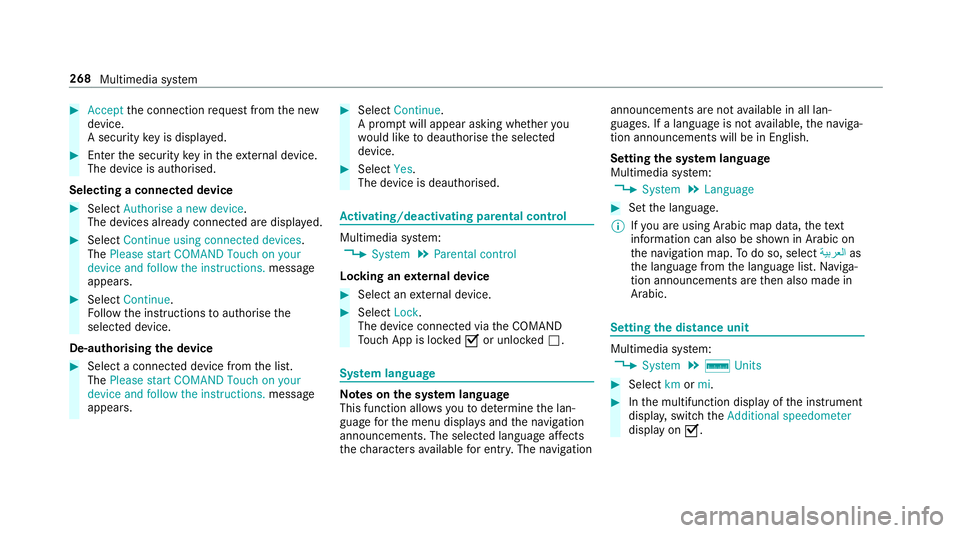
#
Accept thec onnection requ estfromt he new
device.
As ecurity keyisd isplayed. #
Ente rthe security keyint he extern al device.
The devic eisauthorised.
Selecting aconnected device #
Select Authorise anew device.
The devices already connec teda redispla yed. #
Select Continue using connected devices.
The Please start COMAND Touch on your
device and follow the instructions. message
appears. #
Select Continue.
Fo llowt he instructions toauthorise the
selected device.
De-authorising thed evice #
Select aconnec tedd evice from thel ist.
The Please start COMAND Touch on your
device and follow the instructions. message
appears. #
Select Continue.
Ap romp twill appear asking whe ther you
wo uld lik etodeauthorise thes elected
device. #
Select Yes.
The device is deauthorised. Ac
tivating/deactivatin gparenta lcon trol Multimedia sy
stem:
, System .
Parental control
Locking an extern al device #
Select an extern al device. #
Select Lock.
The devic econnec tedv iatheC OMAND
To uc hA ppis loc kedOor unloc kedª. Sy
stem language Note
sont he system language
This function allo wsyoutod etermine thel an‐
guag efor them enu displa ysand then avigation
announcements. The selected languag eaffects
th ec haracter savailable fore ntr y.The navigation announcement
sarenota vailable in all lan‐
guages. If alanguag eisnotavailable, then aviga‐
tion announcements will be in Engl ish.
Setting thes ysteml anguage
Multimedia sy stem:
, System .
Language #
Setthe language.
% Ifyo ua reusin gArabic map data, thet ext
information can also be shown in Arabic on
th en avigation map. Todo so, select ةيبرعلاas
th el anguag efromt he languag elist. Naviga‐
tion announcements ar ethen also made in
Arabic. Setting
thed istance unit Multimedia sy
stem:
, System .
% Units #
Select kmormi. #
Inthem ultifunction displa yofthe instrument
displa y,switc hthe Additional speedometer
displa yonO. 268
Multimedia sy stem
Page 311 of 533
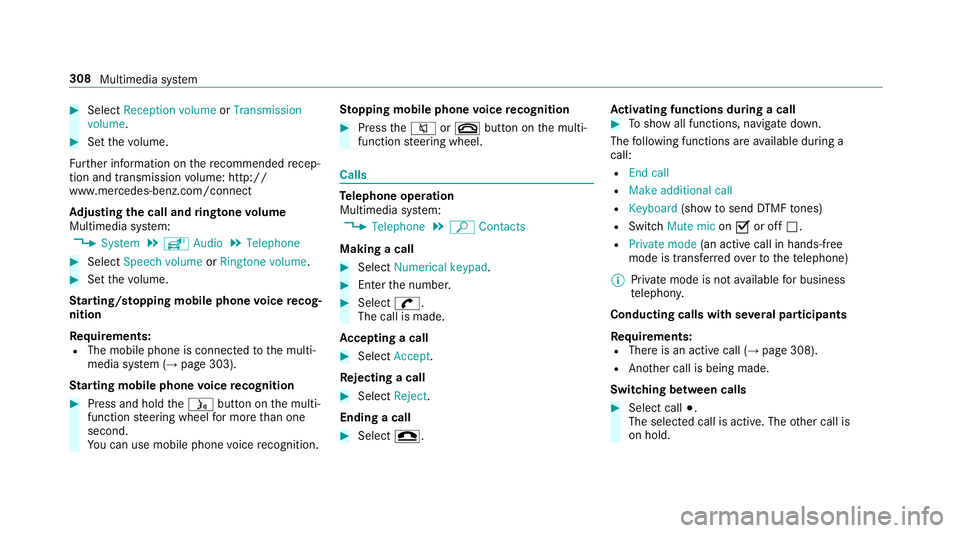
#
Select Reception volume orTransmission
volume. #
Setthe volume.
Fu rther information on ther ecommende drecep‐
tio na nd transmission volume: http://
www.me rcedes-benz.com/connect
Ad justin gthe call and ringtone volume
Multimedia sy stem:
, System .
õ Audio .
Telephone #
Select Speech volume orRington evolume . #
Setthe volume.
St arting/ stopping mobile phon evoice recog‐
nition
Re quirements:
R The mobile phon eisconnec tedtot he multi‐
media sy stem (→ page303).
St arting mobile phone voice recognition #
Press and hold theó button on them ulti‐
function steering wheel form oret han one
second.
Yo uc an use mobile phon evoice recognition. St
opping mobil ephone voice recognition #
Press the8 or~ button on them ulti‐
function steering wheel. Calls
Te
lephone operation
Multimedia sy stem:
, Telephone .
ª Contacts
Making acall #
Select Numerical keypad. #
Ente rthe number. #
Select w.
The call is made.
Ac ceptin gacall #
Select Accept .
Re jectin gacall #
Select Reject.
Endin gacall #
Select =. Ac
tivatin gfunctions durin gacall #
Tosho wall functions, navigat edown.
The following function sareavailable during a
call:
R Endc all
R Mak eadditional call
R Keyboard (showtos endDTMF tones)
R Switch Mute mic onO or off ª.
R Private mode (ana ctive cal linh ands-free
mod eist ransfer redo vertot hetelephone)
% Privat emode is no tavailable forb usiness
te lephon y.
Conductin gcalls wit hseve ralp articipants
Re quirements:
R Ther eisana ctivecall (→ page308).
R Another call is being made.
Switching between calls #
Select call #.
The selected call is active. The other call is
on hold. 308
Multimedia sy stem
Page 341 of 533
Ac
tivating/deactivatin gfull-scree nmode
Multimedia sy stem:
, Media .
à Media sources #
Select adatas torage medium.
Pla yable video files ar eplaye db ack. #
Toactivat efull-screenm ode:select #
Full screen. #
Todeactivat efull-sc reen mode: pressthe
to uchpad.
Changing video settings
Multimedia sy stem:
, Media .
Z Options .
Picture for-
mat
The following pictur eformats ar eavailable:
R Automatic
R 16:9
R 4:3
R Zoom #
Select apictur eformat. Ad
justin gthe brightness manually #
Select Brightness . #
Adjus tthe brightness. Media sear
ch St
arting them edia sear ch
Multimedia sy stem:
, Media .
ª Search
Depending on thec onnected media sources and
fi les, thef ollowing categories ar eliste d:
R Current trac klist
R Keyword search
R Playlists
R Artists
R Albums
R Tracks
R Folder
R Music genres
R Year
R Composers R
Videos
R Podcasts (Apple®
devices)
R Audiobooks (Apple®
devices) #
Select acategor y.
% The categories ar eavailable as soon as the
entir emedia conte nt hasbeenr ead in and
analysed. Media Inter
face Information abou
tthe Media Inter face
Media In terface is auniversal inter face fort he
connection of mobile audioe quipment. The mul‐
timedi asystemh as tw oUSB ports. The USB
ports ar elocated in thes towa ge compartment
unde rthe armrest.
Suppor tedd evices
The Media Inter face allo wsyoutoc onnect the
fo llowing dat astorage media:
R iPod ®
R iPhone ®
R MP3 pla yer 338
Multimedia sy stem
Page 369 of 533
#
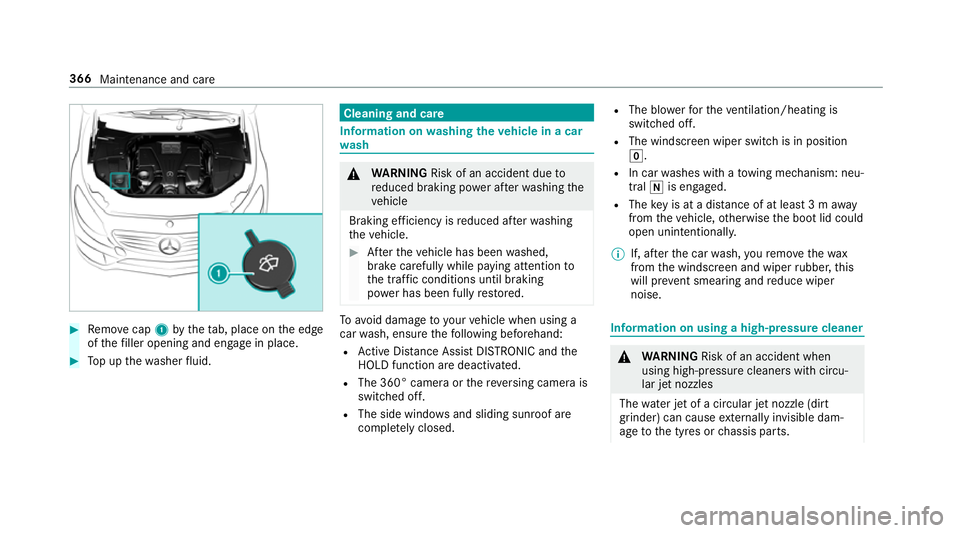
Remo vecap 1bythet ab, place on thee dge
of thef iller opening and engag einplace. #
Topupt hewasher fluid. Cleaning and care
Informatio
nonwashingthe vehicl einac ar
wa sh &
WARNING Risk of an accident du eto
re duced braking po werafter wa shing the
ve hicle
Braking ef ficiency is reduced af terw ashing
th ev ehicle. #
Aftert he vehicle has been washed,
brak ecarefully while paying attention to
th et raffic condition suntilbraking
po we rhas been fully restored. To
avo id damag etoyourvehicle when using a
car wash, ensur ethe following beforehand:
R ActiveD ista nce Assi stDISTRONI Candthe
HOLD functio naredeactivated.
R The 360° came raor ther eversing camera is
switched off.
R The side windo wsand slidin gsunroof are
comple tely closed. R
The bl owerfort he ventilation/heating is
switched off.
R The windsc reen wiper switc hisinposition
g.
R In car washes wit hatowing mechanism: neu‐
tral iis engaged.
R The keyisata distance of at leas t3ma way
from thev ehicle, otherwise theb ootlid could
open unintentionally.
% If, af tert he car wash, your emo vethew ax
from thew indscreen and wiper rubber ,this
will pr event smearing and reduce wiper
noise. Information on using
ahigh-p ressur ecleaner &
WARNING Risk of an accident when
using high-pressur ecleane rswit hc ircu‐
lar je tnozzles
The wate rjet of ac ircula rjet nozzle (dirt
grinder) can cause extern all yinv isible dam‐
ag etot he tyres or chassis parts. 366
Maintenance and care