ECU MERCEDES-BENZ S-CLASS COUPE 2019 Repair Manual
[x] Cancel search | Manufacturer: MERCEDES-BENZ, Model Year: 2019, Model line: S-CLASS COUPE, Model: MERCEDES-BENZ S-CLASS COUPE 2019Pages: 518, PDF Size: 43.51 MB
Page 259 of 518
R
Notesand warnings have been read and
acc epted.
R The parkingbr ak eis applied.
If all requ iremen tsareme t,th eupdat ewill be
ins talled. Themultim ediasystem cann otbe
oper ated while theupdat eis being installed and
ve hicle functionsarere strict ed.
If er ro rs should occurduring theins tallation ,th e
multime diasystem automaticall yatt em ptsto
re stor eth epr ev ious version. Ifre stor ation ofthe
pr ev ious version isno tpossible ,a symbol
appear son thecent ercon sole displa y.Please
cons ultaqu alif ied spec ialistwo rkshop to
re solv eth epr oblem. Re
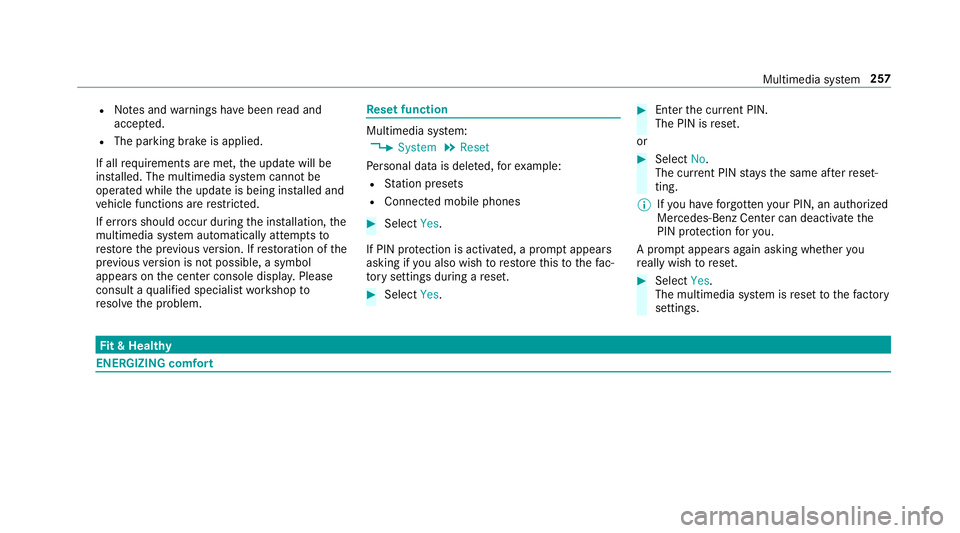
setfunction Multimedia
system:
0018 System 0019
Reset
Pe rsonal datais dele ted, forex am ple:
R Statio npr ese ts
R Con nectedmobile phones 0007
Select Yes.
If PIN protect ion isactiv ated, apr om ptappear s
ask ing ifyo ualso wish torestor eth is to thefa c‐
to ry settin gsdur ing are se t. 0007
Select Yes. 0007
Enterthecur rent PIN .
The PINisrese t.
or 0007
Select No.
The current PIN stay sth esame afte rre se t‐
ting.
0009 Ifyo uha ve forg ottenyo ur PIN ,an aut hor ized
Mer cedes-Ben zCen tercan deactivateth e
PIN protect ion foryo u.
A pr om ptappear sag ain asking whe ther you
re all ywish torese t. 0007
Select Yes.
The multimedia system isrese tto thefa ct or y
se ttings. Fi
t& Hea lthy ENE
RGIZIN Gcomf ort Mult
imed iasystem 25
7
Page 262 of 518
0009
Ifaclimat econtr olsetting isch ang ed, acli‐
mat ebar appear sbr ief ly. Sho
wing/ hiding thena vig ation menu Re
quirement s:
R The map displa ysthecur rent vehicle posi‐
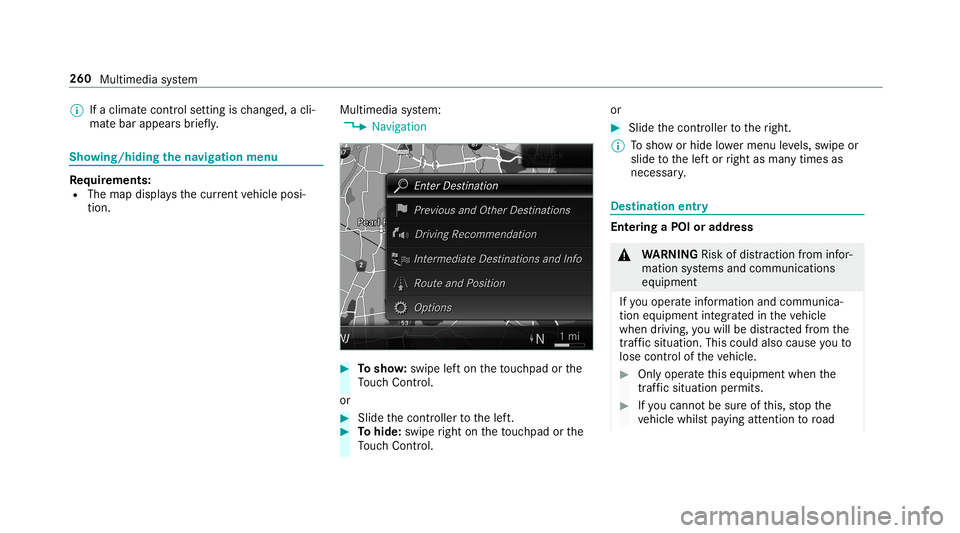
tion. Multimedia
system:
0018 Navigation 0007
Tosho w:swipe lefton theto uc hpad orthe
To uc hCon trol.
or 0007
Slid eth econ troller tothelef t. 0007
Tohide: swiperight ontheto uc hpad orthe
To uc hCon trol. or 0007
Slid eth econ troller totheright.
0009 Tosho wor hide lowe rmenu leve ls, swipe or
slide tothelef tor right asman ytimes as
necessar y. Des
tinat ion entry Ent
ering aPOI oraddress 000A
WARNIN GRisk ofdist ra ction from infor‐
mati onsystems andcomm unication s
eq uipment
If yo uoper ateinf ormat ionand comm unic a‐
tio neq uipme ntintegratedin theve hicle
when driving, youwill bedistract ed from the
tr af fic situ ation. Thiscou ldalso cau seyouto
lose control of theve hicle. 0007
Onlyoper ateth is eq uipmen twhen the
tr af fic situ ation per mits. 0007
Ifyo ucan notbe sur eof this, stop the
ve hicle whilstpa ying attention toroad 260
Multimed iasystem
Page 263 of 518
and
traffic condi tions andoperate the
eq uipment withth eve hicle statio nary. Yo
umus tobse rveth eleg alrequ iremen tsforth e
cou ntryin whi chyouar ecur rentl ydr ivi ng when
op erati ng themultimedia system.
Re quirement s:
R Forthe online search :Mer cedes mecon‐
nect isavailable.
R Youha ve auser accoun tfo rth eMer cedes
me portal.
R The service isavailable.
R The servicehas been activat ed atan aut hor ‐
ize dMer cedes-Ben zCent er.
Fu rther information canbefound at:ht tp :/ /
www .merced es.me
Mult imed iasystem:
0018 Navigation 0007
Sho wthena vig ation menu. 0007
Select ªEnter Dest ination . The
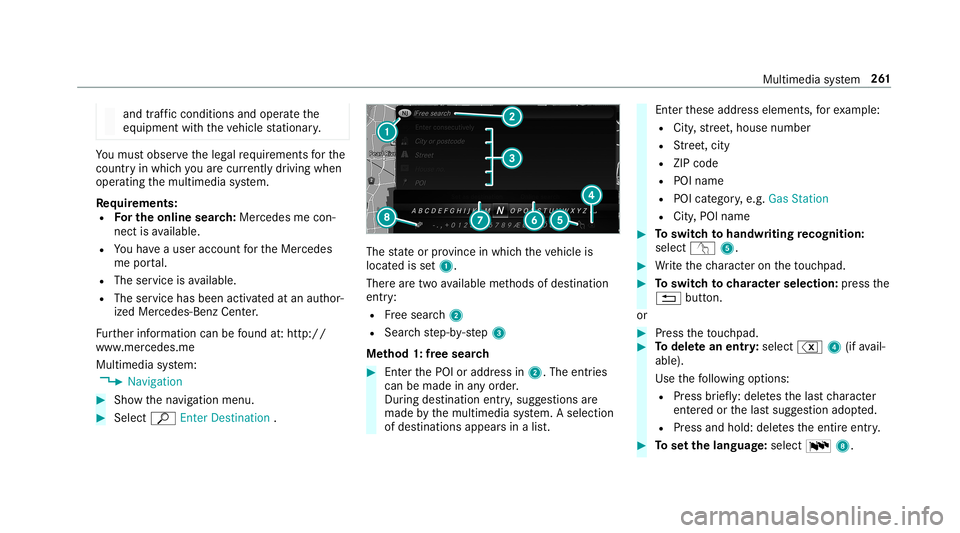
stat eor prov inc ein whic hth eve hicle is
locat edisset1.
Ther ear etw oav ailable methods ofdes tinat ion
entr y:
R Free sear ch2
R Sea rchstep-b y-step 3
Me thod 1:free sear ch 0007
EnterthePOI oraddr essin2. The entries
can bemade inanyor der .
Dur ing destinat ionentry,sugg estion sar e
made bythemultimedia system. Aselect ion
of des tinat ions appear sin alis t. En
terth ese addr esselement s,forex am ple:
R City ,st re et,house number
R Street,cit y
R ZIP code
R POI name
R POI categor y,e.g. Gas Station
R City ,POI name 0007
Toswitc hto handwr itingrecognit ion:
selec tv 5. 0007
Write th ech aract eron theto uc hpad. 0007
Toswitc hto charact ersel ection :pr ess the
0038 button.
or 0007
Press theto uc hpad. 0007
Todel etean entr y:select %4(ifavail‐
able).
Use thefo llo wing option s:
R Press brief ly:del etes thelas tch aract er
ent ered orthelas tsugg estion adop ted.
R Press and hold: deletesth eent ire ent ry. 0007
Tosetth elangu age:selec t0054 8. Multi
media system 26
1
Page 265 of 518
0007
Enterthest at eor thepr ov inc e.Youon ly
nee dto ent erthefirs tch aract er. 0007
Select thest at eor thepr ov inc ein thelis t. 0007
Tochang eth ecount ry:sel ect thecount ry. 0007
Enterthecount ry.Yo uon lyne ed toent erthe
fi rs tch aract er. 0007
Select thecount ryon thelis t. 0007
Toadop ta des tinatio n:sele ctSelect Desti-
nation.
If th er ear ese verallis tin gs fora des tination,
a dis tance-o rient ated listappear s. 0007
Select thedes tinat ion.
The destinat ionaddr essissho wn.
Selecting prev ious destina tions
Multime diasystem:
0018 Navigation
0019 ¬ Previous andOther Destination s 0007
Select Previous Destination s. 0007
Select thedes tinat ion.
The destinat ionaddr essissho wn.
or 0007
Iffavo urites have been save dalr eady
(0013 page27 5), select From MyFavo rites. 0007
Sele ctthefa vo urite.
The destinatio naddr essissho wn.
Select ingaPOI
Mult imed iasystem:
0018 Navigation
0019 ¬ Previous andOther Destination s
0019 POIs 0007
Select thecat egor y.
or 0007
Select AllCategories andthecat egor y.
If ro ut eguidanc eis no tactiv e:thesear ch
begins inthevicinit yof thecur rent vehicle
position. Thelistis sor tedby distance in
as cend ingorde r.
The POIs showthefo llo wing informatio n:
R name ofPOI
R linear distance tothePOI
R thedir ect ion ofthelinear distance tothe
POI (arrow) isdispla yedwhen searching
fo rth eve hicle's current positio n 0007
Select thePOI. 0007
Routeguidanc eis activ e:sele ctthesear ch
position prior tochoosing aPOI (see exam‐
ple). 0007
Ifint ermedi atedes tinatio nsarese t,th ese
can also beselect edasthesear chposition
af te rsele cting NearDestination .
Fi lter ing disp lays forPO Is 0007
Enterthesear chterm inª Search:.
The results listsho wsreleva nt POI s. 0007
Select ¡.
The firs tPOI inthelis tis highlight ed. 0007
Select thePOI.
Ex am ple: setting thesear chpos ition forthe
par kingca tegor ydur ing activ ero ut eguid‐
ance 0007
Select Inthe Vicini ty,Near Destinatio nor
Along theRou te.
The listsho wsthelocat edPOIs oropens an
ove rview of thero utedes tinatio naf te r
selecting NearDestination. 0007
Select thePOI. Multimedia
system 263
Page 270 of 518
Selec
tingaro ut etype
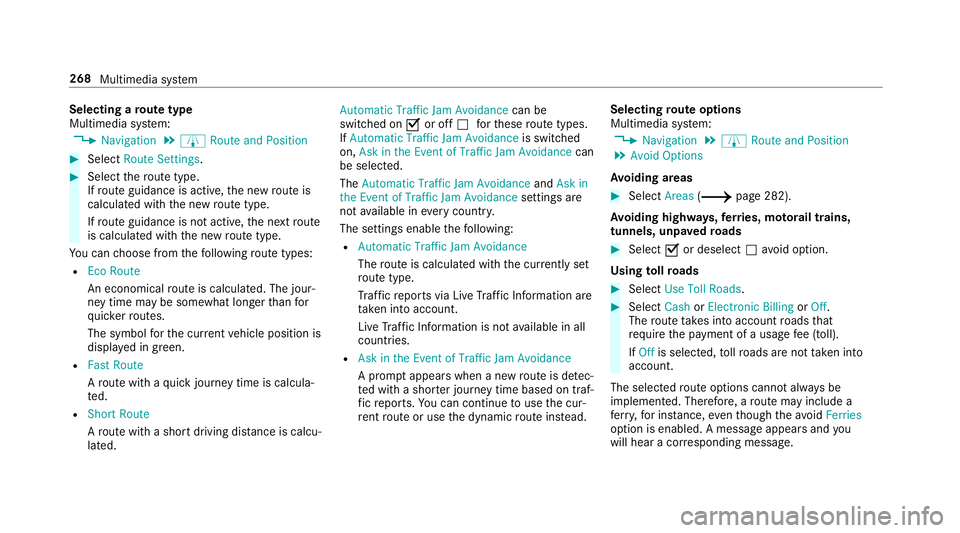
Mul timedi asy stem:
0018 Navigation 0019
À Route andPosition 0007
Select RouteSetting s. 0007
Select thero utetyp e.
If ro uteguidan ceisact ive, thene wrouteis
calc ulatedwithth ene wroutetyp e.
If ro uteguidan ceisno tact ive, thene xt route
is calc ulatedwithth ene wroutetyp e.
Yo ucan choose from thefo llo wing routetype s:
R EcoRout e
An eco nomic alrouteis calc ulated. The jour‐
ne ytim ema ybe som ewhat long erthan for
qu icke rro utes.
The symb olforth ecur rent vehicle position is
displa yedin green.
R Fast Route
A ro utewit haqu ick jour neytim eis calc ula‐
te d.
R Shor tRoute
A ro utewit hasho rtdriving distance iscal cu‐
la te d. Auto
matic Traffic JamAvoidan cecan be
switc hedon0073 oroff0053 forth ese routetype s.
If Aut omat icTraf ficJam Avoidan ceisswit ched
on, Ask inthe Even tof Traffic JamAvoidan cecan
be select ed.
The Autom aticTraffic JamAvoidan ceand Askin
the Even tof Traffic JamAvoidan cesettings are
no tav ailable ineve rycou ntry.
The settings enable thefo llo wing:
R Automat icTraff icJam Avoidanc e
The routeis calc ulatedwithth ecur rentl yse t
ro utetyp e.
Tr af fic re por tsvia LiveTr af fic Inf ormati onare
ta ke nint oacco unt.
Liv eTr af fic Inf ormati onisno tav ailable inall
coun tries.
R Askin theEv ent ofTraf ficJam Avoidan ce
A pr om ptappear swhen ane wrouteis de tec‐
te dwit hashor terjour neytime basedon traf‐
fi c re por ts.Youcan continue touse thecur‐
re nt routeor use thedynamic routeins tead. Select
ingrout eop tions
Mul timedi asy stem:
0018 Navigation 0019
À Route andPosition
0019 Avoid Option s
Av oiding areas 0007
Sele ctAreas (0013 page28 2).
Av oiding highways,fe rries, motorailtrains,
tu nnels, unpavedro ads 0007
Select 0073ordese lect0053avo idop tion .
Using tollro ads 0007
Select UseTollRoa ds. 0007
Select Cash orElectronic Billing orOff .
The routeta ke sint oaccount roads that
re qu ire th epa yment ofausag efe e(toll).
If Off isselect ed,tollro ads areno tta ke nint o
acco unt.
The select edrouteop tio ns can notalw aysbe
im plement ed.Ther efor e, aro utema yinc lude a
fe rry, forins tance, eventh ough theavo idFer ries
op tion isenabled. Amess ageappear sand you
will hear acor responding message. 268
Multimedia system
Page 273 of 518
Ro
uteguidanc e No
teson rout eguidanc e 000A
WARNIN GRisk ofdist ra ction from oper‐
ati ng integr ated commu nication equip‐
ment whiletheve hicle isin mo tion
If yo uoper ateco mm unic ationeq uipme nt
int egrat edintheve hicle when driving, you
will bedistract edfrom thetra ffic situat ion.
This could alsocause youto lose control of
th eve hicle. 0007
Onlyoper ateth is eq uipmen twhen the
tr af fic situ ation per mits. 0007
Ifyo ucan notbe sur eof this, stop the
ve hicle whilstpa ying attention toroad
and traffic condi tions andoperate the
eq uipment withth eve hicle statio nary. Yo
umus tobse rveth eleg alrequ iremen tsforth e
cou ntryin whi chyouar ecur rentl ydr ivi ng when
op erati ng themultimedia system.
Ro uteguidan cebegin son ce aro utehas been
calc ulated. The
road and traf fic ru les and regulations always
ha ve prior ity ove rmulti media system driving
ins truction s.
The follo wing drivin gins truct ions canbeused:
R Navig ation announcements
R Routeguidan cedispl ays
R Lane recomme ndations
If yo udo notfo llo wthedr iving instruction sor if
yo ulea vethecalculat edroute, ane wrouteis
calc ulatedaut omat ically.
Dr iving instructi ons maydi ffer from theactual
ro ad and traf fic condi tions if:
R The routeis div erted
R The direction ofaone-w aystre et has been
ch ang ed
Fo rth is reason ,yo umus talw aysobser veroad
and traffic ru les and regulations during your
jo ur ne yas wellas thepr eva iling traffic condi ‐
tions .
The routema ydif ferfr om theideal routedue to
th efo llo wing:
R Roadw orks R
Incom pletedigit almap data
No teson GPS recep tion
The correct functi onofthena vig ation system
depends amongstot her things onGPS recep‐
tion. Incer tain situat ionsGPS recep tion canbe
im pa ired, defectiv eor eve nno tpo ssi ble, e.g .in
tunne lsor inpa rking garage s.
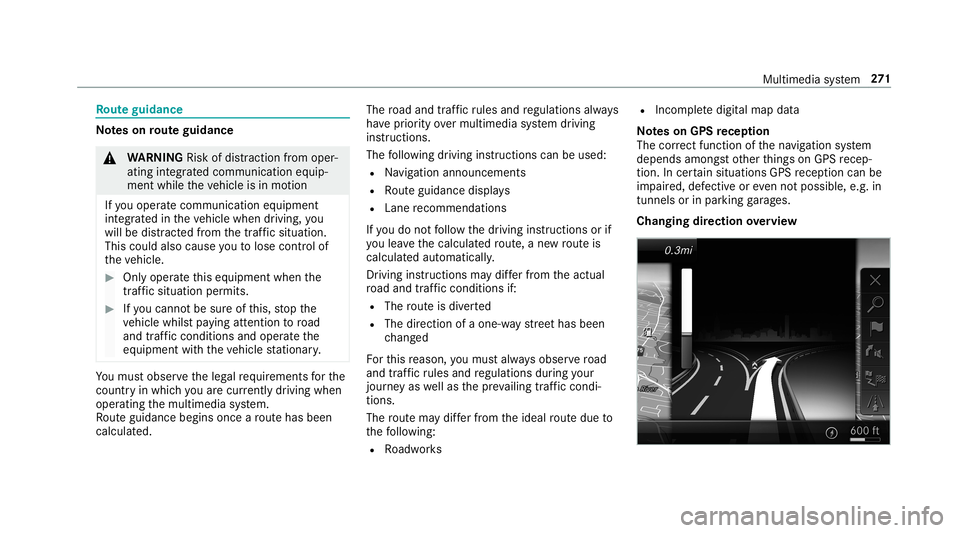
Changing direction overview Multime
diasystem 27
1
Page 274 of 518
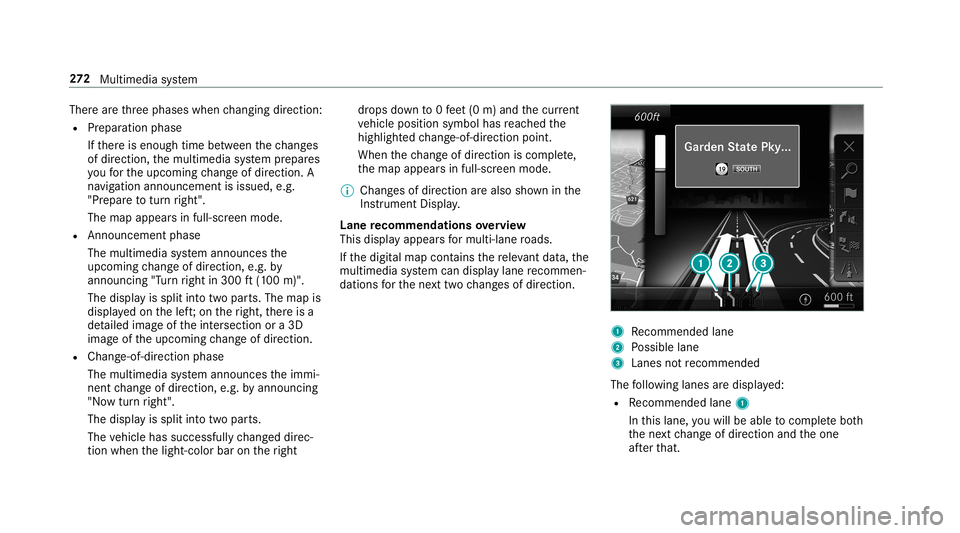
Ther
ear eth re ephases whenchang ingdirect ion:
R Preparation phase
If th er eis enough timebetween thech ang es
of dir ect ion,th emultimedia system prepar es
yo ufo rth eupcoming chang eof dir ect ion.A
na vig atio nann oun cem entisissue d,e.g .
"Pr epar eto tur nright".
The map appear sin full-scr eenmode.
R Ann ouncemen tphase
The multimedia system announ cesthe
upco mingch ang eof dir ect ion,e.g .by
ann oun cing"T ur nright in300 ft(100 m)".
The displa yis split intotw opar ts.The map is
displa yedon thelef t;on theright, ther eis a
de tailed imag eof theint ersect ionora3D
imag eof theupcoming chang eof dir ect ion.
R Chan ge-of-d irecti onpha se
The multimed iasystem announ cestheimmi‐
nen tch ang eof dir ect ion,e.g .by ann oun cing
"No wtur nright".
The displa yis split intotw opar ts.
The vehicle hassuccessfull ych ang eddirec‐
tio nwhen thelight- color barontheright dr
ops down to0feet (0 m) and thecur rent
ve hicle position symbolhasreac hed the
highlight edchang e-of-dir ect ion poin t.
When thech ang eof dir ect ion iscom plete,
th emap appear sin full-scr eenmode.
0009 Chang esofdir ect ion arealso showninthe
Ins trument Display.
Lane recomm endationsov ervie w
This displa yappear sfo rmulti -lane roads.
If th edigit almap contains there leva nt data,th e
multime diasystem can displa ylane recomme n‐
da tions forth ene xt twoch ang esofdir ect ion. 1
Recomme ndedlane
2 Possible lane
3 Lanes notre comme nded
The follo wing lanes aredispla yed:
R Recomme ndedlane 1
In this lane, youwill beable tocom plet ebo th
th ene xt chang eof dir ect ion and theone
af te rth at. 27
2
Multimedia system
Page 277 of 518
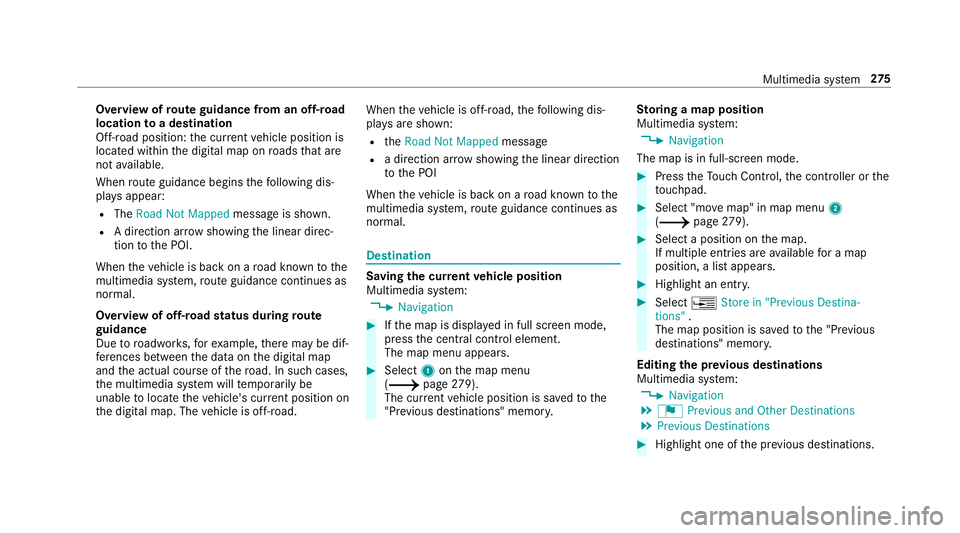
Ov
ervie wof routeguidanc efrom anoff-r oad
loc ation toades tinatio n
Of f-road position: thecur rent vehicle position is
locat edwithin thedigit almap onroads that are
no tav ailable.
When routeguidan cebegin sth efo llo wing dis‐
pla ysappear :
R The Road NotMapped messageis sho wn.
R Adir ect ion arro w sho wing thelinear direc‐
tion tothePOI.
When theve hicle isbac kon aro ad know nto the
multime diasystem, routeguidan cecontinue sas
no rm al.
Ov ervie wof off-ro ad status during route
guidanc e
Due toroadw orks ,fo rex am ple, ther ema ybe dif‐
fe re nces betwee nth edat aon thedigit almap
and theactual courseofthero ad. Insuc hcas es,
th emultimedia system will temp orarily be
unable tolocat eth eve hicle's current positio non
th edigit almap. Thevehicle isoff-r oad. When
theve hicle isoff-r oad, thefo llo wing dis‐
pla ysaresho wn:
R theRoad NotMapped message
R adir ect ion arrow showing thelinear direct ion
to thePOI
When theve hicle isbac kon aro ad know nto the
multime diasystem, routeguidan cecontinue sas
no rm al. Des
tination Sa
ving thecur rent vehicl eposi tion
Mul timedi asy stem:
0018 Navigation 0007
Ifth emap isdispla yedin full screen mode,
pr ess thecent ralcon trol elemen t.
The map menuappear s. 0007
Selec t1 onthemap menu
(0013 page27 9).
Th ecur rent vehicle position issave dto the
"Pr evious destination s"memo ry. St
oring ama pposit ion
Mult imedia system:
0018 Navigation
The map isin full-scr eenmode. 0007
Press theTo uc hCon trol, thecon troller orthe
to uc hpad. 0007
Select "mo vemap" inmap menu 2
(0013 page27 9). 0007
Select apos ition onthemap.
If multiple entries areav ailable fora map
posi tion, alis tapp ears. 0007
Highl ightanentr y. 0007
Select 0080 Store in"Previ ousDesti na-
tions ".
The map position issave dto the"Pr evious
des tination s"memo ry.
Edit ingthepr ev ious destina tions
Multime diasystem:
0018 Navigation
0019 ¬ Previous andOther Destination s
0019 Previous Destination s 0007
Highlight oneofthepr ev ious destination s. Multim
ediasystem 27
5
Page 280 of 518
-
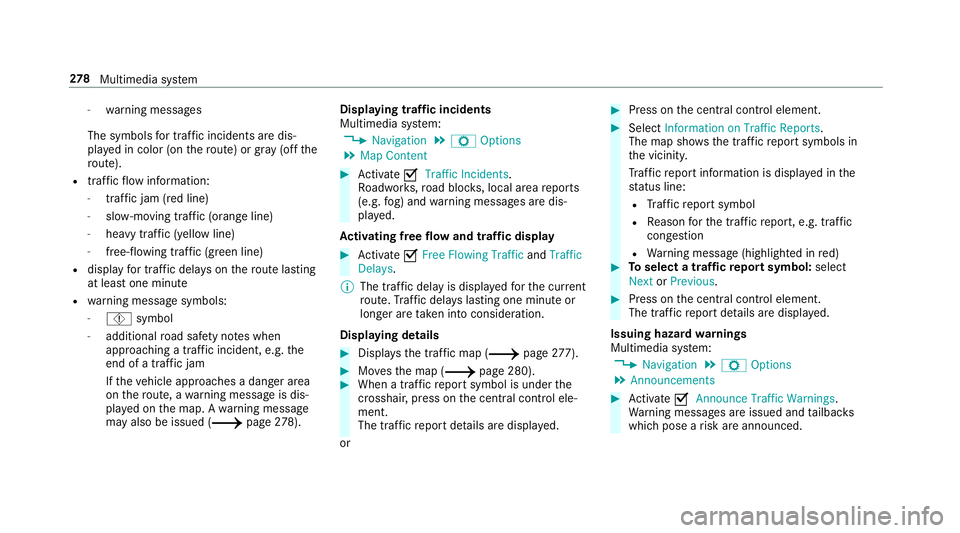
warning mess ages
The symbols fortr af fic inci dents aredis‐
pl ay ed incolor (onthero ute) or gray (offth e
ro ute).
R traf fic flow informatio n:
- traf fic jam (red line)
- slow-mo ving traf fic (or ang eline)
- hea vytraf fic (yel lo w line)
- free-f lowi ng traf fic (gr een line)
R displ ayfortr af fic del ayson thero utelas ting
at leas ton emin ute
R warning mess agesymbols :
- Ô symbol
- addition alroad safetyno teswhen
appr oaching atraf fic inci dent, e.g.the
end ofatra ffic jam
If th eve hicle approaches adang erarea
on thero ute, awa rning mess ageis dis‐
pla yedon themap. Awa rning mess age
ma yalso beissued (0013 page27 8). Di
spla ying traf fic incid ents
Mult imed iasystem:
0018 Navigation 0019
Z Option s
0019 Map Conten t 0007
Activate0073 TrafficInci dents .
Ro adw orks ,ro ad bloc ks,local area repor ts
(e.g. fog) and warning mess ages aredis‐
pla yed.
Ac tiv atin gfree flowan dtraf fic dis pla y 0007
Activate0073 FreeFlo wing Tra fficand Traffic
Del ays.
0009 The traf fic del ayisdispla yedfo rth ecur rent
ro ute. Traf fic del ayslas ting oneminut eor
long erareta ke nint oconsi deratio n.
Di spl aying details 0007
Displa ysthetraf fic map (0013 page 277). 0007
Movesth emap (0013 page280). 0007
When atra ffic repor tsymbol isunder the
cr oss hair,pr ess onthecent ralcon trol ele‐
men t.
The traffic re por tde tails aredispla yed.
or 0007
Press onthecent ralcon trol elemen t. 0007
Selec tInf ormat iononTraff icReport s.
The map showsthetraf fic re por tsymbols in
th evicinit y.
Tr af fic re por tinf ormation isdispla yedin the
st atus line:
R Traf fic re por tsymbol
R Reason forth etraf fic re por t,e.g. traffic
con gestion
R Warning mess age(highligh tedin red) 0007
Toselect atraf fic re por tsymb ol:sel ect
Next orPre vious. 0007
Press onthecent ralcon trol elemen t.
The traffic re por tde tails aredispla yed.
Issuing hazardwa rnings
Multime diasystem:
0018 Navigation 0019
Z Option s
0019 Announc ement s 0007
Activate0073 Annou nceTrafficWa rnings .
Wa rning mess ages areissued andtailbac ks
whic hpose arisk areannounced. 27
8
Multimedia system
Page 281 of 518
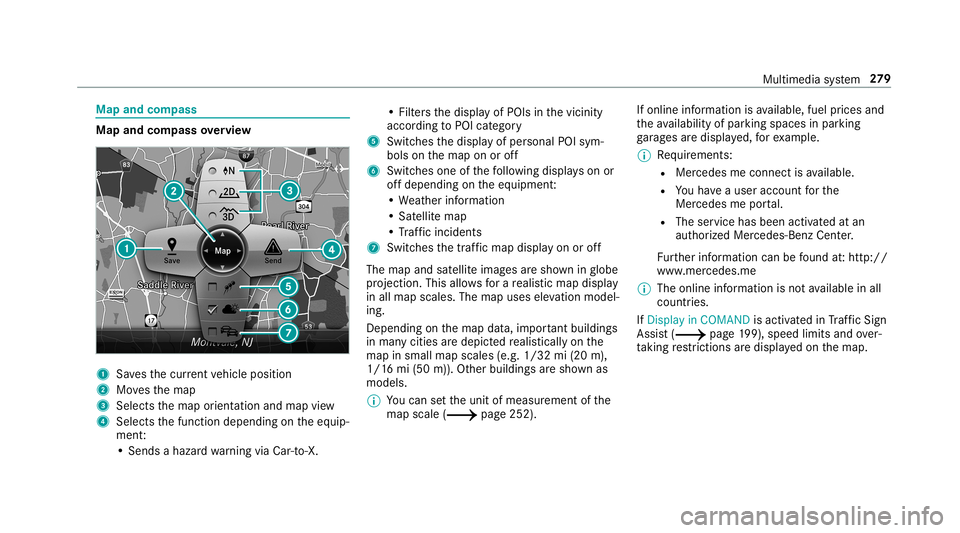
Map
andcom pass Map
andcom pass overview 1
Savesth ecur rent vehicle position
2 Movesth emap
3 Select sth emap orient ation andmap view
4 Select sth efunc tion depending ontheeq uip‐
ment :
• Sends ahazar dwa rning viaCar -to-X . •
Filt ersth edispla yof POIs inthevicinit y
accor dingtoPOI categor y
5 Switc hesthedispla yof per sonal POIsym‐
bols onthemap onoroff
6 Switc hesone ofthefo llo wing displa yson or
of fdepending ontheeq uipment :
• We ather informat ion
• Sat ellit emap
• Traf fic inci dents
7 Switches thetra ffic map displa yon oroff
The map andsatellit eimag esaresho wninglobe
pr oject ion.This allowsfora re alis ticmap displa y
in all map scales. Themap uses elevatio nmod el‐
ing .
Dep endingonthemap data,im por tant buildi ngs
in ma nyciti esaredep icted realis ticallyon the
map insmal lmap scale s(e.g. 1/32 mi(20 m),
1/1 6mi (50 m)). Other buildings aresho wnas
model s.
0009 Youcan setth eunit ofmeasur ementofthe
map scale (0013 page252) . If
online information isavailable, fuelprice sand
th eav ailabilit yof par kingspac esinpar king
ga rage sar edispla yed, forex am ple.
0009 Requiremen ts:
R Mer cedes meconnectis available.
R Youha ve auser accoun tfo rth e
Mer cedes meportal.
R The service hasbeen activat ed atan
aut hor ized Mercedes -Benz Cent er.
Fu rther information canbefound at:ht tp :/ /
www .merced es.me
0009 The onlineinf ormat ionisno tav ailable inall
coun tries.
If Dis play inCOMA NDisact ivat ed inTraf fic Sign
Assi st(0013 page19 9),sp ee dlim its an dove r‐
ta king restrictions aredispl ayed on themap. Multimedia
system 27
9