display MERCEDES-BENZ S-Class MAYBACH 2017 W222 Comand Manual
[x] Cancel search | Manufacturer: MERCEDES-BENZ, Model Year: 2017, Model line: S-Class MAYBACH, Model: MERCEDES-BENZ S-Class MAYBACH 2017 W222Pages: 230, PDF Size: 8.27 MB
Page 190 of 230
Control menu and
functionOperation
RVideo menu
Selection of scene,
fast forward or
rewindIn full-screen mode,
slide6the control-
ler
RDVD functions
Selection of title,
scene, language,
subtitles ...In full-screen mode,
press the controller
Function restrictions
Depending on the DVD, certain functions or
actions may not function at all. The symbol K
appears in the display.
Switching on video DVD mode
RInsert and eject a disc from the single drive
(Ypage 168)
RInsert a disc into the DVD changer
(Ypage 169)
REject a disc from the DVD changer
(Ypage 169)
Further options for switching on:
RUsing the number keypad (Ypage 165)
RUsing the main function bar (Ypage 165)
RUsing the device list (Ypage 165)
RUsing the Õbutton (Ypage 164)
DVD overview
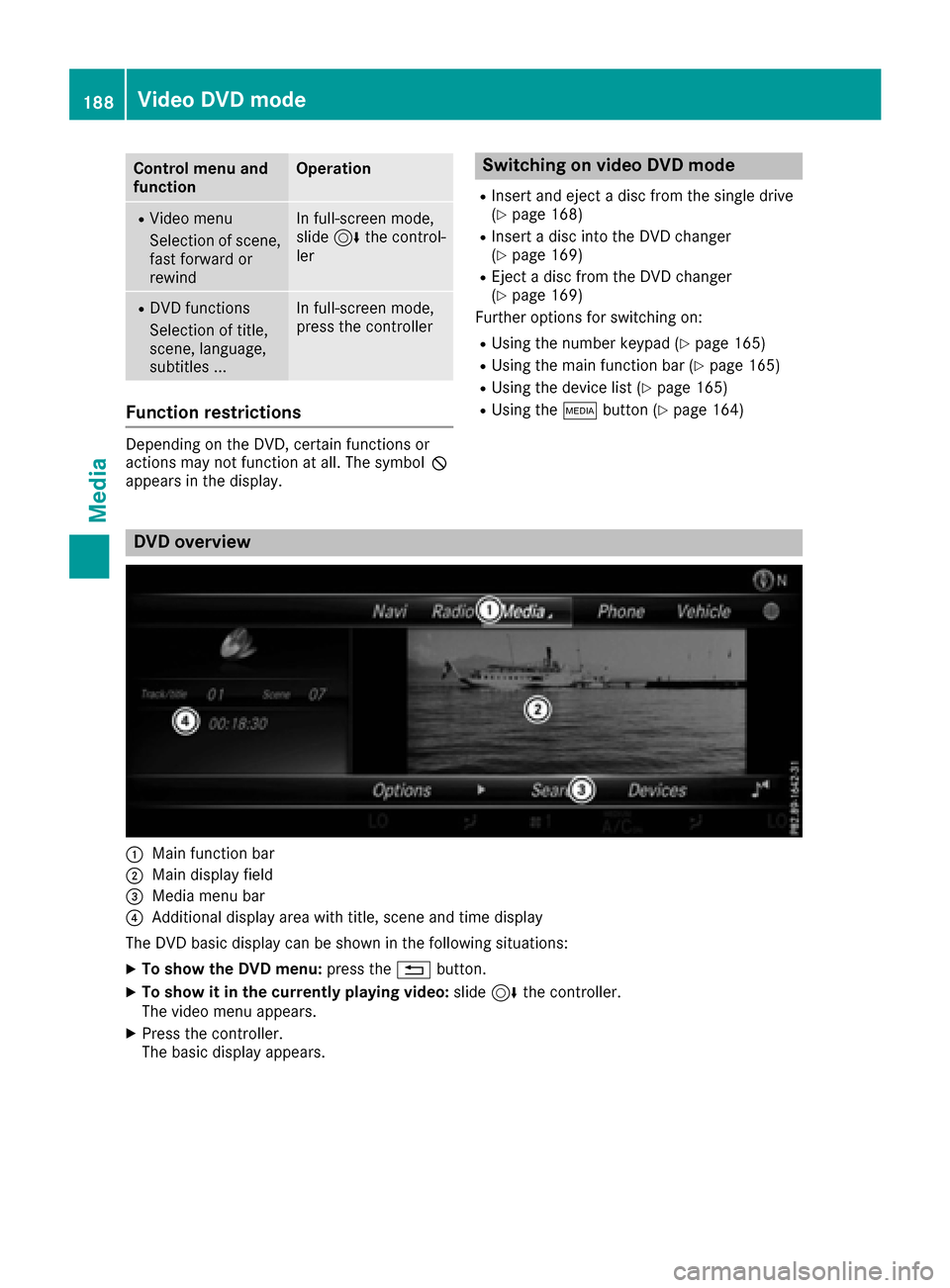
:Main function bar
;Main display field
=Media menu bar
?Additional display area with title, scene and time display
The DVD basic display can be shown in the following situations:
XTo show the DVD menu: press the%button.
XTo show it in the currently playing video: slide6the controller.
The video menu appears.
XPress the controller.
The basic display appears.
188Video DVD mode
Media
Page 191 of 230
Switching on DVD full-screen mode
It is possible to switch from the DVD basic dis-
play to full screen mode as follows:
XSlide5the controller.
The main function bar and menu bar are hid-
den. A full-screen symbol will be shown.
XPress the controller.
The full-screen mode appears.
Selecting menu options
XTo select Options: slide6the controller
when in full-screen mode
The video menu appears.
XPress the controller.
The DVD basic display appears.
XTo switch to the menu bar: slide 6the con-
troller.
XTo select Options: turn and press the con-
troller.
A menu appears.
Skip to time
XTo select Skip to Time: turn and press the
controller.
A menu appears.
XTo set the time: turn the controller.
or
Set the desired time using the number key-
pad.
XTo hide the menu: press the %button.
Displaying the DVD functions
XTo select DVDFunctions: turn and press the
controller.
A menu appears (
Ypage 190).
Starting an application at a different seat
XTo select Start Application at OtherSeat: turn and press the controller.
The menu appears: (Ypage 166).
iActivating the parental control screen:
(Ypage 63).
Selecting video settings
XSelect Video Settings.
A menu appears.
Video settings
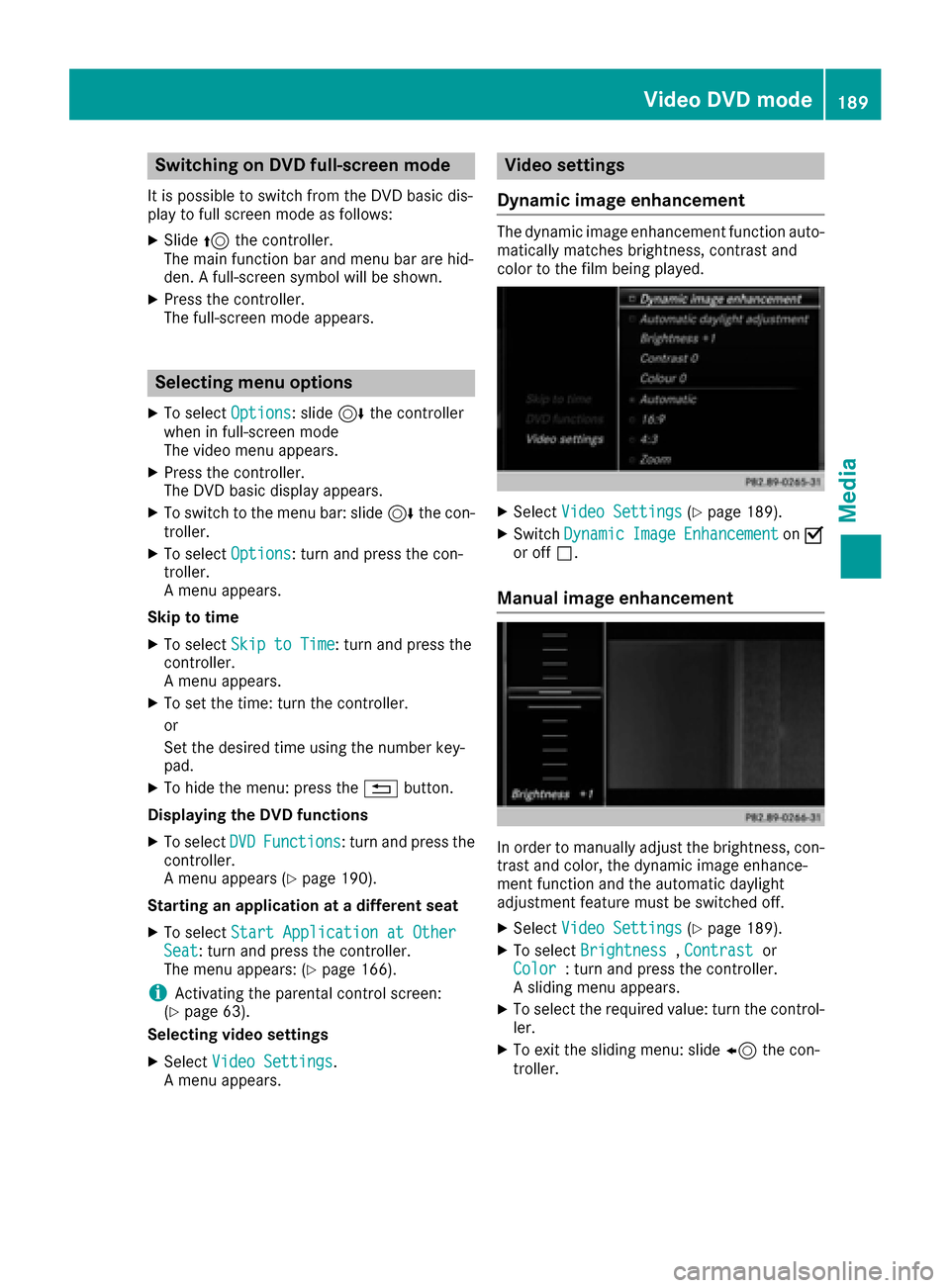
Dynamic image enhancement
The dynamic image enhancement function auto-
matically matches brightness, contrast and
color to the film being played.
XSelect Video Settings(Ypage 189).
XSwitch DynamicImageEnhancementonO
or off ª.
Manual image enhancement
In order to manually adjust the brightness, con-
trast and color, the dynamic image enhance-
ment function and the automatic daylight
adjustment feature must be switched off.
XSelect Video Settings(Ypage 189).
XTo select Brightness,Contrastor
Color: turn and press the controller.
A sliding menu appears.
XTo select the required value: turn the control-
ler.
XTo exit the sliding menu: slide 8the con-
troller.
Video DVD mode189
Media
Z
Page 192 of 230
Setting the picture format
XSelectVideo Settings(Ypage 189).
The following screen format options are availa-
ble for the DVD currently being played:
RAuto
R16:9
R4:3
RZoom
XTo set the picture format: turn and press the
controller.
The dot before the menu entry shows the
selected format.
Showing the DVD's control menu
Most DVDs have their own control menuwhich
can be operated using the controller.
Showing the DVD's control menu
XTo show DVD functions: in full screen video
mode, press the controller.
The DVD functions menu is shown.
XTo select Menufrom the DVD functions menu:
turn and press the controller.
The DVD functions menu is hidden and the
DVD's menu entries (e.g. scenes, language,
trailers) are displayed.
XTo select a menu entry: turn and press the
controller.
Operating the video menu
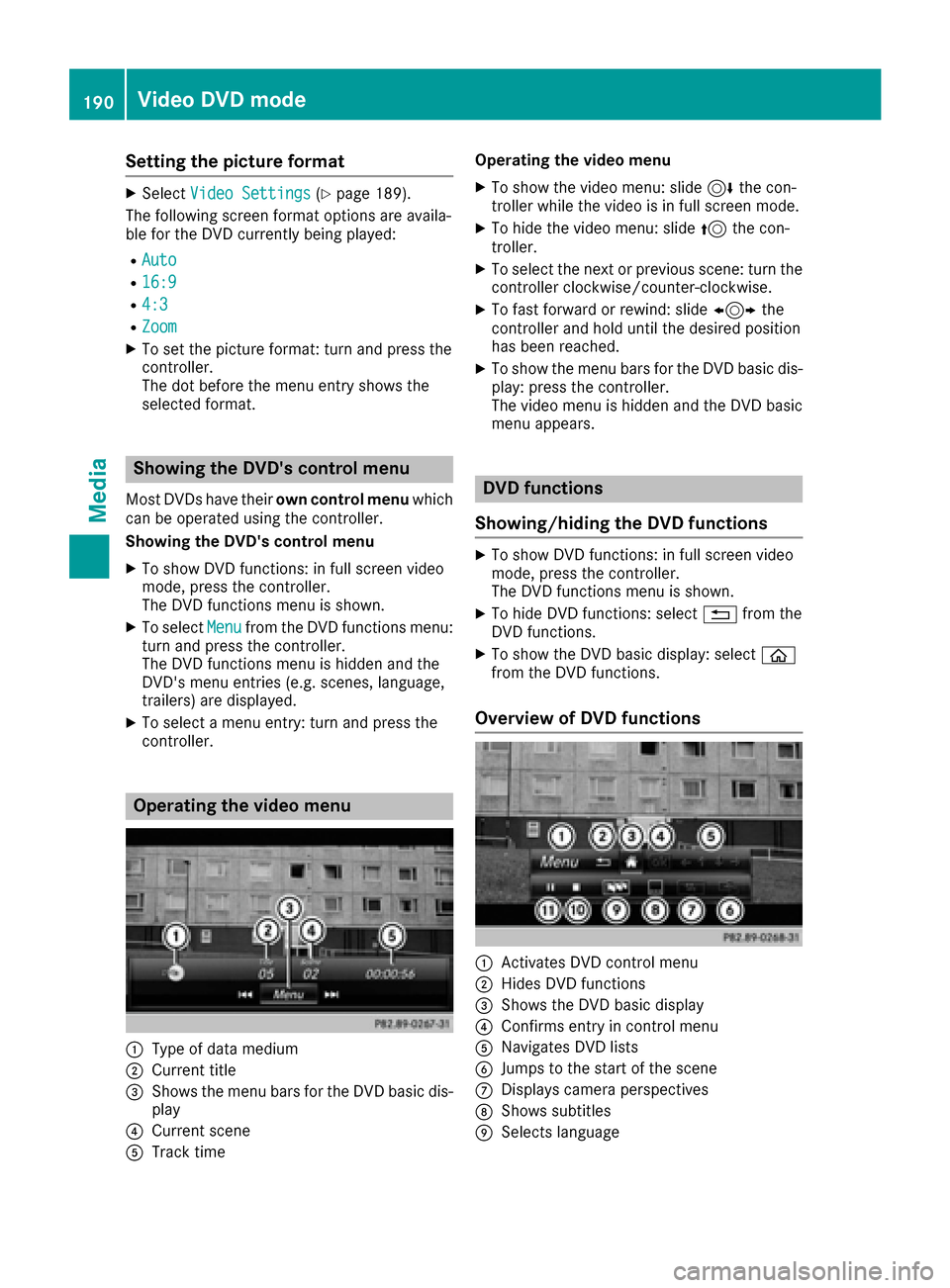
:Type of data medium
;Current title
=Shows the menu bars for the DVD basic dis- play
?Current scene
ATrack time Operating the video menu
XTo show the video menu: slide
6the con-
troller while the video is in full screen mode.
XTo hide the video menu: slide 5the con-
troller.
XTo select the next or previous scene: turn the controller clockwise/counter-clockwise.
XTo fast forward or rewind: slide 1the
controller and hold until the desired position
has been reached.
XTo show the menu bars for the DVD basic dis-
play: press the controller.
The video menu is hidden and the DVD basic
menu appears.
DVD functions
Showing/hiding the DVD functions
XTo show DVD functions: in full screen video
mode, press the controller.
The DVD functions menu is shown.
XTo hide DVD functions: select %from the
DVD functions.
XTo show the DVD basic display: select ò
from the DVD functions.
Overview of DVD functions
:Activates DVD control menu
;Hides DVD functions
=Shows the DVD basic display
?Confirms entry in control menu
ANavigates DVD lists
BJumps to the start of the scene
CDisplays camera perspectives
DShows subtitles
ESelects language
190Video DVD mode
Media
Page 193 of 230
FStops playback
GPauses playback
Using the DVD functions
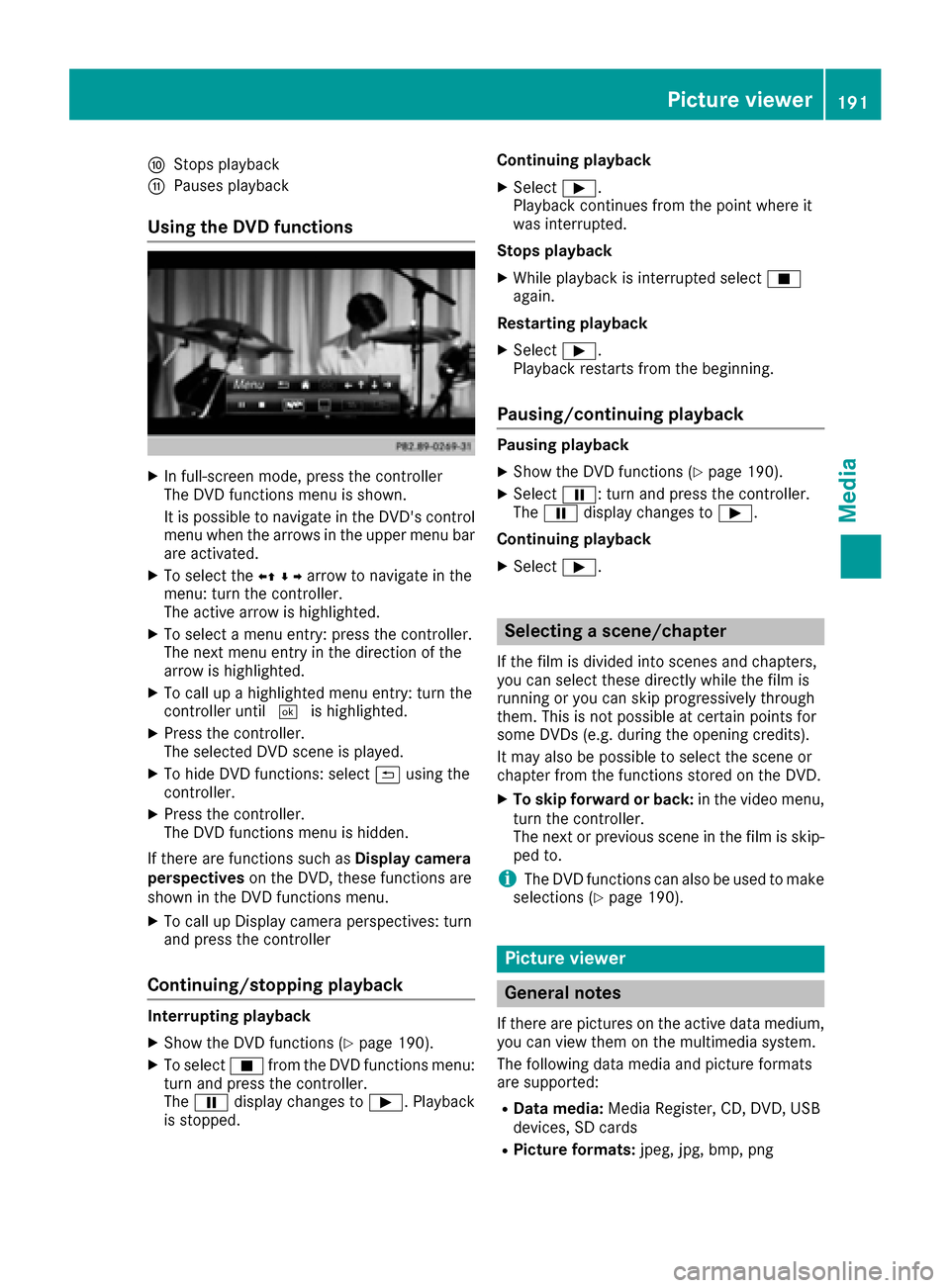
XIn full-screen mode, press the controller
The DVD functions menu is shown.
It is possible to navigate in the DVD's control
menu when the arrows in the upper menu bar
are activated.
XTo select theXZ¬Yarrow to navigate in the
menu: turn the controller.
The active arrow is highlighted.
XTo select a menu entry: press the controller.
The next menu entry in the direction of the
arrow is highlighted.
XTo call up a highlighted menu entry: turn the
controller until ¬is highlighted.
XPress the controller.
The selected DVD scene is played.
XTo hide DVD functions: select &using the
controller.
XPress the controller.
The DVD functions menu is hidden.
If there are functions such as Display camera
perspectives on the DVD, these functions are
shown in the DVD functions menu.
XTo call up Display camera perspectives: turn
and press the controller
Continuing/stopping playback
Interrupting playback
XShow the DVD functions (Ypage 190).
XTo select Éfrom the DVD functions menu:
turn and press the controller.
The Ë display changes to Ì. Playback
is stopped. Continuing playback
XSelect
Ì.
Playback continues from the point where it
was interrupted.
Stops playback
XWhile playback is interrupted select É
again.
Restarting playback
XSelect Ì.
Playback restarts from the beginning.
Pausing/continuing playback
Pausing playback
XShow the DVD functions (Ypage 190).
XSelect Ë: turn and press the controller.
The Ë display changes to Ì.
Continuing playback
XSelect Ì.
Selecting a scene/chapter
If the film is divided into scenes and chapters,
you can select these directly while the film is
running or you can skip progressively through
them. This is not possible at certain points for
some DVDs (e.g. during the opening credits).
It may also be possible to select the scene or
chapter from the functions stored on the DVD.
XTo skip forward or back: in the video menu,
turn the controller.
The next or previous scene in the film is skip-
ped to.
iThe DVD functions can also be used to make
selections (Ypage 190).
Picture viewer
General notes
If there are pictures on the active data medium,
you can view them on the multimedia system.
The following data media and picture formats
are supported:
RData media: Media Register, CD, DVD, USB
devices, SD cards
RPicture formats: jpeg, jpg, bmp, png
Picture viewer191
Media
Z
Page 194 of 230
The maximum image resolution is 20 megapix-
els.
It is not possible to view a picture from the driv-
er's side while the vehicle is in motion.
Displaying pictures
XIn media mode, slide6the controller.
The media menu bar is shown.
XTo select Search: turn and press the control-
ler.
The category list appears.
XTo select Photos: turn and press the control-
ler.
A directory list appears. Folders and picture
files can be shown.
XSelect a folder or picture.
If there is no picture on the data medium, an
empty list is shown.
Searching for pictures on other data media
XYou can search for pictures on other data
media.
In the directory list, slide 8the controller.
The device list appears.
XTo select a data medium with picture files:
turn the controller and press to confirm.
A directory list appears. Folders and picture
files can be shown.
XSelect a folder or picture.
Starting a slide show
XWhile viewing a picture, press the controller.
The image menu appears.
XTo select Start Slideshow: turn and press
the controller.
The slide show starts.
XTo end the slide show: press the controller.
The image menu appears.
XSelect End Slide Show.
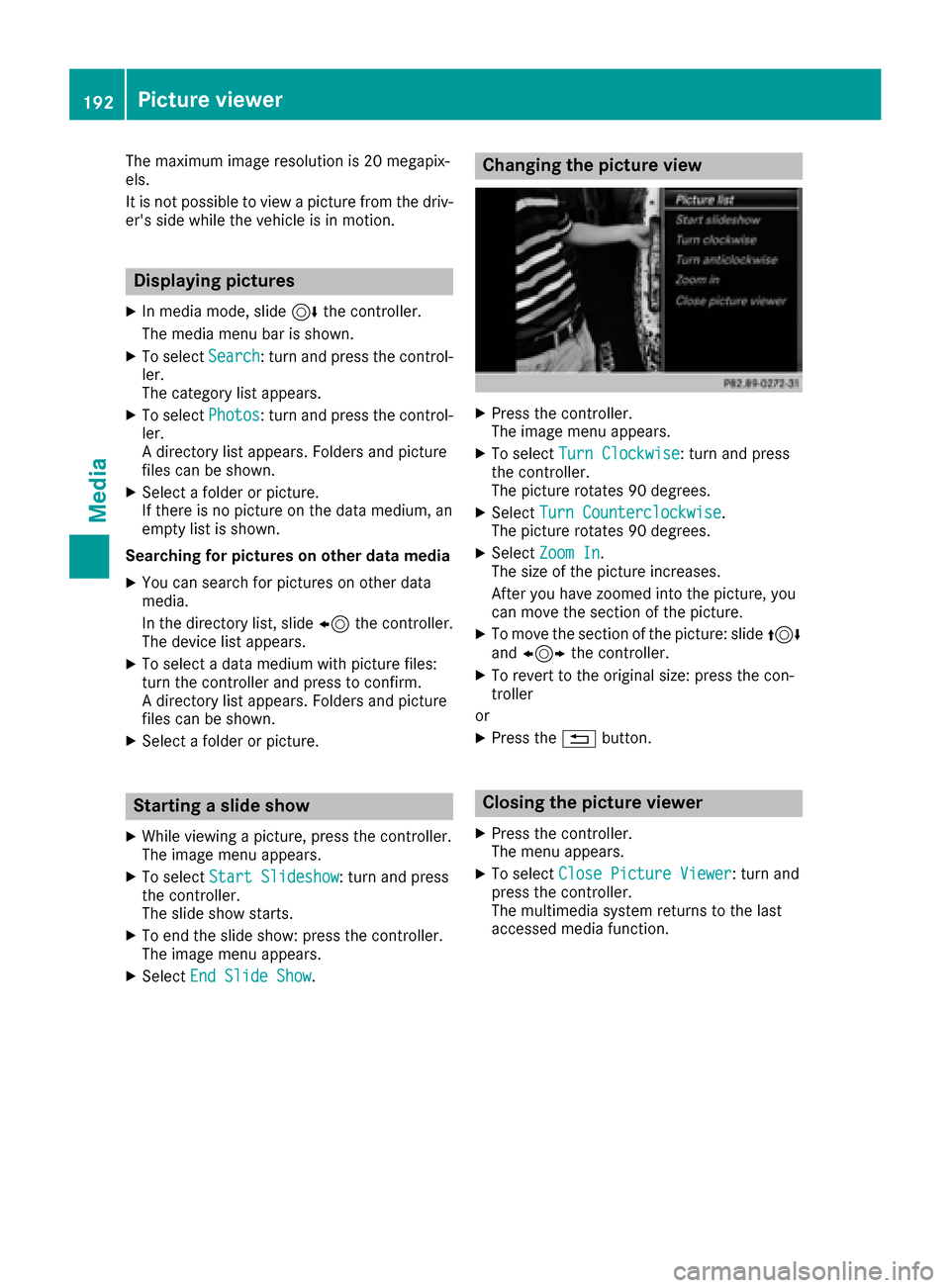
Changing the picture view
XPress the controller.
The image menu appears.
XTo select Turn Clockwise: turn and press
the controller.
The picture rotates 90 degrees.
XSelect Turn Counterclockwise.
The picture rotates 90 degrees.
XSelect Zoom In.
The size of the picture increases.
After you have zoomed into the picture, you
can move the section of the picture.
XTo move the section of the picture: slide 4
and 1 the controller.
XTo revert to the original size: press the con-
troller
or
XPress the %button.
Closing the picture viewer
XPress the controller.
The menu appears.
XTo select Close Picture Viewer: turn and
press the controller.
The multimedia system returns to the last
accessed media function.
192Picture viewer
Media
Page 201 of 230
Your multimediasystem equipment
These operating instructions describe all the
standard and optional equipment of your multi-
media system, as available at the time of going
to press. Country-specifi cdifferences are pos-
sible. Bear in mind that your vehicle may not
feature all functions described here. This also
applies to safety-relevant systems andfunc-
tions.
Read the information on qualified specialist
workshop s in the vehicle Operator's Manual.
SIRIUS Weather
Introduction
Thisfunction is currentl yno t available for Can-
ada.
Fo rth e reception of weather forecasts via sat-
ellite radio, you will need a SIRIUS XM Satellite
Weather subscription.
If th e message: Please call SIRIUS to
activate the system at :888-539-7474ESN :SIRIUS IDappears along with theID
number of the SIRIUS device, you will need to
have the weather service activated first.
XTo select CallorCancel:turn an dpress th e
controller.
If a mobile phone is connected to the multi-
media system(
Ypage 113), when you select
Cal la call is placed to a member of the SIR-
IU S service staff. The ID number of th eSIRIU S
device will be transferred to the telephone
display.
XThis will be followed by instructions from the
service employee.
The multimedia system can receive weather
forecast sfo rth eUS A (including Alaska and
Hawaii) via satellite radio. The received weather
data can be displayed as an information chart
(daily forecast , five-day forecast, detailed infor-
mation) or on the weather map.
The weather data received from the weather
station is stored for one hour in the multimedia
system. It can therefore be displayed again
immediately after restarting the engine (for
example after refueling). Depending on which scale has been selected,
th
e weather map can display the following
weather data with symbols:
Rrain radar
Rstorm characteristics
Rhigh and low-pressure areas, weather fronts
Rcourse of tropical cyclones (hurricanes,
typhoons )
Rstorm warnings
Rwind direction and speeds
iThe rain radar cannot be displayed for
Alaska, Hawaii and Puerto Rico.
iHurricane: term used to describe the tropi-
cal cyclones that primarily develop in the
Atl antic, North Pacifi c andSouth Pacific
oceans. The wind speeds are above 74 mph
(118 km/h). Five categorie sare used to clas-
sify thestrengt h of a hurricane.
Typhoon: term used to describe a tropical
cyclone that develops in the northwestern
Pacific. The wind speeds are in the category of
a hurricane.
Switching the SIRIUS Weather display
on/off
Activating
XTo display th e main function bar: slide5
th econtroller.
XTo select ®,turn an dpress th econtroller.
The online applications menu appears.
XTo select SIRIUS Weathe r,turn an dpress
th econtroller.
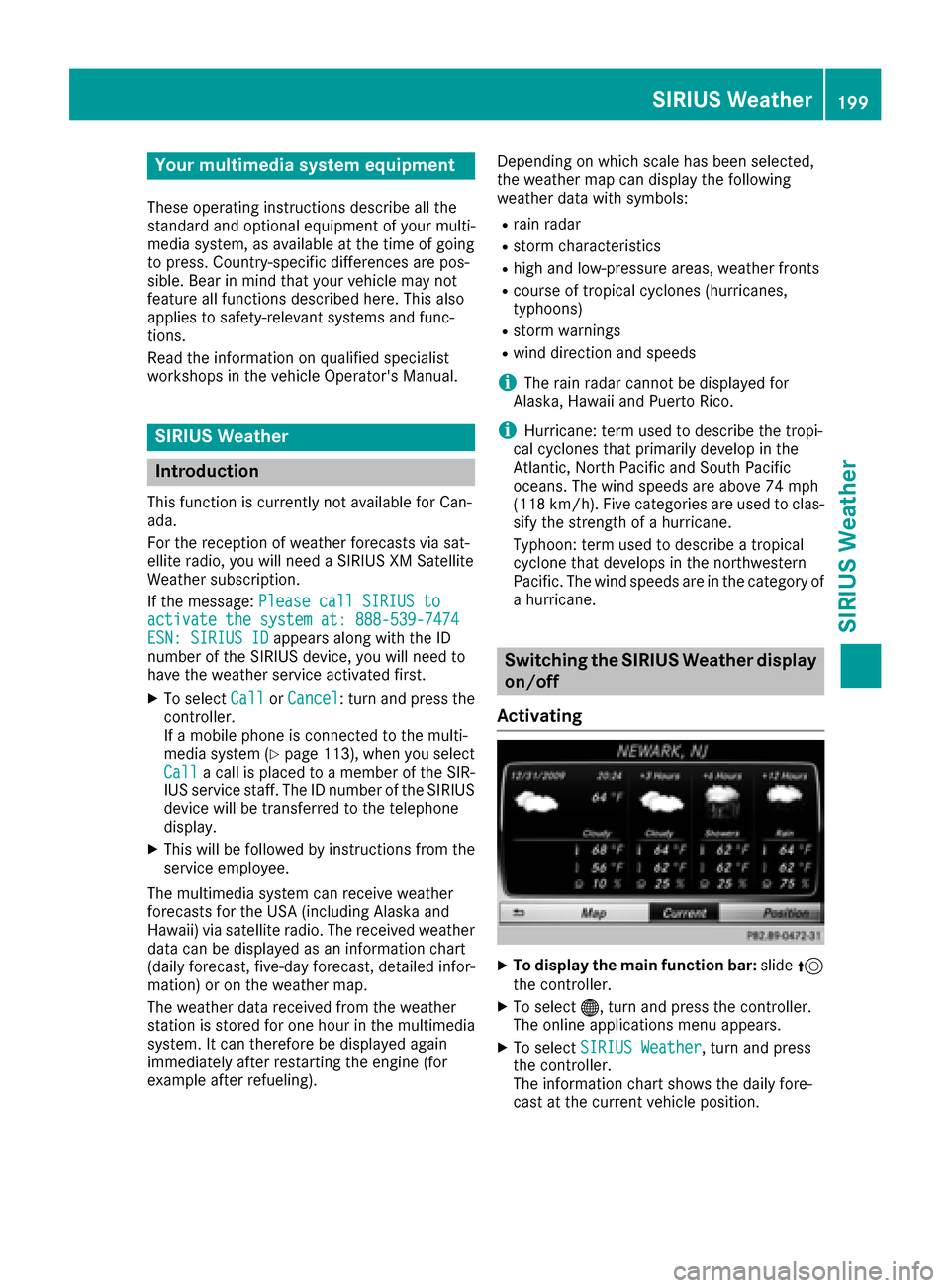
The information chart shows th e daily fore-
cast at the current vehicle position.
SIRIUS Weather199
SIRIUS Weather
Page 202 of 230
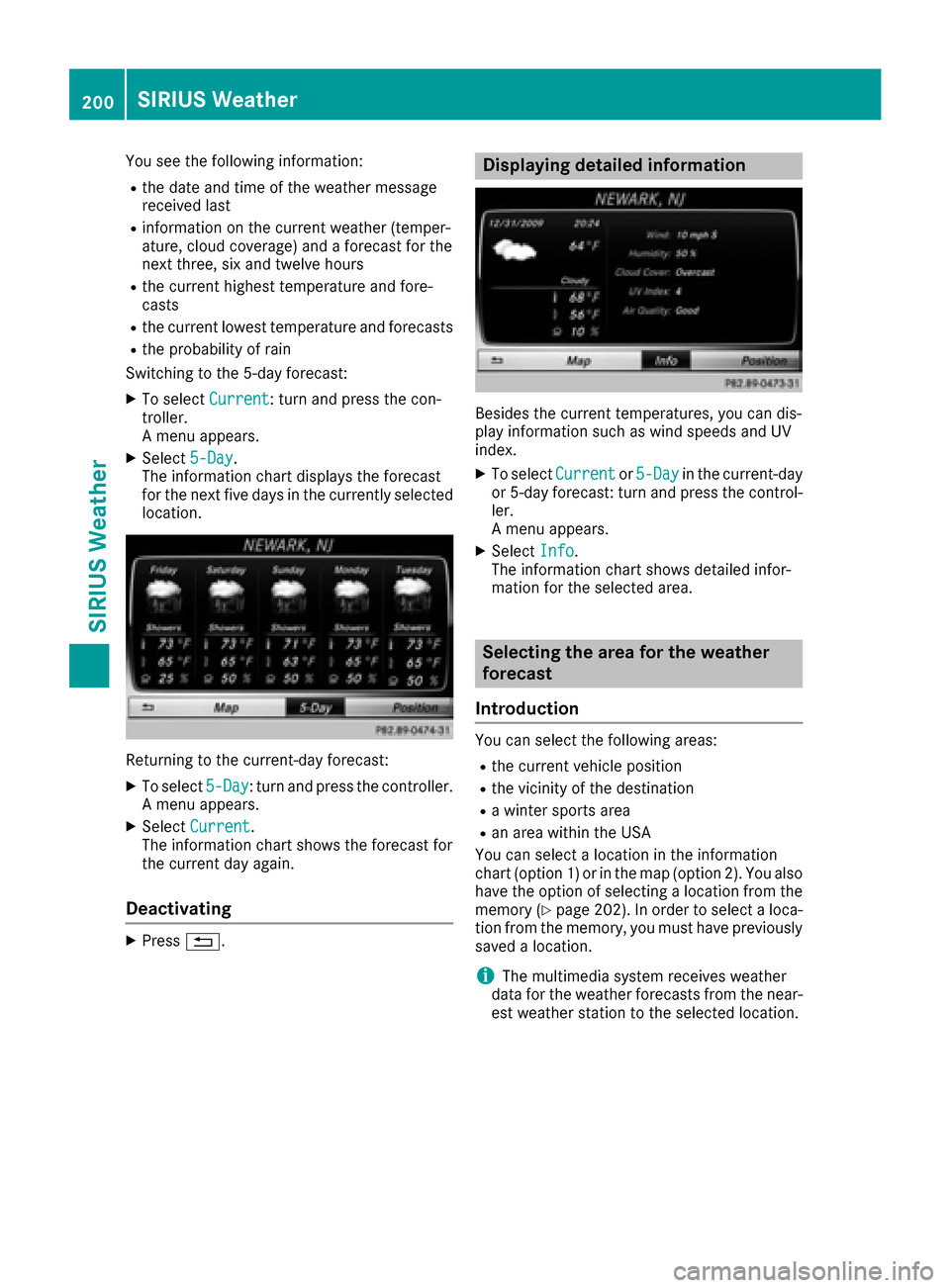
You see the following information:
Rthe date and time of the weather message
received last
Rinformation on the current weather (temper-
ature, cloud coverage) and a forecast for the
next three, six and twelve hours
Rthe current highest temperature and fore-
casts
Rthe current lowest temperature and forecasts
Rthe probability of rain
Switching to the 5-day forecast:
XTo select Current: turn and press the con-
troller.
A menu appears.
XSelect 5-Day.
The information chart displays the forecast
for the next five days in the currently selected
location.
Returning to the current-day forecast:
XTo select 5-Day: turn and press the controller.
A menu appears.
XSelect Current.
The information chart shows the forecast for
the current day again.
Deactivating
XPress %.
Displaying detailed information
Besides the current temperatures, you can dis-
play information such as wind speeds and UV
index.
XTo select Currentor5-Dayin the current-day
or 5-day forecast: turn and press the control-
ler.
A menu appears.
XSelect Info.
The information chart shows detailed infor-
mation for the selected area.
Selecting the area for the weather
forecast
Introduction
You can select the following areas:
Rthe current vehicle position
Rthe vicinity of the destination
Ra winter sports area
Ran area within the USA
You can select a location in the information
chart (option 1) or in the map (option 2). You also
have the option of selecting a location from the
memory (
Ypage 202). In order to select a loca-
tion from the memory, you must have previously
saved a location.
iThe multimedia system receives weather
data for the weather forecasts from the near-
est weather station to the selected location.
200SIRIUS Weather
SIRIUS Weather
Page 203 of 230
Option 1: selecting the area in the infor-
mation chart
XTo selectPositionin the information chart:
turn and press the controller.
XTo select the current vehicle position:
select Current Position
in the menu.
The multimedia system receives weather data
for the current vehicle position from the near-
est weather station and automatically dis-
plays the data.
Requirement for "Near destination": a route to a
destination has been calculated (
Ypage 74).
The menu item is otherwise grayed out.
XTo select the vicinity of the destination:
select Near
Destination: turn and press the
controller.
XTo select a winter sports area: selectAt
Ski Areafrom the menu: turn the controller
and press to confirm.
XSelect a state, e.g. Colorado.
XSelect a winter sports area from the menu.
The weather data and other information is
displayed for the winter sports area that has
been selected. The data is supplied by the
nearest weather station.
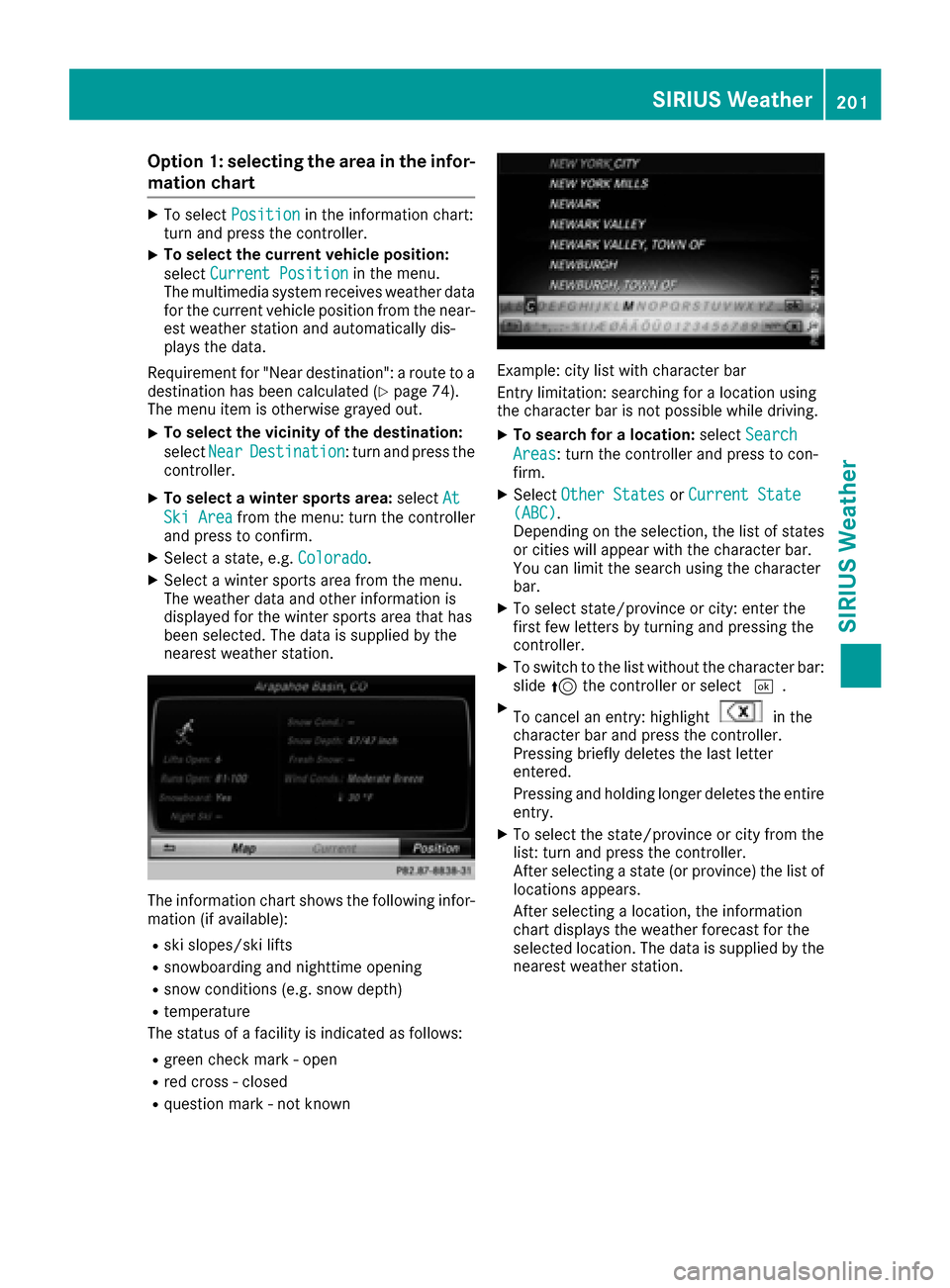
The information chart shows the following infor-
mation (if available):
Rski slopes/ski lifts
Rsnowboarding and nighttime opening
Rsnow conditions (e.g. snow depth)
Rtemperature
The status of a facility is indicated as follows:
Rgreen check mark - open
Rred cross - closed
Rquestion mark - not known
Example: city list with character bar
Entry limitation: searching for a location using
the character bar is not possible while driving.
XTo search for a location: selectSearch
Areas: turn the controller and press to con-
firm.
XSelect Other StatesorCurrent State(ABC).
Depending on the selection, the list of states
or cities will appear with the character bar.
You can limit the search using the character
bar.
XTo select state/province or city: enter the
first few letters by turning and pressing the
controller.
XTo switch to the list without the character bar:
slide 5the controller or select ¬.
XTo cancel an entry: highlightin the
character bar and press the controller.
Pressing briefly deletes the last letter
entered.
Pressing and holding longer deletes the entire
entry.
XTo select the state/province or city from the
list: turn and press the controller.
After selecting a state (or province) the list of
locations appears.
After selecting a location, the information
chart displays the weather forecast for the
selected location. The data is supplied by the
nearest weather station.
SIRIUS Weather201
SIRIUS Weather
Page 204 of 230
Option 2: selecting the area in the
weather map
XCall up the weather map (Ypage 202).
XMove the weather map so that the crosshair isover the desired area (Ypage 202).
XPress the controller.
The information chart shows the weather
forecast for the selected area. The data is
supplied by the nearest weather station.
Memory functions
Storing the area in the weather memory
You can save locations that are called up fre-
quently in ten preset positions (0, 1-9) in the
weather memory.
XIn the weather memory: select the area for
the weather forecast (Ypage 200).
The selected location appears at the top in the status bar.
XTo select Positionin the information chart:
turn and press the controller.
XSelect Presets.
XSelect a preset using the controller.
XPress and hold the controller until you hear a
tone.
The area is entered on the selected preset.
Equipment with telephone keypad
XTo store rapidly: in the daily forecast
(Ypage 199) press and hold a number key,
e.g. l, until the preset position number is
shown in the status bar in front of the area
name.
iYou can also use this function in the five-day
forecast (Ypage 199), and in the detailed
information view (Ypage 200).
Selecting an area from the weather
memory
XDirectly from the weather memory: select
Position
from the information chart: turn
and press the controller.
XSelect Presets.
XSelect the memory position which contains
the location you require.
The weather data for the selected area is dis-
played. Equipment with telephone keypad
XQuick select:
if a location is stored in the
weather memory, for example when the cur-
rent forecast display is active, briefly press a
number key, e.g. l.
The weather data for the selected area is dis-
played.
Weather map
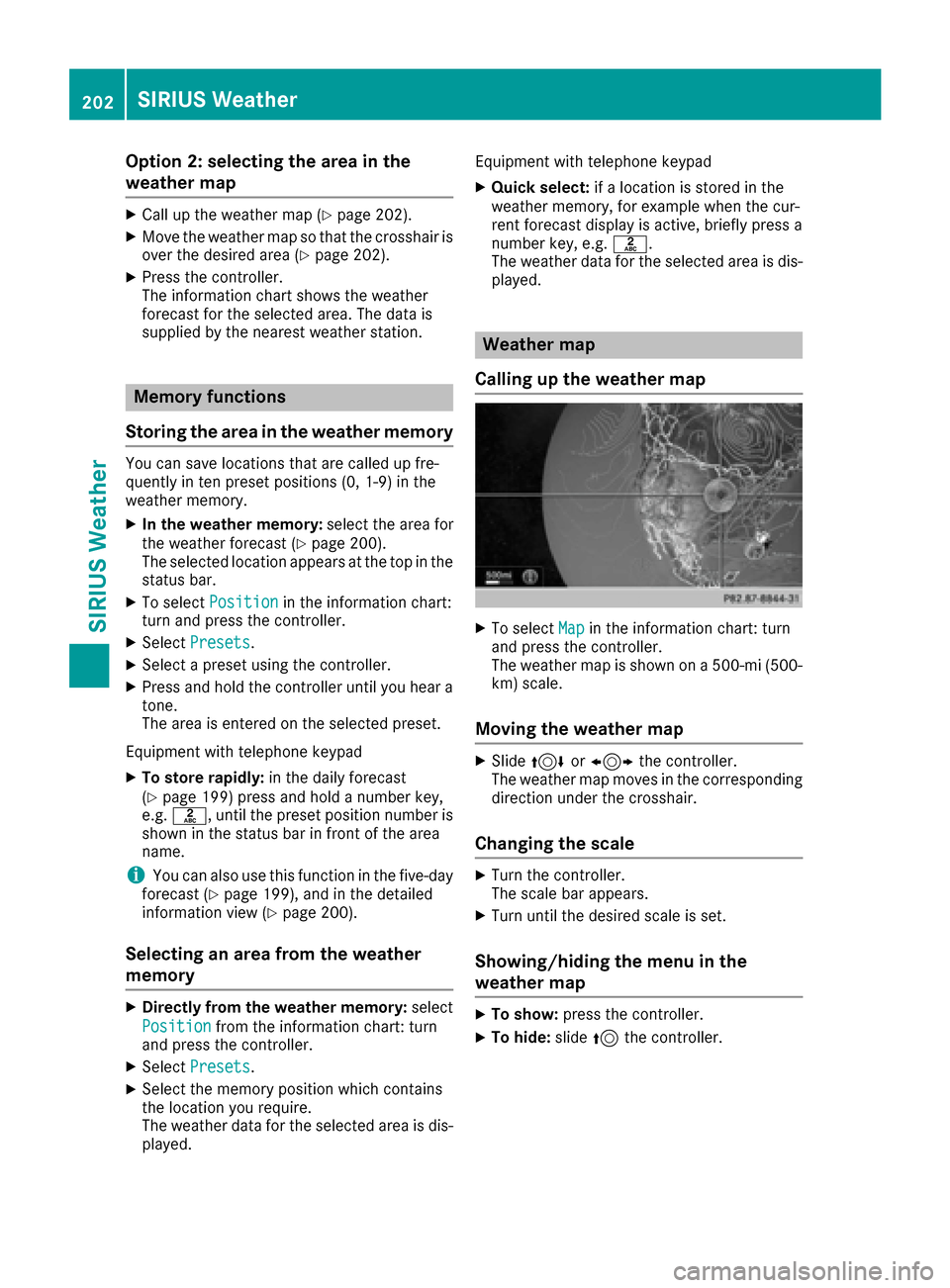
Calling up the weather map
XTo select Mapin the information chart: turn
and press the controller.
The weather map is shown on a 500-mi (500-
km) scale.
Moving the weather map
XSlide 4 or1 the controller.
The weather map moves in the corresponding
direction under the crosshair.
Changing the scale
XTurn the controller.
The scale bar appears.
XTurn until the desired scale is set.
Showing/hiding the menu in the
weather map
XTo show: press the controller.
XTo hide:slide5the controller.
202SIRIUS Weather
SIRIUS Weather
Page 205 of 230
Selecting a weather station in the map
XMove the weather map and crosshair to the
desired position (Ypage 202).
XTo show the menu: press the controller.
XTo selectWeather Table: press the control-
ler.
The multimedia system receives weather data
for the selected position from the nearest
weather station and displays the data as a
current-day forecast.
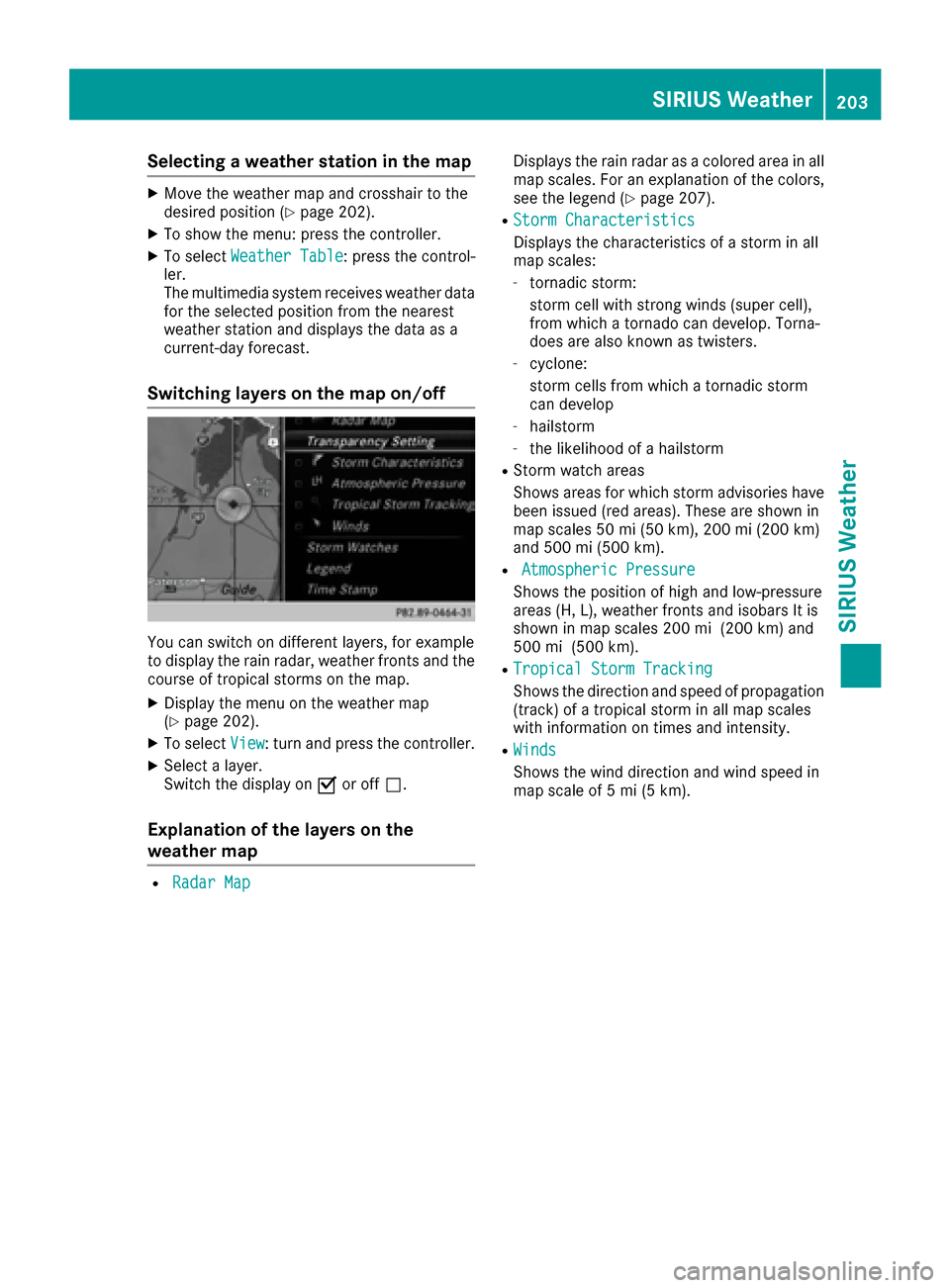
Switching layers on the map on/off
You can switch on different layers, for example
to display the rain radar, weather fronts and the
course of tropical storms on the map.
XDisplay the menu on the weather map
(Ypage 202).
XTo select View: turn and press the controller.
XSelect a layer.
Switch the display on Oor off ª.
Explanation of the layers on the
weather map
RRadar Map
Displays the rain radar as a colored area in all
map scales. For an explanation of the colors,
see the legend (
Ypage 207).
RStorm Characteristics
Displays the characteristics of a storm in all
map scales:
-tornadic storm:
storm cell with strong winds (super cell),
from which a tornado can develop. Torna-
does are also known as twisters.
-cyclone:
storm cells from which a tornadic storm
can develop
-hailstorm
-the likelihood of a hailstorm
RStorm watch areas
Shows areas for which storm advisories have
been issued (red areas). These are shown in
map scales 50 mi (50 km), 200 mi (200 km)
and 500 mi (500 km).
RAtmospheric Pressure
Shows the position of high and low-pressure
areas (H, L), weather fronts and isobars It is
shown in map scales 200 mi (200 km) and
500 mi (500 km).
RTropical Storm Tracking
Shows the direction and speed of propagation
(track) of a tropical storm in all map scales
with information on times and intensity.
RWinds
Shows the wind direction and wind speed in
map scale of 5 mi (5 km).
SIRIUS Weather203
SIRIUS Weather