climate control MERCEDES-BENZ S-Class MAYBACH 2017 W222 Comand Manual
[x] Cancel search | Manufacturer: MERCEDES-BENZ, Model Year: 2017, Model line: S-Class MAYBACH, Model: MERCEDES-BENZ S-Class MAYBACH 2017 W222Pages: 230, PDF Size: 8.27 MB
Page 64 of 230
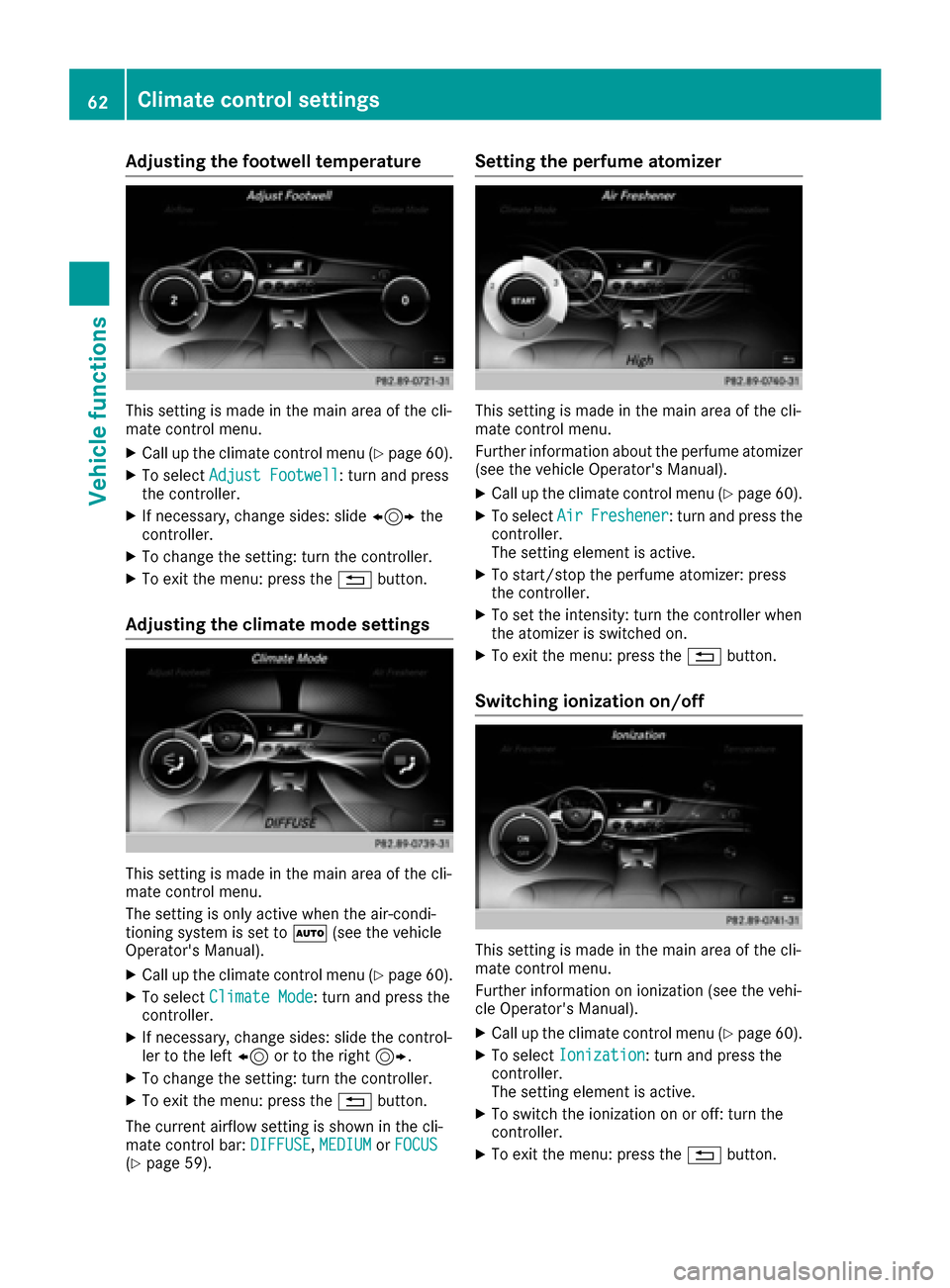
Adjusting the footwell temperature
This setting is made in the main area of the cli-
matecontrol menu.
XCall up the climate control menu(Ypage 60).
XTo selectAdjust Footwell: turnand press
th econtroller.
XIf necessary, chang e sides: slide1the
controller.
XTo change thesetting : turnthecontroller.
XTo exit the menu: press th e% button.
Adjusting the climate mode settings
This setting is made in the main area of the cli-
matecontrol menu.
The setting is only active when the air-condi-
tioning system is set to Ã(see the vehicle
Operator's Manual).
XCall up the climate control menu(Ypage 60).
XTo selectClimateMod e: turn and press th e
controller.
XIf necessary, chang e sides: slidethecontrol -
ler to the left 8or to th e right9.
XTo change thesetting : turnthecontroller.
XTo exit the menu: press th e% button.
The current airflow setting is shown in the cli-
mate control bar: DIFFUSE
,MEDIUMor FOCUS(Ypage 59).
Setting the perfu me atomizer
This setting is made in the main area of the cli-
matecontrol menu.
Further information about the perfume atomizer
(see the vehicle Operator's Manual).
XCall up the climate control menu(Ypage 60).
XTo selectAirFreshener: turnand press th e
controller.
The setting element is active.
XTo start/sto pth e perfume atomizer: press
th econtroller.
XTo set the intensity: turn the controller when
th e atomizer is switched on.
XTo exit the menu: press th e% button.
Switching ionization on/off
This setting is made in the main area of the cli-
matecontrol menu.
Further information on ionization (see the vehi-
cle Operator's Manual).
XCall up the climate control menu(Ypage 60).
XTo selectIonizatio n: turnand press th e
controller.
The setting element is active.
XTo switch the ionization on or off: turn the
controller.
XTo exit the menu: press th e% button.
62Climate control settings
Vehicle functions
Page 65 of 230
Pre-entry climate control via SmartKey
This function is only available for
PLUG‑IN HYBRID vehicles.
When you unlock the vehicle, the driver's seat
and the vehicle interior:
Ris briefly pre-heated
Ris briefly pre-ventilated
XCall up the climate control menu (Ypage 60).
XTo selectPre-entry Climate Control
via Key: turn and press the controller.
XTo switch on or off: turn and press the con-
troller.
XTo exit the menu: press the %button.
Further information on pre-entry climate control
via SmartKey (see the vehicle Operator's Man-
ual).
Pre-entry climate control at time of
departure
This function is only available for
PLUG‑IN HYBRID vehicles.
The driver's seat and the vehicle interior are
heated or cooled prior to the set departure time.
XCall up the climate control menu (Ypage 60).
XTo select Pre-entry Climate Ctrl. at
DepartureTime: turn and press the control-
ler.
A rotary menu appears.
XTo select the setting: turn the controller.
The menu symbol, text and image show the
selected setting.
XTo exit the menu: press the %button.
Further information on pre-entry climate control
(see the vehicle Operator's Manual).
Child-proof locks
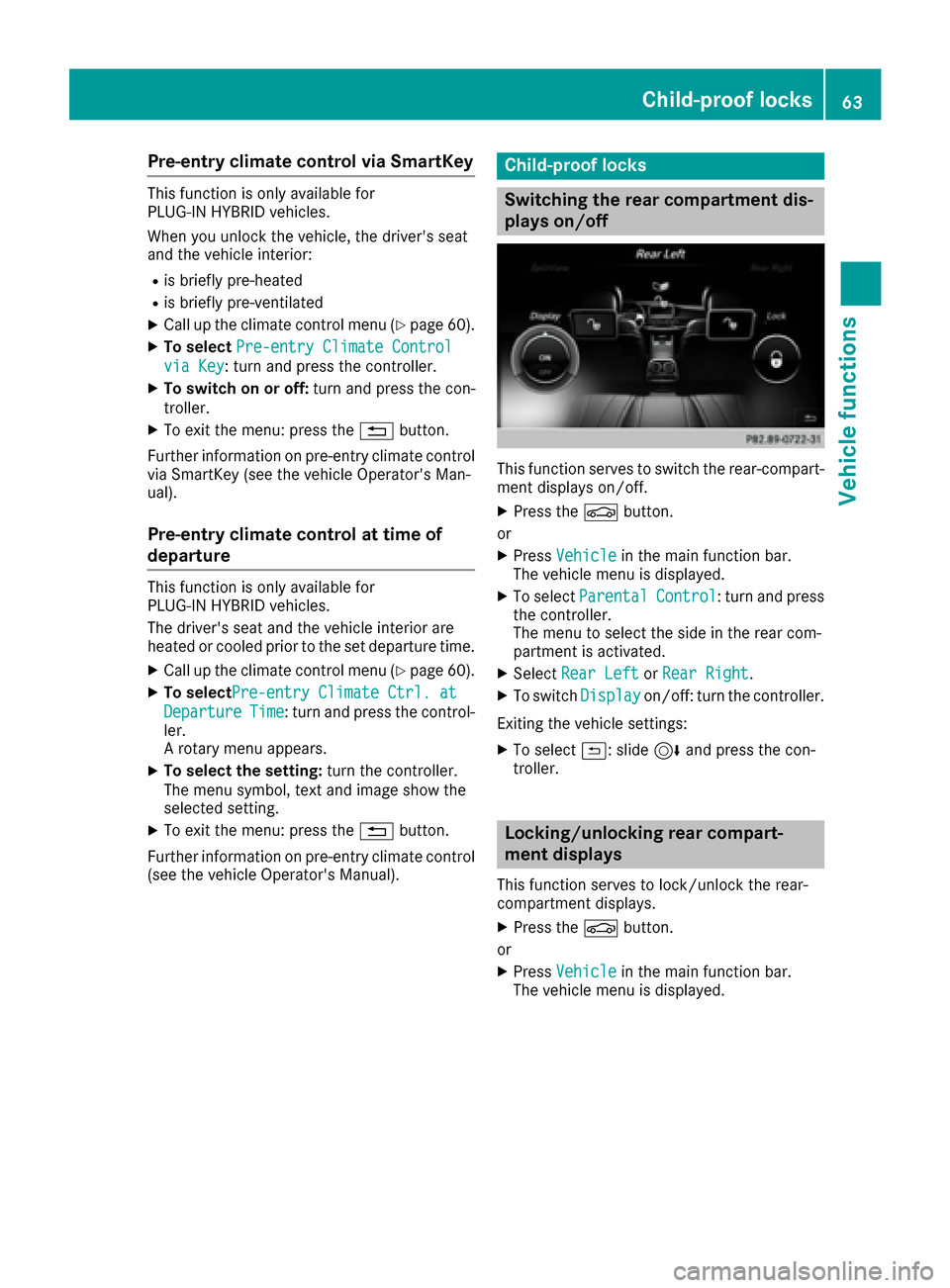
Switching the rear compartment dis-
plays on/off
This function serves to switch the rear-compart-
ment displays on/off.
XPress the Øbutton.
or
XPress Vehiclein the main function bar.
The vehicle menu is displayed.
XTo select ParentalControl: turn and press
the controller.
The menu to select the side in the rear com-
partment is activated.
XSelect Rear LeftorRear Right.
XTo switch Displayon/off: turn the controller.
Exiting the vehicle settings:
XTo select &: slide 6and press the con-
troller.
Locking/unlocking rear compart-
ment displays
This function serves to lock/unlock the rear-
compartment displays.
XPress the Øbutton.
or
XPress Vehiclein the main function bar.
The vehicle menu is displayed.
Child-proof locks63
Vehicle functions
Z
Page 166 of 230
Your multimediasystem equipment
These operating instructions describe all the
standard and optional equipment of your multi-
media system, as available at the time of going
to press. Country-specifi cdifferences are pos-
sible. Bear in mind that your vehicle may not
feature all functions described here. This also
applies to safety-relevant systems andfunc-
tions.
Read the information on qualified specialist
workshop s in the vehicle Operator's Manual.
Activating media mode
General notes
There are several ways to activate media sour-
ce s using the multimedia system.
The relevant sections of the Operator's Manual
describe the simplest way to activateamedia
source. Thi s section describes all options for
activating media sources. If you wish to play
external media sources, the default display
must already be turned on.
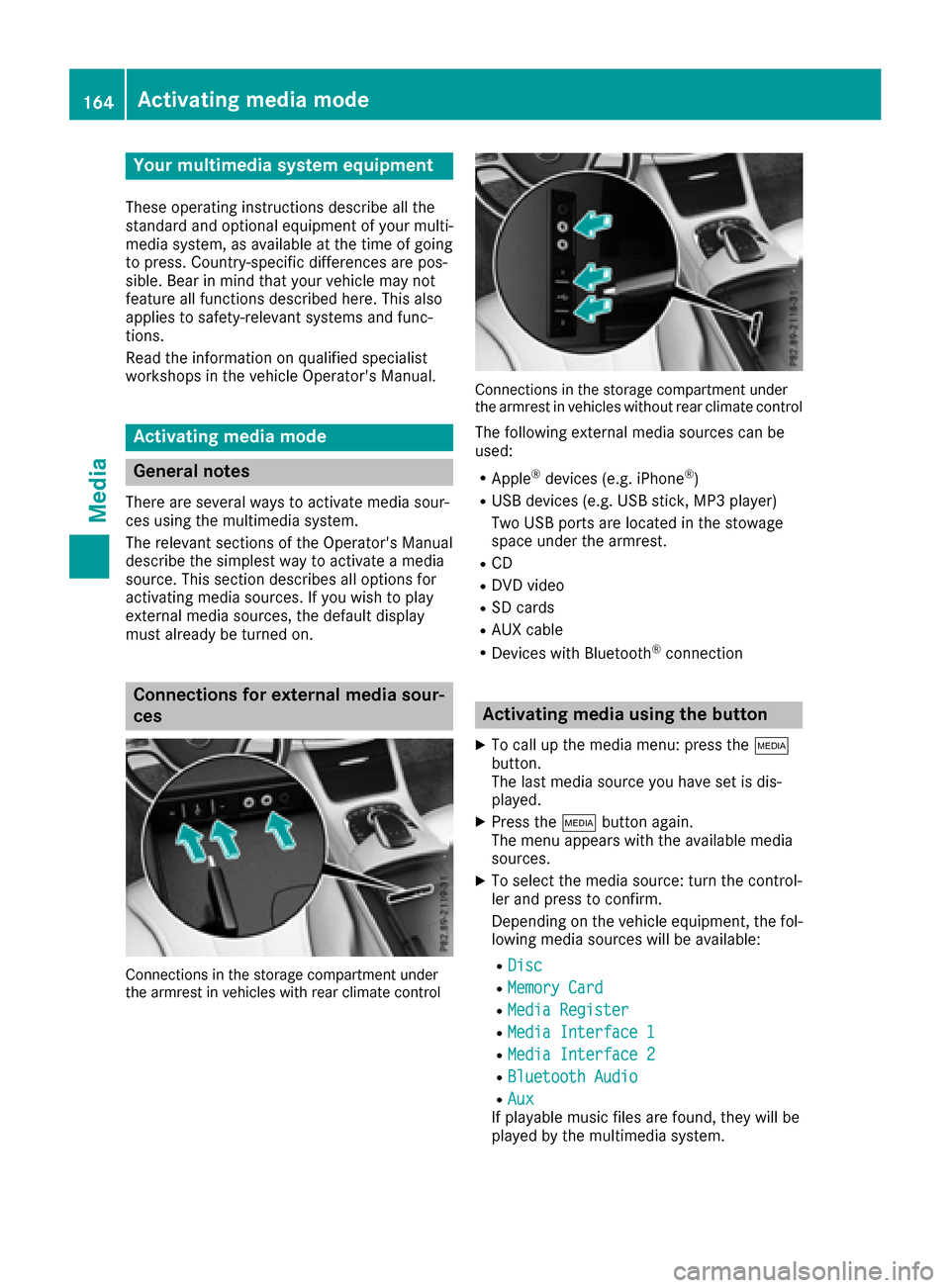
Connections for external media sour-
ces
Connection s in thestorage compartmen t under
th earmres t in vehicles with rearclimate contro l
Connections in thestorage compartmen t under
th earmres t in vehicles without rearclimate contro l
The following external media sources can be
used:
RApple®devices (e.g. iPhone®)
RUSB devices (e.g. USB stick, MP3 player)
Two USB ports are located in the stowage
space under the armrest.
RCD
RDVD video
RSD cards
RAU X cable
RDevices with Bluetooth®connection
Activating media using the button
XTo call up the media menu: press the Õ
button.
The last media source you have set is dis-
played.
XPress the Õbutton again.
The menu appears with the available media
sources.
XTo select themedia source: turn th econtrol-
ler and press to confirm .
Depending on the vehicle equipment, thefol-
lowing media sources will be available:
RDisc
RMemory Card
RMedi aRegister
RMedi aInterfac e1
RMediaInterfac e2
RBluetoothAudi o
RAuxIf playable music files are found, they will be
played by the multimedia system.
164Activating media mode
Media
Page 215 of 230
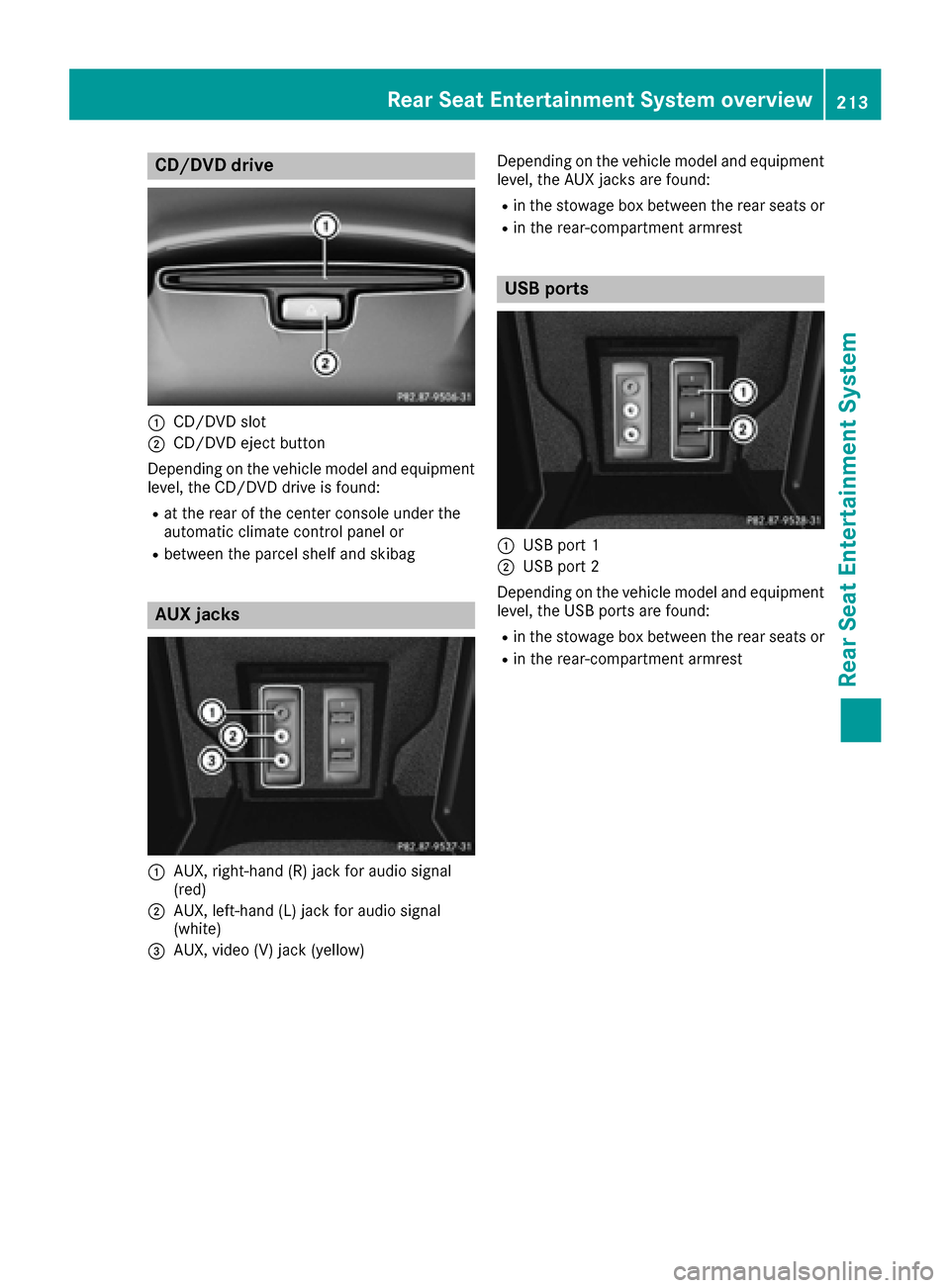
CD/DVD drive
:CD/DVD slot
;CD/DVD eject button
Depending on the vehicle model and equipment
level, the CD/DVD drive is found:
Rat the rear of the center console under the
automatic climate control panel or
Rbetween the parcel shelf and skibag
AUX jacks
:AUX, right-hand (R) jack for audio signal
(red)
;AUX, left-hand (L) jack for audio signal
(white)
=AUX, video (V) jack (yellow) Depending on the vehicle model and equipment
level, the AUX jacks are found:
Rin the stowage box between the rear seats or
Rin the rear-compartment armrest
USB ports
:USB port 1
;USB port 2
Depending on the vehicle model and equipment
level, the USB ports are found:
Rin the stowage box between the rear seats or
Rin the rear-compartment armrest
Rear Seat Entertainment System overview213
Rear Seat Entertainment System
Z
Page 220 of 230
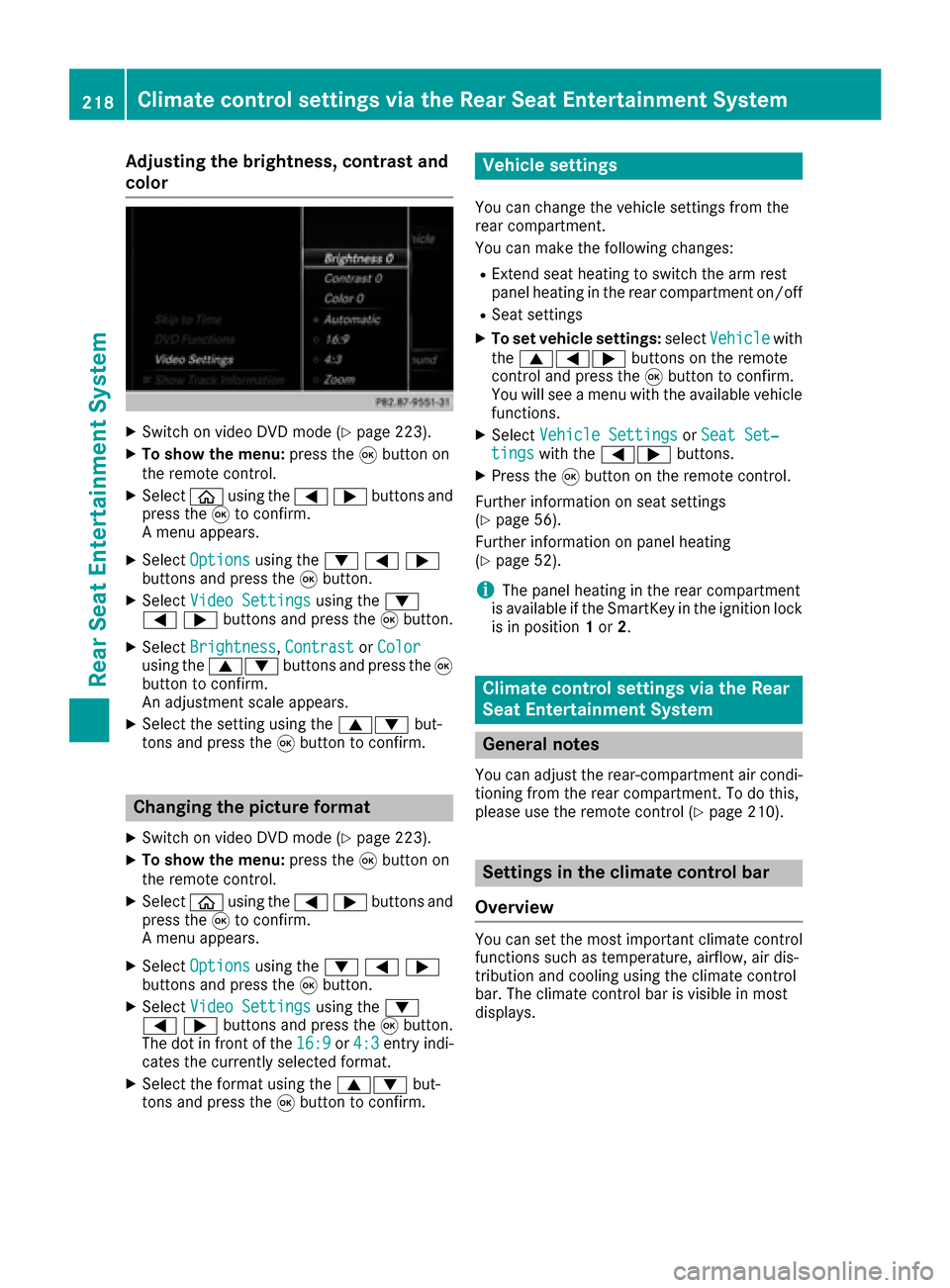
Adjusting the brightness, contrast and
color
XSwitc h on video DVD mod e(Ypage 223).
XTo showthemenu: press th e9 button on
th e remote control.
XSelectòusing the=;buttons and
press the 9to confirm.
A menu appears.
XSelect Optionsusing the :=;
buttons and press the 9button.
XSelect Video Settingsusing the :
=;buttons and press the 9button.
XSelect Brightness,Contrastor Colorusing the 9: buttons and press the 9
button to confirm.
An adjustment scale appears.
XSelect the setting using the 9:but-
tons and press the 9button to confirm.
Changing the picture format
XSwitch on video DVD mode (Ypage 223).
XTo show the menu: press the9button on
the remote control.
XSelect òusing the =;buttons and
press the 9to confirm.
A menu appears.
XSelect Optionsusing the :=;
buttons and press the 9button.
XSelect Video Settingsusing the :
=;buttons and press the 9button.
The dot in front of the 16:9
or4:3entry indi-
cates the currently selected format.
XSelect the format using the 9:but-
tons and press the 9button to confirm.
Vehicle settings
You can change the vehicle settings from the
rear compartment.
You can make the following changes:
RExtend seat heating to switch the arm rest
panel heating in the rear compartment on/off
RSeat settings
XTo set vehicle settings: selectVehiclewith
the 9=; buttons on the remote
control and press the 9button to confirm.
You will see a menu with the available vehicle
functions.
XSelect Vehicle SettingsorSeat Set‐tingswith the =; buttons.
XPress the9button on the remote control.
Further information on seat settings
(
Ypage 56).
Further information on panel heating
(
Ypage 52).
iThe panel heating in the rear compartment
is available if the SmartKey in the ignition lock
is in position 1or 2.
Climate control settings via the Rear
Seat Entertainment System
General notes
You can adjust the rear-compartment air condi-
tioning from the rear compartment. To do this,
please use the remote control (
Ypage 210).
Settings in the climate control bar
Overview
You can set the most important climate control
functions such as temperature, airflow, air dis-
tribution and cooling using the climate control
bar. The climate control bar is visible in most
displays.
218Climate control settings via the Rear Seat Entertainment System
Rear Seat Entertainment System
Page 221 of 230
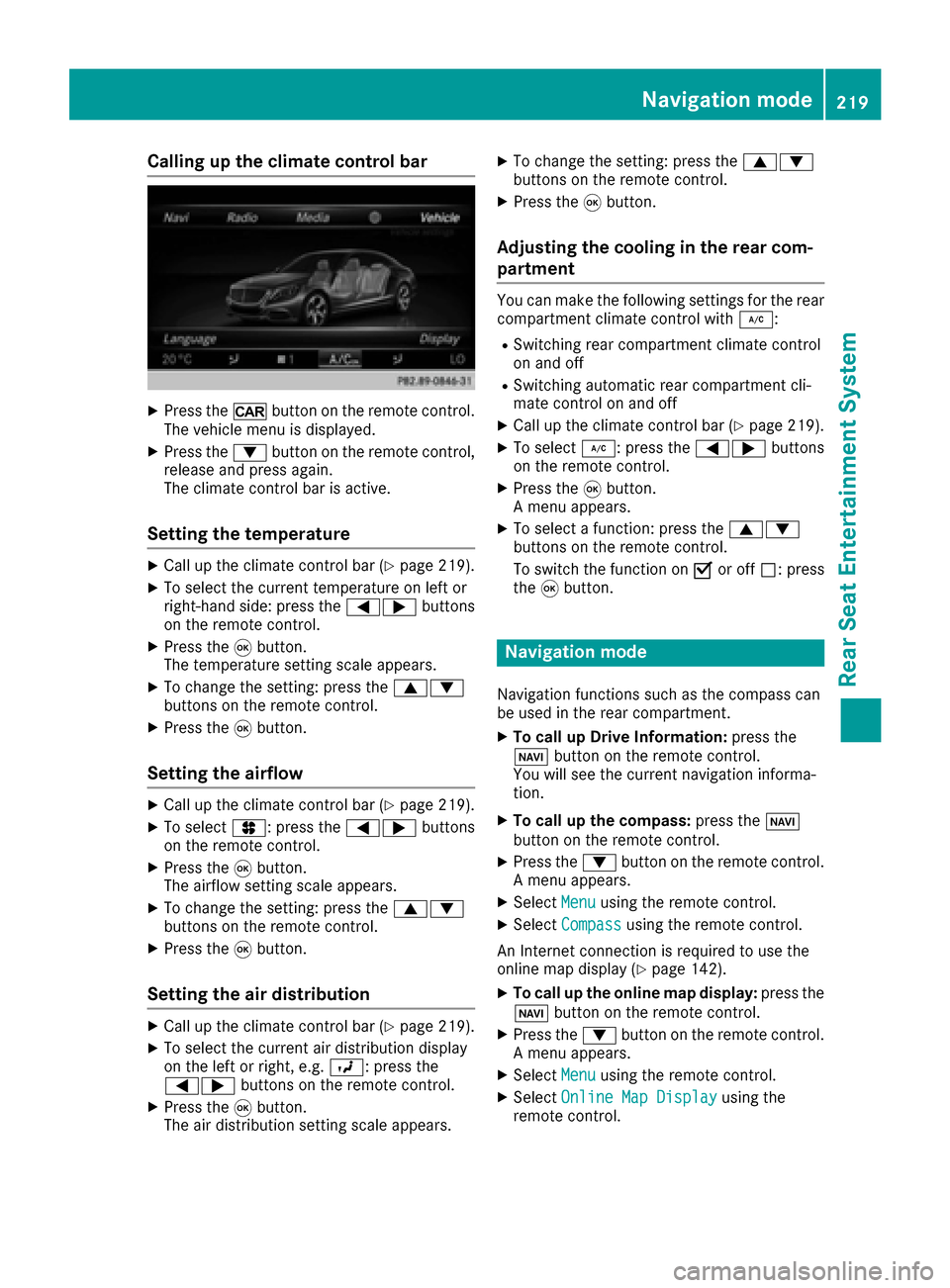
Calling up the climate control bar
XPress the/button on the remote control.
The vehicle menu is displayed.
XPress the :button on the remote control,
release and press again.
The climate control bar is active.
Setting the temperature
XCall up the climate control bar (Ypage 219).
XTo select the current temperature on left or
right-hand side: press the =;buttons
on the remote control.
XPress the 9button.
The temperature setting scale appears.
XTo change the setting: press the 9:
buttons on the remote control.
XPress the 9button.
Setting the airflow
XCall up the climate control bar (Ypage 219).
XTo select J: press the =;buttons
on the remote control.
XPress the 9button.
The airflow setting scale appears.
XTo change the setting: press the 9:
buttons on the remote control.
XPress the 9button.
Setting the air distribution
XCall up the climate control bar (Ypage 219).
XTo select the current air distribution display
on the left or right, e.g. O: press the
=; buttons on the remote control.
XPress the9button.
The air distribution setting scale appears.
XTo change the setting: press the 9:
buttons on the remote control.
XPress the 9button.
Adjusting the cooling in the rear com-
partment
You can make the following settings for the rear
compartment climate control with ¿:
RSwitching rear compartment climate control
on and off
RSwitching automatic rear compartment cli-
mate control on and off
XCall up the climate control bar (Ypage 219).
XTo select¿: press the =;buttons
on the remote control.
XPress the 9button.
A menu appears.
XTo select a function: press the 9:
buttons on the remote control.
To switch the function on Oor off ª: press
the 9button.
Navigation mode
Navigation functions such as the compass can
be used in the rear compartment.
XTo call up Drive Information: press the
Ø button on the remote control.
You will see the current navigation informa-
tion.
XTo call up the compass: press theØ
button on the remote control.
XPress the :button on the remote control.
A menu appears.
XSelect Menuusing the remote control.
XSelectCompassusing the remote control.
An Internet connection is required to use the
online map display (
Ypage 142).
XTo call up the online map display: press the
Ø button on the remote control.
XPress the :button on the remote control.
A menu appears.
XSelect Menuusing the remote control.
XSelectOnline Map Displayusing the
remote control.
Navigation mode219
Rear Seat Entertainment System
Z
Page 223 of 230
XPress theÕbutton on the remote control.
XTo show the menu: press the :button on
the remote control.
XTo select Devices: press the :=;
buttons on the remote control.
The discs/devices available are shown. The #
dot indicates the current setting.
XSelect the device/disc using the :9
buttons and press the 9button to confirm.
If the device/disc contains music or video
files, these will be played.
Music search
XSelect the preferred media source.
XPress the :button on the remote control.
The menu is shown.
XSelect Searchusing the =; buttons
on the remote control and press the 9but-
ton.
Further information on the music search
(
Ypage 173).
Audio/video mode
Important safety notes
GWARNING
The CD/DVD drive is a class 1 laser product.
If you open the housing of the CD/DVD drive,
there is a risk of exposure to invisible laser
radiation. This laser radiation could damage
your retina. There is a risk of injury.
Never open the housing. Always have main-
tenance and repair work carried out at a quali- fied specialist workshop.
General notes
You will find information on the following topics
in the Audio section:
RNotes on CD/DVD discs (Ypage 167)
RNotes on MP3 mode (Ypage 166)
RNotes on copyright (Ypage 167)
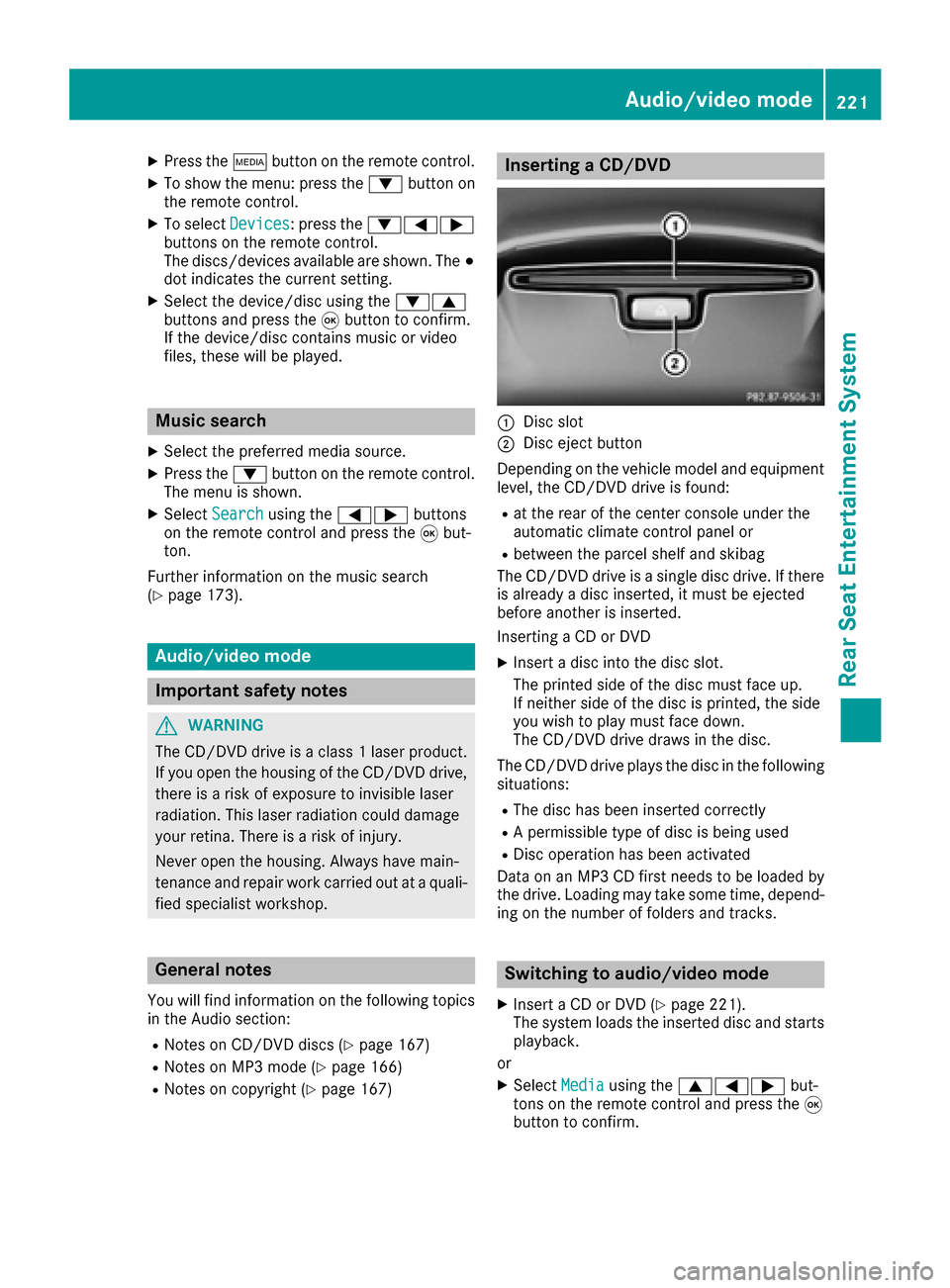
Inserting a CD/DVD
:Disc slot
;Disc eject button
Depending on the vehicle model and equipment
level, the CD/DVD drive is found:
Rat the rear of the center console under the
automatic climate control panel or
Rbetween the parcel shelf and skibag
The CD/DVD drive is a single disc drive. If there
is already a disc inserted, it must be ejected
before another is inserted.
Inserting a CD or DVD
XInsert a disc into the disc slot.
The printed side of the disc must face up.
If neither side of the disc is printed, the side
you wish to play must face down.
The CD/DVD drive draws in the disc.
The CD/DVD drive plays the disc in the following situations:
RThe disc has been inserted correctly
RA permissible type of disc is being used
RDisc operation has been activated
Data on an MP3 CD first needs to be loaded by
the drive. Loading may take some time, depend- ing on the number of folders and tracks.
Switching to audio/video mode
XInsert a CD or DVD (Ypage 221).
The system loads the inserted disc and starts
playback.
or
XSelect Mediausing the 9=; but-
tons on the remote control and press the 9
button to confirm.
Audio/video mode221
Rear Seat Entertainment System
Z