ABS MERCEDES-BENZ S-CLASS SEDAN 2012 Owners Manual
[x] Cancel search | Manufacturer: MERCEDES-BENZ, Model Year: 2012, Model line: S-CLASS SEDAN, Model: MERCEDES-BENZ S-CLASS SEDAN 2012Pages: 536, PDF Size: 39.39 MB
Page 6 of 536
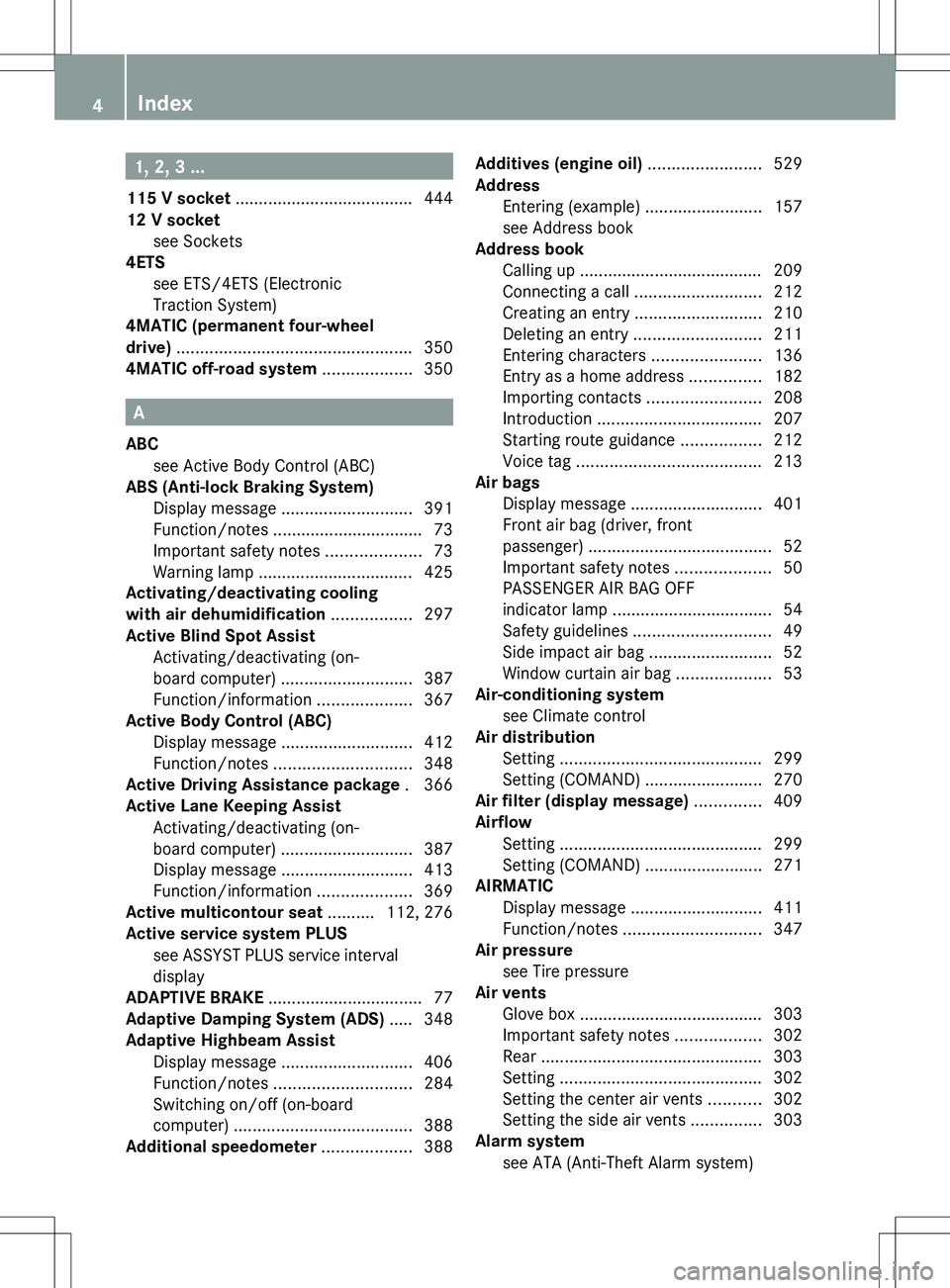
1, 2, 3 ...
115 V socket ...................................... 444
12 V socket see Sockets
4ETS
see ETS/4ETS (Electronic
Traction System)
4MATIC (permanent four-wheel
drive) .................................................. 350
4MATIC off-road system ................... 350
A
ABC see Active Body Control (ABC)
ABS (Anti-lock Braking System)
Display message ............................ 391
Function/notes ................................ 73
Important safety notes ....................73
Warning lamp ................................. 425
Activating/deactivating cooling
with air dehumidification ................. 297
Active Blind Spot Assist Activating/deactivating (on-
board computer) ............................ 387
Function/information ....................367
Active Body Control (ABC)
Display message ............................ 412
Function/notes ............................. 348
Active Driving Assistance package . 366
Active Lane Keeping Assist Activating/deactivating (on-
board computer) ............................ 387
Display message ............................ 413
Function/information ....................369
Active multicontour seat .......... 112, 276
Active service system PLUS see ASSYST PLUS service interval
display
ADAPTIVE BRAKE ................................. 77
Adaptive Damping System (ADS) ..... 348
Adaptive Highbeam Assist Display message ............................ 406
Function/notes ............................. 284
Switching on/off (on-board
computer) ...................................... 388
Additional speedometer ................... 388
Additives (engine oil) ........................ 529
Address Entering (example) .........................157
see Address book
Address book
Calling up ....................................... 209
Connecting a call ........................... 212
Creating an entry ........................... 210
Deleting an entry ........................... 211
Entering characters .......................136
Entry as a home address ...............182
Importing contacts ........................208
Introduction ................................... 207
Starting route guidance .................212
Voice tag ....................................... 213
Air bags
Display message ............................ 401
Front air bag (driver, front
passenger) ....................................... 52
Important safety notes ....................50
PASSENGER AIR BAG OFF
indicator lamp .................................. 54
Safety guidelines ............................. 49
Side impact air bag ..........................52
Window curtain air bag ....................53
Air-conditioning system
see Climate control
Air distribution
Setting ........................................... 299
Setting (COMAND) .........................270
Air filter (display message) .............. 409
Airflow Setting ........................................... 299
Setting (COMAND) .........................271
AIRMATIC
Display message ............................ 411
Function/notes ............................. 347
Air pressure
see Tire pressure
Air vents
Glove box ....................................... 303
Important safety notes ..................302
Rear ............................................... 303
Setting ........................................... 302
Setting the center air vents ...........302
Setting the side air vents ...............303
Alarm system
see ATA (Anti-Theft Alarm system) 4Index
Page 7 of 536
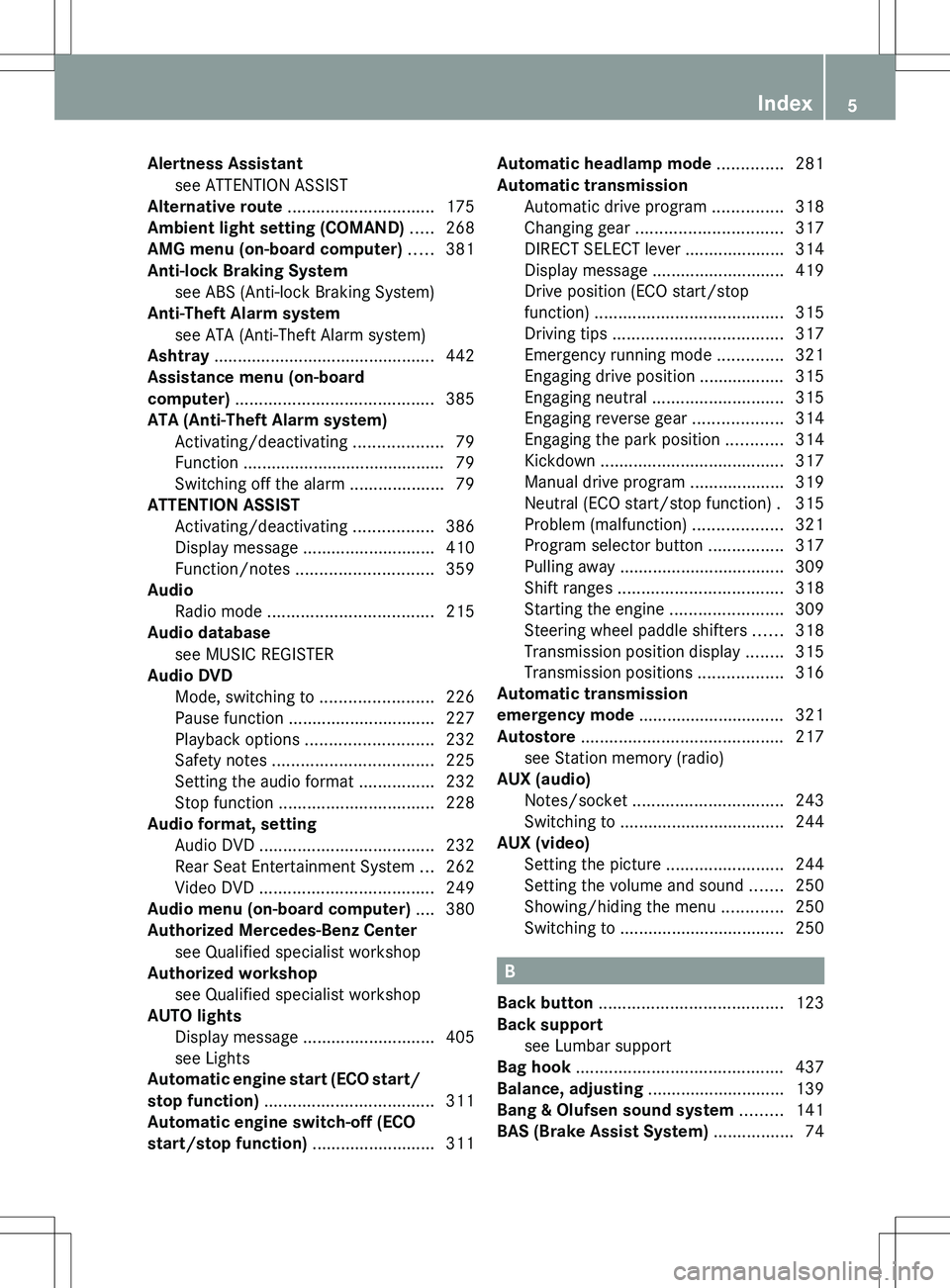
Alertness Assistantsee ATTENTION ASSIST
Alternative route ............................... 175
Ambient light setting (COMAND) ..... 268
AMG menu (on-board computer) ..... 381
Anti-lock Braking System see ABS (Anti-lock Braking System)
Anti-Theft Alarm system
see ATA (Anti-Theft Alarm system)
Ashtray ............................................... 442
Assistance menu (on-board
computer) .......................................... 385
ATA (Anti-Theft Alarm system) Activating/deactivating ...................79
Function ........................................... 79
Switching off the alarm ....................79
ATTENTION ASSIST
Activating/deactivating .................386
Display message ............................ 410
Function/notes ............................. 359
Audio
Radio mode ................................... 215
Audio database
see MUSIC REGISTER
Audio DVD
Mode, switching to ........................226
Pause function ............................... 227
Playback options ........................... 232
Safety notes .................................. 225
Setting the audio format ................232
Stop function ................................. 228
Audio format, setting
Audio DVD ..................................... 232
Rear Seat Entertainment System ...262
Video DVD ..................................... 249
Audio menu (on-board computer) .... 380
Authorized Mercedes-Benz Center see Qualified specialist workshop
Authorized workshop
see Qualified specialist workshop
AUTO lights
Display message ............................ 405
see Lights
Automatic engine start (ECO start/
stop function) .................................... 311
Automatic engine switch-off (ECO
start/stop function) .......................... 311Automatic headlamp mode .............. 281
Automatic transmission Automatic drive program ...............318
Changing gear ............................... 317
DIRECT SELECT lever .....................314
Display message ............................ 419
Drive position (ECO start/stop
function) ........................................ 315
Driving tips .................................... 317
Emergency running mode ..............321
Engaging drive position .................. 315
Engaging neutral ............................ 315
Engaging reverse gear ...................314
Engaging the park position ............314
Kickdown ....................................... 317
Manual drive program ....................319
Neutral (ECO start/stop function) . 315
Problem (malfunction) ...................321
Program selector button ................317
Pulling away ................................... 309
Shift ranges ................................... 318
Starting the engine ........................309
Steering wheel paddle shifters ......318
Transmission position display ........315
Transmission positions ..................316
Automatic transmission
emergency mode ............................... 321
Autostore ........................................... 217
see Station memory (radio)
AUX (audio)
Notes/socket ................................ 243
Switching to ................................... 244
AUX (video)
Setting the picture .........................244
Setting the volume and sound .......250
Showing/hiding the menu .............250
Switching to ................................... 250
B
Back button ....................................... 123
Back support see Lumbar support
Bag hook ............................................ 437
Balance, adjusting ............................. 139
Bang & Olufsen sound system ......... 141
BAS (Brake Assist System) ................. 74
Index5
Page 8 of 536
Basic settingssee Settings
BAS PLUS (Brake Assist System
PLUS) .................................................... 74
Bass, setting ...................................... 139
Battery (SmartKey) Checking .......................................... 85
Important safety notes ....................85
Replacing ......................................... 85
Battery (vehicle)
Charging ........................................ 482
Display message ............................ 407
Important safety notes ..................480
Jump starting ................................. 483
Belt
see Seat belts
Bird's-eye view (navigation) ............. 188
Blind see Roller sunblind
Blind Spot Assist
Activating/deactivating .................387
Notes/function .............................. 363
see Active Blind Spot Assist
BlueTEC (DEF) .................................... 527
Bluetooth ®
Activating/deactivating .................151
Authorizing a device (registering) ..152
Conditions (general) ......................151
Conditions (telephone) ..................199
Connecting another mobile phone . 201
Connecting devices .......................151
De-authorizing (de-registering) a
device ............................................ 153
External authorization (general) .....153
External authorization (telephone) . 201
General information .......................151
Introduction ................................... 197
Receiving vCards ........................... 208
Searching for devices ....................152
Settings ......................................... 151
Telephone basic menu ...................202
Telephony ...................................... 199
Telephony notes ............................ 197
Bluetooth ®
interface
Telephony ...................................... 197
Brake Assist System
see BAS (Brake Assist System) Brake fluid
Display message ............................ 398
Notes ............................................. 529
Brake fluid level ................................ 464
Brake lamps Display message ............................ 404
Brakes
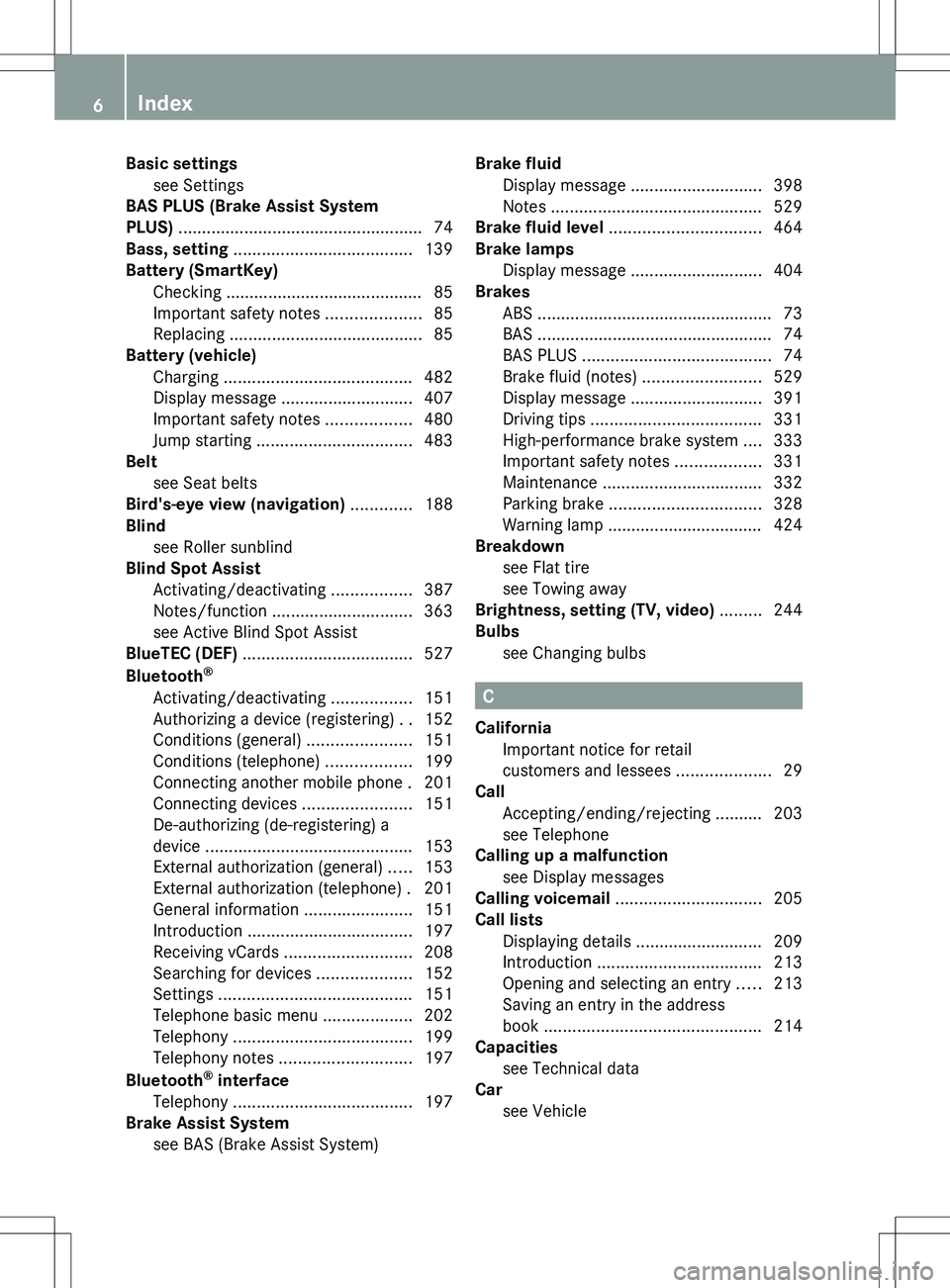
ABS .................................................. 73
BAS .................................................. 74
BAS PLUS ........................................ 74
Brake fluid (notes) .........................529
Display message ............................ 391
Driving tips .................................... 331
High-performance brake system ....333
Important safety notes ..................331
Maintenance .................................. 332
Parking brake ................................ 328
Warning lamp ................................. 424
Breakdown
see Flat tire
see Towing away
Brightness, setting (TV, video) ......... 244
Bulbs see Changing bulbs
C
California Important notice for retail
customers and lessees ....................29
Call
Accepting/ending/rejecting .......... 203
see Telephone
Calling up a malfunction
see Display messages
Calling voicemail ............................... 205
Call lists Displaying details ........................... 209
Introduction ................................... 213
Opening and selecting an entry .....213
Saving an entry in the address
book .............................................. 214
Capacities
see Technical data
Car
see Vehicle
6Index
Page 12 of 536
Setting the specified minimum
distance ......................................... 342
Warning lamp ................................. 430
Dolby ®
Digital .................................... 140
Doors Automatic locking (switch) ............... 89
Central locking/unlocking
(SmartKey) ....................................... 82
Control panel ................................... 43
Display message ............................ 420
Emergency locking ........................... 91
Emergency unlocking .......................90
Important safety notes ....................88
Opening (from inside) ......................89
Power closing feature ......................90
Drinking and driving ......................... 330
Drinks holder see Cup holder
Drive program
Automatic ...................................... 318
Manual ........................................... 319
Driver's door
see Doors
Driver's seat
see Seats
Driving abroad
Mercedes-Benz Service .................466
Symmetrical low beam ..................280
Driving Assistance package ............. 363
Driving lamps see Daytime running lamps
Driving safety systems
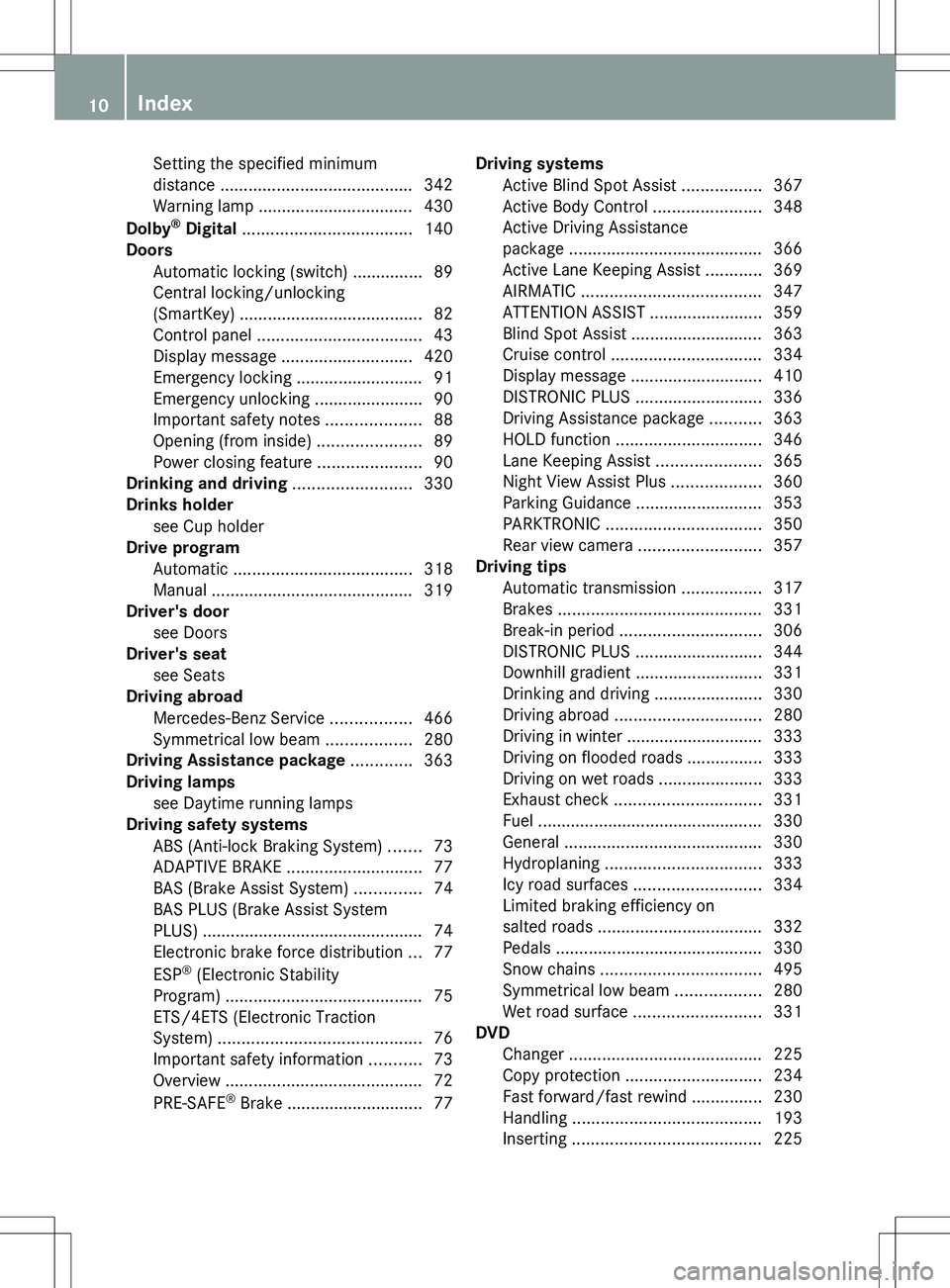
ABS (Anti-lock Braking System) .......73
ADAPTIVE BRAKE ............................. 77
BAS (Brake Assist System) ..............74
BAS PLUS (Brake Assist System
PLUS) ............................................... 74
Electronic brake force distribution ...77
ESP ®
(Electronic Stability
Program) .......................................... 75
ETS/4ETS (Electronic Traction
System) ........................................... 76
Important safety information ...........73
Overview .......................................... 72
PRE-SAFE ®
Brake ............................. 77Driving systems
Active Blind Spot Assist .................367
Active Body Control .......................348
Active Driving Assistance
package ......................................... 366
Active Lane Keeping Assist ............369
AIRMATIC ...................................... 347
ATTENTION ASSIST ........................359
Blind Spot Assist ............................ 363
Cruise control ................................ 334
Display message ............................ 410
DISTRONIC PLUS ........................... 336
Driving Assistance package ...........363
HOLD function ............................... 346
Lane Keeping Assist ......................365
Night View Assist Plus ...................360
Parking Guidance ........................... 353
PARKTRONIC ................................. 350
Rear view camera .......................... 357
Driving tips
Automatic transmission .................317
Brakes ........................................... 331
Break-in period .............................. 306
DISTRONIC PLUS ........................... 344
Downhill gradient ........................... 331
Drinking and driving .......................330
Driving abroad ............................... 280
Driving in winter ............................. 333
Driving on flooded roads ................333
Driving on wet roads ......................333
Exhaust check ............................... 331
Fuel ................................................ 330
General .......................................... 330
Hydroplaning ................................. 333
Icy road surfaces ........................... 334
Limited braking efficiency on
salted roads ................................... 332
Pedals ............................................ 330
Snow chains .................................. 495
Symmetrical low beam ..................280
Wet road surface ........................... 331
DVD
Changer ......................................... 225
Copy protection ............................. 234
Fast forward/fast rewind ...............230
Handling ........................................ 193
Inserting ........................................ 22510Index
Page 28 of 536
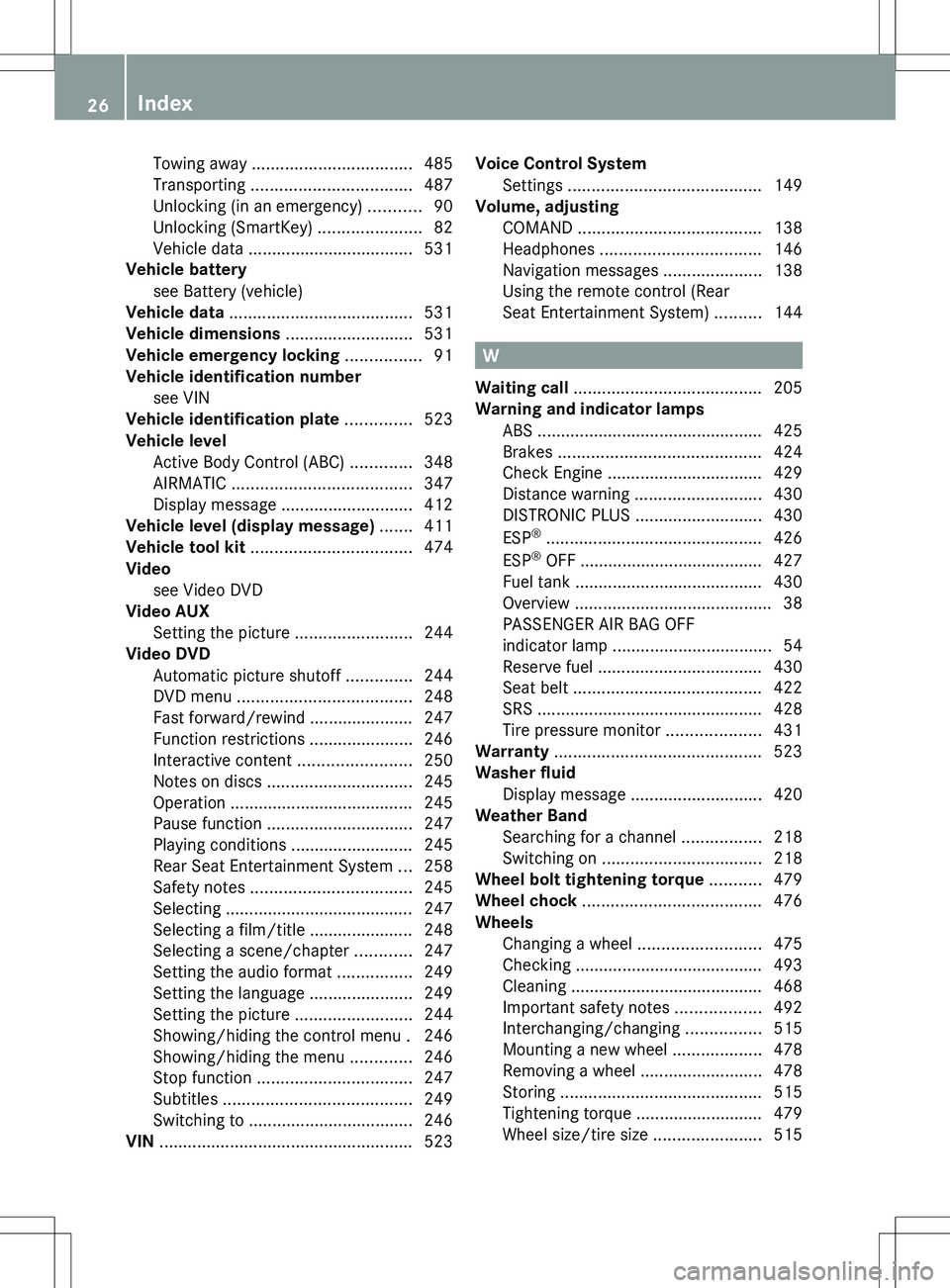
Towing away .................................. 485
Transporting .................................. 487
Unlocking (in an emergency) ...........90
Unlocking (SmartKey) ......................82
Vehicle data ................................... 531
Vehicle battery
see Battery (vehicle)
Vehicle data ....................................... 531
Vehicle dimensions ........................... 531
Vehicle emergency locking ................ 91
Vehicle identification number see VIN
Vehicle identification plate .............. 523
Vehicle level Active Body Control (ABC) .............348
AIRMATIC ...................................... 347
Display message ............................ 412
Vehicle level (display message) ....... 411
Vehicle tool kit .................................. 474
Video see Video DVD
Video AUX
Setting the picture .........................244
Video DVD
Automatic picture shutoff ..............244
DVD menu ..................................... 248
Fast forward/rewind ...................... 247
Function restrictions ......................246
Interactive content ........................250
Notes on discs ............................... 245
Operation ....................................... 245
Pause function ............................... 247
Playing conditions .......................... 245
Rear Seat Entertainment System ...258
Safety notes .................................. 245
Selecting ........................................ 247
Selecting a film/title ...................... 248
Selecting a scene/chapter ............247
Setting the audio format ................249
Setting the language ......................249
Setting the picture .........................244
Showing/hiding the control menu . 246
Showing/hiding the menu .............246
Stop function ................................. 247
Subtitles ........................................ 249
Switching to ................................... 246
VIN ...................................................... 523Voice Control System
Settings ......................................... 149
Volume, adjusting
COMAND ....................................... 138
Headphones .................................. 146
Navigation messages .....................138
Using the remote control (Rear
Seat Entertainment System) ..........144
W
Waiting call ........................................ 205
Warning and indicator lamps ABS ................................................ 425
Brakes ........................................... 424
Check Engine ................................. 429
Distance warning ........................... 430
DISTRONIC PLUS ........................... 430
ESP ®
.............................................. 426
ESP ®
OFF ....................................... 427
Fuel tank ........................................ 430
Overview .......................................... 38
PASSENGER AIR BAG OFF
indicator lamp .................................. 54
Reserve fuel ................................... 430
Seat belt ........................................ 422
SRS ................................................ 428
Tire pressure monitor ....................431
Warranty ............................................ 523
Washer fluid Display message ............................ 420
Weather Band
Searching for a channel .................218
Switching on .................................. 218
Wheel bolt tightening torque ........... 479
Wheel chock ...................................... 476
Wheels Changing a wheel .......................... 475
Checking ........................................ 493
Cleaning ......................................... 468
Important safety notes ..................492
Interchanging/changing ................515
Mounting a new wheel ...................478
Removing a wheel ..........................478
Storing ........................................... 515
Tightening torque ........................... 479
Wheel size/tire size .......................515
26Index
Page 40 of 536
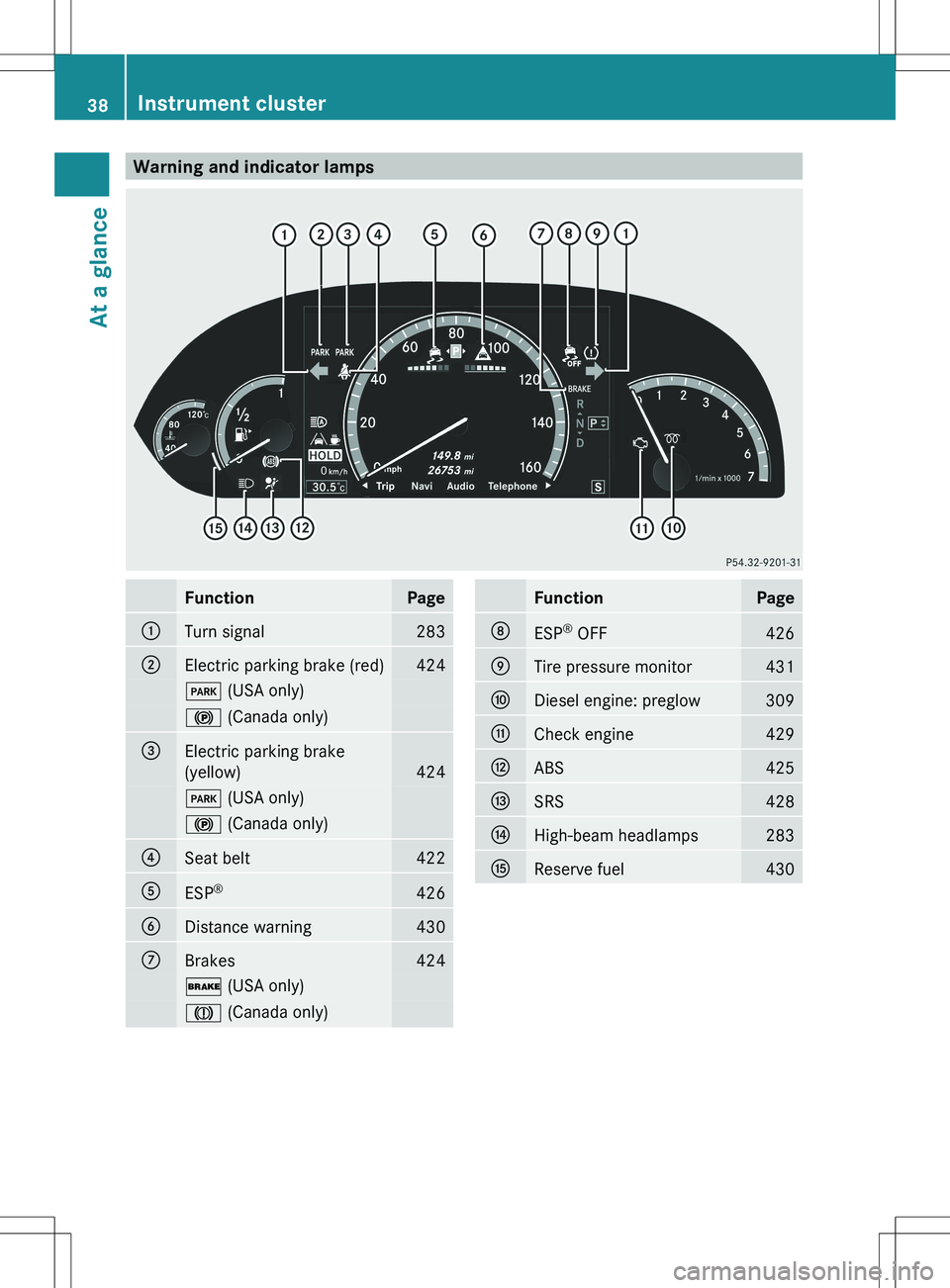
Warning and indicator lampsFunctionPage:Turn signal283;Electric parking brake (red)424F (USA only)! (Canada only)=Electric parking brake
(yellow)
424
F (USA only)! (Canada only)?Seat belt422AESP®426BDistance warning430CBrakes424$
(USA only)J (Canada only)FunctionPageDESP®
OFF426ETire pressure monitor431FDiesel engine: preglow309GCheck engine429HABS425ISRS428JHigh-beam headlamps283KReserve fuel43038Instrument clusterAt a glance
Page 74 of 536
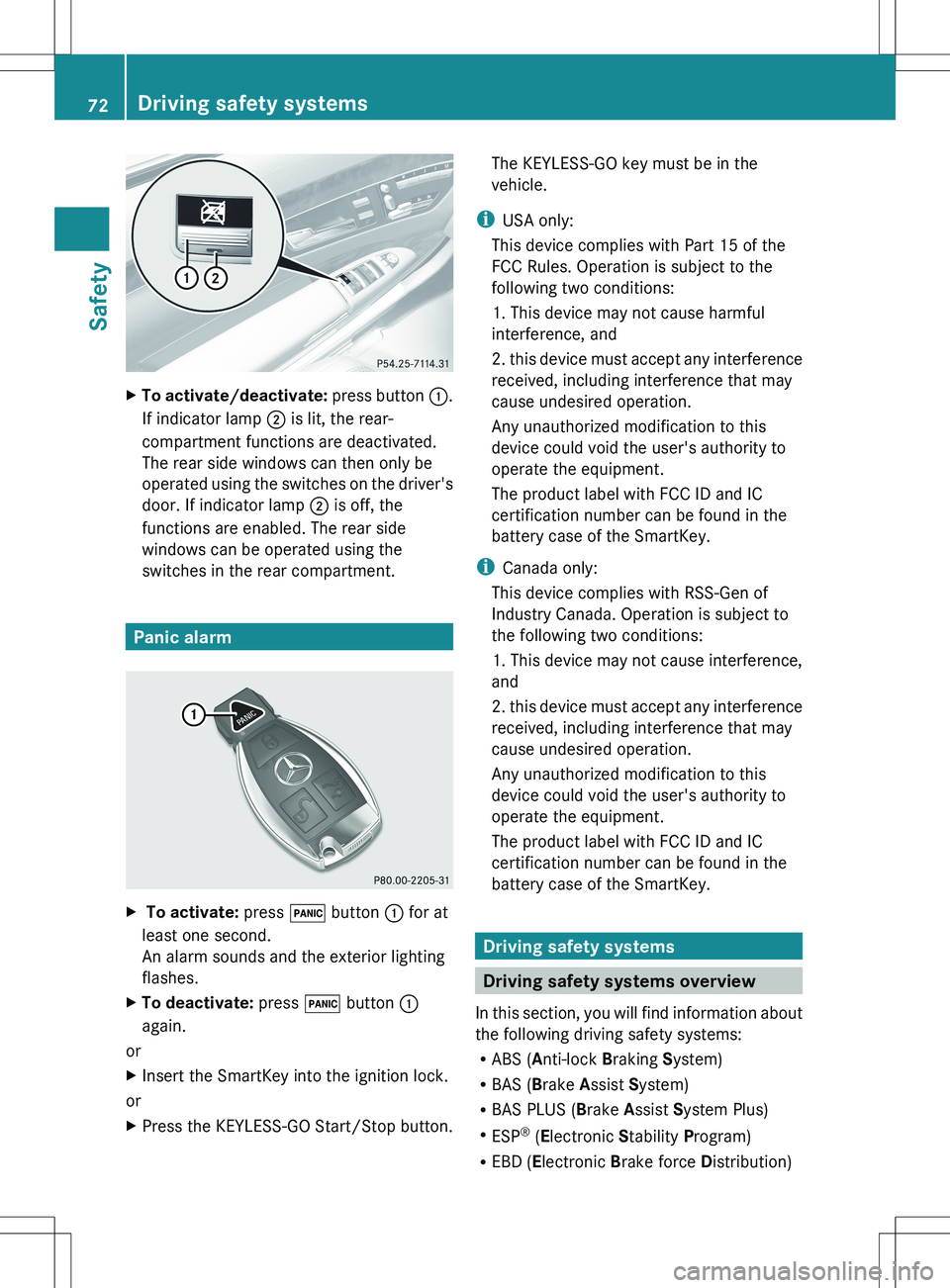
XTo activate/deactivate: press button :.
If indicator lamp ; is lit, the rear-
compartment functions are deactivated.
The rear side windows can then only be
operated using the switches on the driver's
door. If indicator lamp ; is off, the
functions are enabled. The rear side
windows can be operated using the
switches in the rear compartment.
Panic alarm
X To activate: press ! button : for at
least one second.
An alarm sounds and the exterior lighting
flashes.XTo deactivate: press ! button :
again.
or
XInsert the SmartKey into the ignition lock.
or
XPress the KEYLESS-GO Start/Stop button.The KEYLESS-GO key must be in the
vehicle.
i USA only:
This device complies with Part 15 of the
FCC Rules. Operation is subject to the
following two conditions:
1. This device may not cause harmful
interference, and
2. this device must accept any interference
received, including interference that may
cause undesired operation.
Any unauthorized modification to this
device could void the user's authority to
operate the equipment.
The product label with FCC ID and IC
certification number can be found in the
battery case of the SmartKey.
i Canada only:
This device complies with RSS-Gen of
Industry Canada. Operation is subject to
the following two conditions:
1. This device may not cause interference,
and
2. this device must accept any interference
received, including interference that may
cause undesired operation.
Any unauthorized modification to this
device could void the user's authority to
operate the equipment.
The product label with FCC ID and IC
certification number can be found in the
battery case of the SmartKey.
Driving safety systems
Driving safety systems overview
In this section, you will find information about
the following driving safety systems:
R ABS ( Anti-lock Braking System)
R BAS ( Brake Assist System)
R BAS PLUS ( Brake Assist System Plus)
R ESP ®
(E lectronic Stability Program)
R EBD ( Electronic Brake force Distribution)
72Driving safety systemsSafety
Page 75 of 536
RADAPTIVE BRAKE
R PRE-SAFE ®
Brake
Important safety notes
GWARNING
The following factors increase the risk of
accidents:
R Excessive speed, especially in turns
R Wet and slippery road surfaces
R Following another vehicle too closely
The driving safety systems described in this
section cannot reduce these risks or prevent
the natural laws of physics from acting on the
vehicle. They cannot increase braking or
steering efficiency beyond that afforded by
the condition of the vehicle brakes and tires
or the traction afforded.
Only a safe, attentive, and skillful driver can
prevent accidents.
The capabilities of a vehicle equipped with the
driving safety systems described in this
section must never be exploited in a reckless
or dangerous manner which could jeopardize
the user's safety or the safety of others.
Always adjust your driving style to the
prevailing road and weather conditions and
keep a safe distance to other road users and
objects on the street.
If a driving system malfunctions, other driving
safety systems may also switch off. Observe
indicator and warning lamps that may come
on as well as messages in the multifunction
display that may appear.
GWARNING
HYBRID vehicles: It is imperative that you read
the HYBRID Supplemental Operating
Instructions included in your vehicle literature
portfolio. You may otherwise not receive all
necessary safety information and warning for
the operation of your vehicle.
i Please note that the driving safety
systems described only work as effectively
as possible when there is adequate contact
between the tires and the road surface. Pay
particular attention to the information
regarding tires, recommended minimum
tire tread depths etc. in the "Wheels and
tires" section ( Y page 492).
In wintry driving conditions, always use
winter tires (M+S tires) and if necessary,
snow chains. Only in this way will the
driving safety systems described in this
section work as effectively as possible.
ABS (Anti-lock Braking System)
Important safety notes
i Observe the "Important safety notes"
section ( Y page 73).
ABS regulates brake pressure in such a way
that the wheels do not lock when you brake.
This allows you to continue steering the
vehicle when braking.
ABS works from a speed of about 5 mph
( 8 km/h) upwards, regardless of road-surface
conditions. ABS works on slippery surfaces,
even if you only brake gently.
GWARNING
If the ABS malfunctions, other driving systems
such as the BAS or the ESP ®
are also switched
off. Observe indicator and warning lamps that
may come on as well as messages in the
multifunction display that may appear.
If the ABS malfunctions, the wheels may lock
during hard braking, reducing the steering
capability and extending the braking distance.
The ! warning lamp in the instrument
cluster lights up when the ignition is switched
on. It goes out when the engine is running.
Brakes
If ABS intervenes when braking, you will feel
a pulsing in the brake pedal.
Driving safety systems73SafetyZ
Page 76 of 536
XIf ABS intervenes: continue to depress the
brake pedal vigorously until the braking
situation is over.XTo make a full brake application:
depress the brake pedal with full force.
The pulsating brake pedal can be an
indication of hazardous road conditions, and
functions as a reminder to take extra care
while driving.
GWARNING
Do not pump the brake pedal. Use firm, steady
brake pedal pressure instead. Pumping the
brake pedal defeats the purpose of the ABS
and significantly reduces braking
effectiveness.
BAS (Brake Assist System)
i Observe the "Important safety notes"
section ( Y page 73).
BAS operates in emergency braking
situations. If you depress the brake pedal
quickly, BAS automatically boosts the braking
force, thus shortening the stopping distance.
XKeep the brake pedal firmly depressed until
the emergency braking situation is over.
ABS prevents the wheels from locking.
The brakes will function as usual once you
release the brake pedal. BAS is deactivated.
GWARNING
If the BAS malfunctions, the brake system still
functions, but without the additional brake
boost available that the BAS would normally
provide in an emergency braking maneuver.
Therefore, the braking distance may increase.
BAS PLUS (Brake Assist System Plus)
BAS PLUS is only available in vehicles
equipped with DISTRONIC PLUS.
i Observe the "Important safety notes"
section ( Y page 73).
BAS PLUS assists you when braking in a
hazardous situation at speeds of over 4 mph
(7 km/h), and uses the radar sensor system
to assess traffic conditions.
i This device has been approved by the FCC
as a "Vehicular Radar System". The radar
sensor is intended for use in an automotive
radar system only. Removing, altering or
tampering with the device will void any
warranties, and is not permitted by the
FCC. Do not tamper with, alter, or use in
any non-approved way.
Any unauthorized modification to this
device could void the user's authority to
operate the equipment.
With the help of the radar sensor system, BAS
PLUS can detect obstacles that are in the
path of your vehicle for an extended period of
time.
BAS PLUS can also react to stationary
obstacles, e.g. stopped or parked vehicles, at
speeds of up to approximately 40 mph
(70 km/h).
Should you approach an obstacle and BAS
PLUS has detected a risk of collision, BAS
PLUS calculates the braking force necessary
to avoid a rear-end collision.
R For speeds above 20 mph (30 km/h) : if
you apply the brakes forcefully, BAS PLUS
automatically increases the braking force
to a level suitable for the traffic conditions.
R For speeds below 20 mph (30 km/h) : if
you apply the brakes, BAS PLUS is
activated. Braking is performed as late as
possible.
If BAS PLUS demands particularly high
braking force, preventative passenger
protection measures (PRE-SAFE ®
) are
activated simultaneously.XKeep the brake pedal depressed until the
emergency braking situation is over.
ABS prevents the wheels from locking.74Driving safety systemsSafety
Page 88 of 536
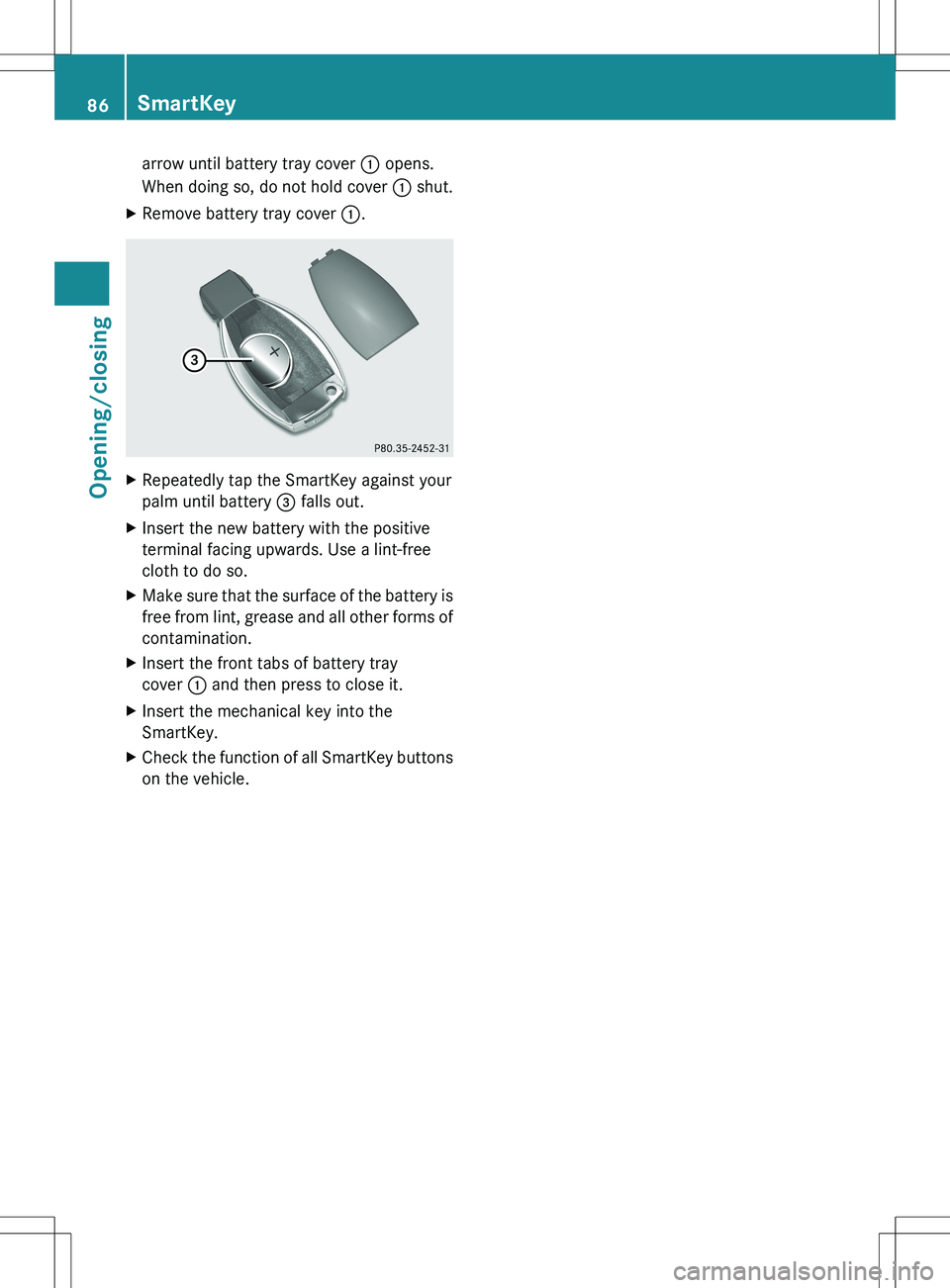
arrow until battery tray cover : opens.
When doing so, do not hold cover : shut.XRemove battery tray cover :.XRepeatedly tap the SmartKey against your
palm until battery = falls out.XInsert the new battery with the positive
terminal facing upwards. Use a lint-free
cloth to do so.XMake sure that the surface of the battery is
free from lint, grease and all other forms of
contamination.XInsert the front tabs of battery tray
cover : and then press to close it.XInsert the mechanical key into the
SmartKey.XCheck the function of all SmartKey buttons
on the vehicle.86SmartKeyOpening/closing