manual transmission MERCEDES-BENZ S-CLASS SEDAN 2012 Owners Manual
[x] Cancel search | Manufacturer: MERCEDES-BENZ, Model Year: 2012, Model line: S-CLASS SEDAN, Model: MERCEDES-BENZ S-CLASS SEDAN 2012Pages: 536, PDF Size: 39.39 MB
Page 7 of 536
Alertness Assistantsee ATTENTION ASSIST
Alternative route ............................... 175
Ambient light setting (COMAND) ..... 268
AMG menu (on-board computer) ..... 381
Anti-lock Braking System see ABS (Anti-lock Braking System)
Anti-Theft Alarm system
see ATA (Anti-Theft Alarm system)
Ashtray ............................................... 442
Assistance menu (on-board
computer) .......................................... 385
ATA (Anti-Theft Alarm system) Activating/deactivating ...................79
Function ........................................... 79
Switching off the alarm ....................79
ATTENTION ASSIST
Activating/deactivating .................386
Display message ............................ 410
Function/notes ............................. 359
Audio
Radio mode ................................... 215
Audio database
see MUSIC REGISTER
Audio DVD
Mode, switching to ........................226
Pause function ............................... 227
Playback options ........................... 232
Safety notes .................................. 225
Setting the audio format ................232
Stop function ................................. 228
Audio format, setting
Audio DVD ..................................... 232
Rear Seat Entertainment System ...262
Video DVD ..................................... 249
Audio menu (on-board computer) .... 380
Authorized Mercedes-Benz Center see Qualified specialist workshop
Authorized workshop
see Qualified specialist workshop
AUTO lights
Display message ............................ 405
see Lights
Automatic engine start (ECO start/
stop function) .................................... 311
Automatic engine switch-off (ECO
start/stop function) .......................... 311Automatic headlamp mode .............. 281
Automatic transmission Automatic drive program ...............318
Changing gear ............................... 317
DIRECT SELECT lever .....................314
Display message ............................ 419
Drive position (ECO start/stop
function) ........................................ 315
Driving tips .................................... 317
Emergency running mode ..............321
Engaging drive position .................. 315
Engaging neutral ............................ 315
Engaging reverse gear ...................314
Engaging the park position ............314
Kickdown ....................................... 317
Manual drive program ....................319
Neutral (ECO start/stop function) . 315
Problem (malfunction) ...................321
Program selector button ................317
Pulling away ................................... 309
Shift ranges ................................... 318
Starting the engine ........................309
Steering wheel paddle shifters ......318
Transmission position display ........315
Transmission positions ..................316
Automatic transmission
emergency mode ............................... 321
Autostore ........................................... 217
see Station memory (radio)
AUX (audio)
Notes/socket ................................ 243
Switching to ................................... 244
AUX (video)
Setting the picture .........................244
Setting the volume and sound .......250
Showing/hiding the menu .............250
Switching to ................................... 250
B
Back button ....................................... 123
Back support see Lumbar support
Bag hook ............................................ 437
Balance, adjusting ............................. 139
Bang & Olufsen sound system ......... 141
BAS (Brake Assist System) ................. 74
Index5
Page 12 of 536
Setting the specified minimum
distance ......................................... 342
Warning lamp ................................. 430
Dolby ®
Digital .................................... 140
Doors Automatic locking (switch) ............... 89
Central locking/unlocking
(SmartKey) ....................................... 82
Control panel ................................... 43
Display message ............................ 420
Emergency locking ........................... 91
Emergency unlocking .......................90
Important safety notes ....................88
Opening (from inside) ......................89
Power closing feature ......................90
Drinking and driving ......................... 330
Drinks holder see Cup holder
Drive program
Automatic ...................................... 318
Manual ........................................... 319
Driver's door
see Doors
Driver's seat
see Seats
Driving abroad
Mercedes-Benz Service .................466
Symmetrical low beam ..................280
Driving Assistance package ............. 363
Driving lamps see Daytime running lamps
Driving safety systems
ABS (Anti-lock Braking System) .......73
ADAPTIVE BRAKE ............................. 77
BAS (Brake Assist System) ..............74
BAS PLUS (Brake Assist System
PLUS) ............................................... 74
Electronic brake force distribution ...77
ESP ®
(Electronic Stability
Program) .......................................... 75
ETS/4ETS (Electronic Traction
System) ........................................... 76
Important safety information ...........73
Overview .......................................... 72
PRE-SAFE ®
Brake ............................. 77Driving systems
Active Blind Spot Assist .................367
Active Body Control .......................348
Active Driving Assistance
package ......................................... 366
Active Lane Keeping Assist ............369
AIRMATIC ...................................... 347
ATTENTION ASSIST ........................359
Blind Spot Assist ............................ 363
Cruise control ................................ 334
Display message ............................ 410
DISTRONIC PLUS ........................... 336
Driving Assistance package ...........363
HOLD function ............................... 346
Lane Keeping Assist ......................365
Night View Assist Plus ...................360
Parking Guidance ........................... 353
PARKTRONIC ................................. 350
Rear view camera .......................... 357
Driving tips
Automatic transmission .................317
Brakes ........................................... 331
Break-in period .............................. 306
DISTRONIC PLUS ........................... 344
Downhill gradient ........................... 331
Drinking and driving .......................330
Driving abroad ............................... 280
Driving in winter ............................. 333
Driving on flooded roads ................333
Driving on wet roads ......................333
Exhaust check ............................... 331
Fuel ................................................ 330
General .......................................... 330
Hydroplaning ................................. 333
Icy road surfaces ........................... 334
Limited braking efficiency on
salted roads ................................... 332
Pedals ............................................ 330
Snow chains .................................. 495
Symmetrical low beam ..................280
Wet road surface ........................... 331
DVD
Changer ......................................... 225
Copy protection ............................. 234
Fast forward/fast rewind ...............230
Handling ........................................ 193
Inserting ........................................ 22510Index
Page 221 of 536
XSelect a channel by turning cVd the
COMAND controller and press W to
confirm.
or
XPress a number key on the telephone
keypad, e.g. 4, at any time.
Displaying station information
This function is only available for analog FM
and digital AM/FM programs (HD Radio).
Information relevant to the current station is
shown below the main function bar.
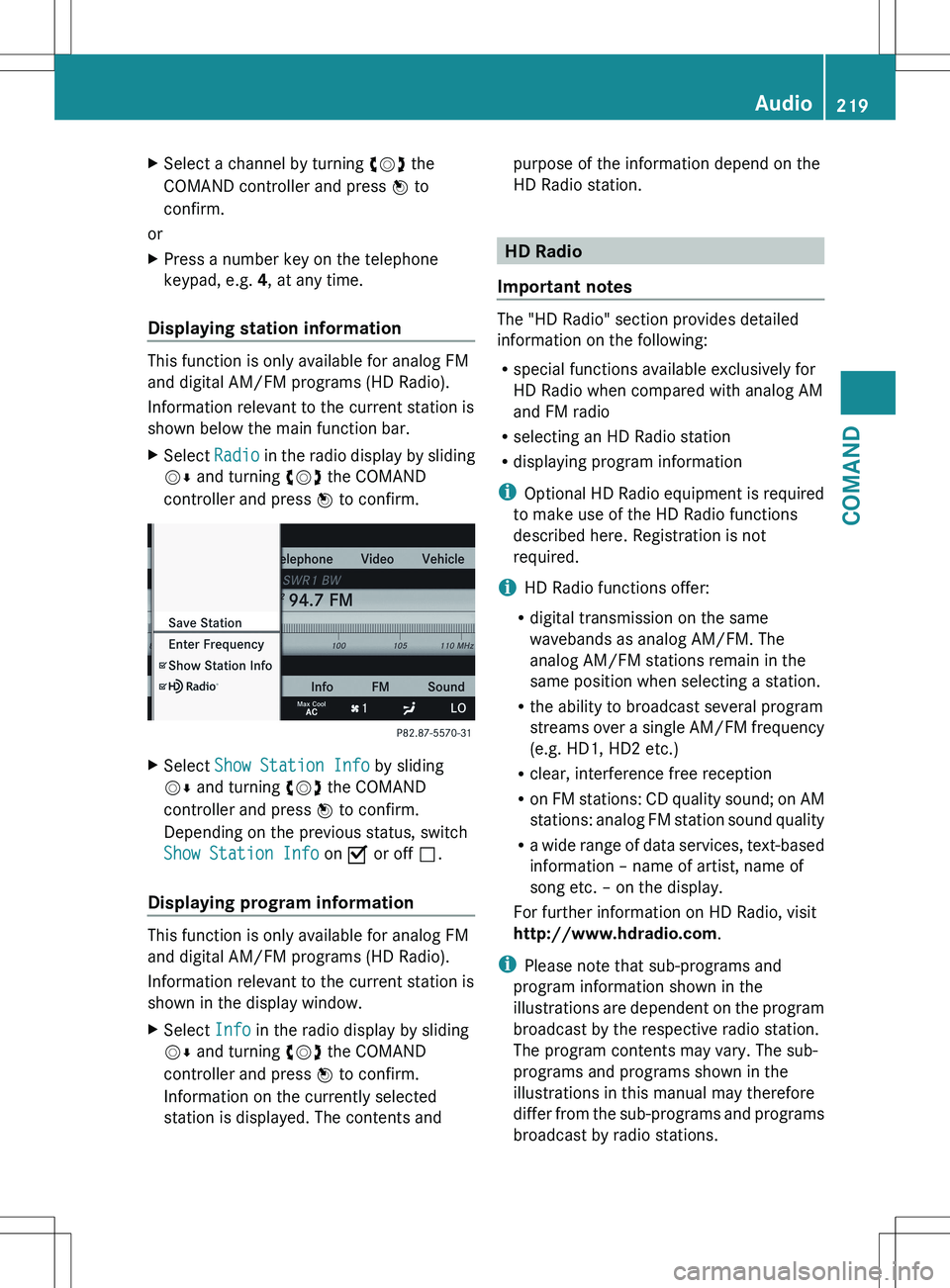
XSelect Radio in the radio display by sliding
V Æ and turning cVd the COMAND
controller and press W to confirm.XSelect Show Station Info by sliding
V Æ and turning cVd the COMAND
controller and press W to confirm.
Depending on the previous status, switch
Show Station Info on O or off ª.
Displaying program information
This function is only available for analog FM
and digital AM/FM programs (HD Radio).
Information relevant to the current station is
shown in the display window.
XSelect Info in the radio display by sliding
V Æ and turning cVd the COMAND
controller and press W to confirm.
Information on the currently selected
station is displayed. The contents andpurpose of the information depend on the
HD Radio station.
HD Radio
Important notes
The "HD Radio" section provides detailed
information on the following:
R special functions available exclusively for
HD Radio when compared with analog AM
and FM radio
R selecting an HD Radio station
R displaying program information
i Optional HD Radio equipment is required
to make use of the HD Radio functions
described here. Registration is not
required.
i HD Radio functions offer:
R digital transmission on the same
wavebands as analog AM/FM. The
analog AM/FM stations remain in the
same position when selecting a station.
R the ability to broadcast several program
streams over a single AM/FM frequency
(e.g. HD1, HD2 etc.)
R clear, interference free reception
R on FM stations: CD quality sound; on AM
stations: analog FM station sound quality
R a wide range of data services, text-based
information – name of artist, name of
song etc. – on the display.
For further information on HD Radio, visit
http://www.hdradio.com .
i Please note that sub-programs and
program information shown in the
illustrations are dependent on the program
broadcast by the respective radio station.
The program contents may vary. The sub-
programs and programs shown in the
illustrations in this manual may therefore
differ from the sub-programs and programs
broadcast by radio stations.
Audio219COMANDZ
Page 308 of 536
Useful information
i This Operator's Manual describes all
models and all standard and optional
equipment of your vehicle available at the
time of publication of the Operator's
Manual. Country-specific differences are
possible. Please note that your vehicle may
not be equipped with all features
described. This also applies to safety-
related systems and functions.
i Please read the information on qualified
specialist workshops ( Y page 31).
Breaking-in notes
The first 1,000miles (1,500 km)
The more you look after the engine when it is
new, the more satisfied you will be with its
performance in the future.
R You should therefore drive at varying
vehicle and engine speeds for the first
1,000miles (1,500km).
R Avoid overstraining the vehicle during this
period, e.g. driving at full throttle.
R Change gear in good time, before the
tachometer needle is Ô of the way to the
red area of the tachometer.
R Do not manually shift to a lower gear to
brake the vehicle.
R If possible, do not depress the accelerator
pedal past the point of resistance
(kickdown).
R Only select shift ranges 3, 2 or 1 when
driving slowly, e.g. in mountainous terrain.
R If possible, for the first 1,000miles
(1,500km), drive in drive program E (in
AMG vehicles in drive program C).
After 1,000 miles (1,500km), you can
increase the engine speed gradually and bring
the vehicle up to full speed.
Additional breaking-in notes for AMG
vehicles:
R do not drive faster than 85 mph
(140 km/h) for the first 1,000 miles
(1,500 km).
R only allow the engine to reach a maximum
engine speed of 4,500 rpm briefly.
R change gear in good time.
i You should also observe these breaking-
in notes if the engine or parts of the drive
train on your vehicle have been replaced.
i Always observe the respective speed
restrictions.
Driving
Important safety notes
GWARNING
Make sure absolutely no objects are
obstructing the pedals' range of movement.
Keep the driver's footwell clear of all
obstacles. If there are any floormats or
carpets in the footwell, make sure the pedals
still have sufficient clearance.
During sudden driving or braking maneuvers
the objects could get caught between the
pedals. You could then no longer brake or
accelerate. This could lead to accidents and
injury.
GWARNING
On slippery road surfaces, never downshift in
order to obtain braking action. This could
result in drive wheel slip and reduced vehicle
control. Your vehicle's ABS will not prevent
this type of loss of control.
GWARNING
It is dangerous to shift the automatic
transmission out of parking position P or
neutral position N if the engine speed is
higher than idle speed. If your foot is not firmly
on the brake pedal, the vehicle could
accelerate quickly forward or in reverse. You
306DrivingDriving and parking
Page 311 of 536
General information
iVehicles with a gasoline engine: the
engine runs at a higher engine speed during
a cold start so that the catalytic converter
can reach operating temperature more
quickly. The sound of the engine may
change during this time.
Automatic transmission
XShift the transmission to position P.
The transmission position display in the
multifunction display shows P.
i
You can also start the engine when the
transmission is in position N.
Starting procedure with the SmartKey
i To start the engine using the SmartKey
instead of KEYLESS-GO, pull the Start/
Stop button out of the ignition lock.
XTo start a gasoline engine: turn the
SmartKey to position 3 in the ignition lock
( Y page 307) and release it as soon as the
engine is running.XTo start a diesel engine: turn the
SmartKey to position 2 in the ignition lock
( Y page 307).
The % preglow indicator lamp in the
instrument cluster lights up.XWhen the % preglow indicator lamp
goes out, turn the SmartKey to position 3
( Y page 307) and release it as soon as the
engine is running.
i You can start the engine without preglow
if the engine is warm.
Using KEYLESS-GO to start the engine
GWARNING
As long as the SmartKey is in your vehicle, the
vehicle can be started. Therefore, never leave
children unattended in the vehicle, as they
could otherwise accidentally start the engine.
When leaving the vehicle, always take the
SmartKey with you and lock the vehicle. Do
not leave children unattended in the vehicle,
or with access to an unlocked vehicle. A
child's unsupervised access to a vehicle could
result in an accident and/or serious personal
injury.
i The Start/Stop button can be used to
start the vehicle manually without inserting
the SmartKey into the ignition lock. The
Start/Stop button must be inserted into
the ignition lock and the SmartKey must be
in the vehicle. This mode for starting the
engine operates independently of the ECO
start/stop automatic engine start function.XDepress the brake pedal and keep it
depressed.XTo start a gasoline engine: press the
Start/Stop button ( Y page 307) once.
The engine starts.XTo start a diesel engine: press the Start/
Stop button ( Y page 307) once.
Preglow is activated and the engine starts.
i If the engine is warm, the preglow time is
shortened.
Pulling away
Automatic transmission
GWARNING
It is dangerous to shift the automatic
transmission out of parking position P or
neutral position N if the engine speed is
higher than idle speed. If your foot is not firmly
on the brake pedal, the vehicle could
accelerate quickly forward or in reverse. You
could lose control of the vehicle and hit
someone or something. Only shift into gear
when the engine is idling normally and when
your right foot is firmly on the brake pedal.
i It is only possible to shift the transmission
from position P to the desired position if
you depress the brake pedal. Only then is
Driving309Driving and parkingZ
Page 320 of 536
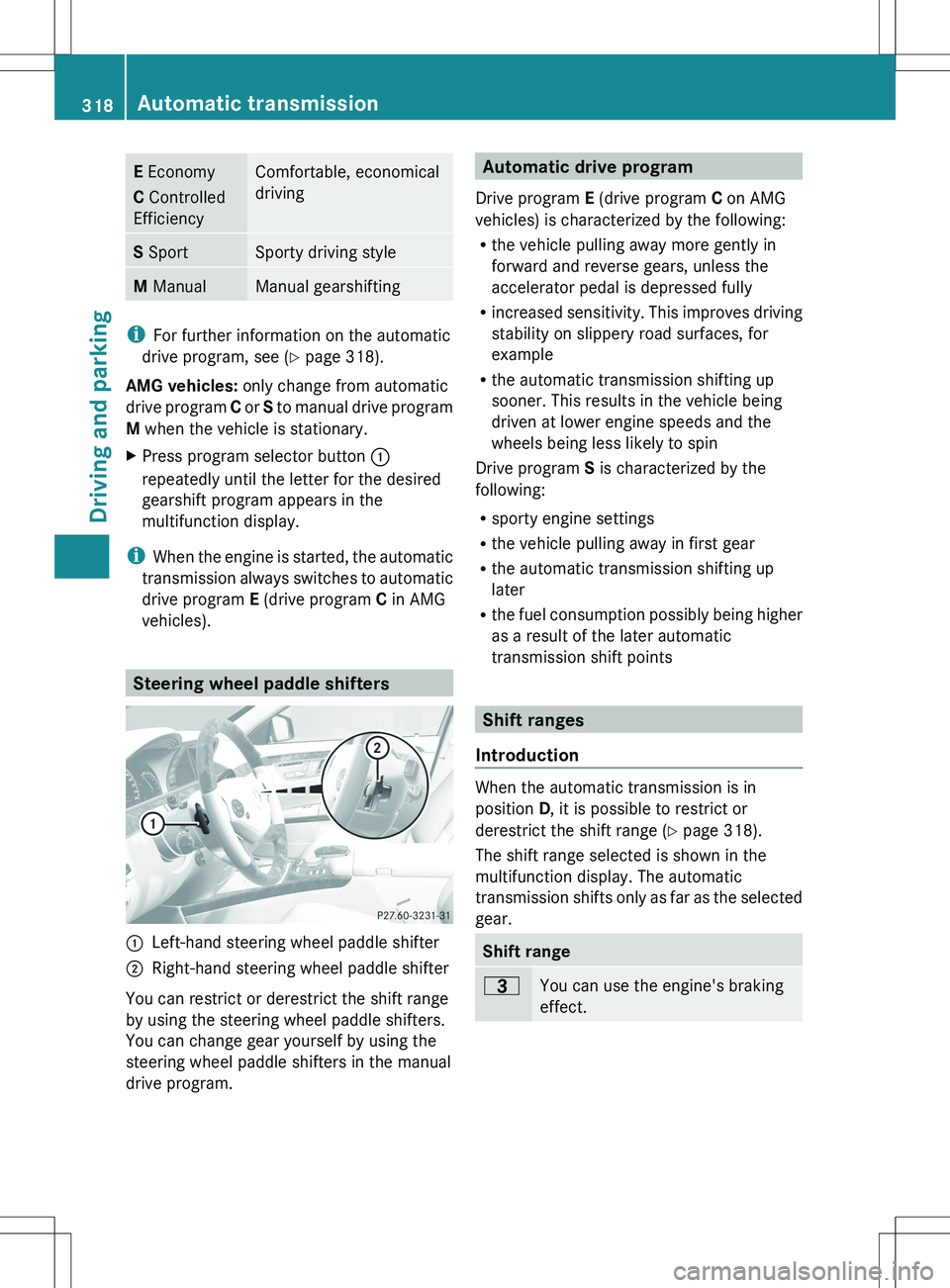
E Economy
C Controlled
EfficiencyComfortable, economical
drivingS SportSporty driving styleM ManualManual gearshifting
i
For further information on the automatic
drive program, see ( Y page 318).
AMG vehicles: only change from automatic
drive program C or S to manual drive program
M when the vehicle is stationary.
XPress program selector button :
repeatedly until the letter for the desired
gearshift program appears in the
multifunction display.
i When the engine is started, the automatic
transmission always switches to automatic
drive program E (drive program C in AMG
vehicles).
Steering wheel paddle shifters
:Left-hand steering wheel paddle shifter;Right-hand steering wheel paddle shifter
You can restrict or derestrict the shift range
by using the steering wheel paddle shifters.
You can change gear yourself by using the
steering wheel paddle shifters in the manual
drive program.
Automatic drive program
Drive program E (drive program C on AMG
vehicles) is characterized by the following:
R the vehicle pulling away more gently in
forward and reverse gears, unless the
accelerator pedal is depressed fully
R increased sensitivity. This improves driving
stability on slippery road surfaces, for
example
R the automatic transmission shifting up
sooner. This results in the vehicle being
driven at lower engine speeds and the
wheels being less likely to spin
Drive program S is characterized by the
following:
R sporty engine settings
R the vehicle pulling away in first gear
R the automatic transmission shifting up
later
R the fuel consumption possibly being higher
as a result of the later automatic
transmission shift points
Shift ranges
Introduction
When the automatic transmission is in
position D, it is possible to restrict or
derestrict the shift range ( Y page 318).
The shift range selected is shown in the
multifunction display. The automatic
transmission shifts only as far as the selected
gear.
Shift range=You can use the engine's braking
effect.318Automatic transmissionDriving and parking
Page 321 of 536
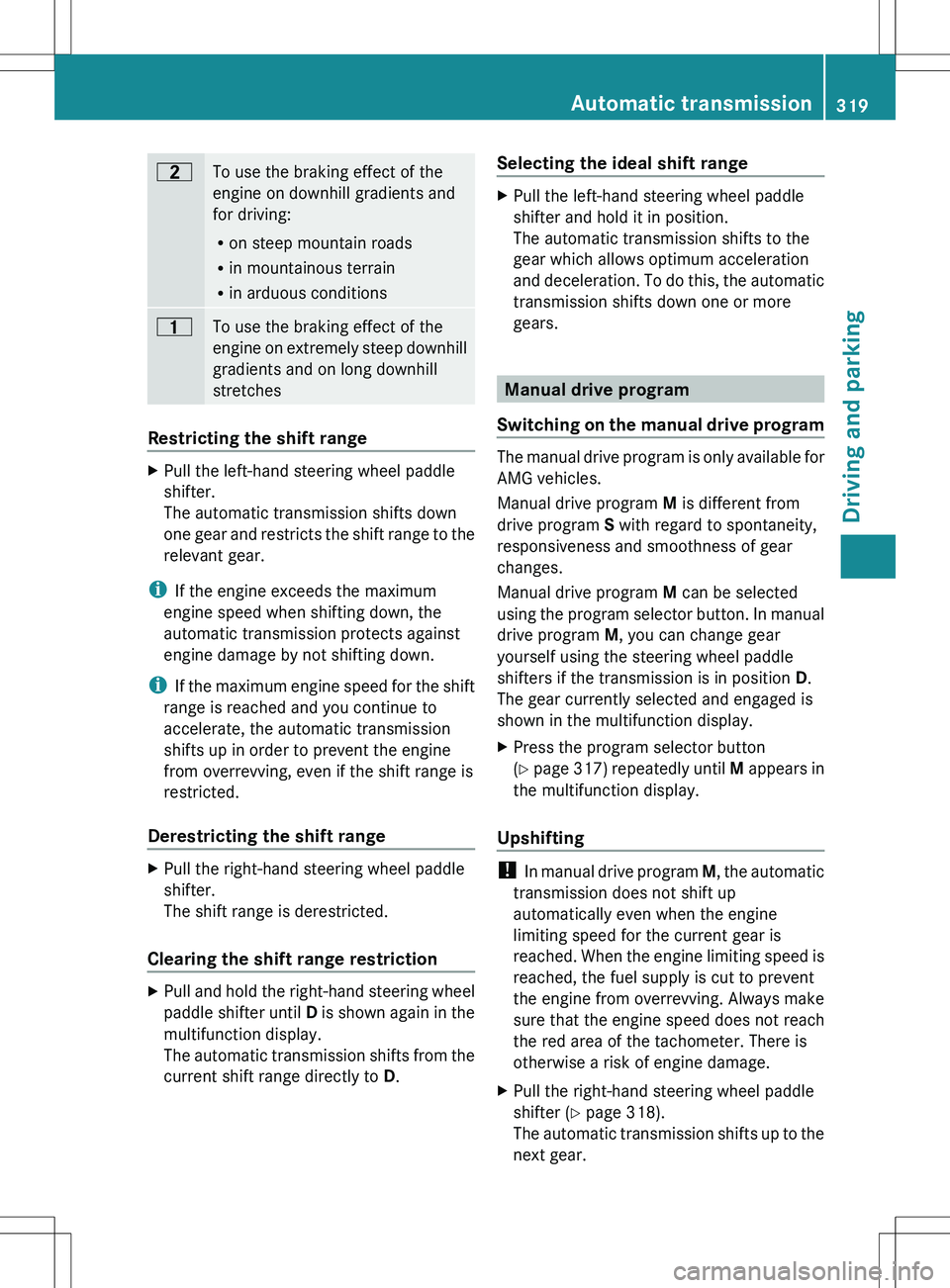
5To use the braking effect of the
engine on downhill gradients and
for driving:
R on steep mountain roads
R in mountainous terrain
R in arduous conditions4To use the braking effect of the
engine on extremely steep downhill
gradients and on long downhill
stretches
Restricting the shift range
XPull the left-hand steering wheel paddle
shifter.
The automatic transmission shifts down
one gear and restricts the shift range to the
relevant gear.
i If the engine exceeds the maximum
engine speed when shifting down, the
automatic transmission protects against
engine damage by not shifting down.
i If the maximum engine speed for the shift
range is reached and you continue to
accelerate, the automatic transmission
shifts up in order to prevent the engine
from overrevving, even if the shift range is
restricted.
Derestricting the shift range
XPull the right-hand steering wheel paddle
shifter.
The shift range is derestricted.
Clearing the shift range restriction
XPull and hold the right-hand steering wheel
paddle shifter until D is shown again in the
multifunction display.
The automatic transmission shifts from the
current shift range directly to D.Selecting the ideal shift rangeXPull the left-hand steering wheel paddle
shifter and hold it in position.
The automatic transmission shifts to the
gear which allows optimum acceleration
and deceleration. To do this, the automatic
transmission shifts down one or more
gears.
Manual drive program
Switching on the manual drive program
The manual drive program is only available for
AMG vehicles.
Manual drive program M is different from
drive program S with regard to spontaneity,
responsiveness and smoothness of gear
changes.
Manual drive program M can be selected
using the program selector button. In manual
drive program M, you can change gear
yourself using the steering wheel paddle
shifters if the transmission is in position D.
The gear currently selected and engaged is
shown in the multifunction display.
XPress the program selector button
( Y page 317) repeatedly until M appears in
the multifunction display.
Upshifting
! In manual drive program M, the automatic
transmission does not shift up
automatically even when the engine
limiting speed for the current gear is
reached. When the engine limiting speed is
reached, the fuel supply is cut to prevent
the engine from overrevving. Always make
sure that the engine speed does not reach
the red area of the tachometer. There is
otherwise a risk of engine damage.
XPull the right-hand steering wheel paddle
shifter ( Y page 318).
The automatic transmission shifts up to the
next gear.Automatic transmission319Driving and parkingZ
Page 322 of 536
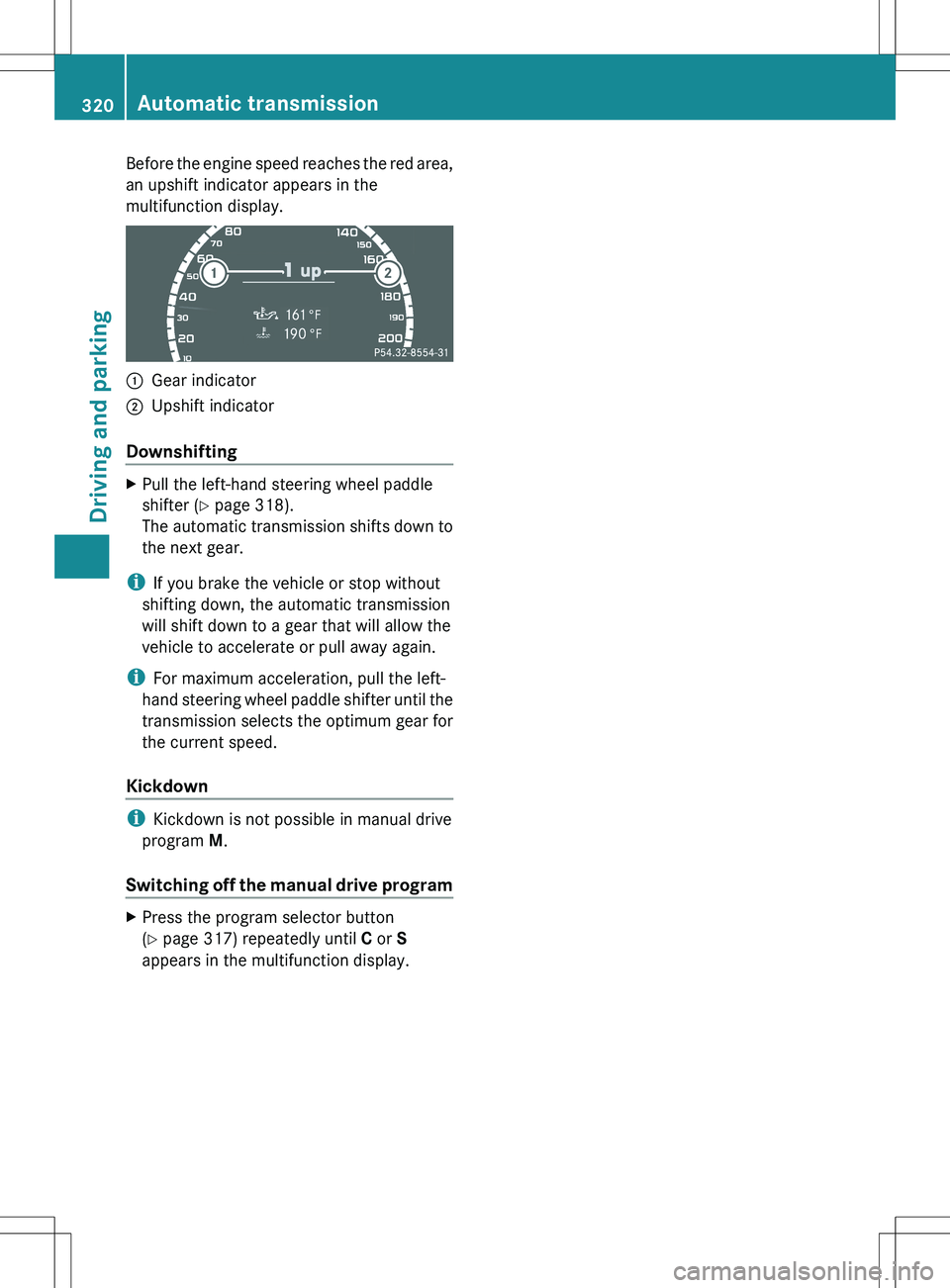
Before the engine speed reaches the red area,
an upshift indicator appears in the
multifunction display.:Gear indicator;Upshift indicator
Downshifting
XPull the left-hand steering wheel paddle
shifter ( Y page 318).
The automatic transmission shifts down to
the next gear.
i If you brake the vehicle or stop without
shifting down, the automatic transmission
will shift down to a gear that will allow the
vehicle to accelerate or pull away again.
i For maximum acceleration, pull the left-
hand steering wheel paddle shifter until the
transmission selects the optimum gear for
the current speed.
Kickdown
i Kickdown is not possible in manual drive
program M.
Switching off the manual drive program
XPress the program selector button
( Y page 317) repeatedly until C or S
appears in the multifunction display.320Automatic transmissionDriving and parking
Page 329 of 536
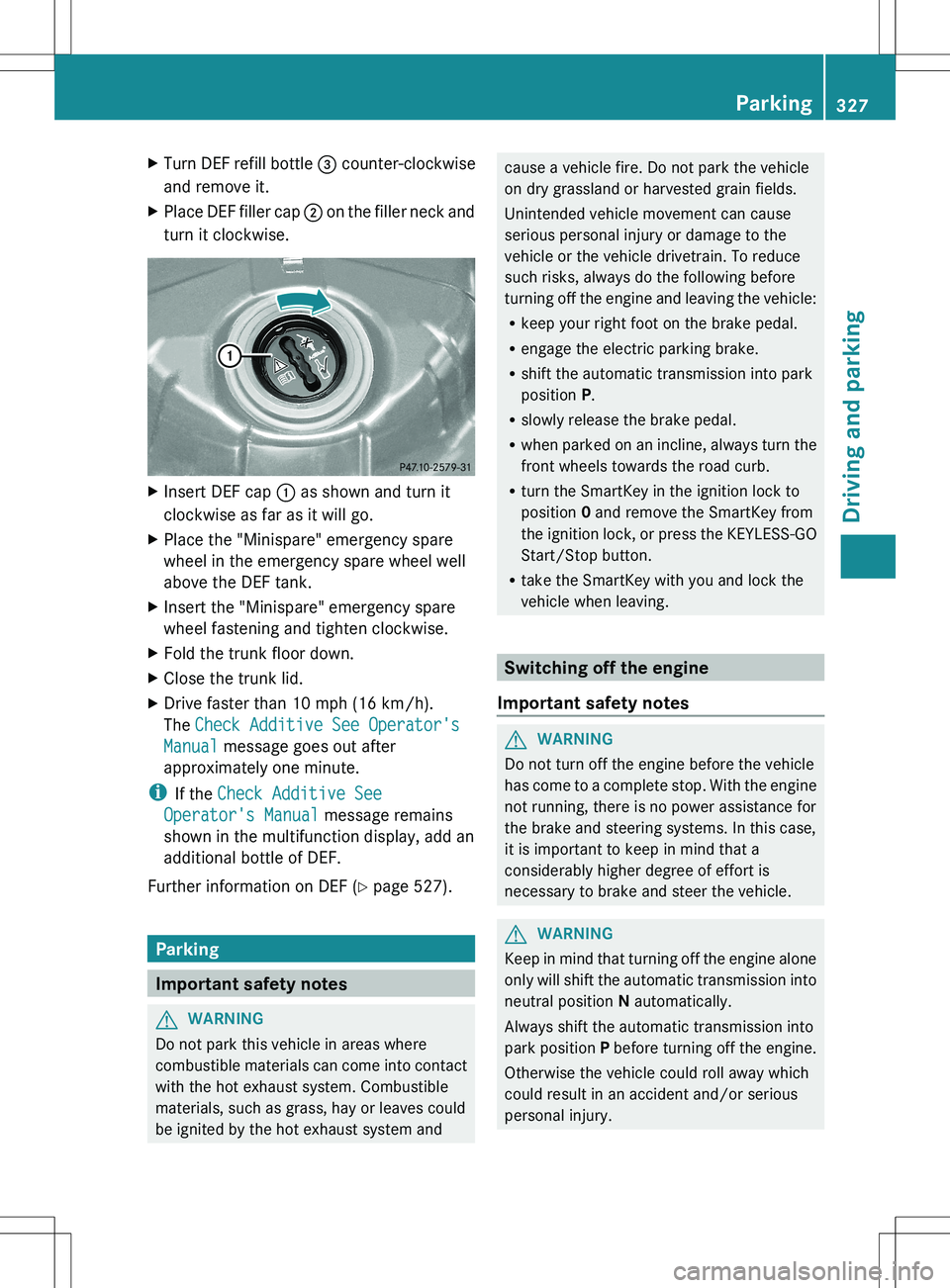
XTurn DEF refill bottle = counter-clockwise
and remove it.XPlace DEF filler cap ; on the filler neck and
turn it clockwise.XInsert DEF cap : as shown and turn it
clockwise as far as it will go.XPlace the "Minispare" emergency spare
wheel in the emergency spare wheel well
above the DEF tank.XInsert the "Minispare" emergency spare
wheel fastening and tighten clockwise.XFold the trunk floor down.XClose the trunk lid.XDrive faster than 10 mph (16 km/h).
The Check Additive See Operator's
Manual message goes out after
approximately one minute.
i If the Check Additive See
Operator's Manual message remains
shown in the multifunction display, add an
additional bottle of DEF.
Further information on DEF ( Y page 527).
Parking
Important safety notes
GWARNING
Do not park this vehicle in areas where
combustible materials can come into contact
with the hot exhaust system. Combustible
materials, such as grass, hay or leaves could
be ignited by the hot exhaust system and
cause a vehicle fire. Do not park the vehicle
on dry grassland or harvested grain fields.
Unintended vehicle movement can cause
serious personal injury or damage to the
vehicle or the vehicle drivetrain. To reduce
such risks, always do the following before
turning off the engine and leaving the vehicle:
R keep your right foot on the brake pedal.
R engage the electric parking brake.
R shift the automatic transmission into park
position P.
R slowly release the brake pedal.
R when parked on an incline, always turn the
front wheels towards the road curb.
R turn the SmartKey in the ignition lock to
position 0 and remove the SmartKey from
the ignition lock, or press the KEYLESS-GO
Start/Stop button.
R take the SmartKey with you and lock the
vehicle when leaving.
Switching off the engine
Important safety notes
GWARNING
Do not turn off the engine before the vehicle
has come to a complete stop. With the engine
not running, there is no power assistance for
the brake and steering systems. In this case,
it is important to keep in mind that a
considerably higher degree of effort is
necessary to brake and steer the vehicle.
GWARNING
Keep in mind that turning off the engine alone
only will shift the automatic transmission into
neutral position N automatically.
Always shift the automatic transmission into
park position P before turning off the engine.
Otherwise the vehicle could roll away which
could result in an accident and/or serious
personal injury.
Parking327Driving and parkingZ
Page 330 of 536
iIf you cannot turn off the engine as
described here, see "Engine emergency
stop" ( Y page 490).
Vehicles with automatic transmissionXApply the electric parking brake.XShift the transmission to position P.
Using the SmartKey
XTurn the SmartKey to position 0 in the
ignition lock and remove it.
The immobilizer is activated.
i If you turn off the engine with the
SmartKey and then remove it from the
ignition lock or open a front door, the
automatic transmission shifts to P
automatically.
Using KEYLESS-GO
XPress the Start/Stop button (Y page 307).
The engine stops and all the indicator
lamps in the instrument cluster go out.
i When the driver's door is closed, this
corresponds to SmartKey position 1. When
the driver's door is open, it corresponds to
SmartKey position 0 or "SmartKey
removed".
i If you use the Start/Stop button to switch
off the engine, the automatic transmission
shifts to N automatically. If you then open
the driver's or front-passenger door, the
automatic transmission shifts to P.
i In an emergency, the engine can be
turned off while the vehicle is in motion by
pressing and holding the Start/Stop button
for 3 seconds. This function operates
independently from the ECO start/stop
automatic engine switch-off function.
Electric parking brake
General informationGWARNING
When leaving the vehicle, always remove the
SmartKey from the starter switch, take it with
you, and lock the vehicle. Do not leave
children unattended in the vehicle, or with
access to an unlocked vehicle. Children could
release the parking brake and/or shift the
automatic transmission out of park position
P , either of which could result in an accident
and/or serious personal injury.
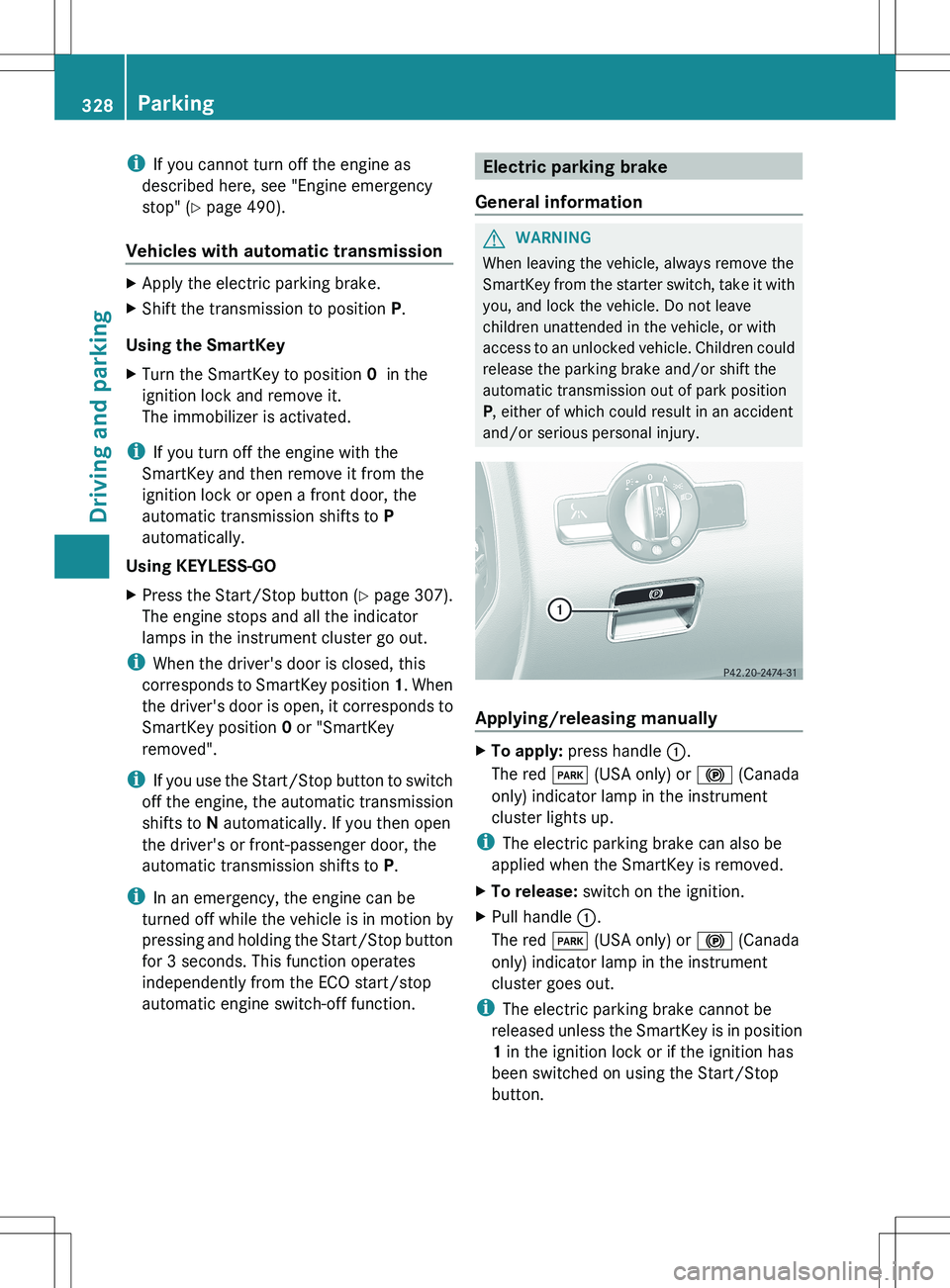
Applying/releasing manually
XTo apply: press handle :.
The red F (USA only) or ! (Canada
only) indicator lamp in the instrument
cluster lights up.
i The electric parking brake can also be
applied when the SmartKey is removed.
XTo release: switch on the ignition.XPull handle :.
The red F (USA only) or ! (Canada
only) indicator lamp in the instrument
cluster goes out.
i The electric parking brake cannot be
released unless the SmartKey is in position
1 in the ignition lock or if the ignition has
been switched on using the Start/Stop
button.
328ParkingDriving and parking