phone MERCEDES-BENZ S-CLASS SEDAN 2012 Owners Manual
[x] Cancel search | Manufacturer: MERCEDES-BENZ, Model Year: 2012, Model line: S-CLASS SEDAN, Model: MERCEDES-BENZ S-CLASS SEDAN 2012Pages: 536, PDF Size: 39.39 MB
Page 8 of 536
Basic settingssee Settings
BAS PLUS (Brake Assist System
PLUS) .................................................... 74
Bass, setting ...................................... 139
Battery (SmartKey) Checking .......................................... 85
Important safety notes ....................85
Replacing ......................................... 85
Battery (vehicle)
Charging ........................................ 482
Display message ............................ 407
Important safety notes ..................480
Jump starting ................................. 483
Belt
see Seat belts
Bird's-eye view (navigation) ............. 188
Blind see Roller sunblind
Blind Spot Assist
Activating/deactivating .................387
Notes/function .............................. 363
see Active Blind Spot Assist
BlueTEC (DEF) .................................... 527
Bluetooth ®
Activating/deactivating .................151
Authorizing a device (registering) ..152
Conditions (general) ......................151
Conditions (telephone) ..................199
Connecting another mobile phone . 201
Connecting devices .......................151
De-authorizing (de-registering) a
device ............................................ 153
External authorization (general) .....153
External authorization (telephone) . 201
General information .......................151
Introduction ................................... 197
Receiving vCards ........................... 208
Searching for devices ....................152
Settings ......................................... 151
Telephone basic menu ...................202
Telephony ...................................... 199
Telephony notes ............................ 197
Bluetooth ®
interface
Telephony ...................................... 197
Brake Assist System
see BAS (Brake Assist System) Brake fluid
Display message ............................ 398
Notes ............................................. 529
Brake fluid level ................................ 464
Brake lamps Display message ............................ 404
Brakes
ABS .................................................. 73
BAS .................................................. 74
BAS PLUS ........................................ 74
Brake fluid (notes) .........................529
Display message ............................ 391
Driving tips .................................... 331
High-performance brake system ....333
Important safety notes ..................331
Maintenance .................................. 332
Parking brake ................................ 328
Warning lamp ................................. 424
Breakdown
see Flat tire
see Towing away
Brightness, setting (TV, video) ......... 244
Bulbs see Changing bulbs
C
California Important notice for retail
customers and lessees ....................29
Call
Accepting/ending/rejecting .......... 203
see Telephone
Calling up a malfunction
see Display messages
Calling voicemail ............................... 205
Call lists Displaying details ........................... 209
Introduction ................................... 213
Opening and selecting an entry .....213
Saving an entry in the address
book .............................................. 214
Capacities
see Technical data
Car
see Vehicle
6Index
Page 9 of 536
CareCarpets .......................................... 472
Car wash ........................................ 466
Display ........................................... 470
Exterior lights ................................ 469
Gear or selector lever ....................472
Interior ........................................... 470
Matte finish ................................... 468
Night View Assist Plus ...................471
Notes ............................................. 466
Paint .............................................. 468
Plastic trim .................................... 471
Power washer ................................ 467
Rear view camera .......................... 470
Roof lining ...................................... 472
Seat belt ........................................ 472
Seat cover ..................................... 472
Sensors ......................................... 470
Steering wheel ............................... 472
Tail pipes ....................................... 470
Trim pieces .................................... 472
Washing by hand ........................... 467
Wheels ........................................... 468
Windows ........................................ 469
Wiper blades .................................. 469
Wooden trim .................................. 472
Cargo tie down rings ......................... 437
Car pool lanes .................................... 173
Car wash (care) ................................. 466
Category Satellite radio ................................ 222
CD
Copy protection ............................. 234
Fast forward/fast rewind ...............230
General information .......................234
Inserting ........................................ 225
Inserting/loading (Rear Seat
Entertainment System) ..................255
Mode, switching to ........................226
Multisession .................................. 233
Notes on discs ............................... 234
Operating the player/changer
(on-board computer) ......................381
Pause function ............................... 227
Playback options ........................... 232
Player/changer operation
(COMAND) ..................................... 225Removing/ejecting (Rear Seat
Entertainment System) ..................256
Safety notes .................................. 225
Selecting a media type ..................228
Selecting a track ............................ 229
Sound settings (balance, bass,
fader, treble) .................................. 139
Center console ..................................... 41
Central locking Automatic locking feature
(COMAND) ..................................... 269
Locking/unlocking (SmartKey) ........82
Changing batteries (remote
control, headphones) ........................ 251
Changing bulbs High-beam headlamps (vehicles
with halogen daytime running
lamps) ............................................ 288
High-beam headlamps (vehicles
with LED daylight lamps) ...............288
Important safety notes ..................286
Overview of bulb types ..................287
Changing direction
Announcement phase ....................171
Change of direction phase .............171
Preparation phase .........................171
Character bar ..................................... 133
Characters Entering ......................................... 134
Entering (address book, phone
book) ............................................. 136
Entering (navigation) ......................133
Child-proof locks
Important safety notes ....................70
Rear doors ....................................... 71
Children
In the vehicle ................................... 66
Restraint systems ............................ 66
Child seat
LATCH-type (ISOFIX) child seat
anchors ............................................ 68
Special seat belt retractor ...............68
Top Tether ....................................... 69
Cigarette lighter ................................ 442
Cleaning Mirror turn signal ........................... 470Index7
Page 10 of 536
Climate controlAutomatic climate control .............295
COMAND ....................................... 269
Controlling automatically ...............297
Controlling centrally (COMAND) ....272
Cooling with air dehumidification ..297
Cooling with air dehumidification
(COMAND) ..................................... 271
Defrosting the windows .................300
Defrosting the windshield ..............300
Important safety notes ..................294
Indicator lamp ................................ 297
Main menu ..................................... 271
Maximum cooling .......................... 300
Notes on using automatic climate
control ........................................... 296
Overview of systems ......................294
Problems with cooling with air
dehumidification ............................ 297
Problem with the rear window
defroster ........................................ 301
Rear compartment (COMAND) ......273
Rear control panel .........................295
Setting the air distribution .............299
Setting the airflow .........................299
Setting the airflow (COMAND) .......273
Setting the air vents ......................302
Setting the footwell temperature
(COMAND) ..................................... 272
Setting the temperature ................298
Switching air-recirculation mode
on/off ............................................ 301
Switching on/off ........................... 296
Switching residual heat on/off ......302
Switching the rear window
defroster on/off ............................ 301
Coat hooks ......................................... 436
Cockpit Overview .......................................... 36
see Instrument cluster
Color, setting (TV, video) .................. 244
COMAND At a glance (overview) .................... 122
Back button ................................... 123
Basic functions .............................. 137
Components .................................. 122
Display ........................................... 125
Example of operation .....................132Function buttons ........................... 123
Menu overview .............................. 125
Remote control .............................. 129
Switching on/off ........................... 137
System settings ............................. 147
COMAND controller ........................... 122
COMAND display Cleaning instructions .....................129
Folding in and swiveling .................128
Setting ........................................... 147
COMAND operating system .............. 122
Combination switch .......................... 283
Compass function ............................. 192
Conference connection ..................... 205
Consumption statistics (on-board
computer) .......................................... 378
Contrast, setting (TV, video) ............ 244
Convenience closing feature .............. 97
Convenience opening feature ............ 96
Convenience telephone Importing contacts ........................208
Convenience telephony .................... 197
Introduction ................................... 197
Coolant (engine)
Checking the level .........................463
Display message ............................ 406
Filling capacity ............................... 530
Notes ............................................. 530
Temperature (on-board computer) . 381
Temperature gauge ........................ 374
Cooling
see Climate control
Copy protection (CD/DVD) ............... 234
Cornering light function Display message ............................ 403
Function/notes ............................. 284
Cruise control
Cruise control lever .......................335
Deactivating ................................... 336
Display message ............................ 417
Driving system ............................... 334
Function/notes ............................. 334
Important safety notes ..................334
Setting a speed .............................. 335
Storing and maintaining current
speed ............................................. 3358Index
Page 11 of 536

Cup holderCenter console .............................. 439
Important safety notes ..................439
Rear compartment .........................439
Customer Assistance Center (CAC) ... 32
Customer Relations Department ....... 32
D
Dashboard see Cockpit
Data
see Technical data
Data medium
Audio DVD ..................................... 233
CD/DVD ........................................ 234
MP3 ............................................... 233
MUSIC REGISTER ........................... 234
Date format, setting .......................... 148
Day design, setting ........................... 147
Daytime running lamps Display message ............................ 405
Switching on/off (on-board
computer) ...................................... 387
Switching on/off (switch) ..............281
Dealership
see Qualified specialist workshop
DEF
Adding ........................................... 325
Display message ............................ 409
Delayed switch-off
Exterior lighting (COMAND) ...........267
Interior lighting (COMAND) ............267
Destination (navigation)
Displaying information ...................176
Entering a destination by address .. 157
Entering a destination using the
map ............................................... 164
Entering an intermediate stop .......165
Entering a point of interest ............166
Saving ............................................ 183
Selecting from the destination
memory ......................................... 163
Selecting from the list of last
destinations ................................... 163
Destination memory (navigation)
Deleting an entry ........................... 185
Entering/saving your home
address .......................................... 160
Previous destinations ....................185
Diagnostics connection ...................... 31
Dialing a number (telephone) ........... 204
Diesel .................................................. 526
Digital speedometer ......................... 378
DIRECT SELECT lever see Automatic transmission
Display
Selecting the design ......................147
Settings ......................................... 147
Display (cleaning instructions) ........ 470
Displaying the arrival time ............... 176
Displaying the distance to the
destination ......................................... 176
Display messages Calling up (on-board computer) .....390
Driving systems ............................. 410
Engine ............................................ 406
General notes ................................ 390
Hiding (on-board computer) ...........390
Lights ............................................. 403
Safety systems .............................. 391
Service interval display ..................465
SmartKey ....................................... 421
Tires ............................................... 417
Vehicle ........................................... 419
Distance
see Navigation, route overview
Distance display (on-board
computer) .......................................... 385
Distance recorder ............................. 378
see Odometer
see Trip odometer
Distance warning (warning lamp) .... 430
DISTRONIC PLUS Deactivating ................................... 343
Display message ............................ 415
Displays in the multifunction
display ........................................... 343
Driving tips .................................... 344
Function/notes ............................. 336
Important safety notes ..................336Index9
Page 15 of 536
Opening/closing the garage door ..455
Programming (button in the rear-
view mirror) ................................... 453
Gear indicator (on-board
computer) .......................................... 381
Gear or selector lever (cleaning
guidelines) ......................................... 472
Genuine Mercedes-Benz parts ......... 522
Glove box ........................................... 434
GPS reception .................................... 155
Gracenote Media Database .............. 231
H
Handbrake see Parking brake
Harman/kardon ®
Logic 7 ®
surround sound system see Surround sound (harman/
kardon ®
surround sound system)
Hazard warning lamps ...................... 283
HD Radio™ ......................................... 219
Heading up (navigation) ................... 188
Headlamp cleaning system Notes ............................................. 531
Headlamps
Adding fluid to cleaning system .....464
Cleaning system (function) ............282
Fogging up ..................................... 285
see Automatic headlamp mode
Headphones
Changing batteries ........................251
Function overview ..........................146
Indicator lamp ................................ 147
Selecting a screen .........................146
Switching on/off ........................... 146
Head restraints
Adjusting ....................................... 110
Adjusting (electrically) ...................110
Adjusting (rear) .............................. 111
NECK-PRO ..................................... 110
NECK-PRO luxury ........................... 110
see NECK-PRO head restraints/
NECK-PRO luxury head restraints
Heating
see Climate control
High-beam headlamps
Changing bulbs (vehicles with
halogen daytime running lamps) ....288
Changing bulbs (vehicles with LED
daylight lamps) .............................. 288
Display message ............................ 404
Switching Adaptive Highbeam
Assist on/off ................................. 284
Switching on/off ........................... 283
Hill start assist .................................. 310
HOLD function Display message ............................ 412
Function/notes ............................. 346
Home
see Home address
Home address
Entering and saving .......................160
Selecting from the destination
memory ......................................... 163
Hood
Closing ........................................... 459
Display message ............................ 420
Opening ......................................... 458
Hydroplaning ..................................... 333
I
Ignition lock see Key positions
Immobilizer .......................................... 79
In-car hotspot see Separate operating instructions
Incident (traffic report) ..................... 178
Indicator lamps see Warning and indicator lamps
Indicators
see Turn signals
Insect protection on the radiator .... 459
Instrument cluster Overview .......................................... 37
Warning and indicator lamps ...........38
Instrument lighting
see Instrument cluster lighting
Interface (USB, iPod ®
)
see Media Interface
Interior lighting ......................... 267, 285
Ambient light (COMAND) ...............268
Automatic control ..........................286
Index13
Page 18 of 536
Microphone, switching on/off ......... 205
Mirrors see Exterior mirrors
see Rear-view mirror
see Vanity mirror
Mobile phone
Menu (on-board computer) ............384
see Phone
Modifying the programming
(SmartKey) ........................................... 84
MOExtended run-flat system ........... 480
MP3 Bit/sampling rates ......................... 233
Copyright ....................................... 234
Data medium ................................. 233
Fast forward/fast rewind ...............230
File systems ................................... 233
Formats ......................................... 233
Mode, switching to ........................226
Notes ............................................. 233
Operation ....................................... 381
Pause function ............................... 227
Playback options ........................... 232
Safety notes .................................. 225
Selecting a media type ..................228
Selecting a track ............................ 229
Sound settings (balance, bass,
fader, treble) .................................. 139
Multicontour seat
Front .............................................. 274
Rear compartment .........................112
Multifunction display
Function/notes ............................. 376
Lane recommendations .................173
Multifunction steering wheel
Adjusting the volume .....................138
Operating the on-board computer . 375
Overview .......................................... 39
Using the telephone ....................... 203
Multisession CD ................................ 233
Music files Recording ...................................... 230
Music Register
Copying music data .......................235
MUSIC REGISTER
Deleting all music files ...................236
Deleting individual music files .......237
Disk space information ..................236Folder functions ............................. 237
General notes ................................ 234
Playback options ........................... 237
Switching to ................................... 234
Music search ..................................... 230
Music storage see MUSIC REGISTER
Mute ................................................... 138
N
Navigation Adjusting the volume of the
navigation announcements ............138
Alternative route ............................ 175
Basic settings ................................ 156
Blocking a route section affected
by a traffic jam ............................... 175
Compass function ..........................192
Destination memory ......................182
Displaying destination
information (arrival time, distance
to destination) ............................... 176
Entering/saving your home
address .......................................... 160
Entering a destination ....................157
Entering a destination by address .. 157
Entering a destination using the
map ............................................... 164
Entering an intermediate stop .......165
Entering a point of interest ............166
Entering characters (character
bar) ................................................ 133
Freeway information ......................191
General notes ................................ 155
GPS reception ................................ 155
Installing map software .................. 192
Lane recommendation ...................172
Map settings .................................. 186
Off-road/off-map (off-road
destination) .................................... 177
On-board computer .......................379
Previous destinations ....................185
Repeating announcements ............174
Route guidance .............................. 170
Route overview .............................. 176
Safety notes .................................. 154
16Index
Page 19 of 536
Selecting a destination from the
destination memory .......................163
Selecting a destination from the
list of last destinations ................... 163
Selecting your home address ........163
Setting route options (avoiding:
highways, toll roads, tunnels,
ferries) ........................................... 156
Setting the route type (short
route, fast route, dynamic route or
economic route) ............................ 156
Showing/hiding the menu .............156
Starting route calculation ..............160
Switching announcements on/off . 174
Switching to ................................... 155
Traffic report .................................. 178
Troubleshooting ............................. 196
NECK-PRO head restraints
Operation ......................................... 59
Resetting after being triggered ........60
NECK-PRO luxury head restraints
Operation ......................................... 59
Resetting after being triggered ........60
New aluminum style carrier bars
see Separate installation instructions
Night View Assist Plus
Activating/deactivating .................360
Cleaning ......................................... 471
Display message ............................ 410
Function/notes ............................. 360
Problem (malfunction) ...................363
North orientation (navigation) ......... 188
Notes on breaking-in a new
vehicle ................................................ 306
Number keypad ................................. 133
O
Occupant Classification System
(OCS) Faults ............................................... 58
Operation ......................................... 54
System self-test ............................... 57
Occupant safety
Children in the vehicle .....................66
System overview .............................. 48
OCS
Faults ............................................... 58
Operation ......................................... 54
System self-test ............................... 57
Odometer ........................................... 378
see Trip odometer
Off-road .............................................. 177
Oil see Engine oil
On-board computer
AMG menu ..................................... 381
Assistance menu ........................... 385
Audio menu ................................... 380
Displaying a service message ........465
Display messages ..........................390
DISTRONIC PLUS ........................... 343
Important safety notes ..................374
Menu overview .............................. 377
Message memory .......................... 390
Navigation menu ............................ 379
Operation ....................................... 375
RACETIMER ................................... 382
Service menu ................................. 387
Settings menu ............................... 387
Standard display ............................ 378
Telephone menu ............................ 384
Trip menu ...................................... 378
Video DVD operation .....................381
Opening height restriction for
trunk lid .............................................. 269
Operating safety Diagnostics connection ...................31
Operating system
see On-board computer
Outside lighting
Delayed switch-off (COMAND) .......267
Outside temperature display ........... 375
Overhead control panel ...................... 42
Override feature Rear side windows ...........................71
Own address (navigation)
see Home address
P
Paint code number ............................ 523
Paintwork (cleaning instructions) ... 468
Panic alarm .......................................... 72
Index17
Page 20 of 536
Panorama roof with power tilt/
sliding panel Opening/closing ............................ 100
Problem (malfunction) ...................103
Resetting ....................................... 102
Panorama sliding sunroof
Important safety notes ....................98
Parcel net ........................................... 437
Parking ............................................... 327
Important safety notes ..................327
Parking brake ................................ 328
Position of exterior mirror, front-
passenger side ............................... 117
Rear view camera .......................... 357
see PARKTRONIC
Parking aid
Parking Guidance ........................... 353
see Exterior mirrors
see PARKTRONIC
Parking brake
Display message ............................ 394
Electric parking brake ....................328
Parking Guidance
Display message ............................ 414
Important safety notes ..................353
Parking position
Exterior mirrors (COMAND) ...........266
PARKTRONIC
Deactivating/activating .................352
Driving system ............................... 350
Function/notes ............................. 350
Problem (malfunction) ...................353
Range of the sensors .....................351
Warning display ............................. 351
PASSENGER AIR BAG OFF indicator
lamp ...................................................... 54
Pause function Audio mode (CD, DVD, MP3) .........227
Rear Seat Entertainment System ...260
Video DVD ..................................... 247
Pedals ................................................. 330
Permanent four-wheel drive see 4MATIC (permanent four-
wheel drive)
Phone book
Calling up ....................................... 209
Creating an entry ........................... 210
Deleting an entry ........................... 211Entering characters .......................136
Introduction ................................... 207
Picture settings (TV, video) .............. 244
Plastic trim (cleaning instructions) . 471
Playback options Audio mode (CD, DVD, MP3) .........232
POI (navigation)
Entering ......................................... 166
Entering a point of interest using
the map ......................................... 170
List ................................................. 168
ZAGAT ®
survey service ..................169
Point of interest (navigation)
Assigning a category ...................... 167
Power closing feature ......................... 90
Power washers .................................. 467
Power windows see Side windows
PRE-SAFE ®
(Preventive occupant
safety system) Display message ............................ 398
Operation ......................................... 59
PRE-SAFE ®
Brake
Activating/deactivating .................386
Display message ............................ 399
Function/notes ................................ 77
Warning lamp ................................. 430
Preventive occupant safety
system
see PRE-SAFE ®
(Preventive
occupant safety system)
Previous destinations (navigation) .. 185
Product information ............................ 28
Programmable button ....................... 124
Program selector button .................. 317
Pulling away (automatic
transmission) ..................................... 309
PULSE see Massage function (PULSE)
Q
Qualified specialist workshop ........... 31
18Index
Page 21 of 536
R
RACETIMER (on-board computer) .... 382
Radar sensor system Activating/deactivating .................389
Display message ............................ 413
Radiator cover ................................... 459
Radio HD Radio™ .................................... 219
Selecting a station .........................380
Setting a station ............................ 216
Sound settings (balance, bass,
fader, treble) .................................. 139
Storing stations ............................. 217
Switching on .................................. 215
Switching wavebands ....................216
Radio-controlled devices
(installing) .......................................... 456
Read-aloud function .......................... 178
Reading lamp ..................................... 285
Real-time traffic reports ................... 178
Rear compartment Activating/deactivating climate
control ........................................... 296
Setting the air distribution .............299
Setting the airflow .........................299
Setting the air vents ......................303
Setting the temperature ................298
Rear fog lamp
Display message ............................ 404
Switching on/off ........................... 282
Rear seat
Adjusting ....................................... 108
Rear Seat Entertainment System
Adjusting the sound settings .........253
Audio mode (CD, DVD, MP3) .........255
AUX mode ...................................... 263
Changing batteries (remote
control, headphones) .....................251
Changing the picture format ..........254
Components/overview ..................143
Headphones (cordless) ..................146
Multiple users ................................ 253
Overview of picture settings ..........253
Remote control .............................. 144
Screen ........................................... 144
Setting the audio format ................262
System settings ............................. 254Using headphones .........................252
Using the main loudspeaker ..........252
Video DVD mode ........................... 258
Rear seats
Overview .......................................... 45
Rear view camera
Cleaning instructions .....................470
Function/notes ............................. 357
Rear-view mirror ............................... 117
Rear window blind ............................ 441
see Rear window roller sunblind
see Roller sunblind
Rear window defroster
Problem (malfunction) ...................301
Switching on/off ........................... 301
Redialing (telephone) ........................ 204
Refueling Fuel gauge ....................................... 37
Important safety notes ..................321
Refueling process ..........................322
see Fuel
Remote control
Garage door opener .......................452
Programming (garage door
opener) .......................................... 453
Remote operation
Selecting a screen (Rear Seat
Entertainment System) ..................144
Switching a screen on/off (Rear
Seat Entertainment System) ..........145
Reporting safety defects .................... 32
Reserve (fuel tank) see Fuel
Reserve fuel
Display message ............................ 409
Warning lamp ................................. 430
see Fuel
Reset function ................................... 154
Resetting (factory settings) ............. 154
Residual heat (climate control) ........ 302
Restraint system see SRS (Supplemental Restraint
System)
Reversing lamps (display
message) ............................................ 405
Road map see Map Index19
Page 23 of 536
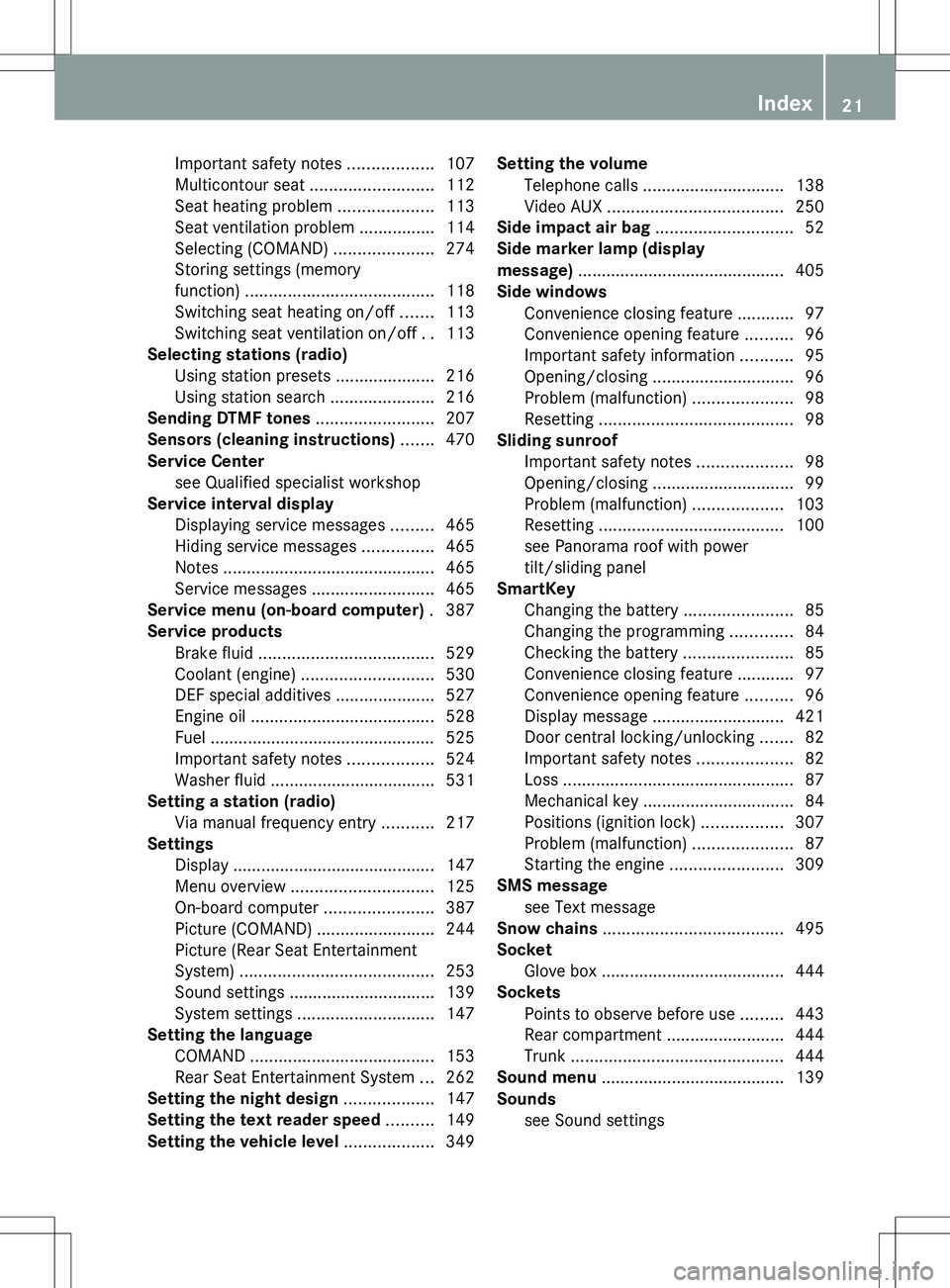
Important safety notes ..................107
Multicontour seat .......................... 112
Seat heating problem ....................113
Seat ventilation problem ................114
Selecting (COMAND) .....................274
Storing settings (memory
function) ........................................ 118
Switching seat heating on/off .......113
Switching seat ventilation on/off ..113
Selecting stations (radio)
Using station presets .....................216
Using station search ......................216
Sending DTMF tones ......................... 207
Sensors (cleaning instructions) ....... 470
Service Center see Qualified specialist workshop
Service interval display
Displaying service messages .........465
Hiding service messages ...............465
Notes ............................................. 465
Service messages ..........................465
Service menu (on-board computer) . 387
Service products Brake fluid ..................................... 529
Coolant (engine) ............................ 530
DEF special additives .....................527
Engine oil ....................................... 528
Fuel ................................................ 525
Important safety notes ..................524
Washer fluid ................................... 531
Setting a station (radio)
Via manual frequency entry ...........217
Settings
Display ........................................... 147
Menu overview .............................. 125
On-board computer .......................387
Picture (COMAND) .........................244
Picture (Rear Seat Entertainment
System) ......................................... 253
Sound settings ............................... 139
System settings ............................. 147
Setting the language
COMAND ....................................... 153
Rear Seat Entertainment System ...262
Setting the night design ................... 147
Setting the text reader speed .......... 149
Setting the vehicle level ................... 349Setting the volume
Telephone calls .............................. 138
Video AUX ..................................... 250
Side impact air bag ............................. 52
Side marker lamp (display
message) ............................................ 405
Side windows Convenience closing feature ............97
Convenience opening feature ..........96
Important safety information ...........95
Opening/closing .............................. 96
Problem (malfunction) .....................98
Resetting ......................................... 98
Sliding sunroof
Important safety notes ....................98
Opening/closing .............................. 99
Problem (malfunction) ...................103
Resetting ....................................... 100
see Panorama roof with power
tilt/sliding panel
SmartKey
Changing the battery .......................85
Changing the programming .............84
Checking the battery .......................85
Convenience closing feature ............97
Convenience opening feature ..........96
Display message ............................ 421
Door central locking/unlocking .......82
Important safety notes ....................82
Loss ................................................. 87
Mechanical key ................................ 84
Positions (ignition lock) .................307
Problem (malfunction) .....................87
Starting the engine ........................309
SMS message
see Text message
Snow chains ...................................... 495
Socket Glove box ....................................... 444
Sockets
Points to observe before use .........443
Rear compartment .........................444
Trunk ............................................. 444
Sound menu ....................................... 139
Sounds see Sound settings Index21