lumbar support MERCEDES-BENZ S-COUPE 2015 Owners Manual
[x] Cancel search | Manufacturer: MERCEDES-BENZ, Model Year: 2015, Model line: S-COUPE, Model: MERCEDES-BENZ S-COUPE 2015Pages: 286, PDF Size: 29.85 MB
Page 14 of 286
LightsAdaptive Highbeam Assist PLUS .... 104
Automatic headlamp mode ............ 103
Cornering light function ................ .103
Driving abroad ............................... 102
Hazard warning lamps ................... 102
High beam flasher .......................... 103
High-beam headlamps ................... 103
Light switch ................................... 102
Low-beam headlamps .................... 103
Parking lamps ................................ 103
Setting exterior lighting ................. 102
Standing lamps .............................. 103
Switching the daytime running
lamps on/off (on-board com-
puter) ............................................. 164
Switching the spotlight on/off ....... 164
Turn signals ................................... 103
see Replacing bulbs
Loading guidelines ............................ 196
Locking
see Central locking
Locking (doors)
Automatic ........................................ 82
Emergency locking ........................... 83
From inside (central locking but-
ton) ................................................. .82
Locking centrally
see Central locking
Low-beam headlamps
Display message ............................ 165
Setting for driving abroad (sym-
metrical) ........................................ 102
Switching on/off .......................... .103
Lumbar support
Adjusting the 4-way lumbar sup-
port ................................................. .98
M
M+S tires............................................ 242
Magic Body Control ........................... 140
MAGIC SKY CONTROL ......................... 93
Malfunction message
see Display messages
Matte finish (cleaning instruc-
tions) .................................................. 217 MBC
see Magic Body Control
mbrace
Call priority ................................... .203
Display message ............................ 165
Downloading destinations
(COMAND) ..................................... 199
Downloading routes ....................... 199
Emergency call .............................. 200
General notes ................................ 199
Geo fencing ................................... 199
Locating a stolen vehicle .............. .199
MB info call button ........................ 202
Remote vehicle locking .................. 199
Roadside Assistance button .......... 201
Search & Send ............................... 199
Self-test ......................................... 199
Speed alert ................................... .199
System .......................................... 199
Triggering the vehicle alarm ........... 199
Vehicle remote malfunction diag-
nosis .............................................. 199
Vehicle remote unlocking .............. 199
Mechanical key
Function/notes ................................ 80
Inserting .......................................... 80
Locking vehicle ................................ 83
Removing ......................................... 80
Unlocking the driver's door .............. 83
Memory card (audio) ......................... 164
Memory function ................................. 99
Mercedes-Benz Intelligent Drive
360°camera .................................. 146
ABS (Anti-lock Brake System) .......... 66
Active Blind Spot Assist ................. 153
Active Lane Keeping Assist ............ 155
Active Parking Assist ..................... 143
ATTENTION ASSIST ........................ 148
BAS (Brake Assist) ........................... 66
BAS PLUS (Brake Assist PLUS)
with Cross-Traffic Assist .................. 67
Crosswind Assist (vehicles with
MAGIC BODY CONTROL) .............. .140
Crosswind Assist (vehicles with-
out MAGIC BODY CONTROL) ........... 72
Cruise control ................................ 129
DISTRONIC PLUS ........................... 130
12Index
Page 100 of 286
Rdo not transport heavy loads on the
seats. Do not place sharp objects on the
seat cushions, e.g. knives, nails or tools.
The seats should only be occupied by
passengers, if possible.
R when the seat heating is in operation, do
not cover the seats with insulating mate- rials, e.g. blankets, coats, bags, seat cov-
ers, child seats or booster seats.
!Make sure that there are no objects in the
footwell under or behind the seats when
moving the seats back. There is a risk that
the seats and/or the objects could be dam-
aged.
Information in the Digital Operator's
Manual
In the Digital Operator's Manual you will find
information on the following topics: R Adjusting the seats
R Adjusting the head restraints
R Adjusting the active multicontour seat
R Adjusting the 4-way lumbar support
R Switching the seat ventilation on/off
Switching the seat heating on/off
Switching on/off
GWARNING
Repeatedly switching on the seat heating can
cause the seat cushion and backrest pads to
become very hot. The health of persons with
limited temperature sensitivity or a limited
ability to react to excessively high tempera-
tures may be affected or they may even suffer burn-like injuries. There is a risk of injury.
Therefore, do not switch the seat heating on repeatedly.
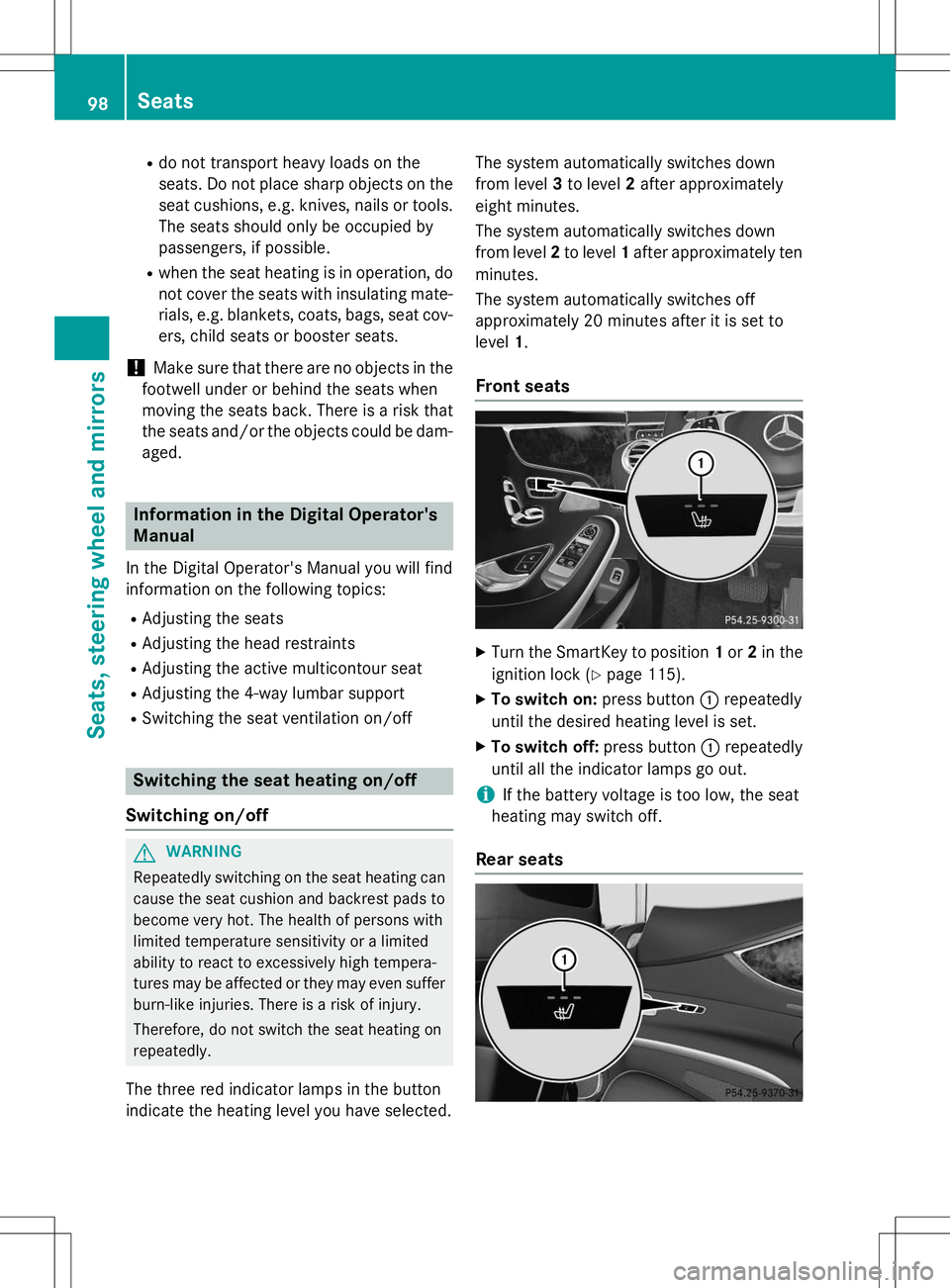
The three red indicator lamps in the button
indicate the heating level you have selected. The system automatically switches down
from level
3to level 2after approximately
eight minutes.
The system automatically switches down
from level 2to level 1after approximately ten
minutes.
The system automatically switches off
approximately 20 minutes after it is set tolevel 1.
Front seats
X
Turn the SmartKey to position 1or 2in the
ignition lock ( Ypage 115).
X To switch on: press button:repeatedly
until the desired heating level is set.
X To switch off: press button:repeatedly
until all the indicator lamps go out.
iIf the battery voltage is too low, the seat
heating may switch off.
Rear seats
98Seats
Seats, steering wheel and mirrors