ESP MERCEDES-BENZ S-COUPE 2016 Repair Manual
[x] Cancel search | Manufacturer: MERCEDES-BENZ, Model Year: 2016, Model line: S-COUPE, Model: MERCEDES-BENZ S-COUPE 2016Pages: 410, PDF Size: 8.62 MB
Page 190 of 410

In the Assistance menu (Ypage 244) of the
on-board computer, you can select the assis- tance graphics display.
XSelect the Assistance Graphicfunction
using the on-board computer
(
Ypage 243).
Display when DISTRONIC PLUS is activa-
ted
:DISTRONIC PLUS active (text only
appears when the cruise control lever is
actuated)
;Vehicle in front, if detected
=Specified minimum distance to the vehi-
cle in front; adjustable
?Own vehicle
In the Assistance menu (
Ypage 244) of the
on-board computer, you can select the assis-
tance graphics display.
XSelect the Assistance Graphicfunction
using the on-board computer
(
Ypage 243).
You will see the stored speed for about five
seconds when you activate DISTRONIC PLUS.
Deactivating DISTRONIC PLUS
There are several ways to deactivate
DISTRONIC PLUS:
XBriefly press the cruise control lever for-
wards :
or
XBrake, unless the vehicle is stationary
When you deactivate DISTRONIC PLUS, you
will see the DISTRONIC
PLUSOffmessage in
the multifunction display for approximately
five seconds.
iThe last speed stored remains stored until
you switch off the engine.
iDISTRONIC PLUS is not deactivated if you
depress the accelerator pedal.
DISTRONIC PLUS is automatically deactiva-
ted if:
Ryou engage the electric parking brake or if
the vehicle is automatically secured with
the electric parking brake
RESP®intervenes or you deactivate ESP®
Rthe transmission is in the P,Ror Nposition
Ryou pull the cruise control lever towards
you in order to pull away and the front-
passenger door or one of the rear doors is
open
Rthe vehicle has skidded
Ryou activate Active Parking Assist
If DISTRONIC PLUS is deactivated, you will
hear a warning tone. You will see the
DISTRONIC PLUS Off
message in the multi-
188Driving systems
Driving and parking
Page 192 of 410
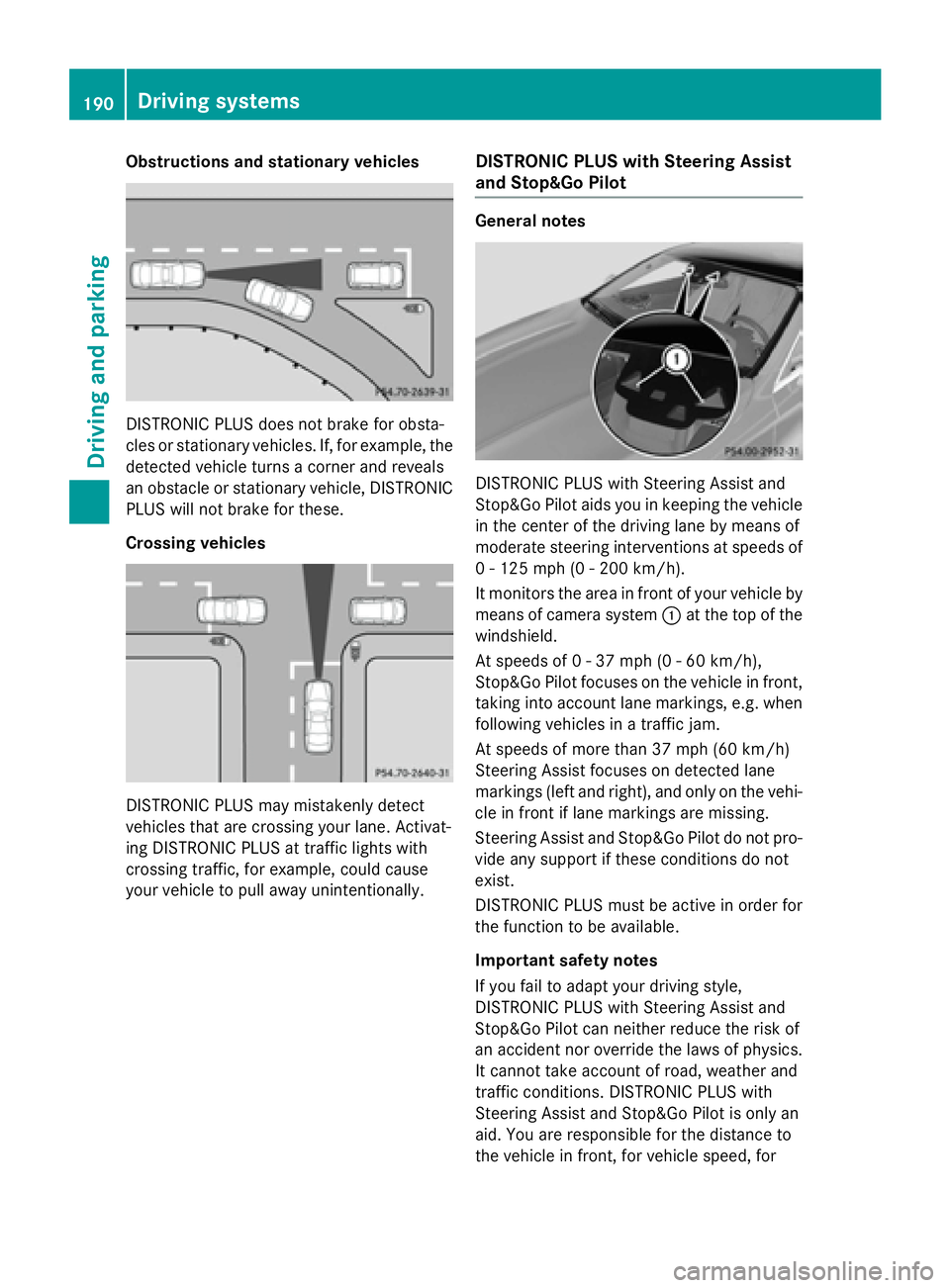
Obstructions and stationary vehicles
DISTRONIC PLUS does not brake for obsta-
cles or stationary vehicles. If, for example, the
detected vehicle turns a corner and reveals
an obstacle or stationary vehicle, DISTRONIC
PLUS will not brake for these.
Crossing vehicles
DISTRONIC PLUS may mistakenly detect
vehicles that are crossing your lane. Activat-
ing DISTRONIC PLUS at traffic lights with
crossing traffic, for example, could cause
your vehicle to pull away unintentionally.
DISTRONIC PLUS with Steering Assist
and Stop&Go Pilot
General notes
DISTRONIC PLUS with Steering Assist and
Stop&Go Pilot aids you in keeping the vehicle
in the center of the driving lane by means of
moderate steering interventions at speeds of
0 - 125 mph (0 - 200 km/h).
It monitors the area in front of your vehicle by
means of camera system :at the top of the
windshield.
At speeds of 0 - 37 mph (0 - 60 km/h),
Stop&Go Pilot focuses on the vehicle in front,
taking into account lane markings, e.g. when
following vehicles in a traffic jam.
At speeds of more than 37 mph (60 km/h)
Steering Assist focuses on detected lane
markings (left and right), and only on the vehi-
cle in front if lane markings are missing.
Steering Assist and Stop&Go Pilot do not pro-
vide any support if these conditions do not
exist.
DISTRONIC PLUS must be active in order for
the function to be available.
Important safety notes
If you fail to adapt your driving style,
DISTRONIC PLUS with Steering Assist and
Stop&Go Pilot can neither reduce the risk of
an accident nor override the laws of physics. It cannot take account of road, weather and
traffic conditions. DISTRONIC PLUS with
Steering Assist and Stop&Go Pilot is only an
aid. You are responsible for the distance to
the vehicle in front, for vehicle speed, for
190Driving systems
Driving and parking
Page 194 of 410
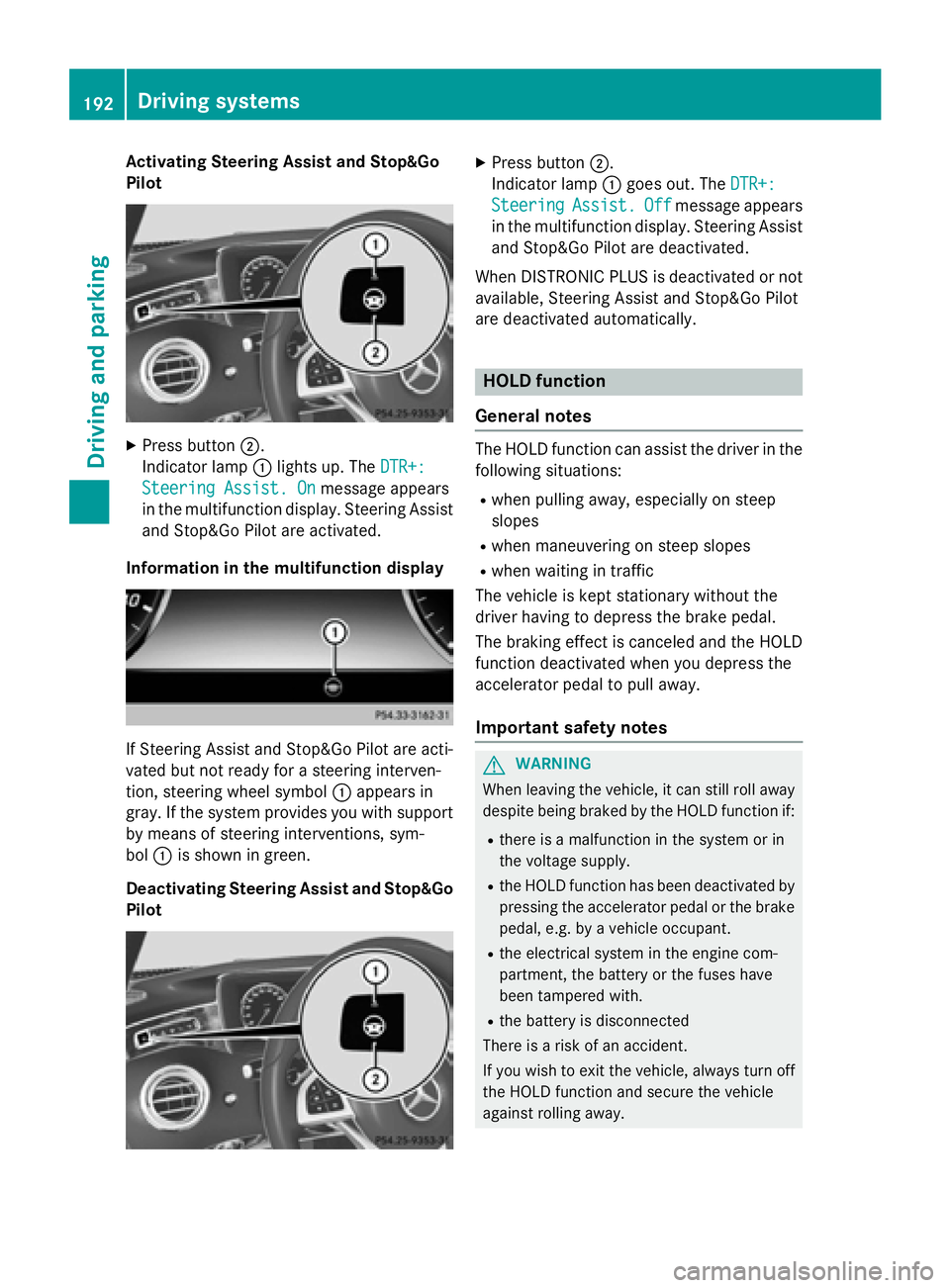
Activating Steering Assist and Stop&Go
Pilot
XPress button ;.
Indic ator lamp :lights up. The DTR+:
Steering Assist. Onmessage appears
in the multifunction display. Steering Assist
and Stop&Go Pilot are activated.
Infor mation in the multifunction display
If St eering Assist and Stop&Go Pilot are act i-
vated but not ready for a steering interven-
tion, steering wheel symbol :appears in
gray. Ifthe system provides you with support
by means of steering interventions, sym-
bol :isshown in green.
Deactivating Steering Assist and Stop& Go
Pilot
XPress button ;.
In dicator lamp :goes out. The DTR+:
SteeringAssist.Offmessage appears
in the multifunction display. Steering Assist
and Stop&Go Pilot are deactivate d.
When DI STRONIC PLUS isdeactivated or not
available, Steering Assist and Stop&Go Pilot
are deactivated automatically.
HOLD function
General notes
The HOLD function can assist the driverinthe
fol lowin g situations:
Rwhen pulling away, especial lyon steep
slopes
Rwhen maneuvering on steep slopes
Rwhen waitingintraff ic
The vehicle iske pt stationary without the
driver having to depress the brake pedal.
The braking effect iscanceled and the HOLD
function deactivated when you depress the
accelerator pedal to pullaway.
Important safety notes
GWARNIN G
When leaving th evehicle, it can still rol laway
despite bein gbraked by th eHOLD function if:
Rthere is amalfunctio nin th esystem or in
th evoltag esupply.
Rth eHOLD function has been deactivate dby
pressin gth eaccelerato rpedal or th ebrak e
pedal, e.g. by avehicl eoccupant .
Rtheelectrical system in th eengin ecom-
partment, th ebattery or th efuse shave
been tampered with.
Rth ebattery is disconnected
Ther eis aris kof an accident.
If you wish to exit th evehicle, always tur noff
th eHOLD function and secure th evehicl e
against rollin gaway.
192Driving systems
Driving and parking
Page 196 of 410
If a malfunction in the electric parking brake
occurs, then the transmission may also be
shifted into positionPautomatically.
MAGIC BODY CONTROL
General notes
MAGIC BODY CONTROL consists of Active
Body Control (ABC), ROAD SURFACE SCAN,
the CURVE cornering function as well as auto-
matic vehicle stabilization in the event of a
crosswind.
Your vehicle automatically adjusts its ride
height to reduce fuel consumption. The sus-
pension mode is adjusted according to your
selection (SPORT, COMFORT or CURVE), the
road surface conditions and the vehicle load.
A multifunction camera detects bumps in the
road surface before the vehicle drives over
them. This reduces chassis movements.
Important safety notes
GWARNING
When the vehicle is being lowered, people
could become trapped if their limbs are
between the vehicle body and the wheels or
underneath the vehicle. There is a risk of
injury.
Make sure no one is underneath the vehicle or
in the immediate vicinity of the wheel arches
when the vehicle is being lowered.
!The vehicle is lowered when the engine is
switched off. When parking, position your
vehicle so that it does not make contact
with the curb as the vehicle is lowered. Your
vehicle could otherwise be damaged.
Crosswind Assist
The crosswind stabilization operates by
changing wheel loads through distortion of
the ABC spring struts. It reduces impairments
in handling when driving in a straight line and
assists during countersteering. Crosswind Assist is active in the speed range
between 50 mph (80 km/h) and
130 mph (210 km/h) when driving straight
ahead or cornering gently.
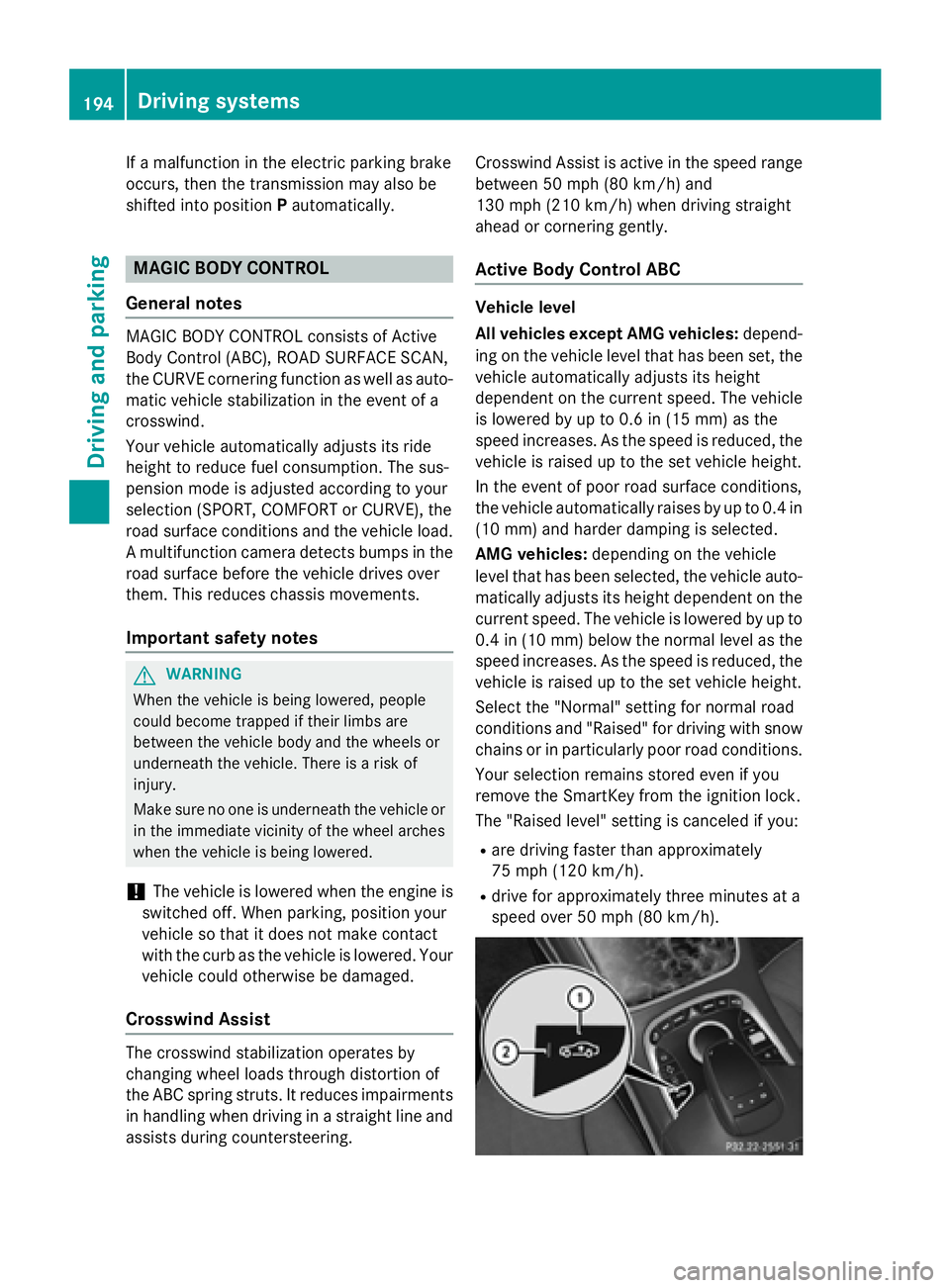
Active Body Control ABC
Vehicle level
All vehicles except AMG vehicles:
depend-
ing on the vehicle level that has been set, the
vehicle automatically adjusts its height
dependent on the current speed. The vehicle
is lowered by up to 0.6 in (15 mm) as the
speed increases. As the speed is reduced, the
vehicle is raised up to the set vehicle height.
In the event of poor road surface conditions,
the vehicle automatically raises by up to 0.4 in
(10 mm) and harder damping is selected.
AMG vehicles: depending on the vehicle
level that has been selected, the vehicle auto-
matically adjusts its height dependent on the current speed. The vehicle is lowered by up to
0.4 in (10 mm) below the normal level as thespeed increases. As the speed is reduced, the
vehicle is raised up to the set vehicle height.
Select the "Normal" setting for normal road
conditions and "Raised" for driving with snow
chains or in particularly poor road conditions.
Your selection remains stored even if you
remove the SmartKey from the ignition lock.
The "Raised level" setting is canceled if you:
Rare driving faster than approximately
75 mph (120 km/h).
Rdrive for approximately three minutes at a
speed over 50 mph (80 km/h).
194Driving systems
Driving and parking
Page 197 of 410
While driving, the raised level can only be
selected at speeds of under
75 mph (120 km/h).
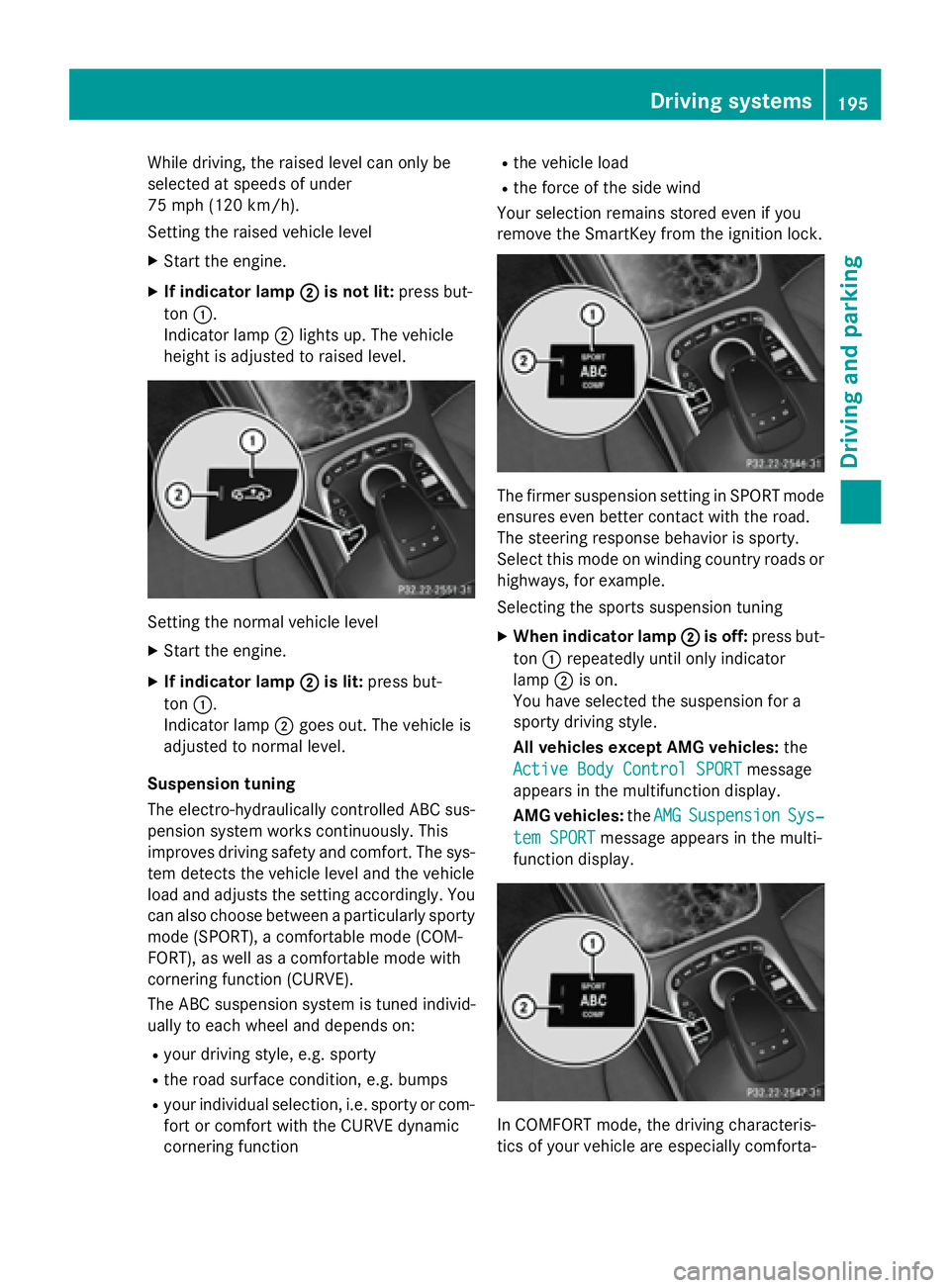
Setting the raised vehicle level
XStart the engine.
XIf indicator lamp ;is not lit:press but-
ton :.
Indicator lamp ;lights up. The vehicle
height is adjusted to raised level.
Setting the normal vehicle level
XStart the engine.
XIf indicator lamp ;is lit:press but-
ton :.
Indicator lamp ;goes out. The vehicle is
adjusted to normal level.
Suspension tuning
The electro-hydraulically controlled ABC sus-
pension system works continuously. This
improves driving safety and comfort. The sys-
tem detects the vehicle level and the vehicle
load and adjusts the setting accordingly. You
can also choose between a particularly sporty
mode (SPORT), a comfortable mode (COM-
FORT), as well as a comfortable mode with
cornering function (CURVE).
The ABC suspension system is tuned individ-
ually to each wheel and depends on:
Ryour driving style, e.g. sporty
Rthe road surface condition, e.g. bumps
Ryour individual selection, i.e. sporty or com-
fort or comfort with the CURVE dynamic
cornering function
Rthe vehicle load
Rthe force of the side wind
Your selection remains stored even if you
remove the SmartKey from the ignition lock.
The firmer suspension setting in SPORT mode
ensures even better contact with the road.
The steering response behavior is sporty.
Select this mode on winding country roads or
highways, for example.
Selecting the sports suspension tuning
XWhen indicator lamp ;is off:press but-
ton :repeatedly until only indicator
lamp ;is on.
You have selected the suspension for a
sporty driving style.
All vehicles except AMG vehicles: the
Active Body Control SPORT
message
appears in the multifunction display.
AMG vehicles: theAMG
SuspensionSys‐
tem SPORTmessage appears in the multi-
function display.
In COMFORT mode, the driving characteris-
tics of your vehicle are especially comforta-
Driving systems195
Driving and parking
Z
Page 198 of 410
ble. The steering response behavior is bal-
anced. Select this mode if you favor a com-
fortable driving style.
Selecting the standard comfort mode sus-
pension tuning
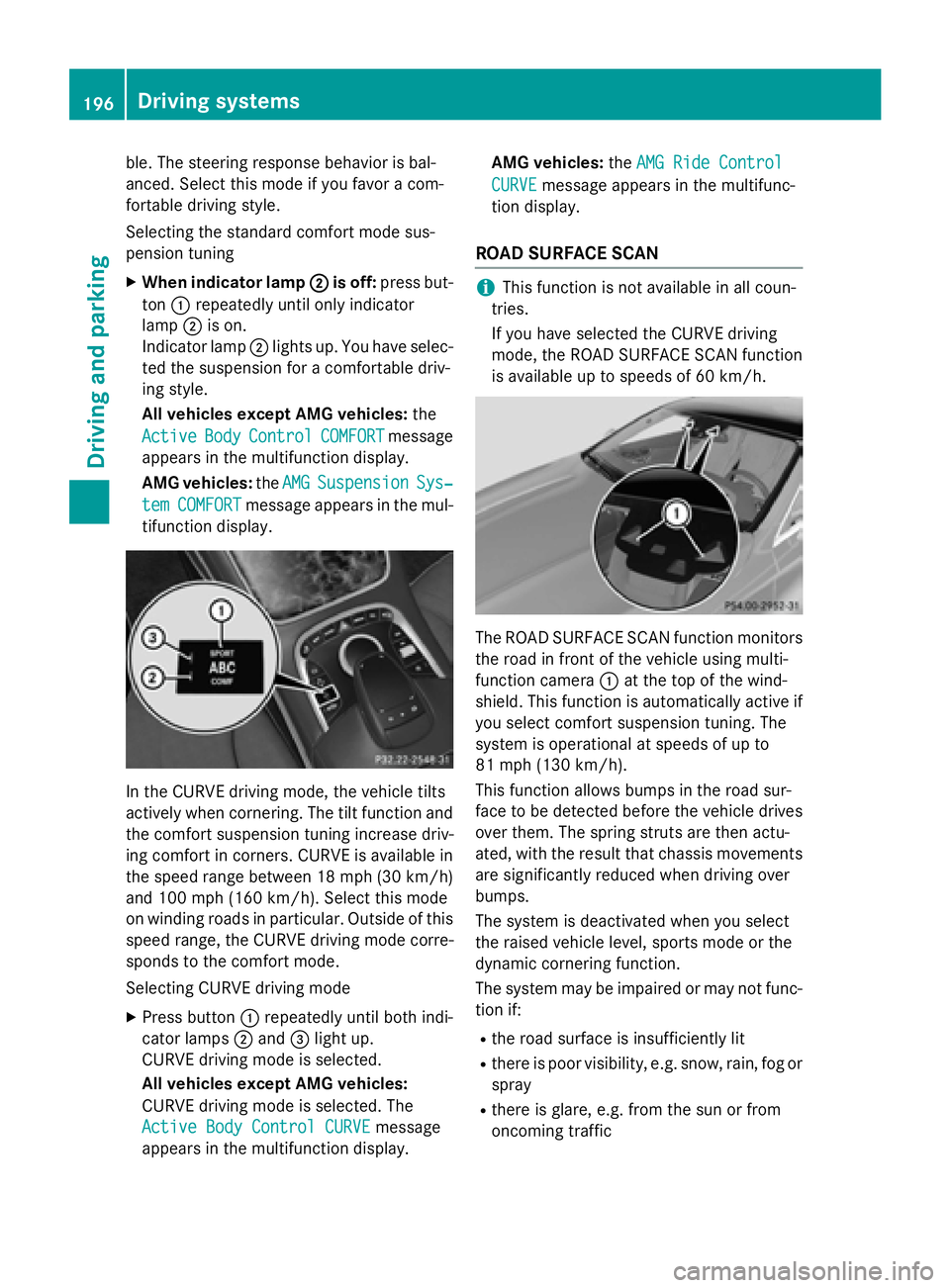
XWhen indicator lamp;is off:press but-
ton :repeatedly until only indicator
lamp ;is on.
Indicator lamp ;lights up. You have selec-
ted the suspension for a comfortable driv-
ing style.
All vehicles except AMG vehicles: the
Active
BodyControlCOMFORTmessage
appears in the multifunction display.
AMG vehicles: theAMG
SuspensionSys‐
temCOMFORTmessage appears in the mul-
tifunction display.
In the CURVE driving mode, the vehicle tilts
actively when cornering. The tilt function and
the comfort suspension tuning increase driv-
ing comfort in corners. CURVE is available in
the speed range between 18 mph (30 km/ h)
and 100 mph (160 km/h). Select this mode
on winding roads in particular. Outside of this
speed range, the CURVE driving mode corre-
sponds to the comfort mode.
Selecting CURVE driving mode
XPress button :repeatedly until both indi-
cator lamps ;and =light up.
CURVE driving mode is selected.
All vehicles except AMG vehicles:
CURVE driving mode is selected. The
Active Body Control CURVE
message
appears in the multifunction display. AMG vehicles:
theAMG Ride Control
CURVEmessage appears in the multifunc-
tion display.
ROAD SURFACE SCAN
iThis function is not available in all coun-
tries.
If you have selected the CURVE driving
mode, the ROAD SURFACE SCAN function
is available up to speeds of 60 km/h.
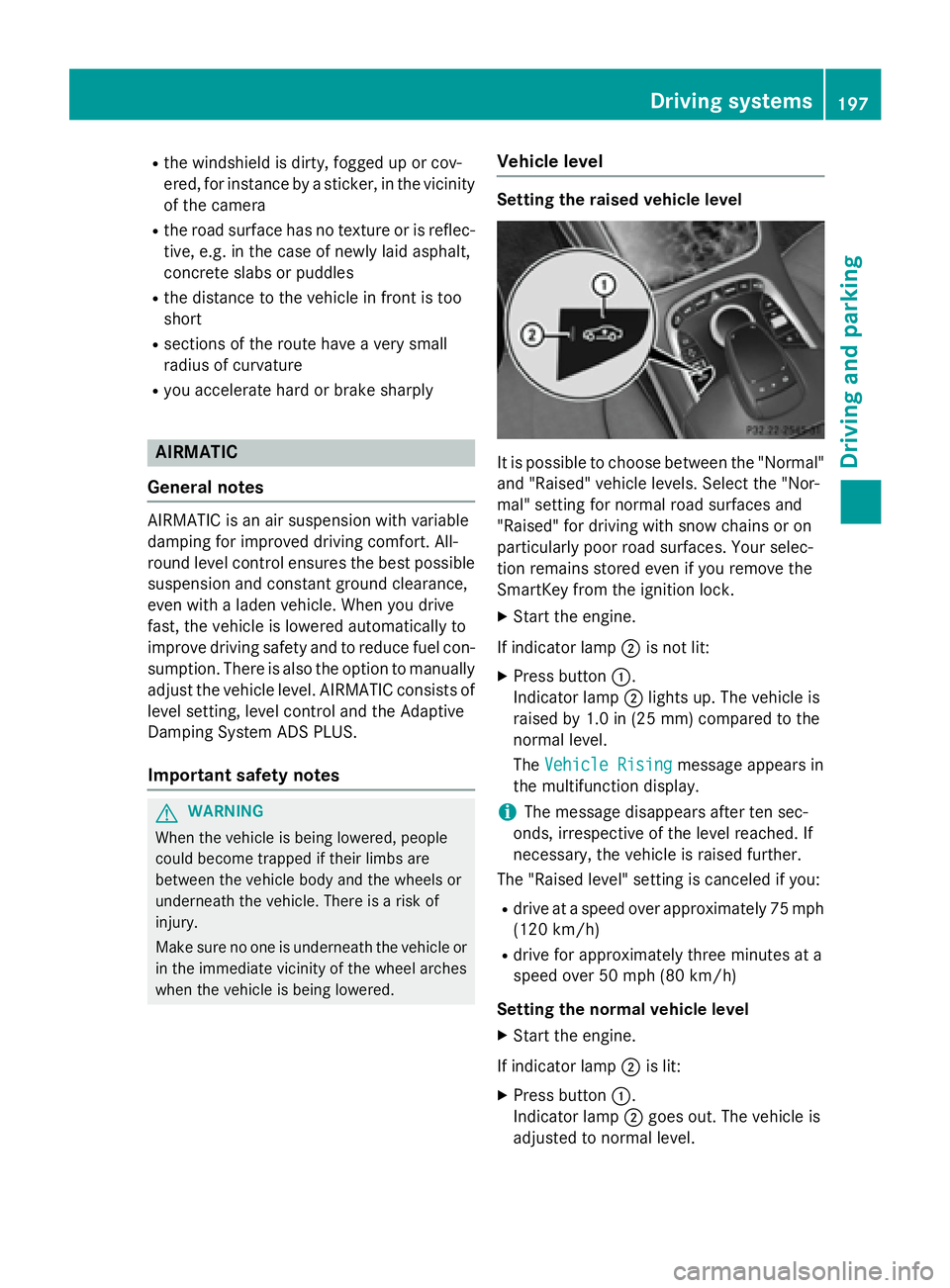
The ROAD SURFACE SCAN function monitors
the road in front of the vehicle using multi-
function camera :at the top of the wind-
shield. This function is automatically active if
you select comfort suspension tuning. The
system is operational at speeds of up to
81 mph (130 km/h).
This function allows bumps in the road sur-
face to be detected before the vehicle drives
over them. The spring struts are then actu-
ated, with the result that chassis movements
are significantly reduced when driving over
bumps.
The system is deactivated when you select
the raised vehicle level, sports mode or the
dynamic cornering function.
The system may be impaired or may not func-
tion if:
Rthe road surface is insufficiently lit
Rthere is poor visibility, e.g. snow, rain, fog or
spray
Rthere is glare, e.g. from the sun or from
oncoming traffic
196Driving systems
Driving and parking
Page 199 of 410
Rthe windshield is dirty, fogged up or cov-
ered, for instance by a sticker, in the vicinity
of the camera
Rthe road surface has no texture or is reflec-
tive, e.g. in the case of newly laid asphalt,
concrete slabs or puddles
Rthe distance to the vehicle in front is too
short
Rsections of the route have a very small
radius of curvature
Ryou accelerate hard or brake sharply
AIRMATIC
General notes
AIRMATIC is an air suspension with variable
damping for improved driving comfort. All-
round level control ensures the best possible
suspension and constant ground clearance,
even with a laden vehicle. When you drive
fast, the vehicle is lowered automatically to
improve driving safety and to reduce fuel con-
sumption. There is also the option to manually
adjust the vehicle level. AIRMATIC consists of
level setting, level control and the Adaptive
Damping System ADS PLUS.
Important safety notes
GWARNING
When the vehicle is being lowered, people
could become trapped if their limbs are
between the vehicle body and the wheels or
underneath the vehicle. There is a risk of
injury.
Make sure no one is underneath the vehicle or
in the immediate vicinity of the wheel arches
when the vehicle is being lowered.
Vehicle level
Setting the raised vehicle level
It is possible to choose between the "Normal"
and "Raised" vehicle levels. Select the "Nor-
mal" setting for normal road surfaces and
"Raised" for driving with snow chains or on
particularly poor road surfaces. Your selec-
tion remains stored even if you remove the
SmartKey from the ignition lock.
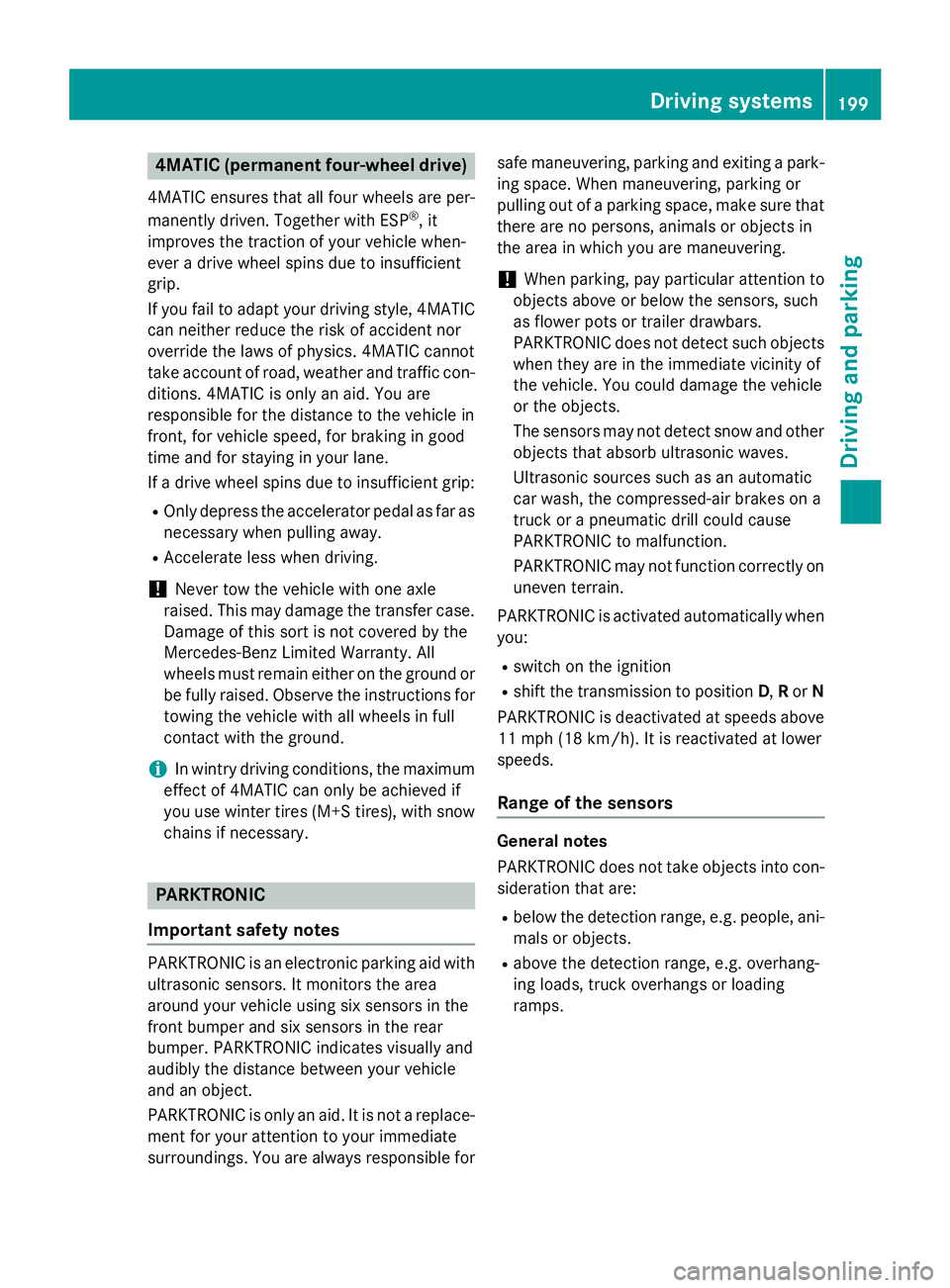
XStart the engine.
If indicator lamp ;is not lit:
XPress button :.
Indicator lamp ;lights up. The vehicle is
raised by 1.0 in (25 mm) compared to the
normal level.
The Vehicle Rising
message appears in
the multifunction display.
iThe message disappears after ten sec-
onds, irrespective of the level reached. If
necessary, the vehicle is raised further.
The "Raised level" setting is canceled if you:
Rdrive at a speed over approximately 75 mph
(120 km/h)
Rdrive for approximately three minutes at a
speed over 50 mph (80 km/h)
Setting the normal vehicle level
XStart the engine.
If indicator lamp ;is lit:
XPress button :.
Indicator lamp ;goes out. The vehicle is
adjusted to normal level.
Driving system s197
Driving an d parking
Z
Page 201 of 410
4MATIC (permanent four-wheel drive)
4MATIC ensures that all four wheels are per-
manently driven. Together with ESP®, it
improves the traction of your vehicle when-
ever a drive wheel spins due to insufficient
grip.
If you fail to adapt your driving style, 4MATIC can neither reduce the risk of accident nor
override the laws of physics. 4MATIC cannot
take account of road, weather and traffic con-
ditions. 4MATIC is only an aid. You are
responsible for the distance to the vehicle in
front, for vehicle speed, for braking in good
time and for staying in your lane.
If a drive wheel spins due to insufficient grip:
ROnly depress the accelerator pedal as far as
necessary when pulling away.
RAccelerate less when driving.
!Never tow the vehicle with one axle
raised. This may damage the transfer case. Damage of this sort is not covered by the
Mercedes-Benz Limited Warranty. All
wheels must remain either on the ground or
be fully raised. Observe the instructions fortowing the vehicle with all wheels in full
contact with the ground.
iIn wintry driving conditions, the maximum
effect of 4MATIC can only be achieved if
you use winter tires (M+S tires), with snow
chains if necessary.
PARKTRONIC
Important safety notes
PARKTRONIC is an electronic parking aid with ultrasonic sensors. It monitors the area
around your vehicle using six sensors in the
front bumper and six sensors in the rear
bumper. PARKTRONIC indicates visually and
audibly the distance between your vehicle
and an object.
PARKTRONIC is only an aid. It is not a replace-
ment for your attention to your immediate
surroundings. You are always responsible for safe maneuvering, parking and exiting a park-
ing space. When maneuvering, parking or
pulling out of a parking space, make sure that
there are no persons, animals or objects in
the area in which you are maneuvering.
!When parking, pay particular attention to
objects above or below the sensors, such
as flower pots or trailer drawbars.
PARKTRONIC does not detect such objects
when they are in the immediate vicinity of
the vehicle. You could damage the vehicle
or the objects.
The sensors may not detect snow and other
objects that absorb ultrasonic waves.
Ultrasonic sources such as an automatic
car wash, the compressed-air brakes on a
truck or a pneumatic drill could cause
PARKTRONIC to malfunction.
PARKTRONIC may not function correctly on
uneven terrain.
PARKTRONIC is activated automatically when
you:
Rswitch on the ignition
Rshift the transmission to position D,Ror N
PARKTRONIC is deactivated at speeds above
11 mph (18 km/h). It is reactivated at lower
speeds.
Range of the sensors
General notes
PARKTRONIC does not take objects into con-
sideration that are:
Rbelow the detection range, e.g. people, ani-
mals or objects.
Rabove the detection range, e.g. overhang-
ing loads, truck overhangs or loading
ramps.
Driving systems199
Driving and parking
Z
Page 204 of 410
Problems with PARKTRONIC
ProblemPossible causes/consequences andMSolutions
Only the red segments
in the PARKTRONIC
warning displays are lit.
You also hear a warning
tone for approximately
two seconds.
PARKTRONIC is then
deactivated and the
indicator lamp on the
PARKTRONIC button
lights up.PARKTRONIC has malfunctioned and has switched off.
XIf problems persist, have PARKTRONIC checked at a qualified
specialist workshop.
Only the red segments
in the PARKTRONIC
warning displays are lit.
PARKTRONIC is then
deactivated.The PARKTRONIC sensors are dirty or there is interference.
XClean the PARKTRONIC sensors (Ypage 335).
XSwitch the ignition back on.
The problem may be caused by an external source of radio or
ultrasound waves.
XSee if PARKTRONIC functions in a different location.
Active Parking Assist
General notes
Active Parking Assist is an electronic parking
aid with ultrasound. It measures the road on
both sides of the vehicle. A parking symbol
indicates a suitable parking space. Active
steering intervention and brake application
can assist you during parking and when exit-
ing a parking space. You may also use
PARKTRONIC (
Ypage 199).
Important safety notes
Active Parking Assist is merely an aid. It is not
a replacement for your attention to your
immediate surroundings. You are always
responsible for safe maneuvering, parking
and exiting a parking space. Make sure that
no persons, animals or objects are in the
maneuvering range.
When PARKTRONIC is switched off, Active
Parking Assist is also unavailable.
GWARNING
While parking or pulling out of a parking
space, the vehicle swings out and can drive
onto areas of the oncoming lane. This could
result in a collision with another road user.
There is a risk of an accident.
Pay attention to other road users. Stop the
vehicle if necessary or cancel the Active Park- ing Assist parking procedure.
!If unavoidable, you should drive over
obstacles such as curbs slowly and not at a
sharp angle. Otherwise, you may damage
the wheels or tires.
Active Parking Assist may possibly indicate
parking spaces which are not suitable for
parking, for example:
Rwhere parking or stopping is prohibited
Rin front of driveways or entrances and exits
Ron unsuitable surfaces
202Driving systems
Driving and parking
Page 206 of 410
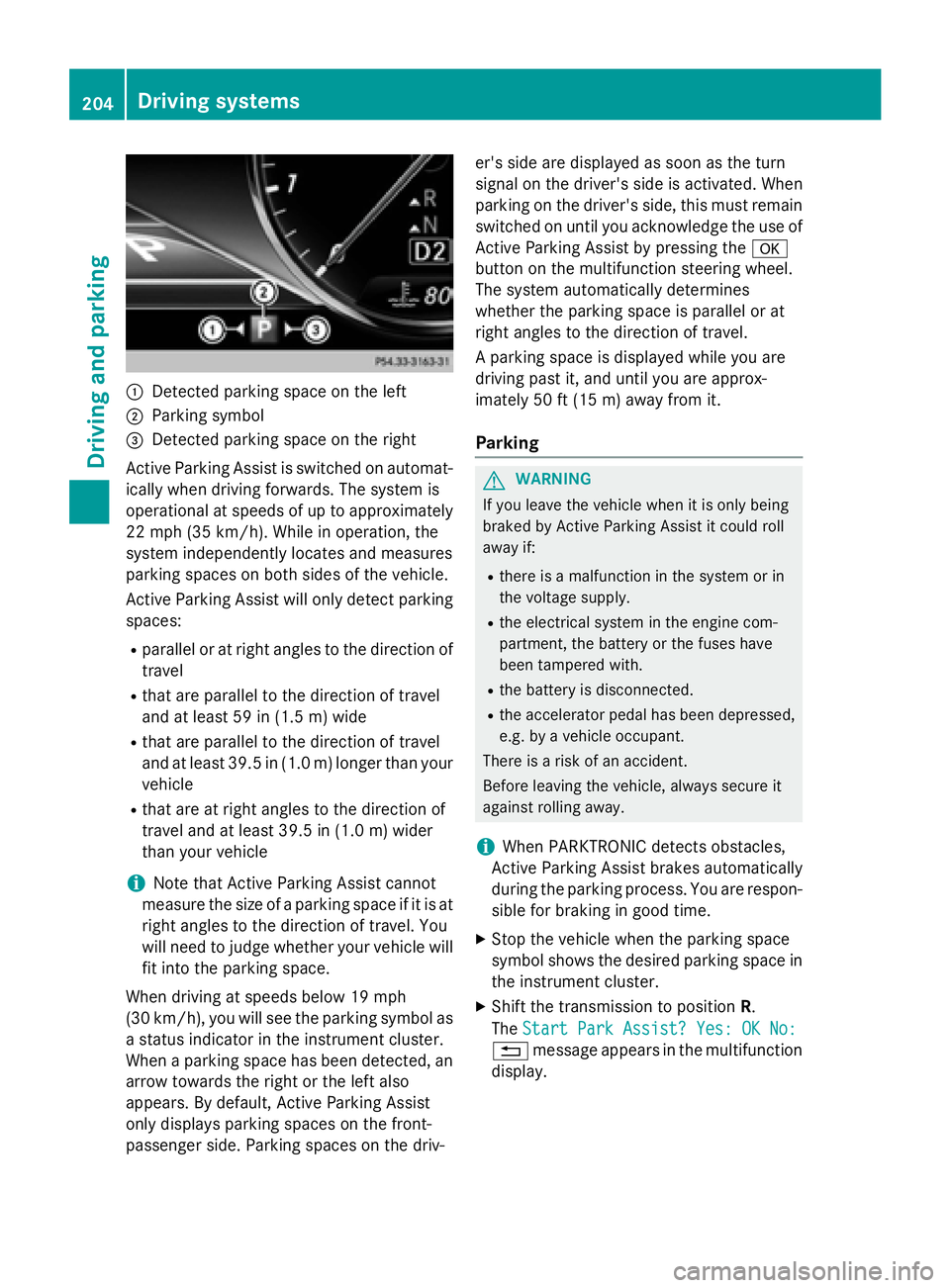
:Detected parking space on the left
;Parking symbol
=Detected parking space on the right
Active Parking Assist is switched on automat-
ically when driving forwards. The system is
operational at speeds of up to approximately
22 mph (35 km/h). While in operation, the
system independently locates and measures
parking spaces on both sides of the vehicle.
Active Parking Assist will only detect parking
spaces:
Rparallel or at right angles to the direction of
travel
Rthat are parallel to the direction of travel
and at least 59 in (1.5 m) wide
Rthat are parallel to the direction of travel
and at least 39.5 in (1.0 m) longer than your
vehicle
Rthat are at right angles to the direction of
travel and at least 39.5 in (1.0 m) wider
than your vehicle
iNote that Active Parking Assist cannot
measure the size of a parking space if it is at
right angles to the direction of travel. You
will need to judge whether your vehicle will
fit into the parking space.
When driving at speeds below 19 mph
(30 km/h), you will see the parking symbol as
a status indicator in the instrument cluster.
When a parking space h
as been detected, an
arrow towards the right or the left also
appears. By default, Active Parking Assist
only displays parking spaces on the front-
passenger side. Parking spaces on the driv- er's side are displayed as soon as the turn
signal on the driver's side is activated. When
parking on the driver's side, this must remain
switched on until you acknowledge the use of
Active Parking Assist by pressing the
a
button on the multifunction steering wheel.
The system automatically determines
whether the parking space is parallel or at
right angles to the direction of travel.
A parking space is displayed while you are
driving past it, and until you are approx-
imately 50 ft (15 m) awayfrom it .
Parking
GWARNING
If you leave the vehicle when it is only being
braked by Active Parking Assist it could roll
away if:
Rthere is a malfunction in the system or in
the voltage supply.
Rthe electrical system in the engine com-
partment, the battery or the fuses have
been tampered with.
Rthe battery is disconnected.
Rthe accelerator pedal has been depressed,
e.g. by a vehicle occupant.
There is a risk of an accident.
Before leaving the vehicle, always secure it
against rolling away.
iWhen PARKTRONIC detects obstacles,
Active Parking Assist brakes automatically
during the parking process. You are respon-
sible for braking in good time.
XStop the vehicle when the parking space
symbol shows the desired parking space in
the instrument cluster.
XShift the transmission to position R.
The Start Park Assist? Yes: OK No:
% message appears in the multifunction
display.
204Driving system s
Driving an d parking