ECU MERCEDES-BENZ SL CLASS 2011 Owner's Manual
[x] Cancel search | Manufacturer: MERCEDES-BENZ, Model Year: 2011, Model line: SL CLASS, Model: MERCEDES-BENZ SL CLASS 2011Pages: 316, PDF Size: 6.55 MB
Page 65 of 316

out by qualified technicians only. Contact an
authorized Mercedes-Benz Center for further
information.
The electro-hydraulic brake system must be
deactivated prior to working on the system.
High pressure is intermittently built up in the
system as part of its automatic self-test.
In addition, the system is automatically
activated when the vehicle is unlocked by
remote control, when the driver or passenger
door is opened, when the SmartKey in the
starter switch is turned to position 1 or the
KEYLESS-GO start/stop button is pressed
once, when the brake pedal is depressed or
when the parking brake is released. Failure to
deactivate the system prior to maintenance
will cause brake pistons to extend and brake
fluid to leak, which may result in injuries
(contusions and acid burns). Extended brake
pistons may also cause injury.
The electro-hydraulic brake system switches
off automatically
R approximately 2 minutes after you turned
the SmartKey in the starter switch to
position 0 or removed the SmartKey
R approximately 2 minutes after you pressed
the KEYLESS-GO start/stop button to turn
off the engine or power supply and opened
the driver’s door (with driver’s door open,
the starter switch is set to position 0, same
as SmartKey removed from starter switch)
R approximately 20 seconds after you locked
the vehicle from outside
For more information on your vehicle’s
brakes, see the “Driving instructions” section
( Y page 210).
Anti-theft systems
Immobilizer
The immobilizer prevents unauthorized
persons from starting your vehicle.
When leaving the vehicle, always take the
SmartKey with you and lock the vehicle. The
engine can be started by anyone with a valid
SmartKey that is left inside the vehicle.
ActivatingXWith SmartKey: Remove the SmartKey
from the starter switch.XWith KEYLESS-GO: Turn off the engine and
open the driver’s door.
Deactivating
XSwitch on the ignition.
i Starting the engine will also deactivate
the immobilizer.
In the event that the engine cannot be
started (yet the vehicle’s battery is
charged), the system is not operational.
Contact an authorized Mercedes-Benz
Center or call 1-800-FOR-MERCedes (in the
USA) or 1-800-387-0100 (in Canada).
Anti-theft alarm system
Once the alarm system has been armed, a
visual and audible alarm is triggered when
someone opens
R a door
R the trunk
R the hood
R a storage compartment in the rear
R the glove box
R the storage compartment under the
armrest
The alarm will stay on even if the activating
element, a door, for example, is closed
immediately.
The alarm system will also be triggered when
R the vehicle is raised (tow-away alarm)
R the vehicle is opened with the mechanical
key
Anti-theft systems63Safety and security230_AKB; 6; 22, en-USd2ureepe,Version: 2.11.8.12009-07-28T18:49:58+02:00 - Seite 63Z
Page 66 of 316

Ra door is opened from the inside
Rthe trunk is opened with the emergency
release button
To cancel the alarm after it has been
triggered, see “Canceling the alarm”
(Y page 65).
iIf the alarm stays on for more than
30 seconds, the Tele Aid system initiates a
call to the Customer Assistance Center
automatically. The Tele Aid system will
initiate the call provided that
Ryou have subscribed to the Tele Aid
service
Rthe Tele Aid service has been activated
properly
Rthe necessary mobile phone, power
supply and GPS coverage are available
XArming: Lock the vehicle with the
SmartKey or with KEYLESS-GO.
The turn signal lamps flash three times and
an acoustic warning sounds three times to
indicate that the vehicle is locked. Indicator
lamp \000F flashes to indicate that the alarm
system is armed.
iIf the turn signal lamps do not flash three
times and the acoustic warning does not
sound three times, a door or the trunk may
not be properly closed.
Close the respective element.XDisarming: Unlock the vehicle with the
SmartKey or with KEYLESS-GO.
The turn signal lamps flash once and an
acoustic warning sounds once to indicate
that the alarm system is disarmed.
iUnless you open a door or the trunk within
approximately 40 seconds after unlocking
the vehicle:
RThe vehicle will be locked again.
RThe anti-theft alarm system will be
rearmed.
Tow-away alarm
Once the tow-away alarm is armed, a visual
and audible alarm will be triggered when
someone attempts to raise the vehicle.
To cancel the alarm after it has been
triggered, see “Canceling the alarm”
(Y page 65).
iIf the alarm stays on for more than
30 seconds, a call to the Customer
Assistance Center is initiated automatically
by the Tele Aid system provided that you
have subscribed to the Tele Aid service and
that it has been activated properly, and that
the necessary mobile phone, power supply
and GPS coverage are available.
XArming: Lock the vehicle with the
SmartKey or with KEYLESS-GO.
The tow-away alarm is armed after about
30 seconds automatically.
XDisarming: Unlock the vehicle with the
SmartKey or with KEYLESS-GO.
The tow-away alarm remains disarmed until
you lock the vehicle again.
Disabling tow-away alarm
To prevent triggering the tow-away alarm,
disable the tow-away alarm feature before
towing the vehicle, or when parking on a
64Anti-theft systemsSafety and security
230_AKB; 6; 22, en-USd2ureepe,Version: 2.11.8.12009-07-28T18:49:58+02:00 - Seite 64
Page 67 of 316

surface subject to movement, such as a ferry
or auto train.
XRemove the SmartKey from the starter
switch.
XPress tow-away alarm switch \000F.
Indicator lamp \000G comes on briefly.
XExit and lock the vehicle.
The tow-away alarm remains disabled until
you lock the vehicle again.
Canceling the alarm
To cancel the alarm, do one of the following:
XInsert the SmartKey into the starter switch.XPress button \0006 or \0007 on the
SmartKey.
In vehicles with KEYLESS-GO:
XGrasp an outside door handle.
The SmartKey must be within 3 ft (1 m) of
the vehicle.
XPress the KEYLESS-GO start/stop button.
The SmartKey must be inside the vehicle.
Anti-theft systems65Safety and security230_AKB; 6; 22, en-USd2ureepe,Version: 2.11.8.12009-07-28T18:49:58+02:00 - Seite 65Z
Page 76 of 316
Remember to re-secure the luggage cover
after loading/unloading the trunk.
Otherwise you will not be able to lower the
retractable hardtop.
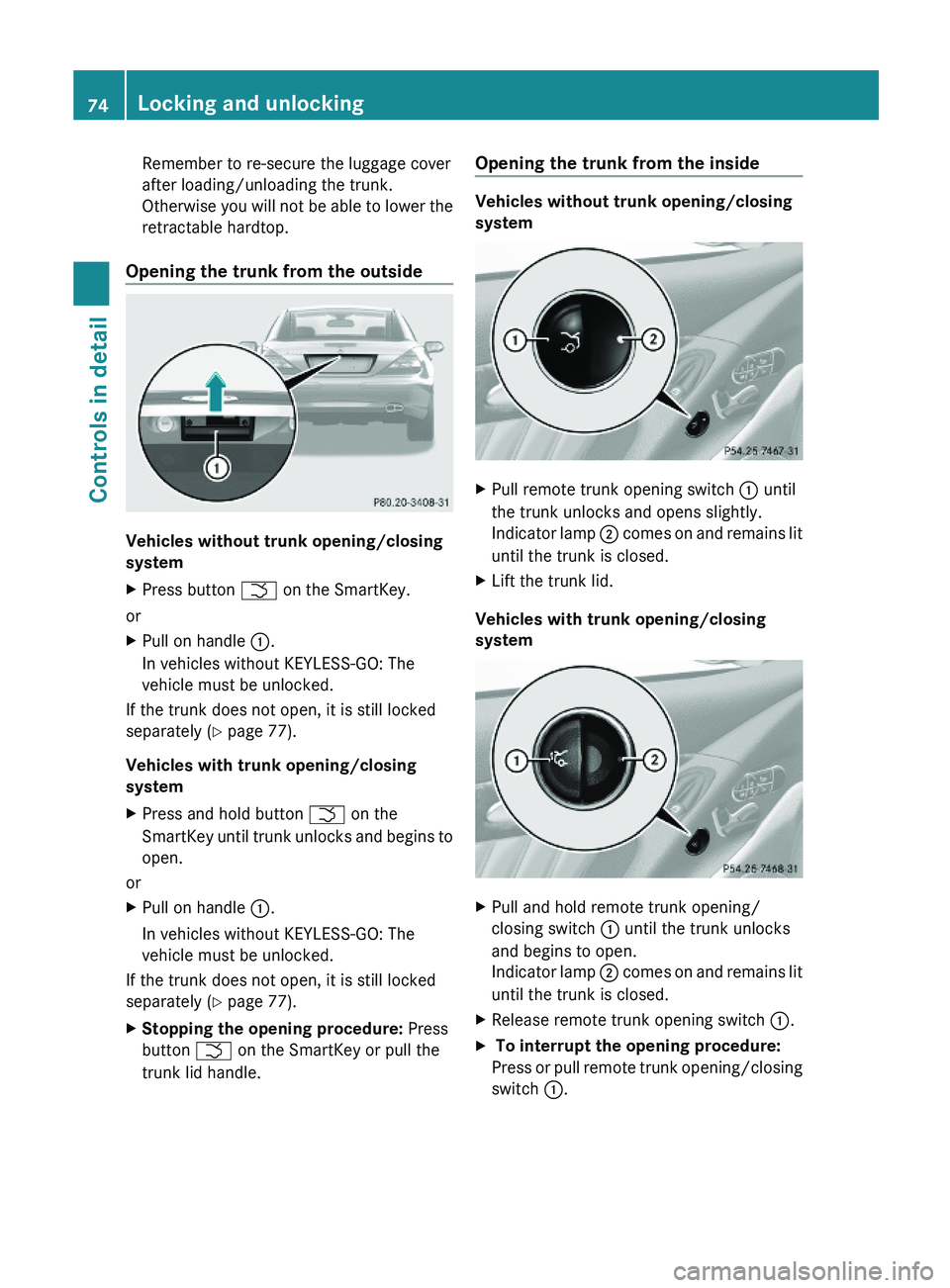
Opening the trunk from the outside
Vehicles without trunk opening/closing
system
XPress button \000T on the SmartKey.
or
XPull on handle \000F.
In vehicles without KEYLESS-GO: The
vehicle must be unlocked.
If the trunk does not open, it is still locked
separately (Y page 77).
Vehicles with trunk opening/closing
system
XPress and hold button \000T on the
SmartKey until trunk unlocks and begins to
open.
or
XPull on handle \000F.
In vehicles without KEYLESS-GO: The
vehicle must be unlocked.
If the trunk does not open, it is still locked
separately (Y page 77).
XStopping the opening procedure: Press
button \000T on the SmartKey or pull the
trunk lid handle.
Opening the trunk from the inside
Vehicles without trunk opening/closing
system
XPull remote trunk opening switch \000F until
the trunk unlocks and opens slightly.
Indicator lamp \000G comes on and remains lit
until the trunk is closed.
XLift the trunk lid.
Vehicles with trunk opening/closing
system
XPull and hold remote trunk opening/
closing switch \000F until the trunk unlocks
and begins to open.
Indicator lamp \000G comes on and remains lit
until the trunk is closed.
XRelease remote trunk opening switch \000F.X To interrupt the opening procedure:
Press or pull remote trunk opening/closing
switch \000F.
74Locking and unlockingControls in detail
230_AKB; 6; 22, en-USd2ureepe,Version: 2.11.8.12009-07-28T18:49:58+02:00 - Seite 74
Page 82 of 316
Seats
Safety notes
GWarning!
In order to avoid possible loss of vehicle
control the following must be done before the
vehicle is put into motion:
R seat adjustment
R head restraint adjustment
R steering wheel adjustment
R rear view mirror adjustment
R fastening of seat belts
GWarning!
Do not adjust the driver’s seat while driving.
Adjusting the seat while driving could cause
the driver to lose control of the vehicle.
Never ride in a moving vehicle with the seat
backrest in an excessively reclined position as
this can be dangerous. You could slide under
the seat belt in a collision. If you slide under
it, the seat belt would apply force at the
abdomen or neck. That could cause serious
or fatal injuries. The seat backrest and seat
belts provide the best restraint when the
wearer is in a position that is as upright as
possible and seat belts are properly
positioned on the body.
GWarning!
Your seat must be adjusted so that you can
correctly fasten your seat belt.
Observe the following points:
R Adjust the seat backrest until your arms are
slightly angled when holding the steering
wheel.
R Adjust the seat to a comfortable seating
position that still allows you to reach the
accelerator/brake pedal safely. The
position should be as far back as possible
with the driver still able to operate the
controls properly.
R Adjust the head restraint so that it is as
close to the head as possible. The center of
the head restraint must support the back of
the head at eye level.
R Never place hands under the seat or near
any moving parts while a seat is being
adjusted.
Failure to do so could result in an accident
and/or serious personal injury.GWarning!
The power seats can be operated at any time.
Therefore, do not leave children unattended
in the vehicle, or with access to an unlocked
vehicle. A child’s unsupervised access to a
vehicle could result in an accident and/or
serious personal injury.
GWarning!
Children 12 years old and under must be
seated and properly secured in an
appropriately sized infant restraint, toddler
restraint, or booster seat recommended for
the size and weight of the child. For additional
information, see section “Children in the
vehicle”.
A child’s risk of serious or fatal injuries is
significantly increased if the child restraints
are not properly secured in the vehicle and/
or the child is not properly secured in the child
restraint.
GWarning!
For your protection, drive only with properly
positioned head restraints.
Adjust the head restraint so that it is as close
to the head as possible and the center of the
head restraint supports the back of the head
at eye level. This will reduce the potential for
injury to the head and neck in the event of an
accident or similar situation.
Do not drive the vehicle without the seat head
restraints. Head restraints are intended to
help reduce injuries during an accident.
80SeatsControls in detail
230_AKB; 6; 22, en-USd2ureepe,Version: 2.11.8.12009-07-28T18:49:58+02:00 - Seite 80
Page 94 of 316
Locator lighting and night security
illumination
Locator lighting and night security
illumination are described in the “Control
system” section, see “Switching locator
lighting on or off” (Y page 125) and
“Switching night security illumination
(Headlamps delayed shut-off feature) on or
off” (Y page 125).
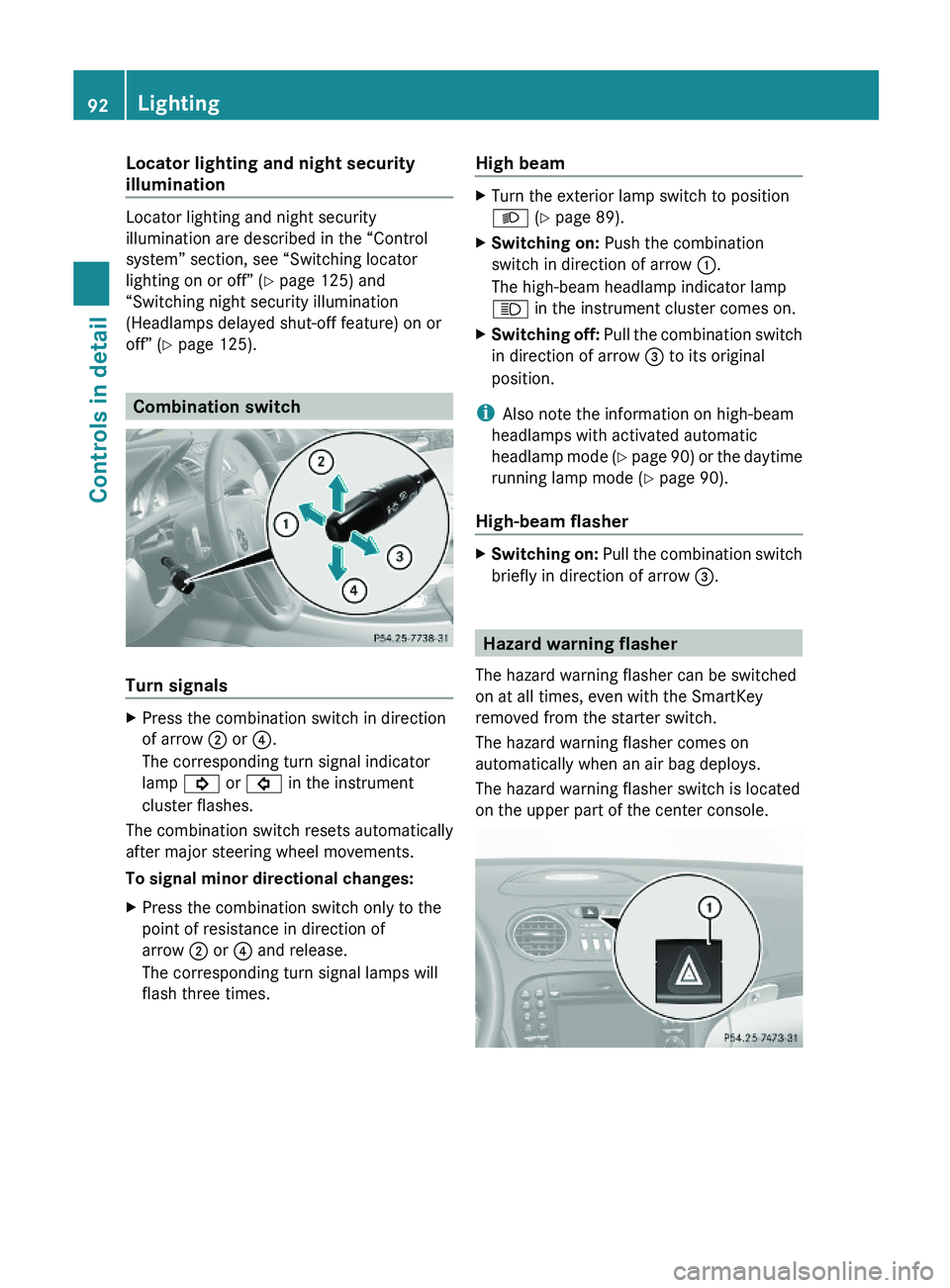
Combination switch
Turn signals
XPress the combination switch in direction
of arrow \000G or \000
Page 107 of 316
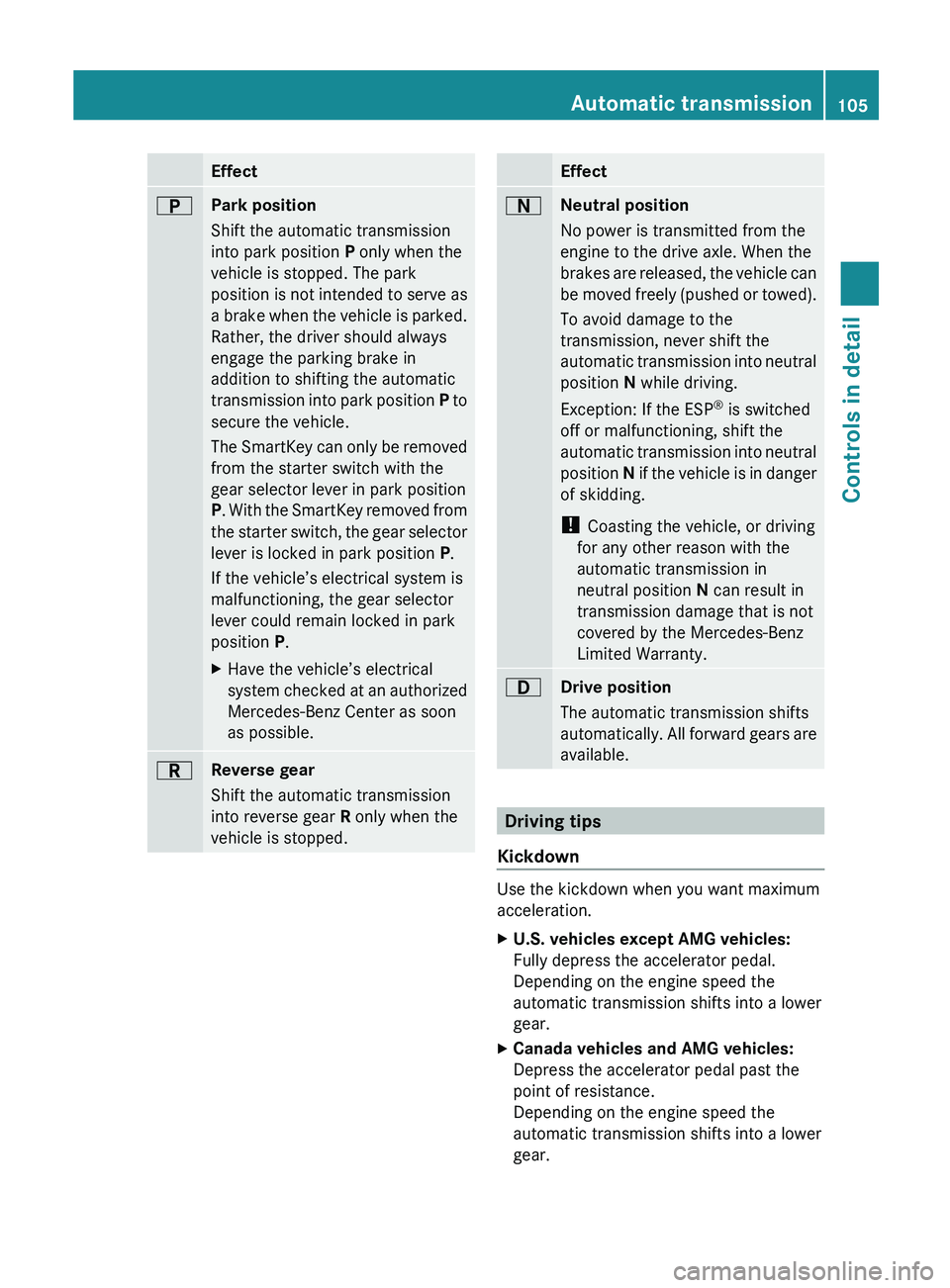
Effect0045Park position
Shift the automatic transmission
into park position P only when the
vehicle is stopped. The park
position is not intended to serve as
a brake when the vehicle is parked.
Rather, the driver should always
engage the parking brake in
addition to shifting the automatic
transmission into park position P to
secure the vehicle.
The SmartKey can only be removed
from the starter switch with the
gear selector lever in park position
P . With the SmartKey removed from
the starter switch, the gear selector
lever is locked in park position P.
If the vehicle’s electrical system is
malfunctioning, the gear selector
lever could remain locked in park
position P.XHave the vehicle’s electrical
system checked at an authorized
Mercedes-Benz Center as soon
as possible.0046Reverse gear
Shift the automatic transmission
into reverse gear R only when the
vehicle is stopped.Effect0044Neutral position
No power is transmitted from the
engine to the drive axle. When the
brakes are released, the vehicle can
be moved freely (pushed or towed).
To avoid damage to the
transmission, never shift the
automatic transmission into neutral
position N while driving.
Exception: If the ESP ®
is switched
off or malfunctioning, shift the
automatic transmission into neutral
position N if the vehicle is in danger
of skidding.
! Coasting the vehicle, or driving
for any other reason with the
automatic transmission in
neutral position N can result in
transmission damage that is not
covered by the Mercedes-Benz
Limited Warranty.003ADrive position
The automatic transmission shifts
automatically. All forward gears are
available.
Driving tips
Kickdown
Use the kickdown when you want maximum
acceleration.
XU.S. vehicles except AMG vehicles:
Fully depress the accelerator pedal.
Depending on the engine speed the
automatic transmission shifts into a lower
gear.XCanada vehicles and AMG vehicles:
Depress the accelerator pedal past the
point of resistance.
Depending on the engine speed the
automatic transmission shifts into a lower
gear.Automatic transmission105Controls in detail230_AKB; 6; 22, en-USd2ureepe,Version: 2.11.8.12009-07-28T18:49:58+02:00 - Seite 105Z
Page 124 of 316
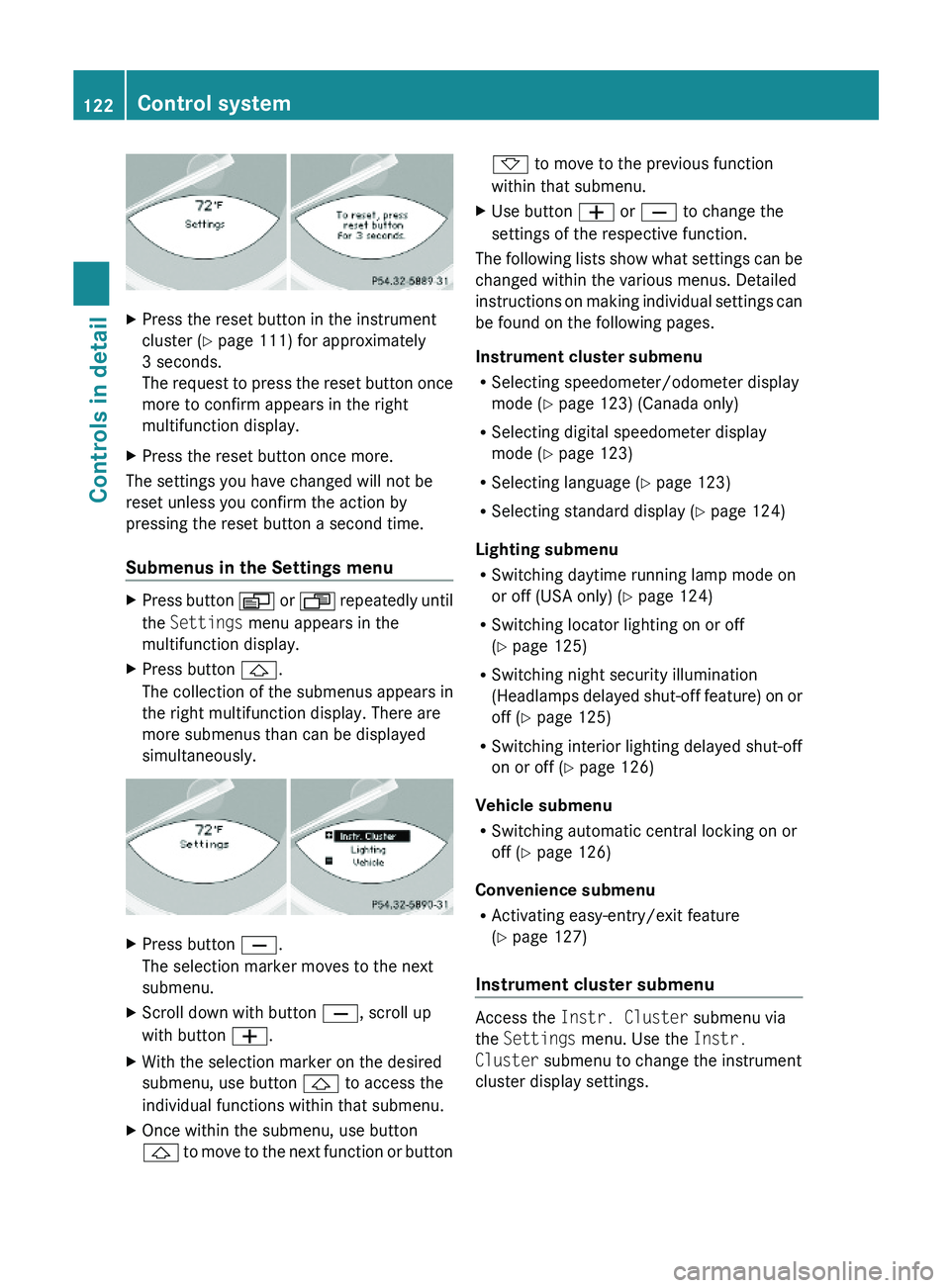
XPress the reset button in the instrument
cluster (Y page 111) for approximately
3 seconds.
The request to press the reset button once
more to confirm appears in the right
multifunction display.
XPress the reset button once more.
The settings you have changed will not be
reset unless you confirm the action by
pressing the reset button a second time.
Submenus in the Settings menu
XPress button \000Y or \000X repeatedly until
the Settings menu appears in the
multifunction display.
XPress button \000\).
The collection of the submenus appears in
the right multifunction display. There are
more submenus than can be displayed
simultaneously.
XPress button \000[.
The selection marker moves to the next
submenu.
XScroll down with button \000[, scroll up
with button \000Z.
XWith the selection marker on the desired
submenu, use button \000\) to access the
individual functions within that submenu.
XOnce within the submenu, use button
\000\) to move to the next function or button
\000- to move to the previous function
within that submenu.
XUse button \000Z or \000[ to change the
settings of the respective function.
The following lists show what settings can be
changed within the various menus. Detailed
instructions on making individual settings can
be found on the following pages.
Instrument cluster submenu
RSelecting speedometer/odometer display
mode (Y page 123) (Canada only)
RSelecting digital speedometer display
mode (Y page 123)
RSelecting language (Y page 123)
RSelecting standard display (Y page 124)
Lighting submenu
RSwitching daytime running lamp mode on
or off (USA only) (Y page 124)
RSwitching locator lighting on or off
(Y page 125)
RSwitching night security illumination
(Headlamps delayed shut-off feature) on or
off (Y page 125)
RSwitching interior lighting delayed shut-off
on or off (Y page 126)
Vehicle submenu
RSwitching automatic central locking on or
off (Y page 126)
Convenience submenu
RActivating easy-entry/exit feature
(Y page 127)
Instrument cluster submenu
Access the Instr. Cluster submenu via
the Settings menu. Use the Instr.
Cluster submenu to change the instrument
cluster display settings.
122Control systemControls in detail
230_AKB; 6; 22, en-USd2ureepe,Version: 2.11.8.12009-07-28T18:49:58+02:00 - Seite 122
Page 126 of 316
Setting standard displayXPress button \000Y or \000X repeatedly until
the Settings menu appears in the
multifunction display.
XPress button \000\).XMove the selection marker with button
\000Z or \000[ to the Instr. Cluster
submenu.
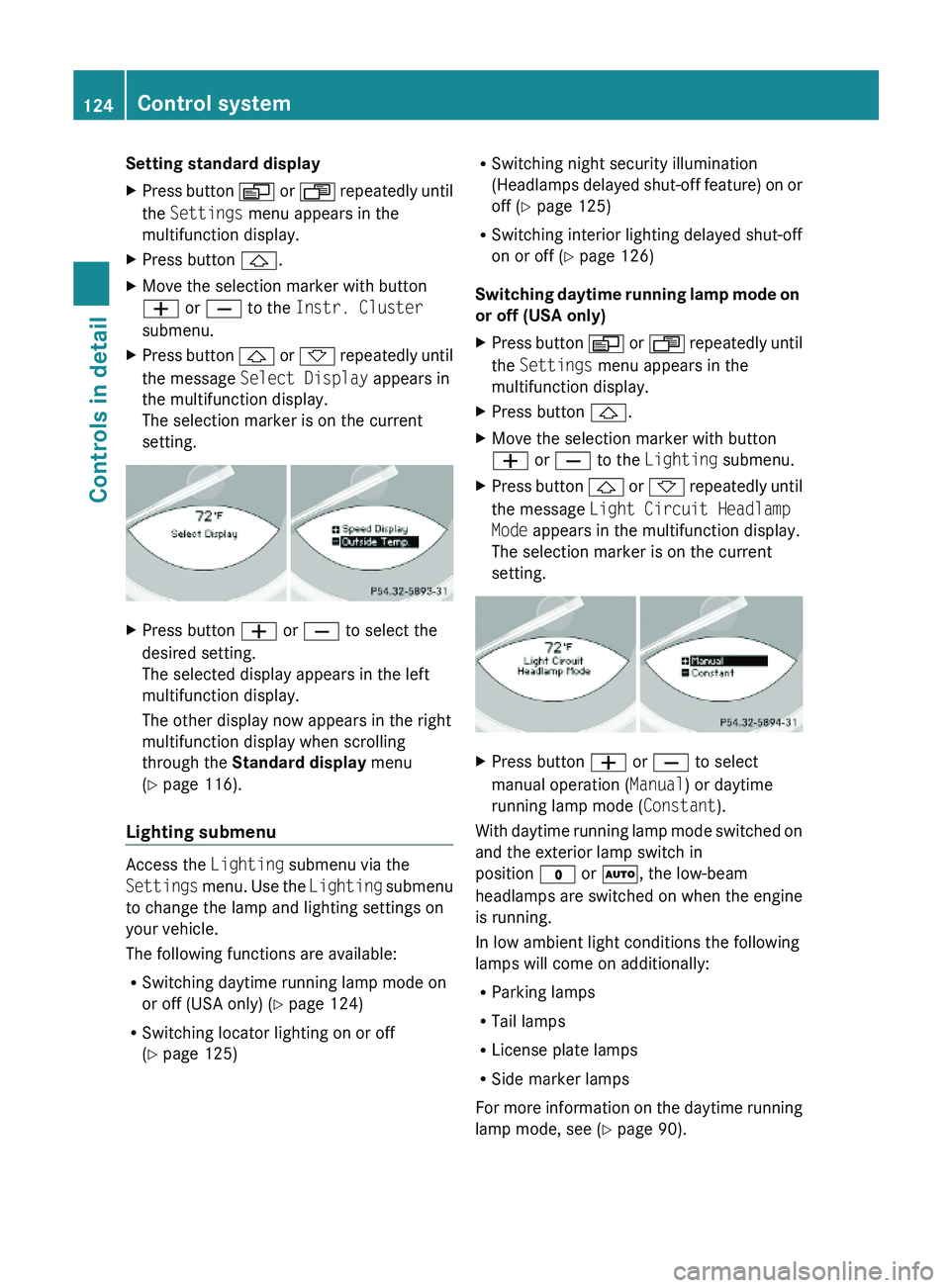
XPress button \000\) or \000- repeatedly until
the message Select Display appears in
the multifunction display.
The selection marker is on the current
setting.
XPress button \000Z or \000[ to select the
desired setting.
The selected display appears in the left
multifunction display.
The other display now appears in the right
multifunction display when scrolling
through the Standard display menu
(Y page 116).
Lighting submenu
Access the Lighting submenu via the
Settings menu. Use the Lighting submenu
to change the lamp and lighting settings on
your vehicle.
The following functions are available:
RSwitching daytime running lamp mode on
or off (USA only) (Y page 124)
RSwitching locator lighting on or off
(Y page 125)
RSwitching night security illumination
(Headlamps delayed shut-off feature) on or
off (Y page 125)
RSwitching interior lighting delayed shut-off
on or off (Y page 126)
Switching daytime running lamp mode on
or off (USA only)
XPress button \000Y or \000X repeatedly until
the Settings menu appears in the
multifunction display.
XPress button \000\).XMove the selection marker with button
\000Z or \000[ to the Lighting submenu.
XPress button \000\) or \000- repeatedly until
the message Light Circuit Headlamp
Mode appears in the multifunction display.
The selection marker is on the current
setting.
XPress button \000Z or \000[ to select
manual operation (Manual) or daytime
running lamp mode (Constant).
With daytime running lamp mode switched on
and the exterior lamp switch in
position \000' or \000Z, the low-beam
headlamps are switched on when the engine
is running.
In low ambient light conditions the following
lamps will come on additionally:
RParking lamps
RTail lamps
RLicense plate lamps
RSide marker lamps
For more information on the daytime running
lamp mode, see (Y page 90).
124Control systemControls in detail
230_AKB; 6; 22, en-USd2ureepe,Version: 2.11.8.12009-07-28T18:49:58+02:00 - Seite 124
Page 127 of 316
For safety reasons, resetting all the functions
of all submenus to the factory settings while
driving (Y page 121) will not deactivate the
daytime running lamp mode.
The following message appears in the
multifunction display:
Lighting Cannot be fully reset to
factory settings while driving.
Switching locator lighting on or off
With the locator lighting feature activated and
the exterior lamp switch in position \000Z, the
following lamps will come on during darkness
when the vehicle is unlocked using button
\0006 on the SmartKey:
RParking lamps
RTail lamps
RLicense plate lamps
RSide marker lamps
RFront fog lamps
The locator lighting goes out when the driver’s
door is opened.
If you do not open the driver’s door after
unlocking the vehicle with the SmartKey, the
lamps will go out automatically after
approximately 40 seconds.
XPress button \000Y or \000X repeatedly until
the Settings menu appears in the
multifunction display.
XPress button \000\).XMove the selection marker with button
\000Z or \000[ to the Lighting submenu.
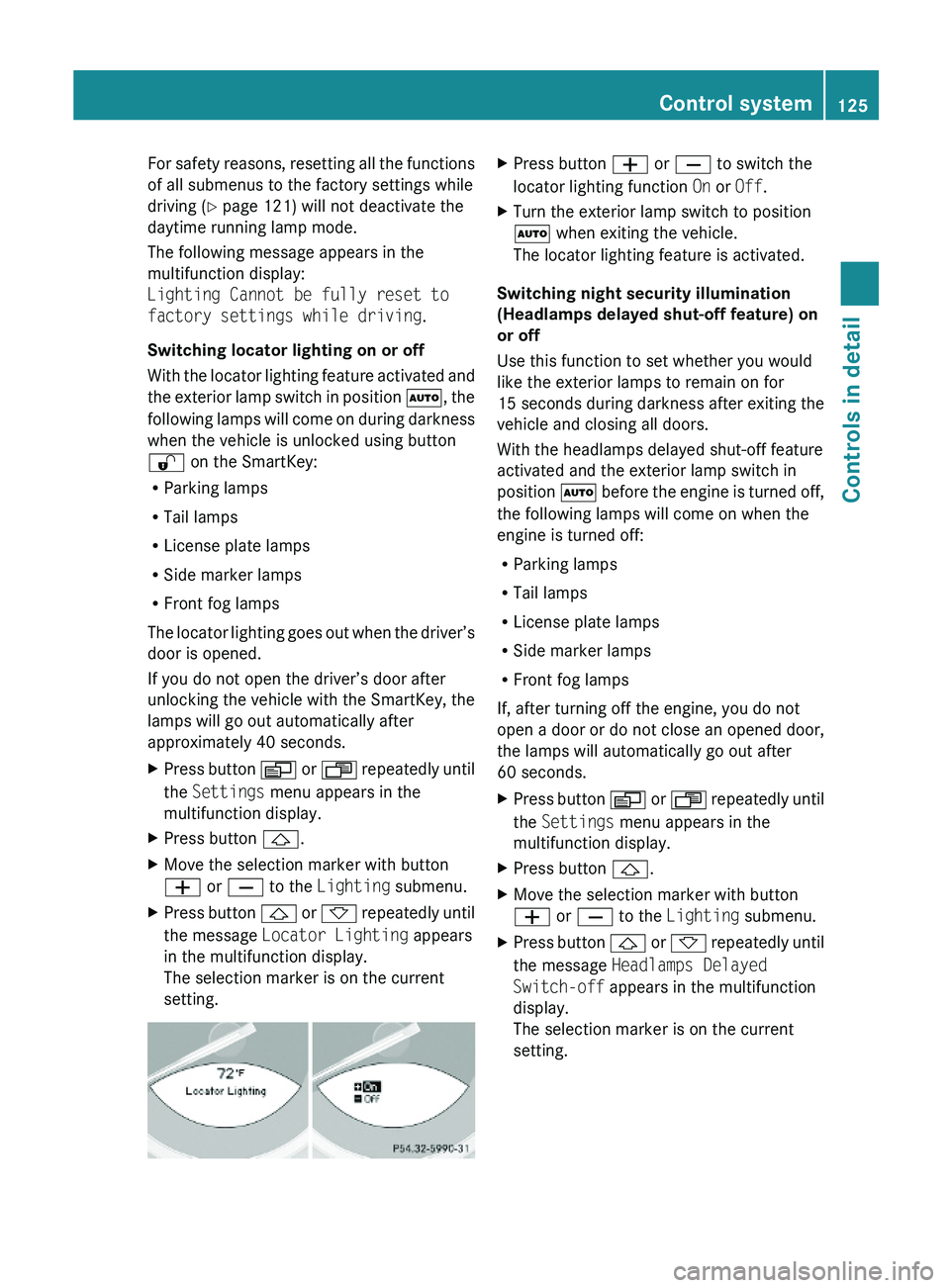
XPress button \000\) or \000- repeatedly until
the message Locator Lighting appears
in the multifunction display.
The selection marker is on the current
setting.
XPress button \000Z or \000[ to switch the
locator lighting function On or Off.
XTurn the exterior lamp switch to position
\000Z when exiting the vehicle.
The locator lighting feature is activated.
Switching night security illumination
(Headlamps delayed shut-off feature) on
or off
Use this function to set whether you would
like the exterior lamps to remain on for
15 seconds during darkness after exiting the
vehicle and closing all doors.
With the headlamps delayed shut-off feature
activated and the exterior lamp switch in
position \000Z before the engine is turned off,
the following lamps will come on when the
engine is turned off:
RParking lamps
RTail lamps
RLicense plate lamps
RSide marker lamps
RFront fog lamps
If, after turning off the engine, you do not
open a door or do not close an opened door,
the lamps will automatically go out after
60 seconds.
XPress button \000Y or \000X repeatedly until
the Settings menu appears in the
multifunction display.
XPress button \000\).XMove the selection marker with button
\000Z or \000[ to the Lighting submenu.
XPress button \000\) or \000- repeatedly until
the message Headlamps Delayed
Switch-off appears in the multifunction
display.
The selection marker is on the current
setting.
Control system125Controls in detail230_AKB; 6; 22, en-USd2ureepe,Version: 2.11.8.12009-07-28T18:49:58+02:00 - Seite 125Z