ABS MERCEDES-BENZ SL CLASS 2019 User Guide
[x] Cancel search | Manufacturer: MERCEDES-BENZ, Model Year: 2019, Model line: SL CLASS, Model: MERCEDES-BENZ SL CLASS 2019Pages: 330, PDF Size: 16.53 MB
Page 175 of 330

exiting a parking space. Make sure that thereare no persons, animals or objects in themaneuvering area when you are maneuveringor parking.
!When parking, pay particular attention toobjects above or below the sensors, such asflower pots or trailer drawbars.PARKTRONIC does not detect such objectswhen they are in the immediate vicinity ofthe vehicle. You could damage the vehicleor the objects.
The sensors may not detect snow and otherobjects that absorb ultrasonic waves.
Ultrasonic sources such as an automatic carwash, the compressed-air brakes on a truckor a pneumatic drill could causePARKTRONIC to malfunction.
PARKTRONIC may not function correctly onuneven terrain.
Parking Assist PARKTRONIC is activated auto-matically when you:
Rswitch on the ignition
Rshift the transmission to position[,^or\\
Rrelease the electric parking brake
Parking Assist PARKTRONIC is deactivated atspeeds above 11 mph (18 km/h). It is reacti-vated at lower speeds.
Range of the sensors
General notes
Parking Assist PARKTRONIC does not take intoaccount obstacles located:
Rbelow the detection range, such as persons,animals or objects
Rabove the detection range, e.g. overhangingloads, tail sections or loading ramps oftrucks
CSensors in the front bumper, left-hand side(example)
The sensors must be free from dirt, ice orslush. They can otherwise not function cor-rectly. Clean the sensors regularly, taking carenot to scratch or damage them (Ypage 275).
Range
Front sensors
CenterApprox. 40 in (approx.100 cm)
CornersApprox. 24 in (approx.60 cm)
Driving systems173
Driving and parking
Z
Page 191 of 330
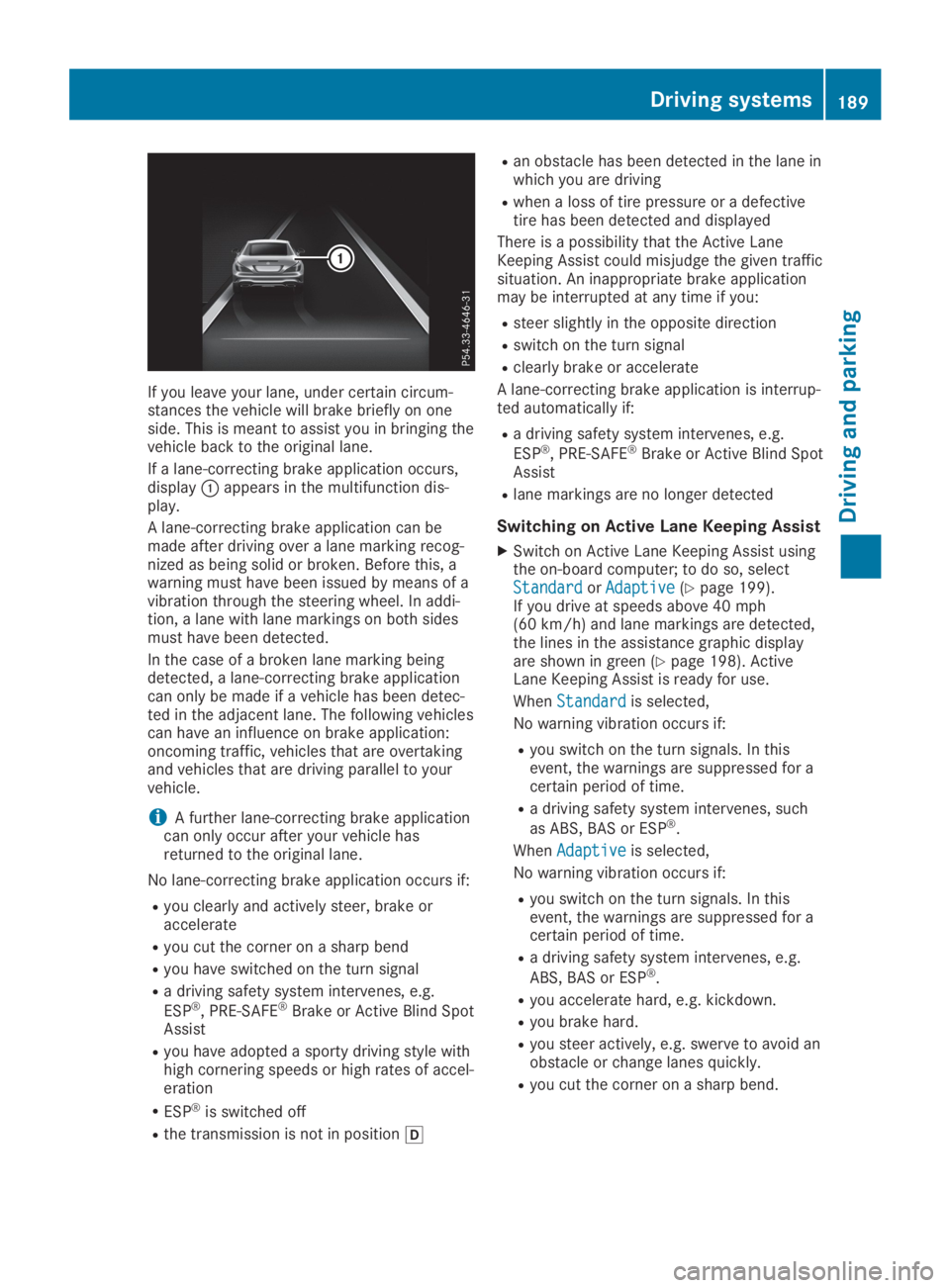
If you leave your lane, under certain circum-stances the vehicle will brake briefly on oneside. This is meant to assist you in bringing thevehicle back to the original lane.
If a lane-correcting brake application occurs,displayCappears in the multifunction dis-play.
A lane-correcting brake application can bemade after driving over a lane marking recog-nized as being solid or broken. Before this, awarning must have been issued by means of avibration through the steering wheel. In addi-tion, a lane with lane markings on both sidesmust have been detected.
In the case of a broken lane marking beingdetected, a lane-correcting brake applicationcan only be made if a vehicle has been detec-ted in the adjacent lane. The following vehiclescan have an influence on brake application:oncoming traffic, vehicles that are overtakingand vehicles that are driving parallel to yourvehicle.
iA further lane-correcting brake applicationcan only occur after your vehicle hasreturned to the original lane.
No lane-correcting brake application occurs if:
Ryou clearly and actively steer, brake oraccelerate
Ryou cut the corner on a sharp bend
Ryou have switched on the turn signal
Ra driving safety system intervenes, e.g.
ESP®, PRE-SAFE®Brake or Active Blind SpotAssist
Ryou have adopted a sporty driving style withhigh cornering speeds or high rates of accel-eration
RESP®is switched off
Rthe transmission is not in position[
Ran obstacle has been detected in the lane inwhich you are driving
Rwhen a loss of tire pressure or a defectivetire has been detected and displayed
There is a possibility that the Active LaneKeeping Assist could misjudge the given trafficsituation. An inappropriate brake applicationmay be interrupted at any time if you:
Rsteer slightly in the opposite direction
Rswitch on the turn signal
Rclearly brake or accelerate
A lane-correcting brake application is interrup-ted automatically if:
Ra driving safety system intervenes, e.g.
ESP®, PRE-SAFE®Brake or Active Blind SpotAssist
Rlane markings are no longer detected
Switching on Active Lane Keeping Assist
XSwitch on Active Lane Keeping Assist usingthe on-board computer; to do so, selectStandardStandardorAdaptiveAdaptive(Ypage 199).If you drive at speeds above 40 mph(60 km/h) and lane markings are detected,the lines in the assistance graphic displayare shown in green (Ypage 198). ActiveLane Keeping Assist is ready for use.
WhenStandardStandardis selected,
No warning vibration occurs if:
Ryou switch on the turn signals. In thisevent, the warnings are suppressed for acertain period of time.
Ra driving safety system intervenes, such
as ABS, BAS or ESP®.
WhenAdaptiveAdaptiveis selected,
No warning vibration occurs if:
Ryou switch on the turn signals. In thisevent, the warnings are suppressed for acertain period of time.
Ra driving safety system intervenes, e.g.
ABS, BAS or ESP®.
Ryou accelerate hard, e.g. kickdown.
Ryou brake hard.
Ryou steer actively, e.g. swerve to avoid anobstacle or change lanes quickly.
Ryou cut the corner on a sharp bend.
Driving systems189
Driving and parking
Z
Page 238 of 330
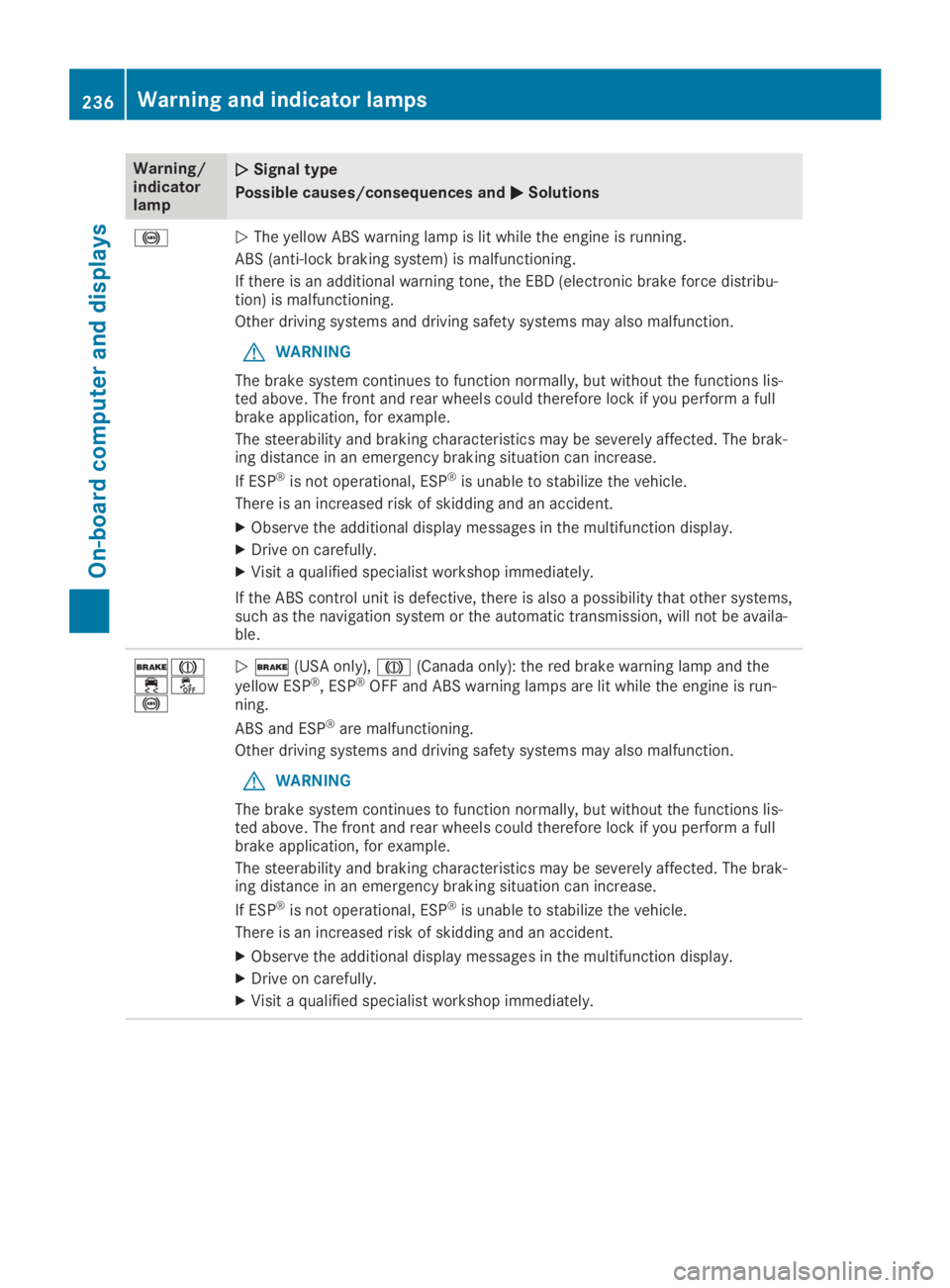
Warning/indicatorlamp
QQSignal type
Possible causes/consequences andPPSolutions
%QThe yellow ABS warning lamp is lit while the engine is running.
ABS (anti-lock braking system) is malfunctioning.
If there is an additional warning tone, the EBD (electronic brake force distribu-tion) is malfunctioning.
Other driving systems and driving safety systems may also malfunction.
GWARNING
The brake system continues to function normally, but without the functions lis-ted above. The front and rear wheels could therefore lock if you perform a fullbrake application, for example.
The steerability and braking characteristics may be severely affected. The brak-ing distance in an emergency braking situation can increase.
If ESP®is not operational, ESP®is unable to stabilize the vehicle.
There is an increased risk of skidding and an accident.
XObserve the additional display messages in the multifunction display.
XDrive on carefully.
XVisit a qualified specialist workshop immediately.
If the ABS control unit is defective, there is also a possibility that other systems,such as the navigation system or the automatic transmission, will not be availa-ble.
'M
Page 252 of 330
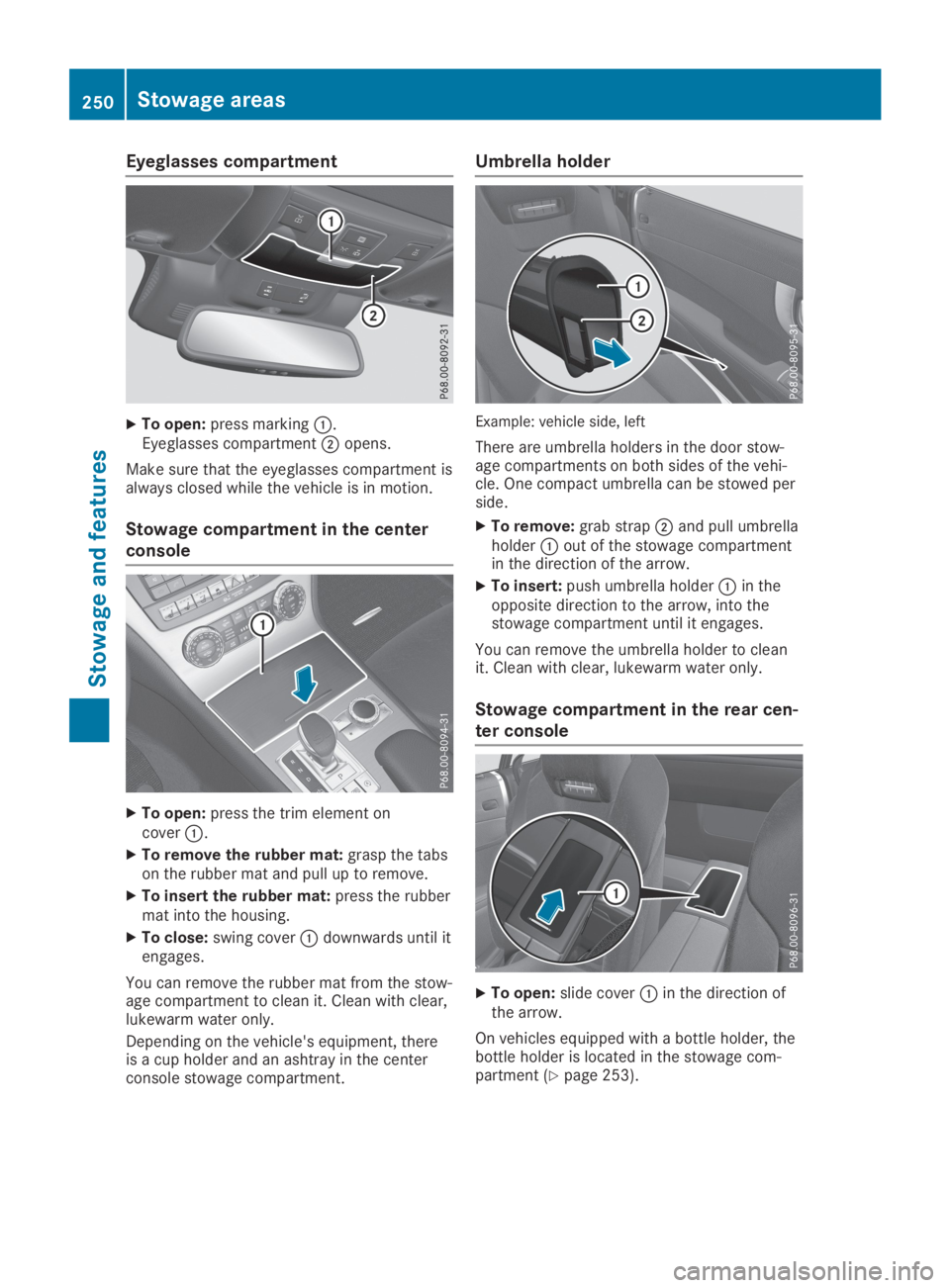
Eyeglasses compartment
XTo open:press markingC.Eyeglasses compartmentDopens.
Make sure that the eyeglasses compartment isalways closed while the vehicle is in motion.
Stowage compartment in the center
console
XTo open:press the trim element oncoverC.
XTo remove the rubber mat:grasp the tabson the rubber mat and pull up to remove.
XTo insert the rubber mat:press the rubbermat into the housing.
XTo close:swing coverCdownwards until itengages.
You can remove the rubber mat from the stow-age compartment to clean it. Clean with clear,lukewarm water only.
Depending on the vehicle's equipment, thereis a cup holder and an ashtray in the centerconsole stowage compartment.
Umbrella holder
Example: vehicle side, left
There are umbrella holders in the door stow-age compartments on both sides of the vehi-cle. One compact umbrella can be stowed perside.
XTo remove:grab strapDand pull umbrellaholderCout of the stowage compartmentin the direction of the arrow.
XTo insert:push umbrella holderCin theopposite direction to the arrow, into thestowage compartment until it engages.
You can remove the umbrella holder to cleanit. Clean with clear, lukewarm water only.
Stowage compartment in the rear cen-
ter console
XTo open:slide coverCin the direction ofthe arrow.
On vehicles equipped with a bottle holder, thebottle holder is located in the stowage com-partment (Ypage 253).
250Stowage areas
Stowage and features
Page 275 of 330
XUse tar remover to remove tar stains.
XUse silicone remover to remove wax.
If water no longer forms "beads" on the paintsurface, use the paint care products recom-mended and approved by Mercedes-Benz. Thisis the case approximately every three to fivemonths, depending on the climate conditionsand the care product used.
If dirt has penetrated the paint surface or ifthe paint has become dull, the paint cleanerrecommended and approved by Mercedes-Benz should be used.
Do not use these care products in the sun oron the hood while the hood is hot.
XUse a suitable touch-up stick, e.g. MBTouch-Up Stick, to repair slight damage tothe paintwork quickly and provisionally.
Matte finish care
!Never polish the vehicle or the light alloywheels. Polishing causes the finish to shine.
!The following can give the paint a glossyappearance and thus reduce the matteffect:
RRubbing hard with unsuitable agents
RWashing the vehicle in direct sunlight
!Never use paint cleaner, buffing or polish-ing products, or gloss preserver, e.g. wax,for the purpose of paintwork care. Theseproducts are only suitable for high-gloss sur-faces. Their use on vehicles with mattepaintwork leads to considerable surfacedamage or, more specifically, to shiny, spot-ted areas.
Always have paintwork repairs carried out ata qualified specialist workshop.
!Only use automatic car washes which cor-respond to the latest technological stand-ards. Never use wash programs which finishby treating the vehicle with hot wax.
Observe these notes if your vehicle has a clearmatte finish. This will help you to avoid dam-age to the paintwork due to incorrect treat-ment.
These notes also apply to light alloy wheelswith a clear matte finish.
iUse only insect remover and car shampoofrom the range of recommended andapproved Mercedes-Benz care products.
Cleaning the decorative film
!The following may have an effect on theservice life and color of decorative film:
Rsunlight
Rtemperature, e.g. hot-air fan
Rweather conditions
Rstone impacts and dirt
Rchemical cleaning agents
Rgreasy substances
!Do not use any types of polish on mattdecorative film. Polishing surfaces coveredwith film gives it a shiny finish.
!Do not treat matt or structured decorativefilm with wax. This may lead to marks thatcannot be removed.
Observe the notes in the section on the careand treatment of matte paintwork(Ypage 273); these notes also apply to mattedecorative film.
To clean, use plenty of water and a mild clean-ing agent without additional or abrasive prod-ucts, e.g. a car shampoo approved byMercedes-Benz.
XDry vehicles covered with film using a soft,absorbent cloth after every wash.Water marks could otherwise form.
Scratches, corrosive deposits, areas affectedby corrosion and damage caused by inade-quate care cannot always be completelyrepaired. In such cases, visit a qualified spe-cialist workshop.
XRemove dirt immediately, where possible,while avoiding rubbing too hard.The decorative film may be irreparably dam-aged.
XSoak insect remains with insect removerand rinse off the treated areas afterwards.
XSoak bird droppings with water and rinse offthe treated areas afterwards.
The cleaning product, Paint Cleaner, which hasbeen approved and recommended byMercedes-Benz, should be used when dirt haspenetrated the decorative film surface or thedecorative film has become dull.
The manufacturer can provide you with infor-mation on special care and cleaning products.
Laminated surfaces may exhibit optical differ-ences to surfaces which were not protected by
Care273
Maintenance and care
Z
Page 284 of 330
HEnvironmental note
Have the used tire sealant bottle disposed
of professionally, e.g. at a qualified special-
ist workshop.
If a tire pressure of 180 kPa(1.8 bar/26 psi)has been achieved after a maximum period often minutes:
XSwitch off the tire inflation compressor.
XUnscrew the filler hose from the valve of thefaulty tire.
XStow the tire sealant bottle and the tireinflation compressor.
XPull away immediately.
XStop after driving for approximately tenminutes and check the tire pressure withthe tire inflation compressor.The tire pressure must now be at least130 kPa (1.3 bar/19 psi).
GWARNING
If the required tire pressure is not reached
after driving for a short period, the tire is too
badly damaged. The tire sealant cannot
repair the tire in this instance. Damaged
tires and a tire pressure that is too low can
significantly impair the vehicle's braking and
driving characteristics. There is a risk of
accident.
Do not continue driving. Contact a qualified
specialist workshop.
iIn cases such as the one mentionedabove, contact an authorized Mercedes-Benz Center. Or call 1-800-FOR-MERCedes(in the USA) or 1-800-387-0100 (in Canada).
XCorrect the tire pressure if it is still at least130 kPa (1.3 bar/19 psi). See the Tire andLoading Information placard on the driver'sside B-pillar or the tire pressure table in thefuel filler flap for values.
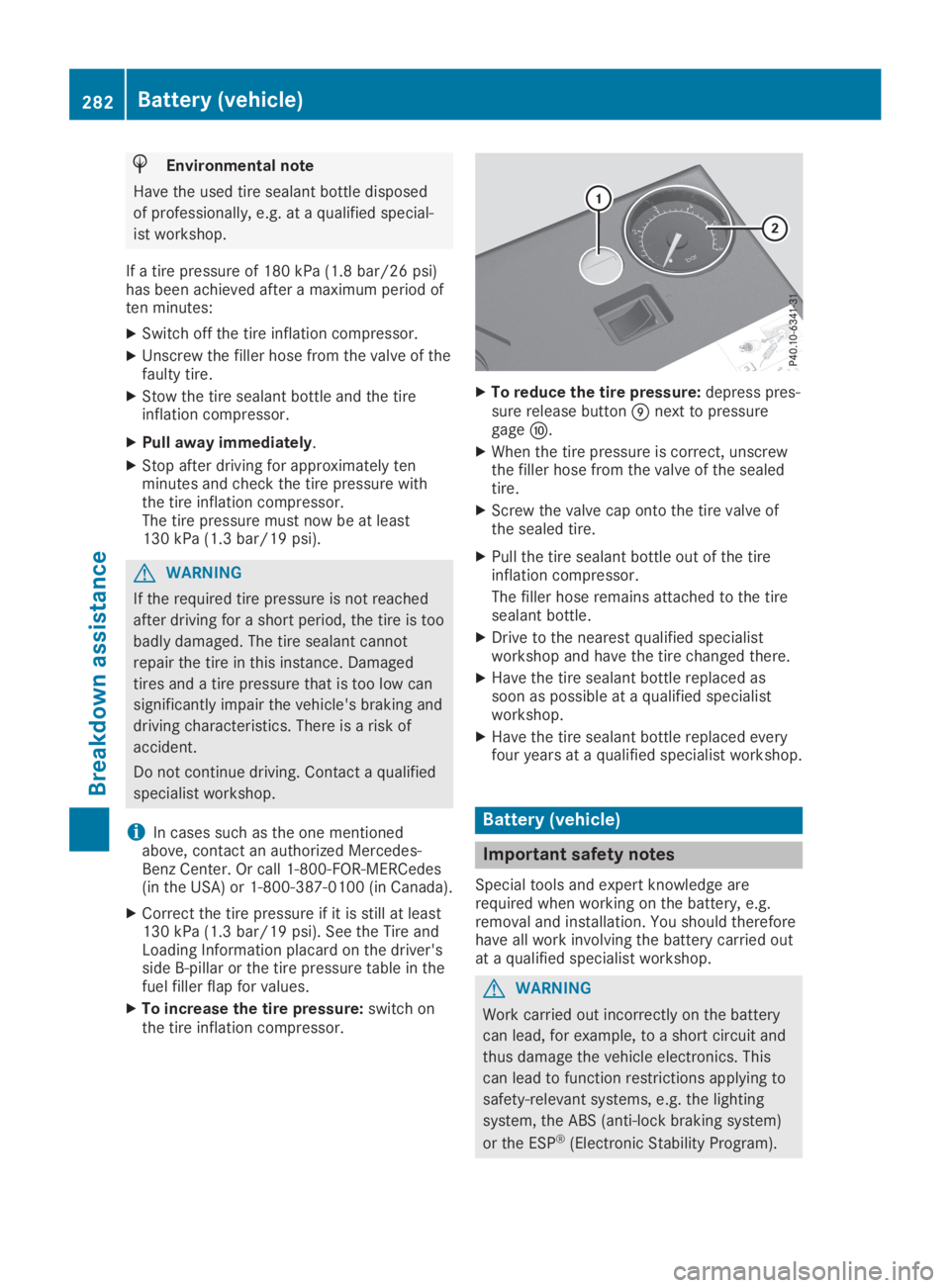
XTo increase the tire pressure:switch onthe tire inflation compressor.
XTo reduce the tire pressure:depress pres-sure release buttonmnext to pressuregagen.
XWhen the tire pressure is correct, unscrewthe filler hose from the valve of the sealedtire.
XScrew the valve cap onto the tire valve ofthe sealed tire.
XPull the tire sealant bottle out of the tireinflation compressor.
The filler hose remains attached to the tiresealant bottle.
XDrive to the nearest qualified specialistworkshop and have the tire changed there.
XHave the tire sealant bottle replaced assoon as possible at a qualified specialistworkshop.
XHave the tire sealant bottle replaced everyfour years at a qualified specialist workshop.
Battery (vehicle)
Important safety notes
Special tools and expert knowledge arerequired when working on the battery, e.g.removal and installation. You should thereforehave all work involving the battery carried outat a qualified specialist workshop.
GWARNING
Work carried out incorrectly on the battery
can lead, for example, to a short circuit and
thus damage the vehicle electronics. This
can lead to function restrictions applying to
safety-relevant systems, e.g. the lighting
system, the ABS (anti-lock braking system)
or the ESP®(Electronic Stability Program).
282Battery (vehicle)
Breakdown assistance
Page 285 of 330
The operating safety of your vehicle may be
restricted.
You could lose control of the vehicle, for
example:
Rwhen braking
Rin the event of abrupt steering maneuvers
and/or when the vehicle's speed is not
adapted to the road conditions
There is a risk of an accident.
In the event of a short circuit or a similar
incident, contact a qualified specialist work-
shop immediately. Do not drive any further.
You should have all work involving the bat-
tery carried out at a qualified specialist
workshop.
For further information about ABS and ESP®,see (Ypage 60) and (Ypage 65).
GWARNING
Electrostatic build-up can lead to the crea-
tion of sparks, which could ignite the highly
explosive gases of a battery. There is a risk
of an explosion.
Before handling the battery, touch the vehi-
cle body to remove any existing electrostatic
build-up.
The highly flammable gas mixture forms whencharging the battery as well as when jump-starting.
Always make sure that neither you nor the bat-tery is electrostatically charged. A build-up ofelectrostatic charge can be caused, for exam-ple:
Rby wearing clothing made from syntheticfibers
Rdue to friction between clothing and seats
Rif you push or pull the battery across thecarpet or other synthetic materials
Rif you wipe the battery with a cloth
GWARNING
During the charging process, a battery pro-
duces hydrogen gas. If a short circuit occurs
or sparks are created, the hydrogen gas can
ignite. There is a risk of an explosion.
RMake sure that the positive terminal of a
connected battery does not come into
contact with vehicle parts.
RNever place metal objects or tools on a
battery.
RIt is important that you observe the
described order of the battery terminals
when connecting and disconnecting a bat-
tery.
RWhen jump-starting, make sure that the
battery poles with identical polarity are
connected.
RIt is particularly important to observe the
described order when connecting and dis-
connecting the jumper cables.
RNever connect or disconnect the battery
terminals while the engine is running.
GWARNING
Battery acid is caustic. There is a risk of
injury.
Avoid contact with skin, eyes or clothing. Do
not inhale any battery gases. Do not lean
over the battery. Keep children away from
batteries. Wash away battery acid immedi-
ately with plenty of clean water and seek
medical attention.
HEnvironmental note
Batteries contain pollutants.
It is illegal to dispose of
them with the household
rubbish. They must be col-
lected separately and dis-
posed of in an environmen-
tally responsible recycling
system.
Dispose of batteries in an
environmentally responsible
manner. Take discharged
batteries to a qualified spe-
cialist workshop or to a col-
lection point for used bat-
teries.
Battery (vehicle)283
Breakdown assistance
Z
Page 286 of 330
!Have the battery regularly checked at aqualified specialist workshop.
Comply with the service intervals in theMaintenance Booklet, or contact a qualifiedspecialist workshop for more information.
!Always have work on batteries carried outat a qualified specialist workshop.
Should it, in exceptional circumstances, beabsolutely necessary to disconnect the 12-volt battery yourself, please observe the fol-lowing:
RSecure the vehicle to prevent it from roll-ing away.
RSwitch off the ignition.
RDisconnect the negative terminal first andthen the positive terminal.
After the work has been done, install thebattery and replace the cover of the positiveterminal clamp firmly.
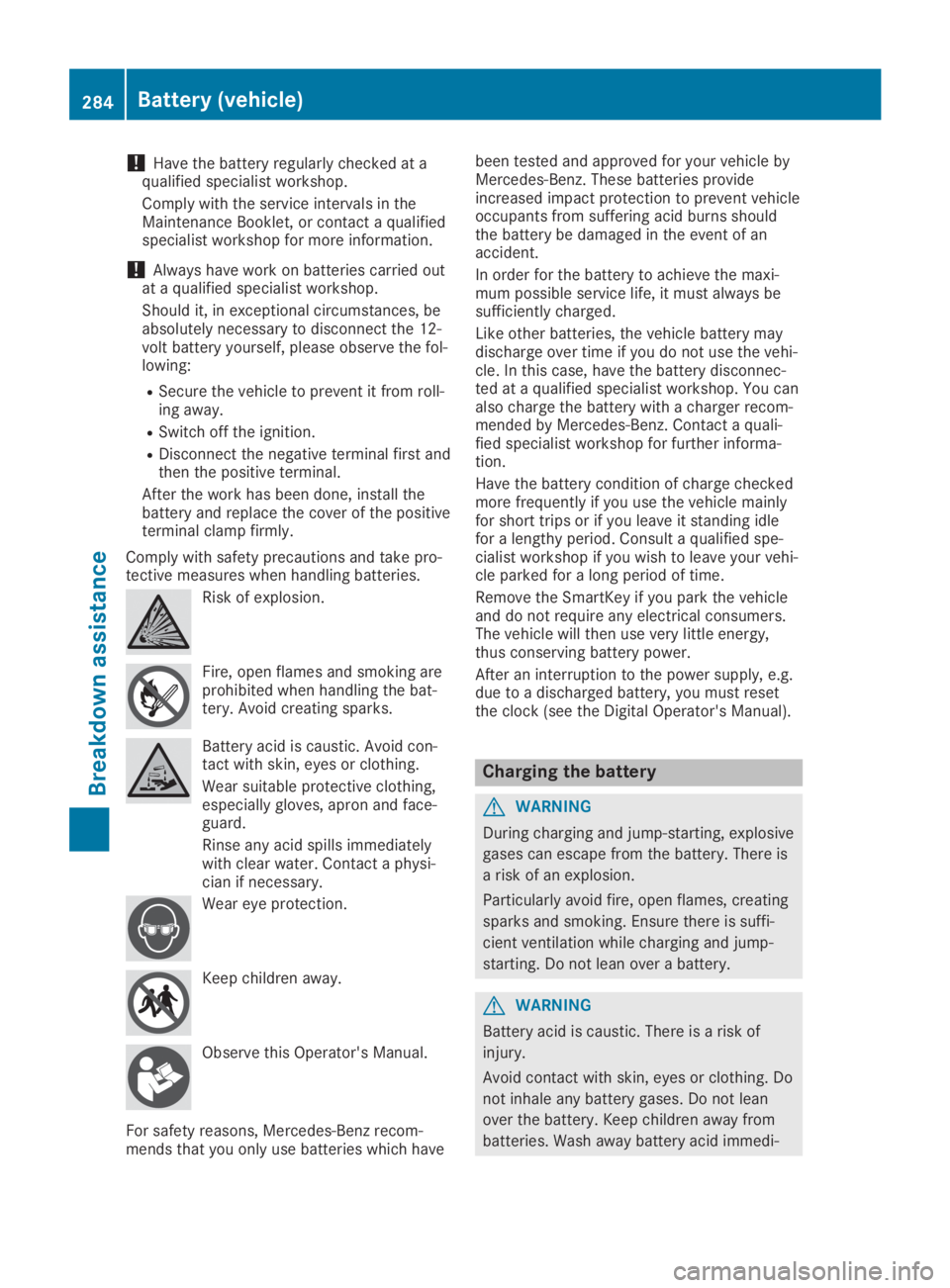
Comply with safety precautions and take pro-tective measures when handling batteries.
Risk of explosion.
Fire, open flames and smoking areprohibited when handling the bat-tery. Avoid creating sparks.
Battery acid is caustic. Avoid con-tact with skin, eyes or clothing.
Wear suitable protective clothing,especially gloves, apron and face-guard.
Rinse any acid spills immediatelywith clear water. Contact a physi-cian if necessary.
Wear eye protection.
Keep children away.
Observe this Operator's Manual.
For safety reasons, Mercedes-Benz recom-mends that you only use batteries which have
been tested and approved for your vehicle byMercedes-Benz. These batteries provideincreased impact protection to prevent vehicleoccupants from suffering acid burns shouldthe battery be damaged in the event of anaccident.
In order for the battery to achieve the maxi-mum possible service life, it must always besufficiently charged.
Like other batteries, the vehicle battery maydischarge over time if you do not use the vehi-cle. In this case, have the battery disconnec-ted at a qualified specialist workshop. You canalso charge the battery with a charger recom-mended by Mercedes-Benz. Contact a quali-fied specialist workshop for further informa-tion.
Have the battery condition of charge checkedmore frequently if you use the vehicle mainlyfor short trips or if you leave it standing idlefor a lengthy period. Consult a qualified spe-cialist workshop if you wish to leave your vehi-cle parked for a long period of time.
Remove the SmartKey if you park the vehicleand do not require any electrical consumers.The vehicle will then use very little energy,thus conserving battery power.
After an interruption to the power supply, e.g.due to a discharged battery, you must resetthe clock (see the Digital Operator's Manual).
Charging the battery
GWARNING
During charging and jump-starting, explosive
gases can escape from the battery. There is
a risk of an explosion.
Particularly avoid fire, open flames, creating
sparks and smoking. Ensure there is suffi-
cient ventilation while charging and jump-
starting. Do not lean over a battery.
GWARNING
Battery acid is caustic. There is a risk of
injury.
Avoid contact with skin, eyes or clothing. Do
not inhale any battery gases. Do not lean
over the battery. Keep children away from
batteries. Wash away battery acid immedi-
284Battery (vehicle)
Breakdown assistance
Page 287 of 330
ately with plenty of clean water and seek
medical attention.
GWARNING
A discharged battery can freeze at tempera-
tures below freezing point. When jump-start-
ing the vehicle or charging the battery,
gases can escape from the battery. There is
a risk of an explosion.
Allow the frozen battery to thaw out before
charging it or jump-starting.
!Only use battery chargers with a maximumcharging voltage of 14.8 V.
!Only charge the battery using the jump-starting connection point.
The jump-starting connection point is in theengine compartment.
If the indicator/warning lamps do not light upat low temperatures, it is very likely that thedischarged battery has frozen. In this case,you may neither charge the battery nor jump-start the vehicle. The service life of a thawed-out battery may be shorter. The starting char-acteristics can be impaired, particularly at lowtemperatures. Have the thawed-out batterychecked at a qualified specialist workshop.
Read the battery charger's operating instruc-tions before charging the battery.
XOpen the hood.
XConnect the battery charger to the positiveterminal and ground point in the same order
as when connecting the donor battery in thejump-starting procedure (Ypage 285).
Replacing the 12 V battery
Observe the notes on the 12 V battery(Ypage 282).
Mercedes-Benz recommends that you havethe 12 V battery replaced at a qualified spe-cialist workshop, e.g. at an authorizedMercedes-Benz Center.
If you want to replace the battery yourself,observe the following notes:
RAlways replace a defective battery with abattery which meets the specific require-ments of the vehicle.
The vehicle is equipped with an AGM(Absorbent Glass Mat) technology battery.Full vehicle functionality is only guaranteedwith an AGM battery. For safety reasons,Mercedes-Benz recommends that you onlyuse batteries which have been tested andapproved for your vehicle by Mercedes-Benz.
RUse detachable parts such as breatherhoses, angled connecting pieces or terminalcovers from the battery which is to bereplaced.
RMake sure that the vent hose is always con-nected to the original opening on the bat-tery side.
RInstall existing or supplied cell caps to pre-vent gases or battery acid from escaping.
RMake sure that the detachable parts areconnected again in the same way.
Jump-starting
For the jump-starting procedure, use only the jump-starting connection point in the engine com-partment, consisting of a positive terminal and a ground point.
GWARNING
Battery acid is caustic. There is a risk of injury.
Avoid contact with skin, eyes or clothing. Do not inhale any battery gases. Do not lean over the
battery. Keep children away from batteries. Wash away battery acid immediately with plenty of
clean water and seek medical attention.
Jump-starting285
Breakdown assistance
Z
Page 320 of 330
tor cannot function reliably. Only restart thetire pressure monitor when the defectivewheel has been replaced with a new wheel.
All mounted wheels must be equipped withfunctioning sensors for the tire pressure moni-tor.
Wheel and tire combinations
You can ask for information regarding permit-ted wheel/tire combinations at an authorizedMercedes-Benz Center.
!For safety reasons, Mercedes-Benz recom-mends that you only use tires and wheelswhich have been approved by Mercedes-Benz specifically for your vehicle.
These tires have been specially adapted foruse with the control systems, such as ABS
or ESP®, and are marked as follows:
RMO = Mercedes-Benz Original
RMOE = Mercedes-Benz Original Extended(tires featuring run-flat characteristics)
RMO1 = Mercedes-Benz Original (only cer-tain AMG tires)
Mercedes-Benz Original Extended tires mayonly be used on wheels that have been spe-cifically approved by Mercedes-Benz.
Only use tires, wheels or accessories testedand approved by Mercedes-Benz. Certaincharacteristics, e.g. handling, vehicle noiseemissions or fuel consumption, may other-wise be adversely affected. In addition,when driving with a load, tire dimension var-iations could cause the tires to come intocontact with the bodywork and axle compo-nents. This could result in damage to thetires or the vehicle.
Mercedes-Benz accepts no liability for dam-age resulting from the use of tires, wheelsor accessories other than those tested andapproved.
Information on tires, wheels and approvedcombinations can be obtained from anyqualified specialist workshop.
!Retreaded tires are neither tested nor rec-ommended by Mercedes-Benz, since previ-ous damage cannot always be detected onretreaded tires. As a result, Mercedes-Benzcannot guarantee vehicle safety if retreadedtires are mounted. Do not mount used tires
if you have no information about their previ-ous usage.
The recommended pressures for various oper-ating conditions can be found:
Ron the Tire and Loading Information placardon the B-pillar on the driver's side
Rin the tire pressure table on the fuel fillerflap
Observe the notes on recommended tire pres-sures under various operating conditions(Ypage 296).
Check tire pressures regularly, and only whenthe tires are cold. Comply with the mainte-nance recommendations of the tire manufac-turer in the vehicle document wallet.
Notes on the vehicle equipment – alwaysequip the vehicle:
Rwith tires of the same size on a given axle(left and right)
Rwith the same type of tires at a given time(summer tires, winter tires, MOExtendedtires)
Exception: it is permissible to mount a dif-ferent type or make in the event of a flattire. Observe the "MOExtended tires (tireswith run-flat characteristics)" section(Ypage 278).
Vehicles equipped with MOExtended tires arenot equipped with a TIREFIT kit at the factory.It is therefore recommended that you addition-ally equip your vehicle with a TIREFIT kit if youmount tires that do not feature run-flat charac-teristics, e.g. winter tires. A TIREFIT kit may beobtained from a qualified specialist workshop.
318Wheel and tire combinations
Wheels and tires