bluetooth MERCEDES-BENZ SL-CLASS ROADSTER 2013 Owner's Guide
[x] Cancel search | Manufacturer: MERCEDES-BENZ, Model Year: 2013, Model line: SL-CLASS ROADSTER, Model: MERCEDES-BENZ SL-CLASS ROADSTER 2013Pages: 572, PDF Size: 9.23 MB
Page 429 of 572
X
To switch the display: select 1...6
Changer by turning cVd the COMAND
controller and press W to confirm.
Depending on the previous setting, the
magazine trays are shown or not shown.
i If a
disc cannot be read, an entry appears
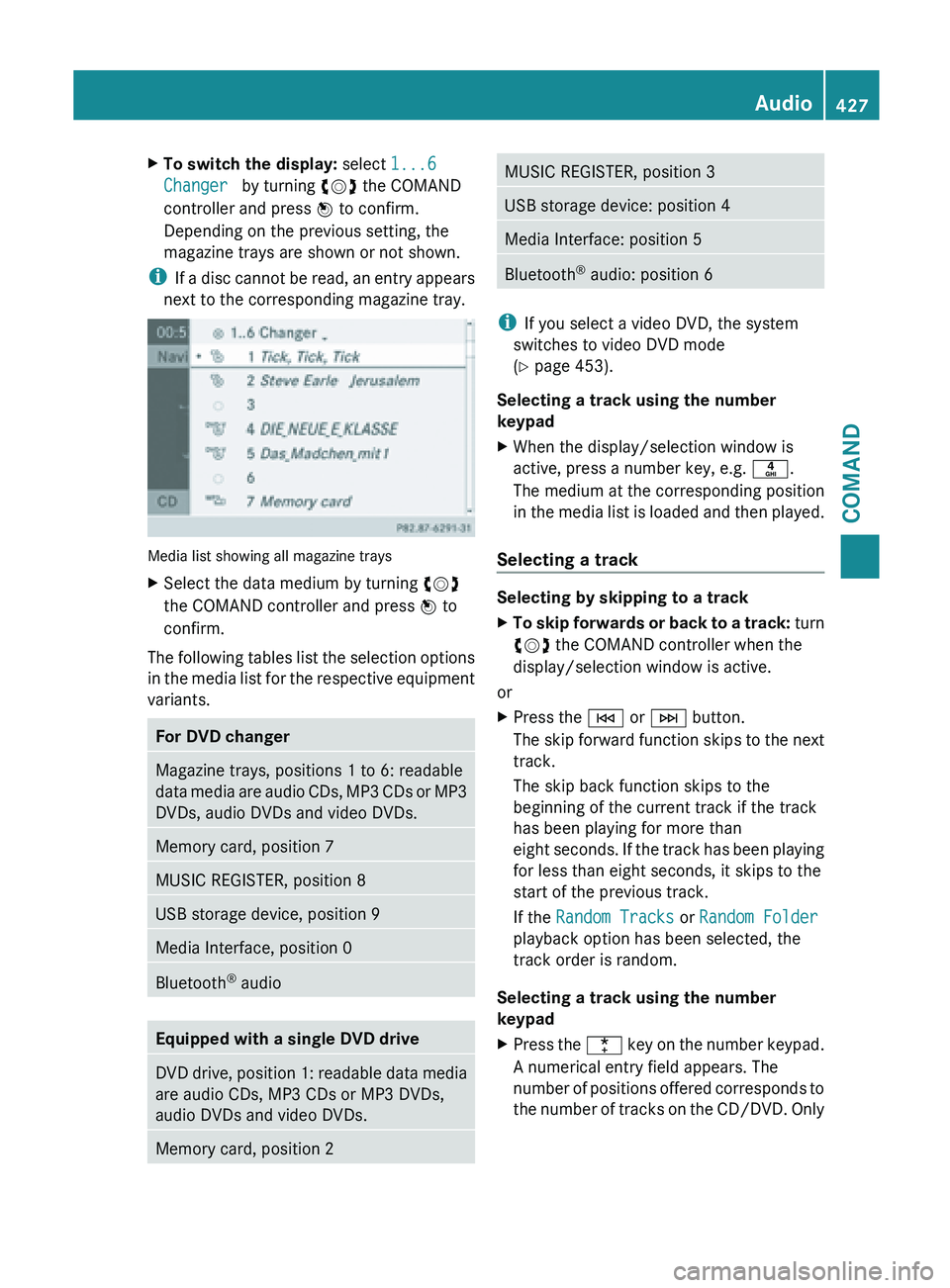
next to the corresponding magazine tray. Media list showing all magazine trays
X
Select the data medium by turning cVd
the COMAND controller and press W to
confirm.
The following tables list the selection options
in the
media list for the respective equipment
variants. For DVD changer
Magazine trays, positions 1 to 6: readable
data
media
are audio CDs, MP3 CDs or MP3
DVDs, audio DVDs and video DVDs. Memory card, position 7
MUSIC REGISTER, position 8
USB storage device, position 9
Media Interface, position 0
Bluetooth
®
audio Equipped with a single DVD drive
DVD drive, position 1: readable data media
are audio CDs, MP3 CDs or MP3 DVDs,
audio DVDs and video DVDs.
Memory card, position 2 MUSIC REGISTER, position 3
USB storage device: position 4
Media Interface: position 5
Bluetooth
®
audio: position 6 i
If you select a video DVD, the system
switches to video DVD mode
(Y page 453).
Selecting a track using the number
keypad
X When the display/selection window is
active, press a number key, e.g. n.
The medium at the corresponding position
in the
media list is loaded and then played.
Selecting a track Selecting by skipping to a track
X
To skip forwards or back to a track: turn
cVd
the COMAND controller when the
display/selection window is active.
or
X Press the E or F button.
The skip
forward function skips to the next
track.
The skip back function skips to the
beginning of the current track if the track
has been playing for more than
eight seconds. If the track has been playing
for less than eight seconds, it skips to the
start of the previous track.
If the Random Tracks or Random Folder
playback option has been selected, the
track order is random.
Selecting a track using the number
keypad
X Press the ¯ key
on the number keypad.
A numerical entry field appears. The
number of positions offered corresponds to
the number of tracks on the CD/DVD. Only Audio
427
COMAND Z
Page 438 of 572
X
Select a track and press W to confirm.
Playback starts and the basic display
appears. MUSIC REGISTER
General notes !
Retain the
original music files in a secure
location. An error in COMAND might result
in the loss of the music files stored in the
MUSIC REGISTER. Mercedes-Benz is not
liable for any loss of data.
You can store music files in a compressed
format in the MUSIC REGISTER
(Y page 437). The memory has a capacity of
10 GB.
Switching to MUSIC REGISTER MUSIC REGISTER basic display
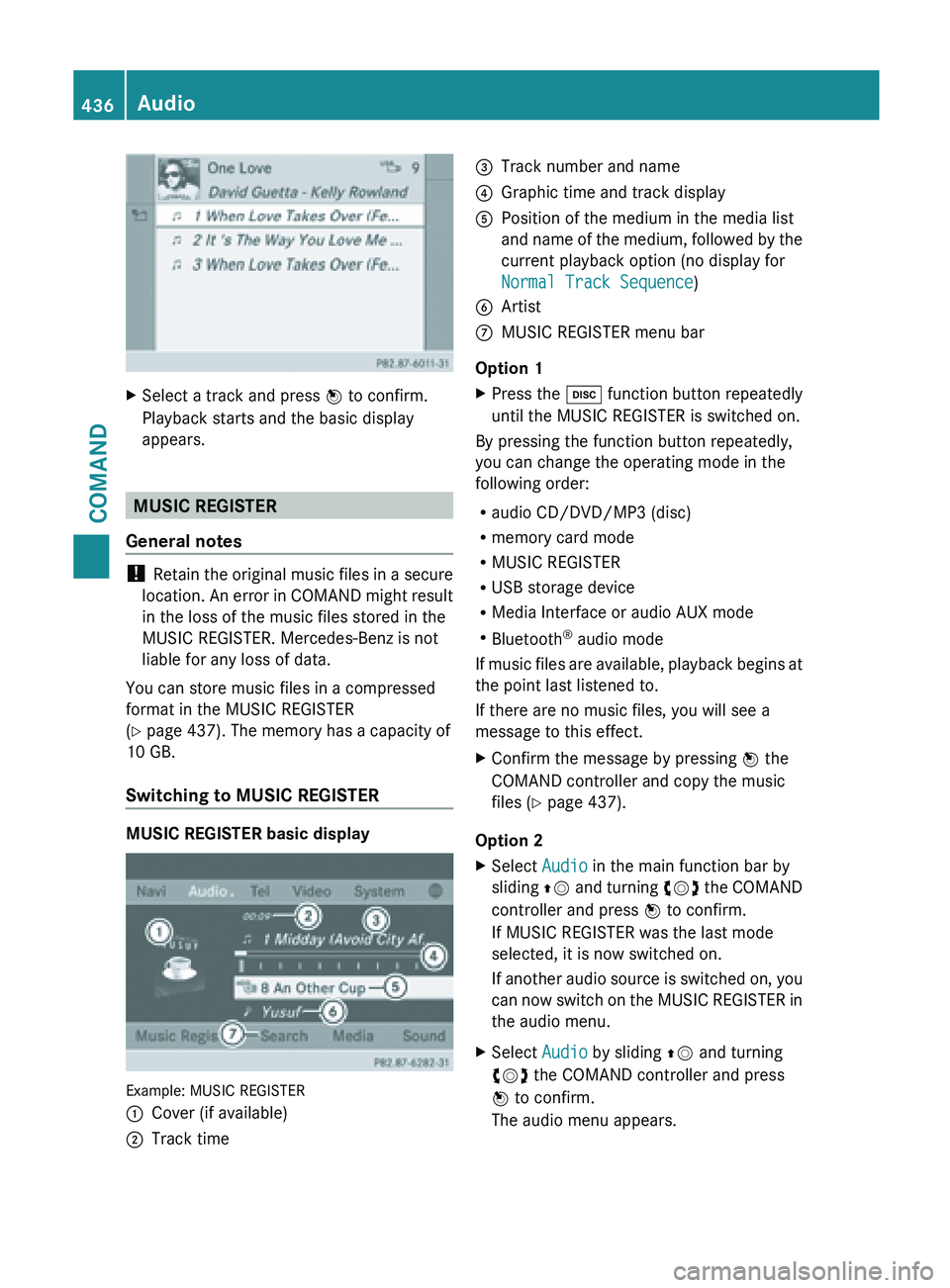
Example: MUSIC REGISTER
:
Cover (if available)
; Track time =
Track number and name
? Graphic time and track display
A Position of the medium in the media list
and name
of the medium, followed by the
current playback option (no display for
Normal Track Sequence)
B Artist
C MUSIC REGISTER menu bar
Option 1
X Press the h function button repeatedly
until the MUSIC REGISTER is switched on.
By pressing the function button repeatedly,
you can change the operating mode in the
following order:
R audio CD/DVD/MP3 (disc)
R memory card mode
R MUSIC REGISTER
R USB storage device
R Media Interface or audio AUX mode
R Bluetooth ®
audio mode
If music
files are available, playback begins at
the point last listened to.
If there are no music files, you will see a
message to this effect.
X Confirm the message by pressing W the
COMAND controller and copy the music
files ( Y page 437).
Option 2
X Select Audio in the main function bar by
sliding ZV and
turning cVd the COMAND
controller and press W to confirm.
If MUSIC REGISTER was the last mode
selected, it is now switched on.
If another audio source is switched on, you
can now switch on the MUSIC REGISTER in
the audio menu.
X Select Audio by sliding ZV and turning
cVd the COMAND controller and press
W to confirm.
The audio menu appears. 436
Audio
COMAND
Page 441 of 572
Changing the folder/track name
X
Switch to the MUSIC REGISTER
(Y page 436).
X Select Music Register by sliding VÆ and
turning cVd the COMAND controller and
press W to confirm.
X Select Rename /
Delete Files and press
W to confirm.
X Select a folder/track by turning cVd.
X Select Options by sliding VY and press
W to confirm.
X Select Change and press W to confirm.
X Enter a name for the folder/track.
Instructions for
entering characters can be
found in the "Character entry" section
(Y page 281).
X To save the changes: select ¬ and
press W to confirm.
Deleting folders/tracks
X Switch to the MUSIC REGISTER
(Y page 436).
X Select Music Register
by sliding VÆ and
turning cVd the COMAND controller and
press W to confirm.
X Select Rename /
Delete Files and press
W to confirm.
X Select a folder/track by turning cVd.
X Select Options by sliding VY and press
W to confirm.
X Select Delete and press W to confirm.
A query appears. No is highlighted.
If you select Yes, the folders/tracks are
deleted. You see the Please Wait...
message. Then, you see the Data
deleted message.
If you select No, the process will be
canceled.
Playback options The following options are available:
R
Normal Track Sequence The tracks are played in the normal order
(e.g. track 1, 2, 3, etc.).
R Random Medium
All the tracks on the medium are played in
random order.
R Random Track List (MP3 mode only)
The tracks in the currently active folder or
the current
track list are played in a random
order.
X To select options: switch to the MUSIC
REGISTER (Y page 436).
X Select Music Register
by sliding VÆ and
turning cVd the COMAND controller and
press W to confirm.
The options list appears. The # dot
indicates the option selected.
X Select an option and press W to confirm.
The option is switched on. For all options
except Normal Track Sequence, you will
see a
corresponding display in the display/
selection window.
i The Normal Track Sequence option is
automatically selected when you change
the disc you are currently listening to or
when you select a different medium. If an
option is
selected, it remains selected after
COMAND is switched on or off. Bluetooth
®
audio mode
Preconditions for the Bluetooth ®
audio
device Bluetooth
®
audio mode requires a
Bluetooth ®
-capable audio device. Observe
the information in the Bluetooth ®
audio
device's operating instructions.
Before using Bluetooth ®
audio mode, you
should check your Bluetooth ®
audio device
for the following:
R Bluetooth ®
audio profile Audio
439
COMAND Z
Page 442 of 572
The Bluetooth
®
audio device must support
the A2DP and AVRCP Bluetooth ®
audio
profiles.
R Bluetooth ®
visibility
Certain Bluetooth ®
audio devices do not
just require activation of the Bluetooth ®
function. In addition, your device must be
made "visible" to other devices.
R Bluetooth ®
device name
This device name is predetermined but can
usually be changed. To make a clear
selection of the Bluetooth ®
device
possible, Mercedes-Benz recommends
that you customize the device name.
i A2DP ( Advanced Audio Distribution
Profile): Bluetooth ®
audio profile for audio
data transmission
AVRCP ( Audio Video Remote Control
Profile): Bluetooth ®
audio profile for audio
data playback
i Not all Bluetooth ®
audio devices available
on the market are equally suitable. To
obtain more information about suitable
Bluetooth ®
audio devices and about
connecting Bluetooth ®
audio devices to
COMAND, visit
http://www.mbusa-mobile.com (USA).
Alternatively, call the Mercedes-Benz
Customer Assistance Center at
1-800-FOR-MERCedes(1-800-367-6372)
(USA) or Customer Relations at
1-800-387-0100 (Canada).
X Activate Bluetooth ®
and Bluetooth ®
visibility on the Bluetooth ®
audio device.
Preconditions in COMAND X
Activate the Bluetooth ®
function in
COMAND (Y page 292). Connecting Bluetooth
®
audio devices General information
Before using your Bluetooth
®
audio device
with COMAND
for the first time, you will need
to authorize it.
When you authorize a new Bluetooth ®
audio
device, it is connected automatically.
Connection involves first searching for a
Bluetooth ®
audio device and then authorizing
it.
You can authorize up to fifteen Bluetooth ®
devices.
i If you authorize a mobile phone that
supports Bluetooth ®
audio, the A2DP and
AVRCP Bluetooth ®
audio profiles are
connected automatically.
The mobile phone is then entered:
R in the Bluetooth ®
telephone list
(Y page 360)
R in the Bluetooth ®
device list
(Y page 440).
Mercedes-Benz recommends authorizing a
mobile phone in Bluetooth ®
telephony
(Y page 360).
Searching for and authorizing a
Bluetooth ®
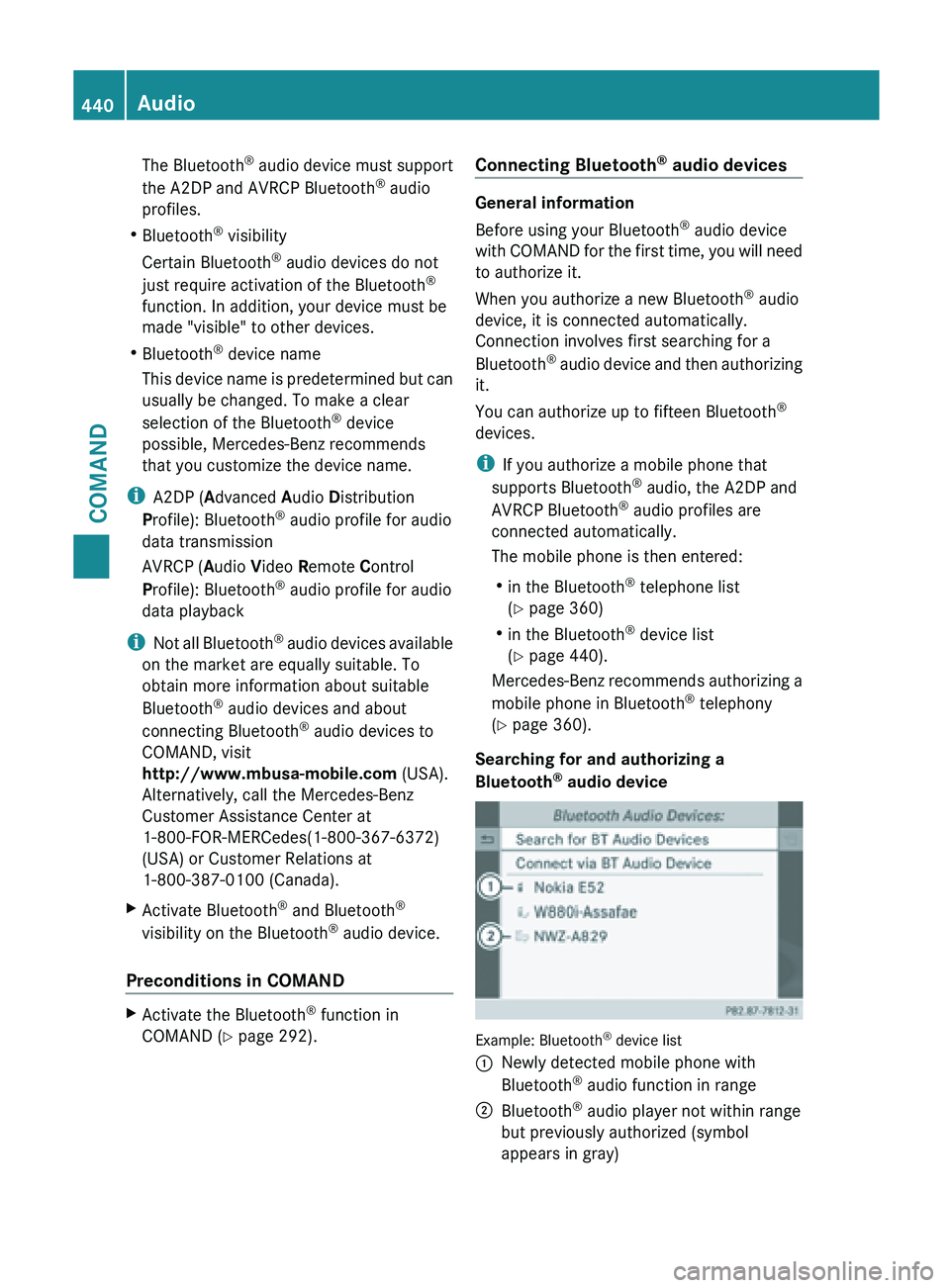
audio device Example: Bluetooth
®
device list
: Newly detected mobile phone with
Bluetooth ®
audio function in range
; Bluetooth ®
audio player not within range
but previously authorized (symbol
appears in gray) 440
Audio
COMAND
Page 443 of 572
The Bluetooth
®
device list displays all
authorized devices, whether they are within
range or not. After a device search, devices
which are
within range but not authorized are
also displayed.
X Switch on Bluetooth ®
audio mode
(Y page 443).
If you see the No Bluetooth Audio
Device Authorized message, you will
need to authorize the Bluetooth ®
audio
device first.
X Select BT Audio
by sliding VÆ and turning
cVd the COMAND controller and press
W to confirm.
X Confirm Bluetooth Audio Device List
by pressing W the COMAND controller.
X To search: confirm Search for BT
Audio Devices by pressing the COMAND
controller W.
COMAND searches for Bluetooth ®
audio
devices within
range and adds them to the
Bluetooth ®
device list. Bluetooth ®
audio
devices are detected if they support the
Bluetooth ®
audio profiles (A2DP, AVRCP).
The duration of the search depends on the
number of Bluetooth ®
audio devices within
range and their characteristics.
X To authorize: select an unauthorized
Bluetooth ®
audio device from the list
(: in the example) by turning cVd the
COMAND controller.
X Select the symbol to the right of the
Bluetooth ®
audio
device by sliding VY theCOMAND controller and press
W to
confirm.
X Select Authorize and
press W to confirm.
Depending on the Bluetooth ®
audio device
used, you now have two options for
continuing with authorization.
X Option 1: enter the passkey. You can find
information on this in the "Authorizing
(registering) a mobile phone" section
(Y page 360).
After successful authorization, the
Bluetooth ®
audio device is connected and
starts playing.
X Option 2 (Secure Simple Pairing): if the
digit codes displayed in COMAND and on
the Bluetooth ®
audio device are the same,
confirm Yes by pressing W.
If you select Yes, authorization continues
and the Bluetooth ®
audio device is
connected. Playback starts.
If you select No, authorization will be
canceled.
i The Bluetooth ®
audio device must
support the Bluetooth ®
version 2.1 for
connection via Secure Simple Pairing.
COMAND creates
a six-digit code, which is
displayed on the two devices that are to be
connected.
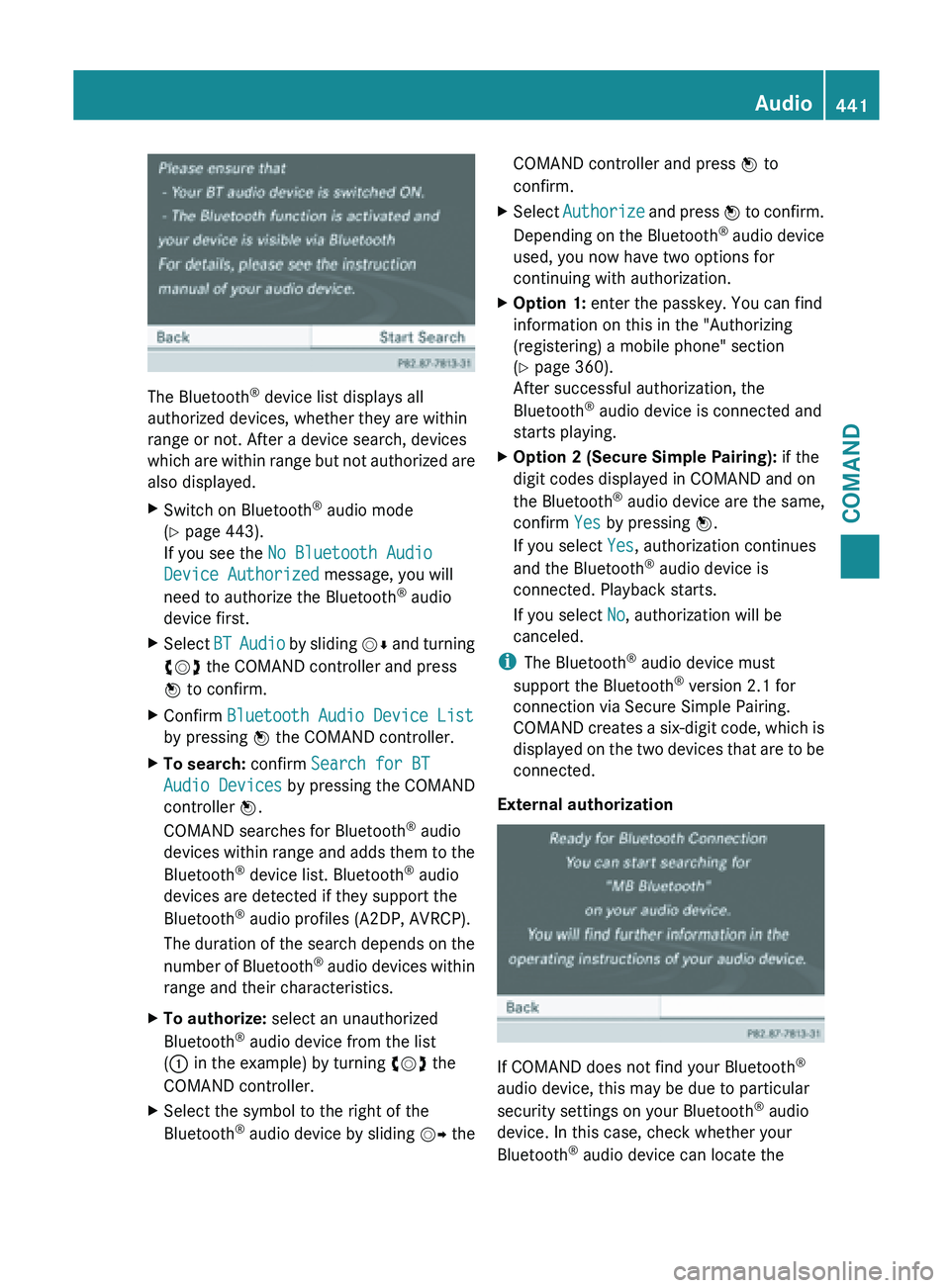
External authorization If COMAND does not find your Bluetooth
®
audio device, this may be due to particular
security settings on your Bluetooth ®
audio
device. In this case, check whether your
Bluetooth ®
audio device can locate the Audio
441
COMAND Z
Page 444 of 572
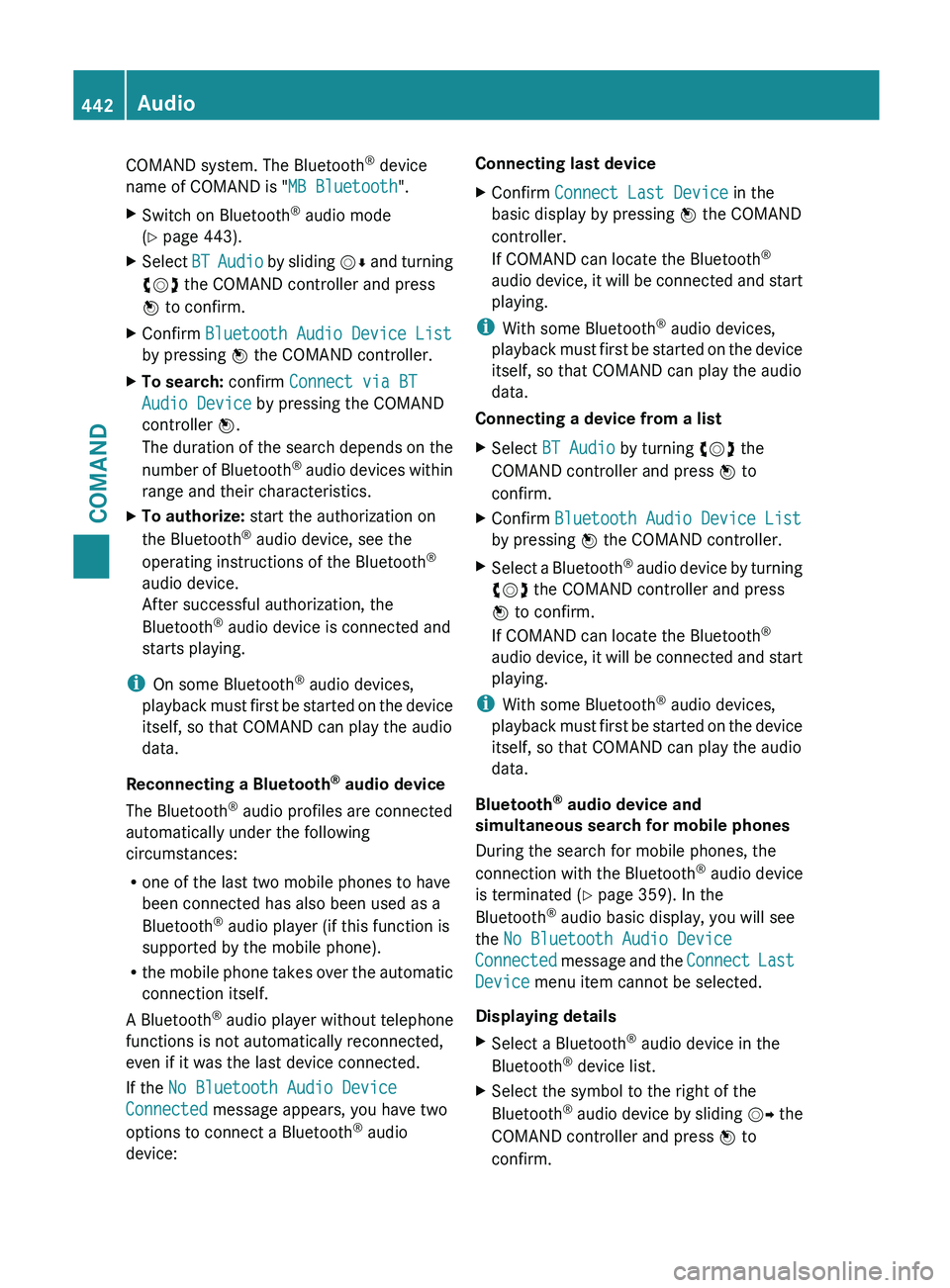
COMAND system. The Bluetooth
®
device
name of COMAND is "MB Bluetooth".
X Switch on Bluetooth ®
audio mode
(Y page 443).
X Select BT Audio
by sliding VÆ and turning
cVd the COMAND controller and press
W to confirm.
X Confirm Bluetooth Audio Device List
by pressing W the COMAND controller.
X To search: confirm Connect via BT
Audio Device by pressing the COMAND
controller W.
The duration
of the search depends on the
number of Bluetooth ®
audio devices within
range and their characteristics.
X To authorize: start the authorization on
the Bluetooth ®
audio device, see the
operating instructions of the Bluetooth ®
audio device.
After successful authorization, the
Bluetooth ®
audio device is connected and
starts playing.
i On some Bluetooth ®
audio devices,
playback must
first be started on the device
itself, so that COMAND can play the audio
data.
Reconnecting a Bluetooth ®
audio device
The Bluetooth ®
audio profiles are connected
automatically under the following
circumstances:
R one of the last two mobile phones to have
been connected has also been used as a
Bluetooth ®
audio player (if this function is
supported by the mobile phone).
R the mobile phone takes over the automatic
connection itself.
A Bluetooth ®
audio player without telephone
functions is not automatically reconnected,
even if it was the last device connected.
If the No Bluetooth Audio Device
Connected message appears, you have two
options to connect a Bluetooth ®
audio
device: Connecting last device
X
Confirm Connect Last Device in the
basic display by pressing W the COMAND
controller.
If COMAND can locate the Bluetooth ®
audio device,
it will be connected and start
playing.
i With some Bluetooth ®
audio devices,
playback must
first be started on the device
itself, so that COMAND can play the audio
data.
Connecting a device from a list
X Select BT Audio by turning cVd the
COMAND controller and press W to
confirm.
X Confirm Bluetooth Audio Device List
by pressing W the COMAND controller.
X Select a Bluetooth ®
audio
device by turning
cVd the COMAND controller and press
W to confirm.
If COMAND can locate the Bluetooth ®
audio device, it will be connected and start
playing.
i With some Bluetooth ®
audio devices,
playback must
first be started on the device
itself, so that COMAND can play the audio
data.
Bluetooth ®
audio device and
simultaneous search for mobile phones
During the search for mobile phones, the
connection with the Bluetooth ®
audio device
is terminated (Y page 359). In the
Bluetooth ®
audio basic display, you will see
the No Bluetooth Audio Device
Connected message and the Connect Last
Device menu item cannot be selected.
Displaying details
X Select a Bluetooth ®
audio device in the
Bluetooth ®
device list.
X Select the symbol to the right of the
Bluetooth ®
audio
device by sliding VY the
COMAND controller and press W to
confirm. 442
Audio
COMAND
Page 445 of 572
X
Select Details and press W to confirm.
The following information concerning the
selected mobile phone is shown:
R Bluetooth ®
name
R Bluetooth ®
address
R availability status (shown after an
update)
R authorization status
X To close the detailed view: turn cVd or
slide XVY the COMAND controller.
De-authorizing (deregistering) a
Bluetooth ®
audio device
X Select a Bluetooth ®
audio device in the
Bluetooth ®
device list.
X Select the symbol to the right of the
Bluetooth ®
audio
device by sliding VY the
COMAND controller and press W to
confirm.
X Select De-authorize and press W to
confirm.
A prompt appears asking whether you
really wish to de-authorize this device.
X Select Yes or No.
If you
select Yes, the device will be deleted
from the Bluetooth ®
device list.
If you select No, the process will be
canceled.
i Before re-authorizing the Bluetooth ®
audio device, you should also delete the
device name MB Bluetooth from your
Bluetooth ®
audio device's Bluetooth ®
list.
See the Bluetooth ®
audio device's
operating instructions. Switching to Bluetooth
®
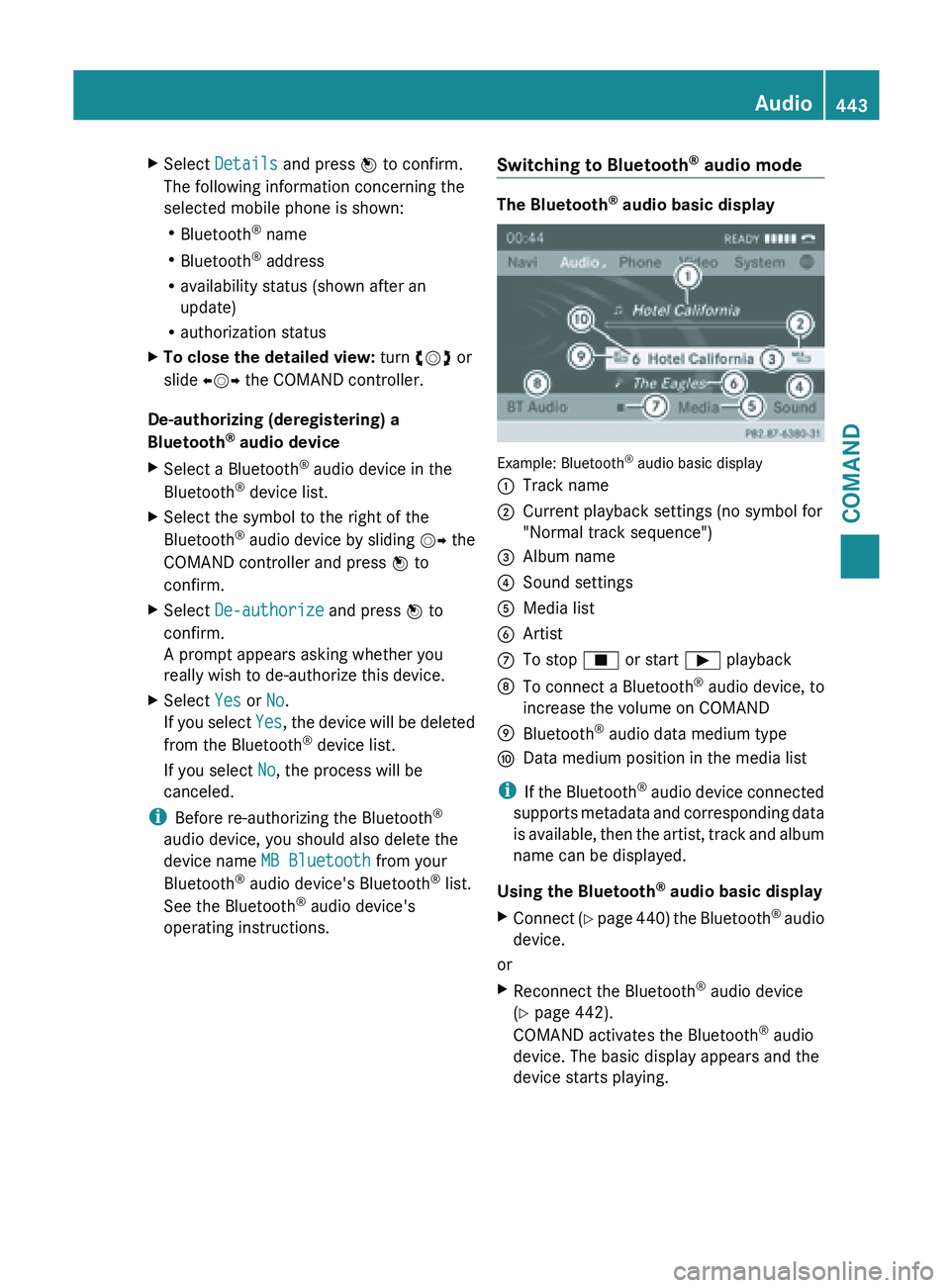
audio mode The Bluetooth
®
audio basic display Example: Bluetooth
®
audio basic display
: Track name
; Current playback settings (no symbol for
"Normal track sequence")
= Album name
? Sound settings
A Media list
B Artist
C To stop É or start Ì playback
D To connect a Bluetooth ®
audio device, to
increase the volume on COMAND
E Bluetooth ®
audio data medium type
F Data medium position in the media list
i If the
Bluetooth ®
audio device connected
supports metadata and corresponding data
is available, then the artist, track and album
name can be displayed.
Using the Bluetooth ®
audio basic display
X Connect (Y page 440) the Bluetooth ®
audio
device.
or
X Reconnect the Bluetooth ®
audio device
(Y page 442).
COMAND activates the Bluetooth ®
audio
device. The basic display appears and the
device starts playing. Audio
443
COMAND Z
Page 446 of 572
Using the function button
X
Press the h function button one or more
times.
By pressing the function button repeatedly,
you can change the operating mode in the
following order:
R audio CD/DVD/MP3 (disc)
R memory card mode
R MUSIC REGISTER
R USB storage device
R Media Interface or audio AUX mode
R Bluetooth ®
audio mode
Using the media list
X Select Bluetooth Audio in the media list
by turning cVd the COMAND controller
and press W to confirm (
Y page 426).
COMAND activates the connected device.
You will see a message to this effect. The
basic display then appears.
Starting/stopping playback X
To start playback: select Ì by sliding
VÆ and turning cVd the COMAND
controller and press W to confirm.
Playback starts. É is selected.
X To stop playback: select É by turning
cVd the COMAND controller and press
W to confirm.
A message appears. Ì is selected.
X To continue playback: select Ì by
turning cVd the COMAND controller and
press W to confirm.
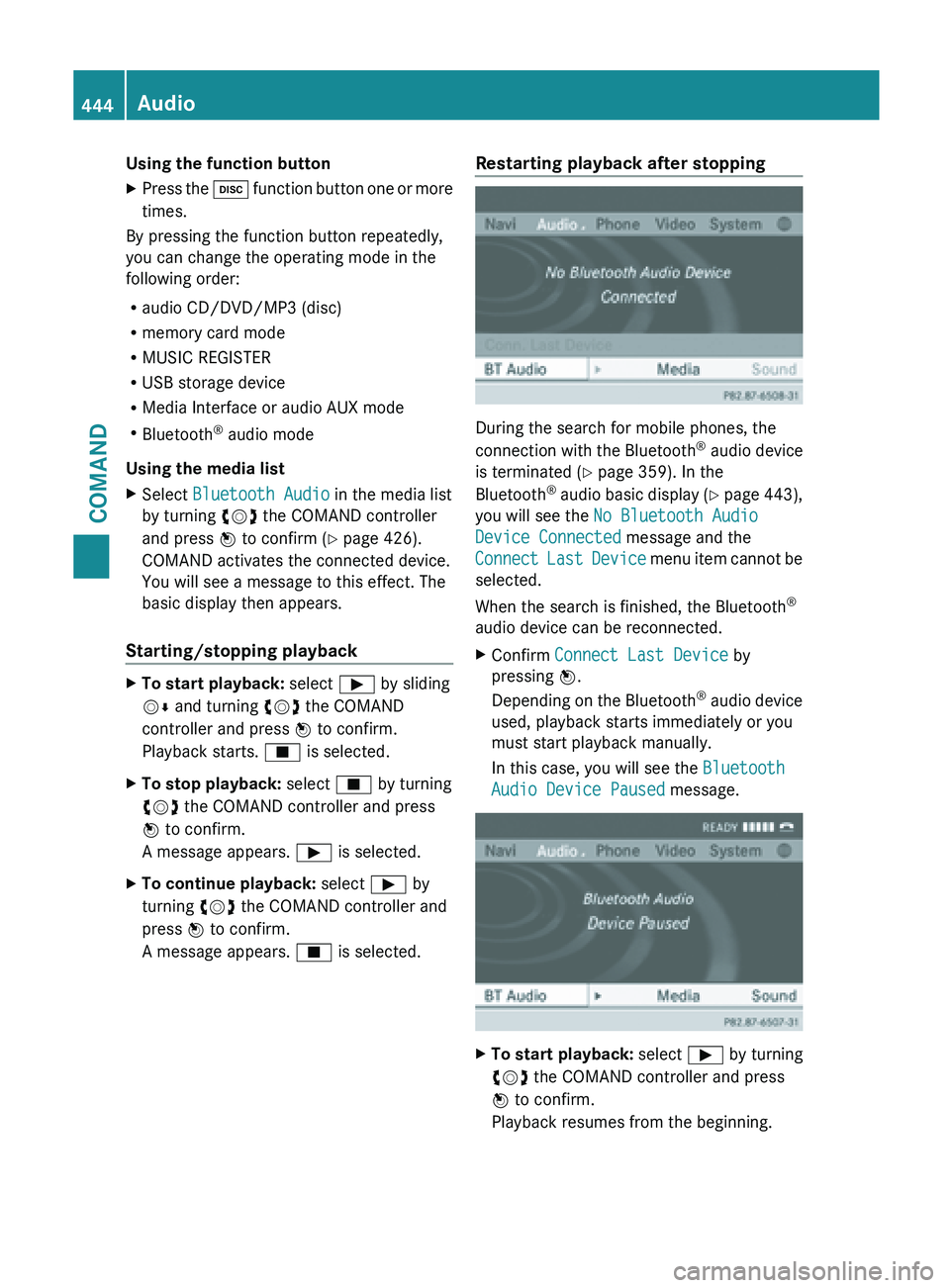
A message appears. É is selected. Restarting playback after stopping
During the search for mobile phones, the
connection
with
the Bluetooth®
audio device
is terminated (Y page 359). In the
Bluetooth ®
audio basic display (Y page 443),
you will see the No Bluetooth Audio
Device Connected message and the
Connect Last Device menu item cannot be
selected.
When the search is finished, the Bluetooth ®
audio device can be reconnected.
X Confirm Connect Last Device by
pressing W.
Depending on
the Bluetooth®
audio device
used, playback starts immediately or you
must start playback manually.
In this case, you will see the Bluetooth
Audio Device Paused message. X
To start playback: select Ì by turning
cVd the COMAND controller and press
W to confirm.
Playback resumes from the beginning. 444
Audio
COMAND
Page 447 of 572
Selecting a track
This function is not supported by all
Bluetooth
®
audio devices.
X To skip forwards or backwards to a
track: press the E or F button on
COMAND.
or
X Press the 9 or : button briefly on
the multifunction steering wheel.
X Rapid scroll: press and hold the 9
or : button on the multifunction
steering wheel until the desired track is
reached.
If you press and hold the 9 or :
button, the rapid scrolling speed is
increased.
Selecting playback options If the Bluetooth
®
audio device supports the
corresponding function,
the following options
are available:
R Normal Track Sequence
The tracks are played in the normal order
(e.g. track 1, 2, 3, etc.).
Audio data playback is determined by the
order in which the tracks are written to the
data carrier. Alphabetical order is the most
common. Once all the tracks in a folder
have been played, the tracks in the next
folder are played.
R Random Tracks
All the tracks on the medium are played in
random order (e.g. track 3, 8, 5 etc.).
X Select BT Audio
by sliding VÆ and turning
cVd the COMAND controller and press
W to confirm.
The # dot indicates the option selected.
X Select the option by turning cVd the
COMAND controller and press W to
confirm.
If you select Random Tracks, you will see
a corresponding symbol in the display/
selection window. Adjusting the sound settings Information about sound settings
(Y page 278).
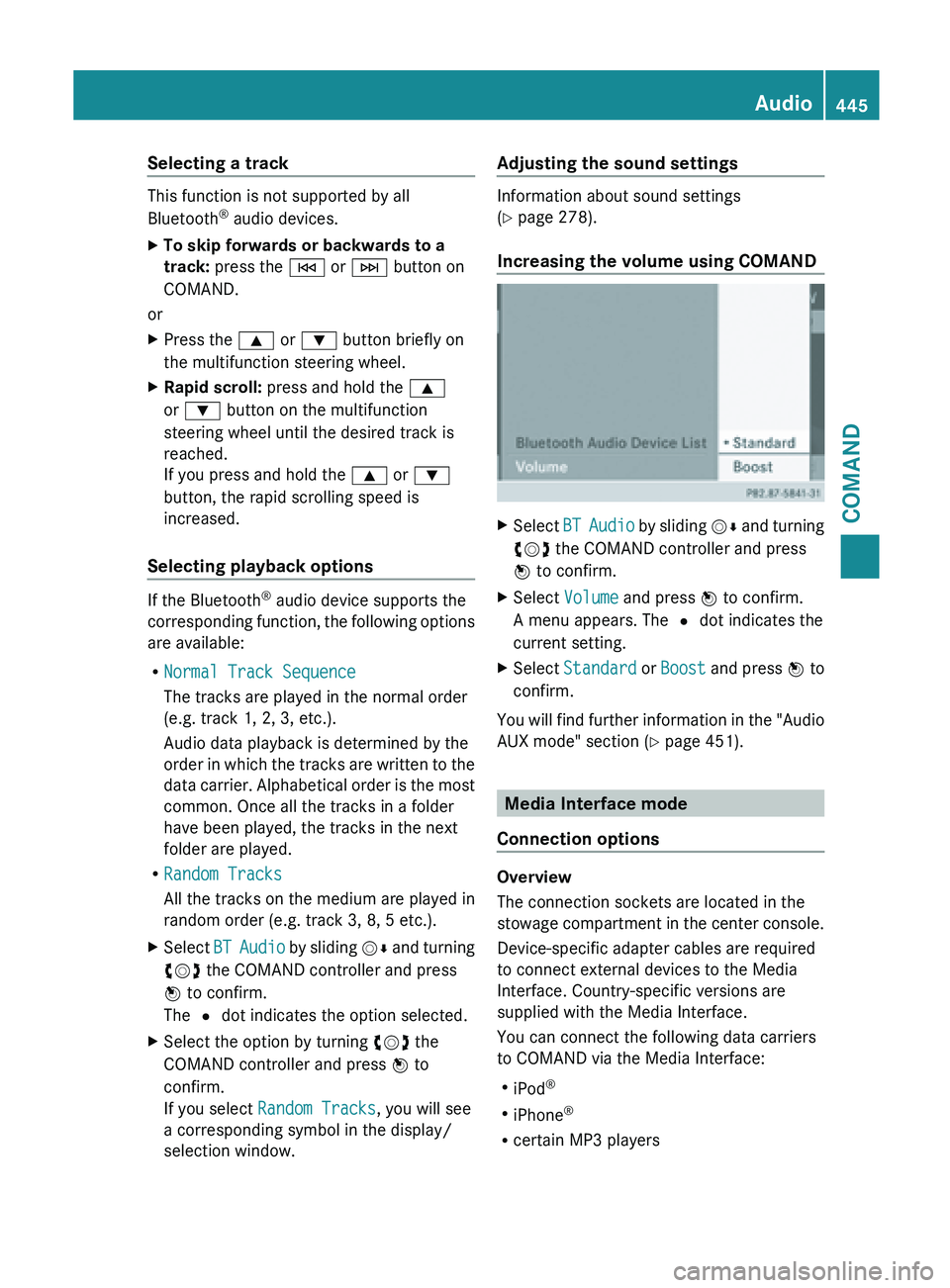
Increasing the volume using COMAND
X
Select BT Audio
by sliding VÆ and turning
cVd the COMAND controller and press
W to confirm.
X Select Volume and press W to confirm.
A menu appears. The # dot indicates the
current setting.
X Select Standard or Boost and
press W to
confirm.
You will find further information in the "Audio
AUX mode" section (Y page 451). Media Interface mode
Connection options Overview
The connection sockets are located in the
stowage
compartment
in the center console.
Device-specific adapter cables are required
to connect external devices to the Media
Interface. Country-specific versions are
supplied with the Media Interface.
You can connect the following data carriers
to COMAND via the Media Interface:
R iPod ®
R iPhone ®
R certain MP3 players Audio
445
COMAND Z
Page 448 of 572
i
Store individual parts in a safe place.
Only use genuine Mercedes-Benz
connection cables.
i iPod ®
and iPhone ®
are registered
trademarks of Apple Inc., Cupertino,
California, USA.
i MP3 players that support MTP ( Media
Transfer Protocol) can be used.
This allows the MP3 player to be easily
connected to the Media Interface and
removed after use. Audio data is played
without problem.
On some
MP3 players, you have to activate
the relevant function (see the MP3 player
operating instructions).
Supported devices
For details and a list of supported devices,
visit http://www.mbusa-mobile.com.
Alternatively, call the Mercedes-Benz
Customer Assistance Center at
1-800-FOR-MERCedes (1-800-367-6372)
(for USA) or Customer Relations at
1-800-387-0100 (for Canada).
Connecting an external device Do not leave external devices in the vehicle.
They may malfunction in extreme
temperatures;
see
the operating instructions
for the respective device. Examples of
extreme temperatures are direct sunlight or
very low outside temperatures.
Mercedes-Benz USA, LLC accepts no liability
for damage to external devices.
i Never connect more than one device at a
time. You will otherwise not be able to play
back from the external device.
USB hubs (devices with several USB
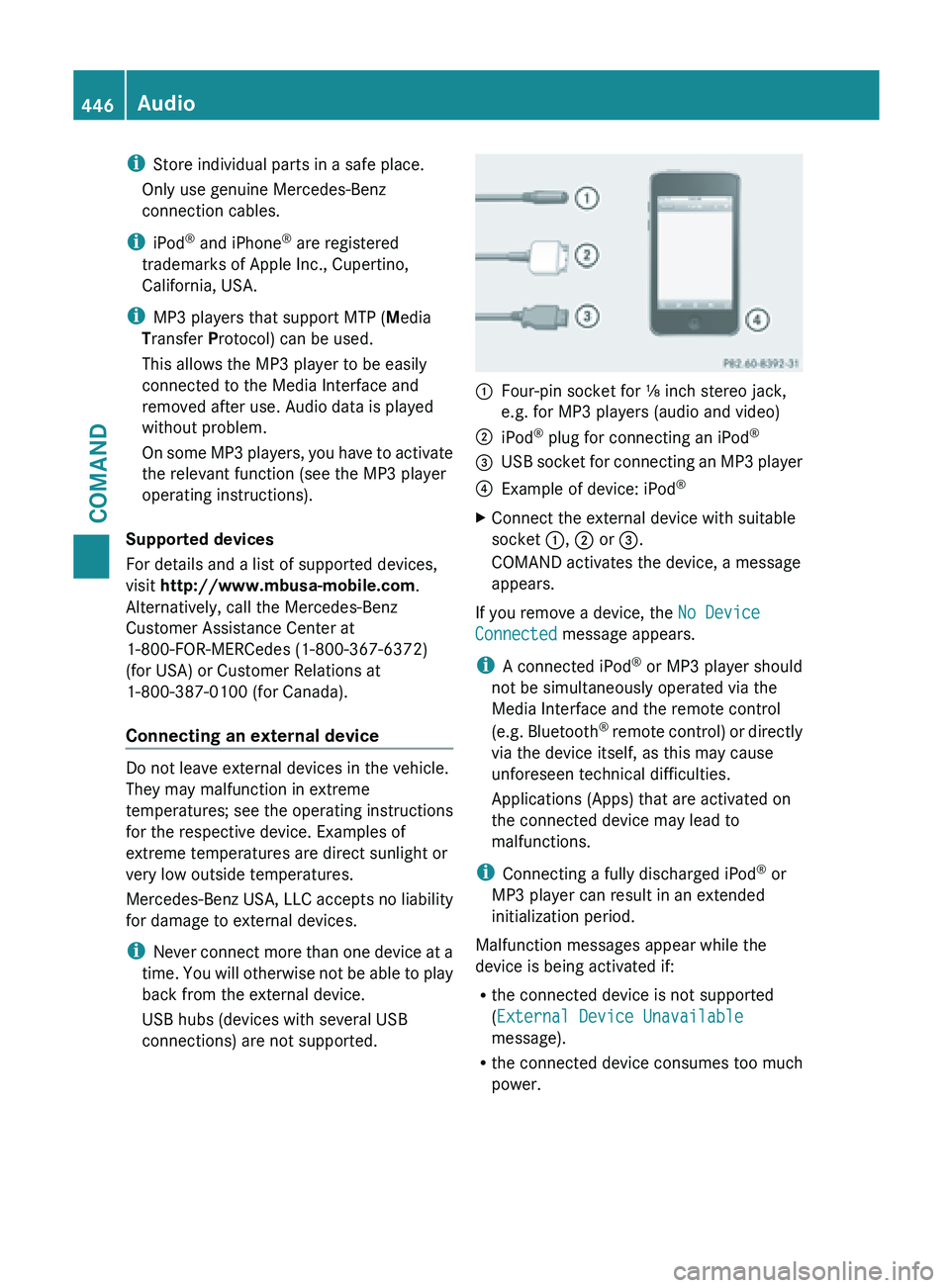
connections) are not supported. :
Four-pin socket for ⅛ inch stereo jack,
e.g. for MP3 players (audio and video)
; iPod ®
plug for connecting an iPod ®
= USB socket for connecting an MP3 player
? Example of device: iPod ®
X Connect the external device with suitable
socket :, ; or =.
COMAND activates the device, a message
appears.
If you remove a device, the No Device
Connected message appears.
i A connected iPod ®
or MP3 player should
not be simultaneously operated via the
Media Interface and the remote control
(e.g. Bluetooth ®
remote control) or directly
via the device itself, as this may cause
unforeseen technical difficulties.
Applications (Apps) that are activated on
the connected device may lead to
malfunctions.
i Connecting a fully discharged iPod ®
or
MP3 player can result in an extended
initialization period.
Malfunction messages appear while the
device is being activated if:
R the connected device is not supported
(External Device Unavailable
message).
R the connected device consumes too much
power.446
Audio
COMAND